#medieval-mc-forge
1 messages · Page 100 of 1

 cunning reefBOT
If this command was run in response to your question/issue, it is likely because switching away from the launcher you are currently using would fix your problem.
From our experience, the most stable launcher by far is ATLauncher, also known as ATL.
To install ATLauncher, do the following:
1. Go to https://atlauncher.com/download
2. Install and run the setup, then open the program.
3. Login to your Microsoft account that owns the Java Edition of Minecraft from the Accounts tab on the right. This process is 100% safe, as it goes directly through Microsoft. ATLauncher does not see your account credentials.
4. Go to the Packs tab on the right, then click "Curseforge" on the left.
5. Search the modpack you wish to download.
6. Click "New Instance". Click "Ok" on the opted out mods warning, then click "Open All" on the manual download screen.
7. Let the mods download, ATLauncher will grab them from your Downloads folder and automatically add them to the modpack.
8. Go to the Instances tab, and click "Play" on the modpack you downloaded. If you ever see an "Update" button on the instance, click it.
To transfer your Curseforge world to ATLauncher, simply right click the modpack on Curseforge, or click the 3 dots, then click "Open Folder". Copy the Saves folder, then click "Open Folder" on ATLauncher and paste the Saves folder there.
Because ATLauncher downloads the exact same files as Curseforge does, your world will be the exact same and you will be able to join the same servers. ATLauncher also works without an internet connection (after you've installed the modpack, of course), and does not have any bloat from Overwolf. You are free to uninstall both Overwolf and Curseforge with ATLauncher installed.
 sleek ether
@jagged dove thanks it works now with ATL!

 deft tiger
How do you heal in Mm3? Eating isn’t doing anything
 steep parrot
I have a server related question, Im using the bisect server hosting and wanted to know how to disable the survive mod outright? Or can I just remove it all together
Also which mod causes the tiny moon effect? I want to turn tiny moon off, that mf is annoying
steep parrot
Nvm bisect helped me with survive but Is till need help with the tiny moon event
 bright jasper
Is there a way to change origin in mmc4? Goblin wasn't the best choice
 sterile hollow
bright jasper
Is there a way to change origin in mmc4? Goblin wasn't the best choice
sterile hollow
bright jasper
Is there a way to change origin in mmc4? Goblin wasn't the best choice
/origin gui (player name)
 sudden loom
what can i do with ancient sewage bucket?
sterile hollow
Anyone know why i cant break glowstone
Any glowstone I try an break it just wont break
 crimson zealot
what pickaxe are you using
 vital swan
Hello, does anyone know if this game is mac compatible? Some mod games give me the GLFW error and wont open after a while. I wanted to know for this one before I start trying
 covert vapor
vital swan
Hello, does anyone know if this game is mac compatible? Some mod games give me t...
covert vapor
vital swan
Hello, does anyone know if this game is mac compatible? Some mod games give me t...
they usally give glfw errors due to them launching with shaders
it "should" work
usally with atlauncher
and updating the mac
!alternates
cunning reefBOT
If this command was run in response to your question/issue, it is likely because switching away from the launcher you are currently using would fix your problem.
From our experience, the most stable launcher by far is ATLauncher, also known as ATL.
To install ATLauncher, do the following:
1. Go to https://atlauncher.com/download
2. Install and run the setup, then open the program.
3. Login to your Microsoft account that owns the Java Edition of Minecraft from the Accounts tab on the right. This process is 100% safe, as it goes directly through Microsoft. ATLauncher does not see your account credentials.
4. Go to the Packs tab on the right, then click "Curseforge" on the left.
5. Search the modpack you wish to download.
6. Click "New Instance". Click "Ok" on the opted out mods warning, then click "Open All" on the manual download screen.
7. Let the mods download, ATLauncher will grab them from your Downloads folder and automatically add them to the modpack.
8. Go to the Instances tab, and click "Play" on the modpack you downloaded. If you ever see an "Update" button on the instance, click it.
To transfer your Curseforge world to ATLauncher, simply right click the modpack on Curseforge, or click the 3 dots, then click "Open Folder". Copy the Saves folder, then click "Open Folder" on ATLauncher and paste the Saves folder there.
Because ATLauncher downloads the exact same files as Curseforge does, your world will be the exact same and you will be able to join the same servers. ATLauncher also works without an internet connection (after you've installed the modpack, of course), and does not have any bloat from Overwolf. You are free to uninstall both Overwolf and Curseforge with ATLauncher installed.
covert vapor
yes itll be way better
sterile hollow
crimson zealot
what pickaxe are you using
Im using a moonlight pickaxe
with silk touch
 tough moth
hey all i have a question related to mmc2
if i may ask, why is the essential mod considered incompatible, and how can i fix it...?
 tidal spruceBOT
tough moth
if i may ask, why is the essential mod considered incompatible, and how can i fi...
tidal spruceBOT
tough moth
if i may ask, why is the essential mod considered incompatible, and how can i fi...
Our modpacks don't support essential, please use e4mc instead or host a local server using the serverpack.
tough moth
interesting, got it
covert vapor
tough moth
interesting, got it
mmm
tough moth
?
covert vapor
yeah do as john says
tough moth
okay
covert vapor
essentials causes world corruption
covert vapor
3 users i had to tell today
tough moth
well where do i get e4
tough moth
covert vapor
3 users i had to tell today
lol
covert vapor
tough moth
well where do i get e4
mdorinth
tough moth
got it
covert vapor
modrinth
tough moth
i use atl so
tough moth
tysm <3
covert vapor
there we go
tough moth
lol i got it
covert vapor
ggs
tough moth
hold, i'll see if i run into any more issues
it was hell even making this pack start lmfao
covert vapor
tough moth
lol
yeah their worlds work fine for me but not for them anymore
tough moth
oh no
covert vapor
tough moth
it was hell even making this pack start lmfao
how come?
tough moth
bc i had to change how much ram i allocate, turns out 8gb was too much
it was maxing my memory lol
covert vapor
it’s fine actually
tough moth
and then some other silly one-offs
covert vapor
is it like “8gb is too much use this much instead”
tough moth
yeah whatever the hell happenedc reducing ram a littel bit worked
 vale coyote
I hate the mod that does thatt
tough moth
covert vapor
is it like “8gb is too much use this much instead”
it phrases it like "we wrote the ram into something that doesnt exist" basically
covert vapor
need be i can give you 2 suggestions for ram optimizations
covert vapor
tough moth
it phrases it like "we wrote the ram into something that doesnt exist" basically
ah
bruh
tough moth
no it is a game crash
tough moth
yes
covert vapor
vale coyote
I hate the mod that does thatt
fair lol
 tough moth
if it was voluntary to skip i wouldnt be complaining 💀
covert vapor
1 is a launcher other is a different java
tough moth
covert vapor
<a:SChappy:864111506635227136>
uhhh sure i can keep em for later
covert vapor
!alternates
cunning reefBOT
If this command was run in response to your question/issue, it is likely because switching away from the launcher you are currently using would fix your problem.
From our experience, the most stable launcher by far is ATLauncher, also known as ATL.
To install ATLauncher, do the following:
1. Go to https://atlauncher.com/download
2. Install and run the setup, then open the program.
3. Login to your Microsoft account that owns the Java Edition of Minecraft from the Accounts tab on the right. This process is 100% safe, as it goes directly through Microsoft. ATLauncher does not see your account credentials.
4. Go to the Packs tab on the right, then click "Curseforge" on the left.
5. Search the modpack you wish to download.
6. Click "New Instance". Click "Ok" on the opted out mods warning, then click "Open All" on the manual download screen.
7. Let the mods download, ATLauncher will grab them from your Downloads folder and automatically add them to the modpack.
8. Go to the Instances tab, and click "Play" on the modpack you downloaded. If you ever see an "Update" button on the instance, click it.
To transfer your Curseforge world to ATLauncher, simply right click the modpack on Curseforge, or click the 3 dots, then click "Open Folder". Copy the Saves folder, then click "Open Folder" on ATLauncher and paste the Saves folder there.
Because ATLauncher downloads the exact same files as Curseforge does, your world will be the exact same and you will be able to join the same servers. ATLauncher also works without an internet connection (after you've installed the modpack, of course), and does not have any bloat from Overwolf. You are free to uninstall both Overwolf and Curseforge with ATLauncher installed.
covert vapor
!openjdk
cunning reefBOT
- Download an adoptium release for Java (recommended but not required):
- Java 11 (https://adoptium.net/temurin/releases/?version=11) for versions 1.16.5 and below (can also use 8 if its not working)
- Java 18 (https://adoptium.net/temurin/releases/?version=18) for any versions newer (or 17 if 18 doesn't work)
- Consider installing the JRE instead of the JDK for a smaller file size
-
When installing through adoptium, make sure that Add to PATH and Set JAVA_HOME variable are both set to be installed (please see https://imgur.com/a/jPu1h7h for how that would look)
-
Check if java has been correctly installed by running java --version (or java -version on older versions), and seeing if the output is correct (see https://imgur.com/a/OWcoq4p for an example of the output)
- NOTE: 64 bit versions of java ALWAYS have '64-bit Server VM' in the version output. If that is not there, you have installed a 32-BIT version!! If you're getting Out of Memory errors or any other errors, PLEASE install 64-bit
- If the output isn't as intended, you have 2 options.
i) Delete ALL other java versions from your PC (ONLY recommended if you don't need them)
ii) Redirect your launcher/server to use your new installation of Java
Method i
- Uninstall any other java program listed in your programs list (differs by OS, please find a guide for your own OS if you don't know)
- Attempt to re-use the command mentioned above (if the output is now correct, which it should be, you are ready to go)
Method ii
- For a server, please modify the $Java/JAVA variable (found in your startup script depending on ps1/sh) to the path of your java installation. For windows, this path is usually found in "Program Files/Eclipse Adoptium/version_of_java/bin"
- For a client, depending on whether you use CurseForge, GD, or AT, the process is slightly different. Please see a guide for each respective launcher on how to change the java version.
covert vapor
have fun :3
tough moth
tysm 💗
covert vapor
np
tough moth
@covert vapor lol
 vital swan
covert vapor
yes itll be way better
vital swan
covert vapor
yes itll be way better
Hey I tried it but sadly I got the GLFW erorr I've been getting on everything
covert vapor
vital swan
Hey I tried it but sadly I got the GLFW erorr I've been getting on everything
where do you crash when that happens?
starting game
making world
joining game
vital swan
I had this issue with RAD2
cunning reefBOT
To better assist with fixing an issue, we will need some logs: Curseforge/GDLauncher-> Right click the modpack instance -> Open Folder. For MultiMC -> Click 'Instance Folder' on the right.
Find the file 'Latest' in the 'Logs' folder. If there is a folder called 'Crash Reports' then find the newest file from today. Upload these as requested.
vital swan
covert vapor
vital swan
I had this issue with RAD2
some packs just aren’t made for mac sadly
vital swan
covert vapor
some packs just aren’t made for mac sadly
Yeah its looking to be the case
covert vapor
ur mac updated and all?
vital swan
Yup
vital swan
ok
cunning reefBOT
- Download an adoptium release for Java (recommended but not required):
- Java 11 (https://adoptium.net/temurin/releases/?version=11) for versions 1.16.5 and below (can also use 8 if its not working)
- Java 18 (https://adoptium.net/temurin/releases/?version=18) for any versions newer (or 17 if 18 doesn't work)
- Consider installing the JRE instead of the JDK for a smaller file size
-
When installing through adoptium, make sure that Add to PATH and Set JAVA_HOME variable are both set to be installed (please see https://imgur.com/a/jPu1h7h for how that would look)
-
Check if java has been correctly installed by running java --version (or java -version on older versions), and seeing if the output is correct (see https://imgur.com/a/OWcoq4p for an example of the output)
- NOTE: 64 bit versions of java ALWAYS have '64-bit Server VM' in the version output. If that is not there, you have installed a 32-BIT version!! If you're getting Out of Memory errors or any other errors, PLEASE install 64-bit
- If the output isn't as intended, you have 2 options.
i) Delete ALL other java versions from your PC (ONLY recommended if you don't need them)
ii) Redirect your launcher/server to use your new installation of Java
Method i
- Uninstall any other java program listed in your programs list (differs by OS, please find a guide for your own OS if you don't know)
- Attempt to re-use the command mentioned above (if the output is now correct, which it should be, you are ready to go)
Method ii
- For a server, please modify the $Java/JAVA variable (found in your startup script depending on ps1/sh) to the path of your java installation. For windows, this path is usually found in "Program Files/Eclipse Adoptium/version_of_java/bin"
- For a client, depending on whether you use CurseForge, GD, or AT, the process is slightly different. Please see a guide for each respective launcher on how to change the java version.
vital swan
alr let me try and ill get back to you
covert vapor

vital swan
covert vapor
removing vivecraft vr combat and oculus
I only saw oculus, didn't see anything like the others. But removing that didn't work
I have teh 1.16.5 version
covert vapor
vital swan
I only saw oculus, didn't see anything like the others. But removing that didn't...

mind sending log again?
vital swan
Ive removed roadrunner and the magnesium/rodium extra
Thats hat they recommended for RAD2
vital swan
I put that into the Java parameters section correct?
covert vapor
yep
vital swan
Yeah no luck it seems
vital swan
On curse it usually lets me skip the red loading screen, doesn't seem to be doing that here
Yes it does
ok one sec
covert vapor
covert vapor
vital swan
On curse it usually lets me skip the red loading screen, doesn't seem to be doin...
hmm it kinda shouldnt? ig
depends what ur launching
vital swan
 covert vapor
hmm
yeah that line is made perfectly
i’d guess for now
maybe try
the stuff from !openjdk command
and this too
if ur willing
!performance
cunning reefBOT
vital swan
Ok let mee try the first thing
covert vapor
sure
vital swan
Ok I've installed it, do I just run the game and see if it opens?
I dont even know where it went within my files
covert vapor
you need to set it to use it first
covert vapor
vital swan
 vital swan
Ok I;m not seeing anything new, I dont think I installed it correctly, let me try again
I had to find it manually, ok I changed it
covert vapor
nice
vital swan
/Library/Java/JavaVirtualMachines/temurin-11.jre/Contents/Home
Theres nothing in the bin like teh first one
covert vapor
vital swan
Theres nothing in the bin like teh first one
should be fine
vital swan
/Library/Java/JavaVirtualMachines/jdk-16.jdk/Contents/Home/bin/java (64-bit)
Ok well I tried it and no luck, posting report one sec
covert vapor
hm
covert vapor
sadly i’m all out of ideas
you could try fabric maybe that’ll work
our forge and fabric packs are pretty similar
vital swan
No worries mate
covert vapor
just diff mod loaders
vital swan
I appreciate you trying
just gotta save and get a desktop lol
you have a good night
 copper meteor
!moreinfo
cunning reefBOT
Hello! For us to help you with your issue, you will need to answer all 8 questions below. Post the answers in this channel:
1. Have you modified the modpack in any way? If so, what did you do? (Updating/adding/removing mods, changing configs)
2. What launcher, or program, are you using to launch the game? (CurseForge, ATLauncher, etc)
3. What Minecraft version are you playing? (1.18.2, 1.16.5, 1.19.2)
4. What version of the modpack are you playing? (v11, v9, etc)
5. What steps are necessary to reproduce the crash? (Launching the game, exploring the world, etc)
6. Have you ever gotten past the point where the crash happens?
7. Send the crash report file into this channel. Right click the modpack, Open Folder, and navigate to the Crash Reports folder. Drag the newest one here. If there is no crash reports folder, do the same thing with the latest.log file in the logs folder.
8. Did you follow the Performance guide linked in #faq?
 keen plank
hey people,
My friends and I have been having a problem with frequent crashing with this modpack. it mostly happens with things related to Tetra mod. I think Shaders are also involved in some way?
- imagte below
2.curseforge - 1.20.1
- V21
- Hovering over materials in tetra crafting bench when trying to modify an item
- Sometimes it works fine, other times it immediately crashes
- yes, no use
 sudden loom
what does the beenergized effect do?
 lean zodiac
I removed trading post and added easy villagers, but the trader blocks aren't showing in the JEI and cant be crafted. does it conflict with villagers plus?
sudden loom
can ghast from twitlight forest drop tears???
 proud bloom
@covert vapor you never got back to me about my crashing
I also updated my graphics driver to see if that was the issue and im still not able to play
covert vapor
proud bloom
I also updated my graphics driver to see if that was the issue and im still not ...
was you on a laptop?
proud bloom
no
covert vapor
desktop?
proud bloom
Yes
covert vapor
atm im reinstalling windows.
ok
if desktop try installing diff java / making sure ur cable for monitor is connected to the gpu not motherboard
!openjdk
cunning reefBOT
- Download an adoptium release for Java (recommended but not required):
- Java 11 (https://adoptium.net/temurin/releases/?version=11) for versions 1.16.5 and below (can also use 8 if its not working)
- Java 18 (https://adoptium.net/temurin/releases/?version=18) for any versions newer (or 17 if 18 doesn't work)
- Consider installing the JRE instead of the JDK for a smaller file size
-
When installing through adoptium, make sure that Add to PATH and Set JAVA_HOME variable are both set to be installed (please see https://imgur.com/a/jPu1h7h for how that would look)
-
Check if java has been correctly installed by running java --version (or java -version on older versions), and seeing if the output is correct (see https://imgur.com/a/OWcoq4p for an example of the output)
- NOTE: 64 bit versions of java ALWAYS have '64-bit Server VM' in the version output. If that is not there, you have installed a 32-BIT version!! If you're getting Out of Memory errors or any other errors, PLEASE install 64-bit
- If the output isn't as intended, you have 2 options.
i) Delete ALL other java versions from your PC (ONLY recommended if you don't need them)
ii) Redirect your launcher/server to use your new installation of Java
Method i
- Uninstall any other java program listed in your programs list (differs by OS, please find a guide for your own OS if you don't know)
- Attempt to re-use the command mentioned above (if the output is now correct, which it should be, you are ready to go)
Method ii
- For a server, please modify the $Java/JAVA variable (found in your startup script depending on ps1/sh) to the path of your java installation. For windows, this path is usually found in "Program Files/Eclipse Adoptium/version_of_java/bin"
- For a client, depending on whether you use CurseForge, GD, or AT, the process is slightly different. Please see a guide for each respective launcher on how to change the java version.
 jagged dove
proud bloom
A lot of words I don't understand
jagged dove
proud bloom
A lot of words I don't understand
which part do you not understand
read it slowly
proud bloom
I Uninstalled and reinstalled and it works
covert vapor
nice
 fossil pine
So I might be big dumb because I can't find what to edit anywhere, but to assign more RAM to the start.ps1, what does the line "$JavaArgs = $ExternalVariables['JAVA_ARGS']" need to be exactly? would like to assign 8G, but trying to add -Xmx8G keeps breaking the script whenever I try it
jagged dove
fossil pine
So I might be big dumb because I can't find what to edit anywhere, but to assign...
edit it variables.txt
 bleak kernel
running into a crash, im the second person on our server to run into it...after picking up a badlands outpost map the game crashes and then you can't load back in at all
org.spongepowered.asm.mixin.transformer.throwables.MixinTransformerError: An unexpected critical error was encountered
thats the error i'm getting, not sure why its doing that, any help would be appreciated
jagged dove
bleak kernel
running into a crash, im the second person on our server to run into it...after ...
!moreinfo
cunning reefBOT
Hello! For us to help you with your issue, you will need to answer all 8 questions below. Post the answers in this channel:
1. Have you modified the modpack in any way? If so, what did you do? (Updating/adding/removing mods, changing configs)
2. What launcher, or program, are you using to launch the game? (CurseForge, ATLauncher, etc)
3. What Minecraft version are you playing? (1.18.2, 1.16.5, 1.19.2)
4. What version of the modpack are you playing? (v11, v9, etc)
5. What steps are necessary to reproduce the crash? (Launching the game, exploring the world, etc)
6. Have you ever gotten past the point where the crash happens?
7. Send the crash report file into this channel. Right click the modpack, Open Folder, and navigate to the Crash Reports folder. Drag the newest one here. If there is no crash reports folder, do the same thing with the latest.log file in the logs folder.
8. Did you follow the Performance guide linked in #faq?
bleak kernel
- No
2.Curseforge - 1.20.1
- v21
5.Initially just picking up the map, but then it won't let you load into the server at all
6.No
just want to figure out how to avoid this so no one esle runs into this issue
jagged dove
bleak kernel
just want to figure out how to avoid this so no one esle runs into this issue
ah
you will have to avoid picking up maps for now
you can use an external software to edit the map out of the players inventory
or /kill htem
them
bleak kernel
is it part of a pack we can take out?
 bronze spade
which mod makes the game more difficult the longer you play/farther you travel?
fossil pine
jagged dove
edit it variables.txt
thank you that ended up fixing it!
sudden loom
why i cant drink that

and i can drink beer
guys help
i need to drink that
FAST
 lapis pelican
Is your thirst and hunger full?
sudden loom
nope
 scenic mountain
is there an wiki side for the modpack?
 hybrid walrus
scenic mountain
is there an wiki side for the modpack?
hybrid walrus
scenic mountain
is there an wiki side for the modpack?
no, read quests
 plucky garnet
Remove survive, I don't think there's a single aspect about it that makes the modpack more interesting or fun, infact it hinders it if anything.
lapis pelican
plucky garnet
Remove survive, I don't think there's a single aspect about it that makes the mo...
 wooden rune
So i ended up crashing frequently with exit code 1 mid game, then i couldnt even launch at all with the same code. i was about to do the more info command when i tried one last thing. I created a new profile and just moved my world to it and everything seems fine now with nothing lost. Idk if the big bosses would like the info of the first instance or are fine with moving on
covert vapor
wooden rune
So i ended up crashing frequently with exit code 1 mid game, then i couldnt even...
!moreinfo
cunning reefBOT
Hello! For us to help you with your issue, you will need to answer all 8 questions below. Post the answers in this channel:
1. Have you modified the modpack in any way? If so, what did you do? (Updating/adding/removing mods, changing configs)
2. What launcher, or program, are you using to launch the game? (CurseForge, ATLauncher, etc)
3. What Minecraft version are you playing? (1.18.2, 1.16.5, 1.19.2)
4. What version of the modpack are you playing? (v11, v9, etc)
5. What steps are necessary to reproduce the crash? (Launching the game, exploring the world, etc)
6. Have you ever gotten past the point where the crash happens?
7. Send the crash report file into this channel. Right click the modpack, Open Folder, and navigate to the Crash Reports folder. Drag the newest one here. If there is no crash reports folder, do the same thing with the latest.log file in the logs folder.
8. Did you follow the Performance guide linked in #faq?
wooden rune
i dont have a crash folder but i can grab the logs
im trying to send it but its telling something went wrong, i might be missing something
oop
dont know if i should hide that
covert vapor
wooden rune
dont know if i should hide that
it’s ok
wait that’s the entire thing from ur old profile?
wooden rune
its what was labeled as latest.log, unless its a different one im supposed to find
wooden rune
theres no crash report folder for me
covert vapor
hm
anything older than latest.log?
it’ll be a gz i can’t open them atm
but open them and transfer the text file here
covert vapor
mhm
wooden rune
Do i need Winrar in order to do so? Im attempting it but discord is telling me something went wrong
oh there we go
this is the last one i was able to run in game
covert vapor
seems like
wait
yep that’s the one
it all seems fine
what about the one after?
covert vapor
wooden rune
just this?
wooden rune
after or before? because the one after is similar to the first one i sent with 2 lines
the size for the recent one i sent is 56 KB, the first one is 1KB. its how I knew which ones were me just spamming launch hoping it would work and ones where i was in game
 wooden rune
if its any help, on the first crash i saw something say out of memory, it started when i first entered the nether with the crashes. But before that i went into the aether and noticed my xp bar and number missing. So it could be like a warning symptom for others to take caution for
wooden rune
yea ive encountered that one before but this time moving dimension and death wouldnt reset it, nor enchanting. But either way I can still continue with the new profile so I'm all good. But in case youd like more info im here
 thick valve
how do i get purified water?? cant boil bucket of water or canteen
covert vapor
thick valve
how do i get purified water?? cant boil bucket of water or canteen
cook uh water bottles
covert vapor
wooden rune
yea ive encountered that one before but this time moving dimension and death wou...
hmm weird a new profile fixed it but yeah continue with it
thick valve
is that the only way?
covert vapor
i am guessing curseforge butchered ur install but only for a very very specific part and you found it
covert vapor
thick valve
is that the only way?
no idea it’s a guess lol
wooden rune
actually it may have been soley on curseforge. When i was trying to get it to work. I clicked on the vanilla launcher and the launcher itself would crash. yet with curse forge it would load launcher but crash when starting. Weirder part was i was able to start vanilla thru curse. So now im more lost. I'm not good with diagnoses, im better at work arounds
covert vapor
wooden rune
actually it may have been soley on curseforge. When i was trying to get it to wo...
here uh
use this tbh
!alternates
cunning reefBOT
If this command was run in response to your question/issue, it is likely because switching away from the launcher you are currently using would fix your problem.
From our experience, the most stable launcher by far is ATLauncher, also known as ATL.
To install ATLauncher, do the following:
1. Go to https://atlauncher.com/download
2. Install and run the setup, then open the program.
3. Login to your Microsoft account that owns the Java Edition of Minecraft from the Accounts tab on the right. This process is 100% safe, as it goes directly through Microsoft. ATLauncher does not see your account credentials.
4. Go to the Packs tab on the right, then click "Curseforge" on the left.
5. Search the modpack you wish to download.
6. Click "New Instance". Click "Ok" on the opted out mods warning, then click "Open All" on the manual download screen.
7. Let the mods download, ATLauncher will grab them from your Downloads folder and automatically add them to the modpack.
8. Go to the Instances tab, and click "Play" on the modpack you downloaded. If you ever see an "Update" button on the instance, click it.
To transfer your Curseforge world to ATLauncher, simply right click the modpack on Curseforge, or click the 3 dots, then click "Open Folder". Copy the Saves folder, then click "Open Folder" on ATLauncher and paste the Saves folder there.
Because ATLauncher downloads the exact same files as Curseforge does, your world will be the exact same and you will be able to join the same servers. ATLauncher also works without an internet connection (after you've installed the modpack, of course), and does not have any bloat from Overwolf. You are free to uninstall both Overwolf and Curseforge with ATLauncher installed.
covert vapor
won’t have many issues with atl
wooden rune
omg atl is still a thing, me and my bud used to use it all the time. idk what happend

 thick valve
bump still cant figure out how to drink clean water
 idle osprey
too much
 molten lantern
 pallid bear
10248Mb
pallid bear
10248Mb
Too much 6-8 should do
lapis pelican
thick valve
cant find it in the slots
press b, should be a button on the left to remove from your back
thick valve
lapis pelican
press b, should be a button on the left to remove from your back
thank you, also to upgrade i craft new one in table right? not using a smithing table?
molten lantern
Craft one in table then upgrade in smithing table
lapis pelican
thick valve
thank you, also to upgrade i craft new one in table right? not using a smithing ...
should mention in JEI/REI (can never remember who uses what)
thick valve
okay found thanks!! u alos wouldnt be happen to know how i could get purified water would you
lapis pelican
if you pull open jei/rei and search purified water, then click on it, it should give a list of ways
thick valve
???
 lapis pelican
can't used diamond upgrade on a diamond backpack
thick valve
oh what
molten lantern
Then diamond
lapis pelican
it goes from base, iron, gold, diamond, netherite for upgrading.
 lapis pelican
press b?
looks like you picked it up via the carry on mod, which if that's the case set it on the floor by right clicking
thick valve
right but i cant pick it up unless i shift right click
lapis pelican
you have to break it to pick it up
lapis pelican
I swear travelers  that used to work just fine
 jovial gyro
if its MMC3, the traveler's backpack version on latest is still the bugged one unless people manually update it
since its been a while since MMC3 updated
same goes for the xp level rendering issue and immediatelyfast, the fixes are out but you'd have to manually update the mod
 mortal lagoon
I'm using MMC4 and I'm having issues with Siren, for some reason my mining speed underwater is really, really slow like if I wasn't a Siren. I played Medieval before and they're unwater mining speed was fast, did something change or is this a bug?
thick valve
jovial gyro
same goes for the xp level rendering issue and immediatelyfast, the fixes are ou...
are all these fixes in pinned?
pallid bear
molten lantern
Too much 6-8 should do
i have 32 its fine
jagged dove
pallid bear
i have 32 its fine
I run 8gb with shaders
you dont need anything more
java garbage collecter will get angry
covert vapor
pallid bear
i have 32 its fine

jagged dove
its not about how much ram you hv
pallid bear
it uses 10 too
jagged dove

 cunning reefBOT
- Download an adoptium release for Java (recommended but not required):
- Java 11 (https://adoptium.net/temurin/releases/?version=11) for versions 1.16.5 and below (can also use 8 if its not working)
- Java 18 (https://adoptium.net/temurin/releases/?version=18) for any versions newer (or 17 if 18 doesn't work)
- Consider installing the JRE instead of the JDK for a smaller file size
-
When installing through adoptium, make sure that Add to PATH and Set JAVA_HOME variable are both set to be installed (please see https://imgur.com/a/jPu1h7h for how that would look)
-
Check if java has been correctly installed by running java --version (or java -version on older versions), and seeing if the output is correct (see https://imgur.com/a/OWcoq4p for an example of the output)
- NOTE: 64 bit versions of java ALWAYS have '64-bit Server VM' in the version output. If that is not there, you have installed a 32-BIT version!! If you're getting Out of Memory errors or any other errors, PLEASE install 64-bit
- If the output isn't as intended, you have 2 options.
i) Delete ALL other java versions from your PC (ONLY recommended if you don't need them)
ii) Redirect your launcher/server to use your new installation of Java
Method i
- Uninstall any other java program listed in your programs list (differs by OS, please find a guide for your own OS if you don't know)
- Attempt to re-use the command mentioned above (if the output is now correct, which it should be, you are ready to go)
Method ii
- For a server, please modify the $Java/JAVA variable (found in your startup script depending on ps1/sh) to the path of your java installation. For windows, this path is usually found in "Program Files/Eclipse Adoptium/version_of_java/bin"
- For a client, depending on whether you use CurseForge, GD, or AT, the process is slightly different. Please see a guide for each respective launcher on how to change the java version.
mortal lagoon
mortal lagoon
I'm using MMC4 and I'm having issues with Siren, for some reason my mining speed...
Jumped onto MC Fabric MMC2 and Sirens mine underwater as they should. So it does seem to be a Forge MMC4 Bug.
 frank epoch
yeah
 ashen ridge
how to do that
frank epoch
you on forge or fabric?
ashen ridge
forge
frank epoch
Ah
 azure frigate
ashen ridge
Any idea on how to get clean water
azure frigate
ashen ridge
Any idea on how to get clean water
If you don't disable it, you make clean water by cooking either a water bucket, or a bottle of water in a furnace
azure frigate
What do you mean it aint working?
azure frigate
I dont see any stream
thick valve
anyone got a list of mods that need to be updated in mmc3?
travelers is one i believe? but not sure what else needs to be updated
covert vapor
thick valve
travelers is one i believe? but not sure what else needs to be updated
check changelogs
thick valve
covert vapor
check changelogs
will the most recent changelog show what mods i need to update?
cant check rn but just wanna make sure my question is clear for when i do check
cunning reefBOT

Discord ➔ https://discord.gg/8ZmhaPPbjE
Twitter ➔ https://twitter.com/SharkieTV
Use CODE: LunaPixel for 25% off ➔ https://www.bisecthosting.com/LunaPixel
thick valve
bc i was told that some mods need to be updated?
covert vapor
jovial gyro
same goes for the xp level rendering issue and immediatelyfast, the fixes are ou...
^?
covert vapor
ok
thick valve
just didnt know if it was just those 3
covert vapor
just follow what mods they said to update
covert vapor
thick valve
just didnt know if it was just those 3
most likely is
thick valve
whats the xp leveling rendering issue?
covert vapor
covert vapor
thick valve
whats the xp leveling rendering issue?
ur xp bar and level bar vanish
thick valve
okay which mod is that for?
i noticed the number was just very hard to read but better to be safe
thick valve
immediatelyfast?
covert vapor
yes
thick valve
message made it seem like it was 2 different mods mb
covert vapor
dw
thick valve
so immediatelyfast and travelers backpack are basically the only 2 mods that need to be updated to fix issues?
covert vapor
yes
thick valve
ok ty
mortal lagoon
mortal lagoon
Jumped onto MC Fabric MMC2 and Sirens mine underwater as they should. So it does...
It seems to be broken for Mermaid too. So Siren and Mermaid underwater mining seems to be completely broken. Is there a place I can report this bug?
copper meteor
Hey does anything (like food or smth) give the energised effect ?\
 wind fern
Im stuck in the nether like I died in the overworld and respawned in the nether how do I leave im a demon
hybrid walrus
wind fern
Im stuck in the nether like I died in the overworld and respawned in the nether ...
you can either cheat your way out or do it the vanilla way, which is find obsidian, trade piglins for obsidian, need to gather gold and iron, if you really need sticks there are two forest biomes, and gravel exists so you can get flint n steel
as a demon, you are supposed to spawn in the nether
wind fern
thats crazy
hybrid walrus
then if you use a bed to set your spawn point in the overworld you won't have to worry about being in the nether after dying
wind fern
ok ty
tough moth
reposting this in the correct channel 😅

 left surge
EVERY COMPAT MOD IS BROKEN IN V21 
it worked in previous versions, but now it's like this:

it's the same in item form, and in block form, for every variant item created by every compat, (e.g: Bluebright palisides, bluebright supports, bluebright tables, etc)
molten lantern
Did you try reloading resource packs?
molten lantern
tough moth
reposting this in the correct channel 😅
!moreinfo
cunning reefBOT
Hello! For us to help you with your issue, you will need to answer all 8 questions below. Post the answers in this channel:
1. Have you modified the modpack in any way? If so, what did you do? (Updating/adding/removing mods, changing configs)
2. What launcher, or program, are you using to launch the game? (CurseForge, ATLauncher, etc)
3. What Minecraft version are you playing? (1.18.2, 1.16.5, 1.19.2)
4. What version of the modpack are you playing? (v11, v9, etc)
5. What steps are necessary to reproduce the crash? (Launching the game, exploring the world, etc)
6. Have you ever gotten past the point where the crash happens?
7. Send the crash report file into this channel. Right click the modpack, Open Folder, and navigate to the Crash Reports folder. Drag the newest one here. If there is no crash reports folder, do the same thing with the latest.log file in the logs folder.
8. Did you follow the Performance guide linked in #faq?
left surge
molten lantern
Did you try reloading resource packs?
Yes, it didn't fix it
i should note we're also on a server
it's MMC4, v21
molten lantern
left surge
Yes, it didn't fix it
Open the f3 screen while looking at it and send me a ss
ashen ridge
anybody have any ideas to saving my playthrough
 left surge
How do i get starbuncles to take source gems from imbuement chambers and then put them in a chest
left surge
left surge
wait wtf a scheduled server restart fixed this
molten lantern
left surge
wait wtf a scheduled server restart fixed this
Ah nice
Yeah the texture things usually get fixed with a relaunch or reinstall
 radiant birch
would u guys say forge or fabric mmc is more fun
tidal spruceBOT
molten lantern
Uh <#815503531611783179> for the differences. Both are fun but fabric gives bett...
Please read #faq to see the modpack diferences.
molten lantern
tidal spruce
Please read <#815503531611783179> to see the modpack diferences.
Lol john i know the difference was just telling him to look in faq
tidal spruceBOT
molten lantern
Lol john i know the difference was just telling him to look in faq
Haha, my bad! Just trying to be helpful. But yeah, the FAQ has all the details about our modpack differences. Enjoy exploring! 🐶🎮
radiant birch
types like a real person that's pretty nice
molten lantern
Yep
 merry sand
Does MMC4 have less building variety/loot than others? I feel like all the buildings I loot, no matter the size, have like chests with like a few diamond, emerald, gold, or iron and maybe a iron-dia weapon or armor piece or enchant book/scroll, nothing really special. Lots of duplicate.
Also feels like I see a lot of the same pillager towers and buildings, maybe a few temples, nothing crazy
molten lantern
merry sand
Does MMC4 have less building variety/loot than others? I feel like all the build...
Well it does have WDA and yungs repurposed structures which are the two main mods that add structures
Maybe search a bit more or you can try adding a mod called explorers compass to locate structures
And loot keeps changing according to the dungeons some of the rarer ones even containsnetherite like scorched mines, foundry and the flying ships from WDA
merry sand
hmm
Do you know if installing lootr would affect the loot tables if the defaults are untouched?
molten lantern
No
Lootr just makes it so that all the players get the chance to loot the same chest
 plush umbra
hey this might be a dumb question but i took the passive skill tree Jeweler Perk in v1.20 and i cant seem to socket a second gem into my rings. am i crazy or is this a dead perk?
frank epoch
plush umbra
hey this might be a dumb question but i took the passive skill tree Jeweler Perk...
The slot from the passive tree is for the gems from the passive tree mod
plush umbra
frank epoch
The slot from the passive tree is for the gems from the passive tree mod
see and thats the gems tried. used a onyx to try and double down on loot chances x2
but that didnt work so im at a loss
frank epoch
Then it might be a gem slot for the other gems
 small abyss
For the cryptic eye in mmc4 does it have to be level 30 enchants or will level 1 book enchanting also work?
 candid rain
plush umbra
see and thats the gems tried. used a onyx to try and double down on loot chances...
candid rain
plush umbra
see and thats the gems tried. used a onyx to try and double down on loot chances...
Pretty sure each gem tell you which place u can put it like hp is for chest plate etc
plush umbra
candid rain
Pretty sure each gem tell you which place u can put it like hp is for chest plat...
it does yes. but i still cant double socket rings like the jeweler talent suggests. andnits actually jade was the one inwas thinking of thdoes double loot drop chance. ill test one more time once im actually outa bed to make sure im not insane 😄
candid rain
Lol cool
 candid rain
Hi qwek
 candid rain
Maybe 😳
jagged dove

 mental geode
Hey, our nether is too high of a level, how do we change the mob leveling system?
What’s the name of the leveling mod?
jagged dove
mental geode
Hey, our nether is too high of a level, how do we change the mob leveling system...
autoleveling
what version of mmc are you on?
mental geode
4
mental geode
jagged dove
autoleveling
We set world spawn to 0 0 and that helped
 dawn juniper
Hello, could anyone help me with a crash report?
I use this Modpack: Medieval MC FORGE MMC2 v15
When I go to the far islands in the end than the server crushes.
I only installed Create 0.5.0i
Here is the crash report: https://pastebin.com/hYq5DkZ5
Pastebin
Pastebin.com is the number one paste tool since 2002. Pastebin is a website where you can store text online for a set period of time.
jagged dove
dawn juniper
Hello, could anyone help me with a crash report?
I use this Modpack: Medieval M...
try updating unusual end
dawn juniper
it works now. Thank you
molten lantern
Wym by set up
plush umbra
take of all your gear and see if it still happens
molten lantern
Yeah
plush umbra
some of the Apo unique gear can do it
molten lantern
Well didn’t know about the app gear but rings necklaces and stuff can do that
 warm venture
thanks for the help, that was really annoying XD
plush umbra
candid rain
Pretty sure each gem tell you which place u can put it like hp is for chest plat...
ok SO i did a quick Test
No Skill points at all. i can socket the copper ring.

Got the skill now
and cant double socket the ring. one thing i did notice. is that the first ring i made. did not have socket on it. but i could still socket it. the second ring i made clearly had a socket slot and i could still only put a single gem in it. So there one of two different things here. the Dev for the mod intended rings to not have sockets to begin with until you got the jeweler Node in the skill tree and you can socket with out the Jeweler node or secondly its your supposed to be able to put two gems in and thats not working

yea im pretty sure the intent was to not allow socketing of anything until the jeweler perk but i guess thats up to the devs to know 
jagged dove
candid rain
Ye that's what skills comes in handy
!ban
cunning reefBOT
Invalid command usage, try using it like:
</ban:1145941150495162397> [member] (optional reason)
Arguments:
member: User mention (@User) or user ID (159985870458322944)
reason: Text (may include spaces)
jagged dove
idk what u did
candid rain
Playing sp hardcore
wind fern
Helllo, is there a way to be in like a team or smoething, my buddy claimed a chunk and i cant edit/break anything is there a a way we could team up
molten lantern
wind fern
Helllo, is there a way to be in like a team or smoething, my buddy claimed a chu...
Should go smth by /opac
plush umbra
candid rain
U can get more sockets for jewelry
thats the thing its not working as intended.
 plush umbra
so thats the weird thing you can craft a ring without the perk and still socket it. and even with the perk you can now see teh socket on the ring... and you can still socket it lol
so it dosent matter if you have the perk or not unless the intent is to put two gems in rings in which case then its not working as intended. hopefully a dev/staff see this or i find out where i can mention it its not a HUGE deal but i mean dead node on tree 😄
plush umbra
yea in that case i should be able to add a second jewel then. unless you need to do a different process other then the smithing table
for the second gem i mean
sudden loom
should i run and just kill high lvl enemies or try to build some exp farm? ender man farm?
plush umbra
XP farm is more efficient but if you like the adventure have at er!
 errant sable
Why Merling in MMC3 destroy rock type of block so slow? how to fix it?
 orchid phoenix
Is there anyway to add more origins in the forge version?
like is there a mod to add more somehow
molten lantern
orchid phoenix
like is there a mod to add more somehow
Well if you can find a mod which adds more origins you can try adding it to your pack. Just make sure to make a backup before doin anything
 acoustic cliff
which MMC is the hardest one?
covert vapor
they are all pretty dificult
acoustic cliff
hmm
hybrid walrus
acoustic cliff
which MMC is the hardest one?
mmc1 fabric, pick plague victim, do hardcore
acoustic cliff
hybrid walrus
mmc1 fabric, pick plague victim, do hardcore
i'll tryu
 jagged tendon
Has anyone had this happen before in 1.20.1?
 errant sable
Which version of MMC is the best on variety and fun to play?
 raw thistle
UMMM... Why am i unable to use essential mod with the MMC4 modpack?
cunning reefBOT
Luna Pixel's World Sharing
Our modpacks don't support any mods that add singleplayer hosting / world sharing because we already provide free world sharing. The "Essential" mod is therefore incompatible.
To share your world using our own world hosting, click the "Open to Lan" or "Share World" button in the game menu when in a singleplayer world, and share the world.
It will give you an address, like magma-cube.mc.lunapixel.gg, which your friends can use to connect directly to your world as if it were a server!
We still highly suggest not to play through LAN as LAN is untested and unreliable. Using it will cause longterm damage to your world.
There is no reason to use LAN, as we support both paid and free methods of hosting a server the normal way.
 covert vapor
raw thistle
UMMM... Why am i unable to use essential mod with the MMC4 modpack?
covert vapor
raw thistle
UMMM... Why am i unable to use essential mod with the MMC4 modpack?
cuz i causes Wolrd coruptionnnnnn
 finite comet
1.20 - the tutorial quests say J to view Jobs, yet J opens journey map. I looked up in the keybinds and I see nothing related to jobs (I swear one day I'll post in a correct thread from the first try x_x )
covert vapor
finite comet
1.20 - the tutorial quests say J to view Jobs, yet J opens journey map. I looked...
rebind J to something else 🙂
orchid phoenix
Does anyone know any good seeds for 1.19.2 forge version?
 crimson zealot
Any tips or tricks for MMC4?
idle osprey
ashen ridge
!moreinfo
cunning reefBOT
Hello! For us to help you with your issue, you will need to answer all 8 questions below. Post the answers in this channel:
1. Have you modified the modpack in any way? If so, what did you do? (Updating/adding/removing mods, changing configs)
2. What launcher, or program, are you using to launch the game? (CurseForge, ATLauncher, etc)
3. What Minecraft version are you playing? (1.18.2, 1.16.5, 1.19.2)
4. What version of the modpack are you playing? (v11, v9, etc)
5. What steps are necessary to reproduce the crash? (Launching the game, exploring the world, etc)
6. Have you ever gotten past the point where the crash happens?
7. Send the crash report file into this channel. Right click the modpack, Open Folder, and navigate to the Crash Reports folder. Drag the newest one here. If there is no crash reports folder, do the same thing with the latest.log file in the logs folder.
8. Did you follow the Performance guide linked in #faq?
idle osprey
acoustic cliff
i;ve checked it but i think it will be faster to get on any server here
hybrid walrus
acoustic cliff
i;ve checked it but i think it will be faster to get on any server here
it won't be faster and stuff needs to be in the proper channels
 hot radish
I think I have a bug, I spawned as an elf but I'm as tall as villagers and can fit in normal doors. I played this last on a friends serve we made months ago with the fabric version and didn't have this issue. Using MMC4.
hybrid walrus
hot radish
I think I have a bug, I spawned as an elf but I'm as tall as villagers and can f...
elves are supposed to be tall
hot radish
I downloaded from Curseforge, and Downloaded Forge 47.2.5 and used the installer, and made sure the minecraft launcher listed the appropriate things when starting up.
hot radish
hybrid walrus
elves are supposed to be tall
Yes, but last time I played I had to crouch through normal sized doors.
hybrid walrus
hot radish
I downloaded from Curseforge, and Downloaded Forge 47.2.5 and used the installer...
they are supposed to be able to fit through normal doors now, it has been changed
 waxen yacht
what is "cold damage"?
I'm making a green apotheosis item and it says it now gets cold damage
hybrid walrus
waxen yacht
I'm making a green apotheosis item and it says it now gets cold damage
magic damage basically
waxen yacht
hybrid walrus
magic damage basically
ty
are there any armor or weapons that come with luck
hybrid walrus
waxen yacht
are there any armor or weapons that come with luck
midas gold armor set
reforging weapons to unique
jewelry mod if 1.20
waxen yacht
ty
hybrid walrus
oh wait that is fabric
idk for forge
apoth can give luck
like there are some luck gems
frank epoch
jagged tendon
Has anyone had this happen before in 1.20.1?
Happens to me all the time
hey can someone help me with the modpack not launching
Uploaded this before but no one said anything
Its been working but randomly it wont work
Only for this modpack
molten lantern
frank epoch
hey can someone help me with the modpack not launching
!moreinfo
cunning reefBOT
Hello! For us to help you with your issue, you will need to answer all 8 questions below. Post the answers in this channel:
1. Have you modified the modpack in any way? If so, what did you do? (Updating/adding/removing mods, changing configs)
2. What launcher, or program, are you using to launch the game? (CurseForge, ATLauncher, etc)
3. What Minecraft version are you playing? (1.18.2, 1.16.5, 1.19.2)
4. What version of the modpack are you playing? (v11, v9, etc)
5. What steps are necessary to reproduce the crash? (Launching the game, exploring the world, etc)
6. Have you ever gotten past the point where the crash happens?
7. Send the crash report file into this channel. Right click the modpack, Open Folder, and navigate to the Crash Reports folder. Drag the newest one here. If there is no crash reports folder, do the same thing with the latest.log file in the logs folder.
8. Did you follow the Performance guide linked in #faq?
frank epoch
Not modified, ATlauncher, 1.20, MMC4 latest, Launching the game, I get past the point randomly, got past it now, sent the crash report and yes
 frank epoch
This is medieval mc not fantasy realm
jagged dove
frank epoch
!drivers
cunning reefBOT
You (likely) need to update your graphics drivers in order to resolve the crash. Here's how to go about doing that!
1. Identify your graphics card
if you already know skip to the next step
- Open task manager
- Navigate to the "Performance" tab (on Windows 11 this is the button that looks like a heart pulse)
- Press the GPU 0 graph and read your GPU from the top right
Note:
In some cases you may see a GPU 0 and GPU 1. This means your CPU has its own GPU, as well as an external one. You probably want GPU 1 (which is usually the external), but you can ask staff to clarify if necessary.
2. Download your drivers from the manufacturers site
Depending on what you read before, you likely need drivers from either AMD, Intel, or NVIDIA
AMD: https://www.amd.com/en/support
Intel: https://www.intel.com/content/www/us/en/download-center/home.html
NVIDIA: https://www.nvidia.com/Download/index.aspx?lang=en-us
Note:
- For NVIDIA you want to select "Game Ready Driver (GRD)" (this is the default option) for the best performance. Once installing you'd probably prefer downloading GeForce Experience, which will notify you when there's an available drivers update.
- For Intel, you probably want to press "Get Started" under the "Automatically update your drivers and software", which will simplify the process and update everything automatically
- For AMD you probably want to just press "Download Windows Drivers", which will download something called AMD Adrenaline, which will update your drivers automatically.
3. Run the installation, restart your computer, and try playing MC again
- At this point, hopefully your Minecraft is running. If it still does not work, please post any new logs and staff will help assist you with finding the right solution.
jagged dove
molten lantern
Help me im confused
[22/11/2023 11:56:10 am] [main/INFO] Trying GL version 4.6
 molten lantern
Lmao
jagged dove
USERSDIR\instances\MedievalMCFORGEMMC4, --assetsDir, USERSDIR\assets, --assetIndex, 5, --uuid, UUID, --accessToken,
molten lantern
Hm yeah
frank epoch
yeah i decided to try and see if fantasy realm worked
molten lantern
Hm valid
jagged dove
ok im going back to talking to Microsoft people
idk why they r at my college
byebye
covert vapor
molten lantern
what’s wrong here
covert vapor

ashen ridge
cunning reef
Hello! For us to help you with your issue, you will need to answer **all 8 quest...
No
Curseforge
1.19.2
MMC3
attempt to launch for the first time
No
jagged dove
ashen ridge
No
Curseforge
1.19.2
MMC3
attempt to launch for the first time
No
!drivers
cunning reefBOT
You (likely) need to update your graphics drivers in order to resolve the crash. Here's how to go about doing that!
1. Identify your graphics card
if you already know skip to the next step
- Open task manager
- Navigate to the "Performance" tab (on Windows 11 this is the button that looks like a heart pulse)
- Press the GPU 0 graph and read your GPU from the top right
Note:
In some cases you may see a GPU 0 and GPU 1. This means your CPU has its own GPU, as well as an external one. You probably want GPU 1 (which is usually the external), but you can ask staff to clarify if necessary.
2. Download your drivers from the manufacturers site
Depending on what you read before, you likely need drivers from either AMD, Intel, or NVIDIA
AMD: https://www.amd.com/en/support
Intel: https://www.intel.com/content/www/us/en/download-center/home.html
NVIDIA: https://www.nvidia.com/Download/index.aspx?lang=en-us
Note:
- For NVIDIA you want to select "Game Ready Driver (GRD)" (this is the default option) for the best performance. Once installing you'd probably prefer downloading GeForce Experience, which will notify you when there's an available drivers update.
- For Intel, you probably want to press "Get Started" under the "Automatically update your drivers and software", which will simplify the process and update everything automatically
- For AMD you probably want to just press "Download Windows Drivers", which will download something called AMD Adrenaline, which will update your drivers automatically.
3. Run the installation, restart your computer, and try playing MC again
- At this point, hopefully your Minecraft is running. If it still does not work, please post any new logs and staff will help assist you with finding the right solution.
ashen ridge
cunning reef
You (likely) need to update your graphics drivers in order to resolve the crash....
still not working
covert vapor
laptop?
ashen ridge
Yes sir
im like losing it
Newest crash
@covert vapor if I can get the crash experts help I would appreciate it
covert vapor
ashen ridge
<@460610775887773737> if I can get the crash experts help I would appreciate it
here
 molten lantern
covert vapor
molten lantern
covert vapor
Homie do be having the images
||next thing he pulls up is their ip addresses||
ashen ridge
brotha can have my ip address
Its okay
not much to be done with it
it worked, thank you @covert vapor
covert vapor
np
 sacred gate
Hey im struggling right now, i cannot figure out for the life of me how to access the stat's menu in the 1.16.5 version. Idk how to increase them
mental geode
my friend accidentally picked up a treasure map and he cant join now, how can i go into the files of the server and remove the item
covert vapor
mental geode
my friend accidentally picked up a treasure map and he cant join now, how can i ...
single player or multi
covert vapor
go to server files. find usercahce file and read it. find ur friends name and uuid and remmebr the uuid. go to playerdata folder and grab both old and dat files and use NBTexplorer to edit the item out
 bronze heron
what's the best modpack for a magic playthrough ? dont like tech and love slinging spells at stuff
mental geode
covert vapor
go to server files. find usercahce file and read it. find ur friends name and uu...
how do i use NBTexplorer?
covert vapor
drag dat into the app that it opens
mental geode
ok i have it, now what?
im looking at the files and im confused
@covert vapor im in the ntb thing now what, i am confused
i have my friends uuid thing, not how do i remove the item? @covert vapor
molten lantern
mental geode
i have my friends uuid thing, not how do i remove the item? <@460610775887773737...
What do you want to do?
mental geode
my friend pick up a treasure map and it crashed him now he cant join and i dont want to reset his playerdata i just want to remove the map
mental geode
dm or here?
molten lantern
Dm
jagged dove
mental geode
why are maps crashing people
because of a mod
mental geode
which mod, is it important?
jagged dove
it is important yes
mental geode
what mod?
jagged dove
moonlight lib prob
azure frigate
Hey, does the 1.19 version of this mod not have Elves anymore?
 obtuse turtle
hey is mmc4 available on aternos?
I cant seem to find it when it try to make a server
frank epoch
jagged dove
!drivers
hey man just so you know updating my drivers didnt work
Still does it
jagged dove
obtuse turtle
hey is mmc4 available on aternos?
Aternos is not good enough to run modded
we dont support it either
jagged dove
frank epoch
hey man just so you know updating my drivers didnt work
are you on laptop
frank epoch
No
jagged dove
frank epoch
No
send a ss of your task manager
jagged dove
frank epoch
my hardware?
yerp
frank epoch
Idk how you are gonna see all ofr that in one screen shot
but i have a 2060
ryzen 7 3700x
molten lantern
Ram?
jagged dove
frank epoch
Idk how you are gonna see all ofr that in one screen shot
js send this screen please
 molten lantern
32gigs damn
frank epoch
 frank epoch
music software
molten lantern
@frank epoch what launcher are you using
molten lantern
You cannot launch the pack right
frank epoch
Sometimes
frank epoch
that wouldnt change anything
molten lantern
But may just give it a go
frank epoch
it wouldnt change anything given its not loading the specific startup screen of this modpack, rather than that of others
its a modified startup so
frank epoch
Night
 hard pivot
guys, any tip to get really strong in MMC4?
i summoned some bosses in creative mode and they look impossible to beat
idnk about that too 😞
azure frigate
In MM3, is Reinforced Netherite better than Ultimerite?
I know it has better raw stats, but is the utility better than the raw stats
sterile hollow
I think its aethersteel
sudden loom
Curseforge: https://www.curseforge.com/minecraft/mc-mods/simply-skills
Modrinth: https://modrinth.com/mod/simply-skills
Simply Skills is a comprehensive skill tree mod for Fabric Minecraft 1.20.1+, featuring seven unique specialisations more than 20 active abilities, and many, many more game changing passives. Theorycraft to your heart's conten...
i would love to see that mod in this modpack
sudden loom
ok
 sudden loom
jagged dove
<#875960331145461780>
sudden loom
jagged dove
<#875960331145461780>
thx bombel
finite comet
1.20, having issues swimming up as a human origin
Also I keep dying to energy loss. Why? It kinda makes no sense that a bit of fighting completely depletes your energy
covert vapor
 pure cradle
press J then waypoints on bottom
covert vapor
mhmn
sudden loom
finite comet
Also I keep dying to energy loss. Why? It kinda makes no sense that a bit of fig...
what
frank epoch
It's underground
mental geode
can i add eldritch end to my 1.20.1 medieval minecraft server without issues, and can it fit the themeing of the pack?
 grave ore
mental geode
can i add eldritch end to my 1.20.1 medieval minecraft server without issues, an...
grave ore
mental geode
can i add eldritch end to my 1.20.1 medieval minecraft server without issues, an...
yes you can ^^
pretty sure it'll be added in the future now that connector supports newer versions of forge
mental geode
nice!!!
grave ore
it is on fabric mmc 1.20 at least 😄
grave ore
mental geode
is fabric just better to mod now? <@920383069461033001>
yeah i prefer fabric for development
mental geode
sorry for the ping
is fabric better to mod and can i still feel at home? ive only play forge at this point
hot radish
I can't figure out how to remove death marker waypoints. They don't show up on the minimap either, nor the big map
covert vapor
hot radish
I can't figure out how to remove death marker waypoints. They don't show up on t...
try pressing U
hot radish
covert vapor
try pressing U
Doesn't do anything. I think that's bound to show uses by default? Hard to tell with minecraft script.
Yeah its that.
 orchid gale
hey can i have some help
lapis pelican
orchid gale
hey can i have some help
mind sharing the problem so we can help?
 final stump
anyone got an active server for this modpack? specifically mmc3???
final stump
ive been looking there. no luck whatsoever.
orchid gale
so i didnt add any mods and it is telling me that there are some mods that dont work
lapis pelican
what launcher are you using?
orchid gale
curseforge
lapis pelican
sure you didn't add anything to it? maybe essential?
lapis pelican
single or multiplayer?
 lapis pelican
Did you update anything?
orchid gale
nope i havent even given myself the perms to do so
lapis pelican
Reinstall the pack and let's go from there 🙂
left surge
Up to wizard bid-ness 
 waxen yacht
is there anyway to disable the levianths weapon (piercing tidal claws) abilities? I wanna dual wield them but i don't want the abilities constantly popping off
 twin hearth
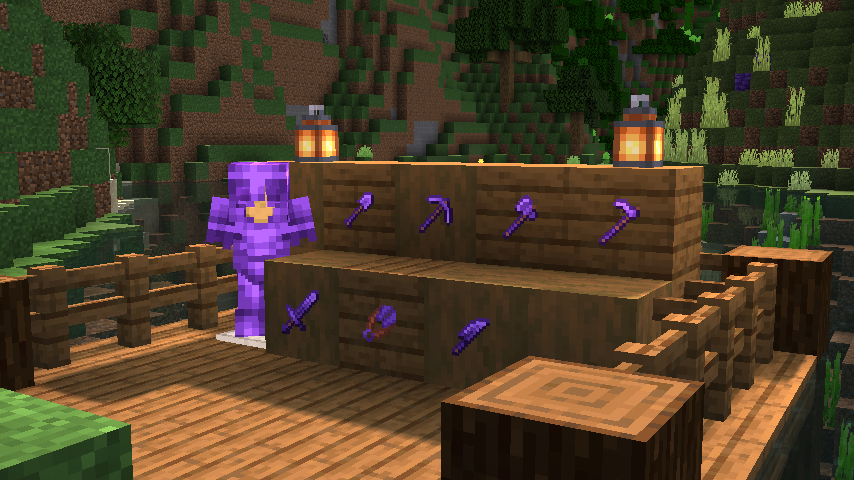
dude, I think if it's too far away, the compass reports it can't find ? might need to travel more. you searched for 'Aetherslate cave'?
DUDE.. Aetherslate Cave can be found on y-48 to y-64. 😲
not sure about compass not picking it up though. gut says 'travel more' (to new generated chunks).
it gives another depth for a different material.. -1 to -64 : https://github.com/Ross2750/Aethersteel/wiki
GitHub
Better than Netherite. Contribute to Ross2750/Aethersteel development by creating an account on GitHub.
maybe when you're at -48. the biome may need to read that specifically. i don't know if your ui shows it. xaero's can put it under the minimap. you might look at the compass page for reasons why it might not show a cave biome idk.
 crystal compass
The lastest version for 1.20.1 use forge 43.3.5(1.19.2)?
crystal compass
Yeah but in the changelog it said "FORGE IS NOW 43.3.5"
twin hearth
crystal compass
Yeah but in the changelog it said "FORGE IS NOW 43.3.5"
and what do you think the problem is?
frank epoch
jagged dove
js send this screen please
Did you ever work out a fix?
 inland nacelle
 candid rain
isnt this one remove some entites that will crash ur game/server?
 candid rain
either i am dumb or this shit wont turn into a forge

 upbeat pawn
jagged dove
upbeat pawn
https://mclo.gs/RqC00gT
upbeat pawn
jagged dove
upbeat pawn
https://mclo.gs/RqC00gT
!alternates
cunning reefBOT
If this command was run in response to your question/issue, it is likely because switching away from the launcher you are currently using would fix your problem.
From our experience, the most stable launcher by far is ATLauncher, also known as ATL.
To install ATLauncher, do the following:
1. Go to https://atlauncher.com/download
2. Install and run the setup, then open the program.
3. Login to your Microsoft account that owns the Java Edition of Minecraft from the Accounts tab on the right. This process is 100% safe, as it goes directly through Microsoft. ATLauncher does not see your account credentials.
4. Go to the Packs tab on the right, then click "Curseforge" on the left.
5. Search the modpack you wish to download.
6. Click "New Instance". Click "Ok" on the opted out mods warning, then click "Open All" on the manual download screen.
7. Let the mods download, ATLauncher will grab them from your Downloads folder and automatically add them to the modpack.
8. Go to the Instances tab, and click "Play" on the modpack you downloaded. If you ever see an "Update" button on the instance, click it.
To transfer your Curseforge world to ATLauncher, simply right click the modpack on Curseforge, or click the 3 dots, then click "Open Folder". Copy the Saves folder, then click "Open Folder" on ATLauncher and paste the Saves folder there.
Because ATLauncher downloads the exact same files as Curseforge does, your world will be the exact same and you will be able to join the same servers. ATLauncher also works without an internet connection (after you've installed the modpack, of course), and does not have any bloat from Overwolf. You are free to uninstall both Overwolf and Curseforge with ATLauncher installed.
frank epoch
is it just me or is the reduced level requirement on the skill tree not working
frank epoch
Also how do I get strong enough to fight mobs in the nether
mental geode
for the harbringer in the simply swords how do i ally friends so i dont harm them
finite comet
So the way to go with weapons is via tetra. What about armor? It's crafted the vanilla way?
 outer agate
has anyone gotten an error with moenchanments that fucks up their player data
bronze heron
what would be the best modpack to fight only with spells ? I dont want to be a wizard just to buff my claymore lol
frank epoch
bronze heron
what would be the best modpack to fight only with spells ? I dont want to be a w...
Fantasy realm prolly
errant sable
how to make weapon have more slot for gem? (MMC3)
hybrid walrus
errant sable
how to make weapon have more slot for gem? (MMC3)
Sigil of socketing
errant sable
hybrid walrus
Sigil of socketing
tysm!
acoustic cliff
Wait did mojang just ban gun mods? ☠️
 crystal meadow
What’s the diff from mmc4 and 3 
covert vapor
crystal meadow
What’s the diff from mmc4 and 3 <:sad:1145552282734309376>
!faq
cunning reefBOT
Please read it :sob:
 ancient night
Anyone know how to clear these death things

My son and I died like 25 times to a boss around our base, and its been over 2 hours and they are all still beaming up into the sky, very annoying
jagged dove
ancient night
My son and I died like 25 times to a boss around our base, and its been over 2 h...
press j maybe
ancient night
Thanks!!
ancient night
Also I had two back packs, clicked some button on the left side of one while experimenting, and it dissapeared, I think it is collecting water or something, does anyone know how to get it back into usable inventory?
Oh wait
I can just use it with B now
So much to learn 0_o
errant sable
what else can increase the damage of the spell beside the spell rarity?
lapis pelican
when you open it up with b, just press the button on the left again to take it off your back
ancient night
I am confused, second time it has happened now
Where I get into water, and then I just drown, for no apparent reason
Like I can not swim up
no matter what I do
 fading zephyr
do someone know why are my leaves surrounded by black
lapis pelican
what's your origin?
ancient night
Oh its the stupid drowned belt lol
jagged dove
fading zephyr
do someone know why are my leaves surrounded by black
set leaves to fancy
fading zephyr
jagged dove
set leaves to fancy
Thank you so much
 keen eagle
so uh, why do villages just kinda not exist
 covert vapor
keen eagle
so uh, why do villages just kinda not exist
covert vapor
keen eagle
so uh, why do villages just kinda not exist
they do
they are just rareeee
keen eagle
why are they so rare
jagged dove
cos many structures
keen eagle
i mean still closest village being 15k blocks is a bit much no?
 finite drift
hey guys! how can i handle the water situationi just started playing
left surge
acoustic cliff
It spawner under my base
Tip to prevent this in the future, claim the chunks where your base is. By default mob griefing is turned off in claims, so next time, it won't destroy any blocks.
 trim cove
Maybe a dumb question but why are dragons so rare? I've went like 20k blocks away from my base and only found one that entire time and despite searching for another few thousand blocks underground I have yet to even catch hint of a stage 4 or 5, like I said might be dumb but I'm just kinda confused
 wind ocean
Hi were trying to set up a Medieval Mc forge 1.18.2 server but are unable to due to server files is there any solution sorry if I missed the info in the FAQ
keen eagle
trim cove
Maybe a dumb question but why are dragons so rare? I've went like 20k blocks awa...
yea it seems like everything is really rare in this modpack, 15-30k blocks between villages on our world save, doesnt make sense to me
errant sable
Why i can't see my level and how do i know how many job coin i have?
Why every time i died and kill my own shade it doubled the exp that i had before i die. Is this a bug? Now I'm like 2k levels
jagged dove
wind ocean
Hi were trying to set up a Medieval Mc forge 1.18.2 server but are unable to due...
what is wrong with the server files
wind ocean
ill have my buddy join the discord and explain it, hes the one setting it up
waxen yacht
does any1 know if apotheosis bosses can spawn ontop of the nether?
errant sable
What is the left mana bar use for?
trim cove
keen eagle
yea it seems like everything is really rare in this modpack, 15-30k blocks betwe...
I've begun thinking it's just the sheer quantity of stuff spawning and I think in the modpack order weaker things take precedent maybe? something like that at the very least, but yeah I haven't found a proper village again yet either glad I spawned in one
acoustic cliff
left surge
Tip to prevent this in the future, claim the chunks where your base is. By defau...
I know that but me and my bro don't do that cuz its more fun when disabled. And we hate creepers more by doing so
left surge
acoustic cliff
I know that but me and my bro don't do that cuz its more fun when disabled. And ...
...so you want your base blown up? i'm confused

jagged dove
!moreinfo
cunning reefBOT
Hello! For us to help you with your issue, you will need to answer all 8 questions below. Post the answers in this channel:
1. Have you modified the modpack in any way? If so, what did you do? (Updating/adding/removing mods, changing configs)
2. What launcher, or program, are you using to launch the game? (CurseForge, ATLauncher, etc)
3. What Minecraft version are you playing? (1.18.2, 1.16.5, 1.19.2)
4. What version of the modpack are you playing? (v11, v9, etc)
5. What steps are necessary to reproduce the crash? (Launching the game, exploring the world, etc)
6. Have you ever gotten past the point where the crash happens?
7. Send the crash report file into this channel. Right click the modpack, Open Folder, and navigate to the Crash Reports folder. Drag the newest one here. If there is no crash reports folder, do the same thing with the latest.log file in the logs folder.
8. Did you follow the Performance guide linked in #faq?
 eternal fractal
ok i see!
 charred wedge
I found out what the bug that crashes minecraft using minecolonies is (For MMC3 Forge). If you are placing the supply ship and do not select a style, the next time you right click it'll crash, but if you select a style on the first time you place it no longer crashes for a while. It's weird.
 loud hound
is there a reason my the FOV slider doesn’t nothing
jagged dove
loud hound
is there a reason my the FOV slider doesn’t nothing
!alternates
cunning reefBOT
If this command was run in response to your question/issue, it is likely because switching away from the launcher you are currently using would fix your problem.
From our experience, the most stable launcher by far is ATLauncher, also known as ATL.
To install ATLauncher, do the following:
1. Go to https://atlauncher.com/download
2. Install and run the setup, then open the program.
3. Login to your Microsoft account that owns the Java Edition of Minecraft from the Accounts tab on the right. This process is 100% safe, as it goes directly through Microsoft. ATLauncher does not see your account credentials.
4. Go to the Packs tab on the right, then click "Curseforge" on the left.
5. Search the modpack you wish to download.
6. Click "New Instance". Click "Ok" on the opted out mods warning, then click "Open All" on the manual download screen.
7. Let the mods download, ATLauncher will grab them from your Downloads folder and automatically add them to the modpack.
8. Go to the Instances tab, and click "Play" on the modpack you downloaded. If you ever see an "Update" button on the instance, click it.
To transfer your Curseforge world to ATLauncher, simply right click the modpack on Curseforge, or click the 3 dots, then click "Open Folder". Copy the Saves folder, then click "Open Folder" on ATLauncher and paste the Saves folder there.
Because ATLauncher downloads the exact same files as Curseforge does, your world will be the exact same and you will be able to join the same servers. ATLauncher also works without an internet connection (after you've installed the modpack, of course), and does not have any bloat from Overwolf. You are free to uninstall both Overwolf and Curseforge with ATLauncher installed.
jagged dove
eternal fractal
ok i see!
please awnser all 8 questions
jagged dove
charred wedge
I found out what the bug that crashes minecraft using minecolonies is (For MMC3 ...
update minecolonies
if issue persists report it to their devs
eternal fractal
jagged dove
please awnser all 8 questions
My friend is sleeping, so I'm looking for logs by myself. sorry :((
I'll fill it out and come back
 elfin dune
Hi i want to start medival mc, but i want most stable version of it. What do you suggest? 1.16.5 or 1.19 is ok? I want to focus on minecolonies and play with one friend on LAN
covert vapor
elfin dune
Hi i want to start medival mc, but i want most stable version of it. What do you...
lan doesnt work
use the server files
elfin dune
so any sugestion? 😄
covert vapor
hm? wym
crimson zealot
Y’all got any tips for MMC4?
elfin dune
covert vapor
hm? wym
best version of the mod in your opinion
covert vapor
elfin dune
best version of the mod in your opinion
oh, haha well i dont play so i have no idea :3
elfin dune
ok 😄
bronze heron
Im on MMC3, is there a veinminer mod that works well with it ?
ultimine seems to work from the get-go
orchid phoenix
how do I update the modpack?
it says there's an update
also specifically for my online server
jagged dove
orchid phoenix
how do I update the modpack?
!updateserver
cunning reefBOT

00:00 Update Server Locally
01:19 Update on Server Host/Bisect Hosting Premium
01:39 Update on Server Host/Bisect Hosting Premium
Discord ➔ https://discord.gg/8ZmhaPPbjE
Twitter ➔ https://twitter.com/SharkieTV
Use CODE: LunaPixel for 25% off ➔ https://www.bisecthosting.com/LunaPixel
 scarlet juniper
Eae glr
covert vapor
?
scarlet juniper
Blz?
 jagged dove
despacito
scarlet juniper
covert vapor
english plz
No hablo
covert vapor
you better hablo
scarlet juniper
Bah mas não sei inglês não man
hybrid walrus
scarlet juniper
Bah mas não sei inglês não man
Utilize o Google Tradutor
scarlet juniper
Can anyone tell me what PC configuration I can use to play this modpack?
hybrid walrus
scarlet juniper
Can anyone tell me what PC configuration I can use to play this modpack?
you should be good on configuration, #faq performance guide
 lean bison
Hello everyone, I have this issue with MMC4 where any entities that are 4 chunks away from me just freeze. This causes issues especially when I use Minecolonies to build buildings where every citizen basically stops working if I am a little far from them. I tried bringing up my simulation distance but that didn't have any effects. Does anyone have a solution for this? Thanks.
 tribal helm
I've a question too, despite looking and digging into several rabbit holes I can't seem to figure out where the item Cherry Peach comes from. It claims to be from Forbidden and Arcanus but I can only find mention of the wood type there. Are they able to be grown from the trees? Am I just losing my mind? 
 upper parcel
trim cove
Maybe a dumb question but why are dragons so rare? I've went like 20k blocks awa...
upper parcel
trim cove
Maybe a dumb question but why are dragons so rare? I've went like 20k blocks awa...
Maybe this was answered already but if you have the config you can raise the spawn rates of dragon caves/roosts by chunks
upper parcel
Yeah, I wanted to respond to it cause the same thing happened to me in the past
trim cove
I'm definitely gonna start checking the ocean more though as that's the only place I've found one
upper parcel
And it’s probably not a bad idea to adjust it anyways given how many dragons you’ll need to put through the blender for the forges
trim cove
I forgot about that, yeah I should probably look into changing it
upper parcel
Good luck
trim cove
Thanks
acoustic cliff
crimson zealot
Y’all got any tips for MMC4?
Get you spawner xp farm ASAP. Pillagers one is the best. You can find them in caves and mine using silk touch, upgrade them soon as you can.
In Skill Tree go for double and tripple loot chance together with 50% additional xp from all mobs, also put some points to gems, armor and dmg.
Try to find Apotheotic Bosses in caves, they'll drop Apotheotic Gear. Check that out on YT so you'll understand how to upgrade gear, it's needed in order to progress in this pack.
Best gear for loot is the one that has LUCK, the more of it the better loot you'll find.
Also, The more far away from your world spawn you are the higher level/tier Apotheotic bosses you'll find. Higher tier = better drop.
For exp you can also mine Xp orbs, fortune works and it helps a lot up to like lvl 50-60 (skill tree).
For maximum experience gained (AT THE BEGGINING) get: Knowledge of the Ages, Sage's Blessing, scavenger and looting enchantments on your sword,lapis backpack, +50xp from all mobs (skill tree), and later you can find ring that gives you additional +25% xp. Theres a lot more you can do or get, but we talking about beggining.
Also, collect ALL Gems you will find in chests.
You will need tons of them in mid/end game in order to survive OtherSide ☠️
Or. Die less times
crimson zealot
Thank you!
acoustic cliff
And yeah, if you wanna go ballz go loot nether. The best loot structure in nether are these weird blackstone towers. They have blaze, piglin And hoglin spawners (its easy to die there even in mid game). But there is a lot of chests And gold blocks. Sometimes there's only one Tower And other time its up to like 10
 fair citrus
Excuse me ,Has anyone else encountered this problem when using mods?

 ripe badge
is there a server for medievalmc?
fair citrus
My friend opened a server for me to play
ripe badge
like a public server
fair citrus
use this
 lapis pelican
fair citrus
Excuse me ,Has anyone else encountered this problem when using mods?
lapis pelican
fair citrus
Excuse me ,Has anyone else encountered this problem when using mods?
!moreinfo
cunning reefBOT
Hello! For us to help you with your issue, you will need to answer all 8 questions below. Post the answers in this channel:
1. Have you modified the modpack in any way? If so, what did you do? (Updating/adding/removing mods, changing configs)
2. What launcher, or program, are you using to launch the game? (CurseForge, ATLauncher, etc)
3. What Minecraft version are you playing? (1.18.2, 1.16.5, 1.19.2)
4. What version of the modpack are you playing? (v11, v9, etc)
5. What steps are necessary to reproduce the crash? (Launching the game, exploring the world, etc)
6. Have you ever gotten past the point where the crash happens?
7. Send the crash report file into this channel. Right click the modpack, Open Folder, and navigate to the Crash Reports folder. Drag the newest one here. If there is no crash reports folder, do the same thing with the latest.log file in the logs folder.
8. Did you follow the Performance guide linked in #faq?
orchid phoenix
is there anything to remove enchantments from your tools in this and put it on a book or something like that?
lapis pelican
fair citrus
1. add RPMTW Platform mod
2.CurseForge
3.1.18.2
4.v16 HF
you need to answer all 8
fair citrus
5.Launching the game
6. Change equipment
8.Not used ATLauncher
molten lantern
fair citrus
5.Launching the game
6. Change equipment
8.Not used ATLauncher
Does it work without the mod added?
eternal fractal
- i didn't
- we're using CurseForge
- 1.16.5
- v59 HF
- etc: when i or my friend meet cockatrice in multiplay our server get crashed
- we pasted the savanna where cockatrice spawn
- Not used ATLauncher
molten lantern
Well since cockatrices are practically useless you can just disable them in Icelandfire config
molten lantern
eternal fractal
1. i didn't
2. we're using CurseForge
3. 1.16.5
4. v59 HF
5. etc: when i or my ...
Does the server start or no?
eternal fractal
my friend's server is started
but When we meet that creature, our server crashed
eternal fractal
molten lantern
Well since cockatrices are practically useless you can just disable them in Icel...
how? I kept searching, but I couldn't find a way anywhere :((
oh wait

i found it
molten lantern
Yeah no probs have fun
fair citrus
molten lantern
Does it work without the mod added?
Yes
molten lantern
fair citrus
Yes
Yeah so the mod is conflicting with some other mod
fair citrus
molten lantern
Yeah so the mod is conflicting with some other mod
It's weird, but I have no problem using it in my own world.
molten lantern
fair citrus
It's weird, but I have no problem using it in my own world.
Is it your server?
fair citrus
molten lantern
Is it your server?
His server has problems but mine is fine
 outer vale
@molten lantern Do you think I have to PREGEN the world?
molten lantern
outer vale
<@687567153389371424> Do you think I have to PREGEN the world?
Well pregen is always nice yeah
So if like you aren’t tooo excited you can pregen yeah
outer vale
molten lantern
So if like you aren’t tooo excited you can pregen yeah
What Mod Should I Use Pregen?
cunning reefBOT

Noob explains how to Pre Generate your Minecraft World.
▬▬▬▬▬▬▬▬▬▬▬▬▬▬▬▬▬▬▬▬▬▬▬▬▬▬▬▬▬▬
➔ Modpack: https://www.curseforge.com/minecraft/modpacks/better-minecraft-modpack
➔ Discord: https://discord.com/invite/9S5tfrY4Fr
▬▬▬▬▬▬▬▬▬▬▬▬▬▬▬▬▬▬▬▬▬▬▬▬▬▬▬▬▬▬
➔ Want a Server?
BisectHosting: https://www.bisecthosting.com/LunaPixel
Use the code "LunaPixel" t...
outer vale
I want to know what size limit we should put on the world
outer vale
molten lantern
There should be on in there already
thank
outer vale
molten lantern
Type /pregen to start
i think dont work for fabric
oh yes dont work for server
 night bronze
hi, mmc3 crashes whenever i try to launch it, here's the log
cunning reefBOT
You (likely) need to update your graphics drivers in order to resolve the crash. Here's how to go about doing that!
1. Identify your graphics card
if you already know skip to the next step
- Open task manager
- Navigate to the "Performance" tab (on Windows 11 this is the button that looks like a heart pulse)
- Press the GPU 0 graph and read your GPU from the top right
Note:
In some cases you may see a GPU 0 and GPU 1. This means your CPU has its own GPU, as well as an external one. You probably want GPU 1 (which is usually the external), but you can ask staff to clarify if necessary.
2. Download your drivers from the manufacturers site
Depending on what you read before, you likely need drivers from either AMD, Intel, or NVIDIA
AMD: https://www.amd.com/en/support
Intel: https://www.intel.com/content/www/us/en/download-center/home.html
NVIDIA: https://www.nvidia.com/Download/index.aspx?lang=en-us
Note:
- For NVIDIA you want to select "Game Ready Driver (GRD)" (this is the default option) for the best performance. Once installing you'd probably prefer downloading GeForce Experience, which will notify you when there's an available drivers update.
- For Intel, you probably want to press "Get Started" under the "Automatically update your drivers and software", which will simplify the process and update everything automatically
- For AMD you probably want to just press "Download Windows Drivers", which will download something called AMD Adrenaline, which will update your drivers automatically.
3. Run the installation, restart your computer, and try playing MC again
- At this point, hopefully your Minecraft is running. If it still does not work, please post any new logs and staff will help assist you with finding the right solution.
cunning reefBOT
If this command was run in response to your question/issue, it is likely because switching away from the launcher you are currently using would fix your problem.
From our experience, the most stable launcher by far is ATLauncher, also known as ATL.
To install ATLauncher, do the following:
1. Go to https://atlauncher.com/download
2. Install and run the setup, then open the program.
3. Login to your Microsoft account that owns the Java Edition of Minecraft from the Accounts tab on the right. This process is 100% safe, as it goes directly through Microsoft. ATLauncher does not see your account credentials.
4. Go to the Packs tab on the right, then click "Curseforge" on the left.
5. Search the modpack you wish to download.
6. Click "New Instance". Click "Ok" on the opted out mods warning, then click "Open All" on the manual download screen.
7. Let the mods download, ATLauncher will grab them from your Downloads folder and automatically add them to the modpack.
8. Go to the Instances tab, and click "Play" on the modpack you downloaded. If you ever see an "Update" button on the instance, click it.
To transfer your Curseforge world to ATLauncher, simply right click the modpack on Curseforge, or click the 3 dots, then click "Open Folder". Copy the Saves folder, then click "Open Folder" on ATLauncher and paste the Saves folder there.
Because ATLauncher downloads the exact same files as Curseforge does, your world will be the exact same and you will be able to join the same servers. ATLauncher also works without an internet connection (after you've installed the modpack, of course), and does not have any bloat from Overwolf. You are free to uninstall both Overwolf and Curseforge with ATLauncher installed.
outer vale
If I want to make my server in the Server Browser, what should I do?
how to fix time out @molten lantern
molten lantern
outer vale
how to fix time out <@687567153389371424>
Disconnected from server?
 molten lantern
Is it happening g frequently?
outer vale
molten lantern
Is it happening g frequently?
Happens every time when I install a new mod, Folder Mod, easily every time, including running server.
molten lantern
Uh i dont understand what you just said but a restart should do
outer vale
molten lantern
Uh i dont understand what you just said but a restart should do
i have crash report
you want?
molten lantern
Yep
outer vale
@molten lantern