#better-mc-forge
1 messages · Page 534 of 1
 stone mountain
 severe marsh
ohh thank you
 sly wyvern
does anyone have a link for this mod?
 stone mountain
sly wyvern
does anyone have a link for this mod?
stone mountain
sly wyvern
does anyone have a link for this mod?
!alternates
 versed mountainBOT
If this command was run in response to your question/issue, it is likely because switching away from the launcher you are currently using would fix your problem.
From our experience, the most stable launcher by far is ATLauncher, also known as ATL. Keep in mind that ATL is NOT related to TLauncher in any way, and is not a cracked launcher.
To install ATL, do the following:
1. Go to https://atlauncher.com/download. If you are on MacOS, then choose the "Jar" version under the "Other" tab, this is important as OSX WILL crash the game on Mac.
2. Install and run the setup, then open the program.
3. Login to your Microsoft account that owns the Java Edition of Minecraft from the Accounts tab on the right. This process is 100% safe, as it goes directly through Microsoft. ATL doesn't see your account credentials.
4. Go to the Packs tab on the right, then click "Curseforge" on the left.
5. Search the modpack you wish to download.
6. Click "Install". Then, follow the on-screen directions.
7. Go to the Instances tab, and click "Play" on the modpack you downloaded. If you ever see an "Update" button on the instance, click it.
This video explains the process: https://youtu.be/xMYW1wMbmkM
To transfer your Curseforge world to ATL, simply right click the modpack on Curseforge, or click the 3 dots, then click "Open Folder". Copy the Saves folder, then click "Open Folder" on ATL and paste the Saves folder there. Do the same with the XaerosMinimap folder, or the Journeymap folder, to transfer over any waypoints you've created.
Because ATL downloads the exact same files as Curseforge does, your world will be the exact same and you will be able to join the same servers. ATL also works without an internet connection (after you've installed the modpack, of course), and does not have any bloat from Overwolf. You are free to uninstall both Overwolf and Curseforge with ATL installed.
stone mountain
Install it properly, then you don't need any links
 indigo flume
Better MC 4 - v57.5 crashed. The logs have been uploaded to gnomebot.dev:
- 1.20.1 [FORGE]
- What launcher did you run Minecraft with? (e.g. CurseForge, ATLauncher, MultiMC, ...)- With Curse Forge
- Have you changed the modpack in any way except mods?- I haven't the modpack at all
- v57.5
- Have you ever gotten past the crash condition without crashing, or does the game always crash?- It crashes after the Lunapixel screen.
- What steps cause the crash?- I don't know, I tried to update my grapics but nothing worked.
latest.log | hs_err_pid19352.log | crash_assistant_app.log | startup_scripts.log | modlist.txt | CurseForge: skip launcher
# Problematic frame:
# C  [igxelpicd64.dll+0xc284c4]
Found [2;34m1[0m log analysis results:
[2;34mModernIntelDriverIssue[0m in: hs_err_pid19352.log
Mod list changes on top of the modpack:
Added mods:
[2;32mconfcommand-1.1.jar[0m
[2;32mCreative.jar[0m
[2;32mfullbrightnesstoggle-1.20.1-4.4.jar[0m
Could I please still get a link as it would be a lot simpler? plus I really like prism
stone mountain
sly wyvern
Could I please still get a link as it would be a lot simpler? plus I really lik...
Prism should auto-install mods as well
SyntheeR's website
Create New Instance Open Prism Launcher and click on 'Add Instance'. Select 'CurseForge' on the left as the source of where the modpack will be…
stone mountain
indigo flume
Better MC 4 - v57.5 crashed. The logs have been uploaded to `gnomebot.dev`:
1. 1...
!driversintel
versed mountainBOT
Fix for Intel GPU Crashing
-# This is only applicable to crashing DLL's from hs_err_pid file, igxelpicd64.dll(GPU), igxe2hpgicd64.dll(ARC GPU).
Try to update your Drivers according to your GPU:
Intel® Arc™ Graphics - Windows
Intel® Arc™ Pro Graphics - Windows
Intel® 11th – 14th Gen Processor Graphics - Windows
Intel® 7th-10th Gen Processor Graphics - Windows
If updating to latest does not work, go to TechPowerUp Intel Graphics Drivers, click Show older versions and look for
-
32.0.101.6737 for integrated GPU -
32.0.101.8247 for Arc GPUs
 storm prairie
i did
 rose heath
Better MC 5 - v43 crashed. The logs have been uploaded to mclo.gs:
- 1.21.1 [NEOFORGE]
- What launcher did you run Minecraft with? (e.g. CurseForge, ATLauncher, MultiMC, ...)
- Have you changed the modpack in any way except mods?
- v43
- Have you ever gotten past the crash condition without crashing, or does the game always crash?
- What steps cause the crash?
latest.log | debug.log | crash-2026-04-11_17.25.02-fml.txt | tlauncher_04_11_2026_17_23_59.log | crash_assistant_app.log | modlist.txt
Found [2;34m1[0m log analysis results:
[2;34mMissingUnsupportedDependencies[0m in: latest.log
Mod list changes on top of the modpack:
Removed mods:
[2;31msodium-neoforge-0.6.13+mc1.21.1.jar[0m
 reef magnet
hey, just to make sure, is there The Aether in Bmc??
 gray owl
reef magnet
hey, just to make sure, is there The Aether in Bmc??
gray owl
reef magnet
hey, just to make sure, is there The Aether in Bmc??
There is, you can see a list of all mods in modpack index
reef magnet
ohhh thats nice, thanks
 lament sedge
whats the difference between bmc4 and bmc5
 maiden epoch
Better MC 4 - v57.5 crashed without a crash report. The logs have been uploaded to gnomebot.dev:
- 1.20.1 [FORGE]
- What launcher did you run Minecraft with? (e.g. CurseForge, ATLauncher, MultiMC, ...)
- Have you changed the modpack in any way except mods?
- v57.5
- Have you ever gotten past the crash condition without crashing, or does the game always crash?
- What steps cause the crash?
latest.log | stderr_stream.log | crash_assistant_app.log | startup_scripts.log | modlist.txt | CurseForge: skip launcher
Found [2;34m1[0m log analysis results:
[2;34mMissingUnsupportedDependencies[0m in: latest.log
Mod list changes on top of the modpack:
[2;34mMod list was not modified.[0m
 earnest shale
How do you craft warden gear?
 proud roost
Is the JEI cheat menu bugged or am I missing something?
 distant kiln
earnest shale
How do you craft warden gear?
distant kiln
earnest shale
How do you craft warden gear?
You should be able to use jei to see recipe, otherwise its warden template , neth gear, reinforced echo shard
earnest shale
distant kiln
You should be able to use jei to see recipe, otherwise its warden template , net...
I tried clicking throuhg but for some reason it doesnt show
distant kiln
It should just be warden template, netherite armor or tools, and reinforced echo shard thingy in smithing table
lament sedge
whats the fastest way to get max enchants on your gear
 main goblet
Better MC 4 - v57.5 crashed without a crash report. The logs have been uploaded to gnomebot.dev:
- 1.20.1 [FORGE]
- Curseforge launcher
- I ahve only added a couple mods to increase creature spawns and allow glass panes in stairs
- v57.5
- Have you ever gotten past the crash condition without crashing, or does the game always crash? - Game hs crashed around a dozen times with the same errors
- What steps cause the crash? - playing normally, tends to happen at random and i cannot reproduce this crash on demand
latest.log | CurseForge: launcher_log.txt | crash_assistant_app.log | startup_scripts.log | modlist.txt | win_event1775976119190.txt
Mod list changes on top of the modpack:
Added mods:
[2;32mwindowlogging-renewed-1.20.1-1.0.0.jar[0m
Hey guys, has anyone got advice on how to fix this error? I have not got any screen recording software or overlays active. Thanks
Windows, Nvidia drivers, Java, etc are also all up to date.
Minecraft launcher shows code -1073740791
 kind ivy
Does the revamped wolf override the variants from vanilla backport?
lament sedge
all the content on this modpack is so cancer to get through
feels like im underlevelled everywhere and get overwhelmed by strong mobs
is there a guide or anything
stone mountain
main goblet
Better MC 4 - v57.5 crashed without a crash report. The logs have been uploaded ...
!drivers
versed mountainBOT
You (likely) need to update your graphics drivers in order to resolve the crash. Here's how to go about doing that!
1. Identify your graphics card
if you already know skip to the next step
- Open task manager
- Navigate to the "Performance" tab (on Windows 11 this is the button that looks like a heart pulse)
- Press the GPU 0 graph and read your GPU from the top right
Note:
In some cases you may see a GPU 0 and GPU 1. This means your CPU has its own GPU, as well as a dedicated one. You probably want GPU 1 (which is usually the better one), but you can ask staff to clarify if necessary.
2. Download your drivers from the manufacturers site
Depending on what you read before, you likely need drivers from either AMD, Intel, or NVIDIA
AMD: https://www.amd.com/en/support
Intel: https://www.intel.com/content/www/us/en/download-center/home.html
NVIDIA: https://www.nvidia.com/Download/index.aspx?lang=en-us
Note:
- For NVIDIA you want to select "Game Ready Driver (GRD)" (this is the default option) for the best performance. Once installing you'd probably prefer downloading GeForce Experience, which will notify you when there's an available drivers update.
- For Intel, you probably want to press "Get Started" under the "Automatically update your drivers and software", which will simplify the process and update everything automatically
- For AMD you probably want to just press "Download Windows Drivers", which will download something called AMD Adrenaline, which will update your drivers automatically.
3. Run the installation, restart your computer, and try playing MC again
- At this point, hopefully your Minecraft is running. If it still does not work, please post any new logs and staff will help assist you with finding the right solution.
stone mountain
Try to see if there is updated driver in the website (and not the app)
Or reinstall the driver if you have the latest
  Faulting module name: nvoglv64.dll, version: 32.0.15.9597, time stamp: 0x69b98a62
  Faulting module path: C:\Windows\System32\DriverStore\FileRepository\nv_dispi.inf_amd64_e980fd2c7c4fce8e\nvoglv64.dll
It's your Nvidia driver failing as per logs provided ^^
stone mountain
lament sedge
is there a guide or anything
Only the in-game quest system
stone mountain
maiden epoch
Better MC 4 - v57.5 crashed without a crash report. The logs have been uploaded ...
!alternates - seems like your install is just broken - move to  ATLauncher
versed mountainBOT
If this command was run in response to your question/issue, it is likely because switching away from the launcher you are currently using would fix your problem.
From our experience, the most stable launcher by far is ATLauncher, also known as ATL. Keep in mind that ATL is NOT related to TLauncher in any way, and is not a cracked launcher.
To install ATL, do the following:
1. Go to https://atlauncher.com/download. If you are on MacOS, then choose the "Jar" version under the "Other" tab, this is important as OSX WILL crash the game on Mac.
2. Install and run the setup, then open the program.
3. Login to your Microsoft account that owns the Java Edition of Minecraft from the Accounts tab on the right. This process is 100% safe, as it goes directly through Microsoft. ATL doesn't see your account credentials.
4. Go to the Packs tab on the right, then click "Curseforge" on the left.
5. Search the modpack you wish to download.
6. Click "Install". Then, follow the on-screen directions.
7. Go to the Instances tab, and click "Play" on the modpack you downloaded. If you ever see an "Update" button on the instance, click it.
This video explains the process: https://youtu.be/xMYW1wMbmkM
To transfer your Curseforge world to ATL, simply right click the modpack on Curseforge, or click the 3 dots, then click "Open Folder". Copy the Saves folder, then click "Open Folder" on ATL and paste the Saves folder there. Do the same with the XaerosMinimap folder, or the Journeymap folder, to transfer over any waypoints you've created.
Because ATL downloads the exact same files as Curseforge does, your world will be the exact same and you will be able to join the same servers. ATL also works without an internet connection (after you've installed the modpack, of course), and does not have any bloat from Overwolf. You are free to uninstall both Overwolf and Curseforge with ATL installed.
lament sedge
stone mountain
Only the in-game quest system
i feel underlevelled and weak when i get to alot of the bosses/content in the game
should i get netherite before doing it?
stone mountain
lament sedge
should i get netherite before doing it?
You could try getting better armor, and getting enchantments is a good tip in most packs (enchants tend to make a huge difference)
 dawn oasis
lament sedge
i feel underlevelled and weak when i get to alot of the bosses/content in the ga...
dawn oasis
lament sedge
i feel underlevelled and weak when i get to alot of the bosses/content in the ga...
Cataclysm mod bosses are end game. Start with netherite then do them in order starting with the monster forge (easy if you have fire resist potions) as you defeat each use it's armour/weapon to help with the next. Ignis is still a major fight though.
lament sedge
dawn oasis
Cataclysm mod bosses are end game. Start with netherite then do them in order st...
how do i know which bosses are from the cataclysm mod? also thank you will do
dawn oasis
lament sedge
how do i know which bosses are from the cataclysm mod? also thank you will do
The quest log (little book top right of inventory screen) has a quest tree for the bosses. Pretty much all the scripted boss fights are from the cataclysm mod.
 viscid otter
hi, are there more quests in bmc5 ? or what you see from the start is everything ?
dawn oasis
 viral garden
how is the server hosted
viral garden
how is the server hosted
Sorry for not mentioning it. The server was reinstalled and then restarted and it now works. It must have been something corrupt during initial installation.
 livid copper
What are the config settings for serene seasons? i want to grow crops out off their normal seasons
 runic fulcrum
I cant use the inventory in any gamemode
Or open anychests
It kind off shows for a second and then it closes
stone mountain
runic fulcrum
I cant use the inventory in any gamemode
Try creating a new world, and see if it's happening there too
runic fulcrum
It does
stone mountain
runic fulcrum
It does
!alternates
versed mountainBOT
If this command was run in response to your question/issue, it is likely because switching away from the launcher you are currently using would fix your problem.
From our experience, the most stable launcher by far is ATLauncher, also known as ATL. Keep in mind that ATL is NOT related to TLauncher in any way, and is not a cracked launcher.
To install ATL, do the following:
1. Go to https://atlauncher.com/download. If you are on MacOS, then choose the "Jar" version under the "Other" tab, this is important as OSX WILL crash the game on Mac.
2. Install and run the setup, then open the program.
3. Login to your Microsoft account that owns the Java Edition of Minecraft from the Accounts tab on the right. This process is 100% safe, as it goes directly through Microsoft. ATL doesn't see your account credentials.
4. Go to the Packs tab on the right, then click "Curseforge" on the left.
5. Search the modpack you wish to download.
6. Click "Install". Then, follow the on-screen directions.
7. Go to the Instances tab, and click "Play" on the modpack you downloaded. If you ever see an "Update" button on the instance, click it.
This video explains the process: https://youtu.be/xMYW1wMbmkM
To transfer your Curseforge world to ATL, simply right click the modpack on Curseforge, or click the 3 dots, then click "Open Folder". Copy the Saves folder, then click "Open Folder" on ATL and paste the Saves folder there. Do the same with the XaerosMinimap folder, or the Journeymap folder, to transfer over any waypoints you've created.
Because ATL downloads the exact same files as Curseforge does, your world will be the exact same and you will be able to join the same servers. ATL also works without an internet connection (after you've installed the modpack, of course), and does not have any bloat from Overwolf. You are free to uninstall both Overwolf and Curseforge with ATL installed.
stone mountain
Migrate to ATLauncher and see if that fixes it
 plucky geodeBOT
Quarantine Result:
 Reason: Cracked/Illegal Minecraft - The use of pirated software is not allowed on our server
 Moderator: @stone mountain

Quarantined:

 3.14dor1488 [
1487399160532701304]
 buoyant ivy
hey so uhhhhh i havent played (and updated this) in 4 Months uhhhhhhhhh
i want to know if theres aything i should know about before i update this to the latest version

i moved my stuff out of the backpack so i should be good right?
stone mountain
buoyant ivy
hey so uhhhhh i havent played (and updated this) in 4 Months uhhhhhhhhh
i want t...
Ideally update version by version, and make a backup of your og world, in case of issues (should be none, but you never know!)
proud roost
I'm unable to take Items from the JEI while cheat mode is active, am I missing a setting or am I doing something wrong
 lethal basin
proud roost
I'm unable to take Items from the JEI while cheat mode is active, am I missing a...
lethal basin
proud roost
I'm unable to take Items from the JEI while cheat mode is active, am I missing a...
it seems jei is just broken

you should be able to enable cheat mode, but you can't for some reason

 fierce elk
I need help so I had the problem that some mods didnt work when I updated the modpack but I fixed that with using the old version but now the blocks dont drop anything like everyblock js drops nothing
but only in my old world
but in any other world I have block drops
 arctic basalt
Are you guys able to make potions of infestation when I have the awkward potion it won’t let me add the stone
The brewing stand is bugged I think
lethal basin
fierce elk
I need help so I had the problem that some mods didnt work when I updated the mo...
check backpack
drops may be going to backpack automatically
fierce elk
dont have one
lethal basin
arctic basalt
Are you guys able to make potions of infestation when I have the awkward potion ...
check JEI
wrong chat pookie
 random owl
Sorry boss thanks
lethal basin
lethal basin
check JEI
are you playing 1.21 ?
random owl
I am
 gaunt pawn
Anyone able to help me with getting a shader working when I play this mod? I’m pretty new and can’t really get my head around it lol.
lethal basin
gaunt pawn
Anyone able to help me with getting a shader working when I play this mod? I’m p...
yeah
let's start with basics
- what launcher you using
- what modpack you playing , be specific
gaunt pawn
So I’m using curseforge and playing BMC4 forge. 1.20.1
lethal basin
open settings, then look probably at upper right for "shader packs" button
if you can't find , I am installing modpack
gaunt pawn
Settings in game? If so I’m unable to see a shader packs button
Aha I think I’ve found it
I’m guessing I now download a shader pack and drag and drop into here?
gaunt pawn
When I drag and drop the folder in I can’t see it anywhere. I try it again and it says it’s already in my pack folder
Do I need to download iris mod or soemthing?
lethal basin
it's not iris
it's oculus
if you're using bmc4 forge

@gaunt pawn

idk what to tell to you
you can see, I added bliss
 quick flare
Better MC 5 - v49 crashed. The logs have been uploaded to gnomebot.dev:
- 1.21.1 [NEOFORGE]
- What launcher did you run Minecraft with? (e.g. CurseForge, ATLauncher, MultiMC, ...)
Curseforge - Have you changed the modpack in any way except mods?
No - v49
- Have you ever gotten past the crash condition without crashing, or does the game always crash?
Unsure - What steps cause the crash?
Crafting a decorated pot
latest.log | debug.log head / tail (~32k lines) | crash-2026-04-12_07.56.59-client.txt | CurseForge: stdout-logs.txt | crash_assistant_app.log | startup_scripts.log | modlist.txt
Mod list changes on top of the modpack:
[2;34mMod list was not modified.[0m
So everything should already work and I shouldn’t have to download anything else except the shaders?
Imma try a different shader
lethal basin
gaunt pawn
So everything should already work and I shouldn’t have to download anything else...
yes
as u can see, I can do it
I am running bmc 4, latest, from curseforge
in prism launcher
gaunt pawn
Yeah that’s weird I’m not sure what I’m doing wrong
 gaunt pawn
I’ll try bliss
lethal basin
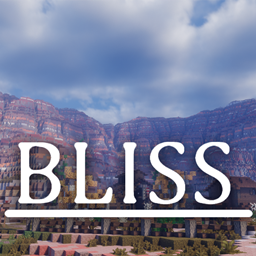
CurseForge
A well performing fantasy styled shaderpack with emphasis on scene variation and customization.
19.5M Downloads | Shaders
i downloaded this for example
yeah, sure, it's better to have supported version to be same as your pack
but
gaunt pawn
When I try to install it says they’re all incompatible profiles
lethal basin
lethal basin
here <@1002990811845230684>
either like this
gaunt pawn
How do I enable content management for bmc?
lethal basin
lethal basin
or this
gaunt pawn
Okay I’ll send ss
lethal basin
gaunt pawn
How do I enable content management for bmc?
don't
gaunt pawn
 lethal basin
just download shader on curseforge, then drag and drop it to there, while in game
..
not a screenshot I asked for

sigh
Curseforge app is garbage too
but who cares, eh?
@gaunt pawn download biss shader - or any other from CURSEFORGE WEBSITE
then open your game
go to shaders place, in game
and then you drag and drop file there, to game

literally
lethal basin
👍
fierce elk
well can soomeone help me?
lethal basin
about?
fierce elk
fierce elk
I need help so I had the problem that some mods didnt work when I updated the mo...
.
lethal basin
fierce elk
I need help so I had the problem that some mods didnt work when I updated the mo...
soo
you added some mods
and after update they don't work
or what
fierce elk
nope I had like the thing where some mods didnt work because they were an old version

this one
lethal basin
what launcher u using
fierce elk
curseforge
lethal basin
and you didn't add any mods to the pack yourself
fierce elk
yeah I didnt add anything
lethal basin
if that's the case
and you trying to load into game/singleplayer
and not server
!alternates
versed mountainBOT
If this command was run in response to your question/issue, it is likely because switching away from the launcher you are currently using would fix your problem.
From our experience, the most stable launcher by far is ATLauncher, also known as ATL. Keep in mind that ATL is NOT related to TLauncher in any way, and is not a cracked launcher.
To install ATL, do the following:
1. Go to https://atlauncher.com/download. If you are on MacOS, then choose the "Jar" version under the "Other" tab, this is important as OSX WILL crash the game on Mac.
2. Install and run the setup, then open the program.
3. Login to your Microsoft account that owns the Java Edition of Minecraft from the Accounts tab on the right. This process is 100% safe, as it goes directly through Microsoft. ATL doesn't see your account credentials.
4. Go to the Packs tab on the right, then click "Curseforge" on the left.
5. Search the modpack you wish to download.
6. Click "Install". Then, follow the on-screen directions.
7. Go to the Instances tab, and click "Play" on the modpack you downloaded. If you ever see an "Update" button on the instance, click it.
This video explains the process: https://youtu.be/xMYW1wMbmkM
To transfer your Curseforge world to ATL, simply right click the modpack on Curseforge, or click the 3 dots, then click "Open Folder". Copy the Saves folder, then click "Open Folder" on ATL and paste the Saves folder there. Do the same with the XaerosMinimap folder, or the Journeymap folder, to transfer over any waypoints you've created.
Because ATL downloads the exact same files as Curseforge does, your world will be the exact same and you will be able to join the same servers. ATL also works without an internet connection (after you've installed the modpack, of course), and does not have any bloat from Overwolf. You are free to uninstall both Overwolf and Curseforge with ATL installed.
lethal basin
your curseforge installation may be broken
curse loves doing that
bcuz I have installations of both bmc 4 and 5
fierce elk
I tried using a back up of the world on a new installed modpack of better mc and then it happend with the blocks not dropping
fierce elk
yeah but was the first modded world with friends haha
lethal basin
maybe it's a silent nudge
to evolve
to go to different packs
to be better, bigger, bolder
balder maybe even
fierce elk
well at least I can look at it haha but wont get any blocks
 clever shard
Hi!
Yesterday I started building an automatic crafting thing, but for some reason I can only export 1 item to the crafter system. Any advice?
lethal basin
clever shard
Hi!
Yesterday I started building an automatic crafting thing, but for some reas...
what do you mean
with what mod you doing it
clever shard
The better mc modpack in the simple storage system
clever shard
and i used the vanilla minecraft crafter
lethal basin

wdym
anywwho, it seems the mod is .. idk
i don't know how it works
and idk what vanilla mc crafter you speak of
I doubt if there's autocrafting too, but if there is I hope someone can help you
clever shard

 lethal basin
so it's not vanilla mc crafter, but eh, I hope someone can help you as it's this mod specific question
clever shard

quark crafter
i new this storage mod and i dont know how to working
crafter is working but the storage system dont exporting items, only 1 cable working
lethal basin
you are trying to mix and match two mods, they may not work how you want just saying
simple storage networks may not be as smart as ae2
storm prairie
please can someone help me 😭🙏
clever shard
my storage system connected export cabels the hopper
lethal basin
storm prairie
please can someone help me 😭🙏
p sure @near egret or someone with higher brains than he is would need to edit your player data to remove said safe out of your inv, and fix it for you
storm prairie
oh okay thank for response tho
clever shard


 tepid light
question when u sleep in a sleeping bag does ur spawn change or get removed or its jst to pass the night and u stay at where u put ur bed
lethal basin
tepid light
question when u sleep in a sleeping bag does ur spawn change or get removed or i...
usually sleeping bags don't set new spawn point
tepid light
lethal basin
usually sleeping bags don't set new spawn point
ty
 full sparrow
any1 know why i cant customize my backpack on better mc 1.21.1 neoforge
 timid verge
hi i need help
The atio6axx 'Problematic frame' in hs_err_pid15952.log is part of the AMD driver for the GPU. There is a bad version of the AMD drivers that instantly crashes on an OpenGL task. Try fresh reinstalling your drivers from https://www.amd.com/en/support If you don't have an AMD GPU, then you need to tell your system to use that GPU instead of the integrated GPU of the AMD CPU, steps below. https://www.xda-developers.com/how-force-app-use-discrete-gpu-windows-11/ i try every possible way and everyting is not working

XDA
If your games or apps are running more slowly than you'd expect, you may need to force Windows 11 to run it using the discrete GPU. Here's how.
lethal basin
timid verge
The atio6axx 'Problematic frame' in hs_err_pid15952.log is part of the AMD drive...
!ca
versed mountainBOT
versed mountainBOT
- What Minecraft version are you using? (1.19.2, 1.20.1, ...)
- What launcher did you run Minecraft with? (e.g. CurseForge, ATLauncher, MultiMC, ...)
- Have you changed the modpack in any way? (e.g. changing mod versions, adding/removing mods)
- What version of the modpack are you using? (v11, v9, etc)
- Have you ever gotten past the crash condition without crashing, or does the game always crash?
- What steps cause the crash?
Required:
Open the game directory (right click pack -> open folder), navigate to the "crash-reports" folder and upload the latest available crash report.
If there is no crash report, navigate to the logs folder and upload "latest.log."
If there is no log, navigate to the base pack directory and upload the hs_err_pid file, if there is one.
versed mountainBOT
 potent stream
can someone tell me whats wrong
Better MC 4 - v57.5 crashed. The logs have been uploaded to gnomebot.dev:
- 1.20.1 [FORGE]
- What launcher did you run Minecraft with? (e.g. CurseForge, ATLauncher, MultiMC, ...)
- Have you changed the modpack in any way except mods?
- v57.5
- Have you ever gotten past the crash condition without crashing, or does the game always crash?
- What steps cause the crash?
latest.log head / tail (~62k lines) | crash-2026-04-12_18.29.02-client.txt | crash_assistant_app.log | startup_scripts.log | modlist.txt | CurseForge: skip launcher
Mod list changes on top of the modpack:
Added mods:
[2;32mOpenLoader-Forge-1.20.1-19.0.5.jar[0m
Removed mods:
[2;31mbclib-3.0.14.jar[0m
[2;31mbetter-end-4.0.11.jar[0m
[2;31mbetter-nether-9.0.10.jar[0m
[2;31mbetterend-crashed-ships-1.0.0.jar[0m
[2;31mcrawlondemand-1.20-1.0.1.jar[0m
[2;31mfasterrandom-5.1.0.jar[0m
[2;31mmapdistancefix-forge-1.1.0+mc1.20.1.jar[0m
[2;31mspawnersplus-4.3.3-1.20.1.jar[0m
 lethal basin
potent stream
can someone tell me whats wrong
Better MC 4 - v57.5 crashed. The logs have been...
lethal basin
potent stream
can someone tell me whats wrong
Better MC 4 - v57.5 crashed. The logs have been...
did you remove mods
or what
or did you update mods
..
full sparrow
bela are u fammilliar with bmc5 1.21.1 neoforge
potent stream
i aded litematica removed it cas it crasht all the time now ther is this
 lethal basin
potent stream
i aded litematica removed it cas it crasht all the time now ther is this
lethal basin
potent stream
i aded litematica removed it cas it crasht all the time now ther is this
!alternates
versed mountainBOT
If this command was run in response to your question/issue, it is likely because switching away from the launcher you are currently using would fix your problem.
From our experience, the most stable launcher by far is ATLauncher, also known as ATL. Keep in mind that ATL is NOT related to TLauncher in any way, and is not a cracked launcher.
To install ATL, do the following:
1. Go to https://atlauncher.com/download. If you are on MacOS, then choose the "Jar" version under the "Other" tab, this is important as OSX WILL crash the game on Mac.
2. Install and run the setup, then open the program.
3. Login to your Microsoft account that owns the Java Edition of Minecraft from the Accounts tab on the right. This process is 100% safe, as it goes directly through Microsoft. ATL doesn't see your account credentials.
4. Go to the Packs tab on the right, then click "Curseforge" on the left.
5. Search the modpack you wish to download.
6. Click "Install". Then, follow the on-screen directions.
7. Go to the Instances tab, and click "Play" on the modpack you downloaded. If you ever see an "Update" button on the instance, click it.
This video explains the process: https://youtu.be/xMYW1wMbmkM
To transfer your Curseforge world to ATL, simply right click the modpack on Curseforge, or click the 3 dots, then click "Open Folder". Copy the Saves folder, then click "Open Folder" on ATL and paste the Saves folder there. Do the same with the XaerosMinimap folder, or the Journeymap folder, to transfer over any waypoints you've created.
Because ATL downloads the exact same files as Curseforge does, your world will be the exact same and you will be able to join the same servers. ATL also works without an internet connection (after you've installed the modpack, of course), and does not have any bloat from Overwolf. You are free to uninstall both Overwolf and Curseforge with ATL installed.
stone mountain
potent stream
i aded litematica removed it cas it crasht all the time now ther is this
Ignore this
lethal basin
or do clear reinstall if it crashes
stone mountain
That datapacks warning is because we use Paxi
Also, there is Paxi already in the pack, you don't need Open Loader
potent stream
i did reinstal alr ist saying that i dont have a data pack
 potent stream
i cant evanm creat a new world or load my world
lethal basin
versed mountain
If this command was run in response to your question/issue, it is likely because...
@potent stream
if you can't see bot msg, restart iscord
potent stream
i am trying rn
full sparrow
lethal basin
<@841664661632057364>
could u help me out, i got 2 questions
lethal basin
full sparrow
could u help me out, i got 2 questions
just ask
 glossy night
Anyone know why its just staying on this screen?
 lethal basin
what site
full sparrow
lethal basin
just ask
im on bmc5 and i cant costumize my backpack why?
lethal basin
glossy night
Anyone know why its just staying on this screen?
what launcher you using, how much memory have you allocated
lethal basin
full sparrow
im on bmc5 and i cant costumize my backpack why?
I already told that I can't help with that question 
memory isn't your strongest suite I see
full sparrow
and then when i shift right click a item while riding a dragon the item dissapears
glossy night
lethal basin
what launcher you using, how much memory have you allocated
Forge and 12928mb
full sparrow
lethal basin
memory isn't your strongest suite I see
sorry
lethal basin
glossy night
Forge and 12928mb
for how long have you been waiting
glossy night
lethal basin
for how long have you been waiting
about 5 mins or so
lethal basin
full sparrow
and then when i shift right click a item while riding a dragon the item dissapea...
search in dc for this, or you know... just don't do that
lethal basin
glossy night
about 5 mins or so
!fps
versed mountainBOT
 lethal basin
allocate 8-10 gb of ram, depending on max you have
use better launcher
check console if it's updating, and if it is loading or not
also, did you add any mods to pack yourself? @glossy night
glossy night
Added create and thats it
lethal basin
have you considered it's cuz of that?
create is pretty big mod, especially if you going with 6.0
glossy night
honestly not really 🤣
lethal basin
and may not be compatible with packs
if you want to play with create, you can try making post/checking #1061339968691257466
or just go play pack that has create in it, like #all-of-create
or #otherworld
idk what other packs from LPS has create in em xd
 shrewd horizon
Better MC 4 - v57.5 crashed. The logs have been uploaded to gnomebot.dev:
- 1.20.1 [FORGE]
- What launcher did you run Minecraft with? (e.g. CurseForge, ATLauncher, MultiMC, ...)
- Have you changed the modpack in any way except mods?
- v57.5
- Have you ever gotten past the crash condition without crashing, or does the game always crash?
- What steps cause the crash?
latest.log | crash-2026-04-12_19.04.36-client.txt | crash_assistant_app.log | startup_scripts.log | modlist.txt | CurseForge: skip launcher
Mod list changes on top of the modpack:
Added mods:
[2;32mbetterfpsdist-1.20.1-6.0.jar[0m
[2;32mbobby-1.20.1_v5.0.1.jar[0m
[2;32mOpenLoader-Forge-1.20.1-19.0.5.jar[0m
[2;32msodiumextras-forge-1.0.7-1.20.1.jar[0m
[2;32mstarlight-1.1.2+forge.1cda73c.jar[0m
Removed mods:
[2;31mimmersivelanterns-forge-1.0.6-1.20.1.jar[0m
Can anyone help me?
lethal basin
shrewd horizon
Better MC 4 - v57.5 crashed. The logs have been uploaded to `gnomebot.dev`:
1. 1...
!modified
versed mountainBOT
You are using a modified version of the modpack!
Adding, removing, or updating large amounts of mods without testing any of your changes is **not **a good idea, and it is very unlikely that anyone will want to debug your issue for you. Please test the changes you make in small groups, as opposed to doing all of the changes at once.
If you want further support for your issue, someone may respond to you in the channel for the modpack you based your changes off, but please only post once. You may also have better luck in #1061339968691257466.
 lapis nymph
bmc1 has complementary reimagined but theres no oculus in the settings and i cant turn them on
pls help i like sacrificing 800fps for visuals
lethal basin
lapis nymph
bmc1 has complementary reimagined but theres no oculus in the settings and i can...
what
i don't understand what you want
also bmc 1 is super old
lapis nymph
lethal basin
i don't understand what you want
i want shaders, but theres no options to turn them on in video settings
there is already complementary reimagined installed and oculus installs, i just cant turn it on
lethal basin
sigh
okay
soooo
you can get to shader settings, presumably
yes?
open game, go to settings, the there should be shaders settings button somewhere
from where you select shhaders
there you can enable/disable shaders
lapis nymph
there is no option to enable or disable shaders
lapis nymph
yes
lapis nymph
video settings yes
lapis nymph
there is no oculus category, and also i checked every category in video settings there is no shader
 lethal basin
click video settings , then do screenshot
lapis nymph


 acoustic lichen
I've tried restarting the installation several times, but it freezes at this point, help please
 lapis nymph
ohhh usualy its in the very bottom near render and extra and zoom etc haha
i didnt think to look elsewhere
lethal basin
acoustic lichen
I've tried restarting the installation several times, but it freezes at this poi...
!alternates
versed mountainBOT
If this command was run in response to your question/issue, it is likely because switching away from the launcher you are currently using would fix your problem.
From our experience, the most stable launcher by far is ATLauncher, also known as ATL. Keep in mind that ATL is NOT related to TLauncher in any way, and is not a cracked launcher.
To install ATL, do the following:
1. Go to https://atlauncher.com/download. If you are on MacOS, then choose the "Jar" version under the "Other" tab, this is important as OSX WILL crash the game on Mac.
2. Install and run the setup, then open the program.
3. Login to your Microsoft account that owns the Java Edition of Minecraft from the Accounts tab on the right. This process is 100% safe, as it goes directly through Microsoft. ATL doesn't see your account credentials.
4. Go to the Packs tab on the right, then click "Curseforge" on the left.
5. Search the modpack you wish to download.
6. Click "Install". Then, follow the on-screen directions.
7. Go to the Instances tab, and click "Play" on the modpack you downloaded. If you ever see an "Update" button on the instance, click it.
This video explains the process: https://youtu.be/xMYW1wMbmkM
To transfer your Curseforge world to ATL, simply right click the modpack on Curseforge, or click the 3 dots, then click "Open Folder". Copy the Saves folder, then click "Open Folder" on ATL and paste the Saves folder there. Do the same with the XaerosMinimap folder, or the Journeymap folder, to transfer over any waypoints you've created.
Because ATL downloads the exact same files as Curseforge does, your world will be the exact same and you will be able to join the same servers. ATL also works without an internet connection (after you've installed the modpack, of course), and does not have any bloat from Overwolf. You are free to uninstall both Overwolf and Curseforge with ATL installed.
lethal basin
lapis nymph
i didnt think to look elsewhere
you learn something new every day
lapis nymph
ahaha wtf

 slate solstice
hi
can someone help me activate Essentials mod?
this e4mc share world sucks man
it says where to find it
but there nos problematic mod list file anywhere
stone mountain
slate solstice
can someone help me activate Essentials mod?
!ea
versed mountainBOT
⚠️ Essential Mod Not Supported
We strongly recommend against using Essential with our modpacks, and we add a warning screen during modpack startup containing the following message by default. A free world-sharing alternative is already built-in called Luna - click Share World in the game menu to use it.
Why we don't support Essential:
-
Technical issues: We've received multiple user reports of problems when combining Essential with our modpacks, including reports of world corruption. While there is no conclusive evidence of Essential as the definite cause, we do not have the development or support capacity to resolve issues potentially caused by it.
-
Security concerns: Essential's auto-updater introduces potential security risks that are outside of our control.
-
Ethics: We object to Essential's inclusion of in-game currency and microtransactions in an otherwise free modding environment.
If you choose to use Essential anyway
Please understand that you do so at your own risk and will not be eligible for support from our team. To remove this warning, you can open your modpack instance folder, navigate to config/crash_assistant/problematic_mods_config.json, and under essential-container, change should_crash_on_startup from true to false.
slate solstice
!ea?
stone mountain
Follow the above, that's all the help we can give
Note: If you don't see a message from  Zeppelin

 above - restart your Discord client
slate solstice
i tried does this

 dark granite
hey all. where is dreams and desires to Create 6 0.2c prebeta???? it literally doesn't exist and it's the only thing that's making my create mod pack not working and I literally can't find it or fix it...and is it comparable with forge 1.20.1??
slate solstice
Better MC 4 - v57.5 crashed without a crash report. The logs have been uploaded to gnomebot.dev:
- 1.20.1 [FORGE]
- What launcher did you run Minecraft with? (e.g. CurseForge, ATLauncher, MultiMC, ...)
- Have you changed the modpack in any way except mods?
- v57.5
- Have you ever gotten past the crash condition without crashing, or does the game always crash?
- What steps cause the crash?
latest.log | CurseForge: stdout-logs.txt | crash_assistant_app.log | modlist.txt
Found [2;34m1[0m log analysis results:
[2;34mCustom Analysis[0m: 1 result(s)
Mod list changes on top of the modpack:
[2;32m2[0m added, [2;31m4[0m removed, [2;34m34[0m updated.
!updatemods
versed mountainBOT
Do NOT Update Mods Manually!
Modpacks use specific versions of certain mods to prevent various issues, such as crashes or major game-breaking bugs. Mods will be updated by the modpack developer when they see fit. Please do not update the mods in a modpack manually, unless specifically told to do so. This includes hitting the "update all" feature on CurseForge launcher it likes to bother users with.
To be clear; this is separate from updating the modpack (such as Better MC / Medieval MC) itself. You should always stay up to date with the latest version of the modpack. To update the pack correctly, you can follow the command!updatemodpack
The easiest way to downgrade mod versions to their original versions in the pack, is to reinstall the pack itself. Before you uninstall, back up both any singleplayer world files you have, and your map folder. LPS packs usually use JourneyMap or Xareos, the map folder will be named accordingly.
- Curseforge -> Right click the modpack instance -> „Open Folder”.
- ATLauncher -> Click „Open Folder” on the modpack instance.
- PrismLauncher -> Select your instance and click „Folder” on the right.
Navigate to the "minecraft" folder, and within that will be "saves" and "journeymap"/"xareos" depending on which the pack has. Copy/Move these folders to a safe location, and you can move them right back to the fresh copy of the pack when reinstalled.
lethal basin
you also probably updated mods
and butchered pack
RESTART DISCORD
if you don't see messages from bot

if someeone sends something with ! at start, that means it's a command, here at least
slate solstice
i just need help activating essentials mod
lethal basin
okay
slate solstice
8(
slate solstice
yeah
lethal basin
because what you did atm, isn't just that
 lethal basin
...
slate solstice
there nos problematic mods anywhere
dark granite
dark granite
hey all. where is dreams and desires to Create 6 0.2c prebeta???? it literally d...
I'm so pissed off my mod pack was ruined
lethal basin
dark granite
I'm so pissed off my mod pack was ruined
what your modpack
huh
also
bmc doesn't come with create
so... what you mean , please elaborate
dark granite
latest.log head / tail (~10MB & ~94k lines)
lethal basin
not what I asked
what do you mean, when you say "I'm so pissed off my mod pack was ruined
" @dark granite
Also, what modpack you even playing
because bmc doesn't have create
dark granite
lethal basin
so... what you mean , please elaborate
1.20.1 6.0 v1.3
lethal basin
dark granite
1.20.1 6.0 v1.3
what
dark granite
Thats the version of the all of create modpack im running
lethal basin
dark granite
Thats the version of the all of create modpack im running
okay... why are you in bmc chat then bestie

slate solstice
pls help
lethal basin
#all-of-create may be better chat, if you haven't altered modpack. if you have altered modpack, #1061339968691257466
dark granite
lethal basin
<#1177762123879829586> may be better chat, if you haven't altered modpack. if yo...
ok
lethal basin
slate solstice
pls help
you didn't answer my question
slate solstice
what question?
lethal basin
how can I help without knowing answer? can't read minds yet
lethal basin
lethal basin
are you using curseforge launcher?
@slate solstice
versed mountainBOT
If this command was run in response to your question/issue, it is likely because switching away from the launcher you are currently using would fix your problem.
From our experience, the most stable launcher by far is ATLauncher, also known as ATL. Keep in mind that ATL is NOT related to TLauncher in any way, and is not a cracked launcher.
To install ATL, do the following:
1. Go to https://atlauncher.com/download. If you are on MacOS, then choose the "Jar" version under the "Other" tab, this is important as OSX WILL crash the game on Mac.
2. Install and run the setup, then open the program.
3. Login to your Microsoft account that owns the Java Edition of Minecraft from the Accounts tab on the right. This process is 100% safe, as it goes directly through Microsoft. ATL doesn't see your account credentials.
4. Go to the Packs tab on the right, then click "Curseforge" on the left.
5. Search the modpack you wish to download.
6. Click "Install". Then, follow the on-screen directions.
7. Go to the Instances tab, and click "Play" on the modpack you downloaded. If you ever see an "Update" button on the instance, click it.
This video explains the process: https://youtu.be/xMYW1wMbmkM
To transfer your Curseforge world to ATL, simply right click the modpack on Curseforge, or click the 3 dots, then click "Open Folder". Copy the Saves folder, then click "Open Folder" on ATL and paste the Saves folder there. Do the same with the XaerosMinimap folder, or the Journeymap folder, to transfer over any waypoints you've created.
Because ATL downloads the exact same files as Curseforge does, your world will be the exact same and you will be able to join the same servers. ATL also works without an internet connection (after you've installed the modpack, of course), and does not have any bloat from Overwolf. You are free to uninstall both Overwolf and Curseforge with ATL installed.
slate solstice
somehow I dont see the message
lethal basin
did you restart your discord, or no @slate solstice
I already said, restart your discord
slate solstice
I did not
lethal basin
so please do, now
slate solstice
ATL or Prims is like another type of curse forge?
slate solstice
can I still have the same world?
slate solstice
i did now yep
lethal basin
versed mountain
If this command was run in response to your question/issue, it is likely because...
then read this, FULLY
@slate solstice
lethal basin
slate solstice
I never saw the restart discord
lethal basin
please next time listen and do as instructed, saves time for everyone
slate solstice
you sent it like 10 times
lethal basin
yeah
slate solstice
only saw it 2 times lol
lethal basin
discord is being a hoe
slate solstice
very weird
lethal basin
there's weird bug happening and we have no clue what is causing it
 little willow
I have an issue in my server:
I am using BMC4 56v,
The issue is whenever a player dies in a modded dimension, they seem to get instant respawn + keep inventory… not sure why it happens at all.
Could anyone help me to figure out how to fix the issue?
If you answer the question please do ping me 😊
storm prairie
little willow
I have an issue in my server:
I am using BMC4 56v,
The issue is whenever a playe...
/gamerule keepinventory false
/gamerule doImmediateRespawn false
little willow
storm prairie
/gamerule keepinventory false
/gamerule doImmediateRespawn false
Oh wow alright🤣🤦🏻♂️. Now feel stupid
 solid lagoon
hi after updating better mc from version v48 to 57.5 that happened

how i can fix that?
 ornate osprey
solid lagoon
hi after updating better mc from version v48 to 57.5 that happened
ornate osprey
solid lagoon
hi after updating better mc from version v48 to 57.5 that happened
I'm experiencing the same thing and no matter what I do, even using a different launcher, the save file will not load in the most recent version
 broken tinsel
guys is there any way to farm fast exp ?
 snow dune
hello, need some help. Trying to farm some Ignited Berserkers but they ain't spawning even tho I already defeated Ignis and also currently on the latest version. any help will be greatly appreciated. (BMC4)
ornate osprey
@solid lagoon yo so i managed to update it, but it was a really tedious process. I updated one version at a time to let everything install individually and then opened my save file each time the game opened. Maybe someone else can find an easier way, but that's what I just finished doing. The world saves shouldn't corrupt, but just in case, be sure to make backups.
 modest loom
https://paste.atlauncher.com/view/42130cf8-cdf9-4d05-9d87-6fee29b801f6 crahed in atl launcher before the actual game even loads, only got thhe issue after the update
 worthy blade
anyone know how to fix the glitch where if youre in chat and get killed you get disconnected?
or crash
pls someone help
slate solstice
broken tinsel
guys is there any way to farm fast exp ?
if you find spawneers, you can mine them and they will give you a spawner fragment, if you get 8 you can craft a spawner
idk how to use them yet but it was pretty easy
arctic basalt
Why no potion of infestation in the game
viral garden
rose heath
Better MC 5 - v43 crashed. The logs have been uploaded to `mclo.gs`:
1. 1.21.1 [...
!alternates do a fresh install and please stop removing mods
versed mountainBOT
If this command was run in response to your question/issue, it is likely because switching away from the launcher you are currently using would fix your problem.
From our experience, the most stable launcher by far is ATLauncher, also known as ATL. Keep in mind that ATL is NOT related to TLauncher in any way, and is not a cracked launcher.
To install ATL, do the following:
1. Go to https://atlauncher.com/download. If you are on MacOS, then choose the "Jar" version under the "Other" tab, this is important as OSX WILL crash the game on Mac.
2. Install and run the setup, then open the program.
3. Login to your Microsoft account that owns the Java Edition of Minecraft from the Accounts tab on the right. This process is 100% safe, as it goes directly through Microsoft. ATL doesn't see your account credentials.
4. Go to the Packs tab on the right, then click "Curseforge" on the left.
5. Search the modpack you wish to download.
6. Click "Install". Then, follow the on-screen directions.
7. Go to the Instances tab, and click "Play" on the modpack you downloaded. If you ever see an "Update" button on the instance, click it.
This video explains the process: https://youtu.be/xMYW1wMbmkM
To transfer your Curseforge world to ATL, simply right click the modpack on Curseforge, or click the 3 dots, then click "Open Folder". Copy the Saves folder, then click "Open Folder" on ATL and paste the Saves folder there. Do the same with the XaerosMinimap folder, or the Journeymap folder, to transfer over any waypoints you've created.
Because ATL downloads the exact same files as Curseforge does, your world will be the exact same and you will be able to join the same servers. ATL also works without an internet connection (after you've installed the modpack, of course), and does not have any bloat from Overwolf. You are free to uninstall both Overwolf and Curseforge with ATL installed.
viral garden
lament sedge
whats the difference between bmc4 and bmc5
bmc4 is 1.20.1 forge
bmc5 is 1.21.1 neoforge
viral garden
earnest shale
How do you craft warden gear?
check jei
viral garden
maiden epoch
Better MC 4 - v57.5 crashed without a crash report. The logs have been uploaded ...
!alternates
versed mountainBOT
If this command was run in response to your question/issue, it is likely because switching away from the launcher you are currently using would fix your problem.
From our experience, the most stable launcher by far is ATLauncher, also known as ATL. Keep in mind that ATL is NOT related to TLauncher in any way, and is not a cracked launcher.
To install ATL, do the following:
1. Go to https://atlauncher.com/download. If you are on MacOS, then choose the "Jar" version under the "Other" tab, this is important as OSX WILL crash the game on Mac.
2. Install and run the setup, then open the program.
3. Login to your Microsoft account that owns the Java Edition of Minecraft from the Accounts tab on the right. This process is 100% safe, as it goes directly through Microsoft. ATL doesn't see your account credentials.
4. Go to the Packs tab on the right, then click "Curseforge" on the left.
5. Search the modpack you wish to download.
6. Click "Install". Then, follow the on-screen directions.
7. Go to the Instances tab, and click "Play" on the modpack you downloaded. If you ever see an "Update" button on the instance, click it.
This video explains the process: https://youtu.be/xMYW1wMbmkM
To transfer your Curseforge world to ATL, simply right click the modpack on Curseforge, or click the 3 dots, then click "Open Folder". Copy the Saves folder, then click "Open Folder" on ATL and paste the Saves folder there. Do the same with the XaerosMinimap folder, or the Journeymap folder, to transfer over any waypoints you've created.
Because ATL downloads the exact same files as Curseforge does, your world will be the exact same and you will be able to join the same servers. ATL also works without an internet connection (after you've installed the modpack, of course), and does not have any bloat from Overwolf. You are free to uninstall both Overwolf and Curseforge with ATL installed.
viral garden
main goblet
Better MC 4 - v57.5 crashed without a crash report. The logs have been uploaded ...
!modified
versed mountainBOT
You are using a modified version of the modpack!
Adding, removing, or updating large amounts of mods without testing any of your changes is **not **a good idea, and it is very unlikely that anyone will want to debug your issue for you. Please test the changes you make in small groups, as opposed to doing all of the changes at once.
If you want further support for your issue, someone may respond to you in the channel for the modpack you based your changes off, but please only post once. You may also have better luck in #1061339968691257466.
viral garden
lament sedge
feels like im underlevelled everywhere and get overwhelmed by strong mobs
there isn't a leveling system at all
and there aren't really even strong mobs
viral garden
lament sedge
is there a guide or anything
read the questbook ingame
viral garden
livid copper
What are the config settings for serene seasons? i want to grow crops out off th...
open the mods config file and edit it
lament sedge
viral garden
there isn't a leveling system at all
Metaphorically
viral garden
lethal basin
you should be able to enable cheat mode, but you can't for some reason
it's all in controls
viral garden
fierce elk
I need help so I had the problem that some mods didnt work when I updated the mo...
please stop updating mods
there is no reason to update mods
it will break the modpack
viral garden
arctic basalt
Are you guys able to make potions of infestation when I have the awkward potion ...
are you sure the item exists in the Minecraft version you are playing
viral garden
fierce elk
found the issue world was coruppted
no it's not
you need to give more information
viral garden
full sparrow
any1 know why i cant customize my backpack on better mc 1.21.1 neoforge
backpack customization doesn't exist anymore
viral garden
timid verge
The atio6axx 'Problematic frame' in hs_err_pid15952.log is part of the AMD drive...
please read the text you just posted for the solution to your issue
viral garden
potent stream
can someone tell me whats wrong
Better MC 4 - v57.5 crashed. The logs have been...
please stop removing and adding mods
storm prairie
hi chloe u told me to send the playerdata but where can i find it?
viral garden
potent stream
you can ignore the warning symbol, it means nothing
viral garden
glossy night
Anyone know why its just staying on this screen?
!fps
versed mountainBOT
viral garden
shrewd horizon
Better MC 4 - v57.5 crashed. The logs have been uploaded to `gnomebot.dev`:
1. 1...
none of these mods need to be added or removed
viral garden
dark granite
hey all. where is dreams and desires to Create 6 0.2c prebeta???? it literally d...
create is not a mod in better mc
viral garden
solid lagoon
hi after updating better mc from version v48 to 57.5 that happened
you need to update to every version between v56 and v57.5
what does this mean
viral garden
ornate osprey
I'm experiencing the same thing and no matter what I do, even using a different ...
you need to update to every version between v56 and v57.5
viral garden
modest loom
https://paste.atlauncher.com/view/42130cf8-cdf9-4d05-9d87-6fee29b801f6 crahed i...
!ca
versed mountainBOT
viral garden
worthy blade
pls someone help
!ca
versed mountainBOT
viral garden
arctic basalt
Why no potion of infestation in the game
because the Minecraft version you're playing doesn't have that item
viral garden
storm prairie
hi chloe u told me to send the playerdata but where can i find it?
saves folder -> your world save -> playerdata
storm prairie
viral garden
@near egret @stone mountain can one of you open this with nbtstudio and remove all lines related to the supplementaries safe
I don't have a pc currently
you can also try doing it yourself @storm prairie
viral garden
it's guaranteed to work as long as you're doing it correctly
storm prairie
but how can i open it
viral garden
with nbtstudio
storm prairie
okay
thank so much for help
i will let you guys know if it didnt work
oh its 15$
nvm i found an alternative
viral garden
storm prairie
nvm i found an alternative
it's free
 hearty trench
Better MC 4 - v57.5 crashed. The logs have been uploaded to gnomebot.dev:
- 1.20.1 [FORGE]
- What launcher did you run Minecraft with? (e.g. CurseForge, ATLauncher, MultiMC, ...) Curseforge
- Have you changed the modpack in any way except mods? No
- v57.5
- Have you ever gotten past the crash condition without crashing, or does the game always crash? Can get to the menu, but crashes when creating world
- What steps cause the crash? Trying to create a Singleplayer world
latest.log head / tail (~82k lines) | crash-2026-04-13_03.48.33-client.txt | CurseForge: launcher_log.txt head / tail (~84k lines) | crash_assistant_app.log | modlist.txt
Mod list changes on top of the modpack:
[2;32m11[0m added, [2;31m15[0m removed, [2;34m39[0m updated.
please stop modifying the modpack at random
do not update or remove mods
why would you remove connector
hearty trench
just disabled to try, tried with it on and still crashed sorry
viral garden
please do not remove or update anything
hearty trench
ill reinstall the modpack so it all goes back to normal
hearty trench
would uploading a preexisting server from modrinth version 43 and having to upgrade to 57.5 with bisect hosting cause an issue? i can't start up my server if i import the modrinth one
 untold meadow
has anybody elses cherry blossom leaves been looking weird? its like a black box with the leaves sticking out
viral garden
hearty trench
would uploading a preexisting server from modrinth version 43 and having to upgr...
!modrinth
versed mountainBOT
Currently LPS packs are not being updated on the Modrinth site, and as such are outdated. This is while the devs figure out a way to automate uploads of the pack properly.
Until the packs can be properly updated, we recommend using ATL (use !alternates in #bots for further info on the installation process ) or Prism launcher. You can download the CurseForge version of our packs on these launchers while still being able to make instances from Modrinth versions of other packs not owned by us.
Please note this does not apply to individual mod projects of developers at LPS.
viral garden
untold meadow
has anybody elses cherry blossom leaves been looking weird? its like a black box...
you need leaves quality on fancy in video settings
untold meadow
ah makes sense lol ty
 abstract sentinel
trying to make a server for the latest modpack version and I can't create it
it's giving me this error on the console (there's a link in the error: https://vazkiimods.github.io/Patchouli/docs/upgrading/upgrade-guide-120)
 viral garden
abstract sentinel
trying to make a server for the latest modpack version and I can't create it
it'...
viral garden
abstract sentinel
trying to make a server for the latest modpack version and I can't create it
it'...
your server is online and working
 unique trellis
Better MC 4 - v43 crashed without a crash report. The logs have been uploaded to mclo.gs:
- 1.20.1 [FORGE]
- What launcher did you run Minecraft with? Prism
- Have you changed the modpack in any way except mods? Yes, I added a dew shaders, resource packs, and mods but nothing crazy.
- v43
- Have you ever gotten past the crash condition without crashing, or does the game always crash? I am unable to start, it crashing when it loads up.
- What steps cause the crash?
latest.log | debug.log | PrismLauncher-0.log | crash_assistant_app.log
Mod list changes beyond the modpack:
[2;32m7[0m added, [2;31m34[0m removed, [2;34m1[0m updated.
you installed the modrinth version of the modpack
you need to install the curseforge
unique trellis
viral garden
you installed the modrinth version of the modpack
thank you!
abstract sentinel
Better MC 4 - v57.5 crashed without a crash report. The logs have been uploaded to gnomebot.dev:
- 1.20.1 [FORGE]
- ATLauncher
- Worked the first time I opened it, but after that it wouldn't open back up.
- v57.5
- Only the first time.
- Opening the game
latest.log | atlauncher.log | crash_assistant_app.log | startup_scripts.log | modlist.txt
Mod list changes on top of the modpack:
[2;34mMod list was not modified.[0m
Better mc is so much fun I'm having a blast
viral garden
abstract sentinel
Better MC 4 - v57.5 crashed without a crash report. The logs have been uploaded ...
!fps
versed mountainBOT
abstract sentinel
viral garden
!fps
I figured it out, apparently I somehow disabled the ability to run scripts in the command prompt 💥
 winter flame
Does anyone know if you can have cosmetic armor on better minecraft? I want to get the dragon armor because it has high stats but you cant add armor trim.
I see there is a mod called cosmetic armor reworked and it looks like exactly what I need. Is there a way to add it to my better minecraft profile or will that mess things up?
viral garden
put it in your mods folder
winter flame
So that wouldn't affect things when there's version updates and stuff? Sorry I'm not used to adding mods
viral garden
should be fine
 limpid fossil
Better MC 4 - v57.5 crashed. The logs have been uploaded to gnomebot.dev:
- 1.20.1 [FORGE]
- What launcher did you run Minecraft with? (e.g. CurseForge, ATLauncher, MultiMC, ...) Curseforge
- Have you changed the modpack in any way except mods? No
- v57.5
- Have you ever gotten past the crash condition without crashing, or does the game always crash? Always crash
- What steps cause the crash? Launching the game
latest.log | hs_err_pid20860.log | crash_assistant_app.log | startup_scripts.log | modlist.txt | CurseForge: skip launcher
# Problematic frame:
# C  [igxelpicd64.dll+0xc287a4]
Found [2;34m1[0m log analysis results:
[2;34mModernIntelDriverIssue[0m in: hs_err_pid20860.log
Mod list changes on top of the modpack:
[2;34mMod list was not modified.[0m
!driversintel
versed mountainBOT
Fix for Intel GPU Crashing
-# This is only applicable to crashing DLL's from hs_err_pid file, igxelpicd64.dll(GPU), igxe2hpgicd64.dll(ARC GPU).
Try to update your Drivers according to your GPU:
Intel® Arc™ Graphics - Windows
Intel® Arc™ Pro Graphics - Windows
Intel® 11th – 14th Gen Processor Graphics - Windows
Intel® 7th-10th Gen Processor Graphics - Windows
If updating to latest does not work, go to TechPowerUp Intel Graphics Drivers, click Show older versions and look for
-
32.0.101.6737 for integrated GPU -
32.0.101.8247 for Arc GPUs
lament sedge
!fps
versed mountainBOT
lament sedge
how much ram am i supposed to allocate to minecraft
the website says 8, ingame it says 6, but it says the author of the modpack recommends 10
viral garden
lament sedge
the website says 8, ingame it says 6, but it says the author of the modpack reco...
any of those are fine
the website does not say specifically 8
ingame is automatically detected based off how much ram is on your pc
lament sedge
viral garden
the website does not say specifically 8
it says 8 if you have over 8 like 16
 dreamy canopy
hi i randomly crashed on my server earlier and whenever i try to rejoin i get this message. what should I do to fix?
 viral garden
dreamy canopy
hi i randomly crashed on my server earlier and whenever i try to rejoin i get th...
viral garden
dreamy canopy
hi i randomly crashed on my server earlier and whenever i try to rejoin i get th...
give context on the issue
dreamy canopy
the server is on bmc5 (1.21.1 v49), i run the pack through curseforge and i didnt modify it in anyway
i didnt have any problems prior to this, and as for what exactly happened im not really sure it just kicked me ingame
viral garden
dreamy canopy
i didnt have any problems prior to this, and as for what exactly happened im not...
did you pick up a safe from the supplementaries mod
dreamy canopy
i think so yeah
viral garden
dreamy canopy
i think so yeah
dreamy canopy
that fixed it ty chloe
 wide radish
hi i was wondering how can i move the enchantments from my iron to my diamond pick?
viral garden
wide radish
hi i was wondering how can i move the enchantments from my iron to my diamond pi...
read the questbook ingame
wide radish
viral garden
read the questbook ingame
ok
wide radish
viral garden
read the questbook ingame
thanks
wide radish
viral garden
read the questbook ingame
what quest do i look for
wide radish
viral garden
or anvil idr
ok thanks
reef magnet
Just Curious, can i Combine These two Modpacks??
 viral garden
reef magnet
Just Curious, can i Combine These two Modpacks??
viral garden
reef magnet
Just Curious, can i Combine These two Modpacks??
the modpack on the bottom sucks
so no
reef magnet
viral garden
the modpack on the bottom sucks
liiike i played it and it was interesting, but aight
 main snow
viral garden
please read the questbook for how seasons work
main snow
viral garden
please read the questbook for how seasons work
Actually i still have no idea
viral garden
main snow
Actually i still have no idea
what's confusing you exactly
viral garden
reef magnet
liiike i played it and it was interesting, but aight
? it's just shitty performance mods that either don't work or are already in the modpack
and then the fresh animations resourcepack
main snow
viral garden
what's confusing you exactly
Why these corps grow so slowly
main snow
viral garden
what's confusing you exactly
I terminated the right crops at the right season.
main snow
main snow
I terminated the right crops at the right season.
And i don't find any details about season in questbook
viral garden
it's the quest for the calender
main snow
viral garden
it's the quest for the calender
Yeah i know the calendar but my question is why my crops grow so slow and why bone meal so trash when it works on the crops
 strong knot
Hi, we are setting up a server currently. Is there any place we can download just the serverpack for BetterMC 1.20.1 Forge?
lethal basin
strong knot
Hi, we are setting up a server currently. Is there any place we can download jus...
yes. curseforge website

CurseForge
Version 1.20.1 | A Proper Vanilla+ Modpack | Don't play Vanilla play this!
16.3M Downloads | Modpacks
lethal basin
lethal basin
https://www.curseforge.com/minecraft/modpacks/better-mc-forge-bmc4/files/7818438
@strong knot
strong knot
okay perfect, ty
versed mountainBOT
Luna Pixel's World Sharing
Our modpacks don't support any mods that add singleplayer hosting / world sharing because we already provide free world sharing. The 'Essential' mod is therefore incompatible.
To share your world using our own world hosting, click the 'Open to Lan' or 'Share World' button in the game menu when in a singleplayer world, and share the world.
It will give you an address, like magma-cube.mc.lunapixel.gg, which your friends can use to connect directly to your world as if it were a server!
We still highly suggest not to play through LAN as LAN is untested and unreliable. Using it will cause longterm damage to your world.
There is no reason to use LAN, as we support both paid and free methods of hosting a server the normal way.
If you get an error in chat when trying to host your world, we highly recommend selfhosting instead as it's free, very easy, and much more stable. Run the !server command in #bots to learn more.
 lethal basin
!server
versed mountainBOT
Free Method
To host a server on your own computer, read the selfhosting guide.
This guide goes over how to install, create, and launch a free Minecraft server on all operating systems (MacOS, Linux and Windows). The guide also guides you through installing Java and optimizing your server for better performance.
If you are installing one of our older modpacks, ignore the "README" file that is included in the serverpack files, as they have outdated information.
Paid Method
We suggest renting a server from Bisect Hosting:
Approx. $10 - $25 a month depending on what plan you choose. You can also get 25% off with Code LunaPixel.
Go here and order a plan which fits you. We suggest 1GB per player but nothing lower than 4GB as the server needs at least 3GB to run.
Go to #server-hosting for more Info!
The following advice works for both the Free and Paid methods:
Transferring Your World
If you're playing Singleplayer and want to transfer your world to your server, simply go to your modpack files and navigate to the saves folder. Inside of this folder, you will see your world saves. Rename your desired world save to world. You can then transfer this folder to your server files. If your world was hosted via world sharing, this process has to be done by the person who would click "Share World".
Fixing Lag
To resolve lag issues, simply run the !tps command in #bots and follow the directions provided.
 unborn fog
 lethal basin
okay
unborn fog
what is this
 wheat quiver
Hey guys, I'm playing Better Minecraft, and every time I die in another dimension my game crashes. What can I do?
lethal basin
wheat quiver
Hey guys, I'm playing Better Minecraft, and every time I die in another dimensio...
!ca
versed mountainBOT
 wild belfry
im playing bmc4 57.5 and can someone tell me why my are are completely stiff when walking and sprinting in first person
does anyone else have this problem?
i just downloaded the mod, have not added extra mods at all and its been like this from the beginning
wheat quiver
Better MC 4 - v57.5 crashed. The logs have been uploaded to gnomebot.dev:
- 1.20.1 [FORGE]
- What launcher did you run Minecraft with? (e.g. CurseForge, ATLauncher, MultiMC, ...)
- Have you changed the modpack in any way except mods?
- v57.5
- Have you ever gotten past the crash condition without crashing, or does the game always crash?
- What steps cause the crash?
latest.log | crash-2026-04-13_11.04.17-client.txt | crash_assistant_app.log | startup_scripts.log | modlist.txt | CurseForge: skip launcher
Mod list changes on top of the modpack:
[2;34mMod list was not modified.[0m
and now you wait for someone to read logs
wild belfry
also is see that its using complementary reimagined and divided into low medium high and ultra, what was the default for complementary reimagined before that update?
 compact kayak
I have 8gb vram and 32gb memory is that good enough to selfhost the free server ?
 subtle tiger
every time i wanna play this comes

Better MC 4 - v57.5 crashed without a crash report. The logs have been uploaded to gnomebot.dev:
- 1.20.1 [FORGE]
- What launcher did you run Minecraft with? (e.g. CurseForge, ATLauncher, MultiMC, ...)
- Have you changed the modpack in any way except mods?
- v57.5
- Have you ever gotten past the crash condition without crashing, or does the game always crash?
- What steps cause the crash?
latest.log | crash_assistant_app.log | startup_scripts.log | modlist.txt | win_event1776094462548.txt | CurseForge: skip launcher
Mod list changes on top of the modpack:
[2;34mMod list was not modified.[0m
 humble kiln
new install of BMC5 - errors out somehow when I exit out of the game. Lots of class errors and such, not sure what's the problem. Running OpenJDK 21.0.10.7
what logs do you need to see? it doesn't pop up the Crash Assistant window here in BMC5 like BMC3 used to do
 coarse hedge
Better MC 5 - v49 crashed. The logs have been uploaded to gnomebot.dev:
- 1.21.1 [NEOFORGE]
- What launcher did you run Minecraft with? (e.g. CurseForge, ATLauncher, MultiMC, ...)
- Have you changed the modpack in any way except mods?
- v49
- Have you ever gotten past the crash condition without crashing, or does the game always crash?
- What steps cause the crash?
latest.log | debug.log head / tail (~32k lines) | crash-2026-04-13_11.06.40-client.txt | CurseForge: stdout-logs.txt | crash_assistant_app.log | startup_scripts.log | modlist.txt
Mod list changes on top of the modpack:
[2;34mMod list was not modified.[0m
kinda wondering if maybe my install of BMC5 v49 is corrupt or missing something - Crash Assistant isn't even coming up when it crashes upon Exit. Doesn't seem right.
storm prairie
yeah so i wanted to give an update abt my problem like i deleted the safe file but it keeps appearing back after im joining the game like i triple checked if it was reall deleted idk what to do lol
i deleted whole backpack and it didnt work
humble kiln
not sure what's wrong with my BMC5 v49 at this point, lots of class not found errors, and blank path errors for some reason. I'm guessing I'm missing something. Crash Assistant isn't even running at the end (BMC5 is crashing when I exit)
BMC4 is running just fine, but that's using Java 17 instead of 21, etc etc
 drifting apex
hello
just one question, I already installed Better Mc and looks amazing but I want my wife to play with me, how can we do it? I notice there is a "share world" in settings but idk how does that work so
stone mountain
!ws
versed mountainBOT
Luna Pixel's World Sharing
Our modpacks don't support any mods that add singleplayer hosting / world sharing because we already provide free world sharing. The 'Essential' mod is therefore incompatible.
To share your world using our own world hosting, click the 'Open to Lan' or 'Share World' button in the game menu when in a singleplayer world, and share the world.
It will give you an address, like magma-cube.mc.lunapixel.gg, which your friends can use to connect directly to your world as if it were a server!
We still highly suggest not to play through LAN as LAN is untested and unreliable. Using it will cause longterm damage to your world.
There is no reason to use LAN, as we support both paid and free methods of hosting a server the normal way.
If you get an error in chat when trying to host your world, we highly recommend selfhosting instead as it's free, very easy, and much more stable. Run the !server command in #bots to learn more.
 sacred sigil
Better MC 4 - v57.5 crashed without a crash report. The logs have been uploaded to gnomebot.dev:
- 1.20.1 [FORGE]
- What launcher did you run Minecraft with? (e.g. CurseForge, ATLauncher, MultiMC, ...)
- Have you changed the modpack in any way except mods?
- v57.5
- Have you ever gotten past the crash condition without crashing, or does the game always crash?
- What steps cause the crash?
latest.log | crash_assistant_app.log | startup_scripts.log | modlist.txt | CurseForge: skip launcher
Mod list changes on top of the modpack:
[2;34mMod list was not modified.[0m
 elfin cedar
Hello, Not sure if y'all know but I've encountered a bug that crashes every time. Those flowers called "Fieldsproot petals" from the aether cannot be placed on the ground more than once in the same block (like how they are stacked when found in the Aether). It will completely crash the game. I have only tested it in the overworld. Not sure if it still crashes in Aether.
sacred sigil
I will try it but it crashes just when I run game
 heavy umbra
So... v57 corrupted my 750+ hour hardcore world....

Hadn't played for a couple versions now. Maybe like v51 was the last time i played? Came back today and updated it the same exact way I always do, with backups. Now it's corrupted and the backups won't load either
Just loaded a much older backup, gonna see if I can open the world with it
Nope.
Literally all my backups are corrupted
I've had this world for nearly 2 years now and played with my family on it
The only extra mod I had installed was a controller support mod (controllify I believe) which I was told wasn't a mod that would actually impact the modpack. dont think it's that
Okay mr edgelord, who pissed in your corn flakes this morning?
lmao gen alpha confirmed, using AI to write a fucking response. grow a brain dude
 calm depot
Better MC 4 - v57.5 crashed. The logs have been uploaded to gnomebot.dev:
- 1.20.1 [FORGE]
- What launcher did you run Minecraft with? (e.g. CurseForge, ATLauncher, MultiMC, ...)
- Have you changed the modpack in any way except mods?
- v57.5
- Have you ever gotten past the crash condition without crashing, or does the game always crash?
- What steps cause the crash?
latest.log | hs_err_pid7688.log | atlauncher.log | crash_assistant_app.log | startup_scripts.log | modlist.txt
# Problematic frame:
# C  [igxelpicd64.dll+0xc284c4]
Found [2;34m1[0m log analysis results:
[2;34mModernIntelDriverIssue[0m in: hs_err_pid7688.log
Mod list changes on top of the modpack:
[2;34mMod list was not modified.[0m
I genuinely cannot imagine what sad pitiful existence you must live to simply lurk in a support channel of a discord to try and troll someone asking for support. you must've gotten even less love from your parents than I got from mine 😂
anyway, I'll be on standby for a developer response
stone mountain
heavy umbra
So... v57 corrupted my 750+ hour hardcore world....
Can you post the logs here?
!logs
versed mountainBOT
to better assist with most issues, we will need some logs:
- Curseforge -> Right click the modpack instance -> „Open Folder”.
- ATLauncher -> Click „Open Folder” on the modpack instance.
- MultiMC -> Select your instance and click „Instance Folder” on the right.
- PrismLauncher -> Select your instance and click „Folder” on the right.
- For servers -> Open the folder containing your server files.
To find the latest.log file, navigate to the 'logs' folder.
To find the hs_err_pid.log file, simply look for the file name after opening the instance folder. (this file type is not as common in crashes - do not worry if you cannot find it, just skip over this line.)
To find a crash report, navigate to the crash-reports folder and find the most recent file after your crash occurred.
Once located, please upload the requested file here. If it fails, upload to https://mclo.gs/ and share the link here.
plucky geodeBOT
Timeout Result:
Reason: Stop trolling in a support channel
Moderator: @stone mountain
 Duration:
 1h
Timed out:
symbolofvia [1392148251712421968]
stone mountain
calm depot
Better MC 4 - v57.5 crashed. The logs have been uploaded to `gnomebot.dev`:
1. 1...
!driversintel
versed mountainBOT
Fix for Intel GPU Crashing
-# This is only applicable to crashing DLL's from hs_err_pid file, igxelpicd64.dll(GPU), igxe2hpgicd64.dll(ARC GPU).
Try to update your Drivers according to your GPU:
Intel® Arc™ Graphics - Windows
Intel® Arc™ Pro Graphics - Windows
Intel® 11th – 14th Gen Processor Graphics - Windows
Intel® 7th-10th Gen Processor Graphics - Windows
If updating to latest does not work, go to TechPowerUp Intel Graphics Drivers, click Show older versions and look for
-
32.0.101.6737 for integrated GPU -
32.0.101.8247 for Arc GPUs

 agile cradle
 real glacier
how do i find elytras in this modpack?
real glacier
how do i find elytras in this modpack?
vanilla end ships
real glacier
also would i be able to receive help with trying to add valkyrien skies mod? ive been having trouble with it but idk if yall help with edited mod pack
 weary otter
Better MC 4 - v57.5 crashed without a crash report. The logs have been uploaded to gnomebot.dev:
- 1.20.1 [FORGE]
- What launcher did you run Minecraft with? (e.g. CurseForge, ATLauncher, MultiMC, ...) curseforge
- Have you changed the modpack in any way except mods? no
- v57.5
- Have you ever gotten past the crash condition without crashing, or does the game always crash? always crash
- What steps cause the crash? after i launch
latest.log | CurseForge: launcher_log.txt | crash_assistant_app.log | startup_scripts.log | modlist.txt
Mod list changes on top of the modpack:
[2;34mMod list was not modified.[0m
can somebody help me pls?
heavy umbra
stone mountain
Can you post the logs here?
sorry I was out doing some work. here's the log. I noticed at one point it says "IllegalStateException: Overworld settings missing", not sure what that means
 wispy trailBOT
heavy umbra
sorry I was out doing some work. here's the log. I noticed at one point it says ...
wispy trailBOT
heavy umbra
sorry I was out doing some work. here's the log. I noticed at one point it says ...
Uploaded latest.log from @heavy umbra to mclogs: https://mclo.gs/SKIwIdF
gray owl
real glacier
also would i be able to receive help with trying to add valkyrien skies mod? ive...
!compat
versed mountainBOT
Following mods are incompatible with all LPS modpacks: Epic Fight, Valkerian Skies, Eureka Ships, Essential (use !ea), optifine (use !optifine), clockwork, e4mc (use !ws) and on (for the moment, wait on devs to do updates to their packs, do not update it yourself)
real glacier
gray owl
!compat
do yk any other modpacks that are similiar to this that support Valkerian Skies?
gray owl
real glacier
do yk any other modpacks that are similiar to this that support Valkerian Skies?
No, I’m not very familiar with the mod
weary otter
weary otter
Better MC 4 - v57.5 crashed without a crash report. The logs have been uploaded ...
[19:08:56] [main/INFO]:Applying default files...
[19:08:57] [main/INFO]:Successfully made module authlib transformable
[19:09:01] [main/INFO]:Compatibility level set to JAVA_17
[19:09:02] [main/INFO]:Successfully loaded Mixin Connector [com.sonicether.soundphysics.MixinConnector]
[19:09:02] [main/INFO]:Launching target 'forgeclient' with arguments [--version, forge-47.4.18, --gameDir, C:\Users\jon\curseforge\minecraft\Instances\Better MC [FORGE] BMC4, --assetsDir, C:\Users\jon\curseforge\minecraft\Install\assets, --uuid, c54c6f7f7d8d4dd7a16e8b976f2b8d13, --username, 1z_z1, --assetIndex, 5, --accessToken, ????????, --clientId, 255dd5-fa8db0-9340c4-6ba024-9aea0c, --xuid, 2535428670221352, --userType, msa, --versionType, release, --width, 1024, --height, 768, --quickPlayPath, C:\Users\jon\curseforge\minecraft\Quickplay\dd193672-1883-4c15-ae69-ca8afd8df35e.json, , , ]
[19:09:02] [main/INFO]:Loaded configuration file for ModernFix 5.24.4+mc1.20.1: 96 options available, 4 override(s) found
[19:09:02] [main/WARN]:Option 'mixin.perf.faster_item_rendering' overriden (by user configuration) to 'true'
[19:09:02] [main/WARN]:Option 'mixin.perf.dynamic_resources' overriden (by user configuration) to 'true'
[19:09:02] [main/WARN]:Option 'mixin.feature.branding' overriden (by user configuration) to 'false'
[19:09:02] [main/WARN]:Option 'mixin.feature.warn_missing_perf_mods' overriden (by user configuration) to 'false'
[19:09:02] [main/INFO]:Applying Nashorn fix
[19:09:02] [main/INFO]:Applied Forge config corruption patch
[19:09:02] [main/INFO]:All configurations saved
[19:09:02] [main/INFO]:Reloaded configuration: ModConfig
[19:09:02] [main/INFO]:Successfully initialized configuration manager, loaded 1 configuration classes
[19:09:02] [main/WARN]:Reference map 'handcrafted-forge-1.20.1-forge-refmap.json' for handcrafted.mixins.json could not be read. If this is a development environment you can ignore this message
[19:09:02] [main/WARN]:Reference map 'iris_shader_folder.refmap.json' for iris_shader_folder.mixins.json could not be read. If this is a development environment you can ignore this message
[19:09:02] [main/WARN]:Reference map 'nitrogen_internals.refmap.json' for nitrogen_internals.mixins.json could not be read. If this is a development environment you can ignore this message
[19:09:02] [main/INFO]:Loaded configuration file for Radium: 125 options available, 15 override(s) found
[19:09:02] [main/WARN]:Reference map 'EpheroLib-refmap.json' for epherolib.mixins.json could not be read. If this is a development environment you can ignore this message
[19:09:02] [main/WARN]:Reference map 'LongerChatHistory-forge-refmap.json' for longerchathistory.mixins.json could not be read. If this is a development environment you can ignore this message
[19:09:02] [main/WARN]:Reference map 'fastpaintings-forge-refmap.json' for fastpaintings-forge.mixins.json could not be read. If this is a development environment you can ignore this message
 pulsar cargo
Better MC 4 - v57.5 crashed. The logs have been uploaded to gnomebot.dev:
- 1.20.1 [FORGE]
- What launcher did you run Minecraft with? (e.g. CurseForge, ATLauncher, MultiMC, ...) Prism Launcher
- Have you changed the modpack in any way except mods? no
- v57.5
- Have you ever gotten past the crash condition without crashing, or does the game always crash? it only crashes while im exiting nether (havent checked other dimensions) sometimes it loads me back to overwold but there is only void textures and if i move i crashes straight away
- What steps cause the crash? exiting nether
latest.log | debug.log head / tail (~41k lines) | crash-2026-04-14_01.14.55-client.txt | PrismLauncher-0.log | crash_assistant_app.log | startup_scripts.log | modlist.txt
Mod list changes on top of the modpack:
[2;34mMod list was not modified.[0m
send a video
viral garden
wild belfry
also is see that its using complementary reimagined and divided into low medium ...
low
viral garden
wheat quiver
Better MC 4 - v57.5 crashed. The logs have been uploaded to `gnomebot.dev`:
1. 1...
remove or update the colorwheel and vanillin mod
 left elbow
quick question, if i installed a few additional mods on bmc4 version 39 then update to the latest version do the mods stay in or do i need to reinstall them?
viral garden
compact kayak
I have 8gb vram and 32gb memory is that good enough to selfhost the free server ...
Minecraft doesn't use vram
viral garden
subtle tiger
Better MC 4 - v57.5 crashed without a crash report. The logs have been uploaded ...
!alternates
versed mountainBOT
If this command was run in response to your question/issue, it is likely because switching away from the launcher you are currently using would fix your problem.
From our experience, the most stable launcher by far is ATLauncher, also known as ATL. Keep in mind that ATL is NOT related to TLauncher in any way, and is not a cracked launcher.
To install ATL, do the following:
1. Go to https://atlauncher.com/download. If you are on MacOS, then choose the "Jar" version under the "Other" tab, this is important as OSX WILL crash the game on Mac.
2. Install and run the setup, then open the program.
3. Login to your Microsoft account that owns the Java Edition of Minecraft from the Accounts tab on the right. This process is 100% safe, as it goes directly through Microsoft. ATL doesn't see your account credentials.
4. Go to the Packs tab on the right, then click "Curseforge" on the left.
5. Search the modpack you wish to download.
6. Click "Install". Then, follow the on-screen directions.
7. Go to the Instances tab, and click "Play" on the modpack you downloaded. If you ever see an "Update" button on the instance, click it.
This video explains the process: https://youtu.be/xMYW1wMbmkM
To transfer your Curseforge world to ATL, simply right click the modpack on Curseforge, or click the 3 dots, then click "Open Folder". Copy the Saves folder, then click "Open Folder" on ATL and paste the Saves folder there. Do the same with the XaerosMinimap folder, or the Journeymap folder, to transfer over any waypoints you've created.
Because ATL downloads the exact same files as Curseforge does, your world will be the exact same and you will be able to join the same servers. ATL also works without an internet connection (after you've installed the modpack, of course), and does not have any bloat from Overwolf. You are free to uninstall both Overwolf and Curseforge with ATL installed.
viral garden
humble kiln
new install of BMC5 - errors out somehow when I exit out of the game. Lots of c...
!alternates
versed mountainBOT
If this command was run in response to your question/issue, it is likely because switching away from the launcher you are currently using would fix your problem.
From our experience, the most stable launcher by far is ATLauncher, also known as ATL. Keep in mind that ATL is NOT related to TLauncher in any way, and is not a cracked launcher.
To install ATL, do the following:
1. Go to https://atlauncher.com/download. If you are on MacOS, then choose the "Jar" version under the "Other" tab, this is important as OSX WILL crash the game on Mac.
2. Install and run the setup, then open the program.
3. Login to your Microsoft account that owns the Java Edition of Minecraft from the Accounts tab on the right. This process is 100% safe, as it goes directly through Microsoft. ATL doesn't see your account credentials.
4. Go to the Packs tab on the right, then click "Curseforge" on the left.
5. Search the modpack you wish to download.
6. Click "Install". Then, follow the on-screen directions.
7. Go to the Instances tab, and click "Play" on the modpack you downloaded. If you ever see an "Update" button on the instance, click it.
This video explains the process: https://youtu.be/xMYW1wMbmkM
To transfer your Curseforge world to ATL, simply right click the modpack on Curseforge, or click the 3 dots, then click "Open Folder". Copy the Saves folder, then click "Open Folder" on ATL and paste the Saves folder there. Do the same with the XaerosMinimap folder, or the Journeymap folder, to transfer over any waypoints you've created.
Because ATL downloads the exact same files as Curseforge does, your world will be the exact same and you will be able to join the same servers. ATL also works without an internet connection (after you've installed the modpack, of course), and does not have any bloat from Overwolf. You are free to uninstall both Overwolf and Curseforge with ATL installed.
viral garden
coarse hedge
Better MC 5 - v49 crashed. The logs have been uploaded to `gnomebot.dev`:
1. 1.2...
!alternates
versed mountainBOT
If this command was run in response to your question/issue, it is likely because switching away from the launcher you are currently using would fix your problem.
From our experience, the most stable launcher by far is ATLauncher, also known as ATL. Keep in mind that ATL is NOT related to TLauncher in any way, and is not a cracked launcher.
To install ATL, do the following:
1. Go to https://atlauncher.com/download. If you are on MacOS, then choose the "Jar" version under the "Other" tab, this is important as OSX WILL crash the game on Mac.
2. Install and run the setup, then open the program.
3. Login to your Microsoft account that owns the Java Edition of Minecraft from the Accounts tab on the right. This process is 100% safe, as it goes directly through Microsoft. ATL doesn't see your account credentials.
4. Go to the Packs tab on the right, then click "Curseforge" on the left.
5. Search the modpack you wish to download.
6. Click "Install". Then, follow the on-screen directions.
7. Go to the Instances tab, and click "Play" on the modpack you downloaded. If you ever see an "Update" button on the instance, click it.
This video explains the process: https://youtu.be/xMYW1wMbmkM
To transfer your Curseforge world to ATL, simply right click the modpack on Curseforge, or click the 3 dots, then click "Open Folder". Copy the Saves folder, then click "Open Folder" on ATL and paste the Saves folder there. Do the same with the XaerosMinimap folder, or the Journeymap folder, to transfer over any waypoints you've created.
Because ATL downloads the exact same files as Curseforge does, your world will be the exact same and you will be able to join the same servers. ATL also works without an internet connection (after you've installed the modpack, of course), and does not have any bloat from Overwolf. You are free to uninstall both Overwolf and Curseforge with ATL installed.
viral garden
storm prairie
i deleted whole backpack and it didnt work
send new logs please
viral garden
sacred sigil
Better MC 4 - v57.5 crashed without a crash report. The logs have been uploaded ...
!alternates
versed mountainBOT
If this command was run in response to your question/issue, it is likely because switching away from the launcher you are currently using would fix your problem.
From our experience, the most stable launcher by far is ATLauncher, also known as ATL. Keep in mind that ATL is NOT related to TLauncher in any way, and is not a cracked launcher.
To install ATL, do the following:
1. Go to https://atlauncher.com/download. If you are on MacOS, then choose the "Jar" version under the "Other" tab, this is important as OSX WILL crash the game on Mac.
2. Install and run the setup, then open the program.
3. Login to your Microsoft account that owns the Java Edition of Minecraft from the Accounts tab on the right. This process is 100% safe, as it goes directly through Microsoft. ATL doesn't see your account credentials.
4. Go to the Packs tab on the right, then click "Curseforge" on the left.
5. Search the modpack you wish to download.
6. Click "Install". Then, follow the on-screen directions.
7. Go to the Instances tab, and click "Play" on the modpack you downloaded. If you ever see an "Update" button on the instance, click it.
This video explains the process: https://youtu.be/xMYW1wMbmkM
To transfer your Curseforge world to ATL, simply right click the modpack on Curseforge, or click the 3 dots, then click "Open Folder". Copy the Saves folder, then click "Open Folder" on ATL and paste the Saves folder there. Do the same with the XaerosMinimap folder, or the Journeymap folder, to transfer over any waypoints you've created.
Because ATL downloads the exact same files as Curseforge does, your world will be the exact same and you will be able to join the same servers. ATL also works without an internet connection (after you've installed the modpack, of course), and does not have any bloat from Overwolf. You are free to uninstall both Overwolf and Curseforge with ATL installed.
viral garden
elfin cedar
Hello, Not sure if y'all know but I've encountered a bug that crashes every time...
!ca
versed mountainBOT
viral garden
heavy umbra
So... v57 corrupted my 750+ hour hardcore world....
you need to update to every version between v56 and v57.5
viral garden
heavy umbra
Literally all my backups are corrupted
your world is fine
Minecraft world's don't really corrupt
viral garden
calm depot
Better MC 4 - v57.5 crashed. The logs have been uploaded to `gnomebot.dev`:
1. 1...
!driversintel
versed mountainBOT
Fix for Intel GPU Crashing
-# This is only applicable to crashing DLL's from hs_err_pid file, igxelpicd64.dll(GPU), igxe2hpgicd64.dll(ARC GPU).
Try to update your Drivers according to your GPU:
Intel® Arc™ Graphics - Windows
Intel® Arc™ Pro Graphics - Windows
Intel® 11th – 14th Gen Processor Graphics - Windows
Intel® 7th-10th Gen Processor Graphics - Windows
If updating to latest does not work, go to TechPowerUp Intel Graphics Drivers, click Show older versions and look for
-
32.0.101.6737 for integrated GPU -
32.0.101.8247 for Arc GPUs
viral garden
real glacier
also would i be able to receive help with trying to add valkyrien skies mod? ive...
that mod doesn't work with other mods
viral garden
weary otter
Better MC 4 - v57.5 crashed without a crash report. The logs have been uploaded ...
!alternates
versed mountainBOT
If this command was run in response to your question/issue, it is likely because switching away from the launcher you are currently using would fix your problem.
From our experience, the most stable launcher by far is ATLauncher, also known as ATL. Keep in mind that ATL is NOT related to TLauncher in any way, and is not a cracked launcher.
To install ATL, do the following:
1. Go to https://atlauncher.com/download. If you are on MacOS, then choose the "Jar" version under the "Other" tab, this is important as OSX WILL crash the game on Mac.
2. Install and run the setup, then open the program.
3. Login to your Microsoft account that owns the Java Edition of Minecraft from the Accounts tab on the right. This process is 100% safe, as it goes directly through Microsoft. ATL doesn't see your account credentials.
4. Go to the Packs tab on the right, then click "Curseforge" on the left.
5. Search the modpack you wish to download.
6. Click "Install". Then, follow the on-screen directions.
7. Go to the Instances tab, and click "Play" on the modpack you downloaded. If you ever see an "Update" button on the instance, click it.
This video explains the process: https://youtu.be/xMYW1wMbmkM
To transfer your Curseforge world to ATL, simply right click the modpack on Curseforge, or click the 3 dots, then click "Open Folder". Copy the Saves folder, then click "Open Folder" on ATL and paste the Saves folder there. Do the same with the XaerosMinimap folder, or the Journeymap folder, to transfer over any waypoints you've created.
Because ATL downloads the exact same files as Curseforge does, your world will be the exact same and you will be able to join the same servers. ATL also works without an internet connection (after you've installed the modpack, of course), and does not have any bloat from Overwolf. You are free to uninstall both Overwolf and Curseforge with ATL installed.
viral garden
real glacier
do yk any other modpacks that are similiar to this that support Valkerian Skies?
no modpacks use it for a reason
viral garden
weary otter
[19:08:56] [main/INFO]:Applying default files...
[19:08:57] [main/INFO]:Successf...
this doesn't help at all, please don't spam the chat with random log excerpts
viral garden
pulsar cargo
Better MC 4 - v57.5 crashed. The logs have been uploaded to `gnomebot.dev`:
1. 1...
!drivers
versed mountainBOT
You (likely) need to update your graphics drivers in order to resolve the crash. Here's how to go about doing that!
1. Identify your graphics card
if you already know skip to the next step
- Open task manager
- Navigate to the "Performance" tab (on Windows 11 this is the button that looks like a heart pulse)
- Press the GPU 0 graph and read your GPU from the top right
Note:
In some cases you may see a GPU 0 and GPU 1. This means your CPU has its own GPU, as well as a dedicated one. You probably want GPU 1 (which is usually the better one), but you can ask staff to clarify if necessary.
2. Download your drivers from the manufacturers site
Depending on what you read before, you likely need drivers from either AMD, Intel, or NVIDIA
AMD: https://www.amd.com/en/support
Intel: https://www.intel.com/content/www/us/en/download-center/home.html
NVIDIA: https://www.nvidia.com/Download/index.aspx?lang=en-us
Note:
- For NVIDIA you want to select "Game Ready Driver (GRD)" (this is the default option) for the best performance. Once installing you'd probably prefer downloading GeForce Experience, which will notify you when there's an available drivers update.
- For Intel, you probably want to press "Get Started" under the "Automatically update your drivers and software", which will simplify the process and update everything automatically
- For AMD you probably want to just press "Download Windows Drivers", which will download something called AMD Adrenaline, which will update your drivers automatically.
3. Run the installation, restart your computer, and try playing MC again
- At this point, hopefully your Minecraft is running. If it still does not work, please post any new logs and staff will help assist you with finding the right solution.
viral garden
left elbow
quick question, if i installed a few additional mods on bmc4 version 39 then upd...
I would make a backup of the additional mods
left elbow
ok, thanks
humble kiln
viral garden
!alternates
does the same thing in ATLauncher - just tried it. https://paste.atlauncher.com/view/fb785acd-13a5-4aa4-8337-4a19afc22b9f
viral garden
send a screenshot of the instances tab
 swift geode
Better MC 4 - v54 crashed without a crash report. The logs have been uploaded to mclo.gs:
- 1.20.1 [FORGE]
- What launcher did you run Minecraft with? (CurseForge)
- Have you changed the modpack in any way except mods? (No)
- v54
- Have you ever gotten past the crash condition without crashing, or does the game always crash? (Used to, not recently)
- What steps cause the crash? (Click launch in modded MC client, crashes partially into loading mods
latest.log | debug.log | CurseForge: launcher_log.txt | crash_assistant_app.log | modlist.txt | i7-14700f might be the reason for the crash
Mod list changes on top of the modpack:
[2;34mMod list was not modified.[0m
!outdated
versed mountainBOT
You seem to be using an older version of the modpack! Updates often fix issues, and yours might already be fixed, so please try again with the latest version of the modpack to see if the issue persists or not.
 fossil hound
Can I update a BMC4 world from v56 straight to the latest version? Will there be any problem?
viral garden
fossil hound
Can I update a BMC4 world from v56 straight to the latest version? Will there be...
you need to update to every version inbetween
fossil hound
viral garden
you need to update to every version inbetween
Do I need to load all chunks too, or is simply opening the world in each version enough?
viral garden
fossil hound
Do I need to load all chunks too, or is simply opening the world in each version...
Just open the world
lament sedge
whats a fast way to get xp
 hidden hound
uh can a mod help me out some reason my bmc1 modpack wont work and keeps crashing although the past it seems to work fine
i removed the shader though

I usually play with no shaders
lethal basin
hidden hound
i removed the shader though
!ca would help more to people rather than you just sharing excempt
versed mountainBOT
versed mountainBOT
- What Minecraft version are you using? (1.19.2, 1.20.1, ...)
- What launcher did you run Minecraft with? (e.g. CurseForge, ATLauncher, MultiMC, ...)
- Have you changed the modpack in any way? (e.g. changing mod versions, adding/removing mods)
- What version of the modpack are you using? (v11, v9, etc)
- Have you ever gotten past the crash condition without crashing, or does the game always crash?
- What steps cause the crash?
Required:
Open the game directory (right click pack -> open folder), navigate to the "crash-reports" folder and upload the latest available crash report.
If there is no crash report, navigate to the logs folder and upload "latest.log."
If there is no log, navigate to the base pack directory and upload the hs_err_pid file, if there is one.
lethal basin
if you don't see any of zeppelin - bot messages, restart discord
hidden hound
Thanks man
lethal basin
||Not a man  ||
||
lethal basin
just answer questions above, so someone can help you out, then you can thank them when they help u
hidden hound
Better MC 1 - v62 crashed. The logs have been uploaded to mclo.gs:
- 1.16.5 [FORGE]
- What launcher did you run Minecraft with? (e.g. CurseForge, ATLauncher, MultiMC, ...)
the default launcher - Have you changed the modpack in any way except mods?
- v62
- Have you ever gotten past the crash condition without crashing, or does the game always crash?
- What steps cause the crash?
latest.log | crash-2026-04-14_20.23.22-client.txt | CurseForge: launcher_log.txt | crash_assistant_app.log
Mod list changes beyond the modpack:
Added mods:
[2;32mforge-1.16.5-36.2.42.jar (modloader)[0m
[2;32mxlpackets-1.16.4-1.2.jar[0m
Removed mods:
[2;31mUNDEFINED (modloader)[0m
[2;31mpacketfixer-forge-2.0.1-1.16.5.jar[0m
Better MC 1 - v62 crashed. The logs have been uploaded to mclo.gs:
- 1.16.5 [FORGE]
- What launcher did you run Minecraft with? (e.g. CurseForge, ATLauncher, MultiMC, ...)
- Have you changed the modpack in any way except mods? Just removed shaders
- v62
- Have you ever gotten past the crash condition without crashing, or does the game always crash? i played just fine, im unsure what caused it
- What steps cause the crash?
latest.log | crash-2026-04-14_20.23.22-client.txt | CurseForge: launcher_log.txt | crash_assistant_app.log
Mod list changes beyond the modpack:
Added mods:
[2;32mforge-1.16.5-36.2.42.jar (modloader)[0m
[2;32mxlpackets-1.16.4-1.2.jar[0m
Removed mods:
[2;31mUNDEFINED (modloader)[0m
[2;31mpacketfixer-forge-2.0.1-1.16.5.jar[0m
now you just wait for someone like prob Chloe to see it and help you
stone mountain
hidden hound
Better MC 1 - v62 crashed. The logs have been uploaded to `mclo.gs`:
1. 1.16.5 [...
!alternates - try this
versed mountainBOT
If this command was run in response to your question/issue, it is likely because switching away from the launcher you are currently using would fix your problem.
From our experience, the most stable launcher by far is ATLauncher, also known as ATL. Keep in mind that ATL is NOT related to TLauncher in any way, and is not a cracked launcher.
To install ATL, do the following:
1. Go to https://atlauncher.com/download. If you are on MacOS, then choose the "Jar" version under the "Other" tab, this is important as OSX WILL crash the game on Mac.
2. Install and run the setup, then open the program.
3. Login to your Microsoft account that owns the Java Edition of Minecraft from the Accounts tab on the right. This process is 100% safe, as it goes directly through Microsoft. ATL doesn't see your account credentials.
4. Go to the Packs tab on the right, then click "Curseforge" on the left.
5. Search the modpack you wish to download.
6. Click "Install". Then, follow the on-screen directions.
7. Go to the Instances tab, and click "Play" on the modpack you downloaded. If you ever see an "Update" button on the instance, click it.
This video explains the process: https://youtu.be/xMYW1wMbmkM
To transfer your Curseforge world to ATL, simply right click the modpack on Curseforge, or click the 3 dots, then click "Open Folder". Copy the Saves folder, then click "Open Folder" on ATL and paste the Saves folder there. Do the same with the XaerosMinimap folder, or the Journeymap folder, to transfer over any waypoints you've created.
Because ATL downloads the exact same files as Curseforge does, your world will be the exact same and you will be able to join the same servers. ATL also works without an internet connection (after you've installed the modpack, of course), and does not have any bloat from Overwolf. You are free to uninstall both Overwolf and Curseforge with ATL installed.
hidden hound
Nvm
hidden hound
I thought prism was making my game crash thats why
hidden hound
ikm gonna lose my world?
hidden hound
yeah?
lethal basin
bottom of it explains how to transfer the world I know it's text wall but.. yeah, you can move your world
reading is hard
it's fine 
hidden hound
how to move world
lethal basin
....
lethal basin
versed mountain
If this command was run in response to your question/issue, it is likely because...
@hidden hound do you see this message
lament sedge
whats the best thing to grind for xp lvl
real glacier
well i just updated Entity Model Features mod and Entity Texture Features and removed radium and valkyrien skies work
i wonder how much shit that breaks in the modpack xd
humble kiln
viral garden
send a screenshot of the instances tab

 vital nymph
Missing or unsupported mandatory dependencies: Mod ID: 'minecraft', Requested by: 'betterendforge', Expected range: '[1.16.5,1.17)', Actual version: '1.20.1' Unsupported installed optional dependencies: Mod ID: 'geckoanimfix', Requested by: 'geckolib', Expected range: '[9.thismodbreaksgeckolibremoveit,)', Actual version: '1.0.0'
i got this problem, anyone know what to do?
Better MC 4 - v39 crashed. The logs have been uploaded to mclo.gs:
- 1.20.1 [FORGE]
- What launcher did you run Minecraft with? (e.g. CurseForge, ATLauncher, MultiMC, ...) Curseforge
- Have you changed the modpack in any way except mods? No, just added few mods
- v39
- Have you ever gotten past the crash condition without crashing, or does the game always crash? I already played Better MC, all of a sudden this problem appeared
- What steps cause the crash? The moment i launch Better MC i get stuck with this problem
latest.log | crash-2026-04-14_16.06.39-fml.txt | CurseForge: stdout-logs.txt | crash_assistant_app.log | modlist.txt
Found [2;34m2[0m log analysis results:
[2;34mGeckoLibOculusCompat[0m in: latest.log
[2;34mMissingUnsupportedDependencies[0m in: latest.log
Mod list changes on top of the modpack:
[2;32m12[0m added, [2;31m4[0m removed, [2;34m126[0m updated.
i think these 2 mods dont have the right mc version right?
storm prairie
viral garden
send new logs please
Better MC 5 - v49 crashed. The logs have been uploaded to gnomebot.dev:
- 1.21.1 [NEOFORGE]
- What launcher did you run Minecraft with? (e.g. CurseForge, ATLauncher, MultiMC, ...)
- Have you changed the modpack in any way except mods?
- v49
- Have you ever gotten past the crash condition without crashing, or does the game always crash?
- What steps cause the crash?
latest.log | debug.log head / tail (~31k lines) | crash-2026-04-14_16.15.46-client.txt | CurseForge: launcher_log.txt | crash_assistant_app.log | startup_scripts.log | modlist.txt
Mod list changes on top of the modpack:
[2;34mMod list was not modified.[0m
!betterendforge
versed mountainBOT
if you are experiencing an error with the "betterendforge" mod requiring a game version lower than 1.17, then you have likely hit "update" on individual mods, and/or the "update all" button. this only happens if you updated the betterend mod in one of those ways, & you should NOT update mods, reasoning to why you shouldn't and how to fix it can be found by running the!updatemods command in #bots.
this error happens as CurseForge mistakes an old forge port of betterend as the one in the pack, and tries updating to the forge version. the forge version of the mod has not been a thing since 1.16, which is why it throws this error.
no, we have no control over it doing that, no we cannot fix that. your most likely option for it being fixed in the future to bring it up to CurseForge support.
stone mountain
storm prairie
Better MC 5 - v49 crashed. The logs have been uploaded to `gnomebot.dev`:
1. 1.2...
It's still failing due to the Supplementaries Safe issue
storm prairie
damn
i tried to delete everything thats from supplementaries
but it still came back or didnt worked
stone mountain
It cannot come back, unless you do changes while the game/server is still open
Also when you do those NBT edits - make sure to include any backpacks you might have
Also, if you could clarify which file are you editing? And you are playing I'm a MP (server), right?
storm prairie
no im playing singleplayer and this is the file im editing
stone mountain
storm prairie
no im playing singleplayer and this is the file im editing
In single player you might need to edit level.dat instead (but make a backup of both level.* files)
stone mountain
storm prairie
thank you so much
You're welcome
 whole olive
hey guys im trying to add complementary unbound i have it in folder even unpacked one and i cant see it in game shaders beside bettermc ones
 regal heart
im bmc 5 neoforge how do we go pron now cant see to find the keybind
hidden hound
my one only wish for bmc1 if it was on 1.20.1 and can run any shaders without any issues
lethal basin
well
there is bmc 4 forge and bmc 2 fabric
for 1.20.1
both can run with shaders, without any issues
stone mountain
whole olive
hey guys im trying to add complementary unbound i have it in folder even unpacke...
The pack already comes with Complementary, so you can just enable it, no need to add anything, just change their preset to Unbound
viral garden
regal heart
im bmc 5 neoforge how do we go pron now cant see to find the keybind
it's called crawl
whole olive
Right.. It can do that forgot
 ionic tartan
why does my minecraft keep using less and less cpu
hidden hound
hidden hound
my one only wish for bmc1 if it was on 1.20.1 and can run any shaders without an...
Its just bcuz it has less mods tbh thats why
viral garden
hidden hound
Its just bcuz it has less mods tbh thats why
all of our packs can run shaders without issues
hidden hound
viral garden
all of our packs can run shaders without issues
oh ok why cant i add bsl shaders to the modpack
cause i dont wanna use compemtury shaders as default
viral garden
hidden hound
oh ok why cant i add bsl shaders to the modpack
you put the shader in the shaderpacks folder
then enable it
 thorny depot
- 1.20.1 2. I run Minecraft on curseforge 3. I havent changed the modpack in any way 4. v55.5 5. My game always crashes when I go in to the nether. The nether loads just fine but then a couple seconds later it crashes
Better MC 4 - v55.5 crashed. The logs have been uploaded to mclo.gs:
- 1.20.1 [FORGE]
- What launcher did you run Minecraft with? (e.g. CurseForge, ATLauncher, MultiMC, ...)
- Have you changed the modpack in any way except mods?
- v55.5
- Have you ever gotten past the crash condition without crashing, or does the game always crash?
- What steps cause the crash?
latest.log | crash-2026-04-14_21.34.00-server.txt | crash_assistant_app.log | modlist.txt | CurseForge: skip launcher
Mod list changes on top of the modpack:
[2;34mMod list was not modified.[0m
!outdated
versed mountainBOT
You seem to be using an older version of the modpack! Updates often fix issues, and yours might already be fixed, so please try again with the latest version of the modpack to see if the issue persists or not.
viral garden
thorny depot
oh no I didnt
!updatemodpack
versed mountainBOT
To properly update the modpack you're playing, it depends on the launcher you are using. This video can explains it on CurseForge launcher, and the same method can be used on other launchers as well, but it's not necessary to use this method on others.
-
CurseForge - See above video
-
PrismLauncher -> Select your instance, and click "Edit" on the right. the 3rd tab down will say "CurseForge", click on it, and there will be a dropdown menu, if not already selected, the latest version of the pack will be at the top of it. click "Update Pack". Sometimes there will be new mods to manually download due to liscensing issues, click "Open Missing" and it will automatically download and checked, and copied to the instance folder. It's safe to delete these mods in your downloads folder once done. Once all are detected, the "Open Missing" will be grayed out. You can click 'Continue" at this point, and it will finish the update process and tell you when its successful.
-
ATLauncher - Under the "Instances" tab, find the pack you would like to update. there will be an "Update" button. There will be a dropdown menu, and if not already selected, the latest version of the pack will be at the top of it to select. Click "Update" once selected. Sometimes there will be new mods to manually download due to licensing issues, click "Open Missing" and it will automatically download and checked, and copied to the instance folder. It's safe to delete these mods in your downloads folder once done. Once all are detected, You can click "OK ", and it will finish the update process.
thorny depot
It has been downloading the new version for like 5 minutes and it is still at zero percent. Is it supposed to take such a long time?
viral garden
thorny depot
It has been downloading the new version for like 5 minutes and it is still at ze...
!alternates use a better launcher
versed mountainBOT
If this command was run in response to your question/issue, it is likely because switching away from the launcher you are currently using would fix your problem.
From our experience, the most stable launcher by far is ATLauncher, also known as ATL. Keep in mind that ATL is NOT related to TLauncher in any way, and is not a cracked launcher.
To install ATL, do the following:
1. Go to https://atlauncher.com/download. If you are on MacOS, then choose the "Jar" version under the "Other" tab, this is important as OSX WILL crash the game on Mac.
2. Install and run the setup, then open the program.
3. Login to your Microsoft account that owns the Java Edition of Minecraft from the Accounts tab on the right. This process is 100% safe, as it goes directly through Microsoft. ATL doesn't see your account credentials.
4. Go to the Packs tab on the right, then click "Curseforge" on the left.
5. Search the modpack you wish to download.
6. Click "Install". Then, follow the on-screen directions.
7. Go to the Instances tab, and click "Play" on the modpack you downloaded. If you ever see an "Update" button on the instance, click it.
This video explains the process: https://youtu.be/xMYW1wMbmkM
To transfer your Curseforge world to ATL, simply right click the modpack on Curseforge, or click the 3 dots, then click "Open Folder". Copy the Saves folder, then click "Open Folder" on ATL and paste the Saves folder there. Do the same with the XaerosMinimap folder, or the Journeymap folder, to transfer over any waypoints you've created.
Because ATL downloads the exact same files as Curseforge does, your world will be the exact same and you will be able to join the same servers. ATL also works without an internet connection (after you've installed the modpack, of course), and does not have any bloat from Overwolf. You are free to uninstall both Overwolf and Curseforge with ATL installed.
thorny depot
OMG I fially got it working THANK YOU SO MUCH!
compact kayak
viral garden
Minecraft doesn't use vram
i had no idea lol i thought it used both but its ok i folded and bought a bisect hosting server
 sour tundra
compact kayak
i had no idea lol i thought it used both but its ok i folded and bought a bisect...
sour tundra
compact kayak
i had no idea lol i thought it used both but its ok i folded and bought a bisect...
Welcome to the family. 😄
Please let me know if you run into any issues.
heavy umbra
viral garden
you need to update to every version between v56 and v57.5
So basically revert my world to 56, then hit update on every individual version until I get to 57.5?
heavy umbra
I can't seem to find the button to revert to an older version on atlauncher
stone mountain
heavy umbra
I can't seem to find the button to revert to an older version on atlauncher
Because you can't realistically go back. You can install a new instance in an older version, unpack your backup there, and then update, launch, update, launch etc.
heavy umbra
Alrighty I'll try that in a few minutes ty
whole olive
Anyone knows what settings in shader couses that
 fading mason
how do you improve the stats of a dragon
 wanton heart
whole olive
Anyone knows what settings in shader couses that
wanton heart
whole olive
Anyone knows what settings in shader couses that
It's a Euphoria Patches bug which will be fixed in the next update. Only happens with distant horizons and on Nvidia
Oh and also mostly only in the nether
I'm on AMD so I never noticed before the last release
 pseudo cape
Is it a similar thing to flashing that can happen up close in the overworld? I get it occasionally and turning the shader off and on fixes it when it happens. At first I thought it only happened during transitions in time of day, but now it just happened in broad daylight.
wanton heart
Possibly
It's a NaN. Which is happening in the distance horizons SSAO code from Euphoria Patches
Annoying that it doesn't happen on AMD and I noticed it too late so it made it into release. It's already fixed for the next one tho :)
whole olive
wanton heart
It's a Euphoria Patches bug which will be fixed in the next update. Only happens...
aw shi
wanton heart
NaNs are annoying, it's undefined behavior and stuff breaking. And even worse when they can behave differently per GPU driver and vendor. This bug doesn't happen on my main PC where I develop on because AMD
whole olive
i downloaded distant today lmao
pseudo cape
Glad you found it so quickly then, thanks for keeping things updated! 🙂
wanton heart
No worries. The update will probably be released within the month. Waiting for Emin to release Complementary 5.8 which is now in the polishing phase
whole olive
yeah thanks man
is there any nice guide for euphoria settings or its just best to choose myself
wanton heart
Probably best to choose yourself (or join my server which has a settings channel :p)
whole olive
ill look for it
pseudo cape
Huh, it can't be the shader in my case now that I'm looking more closely. It's super faint when I turn the shaders off completely, but I have a light flickering that can happen randomly it seems. It seems random and not specifically tied to time of day in-game, or I Alt+Tab to check things and when I come back the flickering is gone.
It's only in-game, bringing up the menu it stays completely even but I can see the flickering continue in the background
 rocky anvil
the dragon eggs dissapear when activated on ultra shaders. just in case you didnt know
 wanton heart
pseudo cape
Huh, it can't be the shader in my case now that I'm looking more closely. It's s...
wanton heart
pseudo cape
Huh, it can't be the shader in my case now that I'm looking more closely. It's s...
It's likely still the NaN caused by the SSAO from distant horizons chunks
rocky anvil
 wanton heart
rocky anvil
wanton heart
rocky anvil
That's odd...
Only with that preset?
whole olive
pseudo cape
Huh, it can't be the shader in my case now that I'm looking more closely. It's s...
do you have oled
rocky anvil
maybe? i turned shaders off and still no egg once activated
wanton heart
Can you try a preset you don't use and reset the shader settings there?
Just so we have default settings
I assume that the mod is rendering that egg with their own shaders which are incompatible with shaderpacks. So any shader would make it invisible
rocky anvil
i turned shaders completly off and refreshed and went to Low. and still no egg. the egg hatched now so i cant test more lol
wanton heart
wanton heart
I assume that the mod is rendering that egg with their own shaders which are inc...
I think it's this unfortunately
whole olive
rocky anvil
i turned shaders completly off and refreshed and went to Low. and still no egg. ...
try on creative
whole olive
u can go on single and check if u want
rocky anvil
okay what settings do you want me to change
i just bred the dragons and have a new egg'
pseudo cape
whole olive
do you have oled
Had to look it up, I think the monitor I'm using is WLED
whole olive
pseudo cape
Had to look it up, I think the monitor I'm using is WLED
im joking oleds just have problem with flickering under some circumstances
whole olive
rocky anvil
okay what settings do you want me to change
u can try without shaders to know if its game or shader problem
 whole olive
bmc5?
rocky anvil
neoforge?
whole olive
didnt know there is one..
 rocky anvil
i just started my server like 3 days ago
rocky anvil
yeah
whole olive
do you have any lags?
rocky anvil
out of 128 yeah
whole olive
if i had like 100 more $ i would go for 64 gb 1,5 y ago
rocky anvil
i thought about inviting ppl to my server. its just hard for me to trust people ya know
rocky anvil
not real worried about th eip its run the a subnet that changes every few weeks.
its th epeople themselves lol
whole olive
im more worried about my pc exploding
7500f 5070 32 gb ssd
on vanilla its allright
rocky anvil
thats why i have a seperate pc to host. so my game pc dont overload
whole olive
i would do that too if i could buy ram in normal price
rocky anvil
R7 5800x on 3080 with 128. both pc's
rocky anvil
i dont have a fps tracker so dont know what i run
whole olive
F3
rocky anvil
oh it jumps between 350 and 500
whole olive
with shaders?
rocky anvil
shaders on ultra.
whole olive
1080p?
rocky anvil
2556x1440
whole olive
on 4 k ultra i have 60
rocky anvil
 whole olive
180 on 2k
it all goes to hell with distant horizons
but 400 fps i dont have even 1080p without shaders and mods
crazt
in other games sure but in minecraft not at all
 jovial otter
has anyone built an iron farm with the villagers and had issues
or has removed the villager mods and had issues?
 distant owl
Better MC 5 - v48.5 crashed. The logs have been uploaded to gnomebot.dev:
- 1.21.1 [NEOFORGE]
- Run with curseforge
- No changes other than updating outdated mods
- v48.5
- The game is crashing while mining netherack idk why
- Mining netherrack trying to get around
latest.log | debug.log head / tail (~32k lines) | hs_err_pid16268.log | crash-2026-04-14_19.45.30-client.txt | CurseForge: stdout-logs.txt | crash_assistant_app.log | modlist.txt
# Problematic frame:
# C  0x00007ff846626417
Mod list changes on top of the modpack:
[2;32m2[0m added, [2;31m0[0m removed, [2;34m67[0m updated.
im running a server 2019 , 48g ram 2cpu 8core 2.3 ghz . is this good enough to run better mc we keep get really high ticks
 glad owl
Is there a known issue with aether accessories?
I have been getting crashes when trying to access the accessories keybind on my server and when playing in singleplayer it just does nothing but no crash. I honestly haven't added too many mods that would relate to that stuff
 glad owl
Ts act wild
 prisma dragon
oh sorry
 quartz magnet
Better MC 4 - v57.5 crashed without a crash report. The logs have been uploaded to gnomebot.dev:
- 1.20.1 [FORGE]
- What launcher did you run Minecraft with? (e.g. CurseForge, ATLauncher, MultiMC, ...)
- Have you changed the modpack in any way except mods?
- v57.5
- Have you ever gotten past the crash condition without crashing, or does the game always crash?
- What steps cause the crash?
latest.log | crash_assistant_app.log | startup_scripts.log | modlist.txt | CurseForge: skip launcher
Mod list changes on top of the modpack:
Updated mods:
[2;34mimmediatelyfast[0m ([2;31m1.5.4+1.20.4[0m > [2;32m1.2.4+1.20.1[0m)
I already did that, and is still not working
 civic laurel
how do i heal dragons?
 night bobcat
Better MC5 1.21.1 v49, when I join my friend's world, it lets me play for maybe 30 seconds before kicking me from the game into a loading screen. I've let the loading screen run for 10 minutes straight, and the only way to get out of it is to close Atlauncher completely
 terse sleet
I started to host a server with this mod pack but me and my friend get this error in the screenshot at least once every 20 mintues. I'm hosting on ULTRASERVERS with 16 gigs of ram. No Additional mods downloaded. I've noticed it's mostly when we're in the inventory screen/crafting. Apologies if this is not the right server to report this.
 gray owl
civic laurel
how do i heal dragons?
gray owl
civic laurel
how do i heal dragons?
Right click with raw meat like raw beef
 stiff narwhal
floating houses are incredibly broken lol
drifting apex
Is it normal that it fails every time my friend and I try to connect by "share world"?
 woven lagoon
Game won't even start
Better MC 5 - v49 crashed without a crash report. The logs have been uploaded to gnomebot.dev:
- 1.21.1 [NEOFORGE]
- What launcher did you run Minecraft with? CurseForge
- Have you changed the modpack in any way except mods? No
- v49
- Have you ever gotten past the crash condition without crashing, or does the game always crash? Crashes at launch
- What steps cause the crash? Attempting to launch the game
latest.log | debug.log | CurseForge: stdout-logs.txt | crash_assistant_app.log | startup_scripts.log | modlist.txt
Mod list changes on top of the modpack:
[2;34mMod list was not modified.[0m
 jagged cosmos
Hi, i really want to play valkyrien skies + eureka. i am able to download and play with Create itself just fine, however upon downloading valkyrien skies and eureka the crashes occur. Any help would be MUCH appreciated.
Better MC 4 - v57.5 crashed. The logs have been uploaded to gnomebot.dev:
- 1.20.1 [FORGE]
- What launcher did you run Minecraft with? (e.g. CurseForge, ATLauncher, MultiMC, ...)
- Have you changed the modpack in any way except mods?
- v57.5
- Have you ever gotten past the crash condition without crashing, or does the game always crash?
- What steps cause the crash?
latest.log | crash-2026-04-15_00.29.00-client.txt | CurseForge: launcher_log.txt | crash_assistant_app.log | startup_scripts.log | modlist.txt
Found [2;34m1[0m log analysis results:
[2;34mMixinApply[0m in: latest.log
Mod list changes on top of the modpack:
Added mods:
[2;32mcreate-1.20.1-6.0.8.jar[0m
[2;32meureka-1201-1.6.2.jar[0m
[2;32mvalkyrienskies-120-2.4.11.jar[0m
Removed mods:
[2;31mfasterrandom-5.1.0.jar[0m
[2;31mvillagernames-1.20.1-8.2.jar[0m
!compat
versed mountainBOT
Following mods are incompatible with all LPS modpacks: Epic Fight, Valkerian Skies, Eureka Ships, Essential (use !ea), optifine (use !optifine), clockwork, e4mc (use !ws) and on (for the moment, wait on devs to do updates to their packs, do not update it yourself)
stone mountain
woven lagoon
Better MC 5 - v49 crashed without a crash report. The logs have been uploaded to...
!alternates
versed mountainBOT
If this command was run in response to your question/issue, it is likely because switching away from the launcher you are currently using would fix your problem.
From our experience, the most stable launcher by far is ATLauncher, also known as ATL. Keep in mind that ATL is NOT related to TLauncher in any way, and is not a cracked launcher.
To install ATL, do the following:
1. Go to https://atlauncher.com/download. If you are on MacOS, then choose the "Jar" version under the "Other" tab, this is important as OSX WILL crash the game on Mac.
2. Install and run the setup, then open the program.
3. Login to your Microsoft account that owns the Java Edition of Minecraft from the Accounts tab on the right. This process is 100% safe, as it goes directly through Microsoft. ATL doesn't see your account credentials.
4. Go to the Packs tab on the right, then click "Curseforge" on the left.
5. Search the modpack you wish to download.
6. Click "Install". Then, follow the on-screen directions.
7. Go to the Instances tab, and click "Play" on the modpack you downloaded. If you ever see an "Update" button on the instance, click it.
This video explains the process: https://youtu.be/xMYW1wMbmkM
To transfer your Curseforge world to ATL, simply right click the modpack on Curseforge, or click the 3 dots, then click "Open Folder". Copy the Saves folder, then click "Open Folder" on ATL and paste the Saves folder there. Do the same with the XaerosMinimap folder, or the Journeymap folder, to transfer over any waypoints you've created.
Because ATL downloads the exact same files as Curseforge does, your world will be the exact same and you will be able to join the same servers. ATL also works without an internet connection (after you've installed the modpack, of course), and does not have any bloat from Overwolf. You are free to uninstall both Overwolf and Curseforge with ATL installed.
stone mountain
drifting apex
Is it normal that it fails every time my friend and I try to connect by "share w...
!wsfull
versed mountainBOT
 World Sharing servers are likely currently at capacity
If you or your friend are receiving an error such as "An error occurred in Luna", or "Connection refused: no further information" when trying to play through "Open to LAN" or "Share World", it's likely that Luna's servers (used for world sharing) are currently full. We don't have a way to know when slots on our servers free up, but you are welcome to try again later.
We understand and recognize that this may be inconvenient, so we recommend in this case to host or rent your own server. Self-hosting is free, for more information on supported hosting options, type !server in #bots.
If you'd prefer an alternate world sharing mod such as Essential over the previous methods, risks of it are outlined in !ea, as well as how to use it if you accept the risks and void of support.
This command does NOT change or know if they are full or not, this is something ran as the most common issue.
stone mountain
terse sleet
I started to host a server with this mod pack but me and my friend get this erro...
!logs - provide them from both the client, and the server please
versed mountainBOT
to better assist with most issues, we will need some logs:
- Curseforge -> Right click the modpack instance -> „Open Folder”.
- ATLauncher -> Click „Open Folder” on the modpack instance.
- MultiMC -> Select your instance and click „Instance Folder” on the right.
- PrismLauncher -> Select your instance and click „Folder” on the right.
- For servers -> Open the folder containing your server files.
To find the latest.log file, navigate to the 'logs' folder.
To find the hs_err_pid.log file, simply look for the file name after opening the instance folder. (this file type is not as common in crashes - do not worry if you cannot find it, just skip over this line.)
To find a crash report, navigate to the crash-reports folder and find the most recent file after your crash occurred.
Once located, please upload the requested file here. If it fails, upload to https://mclo.gs/ and share the link here.
stone mountain
night bobcat
Better MC5 1.21.1 v49, when I join my friend's world, it lets me play for maybe ...
!wsfull
versed mountainBOT
World Sharing servers are likely currently at capacity
If you or your friend are receiving an error such as "An error occurred in Luna", or "Connection refused: no further information" when trying to play through "Open to LAN" or "Share World", it's likely that Luna's servers (used for world sharing) are currently full. We don't have a way to know when slots on our servers free up, but you are welcome to try again later.
We understand and recognize that this may be inconvenient, so we recommend in this case to host or rent your own server. Self-hosting is free, for more information on supported hosting options, type !server in #bots.
If you'd prefer an alternate world sharing mod such as Essential over the previous methods, risks of it are outlined in !ea, as well as how to use it if you accept the risks and void of support.
This command does NOT change or know if they are full or not, this is something ran as the most common issue.
stone mountain
quartz magnet
Better MC 4 - v57.5 crashed without a crash report. The logs have been uploaded ...
!alternates
versed mountainBOT
If this command was run in response to your question/issue, it is likely because switching away from the launcher you are currently using would fix your problem.
From our experience, the most stable launcher by far is ATLauncher, also known as ATL. Keep in mind that ATL is NOT related to TLauncher in any way, and is not a cracked launcher.
To install ATL, do the following:
1. Go to https://atlauncher.com/download. If you are on MacOS, then choose the "Jar" version under the "Other" tab, this is important as OSX WILL crash the game on Mac.
2. Install and run the setup, then open the program.
3. Login to your Microsoft account that owns the Java Edition of Minecraft from the Accounts tab on the right. This process is 100% safe, as it goes directly through Microsoft. ATL doesn't see your account credentials.
4. Go to the Packs tab on the right, then click "Curseforge" on the left.
5. Search the modpack you wish to download.
6. Click "Install". Then, follow the on-screen directions.
7. Go to the Instances tab, and click "Play" on the modpack you downloaded. If you ever see an "Update" button on the instance, click it.
This video explains the process: https://youtu.be/xMYW1wMbmkM
To transfer your Curseforge world to ATL, simply right click the modpack on Curseforge, or click the 3 dots, then click "Open Folder". Copy the Saves folder, then click "Open Folder" on ATL and paste the Saves folder there. Do the same with the XaerosMinimap folder, or the Journeymap folder, to transfer over any waypoints you've created.
Because ATL downloads the exact same files as Curseforge does, your world will be the exact same and you will be able to join the same servers. ATL also works without an internet connection (after you've installed the modpack, of course), and does not have any bloat from Overwolf. You are free to uninstall both Overwolf and Curseforge with ATL installed.
stone mountain
prisma dragon
what do i do here
This means that the client, or server, is incorrectly installed and is either missing mods, or configuration data. For server, follow the guide below
!server
versed mountainBOT
Free Method
To host a server on your own computer, read the selfhosting guide.
This guide goes over how to install, create, and launch a free Minecraft server on all operating systems (MacOS, Linux and Windows). The guide also guides you through installing Java and optimizing your server for better performance.
If you are installing one of our older modpacks, ignore the "README" file that is included in the serverpack files, as they have outdated information.
Paid Method
We suggest renting a server from Bisect Hosting:
Approx. $10 - $25 a month depending on what plan you choose. You can also get 25% off with Code LunaPixel.
Go here and order a plan which fits you. We suggest 1GB per player but nothing lower than 4GB as the server needs at least 3GB to run.
Go to #server-hosting for more Info!
The following advice works for both the Free and Paid methods:
Transferring Your World
If you're playing Singleplayer and want to transfer your world to your server, simply go to your modpack files and navigate to the saves folder. Inside of this folder, you will see your world saves. Rename your desired world save to world. You can then transfer this folder to your server files. If your world was hosted via world sharing, this process has to be done by the person who would click "Share World".
Fixing Lag
To resolve lag issues, simply run the !tps command in #bots and follow the directions provided.
stone mountain
glad owl
Is there a known issue with aether accessories?
I have been getting crashes wh...
!ca
versed mountainBOT
stone mountain
regal heart
im running a server 2019 , 48g ram 2cpu 8core 2.3 ghz . is this good enough to ...
Should be. Follow this guide:
!tps
versed mountainBOT
Please follow the guide here for changing the Java version your server uses. This will improve performance dramatically. If you are on a third party server host, you likely can not change the Java version your server uses. Bisect Hosting and a few VPS providers do allow changing Java version, though, which can usually be done through your server dashboard.
The method on Bisect is to simply go to the main dashboard page, and select "GraalVM 22" as the Java distribution. If it crashes, use 21 instead.
For further performance improvements, you can also follow this guide. This guide's section regarding GraalVM is completely wrong from our own testing, and we recommend ignoring it.
Reducing server render distance in the server.properties file is also a very good way of reducing lag. Most of our modpacks include mods like Bobby and Farsight, which make it so reducing server render distance will not affect players.
If lag persists, run the following command ingame:
/spark profiler start --only-ticks-over 50
Then, send the link in this channel.
stone mountain
jovial otter
or has removed the villager mods and had issues?
Don't remove mods
stone mountain
distant owl
Better MC 5 - v48.5 crashed. The logs have been uploaded to `gnomebot.dev`:
1. 1...
!alternates
versed mountainBOT
If this command was run in response to your question/issue, it is likely because switching away from the launcher you are currently using would fix your problem.
From our experience, the most stable launcher by far is ATLauncher, also known as ATL. Keep in mind that ATL is NOT related to TLauncher in any way, and is not a cracked launcher.
To install ATL, do the following:
1. Go to https://atlauncher.com/download. If you are on MacOS, then choose the "Jar" version under the "Other" tab, this is important as OSX WILL crash the game on Mac.
2. Install and run the setup, then open the program.
3. Login to your Microsoft account that owns the Java Edition of Minecraft from the Accounts tab on the right. This process is 100% safe, as it goes directly through Microsoft. ATL doesn't see your account credentials.
4. Go to the Packs tab on the right, then click "Curseforge" on the left.
5. Search the modpack you wish to download.
6. Click "Install". Then, follow the on-screen directions.
7. Go to the Instances tab, and click "Play" on the modpack you downloaded. If you ever see an "Update" button on the instance, click it.
This video explains the process: https://youtu.be/xMYW1wMbmkM
To transfer your Curseforge world to ATL, simply right click the modpack on Curseforge, or click the 3 dots, then click "Open Folder". Copy the Saves folder, then click "Open Folder" on ATL and paste the Saves folder there. Do the same with the XaerosMinimap folder, or the Journeymap folder, to transfer over any waypoints you've created.
Because ATL downloads the exact same files as Curseforge does, your world will be the exact same and you will be able to join the same servers. ATL also works without an internet connection (after you've installed the modpack, of course), and does not have any bloat from Overwolf. You are free to uninstall both Overwolf and Curseforge with ATL installed.
jagged cosmos
is it possible to remove any specific mods from bmc4 so that valkyrien skies works?
 dusk tulip
Better MC 4 - v57.5 crashed without a crash report. The logs have been uploaded to gnomebot.dev:
- 1.20.1 [FORGE]
- What launcher did you run Minecraft with? (e.g. CurseForge, ATLauncher, MultiMC, ...)
- Have you changed the modpack in any way except mods?
- v57.5
- Have you ever gotten past the crash condition without crashing, or does the game always crash?
- What steps cause the crash?
latest.log | CurseForge: launcher_log.txt | crash_assistant_app.log | startup_scripts.log | modlist.txt
Mod list changes on top of the modpack:
Added mods:
[2;32mEssential_1-3-10-8_neoforge_1-20-4.jar[0m
No
That mod is problematic and conflicts with a lot of stuff
stone mountain
dusk tulip
Better MC 4 - v57.5 crashed without a crash report. The logs have been uploaded ...
!ea
versed mountainBOT
⚠️ Essential Mod Not Supported
We strongly recommend against using Essential with our modpacks, and we add a warning screen during modpack startup containing the following message by default. A free world-sharing alternative is already built-in called Luna - click Share World in the game menu to use it.
Why we don't support Essential:
-
Technical issues: We've received multiple user reports of problems when combining Essential with our modpacks, including reports of world corruption. While there is no conclusive evidence of Essential as the definite cause, we do not have the development or support capacity to resolve issues potentially caused by it.
-
Security concerns: Essential's auto-updater introduces potential security risks that are outside of our control.
-
Ethics: We object to Essential's inclusion of in-game currency and microtransactions in an otherwise free modding environment.
If you choose to use Essential anyway
Please understand that you do so at your own risk and will not be eligible for support from our team. To remove this warning, you can open your modpack instance folder, navigate to config/crash_assistant/problematic_mods_config.json, and under essential-container, change should_crash_on_startup from true to false.
 onyx snow
Better MC 4 - v57.5 crashed. The logs have been uploaded to gnomebot.dev:
- 1.20.1 [FORGE]
- What launcher did you run Minecraft with? Forge
- Have you changed the modpack in any way except mods? No, only updated mods and added one.
- v57.5
- Have you ever gotten past the crash condition without crashing, or does the game always crash? It always crashes at this point.
- What steps cause the crash? I added Controlify Forgified, then Updated All mods. Started Minecraft, crashed because BetterEnd Forge requires Minecraft version 1.16.5-1.17. I downgraded BMC to version 57.0, then reinstalled 57.5 and got the same result.
latest.log | crash-2026-04-15_00.06.15-fml.txt | crash_assistant_app.log | startup_scripts.log | modlist.txt | CurseForge: skip launcher
Found [2;34m1[0m log analysis results:
[2;34mMissingUnsupportedDependencies[0m in: latest.log
Mod list changes on top of the modpack:
Added mods:
[2;32mbetterendforge-1.16.5-1.6.3.jar[0m
[2;32mcontrolify-forgified-2.1.9-mc1.20.1-forge.jar[0m
[2;32myet_another_config_lib_v3-3.6.6+1.20.1-forge.jar[0m
!betterendforge
versed mountainBOT
if you are experiencing an error with the "betterendforge" mod requiring a game version lower than 1.17, then you have likely hit "update" on individual mods, and/or the "update all" button. this only happens if you updated the betterend mod in one of those ways, & you should NOT update mods, reasoning to why you shouldn't and how to fix it can be found by running the!updatemods command in #bots.
this error happens as CurseForge mistakes an old forge port of betterend as the one in the pack, and tries updating to the forge version. the forge version of the mod has not been a thing since 1.16, which is why it throws this error.
no, we have no control over it doing that, no we cannot fix that. your most likely option for it being fixed in the future to bring it up to CurseForge support.
jovial otter
anyone had this?
 versed mountainBOT
to better assist with most issues, we will need some logs:
- Curseforge -> Right click the modpack instance -> „Open Folder”.
- ATLauncher -> Click „Open Folder” on the modpack instance.
- MultiMC -> Select your instance and click „Instance Folder” on the right.
- PrismLauncher -> Select your instance and click „Folder” on the right.
- For servers -> Open the folder containing your server files.
To find the latest.log file, navigate to the 'logs' folder.
To find the hs_err_pid.log file, simply look for the file name after opening the instance folder. (this file type is not as common in crashes - do not worry if you cannot find it, just skip over this line.)
To find a crash report, navigate to the crash-reports folder and find the most recent file after your crash occurred.
Once located, please upload the requested file here. If it fails, upload to https://mclo.gs/ and share the link here.
hidden hound
guys if i transfer my bmc1 wrld to bmc4 would it corrupt
lethal basin
hidden hound
guys if i transfer my bmc1 wrld to bmc4 would it corrupt
yes
basically
you can't do that
no modpack is able to do that safelly , to transport from 1 modpack to another , if mods are different
and mods will be different as you are going trough different mc versions and stuff
mod devs don't make carbon copies of mods across versions
hidden hound
Welp
lethal basin

 uneven nova
Anyone know what the resource pack is in BMC5 that adds the wheat texture?
 shadow pendant
Can i add Replay mod to bmc4?
uneven nova
uneven nova
Anyone know what the resource pack is in BMC5 that adds the wheat texture?
Also the ore variance
strong knot
Hey, quick question. Crops like potatoes or sugar cane are growing extremly slow on our server with BMC5 NeoForge. Is there a mechanic from a mod that slows the growth? Or does it just take ages?
distant owl
If I wanted to add replay mod to ATLauncher how would I do so
stone mountain
distant owl
If I wanted to add replay mod to ATLauncher how would I do so
In the instances view you should see a button to manage mods
We don't guarantee that the mod you want will work
 zinc moth
anyone know what the best method to getting tons of exp in better mc neo forge
distant owl
Also which version has the ability to speed up time in the replay for timelapses? The version I used on curseforge couldn’t do so and I really want timelapses for my series
zinc moth
you might need the neoforge one
distant owl
Thanks :)
 silk rampart
Better MC 4 - v57.5 crashed. The logs have been uploaded to gnomebot.dev:
- 1.20.1 [FORGE]
- What launcher did you run Minecraft with? (e.g. CurseForge, ATLauncher, MultiMC, ...)
- Have you changed the modpack in any way except mods?
- v57.5
- Have you ever gotten past the crash condition without crashing, or does the game always crash?
- What steps cause the crash?
latest.log | hs_err_pid15340.log | crash_assistant_app.log | startup_scripts.log | modlist.txt | CurseForge: skip launcher
# Problematic frame:
# C  [igxelpicd64.dll+0xc287a4]
Found [2;34m1[0m log analysis results:
[2;34mModernIntelDriverIssue[0m in: hs_err_pid15340.log
Mod list changes on top of the modpack:
[2;34mMod list was not modified.[0m