#better-mc-forge
1 messages · Page 517 of 1
 vernal glacier
 agile cradle
just let it download, and atl will transfer it for you
vernal glacier
agile cradle
just let it download, and atl will transfer it for you
alright its gonna take a bit to download the modpack again, appreciate the help btw
vernal glacier
agile cradle
just let it download, and atl will transfer it for you
it opened but with this, do you think its an issue?
 agile cradle
vernal glacier
it opened but with this, do you think its an issue?
agile cradle
vernal glacier
it opened but with this, do you think its an issue?
it's not an issue, but if you experience some performance issues you can adjust it in atlauncher
vernal glacier
agile cradle
it's not an issue, but if you experience some performance issues you can adjust ...
its running smooth except I'm getting FPS drops every 5 seconds
agile cradle
vernal glacier
its running smooth except I'm getting FPS drops every 5 seconds
!fps try this
 versed mountainBOT
 vernal glacier
agile cradle
!fps try this
vernal glacier
agile cradle
!fps try this
it got magically fix on its own after I alt tabbed to check the link you sent
thank you for all the help!
agile cradle
np
 stone mountain
!ca
versed mountainBOT
stone mountain
No ticketing system
 queen stratus
@sour tundra hey so i bought the server, and now i'm a little confused on how i make my own server ip address
i believe i bought it
but have no idea where to access it
 sour tundra
queen stratus
<@209398634008150016> hey so i bought the server, and now i'm a little confused ...
sour tundra
queen stratus
<@209398634008150016> hey so i bought the server, and now i'm a little confused ...
Hello! After purchasing the server you should get an email with login information for our games panel. The IP will be there as well.
queen stratus
sour tundra
Hello! After purchasing the server you should get an email with login informatio...
I see the ip, but does it give me the option to change it in my email aswell?
also should i be worried about the memory rising
 sour tundra
Changing the IP would require a ticket be made. Is there something wrong with the current IP?
As long as the server isn't crashing due to running out of memory and you aren't running into performance issues I wouldn't worry about the memory too much. Our panel displays the amount of RAM that is being claimed by the java process but not necessarily the RAM that is actively being used.
queen stratus
sour tundra
Changing the IP would require a ticket be made. Is there something wrong with th...
Theres nothing wrong with the ip I just had another server up with a custom ip relating to our discord server and I'm making another one, and the ip is kind of like a vanity I would like changed is all
I bought this
 sour tundra
You can add a sub-domain on your panel underneath the IP address. A dedicated IP isn't needed for that unless you are trying to make a specific kind of record for an actual domain.
The dedicated IP address just gives you an IP with a 25565 port which is Minecrafts dedicated port.
queen stratus
sour tundra
The dedicated IP address just gives you an IP with a 25565 port which is Minecra...
okay thank u !
sour tundra
queen stratus
okay thank u !
No problem! Let me know if you have any other questions.
queen stratus
sour tundra
No problem! Let me know if you have any other questions.
how do i give myself or anyone else admin to my mc server?
like permissions to teleport and go creative/ kick or ban
stone mountain
queen stratus
how do i give myself or anyone else admin to my mc server?
You should be able to type op <username> in the server console
queen stratus
stone mountain
You should be able to type `op <username>` in the server console
is the server console the website or the game chat
sour tundra
queen stratus
how do i give myself or anyone else admin to my mc server?
As Synth said. op username will give them admin.
You will need to do it from the console for yourself and then from there you can do it in-game for others. (or continue using the console, but both will work at that point.)
queen stratus
sour tundra
You will need to do it from the console for yourself and then from there you can...
where is the console
nvm
tysm
sorry
sour tundra
queen stratus
sorry
No worries! I should have clarified. It is the games control panel, there is a console tab.
 junior burrow
hello can any one help me with that crash?
 stone mountain
junior burrow
hello can any one help me with that crash?
stone mountain
junior burrow
hello can any one help me with that crash?
Please read the instructions on screen
junior burrow
stone mountain
Please read the instructions on screen
I tried everything to solve the problem, but to no avail.
versed mountainBOT
stone mountain
Maybe the video will help
junior burrow
Initially, there was a conflict between Azurelib and Iceberg, so I changed the Azurelib version to 3.0.38. There is no longer a conflict between the versions, but it still doesn't work.
Better MC 5 - v47 crashed. The logs have been uploaded to mclo.gs:
- 1.21.1 [NEOFORGE]
- What launcher did you run Minecraft with? (e.g. CurseForge, ATLauncher, MultiMC, ...)
- Have you changed the modpack in any way except mods?
- v47
- Have you ever gotten past the crash condition without crashing, or does the game always crash?
- What steps cause the crash?
latest.log | debug.log head / tail (~35k lines) | hs_err_pid19828.log | crash_assistant_app.log | win_event1771362623907.txt | modlist.txt
# Problematic frame:
# C  [igxelpicd64.dll+0xc28374]
Mod list changes on top of the modpack:
Updated mods:
[2;34mneoforge[0m ([2;31mneoforge-21.1.218[0m > [2;32mneoforge-21.1.219[0m)
[2;34mazurelib[0m ([2;31m3.1.3[0m > [2;32m3.0.38[0m)
!drivers
versed mountainBOT
You (likely) need to update your graphics drivers in order to resolve the crash. Here's how to go about doing that!
1. Identify your graphics card
if you already know skip to the next step
- Open task manager
- Navigate to the "Performance" tab (on Windows 11 this is the button that looks like a heart pulse)
- Press the GPU 0 graph and read your GPU from the top right
Note:
In some cases you may see a GPU 0 and GPU 1. This means your CPU has its own GPU, as well as a dedicated one. You probably want GPU 1 (which is usually the better one), but you can ask staff to clarify if necessary.
2. Download your drivers from the manufacturers site
Depending on what you read before, you likely need drivers from either AMD, Intel, or NVIDIA
AMD: https://www.amd.com/en/support
Intel: https://www.intel.com/content/www/us/en/download-center/home.html
NVIDIA: https://www.nvidia.com/Download/index.aspx?lang=en-us
Note:
- For NVIDIA you want to select "Game Ready Driver (GRD)" (this is the default option) for the best performance. Once installing you'd probably prefer downloading GeForce Experience, which will notify you when there's an available drivers update.
- For Intel, you probably want to press "Get Started" under the "Automatically update your drivers and software", which will simplify the process and update everything automatically
- For AMD you probably want to just press "Download Windows Drivers", which will download something called AMD Adrenaline, which will update your drivers automatically.
3. Run the installation, restart your computer, and try playing MC again
- At this point, hopefully your Minecraft is running. If it still does not work, please post any new logs and staff will help assist you with finding the right solution.
stone mountain
Unfortunately the mclogs links don't work for me, you'll have to wait for someone else to help
 thorn stag
Does anyone know how to add slots in Curios and/or Accessories? The add commands from both mods seem to do nothing.
 hearty raft
is luna server hosting working on BMC5 and BMC4?
stone mountain
thorn stag
Does anyone know how to add slots in Curios and/or Accessories? The add commands...
You would need to modify configs to achieve that, which is beyond a normal modpack help. You can make a more specific post in #1061339968691257466
thorn stag
stone mountain
You would need to modify configs to achieve that, which is beyond a normal modpa...
Yeah, I took a look at the configs. Not exactly straight forward. It's something at least, thank you!
 wispy flicker
hearty raft
is luna server hosting working on BMC5 and BMC4?
wispy flicker
hearty raft
is luna server hosting working on BMC5 and BMC4?
i dont think so
it's not working for me
stone mountain
!wsfull
versed mountainBOT
 World Sharing servers are likely currently at capacity
If you or your friend are receiving an error such as "An error occurred in Luna", or "Connection refused: no further information" when trying to play through "Open to LAN" or "Share World", it's likely that Luna's servers (used for world sharing) are currently full. We don't have a way to know when slots on our servers free up, but you are welcome to try again later.
We understand and recognize that this may be inconvenient, so we recommend in this case to host or rent your own server. Self-hosting is free, for more information on supported hosting options, type !server in #bots.
If you'd prefer an alternate world sharing mod such as Essential over the previous methods, risks of it are outlined in !ea, as well as how to use it if you accept the risks and void of support.
This command does NOT change or know if they are full or not, this is something ran as the most common issue.
thorn stag
thorn stag
Yeah, I took a look at the configs. Not exactly straight forward. It's something...
For posterity. The way to add slots is in the "accessories.json5" config. Under the "modifiers" are categories with negative numbers. (ig bc BMC5 devs thought the default number was too many) Edit the value to change the slot number per category. If a category you want to change is missing, add it with ,
{
"slotType": "[CATEGORY]",
"amount":
}
 lament relic
anyone know why my raid quest won't finish? the bar went away and i defeated the invoker but I didn't get it
 rancid dove
zzz update
 ripe sequoia
Better MC 5 - v47 crashed without a crash report. The logs have been uploaded to mclo.gs:
- 1.21.1 [NEOFORGE]
- What launcher did you run Minecraft with? (e.g. CurseForge, ATLauncher, MultiMC, ...) curseforge
- Have you changed the modpack in any way except mods? no
- v47
- Have you ever gotten past the crash condition without crashing, or does the game always crash? i can play the game normal, but after i close the game it gives me a error log
- What steps cause the crash? if i close the launcher it give me the error
latest.log | debug.log head / tail (~28k lines) | win_event1771378643267.txt | crash_assistant_app.log | modlist.txt | CurseForge: skip launcher
Mod list changes on top of the modpack:
[2;34mMod list was not modified.[0m
 autumn crescent
**1. What Minecraft version are you using? (1.19.2, 1.20.1, ...) **
Currently using 1.21.1 BMC 5
2. What launcher did you run Minecraft with? (e.g. CurseForge, ATLauncher, MultiMC, ...)
Neoforce BMC5
3. Have you changed the modpack in any way? (e.g. changing mod versions, adding/removing mods)
Freshly installed
4. What version of the modpack are you using? (v11, v9, etc)
v47
5. Have you ever gotten past the crash condition without crashing, or does the game always crash?
Allowed my friend to connect briefly before it started happening
6. What steps cause the crash?
Created a server for my friends to join (all in LAN), one friend got the server to appear on its list immediately while the other didnt get it. After we checked we were all in the same wifi, I decided to share the server address. Unfortunately, after joining he got kicked out. This are all fresh installs using curseforge as the launcher since we are new to the modpack.
After he gets kicked out, game freezes and requires to be closed and reopened
Better MC 5 - v47 crashed without a crash report. The logs have been uploaded to mclo.gs:
- 1.21.1 [NEOFORGE]
- What launcher did you run Minecraft with? (e.g. CurseForge, ATLauncher, MultiMC, ...)
- Have you changed the modpack in any way except mods?
- v47
- Have you ever gotten past the crash condition without crashing, or does the game always crash?
- What steps cause the crash?
latest.log | debug.log | CurseForge: launcher_log.txt head / tail (~39k lines) | crash_assistant_app.log | modlist.txt
Mod list changes on top of the modpack:
Removed mods:
[2;31mdragonloot-1.1.8-neoforge-1.21.1.jar [0m vagrant fractal
Hello, I’m experiencing an issue where all the snow and ice in my snowy biome only melt halfway and then stop completely.
I’m considering temporarily removing Serene Seasons to test whether it’s causing the problem. However, I’m running a server environment, and I’m concerned about potential world corruption.
If I remove Serene Seasons, could it cause any problems with Farmer’s Delight, especially since crops have seasonal growth mechanics?
Would removing Serene Seasons break crop behavior or cause any long-term issues with the world save?
I also contacted the Serene Seasons authors, but they mentioned that the mod is developed by multiple contributors and they are not entirely sure about the interaction in this case.(orz)
Thank for anyone's help.
1.21.1 bmc5 neoforge v47
vagrant fractal
and i notice that dragon loot is removed. it is normal?

 frosty folio
anyone wanna play this together, im a gymrat and dont play modded often
stone mountain
frosty folio
anyone wanna play this together, im a gymrat and dont play modded often
frosty folio
Anyone know what i have to do with a ghost dragon egg
just found one
hey anyone online
 lethal basin
frosty folio
Anyone know what i have to do with a ghost dragon egg
lethal basin
frosty folio
Anyone know what i have to do with a ghost dragon egg

yeah
and wait
also fuck
you asked for ghost not aether

 sonic wyvern
Hey guys
lethal basin
sonic wyvern
Hey guys
hi
sonic wyvern
So I've beaten that dude in the frozen prison and the ender guardian, I haven't really beat any nether bosses but I'm in the aether right now
lethal basin
prob, it should take 5-10 mins?
sonic wyvern
I'm currently in full diamond armor, what armor would be generally considered the best in the pack?
Ive been saving my netherite
lethal basin

try checking questbook
appearantly it may have info
if it provides light, yes
open inv
upper left corner should have icon
of book
 supple bison
Please help, I can't download Better MC. I'm installing it from CurseForge, and the download stops at this point. What should I do, please tell me!
 stone mountain
supple bison
Please help, I can't download Better MC. I'm installing it from CurseForge, and ...
stone mountain
supple bison
Please help, I can't download Better MC. I'm installing it from CurseForge, and ...
!alternates
versed mountainBOT
If this command was run in response to your question/issue, it is likely because switching away from the launcher you are currently using would fix your problem.
From our experience, the most stable launcher by far is ATLauncher, also known as ATL. Keep in mind that ATL is NOT related to TLauncher in any way, and is not a cracked launcher.
To install ATL, do the following:
1. Go to https://atlauncher.com/download. If you are on MacOS, then choose the "Jar" version under the "Other" tab, this is important as OSX WILL crash the game on Mac.
2. Install and run the setup, then open the program.
3. Login to your Microsoft account that owns the Java Edition of Minecraft from the Accounts tab on the right. This process is 100% safe, as it goes directly through Microsoft. ATL doesn't see your account credentials.
4. Go to the Packs tab on the right, then click "Curseforge" on the left.
5. Search the modpack you wish to download.
6. Click "Install". Then, follow the on-screen directions.
7. Go to the Instances tab, and click "Play" on the modpack you downloaded. If you ever see an "Update" button on the instance, click it.
This video explains the process: https://youtu.be/xMYW1wMbmkM
To transfer your Curseforge world to ATL, simply right click the modpack on Curseforge, or click the 3 dots, then click "Open Folder". Copy the Saves folder, then click "Open Folder" on ATL and paste the Saves folder there. Do the same with the XaerosMinimap folder, or the Journeymap folder, to transfer over any waypoints you've created.
Because ATL downloads the exact same files as Curseforge does, your world will be the exact same and you will be able to join the same servers. ATL also works without an internet connection (after you've installed the modpack, of course), and does not have any bloat from Overwolf. You are free to uninstall both Overwolf and Curseforge with ATL installed.
 supple bison
Minecraft takes about 7 minutes to load. What should I do? I have 16GB of RAM. How can I speed up the process? What should I do?
 jade trench
yo what can we do with the mask of bliss
lethal basin
supple bison
Minecraft takes about 7 minutes to load. What should I do? I have 16GB of RAM. H...
!fps
versed mountainBOT
lethal basin
fallow this
lethal basin
jade trench
yo what can we do with the mask of bliss
https://ftb.fandom.com/wiki/Mask_of_Bliss most likely, this mask
jade trench
yo thx
 stone mountain
It's a very dumb joke, and if you continue making such jokes you might find yourself not being able to talk here one day
 arctic sinew
Hello everyone. How can I delete mod "repurposed_structures" without problems? I mean that I cannot create a new world without this mod. It crashes when I do that. Or maybe is there an opportunity to turn of structures from this mod without deleting from mod folder?
lethal basin
arctic sinew
Hello everyone. How can I delete mod "repurposed_structures" without problems? I...
!ca
versed mountainBOT
lethal basin
arctic sinew
Hello everyone. How can I delete mod "repurposed_structures" without problems? I...
It crashes when I do that if pack crashes, and you haven't modified
that means you did something wrong
also it's not to me you have to apologize, just saying
it's a bad joke u made in general
I personally didn't get it till Synth mentioned
nah
if you think it's ight to joke bout that
you for sure will loose talking privileges

the only answer bro will listen to
if he's alive or not - doesn't change the fact of his criminal behaviour and things that happened, that are definetly not tolerated here and should not be joked about
arctic sinew
lethal basin
`It crashes when I do that` if pack crashes, and you haven't modified
Crash happens when "repurposed_structures" is missing. It works fine when "repurposed_structures" in mod folder. I just wanna delete this mod from modpack but it brings crashes
lethal basin
arctic sinew
Crash happens when "repurposed_structures" is missing. It works fine when "repur...
what launcher you using to launch modpack?
u know u not funny, right?
(I assume you think you funny)
you just posting random ahh shit
you should go sleep or whatev
 plucky geodeBOT
Timeout Result:
 Reason: How about no?
 Moderator: @stone mountain

 Duration:
 1h 
Timed out:
 vickych1ps [
1415346401931427923]
stone mountain
Don't see anything, and if they did I would just click "Ignore" anyway
And why purge? Cause it's faster than hand picking messages, and I cannot be bothered
lethal basin
- not like he said anything important either way

stone mountain
!driversintel
versed mountainBOT
Fix for Intel GPU Crashing
-# This is only applicable to crashing DLL's from hs_err_pid file, igxelpicd64.dll(GPU), igxe2hpgicd64.dll(ARC GPU).
Try to update your Drivers according to your GPU:
Intel® Arc™ Graphics - Windows
Intel® Arc™ Pro Graphics - Windows
Intel® 11th – 14th Gen Processor Graphics - Windows
Intel® 7th-10th Gen Processor Graphics - Windows
If updating to latest does not work, go to TechPowerUp Intel Graphics Drivers, click Show older versions and look for
-
32.0.101.6737 for integrated GPU -
32.0.101.8247 for Arc GPUs
plucky geodeBOT
Quarantine Result:
Reason: Cracked/Illegal Minecraft - The use of pirated software is not allowed on our server
Moderator: @stone mountain
Quarantined:
omicronhadeus [885831668445872138]
 desert forum
- What Minecraft version are you using? (1.19.2, 1.20.1, ...)
-1.20.1 - What launcher did you run Minecraft with? (e.g. CurseForge, ATLauncher, MultiMC, ...)
-AMP Game Panel (Server Software) - Have you changed the modpack in any way? (e.g. changing mod versions, adding/removing mods)
-Extracted the zip into the Minecraft folder of that instance (correlates to .minecraft) - What version of the modpack are you using? (v11, v9, etc)
-v55.5 - Have you ever gotten past the crash condition without crashing, or does the game always crash?
-Crash on startup. "./Minecraft/minecraft_server.jar is missing" - unable to start server. - What steps cause the crash?
I am unfamiliar with such deep levels of modding on my local AMP Game Panel Server, which hosts my minecraft servers.
It does the server installation for you and you usually specify
-Server Type (E.g.Forge/Fabric/Vanilla/Some Big modpack [sadly not this one])
-forge version (e.g. 47.2.20)
-server jar (e.g. "[autoselect]" or in this case "server.jar")
-seed
-etc
and then you can manually place the mods into the mods folder via SFTP / ssh or drag and drop into the local webpage. I even ran the command chmod +x start.sh in the Minecraft directory but got no real outcome since it probably installed some things outside of the AMP instance, which get pretty sandboxed out. AMP handles autostarting instances and stuff so this prob made no effect.
My question is:
Is there a place where all the steps are laid out to using the server pack? I wanna install it manually since AMP handles things otherwise and I would input them manually into their interface.
You have basically the same level of control as if AMP wasn't there but stuff is in other places which didn't get accounted for. That's why I would like to to this process manually.
If there is no place where all steps are laid out, could you please tell me them here?
Thank you!
 wintry violet
whats the diffrence between better mc forge and neoforge
 novel birch
Better MC 4 - v43 crashed without a crash report. The logs have been uploaded to mclo.gs:
- 1.20.1 [FORGE]
- What launcher did you run Minecraft with? (e.g. CurseForge, ATLauncher, MultiMC, ...)
- Have you changed the modpack in any way except mods?
- v43
- Have you ever gotten past the crash condition without crashing, or does the game always crash?
- What steps cause the crash?
latest.log | session_20260218_103354.log | crash_assistant_app.log
Found [2;34m1[0m log analysis results:
[2;34mOutOfMemoryError[0m in: latest.log
Current memory arguments: Xms: [2;31munknown[0m, Xmx: [2;32m2048M[0m, systemRAM: [2;34m15.7g[0m
Mod list changes beyond the modpack:
[2;32m0[0m added, [2;31m34[0m removed, [2;34m1[0m updated.
it just telling me allocate more memory to it but i dont know how
stone mountain
desert forum
1. What Minecraft version are you using? (1.19.2, 1.20.1, ...)
-1.20.1
2. What l...
!server
versed mountainBOT
Free Method
To host a server on your own computer, read the selfhosting guide.
This guide goes over how to install, create, and launch a free Minecraft server on all operating systems (MacOS, Linux and Windows). The guide also guides you through installing Java and optimizing your server for better performance.
If you are installing one of our older modpacks, ignore the "README" file that is included in the serverpack files, as they have outdated information.
Paid Method
We suggest renting a server from Bisect Hosting:
Approx. $10 - $25 a month depending on what plan you choose. You can also get 25% off with Code LunaPixel.
Go here and order a plan which fits you. We suggest 1GB per player but nothing lower than 4GB as the server needs at least 3GB to run.
Go to #server-hosting for more Info!
The following advice works for both the Free and Paid methods:
Transferring Your World
If you're playing Singleplayer and want to transfer your world to your server, simply go to your modpack files and navigate to the saves folder. Inside of this folder, you will see your world saves. Rename your desired world save to world. You can then transfer this folder to your server files. If your world was hosted via world sharing, this process has to be done by the person who would click "Share World".
Fixing Lag
To resolve lag issues, simply run the !tps command in #bots and follow the directions provided.
stone mountain
Read the self hosting guide in the Free Method, and try to use that
Make sure you include all the folders that are a part of server pack, not just mods (otherwise you won’t get the complete experience)
And you might want to look at how to start modern servers, cause you no longer get a single jar like it was back in 1.15 times or even earlier
lethal basin
novel birch
Better MC 4 - v43 crashed without a crash report. The logs have been uploaded to...
!modrinth
versed mountainBOT
Currently LPS packs are not being updated on the Modrinth site, and as such are outdated. This is while the devs figure out a way to automate uploads of the pack properly.
Until the packs can be properly updated, we recommend using ATL (use !alternates in #bots for further info on the installation process ) or Prism launcher. You can download the CurseForge version of our packs on these launchers while still being able to make instances from Modrinth versions of other packs not owned by us.
Please note this does not apply to individual mod projects of developers at LPS.
 livid copper
serane seasons, how do i grow crops outside of their seasons?
 hearty wave
!ea
versed mountainBOT
⚠️ Essential Mod Not Supported
We strongly recommend against using Essential with our modpacks, and we add a warning screen during modpack startup containing the following message by default. A free world-sharing alternative is already built-in called Luna - click Share World in the game menu to use it.
Why we don't support Essential:
-
Technical issues: We've received multiple user reports of problems when combining Essential with our modpacks, including reports of world corruption. While there is no conclusive evidence of Essential as the definite cause, we do not have the development or support capacity to resolve issues potentially caused by it.
-
Security concerns: Essential's auto-updater introduces potential security risks that are outside of our control.
-
Ethics: We object to Essential's inclusion of in-game currency and microtransactions in an otherwise free modding environment.
If you choose to use Essential anyway
Please understand that you do so at your own risk and will not be eligible for support from our team. To remove this warning, you can open your modpack instance folder, navigate to config/crash_assistant/problematic_mods_config.json, and under essential-container, change should_crash_on_startup from true to false.
 manic fulcrum
Hi, I'm self hosting my BMC5 server and I'm kinda new to all of this. I see that our ressources aren't used up at all, yet the server still has incredible low TPS. The guide said to create a profile with Spark, so here I am:
https://spark.lucko.me/DodIgq8o6Z
Would be kind of someone could take a look and give me the direction. I'm on my way to download some perfomance mods now. Anyone got some suggestions?

spark is a performance profiler for Minecraft clients, servers, and proxies.
frosty folio
Morning goys
lethal basin
hallo
 leaden valve
I ender pearl'd into a gateway thing in "The End" and my game crashed, now my game just crashes everytime i try to load in

Got no back ups on the server, am I screwed?
sour tundra
leaden valve
I ender pearl'd into a gateway thing in "The End" and my game crashed, now my ga...
How is your server hosted? Do you have access to the world files? Feel free to ping me.
leaden valve
sour tundra
How is your server hosted? Do you have access to the world files? Feel free to p...
It's just a single player server i created myself, so I guess I have access to them, bare with me I haven't played alot of minecraft ^^

Guessing this is the folder i need to be in?
sour tundra
leaden valve
Guessing this is the folder i need to be in?
Yep! then go into playerdata. As its single-player there should only be one set of data. You may be able to get away with changing the name of the one that has _old to the regular file as its a sort of "backup" but not really.
leaden valve
I have 2 files, one with old at the end, should I remove the first one and just remove "old" from the other one
sour tundra
You can do that but I would rename the original just in case this doesn't work. I can have you try something else.
sour tundra
leaden valve
Keep crashing :/
Follow this guide. Download NBT explorer or studio and then edit your location. Hopefully if you move far enough away from your current location it will fix itself. https://help.bisecthosting.com/hc/en-us/articles/40116175775003-How-to-Edit-Player-Data-on-a-Minecraft-Server
leaden valve
Okok that should probably solve it, Thanks for you time mate @sour tundra
sour tundra
leaden valve
Okok that should probably solve it, Thanks for you time mate <@20939863400815001...
No problem. 🙂
leaden valve
Keeps crashing and my Pos just reverts back to its old pos, gonna try changing dimension from "the_end" tomorrow, gonna watch Sweden - USA hockey now before bed ^^
 main jasper
helloo, i got this when i tried to launch better mc
Better MC 5 - v47 crashed. The logs have been uploaded to mclo.gs:
- 1.21.1 [NEOFORGE]
- What launcher did you run Minecraft with? (e.g. CurseForge, ATLauncher, MultiMC, ...)
- Have you changed the modpack in any way except mods?
- v47
- Have you ever gotten past the crash condition without crashing, or does the game always crash?
- What steps cause the crash?
latest.log | debug.log | hs_err_pid27200.log | CurseForge: launcher_log.txt | crash_assistant_app.log | modlist.txt | win_event1771453403998.txt
# Problematic frame:
# C  [igxelpicd64.dll+0xc28374]
Found [2;34m1[0m log analysis results:
[2;34mAzureLibAddons[0m in: latest.log
Mod list changes on top of the modpack:
Removed mods:
[2;31mdragonloot-1.1.8-neoforge-1.21.1.jar[0m
i used curse forge, i haven't changed anything, and this is my first time using curseforge
stone mountain
main jasper
Better MC 5 - v47 crashed. The logs have been uploaded to `mclo.gs`:
1. 1.21.1 [...
!driversintel
versed mountainBOT
Fix for Intel GPU Crashing
-# This is only applicable to crashing DLL's from hs_err_pid file, igxelpicd64.dll(GPU), igxe2hpgicd64.dll(ARC GPU).
Try to update your Drivers according to your GPU:
Intel® Arc™ Graphics - Windows
Intel® Arc™ Pro Graphics - Windows
Intel® 11th – 14th Gen Processor Graphics - Windows
Intel® 7th-10th Gen Processor Graphics - Windows
If updating to latest does not work, go to TechPowerUp Intel Graphics Drivers, click Show older versions and look for
-
32.0.101.6737 for integrated GPU -
32.0.101.8247 for Arc GPUs
main jasper
thanks, ill try that
i just updated my driver tho, but ill see
i can't find the version of 32.0.101.6737 on there, i tried ctrl f after clicking show older versions
i have an integrated gpu
 frail swallow
Better MC 5 - v47 crashed without a crash report. The logs have been uploaded to mclo.gs:
- 1.21.1 [NEOFORGE]
- What launcher did you run Minecraft with? prism launcher
- Have you changed the modpack in any way except mods? changed neoforge version but made no difference in issue
- v47
- Have you ever gotten past the crash condition without crashing, or does the game always crash? it always crashes
- What steps cause the crash? whenever i right click a block it just completely freezes minecraft like it doesnt matter what block even grave stones will just freeze and crash it ive tried switching mods updating then reverting everything it wont make a difference
latest.log | debug.log head / tail (~49k lines) | PrismLauncher-0.log | crash_assistant_app.log | modlist.txt
Mod list changes on top of the modpack:
[2;32m9[0m added, [2;31m1[0m removed, [2;34m2[0m updated.
 gaunt glade
Context: I'm using BMC5 Neoforge 1.21.1 v47 through CurseForge and the only mod changed is adding Explorer's Compass. I am running a LAN server with some friends and it works well with no crashes and suprisingly low lag.
My issue: On occasion, chests or containers become unopenable and continue to stay that way until the world/server is restarted. I also encountered this issue when playing the same world on local singleplayer later.
The problem isn't gamebreaking or anything but it is annoying and I was wondering if anyone had a fix
ripe sequoia
Better MC 5 - v47 crashed without a crash report. The logs have been uploaded to mclo.gs:
- 1.21.1 [NEOFORGE]
- What launcher did you run Minecraft with? (e.g. CurseForge, ATLauncher, MultiMC, ...) via curseforge
- Have you changed the modpack in any way except mods? no
- v47
- Have you ever gotten past the crash condition without crashing, or does the game always crash? the only the game crashes is when i close the launcher, never in game
- What steps cause the crash? if i close the launcher
latest.log | debug.log head / tail (~30k lines) | win_event1771466575882.txt | crash_assistant_app.log | modlist.txt | CurseForge: skip launcher
Mod list changes on top of the modpack:
[2;34mMod list was not modified.[0m
 compact hinge
manic fulcrum
Hi, I'm self hosting my BMC5 server and I'm kinda new to all of this. I see that...
compact hinge
manic fulcrum
Hi, I'm self hosting my BMC5 server and I'm kinda new to all of this. I see that...
maybe you could try checking per core usage? Idk how many cores your system has, but typically the server wont use all of them, just a couple. Maybe the usage percentage on them is high?
 stoic trout
Better MC 4 - v43 crashed without a crash report. The logs have been uploaded to mclo.gs:
- 1.20.1 [FORGE]
- What launcher did you run Minecraft with? (e.g. CurseForge, ATLauncher, MultiMC, ...)
- Have you changed the modpack in any way except mods?
- v43
- Have you ever gotten past the crash condition without crashing, or does the game always crash?
- What steps cause the crash?
latest.log | session_20260218_200818.log | crash_assistant_app.log
Mod list changes beyond the modpack:
[2;32m0[0m added, [2;31m34[0m removed, [2;34m1[0m updated.
 elder rover
Hello ive been playing on my Better MC world for about 2 years now and i recently updated the mod pack and it was running fine for a couple of days and now it starts fine but the moment i try and move or use the way stone to get home the entire game freezes i just dont know what changed since it was running fine and the world ive been doing my building in is still running fine
rancid dove
This isn't a question based on a modpack fix, but what causes the MIN FPS to fluctuate rapidly although the actual, and average fps is sky high.
 scarlet vessel
Better MC 5 - v47 crashed without a crash report. The logs have been uploaded to mclo.gs:
- 1.21.1 [NEOFORGE]
- What launcher did you run Minecraft with? (e.g. CurseForge, ATLauncher, MultiMC, ...)
- Have you changed the modpack in any way except mods?
- v47
- Have you ever gotten past the crash condition without crashing, or does the game always crash?
- What steps cause the crash?
latest.log | debug.log | win_event1771469606459.txt | crash_assistant_app.log | modlist.txt | CurseForge: skip launcher
Mod list changes on top of the modpack:
[2;32m10[0m added, [2;31m2[0m removed, [2;34m2[0m updated.
Can someone help w this
 uneven nova
I'm playing BetterMc5 on neoforge 1.21.1 and idk why but it keep stuttering every few seconds. I've changed nothing, and it happens without shader as well.
Better MC 5
1.21.1 [NEOFORGE]
What launcher did you run Minecraft with? PrismLauncher
Have you changed the modpack in any way except mods? No
manic fulcrum
compact hinge
maybe you could try checking per core usage? Idk how many cores your system has,...
oh sure, makes sense! my question is how to do that
compact hinge
manic fulcrum
oh sure, makes sense! my question is how to do that
Are u on windows? I use a program called HWMonitor
It can show u individual core usage
It’s free
 patent briar
Better MC 5 - v47 crashed without a crash report. The logs have been uploaded to mclo.gs:
- 1.21.1 [NEOFORGE]
- What launcher did you run Minecraft with? (e.g. CurseForge, ATLauncher, MultiMC, ...)
- Have you changed the modpack in any way except mods?
- v47
- Have you ever gotten past the crash condition without crashing, or does the game always crash?
- What steps cause the crash?
latest.log | debug.log head / tail (~48k lines) | win_event1771485653576.txt | sklauncher_logs.txt | crash_assistant_app.log | modlist.txt
Mod list changes on top of the modpack:
Added mods:
[2;32msensible_stackables-2.1.3+1.21.1-neoforge.jar[0m
[2;32mtrashslot-neoforge-1.21.1-21.1.4.jar[0m
Removed mods:
[2;31mdragonloot-1.1.8-neoforge-1.21.1.jar[0m
Updated mods:
[2;34mneoforge[0m ([2;31mneoforge-21.1.218[0m > [2;32mneoforge-21.1.219[0m)
[2;34meuphoria_patcher[0m ([2;31m1.7.8-r5.6.1-neoforge[0m > [2;32m1.8.6-r5.7.1-neoforge[0m)
i have no issues while playing but every time i quit minecraft i get a crash message
lethal basin
patent briar
Better MC 5 - v47 crashed without a crash report. The logs have been uploaded to...
@stone mountain
a hi Hidden
plucky geodeBOT
Quarantine Result:
Reason: cracjed
Moderator: @agile cradle
Quarantined:
shayleftx [1065207634485063740]
agile cradle
Herro
 meager olive
Hi I'm having a hard time finding an end city, any advice on how to find one?
leaden valve
@sour tundra i tried changing dimension to overworld and my pos etc but it just kept crashing and reverting back to the old data (pos & dimension)
What happens if i just delete my playerdata completely but save the old one for reference
Save it in a different folder for future reference
lethal basin
leaden valve
What happens if i just delete my playerdata completely but save the old one for ...
your inv, achievments, all player related stuff would be lost, iirc?
you would join server like new player
lethal basin
meager olive
Hi I'm having a hard time finding an end city, any advice on how to find one?
find mountains, dig down, look for deep dark and look arround there
if you have nature's compass it can pinpoint closest deep dark too
as it is a biome
leaden valve
Yeah thats my thinking as well, but i only got 16 hrs played on the server so aint that big of a deal
Just dont wanna start completely fresh
lethal basin
don't you have any backups? didn't see that
lethal basin
so real
stone mountain
leaden valve
<@209398634008150016> i tried changing dimension to overworld and my pos etc but...
Do you do it while the server is stopped btw?
stone mountain
lethal basin
find mountains, dig down, look for deep dark and look arround there
I don't think you can find an End City under a mountain
 stone mountain

lethal basin
for end city, well uhhh uhhhhhh vanilla method of pattern

Minecraft Wiki
End cities are tall structures found on the outer islands of the End. They are inhabited by shulkers and hold valuable loot, including enchanted iron and diamond tools and armor. End ships, found in some End cities, are the only source of elytra.
meager olive
lethal basin
I saw city and I did read it as Ancient
So funny thing, I actually meant to type ancient city lol
You read my mind
lethal basin
 plucky geodeBOT
Quarantine Result:
Reason: Cracked/Illegal Minecraft - The use of pirated software is not allowed on our server
Moderator: @stone mountain
Quarantined:
shaxxxxx0 [685132530298388501]
 sudden lark
Hi, on bmc5, will a vanila iron farm work? Or I need to have some new game mechanics I need to consider when building one? I'm starting out on bmc 5 after playing on bmc4 so I was wondering if there is some things I need to take note on
uneven nova
Hey does anyone know why the game stutters every few seconds?
It’s only on this modpack
lethal basin
uneven nova
Hey does anyone know why the game stutters every few seconds?
what modpack launcher you using? have you modified pack?
 royal scarab
Better MC 5 - v47 crashed without a crash report. The logs have been uploaded to mclo.gs:
- 1.21.1 [NEOFORGE]
- What launcher did you run Minecraft with? (e.g. CurseForge, ATLauncher, MultiMC, ...) Curseforge
- Have you changed the modpack in any way except mods? Added vc ingame and removed dragonloot 1.8(part of my friends modpack)
- v47
- Have you ever gotten past the crash condition without crashing, or does the game always crash? The game doesnt crash its just that it does when I join my friends server or start my own
- What steps cause the crash? When I play multiplayer
latest.log | debug.log | win_event1771506004251.txt | crash_assistant_app.log | modlist.txt | CurseForge: skip launcher | i9-13900k might be the reason for the crash
Mod list changes on top of the modpack:
Added mods:
[2;32mvoicechat-neoforge-1.21.1-2.6.12.jar[0m
Removed mods:
[2;31mdragonloot-1.1.8-neoforge-1.21.1.jar[0m
my multiplayer doesnt work, when I play my own world it works just fine
uneven nova
uneven nova
Better MC 5
1.21.1 [NEOFORGE]
What launcher did you run Minecraft with? PrismLa...
No ^
Changed nothing, and it’s on prism
lethal basin
uneven nova
No ^
with shaders or without? what sort of stuttering you experiencing
tps or fps
uneven nova
lethal basin
with shaders or without? what sort of stuttering you experiencing
With and without
Um idk, I mean my fps drops
lethal basin
uneven nova
Um idk, I mean my fps drops
does it happen always, even in new world, or when you close to something?
uneven nova
I did the max 9021 cuz it was the “recommended” for my pc and min is 1000
But it seems like no matter what I change it to it doesn’t go away
This happened to me before with another modpack and I just had to adjust my min and max ram and it was fine
I’m so confused

lethal basin
uneven nova
I did the max 9021 cuz it was the “recommended” for my pc and min is 1000
and what is total you have?
uneven nova
32gb of ddr4
uneven nova
Nah I’m at work lol
Bad timing my b
And yeah I’ve used spark a lil
What command should I run
stone mountain
!spark
versed mountainBOT
Please record a Spark Profile so we can better diagnose the cause of your performance issue.
FPS issues: (Clients Only!)
If you're experiencing low frames per second, record a rendering profile:
- Run
/sparkc profiler start --timeout 30 - Wait 30 seconds for the profile to finish
- Send the link in this channel.
TPS issues:
If there's a long delay before actions happen, or the world is slow to respond, record a standard profile:
- Run
/spark profiler start --timeout 30 - Wait 30 seconds for the profile to finish
- Send the link in this channel.
Large TPS Spikes:
If you rarely have an extremely long delay before actions happen or the world suddenly stops responding for a long time (a lag spike), add a high --only-ticks-over threshold to the profile and stop it manually:
/spark profiler start --only-ticks-over 100
-# Optional: Run/spark tickmonitor- this prints TPS spikes into chat so you can see if they've occurred- Wait for the lag spike to occur and finish
/spark profiler stop- Send the link in this channel.
lethal basin
- open f3 and do fullscreen screenshot
just in case
it will show some additional info
royal scarab
royal scarab
Better MC 5 - v47 crashed without a crash report. The logs have been uploaded to...
yo, I lowkey need help like air
lethal basin
royal scarab
yo, I lowkey need help like air
have you tried removing voice chat and joining mp?
royal scarab
mhmm
lethal basin
and it still fucks up? or does it work?
royal scarab
I think I already tried but ill give it another go rq
yeah it doesnt work
the screen just goes blank when I load into friends server, it works for everyone else but not me
lethal basin
royal scarab
its weird because my own world works well
and you sure you have same mods as server?
royal scarab
yes
lethal basin
okay
royal scarab
he sent a code for exact mod installations
royal scarab
should I try another launcher?
lethal basin
royal scarab
he sent a code for exact mod installations
what 
versed mountainBOT
If this command was run in response to your question/issue, it is likely because switching away from the launcher you are currently using would fix your problem.
From our experience, the most stable launcher by far is ATLauncher, also known as ATL. Keep in mind that ATL is NOT related to TLauncher in any way, and is not a cracked launcher.
To install ATL, do the following:
1. Go to https://atlauncher.com/download. If you are on MacOS, then choose the "Jar" version under the "Other" tab, this is important as OSX WILL crash the game on Mac.
2. Install and run the setup, then open the program.
3. Login to your Microsoft account that owns the Java Edition of Minecraft from the Accounts tab on the right. This process is 100% safe, as it goes directly through Microsoft. ATL doesn't see your account credentials.
4. Go to the Packs tab on the right, then click "Curseforge" on the left.
5. Search the modpack you wish to download.
6. Click "Install". Then, follow the on-screen directions.
7. Go to the Instances tab, and click "Play" on the modpack you downloaded. If you ever see an "Update" button on the instance, click it.
This video explains the process: https://youtu.be/xMYW1wMbmkM
To transfer your Curseforge world to ATL, simply right click the modpack on Curseforge, or click the 3 dots, then click "Open Folder". Copy the Saves folder, then click "Open Folder" on ATL and paste the Saves folder there. Do the same with the XaerosMinimap folder, or the Journeymap folder, to transfer over any waypoints you've created.
Because ATL downloads the exact same files as Curseforge does, your world will be the exact same and you will be able to join the same servers. ATL also works without an internet connection (after you've installed the modpack, of course), and does not have any bloat from Overwolf. You are free to uninstall both Overwolf and Curseforge with ATL installed.
lethal basin
versed mountain
If this command was run in response to your question/issue, it is likely because...
do this
or Prism
uneven nova
lethal basin
+ open f3 and do fullscreen screenshot
Aight bet ty Bela. When I get out of work I’ll do it. When are you around tho?
lethal basin
I am arround a lot
it's 3:40 pm here for me
I will be online till add or take midnight
so you have some time left
uneven nova
Oh damn it’s 8:40 am for me
 brisk cradle
can we add new mods to the modpack
uneven nova
brisk cradle
can we add new mods to the modpack
Bro they update it like almost weekly
royal scarab
lethal basin
yes
it still doesnt work
lethal basin
brisk cradle
can we add new mods to the modpack
Yes, but these chats are for unmodified version support and we do not guarantee that any modifications you add will work
imagine it as breaking warranty
you will be on your own
you can do it, just remember that
brisk cradle
Better MC 4 - v55.5 crashed. The logs have been uploaded to mclo.gs:
- 1.20.1 [FORGE]
- What launcher did you run Minecraft with? (e.g. CurseForge, ATLauncher, MultiMC, ...)
- Have you changed the modpack in any way except mods?
- v55.5
- Have you ever gotten past the crash condition without crashing, or does the game always crash?
- What steps cause the crash?
latest.log | crash-2026-02-19_16.43.42-client.txt | crash_assistant_app.log | modlist.txt
Mod list changes on top of the modpack:
Added mods:
[2;32msophisticatedbackpacks-1.20.1-3.24.24.1538.jar[0m
[2;32msophisticatedcore-1.20.1-1.3.5.1505.jar[0m
lol
lethal basin
royal scarab
it still doesnt work
!logs
versed mountainBOT
to better assist with most issues, we will need some logs:
- Curseforge -> Right click the modpack instance -> „Open Folder”.
- ATLauncher -> Click „Open Folder” on the modpack instance.
- MultiMC -> Select your instance and click „Instance Folder” on the right.
- PrismLauncher -> Select your instance and click „Folder” on the right.
- For servers -> Open the folder containing your server files.
To find the latest.log file, navigate to the 'logs' folder.
To find the hs_err_pid.log file, simply look for the file name after opening the instance folder. (this file type is not as common in crashes - do not worry if you cannot find it, just skip over this line.)
To find a crash report, navigate to the crash-reports folder and find the most recent file after your crash occurred.
Once located, please upload the requested file here. If it fails, upload to https://mclo.gs/ and share the link here.
brisk cradle
i deleted the added mods but it still crashed
Better MC 4 - v55.5 crashed. The logs have been uploaded to mclo.gs:
- 1.20.1 [FORGE]
- What launcher did you run Minecraft with? (e.g. CurseForge, ATLauncher, MultiMC, ...)
- Have you changed the modpack in any way except mods?
- v55.5
- Have you ever gotten past the crash condition without crashing, or does the game always crash?
- What steps cause the crash?
latest.log | crash-2026-02-19_16.53.11-client.txt | crash_assistant_app.log | modlist.txt
Mod list changes on top of the modpack:
[2;34mMod list was not modified.[0m
did you do full reinstall?
brisk cradle
i think so
royal scarab
versed mountain
to better assist with most issues, we will need some logs:
- **Curseforge** ->...
latest.log: https://mclo.gs/TjFctSc
2934 lines | 713 errors
lethal basin
royal scarab
latest.log: https://mclo.gs/TjFctSc

but this says that you're still using Curse?
royal scarab
okay brb
lethal basin
royal scarab
okay brb
also how are your friends hosting the server?
lethal basin
 severe temple
bisecthosting
severe temple
bisecthosting
can you send latest log from server side, when they try to join and fail?
severe temple
how would i do that
lethal basin
severe temple
how would i do that
!logs
versed mountainBOT
to better assist with most issues, we will need some logs:
- Curseforge -> Right click the modpack instance -> „Open Folder”.
- ATLauncher -> Click „Open Folder” on the modpack instance.
- MultiMC -> Select your instance and click „Instance Folder” on the right.
- PrismLauncher -> Select your instance and click „Folder” on the right.
- For servers -> Open the folder containing your server files.
To find the latest.log file, navigate to the 'logs' folder.
To find the hs_err_pid.log file, simply look for the file name after opening the instance folder. (this file type is not as common in crashes - do not worry if you cannot find it, just skip over this line.)
To find a crash report, navigate to the crash-reports folder and find the most recent file after your crash occurred.
Once located, please upload the requested file here. If it fails, upload to https://mclo.gs/ and share the link here.
severe temple
on bisect
lethal basin
yes
severe temple
ohhh
stone mountain

BisectHosting
Accessing and reviewing server logs and crash reports is essential for troubleshooting and problem-solving on a Minecraft server. Server logs meticulously document all activities on the server, inc...
 wispy trailBOT
@severe temple requested deletion of this link.
sudden lark
hi, will a vanila iron golem farm work on bmc 5?
leaden valve
stone mountain
Do you do it while the server is stopped btw?
dont know what you mean by stopped exactly, it's a single player server hosted by me and i do it when the game is fully closed
manic fulcrum
compact hinge
Are u on windows? I use a program called HWMonitor
I personally host my server on debian with pterodactyl panel. Im gonna look up some guides
 dusty goblet
Hey, I'm having an issue with running a server using the serverpack its not starting just stops and doesn't load, here are the logs for the issue:
wispy trailBOT
dusty goblet
Hey, I'm having an issue with running a server using the serverpack its not star...
Uploaded latest.log from @dusty goblet to mclogs: https://mclo.gs/lZZJ8dn
wispy trailBOT
dusty goblet
Hey, I'm having an issue with running a server using the serverpack its not star...
Uploaded debug.log from @dusty goblet to mclogs: https://mclo.gs/Mc8BUES
 trail tulip
Better MC 5 - v47 crashed without a crash report. The logs have been uploaded to mclo.gs:
- 1.21.1 [NEOFORGE]
- What launcher did you run Minecraft with? (e.g. CurseForge, ATLauncher, MultiMC, ...) - Used CurseForge.
- Have you changed the modpack in any way except mods? - No changes, this is a fresh install.
- v47
- Have you ever gotten past the crash condition without crashing, or does the game always crash? - It always gives me the Crash Assistant after closing the game. Seems like one of the modpacks is causing a problem? It's constantly the same one.
- What steps cause the crash? - Literally just closing the game.
latest.log | debug.log | win_event1771514073312.txt | crash_assistant_app.log | modlist.txt | CurseForge: skip launcher
Mod list changes on top of the modpack:
Removed mods:
[2;31mdragonloot-1.1.8-neoforge-1.21.1.jar[0m
Try using Java downloaded via this tool: https://github.com/chorbintime/LPS-readme/wiki/1.20.1

GitHub
Fully up-to-date version of the Lunapixel ReadME file. Not meant for use outside of LPS modpacks. - chorbintime/LPS-readme
dusty goblet
stone mountain
Try using Java downloaded via this tool: https://github.com/chorbintime/LPS-read...
Still didn't work, these are the logs.
wispy trailBOT
dusty goblet
Still didn't work, these are the logs.
Uploaded crash-2026-02-19_16.01.08-server.txt from @dusty goblet to mclogs: https://mclo.gs/7ZVzD1U
wispy trailBOT
dusty goblet
Still didn't work, these are the logs.
Uploaded latest_1.log from @dusty goblet to mclogs: https://mclo.gs/qx8qvTr
wispy trailBOT
dusty goblet
Still didn't work, these are the logs.
Uploaded debug_1.log from @dusty goblet to mclogs: https://mclo.gs/2o8425Y
stone mountain
dusty goblet
Still didn't work, these are the logs.
[19Feb2026 16:01:08.039] [Server thread/WARN] [net.minecraft.server.dedicated.DedicatedServer/]: **** FAILED TO BIND TO PORT!
[19Feb2026 16:01:08.039] [Server thread/WARN] [net.minecraft.server.dedicated.DedicatedServer/]: The exception was: io.netty.channel.unix.Errors$NativeIoException: bind(..) failed: Address already in use
[19Feb2026 16:01:08.039] [Server thread/WARN] [net.minecraft.server.dedicated.DedicatedServer/]: Perhaps a server is already running on that port?
Is there another server process running?
 smoky geyser
he can someone tell me why the timer is stuck at 20?
 dusty goblet
stone mountain
Is there another server process running?
dusty goblet
stone mountain
Is there another server process running?
I forgot about it just changed it, it still stops here and the server never runs

 gilded tide
im gonna do a hardcore world on bmc now :3
 normal karma
How long does dragons need till they hatch
gilded tide
since i alr did my hard one wif additional gear restrictions some months back
gilded tide
normal karma
How long does dragons need till they hatch
45 minutes i thiiiiiiiiink?
normal karma
thx
gilded tide
not certain though
stone mountain
dusty goblet
I forgot about it just changed it, it still stops here and the server never runs
Can you scroll up to see if there is the classic server startup line
dusty goblet
stone mountain
Can you scroll up to see if there is the classic server startup line
The server didn't start it straight up is crashed not sure where to find what you mentioned here are the logs
wispy trailBOT
dusty goblet
The server didn't start it straight up is crashed not sure where to find what ...
Uploaded latest_2.log from @dusty goblet to mclogs: https://mclo.gs/xEogPQL
wispy trailBOT
dusty goblet
The server didn't start it straight up is crashed not sure where to find what ...
Uploaded debug_2.log from @dusty goblet to mclogs: https://mclo.gs/Cydqtxg
stone mountain
dusty goblet
The server didn't start it straight up is crashed not sure where to find what ...
Hmm, the log file just ends
dusty goblet
stone mountain
Hmm, the log file just ends
Well yeah cause the server gets stuck and stops at that
I have no idea why this happens, never had this issue with any other mod
dusty goblet
dusty goblet
Well yeah cause the server gets stuck and stops at that
It stays in a crashed state with the last line being that image
stone mountain
How much memory have you allocated for it?
dusty goblet
stone mountain
How much memory have you allocated for it?
its open we don't limit it to any memory
it can use as much as it wants
stone mountain
So you removed the Xmx?
dusty goblet
stone mountain
So you removed the Xmx?
we didn't remove anything we just used the same script in the serverpack
it can use upwards of 40 gb of ram
versed mountainBOT
Free Method
To host a server on your own computer, read the selfhosting guide.
This guide goes over how to install, create, and launch a free Minecraft server on all operating systems (MacOS, Linux and Windows). The guide also guides you through installing Java and optimizing your server for better performance.
If you are installing one of our older modpacks, ignore the "README" file that is included in the serverpack files, as they have outdated information.
Paid Method
We suggest renting a server from Bisect Hosting:
Approx. $10 - $25 a month depending on what plan you choose. You can also get 25% off with Code LunaPixel.
Go here and order a plan which fits you. We suggest 1GB per player but nothing lower than 4GB as the server needs at least 3GB to run.
Go to #server-hosting for more Info!
The following advice works for both the Free and Paid methods:
Transferring Your World
If you're playing Singleplayer and want to transfer your world to your server, simply go to your modpack files and navigate to the saves folder. Inside of this folder, you will see your world saves. Rename your desired world save to world. You can then transfer this folder to your server files. If your world was hosted via world sharing, this process has to be done by the person who would click "Share World".
Fixing Lag
To resolve lag issues, simply run the !tps command in #bots and follow the directions provided.
dusty goblet
stone mountain
Can you try using the script provided with the pack?
we are already using it
we haven’t changed anything
stone mountain
dusty goblet
we are already using it
I see. Can you check the variables.txt to see if it has any value assigned to Xmx, and increase it
dusty goblet
stone mountain
I see. Can you check the variables.txt to see if it has any value assigned to Xm...
still same issue i increased it to 32
still stops at the same place
stone mountain
dusty goblet
still stops at the same place
Does the process terminate, or is it just stuck, and you stop it?
dusty goblet
stone mountain
Does the process terminate, or is it just stuck, and you stop it?
its just stuck and i have to kill the process basically
stone mountain
I'm not sure what's causing that - there is nothing substantial I can see in the logs
dusty goblet
stone mountain
I'm not sure what's causing that - there is nothing substantial I can see in the...
is there any other server packs that will work? i got this one from curseforge and their isn’t much i can do about it, its just broken
stone mountain
dusty goblet
is there any other server packs that will work? i got this one from curseforge a...
The one on the Curseforge website should just work
dusty goblet
stone mountain
The one on the Curseforge website should just work
idk it just isn’t working which is weird
stone mountain
Just to confirm, you downloaded from the website, not from the CF app?
dusty goblet
stone mountain
Just to confirm, you downloaded from the website, not from the CF app?
Yes the website
ran it multiple times and reinstalled it
still has issue
stone mountain
What is the host site you're using?
dusty goblet
stone mountain
What is the host site you're using?
wdym
we have it running on our vps
lethal basin
send it here
 haughty meteor
idk what is this
lethal basin
okay now you wait for someone to read it
 brittle knot
Better MC 5 - v47 crashed. The logs have been uploaded to mclo.gs:
- 1.21.1 [NEOFORGE]
- What launcher did you run Minecraft with? (e.g. CurseForge, ATLauncher, MultiMC, ...)
- Have you changed the modpack in any way except mods?
- v47
- Have you ever gotten past the crash condition without crashing, or does the game always crash?
- What steps cause the crash?
latest.log | debug.log head / tail (~28k lines) | crash-2026-02-19_18.22.37-client.txt | crash_assistant_app.log | modlist.txt | CurseForge: skip launcher | i9-14900ks might be the reason for the crash
Mod list changes on top of the modpack:
Added mods:
[2;32mtravelersbackpack-neoforge-1.21.1-10.1.3.jar[0m
Updated mods:
[2;34miceberg[0m ([2;31m1.3.2[0m > [2;32m1.2.0[0m)
any idea on how to fix it?
lethal basin
dusty goblet
we have it running on our vps
care to elaborate on this
could it be the issue with it?
dusty goblet
lethal basin
care to elaborate on this
its just a dedicated vps we got from hetzner do you want the specifications or?
dusty goblet
lethal basin
could it be the issue with it?
no i assume not as we ran dozens of mod before on it
lethal basin
okay
uhh
I didn't read all chat
but
can you explain installation process - how you got the server up
did you download serverpack, extract it, install it on your device and transfer to vps?
dusty goblet
lethal basin
did you download serverpack, extract it, install it on your device and transfer ...
No, i directly downloaded it using the vps
i didn’t install it on my device
lethal basin
okay. Can it be that VPS has an issue installing modpack?
does uhh
VPS of yours work like regular hosting website
can you upload files and extract from it
dusty goblet
lethal basin
okay. Can it be that VPS has an issue installing modpack?
It shouldn’t we already played multiple mods in it such as stoneblock skyfactory etc..
and always downloaded using it
dusty goblet
lethal basin
VPS of yours work like regular hosting website
No we use a software to open the ftp and upload stuff
lethal basin
okay
dusty goblet
its not on a site
lethal basin
ftp, amazing
soooo
what if, it is broken installation and thus it isn't working?
My idea
actually install server on your device and use ftp to transfer it to vps
just in case if installation failed
dusty goblet
lethal basin
what if, it is broken installation and thus it isn't working?
I don’t think that’d break it, as it never did with anything else
dusty goblet
lethal basin
what you would loose in trying to do as I suggested
i mean i already did reinstall it like 3 times using the vps
lethal basin
okay
but
it is exactly what I am saying
and you ignoring it
MAYBE WHAT IF
VPS failed install
dusty goblet
alright i’ll try in a bit a give share what happens
lethal basin
just uhh
few things
- download serverpack from curseforge website - not app
as app is prone to breaks
!server if needed
versed mountainBOT
Free Method
To host a server on your own computer, read the selfhosting guide.
This guide goes over how to install, create, and launch a free Minecraft server on all operating systems (MacOS, Linux and Windows). The guide also guides you through installing Java and optimizing your server for better performance.
If you are installing one of our older modpacks, ignore the "README" file that is included in the serverpack files, as they have outdated information.
Paid Method
We suggest renting a server from Bisect Hosting:
Approx. $10 - $25 a month depending on what plan you choose. You can also get 25% off with Code LunaPixel.
Go here and order a plan which fits you. We suggest 1GB per player but nothing lower than 4GB as the server needs at least 3GB to run.
Go to #server-hosting for more Info!
The following advice works for both the Free and Paid methods:
Transferring Your World
If you're playing Singleplayer and want to transfer your world to your server, simply go to your modpack files and navigate to the saves folder. Inside of this folder, you will see your world saves. Rename your desired world save to world. You can then transfer this folder to your server files. If your world was hosted via world sharing, this process has to be done by the person who would click "Share World".
Fixing Lag
To resolve lag issues, simply run the !tps command in #bots and follow the directions provided.
lethal basin
selfhosting guide has steps on how to install it on your device
dusty goblet
alright
 median patio

When ever i tried joining in the server, it shows this
Idk what it is but yeah it shows that
I dont really know what to do
 blazing briar
does anyone know if the baby mod update is in the forge or neoforge versions?
lethal basin
median patio
it explains the issues
lethal basin
blazing briar
does anyone know if the baby mod update is in the forge or neoforge versions?
neither
blazing briar
oh okay
lethal basin
median patio
your server and modpack has different mods, p sure
blazing briar
i really wanna play the update but cant find any modpacks supporting it]
lethal basin
blazing briar
i really wanna play the update but cant find any modpacks supporting it]
it's really new version soo
you can use uhh
sec
lemme grab link
blazing briar
lethal basin
it's really new version soo <:Shrug:1463071008603770891>
fair
lethal basin
Find and discover amazing modpacks. Refine your search for packs that include specific mod, categories and much more!
soo
there are no modpacks for it
that would have it
Minecraft Wiki
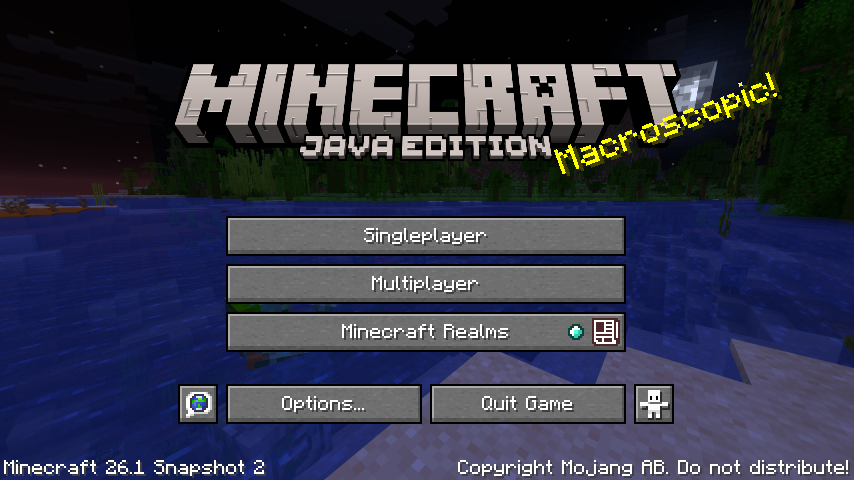
26.1 Snapshot 2 (known as 26.1-snapshot-2 in the launcher) is the second snapshot for Java Edition 26.1, released on January 7, 2026. It adds retextured and remodeled baby mobs, remodeled rabbits, craftable name tags, and more. This is the first snapshot released in 2026.
blazing briar
also does anybody have any good world seeds for the newest neoforge ver?
lethal basin
blazing briar
also does anybody have any good world seeds for the newest neoforge ver?
did you try google ? if you looking for 26.1 snapshot 2 seeds
and if for modpack, uhh , generally there is chat but it is dead 
(well thread)
sour tundra
Hey there @royal scarab did you get your modpack working? Happy to assist if not. Feel free to ping me. 😄
royal scarab
sour tundra
Hey there <@577284847588999168> did you get your modpack working? Happy to assis...
I did!
normal karma
Can Anyone tell me how i can open my dragons inventory (if it even has one)
Or if there is a way to call my dragon
ripe sequoia
Better MC 5 - v47 crashed without a crash report. The logs have been uploaded to mclo.gs:
- 1.21.1 [NEOFORGE]
- What launcher did you run Minecraft with? (e.g. CurseForge, ATLauncher, MultiMC, ...) via curseforge
- Have you changed the modpack in any way except mods? no
- v47
- Have you ever gotten past the crash condition without crashing, or does the game always crash? the only the game crashes is when i close the apllication
- What steps cause the crash?
latest.log | debug.log head / tail (~30k lines) | win_event1771466575882.txt | crash_assistant_app.log | modlist.txt | CurseForge: skip launcher
Mod list changes on top of the modpack:
[2;34mMod list was not modified.[0m
 summer lily
Help me please)
Better MC 4 1.20.1 Forge v55.5


I speak English very poorly. Sorry )))
I tried installing an older version of the driver (25.03) but it didn't help.
 sinful python
hello team i wonder if someone could help for the using of the filing cabinet i understand nothing pls dm me i will realy appreciate if i can get info

Same for the Uncrafting table

 burnt finch
any servers i can try
i get banned from all them cuz they not public
but its on the pub servers so.
 primal acorn
Hey guys!
I had a question me and my friend found a nether dragon egg and aether dragon egg, do we need to do anything special or just right click and wait?
burnt finch
yes
aethers grow faster at atleast y level 120
nether dragons i THINK have to be hacthed above lava
junior burrow
Better MC 5 - v47 crashed. The logs have been uploaded to mclo.gs:
- 1.21.1 [NEOFORGE]
- What launcher did you run Minecraft with? (e.g. CurseForge, ATLauncher, MultiMC, ...)
- Have you changed the modpack in any way except mods?
- v47
- Have you ever gotten past the crash condition without crashing, or does the game always crash?
- What steps cause the crash?
latest.log | debug.log head / tail (~35k lines) | hs_err_pid17452.log | crash_assistant_app.log | win_event1771543266060.txt | modlist.txt
# Problematic frame:
# C  [igxelpicd64.dll+0xc28374]
Mod list changes on top of the modpack:
Updated mods:
[2;34mneoforge[0m ([2;31mneoforge-21.1.218[0m > [2;32mneoforge-21.1.219[0m)
[2;34mazurelib[0m ([2;31m3.1.3[0m > [2;32m3.0.38[0m)
wat is the problem?
 compact kayak
What does !ca mean
 sharp bronze
All of Create 1.20.1 - v2.3 crashed. The logs have been uploaded to mclo.gs:
- 1.20.1
- What launcher did you run Minecraft with? (e.g. CurseForge, ATLauncher, MultiMC, ...)
- Have you changed the modpack in any way except mods?
- v2.3
- Have you ever gotten past the crash condition without crashing, or does the game always crash?
- What steps cause the crash?
latest.log | crash-2026-02-19_17.56.19-client.txt | crash_assistant_app.log | modlist.txt | CurseForge: skip launcher
Mod list changes beyond the modpack:
[2;34mMod list wasn't modified.[0m
how can i fix this?
 sly coral
Better MC 4 - v55.5 crashed without a crash report. The logs have been uploaded to mclo.gs:
- 1.20.1 [FORGE]
- What launcher did you run Minecraft with? Curseforge
- Have you changed the modpack in any way except mods? No
- v55.5
- Have you ever gotten past the crash condition without crashing, or does the game always crash? - the game always crashes. I am in the end next to what looks like a temple made of dark bricks and it wont load past this point. It does not respond then.
- What steps cause the crash?
latest.log | crash_assistant_app.log | modlist.txt | CurseForge: skip launcher
Mod list changes on top of the modpack:
[2;34mMod list was not modified.[0m
 graceful pumice
Better MC 4 - v55.5 crashed. The logs have been uploaded to mclo.gs:
- 1.20.1 [FORGE]
- What launcher did you run Minecraft with? CurseForge
- Have you changed the modpack in any way except mods? no
- v55.5
- Have you ever gotten past the crash condition without crashing, or does the game always crash? no
- What steps cause the crash?
latest.log | crash-2026-02-19_19.12.25-client.txt | CurseForge: launcher_log.txt head / tail (~26k lines) | crash_assistant_app.log | modlist.txt | i7-14700f might be the reason for the crash
Mod list changes on top of the modpack:
[2;34mMod list was not modified.[0m
HI has anyone else had issues with the screen stuttering every few seconds?
graceful pumice
im having the same problem as the person above me
uneven nova
oof
uneven nova
graceful pumice
im having the same problem as the person above me
describe it
hearty raft
quick question how do I fix the Error that keeps happening in luna server hosting???
graceful pumice
when i went through the end portal i crashed after being in the loading screen for awhile and when i tried to rejoin a few times i couldnt even load in the world, then i updated my driver and tried again and im still crashing but i load in for like a second now and its super laggy but then crash again
hearty raft
hearty raft
quick question how do I fix the Error that keeps happening in luna server hostin...
 uneven nova
graceful pumice
when i went through the end portal i crashed after being in the loading screen f...
uneven nova
graceful pumice
when i went through the end portal i crashed after being in the loading screen f...
hmmmm
did u add any mods or resource packs?
graceful pumice
uneven nova
did u add any mods or resource packs?
no i didny
 drowsy stratus
Hi, i'm using this modpack on curseforge and it says that theres free world sharing would somebody mind walking me through how to do that?
agile cradle
drowsy stratus
Hi, i'm using this modpack on curseforge and it says that theres free world shar...
!ws
versed mountainBOT
Luna Pixel's World Sharing
Our modpacks don't support any mods that add singleplayer hosting / world sharing because we already provide free world sharing. The 'Essential' mod is therefore incompatible.
To share your world using our own world hosting, click the 'Open to Lan' or 'Share World' button in the game menu when in a singleplayer world, and share the world.
It will give you an address, like magma-cube.mc.lunapixel.gg, which your friends can use to connect directly to your world as if it were a server!
We still highly suggest not to play through LAN as LAN is untested and unreliable. Using it will cause longterm damage to your world.
There is no reason to use LAN, as we support both paid and free methods of hosting a server the normal way.
If you get an error in chat when trying to host your world, we highly recommend selfhosting instead as it's free, very easy, and much more stable. Run the !server command in #bots to learn more.
 drowsy stratus
agile cradle
!ws
drowsy stratus
agile cradle
!ws
Thank You!
 hybrid lake
block texture issues (v55.5)
 violet carbon
Hey there
Better MC 4 - v55.5 crashed without a crash report. The logs have been uploaded to mclo.gs:
- 1.20.1 [FORGE]
- CurseForge
- i didnt changed anything
- v55.5
- I just started to try mods, no, but going to test others
- I just clicked play it
latest.log | crash_assistant_app.log | modlist.txt | CurseForge: skip launcher
Mod list changes on top of the modpack:
[2;34mMod list was not modified.[0m
 abstract kelp
Is bmc5 supposed to crash every time I close it
lethal basin
abstract kelp
Is bmc5 supposed to crash every time I close it
it is known thing, yes
abstract kelp
lethal basin
it is known thing, yes
So theres nothing I can do about it?
lethal basin
abstract kelp
So theres nothing I can do about it?
nothing you should worry about - if it crashes when you close, and not when you play, if it doesn't loose your progress
queen stratus
Does anyone know how to download extra mods onto better mc?
lethal basin
queen stratus
Does anyone know how to download extra mods onto better mc?
what launcher?
queen stratus
lethal basin
<@1213023597988413497>
curseforge
lethal basin

CurseForge Support
We're here to get you informed on everything you need to know about CurseForge, including helpful guides and troubleshooting articles to back you up when you get in a pickle
queen stratus
sorry I though you could only run it on curseforge
queen stratus
lethal basin
https://support.curseforge.com/support/solutions/articles/9000197148-customizing...
?
lethal basin
you can run it on different launchers too and we recomend running it on ATLauncher
lethal basin
queen stratus
?
it explains how to add more mods to modpack, in curseforge launcher
 jagged granite
why?
wispy trailBOT
jagged granite
why?
Uploaded message.txt from @jagged granite to mclogs: https://mclo.gs/IRrbJJQ
lethal basin
jagged granite
why?
did you modify pack?
jagged granite
lethal basin
did you modify pack?
yeah
lethal basin
jagged granite
added 2 mods
lethal basin
have you tried launching pack without added mods
jagged granite
for planes and mods
lethal basin
and seeing if it works
jagged granite
lethal basin
have you tried launching pack without added mods
but it only crash after im coming to one place
on server
lethal basin
!modified basically
versed mountainBOT
You are using a modified version of the modpack!
Adding, removing, or updating large amounts of mods without testing any of your changes is **not **a good idea, and it is very unlikely that anyone will want to debug your issue for you. Please test the changes you make in small groups, as opposed to doing all of the changes at once.
If you want further support for your issue, someone may respond to you in the channel for the modpack you based your changes off, but please only post once. You may also have better luck in #1061339968691257466.
lethal basin
when you add mods you like remove warranty
this chat is support for those with warranty
 frail sinew
Hey guys i have a problem with the mod what do i do?
lethal basin
frail sinew
Hey guys i have a problem with the mod what do i do?
what problem, what mod
frail sinew
Better Mc, when i luanch the game it doesent load anything past the luna pixel screen
lethal basin
what launcher are you using to launch modpack
frail sinew
its been stuck like this for 5 mins
 lethal basin
have you modified the pack?
frail sinew
nope
lethal basin
added/removed/updated mods
frail sinew
not at all
frail sinew
lethal basin
what launcher are you using to launch modpack
Skl
lethal basin
frail sinew
Skl
@stone mountain
lethal basin
frail sinew
Skl
so why I mention rules - u accepted them as you joined
they mention that we offer no help with piracy
which you doing rn
stone mountain
If only they could see you writing all of this
lethal basin
such a shame
 keen rampart
Better MC 4 - v53 crashed. The logs have been uploaded to mclo.gs:
- 1.20.1 [FORGE]
- curseforge
- no
- v53
- this is the first time its crashed yesterday i played it fine
- press play and when the game is about a quarter way though loading it crashes
latest.log | crash-2026-02-20_13.54.00-client.txt | CurseForge: launcher_log.txt | crash_assistant_app.log | modlist.txt
Mod list changes on top of the modpack:
[2;34mMod list was not modified.[0m
sorry if anythings wrong i dont know if i did that right
 silver parrot
hey so someone wants to know how to make a dragon whistle in BMC5
 near egret
keen rampart
Better MC 4 - v53 crashed. The logs have been uploaded to `mclo.gs`:
1. 1.20.1 [...
near egret
keen rampart
Better MC 4 - v53 crashed. The logs have been uploaded to `mclo.gs`:
1. 1.20.1 [...
try updating the modpack to latest
if that doesn't work try reinstalling the pack
some config files got corrupted
keen rampart
oh okay thank you
queen stratus
im trying to add a mod, but this looks like u can only add existing ones
 agile cradle
queen stratus
im trying to add a mod, but this looks like u can only add existing ones
agile cradle
queen stratus
im trying to add a mod, but this looks like u can only add existing ones
Search bar is right there at the top
queen stratus
agile cradle
Search bar is right there at the top
i know. are you not understanding?
lethal basin
queen stratus
i know. are you not understanding?
did you try searching for mod you want to add in the search bar
agile cradle
No, because you can type the name of the mod you’re looking for, and if it’s available on that version it’ll let you add it
What mod are you trying to add
queen stratus
lethal basin
did you try searching for mod you want to add in the search bar
yes, i typed it in and it didnt show up, but its avaliable on forge and for 1.20.1 which is the ver i have
i downloaded it
agile cradle
What mod
lethal basin
queen stratus
yes, i typed it in and it didnt show up, but its avaliable on forge and for 1.20...
can you share screenshot
queen stratus
but it isnt showing up in the curseforge section
queen stratus
agile cradle
What mod
leashable collars
lethal basin
queen stratus
but it isnt showing up in the curseforge section
that's not how it works
lethal basin
queen stratus
leashable collars
it's not on curseforge tho
and you are using curseforge launcher
agile cradle
Modrinth mod I assume?
lethal basin
yeah
versed mountainBOT
If this command was run in response to your question/issue, it is likely because switching away from the launcher you are currently using would fix your problem.
From our experience, the most stable launcher by far is ATLauncher, also known as ATL. Keep in mind that ATL is NOT related to TLauncher in any way, and is not a cracked launcher.
To install ATL, do the following:
1. Go to https://atlauncher.com/download. If you are on MacOS, then choose the "Jar" version under the "Other" tab, this is important as OSX WILL crash the game on Mac.
2. Install and run the setup, then open the program.
3. Login to your Microsoft account that owns the Java Edition of Minecraft from the Accounts tab on the right. This process is 100% safe, as it goes directly through Microsoft. ATL doesn't see your account credentials.
4. Go to the Packs tab on the right, then click "Curseforge" on the left.
5. Search the modpack you wish to download.
6. Click "Install". Then, follow the on-screen directions.
7. Go to the Instances tab, and click "Play" on the modpack you downloaded. If you ever see an "Update" button on the instance, click it.
This video explains the process: https://youtu.be/xMYW1wMbmkM
To transfer your Curseforge world to ATL, simply right click the modpack on Curseforge, or click the 3 dots, then click "Open Folder". Copy the Saves folder, then click "Open Folder" on ATL and paste the Saves folder there. Do the same with the XaerosMinimap folder, or the Journeymap folder, to transfer over any waypoints you've created.
Because ATL downloads the exact same files as Curseforge does, your world will be the exact same and you will be able to join the same servers. ATL also works without an internet connection (after you've installed the modpack, of course), and does not have any bloat from Overwolf. You are free to uninstall both Overwolf and Curseforge with ATL installed.
lethal basin
 queen stratus
is this not curse forge? if not wdh is forge
 lethal basin
queen stratus
is this not curse forge? if not wdh is forge
lethal basin
queen stratus
is this not curse forge? if not wdh is forge
this is modrinth
agile cradle
That’s modrinth, completely different site. Modrinth is green, curse is orange
lethal basin
queen stratus
is this not curse forge? if not wdh is forge
!define also
versed mountainBOT
Curseforge - Refers to both the Curseforge website and Curseforge Launcher. The Curseforge Launcher is a modded launcher used to play & install modpacks. ATLauncher is a better alternative. All modded launchers can be used to install & play both Fabric and Forge modpacks.
Modpack - A collection of mods. "Better MC 1.19.2 Forge", for example, is a modpack.
Modpack Version - The version of the modpack you are playing. v5, v6, v7, etc.
Minecraft Version - The version of Minecraft which the modpack you are playing runs on. 1.16.5, 1.18.2, 1.19.2, etc.
Mod - A .jar file which modifies the game in some way. "BetterEnd", for example, is a mod.
Forge - A mod loader which allows you to use Forge mods.
Fabric - A mod loader which allows you to use Fabric mods.
lethal basin
Curseforge isn't Forge
agile cradle
Forge is the name of a modloader, it has no relation to Curseforge the company
lethal basin
3rd party launchers - like ATLauncher and Prism for example (Two of most recomended and ATLauncher was mentioned above) allows to pull mods and modpacks from both Curseforge and Modrinth, and mix them (as in you take modpack from Curseforge/Modrinth and you can add mods from Curseforge or Modrinth to a pack) - as well as from FTB and Technic apps
agile cradle
Curseforge is really cranky and fussy about competition
queen stratus
agile cradle
Forge is the name of a modloader, it has no relation to Curseforge the company
💔
agile cradle
It’s fixable, just use atlauncher or prism as your launcher instead.
It’s easier to update packs and add/take out mods
 pine lotus
Hi friends I am having a problem with neruina, the mod that suspends/deletes ticking entries. The other day I experienced this for the first time (Im playing bmc5 on a server with my friends) and it happened randomly when I shot an arrow, the arrow just froze in midair and kept looping the falling animation and the message showed up that neruina suspended 1 ticking entry. I did research and realized this is pretty bad so i tried destroying the arrow manually and it worked so i restarted server, restarted minecraft multiple times and it still gives the message. I tried going into the server files and enabling autokill suspended entities but that still doesn't work. The arrow is gone from the world, I watched it dissappear but can someone help maybe there is another issue?
 sonic wolf
All of Create 1.20.1 - v1.2 crashed. The logs have been uploaded to mclo.gs:
- 1.20.1
- What launcher did you run Minecraft with? (e.g. CurseForge, ATLauncher, MultiMC, ...)
- Have you changed the modpack in any way except mods?
- v1.2
- Have you ever gotten past the crash condition without crashing, or does the game always crash?
- What steps cause the crash?
latest.log | debug.log head / tail (~39k lines) | crash-2026-02-20_17.21.22-client.txt | crash_assistant_app.log | win_event1771618888845.txt
Mod list changes beyond the modpack:
[2;32m2[0m added, [2;31m22[0m removed, [2;34m1[0m updated.
can someone help me?
lethal basin
sonic wolf
All of Create 1.20.1 - v1.2 crashed. The logs have been uploaded to `mclo.gs`:
1...
first of all wrong chat
secondly
looks like
!modified
versed mountainBOT
You are using a modified version of the modpack!
Adding, removing, or updating large amounts of mods without testing any of your changes is **not **a good idea, and it is very unlikely that anyone will want to debug your issue for you. Please test the changes you make in small groups, as opposed to doing all of the changes at once.
If you want further support for your issue, someone may respond to you in the channel for the modpack you based your changes off, but please only post once. You may also have better luck in #1061339968691257466.
lethal basin
it looks like you removed a lot of mods
sonic wolf
JKDASKJDASKJD sorry i am very bad with in english
lethal basin
it's okay
sonic wolf
lethal basin
it looks like you removed a lot of mods
Yea, you re a rigth, but the only thing i add its embeddium an chloride, the modpack not support this mods? maybe I took out more without wanting to'
lethal basin
sonic wolf
Yea, you re a rigth, but the only thing i add its embeddium an chloride, the mod...
you removed a lot of mods it seems - also you may not need to add Embeddium , I don't know what Chloride is
Best would be making post in #1061339968691257466
lethal basin
sonic wolf
All of Create 1.20.1 - v1.2 crashed. The logs have been uploaded to `mclo.gs`:
1...
and send your thing there , all of this
sonic wolf
https://www.curseforge.com/minecraft/mc-mods/chloride this is chloride

CurseForge
Gives Embeddium/Sodium additional Performance and Quality features for a tasteful experience
26.2M Downloads | Mods
sonic wolf
lethal basin
you removed a lot of mods it seems - also you may not need to add Embeddium , I ...
on that channel I just post and that's it?
sonic wolf
lethal basin
it may not be needed
thanks u bro
lethal basin
sonic wolf
on that channel I just post and that's it?
yeah, just post and then wait
if someone will need something for help, they will reply
and someone may see it there, and help to pinpoint your issue
violet carbon
violet carbon
Better MC 4 - v55.5 crashed without a crash report. The logs have been uploaded ...
What i can do?
Better MC 4 - v55.5 crashed without a crash report. The logs have been uploaded to mclo.gs:
- 1.20.1 [FORGE]
- CurseForge
- i didnt changed anything
- v55.5
- I just started to try mods, no, but going to test others
- I just clicked play it
latest.log | crash_assistant_app.log | modlist.txt | CurseForge: skip launcher
Mod list changes on top of the modpack:
[2;34mMod list was not modified.[0m
my (unironically) 67th attempt at hc bmc4 starting off peak


it's actually my 67th attempt
a lotta fails today
gilded tide
gilded tide
my (unironically) 67th attempt at hc bmc4 starting off peak
i died 💔
 cursive void
i cant even get on to the mod
Better MC 4 - v55.5 crashed. The logs have been uploaded to mclo.gs:
- 1.20.1 [FORGE]
- What launcher did you run Minecraft with? (e.g. CurseForge, ATLauncher, MultiMC, ...)
- Have you changed the modpack in any way except mods?
- v55.5
- Have you ever gotten past the crash condition without crashing, or does the game always crash?
- What steps cause the crash?
latest.log | hs_err_pid9940.log | CurseForge: launcher_log.txt | crash_assistant_app.log | modlist.txt
# Problematic frame:
# C  [igxelpicd64.dll+0xc284c4]
Mod list changes on top of the modpack:
[2;34mMod list was not modified.[0m
 drowsy narwhal
Hi guys! I've been stuck on this issue for a long time now. I just fresh installed Better MC (due to this issue) so keep that in mind :)
Whenever I try to share world, it has given the other player a few different error codes when trying to join. It keeps saying "server is unreachable: ICE failed" and more commonly says "unkown server. Check address and try again".
I have all java apps allowed through my firewall (java platform se binary thingy doesnt show, but javaw programs do), and minecraft for windows, as well as curseforge (if that matters) allowed. I dont see a openJDK allowed however, and I cannot find the path for it, or the program.
When disabling all firewalls (public, domain, private) the other player can join the game but gets immediately timed out with a "connection error" and on my end, I see that they joined, and then "an error occured in luna" and then they get kicked
Any help would be awesome, this has been such a struggle and im so tired of it
also i tried using different wifi (hotspot) on both devices at the same time and it didnt work either. Vanilla minecraft joins just fine, its just better mc (could be forge all together?)
agile cradle
drowsy narwhal
Hi guys! I've been stuck on this issue for a long time now. I just fresh install...
what launcher are you using? are you using the direct connect with a fresh IP address each time?
it's not traditional lan as we've had a lot of issues from traditional lan and the world sharing allows you to play with people outside of the home
drowsy narwhal
Im using the forge launcher everything is updated even the modpack. I used direct connect, and had an issue where i couldn't stop world sharing (maybe thats tied into the issue?), but most of my tries were with fresh IP's, atleast when i changed things. I just tried doing Add Server instead (no other changes after it had kicked player in direct connect) and it let them in for 5 minutes longer, but was quite delayed, and then they lost connection again and when trying to rejoin it gave me the "unknown server. Check address and try again" error again
drowsy narwhal
Okay so after I exited the server, the other player can still see the server status and it has two errors. In the wifi status, it says "luna" and then when i hover over it says incompatible version. and then there is a symbol below it like an upward arrow ^ ann hovering over that says incompatible vanilla server. We both have the same forge version and modpack version
agile cradle
drowsy narwhal
Im using the forge launcher everything is updated even the modpack. I used direc...
!alternates if that doesn't work, likely it's full
versed mountainBOT
If this command was run in response to your question/issue, it is likely because switching away from the launcher you are currently using would fix your problem.
From our experience, the most stable launcher by far is ATLauncher, also known as ATL. Keep in mind that ATL is NOT related to TLauncher in any way, and is not a cracked launcher.
To install ATL, do the following:
1. Go to https://atlauncher.com/download. If you are on MacOS, then choose the "Jar" version under the "Other" tab, this is important as OSX WILL crash the game on Mac.
2. Install and run the setup, then open the program.
3. Login to your Microsoft account that owns the Java Edition of Minecraft from the Accounts tab on the right. This process is 100% safe, as it goes directly through Microsoft. ATL doesn't see your account credentials.
4. Go to the Packs tab on the right, then click "Curseforge" on the left.
5. Search the modpack you wish to download.
6. Click "Install". Then, follow the on-screen directions.
7. Go to the Instances tab, and click "Play" on the modpack you downloaded. If you ever see an "Update" button on the instance, click it.
This video explains the process: https://youtu.be/xMYW1wMbmkM
To transfer your Curseforge world to ATL, simply right click the modpack on Curseforge, or click the 3 dots, then click "Open Folder". Copy the Saves folder, then click "Open Folder" on ATL and paste the Saves folder there. Do the same with the XaerosMinimap folder, or the Journeymap folder, to transfer over any waypoints you've created.
Because ATL downloads the exact same files as Curseforge does, your world will be the exact same and you will be able to join the same servers. ATL also works without an internet connection (after you've installed the modpack, of course), and does not have any bloat from Overwolf. You are free to uninstall both Overwolf and Curseforge with ATL installed.
agile cradle
drowsy narwhal
Okay so after I exited the server, the other player can still see the server sta...
yeah both of you use atlauncher or prism instead then, it has issues breaking crap
drowsy narwhal
instead of curseforge?
agile cradle
drowsy narwhal
instead of curseforge?
yes
drowsy narwhal
Alright, thank you so much ill try that out! :)
lament relic
Anyone know why this won't work? It's a goblin trader trade
 autumn crescent
Hellooo, can someone help with an issue regarding a game Im hosting?
Asked a few days before but when I was hosting my own game in better mc, my friend wasnt allowed to join and gets kicked out
I tried hosting the server through LAN and by sending the server address and direct join
Its frustrating cause I do want to give the server a proper try, but it wont let me
I uploaded my logs days ago and no one seemed to respond
I installed BMC5 via Neoforge, and tried reinstalling on my friends pc
We are LAN, and his server doesnt appear, so thats why I tried to see if he could join via the server address
 wheat cape
Better MC 5 - v47 crashed without a crash report. The logs have been uploaded to mclo.gs:
- 1.21.1 [NEOFORGE]
- What launcher did you run Minecraft with? (e.g. CurseForge, ATLauncher, MultiMC, ...)
- Have you changed the modpack in any way except mods?
- v47
- Have you ever gotten past the crash condition without crashing, or does the game always crash?
- What steps cause the crash?
latest.log | CurseForge: launcher_log.txt | crash_assistant_app.log | modlist.txt
Found [2;34m2[0m log analysis results:
[2;34mCurseForgeCorrupted[0m in: latest.log
[2;34mAzureLibAddons[0m in: latest.log
Mod list changes on top of the modpack:
[2;34mMod list was not modified.[0m
 forest timber
Reinstalling my gpu fixed it
 serene eagle
forest timber
Reinstalling my gpu fixed it
serene eagle
forest timber
Reinstalling my gpu fixed it
I have intel integrated graphics, how can i do the same.
 halcyon ether
hwo do me and my friends play without essential
forest timber
It should be in device manager if you you right click the windows icon, you’ll have to restart ur pc to do it
 zenith tangle
I recall seeing in a yt vid that a guy disenchanted the enchantments onto a book i forgot how to do this anyone know?
zenith tangle
Thanks for nothing fucking weirdo's
 plush crag
@zenith tangle js put the thing with the enchants ina anvil and the book in the other slot and itll take the enchants off and put them on the book
 finite steppe
like i said i have a 4050 16 gigs of ram and a 13600h
agile cradle
Open your game, and take a screenshot of your f3 screen
how much ram do you have pushed to the game?
finite steppe
im not home rn ill be back in 15 mins
finite steppe
agile cradle
how much ram do you have pushed to the game?
8
i used the java arguments also
agile cradle
once you're able to hop on just the screenshot here in chat
finite steppe
thanks
i also wanted to ask you
when im exploring new chunks
its so slow
like its genuinly annoying
agile cradle
are you traveling by foot, really fast or really slow?
finite steppe
agile cradle
are you traveling by foot, really fast or really slow?
dragon
agile cradle
Mounts? etc?
finite steppe
aether dragon
agile cradle
Dragons do make it harder as it's going much faster than what java allows to generate chunks.
agile cradle
The f3 screen will give us more info, but yeah if you go at fast speeds it'll take time for it to generate. elytras are a fast form of travel. it's an issue even in vanilla
finite steppe
ok thanks ill brb
 lean flax
how to turn off the heartbeat sound in butter mc neoforge?
 agile cradle
finite steppe
agile cradle
finite steppe
Turn off vsync
finite steppe
my game lowk crashed (b4 i turned it off
agile cradle
!ca
versed mountainBOT
finite steppe
u want to see the logs?
agile cradle
Just hit the upload all and copy button
finite steppe
 agile cradle
Hit the x
agile cradle
Yes after it says it’s uploaded and copied
finite steppe
or in the ticket thingy
Better MC 5 - v47 crashed. The logs have been uploaded to mclo.gs:
- 1.21.1 [NEOFORGE]
- What launcher did you run Minecraft with? (e.g. CurseForge, ATLauncher, MultiMC, ...)
- Have you changed the modpack in any way except mods?
- v47
- Have you ever gotten past the crash condition without crashing, or does the game always crash?
- What steps cause the crash?
latest.log | debug.log head / tail (~30k lines) | hs_err_pid15548.log | atlauncher.log | crash_assistant_app.log | modlist.txt | win_event1771664759565.txt
# Problematic frame:
# C  [nvapi64.dll+0x2c2d69]
Mod list changes on top of the modpack:
[2;32m18[0m added, [2;31m1[0m removed, [2;34m0[0m updated.
mam yes mam
finite steppe
finite steppe
watchu think about dat path
i sent like 15 mins on it
super draining
anyway
heres the ss

nothing changed
when i look away from my machines it jumps to like 110 thats it
stone mountain
 kind torrent
minecraft wont even open the modpack
kind torrent
minecraft wont even open the modpack
Can you elaborate?
kind torrent
Game doesnt launch at all after pressing play on curseforge
stone mountain
kind torrent
Game doesnt launch at all after pressing play on curseforge
!ca
versed mountainBOT
stone mountain
Are you getting this popup?

 stone mountain
kind torrent
stone mountain
kind torrent
!alternates
versed mountainBOT
If this command was run in response to your question/issue, it is likely because switching away from the launcher you are currently using would fix your problem.
From our experience, the most stable launcher by far is ATLauncher, also known as ATL. Keep in mind that ATL is NOT related to TLauncher in any way, and is not a cracked launcher.
To install ATL, do the following:
1. Go to https://atlauncher.com/download. If you are on MacOS, then choose the "Jar" version under the "Other" tab, this is important as OSX WILL crash the game on Mac.
2. Install and run the setup, then open the program.
3. Login to your Microsoft account that owns the Java Edition of Minecraft from the Accounts tab on the right. This process is 100% safe, as it goes directly through Microsoft. ATL doesn't see your account credentials.
4. Go to the Packs tab on the right, then click "Curseforge" on the left.
5. Search the modpack you wish to download.
6. Click "Install". Then, follow the on-screen directions.
7. Go to the Instances tab, and click "Play" on the modpack you downloaded. If you ever see an "Update" button on the instance, click it.
This video explains the process: https://youtu.be/xMYW1wMbmkM
To transfer your Curseforge world to ATL, simply right click the modpack on Curseforge, or click the 3 dots, then click "Open Folder". Copy the Saves folder, then click "Open Folder" on ATL and paste the Saves folder there. Do the same with the XaerosMinimap folder, or the Journeymap folder, to transfer over any waypoints you've created.
Because ATL downloads the exact same files as Curseforge does, your world will be the exact same and you will be able to join the same servers. ATL also works without an internet connection (after you've installed the modpack, of course), and does not have any bloat from Overwolf. You are free to uninstall both Overwolf and Curseforge with ATL installed.
stone mountain
Follow the above then
kind torrent
tried reinstalling, restarting, reinstalling java and neoforge
 stone mountain
kind torrent
stone mountain
kind torrent
Yes, follow the instruction
kind torrent
got it.
@stone mountain Thanks for the troubleshooting man the ATLuncher worked perfectly
Blame curseforge
stone mountain
Yep, as expected 🙂
 umbral agate
Better MC 4 - v55.5 crashed without a crash report. The logs have been uploaded to mclo.gs:
- 1.20.1 [FORGE]
- What launcher did you run Minecraft with? (e.g. CurseForge, ATLauncher, MultiMC, ...) CurseForge
- Have you changed the modpack in any way except mods? no
- v55.5
- Have you ever gotten past the crash condition without crashing, or does the game always crash? Always crashes
- What steps cause the crash? Launch the game with the modpack
latest.log | stderr_stream.log | crash_assistant_app.log | modlist.txt
Mod list changes on top of the modpack:
Removed mods:
[2;31mfallingleaves-1.20.1-2.1.2.jar[0m
[2;31msound-physics-remastered-forge-1.20.1-1.5.1.jar[0m
[2;31mSubtleEffects-forge-1.20.1-1.13.2.jar[0m
!alternates
versed mountainBOT
If this command was run in response to your question/issue, it is likely because switching away from the launcher you are currently using would fix your problem.
From our experience, the most stable launcher by far is ATLauncher, also known as ATL. Keep in mind that ATL is NOT related to TLauncher in any way, and is not a cracked launcher.
To install ATL, do the following:
1. Go to https://atlauncher.com/download. If you are on MacOS, then choose the "Jar" version under the "Other" tab, this is important as OSX WILL crash the game on Mac.
2. Install and run the setup, then open the program.
3. Login to your Microsoft account that owns the Java Edition of Minecraft from the Accounts tab on the right. This process is 100% safe, as it goes directly through Microsoft. ATL doesn't see your account credentials.
4. Go to the Packs tab on the right, then click "Curseforge" on the left.
5. Search the modpack you wish to download.
6. Click "Install". Then, follow the on-screen directions.
7. Go to the Instances tab, and click "Play" on the modpack you downloaded. If you ever see an "Update" button on the instance, click it.
This video explains the process: https://youtu.be/xMYW1wMbmkM
To transfer your Curseforge world to ATL, simply right click the modpack on Curseforge, or click the 3 dots, then click "Open Folder". Copy the Saves folder, then click "Open Folder" on ATL and paste the Saves folder there. Do the same with the XaerosMinimap folder, or the Journeymap folder, to transfer over any waypoints you've created.
Because ATL downloads the exact same files as Curseforge does, your world will be the exact same and you will be able to join the same servers. ATL also works without an internet connection (after you've installed the modpack, of course), and does not have any bloat from Overwolf. You are free to uninstall both Overwolf and Curseforge with ATL installed.
stone mountain
Start with this
stone mountain
umbral agate
That makes sense, i tried multimc but it only has up to v43 of BMC
If you like MultiMC you can try PrismLauncher instead
But ATLauncher is the one recommended by the dev
umbral agate
I don't mind any, i just find multi mc being the most minimal and the one that uses 0 resources
I can close it and my game won't close
anyways iamma try prism if no work i will try ATL
 versed violet
witch bmc is the best
stone mountain
!best
versed mountainBOT
There is no best, it's based on preference. What's best is to try it out yourself as what you like may be something someone else dislikes.
stone mountain
Some people like the 1.20 one, some people like the 1.21 one
And then some people like the Fabric, and some people like the Forge
versed violet
whats fab and for dif
stone mountain
?
versed mountainBOT
Discover the perfect Minecraft modpack for you. Search for modpacks by included mods, categories, Minecraft version and more!
stone mountain
You can use this tool to see the details
 granite canyon
If i've added a few mods manually to BMC4, should I still update the mods as the big updates come out? (As seen in announcements)
Since I'm on this one
 stone mountain
granite canyon
Since I'm on this one
stone mountain
granite canyon
Since I'm on this one
Ideally yes, we do not support old version of modpack, and we provide limited support for modified packs
granite canyon
Thank you! Was scared to update anything without asking first (only things added were a few QoL)
stone mountain
granite canyon
Thank you! Was scared to update anything without asking first (only things added...
Just make sure to always make a world backup before you do, and there is almost zero risk
abstract kelp
How do I add complementary shaders to bmc4
I'm dragging the shader pack to the game itself and it's not recognizing it
I'm only seeing the euphoria patches error
abstract kelp
Damn ur banning bro?
lethal basin
me? no
I'm just snitching
but yeah, he will most likely get banned
you're welcome pookie
next time read rules and have some basic understanding
IF YOU STEAL GAME DON'T ASK FOR SUPPORT
it's not a rocket science 
abstract kelp
lethal basin
next time read rules and have some basic understanding
IF YOU STEAL GAME DON'T ...
Does the mod have anti stealing (don't know if the other word is allowed) code like in some other games?
lethal basin
abstract kelp
Does the mod have anti stealing (don't know if the other word is allowed) code l...
mod? modpack? game?
idk what you even mean
but no
abstract kelp
lethal basin
idk what you even mean
Bmc mod pack
lethal basin
Minecraft is DRM free whatever
lethal basin
abstract kelp
Bmc mod pack
eh, how to put it
you need proper modpack launcher to install these modpacks
abstract kelp
Like, I mean, if you have a stolen game it crashes the game and stuff
lethal basin
most if not all LPS packs
it won't crash game, but if you have stolen launcher and you try to install it, launcher doesn't install modpack properly
and you get errors like up above
abstract kelp
Oh
lethal basin
it's just how it works with most packs that are newer
it's not something in pack that is making modpack to crash
(a lot of players still manage to play on pirated launchers, so that should explain that)
 hearty vector
Where can I install the BetterMC(NeoForge)?
stone mountain
hearty vector
Where can I install the BetterMC(NeoForge)?
#faq for how to install
hearty vector
stone mountain
<#815503531611783179> for how to install

There are no mods here
or did I misunderstand something?
stone mountain
hearty vector
There are no mods here
Did you follow the faq?
There is a "How do I install the modpack?" part in there
lethal basin
@hearty vector what launcher you using? if Curse it's easy and I can link video, if ATL - there's a handy bot message we have
and if you trying to do vanilla launcher - please don't as it won't work
 vital meadow
is bettermc down,
lethal basin
@stone mountain
lethal basin
vital meadow
is bettermc down,
I would love to help you but it seems you left the server 
stone mountain
lethal basin
I would love to help you but it seems you left the server <:sadcat:1142202427488...
They've not got the response withing the guaranteed SLA of 60 seconds
So it's reasonable to think that the server is dead, and to leave
lethal basin
Insert "Thanks for nothing 🖕" here
 ornate stump
so radnomly any right click action doest work i cant use carry on and now i cant breed any animals
lethal basin
ornate stump
so radnomly any right click action doest work i cant use carry on and now i cant...
you have something in offhand
most likely, carry-on did oopsie
uhh
try /carry-on clear
I think
ornate stump
thats what i thought aswell so i took off what i had in offhand didnt work then i unequiped my artifact that was on hand still nothing i also went to test it on another creative world and still nothing
i even reset keybinds but still its not working
the animation exists but no hearts and no baby
lethal basin
ornate stump
thats what i thought aswell so i took off what i had in offhand didnt work then ...
nononon
you need to do a command
you most likely have "ghost block" in offhand picked up
ornate stump
alr whats command for that
plucky geodeBOT
Quarantine Result:
Reason: Cracked/Illegal Minecraft - The use of pirated software is not allowed on our server
Moderator: @stone mountain
Quarantined:
satoakutami123 [1086719638118862918]
lethal basin
....
jeez
well idk what to do cuz I told you what to do and you did other thing
prob you could nbt edit, or load a backup if you have one, or add the mod back and try running command
ornate stump
id think its mod problem but i added last mod maybe a week ago and it worked fine then few days i didnt play at all now im back and its bugging
lethal basin
modifying packs are always risky thing
you loose warranty by doing so
and should do only if you know what you doing
you, sadly, don't seem like you knew what you were doing
ornate stump
lethal basin
you loose warranty by doing so
warranty for what
ornate stump
lethal basin
and should do only if you know what you doing
i do know ive made tons of modpacks
lethal basin
ornate stump
warranty for what
imagine it like a phone
ornate stump
most fav was 300+ mods with 300-400days with my friend but the world got so laggy his pc couldnt handle it and im lagging hard there
lethal basin
ornate stump
lethal basin
imagine it like a phone
warranty for modpack u mean?
lethal basin
ornate stump
i do know ive made tons of modpacks
adding random mods isn't making a modpack
just gon say
ornate stump
what warranty u talkin abt
lethal basin
ornate stump
warranty for modpack u mean?
warranty for support
basically
!modified
versed mountainBOT
You are using a modified version of the modpack!
Adding, removing, or updating large amounts of mods without testing any of your changes is **not **a good idea, and it is very unlikely that anyone will want to debug your issue for you. Please test the changes you make in small groups, as opposed to doing all of the changes at once.
If you want further support for your issue, someone may respond to you in the channel for the modpack you based your changes off, but please only post once. You may also have better luck in #1061339968691257466.
lethal basin
I suggest trying to reinstall modpack fully
and see if when you import your save back, you can run the command
and it works
ornate stump
my problem is that the difrences that i want to add to modpack are so insegnifficatn i wouldnt call that modifying
like changinf jei to emi
lethal basin
okay
lethal basin
that is still modifying , but if it doesn't cause issues, okay
but
you have issue now
and you removed mod
and you still having issue
stone mountain
ornate stump
like changinf jei to emi
Yeah, that goes to #1061339968691257466
ornate stump
support should be given regardless any modpack has taste prefrences so its very common that ppl do small changes like jei to emi etc
u didnt know that but u still gave me some things to try
lethal basin
ornate stump
u didnt know that but u still gave me some things to try
did I ?
lethal basin
versed mountain
You are using a modified version of the modpack!
Adding, removing, or updating...
@ornate stump this is still a thing
regardless of what you think should be
ornate stump
lethal basin
did I ?
u gave me command for carryon but thing is carryon didnt work post my current bug
lethal basin
but
it is most likely bug with carry-on
cuz you did mention that you can't use it and breed animals
and that pack "had" the said mod
ornate stump
carry on broke first there are other mods that one by one broke all related to right click action
most of em are added mods by me
lethal basin
okay, I made my assumption and suggestion based on knowledge I knew - carry on issue, sounds like
you didn't made it clear that there was other mods in play
and that other issues were due to them
but if you having said issues, because of mods you added - #1061339968691257466 is chat you should head to
ornate stump
i would agree but the thing is that they worked fine for few irl days then broke and now i cant breed wich isnt from any mod its base vanilla action
u also brought in "warranty support" wich isnt entierly correct i do get ur point but using word warranty isnt really correct
small nerd talk but if u care to read here it is:
A warranty related to support exists only when there is a clear, legally binding promise that support will be provided in a specific way, within a defined scope or timeframe, and that the provider accepts responsibility if it fails. It must state what support is guaranteed, how long it lasts, and what happens if the support is not delivered (for example, repair, refund, or continued service). If support is described as best-effort, voluntary, or paired with “as-is” or “no guarantees” disclaimers, then it is not a warranty—it is simply community or goodwill support with no obligation.
lethal basin
 indeed
sure
I won't use "Warranty" anymore
thanks to you
changes literally nothing for me
does it change anything for you?
I will say "We don't provide support in this chat due to you modifying pack, so move to #1061339968691257466 "
ornate stump
lethal basin
changes literally nothing for me
thats the thing its not abt u its for the person seeking help
stone mountain
Bro wants to argue semantics, instead of meaning
lethal basin
ornate stump
thats the thing its not abt u its for the person seeking help
sure
and I gave you help
lethal basin
so what's the issue?
stone mountain
This discussion is no longer related to BMC - please move it to #off-topic
ornate stump
u saying warranty like it means sum warranty is a word most ppl will take seriously since its somewhat a legal word
ornate stump
stone mountain
This discussion is no longer related to BMC - please move it to <#87817047474661...
thats my last dw
 merry remnant
Better MC 4 - v55.5 crashed. The logs have been uploaded to mclo.gs:
- 1.20.1 [FORGE]
- What launcher did you run Minecraft with? (e.g. CurseForge, ATLauncher, MultiMC, ...)
- Have you changed the modpack in any way except mods?
- v55.5
- Have you ever gotten past the crash condition without crashing, or does the game always crash?
- What steps cause the crash?
latest.log | hs_err_pid15344.log | CurseForge: launcher_log.txt | crash_assistant_app.log | modlist.txt
# Problematic frame:
# C  [nvwgf2umx.dll+0x12f653]
Mod list changes on top of the modpack:
Added mods:
[2;32mappleskin-forge-mc1.20.1-2.5.1.jar[0m
[2;32mbjornlib-forge-1.0.19.5-1.20.1.jar[0m
[2;32mHammerLib-1.20.1-20.1.50.jar[0m
[2;32mmoredragons-1.8-1.20.1.jar[0m
[2;32msophisticatedbackpacks-1.20.1-3.24.20.1500.jar[0m
[2;32msophisticatedcore-1.20.1-1.3.0.1439.jar[0m
!modified it looks like - try adding mods one by one to see which one modpack doesn't like
versed mountainBOT
You are using a modified version of the modpack!
Adding, removing, or updating large amounts of mods without testing any of your changes is **not **a good idea, and it is very unlikely that anyone will want to debug your issue for you. Please test the changes you make in small groups, as opposed to doing all of the changes at once.
If you want further support for your issue, someone may respond to you in the channel for the modpack you based your changes off, but please only post once. You may also have better luck in #1061339968691257466.
 rapid sonnet
- What Minecraft version are you using? (1.19.2, 1.20.1, ...) 1.20.1-47.4.13
- What launcher did you run Minecraft with? (e.g. CurseForge, ATLauncher, MultiMC, ...) curse forge
- Have you changed the modpack in any way? (e.g. changing mod versions, adding/removing mods) no , i noticed it started happening more when we got a remote controlled storage
- What version of the modpack are you using? (v11, v9, etc) v.55.5
- Have you ever gotten past the crash condition without crashing, or does the game always crash? if i dont do anything that requires me opening other than whatever i have on my screen
- What steps cause the crash? every time i open my storage , a chest or try to craft anything it crashes and kicks me out of my friends server
merry remnant
lethal basin
!modified it looks like - try adding mods one by one to see which one modpack do...
i'll do that, but why do i have this problem even tho i have been playing it exactly how it is for about a month
lethal basin

merry remnant
and i just passed it to my bro and he launched it perfectly fine
lethal basin
rapid sonnet
1. What Minecraft version are you using? (1.19.2, 1.20.1, ...) 1.20.1-47.4....
!ca
versed mountainBOT
merry remnant
lethal basin
<:blamecf:1197153105163325572>
shit launcher
lethal basin
merry remnant
shit launcher
yeah
rapid sonnet
Better MC 4 - v55.5 crashed. The logs have been uploaded to mclo.gs:
- 1.20.1 [FORGE]
- What launcher did you run Minecraft with? (e.g. CurseForge, ATLauncher, MultiMC, ...)
- Have you changed the modpack in any way except mods?
- v55.5
- Have you ever gotten past the crash condition without crashing, or does the game always crash?
- What steps cause the crash?
latest.log | crash-2026-02-21_12.19.03-client.txt | crash_assistant_app.log | modlist.txt | CurseForge: skip launcher
Mod list changes on top of the modpack:
[2;34mMod list was not modified.[0m
that's why most recomend ATL/Prism (We recomend ATL)
rapid sonnet
Better MC 4 - v55.5 crashed. The logs have been uploaded to mclo.gs:
- 1.20.1 [FORGE]
- What launcher did you run Minecraft with? (e.g. CurseForge, ATLauncher, MultiMC, ...) cursenforge
- Have you changed the modpack in any way except mods? no
- v55.5
- Have you ever gotten past the crash condition without crashing, or does the game always crash? not since i re installed it
- What steps cause the crash? literally joining a server world
latest.log | crash-2026-02-21_12.33.58-client.txt | crash_assistant_app.log | modlist.txt | CurseForge: skip launcher
Mod list changes on top of the modpack:
[2;34mMod list was not modified.[0m
Better MC 4 - v55.5 crashed. The logs have been uploaded to mclo.gs:
- 1.20.1 [FORGE]
- What launcher did you run Minecraft with? (e.g. CurseForge, ATLauncher, MultiMC, ...)
- Have you changed the modpack in any way except mods?
- v55.5
- Have you ever gotten past the crash condition without crashing, or does the game always crash?
- What steps cause the crash?
latest.log | hs_err_pid9028.log | CurseForge: launcher_log.txt | crash_assistant_app.log | modlist.txt
# Problematic frame:
# C  [nvwgf2umx.dll+0x12f653]
Mod list changes on top of the modpack:
[2;34mMod list was not modified.[0m
what now bro
lethal basin
use ATL
merry remnant
what?
lethal basin
!alternates
versed mountainBOT
If this command was run in response to your question/issue, it is likely because switching away from the launcher you are currently using would fix your problem.
From our experience, the most stable launcher by far is ATLauncher, also known as ATL. Keep in mind that ATL is NOT related to TLauncher in any way, and is not a cracked launcher.
To install ATL, do the following:
1. Go to https://atlauncher.com/download. If you are on MacOS, then choose the "Jar" version under the "Other" tab, this is important as OSX WILL crash the game on Mac.
2. Install and run the setup, then open the program.
3. Login to your Microsoft account that owns the Java Edition of Minecraft from the Accounts tab on the right. This process is 100% safe, as it goes directly through Microsoft. ATL doesn't see your account credentials.
4. Go to the Packs tab on the right, then click "Curseforge" on the left.
5. Search the modpack you wish to download.
6. Click "Install". Then, follow the on-screen directions.
7. Go to the Instances tab, and click "Play" on the modpack you downloaded. If you ever see an "Update" button on the instance, click it.
This video explains the process: https://youtu.be/xMYW1wMbmkM
To transfer your Curseforge world to ATL, simply right click the modpack on Curseforge, or click the 3 dots, then click "Open Folder". Copy the Saves folder, then click "Open Folder" on ATL and paste the Saves folder there. Do the same with the XaerosMinimap folder, or the Journeymap folder, to transfer over any waypoints you've created.
Because ATL downloads the exact same files as Curseforge does, your world will be the exact same and you will be able to join the same servers. ATL also works without an internet connection (after you've installed the modpack, of course), and does not have any bloat from Overwolf. You are free to uninstall both Overwolf and Curseforge with ATL installed.
 tepid lodge
I need help when world sharing the person is able to join but after a few seconds it says an error occured in luna and it kicks the person out
lethal basin
tepid lodge
I need help when world sharing the person is able to join but after a few second...
!wsfull
versed mountainBOT
World Sharing servers are likely currently at capacity
If you or your friend are receiving an error such as "An error occurred in Luna", or "Connection refused: no further information" when trying to play through "Open to LAN" or "Share World", it's likely that Luna's servers (used for world sharing) are currently full. We don't have a way to know when slots on our servers free up, but you are welcome to try again later.
We understand and recognize that this may be inconvenient, so we recommend in this case to host or rent your own server. Self-hosting is free, for more information on supported hosting options, type !server in #bots.
If you'd prefer an alternate world sharing mod such as Essential over the previous methods, risks of it are outlined in !ea, as well as how to use it if you accept the risks and void of support.
This command does NOT change or know if they are full or not, this is something ran as the most common issue.
tepid lodge
how am I able to fix this because it just started to happen
lethal basin
it works like first come first serve idea
tepid lodge
oh
abstract kelp
Are there any good looking low end shaders that are compatible with this mod pack?
 devout scarab
sometimes when I join a friends it makes me leave a little bit later and it says "connection lost" can someone help ?
lethal basin
versed mountain
## <:Moon:1117673600242163792> World Sharing servers are likely currently at cap...
@devout scarab
devout scarab
lethal basin
<@804683526963462185>
I read it
lethal basin
good
(I assume you connecting to your friend via world-share and that is the reason for your problem)
 brave idol
does anyone here know if there is way to remove enchantments off of items and put them into books in neoforge BMC5?
elder rover
Hello ive been playing on my Better MC world for about 2 years now and i recently updated the mod pack and it was running fine for a couple of days and now it starts fine but the moment i try and move or use the way stone to get home the entire game freezes i just dont know what changed since it was running fine and the world ive been doing my building in is still running fine
serene eagle
bmc5 v55, keep crashing on this screen
 stone mountain
serene eagle
bmc5 v55, keep crashing on this screen
stone mountain
serene eagle
bmc5 v55, keep crashing on this screen
!ca
versed mountainBOT
umbral agate
How can i optimize my server for this modpack, it is struggling to generate 3 dimensions
Can i add mods like
Canary, FerriteCore, ModernFix, Saturn, Starlight?
(Not exactly these mods but in general asking)
 hallow plume
so i came on just recently to play better mc forge and its now telling me some of the mods are incompatible but they were all fine yesterday. whats happened
 wicked quest
i have problem can someone help me i play better mc with my friend if he join to me i have crash pls help what can i do
stone mountain
hallow plume
so i came on just recently to play better mc forge and its now telling me some o...
!updatemods
versed mountainBOT
Do NOT Update Mods Manually!
Modpacks use specific versions of certain mods to prevent various issues, such as crashes or major game-breaking bugs. Mods will be updated by the modpack developer when they see fit. Please do not update the mods in a modpack manually, unless specifically told to do so. This includes hitting the "update all" feature on CurseForge launcher it likes to bother users with.
To be clear; this is separate from updating the modpack (such as Better MC / Medieval MC) itself. You should always stay up to date with the latest version of the modpack. To update the pack correctly, you can follow the command!updatemodpack
The easiest way to downgrade mod versions to their original versions in the pack, is to reinstall the pack itself. Before you uninstall, back up both any singleplayer world files you have, and your map folder. LPS packs usually use JourneyMap or Xareos, the map folder will be named accordingly.
- Curseforge -> Right click the modpack instance -> „Open Folder”.
- ATLauncher -> Click „Open Folder” on the modpack instance.
- PrismLauncher -> Select your instance and click „Folder” on the right.
Navigate to the "minecraft" folder, and within that will be "saves" and "journeymap"/"xareos" depending on which the pack has. Copy/Move these folders to a safe location, and you can move them right back to the fresh copy of the pack when reinstalled.