#better-mc-forge
1 messages · Page 516 of 1
 fallow bramble
 sullen matrix
also make sure u give atleast 8gb ram to the game if u got 16gb system ram
fallow bramble
i give around 12 at 32 gb
sullen matrix
should be okay
 snow stirrup
when i try too join my friends better mc server it just says loading terrain and doesnt let me in
 wispy trailBOT
More than 3 logs were uploaded in one message, won't upload.
 unreal grotto
hi
i wanna play with one friend, but somehow he cant join me by the link of lunapixel, so i wanna try hosting a server with my pc, but it doesnt start idk how to make it work
 agile cradle
unreal grotto
i wanna play with one friend, but somehow he cant join me by the link of lunapix...
agile cradle
unreal grotto
i wanna play with one friend, but somehow he cant join me by the link of lunapix...
Did you download the serverpack? How did you start running it?
unreal grotto
agile cradle
Did you download the serverpack? How did you start running it?
yes i downloaded it, and i tried running it after agreeing something and launching an start.bat
agile cradle
What happens when you do that
unreal grotto
lemme try again so i can tell u accurate

[Server thread/WARN] [minecraft/MinecraftServer]: Can't keep up! Is the server overloaded? Running 2359ms or 47 ticks behind
idk what to do about it
agile cradle
It’s running
The can’t keep up thing happens, long as it’s not spamming you should be fine
agile cradle
unreal grotto
how much ram is good for the server?
How many players you got
agile cradle
5-8 is fine, with 8 you can do up to 8 players
unreal grotto
agile cradle
5-8 is fine, with 8 you can do up to 8 players
do u recommend something for the ports?
 versed mountainBOT
If you're having issues with your friends joining your server, your port for Minecraft may be closed.
-
Check with https://portchecker.co/ with your IP and Minecraft's port (drop down menu) to see if it's open.
-
If it's closed you will need to search online "How to open Minecraft port for server with (ISP Name)
Important note: a lot will allow port forwarding, but there may be some ISPs that will not allow any port forwarding. Please check online if this is the case for yours.
agile cradle
It’s fun trying to remember which one it is
sullen matrix
does the simple storage mod's advanced wireless terminal not work the same? tutorials of the modpack says i can have infinite access range in overworld if i make level 1 beacon within 64 blocks and infinite range in every dimension if i make the beacon level 4
but not even overworld range is changed
agile cradle
sullen matrix
does the simple storage mod's advanced wireless terminal not work the same? tuto...
You need the advanced remote as well
sullen matrix
agile cradle
You need the advanced remote as well
is it not this
 agile cradle
I thought the beacon had to be within 8 blocks, touching, or same chunk?
sullen matrix
it pretty much is almost all of those

well not same chunk

https://youtu.be/nW5ElcWiC3c?t=207 it just says within 64 block here tho

Minecraft Tom's Simple Storage Mod Guide for 1.19.4!
Here is my complete minecraft tom's simple storage mod guide for 1.19.4 where we cover everything from auto sorting mob spawners, to a storage system, to even wirelessly accessing items. By the end of this minecraft tom's simple storage mod guide you will know everything about tom's simple st...
or just "regular terminal", which is 16 blocks and its still within the range
-15818 122 -140 the point of crafting terminal
-15828 126 -144 beacon
agile cradle
Did you forceload the chunks the beacon and storage are in?
 agile cradle
Did you connect the controller to the craft terminal
agile cradle
 compact kayak
Are Luna servers full again?
compact kayak
Are Luna servers full again?
Likely
sullen matrix
i think i fixed it by making it touch 😭
compact kayak
Rip
 rugged flume
hello i need help
Better MC 4 - v55.5 crashed. The logs have been uploaded to mclo.gs:
- 1.20.1 [FORGE]
- What launcher did you run Minecraft with? (e.g. CurseForge, ATLauncher, MultiMC, ...)
- Have you changed the modpack in any way except mods?
- v55.5
- Have you ever gotten past the crash condition without crashing, or does the game always crash?
- What steps cause the crash?
latest.log | hs_err_pid21288.log | CurseForge: launcher_log.txt | crash_assistant_app.log | modlist.txt
# Problematic frame:
# V  [jvm.dll+0x79aba2]
Found [2;34m1[0m log analysis results:
[2;34mJvm[0m in: hs_err_pid21288.log
Mod list changes on top of the modpack:
[2;34mMod list was not modified.[0m
 feral lintel
Does anybody know if there’s anything that goes in the feet or necklace bauble slot in BMC4?
 ashen mesa
Better MC 4 - v55.5 crashed. The logs have been uploaded to mclo.gs:
- 1.20.1 [FORGE]
- What launcher did you run Minecraft with? (e.g. CurseForge, ATLauncher, MultiMC, ...)
- Have you changed the modpack in any way except mods?
- v55.5
- Have you ever gotten past the crash condition without crashing, or does the game always crash?
- What steps cause the crash?
latest.log | hs_err_pid29432.log | CurseForge: launcher_log.txt | crash_assistant_app.log | modlist.txt
# Problematic frame:
# C  [igxelpicd64.dll+0xce61c4]
Mod list changes on top of the modpack:
[2;34mMod list was not modified.[0m
 fluid brook
Im having a major inventory space issue and ive camped in deserts for days in game and can not get a rabbit to spawn so i can make a backpack please is there another way
 forest mural
i don't wanna be rude or anything but there's a slight issue with the end when i wanted to find an elytra i couldn't because some type of crystals and all the loot able chest crashes my game and now I'm in the loop of crashing...
compact kayak
Me and my boyfriend crash every time we try to place a fieldsprout petal on the floor from the aether it’s been like this for months
agile cradle
compact kayak
Me and my boyfriend crash every time we try to place a fieldsprout petal on the ...
!ca
versed mountainBOT
agile cradle
forest mural
i don't wanna be rude or anything but there's a slight issue with the end when i...
!ca
versed mountainBOT
 static laurel
Better MC 4 - v55.5 crashed. The logs have been uploaded to mclo.gs:
- 1.20.1 [FORGE]
- What launcher did you run Minecraft with? (e.g. CurseForge, ATLauncher, MultiMC, ...)
- Have you changed the modpack in any way except mods?
- v55.5
- Have you ever gotten past the crash condition without crashing, or does the game always crash?
- What steps cause the crash?
latest.log | debug.log head / tail (~39k lines) | hs_err_pid4732.log | crash_assistant_app.log | modlist.txt
# Problematic frame:
# C  [atio6axx.dll+0x6d5278]
Found [2;34m1[0m log analysis results:
[2;34mAtio6axx[0m in: hs_err_pid4732.log
Mod list changes on top of the modpack:
[2;34mMod list was not modified.[0m
 stone mountain
static laurel
Better MC 4 - v55.5 crashed. The logs have been uploaded to `mclo.gs`:
1. 1.20.1...
stone mountain
static laurel
Better MC 4 - v55.5 crashed. The logs have been uploaded to `mclo.gs`:
1. 1.20.1...
!drivers
versed mountainBOT
You (likely) need to update your graphics drivers in order to resolve the crash. Here's how to go about doing that!
1. Identify your graphics card
if you already know skip to the next step
- Open task manager
- Navigate to the "Performance" tab (on Windows 11 this is the button that looks like a heart pulse)
- Press the GPU 0 graph and read your GPU from the top right
Note:
In some cases you may see a GPU 0 and GPU 1. This means your CPU has its own GPU, as well as a dedicated one. You probably want GPU 1 (which is usually the better one), but you can ask staff to clarify if necessary.
2. Download your drivers from the manufacturers site
Depending on what you read before, you likely need drivers from either AMD, Intel, or NVIDIA
AMD: https://www.amd.com/en/support
Intel: https://www.intel.com/content/www/us/en/download-center/home.html
NVIDIA: https://www.nvidia.com/Download/index.aspx?lang=en-us
Note:
- For NVIDIA you want to select "Game Ready Driver (GRD)" (this is the default option) for the best performance. Once installing you'd probably prefer downloading GeForce Experience, which will notify you when there's an available drivers update.
- For Intel, you probably want to press "Get Started" under the "Automatically update your drivers and software", which will simplify the process and update everything automatically
- For AMD you probably want to just press "Download Windows Drivers", which will download something called AMD Adrenaline, which will update your drivers automatically.
3. Run the installation, restart your computer, and try playing MC again
- At this point, hopefully your Minecraft is running. If it still does not work, please post any new logs and staff will help assist you with finding the right solution.
static laurel
I did
forest mural
Better MC 4 - v55.5 crashed. The logs have been uploaded to mclo.gs:
- 1.20.1 [FORGE]
- What launcher did you run Minecraft with? (e.g. CurseForge, ATLauncher, MultiMC, ...) - CurseForge
- Have you changed the modpack in any way except mods? - No
- v55.5
- Have you ever gotten past the crash condition without crashing, or does the game always crash? - No game crashes as soon as i load in
- What steps cause the crash? - Just tried to loot an chest at the end and only looking at it crashes my game and some type of crystals that i wanted to collect and after i brake them i crash and sometime only by looking at them.
latest.log | crash-2026-02-13_00.28.46-client.txt | CurseForge: launcher_log.txt head / tail (~26MB & ~132k lines) | crash_assistant_app.log | modlist.txt
Mod list changes on top of the modpack:
[2;34mMod list was not modified.[0m
I updated my graphics drivers
stone mountain
static laurel
I did
The crash's problematic frame is still reported as a AMD driver file having some issue
static laurel
stone mountain
The crash's problematic frame is still reported as a AMD driver file having some...
Ok, is there way to fix it?
stone mountain
!drivers2
versed mountainBOT
Advanced GPU Driver issue resolution
Stage 1 - Driver Update/Reinstallation
Check if there is an up-to-date driver (on the Intel/AMD/NVIDIA website, and not in the app).
If you're at latest version already - consider reinstalling.
Stage 1b - for Intel GPUs only
Crashing DLL's from hs_err_pid file, igxelpicd64.dll(GPU), igxe2hpgicd64.dll(ARC GPU)
Try to update your Drivers according to your GPU:
Intel® Arc™ Graphics - Windows
Intel® Arc™ Pro Graphics - Windows
Intel® 11th – 14th Gen Processor Graphics - Windows
Intel® 7th-10th Gen Processor Graphics - Windows
If updating to latest does not work, go to TechPowerUp Intel Graphics Drivers, click Show older versions and look for
32.0.101.6737 for integrated GPU
32.0.101.8247 for Arc GPUs
Stage 2 - DDU
If that doesn't help - try using Display Driver Uninstaller (there are guides on YT) and on the DDU website (here)
⚠️ Please note that this is an advanced step, and should only be followed if a regular update/reinstall did not help.
Stage 3 - Installing older driver version
If the steps in Stages above did not help - try to rollback the driver to an older version (there should be guides on YT as well).
stone mountain
Try that ^^
static laurel
Ok, I'll try. Thank you
 hot surge
Better MC 4 - v55.5 crashed without a crash report. The logs have been uploaded to mclo.gs:
- 1.20.1 [FORGE]
- What launcher did you run Minecraft with? (e.g. CurseForge, ATLauncher, MultiMC, ...)
- Have you changed the modpack in any way except mods?
- v55.5
- Have you ever gotten past the crash condition without crashing, or does the game always crash?
- What steps cause the crash?
latest.log | crash_assistant_app.log | modlist.txt | CurseForge: skip launcher
Mod list changes on top of the modpack:
[2;32m8[0m added, [2;31m0[0m removed, [2;34m60[0m updated.
 normal barn
I have a question involving the modpack and was hoping someone could help
I've built Ilmango's nether roof afk gold farm, and have noticed that the zombified piglins will sometimes stop moving and just 'freeze' despite still being agroed on me (they continue to stare at me & continue moving if I pillar upwards) and some of the zombified piglins wont walk off the upper spawning platforms despite there being trapdoors. It seems to be a pathfinding issue since if I remove some of the blocks or again, pillar upwards, they start moving towards me once more. Anyone have any idea what may be causing this?
 rancid dove
What mod causes mobs from afar to not move?
 ripe sequoia
is there a way to install a single mod to the modpack or will that just destroy the whole stability of the game
ripe sequoia
Better MC 5 - v47 crashed without a crash report. The logs have been uploaded to mclo.gs:
- 1.21.1 [NEOFORGE]
- What launcher did you run Minecraft with? (e.g. CurseForge, ATLauncher, MultiMC, ...) curseforge
- Have you changed the modpack in any way except mods? no
- v47
- Have you ever gotten past the crash condition without crashing, or does the game always crash? the game gives a error log after i close the game
- What steps cause the crash? closing the game
latest.log | debug.log | win_event1770948144399.txt | crash_assistant_app.log | modlist.txt | CurseForge: skip launcher
Mod list changes on top of the modpack:
[2;34mMod list was not modified.[0m
 acoustic kelp
Better MC 4 - v55.5 crashed without a crash report. The logs have been uploaded to mclo.gs:
- 1.20.1 [FORGE]
- What launcher did you run Minecraft with? CurseForge,
- Have you changed the modpack in any way except mods? nope
- v55.5
- Have you ever gotten past the crash condition without crashing, or does the game always crash? just started 15 hours in
- What steps cause the crash? No Clue
latest.log | CurseForge: launcher_log.txt | crash_assistant_app.log | modlist.txt | win_event1770946962888.txt
Mod list changes on top of the modpack:
[2;34mMod list was not modified.[0m
 robust pond
can someone help me in installing schematica mod onto my better mc profile
 full thorn
Thank you so much
 buoyant turtle
Better MC 4 - v55.5 crashed. The logs have been uploaded to mclo.gs:
- 1.20.1 [FORGE]
- What launcher did you run Minecraft with? (e.g. CurseForge, ATLauncher, MultiMC, ...)
- Have you changed the modpack in any way except mods?
- v55.5
- Have you ever gotten past the crash condition without crashing, or does the game always crash?
- What steps cause the crash?
latest.log | crash-2026-02-12_22.23.32-client.txt | crash_assistant_app.log | modlist.txt | CurseForge: skip launcher
Mod list changes on top of the modpack:
Added mods:
[2;32mpotions_backport-1.0.0-forge-1.20.1.jar[0m
Removed mods:
[2;31mwakes-1.20.1-Forge-1.0.8.jar[0m
 silent bobcat
Better MC 5 - v47 crashed without a crash report. The logs have been uploaded to mclo.gs:
- 1.21.1 [NEOFORGE]
- What launcher did you run Minecraft with? (e.g. CurseForge, ATLauncher, MultiMC, ...) curseforge
- Have you changed the modpack in any way except mods? no
- v47
- Have you ever gotten past the crash condition without crashing, or does the game always crash? No i never got past the crash conditon, i be on the game for a few seconds and then it kicks me out and crash
- What steps cause the crash?Trying to get into the game
Im sorry idk if i did that right
 random elbow
anyone know whjy shit takes so long to grow
silent bobcat
silent bobcat
Better MC 5 - v47 crashed without a crash report. The logs have been uploaded to...
Also i use a macbook
The 1.20.1 version worked perfectly fine but this one keeps messing up
Please help
 agile cradle
silent bobcat
agile cradle
silent bobcat
Please read the pop up
silent bobcat
Wdym?
 silent bobcat
But there is no upload all buttom for me
And i made sure i read the support stuff carefully
 stiff stirrup
silent bobcat
But there is no upload all buttom for me
stiff stirrup
silent bobcat
But there is no upload all buttom for me
just click upload and copy individually
silent bobcat
I never had this problem before so idk what I’m doing
stiff stirrup

 stiff stirrup
That doesnt look like a button, so that isnt their bad for not seeing that.
I didnt see it either
silent bobcat
stiff stirrup
That doesnt look like a button, so that isnt their bad for not seeing that.
I di...
Thank you
random elbow
can you increase crop growth rates in this mod
 spark karma
why does the netherite diamond pickaxe say 1 mining speed?
 obtuse estuary
Does anyone know any high damage passive damage block or tool in BMC4?
I'm currently designing stack raid farm, but invoker has too much health that original magma block ineffective. I've tried bamboo spike, but damage is same to magma block. I also tried Deployer in create mod. But it's not passive, so it angers invoker. And invoker can summon ghost and be teleported when damaged by active source.
 autumn tide
guys please in BMC 5 i died in the void in the end but my grave is not at y0 is this a bug
 edgy ruin
I'm self hosting a BMC5 server. Recently, we've been having an issue where after the server has been up for a while and someone tries to join, they get stuck at the "joining world" screen. The server needs to be restarted before anybody is able to join back again. Here is the server side error from when someone tries to join and gets stuck. Any ideas?
 hidden galleon
- I'm using 1.21.1 Neoforge
- Curseforge
3.No
4.V47 - Game crashes after i take out the dragon saddle
- Dragon saddle
 karmic geode
Better MC 5 - v47 crashed. The logs have been uploaded to mclo.gs:
- 1.21.1 [NEOFORGE]
- ATLauncher
- I haven't changed anything
- v47
- Have you ever gotten past the crash condition without crashing, or does the game always crash?
No, the game always crashes on first frame of title screen - What steps cause the crash?
Boot game and wait for title screen
Something is up between Iceberg and AsureLib_neo
latest.log | debug.log | hs_err_pid5220.log | atlauncher.log | crash_assistant_app.log | modlist.txt | win_event1770987621494.txt
# Problematic frame:
# C  [igxelpicd64.dll+0xc28374]
Found [2;34m1[0m log analysis results:
[2;34mAzureLibAddons[0m in: latest.log
Mod list changes on top of the modpack:
[2;34mMod list was not modified.[0m
 dusty star
Have anyone tried playing their Bmc5 world in Bmc4? How'd that turn out?
stone mountain
dusty star
Have anyone tried playing their Bmc5 world in Bmc4? How'd that turn out?
Sounds like a recipe for disaster
stone mountain
karmic geode
Better MC 5 - v47 crashed. The logs have been uploaded to `mclo.gs`:
1. 1.21.1 [...
!drivers2 - the intel specific section
versed mountainBOT
Advanced GPU Driver issue resolution
Stage 1 - Driver Update/Reinstallation
Check if there is an up-to-date driver (on the Intel/AMD/NVIDIA website, and not in the app).
If you're at latest version already - consider reinstalling.
Stage 1b - for Intel GPUs only
Crashing DLL's from hs_err_pid file, igxelpicd64.dll(GPU), igxe2hpgicd64.dll(ARC GPU)
Try to update your Drivers according to your GPU:
Intel® Arc™ Graphics - Windows
Intel® Arc™ Pro Graphics - Windows
Intel® 11th – 14th Gen Processor Graphics - Windows
Intel® 7th-10th Gen Processor Graphics - Windows
If updating to latest does not work, go to TechPowerUp Intel Graphics Drivers, click Show older versions and look for
32.0.101.6737 for integrated GPU
32.0.101.8247 for Arc GPUs
Stage 2 - DDU
If that doesn't help - try using Display Driver Uninstaller (there are guides on YT) and on the DDU website (here)
⚠️ Please note that this is an advanced step, and should only be followed if a regular update/reinstall did not help.
Stage 3 - Installing older driver version
If the steps in Stages above did not help - try to rollback the driver to an older version (there should be guides on YT as well).
stone mountain
obtuse estuary
Does anyone know any high damage passive damage block or tool in BMC4?
I'm curre...
Maybe soul campfire be enough?
 wispy trailBOT
 meager siren
Uploaded latest.log from @meager siren to mclogs: https://mclo.gs/C9PMjvx
meager siren
Okay my bad I play on fabric
stone mountain
meager siren
!vanilla
versed mountainBOT
It seems as you are trying to use the standard Minecraft launcher!
To run our packs properly, you will need to have a modded launcher, as it will install the pack for you, making it so you don't have a ton of mods/configs removed & end up crashing due to such.
Our most recommended launcher is ATLauncher, which you can find step by step instructions on by running the command !alternates in #bots . If you prefer a more modern interface, Prism comes recommended as well. Any other launchers we can't guarantee any issues won't arise, so it's best to save the trouble and use ATL/Prism.
 haughty shore
Is Jason's sword now obtainable in the mod? or is it still developer only sword
sullen matrix
is it normal for minecraft to show less than 1.2gb max in task manager?
 stone mountain
sullen matrix
is it normal for minecraft to show less than 1.2gb max in task manager?
stone mountain
sullen matrix
is it normal for minecraft to show less than 1.2gb max in task manager?
All depends on what Xmx and Xms parameters you've put in your launcher
sullen matrix
stone mountain
All depends on what Xmx and Xms parameters you've put in your launcher

these are done with advice from here after i got stutters that were ram allocation related
right when the f3's ram usage % cuts down to 20-25% from 40%
now it goes as high as 92% before going back down to 30-35%
 stone mountain
Then that seems correct then - you've put max as 8000, but it doesn't mean it will use all of that
sullen matrix
i mean it used to show 7-8gb before
stone mountain
sullen matrix
now it goes as high as 92% before going back down to 30-35%
That screenshot is from before you changed that?
stone mountain
Still lagging?
sullen matrix
i do get frametime spikes that go to 16ms when it should be 10-12
stone mountain
!spark
versed mountainBOT
Please record a Spark Profile so we can better diagnose the cause of your performance issue.
FPS issues: (Clients Only!)
If you're experiencing low frames per second, record a rendering profile:
- Run
/sparkc profiler start --timeout 30 - Wait 30 seconds for the profile to finish
- Send the link in this channel.
TPS issues:
If there's a long delay before actions happen, or the world is slow to respond, record a standard profile:
- Run
/spark profiler start --timeout 30 - Wait 30 seconds for the profile to finish
- Send the link in this channel.
Large TPS Spikes:
If you rarely have an extremely long delay before actions happen or the world suddenly stops responding for a long time (a lag spike), add a high --only-ticks-over threshold to the profile and stop it manually:
/spark profiler start --only-ticks-over 100
-# Optional: Run/spark tickmonitor- this prints TPS spikes into chat so you can see if they've occurred- Wait for the lag spike to occur and finish
/spark profiler stop- Send the link in this channel.
 stone mountain
Do whatever is causing the lag
sullen matrix
no specific cause, it always happens
stone mountain
It's a profiler, used to gather info on what's going on while it's running
So you can launch it when you see it lagging, and it will capture data on what's happening
sullen matrix
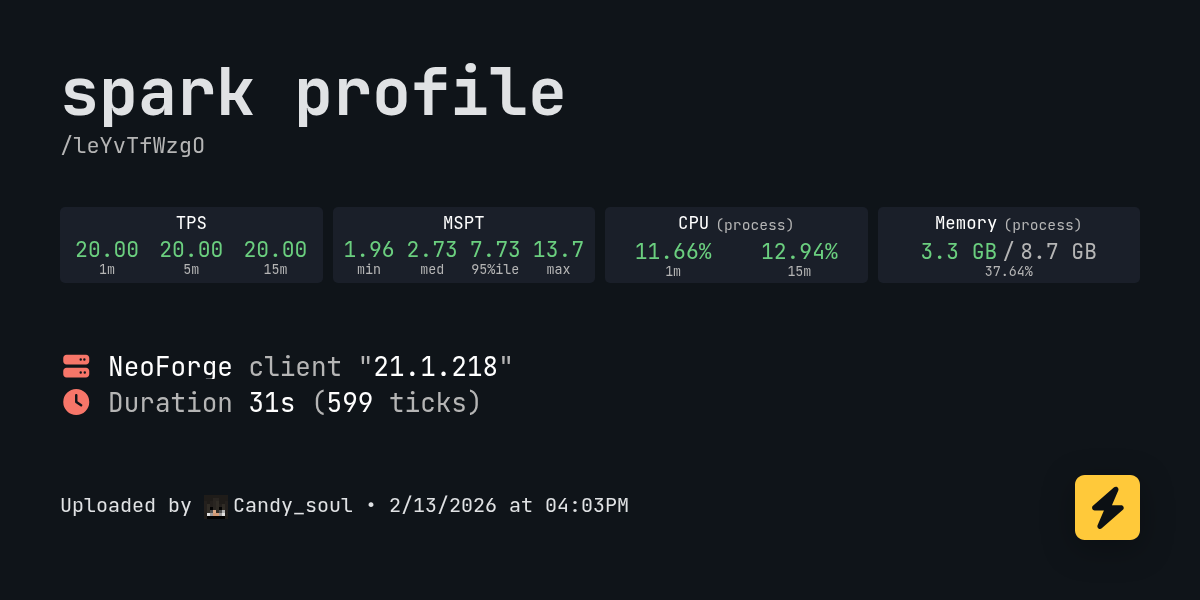
spark is a performance profiler for Minecraft clients, servers, and proxies.
its a mc specific thing
should i do one more while roaming around
i was perfectly stable looking at sea in this one
 clever ferry
Well if the report is to be believed your using tlauncher, so you could start by buying and actual mc account
 feral loom
im hosting a server on my pc and its not letting me share my world
how i fix. or find my ip another way
karmic geode
stone mountain
!drivers2 - the intel specific section
Thank you for the time spent :)
 lyric current
crash_assistant_app.log: https://mclo.gs/sdZL9Ax
45 lines
Better MC 4 - v55.5 crashed without a crash report. The logs have been uploaded to mclo.gs:
- 1.20.1 [FORGE]
- What launcher did you run Minecraft with? (e.g. CurseForge, ATLauncher, MultiMC, ...)
- Have you changed the modpack in any way except mods?
- v55.5
- Have you ever gotten past the crash condition without crashing, or does the game always crash?
- What steps cause the crash?
latest.log | crash_assistant_app.log | modlist.txt | CurseForge: skip launcher
Mod list changes on top of the modpack:
Added mods:
[2;32mcreate-1.20.1-6.0.7.jar[0m
[2;32mironchest-1.21.11-neoforge-16.7.3.jar[0m
[2;32mNoFog-1.3.6+1.16.5-1.21.jar[0m
[2;32msophisticatedbackpacks-1.20.1-3.24.21.1515.jar[0m
[2;32msophisticatedcore-1.20.1-1.3.2.1468.jar[0m
[2;32msophisticatedstorage-1.20.1-1.4.24.1486.jar[0m
[2;32mtoms_storage-1.21.11-2.7.3.jar[0m
 silver parrot
heyyy soo
question!
firstly
hello
secondly
how long do dragon eggs take to hatch in bettermc4.
and if they have different hatching times, how long does the forest dragon egg take.
cause ive been sitting here waiting for this egg to hatch for a solid
hour and a half
and its only at stage 2.
 tropic plover
place it on leaf block and right click to hatch u have to stay in the chunk for 10 mins
silver parrot
tropic plover
place it on leaf block and right click to hatch u have to stay in the chunk for ...
i was about to place leaf block under the egg and it just suddenly hatched

 reef jackal
Why i cant craft backpack guys

 timber grail
it requires rabbit hide for some insane reason
silver parrot
tropic plover
place it on leaf block and right click to hatch u have to stay in the chunk for ...
ok so the one that hatched just disappeared into the shadow realm and im hatching the other one, whys it not doing anything. i put it on a leaf and waited 30 mins but its still at stage 0
reef jackal
timber grail
it requires rabbit hide for some insane reason
I found 0 rabbit for 20 hours world💀
timber grail
reef jackal
I found 0 rabbit for 20 hours world💀
same, I just started playing again and noticed the recipe changed. maybe 10 hours played and haven't seen any either
reef jackal
timber grail
same, I just started playing again and noticed the recipe changed. maybe 10 hour...
😭
buoyant turtle
Better MC 4 - v55.5 crashed. The logs have been uploaded to mclo.gs:
- 1.20.1 [FORGE]
- What launcher did you run Minecraft with? (e.g. CurseForge, ATLauncher, MultiMC, ...)
- Have you changed the modpack in any way except mods?
- v55.5
- Have you ever gotten past the crash condition without crashing, or does the game always crash?
- What steps cause the crash?
latest.log | crash-2026-02-13_20.51.56-client.txt | crash_assistant_app.log | modlist.txt | CurseForge: skip launcher
Mod list changes on top of the modpack:
Added mods:
[2;32mpotions_backport-1.0.0-forge-1.20.1.jar[0m
Removed mods:
[2;31mwakes-1.20.1-Forge-1.0.8.jar[0m
game crashed multiple times out of nowhere
 sonic oak
Better MC 5 - v47 crashed without a crash report. The logs have been uploaded to mclo.gs:
- 1.21.1 [NEOFORGE]
- What launcher did you run Minecraft with? (e.g. CurseForge, ATLauncher, MultiMC, ...)
- Have you changed the modpack in any way except mods?
- v47
- Have you ever gotten past the crash condition without crashing, or does the game always crash?
- What steps cause the crash?
latest.log | debug.log | win_event1771012737654.txt | crash_assistant_app.log | modlist.txt | CurseForge: skip launcher
Mod list changes on top of the modpack:
Removed mods:
[2;31mdragonloot-1.1.8-neoforge-1.21.1.jar[0m
 torpid wedge
my game keeps crashing , i need help!
 dry elk
shit crashes when i tell alexs mobs racoon to sit
stone mountain
torpid wedge
my game keeps crashing , i need help!
!ca
versed mountainBOT
stone mountain
dry elk
shit crashes when i tell alexs mobs racoon to sit

 hollow notch
hello, is there any way to choose where a server will be located?
becouse me and my friend want to play on this modpack but after joining we cant even break blocks becouse of the lags
stone mountain
sullen matrix
https://spark.lucko.me/leYvTfWzgO
Looking at this - seems like you're low on overall memory - try to close down some things while playing, and try to free up more disk space if you can, see if that makes it better
stone mountain
hollow notch
hello, is there any way to choose where a server will be located?
It's not possible, no. If the world sharing is too laggy for your location - I would suggest a dedicated server instead
!server
versed mountainBOT
Free Method
To host a server on your own computer, read the selfhosting guide.
This guide goes over how to install, create, and launch a free Minecraft server on all operating systems (MacOS, Linux and Windows). The guide also guides you through installing Java and optimizing your server for better performance.
If you are installing one of our older modpacks, ignore the "README" file that is included in the serverpack files, as they have outdated information.
Paid Method
We suggest renting a server from Bisect Hosting:
Approx. $10 - $25 a month depending on what plan you choose. You can also get 25% off with Code LunaPixel.
Go here and order a plan which fits you. We suggest 1GB per player but nothing lower than 4GB as the server needs at least 3GB to run.
Go to #server-hosting for more Info!
The following advice works for both the Free and Paid methods:
Transferring Your World
If you're playing Singleplayer and want to transfer your world to your server, simply go to your modpack files and navigate to the saves folder. Inside of this folder, you will see your world saves. Rename your desired world save to world. You can then transfer this folder to your server files. If your world was hosted via world sharing, this process has to be done by the person who would click "Share World".
Fixing Lag
To resolve lag issues, simply run the !tps command in #bots and follow the directions provided.
sullen matrix
stone mountain
Looking at this - seems like you're low on overall memory - try to close down so...
hows it low on memory if it doesnt even use more than 1.2gb on task manager
and its already using 9.8gb allocated to it
hollow notch
stone mountain
It's not possible, no. If the world sharing is too laggy for your location - I w...
and why cant i use essential or e4mc
stone mountain
sullen matrix
and its already using 9.8gb allocated to it
 stone mountain
sullen matrix
lemme just give it 1gb higher allocation limit
stone mountain
sullen matrix
lemme just give it 1gb higher allocation limit
I would suggest going to 8GB
sullen matrix
it was already 8 gb always
stone mountain
Allocating more memory doesn't really solve the problem
 sullen matrix
i dont have anything that would set it to 9
not even jv parameters, nothing i can see
stone mountain
The report says 9000M, and that doesn't lie
sullen matrix
https://spark.lucko.me/UXlityWBDV heres the new one after went in and set it to 9gb

spark is a performance profiler for Minecraft clients, servers, and proxies.
sullen matrix
stone mountain
The report says 9000M, and that doesn't lie
either atlauncher didnt set it to 8gb or its pulling wrong info
stone mountain
sullen matrix
either atlauncher didnt set it to 8gb or its pulling wrong info
Spark never lies, maybe ATLauncher didn't save the setting
sullen matrix
so should i put it back to 8gb now
stone mountain
Anyway - still really high overall memory usage (92% + 75% swap)
sullen matrix
oh and yea these are the screenshots i took earlier today when i did the first sparkc


it is 9gb
stone mountain
Yes, I saw that
sullen matrix
sullen matrix
so should i put it back to 8gb now
should i?
stone mountain
Yes, and address the issues I highlighted earlier
sullen matrix
sure ill close discord and opera too once it actually gets the ram to 8gb allocated
ig it worked, 8gb now

cya in 2m once i do the test
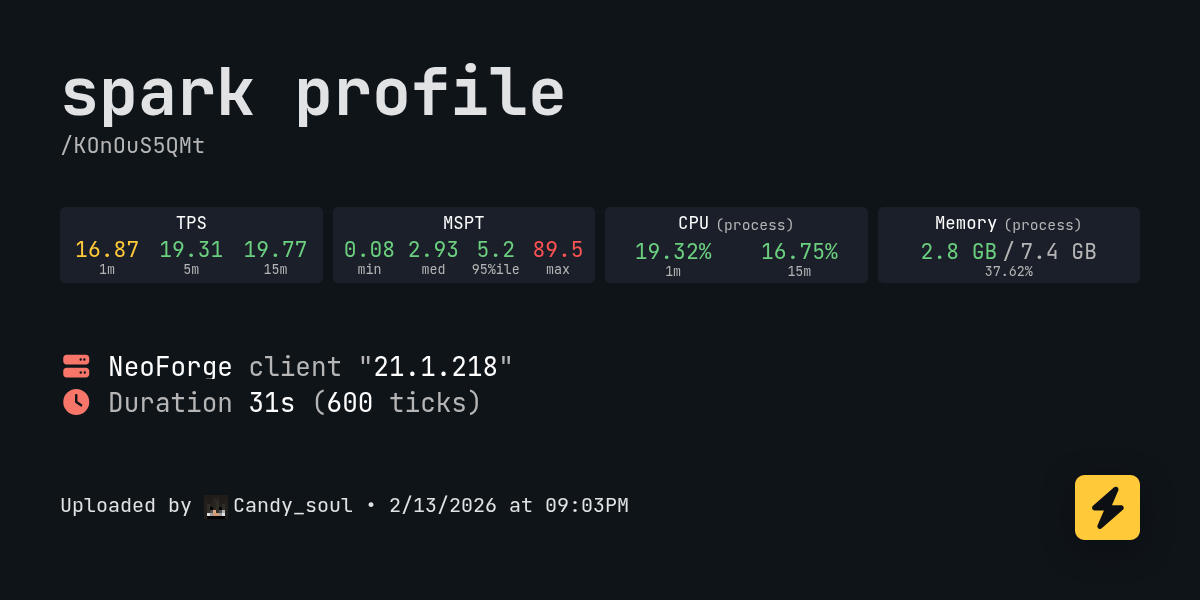
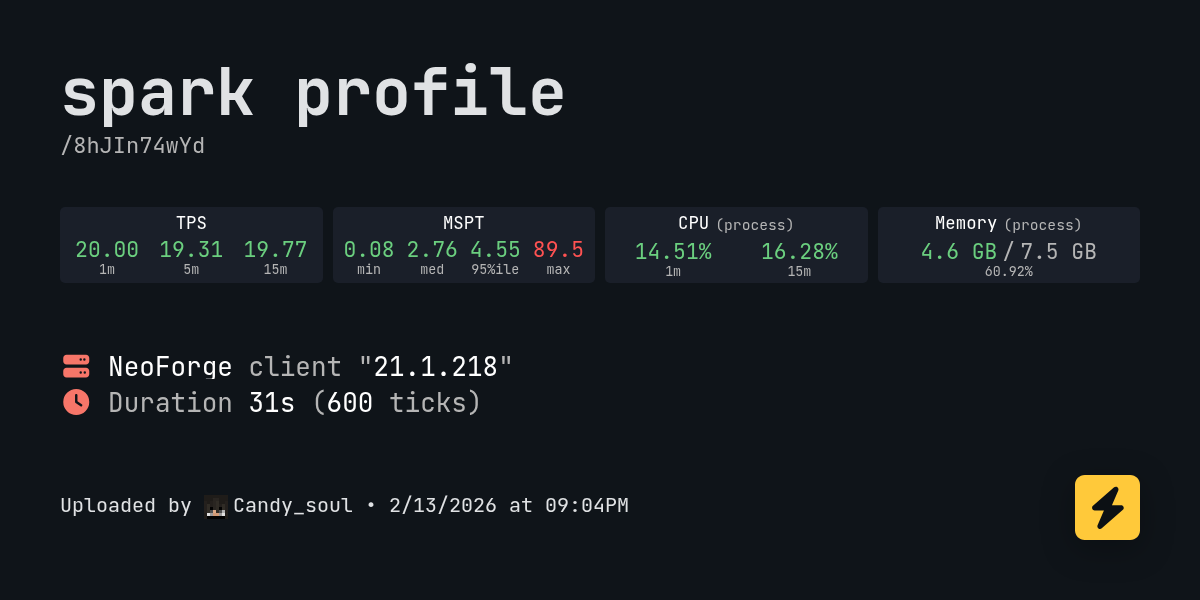
first one has a big spike up to 40ms
https://spark.lucko.me/eu9plJD1mW latest run, alaso has 27ms spikes

spark is a performance profiler for Minecraft clients, servers, and proxies.
but with discord open on this ^
 abstract sentinel
Anyone know how to disable fire aspect swords being able to light things like flint and steel?
Just killed a villager on accident 😭
stone mountain
sullen matrix
https://spark.lucko.me/eu9plJD1mW latest run, alaso has 27ms spikes
Still need to clean up the disk. Assuming you're using SSD - it gets worse performance if it's near full
sullen matrix
stone mountain
Still need to clean up the disk. Assuming you're using SSD - it gets worse perfo...
how does 35gb free sound
stone mountain
sullen matrix
how does 35gb free sound
Probably better than nothing, see if it improved the situation or not
sullen matrix
nope
overworld on the surface is still 15-18ms even tho average fps is 130-140
and still feelable fps drops
often too, almost once every second or two
 supple tiger
guys i can place a copper golem but i cant make a copper chest idk wat to do cuz i know im not tweaking and the copper golem and spawning anything
stone mountain
supple tiger
guys i can place a copper golem but i cant make a copper chest idk wat to do cuz...
I'm not sure if that's even a thing in this pack
stone mountain
supple tiger
so i just cant use copper golems then?
No, they don't exist for the Minecraft version the pack is based upon
supple tiger
oh ty
dry elk
Better MC 5 - v47 crashed. The logs have been uploaded to mclo.gs:
- 1.21.1 [NEOFORGE]
- What launcher did you run Minecraft with? CurseForge
- Have you changed the modpack in any way except mods?
- v47
- Have you ever gotten past the crash condition without crashing, or does the game always crash? only in the mod pack in very suprising moments
- What steps cause the crash?
latest.log | debug.log head / tail (~30k lines) | crash-2026-02-14_00.17.01-server.txt | crash_assistant_app.log | modlist.txt | CurseForge: skip launcher
Mod list changes on top of the modpack:
[2;32m19[0m added, [2;31m0[0m removed, [2;34m0[0m updated.
Better MC 5 - v47 crashed without a crash report. The logs have been uploaded to mclo.gs:
- 1.21.1 [NEOFORGE]
- What launcher did you run Minecraft with? (e.g. CurseForge, ATLauncher, MultiMC, ...) Curse Forge
- Have you changed the modpack in any way except mods? no
- v47 yes
- Have you ever gotten past the crash condition without crashing, or does the game always crash? crashed like 20x and then let me play for around an hour now its doing it again
- What steps cause the crash? as soon as i load into the game it crashes
latest.log | debug.log | win_event1771025334003.txt | CurseForge: launcher_log.txt | crash_assistant_app.log | modlist.txt
Mod list changes on top of the modpack:
Removed mods:
[2;31mdragonloot-1.1.8-neoforge-1.21.1.jar[0m
 carmine venture
Hi, is anyone aware of a BMC5 issue where pumpkin villagers spawn disproportionately?
 keen thicket
help, please

 agile cradle
 alpine turtle

 pulsar slate
is there a way to fix ping spiking to the thousands while joining a solo shared world? 1.21.1 v 47 Bmc5
rugged flume
hello im having issue im always getinng disconnect from my friends server


i asks chatgpt for help
still having this issue
 wanton silo
Better MC 4 - v55.5 crashed. The logs have been uploaded to mclo.gs:
- 1.20.1 [FORGE]
- What launcher did you run Minecraft with? (e.g. CurseForge, ATLauncher, MultiMC, ...) ATLauncher
- Have you changed the modpack in any way except mods? No
- v55.5
- Have you ever gotten past the crash condition without crashing, or does the game always crash?
- What steps cause the crash? Loading a world, or creating a new world, it boots me out of the game nearly instantly.
latest.log | crash-2026-02-13_23.17.10-client.txt | atlauncher.log | crash_assistant_app.log | modlist.txt
Mod list changes on top of the modpack:
[2;32m35[0m added, [2;31m6[0m removed, [2;34m0[0m updated.
(Yes, I know I added and disabled a bunch of mods, I'm hoping someone can point out which one[s] is/are the troublemaker[s].)
 thick peak
Better MC 4 - v55.5 crashed. The logs have been uploaded to mclo.gs:
- 1.20.1 [FORGE]
- What launcher did you run Minecraft with? (e.g. CurseForge, ATLauncher, MultiMC, ...) - curse forge
- Have you changed the modpack in any way except mods? - no
- v55.5
- Have you ever gotten past the crash condition without crashing, or does the game always crash? - always crashes
- What steps cause the crash? just me loading up the game
latest.log | hs_err_pid15188.log | crash_assistant_app.log | modlist.txt | CurseForge: skip launcher
# Problematic frame:
# C  [igxelpicd64.dll+0xc284c4]
Mod list changes on top of the modpack:
[2;34mMod list was not modified.[0m
 zinc sable
I desperately need help right now. Is there anyone who can help me?
L2 Tabs L2 Screen Tracker I can't find these two modules, but the module pack server requires me to install them.
 quasi mulch
Has someone tried to add worldedit to betterMC?
wanton silo
I solved it, using good ol' divide-and-conquer: I made a list of all the added mods, divided by half, and enabled the first half while disabling the first half, and seeing if the game would crash or load, then vice-versa (disabling the first half, enabling the second), and if (for example) the first half let the game load and the second crashed, then I knew the problem was the second half of the mods, and so I'd take the second half, divide that into two, then enable/disable to see if it crashed or loaded. It sounds complicated but it really isn't once you get the hang of it. The notes I took during this looked like:
- Armor Of The Ages to Ice and Fire Dragons X Better Combat enabled, Immersive Armors to Variant Crafting Tables disabled: loads. Vice versa: crashes.
- Immersive Armors to Sophisticated Backpacks disabled, Spartan Shields to Variant Crafting Tables enabled: crashes. Vice versa: loads.
- Spartan Shields to Spartan Weaponry: Ice and Fire disbled, Tectonic to Variant Crafting Tables enabled: crashes. Vice versa: loads.
- Tectonic & Terralith enabled, Variant Composters & Variant Crafting Tables disabled: loads. Vice versa: crashes.
- Variant Composters disabled, Variant Crafting Tables enabled: loads.
And with that I uncovered the problem mod was Variant Composters.
I learned this method of trouble-shooting mods/add-ons back in my Morrowind days when I ran 200+ plugins.
random elbow
anyone know if rabbity spawns are bugged
silver parrot
how can i
like
move villagers over to my house
is there something for that
i dont think i can bring them over using a boat
cause uhh
my house is 2.6k blocks away
robust pond
how do you take enchants of an item and put them onto a book
timber grail
silver parrot
how can i
i think its easier to do now with using a lead on the boat, although that is quite the trek to make. you could lure them with an emerald block in your hand but its still dangerous. def gonna have some casualties along the way
silver parrot
uhh where do i send
logs
is there a seperate channel for crashes
oh isee it now
 abstract kelp
What am I supposed to do with a trough
wanton silo
robust pond
how do you take enchants of an item and put them onto a book

Modrinth
Disenchant and transfer enchantments using a grindstone.
silver parrot
nvm there is no seperate channel
guess ill just
send the logs here???
i got the
copy all thing
Better MC 4 - v55.5 crashed. The logs have been uploaded to mclo.gs:
- 1.20.1 [FORGE]
- curseforge
- no
- v55.5
- sometimes but it still crashes after a bit
- joining server
latest.log | crash-2026-02-14_13.38.44-client.txt | crash_assistant_app.log | modlist.txt | CurseForge: skip launcher
Mod list changes on top of the modpack:
[2;34mMod list was not modified.[0m
 winter nest
Is there no better mc forge for 1.21?
silver parrot
winter nest
Is there no better mc forge for 1.21?
theres neoforge
winter nest
silver parrot
theres neoforge
What's the difference between forge and neoforge?
silver parrot
i dont really know
silver parrot
prob something with like
mods
idk i think its like
if fabric and forge had a child or something
abstract kelp
abstract kelp
What am I supposed to do with a trough
Help???
stone mountain
winter nest
What's the difference between forge and neoforge?
NeoForge is a nowadays Forge, there was drama because the person who managed Forge was not a cool person
winter nest
stone mountain
NeoForge is a nowadays Forge, there was drama because the person who managed For...
Ah
Is fabric better?
stone mountain
winter nest
Is fabric better?
It's different
winter nest
I've heard fabric is better for performance at least
stone mountain
Doesn't matter for LPS packs really
winter nest
Fair
Man, why does minecraft always have to make it as hard as possible to play it?
I swear it's like this every single time I play
timber grail
where do advancements show up? i dont see anything in the quest journal about them
in this case, it was the "Curses" advancement
 pseudo harbor
i'm stuck on this screen
 silver parrot
pseudo harbor
i'm stuck on this screen
silver parrot
pseudo harbor
i'm stuck on this screen
Feinberg Reacts to Ludwig's Luckiest Moment...
pseudo harbor
silver parrot
Feinberg Reacts to Ludwig's Luckiest Moment...
bro i'm bored...
there is nothing to do
silver parrot
im just frustrated
idk whats causing my crash
i just know its something to do with the end
winter nest
Man, why the hell is the hyper realistic sky resource pack SO LAGGY
What sucks is there's NOTHING ELSE LIKE IT
pseudo harbor
winter nest
Man, why the hell is the hyper realistic sky resource pack SO LAGGY
maybe...because its a hyper realistic resource pack?
silver parrot
winter nest
Man, why the hell is the hyper realistic sky resource pack SO LAGGY
why the hell is the HYPER REALISTIC SKY resourcepack so LAGGY
pseudo harbor
HYPER
winter nest
:T
pseudo harbor
REALISTIC
winter nest
Fair enough
silver parrot
why is my grass so green
pseudo harbor
silver parrot
why is my grass so green
real bro
pseudo harbor
winter nest
But it used to run so well a few years ago
A FEW YEARS
pseudo harbor
bro do you even hear yourself
winter nest
Clearly I should use a different resource pack, since something seems to have completely ruined it's performance
carmine venture
is anyone aware of a BMC5 issue where pumpkin villagers spawn disproportionately? Like 6/7 villages are just pumpkin dudes
silver parrot
ok so i see the issue now
every time i go to the end
like the
far area
it crashes
and idk wyh
prob something with
betterend
or bclib
but i havent changed the modpack
at all
 near egret
silver parrot
but i havent changed the modpack
near egret
silver parrot
but i havent changed the modpack
does the crash assistant screen pop up
when yo ucrash
silver parrot
near egret
does the crash assistant screen pop up
yes
i already sent it like 2 hours ago
silver parrot
silver parrot
copy all thing
this one
near egret
silver parrot
this one
are you playing on a meta vr headset ?
silver parrot
..no??
near egret
Graphics card #0 name: Meta Virtual Monitor
Graphics card #0 vendor: Meta Inc.
Graphics card #0 VRAM (MB): 0.00
Graphics card #0 deviceId: unknown
Graphics card #0 versionInfo: DriverVersion=...
silver parrot
i didnt even think of playing it on vr
silver parrot
near egret
Graphics card #0 name: Meta Virtual Monitor
Graphics card #0 vendor: Meta In...
no idea why thats there
is that the
issue
i genuinely dont know how that happened
i own a meta vr headset but i havent done anything with it on my pc
near egret
idrk
the betterend mod has been abandoned for quite a while so even if it wasnt the meta glass idk what the fix woıuld be
i guess you can try deleting the block off of the region file or delete the whole region file and let it regenerate
Name: bclib:chest // org.betterx.bclib.blockentities.BaseChestBlockEntity
Block: Block{betterend:lacugrove_chest}[facing=east,type=single,waterlogged=false]
Block location: World: (965,58,732), Section: (at 5,10,12 in 60,3,45; chunk contains blocks 960,0,720 to 975,255,735), Region: (1,1; contains chunks 32,32 to 63,63, blocks 512,0,512 to 1023,255,1023)
it should be this chest
silver parrot
near egret
Name: bclib:chest // org.betterx.bclib.blockentities.BaseChestBlockEntity
Bl...
how do i delete it tho
stone mountain
silver parrot
how do i delete it tho
You can use Amulet
silver parrot
stone mountain
You can use Amulet
amulet?
stone mountain
Yes
silver parrot
how do you use it
stone mountain
silver parrot
how do you use it
There is a guide on the Amulet's website: https://www.amuletmc.com/

Amulet Editor
Amulet Map Editor is a Minecraft map editor made by the Amulet Team, a team created by MCEdit-Unified contributers.
stone mountain
It's not
silver parrot
stone mountain
It's not
where am i supposed to get it from
stone mountain
silver parrot
where am i supposed to get it from
Like described on the page:
Versions prior to 0.10.45 can still be downloaded from our Github releases page but they do not support Java 1.21.11+ and Bedrock 1.12.120+
 spring fjord
does anybody have any servers to play this on?
silver parrot
silver parrot
im having some issues
i cant
open amulet
i have no idea how to
do it
theres
nothing
i checked everything
itjusstststellignme to s ospnwe a f dsfe.exexe filessvbdvgnjhdfgnfdj
gho ndfxbc
hvjgfktukp;ol
'\
silver parrot
ok yeah i cant play
on the server
ever again
cuz i just cant use amulet without paying
i CAN pay
but im trying my best to find a way to use it WITHOUT paying
 outer jacinth
hey guys i wonder why server pack does not match the client pack?
server currently is v47
but client is v51
meanwhile i couldnt join this v47 server via my v51 client

🧐
timber grail
are you able to filter what mobs show on the minimap?
 glass fjord
Do we know how to pick up spawners in bmc5 ??!!?!??!
 stone mountain
 halcyon ether
how can i get past this message
halcyon ether
how can i get past this message
Update the modpack to the latest version
!ea
versed mountainBOT
⚠️ Essential Mod Not Supported
We strongly recommend against using Essential with our modpacks, and we add a warning screen during modpack startup containing the following message by default. A free world-sharing alternative is already built-in called Luna - click Share World in the game menu to use it.
Why we don't support Essential:
-
Technical issues: We've received multiple user reports of problems when combining Essential with our modpacks, including reports of world corruption. While there is no conclusive evidence of Essential as the definite cause, we do not have the development or support capacity to resolve issues potentially caused by it.
-
Security concerns: Essential's auto-updater introduces potential security risks that are outside of our control.
-
Ethics: We object to Essential's inclusion of in-game currency and microtransactions in an otherwise free modding environment.
If you choose to use Essential anyway
Please understand that you do so at your own risk and will not be eligible for support from our team. To remove this warning, you can open your modpack instance folder, navigate to config/crash_assistant/problematic_mods_config.json, and under essential-container, change should_crash_on_startup from true to false.
stone mountain
Assuming that's the mod you added
halcyon ether
yes that is i have already bought stuff on essential lol
halcyon ether
stone mountain
Assuming that's the mod you added
i do not have a crash assistant folder
silver parrot
hey syntheer, question
have you ever actually used amulet before
stone mountain
silver parrot
hey syntheer, question
have you ever actually used amulet before
Long time ago, before it was paid
stone mountain
halcyon ether
i do not have a crash assistant folder
What modpack is this, and what version?
halcyon ether
better mc forge v36
silver parrot
stone mountain
Long time ago, before it was paid
damn. im trynna use the older versions but i just dont know how to actually open amulet since
well, its telling me to open a .exe file but there is no .exe file
stone mountain
silver parrot
damn. im trynna use the older versions but i just dont know how to actually open...
What version have you downloaded?
silver parrot
stone mountain
What version have you downloaded?
i have 0.10.49, idk which is the oldest version that supports 1.20
stone mountain
silver parrot
i have 0.10.49, idk which is the oldest version that supports 1.20
That one you would have to compile if you want to use it

GitHub
Add dried_ghast translation for Bedrock 1.21.80
Full Changelog: 0.10.43...0.10.44
Try this one, as this is the newest one prior to 0.10.45
silver parrot
silver parrot
how do i delete it tho
now im gonna try and see how ill delete that
silver parrot
near egret
Name: bclib:chest // org.betterx.bclib.blockentities.BaseChestBlockEntity
Bl...
wait, how do i even tell which region block this is
stone mountain
silver parrot
wait, how do i even tell which region block this is
It tells you the region (1,1)
silver parrot
stone mountain
It tells you the region (1,1)
guess i missed it
if i remove region 1,1 will it regen?
stone mountain
It will, yes - but everything in it is gone
silver parrot
stone mountain
It will, yes - but everything in it is gone
does it affect overworld and nether too?
stone mountain
silver parrot
does it affect overworld and nether too?
Just Overworld
silver parrot
stone mountain
Just Overworld
huh. so its just not gonna change the end at all
so how do i change the end
yeah deleting region 1,1 did nothing
 severe flax
better mc keeps crashing. it just gets to the lunapixel screen and then crashes. these are the logs: Better MC 4 - v55.5 crashed. The logs have been uploaded to mclo.gs:
- 1.20.1 [FORGE]
- What launcher did you run Minecraft with? (e.g. CurseForge, ATLauncher, MultiMC, ...)
- Have you changed the modpack in any way except mods?
- v55.5
- Have you ever gotten past the crash condition without crashing, or does the game always crash?
- What steps cause the crash?
latest.log | debug.log head / tail (~33k lines) | hs_err_pid22328.log | PrismLauncher-0.log | crash_assistant_app.log | modlist.txt
# Problematic frame:
# C  [igxelpicd64.dll+0xc284c4]
Mod list changes on top of the modpack:
[2;34mMod list was not modified.[0m
 floral steeple
Better MC 4 - v55.5 crashed. The logs have been uploaded to mclo.gs:
- 1.20.1 [FORGE]
- What launcher did you run Minecraft with? (e.g. CurseForge, ATLauncher, MultiMC, ...)
- Have you changed the modpack in any way except mods?
- v55.5
- Have you ever gotten past the crash condition without crashing, or does the game always crash?
- What steps cause the crash?
latest.log | debug.log head / tail (~48k lines) | hs_err_pid17476.log | crash_assistant_app.log | modlist.txt | CurseForge: skip launcher
# Problematic frame:
# C  [atio6axx.dll+0x6d5278]
Found [2;34m1[0m log analysis results:
[2;34mAtio6axx[0m in: hs_err_pid17476.log
Mod list changes on top of the modpack:
[2;34mMod list was not modified.[0m
What's the path of the file you tried to delete?
Cause Overworld, The Nether, and The End have different region files, in different folders
stone mountain
floral steeple
Better MC 4 - v55.5 crashed. The logs have been uploaded to `mclo.gs`:
1. 1.20.1...
!drivers
versed mountainBOT
You (likely) need to update your graphics drivers in order to resolve the crash. Here's how to go about doing that!
1. Identify your graphics card
if you already know skip to the next step
- Open task manager
- Navigate to the "Performance" tab (on Windows 11 this is the button that looks like a heart pulse)
- Press the GPU 0 graph and read your GPU from the top right
Note:
In some cases you may see a GPU 0 and GPU 1. This means your CPU has its own GPU, as well as a dedicated one. You probably want GPU 1 (which is usually the better one), but you can ask staff to clarify if necessary.
2. Download your drivers from the manufacturers site
Depending on what you read before, you likely need drivers from either AMD, Intel, or NVIDIA
AMD: https://www.amd.com/en/support
Intel: https://www.intel.com/content/www/us/en/download-center/home.html
NVIDIA: https://www.nvidia.com/Download/index.aspx?lang=en-us
Note:
- For NVIDIA you want to select "Game Ready Driver (GRD)" (this is the default option) for the best performance. Once installing you'd probably prefer downloading GeForce Experience, which will notify you when there's an available drivers update.
- For Intel, you probably want to press "Get Started" under the "Automatically update your drivers and software", which will simplify the process and update everything automatically
- For AMD you probably want to just press "Download Windows Drivers", which will download something called AMD Adrenaline, which will update your drivers automatically.
3. Run the installation, restart your computer, and try playing MC again
- At this point, hopefully your Minecraft is running. If it still does not work, please post any new logs and staff will help assist you with finding the right solution.
stone mountain
severe flax
better mc keeps crashing. it just gets to the lunapixel screen and then crashes....
!drivers2 - the intel part
versed mountainBOT
Advanced GPU Driver issue resolution
Stage 1 - Driver Update/Reinstallation
Check if there is an up-to-date driver (on the Intel/AMD/NVIDIA website, and not in the app).
If you're at latest version already - consider reinstalling.
Stage 1b - for Intel GPUs only
Crashing DLL's from hs_err_pid file, igxelpicd64.dll(GPU), igxe2hpgicd64.dll(ARC GPU)
Try to update your Drivers according to your GPU:
Intel® Arc™ Graphics - Windows
Intel® Arc™ Pro Graphics - Windows
Intel® 11th – 14th Gen Processor Graphics - Windows
Intel® 7th-10th Gen Processor Graphics - Windows
If updating to latest does not work, go to TechPowerUp Intel Graphics Drivers, click Show older versions and look for
32.0.101.6737 for integrated GPU
32.0.101.8247 for Arc GPUs
Stage 2 - DDU
If that doesn't help - try using Display Driver Uninstaller (there are guides on YT) and on the DDU website (here)
⚠️ Please note that this is an advanced step, and should only be followed if a regular update/reinstall did not help.
Stage 3 - Installing older driver version
If the steps in Stages above did not help - try to rollback the driver to an older version (there should be guides on YT as well).
silver parrot
stone mountain
What's the path of the file you tried to delete?
well ive only ever seen 2 wtih region files, regions and poi
whys it FLOODING THE CHAT
stone mountain
silver parrot
well ive only ever seen 2 wtih region files, regions and poi
Are you in DIM1?
stone mountain
Then find the DIM1 folder - that The End
silver parrot
stone mountain
Then find the DIM1 folder - that The End
DIM1 or DIM-1?
silver parrot
wait DIM is dimension right
i always just thought DIM1 and DIM-1 were like
the world itself
stone mountain
Yeah, it's weird (it was changed in recent vanilla snapshot to make more sense)
stone mountain
Just region should be enough I think
silver parrot
well i did it, uhh
my game still crashes
and i figured out how it crashes
it alwyas happens when i move my mouse
latest.log: https://mclo.gs/IZ5G2qna
new log
this is client logs tho
 livid aurora
Better MC 4 - v55.5 crashed. The logs have been uploaded to mclo.gs:
- 1.20.1 [FORGE]
- What launcher did you run Minecraft with? (e.g. CurseForge, ATLauncher, MultiMC, ...) CurseForge
- Have you changed the modpack in any way except mods? No
- v55.5
- Have you ever gotten past the crash condition without crashing, or does the game always crash? Always crashes either immediately upon loading or a minute after
- What steps cause the crash? The crash occurs when in the Nether
latest.log | crash-2026-02-14_13.20.27-client.txt | CurseForge: launcher_log.txt | crash_assistant_app.log | modlist.txt | i9-14900hx might be the reason for the crash
Mod list changes on top of the modpack:
[2;34mMod list was not modified.[0m
Better MC 4 - v55.5 crashed. The logs have been uploaded to mclo.gs:
- 1.20.1 [FORGE]
- What launcher did you run Minecraft with? (e.g. CurseForge, ATLauncher, MultiMC, ...) Prism Launcher
- Have you changed the modpack in any way except mods? No
- v55.5
- Have you ever gotten past the crash condition without crashing, or does the game always crash? Always crashes after reaching the LunaPixel screen
- What steps cause the crash? The crash occurs a couple minutes after reaching the LunaPixel screen
latest.log | debug.log head / tail (~33k lines) | hs_err_pid2028.log | PrismLauncher-0.log | crash_assistant_app.log | modlist.txt
# Problematic frame:
# C  [igxelpicd64.dll+0xc28374]
Mod list changes on top of the modpack:
[2;34mMod list was not modified.[0m
 devout helm
can anybody help identify what structure this is
im on bmc5

 sick yew
devout helm
can anybody help identify what structure this is
im on bmc5
sick yew
devout helm
can anybody help identify what structure this is
im on bmc5
I think it's a witch hut?
What can I do here to fix this? I just downloaded the mod pack as it was
I'm using curseforge, i always get this crash on playing the mod pack, 1.20.1

 lethal basin
sick yew
What can I do here to fix this? I just downloaded the mod pack as it was
I'm us...
lethal basin
sick yew
What can I do here to fix this? I just downloaded the mod pack as it was
I'm us...
what modpack launcher you using
right
!alternates
versed mountainBOT
If this command was run in response to your question/issue, it is likely because switching away from the launcher you are currently using would fix your problem.
From our experience, the most stable launcher by far is ATLauncher, also known as ATL. Keep in mind that ATL is NOT related to TLauncher in any way, and is not a cracked launcher.
To install ATL, do the following:
1. Go to https://atlauncher.com/download. If you are on MacOS, then choose the "Jar" version under the "Other" tab, this is important as OSX WILL crash the game on Mac.
2. Install and run the setup, then open the program.
3. Login to your Microsoft account that owns the Java Edition of Minecraft from the Accounts tab on the right. This process is 100% safe, as it goes directly through Microsoft. ATL doesn't see your account credentials.
4. Go to the Packs tab on the right, then click "Curseforge" on the left.
5. Search the modpack you wish to download.
6. Click "Install". Then, follow the on-screen directions.
7. Go to the Instances tab, and click "Play" on the modpack you downloaded. If you ever see an "Update" button on the instance, click it.
This video explains the process: https://youtu.be/xMYW1wMbmkM
To transfer your Curseforge world to ATL, simply right click the modpack on Curseforge, or click the 3 dots, then click "Open Folder". Copy the Saves folder, then click "Open Folder" on ATL and paste the Saves folder there. Do the same with the XaerosMinimap folder, or the Journeymap folder, to transfer over any waypoints you've created.
Because ATL downloads the exact same files as Curseforge does, your world will be the exact same and you will be able to join the same servers. ATL also works without an internet connection (after you've installed the modpack, of course), and does not have any bloat from Overwolf. You are free to uninstall both Overwolf and Curseforge with ATL installed.
 sick yew
lethal basin
your installation may be fucked, by our beloved CurseForge
sick yew
lethal basin
your installation may be fucked, by our beloved CurseForge
Oh, bummer. Another thing is that im using the forge mod loader, but the modpack includes "better end" for fabric, "better end" for forge, and then tweaks for better end for fabric. could I just uninstall the one for forge?
idk why they have both in the modpack
lethal basin
sick yew
Oh, bummer. Another thing is that im using the forge mod loader, but the modpack...
what
did you modify pack?
sick yew
ill send a pic
sick yew
lethal basin
did you modify pack?
I added like 5 mods completely unrelated to the pic. It was an xray mod, more ores mod, bigger ores mod, tree instant cut, and mining instant ore mine. (not actual names, just what the mods did)
lethal basin

none of these seems like it would conflict with anything
buuuuuuuut
I would recomend
- clean reinstall on curseforge
then launch and see if modpck works
then you can add mods one by one
sick yew
sick yew
I added like 5 mods completely unrelated to the pic. It was an xray mod, more or...


 lethal basin
if on step 1 it doesn't work and throws errors still - ATLauncher is your friend
if it f ails on steps where you add mods 1 by 1
then it's those mod fault that you've added
devout helm
if i try to /place a lot of moog's voyager structures it says failed to place structure, is there a way to lift that restriction or find a list of the restrictions?
sick yew
lethal basin
if on step 1 it doesn't work and throws errors still - ATLauncher is your friend
ah okay, thank you. I think ill try uninstalling curse forge and just trying at tbh. i dunno why cursforge did this with the modpacj
stone mountain
lethal basin
your installation may be fucked, by our beloved CurseForge
That specific one is a person doing the classic Curseforge's update all mods. For some reason it installs Better End 1.16.5 😄

 sick yew
stone mountain
That specific one is a person doing the classic Curseforge's update all mods. Fo...
sick yew
stone mountain
That specific one is a person doing the classic Curseforge's update all mods. Fo...
i did indeed do that..
💔
lethal basin
yeah.. pls, don't
stone mountain
!updatemods
versed mountainBOT
Do NOT Update Mods Manually!
Modpacks use specific versions of certain mods to prevent various issues, such as crashes or major game-breaking bugs. Mods will be updated by the modpack developer when they see fit. Please do not update the mods in a modpack manually, unless specifically told to do so. This includes hitting the "update all" feature on CurseForge launcher it likes to bother users with.
To be clear; this is separate from updating the modpack (such as Better MC / Medieval MC) itself. You should always stay up to date with the latest version of the modpack. To update the pack correctly, you can follow the command!updatemodpack
The easiest way to downgrade mod versions to their original versions in the pack, is to reinstall the pack itself. Before you uninstall, back up both any singleplayer world files you have, and your map folder. LPS packs usually use JourneyMap or Xareos, the map folder will be named accordingly.
- Curseforge -> Right click the modpack instance -> „Open Folder”.
- ATLauncher -> Click „Open Folder” on the modpack instance.
- PrismLauncher -> Select your instance and click „Folder” on the right.
Navigate to the "minecraft" folder, and within that will be "saves" and "journeymap"/"xareos" depending on which the pack has. Copy/Move these folders to a safe location, and you can move them right back to the fresh copy of the pack when reinstalled.
sick yew
my bad
lethal basin
💔
sick yew
thank u for the help
stone mountain
severe flax
Better MC 4 - v55.5 crashed. The logs have been uploaded to `mclo.gs`:
1. 1.20.1...
!drivers2 - Intel part
versed mountainBOT
Advanced GPU Driver issue resolution
Stage 1 - Driver Update/Reinstallation
Check if there is an up-to-date driver (on the Intel/AMD/NVIDIA website, and not in the app).
If you're at latest version already - consider reinstalling.
Stage 1b - for Intel GPUs only
Crashing DLL's from hs_err_pid file, igxelpicd64.dll(GPU), igxe2hpgicd64.dll(ARC GPU)
Try to update your Drivers according to your GPU:
Intel® Arc™ Graphics - Windows
Intel® Arc™ Pro Graphics - Windows
Intel® 11th – 14th Gen Processor Graphics - Windows
Intel® 7th-10th Gen Processor Graphics - Windows
If updating to latest does not work, go to TechPowerUp Intel Graphics Drivers, click Show older versions and look for
32.0.101.6737 for integrated GPU
32.0.101.8247 for Arc GPUs
Stage 2 - DDU
If that doesn't help - try using Display Driver Uninstaller (there are guides on YT) and on the DDU website (here)
⚠️ Please note that this is an advanced step, and should only be followed if a regular update/reinstall did not help.
Stage 3 - Installing older driver version
If the steps in Stages above did not help - try to rollback the driver to an older version (there should be guides on YT as well).
devout helm
devout helm
if i try to /place a lot of moog's voyager structures it says failed to place st...
does anybody have any comments for this
sick yew
lethal basin
💔
Oh, also, the reason i updated the mods is because I had some blocks missing! it was mostly blocks like "course dirt" and dirt blocks, I thought smth needed to be updated so thats what I did. Any idea what I should do?
when i was mining them it had the pink/black "drops" (like when you mine something the "dust" that comes off it)
i hope that makes sense lol
severe flax
i already updated all my drivers tho
sick yew
devout helm
does anybody have any comments for this
no idea whats going on here, but maybe it doesnt have enough room to be placed? like it's not flat or theres a grass somewhere? idk
stone mountain
severe flax
i already updated all my drivers tho
The Intel part (Stage 1b) is not limited to just updating
devout helm
sick yew
no idea whats going on here, but maybe it doesnt have enough room to be placed? ...
ive tried in completely flat areas and many biomes, some mods just place however and they're fine but this one is very finicky i just don't know why
severe flax
my gpu is intel (r) uhd graphics according to task manager
is that one of those or...
sorry im a bit of a pc noob
stone mountain
severe flax
is that one of those or...
If updating to latest does not work, go to TechPowerUp Intel Graphics Drivers, click Show older versions and look for
32.0.101.6737 for integrated GPU
(UHD is integrated)
severe flax
i cant find version 32.0.101.6737 anywhere it just jumps from 100 to 27 halfway through
sick yew
Course dirt block missing
I'm using curseforge, 1.20.1, I added like 5 mods completely unrelated to the pic. It was an xray mod, more ores mod, bigger ores mod, tree instant cut, and mining instant ore mine. (not actual names, just what the mods did). The X-ray mod doesn't work unless you add it into the active packs, which I didn't

 lethal basin
sick yew
Course dirt block missing
I'm using curseforge, 1.20.1, I added like 5 mods co...
lethal basin
sick yew
Course dirt block missing
I'm using curseforge, 1.20.1, I added like 5 mods co...
and have you tried checking, without said mods added
cuz I assume from what I can see it's from maybe xray mod?
idk
sick yew
lethal basin
cuz I assume from what I can see it's from maybe xray mod?
yeah I'll try that brb
wispy trailBOT
Uploaded latest.log from @halcyon ether to mclogs: https://mclo.gs/6rgBYBP
thick peak
Better MC 4 - v55.5 crashed. The logs have been uploaded to mclo.gs:
- 1.20.1 [FORGE]
- What launcher did you run Minecraft with? (e.g. CurseForge, ATLauncher, MultiMC, ...)- curseforge
- Have you changed the modpack in any way except mods?- no
- v55.5 - yes
- Have you ever gotten past the crash condition without crashing, or does the game always crash?
- What steps cause the crash? -it loads up and i see the luna pixel logo and it doesn't get past that screen and crashes
latest.log | hs_err_pid22100.log | CurseForge: launcher_log.txt | crash_assistant_app.log | modlist.txt
# Problematic frame:
# C  [igxelpicd64.dll+0xc28374]
Mod list changes on top of the modpack:
[2;34mMod list was not modified.[0m
Working! Thanks :) just removed the x ray mod

 idle halo
Better MC 5 - v47 crashed. The logs have been uploaded to mclo.gs:
- 1.21.1 [NEOFORGE]
- What launcher did you run Minecraft with? CurseForge
- Have you changed the modpack in any way except mods? No
- v47
- Have you ever gotten past the crash condition without crashing, or does the game always crash? Always crashes
- What steps cause the crash? When launching
latest.log | debug.log | crash-2026-02-14_19.49.34-client.txt | crash_assistant_app.log | modlist.txt | CurseForge: skip launcher
Found [2;34m1[0m log analysis results:
[2;34mAzureLibAddons[0m in: latest.log
Mod list changes on top of the modpack:
Removed mods:
[2;31mdragonloot-1.1.8-neoforge-1.21.1.jar[0m
 scenic patio
Better MC 4 - v55.5 crashed. The logs have been uploaded to mclo.gs:
- 1.20.1 [FORGE]
- What launcher did you run Minecraft with? curseforge
- Have you changed the modpack in any way except mods? no
- v55.5
- Have you ever gotten past the crash condition without crashing, or does the game always crash? always crashes
- What steps cause the crash? went to the structure in the nether that had armored blazes. cant see what else since it crashed immediately and crashes on server launch as well. the crash is clientside
latest.log | crash-2026-02-14_12.31.00-client.txt | crash_assistant_app.log | modlist.txt | CurseForge: skip launcher
Mod list changes on top of the modpack:
[2;34mMod list was not modified.[0m
 woeful quarry
Someone please list every mod in BMC 4 Forge that alters rendering in any way shape or form
 fluid kelp
guys what should i do if my gpu working on 100% and i have 1-3 fps in game. Yesterday i had 90-100 fps with high shaders in same world with same settings, i changed literally nothing. And its not about my pc, i have in cyberpunk 90fps on ultra settings with raytracing.
sullen matrix
how can i disable this memory indicator 💔 @lethal basin

its literally just reflectin the f3's top right memory % indicator and f3 doesnt close it
lethal basin
what
sullen matrix
the top middle
sullen matrix
cus u were the last active one that helped people
sullen matrix
sullen matrix
how can i disable this memory indicator 💔 <@958961142422712370>
@stone mountaincould u help
sullen matrix
he helped me before
lethal basin
pinging staff member for something so silly
sullen matrix
he knows me
lethal basin

lethal basin
sullen matrix
he knows me
the fact that he helped you before doesn't mean he helped you before
sullen matrix
what
lethal basin
we - ppl who help - can help up to hundreds of ppl during some days
fuck
made typo
sorry
sullen matrix
not the point
sullen matrix
not mine
lethal basin
"he helped me thus I have permission to ping staff member" is shit reasoning
sullen matrix
k have it ur way, shut up now please
stone mountain
I don't know the answer, and I've asked several people in the past "why you pinging me", only to scroll up three messages up to see that I've just responded to them
sullen matrix
thanks
stone mountain
Also, I provide help on two Discords + moderate a few more, so if you think I'll remember you after like 15 minutes, I might dissapoint you
severe flax
I updated to the right graphics driver but now I get this: Better MC 4 - v55.5 crashed. The logs have been uploaded to mclo.gs:
- 1.20.1 [FORGE]
- What launcher did you run Minecraft with? (e.g. CurseForge, ATLauncher, MultiMC, ...) Prism Launcher
- Have you changed the modpack in any way except mods? no
- v55.5
- Have you ever gotten past the crash condition without crashing, or does the game always crash? always crashes
- What steps cause the crash? loads up to the Luna Pixel screen then crashes
latest.log | debug.log head / tail (~33k lines) | hs_err_pid10572.log | PrismLauncher-0.log | crash_assistant_app.log | modlist.txt
# Problematic frame:
# C  [igxelpicd64.dll+0xc28374]
Mod list changes on top of the modpack:
[2;34mMod list was not modified.[0m
latest.log: https://mclo.gs/BEvJozA
5354 lines | 1300 errors
Better MC 5 - v47 crashed. The logs have been uploaded to mclo.gs:
- 1.21.1 [NEOFORGE]
- What launcher did you run Minecraft with? (e.g. CurseForge, ATLauncher, MultiMC, ...)
- Have you changed the modpack in any way except mods? no i added only some not big mods like stackable potions
- v47
- Have you ever gotten past the crash condition without crashing, or does the game always crash? game always crash when i interact with mobs i open villager trading tab or tell cat to sit
- What steps cause the crash? me interacting with moded or vanilla mobs
latest.log | debug.log head / tail (~29k lines) | crash-2026-02-15_01.50.09-server.txt | crash_assistant_app.log | modlist.txt | win_event1771116633950.txt | CurseForge: skip launcher
Found [2;34m1[0m log analysis results:
[2;34mWasClosedByWindows[0m in: win_event1771116633950.txt
Mod list changes on top of the modpack:
[2;32m22[0m added, [2;31m1[0m removed, [2;34m0[0m updated.
 jade trench
yo why is it saying connection closed mismatched mod channel list when i am trying to join my multiplayer server can someone pls help
 warped kite
Better MC 4 - v55.5 crashed. The logs have been uploaded to mclo.gs:
- 1.20.1 [FORGE]
- What launcher did you run Minecraft with? (e.g. CurseForge, ATLauncher, MultiMC, ...) curseforge
- Have you changed the modpack in any way except mods? nope
- v55.5
- Have you ever gotten past the crash condition without crashing, or does the game always crash? sometimes i can get pretty far with no crashes yes
- What steps cause the crash? just playing the game normally, i was in a boat rowing then it crashed
latest.log | hs_err_pid16452.log | crash_assistant_app.log | modlist.txt | CurseForge: skip launcher
# Problematic frame:
# J 58732 c2 net.minecraft.nbt.CompoundTag.m_6434_(Ljava/io/DataOutput;)V minecraft@1.20.1 (67 bytes) @ 0x000002415a3f13e0 [0x000002415a3f0860+0x0000000000000b80]
Mod list changes on top of the modpack:
[2;34mMod list was not modified.[0m
is it possible to pick up a spawner that has a soul put in it with silk touch?
 forest perch
Where can i read on the differences between BMC4 vs BMC5
stone mountain
!compare
versed mountainBOT
Discover the perfect Minecraft modpack for you. Search for modpacks by included mods, categories, Minecraft version and more!
stone mountain
jade trench
yo why is it saying connection closed mismatched mod channel list when i am tryi...
That's usually a result of either server, or client, having a different modpack version, or one side added or removed some mods, or changed some configs.
Reinstall both sides with the latest version, and that should work
stone mountain
dry elk
Better MC 5 - v47 crashed. The logs have been uploaded to `mclo.gs`:
1. 1.21.1 [...
Does it crash if you remove those added mods?
 visual glacier
!wsfull
versed mountainBOT
 World Sharing servers are likely currently at capacity
If you or your friend are receiving an error such as "An error occurred in Luna", or "Connection refused: no further information" when trying to play through "Open to LAN" or "Share World", it's likely that Luna's servers (used for world sharing) are currently full. We don't have a way to know when slots on our servers free up, but you are welcome to try again later.
We understand and recognize that this may be inconvenient, so we recommend in this case to host or rent your own server. Self-hosting is free, for more information on supported hosting options, type !server in #bots.
If you'd prefer an alternate world sharing mod such as Essential over the previous methods, risks of it are outlined in !ea, as well as how to use it if you accept the risks and void of support.
This command does NOT change or know if they are full or not, this is something ran as the most common issue.
 lunar tree
Better MC 4 - v39 crashed. The logs have been uploaded to mclo.gs:
- 1.20.1 [FORGE]
- What launcher did you run Minecraft with? (e.g. CurseForge, ATLauncher, MultiMC, ...) curseforge
- Have you changed the modpack in any way except mods? nope
- v39
- Have you ever gotten past the crash condition without crashing, or does the game always crash? keeps crashing
- What steps cause the crash? playing the game normally and i just keep crashing
latest.log | crash-2026-02-15_10.12.00-server.txt | crash_assistant_app.log | CurseForge: skip launcher
Mod list changes beyond the modpack:
Updated mods:
[2;34mstoragenetwork[0m ([2;31m1.12.2[0m > [2;32m1.11.3[0m)
 plucky geodeBOT
Soft-Ban Result:
 Reason: Your account was compromised (hacked) and is now sending spam messages in our server! Be aware of what you're clicking, secure your account and enable 2FA before rejoining.
 Moderator: @stone mountain

Banned:

 rodi.exe [
271886589414735882]
dry elk
stone mountain
Does it crash if you remove those added mods?
wait let me check
i told me that azurlib mod is wrong but i have already updated azurlib like 5 days ago
jade trench
stone mountain
That's usually a result of either server, or client, having a different modpack ...
thx
jade trench
stone mountain
That's usually a result of either server, or client, having a different modpack ...
and can i dm you for help?
stone mountain
jade trench
and can i dm you for help?
You cannot, no
woeful quarry
hello im back with pictures, the issue is distant horizons, but the thing is it doesnt behave like this with this shader on regular mc


left is DH disabled, right is DH enabled
stone mountain
DH is garbage
stone mountain
Yeah, it's unfortunate
agile cradle
woeful quarry
hello im back with pictures, the issue is distant horizons, but the thing is it ...
Problematic mod even if it’s the only one installed
Bobby doesn’t work with modpacks either
woeful quarry
agile cradle
Problematic mod even if it’s the only one installed
other shaders work fine this ones the exception
stone mountain
To clarify: my response is not "I don't like DH", it's more of a "good luck trying to find a magician that can make this work"
woeful quarry
stone mountain
To clarify: my response is not "I don't like DH", it's more of a "good luck tryi...
no i got the tone dw
i dont heed dh as like a deity
i just wanna see farther than 16 chunbks
agile cradle
woeful quarry
other shaders work fine this ones the exception
Dh isn’t a shaders mod, it’s a rendering mod
Minecraft can go up to 32
woeful quarry
agile cradle
Minecraft can go up to 32
and my pc doesnt like that very much
thats why i use dh
agile cradle
Dh has heavy load as well
woeful quarry
agile cradle
Dh has heavy load as well
w this shader in question i get a steady 60-70 fps on 256 chunks on med lod on an rx 6600
those good numbers for me
agile cradle
Even on my pc with a 2070, 4 chunks render and simulation distance and only having dh and the modloader it dropped my frames from 400 to 22
woeful quarry
agile cradle
Even on my pc with a 2070, 4 chunks render and simulation distance and only havi...
jeez
agile cradle
Just as a heads up though it’s a real demon when it comes to performance drain
woeful quarry
its just this one shader thats pissing me off
woeful quarry
stone mountain
Maybe contact the author of the shaderpack
i made a support ticket in dh first
i think contacting the dev of the shaderpack would be difficult since its a patch of another shaderpack
which is only available on github
im js lowk praying i can somehow fix it only w dh
till then i have to resort to using another rtgi shader
agile cradle
woeful quarry
which is only available on github
Yeah that’s not legal though, if it’s a derivative of another shader, and it’s not on curse, it’s likely cause they ain’t allowed to upload it on curse due to licensing.
People aren’t supposed to reupload shaders even if they a different settings.
woeful quarry
agile cradle
Yeah that’s not legal though, if it’s a derivative of another shader, and it’s n...
base shader isnt on any platform either, its on the patreon of the creator
its SEUS PTGI HRR Test 2.1
agile cradle
Behind a paywall?
agile cradle
I’d suggest talking to the og creator and ask if it was ok, cause most of the time it isn’t
woeful quarry
im pretty sure theyre aware of this patch
theyre directly cited on the github
also github of said patcher doesnt directly distribute the shader only the patch
woeful quarry
Cited i dont think they worked on it
woeful quarry
agile cradle
Cause citing doesn’t notify them
well yuh but by now id think someone told them
if not them organicalyl finding it
agile cradle
Be careful of downloads like that as they may not always be safe.
woeful quarry
agile cradle
Be careful of downloads like that as they may not always be safe.
yeahyeah ik internet safety and stuffs
agile cradle
It’s better to go through curse and modrinth as they have to go through checking for approvals
woeful quarry
agile cradle
It’s better to go through curse and modrinth as they have to go through checking...
the ray tracing shaders available on there are usually lackluster or run like dookie on my pc
like rethinking voxels (which i know isnt inherently ray tracing)
best one id say on there is noble
agile cradle
There are shaders built into the pack by default, and isn’t ray tracing like super beta still
stone mountain
Yeah, it's rough. One cool server performance mod is only available behind a paywall
agile cradle
Or is it like faux ray tracing
woeful quarry
agile cradle
Or is it like faux ray tracing
faux
its ray traced global illumination
casts one ray and then gi does the rest
gives off a similar effect
agile cradle
I remember quite a few games got the faux ray tracing as their current systems don’t follow suit to allow it same way as it’s built currently
agile cradle
ATM probably not
agile cradle
Ik Minecraft is working on ways to have vanilla option of shaders, and it’s only on bedrock currently
woeful quarry
id talk about another shader as an example but i dont have it since its behind a paywall on a chinese patreon like website
woeful quarry
agile cradle
Ik Minecraft is working on ways to have vanilla option of shaders, and it’s only...
bedrock RT is true RT
and tanks performance pretty hard
esp on amd cards
agile cradle
Ah they were able to do it on there officially cool
woeful quarry
i still think more shaderpacks should utilize RTGI it works pretty well
and it all comes back to the dh issue where on modern mc it works fine with said shader but on this modack it breaks
Here's an SS of the shader being used on modern
 agile cradle
They are still fighting tooth and nail with making it work on Java, that’ll take quite some time for sure
woeful quarry
agile cradle
They are still fighting tooth and nail with making it work on Java, that’ll take...
I mean it would take the collaboration of basically every dev of every featureset mc utilizes
 wanton heart
woeful quarry
hello im back with pictures, the issue is distant horizons, but the thing is it ...
wanton heart
woeful quarry
hello im back with pictures, the issue is distant horizons, but the thing is it ...
The issue is the shader not supporting DH
wanton heart
agile cradle
Yeah that’s not legal though, if it’s a derivative of another shader, and it’s n...
The patch is legal.
And patching in general is always legal.
agile cradle
Ah ok, I know some people are a bit fickle about and wanted to warn to check if the dev is cool with it
wanton heart
woeful quarry
can GLSL even access the rt cores on gpus
Nope
wanton heart
agile cradle
Ah ok, I know some people are a bit fickle about and wanted to warn to check if ...
In general, if you do a patch then even the original author can't say anything. But usually you respect their wishes out of respect.
An edit and a patch are different.
I know that since I myself work with patches
spark karma
guys whenever i pick a painting i want and place it with enough space, it doesn’t show the right one but when my friend does it, it shows up. Is my install messed up?
woeful quarry
wanton heart
The issue is the shader not supporting DH
The patch gives the shader dh support
agile cradle
No it’s just randomized, and the placement of where you click
woeful quarry
Inherently though it doesnt
agile cradle
Sounds like a not actually a patch
wanton heart
agile cradle
What is considered patch vs edit?
An edit is editing the original source and distributing it + your edited code.
With a patch you edit it locally but only distribute your code and use a software to patch it together on the client.
Like 1 + 2 = 3
Where 1 is the original, 2 is your code and 3 is the combined one. You only ship 2, the user downloads 1 and on their side they generate 3
wanton heart
woeful quarry
The patch gives the shader dh support
Then talk to GeforceLegend
woeful quarry
wanton heart
Then talk to GeforceLegend
Alr ill give it a shot
wanton heart
wanton heart
An edit is editing the original source and distributing it + your edited code.
...
Since with patching you only redistribute your own code which you have full rights on, you never break any licenses
agile cradle
wanton heart
An edit is editing the original source and distributing it + your edited code.
...
What if they call it an edit and it’s not or vice versa? Reason I ask is I had reached out to emin about this persons upload https://youtu.be/5pHBBsfFox0

pls like & subscribe to help me get monetized 🙏
Shader: https://bit.ly/3SfBJY2
My Merch: my-store-ee7ad8.creator-spring.com
My Discord Server: https://discord.gg/E23SJBvUkb
--------------------------------------...
They had made a file on mega, said it’s an edit, but I didn’t look at the link just to be on safe side
wanton heart
That's literally a cheap af edit or just a straight up reupload.
woeful quarry
agile cradle
What if they call it an edit and it’s not or vice versa? Reason I ask is I had r...
That aint no damn RT
wanton heart
Complementary license disallows cheap edits. So whatever they are doing, it's license breaching
agile cradle
Yeah I mentioned this to their dev but they didn’t respond or anything.
wanton heart
agile cradle
What if they call it an edit and it’s not or vice versa? Reason I ask is I had r...
That pack breaks the license 100%
agile cradle
woeful quarry
That aint no damn RT
Yeah I know  it popped in convo with someone here trying to make it work in a modpack. So I watched the vid and knew it was a big nono. I doubt they saw my cf dm
wanton heart
It's either straight reupload or just minimal changes
agile cradle
He said it was changes. (Uploader)
wanton heart
... Yeah no
 woeful quarry
@wanton heart patcher says mod related issues will be ignored
wanton heart
In the comments he literally says it's a reupload
woeful quarry
😔
wanton heart
woeful quarry
<@498282586183958569> patcher says mod related issues will be ignored
Rip
woeful quarry
wanton heart
... Yeah no
Complementary isnt even that good of a shader tbh
I like Solas much morr
agile cradle
wanton heart
... Yeah no
If you have their contact feel free to let them know, I tried my best and didn’t have any common discords to reach out
wanton heart
woeful quarry
Complementary isnt even that good of a shader tbh
I myself have a patch for Complementary
Euphoria Patches
It's included in all mod packs here
Incredible Screenshots of Complementary Shaders with Euphoria Patches! These screenshots show many features of Euphoria Patches and feature beautiful scenes
Say that again after looking what's possible
agile cradle
Very lovely patch, quite popular
wanton heart
agile cradle
If you have their contact feel free to let them know, I tried my best and didn’t...
Nah I'm not the legal copyright holder of Comp so it doesn't matter
woeful quarry
wanton heart
Say that again after looking what's possible
My gripe with complementary is the amount of menus but not much is explained as a regular user i barely have any idea whats going on
agile cradle
I do not envy what it’s gonna be like for y’all when the new system hits Java
agile cradle
wanton heart
Nah I'm not the legal copyright holder of Comp so it doesn't matter
Meaning if you were able to tell emin sorry
wanton heart
Idk how many views that video gets by now and if it's still relevant
I can let him know ofc
agile cradle
Do they prefer to go by emin or emingt? Just so I’m not being rude
woeful quarry
wanton heart
Idk how many views that video gets by now and if it's still relevant
It definitely does get views the average gpu now is the rtx 3060 no?
And wirh the influx of people getting 50 series prebuilts its just gonna get more viewers
wanton heart
agile cradle
Do they prefer to go by emin or emingt? Just so I’m not being rude
Emin is fine
agile cradle

Social Blade
View the daily YouTube analytics of 『K5』 and track progress charts, view future predictions, related channels, and track realtime live sub counts.
woeful quarry
agile cradle
https://socialblade.com/youtube/channel/UC1p4YKoUW9crNeGTxKCdYrA
A bit of a corny internet presence
agile cradle
Considering that persons stats on social blade, ehhh
I’m chill with my dead channels for time being
spark karma
i got two questions, is there supposed to be a grid for the enchanting table and how do candles make an enchant more likely to appear?
silver parrot
yeahh idk what to do
my game keeps crashing everytime
ig ill send more logs since
well idk what else to do, cant read them myself
client latest.log: https://mclo.gs/Sh1DzYb
6766 lines | 1099 errors
server latest.log: https://mclo.gs/o5aq5X8
6072 lines | 834 errors
 full glade
Hey I wanted to ask, since alex mobs is in this now, are all of the mobs 100% able to spawn
wondering as well if I were to add like biomes o plenty too is that gonna screw with it
silver parrot
full glade
wondering as well if I were to add like biomes o plenty too is that gonna screw ...
isnt biomes o plenty already in the modpack?
full glade
Not sure lol sorry just trying to add some more stuff onto a Better Minecraft pack.
silver parrot
also im pretty sure all of them are able to spawn
full glade
I don't see it in the list
silver parrot
which bettermc are you using
silver parrot
oh, i forgot that exists
abstract kelp
Can I take my better Mc4 1.20 world and put it in the 1.21 version without any issues?
stone mountain
abstract kelp
Can I take my better Mc4 1.20 world and put it in the 1.21 version without any i...
No
abstract kelp
Ok
abstract kelp
silver parrot
oh, i forgot that exists
Most ppl play on 4?
silver parrot
silver parrot
server latest.log: https://mclo.gs/o5aq5X8
ok yeah so it has to be something in a structure cuz everytime i look in the general direction of it, it makes my game crash
 versed lark
Better MC 4 - v55.5 crashed. The logs have been uploaded to mclo.gs:
- 1.20.1 [FORGE]
- What launcher did you run Minecraft with? (e.g. CurseForge, ATLauncher, MultiMC, ...)
- Have you changed the modpack in any way except mods?
- v55.5
- Have you ever gotten past the crash condition without crashing, or does the game always crash?
- What steps cause the crash?
latest.log | hs_err_pid20152.log | crash_assistant_app.log | modlist.txt | CurseForge: skip launcher
# Problematic frame:
# C  [igxelpicd64.dll+0xc284c4]
Mod list changes on top of the modpack:
[2;34mMod list was not modified.[0m
yeah lowk i give up on the server
i figured i should just stay away from the thing thats crashing me
i crashed again by a diff thing not even 10 mins later
woeful quarry
@agile cradle @wanton heart I fixed it by downgrading specifically to DH Beta 2.3
I went through every since version and this ones the most recent one that works correctly
agile cradle
I still don't think it's worth dealing with DH in mc with its current state 
wanton heart
Dh is fine
woeful quarry
I just wanna let yall know incase anyone else runs into the same issue
 humble sinew
why does elytra flying always randomly cancel my fly status for no reason?
 wintry apex
Hi. Can you tell me how to install the mods build without using CurseForge? It's just that when I download a file, there are no mods inside, but just configs.
 atomic valve
Better MC 4 - v55.5 crashed without a crash report. The logs have been uploaded to mclo.gs:
- 1.20.1 [FORGE]
- What launcher did you run Minecraft with? (e.g. CurseForge, ATLauncher, MultiMC, ...)
- Have you changed the modpack in any way except mods?
- v55.5
- Have you ever gotten past the crash condition without crashing, or does the game always crash?
- What steps cause the crash?
latest.log | stderr_stream.log | crash_assistant_app.log | modlist.txt
Found [2;34m1[0m log analysis results:
[2;34mJnaPermissionIssue[0m in: latest.log
Mod list changes on top of the modpack:
[2;34mMod list was not modified.[0m
- Curse Forge
- no just installed the preset Modpack and tryied to start the game
- No
- Just by starting it
stone mountain
wintry apex
Hi. Can you tell me how to install the mods build without using CurseForge? It's...
#faq has instruction - use ATLauncher
 open arrow
hey guys, is it normal that my ghost dragon doesnt have a texture while its hatching?
jade trench
stone mountain
That's usually a result of either server, or client, having a different modpack ...
yo i did that just now and i am getting the exact same error
 stone mountain
jade trench
yo i did that just now and i am getting the exact same error
stone mountain
jade trench
yo i did that just now and i am getting the exact same error
Can you screenshot the server's "mods" folder?
jade trench
sure
 shadow nexus
why are the bosses so easy once you get full prot 4 diamond armor brah
 scarlet panther
shadow nexus
why are the bosses so easy once you get full prot 4 diamond armor brah
scarlet panther
shadow nexus
why are the bosses so easy once you get full prot 4 diamond armor brah
Phlog Pyros when fighting bots.
 scarlet panther
it's probably because of how Protection works. It's basically damage resistance that acts independently of armor.
most likely an oversimplification though
stone mountain
jade trench
That's not correctly installed - seems like someone uploaded clientpack's content, instead of downloading the serverpack
jade trench
stone mountain
That's not correctly installed - seems like someone uploaded clientpack's conten...
i uploaded what i installed from curseforge
and extracted it
stone mountain
"overrides" folder is only present in the pack designed for clients
You downloaded the wrong zip
jade trench
from where do i get the correct zip
jade trench
stone mountain
That's not correctly installed - seems like someone uploaded clientpack's conten...
and should i delete all these wrong files now?
stone mountain
jade trench
from where do i get the correct zip
Downloading Serverpack
- Go to Curseforge and select the modpack you're playing
- Click on Files
- Ensure that the Show alpha files toggle is turned on, then select the desired version (ideally the latest one at the top of the list)
- Click on the Additional Files (between "Changelog" and "Related Projects")
- Click on three dots, and select Download file
jade trench
stone mountain
# Downloading Serverpack
1. Go to **[Curseforge](<https://www.curseforge.com/mem...
thx so much bro
humble sinew
humble sinew
why does elytra flying always randomly cancel my fly status for no reason?
for press jumping (space)?
 stone mountain
wintry apex
Where can I download the server build?
stone mountain
wintry apex
Where can I download the server build?
Read my message above
unreal grotto
Is there any way for open the ports or any kind of vpn with open ports
stone mountain
!port
versed mountainBOT
If you're having issues with your friends joining your server, your port for Minecraft may be closed.
-
Check with https://portchecker.co/ with your IP and Minecraft's port (drop down menu) to see if it's open.
-
If it's closed you will need to search online "How to open Minecraft port for server with (ISP Name)
Important note: a lot will allow port forwarding, but there may be some ISPs that will not allow any port forwarding. Please check online if this is the case for yours.
unreal grotto
versed mountain
If you're having issues with your friends joining your server, your port for Min...
I can’t open my ports
versed mountainBOT
to better assist with most issues, we will need some logs:
- Curseforge -> Right click the modpack instance -> „Open Folder”.
- ATLauncher -> Click „Open Folder” on the modpack instance.
- MultiMC -> Select your instance and click „Instance Folder” on the right.
- PrismLauncher -> Select your instance and click „Folder” on the right.
- For servers -> Open the folder containing your server files.
To find the latest.log file, navigate to the 'logs' folder.
To find the hs_err_pid.log file, simply look for the file name after opening the instance folder. (this file type is not as common in crashes - do not worry if you cannot find it, just skip over this line.)
To find a crash report, navigate to the crash-reports folder and find the most recent file after your crash occurred.
Once located, please upload the requested file here. If it fails, upload to https://mclo.gs/ and share the link here.
jade trench
stone mountain
Is that the free one?
Yea
jade trench
stone mountain
You can post the crash report here
I'll do it soon
 plucky dragon
!updatemodpack
versed mountainBOT
To properly update the modpack you're playing, it depends on the launcher you are using. This video can explains it on CurseForge launcher, and the same method can be used on other launchers as well, but it's not necessary to use this method on others.
-
CurseForge - See above video
-
PrismLauncher -> Select your instance, and click "Edit" on the right. the 3rd tab down will say "CurseForge", click on it, and there will be a dropdown menu, if not already selected, the latest version of the pack will be at the top of it. click "Update Pack". Sometimes there will be new mods to manually download due to liscensing issues, click "Open Missing" and it will automatically download and checked, and copied to the instance folder. It's safe to delete these mods in your downloads folder once done. Once all are detected, the "Open Missing" will be grayed out. You can click 'Continue" at this point, and it will finish the update process and tell you when its successful.
-
ATLauncher - Under the "Instances" tab, find the pack you would like to update. there will be an "Update" button. There will be a dropdown menu, and if not already selected, the latest version of the pack will be at the top of it to select. Click "Update" once selected. Sometimes there will be new mods to manually download due to licensing issues, click "Open Missing" and it will automatically download and checked, and copied to the instance folder. It's safe to delete these mods in your downloads folder once done. Once all are detected, You can click "OK ", and it will finish the update process.
 prisma oar
Better MC 4 - v55.5 crashed without a crash report. The logs have been uploaded to mclo.gs:
- 1.20.1 [FORGE]
- What launcher did you run Minecraft with? (e.g. CurseForge, ATLauncher, MultiMC, ...) - Curseforge
- Have you changed the modpack in any way except mods?
- v55.5
- Have you ever gotten past the crash condition without crashing, or does the game always crash? - No, when I try to save and quit the game it freezes and I have to kill instance to get out of the game.
- What steps cause the crash? - I think it's due to traveling too far from spawn (this happened in a previous world), chunks won't load, I can't access my inventory, change my game mode, or execute commands. I can still move/break blocks but it doesn't save and water will not move into the space where the block was broken.
latest.log | CurseForge: launcher_log.txt head / tail (~13MB & ~89k lines) | crash_assistant_app.log | modlist.txt
Mod list changes on top of the modpack:
Added mods:
[2;32mDragNs_Livestock_Overhaul-1.20.1-3.5.jar[0m
[2;32mDragNs_Pet_Overhaul-1.20.1-2.0.1.jar[0m
!modified
versed mountainBOT
You are using a modified version of the modpack!
Adding, removing, or updating large amounts of mods without testing any of your changes is **not **a good idea, and it is very unlikely that anyone will want to debug your issue for you. Please test the changes you make in small groups, as opposed to doing all of the changes at once.
If you want further support for your issue, someone may respond to you in the channel for the modpack you based your changes off, but please only post once. You may also have better luck in #1061339968691257466.
lethal basin

lethal basin
versed mountain
You are using a modified version of the modpack!
Adding, removing, or updating...
@prisma oaryou too , I think
 fickle sparrow
Hey the LAN server isn't working for me or my friend when we try to joiin eachother and things like e4mc doesn't let me play the mod so i have to use the lunapixel one but it doesn't work- how can i fix that? i have 8gb allocated (i have 32gb in my pc)
What Minecraft version are you using? (1.19.2, 1.20.1, ...): 1.20.1
What launcher did you run Minecraft with? (e.g. CurseForge, ATLauncher, MultiMC, ...): modrinth, forge version
Have you changed the modpack in any way? no
What version of the modpack are you using? (v11, v9, etc): better mc 4
Have you ever gotten past the crash condition without crashing, or does the game always crash? it doesnt crash im just having problems having my friend join, it first takes a while to connect then after a few minutes he gets kicked and can't join back and when i tried to join him, i just couldn't join at all
lethal basin
fickle sparrow
Hey the LAN server isn't working for me or my friend when we try to joiin eachot...
!modrinth, first of all
fuk
!modrinth
versed mountainBOT
Currently LPS packs are not being updated on the Modrinth site, and as such are outdated. This is while the devs figure out a way to automate uploads of the pack properly.
Until the packs can be properly updated, we recommend using ATL (use !alternates in #bots for further info on the installation process ) or Prism launcher. You can download the CurseForge version of our packs on these launchers while still being able to make instances from Modrinth versions of other packs not owned by us.
Please note this does not apply to individual mod projects of developers at LPS.
prisma oar
lethal basin
<@759223082727768114>you too , I think
I had the issue before I added the extra mods but I can try the other discussions lol
lethal basin
you could try self-hosting
fickle sparrow
do i need to buy something to self-host?
versed mountainBOT
Free Method
To host a server on your own computer, read the selfhosting guide.
This guide goes over how to install, create, and launch a free Minecraft server on all operating systems (MacOS, Linux and Windows). The guide also guides you through installing Java and optimizing your server for better performance.
If you are installing one of our older modpacks, ignore the "README" file that is included in the serverpack files, as they have outdated information.
Paid Method
We suggest renting a server from Bisect Hosting:
Approx. $10 - $25 a month depending on what plan you choose. You can also get 25% off with Code LunaPixel.
Go here and order a plan which fits you. We suggest 1GB per player but nothing lower than 4GB as the server needs at least 3GB to run.
Go to #server-hosting for more Info!
The following advice works for both the Free and Paid methods:
Transferring Your World
If you're playing Singleplayer and want to transfer your world to your server, simply go to your modpack files and navigate to the saves folder. Inside of this folder, you will see your world saves. Rename your desired world save to world. You can then transfer this folder to your server files. If your world was hosted via world sharing, this process has to be done by the person who would click "Share World".
Fixing Lag
To resolve lag issues, simply run the !tps command in #bots and follow the directions provided.
lethal basin
free - method
you selfhost on your pc/device
(you also want to move from modrinth rn for lps packs)
fickle sparrow
ok
fickle sparrow
lethal basin
free - method
ah, would a 5600G + RX 6600XT with 32 GB ddr4 be able to self host whilst playing
lethal basin
I usre hope so
sure*
yes, and this chat ain't for modified , but modpack as it comes
you trying to add mod and make it work with said mod
thus #1061339968691257466
plucky geodeBOT
Ban Result:
Reason: Racist profile (•••••r) / no appeal
Moderator: @stone mountain
Banned:
boruwa [306063965170040835]
 sour dune
The servers for bmc5 neoforge slowly coming back up yay! (sauce squad so far)
stone mountain
 bitter jetty
my mc crashed and it told me to go to this server
bitter jetty
my mc crashed and it told me to go to this server
!ca
versed mountainBOT
halcyon ether
i cant go into the end. my portal was made successfully and is lit but nothing happens i just sit on the end stuff
 humble field
Better MC 4 - v55.5 crashed. The logs have been uploaded to mclo.gs:
- 1.20.1 [FORGE]
- CurseForge
- No changes to modpack
- v55.5
- Always crashes when loading world
- The game crashes when loading
latest.log | hs_err_pid8531.log | crash_assistant_app.log | modlist.txt | CurseForge: skip launcher
# Problematic frame:
# v  ~StubRoutines::SafeFetch32
Found [2;34m1[0m log analysis results:
[2;34mMacJDK[0m in: hs_err_pid8531.log
Mod list changes on top of the modpack:
[2;34mMod list was not modified.[0m
!macjdk
versed mountainBOT
For Mac devices using Apple Silicon/arm (M1/M2/etc.) CPUs
There is an issue with Java 17.0.8 and newer where you may experience "A fatal error has been detected by the Java Runtime Environment", which can cause the Java runtime to crash under a variety of circumstances. To resolve this:
Mac:
- Go here and hover over the Download buttons until you see one with the option to install a .dmg file. If you have an M-series Mac, then make sure to install the ARM64 version of this file.
- Run the
!alternatescommand in #bots and follow the directions please be sure to download the JAR ver, as the OSX will crash. If you already have ATL installed, move on to step 3. - Click "Settings" on the right
- Click "Java/Minecraft" at the top
- Set "Use Java Provided by Minecraft" to false by unchecking the checkbox
- Manually specify the following Java path in the text box to the left to the "Reset" button:
/Library/Java/JavaVirtualMachines/zulu-21.jdk/Contents/Home
 warm yarrow
so is the free world share disabled
 humble trellis
Better MC 4 - v54 crashed. The logs have been uploaded to mclo.gs:
- 1.20.1 [FORGE]
- What launcher did you run Minecraft with? (e.g. CurseForge, ATLauncher, MultiMC, ...)
- Have you changed the modpack in any way except mods?
- v54
- Have you ever gotten past the crash condition without crashing, or does the game always crash?
- What steps cause the crash?
latest.log | crash-2026-02-15_22.42.03-client.txt | crash_assistant_app.log | modlist.txt | CurseForge: skip launcher
Mod list changes on top of the modpack:
[2;34mMod list was not modified.[0m
 warm leaf
my friend is trying to host a world by using lunar pixe;ls built in one
and we can join
but after a few minutes or so
he gets a text saying "an error occured at luna" and then we all disconnect from the game
 fringe forge
Better MC 4 - v55.5 crashed. The logs have been uploaded to mclo.gs:
- 1.20.1 [FORGE]
- What launcher did you run Minecraft with? (e.g. CurseForge, ATLauncher, MultiMC, ...)
- Have you changed the modpack in any way except mods?
- v55.5
- Have you ever gotten past the crash condition without crashing, or does the game always crash?
- What steps cause the crash?
latest.log | crash-2026-02-15_20.05.49-client.txt | CurseForge: launcher_log.txt | crash_assistant_app.log | modlist.txt
Mod list changes on top of the modpack:
Added mods:
[2;32mChunky-1.3.146.jar[0m
[2;32mgirlfriends-2.1.jar[0m
[2;32mlootr-forge-1.20-0.7.35.94.jar[0m
[2;32msophisticatedbackpacks-1.20.1-3.24.23.1529.jar[0m
[2;32msophisticatedcore-1.20.1-1.3.3.1482.jar[0m
[2;32msophisticatedstorage-1.20.1-1.4.25.1488.jar[0m
[2;32msophisticatedstorageinmotion-1.20.1-0.10.28.182.jar[0m
Removed mods:
[2;31mbackpacked-forge-1.20.1-3.0.0-beta.9.jar[0m
 grave vector
Better MC 5 - v47 crashed. The logs have been uploaded to mclo.gs:
- 1.21.1 [NEOFORGE]
- What launcher did you run Minecraft with? (e.g. CurseForge, ATLauncher, MultiMC, ...)
- Have you changed the modpack in any way except mods?
- v47
- Have you ever gotten past the crash condition without crashing, or does the game always crash?
- What steps cause the crash?
latest.log | debug.log | crash-2026-02-15_21.34.50-client.txt | crash_assistant_app.log | modlist.txt | CurseForge: skip launcher
Mod list changes on top of the modpack:
Added mods:
[2;32mcreate-1.21.1-6.0.9.jar[0m
[2;32mforgematica-0.4.1+mc1.21.1.jar[0m
[2;32mmafglib-0.4.3+mc1.21.1.jar[0m
[2;32mServuxForged-0.2.2-mc1.21.1.jar[0m
[2;32mtrade-cycling-neoforge-1.21.1-1.0.18.jar[0m
[2;32mtweakerge-0.4.1+mc1.21.1.jar[0m
Updated mods:
[2;34mazurelib[0m ([2;31m3.1.3[0m > [2;32m3.0.39[0m)
 forest birch
hi so i didnt tame my dragon and now its not where it was where could it be is there a command
scenic patio
Game crashing upon loading into the nether
 tawny palm
wispy trailBOT
tawny palm
tawny palm
wispy trailBOT
tawny palm
Uploaded message.txt from @tawny palm to mclogs: https://mclo.gs/7HKXhF1
tawny palm
Hi I get this error when trying to start a single player world, it gets to 0% and crashes
stone mountain
tawny palm
Can you also post the latest.log file? Also, any changes made to the modpack?
 burnt finch
any smps or anything
agile cradle
burnt finch
any smps or anything
#1109323795556216862
No servers hosted here
 abstract ermine
Im playing the better mc modpack and vanilla fishes and rabbits are just not spawning anywhere is there any fix.
 candid vine
Better MC 4 - v55.5 crashed. The logs have been uploaded to mclo.gs:
- 1.20.1 [FORGE]
- What launcher did you run Minecraft with? (e.g. CurseForge, ATLauncher, MultiMC, ...)
- Have you changed the modpack in any way except mods?
- v55.5
- Have you ever gotten past the crash condition without crashing, or does the game always crash?
- What steps cause the crash?
latest.log | hs_err_pid70294.log | crash_assistant_app.log | modlist.txt | CurseForge: skip launcher
# Problematic frame:
# v  ~StubRoutines::SafeFetch32
Found [2;34m1[0m log analysis results:
[2;34mMacJDK[0m in: hs_err_pid70294.log
Mod list changes on top of the modpack:
[2;34mMod list was not modified.[0m
how do I fix this please
stone mountain
candid vine
Better MC 4 - v55.5 crashed. The logs have been uploaded to `mclo.gs`:
1. 1.20.1...
!macjdk
versed mountainBOT
For Mac devices using Apple Silicon/arm (M1/M2/etc.) CPUs
There is an issue with Java 17.0.8 and newer where you may experience "A fatal error has been detected by the Java Runtime Environment", which can cause the Java runtime to crash under a variety of circumstances. To resolve this:
Mac:
- Go here and hover over the Download buttons until you see one with the option to install a .dmg file. If you have an M-series Mac, then make sure to install the ARM64 version of this file.
- Run the
!alternatescommand in #bots and follow the directions please be sure to download the JAR ver, as the OSX will crash. If you already have ATL installed, move on to step 3. - Click "Settings" on the right
- Click "Java/Minecraft" at the top
- Set "Use Java Provided by Minecraft" to false by unchecking the checkbox
- Manually specify the following Java path in the text box to the left to the "Reset" button:
/Library/Java/JavaVirtualMachines/zulu-21.jdk/Contents/Home
stone mountain
In case it didn't pop up from the Crash Assistant window
candid vine
whats that
stone mountain
Instruction
 vagrant fractal
Hello, I’m experiencing an issue where all the snow and ice in my snowy biome only melt halfway and then stop completely.
I’m considering temporarily removing Serene Seasons to test whether it’s causing the problem. However, I’m running a server environment, and I’m concerned about potential world corruption.
If I remove Serene Seasons, could it cause any problems with Farmer’s Delight, especially since crops have seasonal growth mechanics?
Would removing Serene Seasons break crop behavior or cause any long-term issues with the world save?
I also contacted the Serene Seasons authors, but they mentioned that the mod is developed by multiple contributors and they are not entirely sure about the interaction in this case.(orz)
Thank for anyone's help.
1.21.1 bmc5 neoforge v47
grave vector
Better MC 5 - v47 crashed. The logs have been uploaded to mclo.gs:
- 1.21.1 [NEOFORGE]
- What launcher did you run Minecraft with? (e.g. CurseForge, ATLauncher, MultiMC, ...) Curse Forge
- Have you changed the modpack in any way except mods?
- v47
- Have you ever gotten past the crash condition without crashing, or does the game always crash? It is always Crashing
- What steps cause the crash? Run the gamee
latest.log | debug.log | crash-2026-02-16_12.41.34-client.txt | CurseForge: launcher_log.txt | crash_assistant_app.log | modlist.txt
Found [2;34m1[0m log analysis results:
[2;34mAzureLibAddons[0m in: latest.log
Mod list changes on top of the modpack:
Added mods:
[2;32mcreate-1.21.1-6.0.9.jar[0m
[2;32mforgematica-0.4.1+mc1.21.1.jar[0m
[2;32mmafglib-0.4.3+mc1.21.1.jar[0m
[2;32mServuxForged-0.2.2-mc1.21.1.jar[0m
[2;32mtrade-cycling-neoforge-1.21.1-1.0.18.jar[0m
[2;32mtweakerge-0.4.1+mc1.21.1.jar[0m
Found 10 AzureLib mod class dependencies in Iceberg-1.21.1-neoforge-1.3.2.jar, which are missing from the current azurelib-neo-1.21.1-3.1.3.jar
Detailed walkthrough of mods that rely on missing AzureLib mod classes:
Mod: Iceberg-1.21.1-neoforge-1.3.2.jar
Missing classes of AzureLib:
mod/azure/azurelib/common/api/client/renderer/GeoArmorRenderer
mod/azure/azurelib/core/animatable/GeoAnimatable
mod/azure/azurelib/rewrite/render/armor/AzArmorRendererConfig
mod/azure/azurelib/rewrite/render/armor/AzArmorRendererPipeline
mod/azure/azurelib/rewrite/render/armor/AzArmorRendererPipelineContext
mod/azure/azurelibarmor/common/api/client/renderer/GeoArmorRenderer
mod/azure/azurelibarmor/core/animatable/GeoAnimatable
mod/azure/azurelibarmor/rewrite/render/armor/AzArmorRendererConfig
mod/azure/azurelibarmor/rewrite/render/armor/AzArmorRendererPipeline
mod/azure/azurelibarmor/rewrite/render/armor/AzArmorRendererPipelineContext
plucky geodeBOT
Quarantine Result:
Reason: cracked
Moderator: @agile cradle
Quarantined:
wantoose [1014245597265526865]
 outer marlin
why does the e4mc mod not work with better mc, the other one that is reccomended has issuses. Im trying to find a free alternative for server hosting like the essential mod
 orchid epoch
crash better mc 4
Better MC 4 - v55.5 crashed. The logs have been uploaded to mclo.gs:
- 1.20.1 [FORGE]
- curse forge
- no
- v55.5
- i played on server and now crashed
- open eq
latest.log | crash-2026-02-16_20.23.14-client.txt | crash_assistant_app.log | modlist.txt | CurseForge: skip launcher
Mod list changes on top of the modpack:
[2;34mMod list was not modified.[0m
!ws
versed mountainBOT
Luna Pixel's World Sharing
Our modpacks don't support any mods that add singleplayer hosting / world sharing because we already provide free world sharing. The 'Essential' mod is therefore incompatible.
To share your world using our own world hosting, click the 'Open to Lan' or 'Share World' button in the game menu when in a singleplayer world, and share the world.
It will give you an address, like magma-cube.mc.lunapixel.gg, which your friends can use to connect directly to your world as if it were a server!
We still highly suggest not to play through LAN as LAN is untested and unreliable. Using it will cause longterm damage to your world.
There is no reason to use LAN, as we support both paid and free methods of hosting a server the normal way.
If you get an error in chat when trying to host your world, we highly recommend selfhosting instead as it's free, very easy, and much more stable. Run the !server command in #bots to learn more.

 paper trellis
- 1.20.1 2. curseforge 3. adding mods 4. 55.5 5. no 6. on the loading screen to start the game Better MC 4 - v55.5 crashed. The logs have been uploaded to
mclo.gs: - 1.20.1 [FORGE]
- What launcher did you run Minecraft with? (e.g. CurseForge, ATLauncher, MultiMC, ...)
- Have you changed the modpack in any way except mods?
- v55.5
- Have you ever gotten past the crash condition without crashing, or does the game always crash?
- What steps cause the crash?
latest.log | hs_err_pid1656.log | crash_assistant_app.log | modlist.txt | CurseForge: skip launcher
# Problematic frame:
# C  0x000001c02a2052c0
Mod list changes on top of the modpack:
Added mods:
[2;32mForgematica-0.1.13-mc1.20.1.jar[0m
[2;32mMaFgLib-0.1.14-mc1.20.1.jar[0m
 balmy obsidian
Better MC 4 - v55.5 crashed. The logs have been uploaded to mclo.gs:
- 1.20.1 [FORGE]
- What launcher did you run Minecraft with? (e.g. CurseForge, ATLauncher, MultiMC, ...)
- Have you changed the modpack in any way except mods?
- v55.5
- Have you ever gotten past the crash condition without crashing, or does the game always crash?
- What steps cause the crash?
latest.log | crash-2026-02-16_14.29.04-fml.txt | crash_assistant_app.log | modlist.txt | CurseForge: skip launcher
Found [2;34m1[0m log analysis results:
[2;34mMissingUnsupportedDependencies[0m in: latest.log
Mod list changes on top of the modpack:
[2;32m5[0m added, [2;31m1[0m removed, [2;34m46[0m updated.
Better MC 4 - v55.5 crashed. The logs have been uploaded to mclo.gs:
- 1.20.1 [FORGE]
- What launcher did you run Minecraft with? (e.g. CurseForge, ATLauncher, MultiMC, ...) Vanilla Launcher
- Have you changed the modpack in any way except mods? no
- v55.5
- Have you ever gotten past the crash condition without crashing, or does the game always crash? always crashes
- What steps cause the crash? loads up to the LunaPixel screen then crashes
latest.log | debug.log head / tail (~33k lines) | hs_err_pid9248.log | MinecraftLauncher: launcher_log.txt head / tail (~29k lines) | crash_assistant_app.log | modlist.txt
# Problematic frame:
# C  [igxelpicd64.dll+0xc28374]
Mod list changes on top of the modpack:
[2;34mMod list was not modified.[0m
!vanilla - this is part 1
versed mountainBOT
It seems as you are trying to use the standard Minecraft launcher!
To run our packs properly, you will need to have a modded launcher, as it will install the pack for you, making it so you don't have a ton of mods/configs removed & end up crashing due to such.
Our most recommended launcher is ATLauncher, which you can find step by step instructions on by running the command !alternates in #bots . If you prefer a more modern interface, Prism comes recommended as well. Any other launchers we can't guarantee any issues won't arise, so it's best to save the trouble and use ATL/Prism.
stone mountain
Crashing DLL's from hs_err_pid file, igxelpicd64.dll(GPU), igxe2hpgicd64.dll(ARC GPU)
Try to update your Drivers according to your GPU:
Intel® Arc™ Graphics - Windows
Intel® Arc™ Pro Graphics - Windows
Intel® 11th – 14th Gen Processor Graphics - Windows
Intel® 7th-10th Gen Processor Graphics - Windows
If updating to latest does not work, go to TechPowerUp Intel Graphics Drivers, click Show older versions and look for
32.0.101.6737 for integrated GPU
32.0.101.8247 for Arc GPUs
That's part 2 ^^
 digital idol
Better MC 4 - v55.5 crashed without a crash report. The logs have been uploaded to mclo.gs:
- 1.20.1 [FORGE]
- What launcher did you run Minecraft with? (e.g. CurseForge, ATLauncher, MultiMC, ...)
- Have you changed the modpack in any way except mods?
- v55.5
- Have you ever gotten past the crash condition without crashing, or does the game always crash?
- What steps cause the crash?
latest.log | crash_assistant_app.log | modlist.txt | CurseForge: skip launcher
Mod list changes on top of the modpack:
[2;34mMod list was not modified.[0m
I tried using prism launcher first and the same thing happened... I also tried changing my graphics driver to 32.0.101.6737 but couldnt find it on the link. it just went from 100... to 27...
forest birch
i was on the dragon while the dragon inventory was open i was holding shift then i right clicked on my item now its not there anymore does anyone know where it went?
 meager hound
I was trying to use the Shattered Dimensional Carver on my server, and now the portal won't close and just instantly crashes the server the minute I join. And the portal never disappears because it rollsback the server. Anyone know what I can do?
- 1.20.1 FORGE
- What launcher did you run Minecraft with? Curse Forge
- Have you changed the modpack in any way except mods? No.
- v55.5
- Have you ever gotten past the crash condition without crashing, or does the game always crash? It is always crashing.
- What steps cause the crash? I used the Shattered Dimensional Carver, I was 3 million blocks away from spawn, but for some reason this particular portal won't load and instead crashes the entire server. And the server rolls back to when the portal was still active, so whenever I spawn in, I crash the server for everyone without fail, and the portal never dissipates.
wispy trailBOT
meager hound
1. 1.20.1 FORGE
2. What launcher did you run Minecraft with? Curse Forge
3. Have...
Uploaded crash-2026-02-16_19.18.19-server.txt from @meager hound to mclogs: https://mclo.gs/jaw0rDI
 mild frigate
For help with your issues, please answer these questions and post your answers in the pack-specific channels:
- 1.20.1
- CurseForge
- A few have been removed but they are unrelated
- v55.5
- Has crashed every time
- I have essentials added and "should_crash_on_startup" is set to false, however it still crashes every time (see image). it is a direct copy of the modpack from someone else's computer, and it works for them. I have changed nothing about it, and it still crashes.
latest.log | crash_assistant_app.log | modlist.txt | CurseForge: skip launcher
Mod list changes on top of the modpack:
Added mods:
[2;32mcreate-1.20.1-6.0.4.jar[0m
[2;32mEssential_1-3-10-5_forge_1-20-1.jar[0m
Removed mods:
[2;31mdistraction_free_recipes-forge-1.2.1-1.20.1.jar[0m
[2;31mjei-1.20.1-forge-15.20.0.129.jar[0m
[2;31mJustEnoughProfessions-forge-1.20.1-3.0.1.jar[0m
[2;31mJustEnoughResources-1.20.1-1.4.0.247.jar[0m
 lyric parrot
Better MC 4 - <BCC config file not found> crashed without a crash report. The logs have been uploaded to mclo.gs:
- 1.20.1 [FORGE]
- Prism
- not as far as im aware
- <BCC config file not found>
- yes it appears to happen when i close minecraft
- What steps cause the crash?: see above
latest.log | debug.log head / tail (~38k lines) | win_event1771299935448.txt | PrismLauncher-0.log | crash_assistant_app.log | modlist.txt | i7-13700k might be the reason for the crash
Mod list changes on top of the modpack:
[2;32m360[0m added, [2;31m0[0m removed, [2;34m0[0m updated.
 half lark
my minecraft is crashing but i dont kno why
Better MC 4 - v55.5 crashed. The logs have been uploaded to mclo.gs:
- 1.20.1 [FORGE]
- What launcher did you run Minecraft with? curse forge
- Have you changed the modpack in any way except mods? NO
- v55.5
- Have you ever gotten past the crash condition without crashing, or does the game always crash?
- What steps cause the crash?I was able to play for a while then i go into a cave and use JEI and type arm and it crashes
latest.log | crash-2026-02-16_21.56.23-client.txt | CurseForge: launcher_log.txt head / tail (~27k lines) | crash_assistant_app.log | modlist.txt
Mod list changes on top of the modpack:
[2;34mMod list was not modified.[0m
is there a recommended bliss shader or would any work fine
 queen tiger
lmk if u find out im tryna get mine like this but instead of this armor level just the immersive armor hud and no toughness either

 coral iris
Better MC 4 - v55.5 crashed without a crash report. The logs have been uploaded to mclo.gs:
- 1.20.1 [FORGE]
- What launcher did you run Minecraft with? (e.g. CurseForge, ATLauncher, MultiMC, ...) curseforge
- Have you changed the modpack in any way except mods? no
- v55.5
- Have you ever gotten past the crash condition without crashing, or does the game always crash? it always crashes when loading
- What steps cause the crash? just launching the game and being in the launching screen as it loads up minecraft.
latest.log | CurseForge: launcher_log.txt head / tail (~28k lines) | stderr_stream.log | crash_assistant_app.log | modlist.txt | i9-13900k might be the reason for the crash
Found [2;34m1[0m log analysis results:
[2;34mMissingUnsupportedDependencies[0m in: latest.log
Mod list changes on top of the modpack:
[2;34mMod list was not modified.[0m
 craggy vine

 uneven spade
hi all, sorry in advance if this isn't the correct place to ask, but the modpack just crashed and im not too sure why. thanks in advance!
Better MC 4 - v55.5 crashed. The logs have been uploaded to mclo.gs:
- 1.20.1 [FORGE]
- What launcher did you run Minecraft with? (e.g. CurseForge, ATLauncher, MultiMC, ...)
- Have you changed the modpack in any way except mods?
- v55.5
- Have you ever gotten past the crash condition without crashing, or does the game always crash?
- What steps cause the crash?
latest.log | hs_err_pid59346.log | crash_assistant_app.log | modlist.txt | CurseForge: skip launcher
# Problematic frame:
# v  ~StubRoutines::SafeFetch32
Found [2;34m1[0m log analysis results:
[2;34mMacJDK[0m in: hs_err_pid59346.log
Mod list changes on top of the modpack:
[2;34mMod list was not modified.[0m```please mention me with any comments! ^^
stone mountain
uneven spade
hi all, sorry in advance if this isn't the correct place to ask, but the modpack...
!macjdk
versed mountainBOT
For Mac devices using Apple Silicon/arm (M1/M2/etc.) CPUs
There is an issue with Java 17.0.8 and newer where you may experience "A fatal error has been detected by the Java Runtime Environment", which can cause the Java runtime to crash under a variety of circumstances. To resolve this:
Mac:
- Go here and hover over the Download buttons until you see one with the option to install a .dmg file. If you have an M-series Mac, then make sure to install the ARM64 version of this file.
- Run the
!alternatescommand in #bots and follow the directions please be sure to download the JAR ver, as the OSX will crash. If you already have ATL installed, move on to step 3. - Click "Settings" on the right
- Click "Java/Minecraft" at the top
- Set "Use Java Provided by Minecraft" to false by unchecking the checkbox
- Manually specify the following Java path in the text box to the left to the "Reset" button:
/Library/Java/JavaVirtualMachines/zulu-21.jdk/Contents/Home
 queen stratus
Idk if this is the right place to ask but I have better mc, and every time I try to create a multiplayer server it says "failed to load plans" i understand you need to pay for it but idk where.
stone mountain
queen stratus
Idk if this is the right place to ask but I have better mc, and every time I try...
Is that BisectHosting?
queen stratus
stone mountain
Is that BisectHosting?
eh?
stone mountain
Where do you see the "failed to load plans"?

 stone mountain
No no - can you ask in https://discord.gg/BisectHosting ?
queen stratus
stone mountain
No no - can you ask in https://discord.gg/BisectHosting ?
is there any way to just buy a normal server without the discount or do i have to buy it from here?
stone mountain
queen stratus
is there any way to just buy a normal server without the discount or do i have t...
You should be able to do it via website:
queen stratus
stone mountain
You should be able to do it via website:
what website
stone mountain
We suggest renting a server from Bisect Hosting:
Approx. $10 - $25 a month depending on what plan you choose. You can also get 25% off with Code LunaPixel.
Go here and order a plan which fits you. We suggest 1GB per player but nothing lower than 4GB as the server needs at least 3GB to run.
queen stratus
stone mountain
**We suggest renting a server from Bisect Hosting:**
**Approx. $10 - $25** a mo...
is this enough for 1 server?

wont be much ppl in it
stone mountain
queen stratus
is this enough for 1 server?
8GB should be perfectly fine for ~5 people
queen stratus
ok tysm!
 vagrant raptor


the better mc server pack is perminantly bricked
anyone else having a problem hosting?
has suppourt ended for better mc 4?
stone mountain
vagrant raptor
the better mc server pack is perminantly bricked
It's not bricked - it's just not adjusted by default to use Java 25
It's assuming the use of Java 21 by default
You can change variables.txt file - there should be USE_SSJ option you can toggle
vagrant raptor
thx
so it should be off?
it's on by default
maybe update one line of text so it works? thx for the help
stone mountain
vagrant raptor
so it should be off?
It should be "on" if you're using Java 21, if you're using Java 24 or newer - it should be "off"
By default the start script or the install_graal will install Java 21
 bold wyvern
I updated intel graphics driver before this happened
Better MC 5 - v47 crashed. The logs have been uploaded to mclo.gs:
- 1.21.1 [NEOFORGE]
- What launcher did you run Minecraft with? (e.g. CurseForge, ATLauncher, MultiMC, ...)
- Have you changed the modpack in any way except mods?
- v47
- Have you ever gotten past the crash condition without crashing, or does the game always crash?
- What steps cause the crash?
latest.log | debug.log head / tail (~35k lines) | hs_err_pid17424.log | PrismLauncher-0.log | crash_assistant_app.log | win_event1771327164964.txt | modlist.txt
# Problematic frame:
# C  [igxelpicd64.dll+0xc28374]
Found [2;34m1[0m log analysis results:
[2;34mAzureLibAddons[0m in: latest.log
Mod list changes on top of the modpack:
[2;34mMod list was not modified.[0m
 desert sapphire
is there any alternative to clumps mod that works with bmc5?
 sour tundra
queen stratus
ok tysm!
sour tundra
queen stratus
ok tysm!
Hello! Feel free to ping or DM me if you have any other questions or need any help with your server. 🙂
plucky geodeBOT
Quarantine Result:
Reason: Cracked/Illegal Minecraft - The use of pirated software is not allowed on our server
Moderator: @stone mountain
Quarantined:
ytkich_2858 [1020601540488220754]
forest perch
stone mountain
It's not bricked - it's just not adjusted by default to use Java 25
Will I notice better performance using Java 25 instead of 21 to run the server?
stone mountain
forest perch
Will I notice better performance using Java 25 instead of 21 to run the server?
If you can use Java 25, then use it, it should have some performance gains
 topaz barn
Will (Forge) BMC4 have version 56?
stone mountain
Maybe. Is there any reason for releasing another version?
topaz barn
Dragon mounts can be updated
stone mountain
BMC4 is still really popular, so I am sure it will get future updates
topaz barn
For other Mods i have no idea i play 100 hours on this pack
topaz barn
stone mountain
BMC4 is still really popular, so I am sure it will get future updates
Thx
I see that backpack mode version is a bit old
agile cradle
topaz barn
I see that backpack mode version is a bit old
there are mods that are outdated cause some versions of mods do not mesh well together and isn't fixable by the modpack dev.
topaz barn
agile cradle
there are mods that are outdated cause some versions of mods do not mesh well to...
Oh, I understand
Dragon mounts new versions is problematick too?
 raw rain
ay im tryin to implement luminous mods into bmc5 and my screen keeps freezing everytime on lunapixel studios
it needs geckolib, and geckolib is there, and no other mods cause this other than 3 luminous (i checked one by one)
any solutions yall think so i can add them or jus accept
agile cradle
topaz barn
Dragon mounts new versions is problematick too?
there are chances of the mods updates coming out later than when hte last update is. don't update the mods in packs unless staff or devs tell you to from here
agile cradle
raw rain
any solutions yall think so i can add them or jus accept
could just try an older version of those mods, no promises on them working though
topaz barn
agile cradle
there are chances of the mods updates coming out later than when hte last update...
Ok
 desert python
https://www.curseforge.com/minecraft/mc-mods/create-questing
Any idea if there are plans for this mod to be updated for 1.21 and Neoforge compatible?

CurseForge
FTB Quests and Create theme integration. Highly customizable.
9.8M Downloads | Mods
 shut moss
guys i tried playing better mc from the curseforge launcher and it crashed. im not sure why
wispy trailBOT
shut moss
guys i tried playing better mc from the curseforge launcher and it crashed. im n...
Uploaded latest.log from @shut moss to mclogs: https://mclo.gs/4XEXICu
stone mountain
desert python
https://www.curseforge.com/minecraft/mc-mods/create-questing
Any idea if there a...
I don't think this mod is part of BMC modpack
stone mountain
shut moss
guys i tried playing better mc from the curseforge launcher and it crashed. im n...
For Linux system - I would suggest to instead try  PrismLauncher
shut moss
whats that?
shut moss
stone mountain
For Linux system - I would suggest to instead try <:prismlauncher:10322592443696...
does it also come with modpakcs installed?
stone mountain
shut moss
does it also come with modpakcs installed?
It has support for installation of both Curseforge and Modrinth modpacks
 arctic coral
anyway to bypass the essential blocker
stone mountain
arctic coral
anyway to bypass the essential blocker
!ea
versed mountainBOT
⚠️ Essential Mod Not Supported
We strongly recommend against using Essential with our modpacks, and we add a warning screen during modpack startup containing the following message by default. A free world-sharing alternative is already built-in called Luna - click Share World in the game menu to use it.
Why we don't support Essential:
-
Technical issues: We've received multiple user reports of problems when combining Essential with our modpacks, including reports of world corruption. While there is no conclusive evidence of Essential as the definite cause, we do not have the development or support capacity to resolve issues potentially caused by it.
-
Security concerns: Essential's auto-updater introduces potential security risks that are outside of our control.
-
Ethics: We object to Essential's inclusion of in-game currency and microtransactions in an otherwise free modding environment.
If you choose to use Essential anyway
Please understand that you do so at your own risk and will not be eligible for support from our team. To remove this warning, you can open your modpack instance folder, navigate to config/crash_assistant/problematic_mods_config.json, and under essential-container, change should_crash_on_startup from true to false.
shut moss
stone mountain
It has support for installation of both Curseforge and Modrinth modpacks
what thats sick
arctic coral
stone mountain
!ea
essential works better than the share server shit
stone mountain
arctic coral
essential works better than the share server shit
Maybe, but LunaPixel doesn't like it (as stated above), and it's just better to setup a dedicated server
arctic coral
stone mountain
Maybe, but LunaPixel doesn't like it (as stated above), and it's just better to ...
Be honest, its so yall can farm money off people buying servers from the sponsor
stone mountain
arctic coral
Be honest, its so yall can farm money off people buying servers from the sponsor
Not really, you can setup a server on your PC for free
arctic coral
stone mountain
Not really, you can setup a server on your PC for free
which is laggy as shit
stone mountain
And even get a free support here in case of any issues with it
stone mountain
arctic coral
which is laggy as shit
It's not, I play all modpacks like that
arctic coral
stone mountain
It's not, I play all modpacks like that
Which way are you talking about? The host server option when you click escape in game?
stone mountain
arctic coral
Which way are you talking about? The host server option when you click escape in...
!server
versed mountainBOT
Free Method
To host a server on your own computer, read the selfhosting guide.
This guide goes over how to install, create, and launch a free Minecraft server on all operating systems (MacOS, Linux and Windows). The guide also guides you through installing Java and optimizing your server for better performance.
If you are installing one of our older modpacks, ignore the "README" file that is included in the serverpack files, as they have outdated information.
Paid Method
We suggest renting a server from Bisect Hosting:
Approx. $10 - $25 a month depending on what plan you choose. You can also get 25% off with Code LunaPixel.
Go here and order a plan which fits you. We suggest 1GB per player but nothing lower than 4GB as the server needs at least 3GB to run.
Go to #server-hosting for more Info!
The following advice works for both the Free and Paid methods:
Transferring Your World
If you're playing Singleplayer and want to transfer your world to your server, simply go to your modpack files and navigate to the saves folder. Inside of this folder, you will see your world saves. Rename your desired world save to world. You can then transfer this folder to your server files. If your world was hosted via world sharing, this process has to be done by the person who would click "Share World".
Fixing Lag
To resolve lag issues, simply run the !tps command in #bots and follow the directions provided.
stone mountain
The one described here as "Free method"
You download a serverpack zip, extract it, and run it - it will install Java and Forge (or Fabric for fabric modpacks) automatically
The only "difficulty" is configuration of your router to map the traffic from the internet to your local pc (which can take like 2 minutes if you know how)
stone mountain
arctic coral
Be honest, its so yall can farm money off people buying servers from the sponsor
Also for this: the reason that I've got from Devs/Admins here (roles above my own) was corrupted worlds from Essential, and even death threats from people who lost their worlds. Nothing I've heard is due to greed
The World Share mod gets many more downloads that the e4mc mod it's based off
So the traffic, especially in days like this (where children don't go to schools) is enormous
And LPS can only provide so much server capacity for free
arctic coral
stone mountain
Also for this: the reason that I've got from Devs/Admins here (roles above my ow...
Yeah i see your point, ive def seen some people talk abt world corruption when it comes to essential
but shouldnt it just be the users own risk if they want to use it or not
stone mountain
arctic coral
but shouldnt it just be the users own risk if they want to use it or not
Tell that to the people who will come here angry after they're no longer able to load their worlds
Who they'll blame? Essential or us?
arctic coral
fairs
 vernal glacier
hello I'm crashing while openning the game, it doesn't even reach title screen
what should I do
agile cradle
vernal glacier
hello I'm crashing while openning the game, it doesn't even reach title screen
!ca
versed mountainBOT
vernal glacier
agile cradle
!ca
Better MC 4 - v55.5 crashed without a crash report. The logs have been uploaded to mclo.gs:
- 1.20.1 [FORGE]
- Curseforge
- Have you changed the modpack in any way except mods?-No
- v55.5
- Have you ever gotten past the crash condition without crashing, or does the game always crash? It crashes during openning, I don't see the title screen even
- What steps cause the crash?-Basicly openning the game
latest.log | CurseForge: launcher_log.txt | crash_assistant_app.log | modlist.txt
Mod list changes on top of the modpack:
[2;34mMod list was not modified.[0m
edit the message to answer the questions
vernal glacier
ok
 autumn mango
I have played Better MC and Otherworld and you have the built-in world hosting, but there is a problem that me and my friends run into every time. If there are more than 2 people playing together, the others start lagging and get kicked out of the game. This happens on both Better MC and Otherworld.
vernal glacier
Better MC 4 - v55.5 crashed without a crash report. The logs have been uploaded to mclo.gs:
- 1.20.1 [FORGE]
- Curseforge
- Have you changed the modpack in any way except mods?-No
- v55.5
- Have you ever gotten past the crash condition without crashing, or does the game always crash? It crashes during openning, I don't see the title screen even
- What steps cause the crash?-Basicly openning the game
vernal glacier
agile cradle
edit the message to answer the questions
done
agile cradle
vernal glacier
Better MC 4 - v55.5 crashed without a crash report. The logs have been uploaded ...
!alternates not seeing anything specific, so try with atlauncher instead, as curse does have issues breaking downloads
versed mountainBOT
If this command was run in response to your question/issue, it is likely because switching away from the launcher you are currently using would fix your problem.
From our experience, the most stable launcher by far is ATLauncher, also known as ATL. Keep in mind that ATL is NOT related to TLauncher in any way, and is not a cracked launcher.
To install ATL, do the following:
1. Go to https://atlauncher.com/download. If you are on MacOS, then choose the "Jar" version under the "Other" tab, this is important as OSX WILL crash the game on Mac.
2. Install and run the setup, then open the program.
3. Login to your Microsoft account that owns the Java Edition of Minecraft from the Accounts tab on the right. This process is 100% safe, as it goes directly through Microsoft. ATL doesn't see your account credentials.
4. Go to the Packs tab on the right, then click "Curseforge" on the left.
5. Search the modpack you wish to download.
6. Click "Install". Then, follow the on-screen directions.
7. Go to the Instances tab, and click "Play" on the modpack you downloaded. If you ever see an "Update" button on the instance, click it.
This video explains the process: https://youtu.be/xMYW1wMbmkM
To transfer your Curseforge world to ATL, simply right click the modpack on Curseforge, or click the 3 dots, then click "Open Folder". Copy the Saves folder, then click "Open Folder" on ATL and paste the Saves folder there. Do the same with the XaerosMinimap folder, or the Journeymap folder, to transfer over any waypoints you've created.
Because ATL downloads the exact same files as Curseforge does, your world will be the exact same and you will be able to join the same servers. ATL also works without an internet connection (after you've installed the modpack, of course), and does not have any bloat from Overwolf. You are free to uninstall both Overwolf and Curseforge with ATL installed.
vernal glacier
agile cradle
!alternates not seeing anything specific, so try with atlauncher instead, as cur...
alright I'll try
vernal glacier
agile cradle
!alternates not seeing anything specific, so try with atlauncher instead, as cur...
this is an error I got while downloading the modpack, but its still downloading
 agile cradle
vernal glacier
this is an error I got while downloading the modpack, but its still downloading
agile cradle
vernal glacier
this is an error I got while downloading the modpack, but its still downloading
yes that's normal. please read it. it's just saying that you have to download some manually as some devs have 3rd party auto-downloads disabled for their projects
vernal glacier
agile cradle
yes that's normal. please read it. it's just saying that you have to download so...
ah thats fine
unless you try to steal my minecraft account and sell it for 0.5 dollars on black market
agile cradle
we dont own atl
vernal glacier
fair enough
vernal glacier
agile cradle
we dont own atl
do I have to download and drop the files in the modpack myself or does it go into the file by itself after I download