#better-mc-forge
1 messages · Page 493 of 1
 lethal basin
the uhh
dilema thingy
archors razor
whatever
prove it
it's upon you
no no, cmon, prove it that it can be fixed
memory leaks, in java
okay
prove it to me
find it
minecraft has been arround ofr ... 12 years?
why memory leaks still exist
when it's one of most bought games
one of most popular games
if it's "error that can be fixed"
okay so it's just you can say whatever you want but it doesn't need to be real?
 unique timber
Where do I get the server files for this? I dont see it in the readme or on the forge site
lethal basin
unique timber
Where do I get the server files for this? I dont see it in the readme or on the ...
curseforge website
open it
open modpack's page
open file
see if there's +1 next to name
open it, click additional files
unique timber
there it is thank you
unique timber
Hmmm I cant seem to get it to start up. I did the graal.ps1, I made sure to do the powershell as admin (though it still doesnt run) im sure my issue is there...
lethal basin
what os you're on ? also there's like 3 start files for each os type, you clicking right one?
unique timber
Im using win 11, i used the start.bat
unique timber
Yes sir
Im fairly familiar with server hosting and have my own oracle host for a permenant using linux, and do this often on windows, but not sure why this is giving me hiccups
Let me see what the error its saying is in the prompt...
Never mind, I tried it twice, I just had to whine about it, now it works magic number 3
lethal basin
unique timber
Never mind, I tried it twice, I just had to whine about it, now it works magic n...
Rule No.1
Cry about it
Rule No.2
Restart
unique timber
Try server
Try server again
Apply a fix
Try and fail again
Whine about it to people
Try to show its not working
Feel stupid as it works
lethal basin
like I can't count the times when complaining about something makes that something t happen just a while after
lethal basin
unique timber
Try server
Try server again
Apply a fix
Try and fail again
Whine about it to peo...
my coworkers life be like
on Tuesday she comes over "Hey Bela, can u come over to help?" I go over, she's like "I can't move this file here"
she tries moving file, it moves

well, she can be forgiven, she's like really old, over 60 I assume
lethal basin
yeah and me being saviour cuz I did IT in school
lethal basin
unique timber
"WHERE IS THE ANY KEY?!"
actually, young ppl experience it too
when you say "you can activate it by clicking grave key"
and they are like 
unique timber
Im a degen, so I love the ~
lethal basin
I have my questbook in modpacks on `
 storm junco
is world share working for anyone else ?
unique timber
Nope, I gave up on worldshare and am hosting my own server
storm junco
it shows my friends world but doesnt let me connect
lethal basin
storm junco
it shows my friends world but doesnt let me connect
you doing it wrong
you need to direrct connect to world
not add server
iirc
unique timber
Yeah, I was having that issue too. Direct connect wasnt working
Direct connect and add server shouldnt be any different
Add server is just a "save your direct connect and name it"
storm junco
unique timber
Nope, I gave up on worldshare and am hosting my own server
u using bisect or hosting w pc
lethal basin
well
u hosting with your pc is actually rich
cuz u have spare hardware power
spare electricity
unique timber
Its winter, my pc is heating my room. Im not using spare hardware, im using what I tried to do with mh wilds before I learned it was shit
Fun fact, your PC heating your room is just as efficient as an electric heater
 vocal locust
I cant launch the modpack, ive reinstalled fresh mopdpack. Idk whats going on i hvant played in over a year. **Medieval MC 4 - v38 crashed without a crash report. The logs have been uploaded to mclo.gs:
- What launcher did you run Minecraft with? (e.g. CurseForge, ATLauncher, MultiMC, ...)
- Have you changed the modpack in any way besides adding/removing mods?
- Have you ever gotten past the crash condition without crashing, or does the game always crash?
- What steps cause the crash?
latest.log | stderr_stream.log | crash_assistant_app.log | modlist.txt
Mod list changes on top of the modpack:
[2;34mMod list was not modified.[0m
```**laptops crazy expensive. I build my own pcs and solder shiz
lethal basin
unique timber
laptops crazy expensive. I build my own pcs and solder shiz
I bought it like at 2019-2021?
idk
somewhere back then
storm junco
unique timber
Im hosting with my PC
do u have to port forward ?
lethal basin
it is doing the best it can
lethal basin
vocal locust
I cant launch the modpack, ive reinstalled fresh mopdpack. Idk whats going on i ...
do you crash, or not even crash?
have you tried other launcher?
curseforge isn't recomended as it's cursed
log doesn't show anything from what I can see
could be that curseforge being cursed fucked up installation maybe
vocal locust
only tried on Curseforge for ive only used it. It wont launch, crashes once open within a sec
ill try something else then thank you
lethal basin
@vocal locust

actualllyyyyyyyyyyyy
this may be the issue
if I am understanding correctly, cursedforge is setting ram to 512 mb
vocal locust
bruuuh but i have it higherrr
lethal basin
which is way not enuf for even lighter packs
 vocal locust
something is overriding it i bet ima see
vocal locust
yeah, thanks a bunch
lethal basin
(also for other launchers I personally suggest ATLauncher)
lethal basin
storm junco
do u have to port forward ?
usually, yes you do for self hosting
lethal basin
vocal locust
I cant launch the modpack, ive reinstalled fresh mopdpack. Idk whats going on i ...
also I just now noticed but you are in wrong chat
this is bmc forge chat
you want #medieval-mc-forge

unique timber
storm junco
do u have to port forward ?
I do
 sinful fox
My render distance always resets to 12, how can i change this
 bright pond
Better MC 4 - v53.5 crashed without a crash report. The logs have been uploaded to mclo.gs:
- 1.20.1 [FORGE]
- What launcher did you run Minecraft with? (e.g. CurseForge, ATLauncher, MultiMC, ...)
- Have you changed the modpack in any way except mods?
- v53.5
- Have you ever gotten past the crash condition without crashing, or does the game always crash?
- What steps cause the crash?
latest.log | crash_assistant_app.log | modlist.txt | CurseForge: skip launcher
Found [2;34m2[0m log analysis results:
[2;34mNeoForgeVersion1_20_1[0m in: latest.log
[2;34mMissingUnsupportedDependencies[0m in: latest.log
Mod list changes on top of the modpack:
Added mods:
[2;32mIxeris-3.6.2+1.20.1-forge.jar[0m
Updated mods:
[2;34mforge[0m ([2;31mfmlloader-1.20.1-47.4.10.jar[0m > [2;32mfmlloader-1.20.1-47.2.18.jar[0m)
what do i do...
We detected a dependency conflict in latest.log: Missing or unsupported mandatory dependencies: Mod ID: 'forge', Requested by: 'sparsestructures', Expected range: '[47.4.0,)', Actual version: '47.2.18' Mod ID: 'forge', Requested by: 'biomesoplenty', Expected range: '[47.3.0,)', Actual version: '47.2.18' Mod ID: 'forge', Requested by: 'glitchcore', Expected range: '[47.3.0,)', Actual version: '47.2.18' Mod ID: 'forge', Requested by: 'structure_layout_optimizer', Expected range: '[47.3.12,)', Actual version: '47.2.18' Mod ID: 'forge', Requested by: 'justzoom', Expected range: '[47.3.0,)', Actual version: '47.2.18' Mod ID: 'forge', Requested by: 'sereneseasons', Expected range: '[47.3.0,)', Actual version: '47.2.18' To fix this issue, read the message above carefully and try to resolve all conflicts. Map of mod IDs to JAR names involved (for reference only): forge -> fmlloader-1.20.1-47.2.18.jar (modloader) biomesoplenty -> BiomesOPlenty-forge-1.20.1-19.0.0.96.jar glitchcore -> GlitchCore-forge-1.20.1-0.0.1.1.jar justzoom -> justzoom_forge_2.1.1_MC_1.20.1.jar sereneseasons -> SereneSeasons-forge-1.20.1-9.1.0.2.jar sparsestructures -> sparsestructures-forge-1.20.1-3.0.jar structure_layout_optimizer -> structure_layout_optimizer-forge-1.0.11.jar
thats what its telling me before i do the "copy all"
You are either playing a very outdated version of MinecraftForge, or using NeoForge on 1.20.1. Both are known to cause many issues and crashes. If you are playing Neo, the official documentation says to switch back to Forge, as Neo has dropped support for 1.20.1 and focused on newer versions. If you are playing MinecraftForge, update the modloader to recent versions. Newer builds of Forge also have improved performance or are better optimised.
lethal basin
forge (fmlloader-1.20.1-47.4.10.jar > fmlloader-1.20.1-47.2.18.jar)
yeah this line woukd indicate that you update forge loader
did you do manual updates of any mods?
lethal basin
lethal basin
forge (fmlloader-1.20.1-47.4.10.jar > fmlloader-1.20.1-47.2.18.jar)
yeah this li...
or actually, downgrade?
 sweet spade
!aternos
 versed mountainBOT
We don't support Aternos nor can we assist you with using it for reasons listed below;
- You are unable to add / edit the mods to implement a fix that can be game changing at times.
- We are unable to control the updates of our packs on Aternos, nor ever will.
- The hosting is not strong enough to host our packs on there without it crashing every so often.
- We have other free methods that work much better than Aternos does. Run the !ws command and the !server command in #bots for more information on how to host a server for free.
 rapid raft
o cara é br
versed mountainBOT
If this command was run in response to your question/issue, it is likely because switching away from the launcher you are currently using would fix your problem.
From our experience, the most stable launcher by far is ATLauncher, also known as ATL. Keep in mind that ATL is NOT related to TLauncher in any way, and is not a cracked launcher.
To install ATL, do the following:
1. Go to https://atlauncher.com/download. If you are on MacOS, then choose the "Jar" version under the "Other" tab.
2. Install and run the setup, then open the program.
3. Login to your Microsoft account that owns the Java Edition of Minecraft from the Accounts tab on the right. This process is 100% safe, as it goes directly through Microsoft. ATL doesn't see your account credentials.
4. Go to the Packs tab on the right, then click "Curseforge" on the left.
5. Search the modpack you wish to download.
6. Click "Install". Then, follow the on-screen directions.
7. Go to the Instances tab, and click "Play" on the modpack you downloaded. If you ever see an "Update" button on the instance, click it.
This video explains the process: https://youtu.be/xMYW1wMbmkM
To transfer your Curseforge world to ATL, simply right click the modpack on Curseforge, or click the 3 dots, then click "Open Folder". Copy the Saves folder, then click "Open Folder" on ATL and paste the Saves folder there. Do the same with the XaerosMinimap folder, or the Journeymap folder, to transfer over any waypoints you've created.
Because ATL downloads the exact same files as Curseforge does, your world will be the exact same and you will be able to join the same servers. ATL also works without an internet connection (after you've installed the modpack, of course), and does not have any bloat from Overwolf. You are free to uninstall both Overwolf and Curseforge with ATL installed.
sinful fox
someone else had my render distance problem last month and this fix didn't work
 uneven forge
why is my world registering as a server then kicking me when i load in
 lethal basin
uneven forge
why is my world registering as a server then kicking me when i load in
lethal basin
uneven forge
why is my world registering as a server then kicking me when i load in
!moreinfo ig
versed mountainBOT
- What Minecraft version are you using? (1.19.2, 1.20.1, ...)
- What launcher did you run Minecraft with? (e.g. CurseForge, ATLauncher, MultiMC, ...)
- Have you changed the modpack in any way? (e.g. changing mod versions, adding/removing mods)
- What version of the modpack are you using? (v11, v9, etc)
- Have you ever gotten past the crash condition without crashing, or does the game always crash?
- What steps cause the crash?
Required:
Open the game directory (right click pack -> open folder), navigate to the "crash-reports" folder and upload the latest available crash report.
If there is no crash report, navigate to the logs folder and upload "latest.log."
If there is no log, navigate to the base pack directory and upload the hs_err_pid file, if there is one.
lethal basin
Send latest log too
sinful fox
does anyone know which config file is limiting the render distance
uneven forge
lethal basin
Send latest log too
nvm it's good idk why it was being weird 😊 👍
 raw imp
Does someone know how to transfer server data from a falix node server into a atlauncher server?
 viral garden
sinful fox
does anyone know which config file is limiting the render distance
viral garden
sinful fox
does anyone know which config file is limiting the render distance
there isnt one
viral garden
raw imp
Does someone know how to transfer server data from a falix node server into a at...
do not host via ATL
!server
versed mountainBOT
Free Method
To host a server on your own computer, read the selfhosting guide.
This guide goes over how to install, create, and launch a free Minecraft server on all operating systems (MacOS, Linux and Windows). The guide also guides you through installing Java and optimizing your server for better performance.
If you are installing one of our older modpacks, ignore the "README" file that is included in the serverpack files, as they have outdated information.
Paid Method
We suggest renting a server from Bisect Hosting:
Approx. $10 - $25 a month depending on what plan you choose. You can also get 25% off with Code LunaPixel.
Go here and order a plan which fits you. We suggest 1GB per player but nothing lower than 4GB as the server needs at least 3GB to run.
Go to #server-hosting for more Info!
The following advice works for both the Free and Paid methods:
Transferring Your World
If you're playing Singleplayer and want to transfer your world to your server, simply go to your modpack files and navigate to the saves folder. Inside of this folder, you will see your world saves. Rename your desired world save to world. You can then transfer this folder to your server files. If your world was hosted via world sharing, this process has to be done by the person who would click "Share World".
Fixing Lag
To resolve lag issues, simply run the !tps command in #bots and follow the directions provided.
sinful fox
viral garden
there isnt one
the forced 12 render distance is a bug not a feature right? I looked at the last three times this problem was mentioned and I haven't seen a fix
 calm prairie
I just launched myself a MMC4 [FORGE] v38 server using itzg's docker image, and when I tried to join it, it rejected my Wakes mod
[19:29:03] [Render thread/INFO]: ClientDisconnectedEvent done
[19:29:03] [Render thread/INFO]: Curios disabled
[19:29:03] [Render thread/INFO]: [ETF]: emissive suffixes loaded: {_emit, _e}.
[19:29:03] [Render thread/INFO]: Connecting to minecraft.local, 25566
[19:29:04] [Netty Client IO #7/ERROR]: Channels [wakes:main,particle_effects:main] rejected their server side version number
[19:29:04] [Netty Client IO #7/ERROR]: Terminating connection with server, mismatched mod list
[19:29:07] [Render thread/INFO]: Stopping!
[19:29:07] [Render thread/INFO]: ClientDisconnectedEvent done
[19:29:07] [Render thread/INFO]: Curios disabled
[19:29:07] [Render thread/INFO]: [ETF]: emissive suffixes loaded: {_emit, _e}.
[19:29:07] [Render thread/INFO]: Shutting down map thread
[19:29:07] [Ixeris Event Polling Thread/INFO]: Exiting event polling thread.
 wispy trailBOT
calm prairie
I just launched myself a MMC4 [FORGE] v38 server using itzg's docker image, and ...
wispy trailBOT
calm prairie
I just launched myself a MMC4 [FORGE] v38 server using itzg's docker image, and ...
Uploaded latest.log from @calm prairie to mclogs: https://mclo.gs/pDuI5Eu
viral garden
calm prairie
I just launched myself a MMC4 [FORGE] v38 server using itzg's docker image, and ...
stop using the itzg docker
its terrible & doesnt remove any clientside mods
also you should be in #medieval-mc-forge
calm prairie
oh mb
viral garden
!server follow the server hosting guide
versed mountainBOT
Free Method
To host a server on your own computer, read the selfhosting guide.
This guide goes over how to install, create, and launch a free Minecraft server on all operating systems (MacOS, Linux and Windows). The guide also guides you through installing Java and optimizing your server for better performance.
If you are installing one of our older modpacks, ignore the "README" file that is included in the serverpack files, as they have outdated information.
Paid Method
We suggest renting a server from Bisect Hosting:
Approx. $10 - $25 a month depending on what plan you choose. You can also get 25% off with Code LunaPixel.
Go here and order a plan which fits you. We suggest 1GB per player but nothing lower than 4GB as the server needs at least 3GB to run.
Go to #server-hosting for more Info!
The following advice works for both the Free and Paid methods:
Transferring Your World
If you're playing Singleplayer and want to transfer your world to your server, simply go to your modpack files and navigate to the saves folder. Inside of this folder, you will see your world saves. Rename your desired world save to world. You can then transfer this folder to your server files. If your world was hosted via world sharing, this process has to be done by the person who would click "Share World".
Fixing Lag
To resolve lag issues, simply run the !tps command in #bots and follow the directions provided.
 bleak ibex
hey, why is there a ram cap? in curseforge i allow more than that, i change the settings to allow the amount that i want and not the "recommended by author", but ingame it still says "the cap is 10000". is there a way to override it?
raw imp
viral garden
and only transfer over your world folder
followed guide and transfered the world but it just generated a brand new one instead despite me copying the data over
viral garden
then you didnt transfer it properly
you need to put the world folder itself into the main server directory
 agile cradle
bleak ibex
hey, why is there a ram cap? in curseforge i allow more than that, i change the ...
agile cradle
bleak ibex
hey, why is there a ram cap? in curseforge i allow more than that, i change the ...
Java is hateful with too much ram pushed to it. It's got a tiny garbage collection and filtering system so it's horrible if there's excess
viral garden
bleak ibex
hey, why is there a ram cap? in curseforge i allow more than that, i change the ...
do not allocate more than 8-10gb
it will ruin your fps
 stuck zodiac
hey what mod is causing the heartbeat sound in better mc v4? it gives me so much anxiety while playing
sweet spade
probably subtle effects its highly configurable
stuck zodiac
thank you so much ;-;
sweet spade
ijbol
sinful fox
viral garden
or you're on a server
i reinstalled and the render distance still doesn't change from 12
viral garden
sinful fox
i reinstalled and the render distance still doesn't change from 12
!alternates
versed mountainBOT
If this command was run in response to your question/issue, it is likely because switching away from the launcher you are currently using would fix your problem.
From our experience, the most stable launcher by far is ATLauncher, also known as ATL. Keep in mind that ATL is NOT related to TLauncher in any way, and is not a cracked launcher.
To install ATL, do the following:
1. Go to https://atlauncher.com/download. If you are on MacOS, then choose the "Jar" version under the "Other" tab.
2. Install and run the setup, then open the program.
3. Login to your Microsoft account that owns the Java Edition of Minecraft from the Accounts tab on the right. This process is 100% safe, as it goes directly through Microsoft. ATL doesn't see your account credentials.
4. Go to the Packs tab on the right, then click "Curseforge" on the left.
5. Search the modpack you wish to download.
6. Click "Install". Then, follow the on-screen directions.
7. Go to the Instances tab, and click "Play" on the modpack you downloaded. If you ever see an "Update" button on the instance, click it.
This video explains the process: https://youtu.be/xMYW1wMbmkM
To transfer your Curseforge world to ATL, simply right click the modpack on Curseforge, or click the 3 dots, then click "Open Folder". Copy the Saves folder, then click "Open Folder" on ATL and paste the Saves folder there. Do the same with the XaerosMinimap folder, or the Journeymap folder, to transfer over any waypoints you've created.
Because ATL downloads the exact same files as Curseforge does, your world will be the exact same and you will be able to join the same servers. ATL also works without an internet connection (after you've installed the modpack, of course), and does not have any bloat from Overwolf. You are free to uninstall both Overwolf and Curseforge with ATL installed.
sinful fox
tried that too
viral garden
send a screenshot of the ATLauncher instances tab
sinful fox

 devout river
Game Crashes Immediately when launching. Here are my logs. Better MC 4 - v53 crashed. The logs have been uploaded to mclo.gs:
- 1.20.1 [FORGE]
- What launcher did you run Minecraft with? (e.g. CurseForge, ATLauncher, MultiMC, ...) Curse forge.
- Have you changed the modpack in any way except mods? Yes, I added about 10 other mods.
- v53
- Have you ever gotten past the crash condition without crashing, or does the game always crash? I have got past it a few times.
- What steps cause the crash? idk just keeps crashing when loading.
latest.log | crash-2025-12-05_18.53.52-client.txt | crash_assistant_app.log | modlist.txt | CurseForge: skip launcher | i9-14900k might be the reason for the crash
Mod list changes on top of the modpack:
Added mods:
[2;32mDiceMC Money-1.20.1-0.0.1.jar[0m
[2;32mDodos Mobs 1.0.1 beta.jar[0m
[2;32mdragonfight-1.20.1-4.7.jar[0m
[2;32mDungeon Crawl-1.20.1-2.3.15.jar[0m
[2;32mftb-chunks-forge-2001.3.6.jar[0m
[2;32mlootr-forge-1.20-0.7.35.93.jar[0m
[2;32mmcw-bridges-3.1.0-mc1.20.1forge.jar[0m
[2;32mmcw-fences-1.2.0-1.20.1forge.jar[0m
[2;32mmcw-furniture-3.4.0-mc1.20.1forge.jar[0m
[2;32mmcw-mcwwindows-2.4.1-mc1.20.1forge.jar[0m
[2;32mThe_Undergarden-1.20.1-0.8.14.jar[0m
!modified
versed mountainBOT
You are using a modified version of the modpack!
Adding, removing, or updating large amounts of mods without testing any of your changes is **not **a good idea, and it is very unlikely that anyone will want to debug your issue for you. Please test the changes you make in small groups, as opposed to doing all of the changes at once.
If you want further support for your issue, someone may respond to you in the channel for the modpack you based your changes off, but please only post once. You may also have better luck in #1061339968691257466.
devout river
It works for my friend just fine but doesnt work for me at times. Getting a little help or guidance would be nice...
viral garden
this crash does not happen on an unmodified installation of the modpack
its from something you added
devout river
All the mods work for my friend just fine, but not my pc... so I am just confused why and maybe getting your expertise would be appreciated
devout river
I only added 5-8 mods that are different
viral garden
you only added 12 mods, it should only take a minute or two to test which is causing it
devout river
Cool thanks for not helping
viral garden
what do you expect me to do 😭
i read both logs
which i never do for ppl who add stuff
agile cradle
She's giving instructions to try, she can't access and fix it for you
viral garden
the logs literally just do not have info here, i have never seen logs like this before and ive been doing this for 4 years with 100k+ messages
devout river
She gave no instructions. She gave me its a mod issue... There is over 400 mods on this modpack lol
viral garden
devout river
She gave no instructions. She gave me its a mod issue... There is over 400 mods ...
you added 12 mods
that is not 400
i told you to test the mods you added
agile cradle
what does this say?
 viral garden
i also explicitly said this does not happen on a normal install of the modpack
it is from something you added, you need to test what it is
Please follow the performance guide to improve your game performance, as this is likely to resolve your issue. If your lag is unresolved, send a screenshot with F3 open ingame.
 plucky geodeBOT
Quarantine Result:
 Reason: sklauncher
 Moderator: @sweet spade

Quarantined:

 josejoselitofer._. [
811571654424526890]
sweet spade
womp womp
viral garden
good eye
 viral garden
you're getting a 300% raise
sweet spade
@near egret suck it
agile cradle

viral garden
@devout river im not sure why you've been typing for like 10 minutes but in the time thats passed you could've already solved your issue
you just need to remove like 2 mods at a time from the 12 mods you added
until the issue goes away
and then narrow it down to one singular mod
devout river
viral garden
<@872293274344386581> im not sure why you've been typing for like 10 minutes but...
Let me explain, I run the mod with the other mods on it and sometimes it works just fine and literally randomly it works and sometimes it doesnt. I have no joke deleted everything redownloaded the main modpack and added each mod individually to see if there is any errors. A friend of mine has the same thing I have and I have a server on Bisect which has no issues with it either. But again for some reason my pc crashes it constantly. All I was asking was if someone can point out maybe something I am not seeing. I am new to the mods and just would like some guidance is all.
viral garden
it would take probably 1-2 minutes
agile cradle
what launcher is your friend using
devout river
also you dont have to be rude. Im simply coming here for guidance
viral garden
devout river
Let me explain, I run the mod with the other mods on it and sometimes it works j...
okay well you should have said that from the start lol
devout river
Curse forge
viral garden
devout river
also you dont have to be rude. Im simply coming here for guidance
you were rude first
devout river
Because you werent helping lol
viral garden
it is impossible to help here
you added mods to the modpack & its crashing you
the logs do not have any info
agile cradle
THen likely it's also curseforge being a moron of an app breaking the download, and then adding on top of a busted download.
devout river
Ok thank you, what launcher do you prefer for this one then?
versed mountainBOT
If this command was run in response to your question/issue, it is likely because switching away from the launcher you are currently using would fix your problem.
From our experience, the most stable launcher by far is ATLauncher, also known as ATL. Keep in mind that ATL is NOT related to TLauncher in any way, and is not a cracked launcher.
To install ATL, do the following:
1. Go to https://atlauncher.com/download. If you are on MacOS, then choose the "Jar" version under the "Other" tab.
2. Install and run the setup, then open the program.
3. Login to your Microsoft account that owns the Java Edition of Minecraft from the Accounts tab on the right. This process is 100% safe, as it goes directly through Microsoft. ATL doesn't see your account credentials.
4. Go to the Packs tab on the right, then click "Curseforge" on the left.
5. Search the modpack you wish to download.
6. Click "Install". Then, follow the on-screen directions.
7. Go to the Instances tab, and click "Play" on the modpack you downloaded. If you ever see an "Update" button on the instance, click it.
This video explains the process: https://youtu.be/xMYW1wMbmkM
To transfer your Curseforge world to ATL, simply right click the modpack on Curseforge, or click the 3 dots, then click "Open Folder". Copy the Saves folder, then click "Open Folder" on ATL and paste the Saves folder there. Do the same with the XaerosMinimap folder, or the Journeymap folder, to transfer over any waypoints you've created.
Because ATL downloads the exact same files as Curseforge does, your world will be the exact same and you will be able to join the same servers. ATL also works without an internet connection (after you've installed the modpack, of course), and does not have any bloat from Overwolf. You are free to uninstall both Overwolf and Curseforge with ATL installed.
agile cradle
atlauncher or prism are fine
devout river
Ok thank you
agile cradle
The modifications do make it worse, Chloe has worked her pants off trying to make the packs as stable as she possibly can
devout river
Im sorry being rude I was just trying my best to explain something that im still new to and I didnt know what to really say and I apologize
I apprecaite you chloe
agile cradle
Usually if it's just a busted download, she'd be able to tell from the get go, but the added stuff make it a ton worse, which is exactly what she was saying. She couldn't see anything past your changes
devout river
got it ok thank you sorry again
viral garden
are you playing on a server
 tough robin
version: 1.20.1
launcher:curseforge
I would like to ask is there a mod that change the fire aspect?Because when I put it on my sword,it works like flint and steel(right click can set fire).Is there anyway that I can turn that off?
 thorny oasis
why does my chuncks load so slow 🙁
sinful fox
viral garden
are you playing on a server
no
viral garden
tough robin
version: 1.20.1
launcher:curseforge
I would like to ask is there a mod that chan...
its a feature of the Forgery mod
press escape ingame -> mods -> forgery -> search fire aspect
viral garden
thorny oasis
why does my chuncks load so slow 🙁
Please follow the performance guide to improve your game performance, as this is likely to resolve your issue. If your lag is unresolved, send a screenshot with F3 open ingame.
viral garden
sinful fox
no
try removing the farsight & bobby mods if present
 rotund arch
- What Minecraft version are you using? (1.19.2, 1.20.1, ...) 1.20.1
- What launcher did you run Minecraft with? (e.g. CurseForge, ATLauncher, MultiMC, ...) CurseForge
- Have you changed the modpack in any way? (e.g. changing mod versions, adding/removing mods) Added and removed mods but didn't seem to cause errors as its been several hours.
- What version of the modpack are you using? (v11, v9, etc) v53.5
- Have you ever gotten past the crash condition without crashing, or does the game always crash? Always crashes
- What steps cause the crash? Server crashed after several hours of playing and now won't come back up.
 viral garden
rotund arch
1. What Minecraft version are you using? (1.19.2, 1.20.1, ...) 1.20.1
2. What la...
viral garden
rotund arch
1. What Minecraft version are you using? (1.19.2, 1.20.1, ...) 1.20.1
2. What la...
please send logs
rotund arch
viral garden
please send logs
its server side, what commands do you need
thorny oasis
viral garden
Please follow the [performance guide](<https://wiki.lunapixel.gg/performance-gui...
chunks just load every slow i followed the whole guide you sent
 viral garden
rotund arch
its server side, what commands do you need
viral garden
rotund arch
its server side, what commands do you need
!logs
versed mountainBOT
To better assist with fixing your issue, we will need some logs:
- Curseforge -> Right click the modpack instance -> „Open Folder”.
- ATLauncher -> Click „Open Folder” on the modpack instance.
- MultiMC -> Select your instance and click „Instance Folder” on the right.
- PrismLauncher -> Select your instance and click „Folder” on the right.
- For servers -> Open the folder containing your server files.
To find the „latest.log” file, navigate to the 'logs' folder.
To find the „hs_err_pid.log” file, simply look for the file name after opening the instance folder.
To find a crash report, navigate to the „crash-reports” folder and find the most recent file after your crash occurred.
Once located, please upload the requested file here. If it fails, upload to https://mclo.gs/ and share the link here.
viral garden
thorny oasis
chunks just load every slow i followed the whole guide you sent
!pregen
versed mountainBOT

Noob explains how to Pre Generate your Minecraft World.
▬▬▬▬▬▬▬▬▬▬▬▬▬▬▬▬▬▬▬▬▬▬▬▬▬▬▬▬▬▬
➔ Modpack: https://www.curseforge.com/minecraft/modpacks/better-minecraft-modpack
➔ Discord: https://discord.com/invite/9S5tfrY4Fr
▬▬▬▬▬▬▬▬▬▬▬▬▬▬▬▬▬▬▬▬▬...
 clear slate
anyone have any idea why anything forge related doesnt work on my computer? Fabric works fine and for some reason forge just doesnt load properly
it just stops after this

 patent cypress
i hit share world and it showed the port and the link that my world is being shared on but the link dont work, someone please help
nothing pops up when i copy and paste link into browser, am i doing something wrong?
 stone mountain
patent cypress
nothing pops up when i copy and paste link into browser, am i doing something wr...
stone mountain
patent cypress
nothing pops up when i copy and paste link into browser, am i doing something wr...
Yes, it's not a link
!ws
versed mountainBOT
Luna Pixel's World Sharing
Our modpacks don't support any mods that add singleplayer hosting / world sharing because we already provide free world sharing. The 'Essential' mod is therefore incompatible.
To share your world using our own world hosting, click the 'Open to Lan' or 'Share World' button in the game menu when in a singleplayer world, and share the world.
It will give you an address, like magma-cube.mc.lunapixel.gg, which your friends can use to connect directly to your world as if it were a server!
We still highly suggest not to play through LAN as LAN is untested and unreliable. Using it will cause longterm damage to your world.
There is no reason to use LAN, as we support both paid and free methods of hosting a server the normal way.
 stone mountain
Read the above, that should explain
 ornate falcon
yo why cant i equip the gloves>
?*
i have diamond gloves and i cant equip them by right clicking or putting them on hands
 calm coral
Buenas una pregunta hay alguna manera de poner el mod en español?
Is there any way to put the mod in Spanish? I don't know English.
 low hornet
Hey!
How do I install a mod (.zip File) in the NeoForge launcher? Every Tutorial says, that I need a .jar file but when I download bmc5 on the cursedforge website I get a .zip File without a .jar File in it.
Could someone help me? 😅
stone mountain
low hornet
Hey!
How do I install a mod (.zip File) in the NeoForge launcher? Every Tutoria...
Are you trying to install a server, or a client?
low hornet
stone mountain
Are you trying to install a server, or a client?
client
stone mountain
low hornet
client
Then you don’t need to worry about .jar files or download anything manually - follow the #faq
 weak glen
anyone got any tips for finding the eternal portal in the end?
 half wedge
Hi does the v54 on curseforge have a server pack? its not appearing for me
im trying to convert old save file but there is no server pack
agile cradle
For future messages here still waiting on curse to approve it
 gaunt crown
Should I install better mc forge or fabric, I’m trying to self host for my friends, they don’t have like high end pcs so I’m thinking fabric but I saw it has less mods than the forge one, any tips?
viral garden
clear slate
it just stops after this
!modrinth
versed mountainBOT
Currently LPS packs are not being updated on the Modrinth site, and as such are outdated. This is while the devs figure out a way to automate uploads of the pack properly.
Until the packs can be properly updated, we recommend using ATL (use !alternates in #bots for further info on the installation process ) or Prism launcher. You can download the CurseForge version of our packs on these launchers while still being able to make instances from Modrinth versions of other packs not owned by us.
Please note this does not apply to individual mod projects of developers at LPS.
 chilly apex
is the subzero crossbow any good bmc4?
 slate depot
there is no v54 server files? when will it be ready?
viral garden
slate depot
there is no v54 server files? when will it be ready?
in a bit
slate depot
viral garden
in a bit
Will it be announced somewhere or i should just refresh curseforge?
 grand gate
Why not upgrade Forge version 47.4.10 to Forge 47.4.13?
viral garden
grand gate
Why not upgrade Forge version 47.4.10 to Forge 47.4.13?
theres not really any reason to
 summer basin
everytime i leave the server im playing with my friend, it inventory wipes me when i join back
viral garden
summer basin
everytime i leave the server im playing with my friend, it inventory wipes me wh...
how is the server hosted
chilly apex
Guys what can I do against ignus his blue circle atk?
chilly apex
also ignis took my weapon and i killed him and its still there>,<
 hot sierra
hi im running into the issue of ignited berserkers not spawning in nether fortress, so i added the cataclysm fortresses to the modpack as a solution. has anyone else done this, from what ive read the mob itself is quite rare so idk if the mod is working or not
 ripe briar
Hi does anyone have any working creeper farm / gunpowder farm design in BMC4 1.20.1 v53 I've tested 100 variables for 2 irl days. Can't get them to spawn correctly. Any tips?
 grim sandal
ripe briar
Hi does anyone have any working creeper farm / gunpowder farm design in BMC4 1.2...
grim sandal
ripe briar
Hi does anyone have any working creeper farm / gunpowder farm design in BMC4 1.2...
You could make a spawner using the empty spawner mod and a creeper soul, and use that with a traditional spawner farm
That's what I use when I need that stuff
ripe briar
grim sandal
You could make a spawner using the empty spawner mod and a creeper soul, and use...
Thank you. I thought that mod was not working or recently incompatible. I know I have spawner fragments. I'll take a dive at it. Do you know what level the enchantment rolls at on an enchantment table?
grim sandal
You should buy it from a villager. Much easier
ripe briar
Rerolling lecterns and librarian villagers like for mending?
grim sandal
I don't even have the enchantment table advancement after 2 years of playing my current world.
 near egret
sweet spade
<@316215162623361025> suck it
near egret
sweet spade
<@316215162623361025> suck it
i know for a fact thats your alt
you are just raise frauding smh
 orchid dawn
does anyone know how to make a raid farm?
 ancient oasis
orchid dawn
does anyone know how to make a raid farm?
ancient oasis
orchid dawn
does anyone know how to make a raid farm?
I do!
orchid dawn
ancient oasis
I do!
nice
ancient oasis
Do you want an automatic one that kills it for you?
 chrome spade
I have a question. I saw that there's a "supplementaries" mod in the modpack and that it includes a tap. How do I use it? I understand that the block connected to it needs to have a liquid, but does it make that liquid infinite? Like, if I put a lava block behind it, will there always be lava, or only until it "runs out"? Can I use something to connect it, like a pipe, or does it have to be on the block behind it?
ancient oasis
I know a build thats really easy but you have to kill them yourself
orchid dawn
ancient oasis
I know a build thats really easy but you have to kill them yourself
thats okay
so
ancient oasis
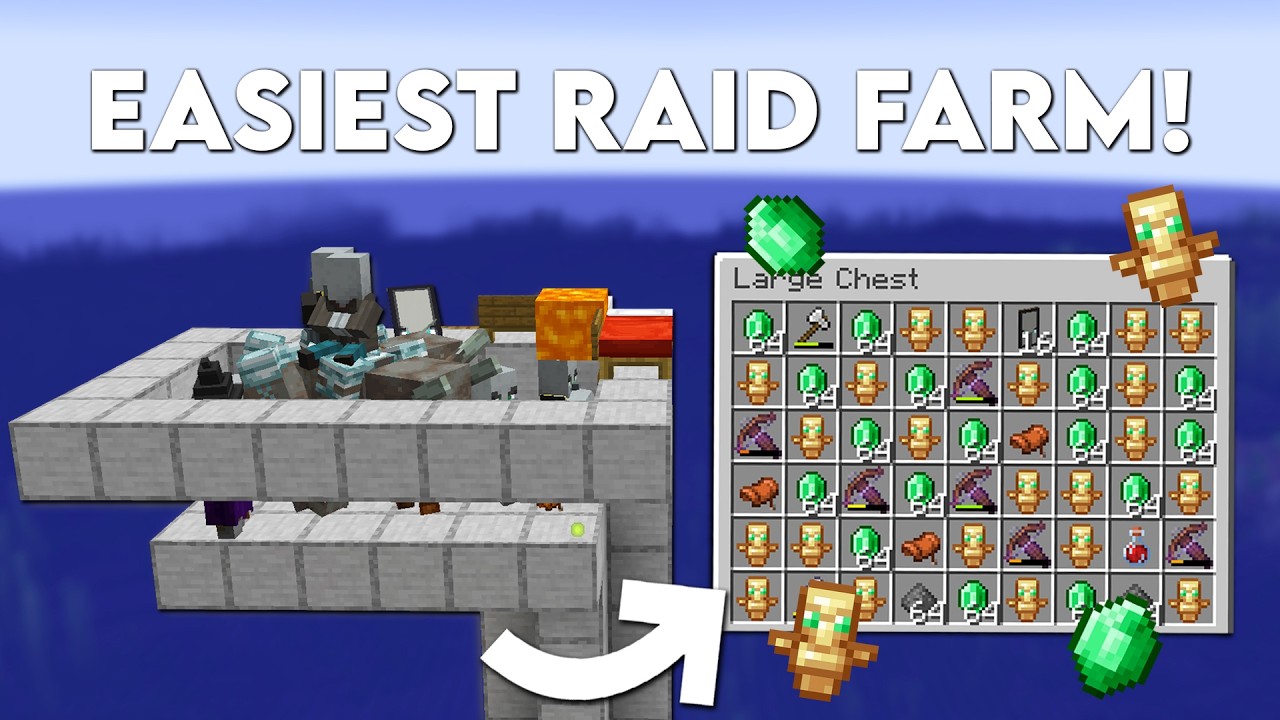
Minecraft: EASY RAID FARM! (1.21+ Tutorial)
Today we're gonna build a new 1.21 Raid farm that gives a lot of totems of undying, emeralds and xp! I hope you guys enjoy it!
Welcome to this EASY RAID FARM tutorial in Minecraft 1.21! In this step-by-step guide, you'll learn how to construct a highly efficient Raid farm that allows you to quickly g...
orchid dawn
so this works in this modpack?
ancient oasis
That one still works for all versions:D
orchid dawn
ancient oasis
That one still works for all versions:D
alr thanks!
ancient oasis
Haven’t tested it tbh but i think it should :/
orchid dawn
ancient oasis
Haven’t tested it tbh but i think it should :/
okay thanks again!
ancient oasis
Yusss
rotund arch
viral garden
!logs
Ended up working thanks
 bronze sundial
BMC4 server pack status?
lethal basin
bronze sundial
BMC4 server pack status?
waiting cf aproval afaik
which may happen only on monday or so due to it being weekend
bronze sundial
From my experience they pass approval around 11pm eastern time most days
sweet spade
!ca
versed mountainBOT
 sacred dune
Better MC 4 - v53 crashed. The logs have been uploaded to mclo.gs:
- 1.20.1 [FORGE]
- What launcher did you run Minecraft with? (e.g. CurseForge, ATLauncher, MultiMC, ...)
- Have you changed the modpack in any way except mods?
- v53
- Have you ever gotten past the crash condition without crashing, or does the game always crash?
- What steps cause the crash?
latest.log | debug.log | crash-2025-12-06_17.36.53-client.txt | crash_assistant_app.log | modlist.txt
Mod list changes on top of the modpack:
[2;32m0[0m added, [2;31m41[0m removed, [2;34m0[0m updated.
!vanilla
versed mountainBOT
It seems as you are trying to use the standard Minecraft launcher!
To run our packs properly, you will need to have a modded launcher, as it will install the pack for you, making it so you don't have a ton of mods/configs removed & end up crashing due to such.
Our most recommended launcher is ATLauncher, which you can find step by step instructions on by running the command !alternates in #bots . If you prefer a more modern interface, Prism comes recommended as well. Any other launchers we can't guarantee any issues won't arise, so it's best to save the trouble and use ATL/Prism.
sacred dune
atl launcher error when installing
 sonic crown
is there a way to host modpack on server?
sweet spade
sonic crown
is there a way to host modpack on server?
!server
versed mountainBOT
Free Method
To host a server on your own computer, read the selfhosting guide.
This guide goes over how to install, create, and launch a free Minecraft server on all operating systems (MacOS, Linux and Windows). The guide also guides you through installing Java and optimizing your server for better performance.
If you are installing one of our older modpacks, ignore the "README" file that is included in the serverpack files, as they have outdated information.
Paid Method
We suggest renting a server from Bisect Hosting:
Approx. $10 - $25 a month depending on what plan you choose. You can also get 25% off with Code LunaPixel.
Go here and order a plan which fits you. We suggest 1GB per player but nothing lower than 4GB as the server needs at least 3GB to run.
Go to #server-hosting for more Info!
The following advice works for both the Free and Paid methods:
Transferring Your World
If you're playing Singleplayer and want to transfer your world to your server, simply go to your modpack files and navigate to the saves folder. Inside of this folder, you will see your world saves. Rename your desired world save to world. You can then transfer this folder to your server files. If your world was hosted via world sharing, this process has to be done by the person who would click "Share World".
Fixing Lag
To resolve lag issues, simply run the !tps command in #bots and follow the directions provided.
sweet spade
sacred dune
atl launcher error when installing
please be more specific
sacred dune
i clicked install better minecraft in atl launcher but it says this
 sonic crown
sweet spade
please be more specific
sonic crown
sweet spade
please be more specific
btw can u tell me diff between bmc5 and bmc4? like is there a difference on which one i start playing first, or like should i play it in order idk
sweet spade
sacred dune
i clicked install better minecraft in atl launcher but it says this
send the logs
sweet spade
sonic crown
btw can u tell me diff between bmc5 and bmc4? like is there a difference on whic...
bmc5 is on 1.21.1 bmc4 is on 1.20.1
it doesnt matter which you play as theyre not connected
sweet spade
sacred dune
https://paste.atlauncher.com/view/54e9c6cd-3d50-49db-b03c-ba56916724ac
you dont have enough disk space
sacred dune
i have 100 gb
 sacred dune
ok
sonic crown
sweet spade
bmc5 is on 1.21.1 bmc4 is on 1.20.1
it doesnt matter which you play as theyre ...
in ur opinion, which one should i choose and why? thanks
sweet spade
most ppl perfer bmc4 for the amount of content
 gusty lynx
how can i install Better MC [NEOFORGE] BMC5
sonic crown
Where can I find server pack for latest version of bmc4
stone mountain
!serverpack
versed mountainBOT
If you are unable to find the serverpack on Curseforge, it is most likely not approved by Curseforge yet. If you want to create your own Server Pack follow the steps below;
How to create a Server Pack:
- Download ServerPackCreator and run it.
- Set the Modpack Directory to where you installed the modpack.
- Set the Minecraft Version, Modloader and Modloader Version of the Modpack.
- Press Generate.
How to use the Server Pack:
- Right click the start.ps1 file and click Run with Powershell.
- To join your own server, type localhost into Direct Connect.
This video explains the process https://youtu.be/tLTC6wYcWVM
The server IP address is your Public IP Address, which can be found by googling "my ip address".
If other players are unable to join, find a portforwarding guide online.
 dusty sigil
BMC4 v53.5
"I'm stuck at this stage during the loading process, and the game just hangs and won't respond. Any help would be appreciated."

 undone jolt
how much ram do i need to run this modpack
 violet crest
anyone know how to fix this situation
 sweet spade
violet crest
anyone know how to fix this situation
sweet spade
violet crest
anyone know how to fix this situation
!betterendforge
versed mountainBOT
if you are experiencing an error with the "betterendforge" mod requiring a game version lower than 1.17, then you have likely hit "update" on individual mods, and/or the "update all" button. this only happens if you updated the betterend mod in one of those ways, & you should NOT update mods, reasoning to why you shouldn't and how to fix it can be found by running the!updatemods command in #bots.
this error happens as CurseForge mistakes an old forge port of betterend as the one in the pack, and tries updating to the forge version. the forge version of the mod has not been a thing since 1.16, which is why it throws this error.
no, we have no control over it doing that, no we cannot fix that. your most likely option for it being fixed in the future to bring it up to CurseForge support.
sweet spade
dusty sigil
BMC4 v53.5
"I'm stuck at this stage during the loading process, and the game ju...
!alternates
versed mountainBOT
If this command was run in response to your question/issue, it is likely because switching away from the launcher you are currently using would fix your problem.
From our experience, the most stable launcher by far is ATLauncher, also known as ATL. Keep in mind that ATL is NOT related to TLauncher in any way, and is not a cracked launcher.
To install ATL, do the following:
1. Go to https://atlauncher.com/download. If you are on MacOS, then choose the "Jar" version under the "Other" tab.
2. Install and run the setup, then open the program.
3. Login to your Microsoft account that owns the Java Edition of Minecraft from the Accounts tab on the right. This process is 100% safe, as it goes directly through Microsoft. ATL doesn't see your account credentials.
4. Go to the Packs tab on the right, then click "Curseforge" on the left.
5. Search the modpack you wish to download.
6. Click "Install". Then, follow the on-screen directions.
7. Go to the Instances tab, and click "Play" on the modpack you downloaded. If you ever see an "Update" button on the instance, click it.
This video explains the process: https://youtu.be/xMYW1wMbmkM
To transfer your Curseforge world to ATL, simply right click the modpack on Curseforge, or click the 3 dots, then click "Open Folder". Copy the Saves folder, then click "Open Folder" on ATL and paste the Saves folder there. Do the same with the XaerosMinimap folder, or the Journeymap folder, to transfer over any waypoints you've created.
Because ATL downloads the exact same files as Curseforge does, your world will be the exact same and you will be able to join the same servers. ATL also works without an internet connection (after you've installed the modpack, of course), and does not have any bloat from Overwolf. You are free to uninstall both Overwolf and Curseforge with ATL installed.
sweet spade
undone jolt
how much ram do i need to run this modpack
if you have 8gb ram total you can get away with 5gb, if you have more than that 8gb is fine
undone jolt
sweet spade
if you have 8gb ram total you can get away with 5gb, if you have more than that ...
oki thanks
violet crest
i did the steps in the bot channel now this pops up
 chilly apex
what am i missing bmc4

 old stump
I followed the server stuff yada yada, How do i update the server but keep my world and everything
if i need to reiterate i can
near egret
old stump
I followed the server stuff yada yada, How do i update the server but keep my wo...
!updateservee
!updateserver
versed mountainBOT

00:00 Update Server Locally
01:19 Update on Server Host/Bisect Hosting Premium
01:39 Update on Server Host/Bisect Hosting Premium
Discord ➔ https://discord.gg/8ZmhaPPbjE
Twitter ➔ https://twitter.com/SharkieTV
Use CODE: LunaPixel for 25% off ➔ https://www.bisecthosting.com/LunaPixel
old stump
thank you
 dim thicket
Will they ever add the Controllable mod to BM? I miss that mod...
sweet spade
you're more than welcome to add it yourself but its not gonna be included in the pack by default
near egret
sweet spade
you're more than welcome to add it yourself but its not gonna be included in the...
im adding it to the pack right now
frick you hazrl ping for mav
sweet spade
frick u mimi miku server tag
near egret
🖕
chilly apex
so nobody knows how i can upgrade my netherite gear to ignitius
google says the recipe i posted but..
 chilly apex
damnit so all these enchants on my warden my neth set are useless?
chilly apex
aye bmc4
is there an easy to way to locate ancient city
an eye or something
and is the warden harder than ignis?
old stump
its a complex recipe one sec
for each peice of warden armor you need to get a warden upgrade template which you can use on netherite with a reinforced echo shard which needs 4 warden carapaces whihc you get for killing the warden
chilly apex
,< damn
old stump


 chilly apex
is there an easy way to locate wardens?
old stump
Uh best guess would be using natures compass to locate Deep darks then hoping for the best im not too sure
chilly apex
like an eye? like there is for others
@old stump u reckon warden is harder than ignis:?
old stump
I personally have not attempted ignis yet but my warden fight i popped 2 totems and i had 1/4 Emerald netherite 3/4 diamond
im quite the rusher so i was heavily underprepared
Ive read ignis is difficult but havent tried yet, im still living nomadically so im working on a house lol, wokring on my 33k block material list
chilly apex
so full netherite wont cut it? 
old stump
i mean depends on the weapon, hes got 500 hp with the standard vanilla move set
violet crest
anyone know of a fix?

 tulip agate
Guys, for some reason my friends cant join my worId, each time it aIways says "An error has occured with Iuna"
THis happened prior, but after a bit it fixed
what's causing this?
 dry trellis
how do people kill the warden like 1on1
bc i get absolutly domed when i go to fight him like i knock of 50-100 hop then die
 queen delta
is luna down lagging so much?
 split rampart
I update bmc v53 to v54 and my world is working
But later
I have some lags and I dicated to back to v53
And it also works
But the problem is that my world dont go on v53 now becouse it was going on v54 before
And now I can run ot on v53
And when I am trying to update modpcak to v54 again it doesnt work
even when I click to update to v54 the curseforge app show error
When I updating it on v54 it again and again download v53, i dont know why
I have a few other mods that i add to modpack
But it works on v53 and v54
Now nothing working
What can I do???
stone mountain
split rampart
What can I do???
!alternates
versed mountainBOT
If this command was run in response to your question/issue, it is likely because switching away from the launcher you are currently using would fix your problem.
From our experience, the most stable launcher by far is ATLauncher, also known as ATL. Keep in mind that ATL is NOT related to TLauncher in any way, and is not a cracked launcher.
To install ATL, do the following:
1. Go to https://atlauncher.com/download. If you are on MacOS, then choose the "Jar" version under the "Other" tab.
2. Install and run the setup, then open the program.
3. Login to your Microsoft account that owns the Java Edition of Minecraft from the Accounts tab on the right. This process is 100% safe, as it goes directly through Microsoft. ATL doesn't see your account credentials.
4. Go to the Packs tab on the right, then click "Curseforge" on the left.
5. Search the modpack you wish to download.
6. Click "Install". Then, follow the on-screen directions.
7. Go to the Instances tab, and click "Play" on the modpack you downloaded. If you ever see an "Update" button on the instance, click it.
This video explains the process: https://youtu.be/xMYW1wMbmkM
To transfer your Curseforge world to ATL, simply right click the modpack on Curseforge, or click the 3 dots, then click "Open Folder". Copy the Saves folder, then click "Open Folder" on ATL and paste the Saves folder there. Do the same with the XaerosMinimap folder, or the Journeymap folder, to transfer over any waypoints you've created.
Because ATL downloads the exact same files as Curseforge does, your world will be the exact same and you will be able to join the same servers. ATL also works without an internet connection (after you've installed the modpack, of course), and does not have any bloat from Overwolf. You are free to uninstall both Overwolf and Curseforge with ATL installed.
stone mountain
First do this
old stump
tulip agate
Guys, for some reason my friends cant join my worId, each time it aIways says "A...
i believe that is because their servers are down
not down sorry
Full
old stump
chilly apex
uhm so i got 2 shot
yeah that blast is quite powerful
old stump
dry trellis
how do people kill the warden like 1on1
goood armor, lotsof heals, totems and sometimes a bow
 clever ferry
split rampart
stone mountain
First do this
clever ferry
split rampart
stone mountain
First do this
If I have added my own mods, will they also be transferred?
 dusky stag
Hiiiii!
In the suggestions channel, I proposed adding a more versatile backpack mod, since the one we currently have doesn’t offer much flexibility. The mod I suggested lets you farm the materials you need much faster (it has a magnet upgrade with filters, so it only picks up the items you actually want from the ground). This reduces the time you spend sorting out useless materials and lets you focus on finding the ones you need, helping you gather everything required for building much more quickly.
 ocean coral
How is this not working in BMC5?
 chilly apex
@old stump so i need 16 carapace for full warden?
stone mountain
split rampart
If I have added my own mods, will they also be transferred?
No, but you can install the same mods in ATL, no problem
old stump
chilly apex
<@780521070264057866> so i need 16 carapace for full warden?
Yeah so you gotta kill 16 wardens lmao
plus you need phantom membrane and echo shards
and you have to find the template
split rampart
stone mountain
No, but you can install the same mods in ATL, no problem
Okay
 merry blade
Better MC 4 - v54 crashed. The logs have been uploaded to mclo.gs:
- 1.20.1 [FORGE]
- What launcher did you run Minecraft with? (e.g. CurseForge, ATLauncher, MultiMC, ...)
curseforge/minecraft launcher - Have you changed the modpack in any way except mods?
no, running default mod as is - v54
- Have you ever gotten past the crash condition without crashing, or does the game always crash?
always crashes on startup - What steps cause the crash?
latest.log | hs_err_pid5500.log | CurseForge: launcher_log.txt head / tail (~29k lines) | crash_assistant_app.log | modlist.txt
# Problematic frame:
# C  [igxehpgicd64.dll+0x1f7d28]
Mod list changes on top of the modpack:
[2;34mMod list was not modified.[0m
!drivers
versed mountainBOT
You (likely) need to update your graphics drivers in order to resolve the crash. Here's how to go about doing that!
1. Identify your graphics card
if you already know skip to the next step
- Open task manager
- Navigate to the "Performance" tab (on Windows 11 this is the button that looks like a heart pulse)
- Press the GPU 0 graph and read your GPU from the top right
Note:
In some cases you may see a GPU 0 and GPU 1. This means your CPU has its own GPU, as well as a dedicated one. You probably want GPU 1 (which is usually the better one), but you can ask staff to clarify if necessary.
2. Download your drivers from the manufacturers site
Depending on what you read before, you likely need drivers from either AMD, Intel, or NVIDIA
AMD: https://www.amd.com/en/support
Intel: https://www.intel.com/content/www/us/en/download-center/home.html
NVIDIA: https://www.nvidia.com/Download/index.aspx?lang=en-us
Note:
- For NVIDIA you want to select "Game Ready Driver (GRD)" (this is the default option) for the best performance. Once installing you'd probably prefer downloading GeForce Experience, which will notify you when there's an available drivers update.
- For Intel, you probably want to press "Get Started" under the "Automatically update your drivers and software", which will simplify the process and update everything automatically
- For AMD you probably want to just press "Download Windows Drivers", which will download something called AMD Adrenaline, which will update your drivers automatically.
3. Run the installation, restart your computer, and try playing MC again
- At this point, hopefully your Minecraft is running. If it still does not work, please post any new logs and staff will help assist you with finding the right solution.
 hybrid shore
dusky stag
Hiiiii!
In the suggestions channel, I proposed adding a more versatile backpack ...
hybrid shore
dusky stag
Hiiiii!
In the suggestions channel, I proposed adding a more versatile backpack ...
nice idea
 stone mountain
 worldly saddle
I manually installed JV17 and still same issue
worldly saddle
I manually installed JV17 and still same issue
You need to now edit variables.txt and point to that java binary
Should look something like this

Depending on where you installed it

 stone mountain
worldly saddle
stone mountain
worldly saddle
Need to have \\ instead of \
merry blade
getting an error when trying to join a server saying the server doesnt have Platform installed but i have the same mod pack as them
 keen solar
merry blade
getting an error when trying to join a server saying the server doesnt have Plat...
keen solar
merry blade
getting an error when trying to join a server saying the server doesnt have Plat...
do you have the platform mod
thats needed for vanilla backport
merry blade
the game is saying i do but the server doesnt, but we all have the same mods installed
 left whale
so i have a question for ya guys
im just now learning all of this and i seen better mc dropped a new update nd its not showing up on the paid server i use its minecraft hosting.pro and its only version 53 not 54
do u guys know how to fix that?
stone mountain
left whale
do u guys know how to fix that?
Contact your hosting provider
They usually need some time to pull the updates
stone mountain
merry blade
the game is saying i do but the server doesnt, but we all have the same mods ins...
!logs (from both client trying to connect, and the server)
versed mountainBOT
To better assist with fixing your issue, we will need some logs:
- Curseforge -> Right click the modpack instance -> „Open Folder”.
- ATLauncher -> Click „Open Folder” on the modpack instance.
- MultiMC -> Select your instance and click „Instance Folder” on the right.
- PrismLauncher -> Select your instance and click „Folder” on the right.
- For servers -> Open the folder containing your server files.
To find the „latest.log” file, navigate to the 'logs' folder.
To find the „hs_err_pid.log” file, simply look for the file name after opening the instance folder.
To find a crash report, navigate to the „crash-reports” folder and find the most recent file after your crash occurred.
Once located, please upload the requested file here. If it fails, upload to https://mclo.gs/ and share the link here.
left whale
stone mountain
Contact your hosting provider
sick okay, thank u
 buoyant quail
anyone know where to get sentrite
need it to make stratus but cant find anyhting in the recipe browser about spawn/drop rates
 scenic ibex
How do I install v54 in a server? I don’t see the server pack version
versed mountainBOT
If you are unable to find the serverpack on Curseforge, it is most likely not approved by Curseforge yet. If you want to create your own Server Pack follow the steps below;
How to create a Server Pack:
- Download ServerPackCreator and run it.
- Set the Modpack Directory to where you installed the modpack.
- Set the Minecraft Version, Modloader and Modloader Version of the Modpack.
- Press Generate.
How to use the Server Pack:
- Right click the start.ps1 file and click Run with Powershell.
- To join your own server, type localhost into Direct Connect.
This video explains the process https://youtu.be/tLTC6wYcWVM
The server IP address is your Public IP Address, which can be found by googling "my ip address".
If other players are unable to join, find a portforwarding guide online.
 wide bison
so my game before the update with shader pack on low i was getting 160 fps and after the update i can barely hit 80
 vestal shuttle
I´m playing with a couple of friends and eventually they get kicked after some lag, does anyone experience the same?
 leaden ginkgo
help. what casues this error, i didnt have it a few mins ago. its when i start the server. its 1.20.1 + 1.20 server files released 11/24/20205
 calm coral
Is there any way to put the mod in Spanish?
 drifting zephyr
is there a way to play w friends w/o essential mod since it isnt supported?
 nocturne inlet

 acoustic needle
Better MC 5 - v30 crashed. The logs have been uploaded to mclo.gs:
- 1.21.1 [NEOFORGE]
- What launcher did you run Minecraft with? (e.g. CurseForge, ATLauncher, MultiMC, ...) Modrinth
- Have you changed the modpack in any way except mods? Added RPG Series mods and updated Neoforge version to 21.1.201
- v30
- Have you ever gotten past the crash condition without crashing, or does the game always crash? No
- What steps cause the crash? Game Freezes at LunaPixel screen. I try to click and then it crashes.
latest.log | debug.log | crash-2025-12-06_16.19.01-client.txt | session_20251206_144118.log | crash_assistant_app.log
Mod list changes beyond the modpack:
[2;32m33[0m added, [2;31m21[0m removed, [2;34m21[0m updated.
The Forgified Fabric API had to be updated to the most recent version or the Spell Engine mod just does not recognize it for some reason
So I assume the issue is the Forgified Fabric API
sweet spade
acoustic needle
Better MC 5 - v30 crashed. The logs have been uploaded to `mclo.gs`:
1. 1.21.1 [...
!modrinth
versed mountainBOT
Currently LPS packs are not being updated on the Modrinth site, and as such are outdated. This is while the devs figure out a way to automate uploads of the pack properly.
Until the packs can be properly updated, we recommend using ATL (use !alternates in #bots for further info on the installation process ) or Prism launcher. You can download the CurseForge version of our packs on these launchers while still being able to make instances from Modrinth versions of other packs not owned by us.
Please note this does not apply to individual mod projects of developers at LPS.
acoustic needle
I will try these changes on CurseForge instead, thank you for the information 👍
keen solar
merry blade
the game is saying i do but the server doesnt, but we all have the same mods ins...
download it on the server then
it works for me
is it a dedicated server through external or essential
 dark venture
i just got back into mc and forge. Anyone know how to help / fix this😭🙏🏻

 queen matrix
does anyone else have issues not being able to open the Guard Villager's inventory?
right click no workie
agile cradle
dark venture
i just got back into mc and forge. Anyone know how to help / fix this😭🙏🏻
!ca
versed mountainBOT
 queen pawn
yo why are my friends unable to join me? unsure how to fix this issue tbh

 brave remnant
is there a way to bypass luna servers and go to good ol essential
sweet spade
the crash that happens when adding it to the pack will give you instructions of how
brave remnant
my man thank you now i can play without having my sons game keep crashing out every 2 minutes
agile cradle
brave remnant
is there a way to bypass luna servers and go to good ol essential
we won't offer support for anyone who use the mod due to the amount of issues having to deal with it.
sweet spade
yes the crash assistant instructions state as such
agile cradle
people never read properly
and essential will just have a problem with that in the future too no doubt
brave remnant
Well thanks again guys love the modpack just the servers need a little work or a LAN button
agile cradle
Lan's disabled cause of packet desyncing. The servers they are trying their hardest with making it more stable much as they possibly can. And it does fill up more often this time of year as we are heading into the major holiday season
brave remnant
i understand i just wanted to play with my kids that are using the same network which i thought would have been availble as default
agile cradle
then you can just self host on a computer
!server top half "free method" since it's same internet you don't even need to port forward
versed mountainBOT
Free Method
To host a server on your own computer, read the selfhosting guide.
This guide goes over how to install, create, and launch a free Minecraft server on all operating systems (MacOS, Linux and Windows). The guide also guides you through installing Java and optimizing your server for better performance.
If you are installing one of our older modpacks, ignore the "README" file that is included in the serverpack files, as they have outdated information.
Paid Method
We suggest renting a server from Bisect Hosting:
Approx. $10 - $25 a month depending on what plan you choose. You can also get 25% off with Code LunaPixel.
Go here and order a plan which fits you. We suggest 1GB per player but nothing lower than 4GB as the server needs at least 3GB to run.
Go to #server-hosting for more Info!
The following advice works for both the Free and Paid methods:
Transferring Your World
If you're playing Singleplayer and want to transfer your world to your server, simply go to your modpack files and navigate to the saves folder. Inside of this folder, you will see your world saves. Rename your desired world save to world. You can then transfer this folder to your server files. If your world was hosted via world sharing, this process has to be done by the person who would click "Share World".
Fixing Lag
To resolve lag issues, simply run the !tps command in #bots and follow the directions provided.
brave remnant
i can barely read the text on the crash
last time i tried making a server took me like a week
lol
agile cradle
we do have guides and people to help. It doesn't take a ton of time to set up and update
serverpack is free and available on curseforge (get from website, not the app, app loves to break downloads).
brave remnant
if i have the time ill try it out
agile cradle
it's better for more long term set up honestly and lets you turn it on and off when you want More control than using a mod
 twilit ruin
the server i used to play on worked fine, but it switched to 1.21 on bmc4. do i have to wait until a new version is uploaded so i can join back?
 sweet spade
twilit ruin
sweet spade
twilit ruin
bmc4 isnt on 1.21.10 so i dont think theyre carrying bmc4 anymore
twilit ruin
ohhh noo :(
viral garden
bronze sundial
BMC4 server pack status?
its uploaded, waiting on approval
 uncut snow
guys is there a way to enable cheats so i can use commands ingame?
after creating the world^
viral garden
dusty sigil
BMC4 v53.5
"I'm stuck at this stage during the loading process, and the game ju...
update to v54
viral garden
violet crest
i did the steps in the bot channel now this pops up
you just arent installing correctly
viral garden
chilly apex
what am i missing bmc4
try only putting 1 of each in
viral garden
dim thicket
Will they ever add the Controllable mod to BM? I miss that mod...
it only ever caused issues
you can add it yourself
viral garden
violet crest
anyone know of a fix?
please send logs or a full screenshot instead of cropping out half of the error
viral garden
tulip agate
Guys, for some reason my friends cant join my worId, each time it aIways says "A...
!server selfhost instead
versed mountainBOT
Free Method
To host a server on your own computer, read the selfhosting guide.
This guide goes over how to install, create, and launch a free Minecraft server on all operating systems (MacOS, Linux and Windows). The guide also guides you through installing Java and optimizing your server for better performance.
If you are installing one of our older modpacks, ignore the "README" file that is included in the serverpack files, as they have outdated information.
Paid Method
We suggest renting a server from Bisect Hosting:
Approx. $10 - $25 a month depending on what plan you choose. You can also get 25% off with Code LunaPixel.
Go here and order a plan which fits you. We suggest 1GB per player but nothing lower than 4GB as the server needs at least 3GB to run.
Go to #server-hosting for more Info!
The following advice works for both the Free and Paid methods:
Transferring Your World
If you're playing Singleplayer and want to transfer your world to your server, simply go to your modpack files and navigate to the saves folder. Inside of this folder, you will see your world saves. Rename your desired world save to world. You can then transfer this folder to your server files. If your world was hosted via world sharing, this process has to be done by the person who would click "Share World".
Fixing Lag
To resolve lag issues, simply run the !tps command in #bots and follow the directions provided.
viral garden
queen delta
is luna down lagging so much?
!server
versed mountainBOT
Free Method
To host a server on your own computer, read the selfhosting guide.
This guide goes over how to install, create, and launch a free Minecraft server on all operating systems (MacOS, Linux and Windows). The guide also guides you through installing Java and optimizing your server for better performance.
If you are installing one of our older modpacks, ignore the "README" file that is included in the serverpack files, as they have outdated information.
Paid Method
We suggest renting a server from Bisect Hosting:
Approx. $10 - $25 a month depending on what plan you choose. You can also get 25% off with Code LunaPixel.
Go here and order a plan which fits you. We suggest 1GB per player but nothing lower than 4GB as the server needs at least 3GB to run.
Go to #server-hosting for more Info!
The following advice works for both the Free and Paid methods:
Transferring Your World
If you're playing Singleplayer and want to transfer your world to your server, simply go to your modpack files and navigate to the saves folder. Inside of this folder, you will see your world saves. Rename your desired world save to world. You can then transfer this folder to your server files. If your world was hosted via world sharing, this process has to be done by the person who would click "Share World".
Fixing Lag
To resolve lag issues, simply run the !tps command in #bots and follow the directions provided.
viral garden
ocean coral
How is this not working in BMC5?
there is grass under the arm of the wither
you need to break it
that is how it works in vanilla
tulip agate
viral garden
!server selfhost instead
i dont have money
viral garden
wide bison
so my game before the update with shader pack on low i was getting 160 fps and a...
Please follow the performance guide to improve your game performance, as this is likely to resolve your issue. If your lag is unresolved, send a screenshot with F3 open ingame.
viral garden
vestal shuttle
I´m playing with a couple of friends and eventually they get kicked after some l...
!logs
versed mountainBOT
To better assist with fixing your issue, we will need some logs:
- Curseforge -> Right click the modpack instance -> „Open Folder”.
- ATLauncher -> Click „Open Folder” on the modpack instance.
- MultiMC -> Select your instance and click „Instance Folder” on the right.
- PrismLauncher -> Select your instance and click „Folder” on the right.
- For servers -> Open the folder containing your server files.
To find the „latest.log” file, navigate to the 'logs' folder.
To find the „hs_err_pid.log” file, simply look for the file name after opening the instance folder.
To find a crash report, navigate to the „crash-reports” folder and find the most recent file after your crash occurred.
Once located, please upload the requested file here. If it fails, upload to https://mclo.gs/ and share the link here.
viral garden
leaden ginkgo
help. what casues this error, i didnt have it a few mins ago. its when i start t...
you need to send logs
viral garden
calm coral
Is there any way to put the mod in Spanish?
the language button on the main menu
viral garden
drifting zephyr
is there a way to play w friends w/o essential mod since it isnt supported?
!ws
versed mountainBOT
Luna Pixel's World Sharing
Our modpacks don't support any mods that add singleplayer hosting / world sharing because we already provide free world sharing. The 'Essential' mod is therefore incompatible.
To share your world using our own world hosting, click the 'Open to Lan' or 'Share World' button in the game menu when in a singleplayer world, and share the world.
It will give you an address, like magma-cube.mc.lunapixel.gg, which your friends can use to connect directly to your world as if it were a server!
We still highly suggest not to play through LAN as LAN is untested and unreliable. Using it will cause longterm damage to your world.
There is no reason to use LAN, as we support both paid and free methods of hosting a server the normal way.
viral garden
nocturne inlet
!server selfhost instead
versed mountainBOT
Free Method
To host a server on your own computer, read the selfhosting guide.
This guide goes over how to install, create, and launch a free Minecraft server on all operating systems (MacOS, Linux and Windows). The guide also guides you through installing Java and optimizing your server for better performance.
If you are installing one of our older modpacks, ignore the "README" file that is included in the serverpack files, as they have outdated information.
Paid Method
We suggest renting a server from Bisect Hosting:
Approx. $10 - $25 a month depending on what plan you choose. You can also get 25% off with Code LunaPixel.
Go here and order a plan which fits you. We suggest 1GB per player but nothing lower than 4GB as the server needs at least 3GB to run.
Go to #server-hosting for more Info!
The following advice works for both the Free and Paid methods:
Transferring Your World
If you're playing Singleplayer and want to transfer your world to your server, simply go to your modpack files and navigate to the saves folder. Inside of this folder, you will see your world saves. Rename your desired world save to world. You can then transfer this folder to your server files. If your world was hosted via world sharing, this process has to be done by the person who would click "Share World".
Fixing Lag
To resolve lag issues, simply run the !tps command in #bots and follow the directions provided.
viral garden
dark venture
i just got back into mc and forge. Anyone know how to help / fix this😭🙏🏻
!alternates
versed mountainBOT
If this command was run in response to your question/issue, it is likely because switching away from the launcher you are currently using would fix your problem.
From our experience, the most stable launcher by far is ATLauncher, also known as ATL. Keep in mind that ATL is NOT related to TLauncher in any way, and is not a cracked launcher.
To install ATL, do the following:
1. Go to https://atlauncher.com/download. If you are on MacOS, then choose the "Jar" version under the "Other" tab.
2. Install and run the setup, then open the program.
3. Login to your Microsoft account that owns the Java Edition of Minecraft from the Accounts tab on the right. This process is 100% safe, as it goes directly through Microsoft. ATL doesn't see your account credentials.
4. Go to the Packs tab on the right, then click "Curseforge" on the left.
5. Search the modpack you wish to download.
6. Click "Install". Then, follow the on-screen directions.
7. Go to the Instances tab, and click "Play" on the modpack you downloaded. If you ever see an "Update" button on the instance, click it.
This video explains the process: https://youtu.be/xMYW1wMbmkM
To transfer your Curseforge world to ATL, simply right click the modpack on Curseforge, or click the 3 dots, then click "Open Folder". Copy the Saves folder, then click "Open Folder" on ATL and paste the Saves folder there. Do the same with the XaerosMinimap folder, or the Journeymap folder, to transfer over any waypoints you've created.
Because ATL downloads the exact same files as Curseforge does, your world will be the exact same and you will be able to join the same servers. ATL also works without an internet connection (after you've installed the modpack, of course), and does not have any bloat from Overwolf. You are free to uninstall both Overwolf and Curseforge with ATL installed.
viral garden
brave remnant
my man thank you now i can play without having my sons game keep crashing out ev...
it doesnt cause any crashes
essential does though lol
 proud sluice
Hey, quick question if anyone knows the answer, the pack updating from version 53.5 to 54 removed the "Pale Garden and Creeking" mod because it was replaced by Vanilla backport, would updating the packs cause any problems with previously generated pale garden biomes existing?
Pretty much just kinda asking if it's safe to update without like corrupting the world or anything lol
 kindred nebula
did u happen to figure out the fix to this?
 stark harness
i just have a suggestion, in the questbook, it would be nice to have a "recommended gear" or "point in progression" tip with the boss icons, i tried fighting maledictus and got my ass whooped 57 times until i gave up
 hasty meadow
is luna working right now
old stump
bro chloe goes through hell with this props to you
hasty meadow
my friend just says it says an error occured in luna
old stump
usually means luna severs are full
hasty meadow
they can get full??
old stump
Luna them selves only have a limited amount they can provide
hasty meadow
okay
old stump
self hosting has worked great for me
hasty meadow
yeah im just doing the lan thing
old stump
yeah me and my friend tried that but it didnt work
 amber copper
Better MC 4 - v54 crashed. The logs have been uploaded to mclo.gs:
- 1.20.1 [FORGE]
- What launcher did you run Minecraft with? (e.g. CurseForge, ATLauncher, MultiMC, ...)
CurseForge - Have you changed the modpack in any way except mods?
- v54
- Have you ever gotten past the crash condition without crashing, or does the game always crash?
- What steps cause the crash?
latest.log | hs_err_pid10888.log | crash_assistant_app.log | modlist.txt | CurseForge: skip launcher
# Problematic frame:
# v  ~StubRoutines::SafeFetch32
Found [2;34m1[0m log analysis results:
[2;34mMacJDK[0m in: hs_err_pid10888.log
Mod list changes on top of the modpack:
[2;34mMod list was not modified.[0m
self hosting is the same thing but its your server instead of borrowing lunas
sweet spade
amber copper
Better MC 4 - v54 crashed. The logs have been uploaded to `mclo.gs`:
1. 1.20.1 [...
!macjdk
versed mountainBOT
 For Mac devices using Apple Silicon/arm (M1/M2/etc.) CPUs
There is an issue with Java 17.0.8 and newer where you may experience "A fatal error has been detected by the Java Runtime Environment", which can cause the Java runtime to crash under a variety of circumstances. To resolve this:
Mac:
- Go here and hover over the Download buttons until you see one with the option to install a .dmg file. If you have an M-series Mac, then make sure to install the ARM64 version of this file.
- Run the
!alternatescommand in #bots and follow the directions. If you already have ATL installed, move on to step 3. - Click "Settings" on the right
- Click "Java/Minecraft" at the top
- Set "Use Java Provided by Minecraft" to false by unchecking the checkbox
- Manually specify the following Java path in the text box to the left to the "Reset" button:
/Library/Java/JavaVirtualMachines/zulu-21.jdk/Contents/Home
hasty meadow
now we play the waiting game
sweet spade
sometimes
old stump
oh wait youre mac, my brother was thinking about downloading it, does it run fine?
sweet spade
depends on the mac but ya runs fine on mine bmc is a v light pack generally
old stump
Alrighty thank you
amber copper
sweet spade
depends on the mac but ya runs fine on mine bmc is a v light pack generally
Is there a performance difference between forge and modrinth?
sweet spade
!modrinth for the pack in itself
versed mountainBOT
Currently LPS packs are not being updated on the Modrinth site, and as such are outdated. This is while the devs figure out a way to automate uploads of the pack properly.
Until the packs can be properly updated, we recommend using ATL (use !alternates in #bots for further info on the installation process ) or Prism launcher. You can download the CurseForge version of our packs on these launchers while still being able to make instances from Modrinth versions of other packs not owned by us.
Please note this does not apply to individual mod projects of developers at LPS.
sweet spade
launcher wise ive never used modrinth but cf launcher is kinda crappy as well - generally atl/prism are best bets performance wise
amber copper
sweet spade
launcher wise ive never used modrinth but cf launcher is kinda crappy as well - ...
thank you
proud sluice
proud sluice
Hey, quick question if anyone knows the answer, the pack updating from version 5...
?
viral garden
proud sluice
Hey, quick question if anyone knows the answer, the pack updating from version 5...
its completely safe
as stated in the changelog all the blocks are converted
viral garden
kindred nebula
did u happen to figure out the fix to this?
please do not reply to another users issue
give info on what your issue is and we can help
viral garden
hasty meadow
my friend just says it says an error occured in luna
!server
versed mountainBOT
Free Method
To host a server on your own computer, read the selfhosting guide.
This guide goes over how to install, create, and launch a free Minecraft server on all operating systems (MacOS, Linux and Windows). The guide also guides you through installing Java and optimizing your server for better performance.
If you are installing one of our older modpacks, ignore the "README" file that is included in the serverpack files, as they have outdated information.
Paid Method
We suggest renting a server from Bisect Hosting:
Approx. $10 - $25 a month depending on what plan you choose. You can also get 25% off with Code LunaPixel.
Go here and order a plan which fits you. We suggest 1GB per player but nothing lower than 4GB as the server needs at least 3GB to run.
Go to #server-hosting for more Info!
The following advice works for both the Free and Paid methods:
Transferring Your World
If you're playing Singleplayer and want to transfer your world to your server, simply go to your modpack files and navigate to the saves folder. Inside of this folder, you will see your world saves. Rename your desired world save to world. You can then transfer this folder to your server files. If your world was hosted via world sharing, this process has to be done by the person who would click "Share World".
Fixing Lag
To resolve lag issues, simply run the !tps command in #bots and follow the directions provided.
proud sluice
viral garden
as stated in the changelog all the blocks are converted
Understood, sorry i mustve missed that part in the changelog, i read it but mustve skimmed that bit, thank you for the reply!
scenic ibex
How can I remove the particles from a water cascade?
viral garden
scenic ibex
How can I remove the particles from a water cascade?
what modpack version are you on
scenic ibex
53.5
viral garden
update to v54
 viral garden
 wind sedge
how is the server hosted
wind sedge
viral garden
how is the server hosted
It's hosted by sharing the world and then i paste the link through the add server section, works for them but not me.
And it was working earlier but now it just keeps giving me that prompt
Neoforge is at 21.1.214
viral garden
wind sedge
It's hosted by sharing the world and then i paste the link through the add serve...
!server
versed mountainBOT
Free Method
To host a server on your own computer, read the selfhosting guide.
This guide goes over how to install, create, and launch a free Minecraft server on all operating systems (MacOS, Linux and Windows). The guide also guides you through installing Java and optimizing your server for better performance.
If you are installing one of our older modpacks, ignore the "README" file that is included in the serverpack files, as they have outdated information.
Paid Method
We suggest renting a server from Bisect Hosting:
Approx. $10 - $25 a month depending on what plan you choose. You can also get 25% off with Code LunaPixel.
Go here and order a plan which fits you. We suggest 1GB per player but nothing lower than 4GB as the server needs at least 3GB to run.
Go to #server-hosting for more Info!
The following advice works for both the Free and Paid methods:
Transferring Your World
If you're playing Singleplayer and want to transfer your world to your server, simply go to your modpack files and navigate to the saves folder. Inside of this folder, you will see your world saves. Rename your desired world save to world. You can then transfer this folder to your server files. If your world was hosted via world sharing, this process has to be done by the person who would click "Share World".
Fixing Lag
To resolve lag issues, simply run the !tps command in #bots and follow the directions provided.
viral garden
selfhost instead
 patent crescent
When my friend shares his world, he keeps getting "an error occured in Luna" and when I join it says unknown server. are they having server issues now?
patent crescent
patent crescent
When my friend shares his world, he keeps getting "an error occured in Luna" and...
 viral garden
patent crescent
When my friend shares his world, he keeps getting "an error occured in Luna" and...
viral garden
patent crescent
When my friend shares his world, he keeps getting "an error occured in Luna" and...
 fathom breach
kindred nebula
did u happen to figure out the fix to this?
fathom breach
kindred nebula
did u happen to figure out the fix to this?
no the guy barely does what i ask him to so i just gave up
either download the 0.6.5 version with mc 1.21.1 or 0.6.13 with 1.21.5 or 0.7.3 with 1.21.10
if you already did those then i have no idea
viral garden
fathom breach
either download the 0.6.5 version with mc 1.21.1 or 0.6.13 with 1.21.5 or 0.7.3 ...
this is bad advice
it has nothing to do with sodium
TLauncher is known spyware and is also unable to install mods or modpacks correctly. Because we offer no support for piracy due to Discord TOS, you will need to provide proof you own a legitimate copy of Minecraft or leave the server. For a safe, working way to install both mods and modpacks, read the #faq guide on installing modpacks.
fathom breach
my bad ✌️
viral garden
its ok
scenic ibex
Is there a sodium forge version for better mc?
viral garden
scenic ibex
Is there a sodium forge version for better mc?
the modpack is already fully optimized
and yes it already has Xenon which is the equivalent of Sodium
viral garden
TLauncher is known spyware and is also unable to install mods or modpacks correctly. Because we offer no support for piracy due to Discord TOS, you will need to provide proof you own a legitimate copy of Minecraft or leave the server. For a safe, working way to install both mods and modpacks, read the #faq guide on installing modpacks.
plucky geodeBOT
Quarantine Result:
Reason: tlauncher
Moderator: @sweet spade
Quarantined:
i_d_k_a_good_name [887567392228659240]
 spare cedar
hi guys, any way to get the server files for v54?
agile cradle
spare cedar
hi guys, any way to get the server files for v54?
stuck waiting on curse to approve it, otherwise if you don't mind a tedious manual way you could try serverpackcreator
spare cedar
agile cradle
stuck waiting on curse to approve it, otherwise if you don't mind a tedious manu...
ohh never heard of it, where can I download it?
agile cradle
spare cedar
ohh never heard of it, where can I download it?
!serverpack
versed mountainBOT
If you are unable to find the serverpack on Curseforge, it is most likely not approved by Curseforge yet. If you want to create your own Server Pack follow the steps below;
How to create a Server Pack:
- Download ServerPackCreator and run it.
- Set the Modpack Directory to where you installed the modpack.
- Set the Minecraft Version, Modloader and Modloader Version of the Modpack.
- Press Generate.
How to use the Server Pack:
- Right click the start.ps1 file and click Run with Powershell.
- To join your own server, type localhost into Direct Connect.
This video explains the process https://youtu.be/tLTC6wYcWVM
The server IP address is your Public IP Address, which can be found by googling "my ip address".
If other players are unable to join, find a portforwarding guide online.
spare cedar
ty very much
agile cradle
np
 tall pond
Is this also for neo forge bmc5 v44.5? I am getting items/blocks removed sometimes after a server reboot, is that normal?
agile cradle
if it's not showing on curseforge, it's not available yet. As for item/blocks removed sometimes you'll have to read the changelogs (which you should anyways as a player and server owner)
 deft gust
Thanks for pinging, yes this is a very annoying issue, but afaict this is not gnetum's fault
A certain mod might have some faulty code that causes sides of items to appear darker (observable even without gnetum). With gnetum, that mod's HUD is not rendered every frame - when it's rendered then items are darker, and when it's not rendered items have normal brightness.
Will need to do a bisect to find out the faulty mod
tall pond
agile cradle
if it's not showing on curseforge, it's not available yet. As for item/blocks re...
I started the server using 44.5, not updating from anything ;-;
agile cradle
tall pond
I started the server using 44.5, not updating from anything ;-;
so a different issue entirely
how is server hosted? How did you install modpack to it
tall pond
Manual installation, hosted on my uk dedicated system that runs pelican panel
agile cradle
where did you download serverpack from
tall pond
CurseForge
agile cradle
app or website
agile cradle
download from curseforge website. the app breaks downloads
they want you to download from the app cause it's more downloads for them on their app.
tall pond
Oh, is it normal to get the readme file that tells to download from app?
agile cradle
the serverpack readme or curseforge readme
tall pond
server pack readme when downloading from website
agile cradle
... @viral garden eh, is the readme supposed to tell people to download serverpack from the curse app?
tall pond
Downloading it right now to show what I mean, one moment
Oh, I didn't get it this time
Now same as downloading from app
Should I still try the website pack?
agile cradle
so it was the curse website saying it, not the readme in the serverpack?
yes, use the website version always
tall pond
I found the file in zip file
tall pond
Thank you lady, I didn't read the bio my bad
spare cedar
Mod ID: 'connectormod', Requested by: 'continuity', Expected range: '', Actual version: '1.0.0-beta.46+1.20.1'```after using the server pack creator
plucky geodeBOT
Quarantine Result:
Reason: cracked
Moderator: @agile cradle
Quarantined:
bruh_80828 [1447163011864199188]
spare cedar
spare cedar
```Mod ID: 'fabric_api', Requested by: 'continuity', Expected range: '', Actual ...
nevermind continuity is a client side mod, not sure why the server pack creator didn't disable it
 lilac nexus
can we get copper golems in BMC5?
viral garden
TLauncher is known spyware and is also unable to install mods or modpacks correctly. Because we offer no support for piracy due to Discord TOS, you will need to provide proof you own a legitimate copy of Minecraft or leave the server. For a safe, working way to install both mods and modpacks, read the #faq guide on installing modpacks.
 winged sundial
Hi I'm not sure if this is the place to ask but my friend and I have recently started playing BMC4 and all has been fine up until last night. My friend bought a 2 player server that we had been playing on and last night when I went to join no servers were showing up in the server list. I tried updating the modpack & curseforge which did nothing. I tried a handful of other solutions my friend suggested that also didn't work. and after refreshing the game a few times there's now only 1 server that shows up on the list which isn't my friends one. does anyone know why this could be and how i could potentially fix it? thank you :)
 fiery helm
Better MC 5 - v44 crashed without a crash report. The logs have been uploaded to mclo.gs:
- 1.21.1 [NEOFORGE]
- What launcher did you run Minecraft with? (e.g. CurseForge, ATLauncher, MultiMC, ...)
- Have you changed the modpack in any way except mods?
- v44
- Have you ever gotten past the crash condition without crashing, or does the game always crash?
- What steps cause the crash?
latest.log | CurseForge: launcher_log.txt | crash_assistant_app.log | modlist.txt
Found [2;34m2[0m log analysis results:
[2;34mMissingUnsupportedDependencies[0m in: latest.log
[2;34mCurseForgeCorrupted[0m in: latest.log
Mod list changes on top of the modpack:
[2;34mMod list was not modified.[0m
can somebody help
stone mountain
fiery helm
Better MC 5 - v44 crashed without a crash report. The logs have been uploaded to...
!alternates
versed mountainBOT
If this command was run in response to your question/issue, it is likely because switching away from the launcher you are currently using would fix your problem.
From our experience, the most stable launcher by far is ATLauncher, also known as ATL. Keep in mind that ATL is NOT related to TLauncher in any way, and is not a cracked launcher.
To install ATL, do the following:
1. Go to https://atlauncher.com/download. If you are on MacOS, then choose the "Jar" version under the "Other" tab.
2. Install and run the setup, then open the program.
3. Login to your Microsoft account that owns the Java Edition of Minecraft from the Accounts tab on the right. This process is 100% safe, as it goes directly through Microsoft. ATL doesn't see your account credentials.
4. Go to the Packs tab on the right, then click "Curseforge" on the left.
5. Search the modpack you wish to download.
6. Click "Install". Then, follow the on-screen directions.
7. Go to the Instances tab, and click "Play" on the modpack you downloaded. If you ever see an "Update" button on the instance, click it.
This video explains the process: https://youtu.be/xMYW1wMbmkM
To transfer your Curseforge world to ATL, simply right click the modpack on Curseforge, or click the 3 dots, then click "Open Folder". Copy the Saves folder, then click "Open Folder" on ATL and paste the Saves folder there. Do the same with the XaerosMinimap folder, or the Journeymap folder, to transfer over any waypoints you've created.
Because ATL downloads the exact same files as Curseforge does, your world will be the exact same and you will be able to join the same servers. ATL also works without an internet connection (after you've installed the modpack, of course), and does not have any bloat from Overwolf. You are free to uninstall both Overwolf and Curseforge with ATL installed.
 serene seal
Better MC 5 - v44 crashed. The logs have been uploaded to mclo.gs:
- 1.21.1 [NEOFORGE]
- What launcher did you run Minecraft with? (e.g. CurseForge, ATLauncher, MultiMC, ...)
- Have you changed the modpack in any way except mods?
- v44
- Have you ever gotten past the crash condition without crashing, or does the game always crash?
- What steps cause the crash?
latest.log | debug.log head / tail (~33k lines) | crash-2025-12-07_14.58.19-server.txt | crash_assistant_app.log | win_event1765115981803.txt | modlist.txt | CurseForge: skip launcher
Found [2;34m1[0m log analysis results:
[2;34mWasClosedByWindows[0m in: win_event1765115981803.txt
Mod list changes on top of the modpack:
[2;32m46[0m added, [2;31m2[0m removed, [2;34m0[0m updated.
 rose otter
is there any way to transport dragons between dimensions?
or put them in some kind of cage
becaue supplementaries cage doesnt work
stone mountain
serene seal
Better MC 5 - v44 crashed. The logs have been uploaded to `mclo.gs`:
1. 1.21.1 [...
!modified
versed mountainBOT
You are using a modified version of the modpack!
Adding, removing, or updating large amounts of mods without testing any of your changes is **not **a good idea, and it is very unlikely that anyone will want to debug your issue for you. Please test the changes you make in small groups, as opposed to doing all of the changes at once.
If you want further support for your issue, someone may respond to you in the channel for the modpack you based your changes off, but please only post once. You may also have better luck in #1061339968691257466.
serene seal
I know
stone mountain
 rigid kayak
How can I stop it from generating?
rigid kayak
How can I stop it from generating?
It should only appear in Crimson biomes in the Nether
stone mountain
serene seal
I know
Add mods in smaller batches, nobody will debug a modpack where you modified 48 mods
rigid kayak
i know but it appear in everywhere
now
stone mountain
rigid kayak
i know but it appear in everywhere
now
!alternates
versed mountainBOT
If this command was run in response to your question/issue, it is likely because switching away from the launcher you are currently using would fix your problem.
From our experience, the most stable launcher by far is ATLauncher, also known as ATL. Keep in mind that ATL is NOT related to TLauncher in any way, and is not a cracked launcher.
To install ATL, do the following:
1. Go to https://atlauncher.com/download. If you are on MacOS, then choose the "Jar" version under the "Other" tab.
2. Install and run the setup, then open the program.
3. Login to your Microsoft account that owns the Java Edition of Minecraft from the Accounts tab on the right. This process is 100% safe, as it goes directly through Microsoft. ATL doesn't see your account credentials.
4. Go to the Packs tab on the right, then click "Curseforge" on the left.
5. Search the modpack you wish to download.
6. Click "Install". Then, follow the on-screen directions.
7. Go to the Instances tab, and click "Play" on the modpack you downloaded. If you ever see an "Update" button on the instance, click it.
This video explains the process: https://youtu.be/xMYW1wMbmkM
To transfer your Curseforge world to ATL, simply right click the modpack on Curseforge, or click the 3 dots, then click "Open Folder". Copy the Saves folder, then click "Open Folder" on ATL and paste the Saves folder there. Do the same with the XaerosMinimap folder, or the Journeymap folder, to transfer over any waypoints you've created.
Because ATL downloads the exact same files as Curseforge does, your world will be the exact same and you will be able to join the same servers. ATL also works without an internet connection (after you've installed the modpack, of course), and does not have any bloat from Overwolf. You are free to uninstall both Overwolf and Curseforge with ATL installed.
stone mountain
Try this, and see if it happens in newly created world
 wooden sphinx
rose otter
is there any way to transport dragons between dimensions?
wooden sphinx
rose otter
is there any way to transport dragons between dimensions?
using a warp stone to a waystone while on the dragon works but sometimes bugs the dragon to be invisible so just relog and it should be there. make sure there is enough room around the waystone
 broken garnet
spare cedar
nevermind continuity is a client side mod, not sure why the server pack creator ...
broken garnet
spare cedar
nevermind continuity is a client side mod, not sure why the server pack creator ...
Were you able to resolve the crash?
rose otter
wooden sphinx
using a warp stone to a waystone while on the dragon works but sometimes bugs th...
is it one time use
wooden sphinx
The warp stone is not consumed on use
If you dont have materials for the warp stone, then you could use bound scrolls but those are one time use
rose otter
alr thanks alot
spare cedar
broken garnet
Were you able to resolve the crash?
yes, just disable continuity
on the server mods
wooden sphinx
So I have killed Ingis from the Cataclysm mod a few times now but I cannot get those Ignited Berserkers to spawn in any of the nether fortresses, apparently this is a known issue when using Yung's Better Nether Fortress mod. Is there a way I can fix this ? I would like to farm him a few more times to get all the items from him.
 halcyon roost
my pc is lagging because of the minimap mob showing and i cant unable the mobs showing on the minimap. which mod pack is it so i could get rid of it
stone mountain
halcyon roost
my pc is lagging because of the minimap mob showing and i cant unable the mobs s...
!fps
versed mountainBOT
 stone mountain
It shouldn't lag just from mobs - try to follow the guide ^^
 loud trench
I was closing the game from the mc title page: Better MC 4 - v53.5 crashed without a crash report. The logs have been uploaded to mclo.gs:
- 1.20.1 [FORGE]
- What launcher did you run Minecraft with? (e.g. CurseForge, ATLauncher, MultiMC, ...)
- Have you changed the modpack in any way except mods?
- v53.5
- Have you ever gotten past the crash condition without crashing, or does the game always crash?
- What steps cause the crash?
latest.log | win_event1765066920168.txt | crash_assistant_app.log | modlist.txt | CurseForge: skip launcher
Mod list changes on top of the modpack:
Added mods:
[2;32mIxeris-3.6.2+1.20.1-forge.jar[0m
In your win_event I can see this (4 lines that matter):
  - Data[1]: svchost
  - Data[3]: SRUJet:
  - Data[7]: C:\WINDOWS\system32\SRU\SRUDB.dat
  - Data[11]: BtSplitBadLeafPgno
That's a system service and a Windows file - you might want to look on Google for those type of issues
halcyon roost
stone mountain
!fps
I did what it said but now my gpu is dropping to 2% from 80% and it switches every 3 seconds
 sullen matrix
got kicked out of the server and had this on the screen, cant close it with neither of the mouse clicks and escape doesnt do anything either

here is what it leads me to
wispy trailBOT
sullen matrix
here is what it leads me to
Uploaded disconnect-2025-12-07_18.25.17-client.txt from @sullen matrix to mclogs: https://mclo.gs/aXcdglP
sullen matrix
it happened after i died
stone mountain
halcyon roost
I did what it said but now my gpu is dropping to 2% from 80% and it switches eve...
What do you mean by dropping? Where do you see it?
stone mountain
sullen matrix
it happened after i died
!logs
versed mountainBOT
To better assist with fixing your issue, we will need some logs:
- Curseforge -> Right click the modpack instance -> „Open Folder”.
- ATLauncher -> Click „Open Folder” on the modpack instance.
- MultiMC -> Select your instance and click „Instance Folder” on the right.
- PrismLauncher -> Select your instance and click „Folder” on the right.
- For servers -> Open the folder containing your server files.
To find the „latest.log” file, navigate to the 'logs' folder.
To find the „hs_err_pid.log” file, simply look for the file name after opening the instance folder.
To find a crash report, navigate to the „crash-reports” folder and find the most recent file after your crash occurred.
Once located, please upload the requested file here. If it fails, upload to https://mclo.gs/ and share the link here.
halcyon roost
stone mountain
What do you mean by dropping? Where do you see it?
my nvidia stats say 80% and then it drops to 2% when i do something
the performance drops to 2%
stone mountain
halcyon roost
my nvidia stats say 80% and then it drops to 2% when i do something
Can you press F3 and make a screenshot of that?
sullen matrix
stone mountain
!logs
wispy trailBOT
sullen matrix
Uploaded latest.log from @sullen matrix to mclogs: https://mclo.gs/y5oowK5
wispy trailBOT
sullen matrix
Uploaded debug.log from @sullen matrix to mclogs: https://mclo.gs/jBD7L0H
halcyon roost
stone mountain
Can you press F3 and make a screenshot of that?
ye i think just a sec
halcyon roost
stone mountain
Can you press F3 and make a screenshot of that?
heres a clip when im just running around
it keeps dropping my gpu %
idk what does it
stone mountain
Still need F3...
sullen matrix
halcyon roost
heres a clip when im just running around
whats ur ram speed and cpu
halcyon roost
stone mountain
Still need F3...
 sullen matrix
4gb memory might be it
 stone mountain
halcyon roost
stone mountain
halcyon roost
You're still using Java 17, so you've not followed the guide
halcyon roost
sullen matrix
whats ur ram speed and cpu
cpu is intel i5 12400f
stone mountain
That too, and it's also mentioned in the guide
So you just half-followed it at best
sullen matrix
halcyon roost
cpu is intel i5 12400f
and ram size + ram speeds?
stone mountain
sullen matrix
and ram size + ram speeds?
It doesn't matter for BMC
It should run ok on a potato pc
sullen matrix
could be the problem if its just 4gb for the whole pc while being 2133mhz lol
halcyon roost
sullen matrix
could be the problem if its just 4gb for the whole pc while being 2133mhz lol
so its either my pc is potato or its with my minecraft java
stone mountain
!fps
versed mountainBOT
stone mountain
Yes, there is a few steps in here that help with Minecraft running better
Including using a better Java installation
stone mountain
GraalVM 21 will work fine
dusty sigil
sweet spade
!alternates
same error
I have tried v54 but not wrok
[23:07:43] [Render thread/WARN]:Applying workaround: Prevent the NVIDIA OpenGL driver from using broken optimizations (NVIDIA_THREADED_OPTIMIZATIONS)
stone mountain
sullen matrix
Is it a repeated crash, even after you restart the game, or was it a one off?
halcyon roost
stone mountain
GraalVM 21 will work fine
should i put the ram usage to 8192 instead of the 4000
stone mountain
halcyon roost
should i put the ram usage to 8192 instead of the 4000
Yes - if you have more than 8GB RAM in your PC
halcyon roost
stone mountain
Yes - if you have more than 8GB RAM in your PC
oooh i see so my ram was on low and now that the 21 downloaded i just put it in?
stone mountain
Yes
fiery helm
do yall have any idea of mods i could use for performance, the game is so laggy i turned everything important to fast minimal particles etc.
stone mountain
fiery helm
do yall have any idea of mods i could use for performance, the game is so laggy ...
!fps
versed mountainBOT
stone mountain
There is no need to add any mods - Chloe already put all the performance mods this packs needs
halcyon roost
stone mountain
There is no need to add any mods - Chloe already put all the performance mods th...
i cant find the file
stone mountain
Which file?
 halcyon roost
yea im trying to set it in the java thing but i dont see it
where should it be in?
 stone mountain
Where have you unpacked it to?
halcyon roost
how do i unpack it?
stone mountain
Google "how to extract an archive in windows 11"
 coral osprey
Hey, Is there any way to run neoforge BMC5 server with Dimensional Threading? or it will break too much? 
 stone mountain
!tryit
versed mountainBOT
 stone mountain
But I think it might break
stone mountain
halcyon roost
You need to navigate to the inside of the "bin" folder - example of how it looks like for me
 halcyon roost
theres nothing in there
sullen matrix
stone mountain
Is it a repeated crash, even after you restart the game, or was it a one off?
one off, reported so its taken care of. to have a more rounded modpack experience
since this requires game to be restarted in order to join anything again
stone mountain
sullen matrix
since this requires game to be restarted in order to join anything again
Ok, Chloe will look at it (I hope)
halcyon roost
stone mountain
Ok, Chloe will look at it (I hope)
so should the file be in bin??
stone mountain
No, you can see on my example - it doesn't show files
halcyon roost
so i need to find a file that isnt a file??????
stone mountain
No, you need to provide a folder to ATL, where your Java is
Since you select folders - the window only shows folders
It should be a simple step
halcyon roost
tf is ATL
halcyon roost
stone mountain
It should be a simple step
can you explain in simple terms
stone mountain
halcyon roost
tf is ATL
ATLauncher, the program you installed
So, you click on Settings, Java/Minecraft tab, then Browse.
Inside that you navigate to the inside of the "bin" folder of the GraalVM JDK 21 you downloaded, and extracted. Once you do - you click Open.
Then you change Use Java Provided by Minecraft to "No"
Then you click Save, and that's it
halcyon roost
stone mountain
So, you click on Settings, Java/Minecraft tab, then Browse.
Inside that you navi...
the jdk 21 isnt in the bin
 tawny jacinth
Hey! I just updated to v54 and my old world was v53.5. Is it still playable and if so, do the new stuff get generated or i would have to make a new world for that?
stone mountain
halcyon roost
the jdk 21 isnt in the bin
That's true - the "bin" is inside the folder you extracted the JDK to
 thorny timber
This error is killing me! Can't join my world when it's running through bisect because I get this error. But it loads just fine if I download the world and run it in single player
 stone mountain
tawny jacinth
Hey! I just updated to v54 and my old world was v53.5. Is it still playable and ...
stone mountain
tawny jacinth
Hey! I just updated to v54 and my old world was v53.5. Is it still playable and ...
New stuff should appear automatically in the chunks you've not visited (generated) yet
 inner spear
Is there any way to add Essential mod?
stone mountain
inner spear
Is there any way to add Essential mod?
!ea
versed mountainBOT
The Essential mod is completely incompatible with all of our modpacks, and there's no reason to use it. All of our modpacks already come with built-in, free world hosting, by clicking the "Share World' button in the Open to LAN menu. You can learn more by typing !ws in the #bots channel. You can also run type !server in the same channel to learn how to properly host a server for better performance and more flexibility. In modpacks that aren't owned by us, you can use mods such as e4mc or WorldHost to host a server completely for free without Essential's many issues and crashes and the microtransactions that they constantly bother users with. To learn more about alternatives to the Essential mod, check out this website.
stone mountain
thorny timber
This error is killing me! Can't join my world when it's running through bisect b...
Needs logs from both client and server
!logs
versed mountainBOT
To better assist with fixing your issue, we will need some logs:
- Curseforge -> Right click the modpack instance -> „Open Folder”.
- ATLauncher -> Click „Open Folder” on the modpack instance.
- MultiMC -> Select your instance and click „Instance Folder” on the right.
- PrismLauncher -> Select your instance and click „Folder” on the right.
- For servers -> Open the folder containing your server files.
To find the „latest.log” file, navigate to the 'logs' folder.
To find the „hs_err_pid.log” file, simply look for the file name after opening the instance folder.
To find a crash report, navigate to the „crash-reports” folder and find the most recent file after your crash occurred.
Once located, please upload the requested file here. If it fails, upload to https://mclo.gs/ and share the link here.
fiery helm
versed mountain
The Essential mod is completely incompatible with all of our modpacks, and there...
whaat
so i cant use essential with my friend?
wispy trailBOT
thorny timber
Uploaded latest.log from @thorny timber to mclogs: https://mclo.gs/OVteYAg
wispy trailBOT
thorny timber
Uploaded latest.log from @thorny timber to mclogs: https://mclo.gs/LtVWU29
halcyon roost
stone mountain
Needs logs from both client and server
i finally got it to work ty. and ty for being patient with me. im slow on pc shi when it comes to files
stone mountain
halcyon roost
i finally got it to work ty. and ty for being patient with me. im slow on pc shi...
No problem, everyone has it's strengths and weaknesses 🙂
inner spear
how can i share my world with a freind
stone mountain
inner spear
how can i share my world with a freind
!ws
versed mountainBOT
Luna Pixel's World Sharing
Our modpacks don't support any mods that add singleplayer hosting / world sharing because we already provide free world sharing. The 'Essential' mod is therefore incompatible.
To share your world using our own world hosting, click the 'Open to Lan' or 'Share World' button in the game menu when in a singleplayer world, and share the world.
It will give you an address, like magma-cube.mc.lunapixel.gg, which your friends can use to connect directly to your world as if it were a server!
We still highly suggest not to play through LAN as LAN is untested and unreliable. Using it will cause longterm damage to your world.
There is no reason to use LAN, as we support both paid and free methods of hosting a server the normal way.
stone mountain
thorny timber
This error is killing me! Can't join my world when it's running through bisect b...
Hmm, I don't see that VarInt too big in any of those logs
thorny timber
stone mountain
Hmm, I don't see that VarInt too big in any of those logs
Yeah I couldn't find it either. The error message mentions krypton. Tried disabling that mod but still getting the same error
stone mountain
thorny timber
Yeah I couldn't find it either. The error message mentions krypton. Tried disabl...
Disabling random mods rarely work tbh. I guess we have to wait for the pack dev to answer to your issue
Cause I've no idea
thorny timber
stone mountain
Disabling random mods rarely work tbh. I guess we have to wait for the pack dev ...
well, disabled the krypton mod from client aswel and now it's working...
stone mountain
Interesting
coral osprey
I have an issue with BMC5 neo-forge 1.21.1 v44.5
I can't get snow falling on ground. Already set season to mid-winter /season set mid_winter and it is falling but nothing stays on ground...
What can be the issue there?
on version 43 it was working fine

 storm wraith
is anyone else having the issue when loading up the mod that there is no sounds and frames are terrible for a good 10mins
halcyon roost
storm wraith
is anyone else having the issue when loading up the mod that there is no sounds ...
do u have the right java?
storm wraith
yeah i do
halcyon roost
are you sure the problem isnt with your sound settings or headset
 wide nymph
for some reason crafting gives me lag spikes in better mc forge is there a fix to that?
 graceful agate
https://www.curseforge.com/api/v1/mods/353554/files/6503699/download what resource pack is this, ive searched the history in this chat and only vague instructions are given and doesnt answer the question to identify the resource pack
sweet spade
well the link doesnt work so its impossible to answer
graceful agate
i see, well the link are one of the additional links to download additional resource pack that isnt included in the pack from modrinth
sweet spade
!modrinth
versed mountainBOT
Currently LPS packs are not being updated on the Modrinth site, and as such are outdated. This is while the devs figure out a way to automate uploads of the pack properly.
Until the packs can be properly updated, we recommend using ATL (use !alternates in #bots for further info on the installation process ) or Prism launcher. You can download the CurseForge version of our packs on these launchers while still being able to make instances from Modrinth versions of other packs not owned by us.
Please note this does not apply to individual mod projects of developers at LPS.
stone mountain
graceful agate
https://www.curseforge.com/api/v1/mods/353554/files/6503699/download what resour...
 graceful agate
ooo tyvm
 naive lava
So I am playing for the first time and crafted a backpack
How do I open it cause when I press E it doesn’t show extra space
wooden sphinx
B
 night adder
I keep crashing when i try to change my display fps to "Off" from "Frametime", i have a couple of extra mods installed, the thing is i didnt enable the frametime feature, i reinstalled [BMC4 - Forge] multiple times, it just crashes as soon as i click "Apply"
storm wraith
halcyon roost
are you sure the problem isnt with your sound settings or headset
nah it works after like 10 minutes of waiting. its not game breaking in any way just wondered if its a known issue
 gray lynx
yo i was playing with a friend on my world and now he cant join its saying "failed to connect to server check address and check again" we know ip is correct and has worked in the past, any help ty
sweet spade
 ivory thorn
i get invalid session error
ivory thorn
i get invalid session error
what launcher are you using
ivory thorn
sweet spade
what launcher are you using
i use prism launcher
my friends using tlauncher
versed mountainBOT
If you are using a cracked Minecraft launcher, we can not assist with your issue. In order to receive help, you need to switch to an approved launcher and provide proof you have purchased Minecraft. This is due to the terms of service and guideline agreements of both Mojang and Discord.
sweet spade
tlauncher is cracked and spyware
 grizzled cloak
Sorry if this has already been asked, just joined to try and fix this. Trying to share my world with a friend. Giving the correct worldshare code, they can see it in their server list, but they're failing to connect to the server and I'm getting an "An error occurred in Luna" message in MC
 devout aurora
i suddenly got kicked out the server with connection lost and got this messaged when i tried to rejoin the server ?

 slow cedar
I have been ghost pinged
ancient oasis
devout aurora
i suddenly got kicked out the server with connection lost and got this messaged ...
the quest mod is broken it usally works again if you just quit mc and load it agian
devout aurora
ancient oasis
the quest mod is broken it usally works again if you just quit mc and load it ag...
i tried to reinstall it even
and it didnt work
fiery helm
can i use e4mc to host my server with my bro
sweet spade
slow cedar
I have been ghost pinged
some random tlauncher user based on logs 😭 nothing to worry abt
slow cedar
Ah
 mossy forge
Hi everyone, I’m new here. I’ve been playing Better MC4 for a few weeks, and for the last few days I’ve been stuck with the same issue. Every time I try to enter the End, the game crashes and freezes on the “Loading terrain” screen (I even tried waiting for an hour). It looks like the game just can’t load the End dimension.
I’m running Minecraft 1.20.1 with BMC4 V53. My PC shouldn’t be the problem (RTX 3060, i7-12650, 32 GB RAM).
Has anyone experienced this? Is there any known fix?
i've also tried entering the end on another seed but it didn't change anything
 slim kite
mossy forge
Hi everyone, I’m new here. I’ve been playing Better MC4 for a few weeks, and for...
slim kite
mossy forge
Hi everyone, I’m new here. I’ve been playing Better MC4 for a few weeks, and for...
Do you have any additional mods installed?
ancient oasis
mossy forge
Hi everyone, I’m new here. I’ve been playing Better MC4 for a few weeks, and for...
turn your render distince down
 blissful fog
hey everyone, i updated my windows last night after playing Bettermc, and now no matter what version i lauch of minecraft i get an OpenGL error, and ive been all over the forums and no one really has a fix. The ones that people said do fix it, ive tried...just wondering if anyone knows the fix
mossy forge
slim kite
Do you have any additional mods installed?
i do not
mossy forge
ancient oasis
turn your render distince down
i'll try that
 long fjord
hey
The game crashed: ticking entity
Error: java.lang.NullPointerException: Cannot invoke "net.minecraft.world.entity.Mob.m_6095_()" because "net.minecraft.world.level.pathfinder.WalkNodeEvaluator.lastUsedEntity" is null
versed mountainBOT
long fjord
what does that mean
blissful fog

 lethal basin
!glfw
versed mountainBOT
For users who are experiencing issues with the built-in GLFW, there's a quick and easy solution for you to use the latest, bug-free GLFW that can remedy the solution.
- Download a pre-built GLFW library from my repository at https://github.com/Frontear/glfw-libs/releases. Ensure you download the correct file from the desription of the release. You may also compile it yourself, details can be found here: https://www.glfw.org/docs/latest/compile.html
- Save the file in a location you can remember and will NOT delete (the file MUST stay there or else it will stop working)
- In your launcher, go to the java parameters (this is the place you put your GC arguments), and add
-Dorg.lwjgl.glfw.libname=/path/to/the/file. If, for example, you downloaded the file in your Downloads (C:\Users\Me\Downloads\glfw3.dll, then your argument would be-Dorg.lwjgl.glfw.libname=C:\Users\Me\Downloads\glfw3.dll)
lethal basin
try this maybe? @blissful fog
blissful fog
lethal basin
try this maybe? <@246668878803894272>
thanks ill look into it
long fjord
i dont get that screen. when it crashes it drops me back into the launcher and i get a screen in that launcher
lethal basin
long fjord
i dont get that screen. when it crashes it drops me back into the launcher and i...
okay
what launcher you're on
long fjord
"minecraft launcher"
long fjord
i click on play in curseforge then it opens the launcher i click play and it opens the game. im talking about the second launcher after curseforge
versed mountainBOT
To better assist with fixing your issue, we will need some logs:
- Curseforge -> Right click the modpack instance -> „Open Folder”.
- ATLauncher -> Click „Open Folder” on the modpack instance.
- MultiMC -> Select your instance and click „Instance Folder” on the right.
- PrismLauncher -> Select your instance and click „Folder” on the right.
- For servers -> Open the folder containing your server files.
To find the „latest.log” file, navigate to the 'logs' folder.
To find the „hs_err_pid.log” file, simply look for the file name after opening the instance folder.
To find a crash report, navigate to the „crash-reports” folder and find the most recent file after your crash occurred.
Once located, please upload the requested file here. If it fails, upload to https://mclo.gs/ and share the link here.
lethal basin
send crash log if you find it and send latest log
long fjord
okay im in the logs folder.
i have a txt named latest.log
lethal basin
send entire file here
do not copy text and paste here
also, any crash report or no?
long fjord
i have already sent the crash report
lethal basin
long fjord
The game crashed: ticking entity
Error: java.lang.NullPointerException: Cannot i...
if you speak of this
this is not a crash report
this is exempt out of it
a portion
that without more details may be meaningless
blissful fog
 lethal basin
blissful fog
<:help:1035239236175147028> <:help:1035239236175147028>
lethal basin
blissful fog
<:help:1035239236175147028> <:help:1035239236175147028>
try re-running updates on your drivers
I had it and that fixed it for me
🤷♀️
(tho I am on Lunix)
blissful fog
I’m about to go to lunix bro windows is a fucking joke
 jovial quail
anyone know how to fix really bad server lag? not fps but actual internet lag
its literally so bad i cant even join
blissful fog
What do you mean re run graphics updates, I’m AMD
lethal basin

blissful fog
I don’t see where it just says up to date
long fjord
the latest.log file has some of my data. Is it normal? Like i dont wanna let everyone here know about this stuff
lethal basin
long fjord
the latest.log file has some of my data. Is it normal? Like i dont wanna let eve...
Easily paste your Minecraft logs to share and analyse them.
paste it here
it auto hides, I believe
you can inspect file afterwards and see if it did or not
lethal basin
blissful fog
What do you mean re run graphics updates, I’m AMD
I think there is some option in windows to re-check if there's any driver updates/some apps for that
lethal basin
jovial quail
anyone know how to fix really bad server lag? not fps but actual internet lag
really bad server lag
I can't even join
can you explain? how is server hosted ? what launcher you're using? are you on wifi or wire internet connection? do you have like latest logs to share
jovial quail
im like lagging really bad and the server is hosted using the in game free server hoster where it generates a ip like stone-shovel.whatever
im using curseforge rn
blissful fog
jovial quail
im like lagging really bad and the server is hosted using the in game free serve...
speed test your internet
jovial quail
and im using a ethernet cable
lethal basin
blissful fog
speed test your internet
https://www.speedtest.net/ @jovial quail

Speedtest.net
Use Speedtest on all your devices with our free desktop and mobile apps.
jovial quail
lemme try rq
lethal basin
jovial quail
im like lagging really bad and the server is hosted using the in game free serve...
from where in the world you are? what continent
long fjord
lethal basin
you can inspect file afterwards and see if it did or not
okay pasted it in. now what?
lethal basin
long fjord
okay pasted it in. now what?
share mclogs link here
jovial quail
lethal basin
from where in the world you are? what continent
im from the UK and i just completed the speed test
am i able to send screenshots here?
lethal basin
hmm, you should be fine with connection unless your speed is fucked up
lethal basin
jovial quail
am i able to send screenshots here?
yeah you should be able to
long fjord
jovial quail
its not the best ik my internet is a little cheeks but it shouldnt be this bad
 lethal basin
and can you share the crash log too ? @long fjord
long fjord
okay what is the crash log?
lethal basin
crash report
jovial quail
the weird bit is that i played yesterday for like 30 mins and we were fine until like 10 mins ago
lethal basin
jovial quail
its not the best ik my internet is a little cheeks but it shouldnt be this bad
can your friend try remaking "server" and you try joining it again?
lethal basin
jovial quail
the weird bit is that i played yesterday for like 30 mins and we were fine until...
yeah super weird 
blissful fog

after 6 hours of trying to fix this shit, i give up lol
🫡 thanks for trying be;a
bela
 ebon raptor
hh
lethal basin
sad I can't help you any more
ebon raptor
Better MC 4 - v54 crashed without a crash report. The logs have been uploaded to mclo.gs:
- 1.20.1 [FORGE]
- What launcher did you run Minecraft with? (e.g. CurseForge, ATLauncher, MultiMC, ...)
- Have you changed the modpack in any way except mods?
- v54
- Have you ever gotten past the crash condition without crashing, or does the game always crash?
- What steps cause the crash?
latest.log | CurseForge: launcher_log.txt | crash_assistant_app.log | modlist.txt
Mod list changes on top of the modpack:
[2;34mMod list was not modified.[0m
the host has tried it a few times and nothing happened so ig thats enough minecraft for now
thanks for trying to help tho
if only i could have used essential mod instead we might have been fine
lethal basin
jovial quail
if only i could have used essential mod instead we might have been fine
you kinda can, but it's not recomended + you loose any support if you decide to go that way
ancient oasis
blissful fog
<:help:1035239236175147028>
update your drivers
 blissful fog
ancient oasis
update your drivers
blissful fog
ancient oasis
update your drivers
they are
ive done full re installs
everythings up to date
graphics card and CPU are very new annd not out of date or old either.
i was playing last night, wwindows did an update
and now the game crashs as soon as i hit launch
lethal basin
same has happened to me
blissful fog
GPU1
AMD Radeon RX 7900 XTX
Primary
CPU
AMD Ryzen 9 7900X3D 12-Core Processor
12 Cores
lethal basin
I dual boot, I did upate windows and then lunix that has mc decided to have a stroke
just did run driver updates, downloaded newer nvidia drivers, that's it
blissful fog
there are no new amd updates 🙁
ancient oasis
blissful fog
and now the game crashs as soon as i hit launch
unintsall the update
ancient oasis
did you reset your pc after you did it?
ancient oasis
are you using the latest version of better mc?
blissful fog

CurseForge
Version 1.20.1 | A Proper Vanilla+ Modpack | Don't play Vanilla play this!
14.3M Downloads | Modpacks
lethal basin
blissful fog
https://www.curseforge.com/minecraft/modpacks/better-mc-forge-bmc4
latest version of dis?
 blissful fog
trying to see if i can uninstall a driver on amd? but i dont think so
ancient oasis
dont do that :/
blissful fog
yea..
ancient oasis
try cleainging your drivers or other stuff first
blissful fog
how so?