#better-mc-forge
1 messages · Page 469 of 1
 versed mountainBOT
To properly update the modpack you're playing, it depends on the launcher you are using. This video can explains it on CurseForge launcher, and the same method can be used on other launchers as well, but it's not necessary to use this method on others.
-
CurseForge - See above video
-
PrismLauncher -> Select your instance, and click "Edit" on the right. the 3rd tab down will say "CurseForge", click on it, and there will be a dropdown menu, if not already selected, the latest version of the pack will be at the top of it. click "Update Pack". Sometimes there will be new mods to manually download due to liscensing issues, click "Open Missing" and it will automatically download and checked, and copied to the instance folder. It's safe to delete these mods in your downloads folder once done. Once all are detected, the "Open Missing" will be grayed out. You can click 'Continue" at this point, and it will finish the update process and tell you when its successful.
-
ATLauncher - Under the "Instances" tab, find the pack you would like to update. there will be an "Update" button. There will be a dropdown menu, and if not already selected, the latest version of the pack will be at the top of it to select. Click "Update" once selected. Sometimes there will be new mods to manually download due to licensing issues, click "Open Missing" and it will automatically download and checked, and copied to the instance folder. It's safe to delete these mods in your downloads folder once done. Once all are detected, You can click "OK ", and it will finish the update process.
 frozen bear
Hey everyone, I’m new to mods and Minecraft Java in general — I’ve mostly played on Bedrock before. Right now, I’m playing BetterMC, but I’m struggling a bit because some resources like arrows, weapons, and armor feel too weak. Does anyone know any mods worth exploring that add better weapons and armor?
Also, I’d like to ask about farms or mods that help you get items in large quantities — things like food, gunpowder, paper for elytra rockets, arrows for bows, etc. Is there anything similar to Project E’s transmutation table, or is it mostly just vanilla-style farms?
Bettermc 5
Neoforge
 willow stream
@sweet spade rn everything works! thanks a lot!
btw, where i can find information about new versions - changes, etc? i want to compare them
frozen bear
willow stream
<@214585554543575040> rn everything works! thanks a lot!
btw, where i can find i...
Maybe at #announcements
 sweet spade
willow stream
<@214585554543575040> rn everything works! thanks a lot!
btw, where i can find i...
sweet spade
willow stream
<@214585554543575040> rn everything works! thanks a lot!
btw, where i can find i...
version updates are posted in #announcements as other person said , you can also find full changelogs on the cf site under each version, that are linked in each announcemt post
 obtuse coral
I shared world and it worked for a little bit, then this happened. Any idea why?

it did this before adding distant horizons too, so I don't believe it's the mod fault
obtuse coral
my friend joins in, and sometimes just gets kicked to the mutiplayer join again, not actually crashing
also everytime she joins, her xaeros map resets because of host change
she is on mac, so she ccan't use hamachi
sweet spade
hamachi is awful for modded anyways
sweet spade
obtuse coral
my friend joins in, and sometimes just gets kicked to the mutiplayer join again,...
send both parties latest.log's after the error happens, it'll be looked into
obtuse coral
how do I find that?
sweet spade
!logs
versed mountainBOT
To better assist with fixing your issue, we will need some logs:
- Curseforge -> Right click the modpack instance -> „Open Folder”.
- ATLauncher -> Click „Open Folder” on the modpack instance.
- MultiMC -> Select your instance and click „Instance Folder” on the right.
- PrismLauncher -> Select your instance and click „Folder” on the right.
- For servers -> Open the folder containing your server files.
To find the „latest.log” file, navigate to the 'logs' folder.
To find the „hs_err_pid.log” file, simply look for the file name after opening the instance folder.
To find a crash report, navigate to the „crash-reports” folder and find the most recent file after your crash occurred.
Once located, please upload the requested file here. If it fails, upload to https://mclo.gs/ and share the link here.
 sinful tree
When i try to put a villigar in a boat he dont go in the boat why?
obtuse coral
versed mountain
To better assist with fixing your issue, we will need some logs:
- **Curseforge...
 wispy trailBOT
obtuse coral
wispy trailBOT
obtuse coral
Uploaded Non-Hostlatest.log from @obtuse coral to mclogs: https://mclo.gs/sX9boII
wispy trailBOT
obtuse coral
Uploaded Hostlatest.log from @obtuse coral to mclogs: https://mclo.gs/H6PhiAg
obtuse coral
did that work?
thought I was boutta get banned or sum
also, it says error occurred in Luna, but my friend was still able to join
kinda confused by that
 fallow dock
helloo! I just downloaded the modpack and was thinking of opening a server with about 12 of my friends and hosting it on my pc. How much ram should I allocate in the jvm args? I was thinking 8~12 gbs of ram but im not really sure. Also if anyone ran it before is there any optimization mods that don't come included in the serverpack that are useful? I noticed NERB isn't in the server pack for example.
 worthy prism
Hey there, so, I'm having an issue. I am world sharing with my wife, on BMC4, and well, I can see the recipes, but she can't. She can see it fine in a single player world, any idea what's going on, or even how to fix it?
 inner cipher
yo, do you know if there is a channel for prminence 2 ?
sweet spade
fallow dock
helloo! I just downloaded the modpack and was thinking of opening a server with ...
the pack is fully optimized, id go 12gb for that many people yes
sweet spade
worthy prism
Hey there, so, I'm having an issue. I am world sharing with my wife, on BMC4, an...
update just enough breeding
worthy prism
sweet spade
update just enough breeding
Manually?
worthy prism
sweet spade
update just enough breeding
It literally says that I have the latest version installed
@sweet spade As you can see, I've got the latest one installed, we just ran a test, if she hosts, I can't check recipes, and if I host, she can't check recipes. It makes no sense what so ever?

I tried getting essentials installed, but that didn't work, would appreciate some help.
 agile cradle
inner cipher
yo, do you know if there is a channel for prminence 2 ?
agile cradle
inner cipher
yo, do you know if there is a channel for prminence 2 ?
!prommove
versed mountainBOT
Elocin projects have moved!
Nicole/Elocin, the dev of Prominence 1/2 modpacks, YSNS mod, and much more has gone independent to her own studio for her projects. She is no longer affiliated with Luna Pixel Studios in any way.
You can find the invite link inside the CurseForge Prominence project page.
agile cradle
worthy prism
I tried getting essentials installed, but that didn't work, would appreciate som...
!ea
versed mountainBOT
The Essential mod is completely incompatible with all of our modpacks, and there's no reason to use it. All of our modpacks already come with built-in, free world hosting, by clicking the "Share World' button in the Open to LAN menu. You can learn more by typing !ws in the #bots channel. You can also run type !server in the same channel to learn how to properly host a server for better performance and more flexibility. In modpacks that aren't owned by us, you can use mods such as e4mc or WorldHost to host a server completely for free without Essential's many issues and crashes and the microtransactions that they constantly bother users with. To learn more about alternatives to the Essential mod, check out this website.
 rose crescent
can we not access dragon inv in the betterminecraft modpack anymore? what are the keybinds
 finite yoke
Is there a way to turn on one player sleep in my server with this mod??
fallow dock
sweet spade
the pack is fully optimized, id go 12gb for that many people yes
thanks!
fallow dock
finite yoke
Is there a way to turn on one player sleep in my server with this mod??
there is a mod you can add called easier sleeping, it makes it so only half of the players have to sleep.
 remote nexus
I started hosting a server and my game crashes every single time i try to load in myself my game crashes
I have 0 idea on how to fix it and i feel like i have tried everything
sweet spade
!ca
versed mountainBOT
 cosmic kernel
@viral garden hi i am the recipe book/jei bugged guy. So i tried installing the just enough breeding, i installed the neoforge one cause i could find the forge one and when i put it in the modfolder (removing the old one) i got this error when i logged in a multiplayer server - io.netty.handle.codec.encoderexception: java.io.UTFDataFormatexception: malformed input around byte 75 - . I then uninstalled the bettermc and reinstalled it and nothing changed. I also dont understand what you meant when you said mod client and serverside. Thx you are saving my life by helping me this really helps me a lot 🫶🏽
edit: also the jei recipes dont work
obtuse coral
is there a way for my Xaero map to be shared with friends all the time so theirs can stop resetting when they leave
sweet spade
obtuse coral
is there a way for my Xaero map to be shared with friends all the time so theirs...
no youd have to self host a dedicated server instead of using world sharing as an alternate free method for that
!server
versed mountainBOT
Free Method
To host a server on your own computer, read the selfhosting guide.
This guide goes over how to install, create, and launch a free Minecraft server on all operating systems (MacOS, Linux and Windows). The guide also guides you through installing Java and optimizing your server for better performance.
If you are installing one of our older modpacks, ignore the "README" file that is included in the serverpack files, as they have outdated information.
Paid Method
We suggest renting a server from Bisect Hosting:
Approx. $10 - $25 a month depending on what plan you choose. You can also get 25% off with Code LunaPixel.
Go here and order a plan which fits you. We suggest 1GB per player but nothing lower than 4GB as the server needs at least 3GB to run.
Go to #server-hosting for more Info!
The following advice works for both the Free and Paid methods:
Transferring Your World
If you're playing Singleplayer and want to transfer your world to your server, simply go to your modpack files and navigate to the saves folder. Inside of this folder, you will see your world saves. Rename your desired world save to world. You can then transfer this folder to your server files. If your world was hosted via world sharing, this process has to be done by the person who would click "Share World".
Fixing Lag
To resolve lag issues, simply run the !tps command in #bots and follow the directions provided.
obtuse coral
versed mountain
# Free Method
To host a server on your own computer, [read the selfhosting guide...
I tried the free method and it said fail checksum
 timber grail
I found an underwater dome build out of glass, and inside was a single shriker and 4 sensors around it. Any idea what this is?
obtuse coral
obtuse coral
I tried the free method and it said fail checksum
nvm I think I got it
obtuse coral
okay I got the server open and running, but idk how to let my friend in
is it Localhost:IP
versed mountainBOT
If you're having issues with your friends joining your server, your port for Minecraft may be closed.
-
Check with https://portchecker.co/ with your IP and Minecraft's port (drop down menu) to see if it's open.
-
If it's closed you will need to search online "How to open Minecraft port for server with (ISP Name)
Important note: a lot will allow port forwarding, but there may be some ISPs that will not allow any port forwarding. Please check online if this is the case for yours.
 ivory crescent
im making my own mod pack, and i wanted to know how to add quests? i know you need a certain mod for the quests menu, but then how do i add actual quests from mods?
sweet spade
you just simply create them thru the editing mode of ftb quests
#1061339968691257466 for more help w it
 waxen orchid
whats the difference between this and the fabric version?
versed mountainBOT
Discover the perfect Minecraft modpack for you. Search for modpacks by included mods, categories, Minecraft version and more!
 vocal tusk
BMC5, Forge, v38, Minecraft 1.20.1, Jukeboxes and Noteblocks not working. The audio is at 100% in the audio menu, and I cant find any settings elsewhere. Known bug or mod causing this?
sweet spade
vocal tusk
BMC5, Forge, v38, Minecraft 1.20.1, Jukeboxes and Noteblocks not working. The au...
update to v39 it was fixed there
waxen orchid
is there one thats better? or should I js pick whatever
im too lazy to download all my lunar client mods
vocal tusk
sweet spade
update to v39 it was fixed there
Thank you for the quick response. We are running BMC5 v38 on our server, will it be a problem updating to v39? i.e. lost progress or waystones or anything?
waxen orchid
also is there a guide for this modpack in this server? or should i just wing it
sweet spade
vocal tusk
Thank you for the quick response. We are running BMC5 v38 on our server, will it...
no there wont be any issues, very small small chance w anything ever to go wrong so you should make a backup but otherwise should go fine
agile cradle
waxen orchid
also is there a guide for this modpack in this server? or should i just wing it
questbook will be your best friend
sweet spade
!updateserver
versed mountainBOT

00:00 Update Server Locally
01:19 Update on Server Host/Bisect Hosting Premium
01:39 Update on Server Host/Bisect Hosting Premium
Discord ➔ https://discord.gg/8ZmhaPPbjE
Twitter ➔ https://twitter.com/SharkieTV
Use CODE: LunaPixel for 25% off ➔ https://www.bisecthosting.com/LunaPixel
sweet spade
!updatemodpack
versed mountainBOT
To properly update the modpack you're playing, it depends on the launcher you are using. This video can explains it on CurseForge launcher, and the same method can be used on other launchers as well, but it's not necessary to use this method on others.
-
CurseForge - See above video
-
PrismLauncher -> Select your instance, and click "Edit" on the right. the 3rd tab down will say "CurseForge", click on it, and there will be a dropdown menu, if not already selected, the latest version of the pack will be at the top of it. click "Update Pack". Sometimes there will be new mods to manually download due to liscensing issues, click "Open Missing" and it will automatically download and checked, and copied to the instance folder. It's safe to delete these mods in your downloads folder once done. Once all are detected, the "Open Missing" will be grayed out. You can click 'Continue" at this point, and it will finish the update process and tell you when its successful.
-
ATLauncher - Under the "Instances" tab, find the pack you would like to update. there will be an "Update" button. There will be a dropdown menu, and if not already selected, the latest version of the pack will be at the top of it to select. Click "Update" once selected. Sometimes there will be new mods to manually download due to licensing issues, click "Open Missing" and it will automatically download and checked, and copied to the instance folder. It's safe to delete these mods in your downloads folder once done. Once all are detected, You can click "OK ", and it will finish the update process.
vocal tusk
sweet spade
!updateserver
Thanks a ton!
sweet spade
waxen orchid
is there one thats better? or should I js pick whatever
its a preference based thing so
waxen orchid
agile cradle
can't use lunar client for the modpacks?
i mean like curseforge mods dont work when you download them on lunar
sweet spade
bmc4 forge for 1.20.1 is the most popular/most content filed
well yes bc modded doesnt work on lunar
agile cradle
waxen orchid
i mean like curseforge mods dont work when you download them on lunar
We don't support lunar at all. It's not built for modpacks
Use atlauncher or prism. But some mods you do have to download manually cause of that author's choice to turn off 3rd party auto downloads
ivory crescent
also, does anybody know any good vanilla+ mods? im looking for things such as new structures, a small amount of new armor/tools to make early/mid game longer
agile cradle
ivory crescent
also, does anybody know any good vanilla+ mods? im looking for things such as ne...
there are some already in the modpack for this
ivory crescent
agile cradle
there are some already in the modpack for this
alright, ill take alook through it
sweet spade
ivory crescent
alright, ill take alook through it
for more questions regarding your custom pack id make a post in #1061339968691257466
ivory crescent
sweet spade
for more questions regarding your custom pack id make a post in <#10613399686912...
im sowwy missta
sweet spade
not a mista but its fine
agile cradle
For your own pack just check under the Vanilla+ tag on curseforge
 north lichen
im hosting a server on bmc5 but every couple mins it just disconnects my friend and says "an error occurred with luna" any fix on how to make it stable so me and my friend can play without having to leave and rejoin every 5 mins?
 hollow nymph
sweet spade
not a mista but its fine
hollow nymph
sweet spade
not a mista but its fine
Embarrassing…
obtuse coral
versed mountain
If you're having issues with your friends joining your server, your port for Min...
can having my pc's network set to private ccomepletely disable friends to join
if I was to do a bisect server for only 2 people, how much ram would be recommended?
north lichen
north lichen
im hosting a server on bmc5 but every couple mins it just disconnects my friend ...
does it just do that on purpose so you buy their servers
 fleet pendant
Hey! I think I fucked up chat. Is Better MC 4 1.20.1 not the one with dragons
sweet spade
fleet pendant
Hey! I think I fucked up chat. Is Better MC 4 1.20.1 not the one with dragons
there r dragons in bmc4 yes but theres less features to it
fleet pendant
Think I should swap over
worth it :)?
I already got some hours iin BMC4. Just started it like a week ago with a duo buddy
sweet spade
honestly w all the complaints abt issues w the dragon mod we cant do much abt idt its worth swapping just for that but you can compare the packs n 1.20/1.21 features to see whats best fit for you
!compare
versed mountainBOT
Discover the perfect Minecraft modpack for you. Search for modpacks by included mods, categories, Minecraft version and more!
fleet pendant
Also tbh me and my ubddy lowkey almost at a lost on what to do lmao we tried some of the new dimmensions like Aether and we got are asses stomped.
Ahh goood to know 🙂

I also just built this beauty as well
Lmao
sweet spade
north lichen
does it just do that on purpose so you buy their servers
yes, you got us, we provide free world sharing just so we can make you rent partnered servers.
/s
no, its not on purpose. if you're having trouble with world sharing, please both parties latest.log after reproducing the issue and itll be looked into
you can also self-host a dedicated server for fee on your pc
fleet pendant
Thats what I do 🙂 but need a p decent machine for Better MC 😄
north lichen
sweet spade
yes, you got us, we provide free world sharing *just* so we can make you rent pa...
would the logs of the session where it kept happening be fine or do i have to reproduce the issue again
north lichen
fleet pendant
Thats what I do 🙂 but need a p decent machine for Better MC 😄
how do you do that, everything ive seen on how to do it seems really complicated
sweet spade
!server
versed mountainBOT
Free Method
To host a server on your own computer, read the selfhosting guide.
This guide goes over how to install, create, and launch a free Minecraft server on all operating systems (MacOS, Linux and Windows). The guide also guides you through installing Java and optimizing your server for better performance.
If you are installing one of our older modpacks, ignore the "README" file that is included in the serverpack files, as they have outdated information.
Paid Method
We suggest renting a server from Bisect Hosting:
Approx. $10 - $25 a month depending on what plan you choose. You can also get 25% off with Code LunaPixel.
Go here and order a plan which fits you. We suggest 1GB per player but nothing lower than 4GB as the server needs at least 3GB to run.
Go to #server-hosting for more Info!
The following advice works for both the Free and Paid methods:
Transferring Your World
If you're playing Singleplayer and want to transfer your world to your server, simply go to your modpack files and navigate to the saves folder. Inside of this folder, you will see your world saves. Rename your desired world save to world. You can then transfer this folder to your server files. If your world was hosted via world sharing, this process has to be done by the person who would click "Share World".
Fixing Lag
To resolve lag issues, simply run the !tps command in #bots and follow the directions provided.
sweet spade
north lichen
would the logs of the session where it kept happening be fine or do i have to re...
yeah thats fine
fleet pendant
It took some time but its not bad! Download curseforge and instead of downloading modpack like normal right click the download thing and you can click download server pack instead. If you have a good PC like I said and you can do some portfowarding. I do just recommend looking up vids as theres several 🙂
north lichen
sweet spade
yeah thats fine
wispy trailBOT
north lichen
Uploaded latest.log from @north lichen to mclogs: https://mclo.gs/3q3A3nd
fleet pendant
I cant portfoward but I found a good solution to that worked for me great!
idk if I can say stuff so I wont advertise anything lol
but if you need help feel free to DM ❤️
north lichen
thanks i might dm you if what hazel sent doesnt work
fleet pendant
np im researching XP farms if any one has a recommendation for this mod pack 😄
north lichen
north lichen
did that work or no lol, i just dragged the log file into discod
sweet spade
north lichen
did that work or no lol, i just dragged the log file into discod
yeah its fine
 digital void
im confused on how to play with a friend
we launch the mod i share world he joins but then gets kicked
says there is some luna error or something
is there a step im missing to do
 placid vortex
Hey not sure if this is the place to post this since I dont see a channel for Neoforge, but the menu for resource packs is not there. Is this intended or how do I fix this? This is for BMC5
 obtuse coral
does anyone know how to change the Distant Horizon Settings with a Bisect Server? I can't load anything the server hasn't already loaded
 dark lintel
How do i hatch the amethyst dragon egg?
north lichen
sweet spade
yeah its fine
i just realized me and my friend didnt have a couple of the resource packs downloaded, we both use modrinth to launch minecraft. could that be why the server kept bugging out?
sweet spade
north lichen
i just realized me and my friend didnt have a couple of the resource packs downl...
!modrinth
versed mountainBOT
Currently LPS packs are not being updated on the Modrinth site, and as such are outdated. This is while the devs figure out a way to automate uploads of the pack properly.
Until the packs can be properly updated, we recommend using ATL (use !alternates in #bots for further info on the installation process ) or Prism launcher. You can download the CurseForge version of our packs on these launchers while still being able to make instances from Modrinth versions of other packs not owned by us.
Please note this does not apply to individual mod projects of developers at LPS.
sweet spade
that would be why yes since the modrinth ver is insanely outdated rn
north lichen
oh dang i had no idea, havent played minecraft in a bit
 leaden hemlock
me and my friends are having trouble connecting to eachother when we open to lan
dark lintel
Ok how do i ride the dragon now
leaden hemlock
they join at first but get booted after 30 seconds
 stoic jackal
hi idk if im sposed to text this on here but my game was crashing so i deleted BMC5 and downloaded it again and its still crashing
 agile cradle
stoic jackal
hi idk if im sposed to text this on here but my game was crashing so i deleted B...
agile cradle
stoic jackal
hi idk if im sposed to text this on here but my game was crashing so i deleted B...
your download of the modpack is absolutely busted
!ca
versed mountainBOT
wispy trailBOT
stoic jackal
Uploaded crash-2025-09-24_14.29.06-fml.txt from @stoic jackal to mclogs: https://mclo.gs/grPRBtH
agile cradle
stoic jackal
its not even opening anymore lol
when it crashes you have to hit the upload all button and then post it here after it copies
all of it, not just one of the files
 wild ibex
hi how do i play the modpack on curseforge it just launches minecraft with the version there but nothing changes in the game when i load into a world
agile cradle
wild ibex
hi how do i play the modpack on curseforge it just launches minecraft with the v...
!alternates
versed mountainBOT
If this command was run in response to your question/issue, it is likely because switching away from the launcher you are currently using would fix your problem.
From our experience, the most stable launcher by far is ATLauncher, also known as ATL. Keep in mind that ATL is NOT related to TLauncher in any way, and is not a cracked launcher.
To install ATL, do the following:
1. Go to https://atlauncher.com/download. If you are on MacOS, then choose the "Jar" version under the "Other" tab.
2. Install and run the setup, then open the program.
3. Login to your Microsoft account that owns the Java Edition of Minecraft from the Accounts tab on the right. This process is 100% safe, as it goes directly through Microsoft. ATL doesn't see your account credentials.
4. Go to the Packs tab on the right, then click "Curseforge" on the left.
5. Search the modpack you wish to download.
6. Click "Install". Then, follow the on-screen directions.
7. Go to the Instances tab, and click "Play" on the modpack you downloaded. If you ever see an "Update" button on the instance, click it.
This video explains the process: https://youtu.be/xMYW1wMbmkM
To transfer your Curseforge world to ATL, simply right click the modpack on Curseforge, or click the 3 dots, then click "Open Folder". Copy the Saves folder, then click "Open Folder" on ATL and paste the Saves folder there. Do the same with the XaerosMinimap folder, or the Journeymap folder, to transfer over any waypoints you've created.
Because ATL downloads the exact same files as Curseforge does, your world will be the exact same and you will be able to join the same servers. ATL also works without an internet connection (after you've installed the modpack, of course), and does not have any bloat from Overwolf. You are free to uninstall both Overwolf and Curseforge with ATL installed.
stoic jackal
Better MC 5 - v21 crashed. The logs have been uploaded to mclo.gs:
- 1.21.1 [NEOFORGE]
- i use GDlauncher
- no
- v21
- i have 19 hours on the game it started crashing after i updated it to the lastest version so i changed it back to the old one and its still crashing
latest.log | debug.log | crash-2025-09-24_15.08.37-fml.txt | GDLauncher: main.log | crash_assistant_app.log
Mod list changes beyond the modpack:
[2;32m0[0m added, [2;31m104[0m removed, [2;34m0[0m updated.
!alternates GD is an awful launcher. it's missing a large chunk of the mods
versed mountainBOT
If this command was run in response to your question/issue, it is likely because switching away from the launcher you are currently using would fix your problem.
From our experience, the most stable launcher by far is ATLauncher, also known as ATL. Keep in mind that ATL is NOT related to TLauncher in any way, and is not a cracked launcher.
To install ATL, do the following:
1. Go to https://atlauncher.com/download. If you are on MacOS, then choose the "Jar" version under the "Other" tab.
2. Install and run the setup, then open the program.
3. Login to your Microsoft account that owns the Java Edition of Minecraft from the Accounts tab on the right. This process is 100% safe, as it goes directly through Microsoft. ATL doesn't see your account credentials.
4. Go to the Packs tab on the right, then click "Curseforge" on the left.
5. Search the modpack you wish to download.
6. Click "Install". Then, follow the on-screen directions.
7. Go to the Instances tab, and click "Play" on the modpack you downloaded. If you ever see an "Update" button on the instance, click it.
This video explains the process: https://youtu.be/xMYW1wMbmkM
To transfer your Curseforge world to ATL, simply right click the modpack on Curseforge, or click the 3 dots, then click "Open Folder". Copy the Saves folder, then click "Open Folder" on ATL and paste the Saves folder there. Do the same with the XaerosMinimap folder, or the Journeymap folder, to transfer over any waypoints you've created.
Because ATL downloads the exact same files as Curseforge does, your world will be the exact same and you will be able to join the same servers. ATL also works without an internet connection (after you've installed the modpack, of course), and does not have any bloat from Overwolf. You are free to uninstall both Overwolf and Curseforge with ATL installed.
wild ibex
agile cradle
!alternates GD is an awful launcher. it's missing a large chunk of the mods
My pc just blue screened
After I changed the ram allocation from 4000 to 10000
wild ibex
32gb
agile cradle
do 8
agile cradle
anything more is unneccessary and java gets hateful.
blue screening is concerning thing about the pc, that's not caused by atl.
wild ibex
Should it be the exact value isn’t it like 8000 something not exactly 8000?
wild ibex
agile cradle
blue screening is concerning thing about the pc, that's not caused by atl.
First time my pc ever blue screen lol
agile cradle
long as it's around 8 gigs
wild ibex
Alright also the pack disappeared from instances
 deep moth
with the free server can my friends join it?
agile cradle
that's something going on with the pc, that's not atlauncher
agile cradle
deep moth
with the free server can my friends join it?
yes
agile cradle
wild ibex
Yea probably something with the ram
https://www.bleepingcomputer.com/download/bluescreenview/ I tend to use this to help figure out blue screens.
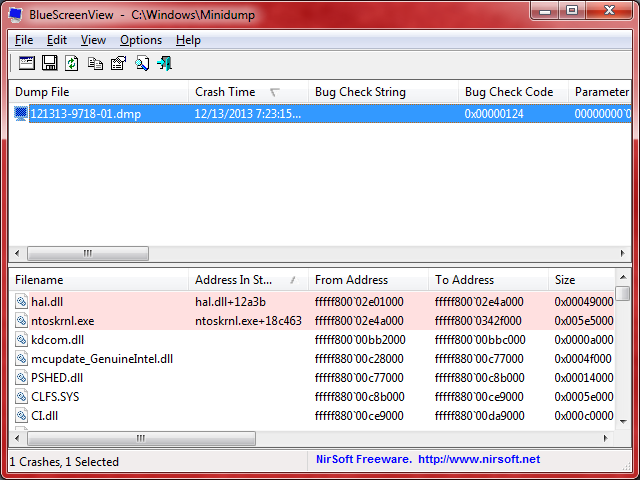
BleepingComputer
BlueScreenView is a fantastic, free, portable application that allows you to easily view minidump files that are created when Windows stops and displays a
wild ibex
Alright will do I’ll let you know what it says
agile cradle
it's not something I can help with fully in regards to bsod
wild ibex
It’s blank nothing is showing
agile cradle
what do you mean nothing happened?
wild ibex
Like it worked just fine the game launched it didn’t blue screen again
deep moth
agile cradle
yes
how do they join?
agile cradle
deep moth
how do they join?
are you trying to use the worldsharing, or self hosting on your pc
deep moth
agile cradle
are you trying to use the worldsharing, or self hosting on your pc
i think worldsharing
agile cradle
!ws
versed mountainBOT
Luna Pixel's World Sharing
Our modpacks don't support any mods that add singleplayer hosting / world sharing because we already provide free world sharing. The 'Essential' mod is therefore incompatible.
To share your world using our own world hosting, click the 'Open to Lan' or 'Share World' button in the game menu when in a singleplayer world, and share the world.
It will give you an address, like magma-cube.mc.lunapixel.gg, which your friends can use to connect directly to your world as if it were a server!
We still highly suggest not to play through LAN as LAN is untested and unreliable. Using it will cause longterm damage to your world.
There is no reason to use LAN, as we support both paid and free methods of hosting a server the normal way.
 agile cradle
you get the address to your friend, they open the game, go to multiplayer, click direct connect, put the address in, and join
deep moth
is my friend suppose to be lagging?
 wet geode
Could some one help me pls
Im using curse forge to run betterminecraft forege v49
Better MC 4 - v49 crashed. The logs have been uploaded to mclo.gs:
- 1.20.1 [FORGE]
- What launcher did you run Minecraft with? (e.g. CurseForge, ATLauncher, MultiMC, ...)
- Have you changed the modpack in any way except mods?
- v49
- Have you ever gotten past the crash condition without crashing, or does the game always crash?
- What steps cause the crash?
latest.log | crash-2025-09-24_18.06.36-client.txt | CurseForge: launcher_log.txt | crash_assistant_app.log | modlist.txt
Mod list changes beyond the modpack:
[2;34mMod list wasn't modified.[0m
 stone mountain
wet geode
Better MC 4 - v49 crashed. The logs have been uploaded to `mclo.gs`:
1. 1.20.1 [...
stone mountain
wet geode
Better MC 4 - v49 crashed. The logs have been uploaded to `mclo.gs`:
1. 1.20.1 [...
!alternates
versed mountainBOT
If this command was run in response to your question/issue, it is likely because switching away from the launcher you are currently using would fix your problem.
From our experience, the most stable launcher by far is ATLauncher, also known as ATL. Keep in mind that ATL is NOT related to TLauncher in any way, and is not a cracked launcher.
To install ATL, do the following:
1. Go to https://atlauncher.com/download. If you are on MacOS, then choose the "Jar" version under the "Other" tab.
2. Install and run the setup, then open the program.
3. Login to your Microsoft account that owns the Java Edition of Minecraft from the Accounts tab on the right. This process is 100% safe, as it goes directly through Microsoft. ATL doesn't see your account credentials.
4. Go to the Packs tab on the right, then click "Curseforge" on the left.
5. Search the modpack you wish to download.
6. Click "Install". Then, follow the on-screen directions.
7. Go to the Instances tab, and click "Play" on the modpack you downloaded. If you ever see an "Update" button on the instance, click it.
This video explains the process: https://youtu.be/xMYW1wMbmkM
To transfer your Curseforge world to ATL, simply right click the modpack on Curseforge, or click the 3 dots, then click "Open Folder". Copy the Saves folder, then click "Open Folder" on ATL and paste the Saves folder there. Do the same with the XaerosMinimap folder, or the Journeymap folder, to transfer over any waypoints you've created.
Because ATL downloads the exact same files as Curseforge does, your world will be the exact same and you will be able to join the same servers. ATL also works without an internet connection (after you've installed the modpack, of course), and does not have any bloat from Overwolf. You are free to uninstall both Overwolf and Curseforge with ATL installed.
 gilded gyro
Anyone know on a BMC Online server where to edit the files to make the Cursed Tombstone respawn faster?
stoic jackal
does anyone have any idea why my flowering azeala flowers are brown
 chilly prairie
why am i getting these ? on neoforge? and thread pools keep getting stuck ?

am i doing somthing worng
 warm glade
Better MC 5 - v38 crashed. The logs have been uploaded to mclo.gs:
- 1.21.1 [NEOFORGE]
- What launcher did you run Minecraft with? (e.g. CurseForge, ATLauncher, MultiMC, ...)
- Have you changed the modpack in any way except mods?
- v38
- Have you ever gotten past the crash condition without crashing, or does the game always crash?
- What steps cause the crash?
latest.log | debug.log | crash-2025-09-24_11.22.39-server.txt | crash-2025-09-24_11.22.42-client.txt | tlauncher_09_24_2025_10_41_05.log | crash_assistant_app.log | modlist.txt
Found [2;34m1[0m log analysis results:
[2;34mOutOfMemoryError[0m in: crash-2025-09-24_11.22.42-client.txt, latest.log, crash-2025-09-24_11.22.39-server.txt
Current memory arguments: Xms: [2;31munknown[0m, Xmx: [2;32m9854M[0m, systemRAM: [2;34m15.7g[0m
Mod list changes beyond the modpack:
[2;32m14[0m added, [2;31m0[0m removed, [2;34m0[0m updated.
.q 478870936284823552 ?r TLauncher
 plucky geodeBOT
Quarantine Result:
 Reason: TLauncher
 Staff: @stone mountain

<:success:660789936651370497> Successful Quarantines

si_ahmad 
<:cancel:660789591900684329> Unsuccessful Quarantines
All users were quarantined!
 undone timber
whos got a 7800x3d, and what render distance are you playing better mc at?
chilly prairie
undone timber
whos got a 7800x3d, and what render distance are you playing better mc at?
Iv got one and I just do standard
 near egret
undone timber
whats a standard
near egret
undone timber
whats a standard
depends on the modpack but 8-12
undone timber
isnt that low
 empty locust
Hello everyone,
i just started hosting a modded better mc3 forge minecraft server and tried spawning the wither in the citadel structure in the nether today which crashed the server. My question is now, how can i get help to diagnose it and which files are needed except the crash-report log file and the latest.log
 scarlet panther
empty locust
Hello everyone,
i just started hosting a modded better mc3 forge minecraft serve...
scarlet panther
empty locust
Hello everyone,
i just started hosting a modded better mc3 forge minecraft serve...
Did crash assistant pop up?
empty locust
nothing really pop up tbh, everything just froze and a minute later the crash could be seen in the commandline window
then i got dc'ed
undone timber
how, what cpu u have, is it on bmc4 1.20.1 forge?
 jovial belfry
undone timber
how, what cpu u have, is it on bmc4 1.20.1 forge?
jovial belfry
undone timber
how, what cpu u have, is it on bmc4 1.20.1 forge?
Yea the latest, I’m on Mac book m2 pro
versed mountainBOT
 undone timber
versed mountain
https://wiki.lunapixel.gg/performance-guide
undone timber
versed mountain
https://wiki.lunapixel.gg/performance-guide
how big of a performance difference does doing these make
what difference does a launcher make, arent they jus for installing mods
undone timber
is this the recipe book mod that is recommended to be disable?

 waxen quartz
anyone knows why jei is not working when playing lan on bmc4? in singleplayer it works fine
stone mountain
undone timber
is this the recipe book mod that is recommended to be disable?
This config option will disable the vanilla recipe book, because it's not the best for modded in many cases
stone mountain
undone timber
do i need to disble on jus the server or clients as well
That's a client side option
undone timber
its in the server folder as well, so disable on both ?
stone mountain
I don't think that this option does anything if you change it on the server side, but feel free to do it, it won't break anything
undone timber
ok
 cold harbor
Better MC 4 - v49 crashed without a crash report. The logs have been uploaded to mclo.gs:
- 1.20.1 [FORGE]
- What launcher did you run Minecraft with? (e.g. CurseForge, ATLauncher, MultiMC, ...)
- Have you changed the modpack in any way except mods?
- v49
- Have you ever gotten past the crash condition without crashing, or does the game always crash?
- What steps cause the crash?
latest.log | CurseForge: launcher_log.txt head / tail (~34k lines) | crash_assistant_app.log | modlist.txt
Mod list changes beyond the modpack:
[2;34mMod list wasn't modified.[0m
``` Help plsI wanted to play because I installed it and it doesn't work because some error pops up
Do I have to use a different launcher for it to work?
obtuse coral
does anyone know how to fix Bisect server crashing? it was fine yesrerday, I didn't realize I accidentally added fabric mods in, so I removed them, and the server still doesn't work
stone mountain
obtuse coral
does anyone know how to fix Bisect server crashing? it was fine yesrerday, I did...
!logs
versed mountainBOT
To better assist with fixing your issue, we will need some logs:
- Curseforge -> Right click the modpack instance -> „Open Folder”.
- ATLauncher -> Click „Open Folder” on the modpack instance.
- MultiMC -> Select your instance and click „Instance Folder” on the right.
- PrismLauncher -> Select your instance and click „Folder” on the right.
- For servers -> Open the folder containing your server files.
To find the „latest.log” file, navigate to the 'logs' folder.
To find the „hs_err_pid.log” file, simply look for the file name after opening the instance folder.
To find a crash report, navigate to the „crash-reports” folder and find the most recent file after your crash occurred.
Once located, please upload the requested file here. If it fails, upload to https://mclo.gs/ and share the link here.
stone mountain
cold harbor
Better MC 4 - v49 crashed without a crash report. The logs have been uploaded to...
!alternates
versed mountainBOT
If this command was run in response to your question/issue, it is likely because switching away from the launcher you are currently using would fix your problem.
From our experience, the most stable launcher by far is ATLauncher, also known as ATL. Keep in mind that ATL is NOT related to TLauncher in any way, and is not a cracked launcher.
To install ATL, do the following:
1. Go to https://atlauncher.com/download. If you are on MacOS, then choose the "Jar" version under the "Other" tab.
2. Install and run the setup, then open the program.
3. Login to your Microsoft account that owns the Java Edition of Minecraft from the Accounts tab on the right. This process is 100% safe, as it goes directly through Microsoft. ATL doesn't see your account credentials.
4. Go to the Packs tab on the right, then click "Curseforge" on the left.
5. Search the modpack you wish to download.
6. Click "Install". Then, follow the on-screen directions.
7. Go to the Instances tab, and click "Play" on the modpack you downloaded. If you ever see an "Update" button on the instance, click it.
This video explains the process: https://youtu.be/xMYW1wMbmkM
To transfer your Curseforge world to ATL, simply right click the modpack on Curseforge, or click the 3 dots, then click "Open Folder". Copy the Saves folder, then click "Open Folder" on ATL and paste the Saves folder there. Do the same with the XaerosMinimap folder, or the Journeymap folder, to transfer over any waypoints you've created.
Because ATL downloads the exact same files as Curseforge does, your world will be the exact same and you will be able to join the same servers. ATL also works without an internet connection (after you've installed the modpack, of course), and does not have any bloat from Overwolf. You are free to uninstall both Overwolf and Curseforge with ATL installed.
stone mountain
Seems like your installation failed, which does happen with the Curseforge app
ATLauncher is much more stable in that regard
 covert sky
i cannot get the start.ps1 file to open with powershell. i’ve tried the troubleshooting steps in the Luna video (run powershell as admin and do remotesigned + the unblock command). still crashes immediately
for setting up a server for friends ^
the error message before closing says it’s not digitally signed
stone mountain
!powershell
versed mountainBOT
This is hopefully no longer needed. Please use start.bat to launch the servers instead
An update to windows introduced a new security feature that prevents powershell files from running on your PC. This is great for your security, but not so great for our server start scripts, which require powershell to run them. Fortunately there is a quick fix for this!
Run powershell as administrator, then run Set-ExecutionPolicy RemoteSigned. Read the prompt and press accept. This will allow us to run scripts.
Next, navigate to your server directory using cd path/to/directory (for example: cd C:UsersUsernameDocumentsMinecraftServer)
You can now run the server by double-clicking the start.ps1 file, or typing .start.ps1 into the command line while in the directory.
IF THE ABOVE DOES NOT WORK, TRY THIS
Run the command Unblock-File -Path .start.ps1 in the same powershell window. This will allow the start script to not be blocked by windows, and run freely.
If all else fails, a manual installation should work:
FORGE 1.16.5: https://www.youtube.com/watch?v=bIjisWyxU-8
FORGE 1.18.2: https://www.youtube.com/watch?v=R610M102X0U
FORGE 1.19.2: https://www.youtube.com/watch?v=3HD0ibIpO-A
FABRIC: https://www.youtube.com/watch?v=b2W1Xb7nLKo
Make sure to Install the Server in our ServerPacks so it can use the correct files.
obtuse coral
stone mountain
!logs
wispy trailBOT
obtuse coral
Uploaded latest.log from @obtuse coral to mclogs: https://mclo.gs/aOTqNP4
stone mountain
obtuse coral
Does this mean anything to you?
Seems like some config file was edited incorrectly, or got corrupted
obtuse coral
I don't understand what it means, I saw that and thought it was odd, but that's my username
oh wait
stone mountain
Maybe you pasted it accidentally into some config file?
obtuse coral
possibly, I may know what
stone mountain
You could make a world backup, and reinstall the pack
Or find the config file and fix it
obtuse coral
new log
wispy trailBOT
obtuse coral
new log
Uploaded latest_1.log from @obtuse coral to mclogs: https://mclo.gs/IxlnvSI
obtuse coral
fixed the config, now it says something about mods, but they weren't like that yesterday
I have connector, continuity, and fabric already from the pack
it launches fine without the server
not sure what it wants

 dreamy raft
hey every time i tab out of better mc it js crashes
sweet spade
!ca
versed mountainBOT
dreamy raft
Better MC 4 - v49 crashed. The logs have been uploaded to mclo.gs:
- 1.20.1 [FORGE]
- What launcher did you run Minecraft with? (e.g. CurseForge, ATLauncher, MultiMC, ...) curseforge
- Have you changed the modpack in any way except mods? i dont think so
- v49 yes
- Have you ever gotten past the crash condition without crashing, or does the game always crash? the game will crash if i do an accidental windows screenshot, tab out windows button, anything that doesn't have the game in primary use really
- What steps cause the crash? tabbing out of the game
latest.log | hs_err_pid3824.log | crash_assistant_app.log | modlist.txt | win_event1758729863217.txt | CurseForge: skip launcher
# Problematic frame:
# C  [nvapi64.dll+0x2c2029]
Mod list changes beyond the modpack:
[2;32m7[0m added, [2;31m0[0m removed, [2;34m7[0m updated.
nvapi64.dll is Nvidia Driver. So you need to reinstall, update or rollback your drivers
 hollow cobalt
I'm asking again if I can find my world on Better MC somewhere, even though it was deleted. From the beginning, I wanted to play MC Better on Curseforge. I launch it, click singleplayer, and it says something, something, something, can't load the worlds. I look in the files. The worlds are there. I go to Curseforge, click repair errors, and everything reloads. I look in the game files, and my saves are gone. I haven't looked in the game yet, but since the worlds aren't in the files, they're also gone. Is there anything I can do to recover them, or is it all over?
leaden hemlock
can someone help me by telling me how to change the allocated memory on a hosted server?
right now its at 4g and i wanted to increase it to 8g
 late ingot
I need some help im playing on bmc5 and when i got more than 2 people in my world using the lunapixel share world system it just lags out so much for them and disconnects them
sweet spade
leaden hemlock
can someone help me by telling me how to change the allocated memory on a hosted...
variables.txt
sweet spade
late ingot
I need some help im playing on bmc5 and when i got more than 2 people in my worl...
world sharing isnt really built for more than 2-3 people at a time, id recommend looking into self hosting a dedicated server on your pc as an alternate free method
!server
versed mountainBOT
Free Method
To host a server on your own computer, read the selfhosting guide.
This guide goes over how to install, create, and launch a free Minecraft server on all operating systems (MacOS, Linux and Windows). The guide also guides you through installing Java and optimizing your server for better performance.
If you are installing one of our older modpacks, ignore the "README" file that is included in the serverpack files, as they have outdated information.
Paid Method
We suggest renting a server from Bisect Hosting:
Approx. $10 - $25 a month depending on what plan you choose. You can also get 25% off with Code LunaPixel.
Go here and order a plan which fits you. We suggest 1GB per player but nothing lower than 4GB as the server needs at least 3GB to run.
Go to #server-hosting for more Info!
The following advice works for both the Free and Paid methods:
Transferring Your World
If you're playing Singleplayer and want to transfer your world to your server, simply go to your modpack files and navigate to the saves folder. Inside of this folder, you will see your world saves. Rename your desired world save to world. You can then transfer this folder to your server files. If your world was hosted via world sharing, this process has to be done by the person who would click "Share World".
Fixing Lag
To resolve lag issues, simply run the !tps command in #bots and follow the directions provided.
leaden hemlock
is there a way to generate a new world for your minecraft server?
late ingot
sweet spade
world sharing isnt really built for more than 2-3 people at a time, id recommend...
how would i import my current world to the server tho
and how do i even like get an serverpack
im on modrinth idk how to export it to be an serverpack
 opaque marsh
Hi guys im trying to host a server off my PC but my powershell stops loading at a certain point and jsut doesnt do anything.
sweet spade
late ingot
how would i import my current world to the server tho
so in order of your questions
a. the command i ran tells you as such at the bottom
b. on the curseforge site, click on the latest ver, and itll be under additional files
c. modrinth isnt currently supported, i will run a command explaining why
!modrinth
versed mountainBOT
Currently LPS packs are not being updated on the Modrinth site, and as such are outdated. This is while the devs figure out a way to automate uploads of the pack properly.
Until the packs can be properly updated, we recommend using ATL (use !alternates in #bots for further info on the installation process ) or Prism launcher. You can download the CurseForge version of our packs on these launchers while still being able to make instances from Modrinth versions of other packs not owned by us.
Please note this does not apply to individual mod projects of developers at LPS.
late ingot
wait are my worlds fucked now if i import them to a like newer version of bmc5?
late ingot
well nice i mean atlauncher looks like ass so imma have to try to convince them to switch loll
thanks for the help 🙏
sweet spade
late ingot
well nice i mean atlauncher looks like ass so imma have to try to convince them ...
u could try prism too
 cosmic kernel
worthy prism
<@214585554543575040> As you can see, I've got the latest one installed, we just...
cosmic kernel
worthy prism
<@214585554543575040> As you can see, I've got the latest one installed, we just...
@viral garden hi i am the recipe book/jei bugged guy. So i tried updating the just enough breeding but when i put it in the modfolder (removing the old one) i got this error when i logged in a multiplayer server - io.netty.handle.codec.encoderexception: java.io.UTFDataFormatexception: malformed input around byte 75 - . I then uninstalled the bettermc and reinstalled it and nothing changed. I also dont understand what you meant when you said mod client and serverside. Thx you are saving my life by helping me this really helps me a lot 🫶🏽
edit: also the jei recipes dont work
 tiny mural
Hey guys, we've added Croptopia to our BMC 5 server and its working, however, crops are not spawning anywhere for some reason. Trees and salt ore are spawning fine, but crops are nowhere to be seen. Is there something we have to adjust?
placid vortex
Hey not sure if this is the place to post this since I dont see a channel for Neoforge, but the menu for resource packs is not there. Is this intended or how do I fix this? This is for BMC5

 west zephyr
can someone tell me what is the best better minecraft? bmc 1, 2, 3, 4 or the last one ?
sweet spade
west zephyr
can someone tell me what is the best better minecraft? bmc 1, 2, 3, 4 or the las...
!best
versed mountainBOT
There is no best, it's based on preference. What's best is to try it out yourself as what you like may be something someone else dislikes.
 lament lynx
Am I an idiot or am I going about the backpack shelves all wrong. Right click on it with backpack equipped does nothing. Backpack empty or with items doesn’t change anything
 dusky nymph
Hey guys! Has someone figured out how to fix the recipe book/JEI bug?
lament lynx
I think it’s the shield giving the shelves difficulty? But any input would be appreciated
 solid horizon
Heyyy.. got a question for yall. my router restarted and gave out different ip addresses, any idea on how to get my wifes Xaeros map progress back to her? we're running a local server on my pc if that helps
yes if you host it on your own
sweet spade
!server
versed mountainBOT
Free Method
To host a server on your own computer, read the selfhosting guide.
This guide goes over how to install, create, and launch a free Minecraft server on all operating systems (MacOS, Linux and Windows). The guide also guides you through installing Java and optimizing your server for better performance.
If you are installing one of our older modpacks, ignore the "README" file that is included in the serverpack files, as they have outdated information.
Paid Method
We suggest renting a server from Bisect Hosting:
Approx. $10 - $25 a month depending on what plan you choose. You can also get 25% off with Code LunaPixel.
Go here and order a plan which fits you. We suggest 1GB per player but nothing lower than 4GB as the server needs at least 3GB to run.
Go to #server-hosting for more Info!
The following advice works for both the Free and Paid methods:
Transferring Your World
If you're playing Singleplayer and want to transfer your world to your server, simply go to your modpack files and navigate to the saves folder. Inside of this folder, you will see your world saves. Rename your desired world save to world. You can then transfer this folder to your server files. If your world was hosted via world sharing, this process has to be done by the person who would click "Share World".
Fixing Lag
To resolve lag issues, simply run the !tps command in #bots and follow the directions provided.
 mellow nymph
i want to disable seasons within the newest version of better-mc on forge, do i disable SereneSeasons and if i do will it affect something else within the game?
fleet pendant
Is building a trading post worth it in better minecraft 😮
im new to MC mdos in general and me and my duo buddy or sorta lost
on like things to do lol
cause theres just so much yea know
or somthing with villiagers lmao
 gray plank
I have a genuine gameplay question. is netherite iron better than netherie? I assume it is, but my game is saying it ahs slower mining speed. is this true?
 brave mirage
Better MC 5 - v39 crashed without a crash report. The logs have been uploaded to mclo.gs:
- 1.21.1 [NEOFORGE]
- What launcher did you run Minecraft with? (e.g. CurseForge, ATLauncher, MultiMC, ...)
- Have you changed the modpack in any way except mods?
- v39
- Have you ever gotten past the crash condition without crashing, or does the game always crash?
- What steps cause the crash?
latest.log | debug.log | win_event1758763724489.txt | CurseForge: launcher_log.txt | crash_assistant_app.log | modlist.txt
Mod list changes beyond the modpack:
[2;34mMod list wasn't modified.[0m
 dim meteor
why does the modpack not let you check crafting recipes if your on a share world?
wild ibex
is there a tutorial for this mod there is alot of things and i dont understand many things
sweet spade
read the questbook
 covert walrus
 wild ibex
sweet spade
read the questbook
wild ibex
sweet spade
read the questbook
where is it
covert walrus
fish
sweet spade
wild ibex
where is it
top left of your inventory when its open
 little cave
@sweet spade since you saw the chat in other sever do you have a solution for us because nothing me and @dim meteor does is working?
sweet spade
chloe would know better but u could see if just sending him the world save file works for him to host it but idk if its recommended to do that
agile cradle
wild ibex
it drops to 150
!fps
versed mountainBOT
 dire gulch
Where you ever able to fix this?????
 whole plume
Hi, how to delete the When Dungeons Arise mod without causing a game crash? Or at least disable its structures
I’ve tried to disable When Dungeons Arise mod and lootintegration_wda mod in a Prism Launcher. It causes a crash at the end of the new world generation
Minecraft version 1.21.1
Prism Launcher
BMC5 [NEOFORGE] 1.21.1 v39
sweet spade
whole plume
Hi, how to delete the When Dungeons Arise mod without causing a game crash? Or a...
in your instance folder
configs > paxi > datapacks
remove
lessstructures-spacingtweak
WDA-NoFlyingStructures
WDA-VanillaLoot
whole plume
sweet spade
in your instance folder
configs > paxi > datapacks
remove
lessstructures-spa...
Ok, thanks I'll try this
 trail dove
Hi me and my wife are trying to play the better Mc with a bisect server and we also tried direct connection without a server and my game keeps crashing and saying (internal exception java.net.socketexception connection reset) and im not sure why or how to fix it
 lucid ivy
Is there a fix for these overlapping buttons on the main menu? It looks like the Modpack Info button is covering up the Single Player button. I'm using v18 of the pack
 agile cradle
lucid ivy
Is there a fix for these overlapping buttons on the main menu? It looks like the...
agile cradle
lucid ivy
Is there a fix for these overlapping buttons on the main menu? It looks like the...
that's not our pack
lucid ivy
agile cradle
that's not our pack
ah sorry, meant to post in medieval MC
agile cradle
lucid ivy
ah sorry, meant to post in medieval MC
that's not mmc either
it'd say mmc on the front, with the logo
lucid ivy
agile cradle
it'd say mmc on the front, with the logo
not sure what to tell ya. I installed MMC5 directly from the AT launcher, and this is how it came configured out of the box
agile cradle
lucid ivy
not sure what to tell ya. I installed MMC5 directly from the AT launcher, and t...
is it the modrinth version or curseforge
lucid ivy
agile cradle
is it the modrinth version or curseforge
not sure how to tell from ATL
agile cradle
Cause modrinth is very outdated and just not supported anymore currently
green or orange logo when you installed
 lucid ivy
agile cradle
green or orange logo when you installed
lucid ivy
agile cradle
green or orange logo when you installed
hmm - once its installed, it doesn't show either icon.
agile cradle
lucid ivy
hmm - once its installed, it doesn't show either icon.
delete the one you have installed, and go into the curseforge tab on atlauncher to download the pack.
!modrinth
versed mountainBOT
Currently LPS packs are not being updated on the Modrinth site, and as such are outdated. This is while the devs figure out a way to automate uploads of the pack properly.
Until the packs can be properly updated, we recommend using ATL (use !alternates in #bots for further info on the installation process ) or Prism launcher. You can download the CurseForge version of our packs on these launchers while still being able to make instances from Modrinth versions of other packs not owned by us.
Please note this does not apply to individual mod projects of developers at LPS.
lucid ivy
agile cradle
delete the one you have installed, and go into the curseforge tab on atlauncher ...
ah yeah it is the modrinth version as per the 'visit website' link. Thanks!

 agile girder
what is the mod that allows you to hide armor?
 terse pivot
how can i put my java args in the BMC? is there any folder/cmd that i need to do?
undone timber
is loot not different for each player in better mc forge? im running self host
 shell yacht
Hey, got this crash rn, dont know what to do, + im scared my hours in it are gone :(

 chrome kiln
bruh i cant damage this guy

can anyone help me
how to defeat this
i already half his health but after that i cant hit him anymore
nvm figured it out
i cant beat this guy
help me
chrome kiln
 shell yacht
guys, i think he did it
sweet spade
obtuse coral
This is with the proton shaders on MacOS. Is there a fix for this?
spme shader packs just dont work on mac hardware
sweet spade
shell yacht
Hey, got this crash rn, dont know what to do, + im scared my hours in it are gon...
update foolproof mod
 vivid thunder
Better MC 4 - v48 crashed without a crash report. The logs have been uploaded to mclo.gs:
1.20.1 [FORGE],
What launcher did you run Minecraft with? (e.g. CurseForge, ATLauncher, MultiMC, ...),
Have you changed the modpack in any way except mods?,
v48,
Have you ever gotten past the crash condition without crashing, or does the game always crash?,
What steps cause the crash?,
latest.log | CurseForge: launcher_log.txt | crash_assistant_app.log | modlist.txt,
Found 1 log analysis results:
DuplicatedMods in: latest.log
Mod list changes beyond the modpack:,
336 added, 2 removed, 17 updated.
[10:31]
i need help, I combined two mod packs, Bettercraft and Beyond Depth. Could you tell me which mods to remove from Beyond Depth so that it doesn't crash?
[10:31]
please
shell yacht
sweet spade
update foolproof mod
it worked, thank you!
Though, idk why i had to download the Version that is already in the Folder for Better MC, but i guess it works <3
 sweet spade
shell yacht
it worked, thank you!
Though, idk why i had to download the Version that is alre...
sweet spade
shell yacht
it worked, thank you!
Though, idk why i had to download the Version that is alre...
because its an updated ver
 cunning star
Why can’t I install the Essential mod to play with my friends? I don’t really feel like paying 120 dollars a month just to play…
 opal arch
I added forgematica to the modpack and everytime I load a schematic the world crashes
And I can't join anymore
sweet spade
cunning star
Why can’t I install the Essential mod to play with my friends? I don’t really fe...
!ea
versed mountainBOT
The Essential mod is completely incompatible with all of our modpacks, and there's no reason to use it. All of our modpacks already come with built-in, free world hosting, by clicking the "Share World' button in the Open to LAN menu. You can learn more by typing !ws in the #bots channel. You can also run type !server in the same channel to learn how to properly host a server for better performance and more flexibility. In modpacks that aren't owned by us, you can use mods such as e4mc or WorldHost to host a server completely for free without Essential's many issues and crashes and the microtransactions that they constantly bother users with. To learn more about alternatives to the Essential mod, check out this website.
sweet spade
opal arch
I added forgematica to the modpack and everytime I load a schematic the world cr...
then the mod isnt compatible
cunning star
sweet spade
!ea
Thank you for your help
 lament lynx
Are there any shaders to avoid with the better Minecraft mod pack? Not sure if all or none are safe and rather not find out the hard way
 pallid edge
Better MC 3 - v37 crashed. The logs have been uploaded to mclo.gs:
- 1.21.1 [FABRIC]
- What launcher did you run Minecraft with? (e.g. CurseForge, ATLauncher, MultiMC, ...)
Curse Forge 3. Have you changed the modpack in any way except mods? No, i have never do that - v37
- Have you ever gotten past the crash condition without crashing, or does the game always crash? Always Crash
- What steps cause the crash? i just clicked right button of my mouse on the parrot
latest.log | crash-2025-09-25_17.53.12-client.txt | crash_assistant_app.log | modlist.txt | CurseForge: skip launcher
Mod list changes beyond the modpack:
[2;34mMod list wasn't modified.[0m
may someone help me?
 glossy anchor
how can i fix this?
 tiny mural
Hey guys, we've added Croptopia to our BMC 5 server and its working, however, crops are not spawning anywhere for some reason. Trees and salt ore are spawning fine, but crops are nowhere to be seen. Is there something we have to adjust?
stone mountain
pallid edge
Better MC 3 - v37 crashed. The logs have been uploaded to `mclo.gs`:
1. 1.21.1 [...
Seems like the game is crashing because you have a parrot on your shoulder. You'll have to edit it out using some NBT editor
pallid edge
Thx, How i can do that?
stone mountain
There are some guides on YouTube that explain the topic
glossy anchor
stone mountain
There are some guides on YouTube that explain the topic
do you know anything about my problem?
sweet spade
pallid edge
Better MC 3 - v37 crashed. The logs have been uploaded to `mclo.gs`:
1. 1.21.1 [...
try updating ETF mod
stone mountain
glossy anchor
do you know anything about my problem?
Nope, Luna service is not my strong side. Might be too busy now
sweet spade
if its not alr latest
sweet spade
glossy anchor
how can i fix this?
what modpack n ver of it are you on
glossy anchor
sweet spade
what modpack n ver of it are you on
im using Better MC, version 1.21.1
 sterile venture
How would I give friends on my BMC5 server perms like /home or /back
sweet spade
sterile venture
How would I give friends on my BMC5 server perms like /home or /back
youd have to add ftb essentials server side for commands like that
sterile venture
Aight ty
sweet spade
glossy anchor
im using Better MC, version 1.21.1
i need the modpack ver # and which bmc youre on not the game ver
glossy anchor
BMC3 and VErsion 29.5 i think
versed mountainBOT
To properly update the modpack you're playing, it depends on the launcher you are using. This video can explains it on CurseForge launcher, and the same method can be used on other launchers as well, but it's not necessary to use this method on others.
-
CurseForge - See above video
-
PrismLauncher -> Select your instance, and click "Edit" on the right. the 3rd tab down will say "CurseForge", click on it, and there will be a dropdown menu, if not already selected, the latest version of the pack will be at the top of it. click "Update Pack". Sometimes there will be new mods to manually download due to liscensing issues, click "Open Missing" and it will automatically download and checked, and copied to the instance folder. It's safe to delete these mods in your downloads folder once done. Once all are detected, the "Open Missing" will be grayed out. You can click 'Continue" at this point, and it will finish the update process and tell you when its successful.
-
ATLauncher - Under the "Instances" tab, find the pack you would like to update. there will be an "Update" button. There will be a dropdown menu, and if not already selected, the latest version of the pack will be at the top of it to select. Click "Update" once selected. Sometimes there will be new mods to manually download due to licensing issues, click "Open Missing" and it will automatically download and checked, and copied to the instance folder. It's safe to delete these mods in your downloads folder once done. Once all are detected, You can click "OK ", and it will finish the update process.
glossy anchor
oh okk, thanks
 pine hound
Better MC 4 - v49 crashed. The logs have been uploaded to mclo.gs:
- 1.20.1 [FORGE]
- What launcher did you run Minecraft with? (e.g. CurseForge, ATLauncher, MultiMC, ...) {Curseforge}
- Have you changed the modpack in any way except mods? {Nope}
- v49
- Have you ever gotten past the crash condition without crashing, or does the game always crash? {Gotten past in the past, as of today its always crashes now}
- What steps cause the crash? {launching the game}
latest.log | crash-2025-09-25_12.03.37-client.txt | CurseForge: launcher_log.txt | crash_assistant_app.log | modlist.txt
Mod list changes beyond the modpack:
[2;34mMod list wasn't modified.[0m
i hope i got the right info needed, this is all i know 😅
pallid edge
sweet spade
try updating ETF mod
Thank you bro, it is work, appreciate this
sweet spade
happened to my friend in a dif pack lmao
 verbal fractal
yo, it is possible to move worlds from bmc4 version 27,5 to 47? I tried putting the old save file in but that crashes minecraft
sweet spade
verbal fractal
yo, it is possible to move worlds from bmc4 version 27,5 to 47? I tried putting ...
well the latest ver is 49 but that is a big jump yes and problems could occur, its possible, but it would require more info to diagnose it
!ca
versed mountainBOT
verbal fractal
alr
 spring cloak
Better MC 4 - v49 crashed. The logs have been uploaded to mclo.gs:
- 1.20.1 [FORGE]
2.ATlauncher - Nope
- v49
- Yes, i added customizable player models to spice up the gameplay
- launching the game
latest.log | crash-2025-09-25_20.09.28-client.txt | atlauncher.log | crash_assistant_app.log | modlist.txt
Mod list changes beyond the modpack:
Added mods:
[2;32mCustomPlayerModels-1.20-0.6.24a.jar[0m
[2;32mlootr-forge-1.20-0.7.35.93.jar[0m
the latest ver for bmc1 is v62 update to that
 gilded ore
i use v50 beceuse of the mod in v50
and i dont haved the bug
but now i have this bug
sweet spade
i have no clue what you mean by the mod in v50 but we dont support outdated vers of the pack
!outdated
versed mountainBOT
You seem to be using an older version of the modpack! Updates often fix issues, and yours might already be fixed, so please try again with the latest version of the modpack to see if the issue persists or not.
late ingot
my friend is lagging like crazy on my selfhosted server but both our internet connections seem to be fine any way to try to debug or fix it?
 keen shoal
Better MC 4 - v49 crashed. The logs have been uploaded to mclo.gs:
- 1.20.1 [FORGE]
- What launcher did you run Minecraft with? (e.g. CurseForge, ATLauncher, MultiMC, ...)
- Have you changed the modpack in any way except mods?
- v49
- Have you ever gotten past the crash condition without crashing, or does the game always crash?
- What steps cause the crash?
latest.log | crash-2025-09-25_20.58.25-client.txt | CurseForge: launcher_log.txt | crash_assistant_app.log | modlist.txt
Mod list changes beyond the modpack:
[2;34mMod list wasn't modified.[0m
- CurseForge
- No
late ingot
late ingot
my friend is lagging like crazy on my selfhosted server but both our internet co...
keen shoal
- first time it happenedd
- idk
The game crashed: unexpected error
Error: java.util.ConcurrentModificationException: null
late ingot
late ingot
my friend is lagging like crazy on my selfhosted server but both our internet co...
i thought that maybe its cuz he was connecting to "skeleton-observer.eu.mc.lunapixel.gg" for example and not the direct ip of mine but idk as he cant connect to my direct ip idk what to change help lol
 signal epoch
- What Minecraft version are you using? 1.20.1
- What launcher did you run Minecraft with? CurseForge
- Have you changed the modpack in any way? I added a bunch of mods
- What version of the modpack are you using? v49
- Have you ever gotten past the crash condition without crashing, or does the game always crash? The game always crashes.
- What steps cause the crash? Clicking play and wating for the singleplayer/multiplayer/main screen to load
 viral garden
!alternates
versed mountainBOT
If this command was run in response to your question/issue, it is likely because switching away from the launcher you are currently using would fix your problem.
From our experience, the most stable launcher by far is ATLauncher, also known as ATL. Keep in mind that ATL is NOT related to TLauncher in any way, and is not a cracked launcher.
To install ATL, do the following:
1. Go to https://atlauncher.com/download. If you are on MacOS, then choose the "Jar" version under the "Other" tab.
2. Install and run the setup, then open the program.
3. Login to your Microsoft account that owns the Java Edition of Minecraft from the Accounts tab on the right. This process is 100% safe, as it goes directly through Microsoft. ATL doesn't see your account credentials.
4. Go to the Packs tab on the right, then click "Curseforge" on the left.
5. Search the modpack you wish to download.
6. Click "Install". Then, follow the on-screen directions.
7. Go to the Instances tab, and click "Play" on the modpack you downloaded. If you ever see an "Update" button on the instance, click it.
This video explains the process: https://youtu.be/xMYW1wMbmkM
To transfer your Curseforge world to ATL, simply right click the modpack on Curseforge, or click the 3 dots, then click "Open Folder". Copy the Saves folder, then click "Open Folder" on ATL and paste the Saves folder there. Do the same with the XaerosMinimap folder, or the Journeymap folder, to transfer over any waypoints you've created.
Because ATL downloads the exact same files as Curseforge does, your world will be the exact same and you will be able to join the same servers. ATL also works without an internet connection (after you've installed the modpack, of course), and does not have any bloat from Overwolf. You are free to uninstall both Overwolf and Curseforge with ATL installed.
viral garden
v44 is VERY old. please update to v50
no, the instances tab in the launcher itself
!modified
versed mountainBOT
You are using a modified version of the modpack!
Adding, removing, or updating large amounts of mods without testing any of your changes is **not **a good idea, and it is very unlikely that anyone will want to debug your issue for you. Please test the changes you make in small groups, as opposed to doing all of the changes at once.
If you want further support for your issue, someone may respond to you in the channel for the modpack you based your changes off, but please only post once. You may also have better luck in #1061339968691257466.
viral garden
!ca
versed mountainBOT
signal epoch
@viral garden can u pls help me 1. What Minecraft version are you using? 1.20.1
2. What launcher did you run Minecraft with? CurseForge
3. Have you changed the modpack in any way? I added a bunch of mods
4. What version of the modpack are you using? v49
5. Have you ever gotten past the crash condition without crashing, or does the game always crash? The game always crashes.
6. What steps cause the crash? Clicking play and wating for the singleplayer/multiplayer/main screen to load i think the problem is the better end mod
viral garden
cosmic kernel
<@726509826557083680> hi i am the recipe book/jei bugged guy. So i tried install...
update the pack to v50
hollow cobalt
viral garden
no, the instances tab in the launcher itself
what wait ok
gilded ore
gilded ore
hi i have some sound problem
for my problem i think it ok
viral garden
placid vortex
Hey not sure if this is the place to post this since I dont see a channel for Ne...
!alternates you did not install correctly
versed mountainBOT
If this command was run in response to your question/issue, it is likely because switching away from the launcher you are currently using would fix your problem.
From our experience, the most stable launcher by far is ATLauncher, also known as ATL. Keep in mind that ATL is NOT related to TLauncher in any way, and is not a cracked launcher.
To install ATL, do the following:
1. Go to https://atlauncher.com/download. If you are on MacOS, then choose the "Jar" version under the "Other" tab.
2. Install and run the setup, then open the program.
3. Login to your Microsoft account that owns the Java Edition of Minecraft from the Accounts tab on the right. This process is 100% safe, as it goes directly through Microsoft. ATL doesn't see your account credentials.
4. Go to the Packs tab on the right, then click "Curseforge" on the left.
5. Search the modpack you wish to download.
6. Click "Install". Then, follow the on-screen directions.
7. Go to the Instances tab, and click "Play" on the modpack you downloaded. If you ever see an "Update" button on the instance, click it.
This video explains the process: https://youtu.be/xMYW1wMbmkM
To transfer your Curseforge world to ATL, simply right click the modpack on Curseforge, or click the 3 dots, then click "Open Folder". Copy the Saves folder, then click "Open Folder" on ATL and paste the Saves folder there. Do the same with the XaerosMinimap folder, or the Journeymap folder, to transfer over any waypoints you've created.
Because ATL downloads the exact same files as Curseforge does, your world will be the exact same and you will be able to join the same servers. ATL also works without an internet connection (after you've installed the modpack, of course), and does not have any bloat from Overwolf. You are free to uninstall both Overwolf and Curseforge with ATL installed.
 covert tree
i was playing with my friend and she started to have connection errors and my game started to say there is an error at luna when i try to host the world
does anybody know why
 wanton heart

 covert tree
@leaden wagon can you help me please or do you know why
hollow cobalt
viral garden
no, the instances tab in the launcher itself
play tab or instalations or something else in this because there is no instances tab

XD
sweet spade
covert tree
<@299747390888345600> can you help me please or do you know why
please don't ping staff randonly
sweet spade
hollow cobalt
play tab or instalations or something else in this because there is no instances...
in the cf launcher not the vanilla one
 faint kindle
ok
sweet spade
faint kindle
ok
what ver of the pack are you on
faint kindle
bmc 5
sweet spade
no what ver of bmc5 😭
 versed mountainBOT
To better assist with fixing your issue, we will need some logs:
- Curseforge -> Right click the modpack instance -> „Open Folder”.
- ATLauncher -> Click „Open Folder” on the modpack instance.
- MultiMC -> Select your instance and click „Instance Folder” on the right.
- PrismLauncher -> Select your instance and click „Folder” on the right.
- For servers -> Open the folder containing your server files.
To find the „latest.log” file, navigate to the 'logs' folder.
To find the „hs_err_pid.log” file, simply look for the file name after opening the instance folder.
To find a crash report, navigate to the „crash-reports” folder and find the most recent file after your crash occurred.
Once located, please upload the requested file here. If it fails, upload to https://mclo.gs/ and share the link here.
hollow cobalt
but thers only one instances wich is folder
 faint kindle
sweet spade
alright can you send your latest.log after reproducing the issue
faint kindle
sweet spade
alright can you send your latest.log after reproducing the issue
i cant find it
hollow cobalt
i search everywhere and i cant find something else about instances
faint kindle
hollow cobalt
i search everywhere and i cant find something else about instances
me too
sweet spade
the instances tab is just where all the packs you have is
faint kindle
thiz?
 sweet spade
no 😭
faint kindle
i deleted it 💀
sweet spade

 wicked zodiac
Hello, I am wondering why my wheat and other foods aren't growing. They are not in season but I am growing them in a "green house". In the same patch of plants some will grow and others will stay at 0%. The dirt is not dry and they have room to grow upwards. Any help would be greatly appreciated 🙂
faint kindle
recovered
sweet spade
this place in the cf launcher
faint kindle
ye and then what?
hollow cobalt
 faint kindle
r clck
sweet spade
faint kindle
ye and then what?
right click and olen folder yes following the instructions from here #better-mc-forge message
hollow cobalt
and i use better mc 1.20.1
faint kindle
i dunno what to click
 faint kindle
 sweet spade
send the latest one yes
 viral garden
chilly prairie
why am i getting these ? on neoforge? and thread pools keep getting stuck ?
viral garden
chilly prairie
why am i getting these ? on neoforge? and thread pools keep getting stuck ?
none of these errors mean anything, ignore it
viral garden
waxen quartz
anyone knows why jei is not working when playing lan on bmc4? in singleplayer it...
update to v50
viral garden
cold harbor
Better MC 4 - v49 crashed without a crash report. The logs have been uploaded to...
update to v50
sweet spade
faint kindle
no, drag and drop the "latest" file into discord
faint kindle
wispy trailBOT
faint kindle
Uploaded latest.log from @faint kindle to mclogs: https://mclo.gs/JGzwLSX
sweet spade
thank you, it will be looked into, for now we recommend self hosting a dedicated server on your pc as an alternate free method
!server
versed mountainBOT
Free Method
To host a server on your own computer, read the selfhosting guide.
This guide goes over how to install, create, and launch a free Minecraft server on all operating systems (MacOS, Linux and Windows). The guide also guides you through installing Java and optimizing your server for better performance.
If you are installing one of our older modpacks, ignore the "README" file that is included in the serverpack files, as they have outdated information.
Paid Method
We suggest renting a server from Bisect Hosting:
Approx. $10 - $25 a month depending on what plan you choose. You can also get 25% off with Code LunaPixel.
Go here and order a plan which fits you. We suggest 1GB per player but nothing lower than 4GB as the server needs at least 3GB to run.
Go to #server-hosting for more Info!
The following advice works for both the Free and Paid methods:
Transferring Your World
If you're playing Singleplayer and want to transfer your world to your server, simply go to your modpack files and navigate to the saves folder. Inside of this folder, you will see your world saves. Rename your desired world save to world. You can then transfer this folder to your server files. If your world was hosted via world sharing, this process has to be done by the person who would click "Share World".
Fixing Lag
To resolve lag issues, simply run the !tps command in #bots and follow the directions provided.
faint kindle
sweet spade
thank you, it will be looked into, for now we recommend self hosting a dedicated...
gonna wake up tommorow cause i dont know how to do that dedicated stuff i already triedd it. thank u have a good night/day
 undone mantle
Whats new in bmc4 v50?
sweet spade
undone mantle
Whats new in bmc4 v50?
read the changelog and find out #announcements
sweet spade
faint kindle
gonna wake up tommorow cause i dont know how to do that dedicated stuff i alread...
we have a full guide for it
wild ibex
The bettermc fabric has better performance
sweet spade
well yes fabric has slightly better performance as a modloader that is known
 twilit lantern
Will Eldritch end be replaced?
lament lynx
Are there any shaders to avoid with the better Minecraft mod pack? Not sure if all or none are safe and rather not find out the hard way. Was wanting to add a more dynamic lighting style to my builds
near egret
lament lynx
Are there any shaders to avoid with the better Minecraft mod pack? Not sure if a...
there are too many shaders in curseforge to make a complete list but like
any of the popular ones should work fine
there is a dynamic light mod that comes with the pack already so you can try disabling that
iirc it disables itself when shaders are enabled but not sure
lament lynx
near egret
iirc it disables itself when shaders are enabled but not sure
Complimentary unbound shouldn’t be an issue I’d assume
sweet spade
 outer rapids
The Forge Config API Port mod does not work on Neoforge!
outer rapids
The Forge Config API Port mod does not work on Neoforge!
forgi config api port is for mod developing, if you are using it for that purpose, ask in #fuzs-projects
 keen solar
will the new update affect worlds that have eldritch end previously?
 formal basin
Hey, I updated our server from v48 -> v49 and everything worked fine. But when I updated from v49 -> v50, the server won’t start and it doesn’t even create a latest.log.
I’m using CurseForge and when I copy the link to the hosting, it downloads BMC4_FORGE_1.20.1_Server_Pack_v19 instead of BMC4_FORGE_1.20.1_v48/49 like before.
Could you help me figure out what’s going on or give me suggestions on what I should send to help debug this?
Is it possible that when I use "Copy Link" in the CurseForge app, it gives me a different link than before? Because now I can’t select versions v48/v49. It just says server_pack_v19.
signal epoch
- What Minecraft version are you using? 1.20.1
What launcher did you run Minecraft with? CurseForge
Have you changed the modpack in any way? I added a bunch of mods
What version of the modpack are you using? v49
Have you ever gotten past the crash condition without crashing, or does the game always crash? The game always crashes.
What steps cause the crash? Clicking play and wating for the singleplayer/multiplayer/main screen to loadBetter MC 4 - v50 crashed. The logs have been uploaded tomclo.gs: - 1.20.1 [FORGE]
- What launcher did you run Minecraft with? (e.g. CurseForge, ATLauncher, MultiMC, ...)
- Have you changed the modpack in any way except mods?
- v50
- Have you ever gotten past the crash condition without crashing, or does the game always crash?
- What steps cause the crash?
latest.log | crash-2025-09-25_17.12.23-client.txt | CurseForge: launcher_log.txt | crash_assistant_app.log | modlist.txt
Mod list changes beyond the modpack:
[2;32m130[0m added, [2;31m0[0m removed, [2;34m16[0m updated.
can someone please help me 😭
sweet spade
formal basin
Hey, I updated our server from v48 -> v49 and everything worked fine. But when I...
download the server pack from the cf site
sweet spade
signal epoch
1. What Minecraft version are you using? 1.20.1
What launcher did you run M...
!modified
versed mountainBOT
You are using a modified version of the modpack!
Adding, removing, or updating large amounts of mods without testing any of your changes is **not **a good idea, and it is very unlikely that anyone will want to debug your issue for you. Please test the changes you make in small groups, as opposed to doing all of the changes at once.
If you want further support for your issue, someone may respond to you in the channel for the modpack you based your changes off, but please only post once. You may also have better luck in #1061339968691257466.
signal epoch
sweet spade
!modified
ok thx
willow stream
hey, may i ask - who is drake? :P
 sweet spade
no one relating to lps so either someone relating to whatever mod adds that or if you're playing on a server something someone put themselves
formal basin
sweet spade
download the server pack from the cf site
Thank you. somehow i fixed it without downloading server pack. Now i would like to ask if there is some mod for /home and /tpa i can add. On v48 i used ftb-essentials but thats not more working on v49
sweet spade
idk why it wouldnt be working on v49 idk of any other mods like it no, it mightve gotten overwritten in the update maybe
viral garden
cosmic kernel
<@726509826557083680> hi i am the recipe book/jei bugged guy. So i tried updati...
update to v50
viral garden
placid vortex
Hey not sure if this is the place to post this since I dont see a channel for Ne...
you didnt install correctly
viral garden
solid horizon
Heyyy.. got a question for yall. my router restarted and gave out different ip a...
check the xaeros minimap folder in the modpack files, and i think there also might be a migrate option with xaeros
viral garden
mellow nymph
i want to disable seasons within the newest version of better-mc on forge, do i ...
i'd recommend configuring serene seasons instead of removing but yes you can just delete it
 mild haven
how we can update server to v50 if there's no server pack at customforge site?
sweet spade
mild haven
how we can update server to v50 if there's no server pack at customforge site?
serverpacks have to be manually approved, itll be up within a day
mild haven
oh okay
gray plank
I have a genuine gameplay question. is netherite iron better than netherie? I assume it is, but my game is saying it ahs slower mining speed. is this true?
sweet spade
!updatemodpack
versed mountainBOT
To properly update the modpack you're playing, it depends on the launcher you are using. This video can explains it on CurseForge launcher, and the same method can be used on other launchers as well, but it's not necessary to use this method on others.
-
CurseForge - See above video
-
PrismLauncher -> Select your instance, and click "Edit" on the right. the 3rd tab down will say "CurseForge", click on it, and there will be a dropdown menu, if not already selected, the latest version of the pack will be at the top of it. click "Update Pack". Sometimes there will be new mods to manually download due to liscensing issues, click "Open Missing" and it will automatically download and checked, and copied to the instance folder. It's safe to delete these mods in your downloads folder once done. Once all are detected, the "Open Missing" will be grayed out. You can click 'Continue" at this point, and it will finish the update process and tell you when its successful.
-
ATLauncher - Under the "Instances" tab, find the pack you would like to update. there will be an "Update" button. There will be a dropdown menu, and if not already selected, the latest version of the pack will be at the top of it to select. Click "Update" once selected. Sometimes there will be new mods to manually download due to licensing issues, click "Open Missing" and it will automatically download and checked, and copied to the instance folder. It's safe to delete these mods in your downloads folder once done. Once all are detected, You can click "OK ", and it will finish the update process.
plucky geodeBOT
Quarantine Result:
Reason: TLauncher.
Moderator: @scarlet panther
Quarantined:

 fuckhexanax [
822899736226430976]
 zealous stirrup
what better mc forge version is the best to play
agile cradle
zealous stirrup
what better mc forge version is the best to play
!best
versed mountainBOT
There is no best, it's based on preference. What's best is to try it out yourself as what you like may be something someone else dislikes.
agile cradle
all of em have backpack mods
 lean halo
Better MC 4 - v49 crashed. The logs have been uploaded to mclo.gs:
- 1.20.1 [FORGE]
- What launcher did you run Minecraft with? minecraft launcher
- Have you changed the modpack in any way except mods? no
- v49
- Have you ever gotten past the crash condition without crashing, or does the game always crash? no
- What steps cause the crash? just hitting the play button
latest.log | crash-2025-09-25_17.56.25-client.txt | CurseForge: launcher_log.txt | crash_assistant_app.log | modlist.txt
Mod list changes beyond the modpack:
Added mods:
[2;32msophisticatedbackpacks-1.19.2-3.20.2.1035.jar[0m
[2;32msophisticatedcore-1.19.2-0.6.4.730.jar[0m
any help?
zealous stirrup
agile cradle
all of em have backpack mods
ok thank
viral garden
dim meteor
why does the modpack not let you check crafting recipes if your on a share world...
update to v50
viral garden
brave mirage
Better MC 5 - v39 crashed without a crash report. The logs have been uploaded to...
!alternates
versed mountainBOT
If this command was run in response to your question/issue, it is likely because switching away from the launcher you are currently using would fix your problem.
From our experience, the most stable launcher by far is ATLauncher, also known as ATL. Keep in mind that ATL is NOT related to TLauncher in any way, and is not a cracked launcher.
To install ATL, do the following:
1. Go to https://atlauncher.com/download. If you are on MacOS, then choose the "Jar" version under the "Other" tab.
2. Install and run the setup, then open the program.
3. Login to your Microsoft account that owns the Java Edition of Minecraft from the Accounts tab on the right. This process is 100% safe, as it goes directly through Microsoft. ATL doesn't see your account credentials.
4. Go to the Packs tab on the right, then click "Curseforge" on the left.
5. Search the modpack you wish to download.
6. Click "Install". Then, follow the on-screen directions.
7. Go to the Instances tab, and click "Play" on the modpack you downloaded. If you ever see an "Update" button on the instance, click it.
This video explains the process: https://youtu.be/xMYW1wMbmkM
To transfer your Curseforge world to ATL, simply right click the modpack on Curseforge, or click the 3 dots, then click "Open Folder". Copy the Saves folder, then click "Open Folder" on ATL and paste the Saves folder there. Do the same with the XaerosMinimap folder, or the Journeymap folder, to transfer over any waypoints you've created.
Because ATL downloads the exact same files as Curseforge does, your world will be the exact same and you will be able to join the same servers. ATL also works without an internet connection (after you've installed the modpack, of course), and does not have any bloat from Overwolf. You are free to uninstall both Overwolf and Curseforge with ATL installed.
viral garden
dire gulch
Where you ever able to fix this?????
it was fixed in the latest version of the modpack
viral garden
trail dove
Hi me and my wife are trying to play the better Mc with a bisect server and we a...
contact bisect support
viral garden
obtuse coral
This is with the proton shaders on MacOS. Is there a fix for this?
proton shaders dont come with the modpack so this is not something we have anything to do with this
viral garden
terse pivot
how can i put my java args in the BMC? is there any folder/cmd that i need to do...
Please follow the performance guide to improve your game performance, as this is likely to resolve your issue.
viral garden
undone timber
is loot not different for each player in better mc forge? im running self host
no, its not
viral garden
shell yacht
Hey, got this crash rn, dont know what to do, + im scared my hours in it are gon...
what modpack and modpack version are you on
viral garden
vivid thunder
Better MC 4 - v48 crashed without a crash report. The logs have been uploaded to...
!modified
versed mountainBOT
You are using a modified version of the modpack!
Adding, removing, or updating large amounts of mods without testing any of your changes is **not **a good idea, and it is very unlikely that anyone will want to debug your issue for you. Please test the changes you make in small groups, as opposed to doing all of the changes at once.
If you want further support for your issue, someone may respond to you in the channel for the modpack you based your changes off, but please only post once. You may also have better luck in #1061339968691257466.
viral garden
 chilly gorge
!alternates
versed mountainBOT
If this command was run in response to your question/issue, it is likely because switching away from the launcher you are currently using would fix your problem.
From our experience, the most stable launcher by far is ATLauncher, also known as ATL. Keep in mind that ATL is NOT related to TLauncher in any way, and is not a cracked launcher.
To install ATL, do the following:
1. Go to https://atlauncher.com/download. If you are on MacOS, then choose the "Jar" version under the "Other" tab.
2. Install and run the setup, then open the program.
3. Login to your Microsoft account that owns the Java Edition of Minecraft from the Accounts tab on the right. This process is 100% safe, as it goes directly through Microsoft. ATL doesn't see your account credentials.
4. Go to the Packs tab on the right, then click "Curseforge" on the left.
5. Search the modpack you wish to download.
6. Click "Install". Then, follow the on-screen directions.
7. Go to the Instances tab, and click "Play" on the modpack you downloaded. If you ever see an "Update" button on the instance, click it.
This video explains the process: https://youtu.be/xMYW1wMbmkM
To transfer your Curseforge world to ATL, simply right click the modpack on Curseforge, or click the 3 dots, then click "Open Folder". Copy the Saves folder, then click "Open Folder" on ATL and paste the Saves folder there. Do the same with the XaerosMinimap folder, or the Journeymap folder, to transfer over any waypoints you've created.
Because ATL downloads the exact same files as Curseforge does, your world will be the exact same and you will be able to join the same servers. ATL also works without an internet connection (after you've installed the modpack, of course), and does not have any bloat from Overwolf. You are free to uninstall both Overwolf and Curseforge with ATL installed.
viral garden
lament lynx
Are there any shaders to avoid with the better Minecraft mod pack? Not sure if a...
why would any be "unsafe"?
lament lynx
viral garden
why would any be "unsafe"?
I’m not the most tech savvy guy, but I wasn’t sure if they would interfere with any mods. I know shaders aren’t necessarily game changing mods, more visual but never hurts to ask the people more knowledgeable 
viral garden
pallid edge
Better MC 3 - v37 crashed. The logs have been uploaded to `mclo.gs`:
1. 1.21.1 [...
!outdated
versed mountainBOT
You seem to be using an older version of the modpack! Updates often fix issues, and yours might already be fixed, so please try again with the latest version of the modpack to see if the issue persists or not.
viral garden
pine hound
Better MC 4 - v49 crashed. The logs have been uploaded to `mclo.gs`:
1. 1.20.1 [...
update to v50
viral garden
spring cloak
Better MC 4 - v49 crashed. The logs have been uploaded to `mclo.gs`:
1. 1.20.1 [...
!modified
versed mountainBOT
You are using a modified version of the modpack!
Adding, removing, or updating large amounts of mods without testing any of your changes is **not **a good idea, and it is very unlikely that anyone will want to debug your issue for you. Please test the changes you make in small groups, as opposed to doing all of the changes at once.
If you want further support for your issue, someone may respond to you in the channel for the modpack you based your changes off, but please only post once. You may also have better luck in #1061339968691257466.
viral garden
keen shoal
Better MC 4 - v49 crashed. The logs have been uploaded to `mclo.gs`:
1. 1.20.1 [...
update to v50
viral garden
signal epoch
1. What Minecraft version are you using? 1.20.1
2. What launcher did you ru...
!modified
versed mountainBOT
You are using a modified version of the modpack!
Adding, removing, or updating large amounts of mods without testing any of your changes is **not **a good idea, and it is very unlikely that anyone will want to debug your issue for you. Please test the changes you make in small groups, as opposed to doing all of the changes at once.
If you want further support for your issue, someone may respond to you in the channel for the modpack you based your changes off, but please only post once. You may also have better luck in #1061339968691257466.
viral garden
signal epoch
<@726509826557083680> can u pls help me 1. What Minecraft version are you using...
update to v50
viral garden
covert tree
i was playing with my friend and she started to have connection errors and my ga...
what modpack and modpack version are you on
viral garden
hollow cobalt
but thers only one instances wich is folder
no, you open curseforge and take a screenshot
its not that difficult
viral garden
hollow cobalt
did you intend to have two different modpacks here
what modpack was your world you wanted on]
viral garden
twilit lantern
Will Eldritch end be replaced?
theres nothing to replace it with
viral garden
lament lynx
Are there any shaders to avoid with the better Minecraft mod pack? Not sure if a...
they're all safe, and the pack comes with several built-in
viral garden
outer rapids
The Forge Config API Port mod does not work on Neoforge!
what
viral garden
keen solar
will the new update affect worlds that have eldritch end previously?
its safe to update
viral garden
formal basin
Hey, I updated our server from v48 -> v49 and everything worked fine. But when I...
it may be because theres no v50 serverpack yet, just give it a bit
viral garden
signal epoch
1. What Minecraft version are you using? 1.20.1
What launcher did you run M...
!modified
versed mountainBOT
You are using a modified version of the modpack!
Adding, removing, or updating large amounts of mods without testing any of your changes is **not **a good idea, and it is very unlikely that anyone will want to debug your issue for you. Please test the changes you make in small groups, as opposed to doing all of the changes at once.
If you want further support for your issue, someone may respond to you in the channel for the modpack you based your changes off, but please only post once. You may also have better luck in #1061339968691257466.
viral garden
gray plank
I have a genuine gameplay question. is netherite iron better than netherie? I as...
compare the tooltips
viral garden
lean halo
Better MC 4 - v49 crashed. The logs have been uploaded to `mclo.gs`:
1. 1.20.1 [...
update to v50
 broken hatch
for some reason the items in JEI have disappeared and it tells me to search to find items
i want to see all of them
sweet spade
broken hatch
for some reason the items in JEI have disappeared and it tells me to search to f...
distraction free recipes config
just note it can create lag due to it trying to load all recipes at once
viral garden
broken hatch
for some reason the items in JEI have disappeared and it tells me to search to f...
click show items
the large button
in the inventory
that says show
solid horizon
has anyone used VR for BMC4?
 umbral hound
hey guys this is a really stupid question. But where can i find the server pack download for Better MC?
solid horizon
are you using curseforge launcher?
umbral hound
solid horizon
are you using curseforge launcher?
nah i'm on the curseforge site
agile cradle
umbral hound
hey guys this is a really stupid question. But where can i find the server pack ...
may not be approved yet, curse takes its sweet time on it
umbral hound
agile cradle
may not be approved yet, curse takes its sweet time on it
wait does that mean there's no Better MC servers out there?
i've been out of the modded MC game awhile, i'm just trying to stand up a server real quick for my brother and his gf to play on
agile cradle
There are, it's just that curse takes an extra day or two to approve the serverpacks comparted to client side
considering the pack just updated today
umbral hound
i don't mind an older version if it lets me stand up something tonight
am i supposed to be seeing a "server" tab on the curseforge download page or something?
agile cradle
all you have to do is go to the versions tab, click on the latest one, go to additional files, and it'll show up there
at least for LPS packs the +1 at the end means the serverpack is available
umbral hound
AHHHHHHHH there we go
you're the fucking bomb
now i gotta figure out how to throw this on a Linux container
agile cradle
!server
versed mountainBOT
Free Method
To host a server on your own computer, read the selfhosting guide.
This guide goes over how to install, create, and launch a free Minecraft server on all operating systems (MacOS, Linux and Windows). The guide also guides you through installing Java and optimizing your server for better performance.
If you are installing one of our older modpacks, ignore the "README" file that is included in the serverpack files, as they have outdated information.
Paid Method
We suggest renting a server from Bisect Hosting:
Approx. $10 - $25 a month depending on what plan you choose. You can also get 25% off with Code LunaPixel.
Go here and order a plan which fits you. We suggest 1GB per player but nothing lower than 4GB as the server needs at least 3GB to run.
Go to #server-hosting for more Info!
The following advice works for both the Free and Paid methods:
Transferring Your World
If you're playing Singleplayer and want to transfer your world to your server, simply go to your modpack files and navigate to the saves folder. Inside of this folder, you will see your world saves. Rename your desired world save to world. You can then transfer this folder to your server files. If your world was hosted via world sharing, this process has to be done by the person who would click "Share World".
Fixing Lag
To resolve lag issues, simply run the !tps command in #bots and follow the directions provided.
umbral hound
i love u
umbral hound
the Github doesn't have any install instructions for GraalVM. am i just extracting the tar ball, and then pointing my PATH to the extracted directory?
viral garden
umbral hound
the Github doesn't have any install instructions for GraalVM. am i just extracti...
it does have install instructions
broken hatch
is there a trough item or some other thing that animals can eat from themselves and breed
 worn bobcat
Better MC 4 - v50 crashed. The logs have been uploaded to mclo.gs:
- 1.20.1 [FORGE]
- What launcher did you run Minecraft with? Curseforge
- Have you changed the modpack in any way except mods? I updated it from v47 to v50
- v50
- Have you ever gotten past the crash condition without crashing, or does the game always crash? Nope, its just crashing everytime after I updated to version 50
- What steps cause the crash?
latest.log | crash-2025-09-25_21.35.53-client.txt | CurseForge: launcher_log.txt | crash_assistant_app.log | modlist.txt
Mod list changes beyond the modpack:
Added mods:
[2;32mastemirlib-1.20.1-1.25.jar[0m
[2;32mcreate-1.20.1-6.0.4.jar[0m
[2;32mfossil-forge-1.20.1-9.1.7.1-alpha.jar[0m
[2;32mmorehitboxes-forge-1.20.1-1.9.1.jar[0m
Updated mods:
[2;34mcrabbersdelight[0m ([2;31m1.2.0[0m > [2;32m1.2.0[0m)
help plz
viral garden
worn bobcat
Better MC 4 - v50 crashed. The logs have been uploaded to `mclo.gs`:
1. 1.20.1 [...
!modified
versed mountainBOT
You are using a modified version of the modpack!
Adding, removing, or updating large amounts of mods without testing any of your changes is **not **a good idea, and it is very unlikely that anyone will want to debug your issue for you. Please test the changes you make in small groups, as opposed to doing all of the changes at once.
If you want further support for your issue, someone may respond to you in the channel for the modpack you based your changes off, but please only post once. You may also have better luck in #1061339968691257466.

 round crypt
viral garden
round crypt
viral garden
Greedy Goblin
 quiet roost
What level of shaders based on the new pack system was it running? I have mine on High with all my old settings and my FPS isn't the same
Reverting back to V49 fixed it but a shame I can't explore the new version without a lower fps somehow
@copper kite I don't have a server m8, just play by myself but the Dev+admin linked the servers tab you can join one from there
plucky geodeBOT
Ban Result:
Reason: trolling dont bother appealing
Moderator: @sweet spade
Banned:
greedy.goblin_ [521401172423344150]
twilit lantern
viral garden
theres nothing to replace it with
Ohh, have you looked at ends phantasm?
viral garden
quiet roost
What level of shaders based on the new pack system was it running? I have mine o...
like the very lowest lol
you're lagging because you basically went from the low preset to the high
there's multiple presets for a reason, you can try them out and see what gives good performance
going back to v49 isn't a solution at all, it wouldn't change anything
it's still the same shader pack
quiet roost
So lower the preset of the new shader system more? Going back a version reverts it to the pre-change of V50 which introduced the new shader system
viral garden
quiet roost
So lower the preset of the new shader system more? Going back a version reverts ...
its still the same shaders
each name is just different settings
you literally just need to use the Low or Medium preset lol
in v49 it was just one single shaderpack on low settings
 severe grove
so i tried downloading essential mod so i can have a free server but it said lunapixal already offers one but i cant seem to find it
viral garden
severe grove
so i tried downloading essential mod so i can have a free server but it said lun...
!ea
versed mountainBOT
The Essential mod is completely incompatible with all of our modpacks, and there's no reason to use it. All of our modpacks already come with built-in, free world hosting, by clicking the "Share World' button in the Open to LAN menu. You can learn more by typing !ws in the #bots channel. You can also run type !server in the same channel to learn how to properly host a server for better performance and more flexibility. In modpacks that aren't owned by us, you can use mods such as e4mc or WorldHost to host a server completely for free without Essential's many issues and crashes and the microtransactions that they constantly bother users with. To learn more about alternatives to the Essential mod, check out this website.
viral garden
severe grove
i couldnt find where the share world button is
!ws
versed mountainBOT
Luna Pixel's World Sharing
Our modpacks don't support any mods that add singleplayer hosting / world sharing because we already provide free world sharing. The 'Essential' mod is therefore incompatible.
To share your world using our own world hosting, click the 'Open to Lan' or 'Share World' button in the game menu when in a singleplayer world, and share the world.
It will give you an address, like magma-cube.mc.lunapixel.gg, which your friends can use to connect directly to your world as if it were a server!
We still highly suggest not to play through LAN as LAN is untested and unreliable. Using it will cause longterm damage to your world.
There is no reason to use LAN, as we support both paid and free methods of hosting a server the normal way.
severe grove
oh ok thank you
ok now when my friend tries to join he gets an error
and it says this
 viral garden
severe grove
and it says this
viral garden
severe grove
and it says this
!server host a server on your own pc instead, its being looked into
versed mountainBOT
Free Method
To host a server on your own computer, read the selfhosting guide.
This guide goes over how to install, create, and launch a free Minecraft server on all operating systems (MacOS, Linux and Windows). The guide also guides you through installing Java and optimizing your server for better performance.
If you are installing one of our older modpacks, ignore the "README" file that is included in the serverpack files, as they have outdated information.
Paid Method
We suggest renting a server from Bisect Hosting:
Approx. $10 - $25 a month depending on what plan you choose. You can also get 25% off with Code LunaPixel.
Go here and order a plan which fits you. We suggest 1GB per player but nothing lower than 4GB as the server needs at least 3GB to run.
Go to #server-hosting for more Info!
The following advice works for both the Free and Paid methods:
Transferring Your World
If you're playing Singleplayer and want to transfer your world to your server, simply go to your modpack files and navigate to the saves folder. Inside of this folder, you will see your world saves. Rename your desired world save to world. You can then transfer this folder to your server files. If your world was hosted via world sharing, this process has to be done by the person who would click "Share World".
Fixing Lag
To resolve lag issues, simply run the !tps command in #bots and follow the directions provided.
 subtle fable
hey, I'm fairly new to modded mc and decided to download the modpack for betterMC forge with the addition of a bunch of other mods to enhance it. but after building the modpack my game crashes with exit code -1 and without a crash report. Better MC 4 - v50 crashed without a crash report. The logs have been uploaded to mclo.gs:
- 1.20.1 [FORGE]
- What launcher did you run Minecraft with? CurseForge
- Have you changed the modpack in any way except mods? Added mods no other changes.
- v50 (47.4.9)
- Have you ever gotten past the crash condition without crashing, or does the game always crash? Cant load into game, always crashes.
- What steps cause the crash? starting the game.
latest.log | CurseForge: launcher_log.txt | crash_assistant_app.log | modlist.txt | win_event1758864617284.txt
Mod list changes beyond the modpack:
[2;32m116[0m added, [2;31m8[0m removed, [2;34m3[0m updated.
!modified
versed mountainBOT
You are using a modified version of the modpack!
Adding, removing, or updating large amounts of mods without testing any of your changes is **not **a good idea, and it is very unlikely that anyone will want to debug your issue for you. Please test the changes you make in small groups, as opposed to doing all of the changes at once.
If you want further support for your issue, someone may respond to you in the channel for the modpack you based your changes off, but please only post once. You may also have better luck in #1061339968691257466.
undone timber
viral garden
no, its not
can i add a mod that makes it different? or will it crash
stone mountain
undone timber
can i add a mod that makes it different? or will it crash
You should be able to add Lootr to the pack, and I doubt it will crash
 fervent sentinel
anyone know if theres a glitch where you cant see the crafting recipes in the search at all
 frosty sorrel
i cant get my friends to join my free server hosting? what do i do i put in the right ip address
stone mountain
!alternates
versed mountainBOT
If this command was run in response to your question/issue, it is likely because switching away from the launcher you are currently using would fix your problem.
From our experience, the most stable launcher by far is ATLauncher, also known as ATL. Keep in mind that ATL is NOT related to TLauncher in any way, and is not a cracked launcher.
To install ATL, do the following:
1. Go to https://atlauncher.com/download. If you are on MacOS, then choose the "Jar" version under the "Other" tab.
2. Install and run the setup, then open the program.
3. Login to your Microsoft account that owns the Java Edition of Minecraft from the Accounts tab on the right. This process is 100% safe, as it goes directly through Microsoft. ATL doesn't see your account credentials.
4. Go to the Packs tab on the right, then click "Curseforge" on the left.
5. Search the modpack you wish to download.
6. Click "Install". Then, follow the on-screen directions.
7. Go to the Instances tab, and click "Play" on the modpack you downloaded. If you ever see an "Update" button on the instance, click it.
This video explains the process: https://youtu.be/xMYW1wMbmkM
To transfer your Curseforge world to ATL, simply right click the modpack on Curseforge, or click the 3 dots, then click "Open Folder". Copy the Saves folder, then click "Open Folder" on ATL and paste the Saves folder there. Do the same with the XaerosMinimap folder, or the Journeymap folder, to transfer over any waypoints you've created.
Because ATL downloads the exact same files as Curseforge does, your world will be the exact same and you will be able to join the same servers. ATL also works without an internet connection (after you've installed the modpack, of course), and does not have any bloat from Overwolf. You are free to uninstall both Overwolf and Curseforge with ATL installed.
stone mountain
frosty sorrel
i cant get my friends to join my free server hosting? what do i do i put in the ...
!ws
versed mountainBOT
Luna Pixel's World Sharing
Our modpacks don't support any mods that add singleplayer hosting / world sharing because we already provide free world sharing. The 'Essential' mod is therefore incompatible.
To share your world using our own world hosting, click the 'Open to Lan' or 'Share World' button in the game menu when in a singleplayer world, and share the world.
It will give you an address, like magma-cube.mc.lunapixel.gg, which your friends can use to connect directly to your world as if it were a server!
We still highly suggest not to play through LAN as LAN is untested and unreliable. Using it will cause longterm damage to your world.
There is no reason to use LAN, as we support both paid and free methods of hosting a server the normal way.
 scarlet sonnet
So is finding the necklace of the desert impossible or am I doing something wrg
 misty hornet
hello i was looking to get some help with a crash im having on my BMC5 server each time i kill an animal with a bow it crashes im using 1.21.1 BMC5 v39. i use curseforge
i did add a few mods
wispy trailBOT
misty hornet
hello i was looking to get some help with a crash im having on my BMC5 server ea...
Uploaded crash-2025-09-26_05.48.05-client.txt from @misty hornet to mclogs: https://mclo.gs/rIwwCte
stone mountain
misty hornet
hello i was looking to get some help with a crash im having on my BMC5 server ea...
!ca
versed mountainBOT
stone mountain
Please post following that format
stone mountain
.q 793318764598788126 ?r Legacy
plucky geodeBOT
Quarantine Result:
Reason: Legacy
Staff: @stone mountain
<:success:660789936651370497> Successful Quarantines
zalouu
<:cancel:660789591900684329> Unsuccessful Quarantines
All users were quarantined!
 winged fern
can anyone help
Better MC 4 - <BCC config file not found> crashed. The logs have been uploaded to mclo.gs:
- 1.20.1 [FORGE]
- What launcher did you run Minecraft with? (e.g. CurseForge, ATLauncher, MultiMC, ...) cureseforge
- Have you changed the modpack in any way except mods?no
- <BCC config file not found>idk
- Have you ever gotten past the crash condition without crashing, or does the game always crash?no
- What steps cause the crash?starting game
latest.log | crash-2025-09-26_14.03.26-fml.txt | CurseForge: launcher_log.txt | crash_assistant_app.log | modlist.txt
Found [2;34m2[0m log analysis results:
[2;34mMissingUnsupportedDependencies[0m in: latest.log
[2;34mLanguageProviderMismatch[0m in: crash-2025-09-26_14.03.26-fml.txt
Mod list changes beyond the modpack:
[2;32m0[0m added, [2;31m92[0m removed, [2;34m0[0m updated.
help pls
faint kindle
sweet spade
we have a full guide for it
im back did you find anything?
stone mountain
winged fern
Better MC 4 - <BCC config file not found> crashed. The logs have been uploaded t...
!alternates
versed mountainBOT
If this command was run in response to your question/issue, it is likely because switching away from the launcher you are currently using would fix your problem.
From our experience, the most stable launcher by far is ATLauncher, also known as ATL. Keep in mind that ATL is NOT related to TLauncher in any way, and is not a cracked launcher.
To install ATL, do the following:
1. Go to https://atlauncher.com/download. If you are on MacOS, then choose the "Jar" version under the "Other" tab.
2. Install and run the setup, then open the program.
3. Login to your Microsoft account that owns the Java Edition of Minecraft from the Accounts tab on the right. This process is 100% safe, as it goes directly through Microsoft. ATL doesn't see your account credentials.
4. Go to the Packs tab on the right, then click "Curseforge" on the left.
5. Search the modpack you wish to download.
6. Click "Install". Then, follow the on-screen directions.
7. Go to the Instances tab, and click "Play" on the modpack you downloaded. If you ever see an "Update" button on the instance, click it.
This video explains the process: https://youtu.be/xMYW1wMbmkM
To transfer your Curseforge world to ATL, simply right click the modpack on Curseforge, or click the 3 dots, then click "Open Folder". Copy the Saves folder, then click "Open Folder" on ATL and paste the Saves folder there. Do the same with the XaerosMinimap folder, or the Journeymap folder, to transfer over any waypoints you've created.
Because ATL downloads the exact same files as Curseforge does, your world will be the exact same and you will be able to join the same servers. ATL also works without an internet connection (after you've installed the modpack, of course), and does not have any bloat from Overwolf. You are free to uninstall both Overwolf and Curseforge with ATL installed.
stone mountain
Given the config missing errors in your own messages suggests Curseforge broke the install
winged fern
stone mountain
Given the config missing errors in your own messages suggests Curseforge broke t...
i change version it works now i think
 chilly violet
Better MC 4 - v46 crashed. The logs have been uploaded to mclo.gs:
- 1.20.1 [FORGE]
- What launcher did you run Minecraft with? (e.g. CurseForge, ATLauncher, MultiMC, ...)
- Have you changed the modpack in any way except mods?
- v46
- Have you ever gotten past the crash condition without crashing, or does the game always crash?
- What steps cause the crash?
latest.log | hs_err_pid44948.log | CurseForge: launcher_log.txt head / tail (~11MB & ~49k lines) | crash_assistant_app.log | modlist.txt | i9-14900k can be reason of crash
# Problematic frame:
# j  java.util.ArrayList.add(Ljava/lang/Object;[Ljava/lang/Object;I)V+14 java.base@17.0.15
Mod list changes beyond the modpack:
[2;34mMod list wasn't modified.[0m
keeps crashinf
stone mountain
chilly violet
Better MC 4 - v46 crashed. The logs have been uploaded to `mclo.gs`:
1. 1.20.1 [...
Why you allocated 23GB to the pack? It's way too much
Give it like 8 - 10, not more
stone mountain
!alternates
versed mountainBOT
If this command was run in response to your question/issue, it is likely because switching away from the launcher you are currently using would fix your problem.
From our experience, the most stable launcher by far is ATLauncher, also known as ATL. Keep in mind that ATL is NOT related to TLauncher in any way, and is not a cracked launcher.
To install ATL, do the following:
1. Go to https://atlauncher.com/download. If you are on MacOS, then choose the "Jar" version under the "Other" tab.
2. Install and run the setup, then open the program.
3. Login to your Microsoft account that owns the Java Edition of Minecraft from the Accounts tab on the right. This process is 100% safe, as it goes directly through Microsoft. ATL doesn't see your account credentials.
4. Go to the Packs tab on the right, then click "Curseforge" on the left.
5. Search the modpack you wish to download.
6. Click "Install". Then, follow the on-screen directions.
7. Go to the Instances tab, and click "Play" on the modpack you downloaded. If you ever see an "Update" button on the instance, click it.
This video explains the process: https://youtu.be/xMYW1wMbmkM
To transfer your Curseforge world to ATL, simply right click the modpack on Curseforge, or click the 3 dots, then click "Open Folder". Copy the Saves folder, then click "Open Folder" on ATL and paste the Saves folder there. Do the same with the XaerosMinimap folder, or the Journeymap folder, to transfer over any waypoints you've created.
Because ATL downloads the exact same files as Curseforge does, your world will be the exact same and you will be able to join the same servers. ATL also works without an internet connection (after you've installed the modpack, of course), and does not have any bloat from Overwolf. You are free to uninstall both Overwolf and Curseforge with ATL installed.
stone mountain
Try this then
chilly violet
is there an other fix
is the proplem with my i9
i dont struggle with performance i can play eeverything eccept this mc modpack?
stone mountain
chilly violet
is there an other fix
That's one of the better fixes for many problems
ATLauncher is really stable, while Curseforge seems to struggle
undone timber
is there a mod for 1.20.1 forge better mc which shows health bar for all entities which doesnt cause crashes or anytjhig
 grand gate
Is it possible to put bmc5 into 1.20.1 instead of 1.21.1
stone mountain
grand gate
Is it possible to put bmc5 into 1.20.1 instead of 1.21.1
No, it's not possible
You can play BMC4, which is on 1.20.1 Forge
grand gate
I realized there’s like, not as much mods or stuff in bmc5
grand gate
stone mountain
You can play BMC4, which is on 1.20.1 Forge
Could I transfer my world to bmc4? Like make a back up or smt and add it there
 modern wraith
chilly violet
made it this high to fix it
modern wraith
chilly violet
made it this high to fix it
if its memoryleaking giving it more ram wont fix it
only delay it
lOL
grand gate
stone mountain
No, technically those are two separate modpacks
😞
Thank u for the help
 supple hearth
Hey, do you have a tutorial for update a old server config BMC4 for the latest please ? (On debian)
mild haven
Hey, after update my server to BMC4 v50 (Forge, 1.20.1) my mob spawners (XP Farm) not working, there is a flame animation but no mob has been spawned. How can I repair it?
 normal loom
Anyone having issues saying the selected data packs kept the world from loading with the new update?
I have a TON of added mods so it literally could just be that
Just wondering
 gleaming pebble
I m banned from the sever someone can help me please
normal loom
Big oof
gleaming pebble
i didnt do anything
normal loom
Still big oof lol
viral garden
fervent sentinel
anyone know if theres a glitch where you cant see the crafting recipes in the se...
update to v50
normal loom
Weird
normal loom
Imma just stay on v49
sweet spade
gleaming pebble
it says Im banned by operator
we do not host anything relating to servers that is a personal issue we cannot help with at all
sweet spade
we have literally no control over whatever that is
normal loom
Best I can say is do some Google research as to how to whitelist people on a server
But I'm just a man
normal loom
 normal loom
gleaming pebble
who is the operator
normal loom
gleaming pebble
who is the operator
The person who owns the server
sweet spade
the operator is someone who has admin permissions on a server yes
which we have literally no control over whatever server this is
normal loom
Lol
gleaming pebble
me and my friend got kicked and 2 people connected to the server after
normal loom
You may have gotten hacked ngl
normal loom
That's what it sounds like
gleaming pebble
assasin :/
gleaming pebble
all our progression is lost
sweet spade
sucks for u lps literally cannot do anything abt that
normal loom
You said only 3 people can join correct?
sweet spade
dont get banned next time idrk
gleaming pebble
okay that you all anyway
normal loom
What is that?
gleaming pebble
PLW Gang is the severs name
gleaming pebble
public
normal loom
Ok
gleaming pebble
bisect
sweet spade
bisect is a hosting service that would have nothing to do w if a servers public or private
 gleaming pebble
i just pressed and connected many times
sweet spade
some random people that we have no control over
normal loom
sounds like you joined someone else's server and they banned you because they want a private experience
That's what I'm hearing
I could be wrong, but that's all I got for you lol
Sorry I couldn't be more help
gleaming pebble
Thank you people of the internet
viral garden
scarlet sonnet
So is finding the necklace of the desert impossible or am I doing something wrg
its not impossible
viral garden
chilly violet
Better MC 4 - v46 crashed. The logs have been uploaded to `mclo.gs`:
1. 1.20.1 [...
update to v50
 ashen timber
Are there any texture packs like classic faithful that work well with BMC 4?
viral garden
normal loom
I have a TON of added mods so it literally could just be that
!modified
versed mountainBOT
You are using a modified version of the modpack!
Adding, removing, or updating large amounts of mods without testing any of your changes is **not **a good idea, and it is very unlikely that anyone will want to debug your issue for you. Please test the changes you make in small groups, as opposed to doing all of the changes at once.
If you want further support for your issue, someone may respond to you in the channel for the modpack you based your changes off, but please only post once. You may also have better luck in #1061339968691257466.
viral garden
supple hearth
Hey, do you have a tutorial for update a old server config BMC4 for the latest p...
!updateserver
versed mountainBOT
00:00 Update Server Locally
01:19 Update on Server Host/Bisect Hosting Premium
01:39 Update on Server Host/Bisect Hosting Premium
Discord ➔ https://discord.gg/8ZmhaPPbjE
Twitter ➔ https://twitter.com/SharkieTV
Use CODE: LunaPixel for 25% off ➔ https://www.bisecthosting.com/LunaPixel
viral garden
mild haven
Hey, after update my server to BMC4 v50 (Forge, 1.20.1) my mob spawners (XP Farm...
it has nothing to do with the update
viral garden
gleaming pebble
I m banned from the sever someone can help me please
we host no servers here
viral garden
normal loom
Imma just stay on v49
you need to update to v50
viral garden
ashen timber
Are there any texture packs like classic faithful that work well with BMC 4?
the modpack already comes with many resourcepacks enabled by default
anything else you add will not work properly
ashen timber
viral garden
the modpack already comes with many resourcepacks enabled by default
Ah so I have to play an ugly ass version of MC, got it.
viral garden
???? lmfao
ashen timber
bunzio
viral garden
what
 ornate lion
Better MC 5 - v39 crashed. The logs have been uploaded to mclo.gs:
- 1.21.1 [NEOFORGE]
- What launcher did you run Minecraft with? (e.g. CurseForge, ATLauncher, MultiMC, ...)
- Have you changed the modpack in any way except mods?
- v39
- Have you ever gotten past the crash condition without crashing, or does the game always crash?
- What steps cause the crash?
latest.log | debug.log head / tail (~25k lines) | crash-2025-09-26_23.00.53-client.txt | crash_assistant_app.log | modlist.txt
Mod list changes beyond the modpack:
[2;32m0[0m added, [2;31m3[0m removed, [2;34m30[0m updated.
!modified
versed mountainBOT
You are using a modified version of the modpack!
Adding, removing, or updating large amounts of mods without testing any of your changes is **not **a good idea, and it is very unlikely that anyone will want to debug your issue for you. Please test the changes you make in small groups, as opposed to doing all of the changes at once.
If you want further support for your issue, someone may respond to you in the channel for the modpack you based your changes off, but please only post once. You may also have better luck in #1061339968691257466.
viral garden
ornate lion
Better MC 5 - v39 crashed. The logs have been uploaded to `mclo.gs`:
1. 1.21.1 [...
please stop making random changes with 0 testing
 native crater
Hello c:
I just wanted to play Better Mc5 on a nitrado Server. I used the v.39 and the World is setup as a "
NeoForged 21.1.208" World. However it still shows me this error. Any ideas on what i could have done wrong or how to fix it?
 viral garden
ashen timber
how to figure out which season
viral garden
ashen timber
how to figure out which season
read the questbook ingame please
viral garden
native crater
Hello c:
I just wanted to play Better Mc5 on a nitrado Server. I used the v.39 a...
you do not have the same modpack installed as the server
native crater
viral garden
you do not have the same modpack installed as the server
Okay that is what i thought but i am really confused on what i did wrong then. I use Curseforge to launch minecraft and just download the Modpack there. Then on "Share" I downloaded it as zip and uploaded it to the server files. I feel like this is wrong but i have no idea how i can get the mods to the server otherwise :c
versed mountainBOT
Free Method
To host a server on your own computer, read the selfhosting guide.
This guide goes over how to install, create, and launch a free Minecraft server on all operating systems (MacOS, Linux and Windows). The guide also guides you through installing Java and optimizing your server for better performance.
If you are installing one of our older modpacks, ignore the "README" file that is included in the serverpack files, as they have outdated information.
Paid Method
We suggest renting a server from Bisect Hosting:
Approx. $10 - $25 a month depending on what plan you choose. You can also get 25% off with Code LunaPixel.
Go here and order a plan which fits you. We suggest 1GB per player but nothing lower than 4GB as the server needs at least 3GB to run.
Go to #server-hosting for more Info!
The following advice works for both the Free and Paid methods:
Transferring Your World
If you're playing Singleplayer and want to transfer your world to your server, simply go to your modpack files and navigate to the saves folder. Inside of this folder, you will see your world saves. Rename your desired world save to world. You can then transfer this folder to your server files. If your world was hosted via world sharing, this process has to be done by the person who would click "Share World".
Fixing Lag
To resolve lag issues, simply run the !tps command in #bots and follow the directions provided.
ashen timber
viral garden
read the questbook ingame please
no need to be so rude bubs
asked a simple q
viral garden
i said please 😭 what more do you want
ashen timber
viral garden
i said please 😭 what more do you want
It was NOT in the quest book
 viral garden
 little root
which version of BMC has the sophisticated Backpacks mod?
little root
which version of BMC has the sophisticated Backpacks mod?
none
the pack has never used it
little root
really?
viral garden
mhm
little root
Mandela effect is real these days
I am so sure they used the mod once like in BMC2 or 3
frosty sorrel
I followed the free server hosting guide and used my ip port as my address for my friends to join
But it’s not working
How do I fix this
sweet spade
frosty sorrel
I followed the free server hosting guide and used my ip port as my address for m...
!port
versed mountainBOT
If you're having issues with your friends joining your server, your port for Minecraft may be closed.
-
Check with https://portchecker.co/ with your IP and Minecraft's port (drop down menu) to see if it's open.
-
If it's closed you will need to search online "How to open Minecraft port for server with (ISP Name)
Important note: a lot will allow port forwarding, but there may be some ISPs that will not allow any port forwarding. Please check online if this is the case for yours.
 undone sparrow
ive been searching for about 10 mins through discord anyone have a good way to get paper for fireworks with an elytra
 neon totem
hey
I need help
how can I open a aternos server
with
better mc
do you guys know

sweet spade
neon totem
how can I open a aternos server
!aternos
versed mountainBOT
We don't support Aternos nor can we assist you with using it for reasons listed below;
- You are unable to add / edit the mods to implement a fix that can be game changing at times.
- We are unable to control the updates of our packs on Aternos, nor ever will.
- The hosting is not strong enough to host our packs on there without it crashing every so often.
- We have other free methods that work much better than Aternos does. Run the !ws command and the !server command in #bots for more information on how to host a server for free.
 velvet dawn
hey i have a question!
i haven’t played bettermc in a couple years, i just started up again a week or so ago
in the end i think they had some fort of end warhog or something and that was the easiest way to get netherite scrap! i haven’t seen any of those guys, is the easiest way to mine it again?
viral garden
undone sparrow
ive been searching for about 10 mins through discord anyone have a good way to g...
a sugarcane farm
viral garden
velvet dawn
hey i have a question!
i haven’t played bettermc in a couple years, i just star...
or explore structures
scarlet sonnet
viral garden
its not impossible
Any helpful tips
severe grove
Is this what it’s supposed to look like or did I just mess up,
 normal loom
viral garden
you need to update to v50
normal loom
viral garden
you need to update to v50
Why do I have to?
Can I not just play on an older version?
severe grove
so i grew my dragon how do i actually ride it do i need some sort of saddle?
normal loom
Yes
severe grove
is it a craft?
normal loom
Just a normal saddle works
severe grove
i crafted one and when i right click ti it does nothing
severe grove
Got his bad boy
 severe grove
what do i press to interact
 normal loom
So Idk what's happening other than it's not full grown
Give it a minute or two then try again
I know they don't speed up as fast with fish once they hit a certain "age"
Nvm, it is full grown
I have no idea lol
Works for me
severe grove
i left and rejoined gonna see if it does anything
severe grove
typo
 sweet spade
normal loom
Can I not just play on an older version?
sweet spade
normal loom
Can I not just play on an older version?
many things get fixed with updates & we don't give out support for outdated versions
normal loom
Yeah, I wasn't gonna ask lol
I like v49 a lot
Any issues I try to fix myself
I do appreciate y'all a lot, but my curiosity and love for the modding community is my downfall lmao
Definitely don't have over 500 mods installed 
I have issueeeessss
And a 5070

severe grove
So I leave and now i can’t join back
 normal loom
What is happening
severe grove
Idk it says the server is incompatible
normal loom
That's the second "issue" with a server today
sweet spade
severe grove
So I leave and now i can’t join back
the world would need to be shared again to join back
normal loom
Oof
normal loom
Can I send screenshots here?
severe grove
yea i still cant interact with my dragon or anything
cant put a saddle on it or armor ro nothing

 viral garden
normal loom
Why do I have to?
viral garden
normal loom
Why do I have to?
because we offer no support for old versions whatsoever
and you're going to have issues & missing features
there is no reason to stay on an old version
normal loom
Except my pack breaks
viral garden
severe grove
So I leave and now i can’t join back
please be more specific
normal loom
I already lost an older world to it
normal loom
viral garden
and you're going to have issues & missing features
What kind of issues?
viral garden
issues that were fixed in v50 and are present in v49
normal loom
Is there like mod depreciation?
viral garden
check the changelog
normal loom
Well, I did update the pack and I have all the shaders
severe grove
viral garden
please be more specific
i figured it out
normal loom
So there's that lol
severe grove
and yea i just had to feed my dragon to interact with it
so how do the dragon abilities work
normal loom
Was it not tamed yet?
severe grove
do i have to find them
normal loom
Idk
severe grove
normal loom
Was it not tamed yet?
once it hatched i didnt know i had to tame it
normal loom
As far as I know they don't really do anything
Just a flying mount
But I don't use Dragon Mounts: Remastered unless it's already in BMC4
I could just be unaware
viral garden
severe grove
once it hatched i didnt know i had to tame it
read the questbook ingame
normal loom
viral garden
issues that were fixed in v50 and are present in v49
Imma be real, do you want to help me fix an issue on a modpack with over 500 mods? 
Been thinking about just moving it all over to a custom modpack
normal loom
Exactly lmao
Idk
I grew up wanting to play mods
There weren't many back then, but people have improved so much I just want to be able to use them all
After 10 years I finally get to play with mods
Yes, 10 years
I am old
severe grove
ok so now say i wanna take a break if i get off the dragon is he just gonna fly away? or wil he stay by me
normal loom
It will be preset to follow when you dismount
Crouch right mouse click and they'll sit
severe grove
thanks
normal loom
Yep
 brave badge
does anyone else have issues with the server packs? trying to start it i get A command line option was attempted to allor or enable the Security Manager. Enabling a Securty Manager is not supported
viral garden
brave badge
does anyone else have issues with the server packs? trying to start it i get A c...
!server
versed mountainBOT
Free Method
To host a server on your own computer, read the selfhosting guide.
This guide goes over how to install, create, and launch a free Minecraft server on all operating systems (MacOS, Linux and Windows). The guide also guides you through installing Java and optimizing your server for better performance.
If you are installing one of our older modpacks, ignore the "README" file that is included in the serverpack files, as they have outdated information.
Paid Method
We suggest renting a server from Bisect Hosting:
Approx. $10 - $25 a month depending on what plan you choose. You can also get 25% off with Code LunaPixel.
Go here and order a plan which fits you. We suggest 1GB per player but nothing lower than 4GB as the server needs at least 3GB to run.
Go to #server-hosting for more Info!
The following advice works for both the Free and Paid methods:
Transferring Your World
If you're playing Singleplayer and want to transfer your world to your server, simply go to your modpack files and navigate to the saves folder. Inside of this folder, you will see your world saves. Rename your desired world save to world. You can then transfer this folder to your server files. If your world was hosted via world sharing, this process has to be done by the person who would click "Share World".
Fixing Lag
To resolve lag issues, simply run the !tps command in #bots and follow the directions provided.
sweet spade
brave badge
does anyone else have issues with the server packs? trying to start it i get A c...
this is usually caused by not having a suitable java ver installed
 obsidian spade
how do i find public servers for bmc?
sweet spade
 wheat sequoia
1.20.1
curseforge
no
v50
barely, its irritating and time consuming to try
i try to join, it kicks me, I try to rejoin and it says Unknown server. Check address and try again. it kicks you after you join but then when you rejoin to get a new ip it repeats process
viral garden
wheat sequoia
1.20.1
curseforge
no
v50
barely, its irritating and time consuming to try
i try ...
please be more specific
what is the context of any of this
try to join what
wheat sequoia
viral garden
try to join what
we try to join eachothers world
cuz we wanna play with eachother
and
we can join sometimes
like
yesterday we were playing
on v49
and we have a lot of stuff
but the next day
viral garden
!server
versed mountainBOT
Free Method
To host a server on your own computer, read the selfhosting guide.
This guide goes over how to install, create, and launch a free Minecraft server on all operating systems (MacOS, Linux and Windows). The guide also guides you through installing Java and optimizing your server for better performance.
If you are installing one of our older modpacks, ignore the "README" file that is included in the serverpack files, as they have outdated information.
Paid Method
We suggest renting a server from Bisect Hosting:
Approx. $10 - $25 a month depending on what plan you choose. You can also get 25% off with Code LunaPixel.
Go here and order a plan which fits you. We suggest 1GB per player but nothing lower than 4GB as the server needs at least 3GB to run.
Go to #server-hosting for more Info!
The following advice works for both the Free and Paid methods:
Transferring Your World
If you're playing Singleplayer and want to transfer your world to your server, simply go to your modpack files and navigate to the saves folder. Inside of this folder, you will see your world saves. Rename your desired world save to world. You can then transfer this folder to your server files. If your world was hosted via world sharing, this process has to be done by the person who would click "Share World".
Fixing Lag
To resolve lag issues, simply run the !tps command in #bots and follow the directions provided.
viral garden
but just selfhost in the meantime
broken hatch
why wont my backpack quest complete? i crafted a backpack. could it be that i shared my world and had cheats on?
viral garden
broken hatch
why wont my backpack quest complete? i crafted a backpack. could it be that i sh...
send a screenshot
and no cheats on doesn't effect it
broken hatch
a screenshot of?
viral garden
broken hatch
a screenshot of?
the questbook
quiet roost
viral garden
its still the same shaders
Okay apologies just incompetent I suppose lmao, I understand what you mean now and will lower the shaders as needed