#better-mc-forge
1 messages · Page 204 of 1
 regal jackal
 paper herald
The Leviathan fight is hard. I haven’t done it without dying
regal jackal
Cause fight is in the water
It’s better to have a proper trident with enchant to allow it to return to you
Boss loot op as hell
But my fav boss will always be Ignis
Music too epic
paper herald
I’ve been thinking a lot about how I’m gonna fight the Ignis when the time comes
paper herald
So I thought of getting the ignitium elytra-chestplate and use it to fly away before he hits me. It could work
Or ender pearls
regal jackal
I just run away like a coward
Until he uses his fire ball shooting attack in which you can reflect the pink one to break his shield
And I try to block his sword attack cause somehow they thought it’s funny to give him life steal
(He heals)
These 3 always show up when I try to start my server and cause crash I believe

How do I fix this
Sorry for bothering so much like 
 stiff stirrup
regal jackal
These 3 always show up when I try to start my server and cause crash I believe
stiff stirrup
regal jackal
These 3 always show up when I try to start my server and cause crash I believe
did you add anything to the server?
regal jackal
No I just uploaded the server pack zip (all the folders and files in the zip) to my exaroton and used forge 1.20.1 (latest version) for it
It just crashes after 10 secs of trying to start
I think I did it wrong
stiff stirrup
send the full log
regal jackal
regal jackal
These 3 always show up when I try to start my server and cause crash I believe
The full log is a link that goes to this website
Is it ok
stiff stirrup
yeah
regal jackal
regal jackal
Oh really?
stiff stirrup
yea
regal jackal
I’ve been using 47.2.20 all the time
stiff stirrup
doesnt work for this modpack
stiff stirrup
most likely not
paper herald
Ngl tho the Harbinger fight has the best boss fight music
regal jackal
Do all the mods in v26 work with 47.2.17 forge?
stiff stirrup
np
 formal sphinx
anybody know which mod causes some vanilla blocks to have alternate textures occasionally
stiff stirrup
 gusty swan
<@412305941317287937> question
gusty swan
<@412305941317287937> question
please dont randomly ping users 🙂
but i do believe it should, just needs looking
stiff stirrup
just giving a heads up! 
gusty swan
Aight
stiff stirrup
you can always ask questions and someone Hopefully Answers you
gusty swan
so there is massive floating islands
gusty swan
I see
 gaunt stump
can i play this modpack in vr?
stiff stirrup
gaunt stump
can i play this modpack in vr?
!tryit
 still sentinelBOT
 gaunt stump
yea but how
stiff stirrup
add vivecraft
gaunt stump
thanks
paper herald
I’m feeling motivated to do a survival guide series on YouTube for Better MC
 hushed magnet
Can I change the color of this?

 tranquil tartan
On bettermc right now
Im trying to finish this bread achievement
i cant place wheat on dirt..?
wheat seeds*
 obtuse sequoia
Did you hoe the dirt? Is there light near the dirt?
 cyan kettle
Does anyone have the issue of mobs not spawning when dispensing throwable items?
Like using a dispenser filled with eggs doesn't spawn chickens, and using a dispenser with ender pearls doesn't spawn endermites
obtuse sequoia
Are you doing it in a claimed area?
cyan kettle
Yeah, I'll try it in a non claimed area real quick
tranquil tartan
obtuse sequoia
Did you hoe the dirt? Is there light near the dirt?
yes and yes
i think i have the luckiest bettermc seed
well lucky when u dont die in 30 seconds
cyan kettle
obtuse sequoia
Are you doing it in a claimed area?
Ah! Thank you so much! Do you know if there's any way to make it work in a claim?
obtuse sequoia
I think there are settings to allow it in the ' open pac claim menu, but I don't know what settings it would be off the top of my head
 woeful mountain
Using this modpack. Any ideas how to reduce MSPT?
 tranquil tartan
obtuse sequoia
I think there are settings to allow it in the `'` open pac claim menu, but I don...
tranquil tartan
obtuse sequoia
I think there are settings to allow it in the `'` open pac claim menu, but I don...
how rare are keep kayras?
obtuse sequoia
tranquil tartan
how rare are keep kayras?
No idea
cyan kettle
thanks dawg
tranquil tartan
i spawned in one on this new world
first time i ever saw one
took me 2 hours to remove all the spawners except 4 then attempt to move them to create a mob farm
do withers drop skulls on this modpack? still havent got one
obtuse sequoia
woeful mountain
Using this modpack. Any ideas how to reduce MSPT?
!tps reduce view/sim distance to 7-8? Pregenerate chunks? 19tps isn't bad though
still sentinelBOT
Please click this link and follow the guide. If you are using a server host such as Bisect, you may be limited in your options and instead have a checkbox to use Aikar's Flags, which will also work:
https://github.com/Mukul1127/Minecraft-Performance-Flags-Benchmarks
If you can not launch your server/game after using these flags, then remove the word java from the start. Also, make sure you are using Java 18 on 1.18.2 / 1.19.2 and Java 11 on 1.16.5. These should be downloaded from Adoptium's website.
If lag persists, run the following command ingame:
/spark profiler start --only-ticks-over 50
Then, send the link in this channel. If the profiler command doesn't work, put this mod in your servers mod folder
obtuse sequoia
tranquil tartan
do withers drop skulls on this modpack? still havent got one
Wither Skeletons? They should, low drop percentage though, might be worth getting looting on your weapon
tranquil tartan
obtuse sequoia
Wither Skeletons? They should, low drop percentage though, might be worth gettin...
yup
i had to search my chest
found my looting 2 book from the keep kayra
got one first try now
nice
 viral phoenix
best way to preload chunks on a server?
 agile cradle
viral phoenix
best way to preload chunks on a server?
agile cradle
viral phoenix
best way to preload chunks on a server?
!pregen
still sentinelBOT

Noob explains how to Pre Generate your Minecraft World.
▬▬▬▬▬▬▬▬▬▬▬▬▬▬▬▬▬▬▬▬▬▬▬▬▬▬▬▬▬▬
➔ Modpack: https://www.curseforge.com/minecraft/modpacks/better-minecraft-modpack
➔ Discord: https://discord.com/invite/9S5tfrY4Fr
▬▬▬▬▬▬▬▬▬▬▬▬▬▬▬▬▬▬▬▬▬▬▬▬▬▬▬▬▬▬
➔ Want a Server?
BisectHosting: https://www.bisecthosting.com/LunaPixel
Use the code "LunaPixel" t...
viral phoenix
agile cradle
!pregen
just crashed hwne using this
agile cradle
!moreinfo
still sentinelBOT
Hello! For us to help you with your issue, you will need to answer all 8 questions below. Post the answers in this channel:
1. Have you modified the modpack in any way? If so, what did you do? (Updating/adding/removing mods, changing configs)
2. What launcher, or program, are you using to launch the game? (CurseForge, ATLauncher, etc)
3. What Minecraft version are you playing? (1.18.2, 1.16.5, 1.19.2)
4. What version of the modpack are you playing? (v11, v9, etc)
5. What steps are necessary to reproduce the crash? (Launching the game, exploring the world, etc)
6. Have you ever gotten past the point where the crash happens?
7. Send the crash report file into this channel. Right click the modpack, Open Folder, and navigate to the Crash Reports folder. Drag the newest one here. If there is no crash reports folder, do the same thing with the latest.log file in the logs folder.
8. Did you follow the Performance guide linked in #faq?
viral phoenix
still sentinel
Hello! For us to help you with your issue, you will need to answer **all 8 quest...
- added origins
- curseforge, but this is on the server side cash
- 1.20.1
- v26
- using pregen to load chunks
- nope
 upbeat hearth
Guys does dragon tp to us in other world ?
Or it must be put into portal or something to be in for ex everbright
Or end
Cuz its honestly a joke where i need to travel 7500 blocks to reach elytra 🙂
 main gazelle
My friend is trying to play Better MC [Forge] BMC4 with both ATLauncher and Curse forge, and everytime it's crashed on startup. We are running MC version 1.20.1 and v24 HF modpack version. We haven't gotten past the crash, because it's on startup. We followed the performance guide given, and it still doesn't work.
[21:53:03] [main/INFO]: ModLauncher running: args [--username, GamingGirl188, --version, forge-47.2.17, --gameDir, C:\Users\melod\curseforge\minecraft\Instances\Better MC [FORGE] - BMC4, --assetsDir, C:\Users\melod\curseforge\minecraft\Install\assets, --assetIndex, 5, --uuid, 01099b17599c4c03a0a10e19cb422e8a, --accessToken, ????????, --clientId, MzdiMmMxMWYtNjgwMy00YjU3LTliZWYtOWQ3OTViOTgwMjI4, --xuid, 2535434657411392, --userType, msa, --versionType, release, --width, 1024, --height, 768, --quickPlayPath, C:\Users\melod\curseforge\minecraft\Install\quickPlay\java\1708494777489.json, --launchTarget, forgeclient, --fml.forgeVersion, 47.2.17, --fml.mcVersion, 1.20.1, --fml.forgeGroup, net.minecraftforge, --fml.mcpVersion, 20230612.114412] [21:53:03] [main/INFO]: ModLauncher 10.0.9+10.0.9+main.dcd20f30 starting: java version 17.0.8 by Microsoft; OS Windows 11 arch amd64 version 10.0 [21:53:03] [main/WARN]: Configuration file C:\Users\melod\curseforge\minecraft\Instances\Better MC [FORGE] - BMC4\config\fml.toml is not correct. Correcting [21:53:03] [main/INFO]: Incorrect key [earlyWindowHeight] was corrected from null to 480 [21:53:03] [main/INFO]: Incorrect key [earlyWindowFBScale] was corrected from null to 1 [21:53:03] [main/INFO]: Incorrect key [earlyWindowProvider] was corrected from null to fmlearlywindow [21:53:03] [main/INFO]: Incorrect key [earlyWindowWidth] was corrected from null to 854 [21:53:03] [main/INFO]: Incorrect key [earlyWindowMaximized] was corrected from null to false [21:53:03] [main/INFO]: Incorrect key [earlyWindowSkipGLVersions] was corrected from null to [] [21:53:03] [main/INFO]: Incorrect key [earlyWindowControl] was corrected from null to true [21:53:03] [main/INFO]: Incorrect key [earlyWindowSquir] was corrected from null to false [21:53:03] [main/INFO]: Incorrect key [splashscreen] was corrected from true to null [21:53:06] [main/INFO]: Loading ImmediateWindowProvider fmlearlywindow [21:53:07] [main/INFO]: Trying GL version 4.6
obtuse sequoia
Update drivers
Update the pack to v26
regal jackal
gusty swan
Is there massive floating islands?
I’ve seen one but usually there’s small ones
Mainly for exploration and random loot I believe
gusty swan
regal jackal
I’ve seen one but usually there’s small ones
Oh can I show me what it looks like
 hollow ocean
can anyone help me? i was playing this modpack with a friend and when he started moving around, there was a popup in game that said "Ring Mode: Player Mode, Only Mobs, Player + Mobs" anyone know how to fix?
need help asap
@lethal basin
 lethal basin
Soup is cold
Water is hot
hippity hoppity
I have no clue what you talking about

hollow ocean
Dangit
 plush stream
hollow ocean
can anyone help me? i was playing this modpack with a friend and when he started...
plush stream
hollow ocean
can anyone help me? i was playing this modpack with a friend and when he started...
may be a keybind, try searching for it
 twilit egret
Hi! I have a little problem. Whenever I go into a world its no problem to remove blocks. But when I walk around a little, they respawn directly after I try to remove them. Any help?
If I do a relog it works again, until I wander off.
Never mind, I reduced the RAM now it works. ^^
 quasi oriole
sr but does anyone know how to change the skin?
 lilac pagoda
Why I'm getting lagged in minecraft when I'm playing singleplayer?
It's like that kind of lag where u break a block and reappears immediately, only to break again 4 seconds later
It's weird tho, because when I play modpacks like all the mods it doesnt lag
 craggy oyster
Hello BetterMC comunity 🙂 I was wondering if anyone is running this mod on a home server? I'm running BMC4 V26 FORGE server on Ubuntu headless. I've got a little Linux knowledge but cant figure out how to execute the start script as a service. When I used systemctl the process dies after it's executed. The only way to start it is to attach a screen and execute from server console. If I start it from my pc over Putty I can't close the window or server stops. Could someone point me to to a solution please? Thanks
viral phoenix
viral phoenix
1. added origins
2. curseforge, but this is on the server side cash
3. 1.20.1
4....
Anyone know why crash?
 pastel holly
yo, just saw this for 1.19.2 on curseforge wut this
 latent mulch
I want to add 10 gb of RAM to it, is that possible?
 viral phoenix
1. added origins
2. curseforge, but this is on the server side cash
3. 1.20.1
4....
viral phoenix
viral phoenix
1. added origins
2. curseforge, but this is on the server side cash
3. 1.20.1
4....
Help fix this crash please 😭
 gusty vortex
guys how i wake up this guy
 agile cradle
Read pins
agile cradle
latent mulch
I want to add 10 gb of RAM to it, is that possible?
Single player or server, how much ram does pc have all together?
latent mulch
agile cradle
Single player or server, how much ram does pc have all together?
server pc i have ram 16Gb
agile cradle
Looks like you’re trying to set the single player instead of server’s ram from that picture. Where did you change it and how is the server hosted?
 harsh patio
Help for fix this??? :c
 craggy oyster
agile cradle
Looks like you’re trying to set the single player instead of server’s ram from t...
craggy oyster
agile cradle
Looks like you’re trying to set the single player instead of server’s ram from t...
That message is from the Forge loader if I'm not mistaken when you change it in settings. You should either ignore or comply to this message , I have 16GB of Ram and give Minecraft a bit over 8GB and got this popup also, I chose to ignore it and it's fine. Make sure you dont give all your ram to Mincraft it will cause problems to you system.

 wheat current
Can you even get endermites to spawn with pearls in BM 1.20.1?
agile cradle
I’m not the person having problems
craggy oyster
craggy oyster
That message is from the Forge loader if I'm not mistaken when you change it in ...
oops this was for hologram
agile cradle
craggy oyster
That message is from the Forge loader if I'm not mistaken when you change it in ...
They were trying to set Java for server, but it’s showing as being set for single.
Which is the wrong place
wheat current
wheat current
Can you even get endermites to spawn with pearls in BM 1.20.1?
I already used up over 3 stacks of pearls and I still couldnt get an endermite to spawn
Nvm got one to spawn lol
craggy oyster
agile cradle
Which is the wrong place
Exactly, server ram is configured in variables.txt - @latent mulch check the readme file in your server files it is explained there 🙂
regal jackal
does curseforge not work with v26?
whenever I launch v26 from curseforge it just crashes saying it failed to load a mod list or something
But with ATlauncher its fine
upbeat hearth
Guys does dragon tp to us in other world ?
Or it must be put into portal or something to be in for ex everbright
Or end
Cuz its honestly a joke where i need to travel 7500 blocks to reach elytra 🙂
craggy oyster
regal jackal
whenever I launch v26 from curseforge it just crashes saying it failed to load a...
did you upgrade a profile from a previous version? I had a similar problem then I installed to a new profil and it launched correctly.
stiff stirrup
ATL works better anyways
stiff stirrup
lessstructures-spacingtweak config change it
 neon basalt
barely any structures spawn
craggy oyster
upbeat hearth
Guys does dragon tp to us in other world ?
Or it must be put into portal or some...
If you use a summoning stone while riding it, it will port with you but you need to place a waypoint in the other dimension first. Make sure theres room otherwise it will get caught in walls and can die
 ebon dome
is there a way to config the backpack

when clicking it, it asks for a mod to be downloaded
craggy oyster
upbeat hearth
what is summoning stone
sorry warp stone, you hold right click about 3-5 secs with it in your main hand and it will show you your waypoints.
 upbeat hearth
OHHHHHHHHHHHHHHH
that makes sense
so i will just put waystone in open place
makes sense ty bro
 jovial vapor
What would yall suggest for armor progression?

 icy estuary
 exotic canyon
!moreinfo
still sentinelBOT
Hello! For us to help you with your issue, you will need to answer all 8 questions below. Post the answers in this channel:
1. Have you modified the modpack in any way? If so, what did you do? (Updating/adding/removing mods, changing configs)
2. What launcher, or program, are you using to launch the game? (CurseForge, ATLauncher, etc)
3. What Minecraft version are you playing? (1.18.2, 1.16.5, 1.19.2)
4. What version of the modpack are you playing? (v11, v9, etc)
5. What steps are necessary to reproduce the crash? (Launching the game, exploring the world, etc)
6. Have you ever gotten past the point where the crash happens?
7. Send the crash report file into this channel. Right click the modpack, Open Folder, and navigate to the Crash Reports folder. Drag the newest one here. If there is no crash reports folder, do the same thing with the latest.log file in the logs folder.
8. Did you follow the Performance guide linked in #faq?
exotic canyon
still sentinel
Hello! For us to help you with your issue, you will need to answer **all 8 quest...
no already done that before
icy estuary
can u link ur reply
exotic canyon
icy estuary
can u link ur reply
1.20.4 bmc4 v25 i did not modify anything but i did add a shader im not using and that was a month ago and i read faq before
my game normally runs smoothly on around 260 fps
@icy estuary
icy estuary
viral phoenix
1. added origins
2. curseforge, but this is on the server side cash
3. 1.20.1
4....
try with added mods removed
icy estuary
main gazelle
My friend is trying to play Better MC [Forge] BMC4 with both ATLauncher and Curs...
!drivers
still sentinelBOT
You (likely) need to update your graphics drivers in order to resolve the crash. Here's how to go about doing that!
1. Identify your graphics card
if you already know skip to the next step
- Open task manager
- Navigate to the "Performance" tab (on Windows 11 this is the button that looks like a heart pulse)
- Press the GPU 0 graph and read your GPU from the top right
Note:
In some cases you may see a GPU 0 and GPU 1. This means your CPU has its own GPU, as well as an external one. You probably want GPU 1 (which is usually the external), but you can ask staff to clarify if necessary.
2. Download your drivers from the manufacturers site
Depending on what you read before, you likely need drivers from either AMD, Intel, or NVIDIA
AMD: https://www.amd.com/en/support
Intel: https://www.intel.com/content/www/us/en/download-center/home.html
NVIDIA: https://www.nvidia.com/Download/index.aspx?lang=en-us
Note:
- For NVIDIA you want to select "Game Ready Driver (GRD)" (this is the default option) for the best performance. Once installing you'd probably prefer downloading GeForce Experience, which will notify you when there's an available drivers update.
- For Intel, you probably want to press "Get Started" under the "Automatically update your drivers and software", which will simplify the process and update everything automatically
- For AMD you probably want to just press "Download Windows Drivers", which will download something called AMD Adrenaline, which will update your drivers automatically.
3. Run the installation, restart your computer, and try playing MC again
- At this point, hopefully your Minecraft is running. If it still does not work, please post any new logs and staff will help assist you with finding the right solution.
icy estuary
exotic canyon
1.20.4 bmc4 v25 i did not modify anything but i did add a shader im not using an...
i need #7
icy estuary
harsh patio
Help for fix this??? :c
!moreinfo
still sentinelBOT
Hello! For us to help you with your issue, you will need to answer all 8 questions below. Post the answers in this channel:
1. Have you modified the modpack in any way? If so, what did you do? (Updating/adding/removing mods, changing configs)
2. What launcher, or program, are you using to launch the game? (CurseForge, ATLauncher, etc)
3. What Minecraft version are you playing? (1.18.2, 1.16.5, 1.19.2)
4. What version of the modpack are you playing? (v11, v9, etc)
5. What steps are necessary to reproduce the crash? (Launching the game, exploring the world, etc)
6. Have you ever gotten past the point where the crash happens?
7. Send the crash report file into this channel. Right click the modpack, Open Folder, and navigate to the Crash Reports folder. Drag the newest one here. If there is no crash reports folder, do the same thing with the latest.log file in the logs folder.
8. Did you follow the Performance guide linked in #faq?
icy estuary
latent mulch
I want to add 10 gb of RAM to it, is that possible?
you shouldnt
tranquil tartan
How do I obtain soul stone?
exotic canyon
icy estuary
i need #7
where is it located again??
whats the name of the crash logs file
@icy estuary
is it in logs?
icy estuary
tranquil tartan
How do I obtain soul stone?
in Catacombs, but you dont need to soul stone to summon the Wither
icy estuary
exotic canyon
where is it located again??
you dont have to ping me multiple times and it already tells you here #better-mc-forge message
read #7 slowly
exotic canyon
there is no file called crash reports
icy estuary
exotic canyon
there is no file called crash reports
read #7 slowly.
icy estuary
upbeat hearth
Guys does dragon tp to us in other world ?
Or it must be put into portal or some...
wdym
exotic canyon
i dont see a fiel called crash reports
 icy estuary
exotic canyon
i dont see a fiel called crash reports
icy estuary
exotic canyon
i dont see a fiel called crash reports
read #7 slowly.
the entire thing.
icy estuary
exotic canyon
!alternates
still sentinelBOT
If this command was run in response to your question/issue, it is likely because switching away from the launcher you are currently using would fix your problem.
From our experience, the most stable launcher by far is ATLauncher, also known as ATL.
To install ATLauncher, do the following:
1. Go to https://atlauncher.com/download
2. Install and run the setup, then open the program.
3. Login to your Microsoft account that owns the Java Edition of Minecraft from the Accounts tab on the right. This process is 100% safe, as it goes directly through Microsoft. ATLauncher does not see your account credentials.
4. Go to the Packs tab on the right, then click "Curseforge" on the left.
5. Search the modpack you wish to download.
6. Click "New Instance". Click "Ok" on the opted out mods warning, then click "Open All" on the manual download screen.
7. Let the mods download, ATLauncher will grab them from your Downloads folder and automatically add them to the modpack.
8. Go to the Instances tab, and click "Play" on the modpack you downloaded. If you ever see an "Update" button on the instance, click it.
To transfer your Curseforge world to ATLauncher, simply right click the modpack on Curseforge, or click the 3 dots, then click "Open Folder". Copy the Saves folder, then click "Open Folder" on ATLauncher and paste the Saves folder there.
Because ATLauncher downloads the exact same files as Curseforge does, your world will be the exact same and you will be able to join the same servers. ATLauncher also works without an internet connection (after you've installed the modpack, of course), and does not have any bloat from Overwolf. You are free to uninstall both Overwolf and Curseforge with ATLauncher installed.
exotic canyon
wtf is atlauncher
icy estuary
a launcher
exotic canyon
why can i just stick to curse forge
icy estuary
If this command was run in response to your question/issue, it is likely because switching away from the launcher you are currently using would fix your problem. From our experience, the most stable launcher by far is ATLauncher, also known as ATL.
Curseforge causes issues
exotic canyon
icy estuary
Curseforge causes issues
so is that the reason of the crash?
icy estuary
Yes
 heady birch
Hey guys, i just started playing Better Minecraft but 5 minutes into game i cant mine block, they just reappear. Can anyone help?
icy estuary
heady birch
Hey guys, i just started playing Better Minecraft but 5 minutes into game i cant...
#faq performance guide
tranquil tartan
icy estuary
in Catacombs, but you dont need to soul stone to summon the Wither
oh i can use soul sand
icy estuary
ye
upbeat hearth
icy estuary
wdym
i mean is there a way i can fly my dragon in other dimensions?
icy estuary
upbeat hearth
i mean is there a way i can fly my dragon in other dimensions?
afaik no
upbeat hearth
someone said if i fly a dragon and use warp stone click it for 4 secodns i will se all my waystones and tp to them with dragon
xd
bro
i have end city 7500 blocks awya
exotic canyon
icy estuary
a launcher
a ass launsher
 upbeat hearth
it doesnt make sense to shift for 5 hours to get stupid item cant lie
exotic canyon
my friend had the same error when i asked him to try it
icy estuary
upbeat hearth
someone said if i fly a dragon and use warp stone click it for 4 secodns i will ...
try it and see then
exotic canyon
icy estuary
its not an error
wait i forgot to read lol
wait
bruh
manuly install
frr
icy estuary
Its not hard
exotic canyon
icy estuary
Its not hard
yeah alr
ebon dome
icy estuary
configs folder
would that be for server config or client, for ur info, im trying to disable players from looking inside other players backpack
icy estuary
ebon dome
would that be for server config or client, for ur info, im trying to disable pla...
server config
ebon dome
alrighty
icy estuary
pastel holly
yo, just saw this for 1.19.2 on curseforge wut this
a modpack
icy estuary
lilac pagoda
It's like that kind of lag where u break a block and reappears immediately, only...
#faq performance guide
icy estuary
quasi oriole
sr but does anyone know how to change the skin?
Minecraft website
 ebon dome
#Common configuration settings
[common]
#The amount of slot columns in the backpack inventory.
backpackInventorySizeColumns = 9
#If enabled, hides the config button from the backpack screen
keepBackpackOnDeath = false
#The amount of slot rows in the backpack inventory.
backpackInventorySize = 4
its proberly cuz the modpack needs the configured mod
to change configs for it
icy estuary
ebon dome
its proberly cuz the modpack needs the configured mod
you don't, it just works with that mod but its not required
backpacked-server prob
 clear venture
im having rendering issues when i load up any world, blocks dont render when i look at them in certain angles or when i move to another block, tried f3+t, lowering my video settings and restarting, it looks like this
 icy estuary
clear venture
im having rendering issues when i load up any world, blocks dont render when i l...
icy estuary
clear venture
im having rendering issues when i load up any world, blocks dont render when i l...
what version of the modpack are you on
clear venture
1.16.5
icy estuary
v60.5?
 clear venture
yes that
icy estuary
clear venture
yes that
can you send a screenshot with f3 open
clear venture
1 sec
exotic canyon
wait what sins when was there a v26
 clear venture
 icy estuary
exotic canyon
wait what sins when was there a v26
icy estuary
exotic canyon
wait what sins when was there a v26
You can update your Modpack safely js do a backup first
icy estuary
clear venture
are you on a laptop
clear venture
yes
exotic canyon
icy estuary
You can update your Modpack safely js do a backup first
alr
exotic canyon
nice
 icy estuary
exotic canyon
nice
icy estuary
exotic canyon
nice
follow #faq performance guide
exotic canyon
it is 9k already how much dues it need
icy estuary
You dont need that much
please follow the entire performance guide
it can hppen because your usign all ur ram too
stiff stirrup
 clear venture
thats nvidia tho
stiff stirrup
is your laptop amd only
exotic canyon
icy estuary
it can hppen because your usign all ur ram too
i have 32 and only using 20 when i have mc open
icy estuary
please follow the entire performance guide.
clear venture
clear venture
lemme see if i can see an amd like setting
couldnt find any
im using amd catalyst control center btw
regal jackal
craggy oyster
did you upgrade a profile from a previous version? I had a similar problem then ...
technically I couldnt do that so I had make a new profile
But i assume its still the same issue it keeps says xenon needs newer oculus but its already newest 😭
regal jackal
stiff stirrup
ATL works better anyways
takes so long to launch the game 😭
icy estuary
regal jackal
takes so long to launch the game 😭
follow #faq performance guide
 pure granite
does anyone know how I can fix blocks that become permanently invisible?
exotic canyon
pure granite
does anyone know how I can fix blocks that become permanently invisible?
texures
icy estuary
pure granite
does anyone know how I can fix blocks that become permanently invisible?
wdym
regal jackal
icy estuary
follow <#815503531611783179> performance guide
which part of that is related to ATlauncher lauching the game slow
I went to the website
exotic canyon
icy estuary
please follow the entire performance guide.
read it
pure granite
i placed the wall of the house and hours later everything was invisible and the block i used even if placed anywhere else is invisible
icy estuary
regal jackal
which part of that is related to ATlauncher lauching the game slow
I went to the...
follow it
exotic canyon
also the game recomanded me making it 9021 so i did and it still crashed
icy estuary
exotic canyon
read it
do it then
icy estuary
pure granite
i placed the wall of the house and hours later everything was invisible and the ...
!reload
still sentinelBOT
To reload textures and sounds, press F3 + T. If this doesn't bring up a loading screen, do the following:
1. Press escape and go to the Resourcepacks tab.
2. Move a Resourcepack on the left of the screen to the right.
3. Move that SAME Resourcepack back to the left.
4. Exit the menu.
If step 4 does not bring up a loading screen, do step 2, then step 4, then step 3, and then step 4 again.
icy estuary
exotic canyon
also the game recomanded me making it 9021 so i did and it still crashed
the game is wrong
icy estuary
exotic canyon
8gb also crashed
!moreinfo
still sentinelBOT
Hello! For us to help you with your issue, you will need to answer all 8 questions below. Post the answers in this channel:
1. Have you modified the modpack in any way? If so, what did you do? (Updating/adding/removing mods, changing configs)
2. What launcher, or program, are you using to launch the game? (CurseForge, ATLauncher, etc)
3. What Minecraft version are you playing? (1.18.2, 1.16.5, 1.19.2)
4. What version of the modpack are you playing? (v11, v9, etc)
5. What steps are necessary to reproduce the crash? (Launching the game, exploring the world, etc)
6. Have you ever gotten past the point where the crash happens?
7. Send the crash report file into this channel. Right click the modpack, Open Folder, and navigate to the Crash Reports folder. Drag the newest one here. If there is no crash reports folder, do the same thing with the latest.log file in the logs folder.
8. Did you follow the Performance guide linked in #faq?
exotic canyon
icy estuary
need #7
pure granite
icy estuary
!reload
thanks
icy estuary
exotic canyon
send a screenshot ingame with f3 open
no
please dont add mods manually
follow #faq
exotic canyon
icy estuary
send a screenshot ingame with f3 open
cant even open the world
icy estuary
exotic canyon
cant even open the world
are you on a laptop
exotic canyon
sop hwo em i suppsot to do that
exotic canyon
icy estuary
are you on a laptop
pc
icy estuary
do u have integrated graphics
 plush ferry
does anyone have any good startings seeds?
icy estuary
exotic canyon
wdym my cpu?
integrated graphics is a GPU built into ur processor
exotic canyon
icy estuary
integrated graphics is a GPU built into ur processor
idk if i have that
how can i check
exotic canyon
icy estuary
integrated graphics is a GPU built into ur processor
oh no i dont
i got a intel(r) core(TM) i5-10500 cpu and my gpu is a NVIDIA Geforce RTX 3060
exotic canyon
icy estuary
<@460610775887773737> can u check this
do i send the the log?
exotic canyon
stiff stirrup
launcher*
atlauncher and curefroge bolth crash
 exotic canyon
stiff stirrup
exotic canyon
stiff stirrup
i don'thave that bar there
 exotic canyon
stiff stirrup
exotic canyon
stiff stirrup
also here are my logs
stiff stirrup
kk
exotic canyon
stiff stirrup
kk
i don't need to restart my pc right?

 hasty relic
 stiff stirrup
exotic canyon
i don't need to restart my pc right?
stiff stirrup
exotic canyon
i don't need to restart my pc right?
not always
exotic canyon
ok
well i do have to but ill later
sins the sound driver updated and now my sound is gone
exotic canyon
stiff stirrup
not always
ty it works now and runs on 500fps also dw about the texures ik how to fix those

ty
 dense sigil
how can i get onto my creative inventory
most items i had entered in the inventory but not the survival one
how do i get onto the creative one
plush ferry
has anyone dealt with rubberbanding (like a block keeps re-appearing or you can't eat) for minutes at a time? my me is at about 70%, gpu at 40%
dense sigil
dense sigil
how can i get onto my creative inventory
i really need help pls
 lyric sail
plush ferry
has anyone dealt with rubberbanding (like a block keeps re-appearing or you can'...
lyric sail
plush ferry
has anyone dealt with rubberbanding (like a block keeps re-appearing or you can'...
same question
dense sigil
dense sigil
how can i get onto my creative inventory
guys PLEASE i don't wanna loose all the items i've grinded to get
craggy oyster
regal jackal
technically I couldnt do that so I had make a new profile
But i assume its still...
Dont know if this will help but right click on you forge installation in My modpacks and select change version then check the box update to a new profile even if you select V26 again. Otherwise delete and reinstall should work the same.
 stiff stirrup
exotic canyon
ty it works now and runs on 500fps also dw about the texures ik how to fix those
stiff stirrup
exotic canyon
ty it works now and runs on 500fps also dw about the texures ik how to fix those
ggs
stiff stirrup
dense sigil
guys PLEASE i don't wanna loose all the items i've grinded to get
open to lan -> and enable cheats
stiff stirrup
plush ferry
has anyone dealt with rubberbanding (like a block keeps re-appearing or you can'...
!fps
still sentinelBOT
 stiff stirrup
lyric sail
same question
stiff stirrup
lyric sail
same question
.
stiff stirrup
craggy oyster
Dont know if this will help but right click on you forge installation in My modp...
they are already using a new launcher its fine now 
dense sigil
stiff stirrup
open to lan -> and enable cheats
that's not my issue
i was already in creative
and then my items got directly transported to me
except i cannot see them
isn't there some kind of creative inventory so i can see my items?
stiff stirrup
i dont get what you mean by that
dense sigil
stiff stirrup
i dont get what you mean by that
basically, a creeper entered my house and exploded my chests, and to make it faster i was gone to creative mode to get more chests and stock my items more easily
dense sigil
the issue is that when i got into creative, the items came to me as if i had place in my inventory (which i didn't have)
dense sigil
stiff stirrup
right?
basically
dense sigil
WHAT?????
stiff stirrup
if your inventory is full it just deletes them
dense sigil
stiff stirrup
yeah they are all gone
WHY DID IT GET TO ME IF I DIDNT HAVE ANY PLACE IN MY INVENTORY
stiff stirrup
vanilla minecraft
dense sigil
LIKE THERE SHOULD BE REASON I AINT FUCKING BELIEVING IT
stiff stirrup
idk what to tell you
icy estuary
since forever
icy estuary
u can try it in Vanilla yourself
dense sigil
isn't there a save file of my world like terraria atleast?
icy estuary
dense sigil
isn't there a save file of my world like terraria atleast?
saves folder
paper herald
i just looted an entire set of bandit towers...
tranquil tartan
is it possible to make a autofish farm
icy estuary
.softban @slender falcon
 plucky geodeBOT
Ban result:
 Reason: No reason.
 Moderator: @icy estuary

 Details:

 Duration:
Soft Ban: 
Hack Ban:
DM-Members:
<:success:660789936651370497> Successful bans

.ninjatsu
<:cancel:660789591900684329> Unsuccessful bans
All users were banned!
 jade vine
How much RAM for a server with 4 players???
icy estuary
jade vine
How much RAM for a server with 4 players???
8gb
jade vine
tanks
 cloud sedge
Getting these errors in the end.
[17:20:48] [Worker-Main-11/WARN] [Radium Class Analysis/]: Radium Class Analysis Error: Class org.betterx.bclib.blocks.BaseBlock cannot be analysed, because getting declared methods crashes with RuntimeException: Attempted to load class net/minecraft/client/renderer/block/model/BlockModel for invalid dist DEDICATED_SERVER. This is usually caused by modded entities declaring methods that have a return type or parameter type that is annotated with @OnlyIn(Dist.CLIENT). Loading the type is not possible, because it only exists in the CLIENT environment. The recommended fix is to annotate the method with this argument or return type with the same annotation. Lithium handles this error by assuming the class cannot be included in some optimizations.
[17:20:48] [Worker-Main-11/ERROR] [ne.mi.fm.lo.RuntimeDistCleaner/DISTXFORM]: Attempted to load class net/minecraft/client/renderer/block/model/BlockModel for invalid dist DEDICATED_SERVER
[17:20:48] [Worker-Main-11/WARN] [Radium Class Analysis/]: Radium Class Analysis Error: Class org.betterx.bclib.blocks.BaseBlock cannot be analysed, because getting declared methods crashes with RuntimeException: Attempted to load class net/minecraft/client/renderer/block/model/BlockModel for invalid dist DEDICATED_SERVER. This is usually caused by modded entities declaring methods that have a return type or parameter type that is annotated with @OnlyIn(Dist.CLIENT). Loading the type is not possible, because it only exists in the CLIENT environment. The recommended fix is to annotate the method with this argument or return type with the same annotation. Lithium handles this error by assuming the class cannot be included in some optimizations.
regal jackal
craggy oyster
Dont know if this will help but right click on you forge installation in My modp...
This will prob fix my issue Ty 🙂
tranquil tartan
Can I get books in this modpack from fishing
been fishing for 2 hours to no luck
jovial vapor
What would you guys suggest for armor progression?
 subtle shoal
hey guys, we set up a server with bettermc4 on bisect and even with 14 gigs of ram the server has lag when around 6-7 people are online
is there anything i can try to do or do we just have to deal with it?
obtuse sequoia
!tps
still sentinelBOT
Please click this link and follow the guide. If you are using a server host such as Bisect, you may be limited in your options and instead have a checkbox to use Aikar's Flags, which will also work:
https://github.com/Mukul1127/Minecraft-Performance-Flags-Benchmarks
If you can not launch your server/game after using these flags, then remove the word java from the start. Also, make sure you are using Java 18 on 1.18.2 / 1.19.2 and Java 11 on 1.16.5. These should be downloaded from Adoptium's website.
If lag persists, run the following command ingame:
/spark profiler start --only-ticks-over 50
Then, send the link in this channel. If the profiler command doesn't work, put this mod in your servers mod folder
obtuse sequoia
!pregen
still sentinelBOT
Noob explains how to Pre Generate your Minecraft World.
▬▬▬▬▬▬▬▬▬▬▬▬▬▬▬▬▬▬▬▬▬▬▬▬▬▬▬▬▬▬
➔ Modpack: https://www.curseforge.com/minecraft/modpacks/better-minecraft-modpack
➔ Discord: https://discord.com/invite/9S5tfrY4Fr
▬▬▬▬▬▬▬▬▬▬▬▬▬▬▬▬▬▬▬▬▬▬▬▬▬▬▬▬▬▬
➔ Want a Server?
BisectHosting: https://www.bisecthosting.com/LunaPixel
Use the code "LunaPixel" t...
subtle shoal
Thank you!
 near oyster
I am trying to understand reforging. I am new to modding and do not understand. I watched a Youtube video of someone playing this modpack and he put in the requried material My case Iron ingot for Impoding Crossbow. then the crossbow then an ameytheist then he rerolled the item. It does not work for me. Is there any information I can read on this?
 compact meteor
near oyster
I am trying to understand reforging. I am new to modding and do not understand. ...
compact meteor
near oyster
I am trying to understand reforging. I am new to modding and do not understand. ...
not amethyst
compact meteor
near oyster
I am trying to understand reforging. I am new to modding and do not understand. ...
actaully which version loader you have forge or fabric
compact meteor
near oyster
I am trying to understand reforging. I am new to modding and do not understand. ...
best bet for info
https://old.reddit.com/r/feedthebeast/comments/wjhs1n/i_did_some_experimenting_and_i_believe_i_have/
https://youtu.be/dSkiHTCTbrA?si=EyR1F9uPRdzQNvkP
Reddit
Explore this post and more from the feedthebeast community
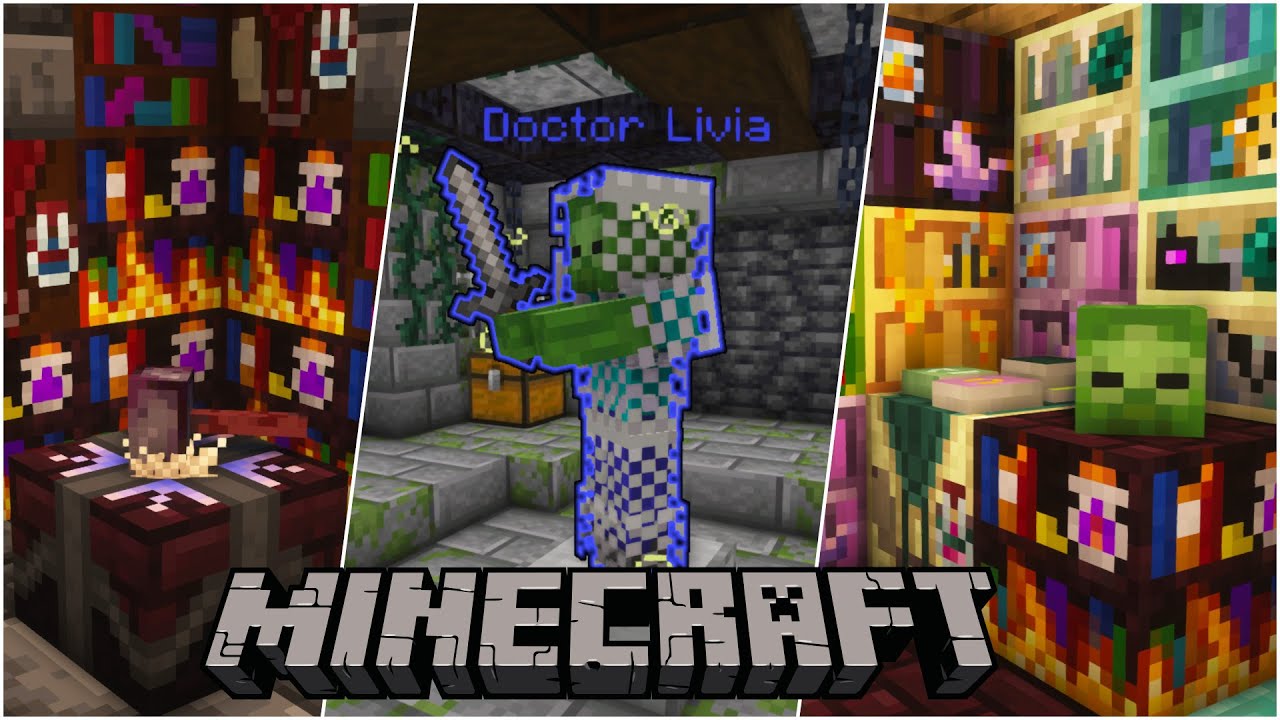
Like? 👆
🔎 Get your own Server.pro Server: https://server.pro/?ref=yorkmouse 🔍*
Gaming Channel: https://www.youtube.com/c/yorkmouse
Join my Discord: https://discord.gg/4frB48Y7Qf
Shader: https://www.curseforge.com/minecraft/customization/complementary-shaders
Resourcepack: https://www.curseforge.com/minecraft/texture-packs/unity-dark-edition/f...
 mint mist
what shaders work with better mc
stiff stirrup
mint mist
what shaders work with better mc
!shader
still sentinelBOT
https://www.curseforge.com/minecraft/customization/complementary-shaders
Alternatively,
https://www.curseforge.com/minecraft/customization/complementary-reimagined

CurseForge
Exceptional quality, detail and performance; while pushing the limits of Minecraft.
18.2M Downloads | Shaders
CurseForge
Exceptional quality, detail and performance; while preserving the unique visuals of Minecraft.
11.3M Downloads | Shaders
mint mist
are they just automatically on
near oyster
compact meteor
actaully which version loader you have forge or fabric
I am using the Fabric modlist. I guess My question is how do you reforge.The video I saw was someone using it to reroll a wepon they found from common to rare. The roll was random so they reforged it a couple times to get what they want. I understand to reforge it takes an Ingot a weapon and what is the third item?
compact meteor
near oyster
I am using the Fabric modlist. I guess My question is how do you reforge.The vid...
it's not amethyst I think it's the stuff you get from salvaging similar tiered loot watch the video I shared earlier
hushed magnet
I keep getting this error when trying to launch can someone help me out "The game crashed whilst initializing game
Error: org.spongepowered.asm.mixin.transformer.throwables.MixinTransformerError: An unexpected critical error was encountered"
stiff stirrup
!moreinfo
still sentinelBOT
Hello! For us to help you with your issue, you will need to answer all 8 questions below. Post the answers in this channel:
1. Have you modified the modpack in any way? If so, what did you do? (Updating/adding/removing mods, changing configs)
2. What launcher, or program, are you using to launch the game? (CurseForge, ATLauncher, etc)
3. What Minecraft version are you playing? (1.18.2, 1.16.5, 1.19.2)
4. What version of the modpack are you playing? (v11, v9, etc)
5. What steps are necessary to reproduce the crash? (Launching the game, exploring the world, etc)
6. Have you ever gotten past the point where the crash happens?
7. Send the crash report file into this channel. Right click the modpack, Open Folder, and navigate to the Crash Reports folder. Drag the newest one here. If there is no crash reports folder, do the same thing with the latest.log file in the logs folder.
8. Did you follow the Performance guide linked in #faq?
near oyster
compact meteor
it's not amethyst I think it's the stuff you get from salvaging similar tiered l...
Thanks
viral phoenix
Is there an alternate to chunk pregenerator I keep getting tick crashes
stiff stirrup
chunky mod
viral phoenix
Gotcha I’ll try that
 remote plume
hi everyone 🌈
How would I preserve my map data when updating versions?
I noticed that when I do update, my map gets cleared, empty, like the usual state of my cookie jar
Its a small server btw if that matters
still sentinelBOT
Hello! For us to help you with your issue, you will need to answer all 8 questions below. Post the answers in this channel:
1. Have you modified the modpack in any way? If so, what did you do? (Updating/adding/removing mods, changing configs)
2. What launcher, or program, are you using to launch the game? (CurseForge, ATLauncher, etc)
3. What Minecraft version are you playing? (1.18.2, 1.16.5, 1.19.2)
4. What version of the modpack are you playing? (v11, v9, etc)
5. What steps are necessary to reproduce the crash? (Launching the game, exploring the world, etc)
6. Have you ever gotten past the point where the crash happens?
7. Send the crash report file into this channel. Right click the modpack, Open Folder, and navigate to the Crash Reports folder. Drag the newest one here. If there is no crash reports folder, do the same thing with the latest.log file in the logs folder.
8. Did you follow the Performance guide linked in #faq?
remote plume
Hiya Tamz! I'm on BMC4(1.20.1) currently v23 HF trying to update to v26, I run a small BMC4 server. The modpack is modified a bit, but I don't believe that's part of the issue.
I'm not sure if this is supposed to happen or not, but the parts of the map I uncover while I'm on the server seems to get wiped when I update to a new version.
I've only added maybe about 10 or so mods to the modpack
stiff stirrup
remote plume
I noticed that when I do update, my map gets cleared, empty, like the usual stat...
that happens when the launcher you use is poopie, but its a simple thing if you backup
the way you preserve them is by transfering your Xaeros/Journeymap data to the next folder that becomes the updated modpack
remote plume
Okay, I was thinking that was the case
remote plume
Thankfully not, but thank you Crashmaster Tamz.
Would you know which one of them to bring over or all three just to be safe? This is my client BMC4 instance
 stiff stirrup
yeap thats 3 folders
plush stream
don't think the backup is needed
stiff stirrup
backups are always nice to have incase something breaks or you forget to bring a config over
plush stream
stiff stirrup
backups are always nice to have incase something breaks or you forget to bring a...
it should backup itself in the new instance, right?
plush stream
sed
remote plume
Okie dokie. I'll give it a try. It's not a big deal if the map gets wiped but it'd be nice to keep it.
Thank you to both of you for your help ⭐
plush stream
didn't help much but no problem anyways
remote plume
Imma update this server so hard
 rapid summit
is there a BMP+ v4? or is v3 still the most updated version
plush stream
rapid summit
is there a BMP+ v4? or is v3 still the most updated version
BMP is gone
now prominence
plush stream
rapid summit
prominence?? hmm lemme look
prominence classic if you want the bmo feel
stiff stirrup
rapid summit
prominence?? hmm lemme look
prom very dope 
rapid summit
bmp3 was my fav
plush stream
prominence rpg is completely different lol
rapid summit
had like a 700 hour world then the launcher i used updated and wiped my save
stiff stirrup
bmc+ is completely gone btw other then 1.18.2 that is somewhere
rapid summit
hmm okay
plush stream
prom classic is updated bmp
rapid summit
okay cool ima look into it quick
still sentinelBOT
The answer for your question is probably in the official wiki!
stiff stirrup
rapid summit
i usually dont like rpg style thingys in mc but ill check it out aswell
screw it lemme jump into prom II classic and just mess around
plush stream
rapid summit
i usually dont like rpg style thingys in mc but ill check it out aswell
you can still find BMP if you scroll down the prom classic updates
 plush stream
rapid summit
^curseforge launcher
plush stream
rapid summit
^curseforge launcher
!alternates
still sentinelBOT
If this command was run in response to your question/issue, it is likely because switching away from the launcher you are currently using would fix your problem.
From our experience, the most stable launcher by far is ATLauncher, also known as ATL.
To install ATLauncher, do the following:
1. Go to https://atlauncher.com/download
2. Install and run the setup, then open the program.
3. Login to your Microsoft account that owns the Java Edition of Minecraft from the Accounts tab on the right. This process is 100% safe, as it goes directly through Microsoft. ATLauncher does not see your account credentials.
4. Go to the Packs tab on the right, then click "Curseforge" on the left.
5. Search the modpack you wish to download.
6. Click "New Instance". Click "Ok" on the opted out mods warning, then click "Open All" on the manual download screen.
7. Let the mods download, ATLauncher will grab them from your Downloads folder and automatically add them to the modpack.
8. Go to the Instances tab, and click "Play" on the modpack you downloaded. If you ever see an "Update" button on the instance, click it.
To transfer your Curseforge world to ATLauncher, simply right click the modpack on Curseforge, or click the 3 dots, then click "Open Folder". Copy the Saves folder, then click "Open Folder" on ATLauncher and paste the Saves folder there.
Because ATLauncher downloads the exact same files as Curseforge does, your world will be the exact same and you will be able to join the same servers. ATLauncher also works without an internet connection (after you've installed the modpack, of course), and does not have any bloat from Overwolf. You are free to uninstall both Overwolf and Curseforge with ATLauncher installed.
 plush stream
rapid summit
what bout dis
plush stream
rapid summit
what bout dis
just curious, what esport you playing
rapid summit
plush stream
just curious, what esport you playing
this team is dead lol were basically just a friend group at this point XD
plush stream
rapid summit
this team is dead lol were basically just a friend group at this point XD
sad, what game's it for
rapid summit
the main leads internet is wack and hes got the best knowledge/game sense/planning out of everyone so aka he'd be the one training and the one to usually top frag and just the one to basically keep the whole thing together
well the few games we problably would be involved in is COD, R6. Fortnite, basically any popular mainstream game. We also did do tourneys a few years ago on a game called Americas Army Proving Grounds which is honestly a very very dead game now
Comp scene died out on that game heavy including basically the whole player base
 plush stream
never heard of that game lol
rapid summit
also, a lot of people hate us bcs we actually smack in the game and a lot of servers will think that were cheating and just ban us all lol
yeah nah its a pretty small game
September 2013 1,326.0 - - 3,040
Last 30 Days 127.5 -1.5 -1.17% 354
so over 11 years thats the player count lol
plush stream
rapid summit
also, a lot of people hate us bcs we actually smack in the game and a lot of ser...
that's unfortunate
but then again, small games always have cheaters
rapid summit
oh and yeah how much ram do i allocate if i have 16gb total
paper herald
i'm locating all the dungeons arise structures in creative atm. i just wanna be able to recognize them
 silk plover
Is stalwart incomplete wither not get affected by looting?
i was farming it for a while and didn't get that many so i looked up how to get wither heads and every wither mobs have this "affected by looting" thing except incomplete wither
maybe I'm just unlucky i dunno
rapid summit
plush stream
but then again, small games always have cheaters
yeah i mean there is a few cheaters on the game but anyone how knows how to actually play the game and not just complain about getting pooped on can tell if someones genuinely cheating or not. usually people would ban us either because we would do too good, or they just dont like what rumors poeple have made about us that theyve heard (just cheating rumors really)
plush stream
rapid summit
oh and yeah how much ram do i allocate if i have 16gb total
4 is probs enough, but 8 could be good too
rapid summit
okay
rapid summit
ive made a chest but no worky lol
 obtuse sequoia
Is it in your inventory or did you place it?
rapid summit
both
 fair owl
this message is being spammed in the console, BMC 1 (1.16.5 forge)
[23:15:22] [Server thread/ERROR] [minecraft/ServerWorldInfo]: WorldGenSettings: Value -1 outside of range [0:4096]
anyone know what could be causing this?
 normal thorn
how do i turn on cheats
 woeful schooner
my farmers are not farming. They pick up things if I throw them at them, but they don't harvest, they don't plant crops. I am pretty new to modded Minecraft, and java, and I'm not sure where things went wrong.
 viral garden
normal thorn
how do i turn on cheats
viral garden
normal thorn
how do i turn on cheats
same way as vanilla
viral garden
woeful schooner
my farmers are not farming. They pick up things if I throw them at them, but the...
read up on the mod "smarter farmers"
woeful schooner
it didn't mention them not replanting crops, so I don't understand
obtuse sequoia
Are they on claimed land?
obtuse sequoia
Was curious, claimed land can have protections that could mess with that
regal jackal
I Followed the performance guide in #faq
Is it normal for ATlauncher to take a while to load up BetterMC?
it takes a while at "organizing resources"
regal jackal
remote plume
Would you know which one of them to bring over or all three just to be safe? Thi...
where are these 3 folders
I updated from v22 to v26
my waypoints and check marks (or whatever they are called) are fine but the map itself is reset
 somber wren
hi! anyone know what I can do to properly download BMC4 [Forge] v26? it's not working 😵💫
to be more clear, I am on Steam Deck. I first tried downloading the pack through Prism Launcher, which while everything seems to properly download, it gives this error upon launching:
Failed to run processor: java.net.UnknownHostException:piston-data.mojang.com
See log for more details.
i then tried ATLauncher as instructed in #faq, and it showed the same piston-data error in the console. I retried and it made more progress, but it stops during installing mods because I'm on a really small 64gb model and it runs out of space (i don't know how to change the instance/file locations for ATLauncher xD). Just to make sure, I test downloaded other modpacks in Prism Launcher such as SkyFactory 4 and ATM9 and they run perfectly fine.
I also tried Adoptium Java 18 (as stated in #faq) for Prism, but the launcher force exits upon launching and states that the instance requires 17 (which is what I was using beforehand—just wanted to change java versions to see if it would help fix)
lmk if anything!
 supple geyserBOT
somber wren
hi! anyone know what I can do to properly download BMC4 [Forge] v26? it's not wo...
supple geyserBOT
somber wren
hi! anyone know what I can do to properly download BMC4 [Forge] v26? it's not wo...
Please read #faq for modpack installation.
 silk jungle
There's a Bug with the Advancements for Cataclysm, for the Advancement "Defeat the Harbringer" the Task is to kill the Leviathan
And for "Kill the Leviathan" it's also to kill the Leviathan
obtuse sequoia
yup
 worthy adder
Hi, just a quick question: is there a channel for server start troubleshooting (local)? ran through quickly but didn't find anything matching
obtuse sequoia
somber wren
hi! anyone know what I can do to properly download BMC4 [Forge] v26? it's not wo...
Unknown host is a DNS issue, which typically means the URL is invalid/broken or there's an issue with your network stack resolving the DNS entry. Try again in an hour or two?
obtuse sequoia
worthy adder
Hi, just a quick question: is there a channel for server start troubleshooting (...
!server (read the lower section) People typically just post in the pack they're trying to host
still sentinelBOT
We suggest renting a server from Bisect Hosting:
Approx. $10 - $25 a month depending on what plan you choose. You can also get 25% off with Code LunaPixel.
Go to https://www.bisecthosting.com/LunaPixel and order a plan which fits you. We suggest 1GB per player but nothing lower than 4GB as the server needs at least 3GB to run.
Go to #server-hosting for more Info!
Free Method: (This is hosting on your own PC, which is harder to do so we suggest getting a server via Bisect Hosting)
- Download the serverpack from Curseforge's website
- Right click the start.ps1 file and click Run with Powershell
To join your own server, typelocalhostinto Direct Connect.
This video explains the process https://www.youtube.com/watch?v=wuGUbVbLsDc
The server IP address is your Public IP Address, which can be found by googling my ip address
If other players are unable to join, find a portforwarding guide online.
worthy adder
followed these steps, PShell runs, tries to start, i get a server tick loop exception crash report 
obtuse sequoia
!moreinfo then fill out this info and maybe someone can help find the issue
still sentinelBOT
Hello! For us to help you with your issue, you will need to answer all 8 questions below. Post the answers in this channel:
1. Have you modified the modpack in any way? If so, what did you do? (Updating/adding/removing mods, changing configs)
2. What launcher, or program, are you using to launch the game? (CurseForge, ATLauncher, etc)
3. What Minecraft version are you playing? (1.18.2, 1.16.5, 1.19.2)
4. What version of the modpack are you playing? (v11, v9, etc)
5. What steps are necessary to reproduce the crash? (Launching the game, exploring the world, etc)
6. Have you ever gotten past the point where the crash happens?
7. Send the crash report file into this channel. Right click the modpack, Open Folder, and navigate to the Crash Reports folder. Drag the newest one here. If there is no crash reports folder, do the same thing with the latest.log file in the logs folder.
8. Did you follow the Performance guide linked in #faq?
fair owl
are there any drawers/chests with more storage than vanilla chests? (BMC 1, 1.16.5)
worthy adder
followed the recommended faq steps, PShell runs, tries to start, i get a server tick loop exception crash report
moreinfo:
- no modifications
- curseforge
- 1.20.1? latest curseforge for both client and server
- v26
- launching the server start through powershell
- no
- included
- client has no problem running, server issue
worthy adder
obtuse sequoia
!moreinfo then fill out this info and maybe someone can help find the issue
thank you for instructions  hopefully someone knows what's happening
obtuse sequoia
Can you add the servers latest.log as well? might add context
forge is the core mod loader packs in this channel use
agile cradle
Forge would be modloader.
obtuse sequoia
So you already have forge, but the framework mod is too new, it's expecting forge version 47.2.0, but the pack has 47.1.5
agile cradle
You need to re add framework, but an older version of it.
Specifically the one for 47.1.5
obtuse sequoia
What mod pack/version are you using?
The framework mod version in BMC4 v26 is 0.6.16
still sentinelBOT
fair owl
play the fabric version or bmc 1.16.5 forge
tho bmc in general doesnt take much ram anyway
agile cradle
Did you try the performance guide though?
fair owl
^
if you follow the perf guide it should solve half your problems
just do these things:
make sure you have atleast 5 gb ram allocated to the modpack (the first step in the guide)
and reduce your video settings a bit, like reducing render distance, turning down particles, etc...
am assuming your pc/lappy has atleast 8 gb ram right?
😭
i hope you were just kidding
tranquil tartan
Ive been searching this orchard for a end portal for 30 minutes to no luck
Where do I look?
 brittle flare
how to delete AVA mod from my modpack guys?
 tranquil tartan
this cant be right
gusty vortex
What does this do?
 gusty vortex
tranquil tartan
summons a modern remnant
gusty vortex
tranquil tartan
summons a modern remnant
What is the modern remnant used for?
tranquil tartan
gusty vortex
What is the modern remnant used for?

The Modern Remnant is a new mob provided by the Cataclysm mod, that can be tamed to fight alongside you, as it's a pet
silk jungle
tranquil tartan
this cant be right
That happens when the game didnt render a chunk and cant check your position
you just fall until the game finally loads the chunk and youll be standing on top again
brittle flare
how to fix this?

 teal owl
What's the required ram to host a server with this mod? (5 players max)
brittle flare
brittle flare
how to fix this?
some one can help me?
agile cradle
brittle flare
how to fix this?
!moreinfo
still sentinelBOT
Hello! For us to help you with your issue, you will need to answer all 8 questions below. Post the answers in this channel:
1. Have you modified the modpack in any way? If so, what did you do? (Updating/adding/removing mods, changing configs)
2. What launcher, or program, are you using to launch the game? (CurseForge, ATLauncher, etc)
3. What Minecraft version are you playing? (1.18.2, 1.16.5, 1.19.2)
4. What version of the modpack are you playing? (v11, v9, etc)
5. What steps are necessary to reproduce the crash? (Launching the game, exploring the world, etc)
6. Have you ever gotten past the point where the crash happens?
7. Send the crash report file into this channel. Right click the modpack, Open Folder, and navigate to the Crash Reports folder. Drag the newest one here. If there is no crash reports folder, do the same thing with the latest.log file in the logs folder.
8. Did you follow the Performance guide linked in #faq?
gusty vortex
guys how can i break dungeon block
mech boss

bro i activate keep inventory
and sleep near of leviathan
try and try and try
then killed leviathan
i kill with infernal forge
oh
thank you so much man
i only killed netherite monstrosity
guys how can i wake up the mech boss
brittle flare
still sentinel
Hello! For us to help you with your issue, you will need to answer **all 8 quest...
1, I just add some mods 2,Curse 3, 1.20.1 4, 1.20.1 5,launching the game 6,No
still sentinelBOT
🚫 polnd, that command is disabled in this channel.
stiff stirrup
 prime ice
HI Guys how do i allow my friend to join my bettermc server
prime ice
HI Guys how do i allow my friend to join my bettermc server
you give them the code
the ip*
stiff stirrup
with?
prime ice
stiff stirrup
you give them the code
what is the ip tho
stiff stirrup
how are you hosting
prime ice
stiff stirrup
how are you hosting
self made server
stiff stirrup
prime ice
self made server
ip
prime ice
stiff stirrup
ip
like my own?
stiff stirrup
prime ice
like my own?
if you port forward yes
prime ice
stiff stirrup
if you port forward yes
tf does that mean
stiff stirrup
prime ice
tf does that mean
Port Forward -> open ports to allow users that are not on your wifi to connect to your server
sure
prime ice
stiff stirrup
Port Forward -> open ports to allow users that are not on your wifi to connect t...
aaaah ok
prime ice
stiff stirrup
Port Forward -> open ports to allow users that are not on your wifi to connect t...
alright i think i did it do i just restart the server now?
stiff stirrup
yea
prime ice
stiff stirrup
yea
thanks once again for the help if it works your god
stiff stirrup
np
prime ice
stiff stirrup
np
its not workign
i searched hbow to port forward and i followed some tutorial
agile cradle
prime ice
i searched hbow to port forward and i followed some tutorial
gotta check again to make sure it actually opened. sometimes you need to try a few different tutorials before 1 works
!port
still sentinelBOT
If you're having issues with your friends joining your server, your port for Minecraft may be closed.
-
Check with https://portchecker.co/ with your IP and Minecraft's port (drop down menu) to see if it's open.
-
If it's closed you will need to search online "How to open Minecraft port for server with (ISP Name)
Important note: a lot will allow port forwarding, but there may be some ISPs that will not allow any port forwarding. Please check online if this is the case for yours.
prime ice
agile cradle
gotta check again to make sure it actually opened. sometimes you need to try a f...
what does isp mean
stiff stirrup
prime ice
what does isp mean
internet service provider
prime ice
bro it wont pop up anything if i serach that
agile cradle
just try it
prime ice
agile cradle
just try it
it popped up something but idk my routers password
agile cradle
it's the internet password usually
brittle flare
agile cradle
just try it
can you help me with my problem :L?
brittle flare
brittle flare
.
remote plume
regal jackal
I updated from v22 to v26
my waypoints and check marks (or whatever they are cal...
It might depend on which launcher you're using(I'm using curseforge), so I can right-click my profile(the little box I use to launch the game with the play button) and open the folder from there.
I don't remember the directory address from memory
The way I understand it though is you gotta back up those folders before you update.
prime ice
agile cradle
it's the internet password usually
yo it has 2 things
1 is the wifi key the other one is the web login address
which is correct
 earnest jacinth
Hello, like how much RAM would you need to play Better MC?
stiff stirrup
earnest jacinth
Hello, like how much RAM would you need to play Better MC?
6-8gb
!fp
!fps
still sentinelBOT
earnest jacinth
Thanks
 upper fossil
Hi guys ive been playing with my friends on e4mc and everything was going great for days but now the connection times out for all of us except my friend that is the "server owner" We dont know what to do cause now we cant play anymore 😦
agile cradle
upper fossil
Hi guys ive been playing with my friends on e4mc and everything was going great ...
After a few sessions it's best to use a more long term option like making a server, there are free and paid options
!server
still sentinelBOT
We suggest renting a server from Bisect Hosting:
Approx. $10 - $25 a month depending on what plan you choose. You can also get 25% off with Code LunaPixel.
Go to https://www.bisecthosting.com/LunaPixel and order a plan which fits you. We suggest 1GB per player but nothing lower than 4GB as the server needs at least 3GB to run.
Go to #server-hosting for more Info!
Free Method: (This is hosting on your own PC, which is harder to do so we suggest getting a server via Bisect Hosting)
- Download the serverpack from Curseforge's website
- Right click the start.ps1 file and click Run with Powershell
To join your own server, typelocalhostinto Direct Connect.
This video explains the process https://www.youtube.com/watch?v=wuGUbVbLsDc
The server IP address is your Public IP Address, which can be found by googling my ip address
If other players are unable to join, find a portforwarding guide online.
craggy oyster
hi, any server side specialists online? Been having problem with huge spikes when flying around with Dragon, So I went out and bought new hardware on my dedicated server (Ryzen 5500 32 GB of ddr 4 3200mhz ram and nvme drive. New installation running Forge V26 headless server. I'm getting same bug when I fly around sometimes rendering stops and my player disappears for a few seconds then these messages show up on the server console. Same as older hardware but less frequent. CPU is around 52% on Java thread and only 6.2 GB ram used on 16 provisioned.
Can someone point me in the right direction please.
[12:42:43] [Server thread/INFO] [or.be.wo.to.ut.Logger/]: [bclib] Auto-Sync was disabled on the server.
[12:44:46] [pool-9-thread-1/INFO] [Supplementaries/]: Searching for closest structure among [ResourceKey[minecraft:worldgen/structure / towns_and_towers:village_badlands], ResourceKey[minecraft:worldgen/structure / towns_and_towers:village_sparse_jungle], ResourceKey[minecraft:worldgen/structure / blue_skies:village_brightlands], ResourceKey[minecraft:worldgen/structure / repurposed_structures:village_mushroom], ResourceKey[minecraft:worldgen/structure / repurposed_structures:village_ocean], ResourceKey[minecraft:worldgen/structure / towns_and_towers:exclusives/village_nilotic], ResourceKey[minecraft:worldgen/structure / towns_and_towers:exclusives/village_wandering_trader_camp], ResourceKey[minecraft:worldgen/structure / repurposed_structures:village_crimson]] from pos BlockPos{x=-1579, y=69, z=12635}
[12:44:49] [Server thread/WARN] [minecraft/MinecraftServer]: Can't keep up! Is the server overloaded? Running 2811ms or 56 ticks behind
[12:45:37] [Worker-Main-8/WARN] [minecraft/JigsawPlacement]: Empty or non-existent pool: minecraft:witch_hut/foundation
[12:45:37] [Worker-Main-8/WARN] [minecraft/JigsawPlacement]: Empty or non-existent pool: minecraft:witch_hut/foundation
[12:45:37] [Worker-Main-8/WARN] [minecraft/JigsawPlacement]: Empty or non-existent pool: minecraft:witch_hut/foundation
[12:45:37] [Worker-Main-8/WARN] [minecraft/JigsawPlacement]: Empty or non-existent pool: minecraft:witch_hut/foundation
[12:45:37] [Worker-Main-8/WARN] [minecraft/JigsawPlacement]: Empty or non-existent pool: minecraft:witch_hut/foundation
[12:45:37] [Worker-Main-8/WARN] [minecraft/JigsawPlacement]: Empty or non-existent pool: minecraft:witch_hut/foundation
[12:45:37] [Worker-Main-8/WARN] [minecraft/JigsawPlacement]: Empty or non-existent pool: minecraft:witch_hut/foundation
in logs it's like this:
[21Feb2024 23:49:55.958] [Server thread/ERROR] [net.minecraft.world.level.chunk.storage.ChunkSerializer/]: Unknown structure start: additionalstructures:bush_3
[21Feb2024 23:50:11.400] [Server thread/ERROR] [net.minecraft.world.level.chunk.storage.ChunkSerializer/]: Unknown structure start: additionalstructures:well_2
[21Feb2024 23:50:11.400] [Server thread/ERROR] [net.minecraft.world.level.chunk.storage.ChunkSerializer/]: Unknown structure start: additionalstructures:sewage_system_1
[21Feb2024 23:50:11.445] [Server thread/ERROR] [net.minecraft.world.level.chunk.storage.ChunkSerializer/]: Unknown structure start: additionalstructures:bush_4
[21Feb2024 23:50:11.544] [Server thread/ERROR] [net.minecraft.world.level.chunk.storage.ChunkSerializer/]: Unknown structure start: additionalstructures:log_bundle
[21Feb2024 23:50:11.564] [Server thread/ERROR] [net.minecraft.world.level.chunk.storage.ChunkSerializer/]: Unknown structure start: additionalstructures:tomb_1
[21Feb2024 23:50:11.953] [Server thread/ERROR] [net.minecraft.world.level.chunk.storage.ChunkSerializer/]: Unknown structure start: additionalstructures:spawn_altar_3
[21Feb2024 23:50:11.960] [Server thread/ERROR] [net.minecraft.world.level.chunk.storage.ChunkSerializer/]: Unknown structure start: additionalstructures:bush_2
[21Feb2024 23:50:12.010] [Server thread/ERROR] [net.minecraft.world.level.chunk.storage.ChunkSerializer/]: Unknown structure start: additionalstructures:underground_dungeon_2
[21Feb2024 23:50:12.017] [Server thread/ERROR] [net.minecraft.world.level.chunk.storage.ChunkSerializer/]: Unknown structure start: additionalstructures:stone_circle_3
[21Feb2024 23:50:13.182] [Server thread/ERROR] [net.minecraft.world.level.chunk.storage.ChunkSerializer/]: Unknown structure start: additionalstructures:stone_rock_4
[21Feb2024 23:50:17.380] [Server thread/ERROR] [net.minecraft.world.level.chunk.storage.ChunkSerializer/]: Unknown structure start: additionalstructures:well_2
compact meteor
how do I enable this to show in game? seen it in videos but no idea how to enable it...

?
that was weird
@restive lintel Quit it please
icy estuary
compact meteor
how do I enable this to show in game? seen it in videos but no idea how to enabl...

CurseForge
Display the current season on the HUD or under the minimap
807.2K Downloads | Mods
icy estuary
compact meteor
<@350457853645029378> Quit it please
he got hacked xd
compact meteor
icy estuary
its a mod https://www.curseforge.com/minecraft/mc-mods/seasonhud
ty couldn't find it at first
icy estuary
somber wren
hi! anyone know what I can do to properly download BMC4 [Forge] v26? it's not wo...
!moreinfo
still sentinelBOT
Hello! For us to help you with your issue, you will need to answer all 8 questions below. Post the answers in this channel:
1. Have you modified the modpack in any way? If so, what did you do? (Updating/adding/removing mods, changing configs)
2. What launcher, or program, are you using to launch the game? (CurseForge, ATLauncher, etc)
3. What Minecraft version are you playing? (1.18.2, 1.16.5, 1.19.2)
4. What version of the modpack are you playing? (v11, v9, etc)
5. What steps are necessary to reproduce the crash? (Launching the game, exploring the world, etc)
6. Have you ever gotten past the point where the crash happens?
7. Send the crash report file into this channel. Right click the modpack, Open Folder, and navigate to the Crash Reports folder. Drag the newest one here. If there is no crash reports folder, do the same thing with the latest.log file in the logs folder.
8. Did you follow the Performance guide linked in #faq?
icy estuary
worthy adder
Hi, just a quick question: is there a channel for server start troubleshooting (...
You can ask here
icy estuary
worthy adder
followed the recommended faq steps, PShell runs, tries to start, i get a server ...
reinstall the serverpack
icy estuary
tranquil tartan
Ive been searching this orchard for a end portal for 30 minutes to no luck
use a eye of ender or endolocator
icy estuary
brittle flare
how to delete AVA mod from my modpack guys?
remove it from your mods folder
icy estuary
tranquil tartan
this cant be right
on a server?
icy estuary
brittle flare
how to fix this?
!moreinfo
still sentinelBOT
Hello! For us to help you with your issue, you will need to answer all 8 questions below. Post the answers in this channel:
1. Have you modified the modpack in any way? If so, what did you do? (Updating/adding/removing mods, changing configs)
2. What launcher, or program, are you using to launch the game? (CurseForge, ATLauncher, etc)
3. What Minecraft version are you playing? (1.18.2, 1.16.5, 1.19.2)
4. What version of the modpack are you playing? (v11, v9, etc)
5. What steps are necessary to reproduce the crash? (Launching the game, exploring the world, etc)
6. Have you ever gotten past the point where the crash happens?
7. Send the crash report file into this channel. Right click the modpack, Open Folder, and navigate to the Crash Reports folder. Drag the newest one here. If there is no crash reports folder, do the same thing with the latest.log file in the logs folder.
8. Did you follow the Performance guide linked in #faq?
icy estuary
gusty vortex
guys how can i wake up the mech boss
give him a wither star
icy estuary
brittle flare
try with added mods removed
icy estuary
craggy oyster
[12:42:43] [Server thread/INFO] [or.be.wo.to.ut.Logger/]: [bclib] Auto-Sync was ...
!tps
still sentinelBOT
Please click this link and follow the guide. If you are using a server host such as Bisect, you may be limited in your options and instead have a checkbox to use Aikar's Flags, which will also work:
https://github.com/Mukul1127/Minecraft-Performance-Flags-Benchmarks
If you can not launch your server/game after using these flags, then remove the word java from the start. Also, make sure you are using Java 18 on 1.18.2 / 1.19.2 and Java 11 on 1.16.5. These should be downloaded from Adoptium's website.
If lag persists, run the following command ingame:
/spark profiler start --only-ticks-over 50
Then, send the link in this channel. If the profiler command doesn't work, put this mod in your servers mod folder
somber wren
obtuse sequoia
Unknown host is a DNS issue, which typically means the URL is invalid/broken or ...
Forgot to reply earlier but this worked perfectly, probably was network issues. Thanks!
icy estuary
tranquil tartan
essential
thats the issue then]
Theres not much we can do, you can report it to them
worthy adder
icy estuary
reinstall the serverpack
thanks! didn't work at first, encountered the problem that powershell kept closing on itself after reinstall, needed to unblock the file all good now
agile cradle
gotta love when win protects itself from itself
worthy adder
obviously
also also admin rights ran powershell still asking for permission several times before accessing stuff 
agile cradle
!powershell
still sentinelBOT
An update to windows introduced a new security feature that prevents powershell files from running on your PC. This is great for your security, but not so great for our server start scripts, which require powershell to run them. Fortunately there is a quick fix for this!
Run powershell as administrator, then run Set-ExecutionPolicy RemoteSigned. Read the prompt and press accept. This will allow us to run scripts.
Next, navigate to your server directory using cd path/to/directory (for example: cd C:\Users\Username\Documents\Minecraft\Server)
You can now run the server by double-clicking the start.ps1 file, or typing .\start.ps1 into the command line while in the directory.
IF THE ABOVE DOES NOT WORK, TRY THIS
Run the command Unblock-File -Path .\start.ps1 in the same powershell window. This will allow the start script to not be blocked by windows, and run freely.
If all else fails, a manual installation should work:
FORGE 1.16.5: https://www.youtube.com/watch?v=bIjisWyxU-8
FORGE 1.18.2: https://www.youtube.com/watch?v=R610M102X0U
FORGE 1.19.2: https://www.youtube.com/watch?v=3HD0ibIpO-A
FABRIC: https://www.youtube.com/watch?v=b2W1Xb7nLKo
Make sure to Install the Server in our ServerPacks so it can use the correct files.
compact meteor
gusty vortex
guys how can i wake up the mech boss
With the Ender Dragon and Wither slain, the gates to a higher caliber of bosses open up...
Welcome to L_Ender's Cataclysm. A 1.20.1 Forge/Neo Forge mod that adds 5 different boss mobs dispersed across the lands, voids and hellscapes of Minecraft... These entities are not of the likes of the Ender Dragon or Wither, being much more difficult and ...
 snow citrus
Is it possible to transfer a BMC1 Fabric world to BMC1 Forge?
obtuse sequoia
craggy oyster
hi, any server side specialists online? Been having problem with huge spikes whe...
go through the TPS guide, but what really helped for me was to turn the server view distance and simulation distance to 7 from their default of 10. Helped people moving fast load the world faster. Also chunk pregeneration can help a lot with fast exploration
 void jolt
are there even elytra's in BMC4?
stiff stirrup
yes
void jolt
Not kidding but I've been searching with my friend for 8 hours straight
All boats have empty chests
with just an enderchest
where do I find them? @stiff stirrup
void jolt
thanks Ill check it out
icy estuary
.softban 477478243214295040
plucky geodeBOT
Ban result:
Reason: No reason.
Moderator: @icy estuary
Details:
Duration:
Soft Ban:
Hack Ban:
DM-Members:
<:success:660789936651370497> Successful bans
eaob
<:cancel:660789591900684329> Unsuccessful bans
All users were banned!
paper herald
compact meteor
https://www.youtube.com/watch?v=89vFlLPB8FM
Ngl every mod should have a video like this
There is one for most mods I know. Just looked
cyan kettle
Is anyone having issues on their server with hoppers breaking (and sometimes crashing the server) when feeding into the SSN network collection interface? Even with Neruina enabled and everything
I'm on 1.20.1 version 24 HF
this message pops up too

Seems that all hoppers just break when going into a network collection interface
rapid summit
quest no worky
 harsh patio
Hey, I have a question, how do you make the fabric mods load in the forge? I have seen that in the modpacks of this server there are both forge and fabric mods and they work very well. My question is, How can I implement a fabric mod in forge???
stiff stirrup
harsh patio
Hey, I have a question, how do you make the fabric mods load in the forge? I hav...
connector mod
 elder oak
insane mansion spawn
 viral phoenix
!performance
still sentinelBOT
viral phoenix
!args

spark is a performance profiler for Minecraft clients, servers, and proxies.
why are random mobs taking so much out of my shit
 grand gate
anyone know how to make a fence place as a non-diagonal fence
just as a normal vanilla fence
obtuse sequoia
Just do 180 or 90 degree placements?
grand gate
Hey guys I need help. Downloaded Better MC from CurseForge. Downloaded. I begin playing a survival game. I open my inventory. It immediately closes. I repeatedly try to open the inventory by pressing E. The insant I open it, it always closes again. I try to change inventory keybind to something else. Whenever I try, "scancode.256" immediately takes the keybind without me pressing anything.
obtuse sequoia
Do you have any controllers or joysticks plugged in?
Looked up a simular issue, seems like it can be a keyboard language issue?
In case anyone else runs into this, I had the wrong keyboard language set and didn't notice it.


You accidentally trigger the switch by hitting ALT + SHIFT and it will silently change. Just hit the language bar on the bottom right system tray and go back to your desired language.
 slate spire
not the same issue (so dw u dont have to respond immediately, i dont wanna like. take over the conversation)
but for some reason the bridge mod isnt. there? like it's installed but i cant find any of the bridge items in JEI, which is weird cuz earlier when i first installed bettermc and made my world, it was working normally
grand gate
obtuse sequoia
Looked up a simular issue, seems like it can be a keyboard language issue?
```
I...
Ill try. One moment.
obtuse sequoia
slate spire
not the same issue (so dw u dont have to respond immediately, i dont wanna like....
Not sure what bridge mod you're talking about, what pack/version are you using?
grand gate
obtuse sequoia
Looked up a simular issue, seems like it can be a keyboard language issue?
```
I...
I pressed ALT + SHIFT, nothing changes, it still claims the keybind automatically
obtuse sequoia
Back to the: do you have any controllers, joysticks or any othe input devices plugged in (besides your keyboard/mouse)?
grand gate
I have a microphone plugged in. I have a keyboard and mouse. Besides that no.
still sentinelBOT
Hello! For us to help you with your issue, you will need to answer all 8 questions below. Post the answers in this channel:
1. Have you modified the modpack in any way? If so, what did you do? (Updating/adding/removing mods, changing configs)
2. What launcher, or program, are you using to launch the game? (CurseForge, ATLauncher, etc)
3. What Minecraft version are you playing? (1.18.2, 1.16.5, 1.19.2)
4. What version of the modpack are you playing? (v11, v9, etc)
5. What steps are necessary to reproduce the crash? (Launching the game, exploring the world, etc)
6. Have you ever gotten past the point where the crash happens?
7. Send the crash report file into this channel. Right click the modpack, Open Folder, and navigate to the Crash Reports folder. Drag the newest one here. If there is no crash reports folder, do the same thing with the latest.log file in the logs folder.
8. Did you follow the Performance guide linked in #faq?
grand gate
I unplugged the microphone and it works LOL
obtuse sequoia
lol
grand gate
Immediately
obtuse sequoia
Computers sometimes...
grand gate
Thanks, i never thought it would be something so simple. Thought it had to be a file i downloaded awhile ago, or a setting, or something insanely obsure.
Anyway ima game now 😄
slate spire
obtuse sequoia
Not sure what bridge mod you're talking about, what pack/version are you using?
1.20.1 v26
talking about the YUNG's bridges mod
obtuse sequoia
What were you looking for? Let me see if I can find it in my BMC4 v26
slate spire
honetsly just ANYTHING in it
like i mentioned before, when i tried to look for the mod in JEI, nothing came up
looked up the word "bridge" too and also got nothing
obtuse sequoia
https://www.curseforge.com/minecraft/mc-mods/yungs-bridges doesn't seem to be craftable? Seems like world gen tweaks
 spiral storm
😄
slate spire
?? thats odd
i couldve sworn i saw the bridges when i unlocked different wood crafting recipes
wouldnt it still be in jei too? since jei also has unobtainable items, like spawn eggs
slate spire
hmm
i think for now i just wont worry abt it
i can make my own bridges lol
thank u tho!! i appreciate it
grand gate
can I add "Create" mod to better MC
obtuse sequoia
You can try, but you're pretty much on your own to troubleshoot unless someone else here has experience with it
 heavy jasper
i wont be able to help you but i had successfully installed create + addons on bmc in the past
 golden owl
grand gate
can I add "Create" mod to better MC
golden owl
grand gate
can I add "Create" mod to better MC
Might be conflict with a mod, iirc the name is something with a "compat" in it
 brazen reef
u guys think an i7 4770 with 16gb ram and an r9 200 could run better mc?
obtuse sequoia
Give it a shot, might need to do FPS optimization to scrape frames on the R9 though
!fps
still sentinelBOT
obtuse sequoia
It's rare the packs won't run, it's just about dialing settings to have something that works for you.
brazen reef
thank you
 mental surge
does anyone have a clue why betterMC4 has fabric betterend and bclib on forge version?
    Mod ID: 'rubidium' from mod files: xenon-0.3.4+mc1.20.1.jar, embeddium-0.3.4+mc1.20.1.jar
    Mod ID: 'embeddium' from mod files: xenon-0.3.4+mc1.20.1.jar, embeddium-0.3.4+mc1.20.1.jar
[00:26:59] [main/ERROR]: Failed to build unique mod list after mod discovery.
net.minecraftforge.fml.loading.EarlyLoadingException: Duplicate mods found
    at net.minecraftforge.fml.loading.UniqueModListBuilder.buildUniqueList(UniqueModListBuilder.java:87) ~[fmlloader-1.20.1-47.2.17.jar:1.0]
    at net.minecraftforge.fml.loading.moddiscovery.ModDiscoverer.discoverMods(ModDiscoverer.java:106) ~[fmlloader-1.20.1-47.2.17.jar:?]
    at net.minecraftforge.fml.loading.FMLLoader.beginModScan(FMLLoader.java:164) ~[fmlloader-1.20.1-47.2.17.jar:1.0]
    at net.minecraftforge.fml.loading.FMLServiceProvider.beginScanning(FMLServiceProvider.java:86) ~[fmlloader-1.20.1-47.2.17.jar:1.0]
    at cpw.mods.modlauncher.TransformationServiceDecorator.runScan(TransformationServiceDecorator.java:112) ~[modlauncher-10.0.9.jar:?]
    at cpw.mods.modlauncher.TransformationServicesHandler.lambda$runScanningTransformationServices$8(TransformationServicesHandler.java:100) ~[modlauncher-10.0.9.jar:?]
    at java.util.stream.ReferencePipeline$3$1.accept(ReferencePipeline.java:197) ~[?:?]
    at java.util.HashMap$ValueSpliterator.forEachRemaining(HashMap.java:1779) ~[?:?]
    at java.util.stream.AbstractPipeline.copyInto(AbstractPipeline.java:509) ~[?:?]
    at java.util.stream.AbstractPipeline.wrapAndCopyInto(AbstractPipeline.java:499) ~[?:?]
    at java.util.stream.AbstractPipeline.evaluate(AbstractPipeline.java:575) ~[?:?]
    at java.util.stream.AbstractPipeline.evaluateToArrayNode(AbstractPipeline.java:260) ~[?:?]
    at java.util.stream.ReferencePipeline.toArray(ReferencePipeline.java:616) ~[?:?]
    at java.util.stream.ReferencePipeline.toArray(ReferencePipeline.java:622) ~[?:?]
    at java.util.stream.ReferencePipeline.toList(ReferencePipeline.java:627) ~[?:?]
    at cpw.mods.modlauncher.TransformationServicesHandler.runScanningTransformationServices(TransformationServicesHandler.java:102) ~[modlauncher-10.0.9.jar:?]
    at cpw.mods.modlauncher.TransformationServicesHandler.initializeTransformationServices(TransformationServicesHandler.java:55) ~[modlauncher-10.0.9.jar:?]
    at cpw.mods.modlauncher.Launcher.run(Launcher.java:88) ~[modlauncher-10.0.9.jar:?]
    at cpw.mods.modlauncher.Launcher.main(Launcher.java:78) ~[modlauncher-10.0.9.jar:?]
    at cpw.mods.modlauncher.BootstrapLaunchConsumer.accept(BootstrapLaunchConsumer.java:26) ~[modlauncher-10.0.9.jar:?]
    at cpw.mods.modlauncher.BootstrapLaunchConsumer.accept(BootstrapLaunchConsumer.java:23) ~[modlauncher-10.0.9.jar:?]
    at cpw.mods.bootstraplauncher.BootstrapLauncher.main(BootstrapLauncher.java:141) ~[bootstraplauncher-1.1.2.jar:?]
[00:26:59] [main/ERROR]: Mod Discovery failed. Skipping dependency discovery.```seems to be failing here now after updating the mod list
obtuse sequoia
BMC4 has a fabric connector that should allow fabric mods to run in forge
Looks like your game is failing because xenon and embeddium are conflicting trying to claim the same mod ID
BMC4 should have xenon but not embeddium, so try removing embeddium
mental surge
ty
 tawny wedge
hi im trying to play better mc bmc4 and i keep getting error code 1, anyone know how to fix it ?
obtuse sequoia
!moreinfo
still sentinelBOT
Hello! For us to help you with your issue, you will need to answer all 8 questions below. Post the answers in this channel:
1. Have you modified the modpack in any way? If so, what did you do? (Updating/adding/removing mods, changing configs)
2. What launcher, or program, are you using to launch the game? (CurseForge, ATLauncher, etc)
3. What Minecraft version are you playing? (1.18.2, 1.16.5, 1.19.2)
4. What version of the modpack are you playing? (v11, v9, etc)
5. What steps are necessary to reproduce the crash? (Launching the game, exploring the world, etc)
6. Have you ever gotten past the point where the crash happens?
7. Send the crash report file into this channel. Right click the modpack, Open Folder, and navigate to the Crash Reports folder. Drag the newest one here. If there is no crash reports folder, do the same thing with the latest.log file in the logs folder.
8. Did you follow the Performance guide linked in #faq?
 covert walrus
you bet me too it :c
obtuse sequoia
Try updating your drivers though
obtuse sequoia
covert walrus
you bet me too it :c
😛
covert walrus
shift enter too go down a line in discord 
still sentinelBOT
- Download an adoptium release for Java (recommended but not required):
- Java 11 (https://adoptium.net/temurin/releases/?version=11) for versions 1.16.5 and below (can also use 8 if its not working)
- Java 18 (https://adoptium.net/temurin/releases/?version=18) for any versions newer (or 17 if 18 doesn't work)
- Consider installing the JRE instead of the JDK for a smaller file size
-
When installing through adoptium, make sure that Add to PATH and Set JAVA_HOME variable are both set to be installed (please see https://imgur.com/a/jPu1h7h for how that would look)
-
Check if java has been correctly installed by running java --version (or java -version on older versions), and seeing if the output is correct (see https://imgur.com/a/OWcoq4p for an example of the output)
- NOTE: 64 bit versions of java ALWAYS have '64-bit Server VM' in the version output. If that is not there, you have installed a 32-BIT version!! If you're getting Out of Memory errors or any other errors, PLEASE install 64-bit
- If the output isn't as intended, you have 2 options.
i) Delete ALL other java versions from your PC (ONLY recommended if you don't need them)
ii) Redirect your launcher/server to use your new installation of Java
Method i
- Uninstall any other java program listed in your programs list (differs by OS, please find a guide for your own OS if you don't know)
- Attempt to re-use the command mentioned above (if the output is now correct, which it should be, you are ready to go)
Method ii
- For a server, please modify the $Java/JAVA variable (found in your startup script depending on ps1/sh) to the path of your java installation. For windows, this path is usually found in "Program Files/Eclipse Adoptium/version_of_java/bin"
- For a client, depending on whether you use CurseForge, GD, or AT, the process is slightly different. Please see a guide for each respective launcher on how to change the java version.
agile cradle
!drivers
still sentinelBOT
You (likely) need to update your graphics drivers in order to resolve the crash. Here's how to go about doing that!
1. Identify your graphics card
if you already know skip to the next step
- Open task manager
- Navigate to the "Performance" tab (on Windows 11 this is the button that looks like a heart pulse)
- Press the GPU 0 graph and read your GPU from the top right
Note:
In some cases you may see a GPU 0 and GPU 1. This means your CPU has its own GPU, as well as an external one. You probably want GPU 1 (which is usually the external), but you can ask staff to clarify if necessary.
2. Download your drivers from the manufacturers site
Depending on what you read before, you likely need drivers from either AMD, Intel, or NVIDIA
AMD: https://www.amd.com/en/support
Intel: https://www.intel.com/content/www/us/en/download-center/home.html
NVIDIA: https://www.nvidia.com/Download/index.aspx?lang=en-us
Note:
- For NVIDIA you want to select "Game Ready Driver (GRD)" (this is the default option) for the best performance. Once installing you'd probably prefer downloading GeForce Experience, which will notify you when there's an available drivers update.
- For Intel, you probably want to press "Get Started" under the "Automatically update your drivers and software", which will simplify the process and update everything automatically
- For AMD you probably want to just press "Download Windows Drivers", which will download something called AMD Adrenaline, which will update your drivers automatically.
3. Run the installation, restart your computer, and try playing MC again
- At this point, hopefully your Minecraft is running. If it still does not work, please post any new logs and staff will help assist you with finding the right solution.
tawny wedge
ty i will get back if error persists
brazen reef
how do u invite someone thats not on local network to world with world share?
and what do they have to do to join
obtuse sequoia
!ws
still sentinelBOT
Luna Pixel's World Sharing
Our modpacks don't support any mods that add singleplayer hosting / world sharing because we already provide free world sharing. The "Essential" mod is therefore incompatible.
To share your world using our own world hosting, click the "Open to Lan" or "Share World" button in the game menu when in a singleplayer world, and share the world.
It will give you an address, like magma-cube.mc.lunapixel.gg, which your friends can use to connect directly to your world as if it were a server!
We still highly suggest not to play through LAN as LAN is untested and unreliable. Using it will cause longterm damage to your world.
There is no reason to use LAN, as we support both paid and free methods of hosting a server the normal way.
 obtuse sequoia
It will give you an address, like magma-cube.mc.lunapixel.gg, which your friends can use to connect directly to your world as if it were a server!
If you're planning on playing in the longer term you might want to consider setting up a server
!server
still sentinelBOT
We suggest renting a server from Bisect Hosting:
Approx. $10 - $25 a month depending on what plan you choose. You can also get 25% off with Code LunaPixel.
Go to https://www.bisecthosting.com/LunaPixel and order a plan which fits you. We suggest 1GB per player but nothing lower than 4GB as the server needs at least 3GB to run.
Go to #server-hosting for more Info!
Free Method: (This is hosting on your own PC, which is harder to do so we suggest getting a server via Bisect Hosting)
- Download the serverpack from Curseforge's website
- Right click the start.ps1 file and click Run with Powershell
To join your own server, typelocalhostinto Direct Connect.
This video explains the process https://www.youtube.com/watch?v=wuGUbVbLsDc
The server IP address is your Public IP Address, which can be found by googling my ip address
If other players are unable to join, find a portforwarding guide online.
tawny wedge
it was in fact my drivers, thanks agian
brittle flare
icy estuary
!moreinfo
1, I just add some mods 2,Curse 3, 1.20.1 4, 1.20.1 5,launching the game 6,No
 brazen turtle
I'm curious why you chose not to use the Storage Drawers mod in replacement of the Simple Storage Network that is currently running
obtuse sequoia
The pack makers will have to speak for them selves, but I prefer SSN for the remotes as well as the auto cooking/smelting features. Not sure they're mutually excusive? #suggestions might be the place to plead a case if you want to suggest it. This is more sharing/support for what BMC (forge) is at large
 sinful magnet
I didn't sign up for herobrine in BMC4
 sinful magnet
 gusty sapphire
do any one know the recipe for eye of ender?
gusty sapphire
do any one know the recipe for eye of ender?
thas crazy
gusty sapphire
i mean in bmc4
 livid mulch
Heloo
gusty sapphire
not in vanilla
sinful magnet
gusty sapphire
i mean in bmc4
It's the same innit
livid mulch
my Betterminecraft's fps is so choppy someone help
 sinful magnet
livid mulch
my Betterminecraft's fps is so choppy someone help
sinful magnet
livid mulch
my Betterminecraft's fps is so choppy someone help
I turned on G-sync and it seemed less choppy for me idk
livid mulch
mine is at 130+ fps but then freezes every few chunks
and drops to 30
its annoying asf
void jolt
Got no issues 160+ fps with shaders
icy estuary
livid mulch
my Betterminecraft's fps is so choppy someone help
#faq performance guide
heavy jasper
gusty sapphire
do any one know the recipe for eye of ender?
Damn if only you could search for eye of ender in jei and hit r on the item to see the recipe
 small flower
hey im using world share but my friend is always lagging and then disconnecting is there any way to fix it?
 glass dawn
Whenever I go a certain distance in my singleplayer world I cant do anything; I can't break blocks or dismount from horses, boats etc.. and the mobs don't move. Leaving the world and rejoining fixes it but I would rather not have to do that every 5 minutes when im exploring. Does anyone have a fix for this? Im on version 1.20.1
 deft nexus
Hello we just bought a new minecraft server and installed prominence on the server but the server wont load. we are already loading for 10 minutes and it keeps saying joining game. anyone knows a fix?
 knotty tendon
whats the best gear/weapon in bmc4?(exept ignis)
 foggy moth
any1 know why lan just stopped working for better mc but nothing else?
paper herald
gusty sapphire
do any one know the recipe for eye of ender?
Ender pearl and blaze powder. Took a lot of searching but hope this helps 👍
paper herald
knotty tendon
whats the best gear/weapon in bmc4?(exept ignis)
Netherite-diamond gear
It’s very expensive tho
knotty tendon

 hollow grove
Lf people who are down to join a modded modpack mc server
paper herald
I’ve been tryna locate all the big nova structures that are shown as advancements but I can’t get ahold of all of them. It’s hard without the advancement info mod
 cursive granite
Is anyone having problems with the modpack on the end dimension? in my case it is not generating correctly and the ships are empty and in random places
paper herald
cursive granite
Is anyone having problems with the modpack on the end dimension? in my case it i...
If you’re looking for an elytra or loot, they’re only found on the ship at the end city
 stiff stirrup
exotic canyon
ok my ram is at 8k and it still crashes
stiff stirrup
exotic canyon
ok my ram is at 8k and it still crashes
are you setting it correctly?
exotic canyon
stiff stirrup
are you setting it correctly?
it used to be the default that did not work then it crashes on 9021 even though the game told me to then i made it 8k still crashes i also made it 10k before
stiff stirrup
exotic canyon
it used to be the default that did not work then it crashes on 9021 even though ...
show how you are setting the ram
exotic canyon
stiff stirrup
show how you are setting the ram

aint this the only way?
ill try 6k
 stiff stirrup
exotic canyon
stiff stirrup
exotic canyon
you can ignore those
exotic canyon
stiff stirrup
you can ignore those
alr
stiff stirrup
if you give it 8-9gb of ram you can just press stop showing
agile cradle
Put it back to 8 then proceed.
exotic canyon
it crashed on 8
agile cradle
That's weird
exotic canyon
exotic canyon
it used to be the default that did not work then it crashes on 9021 even though ...
.
agile cradle
What max ram you have in the PC?
exotic canyon
agile cradle
What max ram you have in the PC?
32
agile cradle
Shouldn't be crashing on 8 then
exotic canyon
agile cradle
Shouldn't be crashing on 8 then
wierd
agile cradle
I'd expect that if the PC only had 8 all together
 agile cradle
Did log show much or nah tamz? I can't on mobile
exotic canyon
agile cradle
Did log show much or nah tamz? I can't on mobile
il lsee
agile cradle
Yeah something really hogging your resources. What else do you have open on PC?
exotic canyon
agile cradle
Yeah something really hogging your resources. What else do you have open on PC?
discord a browser that doesn't take alot and voice mod
agile cradle
Check task manager see if anything is hiding that is running
 agile cradle
Click on memory till you get the down arrow.
exotic canyon
 agile cradle
Exit overwolf. They are hogs
agile cradle
Likely it's on your start up programs list. If you aren't using it or lunar delete them.
exotic canyon
agile cradle
Likely it's on your start up programs list. If you aren't using it or lunar dele...
its not on start up though
nvm it is
bruh
agile cradle
Disable them all. They will hog
agile cradle
Did you have curse open recently?
agile cradle
That's why
I tend to have to go to my taskbar and open the lil arrow to check if it actually closed. If it doesn't right click exit
agile cradle
!fps if you haven't tried this yet. Could help
still sentinelBOT
slate spire
y'all
i made a skillet
put stuff in it
ik it's cooking cuz i can hear it
but it wont drop the finished food items 😭
agile cradle
It will when it's done.
agile cradle
Is it a stack?
slate spire
no, single potato
agile cradle
Huh interesting
slate spire
my potato's stuck in purgatory 😭
exotic canyon
still sentinel
https://rpg.prominence.wiki/performance-guide
what part of it do i need
agile cradle
exotic canyon
what part of it do i need
Follow all of it that you can and try again see if that helps
exotic canyon
agile cradle
Follow all of it that you can and try again see if that helps
i already habve msot of thees things
i did a driver update yesterday and my fps is allways on 200 or over
agile cradle
Interesting 🤔
slate spire
the potato is still stuck
the wiki for the mod says it should finish in 6 seconds but it is STUCK </3
agile cradle
Is stove heated? Might be the wrong stove. Are they from the same mod?
slate spire
mhm
wait
stove is from farmer's delight
skillet is from cuisine's delight
regardless it was still cooking tho
i just cant remove it
agile cradle
That may be why, try making the stove from cuisine, or skillet from farmers
agile cradle
All good, just part of trying things out.
slate spire
hmm
i checked out of curiosity, seems like cuisine's delight doesnt even have its own stove??
odd
oh well lol
i fixed my problem so i wont worry abt it
agile cradle
slate spire
hmm
i checked out of curiosity, seems like cuisine's delight doesnt even have it...
Think cuisine’s skillet may be manually held over campfires
exotic canyon
runing oin 6k lowwers my fps liek crazy
 buoyant flax
how to get the animal dictionary book?
exotic canyon
exotic canyon
runing oin 6k lowwers my fps liek crazy
@agile cradle
agile cradle
See if you can run on 7
exotic canyon
agile cradle
See if you can run on 7
alr
buoyant flax
buoyant flax
how to get the animal dictionary book?
.
exotic canyon
but normally it would runed fine on the default i can literately run rl craft whit that
but il ltry
agile cradle
buoyant flax
.
Should be able to make it. See if there is a recipe
buoyant flax
agile cradle
Should be able to make it. See if there is a recipe
oh ok
exotic canyon
normally this works fine on 9k ram but now i moved over to v26 it has alot of problems
agile cradle
Yeah it shouldn’t be acting like that at all, when was last time you restarted your computer?
exotic canyon
agile cradle
Yeah it shouldn’t be acting like that at all, when was last time you restarted y...
3 days lol
i use sleep mode
agile cradle
Restart it child
exotic canyon
lol alr
agile cradle
Likely that’s why it’s fussing
brazen turtle
obtuse sequoia
The pack makers will have to speak for them selves, but I prefer SSN for the rem...
I was asking cause the server were running with this pack as a base, people wanted the mod adding and I wanted to check if there were any reasons the Devs didn't include it initially
exotic canyon
just capped at 90
agile cradle
brittle flare
1, I just add some mods 2,Curse 3, 1.20.1 4, 1.20.1 5,launching the ...
#1061339968691257466 as you changed the modpack. List the mods there what you added, took out, or updated
exotic canyon
agile cradle
Restart it child
is sleep mdoe realy that bad though
agile cradle
It’s not for short periods of time, but over time it can wear it down if you aren’t doing proper restarts.
exotic canyon
agile cradle
It’s not for short periods of time, but over time it can wear it down if you are...
alr
stiff stirrup
you inside #better-mc-forge
stiff stirrup

 ebon moth
mb
stiff stirrup
dwdw
grand gate
stiff stirrup
grand gate
!drivers
still sentinelBOT
You (likely) need to update your graphics drivers in order to resolve the crash. Here's how to go about doing that!
1. Identify your graphics card
if you already know skip to the next step
- Open task manager
- Navigate to the "Performance" tab (on Windows 11 this is the button that looks like a heart pulse)
- Press the GPU 0 graph and read your GPU from the top right
Note:
In some cases you may see a GPU 0 and GPU 1. This means your CPU has its own GPU, as well as an external one. You probably want GPU 1 (which is usually the external), but you can ask staff to clarify if necessary.
2. Download your drivers from the manufacturers site
Depending on what you read before, you likely need drivers from either AMD, Intel, or NVIDIA
AMD: https://www.amd.com/en/support
Intel: https://www.intel.com/content/www/us/en/download-center/home.html
NVIDIA: https://www.nvidia.com/Download/index.aspx?lang=en-us
Note:
- For NVIDIA you want to select "Game Ready Driver (GRD)" (this is the default option) for the best performance. Once installing you'd probably prefer downloading GeForce Experience, which will notify you when there's an available drivers update.
- For Intel, you probably want to press "Get Started" under the "Automatically update your drivers and software", which will simplify the process and update everything automatically
- For AMD you probably want to just press "Download Windows Drivers", which will download something called AMD Adrenaline, which will update your drivers automatically.
3. Run the installation, restart your computer, and try playing MC again
- At this point, hopefully your Minecraft is running. If it still does not work, please post any new logs and staff will help assist you with finding the right solution.
stiff stirrup
just read the stuff and do it
stiff stirrup
laptop?
grand gate
pc
stiff stirrup
grand gate
its not the problem
it is since the log is saying the drivers are outdated
stiff stirrup
grand gate
pc
amd gpu?
stiff stirrup
try to DDU them and reinstall it

www.guru3d.com
Download Display Driver Uninstaller (DDU) - Remove AMD/NVIDIA/INTEL Graphics Drivers Cleanly - DDU is a driver removal utility that helps you completely uninstall AMD/NVIDIA graphics card drivers and packages from your system, leaving no leftovers behind, including registry keys, folders, files, and driver store.
grand gate
i only cannot play on forge version
ebon dome
sometimes when i go through a waystone into the nether the chunks do not load
like they are stagninant
icy estuary
grand gate
i only cannot play on forge version
if you want help then please follow Tamz instructions
ebon dome
i stand next to my feiend and he sees all the 10 chunks but i only see 3 ahead
grand gate
icy estuary
if you want help then please follow Tamz instructions
i already did all that
like a month ago when i also couldn't play on forge version
 ebon dome
idk
 lucid estuary
Does anyone have low fps inside dense forests since the last modpack update?
Note that I use the Complementary + Euphoria Patches shaders.
jovial vapor
Why isn’t my moa growing?
stiff stirrup
jovial vapor
Why isn’t my moa growing?
there can be 100's of reasons why, show your setup and etc
stiff stirrup
lucid estuary
Does anyone have low fps inside dense forests since the last modpack update?
Not...
!fps
still sentinelBOT
lucid estuary
i've tried everything in this guide and nothing seems to change, let me show you my specs and shader config
paper herald
jovial vapor
Why isn’t my moa growing?
You need to feed it petals from the poison dart flowers
lucid estuary
stiff stirrup
there can be 100's of reasons why, show your setup and etc
NVIDIA GTX 1660, 16GB RAM, i310105F, 500GB SSD
stiff stirrup
i310105f?
lucid estuary
stiff stirrup
i310105f?
Yeah
stiff stirrup
press f3 in game and screenshot the entire thing