#better-mc-forge
1 messages · Page 203 of 1
 tight crow
 viral garden
please read <#815503531611783179> for how to install a modpack
viral garden
please read <#815503531611783179> for how to install a modpack
i have read #faq , but does this mean that my server installation is wrong since I downloaded server pack from here? https://www.curseforge.com/minecraft/modpacks/better-mc-forge-bmc4/files/5098158

CurseForge
Version 1.20.1 | A Proper Vanilla+ Modpack | Don't play Vanilla play this!
1.7M Downloads | Modpacks
because i am using docker to up the server
 stiff stirrup
indeed thats where you download the server from
tight crow
okay, will try, thanks !
 paper herald
ok so i got the dragon egg but idk how to get the dragon to hatch
 karmic bay
ok so the server doesn't crash anymore since the watdog's disabled, but now it just keeps lagging badly,
does it go away eventually?
the server got 10 gb ram and it worked without any lags with other modpacks
viral garden
karmic bay
ok so the server doesn't crash anymore since the watdog's disabled, but now it j...
!tps
 still sentinelBOT
Please click this link and follow the guide. If you are using a server host such as Bisect, you may be limited in your options and instead have a checkbox to use Aikar's Flags, which will also work:
https://github.com/Mukul1127/Minecraft-Performance-Flags-Benchmarks
If you can not launch your server/game after using these flags, then remove the word java from the start. Also, make sure you are using Java 18 on 1.18.2 / 1.19.2 and Java 11 on 1.16.5. These should be downloaded from Adoptium's website.
If lag persists, run the following command ingame:
/spark profiler start --only-ticks-over 50
Then, send the link in this channel. If the profiler command doesn't work, put this mod in your servers mod folder
 crimson plume
I did not get an answer to this, I am running v26 right now via the server file
 forest rose
i still with this problem and cant activate the dedicated gpu i have
 stiff stirrup
laptop?
forest rose
yes
stiff stirrup
let me get you a guide
stiff stirrup
forest rose
yes
try this

 brisk swan
how do i setup better mc forge on ubuntu cli 22.04
I am new to ubuntu. although i was able to learn enough to get a regular server working.
stiff stirrup
you gotta download the server pack, install curl and then go inside of the serverpack folder and run the command bash start.sh
brisk swan
i seemed to have missed the curl step but i also havent heard of it. could you elaborate what curl is?
i did sudo apt install curl and that worked i then performed update && upgrade.
 stiff stirrup
tyty
brisk swan
learning ubuntu doesnt feels so good anymore
stiff stirrup
lol
 obtuse sequoia
brisk swan
i seemed to have missed the curl step but i also havent heard of it. could you e...
obtuse sequoia
brisk swan
i seemed to have missed the curl step but i also havent heard of it. could you e...
cURL is a command line utility to view web pages and download files. Probably used by the start shell script to download library/server files
You will probably have to also install java if you haven't
brisk swan
java is installed
 eternal pendant
Is the reason abyss is not added to the 1.19.2 packs because its unstable?
viral garden
crimson plume
I did not get an answer to this, I am running v26 right now via the server file
dude
we cant do anything if you dont provide proper info
!moreinfo
still sentinelBOT
Hello! For us to help you with your issue, you will need to answer all 8 questions below. Post the answers in this channel:
1. Have you modified the modpack in any way? If so, what did you do? (Updating/adding/removing mods, changing configs)
2. What launcher, or program, are you using to launch the game? (CurseForge, ATLauncher, etc)
3. What Minecraft version are you playing? (1.18.2, 1.16.5, 1.19.2)
4. What version of the modpack are you playing? (v11, v9, etc)
5. What steps are necessary to reproduce the crash? (Launching the game, exploring the world, etc)
6. Have you ever gotten past the point where the crash happens?
7. Send the crash report file into this channel. Right click the modpack, Open Folder, and navigate to the Crash Reports folder. Drag the newest one here. If there is no crash reports folder, do the same thing with the latest.log file in the logs folder.
8. Did you follow the Performance guide linked in #faq?
 small flower
does anyone know how to stop ur server from crashing when u go into the end
@stiff stirrup
stiff stirrup
what server host
stiff stirrup
aternos cant host the pack
please use world sharing or host locally
!ws
!server
still sentinelBOT
Luna Pixel's World Sharing
Our modpacks don't support any mods that add singleplayer hosting / world sharing because we already provide free world sharing. The "Essential" mod is therefore incompatible.
To share your world using our own world hosting, click the "Open to Lan" or "Share World" button in the game menu when in a singleplayer world, and share the world.
It will give you an address, like magma-cube.mc.lunapixel.gg, which your friends can use to connect directly to your world as if it were a server!
We still highly suggest not to play through LAN as LAN is untested and unreliable. Using it will cause longterm damage to your world.
There is no reason to use LAN, as we support both paid and free methods of hosting a server the normal way.

We suggest renting a server from Bisect Hosting:
Approx. $10 - $25 a month depending on what plan you choose. You can also get 25% off with Code LunaPixel.
Go to https://www.bisecthosting.com/LunaPixel and order a plan which fits you. We suggest 1GB per player but nothing lower than 4GB as the server needs at least 3GB to run.
Go to #server-hosting for more Info!
Free Method: (This is hosting on your own PC, which is harder to do so we suggest getting a server via Bisect Hosting)
- Download the serverpack from Curseforge's website
- Right click the start.ps1 file and click Run with Powershell
To join your own server, typelocalhostinto Direct Connect.
This video explains the process https://www.youtube.com/watch?v=wuGUbVbLsDc
The server IP address is your Public IP Address, which can be found by googling my ip address
If other players are unable to join, find a portforwarding guide online.
small flower
stiff stirrup
please use world sharing or host locally
wait so how can i get a free server if LAN is gonna break it
cos i cant be paying
got stuff to buy
stiff stirrup
read le stuff fully 
small flower
4
still sentinelBOT
Luna Pixel's World Sharing
Our modpacks don't support any mods that add singleplayer hosting / world sharing because we already provide free world sharing. The "Essential" mod is therefore incompatible.
To share your world using our own world hosting, click the "Open to Lan" or "Share World" button in the game menu when in a singleplayer world, and share the world.
It will give you an address, like magma-cube.mc.lunapixel.gg, which your friends can use to connect directly to your world as if it were a server!
We still highly suggest not to play through LAN as LAN is untested and unreliable. Using it will cause longterm damage to your world.
There is no reason to use LAN, as we support both paid and free methods of hosting a server the normal way.
small flower
im so confused so where do i go
i only ever use servers that make it easy im not very well
experience lets say
stiff stirrup
thats not hard to do
you just press 2 buttons and you can share you rworld
then you give friend the ip

GitLab
A Wiki for Gaming, Game Servers, and Game Administration
here is a guide to transfer ur world to single player from multiplayer
small flower
thank you so much
stiff stirrup
np
stiff stirrup
small flower
i can see the open to lan
 stiff stirrup
ggs
small flower
aternos needa be shut down
eternal pendant
wait im confused how does "LAN" cause longterm damage to ur world
stiff stirrup
eternal pendant
wait im confused how does "LAN" cause longterm damage to ur world
open to lan was never ment for large modpacks or modpacks, after a certain time its open to lan code breaks somewhere and then starts corrupting
 lament saddle
My inventory and all menus are offset to the side for some reason

like theres space on the left
but only when I'm wearing cataclysm ignitium elytra armour?
viral garden
report it to the cataclysm devs
paper herald
ngl i forgot endermites existed
lament saddle
viral garden
report it to the cataclysm devs
nvm it includes just
normal elytra
soul elytra, etc
it offsets the whole menu, its not a resource pack bc we checked every resource pack
eternal pendant
stiff stirrup
open to lan was never ment for large modpacks or modpacks, after a certain time ...
Doesn't the open to lan code change with every session?
stiff stirrup
eternal pendant
Doesn't the open to lan code change with every session?
yes
the vanilla open to lan sucks
the modded one works fine
aka luna
or world sharing
eternal pendant
stiff stirrup
yes
Ahh so that should be fine to use
stiff stirrup
mhm mhm
eternal pendant
Thanks for the clarification, have a good day
 full coral
I need help
im playing the modpack rn but my mouse movement is so sluggish? Like I will move my mouse and it will keep moving?
stiff stirrup
its cuz of essentials :3
full coral
how do I fix that?
full coral
you know its essentials tho?
full coral
its good mod tho i can play with friend w/o server
 agile cradle
full coral
you know its essentials tho?
agile cradle
full coral
you know its essentials tho?
Switch to a real launcher that doesn't jip their artists
Essential the launcher and mod is from same team.
 stiff stirrup

agile cradle
Though it's confusing that game thing in discord shows essentials like it's a launcher
 supple geyserBOT
agile cradle
Though it's confusing that game thing in discord shows essentials like it's a la...
supple geyserBOT
agile cradle
Though it's confusing that game thing in discord shows essentials like it's a la...
Our modpacks don't support essential, please use e4mc instead or host a local server using the serverpack.
full coral
im using forge I hit zoom button n now its like accelerated mouse movement
agile cradle
stiff stirrup
<:im_milk_shrug_idk:1137181699323732099>
This is what it makes it seem like a launcher xD
 stiff stirrup
agile cradle
This is what it makes it seem like a launcher xD
stiff stirrup
agile cradle
This is what it makes it seem like a launcher xD
it’s how it is
just shows you are using the mod
i pray there never will be a launcher
agile cradle
full coral
im using forge I hit zoom button n now its like accelerated mouse movement
The only way we'll be able to help is removing essential, The modpack already has world share, another alternative is setting up a server on your computer or through atlauncher, gportal, stuff like that
supple geyserBOT
agile cradle
The only way we'll be able to help is removing essential, The modpack already ha...
Our modpacks don't support essential, please use e4mc instead or host a local server using the serverpack.
agile cradle
shut up john 😭
full coral
what is world share
agile cradle
!ws
still sentinelBOT
Luna Pixel's World Sharing
Our modpacks don't support any mods that add singleplayer hosting / world sharing because we already provide free world sharing. The "Essential" mod is therefore incompatible.
To share your world using our own world hosting, click the "Open to Lan" or "Share World" button in the game menu when in a singleplayer world, and share the world.
It will give you an address, like magma-cube.mc.lunapixel.gg, which your friends can use to connect directly to your world as if it were a server!
We still highly suggest not to play through LAN as LAN is untested and unreliable. Using it will cause longterm damage to your world.
There is no reason to use LAN, as we support both paid and free methods of hosting a server the normal way.
agile cradle
comes with all LPS modpacks, only works for the modpacks hosted here btw.
full coral
so is there any reason y u guys hate the essential mod?
agile cradle
It causes corruption of saves
There's been countless times people used it and it screwed something up and later on it corrupted the person's worlds. It's unavoidable.
stiff stirrup
full coral
so is there any reason y u guys hate the essential mod?
there is a difference between hate and incompatible
full coral
agile cradle
There's been countless times people used it and it screwed something up and late...
oh I havent had that issue yet but its my first time with this modpack
Im trying out the ws but my friend says latency is really bad compared to when we were on essentials
agile cradle
full coral
Im trying out the ws but my friend says latency is really bad compared to when w...
If ya'll decide to play together more than a few times it'll be better to set up a server, whether it be on gportal, computer, or through a host service like bisect.
full coral
we always played thru essentials for other mods/modpacks n it was fine thats why im asking because latency is terrible rn
agile cradle
worldshare is set up as little mini servers for people to play through. Essential is set up through LAN which was made for only vanilla or very little mods could be used. It's not stable in terns of use with modpacks. WS is hosted in the US but can't be changed. My only other suggestion is setting up a server. There are free options out there and it'd be a lot more safer and stable in the long term.
!server
still sentinelBOT
We suggest renting a server from Bisect Hosting:
Approx. $10 - $25 a month depending on what plan you choose. You can also get 25% off with Code LunaPixel.
Go to https://www.bisecthosting.com/LunaPixel and order a plan which fits you. We suggest 1GB per player but nothing lower than 4GB as the server needs at least 3GB to run.
Go to #server-hosting for more Info!
Free Method: (This is hosting on your own PC, which is harder to do so we suggest getting a server via Bisect Hosting)
- Download the serverpack from Curseforge's website
- Right click the start.ps1 file and click Run with Powershell
To join your own server, typelocalhostinto Direct Connect.
This video explains the process https://www.youtube.com/watch?v=wuGUbVbLsDc
The server IP address is your Public IP Address, which can be found by googling my ip address
If other players are unable to join, find a portforwarding guide online.
full coral
So if I took out the luna mod and replaced it with essentials will that work?
my friend is suffering rn https://www.youtube.com/watch?v=z0d2ZVya09k&ab_channel=IttsChair
 agile cradle
full coral
So if I took out the luna mod and replaced it with essentials will that work?
agile cradle
full coral
So if I took out the luna mod and replaced it with essentials will that work?
Ifyou use essentials you will need to go to them for help if you have problems. we offer zero support for using it due to it's issues.
supple geyserBOT
agile cradle
Ifyou use essentials you will need to go to them for help if you have problems. ...
Our modpacks don't support essential, please use e4mc instead or host a local server using the serverpack.
full coral
agile cradle
Ifyou use essentials you will need to go to them for help if you have problems. ...
ok thank u for ur help
 marble fiber
there is a bug with the carpenters table. Placing anything into the table will crash the entire game:
The game crashed whilst tesselating block in world
Error: java.lang.IllegalArgumentException: No material mapping exists for RenderType[entity_cutout:CompositeState[[texture[Optional[minecraft:textures/atlas/blocks.png](blur=false, mipmap=false)], shader[Optional[net.minecraft.client.renderer.RenderStateShard$$Lambda$4160/0x0000000800e20000@301fa25b]], no_transparency, depth_test[<=], cull[true], lightmap[true], overlay[true], no_layering, main_target, default_texturing, write_mask_state[writeColor=true, writeDepth=true], no_color_logic, line_width[1.0]], outlineProperty=affects_outline]]
viral garden
marble fiber
there is a bug with the carpenters table. Placing anything into the table will c...
update to v26.
marble fiber
Thx
 drifting sail
admins are on full day?
viral garden
drifting sail
admins are on full day?
?
 regal jackal
obtuse sequoia
Update to v26
regal jackal
obtuse sequoia
Update to v26
is updating from v22 fine? I have a back up of the progress me and my friends made and we wanted to update but I cant tell for sure if its fine or not
viral garden
regal jackal
is updating from v22 fine? I have a back up of the progress me and my friends ma...
yes, you need to update to v26
its safe
 median gale
How do you get ancient tomes?
I looked it up and it said mining was the best way to get them, but that they spawn in chests
still sentinelBOT
It is highly advised to not use Optifine, as it is very glitchy, will increase loading times to upwards of 10 minutes, and will decrease your FPS substantially. All Luna Pixel Studios modpacks come with shader support without Optifine via Oculus on Forge and Iris on Fabric. Optifine is also incompatible with all of our modpacks. The game will not launch with Optifine installed.
If you are interested in Optifine alternatives for your own gameplay, you can find a list here https://github.com/LambdAurora/optifine_alternatives
Note that a majority of these mods are already included in our modpacks.
https://cdn.discordapp.com/attachments/1046333354259259422/1046337216609271858/unknown.png

 lethal basin
.q add @dusk solstice
 plucky geodeBOT
Quarantine Result:
 Reason: No reason.
 Staff: @lethal basin

<:success:660789936651370497> Successful Quarantines

maykel1701 
<:cancel:660789591900684329> Unsuccessful Quarantines
All users were quarantined!
 jolly moss
 wheat current
Is it even possible to get a Protection 4 Villiger in BM 1.20.1??
 patent sapphire
Hi, all anyone know why this mod eatting so much?
I have a good server,
The CPU is described as an AMD Ryzen 9 5900X 12-Core Processor.
16 GB ram
The process is using Java 17.0.9 (GraalVM CE 17.0.9+9.1 from GraalVM Community).

 exotic canyon
would it break things if i add distant horizons mod and iris shaders mod to better mc
\

 exotic canyon
 brittle flare
can someone help me to fix this?
brittle flare
can someone help me to fix this?
fix what?
exotic canyon
brittle flare
i kill the harbringer and i didnt receive any ingot
oh dang
i gues take him on again
idk
brittle flare
bruh it took me 2h to find and kill it :))
exotic canyon
brittle flare
bruh it took me 2h to find and kill it :))
rip
brittle flare
may be some informed guy can help me :))
exotic canyon
brittle flare
may be some informed guy can help me :))
im pritty sure all u can do is kill it again
brittle flare
or i can kill the leviathan to have 1 ingot :))
exotic canyon
brittle flare
or i can kill the leviathan to have 1 ingot :))
i gues
exotic canyon
exotic canyon
would it break things if i add distant horizons mod and iris shaders mod to bett...
can a staff help me?
exotic canyon
exotic canyon
\
 wheat current
Ive been trying to get a protection 4 villiger for over 3 hours, i just got protection 3 on one... Should I just keep it?

I cant do this no more
Ama keep going
Trade your gold with a cleric for emeralds
Idk
but I would do that
I alr have both
Youre propably right
Yep lol
wheat current
I just leveled up a cleric to master for ender pearls, but i got enchanting bottles
and i cant offord to kioll him
kill*
this some bs
 lime mica
Aynone know which mod this is from

 icy estuary
lime mica
Aynone know which mod this is from
icy estuary
lime mica
Aynone know which mod this is from
i think jei
lime mica
icy estuary
i think jei
def not JEI
icy estuary
.softban @white jasper
plucky geodeBOT
Ban result:
Reason: No reason.
Moderator: @icy estuary
 Details:

 Duration:
Soft Ban: 
Hack Ban:
DM-Members:
<:success:660789936651370497> Successful bans
donsean_.
<:cancel:660789591900684329> Unsuccessful bans
All users were banned!
icy estuary
lime mica
def not JEI
it should be
lime mica
icy estuary
it should be
hmmm, i'll take a deeper file dive, thanks
lime mica
icy estuary
it should be
i looked into the config folder and into the jei file and did not see anything related. I got two instances one bettermc and one with the JEI, the one with better obviously has it but the one with only JEI does not
icy estuary
lime mica
i looked into the config folder and into the jei file and did not see anything r...
xaero possibly
.softban @lavish musk
plucky geodeBOT
Ban result:
Reason: No reason.
Moderator: @icy estuary
Details:
Duration:
Soft Ban:
Hack Ban:
DM-Members:
<:success:660789936651370497> Successful bans
sve1n
<:cancel:660789591900684329> Unsuccessful bans
All users were banned!
 white jasper
:/
lime mica
icy estuary
xaero possibly
nope not xaeros either XD
shows this on the ftb-library mod site

 cyan citrus
 silk jungle
Is this the right channel for bugs/questions regarding BMC4?
When equipping elytra in Game, the whole UI shifts to the right a couple of pixels, making the mouse not accurate etc - is this a common bug?
If somebody knows how to fix it, that'd be appreciated :D
It's not the case for the armoured Elytra
obtuse sequoia
patent sapphire
Hi, all anyone know why this mod eatting so much?
I have a good server,
The C...
https://www.curseforge.com/minecraft/mc-mods/neruina it's kinda a tick watchdog to help prevent crashes. Expected to use a lot of the tick. If you're getting poor TPS check the guide posted by the !tps command. Also try reducing the server view/simulation distance to 7-8
Might need to have the lich trophy on you? Try leaving/reentering the dimension?
obtuse sequoia
brittle flare
i kill the harbringer and i didnt receive any ingot
That quest is bugged if I remember correctly, If you kill the leviathan you will complete the harbringer quest as well
obtuse sequoia
exotic canyon
nvm it needs sodium and sodium needs fabric
There's a connector in the mod pack that typically allows fabric mods to run. I believe there's also a sodium replacement mod (at least in BMC4)
patent sapphire
obtuse sequoia
https://www.curseforge.com/minecraft/mc-mods/neruina it's kinda a tick watchdog ...
when im created server im always using view/simulation to 7-8, i think that trouble with mod Neruina, which should provide, but on the contrary it loads the server
obtuse sequoia
What I got from one of the pack devs when I asked #better-mc-forge message
patent sapphire
neruina using more CPU
than any other mod
So judging by the answer, is this a false accusation from Spark?
obtuse sequoia
NOT THE CAUSE OF TICK LAG IN SPARK REPORTS

Because Neruina wraps all the tick methods Spark will assume the entire content (i.e. all the entity and block entity ticks) belong to Neruina, which is not the case, they belong to the vanilla game. You will need to expand the high % section to see what is causing the lag
Then I think these are good indicators... 10-15 Players
 obtuse sequoia
TPS close to 20, looks good unless you're seeing some issues
patent sapphire
obtuse sequoia
TPS close to 20, looks good unless you're seeing some issues
ya, one time was lag, when im using an obelisk for teleportation. The chunk simply refused to load, but the server did not crash.
obtuse sequoia
Might want to increase RAM to be a bit higher if you're hitting 15 players.
patent sapphire
obtuse sequoia
Might want to increase RAM to be a bit higher if you're hitting 15 players.
16 gm ram and Allocated Swap 8Gb that not higher? O.O
 night raptor
I have a question guys when i tried hosting a mc server and i tried to install the better mc modpack on this server everything went succefsul and when i tried turning on the server it crushed and didnt even start. Could somebody help me?
obtuse sequoia
16 should be good, it looks like 8.5 from the screen shot, but that might just be max observed vs current
obtuse sequoia
night raptor
I have a question guys when i tried hosting a mc server and i tried to install t...
!moreinfo
still sentinelBOT
Hello! For us to help you with your issue, you will need to answer all 8 questions below. Post the answers in this channel:
1. Have you modified the modpack in any way? If so, what did you do? (Updating/adding/removing mods, changing configs)
2. What launcher, or program, are you using to launch the game? (CurseForge, ATLauncher, etc)
3. What Minecraft version are you playing? (1.18.2, 1.16.5, 1.19.2)
4. What version of the modpack are you playing? (v11, v9, etc)
5. What steps are necessary to reproduce the crash? (Launching the game, exploring the world, etc)
6. Have you ever gotten past the point where the crash happens?
7. Send the crash report file into this channel. Right click the modpack, Open Folder, and navigate to the Crash Reports folder. Drag the newest one here. If there is no crash reports folder, do the same thing with the latest.log file in the logs folder.
8. Did you follow the Performance guide linked in #faq?
patent sapphire
obtuse sequoia
16 should be good, it looks like 8.5 from the screen shot, but that might just b...
that current-max, what using server-minecraft, not a mine server (vds)
night raptor
obtuse sequoia
!moreinfo
should i answer it?
obtuse sequoia
If you want help troubleshooting. Also did you install the server mod pack, or install the full client mod pack in the server instance?
night raptor
I installed server modpack i think there is a problem with files not with my launcher bc it runs bettermc
night raptor
 hot thicket
been having a lot of issues with bmc 4
hot thicket
been having a lot of issues with bmc 4
have you fixed them?
hot thicket
i fixed it once, but i woke up this morning and something mustve changed because better end is incompatible again
night raptor
oh i have a problem that i cant fix i even tried switching hostings and it didnt work either
hot thicket
HUH?
obtuse sequoia
night raptor
where should i download the better mc than
obtuse sequoia
CurseForge
Version 1.20.1 | A Proper Vanilla+ Modpack | Don't play Vanilla play this!
1.8M Downloads | Modpacks
paper herald
i lost my dragon egg yesterday so i gotta go kill the ender dragon again 💀
 dawn urchin
What storage is there, like are there any better chests that I can connect to simple storage
 gusty vortex
guys how can i made bigger backpack
median gale
I was tryna left click them in jei and it didn't pop anything up, but that does clarify things, thanks.


 nova narwhal
im tryna play and whenever it says "joining world" it goes not responding
i updated my graphics card and reinstalled the modpack
 crimson hollow
Hello I need some good mod for better chunk loading a performance
for BMC4
But I really don't know what mod should I use for this modpack
crimson plume
Hello All,
I am running a Better MC 1.20.1 v26 server and I am having some issues with changing configs. I have not changed the pack in anyway.
I am trying to change the waystones-common.toml, (for some reason, every teleport is free) and I want to reverse it (so shorter distances cost more than far) and actually make it cost XP.
I changed the toml in the server, then restarted the server, but XP cost to travel is still free. I am not sure if I am incorrectly changing the toml (It is saved and located under SERVER_NAME/config/waystones-common.toml), or if it is a bug. It seems like it should have cost XP even before I changed anything, which is why I think it might be a bug.
Please let me know what I have to do/change, and thank you all for making such a wonderful mod pack!
crimson plume
crimson plume
Hello All,
I am running a Better MC 1.20.1 v26 server and I am having some issu...
Forgot to add my current waystones-common.toml, as it could be something I messed up in here:
obtuse sequoia
0.0 cost multipliers ? seems like that's the problem, try setting them to 1
crimson plume
obtuse sequoia
0.0 cost multipliers ? seems like that's the problem, try setting them to 1
Thanks, Ill try that now!
 lavish arch
How do you stop crows from stealing crops?
obtuse sequoia
scarecrow
lavish arch
obtuse sequoia
scarecrow
how is that crafted
still sentinelBOT
If you are using a cracked Minecraft launcher, we can not assist with your issue. In order to receive help, you need to switch to an approved launcher and provide proof you have purchased Minecraft. This is due to the terms of service and guideline agreements of both Mojang and Discord.
plucky geodeBOT
Ban Result:
Reason: appeal only with proof that you own Minecraft
Moderator: @icy estuary
Banned:
bubbly_raccoon_99759 [1103014808279855275]
 ebon dome
band
lavish arch
ima just disable crows i guess
gusty vortex
guys what i do here
 paper herald
gusty vortex
guys what i do here
paper herald
gusty vortex
guys what i do here
that's for the amethyst crab meat that you get from killing the amethyst crab
it's better to do that fight before the leviathan
 paper herald
gusty vortex
paper herald
gusty vortex
an abyssal sacrifice. it's an expensive item crafted with emerald, diamond, gold, iron, and amethyst blocks, a nautilus shell, a heart of the sea, crystallized coal, and an athame
gusty vortex
wtfff realy
paper herald
so after resummoning the ender dragon and killing it, i get no egg. ig i lost that dragon egg for good 💀
 peak panther
when i load up v24hf, all version24 servers dont let me connect, anyone have this issue before
 sonic lodge
My friends computers and laptops don’t have gpu’s and I’m wondering if they can run better mc on them?
paper herald
end respawn anchor mod for better mc when?
 finite spade
My friend and I are trying to get Dragon Eggs in BMC4, but we can't seem to find any Ender Dragon eggs after fighting the Ender Dragon again. How do we get more eggs for the Dragons Legacy mod? Is the only other way is to find Dragon nests in the Overworld?
ebon dome
is there anyway to acess the backpack config options?

whenever i click on it, it says in chat
 finite spade
paper herald
so after resummoning the ender dragon and killing it, i get no egg. ig i lost th...
finite spade
paper herald
so after resummoning the ender dragon and killing it, i get no egg. ig i lost th...
Looks like you've got the same issue lol
paper herald
i was right clicking the egg yesterday and it was teleporting occasionaly until it teleported somewhere and i couldn't find it
finite spade
Yeah same here except when I right clicked the egg, it was on top of the End Portal itself, so I have no idea if it went to the Overworld or not
paper herald
boutta look for an end citadel now
finite spade
Do those have Ender Dragon eggs?
paper herald
no it has one of the cataclysm bosses
finite spade
So there's not currently an answer for how to get more Dragon eggs for Dragon Legacy?
paper herald
found an end city 🔥

 urban moon
Hey yall
I'm trying to redownload this modpack, but it keeps giving me "Java Application Launch failed... check console for errors."
I'm using Alt Launcher 🙂
stiff stirrup
urban moon
I'm trying to redownload this modpack, but it keeps giving me "Java Application ...
!moreinfo
still sentinelBOT
Hello! For us to help you with your issue, you will need to answer all 8 questions below. Post the answers in this channel:
1. Have you modified the modpack in any way? If so, what did you do? (Updating/adding/removing mods, changing configs)
2. What launcher, or program, are you using to launch the game? (CurseForge, ATLauncher, etc)
3. What Minecraft version are you playing? (1.18.2, 1.16.5, 1.19.2)
4. What version of the modpack are you playing? (v11, v9, etc)
5. What steps are necessary to reproduce the crash? (Launching the game, exploring the world, etc)
6. Have you ever gotten past the point where the crash happens?
7. Send the crash report file into this channel. Right click the modpack, Open Folder, and navigate to the Crash Reports folder. Drag the newest one here. If there is no crash reports folder, do the same thing with the latest.log file in the logs folder.
8. Did you follow the Performance guide linked in #faq?
night raptor
what does HF mean?

bc there is a version with hf and i dont know what does it change
urban moon
I am using ATLauncher and I have to manually download two mods to get this to work. I have to go to my privacy and security settings to click open anyway, but it is still popping up with this message.

 obtuse sequoia
night raptor
what does HF mean?
obtuse sequoia
night raptor
what does HF mean?
Hotfix, you want to update to v26 though
 shrewd perch
trying to run the server on my laptop and i keep getting this error
 still sentinelBOT
- Download an adoptium release for Java (recommended but not required):
- Java 11 (https://adoptium.net/temurin/releases/?version=11) for versions 1.16.5 and below (can also use 8 if its not working)
- Java 18 (https://adoptium.net/temurin/releases/?version=18) for any versions newer (or 17 if 18 doesn't work)
- Consider installing the JRE instead of the JDK for a smaller file size
-
When installing through adoptium, make sure that Add to PATH and Set JAVA_HOME variable are both set to be installed (please see https://imgur.com/a/jPu1h7h for how that would look)
-
Check if java has been correctly installed by running java --version (or java -version on older versions), and seeing if the output is correct (see https://imgur.com/a/OWcoq4p for an example of the output)
- NOTE: 64 bit versions of java ALWAYS have '64-bit Server VM' in the version output. If that is not there, you have installed a 32-BIT version!! If you're getting Out of Memory errors or any other errors, PLEASE install 64-bit
- If the output isn't as intended, you have 2 options.
i) Delete ALL other java versions from your PC (ONLY recommended if you don't need them)
ii) Redirect your launcher/server to use your new installation of Java
Method i
- Uninstall any other java program listed in your programs list (differs by OS, please find a guide for your own OS if you don't know)
- Attempt to re-use the command mentioned above (if the output is now correct, which it should be, you are ready to go)
Method ii
- For a server, please modify the $Java/JAVA variable (found in your startup script depending on ps1/sh) to the path of your java installation. For windows, this path is usually found in "Program Files/Eclipse Adoptium/version_of_java/bin"
- For a client, depending on whether you use CurseForge, GD, or AT, the process is slightly different. Please see a guide for each respective launcher on how to change the java version.
shrewd perch
thank
urban moon
stiff stirrup
you need java8 for 1.16.5
thank you ❤️
 obtuse sequoia
Different error, looks like java isn't in your PATH
shrewd perch
(sorry idk java too well)
obtuse sequoia
Did you make sure to do step 2 in the install instructions?
shrewd perch
runing set-executionpolicy remotesigne? yes i did but ill do it again for good luck
diddnt do anything if its just borked ill do the hosting but at least i tried
obtuse sequoia
- When installing through adoptium, make sure that Add to PATH and Set JAVA_HOME variable are both set to be installed (please see https://imgur.com/a/jPu1h7h for how that would look)
 snow lily
i need help with launching BMC4 after installing with curseforge
any modpack works
but bmc just doesnt
regal jackal
I just updated to BMC4 v26 and now it just doesnt open and crashes
It says I need a newer version of Oculus but its already at the newest
well technically 2nd newest I tried the newest and it just never opened
obtuse sequoia
!moreinfo
still sentinelBOT
Hello! For us to help you with your issue, you will need to answer all 8 questions below. Post the answers in this channel:
1. Have you modified the modpack in any way? If so, what did you do? (Updating/adding/removing mods, changing configs)
2. What launcher, or program, are you using to launch the game? (CurseForge, ATLauncher, etc)
3. What Minecraft version are you playing? (1.18.2, 1.16.5, 1.19.2)
4. What version of the modpack are you playing? (v11, v9, etc)
5. What steps are necessary to reproduce the crash? (Launching the game, exploring the world, etc)
6. Have you ever gotten past the point where the crash happens?
7. Send the crash report file into this channel. Right click the modpack, Open Folder, and navigate to the Crash Reports folder. Drag the newest one here. If there is no crash reports folder, do the same thing with the latest.log file in the logs folder.
8. Did you follow the Performance guide linked in #faq?
shrewd perch
obtuse sequoia
2) When installing through adoptium, make sure that Add to PATH and Set JAVA_HOM...
ive given up. :( thanks for helping tho!
regal jackal
still sentinel
Hello! For us to help you with your issue, you will need to answer **all 8 quest...
1 - I have added sophisticated backpacks but that wasnt an issue before (with v22)
2 - I use curseforge
3 - 1.20.1
4 - v26
5 - basically just installing the new V26 version and it just crashes with the error I said above
6 - no not at all
7 - hmm ok
8 - no but i dont think anything in there can help
snow lily
- no 2. curseforge 3. 1.20.1 4. bmc v26 5. launching the game from minecraft launcher 6. no
regal jackal
snow lily
1. no 2. curseforge 3. 1.20.1 4. bmc v26 5. launching the game from minecraft la...
feels like you and I got the same issue
game just crashes
snow lily
regal jackal
this is the crash file for mine
although main issue still seems to be "newer" version of oculus being needed but that doesnt fix a thing
still sentinelBOT
You (likely) need to update your graphics drivers in order to resolve the crash. Here's how to go about doing that!
1. Identify your graphics card
if you already know skip to the next step
- Open task manager
- Navigate to the "Performance" tab (on Windows 11 this is the button that looks like a heart pulse)
- Press the GPU 0 graph and read your GPU from the top right
Note:
In some cases you may see a GPU 0 and GPU 1. This means your CPU has its own GPU, as well as an external one. You probably want GPU 1 (which is usually the external), but you can ask staff to clarify if necessary.
2. Download your drivers from the manufacturers site
Depending on what you read before, you likely need drivers from either AMD, Intel, or NVIDIA
AMD: https://www.amd.com/en/support
Intel: https://www.intel.com/content/www/us/en/download-center/home.html
NVIDIA: https://www.nvidia.com/Download/index.aspx?lang=en-us
Note:
- For NVIDIA you want to select "Game Ready Driver (GRD)" (this is the default option) for the best performance. Once installing you'd probably prefer downloading GeForce Experience, which will notify you when there's an available drivers update.
- For Intel, you probably want to press "Get Started" under the "Automatically update your drivers and software", which will simplify the process and update everything automatically
- For AMD you probably want to just press "Download Windows Drivers", which will download something called AMD Adrenaline, which will update your drivers automatically.
3. Run the installation, restart your computer, and try playing MC again
- At this point, hopefully your Minecraft is running. If it still does not work, please post any new logs and staff will help assist you with finding the right solution.
stiff stirrup
regal jackal
this is the crash file for mine
!alternates
still sentinelBOT
If this command was run in response to your question/issue, it is likely because switching away from the launcher you are currently using would fix your problem.
From our experience, the most stable launcher by far is ATLauncher, also known as ATL.
To install ATLauncher, do the following:
1. Go to https://atlauncher.com/download
2. Install and run the setup, then open the program.
3. Login to your Microsoft account that owns the Java Edition of Minecraft from the Accounts tab on the right. This process is 100% safe, as it goes directly through Microsoft. ATLauncher does not see your account credentials.
4. Go to the Packs tab on the right, then click "Curseforge" on the left.
5. Search the modpack you wish to download.
6. Click "New Instance". Click "Ok" on the opted out mods warning, then click "Open All" on the manual download screen.
7. Let the mods download, ATLauncher will grab them from your Downloads folder and automatically add them to the modpack.
8. Go to the Instances tab, and click "Play" on the modpack you downloaded. If you ever see an "Update" button on the instance, click it.
To transfer your Curseforge world to ATLauncher, simply right click the modpack on Curseforge, or click the 3 dots, then click "Open Folder". Copy the Saves folder, then click "Open Folder" on ATLauncher and paste the Saves folder there.
Because ATLauncher downloads the exact same files as Curseforge does, your world will be the exact same and you will be able to join the same servers. ATLauncher also works without an internet connection (after you've installed the modpack, of course), and does not have any bloat from Overwolf. You are free to uninstall both Overwolf and Curseforge with ATLauncher installed.
regal jackal
still sentinel
If this command was run in response to your question/issue, it is likely because...
curseforge is the issue?
stiff stirrup
most likely
regal jackal
I also noticed searching for better MC on the new Curseforge website doesnt bring up anything
hmm
(atleast for me)
stiff stirrup
CurseForge
Version 1.20.1 | A Proper Vanilla+ Modpack | Don't play Vanilla play this!
1.8M Downloads | Modpacks
regal jackal
stiff stirrup
most likely
but this issue also persists when starting my server
same thing server cant start
stiff stirrup
regal jackal
same thing server cant start
give logs from server
and show info on server like where its stopping
regal jackal
its not stopping it just keeps trying to start and then fails and redos whatever it can to start
its not crashing its like stuck in a loop of starting
im restarting server to get the logs
 opaque bloom
is there any way to keep snow from accumulating in blocks at all? looking around to find what mod is causing it isnt working out very well and m just confused
icy estuary
regal jackal
use the serverpack
regal jackal
im on exaroton so y e-
icy estuary
.softban @errant zealot
plucky geodeBOT
Ban result:
Reason: No reason.
Moderator: @icy estuary
Details:
Duration:
Soft Ban:
Hack Ban:
DM-Members:
<:success:660789936651370497> Successful bans
zakcito_
<:cancel:660789591900684329> Unsuccessful bans
All users were banned!
 vital plover
hey genuine question, can I change my gamemode in the same world since I cant find the button anywhere
BMC1 1.16.5
obtuse sequoia
opaque bloom
is there any way to keep snow from accumulating in blocks at all? looking around...
if you're on bmc 4, it's probably the snow real magic mod https://www.curseforge.com/minecraft/mc-mods/snow-real-magic
stiff stirrup
vital plover
BMC1 1.16.5
in singleplayer open to lan
in server hosting op yourself
still sentinelBOT
We suggest renting a server from Bisect Hosting:
Approx. $10 - $25 a month depending on what plan you choose. You can also get 25% off with Code LunaPixel.
Go to https://www.bisecthosting.com/LunaPixel and order a plan which fits you. We suggest 1GB per player but nothing lower than 4GB as the server needs at least 3GB to run.
Go to #server-hosting for more Info!
Free Method: (This is hosting on your own PC, which is harder to do so we suggest getting a server via Bisect Hosting)
- Download the serverpack from Curseforge's website
- Right click the start.ps1 file and click Run with Powershell
To join your own server, typelocalhostinto Direct Connect.
This video explains the process https://www.youtube.com/watch?v=wuGUbVbLsDc
The server IP address is your Public IP Address, which can be found by googling my ip address
If other players are unable to join, find a portforwarding guide online.
vital plover
noo, you said "in singleplayer open to lan
in server hosting op yourself"
So I wanna know where to op myself
just that
stiff stirrup
How to grant OP permissions on a Minecraft Server
vital plover
but.. Im on singleplayer
vital plover
I did already what should I do now
stiff stirrup
you can do commands
vital plover
the game doesnt let me use /
still sentinelBOT
Luna Pixel's World Sharing
Our modpacks don't support any mods that add singleplayer hosting / world sharing because we already provide free world sharing. The "Essential" mod is therefore incompatible.
To share your world using our own world hosting, click the "Open to Lan" or "Share World" button in the game menu when in a singleplayer world, and share the world.
It will give you an address, like magma-cube.mc.lunapixel.gg, which your friends can use to connect directly to your world as if it were a server!
We still highly suggest not to play through LAN as LAN is untested and unreliable. Using it will cause longterm damage to your world.
There is no reason to use LAN, as we support both paid and free methods of hosting a server the normal way.
stiff stirrup


 upbeat hearth
Guys how to hatch and tame ender draggon
vital plover
thaaaankkss
vital plover
upbeat hearth
Guys how to hatch and tame ender draggon
you gotta find the ender dragon egg somewhere
and click it
stiff stirrup
check quests
upbeat hearth
There is no informatiom about dragon egg in quests i am pretty sure
But still i just place it on end stone click it and then baby dragon spawns from it ?
vital plover
yeaa
vital plover
stiff stirrup
check quests
hey thanks sm for the help
stiff stirrup
np
 cyan wind
in my better minecraft world i can tp to the way points and all over the world but my friends cant it shows a error command whys that?
obtuse sequoia
The TP from map is an admin command, they need to be OPs or craft a warp stone
cyan wind
how do i make them ops
obtuse sequoia
/op command
 near maple
anyone know why its showing me?
 icy estuary
near maple
anyone know why its showing me?
icy estuary
near maple
anyone know why its showing me?
set leaves to fancy
near maple
icy estuary
set leaves to fancy
do u know whats wrong? my friend tried to join my server
 stiff stirrup
near maple
do u know whats wrong? my friend tried to join my server
stiff stirrup
near maple
do u know whats wrong? my friend tried to join my server
!moreinfo
still sentinelBOT
Hello! For us to help you with your issue, you will need to answer all 8 questions below. Post the answers in this channel:
1. Have you modified the modpack in any way? If so, what did you do? (Updating/adding/removing mods, changing configs)
2. What launcher, or program, are you using to launch the game? (CurseForge, ATLauncher, etc)
3. What Minecraft version are you playing? (1.18.2, 1.16.5, 1.19.2)
4. What version of the modpack are you playing? (v11, v9, etc)
5. What steps are necessary to reproduce the crash? (Launching the game, exploring the world, etc)
6. Have you ever gotten past the point where the crash happens?
7. Send the crash report file into this channel. Right click the modpack, Open Folder, and navigate to the Crash Reports folder. Drag the newest one here. If there is no crash reports folder, do the same thing with the latest.log file in the logs folder.
8. Did you follow the Performance guide linked in #faq?
cyan wind
i tpd in the twilight and it crashed my game and now wont let me back in
near maple
1-no
2-he is using tlauncher
3-1.19.2
4-how can i know ?😅
5-after click on play
6-first time play this mod
stiff stirrup
near maple
1-no
2-he is using tlauncher
3-1.19.2
4-how can i know ?😅
5-after click on pla...
!cracked
still sentinelBOT
If you are using a cracked Minecraft launcher, we can not assist with your issue. In order to receive help, you need to switch to an approved launcher and provide proof you have purchased Minecraft. This is due to the terms of service and guideline agreements of both Mojang and Discord.
near maple
noted will tell him
near maple
why i am on cracked list i am asking for a friend anyway thanks anyway
stiff stirrup
near maple
why i am on cracked list i am asking for a friend<:Emoji15:906859507173437482> ...
that is a way to handle it, if you or a friend and you the middle man has cracked we make the middle man cracked as we dont know what YOU have yourself
until you prove if you dont have cracked you are free to stay with the role
 viral phoenix
`
java.io.IOException: The process cannot access the file because another process has locked a portion of the file
getting this when launching server
stiff stirrup
viral phoenix
```
java.io.IOException: The process cannot access the file because another proc...
make sure any other server is off when doing this
and if that doesnt work restart the pc
 tulip field
anyone know why I cant see this modpack or any modpacks ? I have the right version of both and forge boots up minecraft with no issues but no mods are available. Its in the mod folder and Ive tried numerous different versions but It still wont work
im on 1.20.1 and have the correct forge loader and java version
viral phoenix
stiff stirrup
make sure any other server is off when doing this
yeah fixed it
how do i fix my jei being annoyingly smal
stiff stirrup
uh go up your gui scale
viral phoenix
 stiff stirrup
oh
viral phoenix
stiff stirrup
uh go up your gui scale
dont like large gui scale
stiff stirrup
yeah thats just jei being a botch
viral phoenix
😭
stiff stirrup
install configured and mess around with the settings
viral phoenix
stiff stirrup
install configured and mess around with the settings
aiught thanks
viral garden
patent sapphire
Hi, all anyone know why this mod eatting so much?
I have a good server,
The C...
!tps
still sentinelBOT
Please click this link and follow the guide. If you are using a server host such as Bisect, you may be limited in your options and instead have a checkbox to use Aikar's Flags, which will also work:
https://github.com/Mukul1127/Minecraft-Performance-Flags-Benchmarks
If you can not launch your server/game after using these flags, then remove the word java from the start. Also, make sure you are using Java 18 on 1.18.2 / 1.19.2 and Java 11 on 1.16.5. These should be downloaded from Adoptium's website.
If lag persists, run the following command ingame:
/spark profiler start --only-ticks-over 50
Then, send the link in this channel. If the profiler command doesn't work, put this mod in your servers mod folder
viral garden
exotic canyon
\
iris is already in the modpack
distant horizons is very unlikely to work
viral garden
nova narwhal
im tryna play and whenever it says "joining world" it goes not responding
#faq performance guide
viral garden
crimson hollow
Hello I need some good mod for better chunk loading a performance
#faq performance guide
viral garden
night raptor
what does HF mean?
HF means hotfix
viral garden
night raptor
bc there is a version with hf and i dont know what does it change
you need to update to v26.
still sentinelBOT
For users who are experiencing issues with the built-in GLFW, there's a quick and easy solution for you to use the latest, bug-free GLFW that can remedy the solution.
- Download a pre-built GLFW library from my repository at https://github.com/Frontear/glfw/releases. Ensure you download the correct file from the desription of the release. You may also compile it yourself, details can be found here: https://www.glfw.org/docs/latest/compile.html
- Save the file in a location you can remember and will NOT delete (the file MUST stay there or else it will stop working)
- In your launcher, go to the java parameters (this is the place you put your GC arguments), and add
-Dorg.lwjgl.glfw.libname="path/to/the/file". If, for example, you downloaded the file in your Downloads (C:\Users\Me\Downloads\glfw3.dll, then your argument would be-Dorg.lwjgl.glfw.libname="C:\Users\Me\Downloads\glfw3.dll")
viral phoenix
@stiff stirrup configured is crashing me 😭
 still sentinelBOT
To better assist with fixing an issue, we will need some logs: Curseforge/GDLauncher-> Right click the modpack instance -> Open Folder. For MultiMC -> Click 'Instance Folder' on the right.
Find the file 'Latest' in the 'Logs' folder. If there is a folder called 'Crash Reports' then find the newest file from today. Upload these as requested.
viral phoenix
 viral phoenix
😭
stiff stirrup
i mean you can try swapping over to EMI
much better :3
just gotta remove all jei shit
stiff stirrup
not much

CurseForge
Featureful and accessible modern item and recipe viewer with JEI compatibility
1.5M Downloads | Mods
viral phoenix
stiff stirrup
https://www.curseforge.com/minecraft/mc-mods/emi
i mean it says jei compatability
sounds like i can just drop it in no?
i just manually edited the jei config but lemme try emi for funzies
stiff stirrup
sure
paper herald
how do i kill a stoneling? when i get to close to one it disappears
agile cradle
 patent pebble
is there a wiki?
patent pebble
is there a wiki?
For the entire modpack no. You can try searching up the mod it's from or checking your questbook
patent pebble
agile cradle
For the entire modpack no. You can try searching up the mod it's from or checkin...
how do i check questbook
nvm
agile cradle
open inventory, top left there should be a book
patent pebble
thanjks'
 minor depot
!tps
still sentinelBOT
Please click this link and follow the guide. If you are using a server host such as Bisect, you may be limited in your options and instead have a checkbox to use Aikar's Flags, which will also work:
https://github.com/Mukul1127/Minecraft-Performance-Flags-Benchmarks
If you can not launch your server/game after using these flags, then remove the word java from the start. Also, make sure you are using Java 18 on 1.18.2 / 1.19.2 and Java 11 on 1.16.5. These should be downloaded from Adoptium's website.
If lag persists, run the following command ingame:
/spark profiler start --only-ticks-over 50
Then, send the link in this channel. If the profiler command doesn't work, put this mod in your servers mod folder
full coral
hello is there any tp mods in this mod pack and can I get some help with tp if there is
paper herald
patent pebble
what does a ventium bucket do?
it's literally just iron from the blue skies dimensions. i don't really see a use for it
patent pebble
paper herald
it's literally just iron from the blue skies dimensions. i don't really see a us...
thx, so the bucket isnt anything special?
or shears?
paper herald
yea
paper herald
i'm on my third lush cave rn and still no amethyst crab
patent pebble
whats it drop
paper herald
amethyst crab meat which i use on an altar in the sunken city that will help me fight the leviathan
patent pebble
interisting
agile cradle
Wouldn't they be more likely to be in amethyst geodes and not the lush caves?
paper herald
nah it says in the cataclysm wiki that they spawn rarely in lush caves
agile cradle
Ah then that's likely why you've not found them yet if they are rare
patent pebble
are ocean monuments worth it if i just started
agile cradle
Long as you got the right equipment, and depends on what you're wanting out of it
agile cradle
Got some loot chests in it, could get good amounts of prismarine and such too
paper herald
yea i don't really have a use for them other than the gold blocks
 dull lark
 stiff stirrup
!tps
still sentinelBOT
Please click this link and follow the guide. If you are using a server host such as Bisect, you may be limited in your options and instead have a checkbox to use Aikar's Flags, which will also work:
https://github.com/Mukul1127/Minecraft-Performance-Flags-Benchmarks
If you can not launch your server/game after using these flags, then remove the word java from the start. Also, make sure you are using Java 18 on 1.18.2 / 1.19.2 and Java 11 on 1.16.5. These should be downloaded from Adoptium's website.
If lag persists, run the following command ingame:
/spark profiler start --only-ticks-over 50
Then, send the link in this channel. If the profiler command doesn't work, put this mod in your servers mod folder
still sentinelBOT

Noob explains how to Pre Generate your Minecraft World.
▬▬▬▬▬▬▬▬▬▬▬▬▬▬▬▬▬▬▬▬▬▬▬▬▬▬▬▬▬▬
➔ Modpack: https://www.curseforge.com/minecraft/modpacks/better-minecraft-modpack
➔ Discord: https://discord.com/invite/9S5tfrY4Fr
▬▬▬▬▬▬▬▬▬▬▬▬▬▬▬▬▬▬▬▬▬▬▬▬▬▬▬▬▬▬
➔ Want a Server?
BisectHosting: https://www.bisecthosting.com/LunaPixel
Use the code "LunaPixel" t...
stiff stirrup
chunky mod
minor depot
still sentinel
Please click this link and follow the guide. If you are using a server host such...
i don't quite understand this.
where do i put the flags.
paper herald
gonna go back to looking for enchanted golden apples in mineshafts
yea honestly...
nether mineshafts > overworld mineshafts
nether structures overall
stiff stirrup
minor depot
i don't quite understand this.
where do i put the flags.
inside varaibles
patent pebble
any1 have a good starter guide on this i can watch?
 amber tinsel
Anyone know how to increase the random spawned structures ? i currently host a server on bisect and its me and a friend playing and while playing we go thousands + blocks just to find one little thing id like to increase it and also know how to check if some are disabled. I watch videos and went thru the mod pack on curse forge and some stuff it shows and lists ive never seen in my world
stiff stirrup
pinned messages pretty sure
amber tinsel
stiff stirrup
pinned messages pretty sure
could you @ me in the message i cant find it
stiff stirrup
amber tinsel
could you @ me in the message i cant find it
the qwek wda dungeons arise stuff just remove the spacing file
amber tinsel
stiff stirrup
the qwek wda dungeons arise stuff just remove the spacing file
could you show me where thats at im a bit confused sorry
stiff stirrup
 amber tinsel
stiff stirrup
amber tinsel
stiff stirrup
i dont wanna remove it i wanna icnrease the rate at which they spawn
stiff stirrup
changes its numbers around in the config then
amber tinsel
stiff stirrup
changes its numbers around in the config then

would i change this one ?
upbeat hearth
A big ass tower
There is summoner
And then big af green temple dont know how to call it
But yeah
patent pebble
im new tho is it beatable
patent pebble
2
patent pebble
idk what all that stuff is lmao'
upbeat hearth
Brcause normal items dont work in this wolrd
So i farmed but honestly dont do it waste of time xd
patent pebble
im just usin diamond lol
upbeat hearth
Ye
patent pebble
oo i found a village
upbeat hearth
Diamond + bow
patent pebble
mushroom
upbeat hearth
Also dont kill 2 of this golems
From summoner
Because he will spawn more if u kill them
So 2 must be alive
upbeat hearth
If u dodge his ball attack u can hit him 3 times and then he tps and tps
And everytine like that
As i said he spawns golems but if u leave 2 of them alive he cant but he still uses like spawning spell but its just your opportunity to hit him
Few times
patent pebble
is an aquite picaxe good i just found one
upbeat hearth
Thats how. U deal the most damage to him as its long attack kind of
upbeat hearth
patent pebble
is an aquite picaxe good i just found one
Its stone pickaxe in normal world
Something like that
patent pebble
oh
upbeat hearth
Diopsite and charoite are the best gems in everbright
I am new aswell so i aint knowing much but hope i helped
upbeat hearth
No
I just craft another one
Have u been in the nether ?
If u find idk what its called in thid modpack so i will just try saying it
If u see bastion-ish fotresss with circles u find really good loot like netherite ingots 4 stacks of gold fr and enchanted books like this
Every circle floor level contains loot or mob spawner and loot
patent pebble
upbeat hearth
Have u been in the nether ?
no
upbeat hearth
Be aware of piglin brutes because there is many of them in this thing
patent pebble
so aquite is trash for armour?
upbeat hearth
Ye
upbeat hearth
I mean if u want i had no problem eith it actually
Its normal but with structures and new biomes
Aint that hard
But be careful of bone snakes in the lava Lakes
There is one boss room that spawns idk like 150 meter from one to another and its free exp and free loot
Just be careful of this walking blazes cux they attack fast and can kill you
patent pebble
sounds difficult
upbeat hearth
But not really that hard its ez
I mean its just cuz they fast
If u see totems of them shift and then spawn one by one
Walking to them and they spawn u oneshot them
U farm xp really fast with this
I use it cuz i try to get best enchants possible like sharpnesss VI cuz u need 30 levels to upgrade sharpness V to Sharpness VI by using ancient tome with +1 Sharpness book for example
patent pebble
sharp 6?
upbeat hearth
Yep
patent pebble
i aint even got enchants yet dawg
upbeat hearth
Oh
Well vut u know now
U found this books in dungeons etc
And structures
Bastions etc
And my brada dont go to end city if u defeat dragon i will save you hours of searching probably
Me and my friend on two diff servers we both found 1 end city with ship in 10000 blocks XD
So ye i am hatvhing a dragon and then go to end city
patent pebble
wait what
 shy sapphire
stiff stirrup
!cracked
shy sapphire
stiff stirrup
!cracked
Actually why tlauncher = cracked? It's possible to play with license on it
 urban forum
Does modrinth and curseforge have the same version?
Just downloaded the Modrinth version and there it says the latest release is from 12 dec 2023
lethal basin
https://modrinth.com/modpack/better-mc-forge-bmc4/versions
https://www.curseforge.com/minecraft/modpacks/better-mc-forge-bmc4/files/all?page=1&pageSize=20

Modrinth
Download and browse 5 Better MC [FORGE] - BMC4 versions. 29.8k total downloads. Last updated Dec 12, 2023.
CurseForge
Version 1.20.1 | A Proper Vanilla+ Modpack | Don't play Vanilla play this!
1.8M Downloads | Modpacks
as you can see
no
why ? dunno
urban forum
so like curseforge has the newest
lethal basin
yes, pretty sure
urban forum
lethal basin
you can look in #announcements for latest one with @trim ridgemc ping
bleh
I did ping some user
💀

huh
urban forum
So chaotic aight I will just tell my friend to download the modrinth version
k bye ty
 north ember
hey, im new in better mc. cannot find fortress... any tips??
brittle flare
how to respawn the harbringer guys?
i killed 1 and my achivement dont give me the igium ingot so i want to kill it again

can staff help me pls?
 opal yarrow
hello, just checking in with forge v. 25.5. are there unnannounced updates (like from individual mods that arent included in the #announcements ) for bmc4 forge? it's hard to track the status of the mods in the modpack individually so was just wondering in case bmc now (this 2024) has way more things or still waiting for updates. dont need a list, just need to know if the changes are major or minor for a routine check on my world. my thanks
viral garden
opal yarrow
hello, just checking in with forge v. 25.5. are there unnannounced updates (like...
when the modpack updates, the mods update too
mods do not update unannounced
also, v25.5 is old
please update to v26
opal yarrow
viral garden
please update to v26
o right i see. i meant like new weapons, mobs, drops, structures from certain mods example - elocin's eldritch end. but since there are none yet, ill keep posted for more content and the discussions as well. thank you
silk jungle
@viral gardenDo you know how to deal with the issue that the UI shifts when wearing an elytra in the chestplate slot?
On the left there's this gap, the Hunger bar shifts, the JEI

and for some reason the armored elytra has different flying behaviour than the normal elytra
 frosty orchid
guys how do I invite friedns to my world without paying a server pls ?
i know there is a mod in bmc4
still sentinelBOT
We suggest renting a server from Bisect Hosting:
Approx. $10 - $25 a month depending on what plan you choose. You can also get 25% off with Code LunaPixel.
Go to https://www.bisecthosting.com/LunaPixel and order a plan which fits you. We suggest 1GB per player but nothing lower than 4GB as the server needs at least 3GB to run.
Go to #server-hosting for more Info!
Free Method: (This is hosting on your own PC, which is harder to do so we suggest getting a server via Bisect Hosting)
- Download the serverpack from Curseforge's website
- Right click the start.ps1 file and click Run with Powershell
To join your own server, typelocalhostinto Direct Connect.
This video explains the process https://www.youtube.com/watch?v=wuGUbVbLsDc
The server IP address is your Public IP Address, which can be found by googling my ip address
If other players are unable to join, find a portforwarding guide online.
 void jolt

Does anyone know why this can be happening
All the chests stay open no matter what until I rejoin the server then they're back to normal, is a mod causing this issue? Does anyone else have this issue?
I'm on BMC4
silk jungle
yeah thats always happening
void jolt
why]
silk jungle
as far as I'm aware yes
it gives a rainbow effect to that armor piece
not at all hahah
just like any other smithing template in vanilla minecraft, only cosmetic
brittle flare
what is the best amor used to kill ignis guys?
silk jungle
Summon the Awful Ghast
Which drops the Awful Gun that can shoot Ghst Fireballs
right click the altar (like basically any other altar too) with a Wither Star
nice
:D
brittle flare
brittle flare
what is the best amor used to kill ignis guys?
can someone help me
i full diamon-netherite but it still not working
the dame so big
what about the swort?
 twilit lantern
Will regions unexplored be added to bmc4?
plucky geodeBOT
You can't use this command!
You need certain Wick Permissions to use this command!
You need one of these permissions:
Quarantine Command
plucky geodeBOT
Quarantine Result:
Reason: No reason.
Staff: @lethal basin
<:success:660789936651370497> Successful Quarantines
w3t_kytten
<:cancel:660789591900684329> Unsuccessful Quarantines
All users were quarantined!
lethal basin
what is your mc version?
doesn't say me a lot
as I don't play it


Better End mod Wiki
Obtained by mining Ender Ore in the End. Used to make End dust and Eternal Crystals.
silk jungle
that's just stupid hahaha
yes exactly
armoured elytra works different for some reason, you fly different
and if you use the elytra in the slot where the backpack goes its fine
the ignis+elytra chestplate works just fine too xd
as I said, you'll fly different, way slower
and sink faster
like you won't be able to travel a lot of distance by just gliding
 half yarrow
random question, I been playing better minecraft BMC4, nothing wrong, but I was going to see if theres any other suggestions of better minecrafts that I could play, I'm being decisive today.
I've never played a mod pack that's version 1.16.5 🤔
half yarrow
do you know if it's the better mc forge bmc1?
silk jungle
why not tho
stiff stirrup
shy sapphire
Actually why tlauncher = cracked? It's possible to play with license on it
Tlauncher is illegal, isnt good as it allows you to play cracked without requireing an account first, and is spyware
if you have a license you should be using an actual safe modded launcher
regal jackal
whats new in v26 since v22
(I wanna update but game crashes whenever I open Better MC v26)
so i just gave up
 prime ice
@stiff stirrup Hello I want to play bmc4 with my friend but whenever I try to open the powershell file it opens a text file and after i try to do what it asks it pops up with
set-executionpolicy : Windows PowerShell updated your execution policy successfully, but the setting is overridden by
a policy defined at a more specific scope. Due to the override, your shell will retain its current effective
execution policy of Unrestricted. Type "Get-ExecutionPolicy -List" to view your execution policy settings. For more
information please see "Get-Help Set-ExecutionPolicy".
At line:1 char:1
- set-executionpolicy remotesigned
-
  + CategoryInfo          : PermissionDenied: (:) [Set-ExecutionPolicy], SecurityException
  + FullyQualifiedErrorId : ExecutionPolicyOverride,Microsoft.PowerShell.Commands.SetExecutionPolicyCommand
stiff stirrup
prime ice
<@460610775887773737> Hello I want to play bmc4 with my friend but whenever I tr...
!powershell
still sentinelBOT
An update to windows introduced a new security feature that prevents powershell files from running on your PC. This is great for your security, but not so great for our server start scripts, which require powershell to run them. Fortunately there is a quick fix for this!
Run powershell as administrator, then run Set-ExecutionPolicy RemoteSigned. Read the prompt and press accept. This will allow us to run scripts.
Next, navigate to your server directory using cd path/to/directory (for example: cd C:\Users\Username\Documents\Minecraft\Server)
You can now run the server by double-clicking the start.ps1 file, or typing .\start.ps1 into the command line while in the directory.
IF THE ABOVE DOES NOT WORK, TRY THIS
Run the command Unblock-File -Path .\start.ps1 in the same powershell window. This will allow the start script to not be blocked by windows, and run freely.
If all else fails, a manual installation should work:
FORGE 1.16.5: https://www.youtube.com/watch?v=bIjisWyxU-8
FORGE 1.18.2: https://www.youtube.com/watch?v=R610M102X0U
FORGE 1.19.2: https://www.youtube.com/watch?v=3HD0ibIpO-A
FABRIC: https://www.youtube.com/watch?v=b2W1Xb7nLKo
Make sure to Install the Server in our ServerPacks so it can use the correct files.
stiff stirrup
regal jackal
whats new in v26 since v22
(I wanna update but game crashes whenever I open Bett...
!moreinfo
still sentinelBOT
Hello! For us to help you with your issue, you will need to answer all 8 questions below. Post the answers in this channel:
1. Have you modified the modpack in any way? If so, what did you do? (Updating/adding/removing mods, changing configs)
2. What launcher, or program, are you using to launch the game? (CurseForge, ATLauncher, etc)
3. What Minecraft version are you playing? (1.18.2, 1.16.5, 1.19.2)
4. What version of the modpack are you playing? (v11, v9, etc)
5. What steps are necessary to reproduce the crash? (Launching the game, exploring the world, etc)
6. Have you ever gotten past the point where the crash happens?
7. Send the crash report file into this channel. Right click the modpack, Open Folder, and navigate to the Crash Reports folder. Drag the newest one here. If there is no crash reports folder, do the same thing with the latest.log file in the logs folder.
8. Did you follow the Performance guide linked in #faq?
stiff stirrup
it should work
prime ice
stiff stirrup
!moreinfo
can you rq say like a random example of the unblock file path thing cuz im kinda stupid and dont know how to put the path.
 prime ice
ik but like how should it look like with the path included
stiff stirrup
click up there and youc an copy it
stiff stirrup
prime ice
ik but like how should it look like with the path included
you first need to do cd "the path"
and then unblock-file ./start.ps1
prime ice
aaah okey willtry
stiff stirrup
if you need help you can just @ me and show what you got and ill give the right one
prime ice
stiff stirrup
if you need help you can just @ me and show what you got and ill give the right ...
like this?
 prime ice
so no spaces in that whole thing
prime ice
stiff stirrup
there is a Lot of spaces in that name
?
 prime ice
stiff stirrup
prime ice
stiff stirrup
yo this good?
 stiff stirrup
the stuff is good
it should be Unblock-File .\start.ps1 *
no *
just messedup the stuff
stiff stirrup
mhm
prime ice
should it still be together or are there any spaces
prime ice
stiff stirrup
mhm
still dosent work lmao
i think theres something wrong with my powershell
stiff stirrup
prime ice
should it still be together or are there any spaces
together
fuck
not together
the file should be spaced
like how my message is
paper herald
Better MC boss fights ranked by difficulty (hardest on top)
- Ignis
- Harbinger
- Leviathan
- Arachnarch
- Starlit Crusher
- Void Worm
- Twilight Lich
- Warden
- Sun Spirit
- Ur-Ghast
- Ender Dragon
- Ender Guardian
- Netherite Monstrosity
- Wither
- Valkyrie Queen
- Conjurner
- Awful Ghast
- Stalker
- Hydra
- Alchemist
- Summoner
- Slider
- Phantom Knights
- Minoshroom
- Naga
- Snow Queen
- Nether Keeper
- Alpha Yeti
- Shelterer
- Ancient Remnant (haven’t fought yet)
- Aerwhale King (haven’t fought yet)
stiff stirrup
prime ice
sorry if im being a pain in the ass im just weirded out how hard this is
your not dw
crimson plume
So yesterday I tried to change the waystones toml to make waystones less overpowered.
I setup everything to be what I like, EXCEPT I want a cool down between waystones.
I want it to be a cooldown for when players teleport between different physical waystones with a right click, however, under the cooldown section, it seems like there is not an option for that cool down. Am I missing something?
Attached is the waystone toml:
prime ice
stiff stirrup
your not dw
is it like cd C:\Users\Mina\Downloads\BMC4_FORGE_1.20.1_Server_Pack_v26 Unblock-File .\start.ps exactly because i already tried that and it didnt work
stiff stirrup
you do cd first yes
then itll go into its folder
then you so Unblock-File .\start.ps1
prime ice
alr
prime ice
stiff stirrup
then you so Unblock-File .\start.ps1
it says that
 prime ice
stiff stirrup
bru wot
prime ice
stiff stirrup
bru wot
yes
minor depot
!tps
still sentinelBOT
Please click this link and follow the guide. If you are using a server host such as Bisect, you may be limited in your options and instead have a checkbox to use Aikar's Flags, which will also work:
https://github.com/Mukul1127/Minecraft-Performance-Flags-Benchmarks
If you can not launch your server/game after using these flags, then remove the word java from the start. Also, make sure you are using Java 18 on 1.18.2 / 1.19.2 and Java 11 on 1.16.5. These should be downloaded from Adoptium's website.
If lag persists, run the following command ingame:
/spark profiler start --only-ticks-over 50
Then, send the link in this channel. If the profiler command doesn't work, put this mod in your servers mod folder
still sentinelBOT
An update to windows introduced a new security feature that prevents powershell files from running on your PC. This is great for your security, but not so great for our server start scripts, which require powershell to run them. Fortunately there is a quick fix for this!
Run powershell as administrator, then run Set-ExecutionPolicy RemoteSigned. Read the prompt and press accept. This will allow us to run scripts.
Next, navigate to your server directory using cd path/to/directory (for example: cd C:\Users\Username\Documents\Minecraft\Server)
You can now run the server by double-clicking the start.ps1 file, or typing .\start.ps1 into the command line while in the directory.
IF THE ABOVE DOES NOT WORK, TRY THIS
Run the command Unblock-File -Path .\start.ps1 in the same powershell window. This will allow the start script to not be blocked by windows, and run freely.
If all else fails, a manual installation should work:
FORGE 1.16.5: https://www.youtube.com/watch?v=bIjisWyxU-8
FORGE 1.18.2: https://www.youtube.com/watch?v=R610M102X0U
FORGE 1.19.2: https://www.youtube.com/watch?v=3HD0ibIpO-A
FABRIC: https://www.youtube.com/watch?v=b2W1Xb7nLKo
Make sure to Install the Server in our ServerPacks so it can use the correct files.
minor depot
i put the flairs here right ?
 prime ice
stiff stirrup
ig manually install the server files
prime ice
stiff stirrup
ig manually install the server files
wait but my option aint even there
stiff stirrup
1.20.1 can be done manually
stiff stirrup
minor depot
i put the flairs here right ?
yes
prime ice
stiff stirrup
1.20.1 can be done manually
alr just change the versions from 1.19.2 to 1.20.1 right?
full coral
paper herald
Better MC boss fights ranked by difficulty (hardest on top)
1. Ignis
2. Harbinge...
Invoker missing
minor depot
i haven't put in new flairs but when i pregen, my server always crashes
could someone help me ?
paper herald
full coral
Invoker missing
What mod is that from?
icy estuary
minor depot
i haven't put in new flairs but when i pregen, my server always crashes
could so...
@novel ginkgo
!cracked
still sentinelBOT
If you are using a cracked Minecraft launcher, we can not assist with your issue. In order to receive help, you need to switch to an approved launcher and provide proof you have purchased Minecraft. This is due to the terms of service and guideline agreements of both Mojang and Discord.
full coral
paper herald
What mod is that from?
Idk but I fought a boss called the invoker yesterday in the overworld. It’s like a huge pillager mansion with a pillager boss hiding out inside of it
Only way to locate him was to burn down the entire mansion and traversing it was difficult with all of the ash/mobs scattered everywhere inside
prime ice
stiff stirrup
yes
yo yo quick question do i just add all the mods into the server folder?
 novel ginkgo
icy estuary
<@411619921932582914>
novel ginkgo
icy estuary
<@411619921932582914>
thanks tracked here: https://github.com/Fuzss/magnumtorch/issues/22
GitHub
Mod Loader (Required) Forge Minecraft Version(s) (Required) 1.20.1 Mod Version(s) (Required) 8.0.2 Other Mods Involved (Required) Yes Notes (Required) Crash when using chunk pregeneration. Crash Re...
crimson plume
Is there a config I can change that makes the players on my server not able to force load chuncks?
plucky geodeBOT
Hack-Ban Result:
Reason: appeal only with proof that you own Minecraft
Moderator: @icy estuary
Banned:
minus_rizz [921278753911504896]
prime ice
icy estuary
!cracked
hey can you help rq its just a small question
what do i do after i make the server myself
like how do i add the mods
icy estuary
prime ice
hey can you help rq its just a small question
Please don't reply to a random message just to ping me and be patient
prime ice
icy estuary
Please don't reply to a random message just to ping me and be patient
alr sorry
icy estuary
prime ice
alr sorry
whats the issue
what are you tryign to do
i didnt read ur convo with tamz
prime ice
im trying to make bmc4 server to play with my friend and i got stuck on powershell and tamz told me to make my own server so im doing that but whenever i try to run it it crashes
icy estuary
prime ice
im trying to make bmc4 server to play with my friend and i got stuck on powershe...
make sure you using the correct modloader version and bring over the mods and configs folder
you can check the modloader version in the variables.txt from the serverpack
prime ice
the thing is i created my own server cuz i couldnt get the server pack from curseforge to work and when i drag all the mods in it it just crashes
icy estuary
icy estuary
make sure you using the correct modloader version and bring over the mods and co...
^
im aware
if your making the server manually you still need the required files
configs and mods folder, along with the correct modloader version
prime ice
icy estuary
configs and mods folder, along with the correct modloader version
whats that
icy estuary
if it still crashes after that then send the crash report or logs
please read what I sent above
prime ice
where do i see my own servers mod loader version?
ooho i think i found whats wrong
ill try to fix then ill come back and say if it worked if i dont come back it worked or im dead so ye
icy estuary
prime ice
where do i see my own servers mod loader version?
read what I sent earlier #better-mc-forge message
prime ice
icy estuary
read what I sent earlier https://discord.com/channels/790272037578473512/8217059...
i checked that
but when i run the server it says some error about forge version
 errant shadow
What does "Appl. & BetterX" mean in the pre-world settings as a world type
OH nvm
It's "Amp. & BetterX"
I just can't read
prime ice
icy estuary
https://discord.com/channels/790272037578473512/821705976138694686/1209540072643...
alr i want to send the log but its long af what do i do
icy estuary
send the file here.
prime ice
obtuse sequoia
crimson plume
Is there a config I can change that makes the players on my server not able to f...
Yes, you can set the server config to allow 0 force loaded chunks in the ' open claims menu. However forceload only works when the player is online, so it's not the worst thing in the world unless abused
prime ice
icy estuary
send the file here.
kewq was that the right file?
 lucid saddle
which better minecraft version should i download
stiff stirrup
whatever you like more
obtuse sequoia
I downloaded BMC4 because 4 was bigger than 3, 2, and 1 😄 (not in content, but literally just the number)
stiff stirrup
yes.
prime ice
@stiff stirrup hey so in the end i didnt get help so can maybe finish helping me i think im almoast ready with my server
thats the log
finite spade
finite spade
My friend and I are trying to get Dragon Eggs in BMC4, but we can't seem to find...
Anyone have any ideas? The Legacy Dragons mod looks very cool and I would love to end my playthrough of the modpack by getting one
prime ice
stiff stirrup
what mods did you add
sorry i iddnt respond i added all from the server pack folder
stiff stirrup
prime ice
sorry i iddnt respond i added all from the server pack folder
so you installed the right forge version yes?
 harsh patio
The modpack ends up crashing when you put the undergarden mod in it lmao
stiff stirrup
no ok so you need to install the correct forge version for the modpack
prime ice
stiff stirrup
so you installed the right forge version yes?
ye the latest forge 1.20.1 right
stiff stirrup
check on curseforge or whatevre you are using and match that forge version
stiff stirrup
prime ice
ye the latest forge 1.20.1 right
no, there is the minecraft forge version then forge version
prime ice
stiff stirrup
no, there is the minecraft forge version then forge version
what is the diffrence
stiff stirrup
prime ice
what is the diffrence
the difference is 1 is for the general game version, and one is for mod versions
game versions is 1.20.1 1.19.2
forge version is 47.2.20 47.2.10
wetc
prime ice
oooooh yeah
nah itput up an error and it said something about 47.2.6 or smth like that
stiff stirrup
you need that version then
prime ice
stiff stirrup
you need that version then
but forge game version for 1.20.1 the latest is 47.2.20
 prime ice
stiff stirrup
prime ice
stiff stirrup
okey im dumb and im done
stiff stirrup
its okie
prime ice
i literally have everything i think and it still dont work
stiff stirrup
stiff stirrup
do you have forge version 47.2.17?
prime ice
stiff stirrup
do you have forge version 47.2.17?
erm
prime ice
stiff stirrup
do you have forge version 47.2.17?
i have 47.2.20
stiff stirrup
prime ice
i have 47.2.20
you Need 47.2.17
prime ice
stiff stirrup
you Need 47.2.17
how does one gather that version
stiff stirrup
go to forge and download the right version, should be in versions
prime ice
alr found it thanks hoplefully it works this time
stiff stirrup
mhm
stiff stirrup
gg
regal jackal
stiff stirrup
!moreinfo
can you help me with this
trying to open V22 (Better MC) also crashes for me
stiff stirrup
regal jackal
!moreinfo
still sentinelBOT
Hello! For us to help you with your issue, you will need to answer all 8 questions below. Post the answers in this channel:
1. Have you modified the modpack in any way? If so, what did you do? (Updating/adding/removing mods, changing configs)
2. What launcher, or program, are you using to launch the game? (CurseForge, ATLauncher, etc)
3. What Minecraft version are you playing? (1.18.2, 1.16.5, 1.19.2)
4. What version of the modpack are you playing? (v11, v9, etc)
5. What steps are necessary to reproduce the crash? (Launching the game, exploring the world, etc)
6. Have you ever gotten past the point where the crash happens?
7. Send the crash report file into this channel. Right click the modpack, Open Folder, and navigate to the Crash Reports folder. Drag the newest one here. If there is no crash reports folder, do the same thing with the latest.log file in the logs folder.
8. Did you follow the Performance guide linked in #faq?
regal jackal
1 - ive added sophisticated backpacks mod and removed backpacked mod also changed config of sophisticated backpacks mod (all of this was fine cause i could play finely not sure whats wrong now) prob updated mods?
2 - curseforge (I tried ATlauncher too but same result)
3 - 1.20.1
4 - v22
5 - just like number 1 and then opening the game
6 - no it just crashes, although once it did open the game but it said that sophisticated backpacks mod needs update so i did that
7 - I just did above
8 - hmm dont think that help i tried
its very annoying I used to play just fine I took like a month break and now trying to open the game just crashes
im not sure whats the issue
theres also this
 solid portal
 stiff stirrup
regal jackal
theres also this
stiff stirrup
regal jackal
theres also this
send a latest.log too
regal jackal
stiff stirrup
send a latest.log too
latest log was the one above it
i re-launched the game newest log
stiff stirrup
regal jackal
latest log was the one above it
thats not a latest.log
regal jackal
oh then where can i find it
stiff stirrup
!logs
still sentinelBOT
To better assist with fixing an issue, we will need some logs: Curseforge/GDLauncher-> Right click the modpack instance -> Open Folder. For MultiMC -> Click 'Instance Folder' on the right.
Find the file 'Latest' in the 'Logs' folder. If there is a folder called 'Crash Reports' then find the newest file from today. Upload these as requested.
lucid saddle
anyone know how i can let BMC4 use more of my ram?
regal jackal
sure
harsh patio
how fix this?
 upbeat hearth
yo guys how long does the dragon hatch?

 jade niche
hey all ... we have our own dedicated server ... how we should installe the better mc mod ? we downloaded the zip from cursefroge
jade niche
okay found it but now it is another error ... he says the mod versions dont match ... but both are the same
 stiff stirrup
patent pebble
stiff stirrup
patent pebble
!ws
still sentinelBOT
Luna Pixel's World Sharing
Our modpacks don't support any mods that add singleplayer hosting / world sharing because we already provide free world sharing. The "Essential" mod is therefore incompatible.
To share your world using our own world hosting, click the "Open to Lan" or "Share World" button in the game menu when in a singleplayer world, and share the world.
It will give you an address, like magma-cube.mc.lunapixel.gg, which your friends can use to connect directly to your world as if it were a server!
We still highly suggest not to play through LAN as LAN is untested and unreliable. Using it will cause longterm damage to your world.
There is no reason to use LAN, as we support both paid and free methods of hosting a server the normal way.
stiff stirrup
regal jackal
sure
very sorry i am alive now
stiff stirrup
regal jackal
!alternates
still sentinelBOT
If this command was run in response to your question/issue, it is likely because switching away from the launcher you are currently using would fix your problem.
From our experience, the most stable launcher by far is ATLauncher, also known as ATL.
To install ATLauncher, do the following:
1. Go to https://atlauncher.com/download
2. Install and run the setup, then open the program.
3. Login to your Microsoft account that owns the Java Edition of Minecraft from the Accounts tab on the right. This process is 100% safe, as it goes directly through Microsoft. ATLauncher does not see your account credentials.
4. Go to the Packs tab on the right, then click "Curseforge" on the left.
5. Search the modpack you wish to download.
6. Click "New Instance". Click "Ok" on the opted out mods warning, then click "Open All" on the manual download screen.
7. Let the mods download, ATLauncher will grab them from your Downloads folder and automatically add them to the modpack.
8. Go to the Instances tab, and click "Play" on the modpack you downloaded. If you ever see an "Update" button on the instance, click it.
To transfer your Curseforge world to ATLauncher, simply right click the modpack on Curseforge, or click the 3 dots, then click "Open Folder". Copy the Saves folder, then click "Open Folder" on ATLauncher and paste the Saves folder there.
Because ATLauncher downloads the exact same files as Curseforge does, your world will be the exact same and you will be able to join the same servers. ATLauncher also works without an internet connection (after you've installed the modpack, of course), and does not have any bloat from Overwolf. You are free to uninstall both Overwolf and Curseforge with ATLauncher installed.
stiff stirrup
you wanna use this ^
 pseudo gull
is there a server for Better minecraft where anyone can join and play with other people in this server just to make new friends
stiff stirrup
pseudo gull
is there a server for Better minecraft where anyone can join and play with other...
stiff stirrup
jade niche
okay found it but now it is another error ... he says the mod versions dont matc...
use the serverpack
jade niche
okay did that ... seems to work ... only the problem with different mod versions i have now
 stiff stirrup
jade niche
okay did that ... seems to work ... only the problem with different mod versions...
stiff stirrup
jade niche
okay did that ... seems to work ... only the problem with different mod versions...
you sure you have the same modpack version?
jade niche
server and I have same versions
stiff stirrup
how sure
jade niche
server quark 4.0-436 and i have 4.0-436
still sentinelBOT
Curseforge - Refers to both the Curseforge website and Curseforge Launcher. The Curseforge Launcher is a modded launcher used to play & install modpacks. ATLauncher is a better alternative. All modded launchers can be used to install & play both Fabric and Forge modpacks.
Modpack - A collection of mods. "Better MC 1.19.2 Forge", for example, is a modpack.
Modpack Version - The version of the modpack you are playing. v5, v6, v7, etc.
Minecraft Version - The version of Minecraft which the modpack you are playing runs on. 1.16.5, 1.18.2, 1.19.2, etc.
Mod - A .jar file which modifies the game in some way. "BetterEnd", for example, is a mod.
Forge - A mod loader which allows you to use Forge mods.
Fabric - A mod loader which allows you to use Fabric mods.
jade niche
serverpack has this : BMC4 FORGE 1.20.1 Server Pack v26 and Im using this on my Pc : Better MC [FORGE] 1.20.1 v26
 tepid ember
how can you see the weather?
stiff stirrup
jade niche
serverpack has this : BMC4 FORGE 1.20.1 Server Pack v26 and Im using this on my...
try this
!alternates
still sentinelBOT
If this command was run in response to your question/issue, it is likely because switching away from the launcher you are currently using would fix your problem.
From our experience, the most stable launcher by far is ATLauncher, also known as ATL.
To install ATLauncher, do the following:
1. Go to https://atlauncher.com/download
2. Install and run the setup, then open the program.
3. Login to your Microsoft account that owns the Java Edition of Minecraft from the Accounts tab on the right. This process is 100% safe, as it goes directly through Microsoft. ATLauncher does not see your account credentials.
4. Go to the Packs tab on the right, then click "Curseforge" on the left.
5. Search the modpack you wish to download.
6. Click "New Instance". Click "Ok" on the opted out mods warning, then click "Open All" on the manual download screen.
7. Let the mods download, ATLauncher will grab them from your Downloads folder and automatically add them to the modpack.
8. Go to the Instances tab, and click "Play" on the modpack you downloaded. If you ever see an "Update" button on the instance, click it.
To transfer your Curseforge world to ATLauncher, simply right click the modpack on Curseforge, or click the 3 dots, then click "Open Folder". Copy the Saves folder, then click "Open Folder" on ATLauncher and paste the Saves folder there.
Because ATLauncher downloads the exact same files as Curseforge does, your world will be the exact same and you will be able to join the same servers. ATLauncher also works without an internet connection (after you've installed the modpack, of course), and does not have any bloat from Overwolf. You are free to uninstall both Overwolf and Curseforge with ATLauncher installed.
 knotty tendon
Okay we now killed 5 hydras and it didnt worked😔
regal jackal
stiff stirrup
very sorry i am alive now
No problem
I reinstalled v26 in the ATLauncher it works now thankfully
(With the added mods of my own)
However I have one last issue
Now when I updated my server in exaroton using the server pack v26 it crashes
😭
Not sure what I’m doing wrong
I’m supposed to upload all the files in the server pack zip right?
Forge version is the latest one for 1.20.1
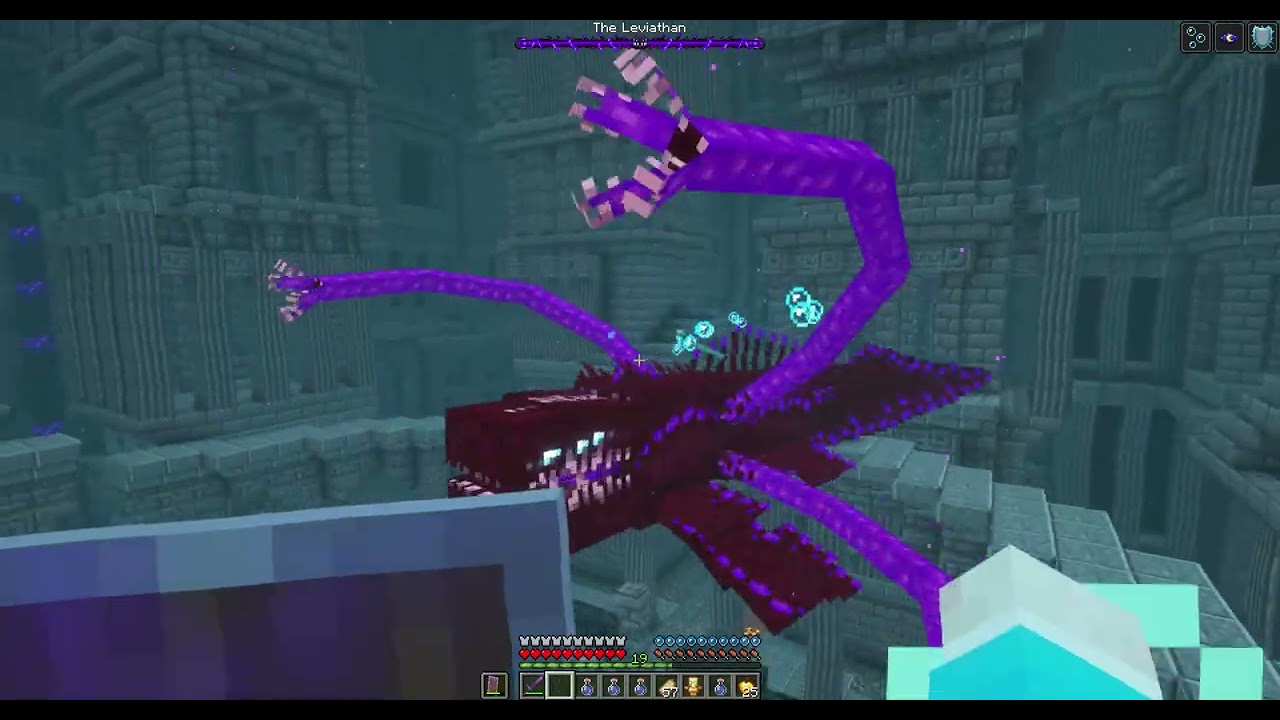
 stiff stirrup
modpack*
 gusty swan
Yeah
stiff stirrup
check modpack index
gusty swan
How deep does the sunken city go
regal jackal
It does go underwater
gusty swan
It would be cool
regal jackal
But you sort of sometimes see the top of it on surface
But the main part is always underwater
Depends on how Minecraft decides to generate it for you
gusty swan
Yeah but how deep is the water
regal jackal
Very deep but not too deep
regal jackal
I usually just enter the building itself
No but there’s a boss room you need to summon the boss yourself by crafting the required item
gusty swan
The leviathan?
regal jackal
The mod also includes an item you can craft to locate this building
paper herald
Just found the end citadel