#better-mc-forge
1 messages · Page 185 of 1
 stiff stirrup
the issue is that a block "Bygonenether:Withered_Blackstone_Vertical_Slab" doesnt seem to exist
and its having issues on it
mind giving that log with the more info?
 grand gate
it was a game log that didn't crash, but showed the same exact message (Unable to play empty soundEvent: minecraft:entity.salmon.ambient). do you really want that log?
stiff stirrup
yes
grand gate
grand gate
yes
stiff stirrup
did you open bmc yet
or is it still closed
im sure you can Export the console from prism out and send it here if you can
grand gate
What do you mean by "export the console"?
I have my prism launcher open but I don't join the game now because that crashes the game
 grand gate
stiff stirrup
grand gate
stiff stirrup
danke
Couldn't parse element loot_tables:bygonenether:blocks/cracked_withered_blackstone_vertical_slab com.google.gson.JsonSyntaxException: Expected name to be an item, was unknown string 'bygonenether:cracked_withered_blackstone_vertical_slab'
yep its this shit thats ur issue
strange
its not even that block
its just Bygonenether issues

Vertical slabs
id say
go ask the Bygonenether devs on help with this
grand gate
https://github.com/izofar/bygone-nether/issues/36
It seems that problem hasn't been fixed by the dev yet
GitHub
Describe the Bug Errors and Warnings in console when start server. https://mcpaste.io/c30d80d3c3fcbf1f "[Server] main/WARN [ne.mi.re.ForgeRegistry/REGISTRIES]: Registry minecraft:block: Object...
which was unfortunate
Anyway, thank you for your help
grand gate
I've removed the bygone mod but the same exact issue still persists in a singleplayer world
https://mclo.gs/7OzcYeX
 night imp
is there no bgm in this modpack?
 pearl cloak
yeah this straight up isn't in the options anywhere unless I need to mod the game files or something


am I just looking in the wrong places?
or is it a command
 warm spire
Hi! How can I transfer a world from one version to another ?
I mean I have my world on version 1.19.2 v19.5 and I want to play on the version 1.19.2 v20
 marble tusk
So does anyone know why I’m getting unknown error when trying to teleport
 obtuse oxide
Hello again all! What is the mod called that shows what you are looking at in the upper left hand corner and how can you toggle it to show back up?
 covert solar
Hey, I have a pickaxe with the vein mining enchant and it doesn't want to work
 junior verge
what's the name of the main boss mod?
you know the one that adds bosses such as the leviathan
want to add it to a modpack im making but i forgot its name since it has been so long since i last made a modpack for forge
nvm found its name

 fleet oxide
junior verge
what's the name of the main boss mod?
fleet oxide
junior verge
what's the name of the main boss mod?
Cataclysm and I wouldnt really call it the main boss mod. Other mods like twilight forest or stalwart dungeons offer better things imo
L_ender’s cataclysm to be precise
fleet oxide
covert solar
Hey, I have a pickaxe with the vein mining enchant and it doesn't want to work
Assign keybind first on controls
stiff stirrup
pearl cloak
this was the wrong thing
 timber marsh
Anyone know what villager trade for seeds?
stiff stirrup
!cracked
 still sentinelBOT
If you are using a cracked Minecraft launcher, we can not assist with your issue. In order to receive help, you need to switch to an approved launcher and provide proof you have purchased Minecraft. This is due to the terms of service and guideline agreements of both Mojang and Discord.
 plucky geodeBOT
Hack-Ban Result:
 Reason: appeal with proof that you own Minecraft
 Moderator: @icy estuary

Banned:

 kaycksm [
1003763824136028210]
timber marsh
Are you supposed to be able to break things in the ather cause I can’t
 icy estuary
timber marsh
Are you supposed to be able to break things in the ather cause I can’t
icy estuary
timber marsh
Are you supposed to be able to break things in the ather cause I can’t
You might have to use tools from their dimension
 remote plume
BMC4 v23 HF server files on curseforge says it's downloading v24 HF for some reason.
Trying to rollback after warp plates stopped working on v24. I'll try v22
remote plume
nvm I figured out how to get v23 server files. Still weird though, must be a curseforge thing.
 humble night
hello, i have a question, i have killed the naga and the lich from the twilight dimension. But the quest book doesn't recognize it
 teal urchin
you need to hold their head trophy
its found in a chest at the center of their respective locations
humble night
in the hand?
humble night
nothing happens
 sinful coyote
I’m using this 4 life

 unkempt siren
Quick question. How much RAM memory does a server need to be able to stand Better Minecraft?
Like the minimum
icy estuary
unkempt siren
Quick question. How much RAM memory does a server need to be able to stand Bette...
how many players
unkempt siren
Like just with friends, max 20 players
 pine seal
I am trying to get items to go from a hopper to the network but the items arent entering the collection interface, ive tried all different cables
 stiff stirrup
unkempt siren
Like just with friends, max 20 players
stiff stirrup
unkempt siren
Like just with friends, max 20 players
 like 16gb of ram should do and do some pregen
20 players is a lot
expect some lag
!pregen
still sentinelBOT

Noob explains how to Pre Generate your Minecraft World.
▬▬▬▬▬▬▬▬▬▬▬▬▬▬▬▬▬▬▬▬▬▬▬▬▬▬▬▬▬▬
➔ Modpack: https://www.curseforge.com/minecraft/modpacks/better-minecraft-modpack
➔ Discord: https://discord.com/invite/9S5tfrY4Fr
▬▬▬▬▬▬▬▬▬▬▬▬▬▬▬▬▬▬▬▬▬▬▬▬▬▬▬▬▬▬
➔ Want a Server?
BisectHosting: https://www.bisecthosting.com/LunaPixel
Use the code "LunaPixel" t...
stiff stirrup
chunky mod
unkempt siren
stiff stirrup
20 players is a lot
I mean, it would most likely end up being like 10
stiff stirrup
12-16gb ram
 fallen pine
Hello
How do i progress through the mod?
Im starting to play minecraft and
Im just confused because theres a lot of things to do
I visited the aether the everdawn and the other hot portal
But still dont know what to do
Most things include fighting bosses but im nowhere near strong on doing that
Do i farm diamonds and go for netherite armor and fully enchanted gear?
timber marsh
fallen pine
Do i farm diamonds and go for netherite armor and fully enchanted gear?
That’s what I’m doing but I’m not to sure
pine seal
fallen pine
Hello
Just progress as you would vanilla minecraft, any item that comes up that you arent sure about, there is a wiki for it.
The quest book and achievements tab will help
fallen pine
Also
timber marsh
Idk cus the tools and weapons from the overworld don’t work in most other dimensions
fallen pine
The recipe browser is broken
I press r when i hover over an ore
It gives me nothing
No tools that i can craft
Only like it says you can use it to make a block
And i only realise i can make tools when i see that its decraftable
pine seal
you need to rebind the R key in controlls to something else, there is already and R hotkey that conflits with another mod
 dark yarrow
hi
timber marsh
Hi
dark yarrow
how can i play with my friend better mc forge v24?
timber marsh
U can a mod to it called essentials mod that allows you to play together
 lime flower
timber marsh
U can a mod to it called essentials mod that allows you to play together
lime flower
timber marsh
U can a mod to it called essentials mod that allows you to play together
how do you add the essentials mod to the modpack?
 supple geyserBOT
lime flower
how do you add the essentials mod to the modpack?
supple geyserBOT
lime flower
how do you add the essentials mod to the modpack?
Our modpacks don't support essential, please use e4mc instead or host a local server using the serverpack.
lime flower
oh ok
timber marsh
Rip
timber marsh
supple geyser
Our modpacks don't support essential, please use e4mc instead or host a local se...
Is e4mc free?
supple geyserBOT
timber marsh
Is e4mc free?
Sorry! I'm only answering to Experienced people, Elocin's Acolytes and John Lunapixel Fans!
stiff stirrup
dark yarrow
how can i play with my friend better mc forge v24?
!ws
still sentinelBOT
Luna Pixel's World Sharing
Our modpacks don't support any mods that add singleplayer hosting / world sharing because we already provide free world sharing. The "Essential" mod is therefore incompatible.
To share your world using our own world hosting, click the "Open to Lan" or "Share World" button in the game menu when in a singleplayer world, and share the world.
It will give you an address, like magma-cube.mc.lunapixel.gg, which your friends can use to connect directly to your world as if it were a server!
We still highly suggest not to play through LAN as LAN is untested and unreliable. Using it will cause longterm damage to your world.
There is no reason to use LAN, as we support both paid and free methods of hosting a server the normal way.
 stiff stirrup
timber marsh
U can a mod to it called essentials mod that allows you to play together
stiff stirrup
timber marsh
U can a mod to it called essentials mod that allows you to play together
no
it causes world corruption
and doesnt work with our modpacks
stiff stirrup
timber marsh
Is e4mc free?
yes
timber marsh
Cool
stiff stirrup
yeah but we have a free world sharing already inside
 cursive raptor
is there a way i can like capture animals like the ram from twilight in like a lasso
 thin torrent
Hi sorry but i'v a question on better Minecraft forge mod pack, it's possible to see the waypoint of the other player in the same team?
Thx
timber marsh
Yah they have to share it to global though
thin torrent
All waypoints are in global but WE don't see them other WP 😔
remote plume
is anyone here able to help with a render overlay issue?
I'm not sure how to solve it
icy estuary
remote plume
!alternates
still sentinelBOT
If this command was run in response to your question/issue, it is likely because switching away from the launcher you are currently using would fix your problem.
From our experience, the most stable launcher by far is ATLauncher, also known as ATL.
To install ATLauncher, do the following:
1. Go to https://atlauncher.com/download
2. Install and run the setup, then open the program.
3. Login to your Microsoft account that owns the Java Edition of Minecraft from the Accounts tab on the right. This process is 100% safe, as it goes directly through Microsoft. ATLauncher does not see your account credentials.
4. Go to the Packs tab on the right, then click "Curseforge" on the left.
5. Search the modpack you wish to download.
6. Click "New Instance". Click "Ok" on the opted out mods warning, then click "Open All" on the manual download screen.
7. Let the mods download, ATLauncher will grab them from your Downloads folder and automatically add them to the modpack.
8. Go to the Instances tab, and click "Play" on the modpack you downloaded. If you ever see an "Update" button on the instance, click it.
To transfer your Curseforge world to ATLauncher, simply right click the modpack on Curseforge, or click the 3 dots, then click "Open Folder". Copy the Saves folder, then click "Open Folder" on ATLauncher and paste the Saves folder there.
Because ATLauncher downloads the exact same files as Curseforge does, your world will be the exact same and you will be able to join the same servers. ATLauncher also works without an internet connection (after you've installed the modpack, of course), and does not have any bloat from Overwolf. You are free to uninstall both Overwolf and Curseforge with ATLauncher installed.
 winter rain
hi my game crashes after gettting to the red screen where it says discovering mod files
 stiff stirrup
also do alternates

 stiff stirrup
winter rain
stiff stirrup
winter rain
Also Do Alternates
winter rain
what dioes that mean
stiff stirrup
 remote plume
thanks for the help I suppose...
winter rain
i did try on atl at first
still sentinelBOT
Hello! For us to help you with your issue, you will need to answer all 8 questions below. Post the answers in this channel:
1. Have you modified the modpack in any way? If so, what did you do? (Updating/adding/removing mods, changing configs)
2. What launcher, or program, are you using to launch the game? (CurseForge, ATLauncher, etc)
3. What Minecraft version are you playing? (1.18.2, 1.16.5, 1.19.2)
4. What version of the modpack are you playing? (v11, v9, etc)
5. What steps are necessary to reproduce the crash? (Launching the game, exploring the world, etc)
6. Have you ever gotten past the point where the crash happens?
7. Send the crash report file into this channel. Right click the modpack, Open Folder, and navigate to the Crash Reports folder. Drag the newest one here. If there is no crash reports folder, do the same thing with the latest.log file in the logs folder.
8. Did you follow the Performance guide linked in #faq?
stiff stirrup
answer these
winter rain
not modified
using curseforge rn
1.20.1
v24 HF
launching the game and pressing pklay on the minecraft
ive never gotten past it
heres the log
i doubbt its my performance i can run a lot of modpacks
winter rain
pc
stiff stirrup
!drivers
still sentinelBOT
You (likely) need to update your graphics drivers in order to resolve the crash. Here's how to go about doing that!
1. Identify your graphics card
if you already know skip to the next step
- Open task manager
- Navigate to the "Performance" tab (on Windows 11 this is the button that looks like a heart pulse)
- Press the GPU 0 graph and read your GPU from the top right
Note:
In some cases you may see a GPU 0 and GPU 1. This means your CPU has its own GPU, as well as an external one. You probably want GPU 1 (which is usually the external), but you can ask staff to clarify if necessary.
2. Download your drivers from the manufacturers site
Depending on what you read before, you likely need drivers from either AMD, Intel, or NVIDIA
AMD: https://www.amd.com/en/support
Intel: https://www.intel.com/content/www/us/en/download-center/home.html
NVIDIA: https://www.nvidia.com/Download/index.aspx?lang=en-us
Note:
- For NVIDIA you want to select "Game Ready Driver (GRD)" (this is the default option) for the best performance. Once installing you'd probably prefer downloading GeForce Experience, which will notify you when there's an available drivers update.
- For Intel, you probably want to press "Get Started" under the "Automatically update your drivers and software", which will simplify the process and update everything automatically
- For AMD you probably want to just press "Download Windows Drivers", which will download something called AMD Adrenaline, which will update your drivers automatically.
3. Run the installation, restart your computer, and try playing MC again
- At this point, hopefully your Minecraft is running. If it still does not work, please post any new logs and staff will help assist you with finding the right solution.
stiff stirrup
try this
 stiff stirrup
display cable in gpu
stiff stirrup
!performance
still sentinelBOT

 stiff stirrup
have you tried ATL?
winter rain
i can try it again but yes
stiff stirrup
ur log doenst show much info ngl
winter rain
what else can i send
 winter rain
okay 1 sec
fallen pine
What's a good progression path guys
icy estuary
fallen pine
What's a good progression path guys
follow the questbook
its a sandbox game so js explore
fallen pine
Most of it is kill bosses
I wish tools had a more detailed description
I cant even know which tools to keep
Would love to try something else but knowing diamond is the best i wouldn't risk
 agile cradle
fallen pine
Would love to try something else but knowing diamond is the best i wouldn't risk
agile cradle
fallen pine
Would love to try something else but knowing diamond is the best i wouldn't risk
Diamond is not the best from what I remember with BMC, look inside JEI and the different armors.
 spare minnow
i just tried to redeem the 100xp from barako but i got no levels?? help
 atomic narwhal
spare minnow
i just tried to redeem the 100xp from barako but i got no levels?? help
atomic narwhal
spare minnow
i just tried to redeem the 100xp from barako but i got no levels?? help
are you sure that it's not points instead of levels?
 odd lichen
winter rain
odd lichen
winter rain
can someone help
my minecraft keeps not responding whenever i join a server
heres my atl log
im on 1.20.1
forge

ive been here for 5-10 mins
i tried restarting
my friends are on the server so its not that
@stiff stirrup
stiff stirrup
winter rain
my minecraft keeps not responding whenever i join a server
what server are you joining
stiff stirrup
winter rain
my friends are on the server so its not that
what launcher are they using
 trail thunder
stiff stirrup
what launcher are they using
trail thunder
stiff stirrup
what launcher are they using
TL
trail thunder
Lmao
winter rain
stiff stirrup
what server are you joining
my own server
winter rain
how do i do that
stiff stirrup
Launching pack Better MC [FORGE] - BMC4 v4 HF (Modrinth) for Minecraft 1.20.1

the second one

 frank peak
guys why i cant add unbreaking enchantment on the zombie scepter?
 main spindle
is it okay if u plant wheat in the spring season?? will it grow??
pine seal
fallen pine
Rebind what go what though <@222476737580105728>
go to your keybinds in settings and search for the recipe key, and change it to something that isnt taken
timber marsh
anyone know how to find the alchemist villager or make it?
pine seal
put an enchanted basin next to an unemplyed villager
timber marsh
Kk thx
pine seal
anyone know why this istn working, the items dont go from the hopper to the network
 stiff stirrup
 pure vigil
BMC4 or 3?
pure vigil
BMC4 or 3?
4
pure vigil
stiff stirrup
4
whats new in BMC4?
stiff stirrup
you said you cant choose so i just said 4
i played 4 and liked it
thats about it for my opinions there
pure vigil
I was just asking whats new in BMC4 cuz i want to know cuz im not updated
stiff stirrup
idk its bmc4 its a different modpack
they all aim to be the same
the difference is just mc versions

 minor plinth
howto use the waystones?
 unique cargo
Should be a pretty simple place them down and give it a name. If you have other waystones, it should appear in the list
unique cargo
You use another waystone
pine seal
or craft a warp stone
unique cargo
Explore world > find waystone > set up at house > find another waystone > instant teleportation home
minor plinth
unique cargo
Explore world > find waystone > set up at house > find another waystone > instan...
also, do dragon eggs not spawn in chests anymore??/
unique cargo
Idk the answer to that one chief
stiff stirrup
minor plinth
also, do dragon eggs not spawn in chests anymore??/
they should
wait
chests?
no they shouldn’t lol
minor plinth
stiff stirrup
they should
im watching suevs youtube vid and he found dragon eggs in chests
so where can i find them then?
stiff stirrup
how long ago was that video
minor plinth
a yearago....
 minor plinth
oh god
stiff stirrup
lol
minor plinth
im guessing from adult dragons
stiff stirrup
maybe
minor plinth
i havent even seen an adult dragon yet
 minor plinth
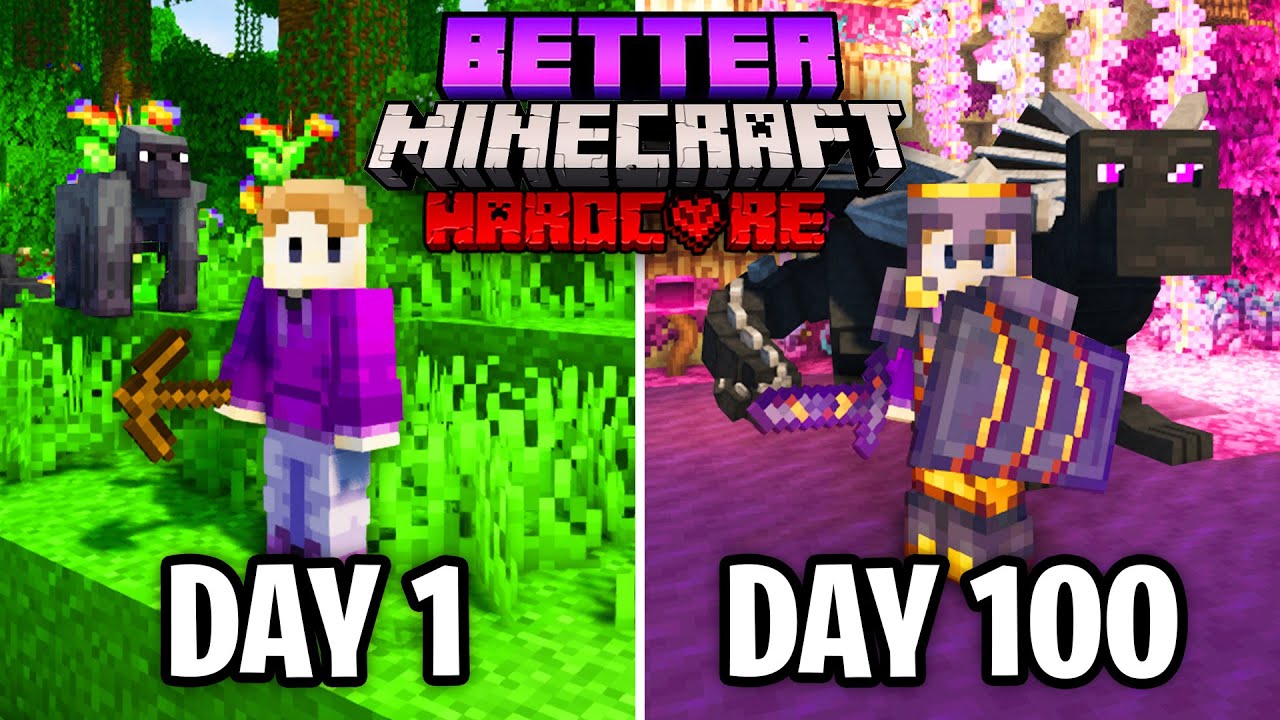
Better Minecraft is an amazing modpack that adds tons of new features to Minecraft!
Try Dashlane Premium free on your first device: https://www.dashlane.com/suev
Use the coupon code ‘SUEV’ to get 50% off Dashlane Premium
In this video I try to survive 100 days in Better Minecraft on Hardcore mode. Better Minecraft is a modpack that adds a lot o...
minor plinth
how do i get bmc 1
stiff stirrup
the modpack bmc1
minor plinth
(im stupid im sorry)
minor plinth
do i look that up on forge?
stiff stirrup
from like curseforge or ATL
minor plinth
oklemme see
stiff stirrup
minor plinth
do i look that up on forge?
if you mean cf yes
minor plinth
oh wait, just checked and im playing bmc1
stiff stirrup

 minor plinth
is there a way to chnage version or would that mess the gameup
stiff stirrup
it’s not worth going back versions
we don’t support older versions nor is it fun back then
minor plinth
awww ok thanks anyway
stiff stirrup
ye np
fleet oxide
cursive raptor
is there a way i can like capture animals like the ram from twilight in like a l...
Alex mobs mod has a lasso exactly what you need
 fluid grotto
what version of bmc forge should i play?
main spindle
guys , what is the best mount in overworld?
except the dragon
for the dragon mounts legacy , i think the mod have different 5 dragon , but when i search in JEI , why it only have the aether dr?
main spindle
is there gun in this modpack?? if no , why there is this enchanting book?

 tropic pagoda
how do i grow more flowers, bonemeal doesnt work?
main spindle
https://paste.atlauncher.com/view/28602d73-82da-41ae-b4e0-875fa5f24201
always crash after 10 minutes
agile cradle
main spindle
https://paste.atlauncher.com/view/28602d73-82da-41ae-b4e0-875fa5f24201
always cr...
singleplayer or server?
agile cradle
main spindle
https://paste.atlauncher.com/view/28602d73-82da-41ae-b4e0-875fa5f24201
always cr...
It's saying insufficient memory, how much do you have allocated to your game?
Single: most stick around to 6-8 gb.
main spindle
agile cradle
singleplayer or server?
singleplayer
main spindle
agile cradle
It's saying insufficient memory, how much do you have allocated to your game?
Si...
i make it to 14 gb
bcs it say increase the memory
agile cradle
14 is way too much
too much ram doesn't clean properly with minecraft due to java's garbage collection system.
Upgrade java to 18, put your memory between 6-8gb.
!openjdk
still sentinelBOT
- Download an adoptium release for Java (recommended but not required):
- Java 11 (https://adoptium.net/temurin/releases/?version=11) for versions 1.16.5 and below (can also use 8 if its not working)
- Java 18 (https://adoptium.net/temurin/releases/?version=18) for any versions newer (or 17 if 18 doesn't work)
- Consider installing the JRE instead of the JDK for a smaller file size
-
When installing through adoptium, make sure that Add to PATH and Set JAVA_HOME variable are both set to be installed (please see https://imgur.com/a/jPu1h7h for how that would look)
-
Check if java has been correctly installed by running java --version (or java -version on older versions), and seeing if the output is correct (see https://imgur.com/a/OWcoq4p for an example of the output)
- NOTE: 64 bit versions of java ALWAYS have '64-bit Server VM' in the version output. If that is not there, you have installed a 32-BIT version!! If you're getting Out of Memory errors or any other errors, PLEASE install 64-bit
- If the output isn't as intended, you have 2 options.
i) Delete ALL other java versions from your PC (ONLY recommended if you don't need them)
ii) Redirect your launcher/server to use your new installation of Java
Method i
- Uninstall any other java program listed in your programs list (differs by OS, please find a guide for your own OS if you don't know)
- Attempt to re-use the command mentioned above (if the output is now correct, which it should be, you are ready to go)
Method ii
- For a server, please modify the $Java/JAVA variable (found in your startup script depending on ps1/sh) to the path of your java installation. For windows, this path is usually found in "Program Files/Eclipse Adoptium/version_of_java/bin"
- For a client, depending on whether you use CurseForge, GD, or AT, the process is slightly different. Please see a guide for each respective launcher on how to change the java version.
main spindle
agile cradle
Upgrade java to 18, put your memory between 6-8gb.
is there any video tutorial about this? its very hard to understand
agile cradle
likely there is on youtube, but if you follow it slowly and step by step you should be ok
agile cradle
main spindle
is there any video tutorial about this? its very hard to understand

In this video, learn how to install Java JDK 18 on Windows 10. At first, download Java JDK 18, then install on Windows 10. After installation set the JDK path under the Environment Variables section on Windows 10. Here, the JDK bin path is set under System Variables. The installation would be successful. However, in this video, we will also see ...
main spindle
how to open the java program?
 quartz pond
hey
i am trying to make a server of BMC4 on my own pc, but im running into a few problems
- im not able to join my own localhost server, even tried putting the ip
- i cant find the run.bat file
quartz pond
nvm i sumhow managed to run the server, but now am just falling infintely in my world
no blocks loading
stiff stirrup
!moreinfo
still sentinelBOT
Hello! For us to help you with your issue, you will need to answer all 8 questions below. Post the answers in this channel:
1. Have you modified the modpack in any way? If so, what did you do? (Updating/adding/removing mods, changing configs)
2. What launcher, or program, are you using to launch the game? (CurseForge, ATLauncher, etc)
3. What Minecraft version are you playing? (1.18.2, 1.16.5, 1.19.2)
4. What version of the modpack are you playing? (v11, v9, etc)
5. What steps are necessary to reproduce the crash? (Launching the game, exploring the world, etc)
6. Have you ever gotten past the point where the crash happens?
7. Send the crash report file into this channel. Right click the modpack, Open Folder, and navigate to the Crash Reports folder. Drag the newest one here. If there is no crash reports folder, do the same thing with the latest.log file in the logs folder.
8. Did you follow the Performance guide linked in #faq?
stiff stirrup
quartz pond
hey
i am trying to make a server of BMC4 on my own pc, but im running into a few...
follow this guide ish
!server
still sentinelBOT
We suggest renting a server from Bisect Hosting:
Approx. $10 - $25 a month depending on what plan you choose. You can also get 25% off with Code LunaPixel.
Go to https://www.bisecthosting.com/LunaPixel and order a plan which fits you. We suggest 1GB per player but nothing lower than 4GB as the server needs at least 3GB to run.
Go to #server-hosting for more Info!
Free Method: (This is hosting on your own PC, which is harder to do so we suggest getting a server via Bisect Hosting)
- Download the serverpack from Curseforge's website
- Right click the start.ps1 file and click Run with Powershell
To join your own server, typelocalhostinto Direct Connect.
This video explains the process https://www.youtube.com/watch?v=wuGUbVbLsDc
The server IP address is your Public IP Address, which can be found by googling my ip address
If other players are unable to join, find a portforwarding guide online.
quartz pond
stiff stirrup
follow this guide ish
yeah i did all of tht
when i finally join the server, nothing loads in
and i just fall in the void
stiff stirrup
mm is this a single player world turned multiplayer?
 slim ember
how do i find onis
stiff stirrup
quartz pond
nothing is loading at all
delete the world and see if i’ve worked
quartz pond
i actually face this issue in every world i create, singeplayer or multiplayer
only with better mc
normal mc works fine
still sentinelBOT
Hello! For us to help you with your issue, you will need to answer all 8 questions below. Post the answers in this channel:
1. Have you modified the modpack in any way? If so, what did you do? (Updating/adding/removing mods, changing configs)
2. What launcher, or program, are you using to launch the game? (CurseForge, ATLauncher, etc)
3. What Minecraft version are you playing? (1.18.2, 1.16.5, 1.19.2)
4. What version of the modpack are you playing? (v11, v9, etc)
5. What steps are necessary to reproduce the crash? (Launching the game, exploring the world, etc)
6. Have you ever gotten past the point where the crash happens?
7. Send the crash report file into this channel. Right click the modpack, Open Folder, and navigate to the Crash Reports folder. Drag the newest one here. If there is no crash reports folder, do the same thing with the latest.log file in the logs folder.
8. Did you follow the Performance guide linked in #faq?
quartz pond
- no extra mods
- curseforge
- 1.20.1
- BMC4 v24
5.joining the world, nothing loads, keep falling into the void for 30s and timed out
6.nop
- i dont think its a performance issue, i get 800fps on avg
 round cipher
hi, ive just tried installing better minecraft 4 for the first time and i keep getting this crash
The game crashed whilst initializing game
Error: java.lang.RuntimeException: RivaTuner Statistics Server (RTSS) is not compatible with Sodium, see this issue for more details: https://github.com/CaffeineMC/sodium-fabric/issues/204
could anyone help me with what i need to do to fix this?
GitHub
The blocks are inside of each other and I know there is other post for this but maybe someone could put a step by step so other people can fix it Java Version: 1.16.1 CPU: 4x Intel Core i5-3320 2.6...
stiff stirrup
round cipher
hi, ive just tried installing better minecraft 4 for the first time and i keep g...
well
just turn off RTSS
round cipher
how do i do that?
stiff stirrup
press the up arrow on the bottom right of ur pc, right click the monitor and quit
stiff stirrup
quartz pond
1. no extra mods
2. curseforge
3. 1.20.1
4. BMC4 v24
5.joining the world, nothin...
i think
round cipher
it keeps coming back on when i end the task
stiff stirrup
ur server is installed wrong
stiff stirrup
round cipher
sorry im really bad with pcs >.<
open it and turn off the settings that makes it re enable
quartz pond
stiff stirrup
ur server is installed wrong
even my single player worlds dont load in
still sentinelBOT
If this command was run in response to your question/issue, it is likely because switching away from the launcher you are currently using would fix your problem.
From our experience, the most stable launcher by far is ATLauncher, also known as ATL.
To install ATLauncher, do the following:
1. Go to https://atlauncher.com/download
2. Install and run the setup, then open the program.
3. Login to your Microsoft account that owns the Java Edition of Minecraft from the Accounts tab on the right. This process is 100% safe, as it goes directly through Microsoft. ATLauncher does not see your account credentials.
4. Go to the Packs tab on the right, then click "Curseforge" on the left.
5. Search the modpack you wish to download.
6. Click "New Instance". Click "Ok" on the opted out mods warning, then click "Open All" on the manual download screen.
7. Let the mods download, ATLauncher will grab them from your Downloads folder and automatically add them to the modpack.
8. Go to the Instances tab, and click "Play" on the modpack you downloaded. If you ever see an "Update" button on the instance, click it.
To transfer your Curseforge world to ATLauncher, simply right click the modpack on Curseforge, or click the 3 dots, then click "Open Folder". Copy the Saves folder, then click "Open Folder" on ATLauncher and paste the Saves folder there.
Because ATLauncher downloads the exact same files as Curseforge does, your world will be the exact same and you will be able to join the same servers. ATLauncher also works without an internet connection (after you've installed the modpack, of course), and does not have any bloat from Overwolf. You are free to uninstall both Overwolf and Curseforge with ATLauncher installed.
stiff stirrup
use this
stiff stirrup
and make sure you download the CF version
round cipher
stiff stirrup
open it and turn off the settings that makes it re enable
i try to open it when i search it in the search bar, but nothing happens
quartz pond
hey man @stiff stirrup i just installed ATM8 and my world was loading
but when i switch back to BMC4 my worlds dont load and i fall in void
stiff stirrup
fallen pine
like better vanilla monsters?
yeah ig
stiff stirrup
round cipher
i try to open it when i search it in the search bar, but nothing happens
don’t search
fallen pine
Guys
stiff stirrup
on ur bar on the bottom find a Up arrow at the right side and press it. then press the monitor and close it
stiff stirrup
quartz pond
hey man <@460610775887773737> i just installed ATM8 and my world was loading
but...
reinstall with ATL
something might’ve broke when installing with cf
quartz pond
stiff stirrup
reinstall with ATL
alr
still sentinelBOT
 willow zenith
hi, can someone help me? its a bug, when i get to the overworld my game just stop working right, i can't break or gather things
stiff stirrup
willow zenith
hi, can someone help me? its a bug, when i get to the overworld my game just st...
/carryon clear
willow zenith
but i can't do anything, like everything just stop
icy estuary
willow zenith
hi, can someone help me? its a bug, when i get to the overworld my game just st...
!alternates
still sentinelBOT
If this command was run in response to your question/issue, it is likely because switching away from the launcher you are currently using would fix your problem.
From our experience, the most stable launcher by far is ATLauncher, also known as ATL.
To install ATLauncher, do the following:
1. Go to https://atlauncher.com/download
2. Install and run the setup, then open the program.
3. Login to your Microsoft account that owns the Java Edition of Minecraft from the Accounts tab on the right. This process is 100% safe, as it goes directly through Microsoft. ATLauncher does not see your account credentials.
4. Go to the Packs tab on the right, then click "Curseforge" on the left.
5. Search the modpack you wish to download.
6. Click "New Instance". Click "Ok" on the opted out mods warning, then click "Open All" on the manual download screen.
7. Let the mods download, ATLauncher will grab them from your Downloads folder and automatically add them to the modpack.
8. Go to the Instances tab, and click "Play" on the modpack you downloaded. If you ever see an "Update" button on the instance, click it.
To transfer your Curseforge world to ATLauncher, simply right click the modpack on Curseforge, or click the 3 dots, then click "Open Folder". Copy the Saves folder, then click "Open Folder" on ATLauncher and paste the Saves folder there.
Because ATLauncher downloads the exact same files as Curseforge does, your world will be the exact same and you will be able to join the same servers. ATLauncher also works without an internet connection (after you've installed the modpack, of course), and does not have any bloat from Overwolf. You are free to uninstall both Overwolf and Curseforge with ATLauncher installed.
 oak quail
Hello i got a question a time ago like 5 months or something i played a version called better minecraft plus but i cant find the version anymore and this is the best version.
fallen pine
Is the fqct that you can see so much in the minimap balanced?
grand gate
I need a guide/wiki for better mc curseforge 1.19.2
cursive raptor
fleet oxide
Alex mobs mod has a lasso exactly what you need
thanks bro
oh yeah
does fortune and vein mining work together on one pickaxe
or no
stiff stirrup
oak quail
Hello i got a question a time ago like 5 months or something i played a version ...
doesn’t exist anymore
was taken off curseforge
grand gate
grand gate
I need a guide/wiki for better mc curseforge 1.19.2
@stiff stirrup
trail thunder
grand gate
<@460610775887773737>
Dont ping him
stiff stirrup
grand gate
<@460610775887773737>
ok? what am i supposed to do with that
trail thunder
And no certain guide/wiki
stiff stirrup
not a crash so no need for a ping lol
grand gate
Sry new here
trail thunder
K
stiff stirrup
it’s in my name lol
trail thunder
Well yt videos is all you got
grand gate
Didn't see
trail thunder
Hm
grand gate
trail thunder
Well yt videos is all you got
This is the official server ryt?
How come there is no official guide
trail thunder
Well they making a guide is not that very hard but keeping it updated is coz a lot of things change as mods are updated
And the devs didnt have much time
To keep working on the packs and keeping the wikis updated
grand gate
There is literally nothing on Google
grand gate
trail thunder
Either yt playthroughs or search for a wiki of a certain mod
Do u know any good wiki recommendation
I could find any
oak quail
stiff stirrup
was taken off curseforge
you know why
 mighty mirage
hey, i am not sure if i can ask this here but some friend and me started a server yesterday where we play better mc. We all have the same problem that we don't have our own skins showed. Just the standard skins like alex and steve :/ i can't find skin-related stuff in the game and the mc launchers shows that we would have our own customized skin locked (i hope u can understand my problem, english is not my first language)
fleet oxide
grand gate
Do u know any good wiki recommendation
Honestly all i suggest for bmc is checking the announcements 1 by 1 for each mod added and then playing them through
Most big mods like aether or blue skies have wikis. Other mods have stuff on youtube or discord communities. The announcements have the mod authors named so you can always message them if you have questions
grand gate
fleet oxide
Honestly all i suggest for bmc is checking the announcements 1 by 1 for each mod...
I am playing better mc curseforge 1.19.2 with friends
I was hoping for a guide like the one fandom has
Everything listed out in a category of things with recipes and descriptions
But I am unable to find anything at all
Even on YouTube peeps are not problem the exact same version thingy
icy estuary
grand gate
How come there is no official guide
icy estuary
mighty mirage
hey, i am not sure if i can ask this here but some friend and me started a serve...
!alternates
still sentinelBOT
If this command was run in response to your question/issue, it is likely because switching away from the launcher you are currently using would fix your problem.
From our experience, the most stable launcher by far is ATLauncher, also known as ATL.
To install ATLauncher, do the following:
1. Go to https://atlauncher.com/download
2. Install and run the setup, then open the program.
3. Login to your Microsoft account that owns the Java Edition of Minecraft from the Accounts tab on the right. This process is 100% safe, as it goes directly through Microsoft. ATLauncher does not see your account credentials.
4. Go to the Packs tab on the right, then click "Curseforge" on the left.
5. Search the modpack you wish to download.
6. Click "New Instance". Click "Ok" on the opted out mods warning, then click "Open All" on the manual download screen.
7. Let the mods download, ATLauncher will grab them from your Downloads folder and automatically add them to the modpack.
8. Go to the Instances tab, and click "Play" on the modpack you downloaded. If you ever see an "Update" button on the instance, click it.
To transfer your Curseforge world to ATLauncher, simply right click the modpack on Curseforge, or click the 3 dots, then click "Open Folder". Copy the Saves folder, then click "Open Folder" on ATLauncher and paste the Saves folder there.
Because ATLauncher downloads the exact same files as Curseforge does, your world will be the exact same and you will be able to join the same servers. ATLauncher also works without an internet connection (after you've installed the modpack, of course), and does not have any bloat from Overwolf. You are free to uninstall both Overwolf and Curseforge with ATLauncher installed.
icy estuary
oak quail
you know why
its not supported anymore
icy estuary
fallen pine
Is the fqct that you can see so much in the minimap balanced?
you can disable it if you feel like its cheating
grand gate
icy estuary
<#815503531611783179>
Nothing there
icy estuary
grand gate
Nothing there
yes there is
grand gate
icy estuary
yes there is
Related to wiki/guide?
icy estuary
yes
grand gate
icy estuary
yes
Questbook and other mods wikis?
icy estuary
yes.
grand gate
Other mods wiki arent applicable
grand gate
icy estuary
yes.
Bit new to mc , frnds invited me to play
How do u guys earn
icy estuary
earn what
grand gate
Money
icy estuary
It does not rly matter does it
grand gate
Understandable
icy estuary
they earn money yes but still
grand gate
Fun stuff
grand gate
icy estuary
they earn money yes but still
How
grand gate
Ohs
grand gate
icy estuary
curseforge
Curseforge is what
icy estuary
where did u download the modpack from
grand gate
Website for distribution
grand gate
icy estuary
where did u download the modpack from
My frnd did the setup
Looking at the downloads
It should be a good amount
icy estuary
that does not change anything
mighty mirage
icy estuary
!alternates
sadly doesn't work, crashes every time i try it
icy estuary
mighty mirage
sadly doesn't work, crashes every time i try it
!moreinfo
still sentinelBOT
Hello! For us to help you with your issue, you will need to answer all 8 questions below. Post the answers in this channel:
1. Have you modified the modpack in any way? If so, what did you do? (Updating/adding/removing mods, changing configs)
2. What launcher, or program, are you using to launch the game? (CurseForge, ATLauncher, etc)
3. What Minecraft version are you playing? (1.18.2, 1.16.5, 1.19.2)
4. What version of the modpack are you playing? (v11, v9, etc)
5. What steps are necessary to reproduce the crash? (Launching the game, exploring the world, etc)
6. Have you ever gotten past the point where the crash happens?
7. Send the crash report file into this channel. Right click the modpack, Open Folder, and navigate to the Crash Reports folder. Drag the newest one here. If there is no crash reports folder, do the same thing with the latest.log file in the logs folder.
8. Did you follow the Performance guide linked in #faq?
grand gate
I have read it
icy estuary
then you would have known it wasnt an issue with money
grand gate
Yeah
cursive raptor
icy estuary
yes
dankeschuen
still sentinelBOT
If you are using a cracked Minecraft launcher, we can not assist with your issue. In order to receive help, you need to switch to an approved launcher and provide proof you have purchased Minecraft. This is due to the terms of service and guideline agreements of both Mojang and Discord.
stiff stirrup
Please show you have minecraft or leave the discord if you don’t have minecraft
we don’t support cracked launchers or cracked users
plucky geodeBOT
Hack-Ban Result:
Reason: appeal with proof that you own Minecraft
Moderator: @icy estuary
Banned:
toma8470 [798970718179557416]
timber marsh
cursive raptor
my vein mining doesnt wor
U have to bind it and then u have to hold it for it to work
cursive raptor
how do i bind it
timber marsh
Go to options and keybinds then search vein miner
cursive raptor
thanks
timber marsh
Np
 vale salmon
isnt there a website where it says how to get every item in the game?
grand gate
vale salmon
isnt there a website where it says how to get every item in the game?
I came here for the same thing and no
vale salmon
a ok
 teal sage
can someone tell me please if i can put on aternos the better minecraft mood? because i can´t find it by the name :'c
icy estuary
teal sage
can someone tell me please if i can put on aternos the better minecraft mood? be...
no
Aternos hardware is not good enough for modded instances
self-hosting is free
!server
still sentinelBOT
We suggest renting a server from Bisect Hosting:
Approx. $10 - $25 a month depending on what plan you choose. You can also get 25% off with Code LunaPixel.
Go to https://www.bisecthosting.com/LunaPixel and order a plan which fits you. We suggest 1GB per player but nothing lower than 4GB as the server needs at least 3GB to run.
Go to #server-hosting for more Info!
Free Method: (This is hosting on your own PC, which is harder to do so we suggest getting a server via Bisect Hosting)
- Download the serverpack from Curseforge's website
- Right click the start.ps1 file and click Run with Powershell
To join your own server, typelocalhostinto Direct Connect.
This video explains the process https://www.youtube.com/watch?v=wuGUbVbLsDc
The server IP address is your Public IP Address, which can be found by googling my ip address
If other players are unable to join, find a portforwarding guide online.
teal sage
icy estuary
self-hosting is free
thx
timber marsh
Does anyone know why I can’t get the horticulture villager I put down the flower tub and it says that it got the job but the village still stays unemployed
 grand quest
G'day fellow BMC Forge Users, I've just recently started playing Modpacks and I came across this Beautiful Modpack called BMC Forge 1.20.1. Sadly I only was able to enjoy it for about an Hour till some sort of Glitch/Bug occured wich annoyed me alot. After interacting with Ladders, Vines or just Simply being fully Covered in Water many Issues show up. For example I'm not able to break blocks, because as soon as I proceed to do so It simply resets. I also cannot use Furnace and Mobs just stop working properly... Could anybody give me Some Advice to fix this Bug, so that I can enjoy the Game at it's Best again? I also Forgot to mention that I've added the " Better Brightness Slider "
vale salmon
how do i put backpack on shelf?
when i shift and right click it makes me pick up the shelf
grand quest
I am using the ATLauncher by the way
frank peak
Hey is it possible to change the button of shield use?
grand quest
Not really, you can only change the Key with wich you use to Interact with Items in General
 terse flame
including the end nether and overworld how many dimensions are in the latest version of better mc
 fallen pine
terse flame
including the end nether and overworld how many dimensions are in the latest ver...
fallen pine
terse flame
including the end nether and overworld how many dimensions are in the latest ver...
Twilight zone, everdawn and the one one, aether..
 hollow kelp
Any hot solutions? 2024-01-02 19:56:03,739 main WARN Advanced terminal features are not available in this environment [19:56:03] [main/INFO] [cp.mo.mo.Launcher/MODLAUNCHER]: ModLauncher running: args [--launchTarget, forgeserver, --fml.forgeVersion, 47.2.4, --fml.mcVersion, 1.20.1, --fml.forgeGroup, net.minecraftforge, --fml.mcpVersion, 20230612.114412, nogui] [19:56:03] [main/INFO] [cp.mo.mo.Launcher/MODLAUNCHER]: ModLauncher 10.0.9+10.0.9+main.dcd20f30 starting: java version 21 by Oracle Corporation; OS Windows 11 arch amd64 version 10.0 [19:56:06] [main/INFO] [ne.mi.fm.lo.ImmediateWindowHandler/]: ImmediateWindowProvider not loading because launch target is forgeserver
Win 11
Tried the solutions
cursive raptor
is the twilight forest still being updated?
tropic pagoda
So about growing more flowers?
 red nest
should i worry or its just mean that it wont be optimizedd or something like that?

i will take that as maybe
 static vale
tropic pagoda
So about growing more flowers?
static vale
tropic pagoda
So about growing more flowers?
Yeah, I was just looking at it. Sadly I can't add it to my server cause it doesn't have a fabric 1.20.1 😭
stiff stirrup
 delicate bronze
it’s on
stiff stirrup
hollow kelp
Any hot solutions? ```2024-01-02 19:56:03,739 main WARN Advanced terminal featur...
what’s the issue tho?
i don’t rlly see anything wrong
hollow kelp
it fails to load the mods
tropic pagoda
static vale
Yeah, I was just looking at it. Sadly I can't add it to my server cause it doesn...
But how do i do it since bonemeal doesnt work on flowers?
static vale
Oh wait I'm sorry
static vale
cursive raptor
is the twilight forest still being updated?
That was for this
tropic pagoda
Darn it lol all good
cursive raptor
static vale
Yeah, I was just looking at it. Sadly I can't add it to my server cause it doesn...
ion even know how allat file shi work
stiff stirrup
!moreinfo
still sentinelBOT
Hello! For us to help you with your issue, you will need to answer all 8 questions below. Post the answers in this channel:
1. Have you modified the modpack in any way? If so, what did you do? (Updating/adding/removing mods, changing configs)
2. What launcher, or program, are you using to launch the game? (CurseForge, ATLauncher, etc)
3. What Minecraft version are you playing? (1.18.2, 1.16.5, 1.19.2)
4. What version of the modpack are you playing? (v11, v9, etc)
5. What steps are necessary to reproduce the crash? (Launching the game, exploring the world, etc)
6. Have you ever gotten past the point where the crash happens?
7. Send the crash report file into this channel. Right click the modpack, Open Folder, and navigate to the Crash Reports folder. Drag the newest one here. If there is no crash reports folder, do the same thing with the latest.log file in the logs folder.
8. Did you follow the Performance guide linked in #faq?
cursive raptor
it says i got 1.20.1 installed
but yknow
r they gonna add the castle boss
or whatever was to come
still sentinelBOT
If you are using a cracked Minecraft launcher, we can not assist with your issue. In order to receive help, you need to switch to an approved launcher and provide proof you have purchased Minecraft. This is due to the terms of service and guideline agreements of both Mojang and Discord.
plucky geodeBOT
Hack-Ban Result:
Reason: appeal with proof that you own Minecraft
Moderator: @icy estuary
Banned:
miguelito223xd [849733154482815006]
 quiet pike
I DONT KNOW WHY, but doesn't work in my mod pack 😦

 still sentinelBOT
Hello! For us to help you with your issue, you will need to answer all 8 questions below. Post the answers in this channel:
1. Have you modified the modpack in any way? If so, what did you do? (Updating/adding/removing mods, changing configs)
2. What launcher, or program, are you using to launch the game? (CurseForge, ATLauncher, etc)
3. What Minecraft version are you playing? (1.18.2, 1.16.5, 1.19.2)
4. What version of the modpack are you playing? (v11, v9, etc)
5. What steps are necessary to reproduce the crash? (Launching the game, exploring the world, etc)
6. Have you ever gotten past the point where the crash happens?
7. Send the crash report file into this channel. Right click the modpack, Open Folder, and navigate to the Crash Reports folder. Drag the newest one here. If there is no crash reports folder, do the same thing with the latest.log file in the logs folder.
8. Did you follow the Performance guide linked in #faq?
quiet pike
nitrado is bad?
icy estuary
quiet pike
nitrado is bad?
we have gotten alot of reports from People using Nitrado here
quiet pike
what is the best web
icy estuary
quiet pike
what is the best web
 finite merlin
quick question regarding the new Aether update, is the new Aether version automatically included in the modpack or is it the old one?
grand quest
grand quest
G'day fellow BMC Forge Users, I've just recently started playing Modpacks and I ...
I just deinstalled Villager Names and it seems to be working, but i'll Update if anything Changes
grand quest
grand quest
I just deinstalled Villager Names and it seems to be working, but i'll Update if...
Nevermind still there
Please I'd really appreciate this to b fixed
still sentinelBOT
If this command was run in response to your question/issue, it is likely because switching away from the launcher you are currently using would fix your problem.
From our experience, the most stable launcher by far is ATLauncher, also known as ATL.
To install ATLauncher, do the following:
1. Go to https://atlauncher.com/download
2. Install and run the setup, then open the program.
3. Login to your Microsoft account that owns the Java Edition of Minecraft from the Accounts tab on the right. This process is 100% safe, as it goes directly through Microsoft. ATLauncher does not see your account credentials.
4. Go to the Packs tab on the right, then click "Curseforge" on the left.
5. Search the modpack you wish to download.
6. Click "New Instance". Click "Ok" on the opted out mods warning, then click "Open All" on the manual download screen.
7. Let the mods download, ATLauncher will grab them from your Downloads folder and automatically add them to the modpack.
8. Go to the Instances tab, and click "Play" on the modpack you downloaded. If you ever see an "Update" button on the instance, click it.
To transfer your Curseforge world to ATLauncher, simply right click the modpack on Curseforge, or click the 3 dots, then click "Open Folder". Copy the Saves folder, then click "Open Folder" on ATLauncher and paste the Saves folder there.
Because ATLauncher downloads the exact same files as Curseforge does, your world will be the exact same and you will be able to join the same servers. ATLauncher also works without an internet connection (after you've installed the modpack, of course), and does not have any bloat from Overwolf. You are free to uninstall both Overwolf and Curseforge with ATLauncher installed.
grand quest
Thx
Oh wait
Nope I'm currently Using the ATLauncher
The same Issue also Occured in BMC 1.19.2 while using ATLauncher
stiff stirrup
ah hm
 wet nova
!openjdk
still sentinelBOT
- Download an adoptium release for Java (recommended but not required):
- Java 11 (https://adoptium.net/temurin/releases/?version=11) for versions 1.16.5 and below (can also use 8 if its not working)
- Java 18 (https://adoptium.net/temurin/releases/?version=18) for any versions newer (or 17 if 18 doesn't work)
- Consider installing the JRE instead of the JDK for a smaller file size
-
When installing through adoptium, make sure that Add to PATH and Set JAVA_HOME variable are both set to be installed (please see https://imgur.com/a/jPu1h7h for how that would look)
-
Check if java has been correctly installed by running java --version (or java -version on older versions), and seeing if the output is correct (see https://imgur.com/a/OWcoq4p for an example of the output)
- NOTE: 64 bit versions of java ALWAYS have '64-bit Server VM' in the version output. If that is not there, you have installed a 32-BIT version!! If you're getting Out of Memory errors or any other errors, PLEASE install 64-bit
- If the output isn't as intended, you have 2 options.
i) Delete ALL other java versions from your PC (ONLY recommended if you don't need them)
ii) Redirect your launcher/server to use your new installation of Java
Method i
- Uninstall any other java program listed in your programs list (differs by OS, please find a guide for your own OS if you don't know)
- Attempt to re-use the command mentioned above (if the output is now correct, which it should be, you are ready to go)
Method ii
- For a server, please modify the $Java/JAVA variable (found in your startup script depending on ps1/sh) to the path of your java installation. For windows, this path is usually found in "Program Files/Eclipse Adoptium/version_of_java/bin"
- For a client, depending on whether you use CurseForge, GD, or AT, the process is slightly different. Please see a guide for each respective launcher on how to change the java version.
grand quest
Okey I'll try that... Thanks alot for putting in so much effort for me ;D
stiff stirrup
np
wet nova
what the hell is this error and why isnt it working?
 wet nova

do I set the java home thing
or do I leave it?
idk what to do here
@stiff stirrup
 stiff stirrup
where did you type the xmx8G
 stiff stirrup
thats wrong
you need to have it inside " "
if its not inside " " it goes hay wire
and crashes like that 
 wet nova
thank you man it works now
stiff stirrup

agile cradle
cursive raptor
is there any item that makes you fire immune
Fire protec enchants
covert solar
Does anyone know why the game freezes sometimes when I play?
still sentinelBOT
agile cradle
covert solar
Does anyone know why the game freezes sometimes when I play?
singleplayer or server?
covert solar
agile cradle
singleplayer or server?
Singleplayer
agile cradle
Follow the performance guide above then ^^
fallen pine
Is the create mod compatible with this modpack?
agile cradle
Not sure, but you could give prominence or all of create a crack if you want create specific modpacks
fallen pine
What's prominence
fallen pine
What are they about
stiff stirrup
fallen pine
What are they about
!prom
still sentinelBOT
What is Prominence?
Prominence aims to provide content for everyone, whether it's magic, tech, combat, building, you will not miss out on it. With balance and performance always being top priority.
Differences (Forge vs Fabric, 1 vs 2)
 Forge has a focus on the core of the modpack: Balance with content for everyone. Including community favorite mods such as Alex's Caves, Alex's Mobs, Minecolonies, Aether, etc. Prodiving a classic modded minecraft experience, rich on content, and for everyone.
 Fabric has the same focus on balance and content for everyone, but adds on top its own RPG-like endgame. With unique custom content such as artifacts, end game bosses, a story campaign and more. It also features public official servers called realms.
 Prominence I is on 1.19.2. It no longer recieves content updates and only stability updates.
 Prominence II is on 1.20.1. It recieves weekly updates with new content and more custom content.
TL;DR
If you are looking for a unique experience with a lot of content and balance in mind, Prominence is for you.
If you like RPG content, go for its Fabric version. If you prefer more of a classic modded mc experience, then go for Forge.
agile cradle
Speaking of AOC  we just got an updaaaate
fallen pine
Is it in prominence
still sentinelBOT
Curseforge - Refers to both the Curseforge website and Curseforge Launcher. The Curseforge Launcher is a modded launcher used to play & install modpacks. ATLauncher is a better alternative. All modded launchers can be used to install & play both Fabric and Forge modpacks.
Modpack - A collection of mods. "Better MC 1.19.2 Forge", for example, is a modpack.
Modpack Version - The version of the modpack you are playing. v5, v6, v7, etc.
Minecraft Version - The version of Minecraft which the modpack you are playing runs on. 1.16.5, 1.18.2, 1.19.2, etc.
Mod - A .jar file which modifies the game in some way. "BetterEnd", for example, is a mod.
Forge - A mod loader which allows you to use Forge mods.
Fabric - A mod loader which allows you to use Fabric mods.
fallen pine
I get it
agile cradle
AOC is a modpack, Prominence is a modpack. They are different, but both do have create mod stuff in it
still sentinelBOT
stiff stirrup
^ :3
fallen pine
I get 200 fps but does drop to 60-40 in some areas for some reason (example: ur ghast towers)
Already allocated 7gigs of ram
And i cant update gpus
I cant do most the things in that guide
agile cradle
Most of us play on 6-8gb of ram for single player.
fallen pine
I put 7
agile cradle
yes, and garbage collection
stiff stirrup
yes
quite well
garbage collection in ram util optimizations
aka uses less ram over a longer period of time
and uses it more smartly to save performance
fallen pine
Using java17
agile cradle
Long story short: Java's garbage filtering system is trash. 18 is the most stable and more optimized than 17
fallen pine
I only have 17 and 8
still sentinelBOT
- Download an adoptium release for Java (recommended but not required):
- Java 11 (https://adoptium.net/temurin/releases/?version=11) for versions 1.16.5 and below (can also use 8 if its not working)
- Java 18 (https://adoptium.net/temurin/releases/?version=18) for any versions newer (or 17 if 18 doesn't work)
- Consider installing the JRE instead of the JDK for a smaller file size
-
When installing through adoptium, make sure that Add to PATH and Set JAVA_HOME variable are both set to be installed (please see https://imgur.com/a/jPu1h7h for how that would look)
-
Check if java has been correctly installed by running java --version (or java -version on older versions), and seeing if the output is correct (see https://imgur.com/a/OWcoq4p for an example of the output)
- NOTE: 64 bit versions of java ALWAYS have '64-bit Server VM' in the version output. If that is not there, you have installed a 32-BIT version!! If you're getting Out of Memory errors or any other errors, PLEASE install 64-bit
- If the output isn't as intended, you have 2 options.
i) Delete ALL other java versions from your PC (ONLY recommended if you don't need them)
ii) Redirect your launcher/server to use your new installation of Java
Method i
- Uninstall any other java program listed in your programs list (differs by OS, please find a guide for your own OS if you don't know)
- Attempt to re-use the command mentioned above (if the output is now correct, which it should be, you are ready to go)
Method ii
- For a server, please modify the $Java/JAVA variable (found in your startup script depending on ps1/sh) to the path of your java installation. For windows, this path is usually found in "Program Files/Eclipse Adoptium/version_of_java/bin"
- For a client, depending on whether you use CurseForge, GD, or AT, the process is slightly different. Please see a guide for each respective launcher on how to change the java version.
agile cradle
Follow this, but use the numbers for the jdk 18 version you download https://github.com/BlackCorsair/install-jdk-on-steam-deck

GitHub
Guide and script to install java jdk 17 on the steam deck - GitHub - BlackCorsair/install-jdk-on-steam-deck: Guide and script to install java jdk 17 on the steam deck
agile cradle
You could try it if you want, but honestly just better to use a modpack that's optimized for it
icy estuary
uou should play all of create because ||im the dev||
stiff stirrup
promoter
agile cradle
pure vigil
my computer cant hold bmc
as in storage or performance?
pure vigil
agile cradle
<#815503531611783179> follow the performance guide
also our server doesnt load
agile cradle
how is the server being hosted?
agile cradle
you can use luna mod built into the modpack, or you can self host on your computer
!ws
still sentinelBOT
Luna Pixel's World Sharing
Our modpacks don't support any mods that add singleplayer hosting / world sharing because we already provide free world sharing. The "Essential" mod is therefore incompatible.
To share your world using our own world hosting, click the "Open to Lan" or "Share World" button in the game menu when in a singleplayer world, and share the world.
It will give you an address, like magma-cube.mc.lunapixel.gg, which your friends can use to connect directly to your world as if it were a server!
We still highly suggest not to play through LAN as LAN is untested and unreliable. Using it will cause longterm damage to your world.
There is no reason to use LAN, as we support both paid and free methods of hosting a server the normal way.
agile cradle
!server
still sentinelBOT
We suggest renting a server from Bisect Hosting:
Approx. $10 - $25 a month depending on what plan you choose. You can also get 25% off with Code LunaPixel.
Go to https://www.bisecthosting.com/LunaPixel and order a plan which fits you. We suggest 1GB per player but nothing lower than 4GB as the server needs at least 3GB to run.
Go to #server-hosting for more Info!
Free Method: (This is hosting on your own PC, which is harder to do so we suggest getting a server via Bisect Hosting)
- Download the serverpack from Curseforge's website
- Right click the start.ps1 file and click Run with Powershell
To join your own server, typelocalhostinto Direct Connect.
This video explains the process https://www.youtube.com/watch?v=wuGUbVbLsDc
The server IP address is your Public IP Address, which can be found by googling my ip address
If other players are unable to join, find a portforwarding guide online.
agile cradle
nono essential is not compatible. it's bad, it will corrupt worlds
The !ws command is about the luna mod that's already in all LPS modpacks that you can use for free
spare minnow
stiff stirrup
huh
 runic quarry
help-me
 trail thunder
spare minnow
trail thunder
runic quarry
help-me
trail thunder
spare minnow
trail thunder
runic quarry
help-me
Did you add anything?
spare minnow
trail thunder
<#790272038047711242>
what?
trail thunder
spare minnow
what?
No listening parties here lmao this is a support channel
spare minnow
og okay!
runic quarry
trail thunder
Did you add anything?
No, I just installed the modpack and this appeared
trail thunder
What launcher?
runic quarry
Tlauncher
trail thunder
!cracked
still sentinelBOT
If you are using a cracked Minecraft launcher, we can not assist with your issue. In order to receive help, you need to switch to an approved launcher and provide proof you have purchased Minecraft. This is due to the terms of service and guideline agreements of both Mojang and Discord.
winter rain
im playing the 1.20.1 version and i cant seem to find many custom mobs and stuff like sure theres some here and there and theres also structures but theyu are 20k ish blocks apart
is this normal?
after hours of playing we ahve only seen 2 of the repurposed structures
main spindle
guys , what is the best mount in this modpack??
and where is the other dragon in the dragon mount legacy mod??
 gritty river
runic quarry
Tlauncher
gritty river
runic quarry
Tlauncher
lol
main spindle
does anyone know how to set the waypoint but onyl for 1 dimensio
 fast radish
main spindle
does anyone know how to set the waypoint but onyl for 1 dimensio
fast radish
main spindle
does anyone know how to set the waypoint but onyl for 1 dimensio
you can check keybinds in the the menu
go to controls then keybinds and search "waypoint"
fallen pine
i dont think i can play without bmc anymore
 pallid berry
am i crazy or do i just not see the modpack better mc plus 1.16.5 bmp1 modpack anymore and the oldest versions for any of the prominence ones are 1.18
 astral sandal
pallid berry
am i crazy or do i just not see the modpack better mc plus 1.16.5 bmp1 modpack a...
astral sandal
pallid berry
am i crazy or do i just not see the modpack better mc plus 1.16.5 bmp1 modpack a...
BMP was discontinued because it was unstable
pallid berry
ahh thank you
plucky geodeBOT
Ban Result:
Reason: piracy
Moderator: @icy estuary
Banned:
gabrielfl4 [332664438526181378]
stiff stirrup
lmao
 north acorn
does the aether mod have gold dungeons or nah I have been searching for ages
 willow fog
im getting this crash whenever i try to load my world. any idea whats going wrong? it was working great earlier today.
im on a mac, launching from curseforge
 stiff stirrup
willow fog
im getting this crash whenever i try to load my world. any idea whats going wron...
stiff stirrup
willow fog
im getting this crash whenever i try to load my world. any idea whats going wron...
use java21 aarch64 and atl
!alternates
still sentinelBOT
If this command was run in response to your question/issue, it is likely because switching away from the launcher you are currently using would fix your problem.
From our experience, the most stable launcher by far is ATLauncher, also known as ATL.
To install ATLauncher, do the following:
1. Go to https://atlauncher.com/download
2. Install and run the setup, then open the program.
3. Login to your Microsoft account that owns the Java Edition of Minecraft from the Accounts tab on the right. This process is 100% safe, as it goes directly through Microsoft. ATLauncher does not see your account credentials.
4. Go to the Packs tab on the right, then click "Curseforge" on the left.
5. Search the modpack you wish to download.
6. Click "New Instance". Click "Ok" on the opted out mods warning, then click "Open All" on the manual download screen.
7. Let the mods download, ATLauncher will grab them from your Downloads folder and automatically add them to the modpack.
8. Go to the Instances tab, and click "Play" on the modpack you downloaded. If you ever see an "Update" button on the instance, click it.
To transfer your Curseforge world to ATLauncher, simply right click the modpack on Curseforge, or click the 3 dots, then click "Open Folder". Copy the Saves folder, then click "Open Folder" on ATLauncher and paste the Saves folder there.
Because ATLauncher downloads the exact same files as Curseforge does, your world will be the exact same and you will be able to join the same servers. ATLauncher also works without an internet connection (after you've installed the modpack, of course), and does not have any bloat from Overwolf. You are free to uninstall both Overwolf and Curseforge with ATLauncher installed.
stiff stirrup
!openjdk
still sentinelBOT
- Download an adoptium release for Java (recommended but not required):
- Java 11 (https://adoptium.net/temurin/releases/?version=11) for versions 1.16.5 and below (can also use 8 if its not working)
- Java 18 (https://adoptium.net/temurin/releases/?version=18) for any versions newer (or 17 if 18 doesn't work)
- Consider installing the JRE instead of the JDK for a smaller file size
-
When installing through adoptium, make sure that Add to PATH and Set JAVA_HOME variable are both set to be installed (please see https://imgur.com/a/jPu1h7h for how that would look)
-
Check if java has been correctly installed by running java --version (or java -version on older versions), and seeing if the output is correct (see https://imgur.com/a/OWcoq4p for an example of the output)
- NOTE: 64 bit versions of java ALWAYS have '64-bit Server VM' in the version output. If that is not there, you have installed a 32-BIT version!! If you're getting Out of Memory errors or any other errors, PLEASE install 64-bit
- If the output isn't as intended, you have 2 options.
i) Delete ALL other java versions from your PC (ONLY recommended if you don't need them)
ii) Redirect your launcher/server to use your new installation of Java
Method i
- Uninstall any other java program listed in your programs list (differs by OS, please find a guide for your own OS if you don't know)
- Attempt to re-use the command mentioned above (if the output is now correct, which it should be, you are ready to go)
Method ii
- For a server, please modify the $Java/JAVA variable (found in your startup script depending on ps1/sh) to the path of your java installation. For windows, this path is usually found in "Program Files/Eclipse Adoptium/version_of_java/bin"
- For a client, depending on whether you use CurseForge, GD, or AT, the process is slightly different. Please see a guide for each respective launcher on how to change the java version.
stiff stirrup
willow fog
what's arch64? appologies for my ignorance
it’s a version of java it’s for the newer generation / mac’s mainly
yes there is just the normal 64x that does work but it isn’t as optimized as arch64
arch64 is more optimized for mac + it’s what mac’s want as they run on a specific build that uses arch64 stuff
fallen pine
fucking hell
how do i install java
i download the tar gz then put it in my .config folder?
icy estuary
fallen pine
i download the tar gz then put it in my .config folder?
read this slowly #better-mc-forge message
fallen pine
icy estuary
read this slowly https://discord.com/channels/790272037578473512/821705976138694...
i cant
im on steam deck
 copper echo
What server package would you
to run this pakc with 3 people
willow fog
am i doing something wrong? is it meant to detect them or do i just click skip remaining
 willow fog
nevermind they're in the mod folder already aparently
trail thunder
yeah
willow fog
okay now we pray it works haha
 primal dagger
If you download the modpack, you can't really put external mods into it.
I'd say download a seperate version of the better mc you're using, and then put in the replay mod
You also need to make sure the mods is compatible with the version of minecraft you're using too.
That's a start
If what I suggested doesn't work then I can't help
 elder iris
primal dagger
I'd say download a seperate version of the better mc you're using, and then put ...
elder iris
primal dagger
I'd say download a seperate version of the better mc you're using, and then put ...
Bruh he already done like that
primal dagger
elder iris
Bruh he already done like that
Oh.
Oh wait I meant create your own better mc file
Idk how to explain it, it's like download all better mc mods, but not for better mc
elder iris
You mean like manually adding all the required mods separately and combining it ?
He had downloaded the whole better mc in tlmods
elder iris
primal dagger
Yeah that's what I meant
Okay ty let us try it
primal dagger
If it doesn't work then I apologize. I'm just going with what I already know
Yeah, I've done it many times with 1.20.1
So best of luck to you!
icy estuary
!moreinfo
still sentinelBOT
Hello! For us to help you with your issue, you will need to answer all 8 questions below. Post the answers in this channel:
1. Have you modified the modpack in any way? If so, what did you do? (Updating/adding/removing mods, changing configs)
2. What launcher, or program, are you using to launch the game? (CurseForge, ATLauncher, etc)
3. What Minecraft version are you playing? (1.18.2, 1.16.5, 1.19.2)
4. What version of the modpack are you playing? (v11, v9, etc)
5. What steps are necessary to reproduce the crash? (Launching the game, exploring the world, etc)
6. Have you ever gotten past the point where the crash happens?
7. Send the crash report file into this channel. Right click the modpack, Open Folder, and navigate to the Crash Reports folder. Drag the newest one here. If there is no crash reports folder, do the same thing with the latest.log file in the logs folder.
8. Did you follow the Performance guide linked in #faq?
icy estuary
primal dagger
If you download the modpack, you can't really put external mods into it.
you can
primal dagger
icy estuary
you can
I think you'd better of better help then lol
willow fog
thank you all for helping! ive got my world up and running.
stiff stirrup
replay mod is for fabric
?
uh not for forge you can’t pretty sure
might for for bmc fabric
not forgetting
give the log then
!logs
still sentinelBOT
To better assist with fixing an issue, we will need some logs: Curseforge/GDLauncher-> Right click the modpack instance -> Open Folder. For MultiMC -> Click 'Instance Folder' on the right.
Find the file 'Latest' in the 'Logs' folder. If there is a folder called 'Crash Reports' then find the newest file from today. Upload these as requested.
still sentinelBOT
If you are using a cracked Minecraft launcher, we can not assist with your issue. In order to receive help, you need to switch to an approved launcher and provide proof you have purchased Minecraft. This is due to the terms of service and guideline agreements of both Mojang and Discord.
icy estuary
goodbye
plucky geodeBOT
Ban Result:
Reason: appeal only with proof that you own Minecraft
Moderator: @icy estuary
Banned:
stevegaming007 [868441729072787497]
stiff stirrup
bye bye
Mojang. dont have money? just crack our stuff so we cant pay anyone and update the game lol
icy estuary


 stray acorn
does the just zoom mod, come default with mouse acceleration? I need to know
the mod in bmc4
nvm
 sonic cedar
Could someone help me with Better mc always having crash code error 1 pop up
I tried many thing stated on google to fix it but it still doesnt work
stiff stirrup
sonic cedar
Could someone help me with Better mc always having crash code error 1 pop up
I t...
!moreinfo
still sentinelBOT
Hello! For us to help you with your issue, you will need to answer all 8 questions below. Post the answers in this channel:
1. Have you modified the modpack in any way? If so, what did you do? (Updating/adding/removing mods, changing configs)
2. What launcher, or program, are you using to launch the game? (CurseForge, ATLauncher, etc)
3. What Minecraft version are you playing? (1.18.2, 1.16.5, 1.19.2)
4. What version of the modpack are you playing? (v11, v9, etc)
5. What steps are necessary to reproduce the crash? (Launching the game, exploring the world, etc)
6. Have you ever gotten past the point where the crash happens?
7. Send the crash report file into this channel. Right click the modpack, Open Folder, and navigate to the Crash Reports folder. Drag the newest one here. If there is no crash reports folder, do the same thing with the latest.log file in the logs folder.
8. Did you follow the Performance guide linked in #faq?
pure vigil
bmc3 has too much goin on, is there a guide here?
first time playing with modpack im so confused
fallen pine
Imagine being so dumb to think its okay to bring up the fact that you have a cracked version of mc
People like that are so funny
pure vigil
wut
pure vigil
icy estuary
<#815503531611783179>
thx!
stiff stirrup
pure vigil
wut
not you
stiff stirrup
fallen pine
People like that are so funny
IKR
pure vigil
stiff stirrup
not you
Ik i just said wut lol
stiff stirrup
mate legit said “minecraft said if you can’t buy the game you can crack it”
still sentinelBOT
If you are using a cracked Minecraft launcher, we can not assist with your issue. In order to receive help, you need to switch to an approved launcher and provide proof you have purchased Minecraft. This is due to the terms of service and guideline agreements of both Mojang and Discord.
fallen pine
 "who cares they make millions of dollars" yeah, and millions of people bought it because it is actually what keeps the game running and getting constant updates
stiff stirrup
yep
fallen pine
And then they hit you with the "im a minor i don't have money"
Its even worse when its an adult lol
People can't save like 20 bucks for probably daily/lifelong entertainment
stiff stirrup

 oak temple
yo can i get shaders on this 1.20 better mc forge
stiff stirrup
!shader
still sentinelBOT
https://www.curseforge.com/minecraft/customization/complementary-shaders
Alternatively,
https://www.curseforge.com/minecraft/customization/complementary-reimagined

CurseForge
Exceptional quality, detail and performance; while pushing the limits of Minecraft.
15.5M Downloads | Shaders
CurseForge
Exceptional quality, detail and performance; while preserving the unique visuals of Minecraft.
7.6M Downloads | Shaders
 plain heart
guys i have a problem my mouse started like gliding
idk how to say it
but when i move my mouse it starts to move on its own in game
on pc its normal works fine
but on moded its not working good
plain heart
okay i know how to make it work with my problem
 kindred tree
hello! can someone help me with lag on better minecraft? settings or something, goes from 300 fps down to 52 fps in diffrents moves
kindred tree
trail thunder
!fps
can you help me with taht?
kindred tree
it lags when i move like , 300fps, 245fps, 52. fps and it goes like that hole time, and the leaves on trees is compact
can i fix it in settings or something?
kindred tree
hmm i dont knowww, how can i se that?
trail thunder
which launcher?
kindred tree
Curseforge?
kindred tree
im not good at all with computer thingsXD
trail thunder
and youll see a slider thing with ram allocation
kindred tree
yes in launcher?
trail thunder
yep
kindred tree
 kindred tree
okee!
oak quail
Hello i got a Question what called the mod where i got more entchantments like not prot 5 then i got also prot 6 7 8 9 and thats with any book or with like the good books
 still sentinelBOT
CurseForge Launcher: https://youtu.be/P3hd9MKWvXw?t=130
GD Launcher: https://youtu.be/P3hd9MKWvXw?t=383
MultiMC: https://youtu.be/P3hd9MKWvXw?t=452
trail thunder
forgor about this command
icy estuary
kindred tree
go to Minecraft section
 trail thunder
qwek
icy estuary
you cant do it from inside the launcher
kindred tree
yes im there now
kindred tree
think its this, 15,8 GB
 warm plaza
@stiff stirrup
Hi, I was hoping to get some help - I'm trying to play Better MC [FORGE] - BMC4, but the game keeps randomly crashing with EXCEPTION_ACCESS_VIOLATION.
I've tried the following:
- Tried
Better MC [FORGE] - BMC4andBetter MC [FABRIC] - BMC2on Curseforge launcher, still crashing. - Switched to ATLauncher with default settings, tried
BMC4, still crashing. - Changed Java to
Eclipse Temurin 18.0.2.101 x64and updated drivers, still crashing. - Ran DDU to uninstall drivers, and reinstalled fresh new nvidia drivers, still crashing.
I've mostly ran out of ideas on what to do - I have the error log and latest.log.
icy estuary
warm plaza
<@460610775887773737>
Hi, I was hoping to get some help - I'm trying to play `B...
can you send the full log
warm plaza
icy estuary
can you send the full log
Both?
icy estuary
yes
warm plaza
icy estuary
yes
Here they are
stiff stirrup
warm plaza
Here they are
laptop?
warm plaza
stiff stirrup
laptop?
Nope, Ryzen 5 7600, GIGABYTE RTX 4070 12GB and 32GB DDR5-5200
stiff stirrup
warm plaza
Nope, Ryzen 5 7600, GIGABYTE RTX 4070 12GB and 32GB DDR5-5200
display cable plugged into gpu?
warm plaza
stiff stirrup
display cable plugged into gpu?
Yes
stiff stirrup
does ur 7600 have an igpu
warm plaza
stiff stirrup
does ur 7600 have an igpu
Yeah, but I've deactivated in device management
 stiff stirrup
grand gate
Any idea how this can be solved
stiff stirrup
grand gate
Any idea how this can be solved
!alternates
still sentinelBOT
If this command was run in response to your question/issue, it is likely because switching away from the launcher you are currently using would fix your problem.
From our experience, the most stable launcher by far is ATLauncher, also known as ATL.
To install ATLauncher, do the following:
1. Go to https://atlauncher.com/download
2. Install and run the setup, then open the program.
3. Login to your Microsoft account that owns the Java Edition of Minecraft from the Accounts tab on the right. This process is 100% safe, as it goes directly through Microsoft. ATLauncher does not see your account credentials.
4. Go to the Packs tab on the right, then click "Curseforge" on the left.
5. Search the modpack you wish to download.
6. Click "New Instance". Click "Ok" on the opted out mods warning, then click "Open All" on the manual download screen.
7. Let the mods download, ATLauncher will grab them from your Downloads folder and automatically add them to the modpack.
8. Go to the Instances tab, and click "Play" on the modpack you downloaded. If you ever see an "Update" button on the instance, click it.
To transfer your Curseforge world to ATLauncher, simply right click the modpack on Curseforge, or click the 3 dots, then click "Open Folder". Copy the Saves folder, then click "Open Folder" on ATLauncher and paste the Saves folder there.
Because ATLauncher downloads the exact same files as Curseforge does, your world will be the exact same and you will be able to join the same servers. ATLauncher also works without an internet connection (after you've installed the modpack, of course), and does not have any bloat from Overwolf. You are free to uninstall both Overwolf and Curseforge with ATLauncher installed.
stiff stirrup
warm plaza
Yeah, but I've deactivated in device management
hmmm
see if you have this option to change
 warm plaza
Yeah no, I don't have that drop down, I only have the settings box below
stiff stirrup
hm
 sudden cloud
@stiff stirrup
stiff stirrup
sudden cloud
<@460610775887773737>
yeah?
 steel patio
When we load in, we infinitly fall throug the map\
sudden cloud
everyone in the server
icy estuary
steel patio
When we load in, we infinitly fall throug the map\
how is your server hosted
steel patio
through luna pixel?
sudden cloud
lunapixel
icy estuary
shutup “ping me for robux”
icy estuary
steel patio
through luna pixel?
disable ur firewall
trail thunder
icy estuary
shutup “ping me for robux”
lol dont be that mean
icy estuary
alt f4
trail thunder
lmao
icy estuary

sudden cloud
so the server host should disable the firewall?
atomic narwhal
what do y'all mean by lunapixel? who is the server host?
trail thunder
ig lan
atomic narwhal
trail thunder
ig lan
Need a real answer
trail thunder
yeah but when they say lunapixel only lan makes sense
sudden cloud
bisect hosting
trail thunder
ah
atomic narwhal
trail thunder
ah
see?
sudden cloud
should we join there server?
icy estuary
trail thunder
yeah but when they say lunapixel only lan makes sense
lunapixel is either worldshare or bisect
sudden cloud
yeah we did
icy estuary
sudden cloud
should we join there server?
make a ticket with their support
sudden cloud

warm plaza
stiff stirrup
hm
Any more ideas or?
stiff stirrup
warm plaza
Any more ideas or?
Not entirely
but try to look online on how to swap to dedicated gpu from bios
 outer lance
Does better minecraft 1.18.2 have any magic mods ?
 quartz smelt
Is anyone else unable to find quests in 1.20 BM?
icy estuary
quartz smelt
Is anyone else unable to find quests in 1.20 BM?
what launcher
quartz smelt
icy estuary
what launcher
Curse forge?
icy estuary
quartz smelt
Curse forge?
inventory top left corner
quartz smelt
Within the GUI or on the edge of the screen?
icy estuary
within
quartz smelt
I dont't see it?
 still sentinelBOT
Curseforge - Refers to both the Curseforge website and Curseforge Launcher. The Curseforge Launcher is a modded launcher used to play & install modpacks. ATLauncher is a better alternative. All modded launchers can be used to install & play both Fabric and Forge modpacks.
Modpack - A collection of mods. "Better MC 1.19.2 Forge", for example, is a modpack.
Modpack Version - The version of the modpack you are playing. v5, v6, v7, etc.
Minecraft Version - The version of Minecraft which the modpack you are playing runs on. 1.16.5, 1.18.2, 1.19.2, etc.
Mod - A .jar file which modifies the game in some way. "BetterEnd", for example, is a mod.
Forge - A mod loader which allows you to use Forge mods.
Fabric - A mod loader which allows you to use Fabric mods.
stiff stirrup
both mc and modpack version
