#better-mc-forge
1 messages · Page 154 of 1
 cunning jolt
Lord, I've been playing for weeks and haven't found one yet !
 late lance
It said to load up the world without data packs in safe mode and it didn't let me in since it got corrupted
 karmic crystal
Oh I see did you do a backup of the world ??
late lance
yeah but I'm scared to open it rn
Incase it also messes up
do I just remove the mod and load it up?
 icy estuary
yeah if you dont awnser this I cant help you #better-mc-forge message
 wet sandal
How do I share the world so my friend can join
icy estuary
wet sandal
How do I share the world so my friend can join
!ws
 still sentinelBOT
Luna Pixel's World Sharing
Our modpacks don't support any mods that add singleplayer hosting / world sharing because we already provide free world sharing. The "Essential" mod causes world corruption and other issues, and is therefore incompatible.
To share your world using our own world hosting, click the "Open to Lan" or "Share World" button in the game menu when in a singleplayer world, and share the world.
It will give you an address, like magma-cube.mc.lunapixel.gg, which your friends can use to connect directly to your world as if it were a server!
 wet sandal
icy estuary
!ws
wet sandal
icy estuary
!ws
I did that but when he put the server ip in he can’t join
icy estuary
what does it say
wet sandal
icy estuary
what does it say
It says that he can’t join
icy estuary
wet sandal
It says that he can’t join
send a ss
wet sandal
icy estuary
send a ss
hold up one sec he went to do something when he comes back i will get his to send the pic so i can send to you
 gilded sandal
Yoo i installed BMC 4 forge 1.20.1 v 18 server on a dedicated server, and also installed the latest bmc4 on ftb launcher, but when me and friend try to join it lists incompatible/missing mods?
wet sandal
It worked I just had to restart the world
icy estuary
gilded sandal
Yoo i installed BMC 4 forge 1.20.1 v 18 server on a dedicated server, and also i...
!alternates
still sentinelBOT
If this command was run in response to your question/issue, it is likely because switching away from the launcher you are currently using would fix your problem.
From our experience, the most stable launcher by far is ATLauncher, also known as ATL.
To install ATLauncher, do the following:
1. Go to https://atlauncher.com/download
2. Install and run the setup, then open the program.
3. Login to your Microsoft account that owns the Java Edition of Minecraft from the Accounts tab on the right. This process is 100% safe, as it goes directly through Microsoft. ATLauncher does not see your account credentials.
4. Go to the Packs tab on the right, then click "Curseforge" on the left.
5. Search the modpack you wish to download.
6. Click "New Instance". Click "Ok" on the opted out mods warning, then click "Open All" on the manual download screen.
7. Let the mods download, ATLauncher will grab them from your Downloads folder and automatically add them to the modpack.
8. Go to the Instances tab, and click "Play" on the modpack you downloaded. If you ever see an "Update" button on the instance, click it.
To transfer your Curseforge world to ATLauncher, simply right click the modpack on Curseforge, or click the 3 dots, then click "Open Folder". Copy the Saves folder, then click "Open Folder" on ATLauncher and paste the Saves folder there.
Because ATLauncher downloads the exact same files as Curseforge does, your world will be the exact same and you will be able to join the same servers. ATLauncher also works without an internet connection (after you've installed the modpack, of course), and does not have any bloat from Overwolf. You are free to uninstall both Overwolf and Curseforge with ATLauncher installed.
gilded sandal
Thanks ill try with that launcher
wet sandal
icy estuary
send a ss
Is there a way to make the server 24/7
 stiff stirrup
wet sandal
Is there a way to make the server 24/7
stiff stirrup
wet sandal
Is there a way to make the server 24/7
!server
still sentinelBOT
We suggest renting a server from Bisect Hosting:
Approx. $10 - $25 a month depending on what plan you choose. You can also get 25% off with Code LunaPixel.
Go to https://www.bisecthosting.com/LunaPixel and order a plan which fits you. We suggest 1GB per player but nothing lower than 4GB as the server needs at least 3GB to run.
Go to #server-hosting for more Info!
Free Method: (This is hosting on your own PC, which is harder to do so we suggest getting a server via Bisect Hosting)
- Download the serverpack from Curseforge's website
- Right click the start.ps1 file and click Run with Powershell
To join your own server, typelocalhostinto Direct Connect.
This video explains the process https://www.youtube.com/watch?v=wuGUbVbLsDc
The server IP address is your Public IP Address, which can be found by googling my ip address
If other players are unable to join, find a portforwarding guide online.
gilded sandal
icy estuary
!alternates
Tried the atlauncher, same problem with the server missing mods
stiff stirrup
gilded sandal
Tried the atlauncher, same problem with the server missing mods
server is missing mods?
gilded sandal
I'
I've installed the most recent server files from the curseforge website, aswell as the latest client with atlauncher
stiff stirrup
well if its saying the Server doesnt have the right mods try reinstalling the server
gilded sandal
I'll try that 🙂
gilded sandal
stiff stirrup
well if its saying the Server doesnt have the right mods try reinstalling the se...
Same problem, the server also starts incredibly fast considering the amount of mods that should load, getting some errors like this:
Mod file C:\Windows\system32\libraries\net\minecraftforge\fmlcore\1.20.1-47.2.0\fmlcore-1.20.1-47.2.0.jar is missing mods.toml file
stiff stirrup
can you send the latest log?
gilded sandal
stiff stirrup
inside of there is latest.log
All right found it, was located in system32 for some reason
https://hastebin.com/share/ezuletuhap.csharp
Hastebin is a free web-based pastebin service for storing and sharing text and code snippets with anyone. Get started now.
stiff stirrup
gilded sandal
All right found it, was located in system32 for some reason
https://hastebin.com...
ur server isnt loading any mods :p
it has forge installed
just no mods
gilded sandal
Odd o.o i've just downloaded the server files and ran the ps1 file with powershell 😛
gilded sandal
There is 198 items in the mods folder though :p
 gilded sandal
Nope same :/
stiff stirrup
than i suppose it didnt install right again 
silly serverfiles not working right
does ur ps1 when you launch it say anything weird?
gilded sandal
Hmm nope starts right up, fast as if no mods load xD
stiff stirrup
!windows11
still sentinelBOT
An update to windows introduced a new security feature that prevents powershell files from running on your PC. This is great for your security, but not so great for our server start scripts, which require powershell to run them. Fortunately there is a quick fix for this!
Run powershell as administrator, then run Set-ExecutionPolicy RemoteSigned. Read the prompt and press accept. This will allow us to run scripts.
Next, navigate to your server directory using cd path/to/directory (for example: cd C:\Users\Username\Documents\Minecraft\Server)
You can now run the server by double-clicking the start.ps1 file, or typing .\start.ps1 into the command line while in the directory.
IF THE ABOVE DOES NOT WORK, TRY THIS
Run the command Unblock-File -Path .\start.ps1 in the same powershell window. This will allow the start script to not be blocked by windows, and run freely.
If all else fails, a manual installation should work:
FORGE 1.16.5: https://www.youtube.com/watch?v=bIjisWyxU-8
FORGE 1.18.2: https://www.youtube.com/watch?v=R610M102X0U
FORGE 1.19.2: https://www.youtube.com/watch?v=3HD0ibIpO-A
FABRIC: https://www.youtube.com/watch?v=b2W1Xb7nLKo
Make sure to Install the Server in our ServerPacks so it can use the correct files.
gilded sandal
Ill try thank you ;P However its 1.20 version i suppose ill need to download
stiff stirrup
need be try manually installing forge 
gilded sandal
Ill try that thanks :3
 versed pelican
i'm trying to make this afk fish farm on a server, but the iron trapdoor is only flipping once each time the redstone activates rather than twice. ie it will open on the first redstone activation and close on the next redstone activation. what should be happening is that EACH redstone activation causes it to open AND close. i built the farm in single player and it works as expected there. Can anyone help?https://www.youtube.com/watch?v=r4h0TOJ-WuM
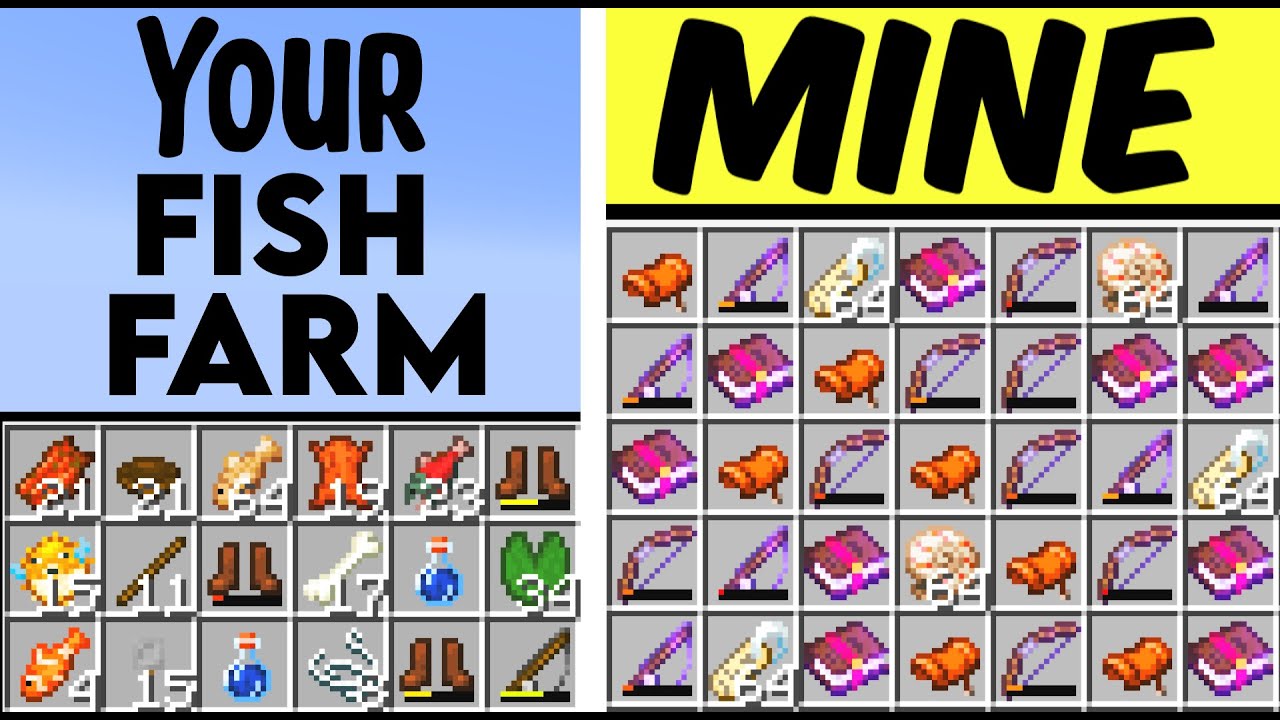
EDIT: in 1.20 wax the sign.
1.20 version and helpful tips: https://youtu.be/sT4noYO1xUE
EDIT: Your bobber needs to have access to the sky for also treasure loot. Also need 2blocks of air above all water. To stop phantoms put slabs over player instead trapdoors. Tweak delay for best casting.
Like and Share with other Minecrafters!
►Support...
 steep ruin
is there a way to fix this lol
 icy estuary
steep ruin
is there a way to fix this lol
icy estuary
steep ruin
is there a way to fix this lol
fix what
steep ruin
preventing those flying endermen from spawning
icy estuary
steep ruin
preventing those flying endermen from spawning
afaik the only way is to disable the mob
icy estuary
what chunk problem
steep ruin
they arent loading properly
icy estuary
do they just not load?

 unkempt timber
Playing BetterMC on 1.18.2. How do I build a greenhouse? Just place glasblock above crop?
gilded sandal
stiff stirrup
need be try manually installing forge <a:uhhh:1075458067883372615>
Finally got it working by installed the forge server manually and dragging over the mods, configs etc 😄
stiff stirrup
oof
gilded sandal
Thanks for the help 😄
stiff stirrup
but glad it worked
 lavish smelt
- i added a mod to make optifine capes visible (Optifine Capes)
- Curseforge
- 1.20.1
- v18
- I think launching a world that was made in an old version of the modpack
- it just doesnt let me join my world so yeah
- i dont have one as it does not crash my game
- yes
icy estuary
lavish smelt
1. i added a mod to make optifine capes visible (Optifine Capes)
2. Curseforge
3...
read #7 slowly
steep ruin
icy estuary
<#815503531611783179> performance guide
i unfortunately failed to see how that can help me
icy estuary
steep ruin
i unfortunately failed to see how that can help me
please follow it
lavish smelt
 dapper rapids
Thank you 🙂
gilded sandal
dapper rapids
Thank you 🙂
Im not sure about the plugins part, but i just installed server and you need to install forge manually, and drag over the mod files etc, not sure how to get plugins working though
dapper rapids
gilded sandal
Im not sure about the plugins part, but i just installed server and you need to ...
Yes thanks, I managed to launch the modpack without any problems, but the problem is that I absolutely want to add plugins (like EssentialsX).
gilded sandal
dapper rapids
Yes thanks, I managed to launch the modpack without any problems, but the proble...
I see not sure about that sry
dapper rapids
Thank you for trying! 🙂
 wooden lynx
wtf kind of spawn point is this lmao
 icy estuary
neat
stiff stirrup
wooden lynx
wtf kind of spawn point is this lmao
fuck around and find out lol
icy estuary
You cant use plugins with Forge
stiff stirrup
mohist could run plugins
they are trying plugin/mod based launchers
but i wouldnt be surprised if it didnt work
its hard to get more than simple mods to work with a mohist based launcher
wooden lynx
stiff stirrup
fuck around and find out lol
slowly lol
 stiff stirrup
wooden lynx
slowly lol
stiff stirrup
wooden lynx
slowly lol
u got this
dapper rapids
I've already played on servers with plugins o.o
Maybe installing the mods one by one, on mohist, or even another jar?
wooden lynx
what did i spawn in?
 stiff stirrup
dapper rapids
I've already played on servers with plugins o.o
Maybe installing the mods one by...
stiff stirrup
dapper rapids
I've already played on servers with plugins o.o
Maybe installing the mods one by...
not sure
try asking ur server host to do it for you
dapper rapids
Thanks for taking the time to answer me anyway, it's cool 🙂
Yep, I think I'll make a ticket tomorrow!
 tribal summit
I love this modpack 💙 Thanks so much 😁✌
wet sandal
do you know where i can download server folder for 1.20.1 so i can put it on my vps
icy estuary
wet sandal
do you know where i can download server folder for 1.20.1 so i can put it on my ...
curseforge
wooden lynx
i shall return to w.e on earth this is lol

 sick crown
hello, please can you help me? We respawned the dragon and we do not know how to kill him, because in the middle there is some building that looks like church, and there are end crystals but we cant destroy them.. and everything else is destroyed. What should we do to kill dragon?
 violet oxide
Which mod adds the crawling? (C or V per default)
 agile cradle
wooden lynx
i shall return to w.e on earth this is lol
agile cradle
wooden lynx
i shall return to w.e on earth this is lol
Looks like it could be what some have called the Las Vegas structure from what I've seen in modded playthroughs
.quarantine @dull blaze
 plucky geodeBOT
Quarantine Result:
 Reason: No reason.
 Staff: @agile cradle
<:success:660789936651370497> Successful Quarantines

andyproo 
<:cancel:660789591900684329> Unsuccessful Quarantines
All users were quarantined!
 agile cradle
ty ozzi!
 grand gate
have endermite summons been changed im bmc3 or have i just been extremely unlucky? ive gone through nearly 200 ender pearls and no endermite summon yet
late lance
wooden lynx
i shall return to w.e on earth this is lol
not the elytra skeletons
they are a nightmare
 livid basin
yo guys i just started anyone got some tips? this modpack is huge lol
stiff stirrup
livid basin
yo guys i just started anyone got some tips? this modpack is huge lol
read the quests they are pretty straightfoward 
icy estuary
livid basin
should i go to everbrifght? i got diamond set
Diamond wont work in
everbright and everdawn
livid basin
how do i get them tho\
 grave comet
is essential compatible?
icy estuary
livid basin
how do i get them tho\
from that dimension
just like how you would get vanilla ores / wood / stone.. etc
agile cradle
grave comet
is essential compatible?
!ws nope.
still sentinelBOT
Luna Pixel's World Sharing
Our modpacks don't support any mods that add singleplayer hosting / world sharing because we already provide free world sharing. The "Essential" mod causes world corruption and other issues, and is therefore incompatible.
To share your world using our own world hosting, click the "Open to Lan" or "Share World" button in the game menu when in a singleplayer world, and share the world.
It will give you an address, like magma-cube.mc.lunapixel.gg, which your friends can use to connect directly to your world as if it were a server!
agile cradle
essential is never a good mod to use due to the vast issues it can cause.
 urban crypt
Hello, I tried to install the server pack but whenever I start the powershell script it fail with a choose an application to open CMD with
 stiff stirrup
urban crypt
Hello, I tried to install the server pack but whenever I start the powershell sc...
stiff stirrup
urban crypt
Hello, I tried to install the server pack but whenever I start the powershell sc...
!windows11
still sentinelBOT
An update to windows introduced a new security feature that prevents powershell files from running on your PC. This is great for your security, but not so great for our server start scripts, which require powershell to run them. Fortunately there is a quick fix for this!
Run powershell as administrator, then run Set-ExecutionPolicy RemoteSigned. Read the prompt and press accept. This will allow us to run scripts.
Next, navigate to your server directory using cd path/to/directory (for example: cd C:\Users\Username\Documents\Minecraft\Server)
You can now run the server by double-clicking the start.ps1 file, or typing .\start.ps1 into the command line while in the directory.
IF THE ABOVE DOES NOT WORK, TRY THIS
Run the command Unblock-File -Path .\start.ps1 in the same powershell window. This will allow the start script to not be blocked by windows, and run freely.
If all else fails, a manual installation should work:
FORGE 1.16.5: https://www.youtube.com/watch?v=bIjisWyxU-8
FORGE 1.18.2: https://www.youtube.com/watch?v=R610M102X0U
FORGE 1.19.2: https://www.youtube.com/watch?v=3HD0ibIpO-A
FABRIC: https://www.youtube.com/watch?v=b2W1Xb7nLKo
Make sure to Install the Server in our ServerPacks so it can use the correct files.
urban crypt
I already tried all of that beside the manual installation
wet sandal
how much ram do i need to run a server on my vps
 thorn burrow
I have 16GB on my computer can I self host
wet sandal
thorn burrow
I have 16GB on my computer can I self host
well i was wondering so i know how much to put for my server
on my vps
thorn burrow
What is vps
wet sandal
thorn burrow
What is vps
virtual private server
still sentinelBOT
We suggest renting a server from Bisect Hosting:
Approx. $10 - $25 a month depending on what plan you choose. You can also get 25% off with Code LunaPixel.
Go to https://www.bisecthosting.com/LunaPixel and order a plan which fits you. We suggest 1GB per player but nothing lower than 4GB as the server needs at least 3GB to run.
Go to #server-hosting for more Info!
Free Method: (This is hosting on your own PC, which is harder to do so we suggest getting a server via Bisect Hosting)
- Download the serverpack from Curseforge's website
- Right click the start.ps1 file and click Run with Powershell
To join your own server, typelocalhostinto Direct Connect.
This video explains the process https://www.youtube.com/watch?v=wuGUbVbLsDc
The server IP address is your Public IP Address, which can be found by googling my ip address
If other players are unable to join, find a portforwarding guide online.
wet sandal
thorn burrow
!server
i have 4 gb and it is useing more than that so should i put 6 gb
agile cradle
how many players are there?
wet sandal
agile cradle
how many players are there?
2
agile cradle
then yeah try 6
wet sandal
even by my self it will go up even more than 4 gb
stiff stirrup
wet sandal
even by my self it will go up even more than 4 gb
4gb for mc itself 1gb per person
wet sandal
stiff stirrup
4gb for mc itself 1gb per person
no one is in the server and its at this
 agile cradle
it requires 3 to run it. without people
4 is for leeway, then 1 gig per person who joins
stiff stirrup
3gb min for mc, 4gb when a player and is running 6gb for stability
wet sandal
ok so i need 6
stiff stirrup
for 2 players yes
agile cradle
yes. it should be fine with that provided you don't go nuts with the chunks loaded.
wet sandal
but why dose it take so much
agile cradle
technically it's not much.
urban crypt
urban crypt
Hello, I tried to install the server pack but whenever I start the powershell sc...
Okay so I actually figured out the issue, had to change the "CMD" to "cmd.exe" in the start.ps1 file
 stiff stirrup
thats weird but glad it worked
urban crypt
yeah can't tell why, in cmd and bat scripts cmd alone work, but powershell for me needs cmd.exe in order to work
Thanks still for the help
stiff stirrup

 floral crane
Hi! I have a strange crash that keeps happening whenever I load into my world, is this the right channel to ask for help?
stiff stirrup
floral crane
Hi! I have a strange crash that keeps happening whenever I load into my world, i...
yes
!moreinfo
still sentinelBOT
Hello! For us to help you with your issue, you will need to answer all 8 questions below. Post the answers in this channel:
1. Have you modified the modpack in any way? If so, what did you do? (Updating/adding/removing mods, changing configs)
2. What launcher, or program, are you using to launch the game? (CurseForge, ATLauncher, etc)
3. What Minecraft version are you playing? (1.18.2, 1.16.5, 1.19.2)
4. What version of the modpack are you playing? (v11, v9, etc)
5. What steps are necessary to reproduce the crash? (Launching the game, exploring the world, etc)
6. Have you ever gotten past the point where the crash happens?
7. Send the crash report file into this channel. Right click the modpack, Open Folder, and navigate to the Crash Reports folder. Drag the newest one here. If there is no crash reports folder, do the same thing with the latest.log file in the logs folder.
8. Did you follow the Performance guide linked in #faq?
floral crane
oki Great
- No
- Curseforge launcher
- I'm playing on the 1.20 version
- I'm playing on v15
- I have to load the world, and then it crashes before I see anything.
- I have tried 2 times so far, and I have not gotten past that point.
- I have not checked it, but I doubt it has anything to do with it. I will check nonetheless
stiff stirrup
floral crane
1. No
2. Curseforge launcher
3. I'm playing on the 1.20 version
4. I'm playing o...
did you pick up a map / craft one?
floral crane
To summarise what happened, I created a blank world map (iirc), and tried it in the overworld, got a message that it might not work in this dimension, jumped into my twilight forest portal. It teleported me in the sky, 2300 blocks away from where my portal is, barely managed to mlg waterbucket. I then used the map
thorn burrow
wet sandal
i have 4 gb and it is useing more than that so should i put 6 gb
how much ram do u have in total
!server
still sentinelBOT
We suggest renting a server from Bisect Hosting:
Approx. $10 - $25 a month depending on what plan you choose. You can also get 25% off with Code LunaPixel.
Go to https://www.bisecthosting.com/LunaPixel and order a plan which fits you. We suggest 1GB per player but nothing lower than 4GB as the server needs at least 3GB to run.
Go to #server-hosting for more Info!
Free Method: (This is hosting on your own PC, which is harder to do so we suggest getting a server via Bisect Hosting)
- Download the serverpack from Curseforge's website
- Right click the start.ps1 file and click Run with Powershell
To join your own server, typelocalhostinto Direct Connect.
This video explains the process https://www.youtube.com/watch?v=wuGUbVbLsDc
The server IP address is your Public IP Address, which can be found by googling my ip address
If other players are unable to join, find a portforwarding guide online.
stiff stirrup
floral crane
To summarise what happened, I created a blank world map (iirc), and tried it in ...
god minecraft and ur poopie maps
update the moonlight lib mod
floral crane
I just download the latest (released, not beta or anything) version and chuck it into the mod folder?
stiff stirrup
yep
delete the old one
if ur using cf you can check off the modify modpack and update from there
but dont update every mod it will break
floral crane
on it, thank ill try it and update you
stiff stirrup
wet sandal
thorn burrow
how much ram do u have in total
30 gb
 mental fable
Do any one of of y'all know how to change the crafting station interface back to normal
wet sandal
thorn burrow
i have 16
oh i have 16 but 30 for vps
mental fable
I miss making stacks of things by holding down shift
floral crane
stiff stirrup
if ur using cf you can check off the modify modpack and update from there
idk what this means so I just deleted the file and added the new one. Now it is saying ''Supplementaries has failed to load correctly''.... Should I retry?
mental fable
Like what happened to the book

 lyric moth
still sentinel
Hello! For us to help you with your issue, you will need to answer **all 8 quest...
lyric moth
still sentinel
Hello! For us to help you with your issue, you will need to answer **all 8 quest...
hm
- No
- CurseForge
- v1.19.2
- v1.19.5
- I have to launch the game, log into a world, after loading in, it will instantly crash.
- Nope
8.I believe I have and yet it is still crashing.
stiff stirrup
floral crane
idk what this means so I just deleted the file and added the new one. Now it is ...
hm that seems to be supplimenteries now

thorn burrow
wet sandal
oh i have 16 but 30 for vps
cool
stiff stirrup
lyric moth
1. No
2. CurseForge
3. v1.19.2
4. v1.19.5
5. I have to launch the game, log into...
!drivers
still sentinelBOT
You (likely) need to update your graphics drivers in order to resolve the crash. Here's how to go about doing that!
1. Identify your graphics card
if you already know skip to the next step
- Open task manager
- Navigate to the "Performance" tab (on Windows 11 this is the button that looks like a heart pulse)
- Press the GPU 0 graph and read your GPU from the top right
Note:
In some cases you may see a GPU 0 and GPU 1. This means your CPU has its own GPU, as well as an external one. You probably want GPU 1 (which is usually the external), but you can ask staff to clarify if necessary.
2. Download your drivers from the manufacturers site
Depending on what you read before, you likely need drivers from either AMD, Intel, or NVIDIA
AMD: https://www.amd.com/en/support
Intel: https://www.intel.com/content/www/us/en/download-center/home.html
NVIDIA: https://www.nvidia.com/Download/index.aspx?lang=en-us
Note:
- For NVIDIA you want to select "Game Ready Driver (GRD)" (this is the default option) for the best performance. Once installing you'd probably prefer downloading GeForce Experience, which will notify you when there's an available drivers update.
- For Intel, you probably want to press "Get Started" under the "Automatically update your drivers and software", which will simplify the process and update everything automatically
- For AMD you probably want to just press "Download Windows Drivers", which will download something called AMD Adrenaline, which will update your drivers automatically.
3. Run the installation, restart your computer, and try playing MC again
- At this point, hopefully your Minecraft is running. If it still does not work, please post any new logs and staff will help assist you with finding the right solution.
stiff stirrup
mental fable
Like what happened to the book
book doesnt support modded items
use the jei menu on the right
stiff stirrup
floral crane
idk what this means so I just deleted the file and added the new one. Now it is ...
moonlight acting upo again 
lyric moth
still sentinel
You (likely) need to update your graphics drivers in order to resolve the crash....
slight issue, im on mac
versed pelican
versed pelican
i'm trying to make this afk fish farm on a server, but the iron trapdoor is only...
i figured it out, its because the iron trapdoor was fully rusted. to fix this i replaced the trapdoor with a new one and applied honeycomb. afk fish farm
stiff stirrup
lyric moth
slight issue, im on mac
update ur mac
stiff stirrup
stiff stirrup
moonlight acting upo again <:bruh:644332300418678785>
 ok i have a solution
we shall just remove the map physically from ur inventory
but gotta go back to the previous moonlightlib version

stiff stirrup
floral crane
alright, old moonlight is back
gimmie ur playerdata
or well
ok ill just give you the know how on how to do it urlsef
urself*
livid basin
guys anyone know where do i find these in everdawn? it is underground? or like normal dungeon keys in big tower or sm

 cinder olive
In Maple Forest biomes, look for a dead tree covered in spider webs
The bulk of the dungeon is underground 🙂
livid basin
thanks bro<3
cinder olive
Np 👍
cinder olive
The biome isn't too rare, but the structure kinda is, it took me a while to find it last time. Might take a while but it's a pretty fun dungeon, you'll like it
livid basin
its red forest, and i have to find tree covered in web
cinder olive
Yeah
cinder olive
There's ladders in the center of the tree to take you down there
cinder olive
👍
thorn burrow
how to rename waystones
cinder olive
shift and right click with an empty hand
thorn burrow
and how to equip quivers
cinder olive
they go in your curios back slot, and then there's a keybind to open your quiver, idk which it is though
you can check which one in your controls, but the quiver itself goes into the Back slot of your curios menu
thorn burrow
thanks
cinder olive
No problem 🙂
versed pelican
livid basin
this biome is rare?
the nature's compass is your friend always and forever
super easy to craft and will lead you to specific biomes that you choose
including modded biomes
lyric moth
stiff stirrup
update ur mac
welp after a while it did finally update, however im still having the same issue
stiff stirrup
lyric moth
welp after a while it did finally update, however im still having the same issue
!alternates
still sentinelBOT
If this command was run in response to your question/issue, it is likely because switching away from the launcher you are currently using would fix your problem.
From our experience, the most stable launcher by far is ATLauncher, also known as ATL.
To install ATLauncher, do the following:
1. Go to https://atlauncher.com/download
2. Install and run the setup, then open the program.
3. Login to your Microsoft account that owns the Java Edition of Minecraft from the Accounts tab on the right. This process is 100% safe, as it goes directly through Microsoft. ATLauncher does not see your account credentials.
4. Go to the Packs tab on the right, then click "Curseforge" on the left.
5. Search the modpack you wish to download.
6. Click "New Instance". Click "Ok" on the opted out mods warning, then click "Open All" on the manual download screen.
7. Let the mods download, ATLauncher will grab them from your Downloads folder and automatically add them to the modpack.
8. Go to the Instances tab, and click "Play" on the modpack you downloaded. If you ever see an "Update" button on the instance, click it.
To transfer your Curseforge world to ATLauncher, simply right click the modpack on Curseforge, or click the 3 dots, then click "Open Folder". Copy the Saves folder, then click "Open Folder" on ATLauncher and paste the Saves folder there.
Because ATLauncher downloads the exact same files as Curseforge does, your world will be the exact same and you will be able to join the same servers. ATLauncher also works without an internet connection (after you've installed the modpack, of course), and does not have any bloat from Overwolf. You are free to uninstall both Overwolf and Curseforge with ATLauncher installed.
wet sandal
i thought this is how you make a shield
 floral crane
I have a weird thing where if I enter my twilight portal, I teleport to where my waypoint in the Aether would be, but then sometimes I actually teleport to where the portal should be
- No
- Curseforge launcher
- I'm playing on the 1.20 version
- I'm playing on v15
- I have to enter the portal, and it then teleports me either to the actual portal in the Twilight Dimension, or to the Waypoint
- I have tried about 6 times so far, and I have only gotten to the original portal once
- Do you need the logfile?
- I have not checked it, but I doubt it has anything to do with it. I will check nonetheless
Also, im not completely sure whether its the aether waypoint, its just a hunch
Seems like the only logical explanation

 drowsy tundra
hello i set up a server and i have banned someone that is no longer apart of the community he has land claimed how would i remove that from him
how would i remove the claim land chunks if anyone knows as an admin
 teal urchin
i think your character (given that youre OP in your server) should be able to right click -> unclaim
drowsy tundra
i have op and it isnt letting me
teal urchin
hm what happens when you right click select over their claimed area
what options does it give you
drowsy tundra
unclaimed, forced load, export map as png is all i have
 signal plinth
!optifine
still sentinelBOT
It is highly advised to not use Optifine, as it is very glitchy, will increase loading times to upwards of 10 minutes, and will decrease your FPS substantially. All Luna Pixel Studios modpacks come with shader support without Optifine via Oculus on Forge and Iris on Fabric. Optifine is also incompatible with all of our modpacks. The game will not launch with Optifine installed.
If you are interested in Optifine alternatives for your own gameplay, you can find a list here https://github.com/LambdAurora/optifine_alternatives
Note that a majority of these mods are already included in our modpacks.
https://cdn.discordapp.com/attachments/1046333354259259422/1046337216609271858/unknown.png
 drowsy tundra
the mod is called open parties and claims, im just unsure how to unclaim his chunks and i just dont know how i would change that
wet sandal
wet sandal
i thought this is how you make a shield
?
 flint parrot
in BMC4 everyones game crashes on my server when they go in the end portal but if i use tp i can tp to the end and it works just fine, but now we cant find the ender dragon. is there a way to tp to it?
cuz we need a work around cuz we cand go in the portal
agile cradle
flint parrot
in BMC4 everyones game crashes on my server when they go in the end portal but i...
!moreinfo
still sentinelBOT
Hello! For us to help you with your issue, you will need to answer all 8 questions below. Post the answers in this channel:
1. Have you modified the modpack in any way? If so, what did you do? (Updating/adding/removing mods, changing configs)
2. What launcher, or program, are you using to launch the game? (CurseForge, ATLauncher, etc)
3. What Minecraft version are you playing? (1.18.2, 1.16.5, 1.19.2)
4. What version of the modpack are you playing? (v11, v9, etc)
5. What steps are necessary to reproduce the crash? (Launching the game, exploring the world, etc)
6. Have you ever gotten past the point where the crash happens?
7. Send the crash report file into this channel. Right click the modpack, Open Folder, and navigate to the Crash Reports folder. Drag the newest one here. If there is no crash reports folder, do the same thing with the latest.log file in the logs folder.
8. Did you follow the Performance guide linked in #faq?
agile cradle
flint parrot
this dosent help
Answer the questions to get help
agile cradle
 flint parrot
3 1.20
4 v18
5 going into the end portal
6 no only if i use cheats to tp to the end myself
7 idk how
8 yes
agile cradle
7 gives instructions how to add the crash report
agile cradle
Can you check the log where you have your server hosted?
flint parrot
i just want to know is there a way i can just TP to the end dragon, that would fix the issue
is there a command
agile cradle
This could be a host problem
flint parrot
i understand
but can u help me witha command to tp to the end dragon?
that would fix it
we dont need the portal
we can just tp anytime instead of using the portal
agile cradle
I'd suggest reaching out to who you're server is hosted through to get that figured out rather than just using the teleport command.
flint parrot
i own the server, thats y i have perms to tp
it just a server for me and a few friends
we just want to tp instead of using the portal
idc enough to fix the issue at the moment
agile cradle
/ execute in the_end run tp <player> <location>
no space after the /
flint parrot
and that takes me to the dragon, correct?
because i already tped to the end, just cant find the dragon
agile cradle
Likely? There's no promises since there isn't really a way to teleport to a specific mob that I'm aware of.
flint parrot
agile cradle
Likely? There's no promises since there isn't really a way to teleport to a spec...
ok one sec ill get u the logs
thats what u needed, correct?
agile cradle
yes the crash report log
flint parrot
ok one moment
agile cradle
yeah it does, just reading through it, the red makes it a wee bit difficult to read. Though I'm seeing quite a few mention about "invalid dist Dedicated_server" Are you running this server through your computer or a server hosting company like bisect?
flint parrot
hosting comp
agile cradle
Are you using the world sharing option that LPS suggests for that?
 orchid hatch
still sentinel
It is highly advised to not use Optifine, as it is very glitchy, will increase l...
orchid hatch
still sentinel
It is highly advised to not use Optifine, as it is very glitchy, will increase l...
what mod image 1
agile cradle
orchid hatch
what mod image 1
BMC modpack.
orchid hatch
agile cradle
BMC modpack.
 flint parrot
agile cradle
Are you using the world sharing option that LPS suggests for that?
flint parrot
agile cradle
Are you using the world sharing option that LPS suggests for that?
so what should i do?
orchid hatch
this name
agile cradle
flint parrot
so what should i do?
I'm not fully sure as I'm still learning the coding.
Iris for fabric, oculus for forge.
orchid hatch
agile cradle
Iris for fabric, oculus for forge.
hmm ok
flint parrot
agile cradle
I'm not fully sure as I'm still learning the coding.
i just did somthing else to also get the crash, ill send the logs in a sec
agile cradle
Looks like you're missing a file for your java according to lines 5-8
flint parrot
agile cradle
Looks like you're missing a file for your java according to lines 5-8
How would I fix the issue?
 tall flicker
So all I did was add essentials to modpack and tried to boot up better MC and my grass texture is switched to something else like a gong and a flower is a saw
agile cradle
tall flicker
So all I did was add essentials to modpack and tried to boot up better MC and my...
essentials is not compatible, it is bloatware and corrupts your worlds. Use worldsharing provided by LPS.
!ws
still sentinelBOT
Luna Pixel's World Sharing
Our modpacks don't support any mods that add singleplayer hosting / world sharing because we already provide free world sharing. The "Essential" mod causes world corruption and other issues, and is therefore incompatible.
To share your world using our own world hosting, click the "Open to Lan" or "Share World" button in the game menu when in a singleplayer world, and share the world.
It will give you an address, like magma-cube.mc.lunapixel.gg, which your friends can use to connect directly to your world as if it were a server!
flint parrot
flint parrot
How would I fix the issue?
Let me know
agile cradle
I'm seeing various different errors thrown into there.
Ok, try using atlauncher instead see if that may fix it.
How much ram are you using to run the server? @flint parrot there are lots of threading warnings in there.
versed pelican
what are the spawning conditions for wraiths?
 viral garden
!moreinfo
still sentinelBOT
Hello! For us to help you with your issue, you will need to answer all 8 questions below. Post the answers in this channel:
1. Have you modified the modpack in any way? If so, what did you do? (Updating/adding/removing mods, changing configs)
2. What launcher, or program, are you using to launch the game? (CurseForge, ATLauncher, etc)
3. What Minecraft version are you playing? (1.18.2, 1.16.5, 1.19.2)
4. What version of the modpack are you playing? (v11, v9, etc)
5. What steps are necessary to reproduce the crash? (Launching the game, exploring the world, etc)
6. Have you ever gotten past the point where the crash happens?
7. Send the crash report file into this channel. Right click the modpack, Open Folder, and navigate to the Crash Reports folder. Drag the newest one here. If there is no crash reports folder, do the same thing with the latest.log file in the logs folder.
8. Did you follow the Performance guide linked in #faq?
viral garden
 rugged narwhal
is there a reason i cant put on Valkyrie ring on?
cant use a holystone furnace either
r these bugs?
 tropic ember
hi someone know how to enter to nether in better mc 1.20.1?

 frozen badger
are there no server.jar and forge.jar files in installation?
 paper jay
Wants someone to play with me
DM ME
viral garden
dapper rapids
Yes thanks, I managed to launch the modpack without any problems, but the proble...
plugins dont work
paper jay
how do i find dragons
viral garden
lavish smelt
follow this #medieval-mc-forge message
viral garden
tropic ember
but i got more mods than normal modpack
its one of the mods you added
viral garden
paper jay
how do i find dragons
chests
rugged narwhal
chrob any chance you know why my valkyrie ring and the holy stone furnace cant be used?
from the aether
frozen badger
im trying to run it through empowers and it wants one of these

 atomic narwhal
paper jay
but where ii find chest
atomic narwhal
paper jay
but where ii find chest
you just find chests like anywhere else, structures, so go exploring
viral garden
sick crown
hello, please can you help me? We respawned the dragon and we do not know how to...
look into the yung's better end island mod
viral garden
grand gate
have endermite summons been changed im bmc3 or have i just been extremely unluck...
unchanged
viral garden
urban crypt
I already tried all of that beside the manual installation
what went wrong when you tried it
viral garden
floral crane
1. No
2. Curseforge launcher
3. I'm playing on the 1.20 version
4. I'm playing o...
v15 is old, update the modpack
viral garden
agile cradle
Looks like you're missing a file for your java according to lines 5-8
you can ignore those errors
viral garden
rugged narwhal
cant use a holystone furnace either
report it to the mod developers
viral garden
frozen badger
im trying to run it through empowers and it wants one of these
run the serverpack and then grab the jar it creates
viral garden
flint parrot
https://mclo.gs/JDYtaLm
how exactly are you hosting your server
 fallow gate
my game crashes when opening world, solution??
no modifications to mod, curseforge is used to open the game
1.20.1, v18
Game lauching, Open world - Crash
never gotten past said point
not sure how to acess crash report file
icy estuary
fallow gate
my game crashes when opening world, solution??
no modifications to mod, cursefor...
!logs
still sentinelBOT
To better assist with fixing an issue, we will need some logs: Curseforge/GDLauncher-> Right click the modpack instance -> Open Folder. For MultiMC -> Click 'Instance Folder' on the right.
Find the file 'Latest' in the 'Logs' folder. If there is a folder called 'Crash Reports' then find the newest file from today. Upload these as requested.
fallow gate
Curseforge/GDLauncher, how do i find this, i use a macbook which might be the problem
icy estuary
fallow gate
Curseforge/GDLauncher, how do i find this, i use a macbook which might be the pr...
arent you using Curseforge
fallow gate
yes
icy estuary
then yes
icy estuary
still sentinel
To better assist with fixing an issue, we will need some logs: Curseforge/GDLau...
^
fallow gate
would i send something like this?
 icy estuary
fallow gate
would i send something like this?
icy estuary
fallow gate
would i send something like this?
please read the whole command
icy estuary
its ok
frozen badger
viral garden
run the serverpack and then grab the jar it creates
im not sure which one you mean only one that pops up is the forge installer
viral garden
frozen badger
im not sure which one you mean only one that pops up is the forge installer
thats it
frozen badger
i tried it and didnt work ill see again and if theres an error ill send
 hallow marlin
anyone know how to fix this 😭
 icy estuary
hallow marlin
anyone know how to fix this 😭
icy estuary
hallow marlin
anyone know how to fix this 😭
what launcher are you using
hallow marlin
tlauncher
icy estuary
hallow marlin
tlauncher
TLauncher is spyware and does not install modpacks correctly
we offer no support for it as well
!cracked
still sentinelBOT
If you are using a cracked Minecraft launcher, we can not assist with your issue. In order to receive help, you need to switch to an approved launcher and provide proof you have purchased Minecraft. This is due to the terms of service and guideline agreements of both Mojang and Discord.
icy estuary
please provide proof you own Minecraft or leave the server
 tough kayak
I am playing BMC4, and I want a proper progression guide if its available somewhere
Any idea where I could possibly obtain one
atomic narwhal
tough kayak
I am playing BMC4, and I want a proper progression guide if its available somewh...
the quests are what you have
tough kayak
The quest book or the advancements?
Because if im not wrong the quest book just says what all's there doesnt really give a progression like if yk what i mean
atomic narwhal
the questbook, there's no walkthrough
it's a vanilla plus modpack, so, just like vanilla, there's stuff you have to figure out on your own
frozen badger
frozen badger
i tried it and didnt work ill see again and if theres an error ill send
 viral garden
frozen badger
viral garden
frozen badger
!moreinfo
still sentinelBOT
Hello! For us to help you with your issue, you will need to answer all 8 questions below. Post the answers in this channel:
1. Have you modified the modpack in any way? If so, what did you do? (Updating/adding/removing mods, changing configs)
2. What launcher, or program, are you using to launch the game? (CurseForge, ATLauncher, etc)
3. What Minecraft version are you playing? (1.18.2, 1.16.5, 1.19.2)
4. What version of the modpack are you playing? (v11, v9, etc)
5. What steps are necessary to reproduce the crash? (Launching the game, exploring the world, etc)
6. Have you ever gotten past the point where the crash happens?
7. Send the crash report file into this channel. Right click the modpack, Open Folder, and navigate to the Crash Reports folder. Drag the newest one here. If there is no crash reports folder, do the same thing with the latest.log file in the logs folder.
8. Did you follow the Performance guide linked in #faq?
urban crypt
viral garden
what went wrong when you tried it
It just executed the script normally, but everytime it tried to do something with CMD, it just said "choose an application to open CMD with"
Changing the CMD to cmd.exe inside the start file fixed it tho
 agile geyser
I want to play better MC V4 with fresh animations, and so I need optifine, and I did disable like mostly of the incompatible mods, but still the game crashes before even entering the game, so how or what is the mods to disable to use optifine?
icy estuary
agile geyser
I want to play better MC V4 with fresh animations, and so I need optifine, and I...
optifine dosent work
!optifine
still sentinelBOT
It is highly advised to not use Optifine, as it is very glitchy, will increase loading times to upwards of 10 minutes, and will decrease your FPS substantially. All Luna Pixel Studios modpacks come with shader support without Optifine via Oculus on Forge and Iris on Fabric. Optifine is also incompatible with all of our modpacks. The game will not launch with Optifine installed.
If you are interested in Optifine alternatives for your own gameplay, you can find a list here https://github.com/LambdAurora/optifine_alternatives
Note that a majority of these mods are already included in our modpacks.
https://cdn.discordapp.com/attachments/1046333354259259422/1046337216609271858/unknown.png
agile geyser
I do need, I found that alot of mobs are glitchy, like the spider has no body.
the enderman has no eyes
 warped ginkgo
My server doesn't start at all and it gets hung up on this chunk after booting normally. It seems to be an error with Lighting, and I've tried removing Starlight, but theres still a rendering issue and the server wont start even with Starlight removed.
The only way to force resolve this issue seems to delete the Elevator mod, run the server once then install it again, but thats a very hacky workaround.
- I have not modified the modpack in any way
- I'm on Adoptium Java 18, using the start.ps1 script
- BMC4, 1.20.1
- V17 HF
- Place down a few elevator blocks in the game near things like lanterns / lighting, shut down, then restart the server. Chunk loading gets hung up
- The only way I have is by uninstalling the mod, starting the server (so the elevator blocks are removed) and then reinstalling it.
agile geyser
icy estuary
read the command above
what command?
atomic narwhal
agile geyser
what command?
!optifine
still sentinelBOT
It is highly advised to not use Optifine, as it is very glitchy, will increase loading times to upwards of 10 minutes, and will decrease your FPS substantially. All Luna Pixel Studios modpacks come with shader support without Optifine via Oculus on Forge and Iris on Fabric. Optifine is also incompatible with all of our modpacks. The game will not launch with Optifine installed.
If you are interested in Optifine alternatives for your own gameplay, you can find a list here https://github.com/LambdAurora/optifine_alternatives
Note that a majority of these mods are already included in our modpacks.
https://cdn.discordapp.com/attachments/1046333354259259422/1046337216609271858/unknown.png
atomic narwhal
if your mob textures are messed up, the pack installed incorrectly
viral garden
warped ginkgo
My server doesn't start at all and it gets hung up on this chunk after booting n...
v17 is old
update the modpack
thorn burrow
!server
still sentinelBOT
We suggest renting a server from Bisect Hosting:
Approx. $10 - $25 a month depending on what plan you choose. You can also get 25% off with Code LunaPixel.
Go to https://www.bisecthosting.com/LunaPixel and order a plan which fits you. We suggest 1GB per player but nothing lower than 4GB as the server needs at least 3GB to run.
Go to #server-hosting for more Info!
Free Method: (This is hosting on your own PC, which is harder to do so we suggest getting a server via Bisect Hosting)
- Download the serverpack from Curseforge's website
- Right click the start.ps1 file and click Run with Powershell
To join your own server, typelocalhostinto Direct Connect.
This video explains the process https://www.youtube.com/watch?v=wuGUbVbLsDc
The server IP address is your Public IP Address, which can be found by googling my ip address
If other players are unable to join, find a portforwarding guide online.
 tawny oar
I'm running a BMC4 forge server and recently had an issue. I used the map to teleport to my house, server ran slow and then crashed. Loading back in I just kept falling through the chunk. Deleted my playerdata and walked back to the house, the whole area is missing and going near it causes the server to crash. This is the report it gives. Any help on what I can do? Preferably without deleting the chunk
agile geyser
my specs is
GPU: GTX 1660 super 6g
CPU: i5-6500
32g Ram
What is the highest graphic settings i can have with stable 30FPS
as im getting average 60FPS with sudden drop to 15-20
I don't know why.
 rich jungle
I keep crashing on startup, i just installed now
thorn burrow
hey how do i place down bowls
versed pelican
is the blinding dungeon in everbright aboveground?

 thorn burrow
any of yall beat the wizards tower
 gloomy crater
What is the easiest way to install BMC4 Forge for MultiMC? Download from forge app and copy paste .minecraft folder into MultiMC/Instances? Also I assume that Iris&Sodium is combatible with the latest update? Otherwise i'm not sure which mod you use for shaders, kinda new to minecraft
 ionic moon
hi i host a server with the latest version of BMC 4 and ive noticed that simple storage networks only makes use of bottom half of the chest
Does anyone had such an issue and knows how to solve it?
 tulip timber
question about dispensers in BMC 3. Are there any chances on how they work with empty bottles? because they just spit them out rather then use them on what ever is in front of them
 thorny sleet
gloomy crater
What is the easiest way to install BMC4 Forge for MultiMC? Download from forge a...
thorny sleet
gloomy crater
What is the easiest way to install BMC4 Forge for MultiMC? Download from forge a...
I read yesterday that MultiMC is not supported
stiff stirrup
its better to use atlauncher
thorny sleet
!alternates
still sentinelBOT
If this command was run in response to your question/issue, it is likely because switching away from the launcher you are currently using would fix your problem.
From our experience, the most stable launcher by far is ATLauncher, also known as ATL.
To install ATLauncher, do the following:
1. Go to https://atlauncher.com/download
2. Install and run the setup, then open the program.
3. Login to your Microsoft account that owns the Java Edition of Minecraft from the Accounts tab on the right. This process is 100% safe, as it goes directly through Microsoft. ATLauncher does not see your account credentials.
4. Go to the Packs tab on the right, then click "Curseforge" on the left.
5. Search the modpack you wish to download.
6. Click "New Instance". Click "Ok" on the opted out mods warning, then click "Open All" on the manual download screen.
7. Let the mods download, ATLauncher will grab them from your Downloads folder and automatically add them to the modpack.
8. Go to the Instances tab, and click "Play" on the modpack you downloaded. If you ever see an "Update" button on the instance, click it.
To transfer your Curseforge world to ATLauncher, simply right click the modpack on Curseforge, or click the 3 dots, then click "Open Folder". Copy the Saves folder, then click "Open Folder" on ATLauncher and paste the Saves folder there.
Because ATLauncher downloads the exact same files as Curseforge does, your world will be the exact same and you will be able to join the same servers. ATLauncher also works without an internet connection (after you've installed the modpack, of course), and does not have any bloat from Overwolf. You are free to uninstall both Overwolf and Curseforge with ATLauncher installed.
 lusty magnet
where do I find the elder?
thorny sleet
thorny sleet
I read yesterday that MultiMC is not supported
ATLauncher is better not only to download LPS modpacks, custom modpacks or even play Vanilla Minecraft, you can download mods in a better way with option to choose from CF or Modrinth.
You can choose the java version you want to use, for example the Eclipse Temurin from the Adoptiun site
Besides you can create a local server for LPS modpacks or your custom modpacks.
gloomy crater
thorny sleet
I read yesterday that MultiMC is not supported
Does AtLauncher support offline play? I own minecraft but my gf doesn't.
That's why i'm using MultiMC
icy estuary
gloomy crater
Does AtLauncher support offline play? I own minecraft but my gf doesn't.
We dont support piracy
!cracked
still sentinelBOT
If you are using a cracked Minecraft launcher, we can not assist with your issue. In order to receive help, you need to switch to an approved launcher and provide proof you have purchased Minecraft. This is due to the terms of service and guideline agreements of both Mojang and Discord.
gloomy crater
icy estuary
We dont support piracy
I own a legit copy of the game lol
icy estuary
lusty magnet
where do I find the elder?
You can find him in the Abyss dimension
just like the other bosses
excluding Nightblade
icy estuary
gloomy crater
I own a legit copy of the game lol
 gloomy crater
If microsoft considered it piracy. Why would they let MultiMC continue allow for offline play?
icy estuary
ionic moon
hi i host a server with the latest version of BMC 4 and ive noticed that simple ...
send a screenshot of your setup
gloomy crater
They even go after mod devs for having patreon pages lol
stiff stirrup
gloomy crater
If microsoft considered it piracy. Why would they let MultiMC continue allow for...
cuz thats their launcher not microsoft
lusty magnet
icy estuary
You can find him in the Abyss dimension
I know, the question is in which area of the abyss
floral crane
viral garden
v15 is old, update the modpack
sorry for the late reply. I updated to version 18, and it still happens. At this point I've just created a pool of water and placed a waypoint so it does not bother me as much.
icy estuary
lusty magnet
I know, the question is in which area of the abyss
Just walk around
gloomy crater
stiff stirrup
cuz thats their launcher not microsoft
Still if it allows piracy, mirosoft would shut it down in a heartbeat
stiff stirrup
gloomy crater
Still if it allows piracy, mirosoft would shut it down in a heartbeat
yeah ik
microsoft is bull slow on stuff
gloomy crater
So hence, calling it piracy is a bit extreme
gloomy crater
k
lusty magnet
icy estuary
Just walk around
I already walked 5k blocks around my portal and not a single one came out
icy estuary
lusty magnet
I already walked 5k blocks around my portal and not a single one came out
You just need the item to spawn the Nightblade right?
I remember you could trade for it in a small hut in that dimension
 acoustic hemlock
hey im trying to fix the abyss cause it says it failed ot load but i dont know how to get to configs for it can someone tell me please
icy estuary
acoustic hemlock
hey im trying to fix the abyss cause it says it failed ot load but i dont know ...
!alternates
still sentinelBOT
If this command was run in response to your question/issue, it is likely because switching away from the launcher you are currently using would fix your problem.
From our experience, the most stable launcher by far is ATLauncher, also known as ATL.
To install ATLauncher, do the following:
1. Go to https://atlauncher.com/download
2. Install and run the setup, then open the program.
3. Login to your Microsoft account that owns the Java Edition of Minecraft from the Accounts tab on the right. This process is 100% safe, as it goes directly through Microsoft. ATLauncher does not see your account credentials.
4. Go to the Packs tab on the right, then click "Curseforge" on the left.
5. Search the modpack you wish to download.
6. Click "New Instance". Click "Ok" on the opted out mods warning, then click "Open All" on the manual download screen.
7. Let the mods download, ATLauncher will grab them from your Downloads folder and automatically add them to the modpack.
8. Go to the Instances tab, and click "Play" on the modpack you downloaded. If you ever see an "Update" button on the instance, click it.
To transfer your Curseforge world to ATLauncher, simply right click the modpack on Curseforge, or click the 3 dots, then click "Open Folder". Copy the Saves folder, then click "Open Folder" on ATLauncher and paste the Saves folder there.
Because ATLauncher downloads the exact same files as Curseforge does, your world will be the exact same and you will be able to join the same servers. ATLauncher also works without an internet connection (after you've installed the modpack, of course), and does not have any bloat from Overwolf. You are free to uninstall both Overwolf and Curseforge with ATLauncher installed.
ionic moon
@icy estuary ive setup a quick demonstration on the first screenshot i filled the bottom half with chests on the second screenshot is the setup and on the third screenshot you can see the items are missing


 lusty magnet
icy estuary
I remember you could trade for it in a small hut in that dimension
lusty magnet
icy estuary
I remember you could trade for it in a small hut in that dimension
In what area can this small hut be found?
icy estuary
lusty magnet
In what area can this small hut be found?
Its been a while. But if I remember correctly these bosses & structures arent limited to a certain biome
thorny sleet
gloomy crater
So hence, calling it piracy is a bit extreme
Is weird for a modpack, or mod to work on a Offline mode or Cracked Minecraft.
Specially because if they allow their mods/modpacks to work on cracked clients or servers they are not following the EULA
A suggestion. If right now you or maybe she can't afford to buy the game.
You can purchase PC Game Pass for a couple of months.
When you have Game pass, you'll receive a discount if you want to buy the game
For example I still have Game pass and my gf bought the game after 4 months
icy estuary
ionic moon
<@955739874756005928> ive setup a quick demonstration on the first screenshot i ...
Which modpack + version?
ionic moon
icy estuary
Which modpack + version?
BMC4 latest version
lusty magnet
icy estuary
Its been a while. But if I remember correctly these bosses & structures arent li...
Ohhh... Ok... More walk.. xD
Ty for your help... 🙂
icy estuary
lusty magnet
Ohhh... Ok... More walk.. xD
Ty for your help... 🙂
I felt that pain when I played bmc1 dont worry haha 
thorny sleet
thorny sleet
For example I still have Game pass and my gf bought the game after 4 months
And we'll gamepass is cheap for me 3 bucks per month because I obtained the preview access here in Peru lol
icy estuary
ionic moon
BMC4 latest version
You should report it to the mod developer. Not too sure about that 
ionic moon
icy estuary
You should report it to the mod developer. Not too sure about that <:StitchShrug...
gotcha
steep ruin
hey guys, my chunks are loading very slowly and not properly. I read and tried some things from the Performance Guide but nothing worked.
it makes travelling with elytras + rockets impossible
still sentinelBOT

Noob explains how to Pre Generate your Minecraft World.
▬▬▬▬▬▬▬▬▬▬▬▬▬▬▬▬▬▬▬▬▬▬▬▬▬▬▬▬▬▬
➔ Modpack: https://www.curseforge.com/minecraft/modpacks/better-minecraft-modpack
➔ Discord: https://discord.com/invite/9S5tfrY4Fr
▬▬▬▬▬▬▬▬▬▬▬▬▬▬▬▬▬▬▬▬▬▬▬▬▬▬▬▬▬▬
➔ Want a Server?
BisectHosting: https://www.bisecthosting.com/LunaPixel
Use the code "LunaPixel" t...
gloomy crater
thorny sleet
Is weird for a modpack, or mod to work on a Offline mode or Cracked Minecraft.
...
My point of view is this. On PS4, you can play two players on one purshase. So why would you need to pay twice on PC, to be able to do the exact same thing? I dunno. I used nucleus co-op to play borderlands 3 in splitscreen on a legit copy as well, if that is piracy just because i'm doign it on PC instead on a console(I own borderlands 3 on PS4 as well btw, it just a worse experience overall) then send me to jail.
gloomy crater
So, if I were to buy minecraft for my gf, would we be able to play splitscreen through Atlauncher?
stiff stirrup
gloomy crater
So, if I were to buy minecraft for my gf, would we be able to play splitscreen t...
you dont split screen in java
icy estuary
gloomy crater
So, if I were to buy minecraft for my gf, would we be able to play splitscreen t...
not a Java feature
stiff stirrup
you can just join together via world share
gloomy crater
stiff stirrup
you dont split screen in java
Splitscreen = multiple instances
Like in MultiMC
stiff stirrup
oh
gloomy crater
since I only have one PC
stiff stirrup
yea yes
gloomy crater
Guess i'm gonna just suck it up and pay microsoft
gloomy crater
I see you have included the mod controllable in your modpack, allthough, my gf's xbox controller doesn't connect. Also missing the button I believe is added by the controllable mod, to disable/enable controller for client?
stiff stirrup
gloomy crater
I see you have included the mod controllable in your modpack, allthough, my gf'...
you can remove the mod
gloomy crater
stiff stirrup
you can remove the mod
? She wants to play with her xbox controller, think you missunderstood me
stiff stirrup
gloomy crater
? She wants to play with her xbox controller, think you missunderstood me
oh i rlly did
gloomy crater
I believe minecraft java edition doesn't support controller natively
stiff stirrup
whoops
stiff stirrup
gloomy crater
I believe minecraft java edition doesn't support controller natively
yeah it doesn’t
stiff stirrup
i’m not sure on that haha
 stiff stirrup
 torn skiff
what mods did you add
torn skiff
I've added nothing except essential mod
stiff stirrup
torn skiff
I've added nothing except essential mod
thats the mod
dont use essnetials
icy estuary
torn skiff
I've added nothing except essential mod
So you did add something ;o
still sentinelBOT
Luna Pixel's World Sharing
Our modpacks don't support any mods that add singleplayer hosting / world sharing because we already provide free world sharing. The "Essential" mod causes world corruption and other issues, and is therefore incompatible.
To share your world using our own world hosting, click the "Open to Lan" or "Share World" button in the game menu when in a singleplayer world, and share the world.
It will give you an address, like magma-cube.mc.lunapixel.gg, which your friends can use to connect directly to your world as if it were a server!
torn skiff
thank you!
 honest basalt
Hey I have a question . Im sorry if this doesnt go here so please let me know if I need to move the question somewhere else (:
Okay so I downloaded this modpack and got it up and running yesterday . I played for hours with my friends in our world . This morning I went to go back on and now it wont let us use multiplayer . It says that it is disabled and to check our microsoft account settings. It also has a pop up box at the bottom where it shows load time that says that something went wrong and it couldn't connect to the minecraft services and to try again.. I looked online and did everything that was reccomended to do to fix said problem but nothing seemed to work. I tried booting up the regular minecraft launcher to see if that had the same problem but it didnt and multiplayer worked just fine. I also had my friends who played on the server with me try it out and they are running into the same problem .Im a little lost on what to do .Any help or tips is greatly appreciated .
im using the better mc forge if that helps as well
stiff stirrup
honest basalt
im using the better mc forge if that helps as well
that’s more of a microsoft issue have you tried contacting them?
honest basalt
stiff stirrup
that’s more of a microsoft issue have you tried contacting them?
I have and am still waiting to hear back from them . Though Id ask here just incase .
stiff stirrup
honest basalt
I have and am still waiting to hear back from them . Though Id ask here just inc...
yeah someone else had this thing ig talking with microsoft fixed it
honest basalt
stiff stirrup
yeah someone else had this thing ig talking with microsoft fixed it
oh bless . okay I will wait for them then . thank you !
stiff stirrup
 acoustic vapor
Figured out what was causing the issue no clue why, has something to do with AMD's display drivers, when I force restart my graphics driver's using windows + ctrl + shift + b the framerate stabilizes after the restart
stiff stirrup
!moreinfo
still sentinelBOT
Hello! For us to help you with your issue, you will need to answer all 8 questions below. Post the answers in this channel:
1. Have you modified the modpack in any way? If so, what did you do? (Updating/adding/removing mods, changing configs)
2. What launcher, or program, are you using to launch the game? (CurseForge, ATLauncher, etc)
3. What Minecraft version are you playing? (1.18.2, 1.16.5, 1.19.2)
4. What version of the modpack are you playing? (v11, v9, etc)
5. What steps are necessary to reproduce the crash? (Launching the game, exploring the world, etc)
6. Have you ever gotten past the point where the crash happens?
7. Send the crash report file into this channel. Right click the modpack, Open Folder, and navigate to the Crash Reports folder. Drag the newest one here. If there is no crash reports folder, do the same thing with the latest.log file in the logs folder.
8. Did you follow the Performance guide linked in #faq?
 north laurel
- yes ive added a few mods most of which have never shown an issue before cant really remember them now.
using Atl
stiff stirrup
ur asking that in the bettermc area
 ember wave
shi
stiff stirrup
haha
stiff stirrup
north laurel
1. yes ive added a few mods most of which have never shown an issue before cant ...
you should probably list the mods you added
north laurel
stiff stirrup
you should probably list the mods you added
X enchantment mod, More bows and arrows
only a couple more i cant really remember
just trying to open the game instantly crashes
agile cradle
Can’t add modpacks to a modpacks, it’s just mods.
north laurel
agile cradle
Can’t add modpacks to a modpacks, it’s just mods.
meant to type mods
 dusky bobcat
Hi, anyone know what mod produces information about food in the tooltips(I cant take a picture holding shift lol).
Im trying to install this mood called Thirst was Taken and i think its having confflicting issues with it.
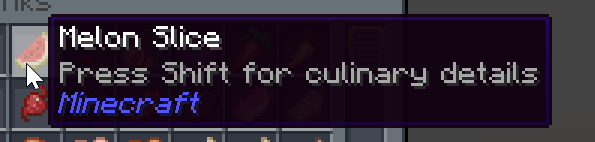
using 1.20.1
 halcyon finch
is there maybe a progression guide or something? because right now me and my friends are on tungsten gear but dont know what to get next and we cant mine in other dimensions because our stuff is too weak
atomic narwhal
halcyon finch
is there maybe a progression guide or something? because right now me and my fri...
Quests
honest basalt
stiff stirrup
<:thumbsupcat:879413234241781841>
I was able to figure it out. Turns out im just in idiot xD
stiff stirrup
honest basalt
I was able to figure it out. Turns out im just in idiot xD
hey dw it happens lol
what was the solution?
 molten glacier
Hello, is there a wiki for the modpack? If not, do you know how to craft the giant sword?
stiff stirrup
molten glacier
Hello, is there a wiki for the modpack? If not, do you know how to craft the gia...
no wiki, the item you want should be from Twilight forest so check on their wiki 🙂
when in doubt figure out what item the item you want is from and find their wiki
molten glacier
stiff stirrup
no wiki, the item you want should be from Twilight forest so check on their wiki...
oh ok I see in game i can watch the origin of object so in search bar i must put the name of mod and not the name of modpack
now that I think about it, it's so logical aha
 tardy fog
quick question i have a dragon and tamed him and he is grown. its not letting me put a saddle on how do I do this
stiff stirrup
molten glacier
now that I think about it, it's so logical aha
good job! most people dont be so logical
 upper fiber
hello i have a question might be a dumb one, i just started with better MC and ive been looking for a village for like an hour. Are they even in the latest version?
stiff stirrup
upper fiber
hello i have a question might be a dumb one, i just started with better MC and i...
im pretty sure there is villages
atomic narwhal
There are villages
upper fiber
I play on 1.20.1 and cant fine one
atomic narwhal
Explore more
molten glacier
upper fiber
I play on 1.20.1 and cant fine one
me too I play in 1.20.1 and I found one
 molten glacier
I also found a huge weird mob tower half spider half man and a mansion literally 50 blocks from my map's spawn, I don't know how lucky I am.
 fluid egret
Luck comes with consequences
upper fiber
I JUST FOUND A VILLAGE
i found a giant mushroom and a woodland mansion before a village
fluid egret
fluid egret
Luck comes with consequences
I wonder if the fabric version is any good tho
molten glacier
fluid egret
Luck comes with consequences
yes really
I went there and got broken in 4
molten glacier
upper fiber
I JUST FOUND A VILLAGE
gg
fluid egret
yeah I found a huge village like hidden in the moutains behind a water fall
its one of those underground ones, and I found 2 goblin traders
tardy fog
the dragons flyable?
honest basalt
stiff stirrup
what was the solution?
it was in curse forge. i had to repair it lmao
so yes, im an idiot sandwich
stiff stirrup
honest basalt
so yes, im an idiot sandwich
lol
fluid egret
tardy fog
the dragons flyable?
I've tried it and, Mostly no, Get within a 2 feet radius and they just go crazy
stiff stirrup
thats why we use atlauncher 🙂
stiff stirrup
stiff stirrup
thats why we use atlauncher 🙂
!alternates
still sentinelBOT
If this command was run in response to your question/issue, it is likely because switching away from the launcher you are currently using would fix your problem.
From our experience, the most stable launcher by far is ATLauncher, also known as ATL.
To install ATLauncher, do the following:
1. Go to https://atlauncher.com/download
2. Install and run the setup, then open the program.
3. Login to your Microsoft account that owns the Java Edition of Minecraft from the Accounts tab on the right. This process is 100% safe, as it goes directly through Microsoft. ATLauncher does not see your account credentials.
4. Go to the Packs tab on the right, then click "Curseforge" on the left.
5. Search the modpack you wish to download.
6. Click "New Instance". Click "Ok" on the opted out mods warning, then click "Open All" on the manual download screen.
7. Let the mods download, ATLauncher will grab them from your Downloads folder and automatically add them to the modpack.
8. Go to the Instances tab, and click "Play" on the modpack you downloaded. If you ever see an "Update" button on the instance, click it.
To transfer your Curseforge world to ATLauncher, simply right click the modpack on Curseforge, or click the 3 dots, then click "Open Folder". Copy the Saves folder, then click "Open Folder" on ATLauncher and paste the Saves folder there.
Because ATLauncher downloads the exact same files as Curseforge does, your world will be the exact same and you will be able to join the same servers. ATLauncher also works without an internet connection (after you've installed the modpack, of course), and does not have any bloat from Overwolf. You are free to uninstall both Overwolf and Curseforge with ATLauncher installed.
tardy fog
fluid egret
I've tried it and, Mostly no, Get within a 2 feet radius and they just go crazy
nah my g is tamed it just wont let me put the saddle
fluid egret
tardy fog
nah my g is tamed it just wont let me put the saddle
Ah try shift then left click
Thats how it is in the base version of MC with horses and stuff
tardy fog
i did that just makes it sit down or stand even with saddle in hand
fluid egret
hmmm
I'm pretty sure theres a guide for that mod
I just gotta say better MC with shaders looks cool, but it takes away from that Minecraft feel, it just looks like a whole different game
stiff stirrup
fluid egret
I just gotta say better MC with shaders looks cool, but it takes away from that ...
you can always have some vanilla+ shaders
🙂
fluid egret
ye ye, but Vanilla minecraft graphics are still peak
 eternal yew
What's the teams mod this modpack uses?
icy estuary
eternal yew
What's the teams mod this modpack uses?
ftb teams
eternal yew
And does adding allies let them build on your land?
thorn burrow
!server
still sentinelBOT
We suggest renting a server from Bisect Hosting:
Approx. $10 - $25 a month depending on what plan you choose. You can also get 25% off with Code LunaPixel.
Go to https://www.bisecthosting.com/LunaPixel and order a plan which fits you. We suggest 1GB per player but nothing lower than 4GB as the server needs at least 3GB to run.
Go to #server-hosting for more Info!
Free Method: (This is hosting on your own PC, which is harder to do so we suggest getting a server via Bisect Hosting)
- Download the serverpack from Curseforge's website
- Right click the start.ps1 file and click Run with Powershell
To join your own server, typelocalhostinto Direct Connect.
This video explains the process https://www.youtube.com/watch?v=wuGUbVbLsDc
The server IP address is your Public IP Address, which can be found by googling my ip address
If other players are unable to join, find a portforwarding guide online.
eternal yew
The ftb teams wiki says having allies lets them build on ur chunks
but in-game it doesnt let them
stiff stirrup
eternal yew
but in-game it doesnt let them
did you give them permission to do so?
eternal yew
Yes i see that now
so FTB teams doesnt actually have any purpose as its not using FTB Chunks...?
atomic narwhal
I think it can be used for the quests
eternal yew
Having multiple teams mods seems messy
Any way to make all waystones global?
eg: i unlock one, everyone unlocks it also
atomic narwhal
eternal yew
eg: i unlock one, everyone unlocks it also
click the gear on waystone gui, and then click the globe
 stray finch
hey idk why but i'm having trouble figuring out how to use the carry on mod
icy estuary
stray finch
hey idk why but i'm having trouble figuring out how to use the carry on mod
make sure your off hand is empty
shift right click
stray finch
will it still work if i have toggle sneak on
okay i got it to work with a cow but am i not able to pick up chests?
icy estuary
make sure your close enough
 untold tusk
is there a wiki for better mc?
 sinful jackal
finally finished my house after 500hrs of playing
 sinful jackal
newest
thorn burrow
nice
sinful jackal
started on v15
thorn burrow
started on v17 H
fluid egret
 I hope this Resource pack called Fresh animations, works with better MC, cuz I need this.
 thorn burrow
we need this fo sho
 daring portal
Has anyone else gotten this glitch?
 thorn burrow
no
 tall star
anyone know how to fix this? things i place down and then break dont restack they creat another stack and i cant combine them
 tall star
fluid egret
<:kekw:835507907813965824> I hope this Resource pack called Fresh animations, wo...
tall star
fluid egret
<:kekw:835507907813965824> I hope this Resource pack called Fresh animations, wo...
it doesnt fresh animations reqires optifine BM doesnt use Optifine
 opal copper
i keep getting a black screen randomly whilst playing?
stiff stirrup
opal copper
i keep getting a black screen randomly whilst playing?
!drivers
still sentinelBOT
You (likely) need to update your graphics drivers in order to resolve the crash. Here's how to go about doing that!
1. Identify your graphics card
if you already know skip to the next step
- Open task manager
- Navigate to the "Performance" tab (on Windows 11 this is the button that looks like a heart pulse)
- Press the GPU 0 graph and read your GPU from the top right
Note:
In some cases you may see a GPU 0 and GPU 1. This means your CPU has its own GPU, as well as an external one. You probably want GPU 1 (which is usually the external), but you can ask staff to clarify if necessary.
2. Download your drivers from the manufacturers site
Depending on what you read before, you likely need drivers from either AMD, Intel, or NVIDIA
AMD: https://www.amd.com/en/support
Intel: https://www.intel.com/content/www/us/en/download-center/home.html
NVIDIA: https://www.nvidia.com/Download/index.aspx?lang=en-us
Note:
- For NVIDIA you want to select "Game Ready Driver (GRD)" (this is the default option) for the best performance. Once installing you'd probably prefer downloading GeForce Experience, which will notify you when there's an available drivers update.
- For Intel, you probably want to press "Get Started" under the "Automatically update your drivers and software", which will simplify the process and update everything automatically
- For AMD you probably want to just press "Download Windows Drivers", which will download something called AMD Adrenaline, which will update your drivers automatically.
3. Run the installation, restart your computer, and try playing MC again
- At this point, hopefully your Minecraft is running. If it still does not work, please post any new logs and staff will help assist you with finding the right solution.
grand gate
okay i got a wacky bug
grand gate
fluid egret
<:kekw:835507907813965824> I hope this Resource pack called Fresh animations, wo...
it should work if you update entity model features to 1.0.2
grand gate
tall star
it doesnt fresh animations reqires optifine BM doesnt use Optifine
^
where is the nether in xaero's minimap 😭


 grand gate
tall star
anyone know how to fix this? things i place down and then break dont restack the...
grand gate
tall star
anyone know how to fix this? things i place down and then break dont restack the...
probably something adding to their nbt, place them all in a chest, enable cheats, look at the chest and press F3+i then paste that here
@grand gate
buh
buh
i don’t know anything about xaeros 💯
buh
its ok
grand gate
grand gate
i don’t know anything about xaeros 💯

 steel aspen
Does anyone know why I can't use essential mod with bmc3? It's the only mod I added to the pack. But the game keeps giving me this:

Is there a mod conflicting with it?
 dark sinew
steel aspen
Does anyone know why I can't use essential mod with bmc3? It's the only mod I ad...
dark sinew
steel aspen
Does anyone know why I can't use essential mod with bmc3? It's the only mod I ad...
luna has its own singleplayer sharing so they declare it incompatible
you can get around it but you can also just use lunas world sharing
that said, im trying to use it right now and its not working
atomic narwhal
essential also causes world corruption and is bloated
dark sinew
so i have heard
atomic narwhal
as a matter of fact, it is truly incompatible because of the way they host
dark sinew
but i havent had any issues with it personally
i have used it with luna packs as well
maybe im just lucky but 
tall star
Yeah I never really had an issue with it either
tall star
grand gate
probably something adding to their nbt, place them all in a chest, enable cheats...
I'll have to do that tomorrow already turned my pc off for the night 😔
honest basalt
hey , how do you hatch the fire dragon egg ?
 proven lynx
is anyone else crashing when hovering over the sculk transmitter in your inventory?
icy estuary
honest basalt
hey , how do you hatch the fire dragon egg ?
place it down right click
icy estuary
proven lynx
is anyone else crashing when hovering over the sculk transmitter in your invento...
report it to the developers of the deeper dark mod
agile geyser
my specs is
GPU: GTX 1660 super 6g
CPU: i5-6500
32g Ram
What is the highest graphic settings i can have with stable 30FPS
as im getting average 60FPS with sudden drop to 15-20
I don't know why.
icy estuary
agile geyser
my specs is
GPU: GTX 1660 super 6g
CPU: i5-6500
32g Ram
What is the highest gr...
#faq performance guide
agile geyser
it's not really helpful, as my problem is that I get lag spikes whenevver im in a cave or doing quick 360, im sure that should not happen.
icy estuary
agile geyser
it's not really helpful, as my problem is that I get lag spikes whenevver im in ...
Please follow it.
versed pelican
what does the creativerite totem of undying do?
 willow hare
Hello, I'm trying to run server of BMC4 v18
It keeps crashing on boot
2023-10-23T13:52:43.878308888Z
-- Head --
Thread: main
Stacktrace:
at net.minecraftforge.fml.loading.RuntimeDistCleaner.processClassWithFlags(RuntimeDistCleaner.java:57) ~[fmlloader-1.20.1-47.2.0.jar%2369!/:1.0] {}
-- MOD midnightlib --
Details:
Caused by 0: java.lang.reflect.InvocationTargetException
at jdk.internal.reflect.NativeConstructorAccessorImpl.newInstance0(Native Method) ~[?:?] {}
at jdk.internal.reflect.NativeConstructorAccessorImpl.newInstance(Unknown Source) ~[?:?] {}
at jdk.internal.reflect.DelegatingConstructorAccessorImpl.newInstance(Unknown Source) ~[?:?] {}
at java.lang.reflect.Constructor.newInstanceWithCaller(Unknown Source) ~[?:?] {}
at java.lang.reflect.Constructor.newInstance(Unknown Source) ~[?:?] {}
at net.minecraftforge.fml.javafmlmod.FMLModContainer.constructMod(FMLModContainer.java:68) ~[javafmllanguage-1.20.1-47.2.0.jar%23517!/:?] {}
at net.minecraftforge.fml.ModContainer.lambda$buildTransitionHandler$10(ModContainer.java:123) ~[fmlcore-1.20.1-47.2.0.jar%23516!/:?] {re:mixin}
at java.util.concurrent.CompletableFuture$AsyncRun.run(Unknown Source) ~[?:?] {}
at java.util.concurrent.CompletableFuture$AsyncRun.exec(Unknown Source) ~[?:?] {}
at java.util.concurrent.ForkJoinTask.doExec(Unknown Source) ~[?:?] {}
at java.util.concurrent.ForkJoinPool$WorkQueue.topLevelExec(Unknown Source) ~[?:?] {}
at java.util.concurrent.ForkJoinPool.scan(Unknown Source) ~[?:?] {re:mixin,re:computing_frames}
at java.util.concurrent.ForkJoinPool.runWorker(Unknown Source) ~[?:?] {re:mixin,re:computing_frames}
at java.util.concurrent.ForkJoinWorkerThread.run(Unknown Source) ~[?:?] {re:mixin}
2023-10-23T13:52:43.878518408Z
Mod File: /data/mods/midnightlib-forge-1.4.1.jar
Failure message: MidnightLib (midnightlib) has failed to load correctly
java.lang.reflect.InvocationTargetException: null
Mod Version: 1.4.1
Mod Issue URL: NOT PROVIDED
Exception message: java.lang.RuntimeException: Attempted to load class net/minecraft/client/Minecraft for invalid dist DEDICATED_SERVER
is midnightlib required for server?
 runic canopy
hello, did u get some news? I had the same issues
I am on macbook also
a really good one, I don't understand why it keeps crashing
still sentinelBOT
Hello! For us to help you with your issue, you will need to answer all 8 questions below. Post the answers in this channel:
1. Have you modified the modpack in any way? If so, what did you do? (Updating/adding/removing mods, changing configs)
2. What launcher, or program, are you using to launch the game? (CurseForge, ATLauncher, etc)
3. What Minecraft version are you playing? (1.18.2, 1.16.5, 1.19.2)
4. What version of the modpack are you playing? (v11, v9, etc)
5. What steps are necessary to reproduce the crash? (Launching the game, exploring the world, etc)
6. Have you ever gotten past the point where the crash happens?
7. Send the crash report file into this channel. Right click the modpack, Open Folder, and navigate to the Crash Reports folder. Drag the newest one here. If there is no crash reports folder, do the same thing with the latest.log file in the logs folder.
8. Did you follow the Performance guide linked in #faq?
runic canopy
Hello, about my issue:
- I modified nothing, just downloaded the pack mode on curseforge
- CurseForge
- 1.20.1
- v18
- Exploring the world
- Yes
- #better-mc-forge message
- Yes
willow hare
still sentinel
Hello! For us to help you with your issue, you will need to answer **all 8 quest...
1. Have you modified the modpack in any way? If so, what did you do? (Updating/adding/removing mods, changing configs)
Removed:
- RyoamicLights
- Not Enough Animations
- Entity Culling Fabric/Forge
- Skin Layers 3D (Fabric/Forge)
They should all be client side mods
2. What launcher, or program, are you using to launch the game? (CurseForge, ATLauncher, etc)
Dedicated Server - Minecraft-Server on docker container
3. What Minecraft version are you playing? (1.18.2, 1.16.5, 1.19.2)
1.20.1
4. What version of the modpack are you playing? (v11, v9, etc)
v18
5. What steps are necessary to reproduce the crash? (Launching the game, exploring the world, etc)
Launching the game
6. Have you ever gotten past the point where the crash happens?
Never
7. Send the crash report file into this channel. Right click the modpack, Open Folder, and navigate to the Crash Reports folder. Drag the newest one here. If there is no crash reports folder, do the same thing with the latest.log file in the logs folder.
ok
8. Did you follow the Performance guide linked in faq?
No
 empty ravine
how comes presence footsteps isn't in BMC4?
stiff stirrup
willow hare
```md
1. Have you modified the modpack in any way? If so, what did you do? (Upda...
are you using the server files?
or just client mods
willow hare
I'm using the client mods
stiff stirrup
for a server
use server files
they are there specifically for servers
using client files will break sever due to client mods being in client mods
willow hare
This is probably outide your scope then:
[mc-image-helper] 10:40:28.303 INFO  : Processing modpack 'BMC4 FORGE 1.20.1 Server Pack v18' (better-mc-forge-bmc4) @ 876781:4805589
[mc-image-helper] 10:40:31.398 ERROR : Invalid parameter provided for 'install-curseforge' command: Modpack file is missing a manifest. Make sure to reference a client modpack file.
[init] ERROR failed to auto-install CurseForge modpack
Because the server files dont have a manifest like the client for ease of download
Its okay
stiff stirrup
you can manually make it than upload it to ur server
willow hare
Ill manually add the files
stiff stirrup
or ask in ticket to have it done for you
willow hare
Thank you
stiff stirrup
versed pelican
my ultimerite sword initially teleported drops to me and detected enemies around me but now its not doing that, can anyone tell me why
i've died and respawned holding it, maybe that caused the issue?
gloomy crater
Do this modpack has anything like the mod time control in it?
 icy estuary
versed pelican
my ultimerite sword initially teleported drops to me and detected enemies around...
icy estuary
versed pelican
my ultimerite sword initially teleported drops to me and detected enemies around...
u prolly deactivated the effect
gloomy crater
icy estuary
no <a:violentysobs:1139029306828398672>
I recommend it. Vanilla minecraft days are way to short
 echo plinth
what is the diffrence between the forge and fabric modpack?
icy estuary
gloomy crater
I recommend it. Vanilla minecraft days are way to short
There will never be any type of time control in this modpack
echo plinth
thank you
gloomy crater
icy estuary
There will never be any type of time control in this modpack
wat
Never any time? I guess that's why you want time control, so you always have time 😉
icy estuary
gloomy crater
Never any time? I guess that's why you want time control, so you always have tim...

gloomy crater
So, I set my world to have daytime last about 100k minutes and night last 1 minute
versed pelican
icy estuary
u prolly deactivated the effect
How do I reactivate it
icy estuary
versed pelican
How do I reactivate it
check keybinds
versed pelican
icy estuary
check keybinds
i don't have any keybinds for upgraded netherite
 icy estuary
versed pelican
i don't have any keybinds for upgraded netherite
icy estuary
versed pelican
i don't have any keybinds for upgraded netherite
might be shift right click?
I havent plyed with that mod in months
versed pelican
that was it, thanks!
 crude crater
on 1.20.1 how do you make a greenhouse? the greenhouse glass block doesnt exist it seems
honest basalt
icy estuary
place it down right click
thanks .
 spiral iris
hey is there any way to change gamma?
icy estuary
 fallow prism
hey guys is this another gpu issue?
fallow prism
hey guys is this another gpu issue?
!drivers
still sentinelBOT
You (likely) need to update your graphics drivers in order to resolve the crash. Here's how to go about doing that!
1. Identify your graphics card
if you already know skip to the next step
- Open task manager
- Navigate to the "Performance" tab (on Windows 11 this is the button that looks like a heart pulse)
- Press the GPU 0 graph and read your GPU from the top right
Note:
In some cases you may see a GPU 0 and GPU 1. This means your CPU has its own GPU, as well as an external one. You probably want GPU 1 (which is usually the external), but you can ask staff to clarify if necessary.
2. Download your drivers from the manufacturers site
Depending on what you read before, you likely need drivers from either AMD, Intel, or NVIDIA
AMD: https://www.amd.com/en/support
Intel: https://www.intel.com/content/www/us/en/download-center/home.html
NVIDIA: https://www.nvidia.com/Download/index.aspx?lang=en-us
Note:
- For NVIDIA you want to select "Game Ready Driver (GRD)" (this is the default option) for the best performance. Once installing you'd probably prefer downloading GeForce Experience, which will notify you when there's an available drivers update.
- For Intel, you probably want to press "Get Started" under the "Automatically update your drivers and software", which will simplify the process and update everything automatically
- For AMD you probably want to just press "Download Windows Drivers", which will download something called AMD Adrenaline, which will update your drivers automatically.
3. Run the installation, restart your computer, and try playing MC again
- At this point, hopefully your Minecraft is running. If it still does not work, please post any new logs and staff will help assist you with finding the right solution.
atomic narwhal
cunning jolt
I still haven't found any dragons 🥲
dragon eggs are rather rare and found in chests
gloomy crater
Can I add better combat to better minecraft 1.20.1(4th edition I think)
icy estuary
gloomy crater
Can I add better combat to better minecraft 1.20.1(4th edition I think)
!tryit
still sentinelBOT
 gloomy crater
icy estuary
!tryit
gloomy crater
icy estuary
!tryit
Is there anything in the modpack that changes/adds anything to combat would probably be a better question? I can't see any mods that changes it atleast based on their names
icy estuary
gloomy crater
Is there anything in the modpack that changes/adds anything to combat would prob...
afaik no
gloomy crater
Nice
atomic narwhal
make sure you download any dependencies
 marsh swallow
help what does a villager need to become a carpenter?
icy estuary
marsh swallow
help what does a villager need to become a carpenter?
check jei
marsh swallow
cuz i pushed a villager in to my base and he became a carpenter when i dont have a carpenter table
 odd lichen
Since v19 I've been unable to play BMC on my laptop, just goes to Exit Code 1. I've tried reinstalling curseforge, the modpack, forge, and java.
icy estuary
odd lichen
Since v19 I've been unable to play BMC on my laptop, just goes to Exit Code 1. I...
!moreinfo
still sentinelBOT
Hello! For us to help you with your issue, you will need to answer all 8 questions below. Post the answers in this channel:
1. Have you modified the modpack in any way? If so, what did you do? (Updating/adding/removing mods, changing configs)
2. What launcher, or program, are you using to launch the game? (CurseForge, ATLauncher, etc)
3. What Minecraft version are you playing? (1.18.2, 1.16.5, 1.19.2)
4. What version of the modpack are you playing? (v11, v9, etc)
5. What steps are necessary to reproduce the crash? (Launching the game, exploring the world, etc)
6. Have you ever gotten past the point where the crash happens?
7. Send the crash report file into this channel. Right click the modpack, Open Folder, and navigate to the Crash Reports folder. Drag the newest one here. If there is no crash reports folder, do the same thing with the latest.log file in the logs folder.
8. Did you follow the Performance guide linked in #faq?
odd lichen
- no
- curseforge
- 1.19.2
- v19
- just launching the game
- no
versed pelican
charged creeper explosions consume ultimerite equipment?
i wanted to see if my fully enchanted ultimerite armor could protect from a charged creeper...the creeper blew up, i used a totem, and my armor+sword were gone from my inventory
and then i died
stiff stirrup
odd lichen
1. no
2. curseforge
3. 1.19.2
4. v19
5. just launching the game
6. no
7.
!alternates
still sentinelBOT
If this command was run in response to your question/issue, it is likely because switching away from the launcher you are currently using would fix your problem.
From our experience, the most stable launcher by far is ATLauncher, also known as ATL.
To install ATLauncher, do the following:
1. Go to https://atlauncher.com/download
2. Install and run the setup, then open the program.
3. Login to your Microsoft account that owns the Java Edition of Minecraft from the Accounts tab on the right. This process is 100% safe, as it goes directly through Microsoft. ATLauncher does not see your account credentials.
4. Go to the Packs tab on the right, then click "Curseforge" on the left.
5. Search the modpack you wish to download.
6. Click "New Instance". Click "Ok" on the opted out mods warning, then click "Open All" on the manual download screen.
7. Let the mods download, ATLauncher will grab them from your Downloads folder and automatically add them to the modpack.
8. Go to the Instances tab, and click "Play" on the modpack you downloaded. If you ever see an "Update" button on the instance, click it.
To transfer your Curseforge world to ATLauncher, simply right click the modpack on Curseforge, or click the 3 dots, then click "Open Folder". Copy the Saves folder, then click "Open Folder" on ATLauncher and paste the Saves folder there.
Because ATLauncher downloads the exact same files as Curseforge does, your world will be the exact same and you will be able to join the same servers. ATLauncher also works without an internet connection (after you've installed the modpack, of course), and does not have any bloat from Overwolf. You are free to uninstall both Overwolf and Curseforge with ATLauncher installed.
odd lichen
I run curseforge on my desktop are the save game folders compatible
flint parrot
wuts the difference between bmc1, 2, 3 and 4?
 forest shell
Okay just to be sure, the ice queen does drop the tri-bow in bmc4 right?
flint parrot
stiff stirrup
content
i saw that, but it doesn't specify the dif BMC packs
stiff stirrup
flint parrot
i saw that, but it doesn't specify the dif BMC packs
mainly what’s inside quests and what you prefer
upper fiber
just started with better mc do rabbits only spawn in desserts like normal minecraft?
 worthy inlet
connected glass resource pack is not working for some reason
any ideas?
vanilla glass is so ugly xd
 honest jackal
how much ram would i need for a server for bettermc?
for 2 people
i didn't see it in the faq
agile cradle
!server
still sentinelBOT
We suggest renting a server from Bisect Hosting:
Approx. $10 - $25 a month depending on what plan you choose. You can also get 25% off with Code LunaPixel.
Go to https://www.bisecthosting.com/LunaPixel and order a plan which fits you. We suggest 1GB per player but nothing lower than 4GB as the server needs at least 3GB to run.
Go to #server-hosting for more Info!
Free Method: (This is hosting on your own PC, which is harder to do so we suggest getting a server via Bisect Hosting)
- Download the serverpack from Curseforge's website
- Right click the start.ps1 file and click Run with Powershell
To join your own server, typelocalhostinto Direct Connect.
This video explains the process https://www.youtube.com/watch?v=wuGUbVbLsDc
The server IP address is your Public IP Address, which can be found by googling my ip address
If other players are unable to join, find a portforwarding guide online.
agile cradle
4 gb, +1gb per player
gloomy crater
Anyone tried adding fresh animations yet for 1.20.1 version of the modpack?
honest jackal
agile cradle
4 gb, +1gb per player
gotcha so 6 gigs should be good? theres only 2 of us
upper fiber
Does every village have a waystone cause i havent found any in some villages
atomic narwhal
upper fiber
Does every village have a waystone cause i havent found any in some villages
nope
agile cradle
honest jackal
gotcha so 6 gigs should be good? theres only 2 of us
Yes
upper fiber
atomic narwhal
nope
Alr thanks
upper fiber
upper fiber
just started with better mc do rabbits only spawn in desserts like normal minecr...
Any chance you know this?
honest jackal
agile cradle
Yes
thank you!
honest jackal
upper fiber
Any chance you know this?
rabbits typically like carrots and grassy food, never seen one eat cake
atomic narwhal
upper fiber
Any chance you know this?
dwarf rabbits spawn in twilight forest dimension
upper fiber
Alr thanks alot
thorn burrow
how to place down bowls
flint parrot
in bmc how do u make it brighter so you can see in the dark basicly
 livid bison
what's the texture pack that's used in bmc3, specifically for the flowers?
nvm, it's stay true
agile cradle
flint parrot
in bmc how do u make it brighter so you can see in the dark basicly
adjust brightness in your video settings.
flint parrot
agile cradle
adjust brightness in your video settings.
sadly not enough
icy estuary
flint parrot
in bmc how do u make it brighter so you can see in the dark basicly
disable true darkness
flint parrot
icy estuary
disable true darkness
wheres that at?
agile cradle
been having too much fun with fear nightfall? 
icy estuary
agile cradle
been having too much fun with fear nightfall? <:nagiSand:1082437805042569326>

 agile cradle
10/10 MC mathing
 atomic agate
I'm playing the Better MC [FORGE] - BMC4 on cured forge. When I go into vr the game it wont let me place blocks. When I go to the change controls it wont show me a command for placing blocks. How do i fix this?
 bitter kestrel
how do i use commands in better MC ??
ive been trying to use them but it seems it isnt the same as regular minecraft
atomic narwhal
bitter kestrel
how do i use commands in better MC ??
you need cheats on
and they are the exact same
atomic agate
atomic agate
I'm playing the Better MC [FORGE] - BMC4 on cured forge. When I go into vr the ...
If anyone has a explanation to this. Dont be afraid to ping me. please and thank you!
atomic agate
I believe all the vr mods in the BMC4 wont let me place blocks due to some coding
forest shell
Is tri-bow still 50% chance to drop from snow queen in bmc4? Because so far I'm 8 for 8 on seeker bows
10 for 10 now
12 for 12, giving up
 undone falcon
does anyone know the mod where when you right click on a single trapdoor then all nearby trapdoors will also open/close?
viral garden
agile geyser
my specs is
GPU: GTX 1660 super 6g
CPU: i5-6500
32g Ram
What is the highest gr...
#faq performance guide
viral garden
rich jungle
I keep crashing on startup, i just installed now
!moreinfo
still sentinelBOT
Hello! For us to help you with your issue, you will need to answer all 8 questions below. Post the answers in this channel:
1. Have you modified the modpack in any way? If so, what did you do? (Updating/adding/removing mods, changing configs)
2. What launcher, or program, are you using to launch the game? (CurseForge, ATLauncher, etc)
3. What Minecraft version are you playing? (1.18.2, 1.16.5, 1.19.2)
4. What version of the modpack are you playing? (v11, v9, etc)
5. What steps are necessary to reproduce the crash? (Launching the game, exploring the world, etc)
6. Have you ever gotten past the point where the crash happens?
7. Send the crash report file into this channel. Right click the modpack, Open Folder, and navigate to the Crash Reports folder. Drag the newest one here. If there is no crash reports folder, do the same thing with the latest.log file in the logs folder.
8. Did you follow the Performance guide linked in #faq?
viral garden
 mighty anvil
how do i fix this?
mighty anvil
how do i fix this?
how is your server hosted
viral garden
gloomy crater
What is the easiest way to install BMC4 Forge for MultiMC? Download from forge a...
no, read #faq for modpack installation
and the modpack already has both of those mods
undone falcon
undone falcon
does anyone know the mod where when you right click on a single trapdoor then al...
Anyone know the mod for this, trying to remove it cause it's annoying
stiff stirrup
undone falcon
Anyone know the mod for this, trying to remove it cause it's annoying
its a config for open dual or something
undone falcon
stiff stirrup
its a config for open dual or something
wait what?
I don't have open dual
undone falcon
._.
 winged lily
can anybody help me? My game keeps crashing several times and I don't know how to solve it, I've looked in several places and I can't find anything
agile cradle
winged lily
can anybody help me? My game keeps crashing several times and I don't know how t...
!moreinfo
still sentinelBOT
Hello! For us to help you with your issue, you will need to answer all 8 questions below. Post the answers in this channel:
1. Have you modified the modpack in any way? If so, what did you do? (Updating/adding/removing mods, changing configs)
2. What launcher, or program, are you using to launch the game? (CurseForge, ATLauncher, etc)
3. What Minecraft version are you playing? (1.18.2, 1.16.5, 1.19.2)
4. What version of the modpack are you playing? (v11, v9, etc)
5. What steps are necessary to reproduce the crash? (Launching the game, exploring the world, etc)
6. Have you ever gotten past the point where the crash happens?
7. Send the crash report file into this channel. Right click the modpack, Open Folder, and navigate to the Crash Reports folder. Drag the newest one here. If there is no crash reports folder, do the same thing with the latest.log file in the logs folder.
8. Did you follow the Performance guide linked in #faq?
winged lily
- No.
2-3. I'm playing Better MC in CURSE FORGE version 1.18.2. - version of the modpack V20.
- There is no specific thing that is causing me to crash, this can happen as long as I am in a very clean place and without any complexity for the processor since dungeons full of mobs, there is no defined time for the error.
- No.
- Yes.
[Error: 2023-10-23 23:31:11.6452796: localization.cpp(110)] No translation found for "Unable to download the launcher update. Launching previous version..."
[Error: 2023-10-23 23:31:11.6465783: localization.cpp(110)] No translation found for "Unable to update the launcher."
[Error: 2023-10-23 23:31:11.6465951: localization.cpp(110)] No translation found for "Unable to download the bootstrap update. Launching previous version..."
[Error: 2023-10-23 23:31:11.6466109: localization.cpp(110)] No translation found for "Unable to update the bootstrap."
[Info: 2023-10-23 23:31:11.6486965: NetQueue.cpp(32)] NetQueue: Setting up.
[Info: 2023-10-23 23:31:11.6505169: NetQueue.cpp(414)] NetQueue: worker thread started.
[Info: 2023-10-23 23:31:11.6505769: mainWindows.cpp(117)] Running launcher bootstrap (version 1.6.2)
[Info: 2023-10-23 23:31:11.6538319: NetQueue.cpp(32)] NetQueue: Setting up.
[Info: 2023-10-23 23:31:11.6542013: NetQueue.cpp(414)] NetQueue: worker thread started.
[Error: 2023-10-23 23:31:11.6548238: localization.cpp(110)] No translation found for "Unable to download the launcher update. Launching previous version..."
[Error: 2023-10-23 23:31:11.6548534: localization.cpp(110)] No translation found for "Unable to update the launcher."
[Error: 2023-10-23 23:31:11.6548712: localization.cpp(110)] No translation found for "Unable to download the bootstrap update. Launching previous version..."
[Error: 2023-10-23 23:31:11.6548885: localization.cpp(110)] No translation found for "Unable to update the bootstrap."
[Info: 2023-10-23 23:31:11.6549277: Common.cpp(35)] Native Launcher Version: 1.6.2
[Info: 2023-10-23 23:31:11.6549548: Common.cpp(36)] Operating System: Windows 10 Home
[Info: 2023-10-23 23:31:11.6550662: Common.cpp(37)] Application Data directory: C:....minecraft
[Info: 2023-10-23 23:31:11.6552235: Common.cpp(38)] Executable Path: /:...\minecraft.exe
[Info: 2023-10-23 23:31:11.6552579: Common.cpp(39)] App Directory dir: C:...\Install
[Info: 2023-10-23 23:31:11.6552908: Common.cpp(40)] Game data directory: C:...\Install
[Info: 2023-10-23 23:31:11.6553233: Common.cpp(41)] Launcher dir: C:...\game
[Info: 2023-10-23 23:31:11.6553567: Common.cpp(42)] Update dir: C:...\update_files
[Info: 2023-10-23 23:31:11.6553902: Common.cpp(43)] TmpDir dir:
[Info: 2023-10-23 23:31:11.6554156: Common.cpp(44)] StagingDir dir: C:...\staging
[Warning: 2023-10-23 23:31:11.6623017: UpdateChecking.cpp(323)] Unable to find 'channel' key in settings.
In fact, I modified something, I saw in a YouTube video that it could be a wrong version of Optifine
for example: I'm playing 1.18.2 but my optifine is 1.20.2
in the YouTube video he said to change the name of optifine for the version I'm playing, as I couldn't find optifine I downloaded the version and played it in the Curseforge folder
video link:https://www.youtube.com/watch?v=YEeK5ujwCpg&t=87s
I show you how to stop minecraft forge from crashing and how to fix minecraft forge crashing on startup. For more videos like how to fix minecraft crashing on startup forge then please leave a like.
GuideRealm is the home of technology-based how-to's, guides & tips.
Check out our website: https://guiderealm.com
Please like, subscribe, and com...
agile cradle
winged lily
1. No.
2-3. I'm playing Better MC in CURSE FORGE version 1.18.2.
4. version of ...
no need for optifine, it's not optimized and you have sodium already put into the pack
winged lily
Ok, I will remove it from the folder
agile cradle
also that would mean yes, you did modify the pack 🙂
winged lily
But I modified it after it crashed eight times... I don't think it was Optifine
agile cradle
Is the log you shared from before or after adding optifine?
winged lily
before
undone falcon
yes I found it
 torpid laurel
what was added between bmc3 and 4?
 remote plume
I thought your name was cheesewater at first
And for a good few seconds I was picturing what cheese water looks like
eternal yew
Where is map and waypoint data stored?
We moved nodes on our host and all our maps were reset
 pearl parcel
The game crashed whilst rendering entity in world
Error: java.lang.ClassCastException: net.minecraft.client.renderer.model.ModelRenderer cannot be cast to com.bobmowzie.mowziesmobs.client.model.tools.ModelRendererMatr
anyone know why im getting this message
icy estuary
torpid laurel
what was added between bmc3 and 4?
icy estuary
pearl parcel
The game crashed whilst rendering entity in world
Error: java.lang.ClassCastExce...
!moreinfo
still sentinelBOT
Hello! For us to help you with your issue, you will need to answer all 8 questions below. Post the answers in this channel:
1. Have you modified the modpack in any way? If so, what did you do? (Updating/adding/removing mods, changing configs)
2. What launcher, or program, are you using to launch the game? (CurseForge, ATLauncher, etc)
3. What Minecraft version are you playing? (1.18.2, 1.16.5, 1.19.2)
4. What version of the modpack are you playing? (v11, v9, etc)
5. What steps are necessary to reproduce the crash? (Launching the game, exploring the world, etc)
6. Have you ever gotten past the point where the crash happens?
7. Send the crash report file into this channel. Right click the modpack, Open Folder, and navigate to the Crash Reports folder. Drag the newest one here. If there is no crash reports folder, do the same thing with the latest.log file in the logs folder.
8. Did you follow the Performance guide linked in #faq?
icy estuary
eternal yew
Sweet. Know of a quick way to swap the map out?
replace the old server ip to the new server ip in the minimap files
its there somewhere i remember
dont really remember exactly where and im heading to bed in a bit
eternal yew
ill poke around tysm! I assumed the maps were saved on the servers that way updating the modpack wouldnt reset people's maps
pearl parcel
still sentinel
Hello! For us to help you with your issue, you will need to answer **all 8 quest...
I think its the axe of 1000 metals
curse forge
Its better minecraft 1.16.5
atomic narwhal
pearl parcel
I think its the axe of 1000 metals
you are replying to a bot, just answer the 8 questions lol
pearl parcel
I know that, I meant it as a response to the questions
pearl parcel
icy estuary
!moreinfo
1: Added essential and MCA reborn
atomic narwhal
essential is incompatible, bloated, causes world corruption
mca reborn breaks a whole ton of mods
!ws
still sentinelBOT
Luna Pixel's World Sharing
Our modpacks don't support any mods that add singleplayer hosting / world sharing because we already provide free world sharing. The "Essential" mod causes world corruption and other issues, and is therefore incompatible.
To share your world using our own world hosting, click the "Open to Lan" or "Share World" button in the game menu when in a singleplayer world, and share the world.
It will give you an address, like magma-cube.mc.lunapixel.gg, which your friends can use to connect directly to your world as if it were a server!
atomic narwhal
!lan
still sentinelBOT
LAN is untested and unreliable. Using it will cause longterm damage to your world. There is no reason to use LAN, as we support both paid and free methods of hosting a server the normal way. Here are your options:
- Create a server using the server pack or through a Bisect purchase. Type
!serverin #bots for more information. - Install the e4mc mod and then Open to LAN ingame.
atomic narwhal
!server
still sentinelBOT
We suggest renting a server from Bisect Hosting:
Approx. $10 - $25 a month depending on what plan you choose. You can also get 25% off with Code LunaPixel.
Go to https://www.bisecthosting.com/LunaPixel and order a plan which fits you. We suggest 1GB per player but nothing lower than 4GB as the server needs at least 3GB to run.
Go to #server-hosting for more Info!
Free Method: (This is hosting on your own PC, which is harder to do so we suggest getting a server via Bisect Hosting)
- Download the serverpack from Curseforge's website
- Right click the start.ps1 file and click Run with Powershell
To join your own server, typelocalhostinto Direct Connect.
This video explains the process https://www.youtube.com/watch?v=wuGUbVbLsDc
The server IP address is your Public IP Address, which can be found by googling my ip address
If other players are unable to join, find a portforwarding guide online.
atomic narwhal
3 free methods, 1 paid
pearl parcel
Okay, thanks dude, I appreciate it. Ill try that out
atomic narwhal
@ filters by mod
grave comet
my buddy is having an issue starting bettermc hes just getting exit code 1, tried to reinstall same issue
stiff stirrup
grave comet
my buddy is having an issue starting bettermc hes just getting exit code 1, trie...
!moreinfo
still sentinelBOT
Hello! For us to help you with your issue, you will need to answer all 8 questions below. Post the answers in this channel:
1. Have you modified the modpack in any way? If so, what did you do? (Updating/adding/removing mods, changing configs)
2. What launcher, or program, are you using to launch the game? (CurseForge, ATLauncher, etc)
3. What Minecraft version are you playing? (1.18.2, 1.16.5, 1.19.2)
4. What version of the modpack are you playing? (v11, v9, etc)
5. What steps are necessary to reproduce the crash? (Launching the game, exploring the world, etc)
6. Have you ever gotten past the point where the crash happens?
7. Send the crash report file into this channel. Right click the modpack, Open Folder, and navigate to the Crash Reports folder. Drag the newest one here. If there is no crash reports folder, do the same thing with the latest.log file in the logs folder.
8. Did you follow the Performance guide linked in #faq?
grave comet
- no
- curseforge
- 1.20.1
- v18
- launching game, doesnt get to main menu just crashes
- no
- ok
- he did not
 grave comet
LOL right
should he like spam try to play to maybe get a crash log or something new in there
stiff stirrup
nah
i had the same
couldnt force a log to work
i have no clue what could be an issue there but try a new launcher
!alternates
still sentinelBOT
If this command was run in response to your question/issue, it is likely because switching away from the launcher you are currently using would fix your problem.
From our experience, the most stable launcher by far is ATLauncher, also known as ATL.
To install ATLauncher, do the following:
1. Go to https://atlauncher.com/download
2. Install and run the setup, then open the program.
3. Login to your Microsoft account that owns the Java Edition of Minecraft from the Accounts tab on the right. This process is 100% safe, as it goes directly through Microsoft. ATLauncher does not see your account credentials.
4. Go to the Packs tab on the right, then click "Curseforge" on the left.
5. Search the modpack you wish to download.
6. Click "New Instance". Click "Ok" on the opted out mods warning, then click "Open All" on the manual download screen.
7. Let the mods download, ATLauncher will grab them from your Downloads folder and automatically add them to the modpack.
8. Go to the Instances tab, and click "Play" on the modpack you downloaded. If you ever see an "Update" button on the instance, click it.
To transfer your Curseforge world to ATLauncher, simply right click the modpack on Curseforge, or click the 3 dots, then click "Open Folder". Copy the Saves folder, then click "Open Folder" on ATLauncher and paste the Saves folder there.
Because ATLauncher downloads the exact same files as Curseforge does, your world will be the exact same and you will be able to join the same servers. ATLauncher also works without an internet connection (after you've installed the modpack, of course), and does not have any bloat from Overwolf. You are free to uninstall both Overwolf and Curseforge with ATLauncher installed.
still sentinelBOT
You (likely) need to update your graphics drivers in order to resolve the crash. Here's how to go about doing that!
1. Identify your graphics card
if you already know skip to the next step
- Open task manager
- Navigate to the "Performance" tab (on Windows 11 this is the button that looks like a heart pulse)
- Press the GPU 0 graph and read your GPU from the top right
Note:
In some cases you may see a GPU 0 and GPU 1. This means your CPU has its own GPU, as well as an external one. You probably want GPU 1 (which is usually the external), but you can ask staff to clarify if necessary.
2. Download your drivers from the manufacturers site
Depending on what you read before, you likely need drivers from either AMD, Intel, or NVIDIA
AMD: https://www.amd.com/en/support
Intel: https://www.intel.com/content/www/us/en/download-center/home.html
NVIDIA: https://www.nvidia.com/Download/index.aspx?lang=en-us
Note:
- For NVIDIA you want to select "Game Ready Driver (GRD)" (this is the default option) for the best performance. Once installing you'd probably prefer downloading GeForce Experience, which will notify you when there's an available drivers update.
- For Intel, you probably want to press "Get Started" under the "Automatically update your drivers and software", which will simplify the process and update everything automatically
- For AMD you probably want to just press "Download Windows Drivers", which will download something called AMD Adrenaline, which will update your drivers automatically.
3. Run the installation, restart your computer, and try playing MC again
- At this point, hopefully your Minecraft is running. If it still does not work, please post any new logs and staff will help assist you with finding the right solution.
viral garden
ionic moon
<@955739874756005928> ive setup a quick demonstration on the first screenshot i ...
!storage
still sentinelBOT
Simple Storage Networks allow for infinitely expandable storage that can be accessed from any dimension, at any distance. To set one up, you'll first need a Network Root and Request Table. Try to keep this all in one chunk (viewed by pressing F3 + G) and do it somewhere with a good bit of vertical space. Place the Request Table above the Network Root. Generally, the simplest way to gets lots of storage is to make a tower of double chests from bedrock and then a tower of Link Cables which attach to the Network Root. When you run out of space, you will need to make more Link Cables, as one cable can only attach to one double chest. If you're playing a modpack with the Sophisticated Backpacks mod, you can use maxed backpacks instead of chests to conserve space. To access the Network from anywhere with a Crafting Remote, click the map icon at the top left of your inventory then click the next map icon in the same area. Here, you can click to claim a chunk (disabling creeper explosion damage) and then shift click to "Force Load" it. You can tell it's loaded when there's red lines going across the chunk. You can also put the Crafting Remote in a Curio slot (accessed by clicking the ring icon in your inventory) and then bind "Open Remote Curio" to a key of your choice for easier access.
stray finch
are dragon eggs able to spawn in any structure chests or is it only specific ones?
viral garden
north laurel
its an issue with one of the mods you added
agile cradle
with?
 candid vortex
my backpack wont appear on my player
i press the appear button for it and it wont appear
lusty magnet
How do I get the Jason Sword of the Abyss?
candid vortex
pls i need help i have been working on this for a hour
atomic narwhal
lusty magnet
How do I get the Jason Sword of the Abyss?
you don't, dev only item
lusty magnet
atomic narwhal
you don't, dev only item
Really... C'mon man...
atomic narwhal
lusty magnet
Really... C'mon man...
the name of the dev is Jason, it's a dev only item lol
lusty magnet


 gilded cipher
How do I leave the ground lands I've been stuck there for 3 hours
 molten citrus
im getting this error when loading up the game
The game crashed whilst unexpected error
Error: java.lang.UnsatisfiedLinkError: Error looking up function 'SDL_JoystickPathForIndex': The specified procedure could not be found.
agile cradle
molten citrus
im getting this error when loading up the game
!moreinfo
still sentinelBOT
Hello! For us to help you with your issue, you will need to answer all 8 questions below. Post the answers in this channel:
1. Have you modified the modpack in any way? If so, what did you do? (Updating/adding/removing mods, changing configs)
2. What launcher, or program, are you using to launch the game? (CurseForge, ATLauncher, etc)
3. What Minecraft version are you playing? (1.18.2, 1.16.5, 1.19.2)
4. What version of the modpack are you playing? (v11, v9, etc)
5. What steps are necessary to reproduce the crash? (Launching the game, exploring the world, etc)
6. Have you ever gotten past the point where the crash happens?
7. Send the crash report file into this channel. Right click the modpack, Open Folder, and navigate to the Crash Reports folder. Drag the newest one here. If there is no crash reports folder, do the same thing with the latest.log file in the logs folder.
8. Did you follow the Performance guide linked in #faq?
molten citrus
- Have you modified the modpack in any way? If so, what did you do? (Updating/adding/removing mods, changing configs) : NO
- What launcher, or program, are you using to launch the game? (CurseForge, ATLauncher, etc) : CURSEFORGE
- What Minecraft version are you playing? (1.18.2, 1.16.5, 1.19.2) : 1.20.1
- What version of the modpack are you playing? (v11, v9, etc) : V18
- What steps are necessary to reproduce the crash? (Launching the game, exploring the world, etc) : JUST LAUNCHING THE MODPACK AND CLICKING PLAY. FEAR NIGHTFALL WORKS FINE
- Have you ever gotten past the point where the crash happens? : NOPE
- Send the crash report file into this channel. Right click the modpack, Open Folder, and navigate to the Crash Reports folder. Drag the newest one here. If there is no crash reports folder, do the same thing with the latest.log file in the logs folder. ATTACHED NOW
- Did you follow the Performance guide linked in faq? YES
 spice sierra
whats the best version of BMC Forge?
 errant egret
who know name mod rarities mob (legendary,epic,rare,common,uncommon)
agile cradle
spice sierra
whats the best version of BMC Forge?
#faq best is in an opinion, and your playstyle would be different than what me or others may have. check out what each one has and go from there
 wet dome
Is there a list of incompatible mods for better mc?
icy estuary
wet dome
Is there a list of incompatible mods for better mc?
Theres only like 2 mods that are imcompatible why
wet dome
icy estuary
Theres only like 2 mods that are imcompatible why
So i can avoid them
still sentinelBOT
Luna Pixel's World Sharing
Our modpacks don't support any mods that add singleplayer hosting / world sharing because we already provide free world sharing. The "Essential" mod causes world corruption and other issues, and is therefore incompatible.
To share your world using our own world hosting, click the "Open to Lan" or "Share World" button in the game menu when in a singleplayer world, and share the world.
It will give you an address, like magma-cube.mc.lunapixel.gg, which your friends can use to connect directly to your world as if it were a server!
icy estuary
!optifine
wet dome
Thanks
still sentinelBOT
It is highly advised to not use Optifine, as it is very glitchy, will increase loading times to upwards of 10 minutes, and will decrease your FPS substantially. All Luna Pixel Studios modpacks come with shader support without Optifine via Oculus on Forge and Iris on Fabric. Optifine is also incompatible with all of our modpacks. The game will not launch with Optifine installed.
If you are interested in Optifine alternatives for your own gameplay, you can find a list here https://github.com/LambdAurora/optifine_alternatives
Note that a majority of these mods are already included in our modpacks.
https://cdn.discordapp.com/attachments/1046333354259259422/1046337216609271858/unknown.png
grand gate
Sorry if this channel is not where i should relate a bug.
Hi
I'm trying to start the server as normally and it keep crashing.
It happens when someone joins the game or after the server is up for a while.
PLEASE can anyone help me with it?
The server is timing out
 stiff stirrup
grand gate
stiff stirrup
grand gate
delete starlight on the server
 icy estuary
grand gate
THANKS MAN ❤️
icy estuary
grand gate
THANKS MAN ❤️
What version of the modpack are you on
grand gate
icy estuary
What version of the modpack are you on
BMC4 FORGE V16
still sentinelBOT

00:00 Update Server Locally
01:19 Update on Server Host/Bisect Hosting Premium
01:39 Update on Server Host/Bisect Hosting Premium
Discord ➔ https://discord.gg/8ZmhaPPbjE
Twitter ➔ https://twitter.com/SharkieTV
Use CODE: LunaPixel for 25% off ➔ https://www.bisecthosting.com/LunaPixel
 warm bronze
Guys, two guestions. I am playing BMC4 and I heard there are supposed to be some guests? But I do not know how to access them. And also, playing BMC somehow flipped my wasd and arrows cotrols. Never ever have I knew how many english words has wasd in them until now. It’s literally pain to write with these flipped cotrols.
And turning off Minecraft does not help, which is weird because it started with turning Minecraft on.
Okay, my second problem was because of key shortcut Fn+W, but I still do not know how to access quests, if there are any.
grand gate
warm bronze
Guys, two guestions. I am playing BMC4 and I heard there are supposed to be some...
Do you mean Quests?
icy estuary
warm bronze
Okay, my second problem was because of key shortcut Fn+W, but I still do not kno...
inventory
top left corner
warm bronze
grand gate
Do you mean Quests?
Sorry. Yeah, I mean quests.
warm bronze
icy estuary
top left corner
Nothing there.
 icy estuary
warm bronze
Nothing there.
icy estuary
warm bronze
Nothing there.
What launcher are you on
warm bronze
Tlauncher, is it a problem?
icy estuary
warm bronze
Tlauncher, is it a problem?
TLauncher does not install modpacks properly
and it is spywarae
!cracked
still sentinelBOT
If you are using a cracked Minecraft launcher, we can not assist with your issue. In order to receive help, you need to switch to an approved launcher and provide proof you have purchased Minecraft. This is due to the terms of service and guideline agreements of both Mojang and Discord.
warm bronze
Okay.
 drifting talon
I built a mob farm on better mc4 however it does not work (It is definitely built correctly and I tried with other automatic mob farms as well and they also do not work) Does anyone know why this is and if there is anything I can do about it
icy estuary
drifting talon
I built a mob farm on better mc4 however it does not work (It is definitely buil...
What mod farm is it?
Entities dont tick after a certain distance so it might be that
drifting talon
the one i built was a hoglin farm
drifting talon
icy estuary
Entities dont tick after a certain distance so it might be that
is there a way i can configure this?
icy estuary
drifting talon
is there a way i can configure this?
doespotatotick config
drifting talon
thankyou
 shy coral

 viral garden
runic canopy
Hello, about my issue:
1. I modified nothing, just downloaded the pack mode on ...
viral garden
runic canopy
Hello, about my issue:
1. I modified nothing, just downloaded the pack mode on ...
!alternates
still sentinelBOT
If this command was run in response to your question/issue, it is likely because switching away from the launcher you are currently using would fix your problem.
From our experience, the most stable launcher by far is ATLauncher, also known as ATL.
To install ATLauncher, do the following:
1. Go to https://atlauncher.com/download
2. Install and run the setup, then open the program.
3. Login to your Microsoft account that owns the Java Edition of Minecraft from the Accounts tab on the right. This process is 100% safe, as it goes directly through Microsoft. ATLauncher does not see your account credentials.
4. Go to the Packs tab on the right, then click "Curseforge" on the left.
5. Search the modpack you wish to download.
6. Click "New Instance". Click "Ok" on the opted out mods warning, then click "Open All" on the manual download screen.
7. Let the mods download, ATLauncher will grab them from your Downloads folder and automatically add them to the modpack.
8. Go to the Instances tab, and click "Play" on the modpack you downloaded. If you ever see an "Update" button on the instance, click it.
To transfer your Curseforge world to ATLauncher, simply right click the modpack on Curseforge, or click the 3 dots, then click "Open Folder". Copy the Saves folder, then click "Open Folder" on ATLauncher and paste the Saves folder there.
Because ATLauncher downloads the exact same files as Curseforge does, your world will be the exact same and you will be able to join the same servers. ATLauncher also works without an internet connection (after you've installed the modpack, of course), and does not have any bloat from Overwolf. You are free to uninstall both Overwolf and Curseforge with ATLauncher installed.
viral garden
atomic agate
I believe all the vr mods in the BMC4 wont let me place blocks due to some codin...
report it to the vivecraft developers
viral garden
molten citrus
1. Have you modified the modpack in any way? If so, what did you do? (Updating/a...
!alternates
still sentinelBOT
If this command was run in response to your question/issue, it is likely because switching away from the launcher you are currently using would fix your problem.
From our experience, the most stable launcher by far is ATLauncher, also known as ATL.
To install ATLauncher, do the following:
1. Go to https://atlauncher.com/download
2. Install and run the setup, then open the program.
3. Login to your Microsoft account that owns the Java Edition of Minecraft from the Accounts tab on the right. This process is 100% safe, as it goes directly through Microsoft. ATLauncher does not see your account credentials.
4. Go to the Packs tab on the right, then click "Curseforge" on the left.
5. Search the modpack you wish to download.
6. Click "New Instance". Click "Ok" on the opted out mods warning, then click "Open All" on the manual download screen.
7. Let the mods download, ATLauncher will grab them from your Downloads folder and automatically add them to the modpack.
8. Go to the Instances tab, and click "Play" on the modpack you downloaded. If you ever see an "Update" button on the instance, click it.
To transfer your Curseforge world to ATLauncher, simply right click the modpack on Curseforge, or click the 3 dots, then click "Open Folder". Copy the Saves folder, then click "Open Folder" on ATLauncher and paste the Saves folder there.
Because ATLauncher downloads the exact same files as Curseforge does, your world will be the exact same and you will be able to join the same servers. ATLauncher also works without an internet connection (after you've installed the modpack, of course), and does not have any bloat from Overwolf. You are free to uninstall both Overwolf and Curseforge with ATLauncher installed.
grand gate
icy estuary
Update to v18 please
Done, thanks ❤️
Is there a way to "backup" my discover in the map? Then i don't need to explore everything again in the next att
icy estuary
grand gate
Done, thanks ❤️
Is there a way to "backup" my discover in the map? Then i don't ...
It should be the xaero map files on your client
 karmic glacier
so, I've got myself a Simple Storage Network in BMC4 but I don't seem to be able to scroll through my stuff
stiff stirrup
karmic glacier
so, I've got myself a Simple Storage Network in BMC4 but I don't seem to be able...
chests might not be all connected or that’s all you have