#all-of-create
1 messages · Page 27 of 1
 frosty ruin
 hoary zodiac
then it's the contraption you made causing it is it normal contraption or with aero stuff?
frosty ruin
It only crashes once I add regular create drills in addition to using the new boring drill.
hoary zodiac
what mod is the boring drill from specifically?
sounds like they aren't compatible together rn and likely needs reported to that mod dev specifically

 hoary zodiac
frosty ruin
hoary zodiac
frosty ruin
does it happen if you use only boreheads? or in combo with mech drill?
frosty ruin
Only when I combo the boreheads with the mechanical drills, I would like to use them as a bumper of sorts to clear anything on the ground the bores miss. However it crashes the game whenever I use them
hoary zodiac
report the issue to create offroad
frosty ruin
Will do - let me search the github
Looks like offroad is bundled with aeronautics and I will need to join the discord since I can't find the github.
 silk creek
I am not sure if this is the correct place to ask this. But when using aeronautics I am noticing that some blocks such as sails are becoming invisible when I turn my contraption into a physics object. I have tried /flywheel backend flywheel:off but it didn't help. Does anyone know a solution to this or redirect me to a proper place to ask about it?
In case it helps anyone, /flywheel backend flywheel:indirect seemed to fix the issue with sails but not with contraption diagrams
Actually, if I turn shaders on, they disappear again. So, maybe an issue there
 mint urchin
Question yall, is the mod “create: blocks and Bogies” working? cause it doesn’t work for me. Cause nothing seems to bring up the interface for the bogies, and i can only use the two base bogies from the create mod
 slow ferry
I updated all of create from 1.3 to 1.4 and same with my locally hosted server.
The only files i changed where the folders:
config
schematics
mods
defaultconfigs
datapacks
I updated the client using prism update pack
my ftb teams are gone and advancements are gone what happened?
 patent riverBOT
Timeout Removal Result:
 Reason: Rules breaking - rule 2. Do not ping people unless absolutely necessary
 Moderator: @limpid fern

Timeout Removed:

 123joey12 [
1389646544747106464]
 dreamy sentinel
Is it normal that I'm not getting a wither head? I've been farming wither skeletons with looting level III for 30 minutes and I haven't gotten anything.
 lethal grove
Is it me or does the machines all turn off even if i forced chunkload the entire thing and its surrounding chunks
 uneven spruce
Why am i not able to spawn the wither?
 rough tiger
Hi who here is AOC - developer? I want to dm cuz I got some fixes for modpack
 slender light
lethal grove
Is it me or does the machines all turn off even if i forced chunkload the entire...
slender light
lethal grove
Is it me or does the machines all turn off even if i forced chunkload the entire...
forceloaded chunks dont load when offline
slender light
dreamy sentinel
Is it normal that I'm not getting a wither head? I've been farming wither skelet...
unlucky
slender light
uneven spruce
Why am i not able to spawn the wither?
send a screenshot of how your tryin g to spawn it
dreamy sentinel
killed 270 wither skeleton and i got one head XD
slender light
rough tiger
Hi who here is AOC - developer? I want to dm cuz I got some fixes for modpack
I am, i just saw them but since Kubejs isnt in the pack ill most likely just fix it myself
rough tiger
slender light
I am, i just saw them but since Kubejs isnt in the pack ill most likely just fix...
can we go on dm?
slender light
rough tiger
can we go on dm?
its fine dont worry about it, its all just simple fixes
thank you though
rough tiger
np, if I can ask though. what's with the kubejs , I tried versions from the latest to the folders and everyone causes crashes
 pseudo knot
Quek I haven’t played in a while did you add big cannons to the aeronautics pack yet
slender light
rough tiger
np, if I can ask though. what's with the kubejs , I tried versions from the late...
better to ask them instead
slender light
pseudo knot
Quek I haven’t played in a while did you add big cannons to the aeronautics pack...
nope
rough tiger
better to wait for full release thought
 rapid dew
hey qwek is the manual application of mechanical grindstones to drain purposely turned, or is it possibly an issue on my end?
slender light
rapid dew
hey qwek is the manual application of mechanical grindstones to drain purposely ...
wdym?
slender light
slow ferry
I updated all of create from 1.3 to 1.4 and same with my locally hosted server.
...
should be fine did you keep a backup
slender light
mint urchin
Question yall, is the mod “create: blocks and Bogies” working? cause it doesn’t ...
report it to the developers of that mod
 swift roost
rapid dew
hey qwek is the manual application of mechanical grindstones to drain purposely ...
swift roost
rapid dew
hey qwek is the manual application of mechanical grindstones to drain purposely ...
the mechanical grindstones for xp are bugged, for some reason it does work if you turn the drain into a physics object with a physics assembler first
slender light
silk creek
In case it helps anyone, /flywheel backend flywheel:indirect seemed to fix the i...
contraption diagrams would be an issue with this mod

CurseForge
An add-on mod for Sodium (and Embeddium) that adds new features and customization.
57.1M Downloads | Mods
slow ferry
slender light
should be fine did you keep a backup
i didnt, so its gone ill do that from now on...
fully my bad
rapid dew
slender light
wdym?
after update 2 to the aeronautics pack i couldnt use a mechanical grindstone on an item drain to make xp grindstone thingy for enchantment industry
slender light
frosty ruin
Looks like offroad is bundled with aeronautics and I will need to join the disco...

GitHub
Build anything from airships to planes and cars! Contribute to Creators-of-Aeronautics/Simulated-Project development by creating an account on GitHub.
rapid dew
swift roost
the mechanical grindstones for xp are bugged, for some reason it does work if yo...
good info thank you, ive been spawning them in
 red wedge
Hi guys, why are items and blocks rolling back?
 slender light
/op (username)
red wedge
red wedge
Hi guys, why are items and blocks rolling back?
I paused the game and went to take care of something. When I came back, this happened:
 last pecanBOT
If this command was run in response to your question/issue, it is likely because switching away from the launcher you are currently using would fix your problem.
From our experience, the most stable launcher by far is ATLauncher, also known as ATL. Keep in mind that ATL is NOT related to TLauncher in any way, and is not a cracked launcher.
To install ATL, do the following:
1. Go to https://atlauncher.com/download. If you are on MacOS, then choose the "Jar" version under the "Other" tab, this is important as OSX WILL crash the game on Mac.
2. Install and run the setup, then open the program.
3. Login to your Microsoft account that owns the Java Edition of Minecraft from the Accounts tab on the right. This process is 100% safe, as it goes directly through Microsoft. ATL doesn't see your account credentials.
4. Go to the Packs tab on the right, then click "Curseforge" on the left.
5. Search the modpack you wish to download.
6. Click "Install". Then, follow the on-screen directions.
7. Go to the Instances tab, and click "Play" on the modpack you downloaded. If you ever see an "Update" button on the instance, click it.
This video explains the process: https://youtu.be/xMYW1wMbmkM
To transfer your Curseforge world to ATL, simply right click the modpack on Curseforge, or click the 3 dots, then click "Open Folder". Copy the Saves folder, then click "Open Folder" on ATL and paste the Saves folder there. Do the same with the XaerosMinimap folder, or the Journeymap folder, to transfer over any waypoints you've created.
Because ATL downloads the exact same files as Curseforge does, your world will be the exact same and you will be able to join the same servers. ATL also works without an internet connection (after you've installed the modpack, of course), and does not have any bloat from Overwolf. You are free to uninstall both Overwolf and Curseforge with ATL installed.
slender light
rapid dew
after update 2 to the aeronautics pack i couldnt use a mechanical grindstone on ...
should be reported to the enchantment industry devs
slender light
red wedge
Hi guys, why are items and blocks rolling back?
!modified
last pecanBOT
You are using a modified version of the modpack!
Adding, removing, or updating large amounts of mods without testing any of your changes is **not **a good idea, and it is very unlikely that anyone will want to debug your issue for you. Please test the changes you make in small groups, as opposed to doing all of the changes at once.
If you want further support for your issue, someone may respond to you in the channel for the modpack you based your changes off, but please only post once. You may also have better luck in #1061339968691257466.
rapid dew
slender light
should be reported to the enchantment industry devs
oki doki
uneven spruce
slender light
send a screenshot of how your tryin g to spawn it
Idk what happend i tryed it a couple blocks over and it worked
lethal grove
slender light
forceloaded chunks dont load when offline
the server is always online tho
 limpid fern
lethal grove
the server is always online tho
limpid fern
lethal grove
the server is always online tho
Chunks unload when player leaves the server
This is to cater for potential lag when many people play
lethal grove
huh, doesnt that defeat the whole purpose of forced chunkload?
oh, you mean 0 player?
limpid fern
No, the purpose of them is to load the things when the player does something else
lethal grove
im confused
limpid fern
So you can have your farm running while you explore or fight a boss
lethal grove
oohhhh, so its user dependent?
limpid fern
Yes
 halcyon pumice
Could i just slap this mod on the modpack?
https://www.youtube.com/watch?v=KWUnIeXS-cs
It should be amazing with the new aeronautics mod
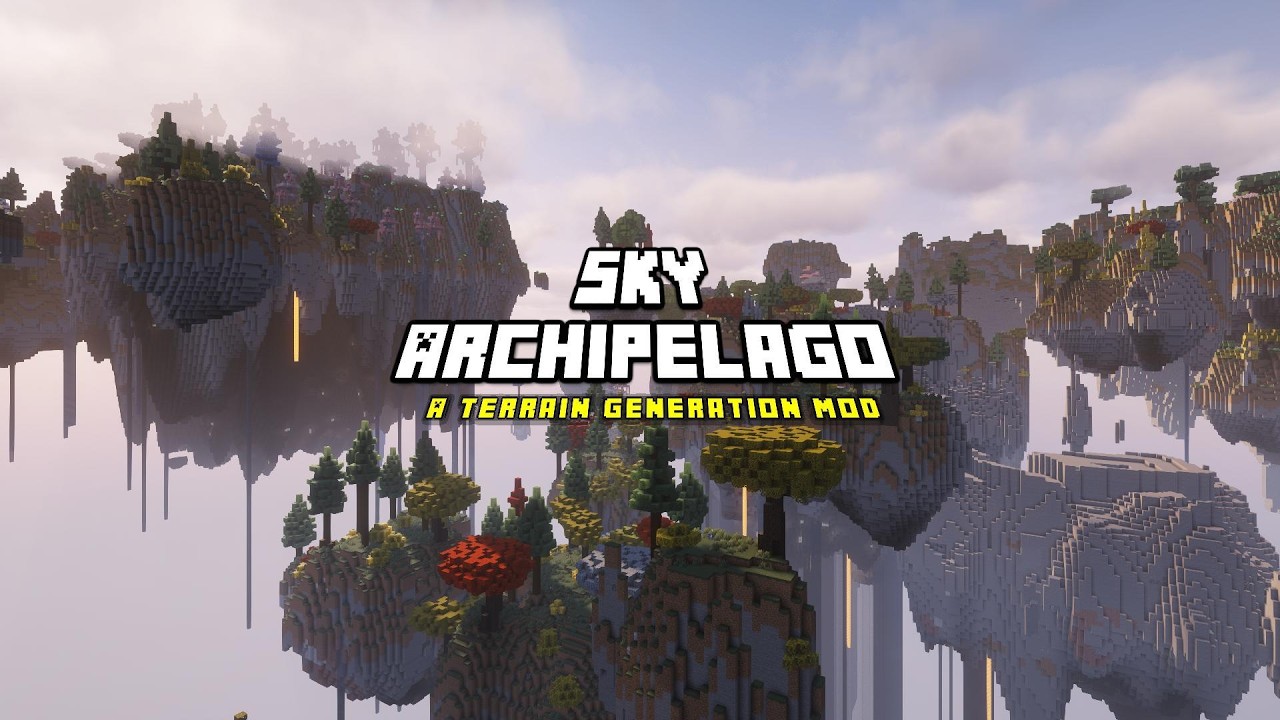
Sky Archipelago v1.0 will release on the 30th of April on CurseForge and shortly after on Modrinth.
A 1.21.1 NeoForge mod, available over at;
Modrinth:
https://modrinth.com/mod/sky-archipelago
CurseForge:
https://www.curseforge.com/minecraft/mc-mods/sky-archipelago
Links will get updated on this description on launch, so keep an eye out ...
hoary zodiac
halcyon pumice
Could i just slap this mod on the modpack?
https://www.youtube.com/watch?v=KWUnI...
!tryit
last pecanBOT
 halcyon pumice
can confirm it works, now realised that Create Aeronautics is not in "all of create" though
slender light
halcyon pumice
can confirm it works, now realised that Create Aeronautics is not in "all of cre...
on a seperate modpack page
look up all of create aeronautics
uneven spruce
Every time i leave the nether my hole system becomes overstressed
 slender light
uneven spruce
Every time i leave the nether my hole system becomes overstressed
slender light
uneven spruce
Every time i leave the nether my hole system becomes overstressed
how is your system powered
uneven spruce
steam engines
slender light
uneven spruce
steam engines
what are you powering the steam engines with
uneven spruce
slender light
what are you powering the steam engines with
lava via pipes
slender light
uneven spruce
lava via pipes
wher lava from
uneven spruce
slender light
wher lava from
Big hole
slender light
uneven spruce
Big hole
bottomless lava source? please be more specific
uneven spruce
slender light
bottomless lava source? please be more specific
yes
slender light
you prob js have to forceload it
you can use the claim system and forceload the chunk with it
uneven spruce
slender light
you can use the claim system and forceload the chunk with it
How do i do that?
slender light
go to the worldmap and right click on the chunk you want to claim
mint urchin
Ok, i downloaded another modpack, with the create: blocks and bogies mods installed, and for some reason it works there, but not in all-of-create?
slender light
mint urchin
Ok, i downloaded another modpack, with the create: blocks and bogies mods instal...
its incompatibility most likely
it needs to be reported to the blocks and bogies devs.
 peak roost
What should I do in this situation?

 marsh falcon
All of Create 1.21.1 - v1.4 crashed. The logs have been uploaded to mclo.gs:
- 1.21.1 [NEOFORGE]
- What launcher did you run Minecraft with? (e.g. CurseForge, ATLauncher, MultiMC, ...)
- Have you changed the modpack in any way except mods?
- v1.4
- Have you ever gotten past the crash condition without crashing, or does the game always crash?
- What steps cause the crash?
latest.log | debug.log head / tail (~10MB & ~53k lines) | crash-2026-05-03_12.37.47-server.txt | crash_assistant_app.log | modlist.txt | unknown UUID
Mod list changes on top of the modpack:
Added mods:
[2;32measy-villagers-neoforge-1.21.1-1.1.41.jar[0m
[2;32mFallingTree-1.21.1-1.21.1.11.jar[0m
[2;32monekeyminer-1.6.2-1.21.1.jar[0m
Removed mods:
[2;31mPaxi-1.21.1-NeoForge-5.1.3.jar[0m
I use the Tlauncher, I haven't added or removed any mods, I just installed the build as is. In the discussion, they wrote about disabling one of the mods, but when I disable it, the entire build inevitably crashes.
marsh falcon
marsh falcon
All of Create 1.21.1 - v1.4 crashed. The logs have been uploaded to `mclo.gs`:
1...
The game crashed with an error message while I was creating a new world.
peak roost
the game didn't start at all
This link is in the error report "https://rescl.tlauncher.org/b/mods/661376/7815319/integrated_villages-1.3.2%2B1.21.1-neoforge.jar ->%20C:/Users/Nikolay/AppData/Roaming/.minecraft/versions/креате%20аренавтик/mods/integrated_villages-1.3.2%2B1.21.1-neoforge.jar%20:%20404"
peak roost
marsh falcon
The game crashed with an error message while I was creating a new world.
hello?
marsh falcon
?
 eager citrus
is it possible to add mods to this modpack?
everytime i try to modify it it just crashes
peak roost
marsh falcon
?
After I wrote here it worked, thank you
 sterile mauve
eager citrus
is it possible to add mods to this modpack?
everytime i try to modify it it just...
sterile mauve
eager citrus
is it possible to add mods to this modpack?
everytime i try to modify it it just...
I'm having the same issue I added quite a lot of mods though
All of Create 1.21.1 - v1.8 crashed. The logs have been uploaded to mclo.gs:
- 1.21.1 [NEOFORGE]
- What launcher did you run Minecraft with?
CurseForge - Have you changed the modpack in any way except mods?
I added some resource packs as well - v1.8
- Have you ever gotten past the crash condition without crashing, or does the game always crash?
Nope - What steps cause the crash?
Launch the modpack, it gets to the loading screen (with the image of a house in the background) and when the bar reaches around half way it just crashes
latest.log | debug.log | crash-2026-05-03_17.32.54-client.txt | CurseForge: stdout-logs.txt | crash_assistant_app.log | modlist.txt
Mod list changes on top of the modpack:
[2;32m84[0m added, [2;31m0[0m removed, [2;34m0[0m updated.
 blissful trellis
eager citrus
is it possible to add mods to this modpack?
everytime i try to modify it it just...
blissful trellis
eager citrus
is it possible to add mods to this modpack?
everytime i try to modify it it just...
yes but it depends what mods, i added about 20 or so myself and went through vigorous testing. aeronautics doesn't work with most mainsteam mods. the ones i added are generally just decoration, buildings and world structure. what are you trying to add? there's a reason why staff always respond to modified packs with a huge modified pack warning
the person abovbe me added 84 and i'm being realistic there's no way staff can help with that. what did you add and how many? did you test it in small batches?
if you send a crash log it'll help but you will likely get the same response as everyone else has when adding crazy numbers of mods and crashing on launch
 novel walrus
down under US is down?
 elfin oak
Why some of my blocks are disappearing? Lost one double chest and also lava in dripstone lavafarms keeps "draining". Self hosted server
 raven cypress
is create:things and misc disabled?? most of the things have no recipie including the sprinkler even tho it has a quest
 slender light
peak roost
What should I do in this situation?
slender light
peak roost
What should I do in this situation?
!cracked
last pecanBOT
If you are using a cracked Minecraft launcher, we can not assist with your issue. In order to receive help, you need to switch to an approved launcher and provide proof you have purchased Minecraft. This is due to the terms of service and guideline agreements of both Mojang and Discord.
slender light
marsh falcon
All of Create 1.21.1 - v1.4 crashed. The logs have been uploaded to `mclo.gs`:
1...
!modified
last pecanBOT
You are using a modified version of the modpack!
Adding, removing, or updating large amounts of mods without testing any of your changes is **not **a good idea, and it is very unlikely that anyone will want to debug your issue for you. Please test the changes you make in small groups, as opposed to doing all of the changes at once.
If you want further support for your issue, someone may respond to you in the channel for the modpack you based your changes off, but please only post once. You may also have better luck in #1061339968691257466.
slender light
sterile mauve
All of Create 1.21.1 - v1.8 crashed. The logs have been uploaded to `mclo.gs`:
1...
!modified
last pecanBOT
You are using a modified version of the modpack!
Adding, removing, or updating large amounts of mods without testing any of your changes is **not **a good idea, and it is very unlikely that anyone will want to debug your issue for you. Please test the changes you make in small groups, as opposed to doing all of the changes at once.
If you want further support for your issue, someone may respond to you in the channel for the modpack you based your changes off, but please only post once. You may also have better luck in #1061339968691257466.
slender light
novel walrus
down under US is down?
check on the cdu discord
slender light
elfin oak
Why some of my blocks are disappearing? Lost one double chest and also lava in d...
what is vanishing?
slender light
raven cypress
is create:things and misc disabled?? most of the things have no recipie includin...
might be broken recipe what version is this
raven cypress
slender light
might be broken recipe what version is this
v1.7
slender light
raven cypress
v1.7
!outdated
last pecanBOT
You seem to be using an older version of the modpack! Updates often fix issues, and yours might already be fixed, so please try again with the latest version of the modpack to see if the issue persists or not.
raven cypress
ohh lol update came 2 days ago mb
slender light
im not sure if its fixed on latest js lmk
raven cypress
alr
elfin oak
slender light
what is vanishing?
Empty double chest and stationary lava from dripstone lava farm
double chest was new, but lava have been disappearing for a while now
also is is possible to dye concrete somehow with dragons plus?
 compact frigate
I'm on the aeronautics version of the modpack and I
I'm running my world on a dedicated server, how can I have the forceloaded chunks stay forcdeloaded even if no-one is on the server or if the palyer who loaded them is not on the server
raven cypress
slender light
im not sure if its fixed on latest js lmk
nope still not fixed
raven cypress
compact frigate
I'm running my world on a dedicated server, how can I have the forceloaded chunk...
install ftb chunks and change the forceload settings
 long cairn
Hello everyone! I am having trouble with All of Create - Aeronautics!
I am on the latest version alongside my friend. And they tried to host a server, but it said "Unable to host local game," and it said the same on my end. We then tried to use e4mc, and World Host after that, but only gave us this error message:

We both use the same mods and everything is the same version, but we can't join eachother on this specific modpack, even though other modpacks work? Not too sure what is going on, but help would be very much appreciated, and thank you!
hoary zodiac
long cairn
We both use the same mods and everything is the same version, but we can't join ...
what launchers yall using?
 dull lintel
Hey having a problem with all create, my wanted to play this modpack, then i added a few mod with some bosses for myself, and now i have some crash because there is 33 other mods
Ofc there is 33 other mods xd i did that
is there anyone with the same problem ? and may be a solution ?
i can send my log if needed the copy paste is ready
hoary zodiac
dull lintel
Hey having a problem with all create, my wanted to play this modpack, then i add...
!modified
last pecanBOT
You are using a modified version of the modpack!
Adding, removing, or updating large amounts of mods without testing any of your changes is **not **a good idea, and it is very unlikely that anyone will want to debug your issue for you. Please test the changes you make in small groups, as opposed to doing all of the changes at once.
If you want further support for your issue, someone may respond to you in the channel for the modpack you based your changes off, but please only post once. You may also have better luck in #1061339968691257466.
dull lintel
hoary zodiac
!modified
the modpack block all other mod :/
hoary zodiac
dull lintel
the modpack block all other mod :/
you modified the pack, meaning that we cannot promise all your changes are gonna work for the pack, test stuff 1 by 1 to see what does or doesn't work
the pack does not "block all other mods"
dull lintel
hoary zodiac
you modified the pack, meaning that we cannot promise all your changes are gonna...
sorry for bothering you, found the solution
claude is really scary :/
he found the prob and the solution
hoary zodiac
!ai
last pecanBOT
STOP USING AI
- AI has zero clue how to fix minecraft problems, it is built to manipulate and falsify information and gives fake proof all the time. Be patient and wait for staff to provide assistance.
- AI is known to tell you to remove something, this does not fix your problem, this will break the pack and a high chance to break your world too.
hoary zodiac
You are being told not to use ai for fixing packs cause of the amount of problems arising from the system.
If you choose to use ai over a human who knows these packs, I personally won't help
raven cypress
hoary zodiac
If you choose to use ai over a human who knows these packs, I personally won't h...
hey
hoary zodiac
?
raven cypress
raven cypress
is create:things and misc disabled?? most of the things have no recipie includin...
is there a way i can temporarily fix this myself
hoary zodiac
it may not even be in the pack idk.
raven cypress
it is
hoary zodiac
keeping up with create mods is like trying to keep up with kittens loose on a ranch.
hoary zodiac
check changelog of 1.8
raven cypress
well the mod is still here
hoary zodiac
again, read the changelog, cause qwek may have explained why things got removed, but if he removed it likely he was having issues out of it
raven cypress
alr
 south elbow
rapid dew
after update 2 to the aeronautics pack i couldnt use a mechanical grindstone on ...
south elbow
rapid dew
after update 2 to the aeronautics pack i couldnt use a mechanical grindstone on ...
This issue its fixed in the version 1.3 of the modpack at least for me anyway you should try it.
 chrome sky
All of Create 1.21.1 - v1.2 crashed. The logs have been uploaded to mclo.gs:
- 1.21.1 [NEOFORGE]
- GD Launcher
- No changes other than 1 mod added
- v1.2
- Always crashes
- Pondering on the experience hatch
latest.log | debug.log | crash-2026-05-03_22.36.06-client.txt | GDLauncher: main.log | crash_assistant_app.log | modlist.txt
Mod list changes on top of the modpack:
Added mods:
[2;32mDistantHorizons-3.0.1-b-1.21.1-fabric-neoforge.jar[0m
!outdated
last pecanBOT
You seem to be using an older version of the modpack! Updates often fix issues, and yours might already be fixed, so please try again with the latest version of the modpack to see if the issue persists or not.
 graceful sail
with modpack updates, does it touch other user added mods or just update the core pack
 finite violet
All of Create 1.21.1 - v1.1 crashed. The logs have been uploaded to mclo.gs:
- 1.21.1 [NEOFORGE]
- CurseForge
- Upgrade Neoforge to v21.1.228
- v1.1
- Always Crash
- Open the game, Modloader
latest.log | debug.log | crash-2026-05-03_19.04.22-client.txt | CurseForge: launcher_log.txt | crash_assistant_app.log | modlist.txt
Mod list changes on top of the modpack:
[2;32m18[0m added, [2;31m1[0m removed, [2;34m32[0m updated.
 atomic flint
All of Create 1.21.1 - v1.4 crashed without a crash report. The logs have been uploaded to mclo.gs:
- 1.21.1 [NEOFORGE]
- curse forge
3.no - v1.4
- the first time i created a world when i loaded back in and opened it it worked after an initial crash
- creating a world
latest.log | debug.log head / tail (~34k lines) | CurseForge: stdout-logs.txt | crash_assistant_app.log | modlist.txt | win_event1777847649786.txt
Mod list changes on top of the modpack:
[2;34mMod list was not modified.[0m
 marsh rune
Will Create:Big Cannons get added to the mod pack now that it was updated to work with aeronautics?
finite violet
finite violet
All of Create 1.21.1 - v1.1 crashed. The logs have been uploaded to `mclo.gs`:
1...
Anyone know why my game crash? Y recently upload the mods, and before that it crashed always
 jagged hamlet
yoo guys, so is all of create aeronautics different from all of create besides just adding aeronatuics? cant really tell
mint urchin
Mates, im trying to use a schematic for my train, but its only taking the train-track, no the train itself
Does anybody know how to fix this?
silk creek
slender light
contraption diagrams would be an issue with [this mod](https://www.curseforge.co...
Actually, in case this is useful. Adding colorwheels seemed to have helped
graceful sail
silk creek
Actually, in case this is useful. Adding colorwheels seemed to have helped
afaik it's an issue with entity culling
 woeful walrus
Hey guys! I've been running a server for me and a couple of friends and we're using the All of Create - Aeronautics pack, I was about to update my server to v1.3 but saw that Tradeworks was removed, is this just a case of that mod not being updated or was there cases of it causing issues?
(Tradeworks was going to be a big part of the server, but if it's the case of issues, I'm sure everyone would understand)
hoary zodiac
finite violet
All of Create 1.21.1 - v1.1 crashed. The logs have been uploaded to `mclo.gs`:
1...
!updatemods
last pecanBOT
Do NOT Update Mods Manually!
Modpacks use specific versions of certain mods to prevent various issues, such as crashes or major game-breaking bugs. Mods will be updated by the modpack developer when they see fit. Please do not update the mods in a modpack manually, unless specifically told to do so. This includes hitting the "update all" feature on CurseForge launcher it likes to bother users with.
To be clear; this is separate from updating the modpack (such as Better MC / Medieval MC) itself. You should always stay up to date with the latest version of the modpack. To update the pack correctly, you can follow the command!updatemodpack
The easiest way to downgrade mod versions to their original versions in the pack, is to reinstall the pack itself. Before you uninstall, back up both any singleplayer world files you have, and your map folder. LPS packs usually use JourneyMap or Xareos, the map folder will be named accordingly.
- Curseforge -> Right click the modpack instance -> „Open Folder”.
- ATLauncher -> Click „Open Folder” on the modpack instance.
- PrismLauncher -> Select your instance and click „Folder” on the right.
Navigate to the "minecraft" folder, and within that will be "saves" and "journeymap"/"xareos" depending on which the pack has. Copy/Move these folders to a safe location, and you can move them right back to the fresh copy of the pack when reinstalled.
hoary zodiac
!modified
last pecanBOT
You are using a modified version of the modpack!
Adding, removing, or updating large amounts of mods without testing any of your changes is **not **a good idea, and it is very unlikely that anyone will want to debug your issue for you. Please test the changes you make in small groups, as opposed to doing all of the changes at once.
If you want further support for your issue, someone may respond to you in the channel for the modpack you based your changes off, but please only post once. You may also have better luck in #1061339968691257466.
hoary zodiac
woeful walrus
Hey guys! I've been running a server for me and a couple of friends and we're us...
Tons of issues
graceful sail
graceful sail
with modpack updates, does it touch other user added mods or just update the cor...
 quick bridge
Hey everyone, I would like to suggest a mod which is "Create: Tracks" for create aeronautics, it simply adds tracks to add other way to build terrestrial vehicles
hoary zodiac
quick bridge
Hey everyone, I would like to suggest a mod which is "Create: Tracks" for create...
#suggestions make sure to follow pinned format there
quick bridge
Thanks
 errant inlet
graceful sail
errant inlet
graceful sail
that's probably dependant on what you're using to play
graceful sail
it's atlauncher
errant inlet
idk abt that, I use prism, they used to not touch anything but nowadays they revert a bunch of controls and visual settings, they still leave behind all the added mods
woeful walrus
Good to know, thanks! I'll let everyone know and we'll just come up with a plan around that
 past rock
java.lang.NullPointerException: Cannot invoke "com.simibubi.create.content.fluids.tank.FluidTankBlockEntity.getTankInventory()" because the return value of "com.simibubi.create.content.fluids.tank.FluidTankBlockEntity.getControllerBE()" is null
Hi, I got this crash when I tried to ponder the nugget of experience
All of Create 1.21.1 - v1.6.1 crashed without a crash report. The logs have been uploaded to mclo.gs:
- 1.21.1 [NEOFORGE]
- What launcher did you run Minecraft with? CurseForge
- Have you changed the modpack in any way except mods? No
- v1.6.1
- Have you ever gotten past the crash condition without crashing, or does the game always crash? No
- What steps cause the crash? Attempting to ponder some items in the modpack but not all of them. I know nugget of experience is one that will always cause a crash though
latest.log | debug.log head / tail (~35k lines) | CurseForge: stdout-logs.txt | crash_assistant_app.log | startup_scripts.log | modlist.txt | win_event1777901733660.txt
Found [2;34m1[0m log analysis results:
[2;34mWasClosedByWindows[0m in: win_event1777901733660.txt
Mod list changes on top of the modpack:
[2;34mMod list was not modified.[0m
I fell asleep after asking the question yesterday, sorry.
I am on the latest version of All of Create - Aeronautics alongside my friend. We both use the same mods and launcher (ATLauncher) and everything is the same version, but we can't join each other on this specific modpack, even though other modpacks work?
The issue is they tried to host a server, but it said "Unable to host local game," and it said the same on my end. We then tried to use e4mc, and World Host after that, but only gave us this error message:

We tried removing the Dynamic Lights mod and then adding LambDynamicLights, but that also resulted in crashes. We tried using virtual LANs, but that also didn't work. Any help would be very appreciated, thanks!
slender light
past rock
All of Create 1.21.1 - v1.6.1 crashed without a crash report. The logs have been...
!outdated
last pecanBOT
You seem to be using an older version of the modpack! Updates often fix issues, and yours might already be fixed, so please try again with the latest version of the modpack to see if the issue persists or not.
slender light
long cairn
I fell asleep after asking the question yesterday, sorry.
I am on the latest ve...
are you using the built in wordlshare?
long cairn
Yes, after clicking on host LAN, it then says that it's "Unable to host local game"
last pecanBOT
Free Method
To host a server on your own computer, read the selfhosting guide.
This guide goes over how to install, create, and launch a free Minecraft server on all operating systems (MacOS, Linux and Windows). The guide also guides you through installing Java and optimizing your server for better performance.
If you are installing one of our older modpacks, ignore the "README" file that is included in the serverpack files, as they have outdated information.
Paid Method
We suggest renting a server from Bisect Hosting:
Approx. $10 - $25 a month depending on what plan you choose. You can also get 25% off with Code LunaPixel.
Go here and order a plan which fits you. We suggest 1GB per player but nothing lower than 4GB as the server needs at least 3GB to run.
Go to #server-hosting for more Info!
The following advice works for both the Free and Paid methods:
Transferring Your World
If you're playing Singleplayer and want to transfer your world to your server, simply go to your modpack files and navigate to the saves folder. Inside of this folder, you will see your world saves. Rename your desired world save to world. You can then transfer this folder to your server files. If your world was hosted via world sharing, this process has to be done by the person who would click "Share World".
Fixing Lag
To resolve lag issues, simply run the !tps command in #bots and follow the directions provided.
long cairn
We did try using virtual LANs like Radmin VPN, but it also didn't connect?
After trying e4mc (and it also failing), we tried other modpacks and they actually do connect? Not sure why though
 smoky cave
How can I update the modpack version without messing everything up?
Both client and server
New to this
also got some extra mods added to the modapck, that probably matters and changes things
or should I even bother lmao?
im on 1.1
slender light
smoky cave
How can I update the modpack version without messing everything up?
Both client ...
setup your server like how you did the first time and js bring the worlds folder over
slender light
long cairn
We did try using virtual LANs like Radmin VPN, but it also didn't connect?
port foward
errant inlet
Our server banned schematic cannon so I made this 3d printer to print schematics
https://createmod.com/generators/balloon/YjIuNTAuMTQuMTQuNjAuMC4wLjAuMC4xLjEuMS41LjAuMS4xLjAuNC42LmUud2gudy5z didn't design the balloon, my friend used this tool to get the schem and I just throw it in and printed it, same thing with the ship below the balloon
 tacit hull
I'm unsure if this is the correct channel to ask this in, but I don't see any other channels in the list I have rn that feel like it would be better, but if there is one just lmk and I'll move this message there
I booted up this pack for the first time today to play on a friends server and I was just wondering if there was some way to remove or just order these preset servers in any way? I'm not a very hardcore minecraft player so I'm definitely not gonna be playing it on any public servers, I just want to play with friends but I can't seem to delete these servers from my list. Every time I click the "Delete" button or even the ordering buttons my game just instantly crashes for no apparent reason. I'm having a difficult time imagining that this is accidental in any way, like ordering your server list isn't typically something that instantly overloads a minecraft client so I'm just wondering if there's any way to get around it, like mucking with a config file somewhere in the game directory or something like that
 slender light
tacit hull
I'm unsure if this is the correct channel to ask this in, but I don't see any ot...
slender light
tacit hull
I'm unsure if this is the correct channel to ask this in, but I don't see any ot...
delete the serverbrowser config
tacit hull
Where can I find that?
slender light
the crash is a incompatibility with the multiple mods being used tgt but i js havent had time to figure out which
slender light
tacit hull
Where can I find that?
configs folder
or you can js delete the serverbrowser mod
tacit hull
Thank you so much, that seems to have fixed it
slender light
errant inlet
Our server banned schematic cannon so I made this 3d printer to print schematics
is this CDU?
very cool though, never knew it was possible
errant inlet
slender light
very cool though, never knew it was possible
all thanks to the power of pattern printing from deployer (it still took me like 3 days on and off cause I was originally trying to do something much more complicated (fully automated) but that's not really achievable fast so I just gaved up on that and whipped up something simple) so this thing have to be manually controlled
graceful sail
does anyone know of a mod that fixes this bug

 wraith veldt
"feature" they just like it that way
wait 3d printing with create hole up?
is this like a deployer setup?
 wise phoenix
long cairn
Yes, after clicking on host LAN, it then says that it's "Unable to host local ga...
wise phoenix
long cairn
Yes, after clicking on host LAN, it then says that it's "Unable to host local ga...
its broken rn you must delete luna
hoary zodiac
wise phoenix
its broken rn you must delete luna
normal lan isn't stable for modpacks.
Qwek already gave them another option that is free
hoary zodiac
we only have so many slots for world sharing at a time. we're coming up on testing/graduation/summer vacation
wise phoenix
got it
 knotty fossil
Is there any way to view the changes betwen version of AoC:aeronautics?
Like is it worth to update to 1.4 if I'm currently on 1.2?
slender light
knotty fossil
Is there any way to view the changes betwen version of AoC:aeronautics?
curseforge has full changelogs, and #partners will show the gameplay changes
slender light
knotty fossil
Like is it worth to update to 1.4 if I'm currently on 1.2?
you should always update
there are bug fixes in between updates
knotty fossil
Okay, thanks.
Is it normal for my playthrough to not have any quests?
I havent played base AoC, but I see that FTB quests is installed, but there arent any available quests
slender light
knotty fossil
Okay, thanks.
Is it normal for my playthrough to not have any quests?
thats not normal, your pack is installed incorrectly
use a modded launcher if your not already or reinstall, also backup your world first
!alternates
last pecanBOT
If this command was run in response to your question/issue, it is likely because switching away from the launcher you are currently using would fix your problem.
From our experience, the most stable launcher by far is ATLauncher, also known as ATL. Keep in mind that ATL is NOT related to TLauncher in any way, and is not a cracked launcher.
To install ATL, do the following:
1. Go to https://atlauncher.com/download. If you are on MacOS, then choose the "Jar" version under the "Other" tab, this is important as OSX WILL crash the game on Mac.
2. Install and run the setup, then open the program.
3. Login to your Microsoft account that owns the Java Edition of Minecraft from the Accounts tab on the right. This process is 100% safe, as it goes directly through Microsoft. ATL doesn't see your account credentials.
4. Go to the Packs tab on the right, then click "Curseforge" on the left.
5. Search the modpack you wish to download.
6. Click "Install". Then, follow the on-screen directions.
7. Go to the Instances tab, and click "Play" on the modpack you downloaded. If you ever see an "Update" button on the instance, click it.
This video explains the process: https://youtu.be/xMYW1wMbmkM
To transfer your Curseforge world to ATL, simply right click the modpack on Curseforge, or click the 3 dots, then click "Open Folder". Copy the Saves folder, then click "Open Folder" on ATL and paste the Saves folder there. Do the same with the XaerosMinimap folder, or the Journeymap folder, to transfer over any waypoints you've created.
Because ATL downloads the exact same files as Curseforge does, your world will be the exact same and you will be able to join the same servers. ATL also works without an internet connection (after you've installed the modpack, of course), and does not have any bloat from Overwolf. You are free to uninstall both Overwolf and Curseforge with ATL installed.
knotty fossil
I have it installed on a server, and single player. I just checked now, and the quests are available in singleplayer, but aren't there on the server
Any way to determine what went wrong?
slender light
knotty fossil
I have it installed on a server, and single player. I just checked now, and the ...
did you use the serverpack?
knotty fossil
No, I somehow missed it being there 💀
slender light
knotty fossil
No, I somehow missed it being there 💀
if you use the serverpack it should be fine
js lmk if its still missing
 analog finch
I know that the contraption diagram not showing up is an issue with Sodium/Embeddium Extra, is there something I can do to fix for me?
 glacial wharf
Idk if this is the place ot ask but for the life of me i cant get copper and zinc to mix. have the basin, blaze burner charged as much aspossible, and the mixer with the proper amount of power, and the molten liquids are jsut sitting in the basin unmixed...
idk if this is a bug cause every tutorial seems ot do it this way
errant inlet
glacial wharf
Idk if this is the place ot ask but for the life of me i cant get copper and zin...
use filter
slender light
analog finch
I know that the contraption diagram not showing up is an issue with Sodium/Embed...
could you try install the colorwheel mod and see if that fixes?
someone said it does but i have not tested it yet
please lmk
errant inlet
glacial wharf
ahhh
idk why it doesn't work with molten liquid but it's better to just have the filter list set to brass ingot and put in the copper and zinc
analog finch
still invisible


also the same problem on supplementaries sign if that helps

the sign in the back in not on the contraption so we can see the problem is contraption related
 raven mist
My game just freezes when i try to make a world. What do i do?
 fleet glade
can i import my all of create safe in all of create areonautics?
 rough sedge
Guys, i just updated all mods in curseforge and now my game crashing after that mojang loading screen with house in background
fleet glade
rough sedge
Guys, i just updated all mods in curseforge and now my game crashing after that ...
you can reinstall the pack
sterile mauve
Hi, Is it possible to change the resource pack for this modpack? I've tried adding Whimscape and Fresh Animations, but it always fails with "resource reload failed"
 wraith mountain
analog finch
still invisible
wraith mountain
analog finch
still invisible
You have to disable entity culling in sodium extras.
 analog finch
will try after work thx
wraith mountain
That at least fixed the contraption disgram and the spinning rock cutting heads not showing up on contraptions for me.
wraith mountain
rough sedge
Guys, i just updated all mods in curseforge and now my game crashing after that ...
That's exactly why you shouldn't update things manually if you don't know what you're doing and wait for the modpack to update.
rough sedge
I just pressed "update all mods" in mod list in this modpack
wraith mountain
Yeah, don't do that.
rough sedge
I reinstalled it, it's fine already
rough sedge
wraith mountain
Yeah, don't do that.
Then how do I update mods?
Wait for New modpack version?
wraith mountain
Best case scenario - you wait until the modpack has an update
rough sedge
Okay
wraith mountain
Or you could update manually if you know what you're doing - usually graphical stuff, distant horizons (which i installed after the fact), map or visual glitch fixes etc. should be fine - but you seemingly don't know what you're doing so, again, just wait for the modpack to update
which seems to be every 2-4 days?

might get an update tomorrow
analog finch
new mod requires a lot of patching I assume
 tired flower
help
 slender light
wraith mountain
slender light
wraith mountain
will have this a go ty
slender light
tired flower
help
i cant help because a screenshot of that screen has no info and because the pack is modified
!modified
last pecanBOT
You are using a modified version of the modpack!
Adding, removing, or updating large amounts of mods without testing any of your changes is **not **a good idea, and it is very unlikely that anyone will want to debug your issue for you. Please test the changes you make in small groups, as opposed to doing all of the changes at once.
If you want further support for your issue, someone may respond to you in the channel for the modpack you based your changes off, but please only post once. You may also have better luck in #1061339968691257466.
 strong jewel
hey, anyone know what could be causing this, i allocated 8gb and the only edit i made is removing 3d skin layers

all of create aeronautics (no voice)
it did the same in the non aeronautics verison as welll
slender light
strong jewel
all of create aeronautics (no voice)
voice is not an version by me and js a stolen pack with voice chat added to it
slender light
strong jewel
hey, anyone know what could be causing this, i allocated 8gb and the only edit i...
update your cpu drivers and retry
#faq performance guide
 wicked fog
guys, I downloaded create aeronautics, and when I tried to host a local server, it just said in the chat that I couldn't start the local server
slender light
wicked fog
guys, I downloaded create aeronautics, and when I tried to host a local server, ...
self-host instead
!server
last pecanBOT
Free Method
To host a server on your own computer, read the selfhosting guide.
This guide goes over how to install, create, and launch a free Minecraft server on all operating systems (MacOS, Linux and Windows). The guide also guides you through installing Java and optimizing your server for better performance.
If you are installing one of our older modpacks, ignore the "README" file that is included in the serverpack files, as they have outdated information.
Paid Method
We suggest renting a server from Bisect Hosting:
Approx. $10 - $25 a month depending on what plan you choose. You can also get 25% off with Code LunaPixel.
Go here and order a plan which fits you. We suggest 1GB per player but nothing lower than 4GB as the server needs at least 3GB to run.
Go to #server-hosting for more Info!
The following advice works for both the Free and Paid methods:
Transferring Your World
If you're playing Singleplayer and want to transfer your world to your server, simply go to your modpack files and navigate to the saves folder. Inside of this folder, you will see your world saves. Rename your desired world save to world. You can then transfer this folder to your server files. If your world was hosted via world sharing, this process has to be done by the person who would click "Share World".
Fixing Lag
To resolve lag issues, simply run the !tps command in #bots and follow the directions provided.
slender light
!cracked
last pecanBOT
If you are using a cracked Minecraft launcher, we can not assist with your issue. In order to receive help, you need to switch to an approved launcher and provide proof you have purchased Minecraft. This is due to the terms of service and guideline agreements of both Mojang and Discord.
 magic girder
is there anyway to keep my world and move to all of create aeronautics?
understand if there isnt, just dont wanna start from the beginning?
let me rephrase, will there be any consequences to my world if i move the world file to the AOC- aeronautics?
 chilly jungle
guys idk but its so laggy when i open a chunk anyone can help?
slender light
magic girder
is there anyway to keep my world and move to all of create aeronautics?
yeah just move your world over
theres only 1 less content mod in the aeronautics version which is a shelf mod
slender light
chilly jungle
guys idk but its so laggy when i open a chunk anyone can help?
wdym
 covert ember
All of Create 1.21.1 - v1.3 crashed without a crash report. The logs have been uploaded to mclo.gs:
- 1.21.1 [NEOFORGE]
- What launcher did you run Minecraft with? (e.g. CurseForge, ATLauncher, MultiMC, ...)
- Have you changed the modpack in any way except mods?
- v1.3
- Have you ever gotten past the crash condition without crashing, or does the game always crash?
- What steps cause the crash?
latest.log | debug.log | CurseForge: stdout-logs.txt | crash_assistant_app.log | modlist.txt
Mod list changes on top of the modpack:
[2;32m2[0m added, [2;31m0[0m removed, [2;34m23[0m updated.
help?
hoary zodiac
covert ember
All of Create 1.21.1 - v1.3 crashed without a crash report. The logs have been u...
!updatemods
last pecanBOT
Do NOT Update Mods Manually!
Modpacks use specific versions of certain mods to prevent various issues, such as crashes or major game-breaking bugs. Mods will be updated by the modpack developer when they see fit. Please do not update the mods in a modpack manually, unless specifically told to do so. This includes hitting the "update all" feature on CurseForge launcher it likes to bother users with.
To be clear; this is separate from updating the modpack (such as Better MC / Medieval MC) itself. You should always stay up to date with the latest version of the modpack. To update the pack correctly, you can follow the command!updatemodpack
The easiest way to downgrade mod versions to their original versions in the pack, is to reinstall the pack itself. Before you uninstall, back up both any singleplayer world files you have, and your map folder. LPS packs usually use JourneyMap or Xareos, the map folder will be named accordingly.
- Curseforge -> Right click the modpack instance -> „Open Folder”.
- ATLauncher -> Click „Open Folder” on the modpack instance.
- PrismLauncher -> Select your instance and click „Folder” on the right.
Navigate to the "minecraft" folder, and within that will be "saves" and "journeymap"/"xareos" depending on which the pack has. Copy/Move these folders to a safe location, and you can move them right back to the fresh copy of the pack when reinstalled.
wraith mountain
gotta admit
covert ember
uhhh i updated them
wraith mountain
I think distant horizons in combination with aeronautics should be mandatory atp
covert ember
is there a way i undo that?
chilly jungle
slender light
wdym
its lagging when iam walking
hoary zodiac
dh is a buggy and performance heavy mod
hoary zodiac
your frames could be fine, but it acts like 2tps with 5000 ping for a lot of players on their single player owrld
wraith mountain
oh interesting
hoary zodiac
I have a 2070 and that's how it acted with just modloader and DH on my computer
covert ember
ok so how do i back up my world
wraith mountain
I'm running a 2080ti and a Ryzen 7 5700X
covert ember
its a public server?
hoary zodiac
covert ember
its a public server?
if it's a public server it won't affect your player data
covert ember
okay
slender light
chilly jungle
its lagging when iam walking
#faq performance guide
 wraith mountain
what is that, hwinfo?
hoary zodiac
speccy
wraith mountain
aw hell nah
 hoary zodiac
 wraith mountain
hold on hahaha
hoary zodiac
CCleaner used to be so much better back in the day
wraith mountain

TLDR, 32GB RAM, 2080ti, 1TB Internal M2 SSD, Ryzen 7 5700X
But yeah anyway - maybe not Distant Horisons specifically but maybe an alternative like Voxy (not compatible with this modpack, just an example)
hoary zodiac
thankfully speccy doesn't have any pop ups at all (yet)
wraith mountain
at least if you're playing on a server like I am
 sturdy skiff
how to disable muliplayer by lunapixel ip and do that with my own port and ip in all of create aeronautics
 slender light
sturdy skiff
how to disable muliplayer by lunapixel ip and do that with my own port and ip in...
slender light
sturdy skiff
how to disable muliplayer by lunapixel ip and do that with my own port and ip in...
self-host
!server
last pecanBOT
Free Method
To host a server on your own computer, read the selfhosting guide.
This guide goes over how to install, create, and launch a free Minecraft server on all operating systems (MacOS, Linux and Windows). The guide also guides you through installing Java and optimizing your server for better performance.
If you are installing one of our older modpacks, ignore the "README" file that is included in the serverpack files, as they have outdated information.
Paid Method
We suggest renting a server from Bisect Hosting:
Approx. $10 - $25 a month depending on what plan you choose. You can also get 25% off with Code LunaPixel.
Go here and order a plan which fits you. We suggest 1GB per player but nothing lower than 4GB as the server needs at least 3GB to run.
Go to #server-hosting for more Info!
The following advice works for both the Free and Paid methods:
Transferring Your World
If you're playing Singleplayer and want to transfer your world to your server, simply go to your modpack files and navigate to the saves folder. Inside of this folder, you will see your world saves. Rename your desired world save to world. You can then transfer this folder to your server files. If your world was hosted via world sharing, this process has to be done by the person who would click "Share World".
Fixing Lag
To resolve lag issues, simply run the !tps command in #bots and follow the directions provided.
hoary zodiac
most mods like that aren't compatible, plus the devs here try to push to make their packs a low end friendly as possible.
sturdy skiff
slender light
self-host
What mod to delete
hoary zodiac
wraith mountain
yet
long as you don't update, no risk of such shenanigans 
 slender light
why
sturdy skiff
because those servers are shit
sturdy skiff
they laggy
wraith mountain
almost like you're not paying for it, not getting the absolute best performance/ prio
hoary zodiac
there's only so many slots available, and we only have US and EU servers so it's not gonna be able to cater to everyone's location.
wraith mountain
works just fine for us
hoary zodiac
sturdy skiff
like there is mod that doing this
!server if you don't see a message from zeppelin, restart discord
last pecanBOT
Free Method
To host a server on your own computer, read the selfhosting guide.
This guide goes over how to install, create, and launch a free Minecraft server on all operating systems (MacOS, Linux and Windows). The guide also guides you through installing Java and optimizing your server for better performance.
If you are installing one of our older modpacks, ignore the "README" file that is included in the serverpack files, as they have outdated information.
Paid Method
We suggest renting a server from Bisect Hosting:
Approx. $10 - $25 a month depending on what plan you choose. You can also get 25% off with Code LunaPixel.
Go here and order a plan which fits you. We suggest 1GB per player but nothing lower than 4GB as the server needs at least 3GB to run.
Go to #server-hosting for more Info!
The following advice works for both the Free and Paid methods:
Transferring Your World
If you're playing Singleplayer and want to transfer your world to your server, simply go to your modpack files and navigate to the saves folder. Inside of this folder, you will see your world saves. Rename your desired world save to world. You can then transfer this folder to your server files. If your world was hosted via world sharing, this process has to be done by the person who would click "Share World".
Fixing Lag
To resolve lag issues, simply run the !tps command in #bots and follow the directions provided.
hoary zodiac
"free method" aka self hosting
wraith mountain
man DH + tectonic + all of create aero

chefskiss
not entirely perfect wold gen wise

but man
hoary zodiac
only way I'd use it is for the pics, but playing I can't do it. Takes me 5 business days to break 10 blocks of dirt
 fast sorrel
is it possible to work around the terrible "world share" option and just use essential? the built in option has really bad rendering and rubber banding as if im using aternos or something
fast sorrel
wraith mountain
works just fine for us
good for you? allow the users its not working for the ability to use essential
hoary zodiac
fast sorrel
is it possible to work around the terrible "world share" option and just use ess...
we offer no support to essential after a ton of issues going on
!server
last pecanBOT
Free Method
To host a server on your own computer, read the selfhosting guide.
This guide goes over how to install, create, and launch a free Minecraft server on all operating systems (MacOS, Linux and Windows). The guide also guides you through installing Java and optimizing your server for better performance.
If you are installing one of our older modpacks, ignore the "README" file that is included in the serverpack files, as they have outdated information.
Paid Method
We suggest renting a server from Bisect Hosting:
Approx. $10 - $25 a month depending on what plan you choose. You can also get 25% off with Code LunaPixel.
Go here and order a plan which fits you. We suggest 1GB per player but nothing lower than 4GB as the server needs at least 3GB to run.
Go to #server-hosting for more Info!
The following advice works for both the Free and Paid methods:
Transferring Your World
If you're playing Singleplayer and want to transfer your world to your server, simply go to your modpack files and navigate to the saves folder. Inside of this folder, you will see your world saves. Rename your desired world save to world. You can then transfer this folder to your server files. If your world was hosted via world sharing, this process has to be done by the person who would click "Share World".
Fixing Lag
To resolve lag issues, simply run the !tps command in #bots and follow the directions provided.
 twin bear
i found the tuff crushing wheel recipe only, or do i need to make asurine to make zinc? asurine require super heated blaze burner though
 summer echo
Hi Team, I keep getting crashes when sleeping in a bed, how do I find the best log to check what is happening, like if it is not just occured is there a way to find the previous log from say last night?
it happened before and I ignored it but last night I lost 21 Autocrafters early in my playthrough so that hurts
hoary zodiac
summer echo
Hi Team, I keep getting crashes when sleeping in a bed, how do I find the best l...
!ca
last pecanBOT
summer echo
understand, but what logs do I need if I don't have that UI?
hoary zodiac
summer echo
understand, but what logs do I need if I don't have that UI?
are you playing all of create?
summer echo
yes
hoary zodiac
did you make any changes to the pack? cause if you're crashing, it should give that pop up
what launcher are you using?
summer echo
it did pop up, but I closed it, is there a way to find the right logs to upload after the fact
last pecanBOT
to better assist with most issues, we will need some logs:
- Curseforge -> Right click the modpack instance -> „Open Folder”.
- ATLauncher -> Click „Open Folder” on the modpack instance.
- MultiMC -> Select your instance and click „Instance Folder” on the right.
- PrismLauncher -> Select your instance and click „Folder” on the right.
- For servers -> Open the folder containing your server files.
To find the latest.log file, navigate to the 'logs' folder.
To find the hs_err_pid.log file, simply look for the file name after opening the instance folder. (this file type is not as common in crashes - do not worry if you cannot find it, just skip over this line.)
To find a crash report, navigate to the crash-reports folder and find the most recent file after your crash occurred.
Once located, please upload the requested file here. If it fails, upload to https://mclo.gs/ and share the link here.
past rock
slender light
!outdated
Updating fixed it, thank you so much!
summer echo
hoary zodiac
!logs
couldn't find a crash-reports folder but have uploaded a crash_assistant log, logs don't show much I'm afraid. The only mod I have added is Lighty (https://www.curseforge.com/minecraft/mc-mods/lighty) The crash is white screen / java crashing in desktop, not a usual crash drop to the console that I'm more familiar with. But it has happened a few times when sleeping now, so whilst not reproducable every time, it sure is consistant only crashing at that point. Modloader is Curseforge.
 dapper daggerBOT
summer echo
couldn't find a crash-reports folder but have uploaded a crash_assistant log, lo...
dapper daggerBOT
summer echo
couldn't find a crash-reports folder but have uploaded a crash_assistant log, lo...
Uploaded crash_assistant_app_2026-05-05_20-57-34.log from @summer echo to mclogs: https://gnomebot.dev/paste/mclogs/wL0t4OJ
dapper daggerBOT
summer echo
couldn't find a crash-reports folder but have uploaded a crash_assistant log, lo...
Uploaded 2026-05-05-1.log from @summer echo to mclogs: https://gnomebot.dev/paste/mclogs/Fcyezy5
dapper daggerBOT
summer echo
couldn't find a crash-reports folder but have uploaded a crash_assistant log, lo...
:warning: File debug-2.log is over 10MB in size and/or over 25k lines.
Still upload? It will be truncated.
hoary zodiac
summer echo
couldn't find a crash-reports folder but have uploaded a crash_assistant log, lo...
modloader would be neoforge, curse is a launcher
!alternates
last pecanBOT
If this command was run in response to your question/issue, it is likely because switching away from the launcher you are currently using would fix your problem.
From our experience, the most stable launcher by far is ATLauncher, also known as ATL. Keep in mind that ATL is NOT related to TLauncher in any way, and is not a cracked launcher.
To install ATL, do the following:
1. Go to https://atlauncher.com/download. If you are on MacOS, then choose the "Jar" version under the "Other" tab, this is important as OSX WILL crash the game on Mac.
2. Install and run the setup, then open the program.
3. Login to your Microsoft account that owns the Java Edition of Minecraft from the Accounts tab on the right. This process is 100% safe, as it goes directly through Microsoft. ATL doesn't see your account credentials.
4. Go to the Packs tab on the right, then click "Curseforge" on the left.
5. Search the modpack you wish to download.
6. Click "Install". Then, follow the on-screen directions.
7. Go to the Instances tab, and click "Play" on the modpack you downloaded. If you ever see an "Update" button on the instance, click it.
This video explains the process: https://youtu.be/xMYW1wMbmkM
To transfer your Curseforge world to ATL, simply right click the modpack on Curseforge, or click the 3 dots, then click "Open Folder". Copy the Saves folder, then click "Open Folder" on ATL and paste the Saves folder there. Do the same with the XaerosMinimap folder, or the Journeymap folder, to transfer over any waypoints you've created.
Because ATL downloads the exact same files as Curseforge does, your world will be the exact same and you will be able to join the same servers. ATL also works without an internet connection (after you've installed the modpack, of course), and does not have any bloat from Overwolf. You are free to uninstall both Overwolf and Curseforge with ATL installed.
summer echo
not keen on another mod launcher, but happy to test and see if I can replicate the issue or not
hoary zodiac
summer echo
not keen on another mod launcher, but happy to test and see if I can replicate t...
curse has issues breaking downloads, but from what I read in the logs, no mention of curseforge at all. Were you using the vanilla launcher with the pack?
It mentioned twitch then minecraft
summer echo
Looks like my default settings is to use the Mojang Launcher

 summer echo
twitch is curseforge
hoary zodiac
why did you change the name of it?
limpid fern
I think it's an old name
summer echo
"Twitch acquired Curse LLC (including CurseForge) in 2016. However, in June 2020, Twitch sold CurseForge to Overwolf"
hoary zodiac
so this is just an extremely old install of curse that never changed over when you updated?
I know of twitch owning it, but never naming it twitch in the downloads
summer echo
hoary zodiac
so this is just an extremely old install of curse that never changed over when y...
probably, but yeah I have so many historical packs I've played in this hence a bit hesitant to change, but like I said happy to test
I'll try both the Curseforge Launcher and then ATL if I still get issues see if I can reproduce the problem, and hopefully with more detailed log
hoary zodiac
ATL makes it pretty easy to find and install the packs, and transfer your worlds over
curse can have quite a few problems breaking downloads at random
raven mist
help
dapper daggerBOT
raven mist
help
More than 3 logs were uploaded in one message, won't upload.
raven mist
Crashes when i try to create a worrld
limpid fern
raven mist
Crashes when i try to create a worrld
When it's creating the world - try to give it a bit more time. Don't use your mouse or keyboard while it's processing
See if that works
fleet glade
Can i import my "all of create" files in all of create areonautics or will things break?
My safe file i mean
limpid fern
fleet glade
My safe file i mean
I think Qwek said it's fine to do so
 mossy crane
All of Create 1.21.1 - v1.4 crashed without a crash report. The logs have been uploaded to mclo.gs:
- 1.21.1 [NEOFORGE]
- What launcher did you run Minecraft with? CurseForge
- Have you changed the modpack in any way except mods? no
- v1.4
- Have you ever gotten past the crash condition without crashing, or does the game always crash? not past a minute
- What steps cause the crash? till now, make cobble gen using copper mixer
latest.log | debug.log head / tail (~42k lines) | CurseForge: stdout-logs.txt | crash_assistant_app.log | modlist.txt | win_event1778069781437.txt
Mod list changes on top of the modpack:
[2;34mMod list was not modified.[0m
i removed dragon lib and now it's stuck on 0%
 dapper daggerBOT
 tired sleet
log
tired sleet
log
Uploaded latest.log from @tired sleet to mclogs: https://gnomebot.dev/paste/mclogs/KvD93ik
 urban briar
Did anyone fix the misc and things recipe?
tired sleet
tired sleet
need help keeps crashing
 urban briar
Did anyone fix the misc and things recipe?
urban briar
urban briar
Did anyone fix the misc and things recipe?
I made a github report
 molten hill
raven mist
help
molten hill
raven mist
help
!ca
last pecanBOT
molten hill
tired sleet
!alternates
last pecanBOT
If this command was run in response to your question/issue, it is likely because switching away from the launcher you are currently using would fix your problem.
From our experience, the most stable launcher by far is ATLauncher, also known as ATL. Keep in mind that ATL is NOT related to TLauncher in any way, and is not a cracked launcher.
To install ATL, do the following:
1. Go to https://atlauncher.com/download. If you are on MacOS, then choose the "Jar" version under the "Other" tab, this is important as OSX WILL crash the game on Mac.
2. Install and run the setup, then open the program.
3. Login to your Microsoft account that owns the Java Edition of Minecraft from the Accounts tab on the right. This process is 100% safe, as it goes directly through Microsoft. ATL doesn't see your account credentials.
4. Go to the Packs tab on the right, then click "Curseforge" on the left.
5. Search the modpack you wish to download.
6. Click "Install". Then, follow the on-screen directions.
7. Go to the Instances tab, and click "Play" on the modpack you downloaded. If you ever see an "Update" button on the instance, click it.
This video explains the process: https://youtu.be/xMYW1wMbmkM
To transfer your Curseforge world to ATL, simply right click the modpack on Curseforge, or click the 3 dots, then click "Open Folder". Copy the Saves folder, then click "Open Folder" on ATL and paste the Saves folder there. Do the same with the XaerosMinimap folder, or the Journeymap folder, to transfer over any waypoints you've created.
Because ATL downloads the exact same files as Curseforge does, your world will be the exact same and you will be able to join the same servers. ATL also works without an internet connection (after you've installed the modpack, of course), and does not have any bloat from Overwolf. You are free to uninstall both Overwolf and Curseforge with ATL installed.
 zenith topaz
All of Create 1.21.1 - v1.3 crashed without a crash report. The logs have been uploaded to mclo.gs:
- 1.21.1 [NEOFORGE]
- What launcher did you run Minecraft with? (e.g. CurseForge, ATLauncher, MultiMC, ...)
- Have you changed the modpack in any way except mods?
- v1.3
- Have you ever gotten past the crash condition without crashing, or does the game always crash?
- What steps cause the crash?
latest.log | debug.log head / tail (~44k lines) | CurseForge: launcher_log.txt | crash_assistant_app.log | modlist.txt
Found [2;34m1[0m log analysis results:
[2;34mModernFixWatchDog[0m in: latest.log
Mod list changes on top of the modpack:
[2;34mMod list was not modified.[0m
 mortal anchor
can yall add cannons and maybe radars so that we can have airship battles 😍
graceful sail
radar will be non functional unless specially coded when on simulated sublevels, cannons probably the same
analog finch
How do you all change the speed of your propeller
I was thinking of using the analog lever but not sure on what block
graceful sail
https://www.curseforge.com/minecraft/mc-mods/gpushift anyone had experience with this in their modpack added and it actually .... working?

CurseForge
Improves optimization by offloading CPU processes to the GPU
187 Downloads | Mods
 marble pebble
hi guys has anyone managed to get sphax working with the all of ccreate aeronautics pack
giving me resource reload failed
been trying to fix it for a solid day
tired sleet
molten hill
!alternates
?
 jagged swift
Trying to use the world sharing feature to play aeronautics with a buddy, but I dont see the sharing option in the menu
Any idea on how to get this going?
hoary zodiac
jagged swift
Trying to use the world sharing feature to play aeronautics with a buddy, but I ...
it's the open to lan button
jagged swift
I hit open to lan, then its just regular lan, not worldshare link
hoary zodiac
jagged swift
I hit open to lan, then its just regular lan, not worldshare link
if it's not showing the ip in your game chat it's high chance it's full, it's not using regular lan
tired sleet
Ok
 fringe jacinth
possibly dumb question, im trying to use a mixer on create to make an awkward potion, but it only makes salt. anyone know why? and how to fix it?
analog finch
Alternate recipes try putting an awkward potion on the basin filter slot
 foggy lotus
I don't know if this is a known issue or not, but placing down a bucket of ruby chocolate or dark chocolate crashes the game. I've tested it on a fresh unmodified 1.4v All of Create Aeronautics superflat singlplayer world, as well as on my own slightly modified version, crash is consistent across both. I can provided the autogenerated crash report if needed
molten hill
foggy lotus
I don't know if this is a known issue or not, but placing down a bucket of ruby ...
!ca
last pecanBOT
foggy lotus
foggy lotus
I don't know if this is a known issue or not, but placing down a bucket of ruby ...
All of Create 1.21.1 - v1.4 crashed. The logs have been uploaded to mclo.gs:
- 1.21.1 [NEOFORGE]
- What launcher did you run Minecraft with? (e.g. CurseForge, ATLauncher, MultiMC, ...) Prism
- Have you changed the modpack in any way except mods? Added one mod.
- v1.4
- Have you ever gotten past the crash condition without crashing, or does the game always crash? No
- What steps cause the crash? Placing down the liquid Ruby Chocolate from Create Confectionary will cause the game to lag greatly, and then promptly crash. Logging back into the world it is possible to remove the liquid before it crashes again. This also happens with Black Chocolate Create Confectionary.
latest.log | debug.log head / tail (~10MB & ~55k lines) | crash-2026-05-06_19.03.06-server.txt | PrismLauncher-0.log | crash_assistant_app.log | modlist.txt
Mod list changes on top of the modpack:
Added mods:
[2;32mFemale-Gender-Mod-neoforge-1.21-3.2.2.jar[0m
 zenith shell
Hello is adding the add on « Create Ultimate Factory » is planned ? Because automating Netherite and diamond is fun
hoary zodiac
zenith shell
Hello is adding the add on « Create Ultimate Factory » is planned ? Because auto...
wraith mountain
server-man is shleeping right now and I can't access the dashboard, only the files, but can anyone by any chance figure out what might have happened?
dapper daggerBOT
wraith mountain
server-man is shleeping right now and I can't access the dashboard, only the fil...
Uploaded latest.log from @wraith mountain to mclogs: https://gnomebot.dev/paste/mclogs/NmRgna9
wraith mountain
literally played, everything fine, went to the gym, came back, server shit itself
dapper daggerBOT
@wraith mountain requested deletion of this link.
wraith mountain
Sorry, I'll just wait until server-man wakes up, let him take a look at the proper dashboard and error it's showing and then come back with some good logs if we can't figure it out.
 last solar
howdy! how do i craft the steel sheet blocks?
Jei isnt giving a clear answer
im on the latest version with c2me, voxy, amd fix for voxy
and chunky
Im playing on prism as well
wraith mountain
last solar
howdy! how do i craft the steel sheet blocks?
If we're thinking about the same block probably an Iron Ingot and that rock cutting thing

this guy
"Stonecutter"
errant inlet
last solar
Jei isnt giving a clear answer
wdym jei isn't giving a clear answer?
last solar
 last solar
all of create stuff and things i think
last solar
yes
errant inlet
last solar
all of create stuff and things i think
wait is that
is that a different mod than just normal create:misc and things?
last solar
sorry, just create misc and things
hoary zodiac
last solar
howdy! how do i craft the steel sheet blocks?
you have to flatten steel ingots onto the mechanical press first
hoary zodiac
ah was one of the weird ones qwek had to remove
errant inlet
it's still in latest version idk abt remove
but most of the stuff in there just have no crafting recipe
errant inlet
or at least doesn't show in jei and when I try to use the recipe from people posting in their discord it just don't work
hoary zodiac
things that have a quest still and it's not doable may just need an update still.
 hoary zodiac
that explains a lot. MCreator
errant inlet
but in their discord people has been asking why are stuff uncraftable for like
uhhh lemme double check but I think for quite a while
wraith mountain
wraith mountain
If we're thinking about the same block probably an Iron Ingot and that rock cutt...
nevermind. it was industrial plating I was thinking of.
 last solar
ah.
wraith mountain
errant inlet
uhhh lemme double check but I think for quite a while
I was so fucking confused when trying to figure out the card reader and inscriber recipe
looked everywhere
errant inlet
july last year

is one of the first one I can find
there's prob some more but I won't go further down
wraith mountain
lol?
errant inlet
last solar
howdy! how do i craft the steel sheet blocks?
funny thing is that someone asked how to craft this exact block like a week back in that server too
errant inlet
no bueno
last solar
bummer
wraith mountain
errant inlet
july last year
you can't even craft the regular one lmao
errant inlet
cheat it in is your only way ig
errant inlet
wraith mountain
you can't even craft the regular one lmao
that goes for most of the stuff (Idk why like 1-2 items still have their recipe)
last solar
thank u for your help kind awq
wraith mountain
yeah the brass blocks seem to work
sprinkkler head, but not the sprinkler
and a few other things, whatever
errant inlet
ah
 wraith mountain
that would explain why our server admin said the logs are screaming that there is stuff missing
errant inlet
wraith mountain
that would explain why our server admin said the logs are screaming that there i...
...
ok weird question but
do you know what action specifically cause the log to do that?
and how much does it spam the log
wraith mountain
uuuuh
errant inlet
I wanna do something funny
wraith mountain
Oh nevermind, he specifically mentioned Ice and Fire having been removed but the crafting recipes still being there.
And world generation trying to place spawners with mobs from Ice and Fire but it not working because.. the mobs aren't there
and something about ars nouveau
errant inlet
wraith mountain
Oh nevermind, he specifically mentioned Ice and Fire having been removed but the...
painnn
my funny's gone
 south temple
Is there anyway to auto-milk my cows in AoC:A? Looking to mass produce some food that requires milk.
graceful sail
i'm going to go insane how the hell do you disable the reapplication of mining fatigue in the serpent's labyrinth
i've killed the boss and searched everywhere i can see and it just stays on
 glad dust
All of Create 1.21.1 - v1.1 crashed. The logs have been uploaded to mclo.gs:
- 1.21.1 [NEOFORGE]
- What launcher did you run Minecraft with?
curseforge - Have you changed the modpack in any way except mods?
no - v1.1
- Have you ever gotten past the crash condition without crashing, or does the game always crash?
Yes - What steps cause the crash?
I opened the game and the minimap asked to be updated. i went back to curseforge and updated everything. after launching the crash happened
latest.log | debug.log | crash-2026-05-07_04.47.08-fml.txt | CurseForge: stdout-logs.txt | crash_assistant_app.log | modlist.txt
Found [2;34m1[0m log analysis results:
[2;34mMissingUnsupportedDependencies[0m in: latest.log
Mod list changes on top of the modpack:
[2;32m15[0m added, [2;31m0[0m removed, [2;34m42[0m updated.
- Don't add random mods
- Don't update existing mods
- Update to AOC v1.8
- Consider moving to ATLauncher, as Curseforge has some issues with modpack management (see #faq for how-to)
wraith mountain
south temple
Is there anyway to auto-milk my cows in AoC:A? Looking to mass produce some food...
Standard create has a way to farm milk.
south temple
wraith mountain
Standard create has a way to farm milk.
Oh wow, I had no idea. Thank you so much!! I found a tutorial for it now that I knew it existed.
wraith mountain
lol
swift roost
is there a better way to do overflow protection for farms? i've been doing this but idk
 slender light
swift roost
is there a better way to do overflow protection for farms? i've been doing this ...
slender light
swift roost
is there a better way to do overflow protection for farms? i've been doing this ...
with a threshold switch maybe?
swift roost
yeah but that won't turn off the mob farm :|
just wondering if there's like a trash can item i missed
slender light
😭
wraith mountain
swift roost
yeah but that won't turn off the mob farm :|
What are you using to spawn mobs?
swift roost
wraith mountain
What are you using to spawn mobs?
slime chunk
wraith mountain
Ah right
I mean I guess you could build like a massive trap door or something
If they fall down from their spawn
swift roost
I have a really complicated setup in a server with friends involving oozing snow golems but that doesn't really work because small slimes apparently don't drop xp in java and you only get 2 from the medium ones
wraith mountain
Mh
swift roost
wraith mountain
I mean I guess you could build like a massive trap door or something
i think honestly farming slimes just isn't it in general
like if you need slime balls the dough recipe is way easier to automate and if you need xp there are so many better ways that it's kinda ridiculous
 fluid shadow
how do you increase amounts of forceloaded chunks when ftbchunks isn't in the modpack? I'm using aoc aeronautics and I have 4 toml files in the world/serverconfig folder but nothing I do there seems to actually change the forceload chunk limit that seems hard set to 10
slender light
fluid shadow
how do you increase amounts of forceloaded chunks when ftbchunks isn't in the mo...
`/openpac player-config for [username] set
then try autofill the rest
fluid shadow
slender light
`/openpac player-config for [username] set
yeah that worked great thanks, do you know if theres any way for the claims to not be individual based but team based
or is that not currently possible in the pack
slender light
fluid shadow
yeah that worked great thanks, do you know if theres any way for the claims to n...
use ftb teams
and team members can interact in claims from themselves and others
fluid shadow
slender light
use ftb teams
yeah I get that, I just remember there being a team claim- seeing the claims be different members of the team caught me off guard and I didnt know if it was something that was hard set or if you could change it to just be a team claim.
if its not easily changed then its no issue, just was curious
slender light
fluid shadow
yeah I get that, I just remember there being a team claim- seeing the claims be ...
dont think its a thing
fluid shadow
alright np, thanks
 fierce ruin
how get role
graceful sail
swift roost
just wondering if there's like a trash can item i missed
crushers destroy any item that goes in them without a recipe
slender light
fierce ruin
how get role
wraith mountain
quick question - how come our server can't reach the authentication servers and won't let us join but the 3 partnered servers in the list don't have said problem
errant inlet
swift roost
asked bc my house just burned down LMAO
Cactus might work?
marble pebble
anyone got sphax working with this aeronautics pack
graceful sail
graceful sail
i'm going to go insane how the hell do you disable the reapplication of mining f...
ok it turns out no one really knows and it's just a permanent effect even after you've completed the dungeon so thatttt's cool https://github.com/craisinlord/IDAS/issues/28

GitHub
Hello, I seem to have encountered a weird issue with IDAS' snake labyrinth structure. Whenever I finish the dungeon and have looted everything, the whole dungeon area is still affected by the m...
fleet glade
Permanent mining fatigue 
hoary zodiac
 hazy crescent
is the local thing still broken?
hazy crescent
is the local thing still broken?
it's not broke, just fills up easily as we come close to summer
 lament oxide
hello Im new here I need some help with a crash report if anyone can help
hoary zodiac
lament oxide
hello Im new here I need some help with a crash report if anyone can help
!ca
last pecanBOT
limpid fern
Ask in Duckpond
last solar
All of Create 1.21.1 - v1.2 crashed. The logs have been uploaded to mclo.gs:
- 1.21.1 [NEOFORGE]
- What launcher did you run Minecraft with? (e.g. CurseForge, ATLauncher, MultiMC, ...) Prism
- Have you changed the modpack in any way except mods? Added a few unused shader packs
- v1.2
- Have you ever gotten past the crash condition without crashing, or does the game always crash? Always crashes
- What steps cause the crash? Holding w to ponder the experience chunks
latest.log | debug.log head / tail (~19MB & ~124k lines) | crash-2026-05-07_18.34.18-client.txt | crash_assistant_app.log | modlist.txt
Mod list changes on top of the modpack:
[2;32m9[0m added, [2;31m2[0m removed, [2;34m1[0m updated.
!modified
last pecanBOT
You are using a modified version of the modpack!
Adding, removing, or updating large amounts of mods without testing any of your changes is **not **a good idea, and it is very unlikely that anyone will want to debug your issue for you. Please test the changes you make in small groups, as opposed to doing all of the changes at once.
If you want further support for your issue, someone may respond to you in the channel for the modpack you based your changes off, but please only post once. You may also have better luck in #1061339968691257466.
last solar
i thought i copied the edited one my bad
molten hill
you added and removed mods
last solar
no support at all then?
got it
unless you were just letting me know what the message was over
molten hill
last solar
no support at all then?
 last solar
..alright
blissful trellis
last solar
All of Create 1.21.1 - v1.2 crashed. The logs have been uploaded to `mclo.gs`:
1...
i have the same issue, i also have a modified pack but i know it's not caused by any mods i added. i'm on 1.1 though because my host hasn't been able to update the pack. i have no idea what mods you have added but i'd take a guess and say it's most likely NOT caused by your modified pack. try updating the pack. they don't seem to provide any help at all in modified packs even if the issue isn't caused by modifying (aka if they don't know, they just say !modified lol)
last solar
pretty much all i added was voxy, spark to debug, vivecraft, chunky, and c2me, none of which have crashed with other things, ill def give updating a shot tho
ty
blissful trellis
do let me know if that fixes it, since i assume it will. if it doesn't, after i update i'll look into it further on my own side as well. i haven't added any of the same mods as you so that further affirms to me that it's likely the pack itself but since it's an old version best to just update first
molten hill
blissful trellis
i have the same issue, i also have a modified pack but i know it's not caused by...
no we just don't look at the logs if you've modified the pack
it's a waste of our time when 99% of cases are due to added mods
especially with a modpack like this that relies on create and a lot of create addons are broken
as the message says you can still get support in #1061339968691257466 it's just not guaranteed
especially if you are on an old version of the modpack we aren't going to try and help you
because a lot of issues get fixed with modpack updates
including issues not documented in mod changelogs that we would have no way of knowing are fixed
graceful sail
oh do you know if there's a good avenue for reporting things like duplicate/bad recipes?
blissful trellis
if it crashes on startup which most do it does make sense, but in this persons case (i know since i get the same issue) the whole modpack with added mods works fine, it's just on pondering experience chunks. but i have monitored this chat and since help wasn't really given i told him to update, which is generally what i have seen other staff members suggest on old versions regardless of being modified
molten hill
graceful sail
oh do you know if there's a good avenue for reporting things like duplicate/bad ...
if all of create has a github you can report it there or let qwek know when he's here
graceful sail
kk
hoary zodiac
There is one, make sure you're on the right one as the aeronautics one is separate from the plain one
graceful sail
ye
 rough ridge
All of Create 1.21.1 - v1.4 crashed. The logs have been uploaded to mclo.gs:
- 1.21.1 [NEOFORGE]
- What launcher did you run Minecraft with? (e.g. CurseForge, ATLauncher, MultiMC, ...) CurseForge
- Have you changed the modpack in any way except mods? No
- v1.4
- Have you ever gotten past the crash condition without crashing, or does the game always crash? Always, Just Started
- What steps cause the crash? Loading into the world
latest.log | debug.log head / tail (~35k lines) | crash-2026-05-07_21.13.50-server.txt | CurseForge: launcher_log.txt | crash_assistant_app.log | modlist.txt
Mod list changes on top of the modpack:
[2;34mMod list was not modified.[0m
how did yall go about making a nether wart farm?
 vital agate
(Edit: Nevermind, got it working, see my next message) Trying to get an All of Create - Aeronautics 1.4 server running, but it crashes on startup (running start.sh). It is a fresh install, although I plan to copy over the world / settings from an existing 1.2 install once I get it working.
dapper daggerBOT
vital agate
(Edit: Nevermind, got it working, see my next message) Trying to get an All of C...
Uploaded crash-2026-05-07_19.10.08-server.txt from @vital agate to mclogs: https://gnomebot.dev/paste/mclogs/fhi6mj1
vital agate
Not sure if it matters, but previously I had to delete the luna mod (in v1.2) for it to start. I'd try that again but looks like it's already gone in this version.
Nevermind, copied over my server.properties from my previous installation and it's working now. Guessing it was a port collision, forgot to update that first in the new installation
 untold notch
Does anyone know where to find flax?
graceful sail
untold notch
Does anyone know where to find flax?
villages are a good place for seeds, or wandering traders
untold notch
graceful sail
villages are a good place for seeds, or wandering traders
Thx!
 placid snow
All of Create 1.21.1 - v1.6 crashed without a crash report. The logs have been uploaded to mclo.gs:
- 1.21.1 [NEOFORGE]
- What launcher did you run Minecraft with? (e.g. CurseForge, ATLauncher, MultiMC, ...)
CurseForge - Have you changed the modpack in any way except mods?
no - v1.6
- Have you ever gotten past the crash condition without crashing, or does the game always crash?
game always crash - What steps cause the crash?
This problem doesn't occur if I don't explore the map and stay within a specific area.
However, if I explore the map and expand the exploration area, the game will crash. After restarting the game, it plays for a while before crash again.
The solution is to delete the files in ~\All of Create\xaero\world-map\Multiplayer_000.000.000.000. After that, the game plays normally until I explore a wider area of the map again.
Another solution is to use a Nether portal to a distant location. For example, I have a place about 5000 blocks away, so I enter a Nether portal to go there. The game doesn't crash immediately upon arrival, but it crash on the way back.
latest.log | debug.log | CurseForge: launcher_log.txt | crash_assistant_app.log | startup_scripts.log | modlist.txt
Mod list changes on top of the modpack:
Updated mods:
[2;34mxaerominimap[0m ([2;31m25.3.10[0m > [2;32m25.3.13[0m)
[2;34mxaeroworldmap[0m ([2;31m1.40.11[0m > [2;32m1.40.16[0m)
I updated this mod thinking it might fix the problem, but it didn't.
raven mist
it's stuck on 0%
 limpid fern
raven mist
it's stuck on 0%
limpid fern
raven mist
it's stuck on 0%
!logs
last pecanBOT
to better assist with most issues, we will need some logs:
- Curseforge -> Right click the modpack instance -> „Open Folder”.
- ATLauncher -> Click „Open Folder” on the modpack instance.
- MultiMC -> Select your instance and click „Instance Folder” on the right.
- PrismLauncher -> Select your instance and click „Folder” on the right.
- For servers -> Open the folder containing your server files.
To find the latest.log file, navigate to the 'logs' folder.
To find the hs_err_pid.log file, simply look for the file name after opening the instance folder. (this file type is not as common in crashes - do not worry if you cannot find it, just skip over this line.)
To find a crash report, navigate to the crash-reports folder and find the most recent file after your crash occurred.
Once located, please upload the requested file here. If it fails, upload to https://mclo.gs/ and share the link here.
limpid fern

 formal grotto
does the all of create: aeronautics have any teleport options? cause i cant find the usual create teleporter in it
 native hull
Hey, my all of create crashes during boot up while it's "starting minecraft". Any idea why this might happen?
All of Create 1.21.1 - v1.8 crashed without a crash report. The logs have been uploaded to mclo.gs:
- 1.21.1 [NEOFORGE]
- Curseforge
- No
- v1.8
- Nope always crashes when starting
- Starting the game
latest.log | debug.log | CurseForge: launcher_log.txt | crash_assistant_app.log | modlist.txt
Mod list changes on top of the modpack:
[2;34mMod list was not modified.[0m
!alternates
last pecanBOT
If this command was run in response to your question/issue, it is likely because switching away from the launcher you are currently using would fix your problem.
From our experience, the most stable launcher by far is ATLauncher, also known as ATL. Keep in mind that ATL is NOT related to TLauncher in any way, and is not a cracked launcher.
To install ATL, do the following:
1. Go to https://atlauncher.com/download. If you are on MacOS, then choose the "Jar" version under the "Other" tab, this is important as OSX WILL crash the game on Mac.
2. Install and run the setup, then open the program.
3. Login to your Microsoft account that owns the Java Edition of Minecraft from the Accounts tab on the right. This process is 100% safe, as it goes directly through Microsoft. ATL doesn't see your account credentials.
4. Go to the Packs tab on the right, then click "Curseforge" on the left.
5. Search the modpack you wish to download.
6. Click "Install". Then, follow the on-screen directions.
7. Go to the Instances tab, and click "Play" on the modpack you downloaded. If you ever see an "Update" button on the instance, click it.
This video explains the process: https://youtu.be/xMYW1wMbmkM
To transfer your Curseforge world to ATL, simply right click the modpack on Curseforge, or click the 3 dots, then click "Open Folder". Copy the Saves folder, then click "Open Folder" on ATL and paste the Saves folder there. Do the same with the XaerosMinimap folder, or the Journeymap folder, to transfer over any waypoints you've created.
Because ATL downloads the exact same files as Curseforge does, your world will be the exact same and you will be able to join the same servers. ATL also works without an internet connection (after you've installed the modpack, of course), and does not have any bloat from Overwolf. You are free to uninstall both Overwolf and Curseforge with ATL installed.
limpid fern
Start with this
native hull
Alright I'll download it now
It seems to have just frozen after getting my computer's information, is this normal? It's been a few minutes
native hull
limpid fern
!alternates
That seems to have fixed it thanks
 rustic yarrow
hello, I want to ask. is it safe to add create: deco on aoe-aeronautic? why is it removed on latest version?
slender light
rustic yarrow
hello, I want to ask. is it safe to add create: deco on aoe-aeronautic? why is i...
deco hasnt been in the pack for years
slender light
formal grotto
does the all of create: aeronautics have any teleport options? cause i cant find...
create teleporters hasnt been in the pack ofr years, it caused many issues when it was
there are no other options for tp
rustic yarrow
slender light
deco hasnt been in the pack for years
Oh sorry, I meant why it was removed from the latest aoe and also not included in aoe Aeronautic. If there’s no issue with it, it should be safe to modify into the Aeronautic pack, right?
slender light
rustic yarrow
Oh sorry, I meant why it was removed from the latest aoe and also not included i...
it had some issues previously
thats why it was removed
its been a while and i havent looked into it since tho
rustic yarrow
I see, thank you.
 paper shore
when CC
native hull
limpid fern
!alternates
Sorry to bug you again but it seems to have broken itself after a bit
All of Create 1.21.1 - v1.8 crashed without a crash report. The logs have been uploaded to mclo.gs:
- 1.21.1 [NEOFORGE]
- ATLauncher
- None
- v1.8
- Not recently
- Starting the game
latest.log | debug.log | atlauncher.log | crash_assistant_app.log | modlist.txt
Mod list changes on top of the modpack:
[2;34mMod list was not modified.[0m
never understood people's obsession with being able go to point to point for free when in a pack explicitly based around mechanical movement and action
 wheat granite
Why the fuck did you put e4mc into your Luna mod? If I delete it, my entire build will crash. I can't open localhost because of e4mc. Even esentails crashes because of e4mc. Why the fuck?
limpid fern
wheat granite
Why the fuck did you put e4mc into your Luna mod? If I delete it, my entire buil...
Because e4mc is a world sharing solution
!ws
last pecanBOT
Luna Pixel's World Sharing
Our modpacks don't support any mods that add singleplayer hosting / world sharing because we already provide free world sharing. The 'Essential' mod is therefore incompatible.
To share your world using our own world hosting, click the 'Open to Lan' or 'Share World' button in the game menu when in a singleplayer world, and share the world.
It will give you an address, like magma-cube.mc.lunapixel.gg, which your friends can use to connect directly to your world as if it were a server!
We still highly suggest not to play through LAN as LAN is untested and unreliable. Using it will cause longterm damage to your world.
There is no reason to use LAN, as we support both paid and free methods of hosting a server the normal way.
If you get an error in chat when trying to host your world, we highly recommend selfhosting instead as it's free, very easy, and much more stable. Run the !server command in #bots to learn more.
 limpid fern
Don't need Essentials
wheat granite
Is this a temporary situation, or do you plan to add a toggle in the config to disable e4mc/World Sharing so we can actually play the game using alternatives?
Your 'free world sharing' is based on e4mc, which is notoriously blocked by many ISPs in well-known regions. By hard-coding it into Luna and forcing incompatibility with Essential or other LAN fixes, you've literally made multiplayer impossible for us.Is this a temporary situation, or is this a permanent 'feature'? If it's permanent, then my criticism stands: forcing one specific, unreliable service without a toggle to disable it is a terrible design choice that ruins the modpack for everyone outside your 'perfect' internet bubble.Add a toggle in the config to disable e4mc/World Sharing so we can actually play the game.
I really want to write a few 'sweet' words, but if the problem is in the mods themselves and this is a necessary measure, then it's going to get ugly.
 silver finch
1.8 serverpack is broken out of the box downloading the server, the dependencies are wrong for tradeworks mod, it requires neoforge 21.1.227, and the serverpack has 21.1.221 (curseforge). just followed start.bat
 wheat granite
silver finch
1.8 serverpack is broken out of the box downloading the server, the dependencies...
wheat granite
silver finch
1.8 serverpack is broken out of the box downloading the server, the dependencies...
Try 21.1.228, I'm not sure, but the course Forge course installed this version for me.
 pearl path
I wish this mod pack had the effortless structure mod in it
 trim cobalt
ive found a bug where if u right click two pickaxes together from ur main and offhand they will merge asif in an anvil but remove the enchant. i have got a customised modpack but i just wanted to ask if anyone else has this issue or can replicate it so ik if its a problem with my mods i added or the modpack
or maybe it isnt a bug and a mod option i can disable?
 misty harbor
Hello guys, thanks for the help in advance👍
All of Create 1.21.1 - v1.4 crashed. The logs have been uploaded to mclo.gs:
- 1.21.1 [NEOFORGE]
- CurseForge
- No
- v1.4
- It always crashes instantly
- when i flipped a lever for clutch from a primitive rope pulley drill
latest.log | debug.log head / tail (~41k lines) | crash-2026-05-09_10.54.56-server.txt | CurseForge: stdout-logs.txt | crash_assistant_app.log | modlist.txt
Mod list changes on top of the modpack:
Added mods:
[2;32mworldedit-mod-7.3.8.jar[0m

last pecanBOT
⚠️ Essential Mod Not Supported
We strongly recommend against using Essential with our modpacks, and we add a warning screen during modpack startup containing the following message by default. A free world-sharing alternative is already built-in called Luna - click Share World in the game menu to use it.
Why we don't support Essential:
-
Technical issues: We've received multiple user reports of problems when combining Essential with our modpacks, including reports of world corruption. While there is no conclusive evidence of Essential as the definite cause, we do not have the development or support capacity to resolve issues potentially caused by it.
-
Security concerns: Essential's auto-updater introduces potential security risks that are outside of our control.
-
Ethics: We object to Essential's inclusion of in-game currency and microtransactions in an otherwise free modding environment.
If you choose to use Essential anyway
Please understand that you do so at your own risk and will not be eligible for support from our team. To remove this warning, you can open your modpack instance folder, navigate to config/crash_assistant/problematic_mods_config.json, and under essential-container, change should_crash_on_startup from true to false. On newer modpack versions, this is replaced by a migrated .jexl in the same location, which you can also open in a text editor then simply delete the section for Essential.
limpid fern
wheat granite
I really want to write a few 'sweet' words, but if the problem is in the mods th...
Read the above. I would still recommend setting up a dedicated server, instead of using any World Sharing mods - that should work with all ISPs
If your ISP is blocking something - consider contacting them and ask them to not do it (as a paying customer), or switch to better ISP if possible
wheat granite
limpid fern
Read the above. I would still recommend setting up a dedicated server, instead o...
I'm talking about Russia
limpid fern
wheat granite
I'm talking about Russia
So it's not ISP, it's your government then
Sorry that you have to deal with their bs
And to be clear: were not blocking other world sharing mods, we are just blocking Essentials specifically. And e4mc is not working because it's already packaged in our own W.S. mod (so there is zero reason to add it, as it's the same thing with our servers to not overload e4mc's infrastructure)
silver finch
silver finch
1.8 serverpack is broken out of the box downloading the server, the dependencies...
Fixed by changing MODLOADER_VERSION in variables.txt to 21.1.228. This should be upstreamed to the serverpack files.

 hollow harbor
limpid fern
And to be clear: were not blocking other world sharing mods, we are just blockin...
hollow harbor
limpid fern
And to be clear: were not blocking other world sharing mods, we are just blockin...
So it's impossible for Russian residents to play online with their friends?
 tranquil spade
hi guys, i have an issue where i cant start "all of create aeronautics", everytime i start it it gets stuck at "Bootstrapping Minecraft" and freezes indefinately, i have tried increasing ram allocation from 4gb to 8gb to no avail
limpid fern
hollow harbor
So it's impossible for Russian residents to play online with their friends?
I wouldn't say it's impossible. You can still setup a local server, that should work even if you cannot use non-russian world sharing solutions.
Luna Pixel specifically does not agree with Essentials as a solution - so I suggest either setting up a server (self hosting is free and not that complicated if you can follow text or video instructions), or look into other alternatives that will work in Russia
 limber zealot
Never played modded minecraft thisis gonnabe lit
is aeronautica compatiable with the pack tho
hollow harbor
limpid fern
I wouldn't say it's impossible. You can still setup a local server, that should ...
I looked at the website that's listed in the modpack and it's all paid, the option that was offered to me yesterday doesn't work, the Luna and LAN hosting error just pops up in the chat
limpid fern
hollow harbor
I looked at the website that's listed in the modpack and it's all paid, the opti...
Bisecthosting is paid, which is why I mentioned a local server as the best option
It's also how I play all packs in multiplayer - I just install server locally on my PC
Most packs nowadays offer one click solution almost
hollow harbor
well, but I just can't because of the Xiomi router, I won't be able to break through the Chinese barrier, but thank you, I'll try to figure something out to create a separate server
slender light
hollow harbor
well, but I just can't because of the Xiomi router, I won't be able to break thr...
!cracked
last pecanBOT
If you are using a cracked Minecraft launcher, we can not assist with your issue. In order to receive help, you need to switch to an approved launcher and provide proof you have purchased Minecraft. This is due to the terms of service and guideline agreements of both Mojang and Discord.
 swift temple
Kinda new to modding. Sorry if this is obvious
All of Create 1.21.1 - v1.4 crashed. The logs have been uploaded to mclo.gs:
- 1.21.1 [NEOFORGE]
- What launcher did you run Minecraft with?
ATLauncher - Have you changed the modpack in any way except mods?
No - v1.4
- Have you ever gotten past the crash condition without crashing, or does the game always crash?
Always crashes now - What steps cause the crash?
Only started crashing after using a manually-operated rope pulley when entering the single-player world
latest.log | debug.log head / tail (~11MB & ~62k lines) | crash-2026-05-09_15.23.36-server.txt | atlauncher.log | crash_assistant_app.log | modlist.txt
Mod list changes on top of the modpack:
Added mods:
[2;32mcreateoreexcavation-1.21-1.6.8.jar[0m
[2;32mtectonic-3.0.22-neoforge-21.1.jar[0m
Found a recent Reddit-post discussing a similar issue.
https://www.reddit.com/r/CreateMod/comments/1t5ws8t/unable_to_load_world_after_crash/
I'm very inclined to keep the chunk though
im having trouble loading into my survival world after crashing i keep getting the error message The game crashed: exception in server tick loop…
 Reddit
slender light
swift temple
Kinda new to modding. Sorry if this is obvious
All of Create 1.21.1 - v1.4 cras...
Reddit
slender light
swift temple
Kinda new to modding. Sorry if this is obvious
All of Create 1.21.1 - v1.4 cras...
you can use nbtstudio to delete just the pulley thats causing the issue, you can find the entity file in world > entities
dapper daggerBOT
tired sleet
Uploaded latest.log from @tired sleet to mclogs: https://gnomebot.dev/paste/mclogs/7nVAhLi
tired sleet
tired sleet
what mods are causing it to crash?
limpid fern
tired sleet
need help
!ca
last pecanBOT
limpid fern
Please paste the whole thing
swift temple
slender light
you can use `nbtstudio` to delete just the pulley thats causing the issue, you c...
Thanks, i stumbled my way through the files and managed to isolate the devious pulley 👍
tired sleet
dapper daggerBOT
tired sleet
More than 3 logs were uploaded in one message, won't upload.
slender light
tired sleet
!modified
last pecanBOT
You are using a modified version of the modpack!
Adding, removing, or updating large amounts of mods without testing any of your changes is **not **a good idea, and it is very unlikely that anyone will want to debug your issue for you. Please test the changes you make in small groups, as opposed to doing all of the changes at once.
If you want further support for your issue, someone may respond to you in the channel for the modpack you based your changes off, but please only post once. You may also have better luck in #1061339968691257466.
 waxen dune
hello maybe somebody can help me?
i try to play with my gf Create - Areonautics but when i try to put it on my server its always crashing and i tryed i belive everything i found
slender light
waxen dune
i try to play with my gf Create - Areonautics but when i try to put it on my ser...
!moreinfo
last pecanBOT
- What Minecraft version are you using? (1.19.2, 1.20.1, ...)
- What launcher did you run Minecraft with? (e.g. CurseForge, ATLauncher, MultiMC, ...)
- Have you changed the modpack in any way? (e.g. changing mod versions, adding/removing mods)
- What version of the modpack are you using? (v11, v9, etc)
- Have you ever gotten past the crash condition without crashing, or does the game always crash?
- What steps cause the crash?
Required:
Open the game directory (right click pack -> open folder), navigate to the "crash-reports" folder and upload the latest available crash report.
If there is no crash report, navigate to the logs folder and upload "latest.log."
If there is no log, navigate to the base pack directory and upload the hs_err_pid file, if there is one.
 atomic wedge
I have a question about all of create-aeronautics.
Playing on v 1.3 because the server I play on isn't updated 1.4
There seem to be some items that are uncraftable and or useless. Uncraftable- basically every Boba tea? Almost none of the flavors have recipes for their liquids.
Useless - golden whisk and enchanted books for something called a grapplin whisk?
Does anyone know if there's something up with that or if they're just disabled in the mod pack or something?
slender light
atomic wedge
I have a question about all of create-aeronautics.
Playing on v 1.3 because th...
boba im not sure ill have to look into it, but the misc and things mod is js straight up broken with the recipes
sadly because of the amount of create addons are in the pack and updates overtime stuff like that happens and I sometimes dont catch it
the misc and things items I could technically fix it with a datapack but would be better if the mod dev fixed it on their end
 ebon agate
Hi! I need help with rotating my entire contraption in Create.
I made a cannon with an automatic reloading system in Create Big Cannons, and everything works fine until I try to rotate the whole structure using a Mechanical Bearing. Then the contraption starts bugging/desyncing and breaks.
I'm using NeoForge.
I would also appreciate any advice on how to make the whole contraption smaller/more compact while dont lose shootspeed and more stable while rotating.
atomic wedge
slender light
boba im not sure ill have to look into it, but the misc and things mod is js str...
Damn that's unfortunate. I think I tried to check the creative tab in a solo world to look for the grapplin whisk item but I don't recall seeing it at all so I think it might be turbo broken then if it's supposed to be there. Appreciate the quick response
slender light
atomic wedge
Damn that's unfortunate. I think I tried to check the creative tab in a solo wor...
grappl;in whisk is disabled as it causes crashes sadly
 atomic wedge
slender light
grappl;in whisk is disabled as it causes crashes sadly
atomic wedge
slender light
grappl;in whisk is disabled as it causes crashes sadly
Yeah that makes sense lol. Would it more trouble than it's worth to disable its enchantments from showing up as loot and whatnot?
 tropic dew
Sorry if i wasnt supposed to add a specific mod....
All of Create 1.21.1 - v1.8 crashed. The logs have been uploaded to mclo.gs:
- 1.21.1 [NEOFORGE]
- Curseforge
- i added some mods
- v1.8
- the game just always crashes
- trying to open minecraft
latest.log | debug.log | crash-2026-05-09_18.19.01-client.txt | CurseForge: launcher_log.txt | crash_assistant_app.log | modlist.txt
Mod list changes on top of the modpack:
[2;32m42[0m added, [2;31m0[0m removed, [2;34m0[0m updated.
nevermind, i found my issue, it was the netherite alloy totems mod.
atomic wedge
Does giving chickens in roosts seeds actually do anything btw? Cuz it didn't seem to speed up egg production at all. Unless it's always just slow even with seeds
slender light
atomic wedge
Yeah that makes sense lol. Would it more trouble than it's worth to disable its ...
yeah ill look into it
wraith mountain
Hi - is there any way to unclaim chunks as an admin?
Because the commands I've been able to find on google don't seem to exist.
graceful sail
https://www.curseforge.com/minecraft/mc-mods/sauce-delight i love the idea of this but man i wish the author got an artist to do the textures, it is rough

CurseForge
A Farmer's Delight addon that adds 13 delicious sauces and condiments, new crops, comfort foods like chicken nuggets, fries, and wings, plus Create and Some Assembly Required integration!
1.9K Downloads | Mods
would fit in perfectly
south temple
Does anyone have any ideas why this won't mix? I'm trying to make Andesite Alloy.
 errant inlet
was there any mods that modify how pillager outpost and desert pyramid spawn or look?
pillager outpost isn't changed but desert pyramid is, by idas
errant inlet
south temple
Does anyone have any ideas why this won't mix? I'm trying to make Andesite Alloy...
better to use the filter
metalwork is weird
south temple
errant inlet
better to use the filter
Like this? I added a bucket of andesite alloy as the filter. Still nothing.
 errant inlet
south temple
Like this? I added a bucket of andesite alloy as the filter. Still nothing.
errant inlet
south temple
Like this? I added a bucket of andesite alloy as the filter. Still nothing.
no lol
just andesite alloy
not molten bucket of it
south temple
But the output is supposed to be molten andesite alloy, and then I smack it with a mechanical press to get the bars.
south temple
errant inlet
not molten bucket of it
 errant inlet
metalwork is weird
errant inlet
errant inlet
metalwork is weird
.
ik what you're referring to, I'm saying it doesn't work afaik
errant inlet
errant inlet
.
the message I replied to here was to someone who got the exact same issue but with making brass instead of andesite alloy
south temple
Oh I see. Hmm, I can't seem to get it to work with andesite alloy or molten andesite alloy. Maybe I'll have to give up on getting super crazy cheap alloys.
errant inlet
south temple
Oh I see. Hmm, I can't seem to get it to work with andesite alloy or molten ande...
are they not the exact same conversion rate as normal?
south temple
errant inlet
are they not the exact same conversion rate as normal?
Nope. Metalworks greatly outputs more
errant inlet
ooh 1000 per block not 111
south temple
Hmm, in creative its working

 errant inlet
south temple
Hmm, in creative its working
errant inlet
south temple
Hmm, in creative its working
have to be full
I'm
testing too
it doesn't work if you have something like
999 for iron and 1000 for andesite

wtf?
south temple
Aww man. That's messed up then. Cause if you add regular iron ingots and andesite, you'll never end up with perfect 1,000 mB
It seems more like a bug than a feature. The only way I see around that is to have two tanks, one of iron, one of andesite, and then pump them into the basin together so they can equal a full bucket.
errant inlet
south temple
It seems more like a bug than a feature. The only way I see around that is to ha...
ofc it's not a feature
🥹
south temple
Oh no...
 errant inlet
4 months ago
south temple
So, the mod hasn't been touched in 5 months. The last release was before this bug report...
Damn. So it really is bugged.
errant inlet
create food (same dev) updated a week ago
south temple
Yep. I saw that too. So they are just ignoring their metalwork mod.
errant inlet
south temple
Yep. I saw that too. So they are just ignoring their metalwork mod.
...
I wouldn't say that lol
all their other mods not counting those 2 last updated 1 year ago
south temple
Ah okay, that's kinda dumb but I figured it out.
It will only work if you use iron nuggets.
Molten Iron + Molten Andesite = nothing
Iron nuggets + Molten Andesite = nothing
Iron Nuggets + Crushed Andesite = Molten Andesite Alloy
 rocky fable
hello, i am trying to install the all of create aeronautics server on debian13. when i run the start.sh file everything loads but after a while it gets stuck on splitting files. can someone help me?
limpid fern
rocky fable
hello, i am trying to install the all of create aeronautics server on debian13. ...
!LOGS
last pecanBOT
to better assist with most issues, we will need some logs:
- Curseforge -> Right click the modpack instance -> „Open Folder”.
- ATLauncher -> Click „Open Folder” on the modpack instance.
- MultiMC -> Select your instance and click „Instance Folder” on the right.
- PrismLauncher -> Select your instance and click „Folder” on the right.
- For servers -> Open the folder containing your server files.
To find the latest.log file, navigate to the 'logs' folder.
To find the hs_err_pid.log file, simply look for the file name after opening the instance folder. (this file type is not as common in crashes - do not worry if you cannot find it, just skip over this line.)
To find a crash report, navigate to the crash-reports folder and find the most recent file after your crash occurred.
Once located, please upload the requested file here. If it fails, upload to https://mclo.gs/ and share the link here.
limpid fern
Please provide log files here, not excerpts/screenshots
rocky fable
there is no logs folder or file
last pecanBOT
Free Method
To host a server on your own computer, read the selfhosting guide.
This guide goes over how to install, create, and launch a free Minecraft server on all operating systems (MacOS, Linux and Windows). The guide also guides you through installing Java and optimizing your server for better performance.
If you are installing one of our older modpacks, ignore the "README" file that is included in the serverpack files, as they have outdated information.
Paid Method
We suggest renting a server from Bisect Hosting:
Approx. $10 - $25 a month depending on what plan you choose. You can also get 25% off with Code LunaPixel.
Go here and order a plan which fits you. We suggest 1GB per player but nothing lower than 4GB as the server needs at least 3GB to run.
Go to #server-hosting for more Info!
The following advice works for both the Free and Paid methods:
Transferring Your World
If you're playing Singleplayer and want to transfer your world to your server, simply go to your modpack files and navigate to the saves folder. Inside of this folder, you will see your world saves. Rename your desired world save to world. You can then transfer this folder to your server files. If your world was hosted via world sharing, this process has to be done by the person who would click "Share World".
Fixing Lag
To resolve lag issues, simply run the !tps command in #bots and follow the directions provided.
limpid fern
Make sure to follow the guide then
 bleak nebula
Does anyone know how to fix it?

All of Create aeronautics build by quickqwek
A similar build from him, but without Aeronautics, works fine
patent riverBOT
Soft-Ban Result:
Reason: Your account was compromised (hacked) and is now sending spam messages in our server! Be aware of what you're clicking, secure your account and enable 2FA
Moderator: @limpid fern
Banned:
stepepro [898168742427648010]
slender light
wraith mountain
Hi - is there any way to unclaim chunks as an admin?
yes something that starts with /openpac
slender light
bleak nebula
Does anyone know how to fix it?
honestly no idea what's causing it, I would recommend digging around the Aeronautics github for solutions but I was unable to find any actual solutions but quite a few reports
bleak nebula
slender light
honestly no idea what's causing it, I would recommend digging around the Aeronau...
Looks like I'll have to wait before playing with aeronautics 🙁
pseudo knot
Does aoc aeronautics have big cannons yet?
limpid fern
pseudo knot
Does aoc aeronautics have big cannons yet?
#partners for AOC announcements
wraith mountain
slender light
yes something that starts with /openpac
Thanks!


 exotic sapphire
How are the two systems connected, physically?
errant inlet
oh you can still get pickarang from a structure lol
why was they disabled anyway

 covert ore
does this modpack have any terrain gen mod?
magic girder
is there any way to auto eat?
errant inlet
sadly not
 rancid matrix
there is any way to make echo shards with enchantment industry + apotheosis automatically?
 fluid falcon
Hi!! I was running a server on v1.8 and it suddenly crashed. I was alone not doing anything weird, just mining some blocks around the base
wraith mountain
@slender light hey uuuuuuuuuuuuuuuh I found a massive reproducable item dupe glitch that's... extremely easy to do. can I DM you?
slender light
wraith mountain
<@955739874756005928> hey uuuuuuuuuuuuuuuh I found a massive reproducable item d...
yes please do
hoary zodiac
😭 not another one
wraith mountain
hoary zodiac
😭 not another one
oh it's another one alright lmao
I DM'd you a clip
 haughty bolt
Loving the modpack so far but I'm still getting used to belts using rubber instead of dried kelp lol. How are yall automating those?
wraith mountain
haughty bolt
Loving the modpack so far but I'm still getting used to belts using rubber inste...
I haven't automated the creation of belts yet but you could get a Mechanical Insolator once you've got a bit of SU and farm plants with that.
And then ig automate it further, you know the drill
haughty bolt
Interesting, never seen that before. I'll take a look tonight
haughty bolt
What's it do? I'm at work so I can't check wikis or ponder
wraith mountain
You basically run water into it with a pump, some rotation and it basically produces plants
or even farms wood for you
(the orange thing being the insolator)
 haughty bolt
Oo, that's very handy. Also I see why it'd cost quite a lot of SU since it's basically free input
 hasty beacon
Playing all of create aeronautics. Im having an issue where if I try to break a block on my airship nothing appears to happen, although the contraption will still act as if I broke the power source and such, and once I log off and rejoin the world the block will be broken. Does anyone know of a fix?
haughty bolt
Random plants?]
wraith mountain
haughty bolt
Oo, that's very handy. Also I see why it'd cost quite a lot of SU since it's bas...
oh 100%
fluid falcon
For rubber automation i've used a sapper + pump making resin and pumping into a compressor that outputs rubber
 wraith mountain
haughty bolt
Random plants?]
wraith mountain
haughty bolt
Random plants?]
nono like... you feed it a plant or crop seed and it'll basically grow or dupe them
works with wood and saplings as well
haughty bolt
fluid falcon
For rubber automation i've used a sapper + pump making resin and pumping into a ...
I feel like this is very much its own thing I've never been exposed to, only touched the Create mods in ATM10 lol
Great to know where to start though thanks team
haughty bolt
Love her
 haughty bolt
wraith mountain
https://open.spotify.com/track/7aVMCcMXQFHImzWpng3fG6?si=d04f2271649343ad
haughty bolt
wraith mountain
https://open.spotify.com/track/7aVMCcMXQFHImzWpng3fG6?si=d04f2271649343ad
this alone made me want to buy Marathon but it has a double whammy of not working on Linux and being pretty expensive when I'm paycheck to paycheck currently
wraith mountain
Gotcha. Well tbf, Marathon is kinda fun, but I personally burned out quickly because of the extraction shooter nature of it. I would've loved a story or MMO game in Marathons world instead but oh well.
Also yeah, them refusing to support linux because of what basically amounts to setting a flag in their anti cheat (as far as it's been explained to me) kinda does sucks yeah.
last offtopic message sorry team - the ARG was really fun too

if you wanna talk about marathon or even play once you get it hmu
Btw - amazing way to make some really REALLY good food is to make a bunch of Roosts, grab some chicken, automate a Fried Eggs farm and a small bread farm with an insolator and automate the crafting of a sandwich


and when I say some chickens I mean a ton because that amount you see there is already a bottle neck for the sandwich production
hoary zodiac
having the chickens in the baskets is genius! Do they stay put without any modifications?
hasty beacon
Has anyone experienced harvesters crashing the game? On a server and we had to ban harvesters on physics objects, but we're still playing on 1.3. Changelogs haven't said it's been fixed though
wraith mountain
hoary zodiac
having the chickens in the baskets is genius! Do they stay put without any modif...
lobotomy

Can't tell if you're genuinely asking or not but - you basically interact with chicken with a "Roost" and it turns into a create wrenchable block.
hoary zodiac
hasty beacon
Has anyone experienced harvesters crashing the game? On a server and we had to b...
I'd suggest updating and seeing if that fixes it, as sometimes things do randomly get fixed even though it wasn't directly stated.
hoary zodiac
wraith mountain
Can't tell if you're genuinely asking or not but - you basically interact with c...
legit q yes. Nothing special needing to have the chickens stay in these baskets?
wraith mountain
nope
hoary zodiac
That's incredibly nice to hear. I'll have to try this for simplifying chicken farms
haughty bolt
I saw there was a fixed version of the server pack that updated a couple days ago, what exactly got fixed in that? It updated around the same time I set mine up so just curious if I missed anything important
hoary zodiac
it should be listed in changelog, if not it was a hotfix situation
wraith mountain
hoary zodiac
That's incredibly nice to hear. I'll have to try this for simplifying chicken fa...
haughty bolt
Cool it didn't list any changes so I assume it's nothing major
wraith mountain
The chicken roost block says, and shows in the ponder, trhat you have to give them wheat seeds but they seem to produce eggs without them just fine? Maybe they produce them a tiny bit quicker but idk.
hoary zodiac
wraith mountain
This, but set it to one of the songs from Jimmy Neutron: Boy Genius, specifically the parent snatched movie/EP
So it's not just the same block as the baskets from sup?
wraith mountain
wdym
hoary zodiac
the "roost"
wraith mountain
I don't think I understand the question
hoary zodiac
The block you're using as the roosts for the chickens
Are they not just like the baskets from farmer's delight or supplementaries? I can never remember what mod it's from
hoary zodiac
what's the name of the block you're using 
wraith mountain
I didn't even know they existed lmao
hoary zodiac
and from what mod
wraith mountain
hoary zodiac
what's the name of the block you're using <:kekw:835507907813965824>
Roost
Integrated Farming

 hoary zodiac
huh interesting, I don't recall that one off top of my head so it must be newer mod

 hoary zodiac
so basically same thing, just added wheat
wraith mountain
I guess integrated farming is more create focused and...
wrenchable?
maybe you can automate more idk
hoary zodiac
at least their recipes differ
wraith mountain
lol
hoary zodiac
I'm primarily goofing off with vanilla atm, so I haven't really messed too much with the newer create things
I just realized a ton of the Jimmy Neutron movie soundtrack are Aaron Carter and NSYNC songs
wraith mountain
lmao?
 hoary zodiac
AND BSB that's amazing
They got a ton of good artists on that soundtrack holy smokes
wraith mountain
not finished yet btw but you recognize where I'm trying to go with this build
 hoary zodiac
not off top of my head



 graceful sail
hoary zodiac
huh interesting, I don't recall that one off top of my head so it must be newer ...
graceful sail
hoary zodiac
huh interesting, I don't recall that one off top of my head so it must be newer ...
it basically just turns the chickens into pure blocks with no entity calculation to save on large amounts of them which is nice
hoary zodiac
graceful sail
it basically just turns the chickens into pure blocks with no entity calculation...
does it help a lot with entity lag with this method?
I assume they can still be noisy?
graceful sail
i mean yeah, the chickens are literally just retextured/remodeled egg generators lol. you right click an a chicken with an empty roost and it destroys the chicken and turns it into an egg generating block
just produces an egg every 4 minutes, all it does. no noise or anything else
 smoky wyvern
wraith mountain
smoky wyvern
wraith mountain
holy portal reference
 flint relic
heya so i've been playing the the pack (or a heavily edited version of it :P) since the aeronautics release, and i just wanna say: i absolutely adore the stronghold. the combo of actual lore, puzzles, create contraptions and secrets is amazing :3
flint relic
wraith mountain
i've been living off of the some assembly required burgers, cuz something about the 3d burger model tickles my brain XD
 past hatch
All of Create 1.21.1 - v1.4 crashed. The logs have been uploaded to mclo.gs:
- 1.21.1 [NEOFORGE]
- CurseForge
- Clicked on Update All since the server I was trying to join said that my neoforge was outdated.
- v1.4
- Prior to updating, it wouldn't crash but after I clicked on update all it crashes now.
- Launching the game. When the mods are loaded and its loading the title screen, it crashes.
latest.log | debug.log | crash-2026-05-11_13.23.40-client.txt | CurseForge: launcher_log.txt | crash_assistant_app.log | modlist.txt
Mod list changes on top of the modpack:
[2;32m16[0m added, [2;31m1[0m removed, [2;34m29[0m updated.
I find that the roost is extremely slow compared to just putting a bunch of chickens in a 1x1 hole and a chute under there to catch the eggs. the ponder made it seem like it was seed go in and egg come out, but the eggs are still on a 5 min timer like vanilla chickens
It reduces lag but if you have to scale them to be a big farm not enough to be worth it imo
also since I host my own server I just use commands to summon chickens with no AI but the ability to lay eggs so they don't cause tick lag
 shell oracle
All of Create 1.21.1 - v1.4 crashed. The logs have been uploaded to mclo.gs:
- 1.21.1 [NEOFORGE]
- Prism Launcher
- I added Axiom and Waystones
- v1.4
- The game crashes only when I load my singleplayer world
- I did an axiom command where I moved a part of my build one block to the right and it crashed. Now whenever I load the world it always crashes no matter what.
latest.log | debug.log head / tail (~11MB & ~63k lines) | crash-2026-05-11_22.18.52-server.txt | PrismLauncher-0.log | crash_assistant_app.log | modlist.txt
Mod list changes on top of the modpack:
[2;32m29[0m added, [2;31m1[0m removed, [2;34m0[0m updated.
 tranquil flower
All of Create 1.21.1 - v1.6.1 crashed. The logs have been uploaded to mclo.gs:
- 1.21.1 [NEOFORGE]
- Prism Launcher
- no
- v1.6.1
5.It started yesterday - when i press W to ponder the nugget of exp, it crashes without even showing the tutorial
latest.log | debug.log head / tail (~51k lines) | crash-2026-05-11_14.18.51-client.txt | PrismLauncher-0.log | crash_assistant_app.log | startup_scripts.log | modlist.txt
Mod list changes on top of the modpack:
Updated mods:
[2;34mcreate[0m ([2;31m6.0.9[0m > ([2;32m6.0.10[0m, [2;32m6.0.9[0m))
[2;34mcreate_dragons_plus[0m ([2;31m1.8.7[0m > ([2;32m1.8.7[0m, [2;32m1.10.0b[0m))
[2;34mcreate_enchantment_industry[0m ([2;31m2.3.0[0m > ([2;32m2.3.0[0m, [2;32m2.3.1[0m))
issue with the aeronautics mod https://github.com/Creators-of-Aeronautics/Simulated-Project/issues/713

GitHub
Context Player was messing around with ropes when crash occured, while server boots back up without issue, as soon as anyone joins it crashes. Crash Report https://mclo.gs/S3Gudyg
slender light
tranquil flower
All of Create 1.21.1 - v1.6.1 crashed. The logs have been uploaded to `mclo.gs`:...
!outdated
last pecanBOT
You seem to be using an older version of the modpack! Updates often fix issues, and yours might already be fixed, so please try again with the latest version of the modpack to see if the issue persists or not.
slender light
fixed on latest
tranquil flower
thanks
 idle echo
I am unable to launch to main menu after curse forge update
latest.log: https://mclo.gs/3YuPMzp
debug.log: https://mclo.gs/Is8zNW3
CurseForge: stdout-logs.txt: https://mclo.gs/34yrXAm
crash_assistant_app.log: https://mclo.gs/nCtDqS4
modlist.txt: https://mclo.gs/N1vrklW
Update:
Works after another curse forge update
825 lines
1747 lines
1937 lines
177 lines
363 lines
hoary zodiac
idle echo
I am unable to launch to main menu after curse forge update
latest.log: https://...
!alternates
last pecanBOT
If this command was run in response to your question/issue, it is likely because switching away from the launcher you are currently using would fix your problem.
From our experience, the most stable launcher by far is ATLauncher, also known as ATL. Keep in mind that ATL is NOT related to TLauncher in any way, and is not a cracked launcher.
To install ATL, do the following:
1. Go to https://atlauncher.com/download. If you are on MacOS, then choose the "Jar" version under the "Other" tab, this is important as OSX WILL crash the game on Mac.
2. Install and run the setup, then open the program.
3. Login to your Microsoft account that owns the Java Edition of Minecraft from the Accounts tab on the right. This process is 100% safe, as it goes directly through Microsoft. ATL doesn't see your account credentials.
4. Go to the Packs tab on the right, then click "Curseforge" on the left.
5. Search the modpack you wish to download.
6. Click "Install". Then, follow the on-screen directions.
7. Go to the Instances tab, and click "Play" on the modpack you downloaded. If you ever see an "Update" button on the instance, click it.
This video explains the process: https://youtu.be/xMYW1wMbmkM
To transfer your Curseforge world to ATL, simply right click the modpack on Curseforge, or click the 3 dots, then click "Open Folder". Copy the Saves folder, then click "Open Folder" on ATL and paste the Saves folder there. Do the same with the XaerosMinimap folder, or the Journeymap folder, to transfer over any waypoints you've created.
Because ATL downloads the exact same files as Curseforge does, your world will be the exact same and you will be able to join the same servers. ATL also works without an internet connection (after you've installed the modpack, of course), and does not have any bloat from Overwolf. You are free to uninstall both Overwolf and Curseforge with ATL installed.
wraith mountain
swift roost
I find that the roost is extremely slow compared to just putting a bunch of chic...
yeahhhhh if this were permanent I'd probably do that. But I'm making them a little more compact to put them on a physics contraption carriage to potentially either airlift it out or just place it somewhere else.
like this iron farm

And I am not dealing with chicken that could run around and possibly escape lol.
patent riverBOT
Quarantine Result:
Reason: cracked
Moderator: @hoary zodiac
Quarantined:
chillager22 [1241248821216808991]
wraith mountain
This pump is all of a sudden refusing to pump lava into the blaze burners for some reason (?)
I am so confused
Seems the omni speed controller was messing shit up somehow? getting rotation out of nowhere and overstressing the network
 crystal oyster
Do the mode pack have a server ?
wraith mountain
crystal oyster
Do the mode pack have a server ?
There are like 3 servers in the server list by default
in the aeronautics one at least
 vernal valley
What does Capacity on the Jetpack do? I was hoping it would increase fuel storage capacity but it doesnt
 crystal oyster
wraith mountain
There are like 3 servers in the server list by default
crystal oyster
wraith mountain
There are like 3 servers in the server list by default
Si I need to instal which one ?
Like witch version
wraith mountain
crystal oyster
Like witch version
1.5?
crystal oyster
Neoforge?
wraith mountain
vernal valley
What does Capacity on the Jetpack do? I was hoping it would increase fuel storag...
Maybe uuuuuuuuh... it consumes less air?
crystal oyster
Or cursforge?
wraith mountain
 vernal valley
wraith mountain
Maybe uuuuuuuuh... it consumes less air?
vernal valley
wraith mountain
Maybe uuuuuuuuh... it consumes less air?
I think the most likely truth is just that the jetpack lets you apply all chestplate enchantments regardless if they make sense or not so it just accepts the one enchantment for the backtank too
wraith mountain
yeah I was gonna suggest that too
crystal oyster
wraith mountain
There are like 3 servers in the server list by default
Btw what is the better server
wraith mountain
crystal oyster
Btw what is the better server
I don't know, I'm playing on my own
wraith mountain
1.5
 primal granite
Is there a way to take an enchantment off an item?
hoary zodiac
primal granite
Is there a way to take an enchantment off an item?
grindstone
primal granite
hoary zodiac
grindstone
I meant to transfer to another item, oops
hoary zodiac
Not in aoc currently
primal granite
hoary zodiac
Not in aoc currently
Shucks
fluid falcon
The problem I had with the jetpack is that the "Above the clouds" enchantment doesn't seem to work. I'm on v1.8
errant inlet
fluid falcon
The problem I had with the jetpack is that the "Above the clouds" enchantment do...
have to be enabled in config
graceful sail
primal granite
Shucks
with the ease of getting enchantments it would be too much already, you can get a max level enchantment just from starting with a single level 1 book anyways
the belts recipe is changed by another Create submod but the other wheels just take the normal ingredient that it would have otherwise
 opaque niche
hey question im trying to create a silverfish xp farm, but struggling getting the stone to turn, did they take it out of game?
errant inlet
opaque niche
hey question im trying to create a silverfish xp farm, but struggling getting th...
yes, there's a whole tab in questbook say that farm is disabled
opaque niche
bummer! any other farms that work well for xp farms?
errant inlet
opaque niche
bummer! any other farms that work well for xp farms?
bulk channeling flint into prismarine, combined into block, crushed for exp and lapis (lapis can be turn into exp as well with some steps)
opaque niche
sweet thank you
primal granite
graceful sail
with the ease of getting enchantments it would be too much already, you can get ...
True ngl
graceful sail
opaque niche
bummer! any other farms that work well for xp farms?
a mob farm that directly feeds crusher wheels
primal granite
I found out that mob farms that use real spawners are actually awful
Just in case anyone was wondering
graceful sail
yeah either natural mob spawning in isolated areas or use the create mob spawner
pog someone did a scorched guns 2 neoforge port for 1.21
shell oracle
slender light
issue with the aeronautics mod https://github.com/Creators-of-Aeronautics/Simula...
so would i just remove the aeronautics mod temporarily and then load the world to fix the crash?
 sleek scroll
Hello  hopefully someone can help me here a bit
I am using the CurseForge launcher
to play the All of Create modpack (version 1.8) on Minecraft 1.21.1.
The only additional mod I’ve installed is 'Axes Are Weapons.'
I am running into two main issues:
Skin Glitch: Even though my skin looks correct in the Mojang launcher, I often appear as the default 'Steve' model once the world loads.
It works correctly sometimes, but it’s very inconsistent.
I’ve tried a clean install of both CurseForge and the modpack, but the issue persists.
Settings Reset: Most of my settings save properly, but the 'Crawl' and 'Sit' functions refuse to stay on 'Toggle.' Every time I restart the game, they revert to 'Hold.' I haven't manually changed any config files yet.
Does anyone know a fix or something like this ?
hoary zodiac
sleek scroll
Hello <a:CuteWave:1138453092631859350> hopefully someone can help me here a bit...
!alternates
last pecanBOT
If this command was run in response to your question/issue, it is likely because switching away from the launcher you are currently using would fix your problem.
From our experience, the most stable launcher by far is ATLauncher, also known as ATL. Keep in mind that ATL is NOT related to TLauncher in any way, and is not a cracked launcher.
To install ATL, do the following:
1. Go to https://atlauncher.com/download. If you are on MacOS, then choose the "Jar" version under the "Other" tab, this is important as OSX WILL crash the game on Mac.
2. Install and run the setup, then open the program.
3. Login to your Microsoft account that owns the Java Edition of Minecraft from the Accounts tab on the right. This process is 100% safe, as it goes directly through Microsoft. ATL doesn't see your account credentials.
4. Go to the Packs tab on the right, then click "Curseforge" on the left.
5. Search the modpack you wish to download.
6. Click "Install". Then, follow the on-screen directions.
7. Go to the Instances tab, and click "Play" on the modpack you downloaded. If you ever see an "Update" button on the instance, click it.
This video explains the process: https://youtu.be/xMYW1wMbmkM
To transfer your Curseforge world to ATL, simply right click the modpack on Curseforge, or click the 3 dots, then click "Open Folder". Copy the Saves folder, then click "Open Folder" on ATL and paste the Saves folder there. Do the same with the XaerosMinimap folder, or the Journeymap folder, to transfer over any waypoints you've created.
Because ATL downloads the exact same files as Curseforge does, your world will be the exact same and you will be able to join the same servers. ATL also works without an internet connection (after you've installed the modpack, of course), and does not have any bloat from Overwolf. You are free to uninstall both Overwolf and Curseforge with ATL installed.
hoary zodiac
could be curse's new skin thing making things funky
sleek scroll
hoary zodiac
could be curse's new skin thing making things funky
Okay thank you I will give it a try 
 tidal rose
Whats the mod that lets you see where other players are directly on your screen? Trying to figure out which mod adds that
hasty beacon
Im having an issue where if I try to break a block on my airship nothing appears to happen, although the contraption will still act as if I broke the power source and such, and once I log off and rejoin the world the block will be broken. Does anyone know of a fix?
wraith mountain
hoary zodiac
Not in aoc currently
well technically you could use a forger from enchantment industry
and put stuff on enchantment tablets or runes or whatever they're called, then on books and then either dupe those books with a press or just put them on whatever slse
fluid falcon
Is there a way to have a full crafting grid always available??
wraith mountain
fluid falcon
Is there a way to have a full crafting grid always available??
I mean technically you could setup a bee port and have a supply of crafting benches in supply lmao?
fluid falcon
I was thinking somthing like a crafting grid as a backpack upgrade, or at least a crafting table on a stick
So I don't have to be placing tables everywhere
hasty beacon
I tried this, it fixed the contraption diagram not showing up, but nothing else
You can see the problem here with the velocity sensors
wraith mountain
Are there any issues around force loading chunks and boilers by any chance?