#fear-nightfall
1 messages · Page 62 of 1
 cinder quest
I know I can rush the game, but like... im here to relax, not be a pro player
 cinder quest
gawddammn
 weak dirge
cinder quest
I know I *can* rush the game, but like... im here to relax, not be a pro player
weak dirge
cinder quest
I know I *can* rush the game, but like... im here to relax, not be a pro player

 cinder quest
So wait, whats the server for?
weak dirge
offical prom lobby
cinder quest
Those are big towers
weak dirge
im just thousands of blocks out building Something ig
 stiff zephyr
Excuse me, I was wondering if you could help. I'm an admin of a pebblehost server. We keep having issues in regards to loading the game on the server despite the server and the testing user having the same mods.
 weak dirge
cinder quest
Those are big towers
weak dirge
cinder quest
Those are big towers
not huge huge but they are tall
weak dirge
stiff zephyr
Excuse me, I was wondering if you could help. I'm an admin of a pebblehost serve...
can you give ur server latest.log?
cinder quest
weak dirge
not huge huge but they are tall
true but like... that's still only the beginning if you're gonna make a damn lobby
weak dirge
cinder quest
true but like... that's still only the beginning if you're gonna make a damn lob...
oh no its alr done
im just making my own thing
cinder quest
Ahh
cinder quest
so it's inside the towers?
weak dirge
cinder quest
so it's inside the towers?
nono mine is just mine for fun, there is acutal well built places
let me show ya
cinder quest
yea that'd be easier
stiff zephyr
weak dirge
can you give ur server latest.log?
Sure, here it is.
cinder quest
im fried rn
weak dirge
ima pop over to #off-topic
weak dirge
stiff zephyr
Sure, here it is.
this is ur client 
stiff zephyr
weak dirge
this is ur client <:YEP:839303338743037974>
Ah, mb
 dusk python
whats the best way to zombify a villager? is it still a basic zombie?
cinder quest
dusk python
whats the best way to zombify a villager? is it still a basic zombie?
let a zombie eat the villager
and as for if its still a basic zombie i would assume so
stiff zephyr
weak dirge
server is inside ur file manager -> logs -> latest.log
Here it is!
weak dirge
stiff zephyr
Here it is!
well sorry to say but pebble fucked ur server
its not running the modpack, not running the right forge, and not running any mods
lovely pebble
stiff zephyr
weak dirge
lovely pebble
Ah. So there's no way to fix this?
weak dirge
so you take zip, upload, extract with file manager, install the Right forge, and launch
right foge being --version, forge-43.3.5 for 1.19.2
weak dirge
nope
stiff zephyr
Or its latest>
weak dirge
not latest
stiff zephyr
Oh man
stiff zephyr
Okay so, doing the forge install video would work in this case?
stiff zephyr
weak dirge
so you take zip, upload, extract with file manager, install the Right forge, and...
Okay. As for this. I unzipped prior to posting the unzipped version into the mods folder.
This wasn't the server edition?
weak dirge
show ur files that you have
 stiff zephyr
Ok, here's the server's
weak dirge
lets see
stiff zephyr
 weak dirge
also seems right
does ur pebblehost have a automatic way of installing forge?
just a simple, installer
stiff zephyr
Idk, all I know is that forge is on it.
 stiff zephyr
Alright, thanks for the help.
 hot void
yo i just bought a server and this shit dont fuckin work\
stiff zephyr
hot void
yo i just bought a server and this shit dont fuckin work\
Was it pebble host?
weak dirge
hot void
yo i just bought a server and this shit dont fuckin work\
ok no need to swear, who you buy ur server from
hot void
oh my fault bro
weak dirge
ur good
hot void
bisect hosting
hot void
i think 5gb
weak dirge
how many people?
hot void
2\
weak dirge
alr good ram for it, whats the issue?
hot void
so i bought the server and when i try to connect to it it said failed to connect to server
is there a specific way i have to start the server
weak dirge
are you joining on the right ip?
weak dirge
hot void
is there a specific way i have to start the server
nope you just press start on the control panel
hot void
so on opera i hit start and typed in the server id and it said its unavailable
weak dirge
what does ur console say? just screenshot it i can translate into real words
hot void
anyway i can hop in call and i can share my screen i have no clue how to screen shot
weak dirge
windows key + Shift + S its like cropping a picture
you Drag ur mouse on what you wanna select
or just windows + print screen button
usally called just pst scrn or prit scren
hot void
okay this is on my browser
hot void
oh okay lol whats the console

 weak dirge
yeah that sright
ok thats weird
simple mind getting ur Latest.log? it wont be confusing there is a simple guide
Please send some logs over so we can help resolve your issue. To access logs on your Minecraft server, please navigate to your server panel's File Manager and take the following path:
1. Open the Server's File Manager
2. Navigate inside the 'logs' folder
3. Click on "latest.log" to download it and send the file over Discord to this channel.
bro what in the prison is my friend building
 weak dirge
Please send some logs over so we can help resolve your issue. To access logs on ...
weak dirge
weak dirge
Please send some logs over so we can help resolve your issue. To access logs on ...
at the bottom of the folder itll be a file called latest.log
weak dirge
yep
haha i see ur issue
ur server is running vanilla lul
simple fix tho!
turn ur server off, press the Modpack menu button, type Fear nightfall and press the switch,button whatever it is, then delete current files and start it up again 
 weak dirge
lol
stiff zephyr
weak dirge
Can I ask what server this is?
What would you reccomend?
For the mod here?
 mossy cometBOT
We suggest renting a server from Bisect Hosting:
Approx. $10 - $25 a month depending on what plan you choose. You can also get 25% off with Code LunaPixel.
Go to https://www.bisecthosting.com/LunaPixel and order a plan which fits you. We suggest 1GB per player but nothing lower than 4GB as the server needs at least 3GB to run.
Go to #server-hosting for more Info!
Free Method: (This is hosting on your own PC, which is harder to do so we suggest getting a server via Bisect Hosting)
- Download the serverpack from Curseforge's website
- Right click the start.ps1 file and click Run with Powershell
To join your own server, typelocalhostinto Direct Connect.
This video explains the process https://www.youtube.com/watch?v=wuGUbVbLsDc
The server IP address is your Public IP Address, which can be found by googling my ip address
If other players are unable to join, find a portforwarding guide online.
cinder quest
^
weak dirge
stiff zephyr
For the mod here?
this is what we suggest to everyone with server stuff
bisect is rlly handy
cinder quest
kk
stiff zephyr
Very good. Thank you
cinder quest
low key i might upgrade to 8 cause i dont like the odd number
cinder quest
dont tempt me bro, every time i look at it i cringe
stiff zephyr
weak dirge
this is what we suggest to everyone with server stuff
BEst plan that balences cost and prevents server lag?
weak dirge
stiff zephyr
BEst plan that balences cost and prevents server lag?
8gb with some pregen
always pregen ngl
stiff zephyr
Aight, cost?
 cinder quest
the money is worth because it backs it up for you and can update
weak dirge
budget vs premium, same specs premium has more perks
weak dirge

 cinder quest
bro really wants me to satiate my even demons
cinder quest
i used to count my steps and try to walk each section of concrete evenly
i wouldnt go back and redo it if i didnt
but it'd irk me if i didnt
weak dirge
i dont count i mainly memorize shapes and stuff
always seeing this mfing 4d cube floating around
he annoyin
 weak dirge
yep
 fierce lark
One message removed from a suspended account.
One message removed from a suspended account.
 fierce lark
One message removed from a suspended account.
One message removed from a suspended account.
stiff zephyr
weak dirge
For the code, does that last for the subscription or just one month?
The 25% off
cinder quest
the payment i think
cinder quest
if you paid for it for a total of one year you'd get 25% off too, but it only goes once
i think i checked it thats why
hot void
weak dirge
turn ur server off, press the Modpack menu button, type Fear nightfall and press...
alright i did the stuff you said and started the server back up and it still wont let me join lol
weak dirge
hot void
alright i did the stuff you said and started the server back up and it still won...
give the latest.log again
lets see
hot void
 weak dirge
Please send some logs over so we can help resolve your issue. To access logs on ...
weak dirge
weak dirge
Please send some logs over so we can help resolve your issue. To access logs on ...
this stuff
hot void
stiff zephyr
cinder quest
if you paid for it for a total of one year you'd get 25% off too, but it only go...
What's the lowest you could go with the playability price prior to it not working?
(The game)
weak dirge
stiff zephyr
What's the lowest you could go with the playability price prior to it not workin...
player count?
stiff zephyr
weak dirge
player count?
Lets say 20 people in the server.
cinder quest
20????
cinder quest
gawddamn
weak dirge
cinder quest
20GB
most likely
stiff zephyr
That's wild.
cinder quest
20GB to make it run
weak dirge
thats modded mc friend
stiff zephyr
So a pebble host server wouldn't likely be able to support that much.
cinder quest
20GB so you all dont complain 24/7
weak dirge
stiff zephyr
So a pebble host server wouldn't likely be able to support that much.
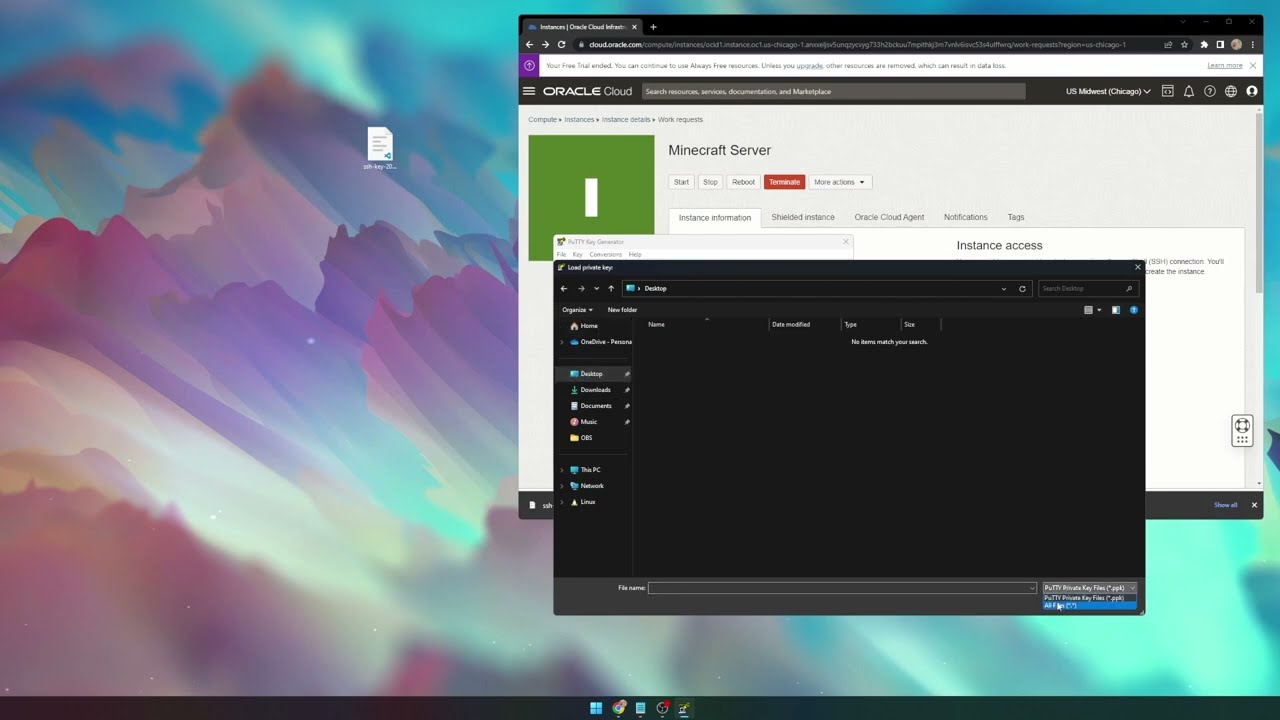
Will work with any mod loader as well as any modpack
Article referenced:
https://blogs.oracle.com/developers/post/how-to-set-up-and-run-a-really-powerful-free-minecraft-server-in-the-cloud
Have any questions?
Discord: https://discord.gg/B5YQsgSZbR
BigChadGuys Plus available on CurseForge!
Links used in the video:
https://legacy.curseforge.co...
try following this
pray to god it works
and live 
stiff zephyr
Aight
hot void
okay i might be trying to join wrong then. i got the server then i go to multiplayer and hit join and type in the server adress and it says failed to connect to server
stiff zephyr
weak dirge
and live <:EZY:831182817811628103>
Can you confirm it isn't a scam?
cinder quest
tamz is the confirmation
stiff zephyr
Does it work for you?
weak dirge
its made by Joe who is
 stiff zephyr
Aight, I see.
cinder quest
whos joe
hot void
whenever you start your server how do you do it
yo make sure i aint doin it the wrong way
to*
weak dirge
you have the files and then press start
if it Still doesnt work and you have the modpack open and the right ip
make a ticket
hot void
so on bisect hosting i hit start and then go to multiplayer and then just join the server via the server id
or do i creat a world and do some funky stuff there
stiff zephyr
weak dirge
its not the same as his but its similar
Also, does the server mask IP?
weak dirge
stiff zephyr
Also, does the server mask IP?
wym?
weak dirge
hot void
so on bisect hosting i hit start and then go to multiplayer and then just join t...
^
server ip
not id
stiff zephyr
weak dirge
wym?
Is server IP auto created?
weak dirge
yeah
stiff zephyr
Aight, thansk
weak dirge
not always changing tho
 hot void
where do i make a ticket at
 tall hawk
hot void
where do i make a ticket at
tall hawk
hot void
where do i make a ticket at
You'l;l need to reach out to the team the team who's hosting the server
weak dirge
weak dirge
https://bisecthosting.com/support
^
tall hawk
Ah it's theirs/
cinder quest
F in chat
first big moon

i liked being able to moon walk, on the other hand i cant mine as fast cause i'll randomly start ascending
 twilit pebble
Heyy does anyone know what lava reflex on the ignitium leggings does?
cinder quest
nope sorry
stiff zephyr
cinder quest
nope sorry
Other question, can I make ppl creative?
cinder quest
stiff zephyr
Other question, can I make ppl creative?
on bisect? yea
enter in console "gamemode creative (playername)"
stiff zephyr
Reffered to the oracle
cinder quest
oracle?
stiff zephyr
Will work with any mod loader as well as any modpack
Article referenced:
https://blogs.oracle.com/developers/post/how-to-set-up-and-run-a-really-powerful-free-minecraft-server-in-the-cloud
Have any questions?
Discord: https://discord.gg/B5YQsgSZbR
BigChadGuys Plus available on CurseForge!
Links used in the video:
https://legacy.curseforge.co...
This
stiff zephyr
whats the command?
cinder quest
cinder quest
enter in console "gamemode creative (playername)"
this
stiff zephyr
thx
cinder quest
np
weak dirge
stiff zephyr
whats the command?
you set it up already?
hot void
were in!! thank you!!!
 twilit pebble
cinder quest
nope sorry
twilit pebble
cinder quest
nope sorry
Ah, unfortunate, thank you
stiff zephyr
weak dirge
you set it up already?
Not yet.
Also, for account making, do I make it individual or corporate?
Or does this not affect anything?
cinder quest
man she really went wild

 static panther
how do you prevent the cave dweller from spawning in your strip mine
cinder quest
static panther
how do you prevent the cave dweller from spawning in your strip mine
you dont
he has a very very small chance of spawning in strip mines
but he can, he's done it once to me
only once though in hours of mining
static panther
lost 2 hardcore worlds to him so far
fierce lark
One message removed from a suspended account.
cinder quest
static panther
lost 2 hardcore worlds to him so far
dont play hardcore bro
thats asking for it
cinder quest
fierce lark
One message removed from a suspended account.
immersive MC
fierce lark
One message removed from a suspended account.
 frosty dragon
anyone know how to use voice chat
tall hawk
frosty dragon
anyone know how to use voice chat
check pinned comments, won't work on worldshare though as a heads up
cinder quest
^
frosty dragon
Thank you
how do i access the server folder
or how to get to the voice chat server properties
cinder quest
frosty dragon
or how to get to the voice chat server properties

i would assume
youd have to download the server files and edit them wherever you have em
frosty dragon
ok i think i got it
static panther
what do rings and necklaces do?
frosty dragon
it keeps saying voice chat is disconnected but it works in single player
cinder quest
static panther
what do rings and necklaces do?
give you drip
frosty dragon
how do you know what your servers port is
cinder quest
frosty dragon
how do you know what your servers port is
depends
what are you doing
how are you hosting
!ws
mossy cometBOT
Luna Pixel's World Sharing
Our modpacks don't support any mods that add singleplayer hosting / world sharing because we already provide free world sharing. The "Essential" mod is therefore incompatible.
To share your world using our own world hosting, click the "Open to Lan" or "Share World" button in the game menu when in a singleplayer world, and share the world.
It will give you an address, like magma-cube.mc.lunapixel.gg, which your friends can use to connect directly to your world as if it were a server!
We still highly suggest not to play through LAN as LAN is untested and unreliable. Using it will cause longterm damage to your world.
There is no reason to use LAN, as we support both paid and free methods of hosting a server the normal way.
 frosty dragon
on bisect
cinder quest
ah
itll give you the IP
in the website they gave you
just log in with the info they gave you
and then scroll through the info
you'll see it
no need to worry about the port, just copy and paste what you see
cinder quest
frosty dragon
it keeps saying voice chat is disconnected but it works in single player
thats cause its single player
tall hawk
frosty dragon
on bisect
if after following everything you're still having problems you can reach out to bisect and they'll help you out
 covert crest
Can't drink potions inside bag tanks? I can't even remove it via hose & bottles
 cinder quest
Um
tall hawk
couldn't put the bottle in the top slot or click it on the tank?
cinder quest
Try filling the glass bottle instead
cinder quest
hmmph
cinder quest
covert crest
Not working :(
so bucket or glass, it no workie?
tall hawk
covert crest
Not working :(
Both left and right clicking?
twilit pebble
Hey, does anyone have any issues with the HV wires and accumulators with immersive engineering? I keep breaking blocks and it keeps breaking our server 😅
Like I’ll attach an HV relay with a wire to an HV accumulator and as soon as I break the relay it kicks me and then we have to restart the server to let me rejoin
cinder quest
twilit pebble
Like I’ll attach an HV relay with a wire to an HV accumulator and as soon as I b...
? no
twilit pebble
Hmm
cinder quest
twilit pebble
We’re using pebble host
send a support ticket
i dont think ive had issues with that
wait
do you have smth that shows the console?
twilit pebble
Yeah our server owners checking it right now
covert crest
tall hawk
Both left and right clicking?
Yeah it doesn't work :(
twilit pebble
Says something about packets not ticking off of me specifically
covert crest
cinder quest
so bucket or glass, it no workie?
Not even drinking hose
 twilit pebble
Ah, that little tidbit below the link is promising…..
cinder quest
covert crest
Not even drinking hose
 im sorry man i don't know, it seems like its bugged to me
cinder quest
twilit pebble
Ah, that little tidbit below the link is promising…..
bisect man. you get what you pay for
twilit pebble
Yeah, fair enough
static panther
can you connect hopper to hopper horizontally
cinder quest
static panther
can you connect hopper to hopper horizontally
idek if you can even do that in vanila
might have to put hopper>chest alternating
 warm walrus
static panther
can you connect hopper to hopper horizontally
warm walrus
static panther
can you connect hopper to hopper horizontally
yes
just press shift rmb with the hopper to the side of one u want to attach it to
 fading meadow
Whats the best recommended ram allocation for this modpack ? Fear the night fall ?
warm walrus
I got 8, works great
fading meadow
I think alloacated 30. id kI got a huge chunk laoding issue
tried at start with less but because of that problem I did allocate 30
Gunna keep it at 12 now 30 is prolly wway overkill for no good reason O.o
Still chunks are loadign very slwo any advice quick fixes ?
I got a hunch hat this mdopack is bittmining ... since first modpack that usses like 50% CPU and 70% GPU 😄
high electricity bil this month
 tidal spire
Hey what level dose steel spawn at?
 civic cloak
tidal spire
Hey what level dose steel spawn at?
civic cloak
tidal spire
Hey what level dose steel spawn at?
367
tidal spire
?
 still charm
tidal spire
Hey what level dose steel spawn at?
still charm
tidal spire
Hey what level dose steel spawn at?
you smelt iron to get it
tidal spire
What do you mean by that?
 modern pasture
u smelt iron
 rough loom
fading meadow
Still chunks are loadign very slwo any advice quick fixes ?
rough loom
fading meadow
Still chunks are loadign very slwo any advice quick fixes ?
pre gen the chunkjs only way
 loud sage
game crashes everytime i log in to this server, happened 4 times in a row now
heres the log
Anyone know the issue?
Game was running fine til i reached some point and the game crashed, couldnt log back in without crashing since
civic cloak
how do i get the ip for a lan server?
 dark escarp
Is there anyway I can create a private server
dark escarp
Ty
 bleak wharf
covert crest
Not even drinking hose
bleak wharf
covert crest
Not even drinking hose
Try shift clicking the tank
Ive done that alot by accident it empties the tank
cinder quest
Another day another dollar
cinder quest
tidal spire
What do you mean by that?
It's in immersive engineering
Read the book for it or go on the wiki
But essentially you need a coke oven and a blast furnace
tidal spire
Thanks
bleak wharf
jerry
cinder quest
👍
 balmy perch
Can someone help me with the voice chat? It say that is not connected.
 balmy perch
cinder quest
balmy perch
cinder quest
Thxxxx!!
cinder quest
NP
 tall umbra
hey so i have problems when joining my server
cinder quest
tall umbra
hey so i have problems when joining my server
what are you using to host it
tall umbra
when i join i only see this
 tall umbra
cinder quest
what are you using to host it
tall umbra
cinder quest
what are you using to host it
pebblehost
cinder quest
tall umbra
pebblehost

first thing im thinking
did you set the server to have all the mods?
tall umbra
well this issue only happens to me and not the other members
cinder quest
or is it accidentally being hosted in vanilla?
Ah
Only you...
what launcher are you using
tall umbra
curseforge
tall umbra
i think so yeah
tall umbra
tall umbra
when i join i only see this
btw when this happens i can still hear the sounds effects and i can move my avatar and break blocks
its just that i cant see where im going
tall umbra
i havent tried solo, lemme check
cinder quest
k
 tardy torrent
how can i 3x3?
cinder quest
tardy torrent
how can i 3x3?
?
tardy torrent
break blocks?
weak dirge
a 3x3 pickaxe
tardy torrent
wot
cinder quest
ah good thing you translated non english tamz
weak dirge
tardy torrent
wot
you need to say what you need, just saying 3x3 is confusing, if you want something to break 3x3 just say, "Is there a pickaxe that can break 3x3 blocks?"
makes life easier
tall umbra
cinder quest
and this only happens in MP
i can confirm, this also happen in solo
but the screen is stuck on joining world in stead
weak dirge
!moreinfo
mossy cometBOT
Hello! For us to help you with your issue, you will need to answer all 8 questions below. Post the answers in this channel:
1. Have you modified the modpack in any way? If so, what did you do? (Updating/adding/removing mods, changing configs)
2. What launcher, or program, are you using to launch the game? (CurseForge, ATLauncher, etc)
3. What Minecraft version are you playing? (1.18.2, 1.16.5, 1.19.2)
4. What version of the modpack are you playing? (v11, v9, etc)
5. What steps are necessary to reproduce the crash? (Launching the game, exploring the world, etc)
6. Have you ever gotten past the point where the crash happens?
7. Send the crash report file into this channel. Right click the modpack, Open Folder, and navigate to the Crash Reports folder. Drag the newest one here. If there is no crash reports folder, do the same thing with the latest.log file in the logs folder.
8. Did you follow the Performance guide linked in #faq?
tall umbra
but i can still move my avatar around
cinder quest
tall umbra
but i can still move my avatar around
refer to what Tamz sent
if there's no crash
reinstall on Curse, or switch to a different launcher
since we dont have a crash report to go off
 pure lichen
Hey, is there a document for server hosting?
I am wondering how much ram I will need for have having 5 people play
 sleek briar
4GB for the Server, 1GB per Player is what is usually stated here
pure lichen
Alrighty. Thanks
 strange python
mossy comet
Hello! For us to help you with your issue, you will need to answer **all 8 quest...
strange python
mossy comet
Hello! For us to help you with your issue, you will need to answer **all 8 quest...
- I think I updated to the newest version of all the mods
- Curseforge
- V1.19.2
- V12
- Trying to launch the game
- Nope.
- Not sure?
 gusty sequoia

weak dirge
strange python
1. I think I updated to the newest version of all the mods
2. Curseforge
3. V1.1...
you broke the modpack
dont update all the mods
strange python
🫡
 quasi stag
Has anyone else had an issue while playing on a server where using Map Atlas (having it either in curio/hands slot, in acutal hands or hotbar - doesn't matter) causes you to get kicked off the server? It is definitively related to Map Altas, because the error only occures when I work with it and seems like server logs mention a problem with it as well
cinder quest
quasi stag
Has anyone else had an issue while playing on a server where using Map Atlas (ha...
Snend logs
quasi stag
cinder quest
Snend logs
cinder quest
@weak dirge
my brother
when you wan
can*
or want
this man needs help
or woman
cinder quest
quasi stag
did you update or touch any of the mods?
quasi stag
Not really, currently we've enabled mobs infighting from Spore mod, but my problem occured prior to that. I haven't changed any mods, configs and did no updates
 urban kernel
whyt cant i pick up the severed leg of something wicked
 bright anvil
when i try to launch in vr it keeps crashing, any help?
cinder quest
its an internal server error
so to my understanding that'd mean a you problem
do you have the same problem in SP?
quasi stag
I haven't check tbh, but yeah that's a good lead
I'll check it out, maybe reinstall the modpack to have everything fresh
cinder quest
if it crashes in SP def a you problem yeh
urban kernel
can you help me
quasi stag
I'll try that, thanks
urban kernel
urban kernel
whyt cant i pick up the severed leg of something wicked
this
cinder quest
oh shit wrong dude
cinder quest
bright anvil
when i try to launch in vr it keeps crashing, any help?

did you follow this?
cinder quest
urban kernel
this
severed leg comes from killing the fever dream right?
bright anvil
cinder quest
where is the press vr option? is it on curseforge?
urban kernel
cinder quest
severed leg comes from killing the fever dream right?
yea
cinder quest
if youre talking about fever dream loot pretty sure
it got disabled
to make it harder
urban kernel
so then why does it drop
cinder quest
bright anvil
where is the press vr option? is it on curseforge?
main menu i believe
cinder quest
urban kernel
so then why does it drop
cause visually its there but in practice youre not getting it
it just is
just know its disabled though
urban kernel
cinder quest
it just is
 thanks
cinder quest
np
 blissful isle
is there a way to reduce fog, its foggy even in an underground room im making
cinder quest
blissful isle
is there a way to reduce fog, its foggy even in an underground room im making
pretty sure its a shaders thing but dont quote me on that
blissful isle
ill have a look around it, i tried fog settings but nothing
cinder quest
its the only thing i see in that regard
 blissful isle
i thought it was more of a dynamic thing not just a shader setting lol
cinder quest
blissful isle
i thought it was more of a dynamic thing not just a shader setting lol
nah, its a fear nightfall thing
weak dirge
quasi stag
!nbt
mossy cometBOT
This message is for issues with an ITEM in your inventory.
- Please download NBTExplorer or some sort of NBT/DAT opener to fix your files.
https://github.com/jaquadro/NBTExplorer/releases - Find the files you need for the server or client.
For Client
- Go to your modpack folder -> saves folder -> The name of the world you chose and open that -> get level.dat and level.dat_old files and open them with NBTExplorer. OR alternatively drag and drop the files Into NBTExplorer. YOU CAN DO THIS 1 AT A TIME OR BOTH AT THE SAME TIME
- Now while you are inside, you can see a listing called Player, often 5 listings off the top, and now open that by pressing the + on the left.
- While inside Player, you can now see the Inventory option. Open it by pressing the +
- Now find the item that could be crashing. It often can be a map or item. Press the +'s 1 at a time and find the item. Once you find the item, Select it by pressing the 3 / 4 / 5 file number and, at the top, pressing the RED X.
- Now save your file with the save icon at the top left, 3rd from the left.
- Repeat step 1 to do it for level.dat or level.dat_old, as you need to do BOTH files to confirm the change.
For Server
- Open your server files, find the Usernames.json file, and open it with Notepad or whatever you wish.
- Locate the user who holds the bad item, and remember or copy down their UUID somewhere.
- Come back into the server files, go to your world, and go to the PlayerData folder.
- You can now follow steps 2–6 of the client guide, but instead of Level.dat and Level.dat_old, it will be UUID.dat and UUID.dat_old (UUID = the person's UUID that you remembered).

GitHub
A graphical NBT editor for all Minecraft NBT data sources - jaquadro/NBTExplorer
cinder quest
bright anvil
it still crashes without vr
so its crashing without vr now as well you say on curseforge
cinder quest
oh ive seen that error
bright anvil
nah tbh i like english more
cinder quest
gotcha
bright anvil
i use it more than spanish
cinder quest
did you restart?
cinder quest
yes, and also in the mincraft launcher pretty sure you gotta
specify the java version
 mossy cometBOT
If this command was run in response to your question/issue, it is likely because switching away from the launcher you are currently using would fix your problem.
From our experience, the most stable launcher by far is ATLauncher, also known as ATL.
To install ATLauncher, do the following:
1. Go to https://atlauncher.com/download
2. Install and run the setup, then open the program.
3. Login to your Microsoft account that owns the Java Edition of Minecraft from the Accounts tab on the right. This process is 100% safe, as it goes directly through Microsoft. ATLauncher does not see your account credentials.
4. Go to the Packs tab on the right, then click "Curseforge" on the left.
5. Search the modpack you wish to download.
6. Click "New Instance". Click "Ok" on the opted out mods warning, then click "Open All" on the manual download screen.
7. Let the mods download, ATLauncher will grab them from your Downloads folder and automatically add them to the modpack.
8. Go to the Instances tab, and click "Play" on the modpack you downloaded. If you ever see an "Update" button on the instance, click it.
To transfer your Curseforge world to ATLauncher, simply right click the modpack on Curseforge, or click the 3 dots, then click "Open Folder". Copy the Saves folder, then click "Open Folder" on ATLauncher and paste the Saves folder there.
Because ATLauncher downloads the exact same files as Curseforge does, your world will be the exact same and you will be able to join the same servers. ATLauncher also works without an internet connection (after you've installed the modpack, of course), and does not have any bloat from Overwolf. You are free to uninstall both Overwolf and Curseforge with ATLauncher installed.
cinder quest
and you said you did this?
bright anvil
tried with atlauncher
yup
should i open a ticket or something? can i do that here?
cinder quest
well i've only ever seen your error without having the right java
cinder quest
bright anvil
should i open a ticket or something? can i do that here?
nah that's not a thing here, but it is odd your MC isnt working
weak dirge
cinder quest
says here java 8 so i wouldnt think
you need java 17/18 for 1.17.+
weak dirge
bright anvil
and hopefully it works
!openjdk
mossy cometBOT
- Download an adoptium release for Java (recommended but not required):
- Java 11 (https://adoptium.net/temurin/releases/?version=11) for versions 1.16.5 and below (can also use 8 if its not working)
- Java 18 (https://adoptium.net/temurin/releases/?version=18) for any versions newer (or 17 if 18 doesn't work)
- Consider installing the JRE instead of the JDK for a smaller file size
-
When installing through adoptium, make sure that Add to PATH and Set JAVA_HOME variable are both set to be installed (please see https://imgur.com/a/jPu1h7h for how that would look)
-
Check if java has been correctly installed by running java --version (or java -version on older versions), and seeing if the output is correct (see https://imgur.com/a/OWcoq4p for an example of the output)
- NOTE: 64 bit versions of java ALWAYS have '64-bit Server VM' in the version output. If that is not there, you have installed a 32-BIT version!! If you're getting Out of Memory errors or any other errors, PLEASE install 64-bit
- If the output isn't as intended, you have 2 options.
i) Delete ALL other java versions from your PC (ONLY recommended if you don't need them)
ii) Redirect your launcher/server to use your new installation of Java
Method i
- Uninstall any other java program listed in your programs list (differs by OS, please find a guide for your own OS if you don't know)
- Attempt to re-use the command mentioned above (if the output is now correct, which it should be, you are ready to go)
Method ii
- For a server, please modify the $Java/JAVA variable (found in your startup script depending on ps1/sh) to the path of your java installation. For windows, this path is usually found in "Program Files/Eclipse Adoptium/version_of_java/bin"
- For a client, depending on whether you use CurseForge, GD, or AT, the process is slightly different. Please see a guide for each respective launcher on how to change the java version.
cinder quest
weak dirge
!openjdk
time to write that down
weak dirge
bright anvil
mossy comet
1) Download an adoptium release for Java (recommended but not required):
- Java...
still same error

got a newer version and imma try method 2

FINALLY
so i tried with 21
didnt work
reinstalled 18
didnt work
changed igpu to dgpu
NOW IT WORKED
my god
how stressful
thanks!!
cinder quest
👍
 tawny tree
are the flesh mounds the things that spread the spore?
 weary marsh
I get a crash with error code 1 on startup every time?
bleak wharf
tawny tree
are the flesh mounds the things that spread the spore?
yuh
tawny tree
bleak wharf
yuh
well i took all the stuff home
and now im growing it
finna do some devious things
weak dirge
weary marsh
I get a crash with error code 1 on startup every time?
!moreinfo
mossy cometBOT
Hello! For us to help you with your issue, you will need to answer all 8 questions below. Post the answers in this channel:
1. Have you modified the modpack in any way? If so, what did you do? (Updating/adding/removing mods, changing configs)
2. What launcher, or program, are you using to launch the game? (CurseForge, ATLauncher, etc)
3. What Minecraft version are you playing? (1.18.2, 1.16.5, 1.19.2)
4. What version of the modpack are you playing? (v11, v9, etc)
5. What steps are necessary to reproduce the crash? (Launching the game, exploring the world, etc)
6. Have you ever gotten past the point where the crash happens?
7. Send the crash report file into this channel. Right click the modpack, Open Folder, and navigate to the Crash Reports folder. Drag the newest one here. If there is no crash reports folder, do the same thing with the latest.log file in the logs folder.
8. Did you follow the Performance guide linked in #faq?
 hollow acorn
i'm just curious does the cave dweller ever spawn in player mined areas like mineshafts made by players that are lit up?
tawny tree
hollow acorn
i'm just curious does the cave dweller ever spawn in player mined areas like min...
yes
i think
tawny tree
ye
hollow acorn
ty cause atm i'm near like y 36 and under and i haven't run into him and soon i'm making plans to see about getting ready for him by making little areas to avoid him iron doors etc.
 atomic oxide
hiii i have a issue that whenever i run my server for this modpack, all the crash reports say "Mod loading error has occurred"
 pseudo yew
mossy comet
Hello! For us to help you with your issue, you will need to answer **all 8 quest...
pseudo yew
mossy comet
Hello! For us to help you with your issue, you will need to answer **all 8 quest...
having same issue
- no
2.CurseForge - 1.19.2
- v12
- Launching the game
6.no
 warm sapphire
The insanity shaders just are not working for me
its not crashing or anything
the just dont turn on
ive re downloaded them
the settings button does nothing
I may have just fixed it by reinstalling oculus
 plain sequoia
so, trying to install a server for me and my buddy to play this modpack, when i download the server pack from CF theres not a server.jar in there and the ps1 file does nothing, anyone know how to help?
 hybrid scarabBOT
plain sequoia
so, trying to install a server for me and my buddy to play this modpack, when i ...
hybrid scarabBOT
plain sequoia
so, trying to install a server for me and my buddy to play this modpack, when i ...
Please read #faq for modpack installation.
weary marsh
does the essential mod not work with fear nightfall?
 carmine hemlock
i tried it too i don't think it works with it
weak dirge
pseudo yew
!drivers
mossy cometBOT
You (likely) need to update your graphics drivers in order to resolve the crash. Here's how to go about doing that!
1. Identify your graphics card
if you already know skip to the next step
- Open task manager
- Navigate to the "Performance" tab (on Windows 11 this is the button that looks like a heart pulse)
- Press the GPU 0 graph and read your GPU from the top right
Note:
In some cases you may see a GPU 0 and GPU 1. This means your CPU has its own GPU, as well as an external one. You probably want GPU 1 (which is usually the external), but you can ask staff to clarify if necessary.
2. Download your drivers from the manufacturers site
Depending on what you read before, you likely need drivers from either AMD, Intel, or NVIDIA
AMD: https://www.amd.com/en/support
Intel: https://www.intel.com/content/www/us/en/download-center/home.html
NVIDIA: https://www.nvidia.com/Download/index.aspx?lang=en-us
Note:
- For NVIDIA you want to select "Game Ready Driver (GRD)" (this is the default option) for the best performance. Once installing you'd probably prefer downloading GeForce Experience, which will notify you when there's an available drivers update.
- For Intel, you probably want to press "Get Started" under the "Automatically update your drivers and software", which will simplify the process and update everything automatically
- For AMD you probably want to just press "Download Windows Drivers", which will download something called AMD Adrenaline, which will update your drivers automatically.
3. Run the installation, restart your computer, and try playing MC again
- At this point, hopefully your Minecraft is running. If it still does not work, please post any new logs and staff will help assist you with finding the right solution.
weak dirge
weary marsh
does the essential mod not work with fear nightfall?
no
it doenst work with any of our packs
!ws
mossy cometBOT
Luna Pixel's World Sharing
Our modpacks don't support any mods that add singleplayer hosting / world sharing because we already provide free world sharing. The "Essential" mod is therefore incompatible.
To share your world using our own world hosting, click the "Open to Lan" or "Share World" button in the game menu when in a singleplayer world, and share the world.
It will give you an address, like magma-cube.mc.lunapixel.gg, which your friends can use to connect directly to your world as if it were a server!
We still highly suggest not to play through LAN as LAN is untested and unreliable. Using it will cause longterm damage to your world.
There is no reason to use LAN, as we support both paid and free methods of hosting a server the normal way.
weak dirge
weak dirge
!drivers
if you are laptop here
 plain sequoia
weak dirge
if you are laptop here
plain sequoia
weak dirge
if you are laptop here
does this modpack in particular work with worldshare? i get a code but my friend cannot join using it.
weak dirge
plain sequoia
does this modpack in particular work with worldshare? i get a code but my friend...
it does
it might be full
!wsfull
mossy cometBOT
 World Sharing servers are currently at capacity
If you're receiving the error "Connection refused: no further information" when trying to join a friend through "Start Co-op" or "Host World", it's likely that Luna's servers (used for world sharing) are currently full. We don't have a way to notify you when slots on our servers free up, but you are welcome to try again later.
We understand and recognise that this may be inconvenient, so we recommend in this case to host or rent your own server. For more information on hosting options, type !server.
plain sequoia
!server
mossy cometBOT
We suggest renting a server from Bisect Hosting:
Approx. $10 - $25 a month depending on what plan you choose. You can also get 25% off with Code LunaPixel.
Go to https://www.bisecthosting.com/LunaPixel and order a plan which fits you. We suggest 1GB per player but nothing lower than 4GB as the server needs at least 3GB to run.
Go to #server-hosting for more Info!
Free Method: (This is hosting on your own PC, which is harder to do so we suggest getting a server via Bisect Hosting)
- Download the serverpack from Curseforge's website
- Right click the start.ps1 file and click Run with Powershell
To join your own server, typelocalhostinto Direct Connect.
This video explains the process https://www.youtube.com/watch?v=wuGUbVbLsDc
The server IP address is your Public IP Address, which can be found by googling my ip address
If other players are unable to join, find a portforwarding guide online.
weak dirge
(there is a free part, read it all please)
plain sequoia
weak dirge
(there is a free part, read it all please)
i did that, can u read this please
plain sequoia
plain sequoia
so, trying to install a server for me and my buddy to play this modpack, when i ...
.
mossy cometBOT
An update to windows introduced a new security feature that prevents powershell files from running on your PC. This is great for your security, but not so great for our server start scripts, which require powershell to run them. Fortunately there is a quick fix for this!
Run powershell as administrator, then run Set-ExecutionPolicy RemoteSigned. Read the prompt and press accept. This will allow us to run scripts.
Next, navigate to your server directory using cd path/to/directory (for example: cd C:\Users\Username\Documents\Minecraft\Server)
You can now run the server by double-clicking the start.ps1 file, or typing .\start.ps1 into the command line while in the directory.
IF THE ABOVE DOES NOT WORK, TRY THIS
Run the command Unblock-File -Path .\start.ps1 in the same powershell window. This will allow the start script to not be blocked by windows, and run freely.
If all else fails, a manual installation should work:
FORGE 1.16.5: https://www.youtube.com/watch?v=bIjisWyxU-8
FORGE 1.18.2: https://www.youtube.com/watch?v=R610M102X0U
FORGE 1.19.2: https://www.youtube.com/watch?v=3HD0ibIpO-A
FABRIC: https://www.youtube.com/watch?v=b2W1Xb7nLKo
Make sure to Install the Server in our ServerPacks so it can use the correct files.
plain sequoia
weak dirge
!powershell
so i cant run the ps1 still and when i try to unblock it it still says its blocked. any ideas? sorry for all the pings, and thank you very much for all your help!
weak dirge
plain sequoia
so i cant run the ps1 still and when i try to unblock it it still says its block...
its ok
when doing Set-ExecutionPolicy RemoteSigned
did you answer with A?
weak dirge
did you go inside of the Folder directory and then try Unblock-File .\start.ps1
plain sequoia
yes
no i did not
i did, but not correctly lmfao. that fixed it seemingly. thank you again!!
weak dirge
ofc
plain sequoia
weak dirge
ofc
getting close now, says it could not find or load main class @user_jvm_args.txt, i do have that txt in the server folder
mossy cometBOT
- Download an adoptium release for Java (recommended but not required):
- Java 11 (https://adoptium.net/temurin/releases/?version=11) for versions 1.16.5 and below (can also use 8 if its not working)
- Java 18 (https://adoptium.net/temurin/releases/?version=18) for any versions newer (or 17 if 18 doesn't work)
- Consider installing the JRE instead of the JDK for a smaller file size
-
When installing through adoptium, make sure that Add to PATH and Set JAVA_HOME variable are both set to be installed (please see https://imgur.com/a/jPu1h7h for how that would look)
-
Check if java has been correctly installed by running java --version (or java -version on older versions), and seeing if the output is correct (see https://imgur.com/a/OWcoq4p for an example of the output)
- NOTE: 64 bit versions of java ALWAYS have '64-bit Server VM' in the version output. If that is not there, you have installed a 32-BIT version!! If you're getting Out of Memory errors or any other errors, PLEASE install 64-bit
- If the output isn't as intended, you have 2 options.
i) Delete ALL other java versions from your PC (ONLY recommended if you don't need them)
ii) Redirect your launcher/server to use your new installation of Java
Method i
- Uninstall any other java program listed in your programs list (differs by OS, please find a guide for your own OS if you don't know)
- Attempt to re-use the command mentioned above (if the output is now correct, which it should be, you are ready to go)
Method ii
- For a server, please modify the $Java/JAVA variable (found in your startup script depending on ps1/sh) to the path of your java installation. For windows, this path is usually found in "Program Files/Eclipse Adoptium/version_of_java/bin"
- For a client, depending on whether you use CurseForge, GD, or AT, the process is slightly different. Please see a guide for each respective launcher on how to change the java version.
 scenic jungle
So we've been having trouble getting in game voice setup, looked at the above guide but the problem seems to straight up just be that there is no config file. Hosting via Bisect, in the config folder the voicechat config says it's been relocated to config/voicechat, a directory that literally does not exist serverside. Am I just blind? Or should I manually make the directory, config file, etc?
tawny tree
shobadidobadidobadidop
weak dirge
scenic jungle
So we've been having trouble getting in game voice setup, looked at the above gu...
make a ticket with bisect
weak dirge
they are fast dw
scenic jungle
thanke!
weak dirge
yepe
static panther
what would be a good way to transport villagers
also do they despawn if they're not named?
cinder quest
im so unexpectedly tired after BJJ, stuff got me beat
cinder quest
static panther
what would be a good way to transport villagers
minecart/boat
blissful isle
is it just me or is herobrine super common in this, in config hes set to rare but i hear his footsteps every 30 seconds or so
static panther
blissful isle
is it just me or is herobrine super common in this, in config hes set to rare bu...
he's way more active when I'm underground looks like
when I'm above ground I've seen him maybe twice but when strip mining I see him every 30 seconds
blissful isle
i see him pretty often above ground but i hear him a LOT underground so probably yeah
 vapid geyser
Mob spoiler for the aether but ||omg i love these things but we kept two in a little cage bc i loved them sm, and I saw they were overcrowding so i let them out and then got this madness 😭 ||
 rough loom
bro said mob spoiler for the aether
aether is one of the oldest and most popular mods
of all time
vapid geyser
bro man im sorry
i know nothing aboutit
tf u want me to do
just tryna be respectful

rough loom
yipeee
 brittle badger
yoyo is my beloved pro player bunny here
How do I do the spiky wall against the monsters again
spikey*
@pastel oracle
 pastel oracle
Against the monsters? You're looking for a setup?
brittle badger
pastel oracle
Against the monsters? You're looking for a setup?
yesssss
pastel oracle
chill with the master stuff bro not here not here
Booting up Fear Nightfall so I can take pics
 pastel oracle
lmao gimme a sec

 tawny tree
cinder quest
its real 🍓 in here rn
tawny tree
cinder quest
its real 🍓 in here rn
shi crazy
cinder quest
 tawny tree
wrong one
cinder quest
yooo
tawny tree
mb
cinder quest
wym the wrong one?!?!
tawny tree
u right
tawny tree
shi
weak dirge
pastel oracle
lmao gimme a sec
!alternates
mossy cometBOT
If this command was run in response to your question/issue, it is likely because switching away from the launcher you are currently using would fix your problem.
From our experience, the most stable launcher by far is ATLauncher, also known as ATL.
To install ATLauncher, do the following:
1. Go to https://atlauncher.com/download
2. Install and run the setup, then open the program.
3. Login to your Microsoft account that owns the Java Edition of Minecraft from the Accounts tab on the right. This process is 100% safe, as it goes directly through Microsoft. ATLauncher does not see your account credentials.
4. Go to the Packs tab on the right, then click "Curseforge" on the left.
5. Search the modpack you wish to download.
6. Click "New Instance". Click "Ok" on the opted out mods warning, then click "Open All" on the manual download screen.
7. Let the mods download, ATLauncher will grab them from your Downloads folder and automatically add them to the modpack.
8. Go to the Instances tab, and click "Play" on the modpack you downloaded. If you ever see an "Update" button on the instance, click it.
To transfer your Curseforge world to ATLauncher, simply right click the modpack on Curseforge, or click the 3 dots, then click "Open Folder". Copy the Saves folder, then click "Open Folder" on ATLauncher and paste the Saves folder there.
Because ATLauncher downloads the exact same files as Curseforge does, your world will be the exact same and you will be able to join the same servers. ATLauncher also works without an internet connection (after you've installed the modpack, of course), and does not have any bloat from Overwolf. You are free to uninstall both Overwolf and Curseforge with ATLauncher installed.
brittle badger
blud has a big urge to get banned
tawny tree
mb gang
brittle badger
ur good g

 cinder quest
weak dirge
cinder quest
weak dirge
the fact that this shit was ACTUALLY
weak dirge
fw
tall hawk
play stupid games you win stupid prizes
tawny tree
 tall hawk
perverts
weak dirge
cinder quest
tawny tree
https://imgur.com/GqowZiI
that pains me seeing hundreds of dollars grinded away
weak dirge
weirdos
weak dirge
there have been a few occasions of people posting / having rlly rlly terrible ones
tawny tree
down horrendous mfs
cinder quest
on the spectrum that tends towards the eldritch
tall hawk
it's probably a card that was burned to death by crypto creeps
weak dirge
for the non gorey people i swear to you, you do not wanna know this spoiler || one time someone had a cut pp for a pfp  ||
||
cinder quest
weak dirge
for the non gorey people i swear to you, you do not wanna know this spoiler || o...
.
tawny tree
weak dirge
for the non gorey people i swear to you, you do not wanna know this spoiler || o...
 weak dirge
cinder quest
 weak dirge
yep
tall hawk
not as crazy as tumblr and reddit
pastel oracle
Here's what I got for my wall in my main base. A small pit with water pushing mobs into a Biomancy spike trap, which itself is surrounded by 6 hoppers. You don't need the trap door ladder, but its how I can trick my villagers (if they hop the wall) to come back in. Nothing can get up it besides Hoglins and Fever Dreams anyhow. When the trapdoors are closed, the mobs tend to run over them like they're full blocks, making them fall in anyways. The one block below the bamboo spikes placed against the rim of the wall is so that the spiders have more to run through, taking more damage or killing them.

 tawny tree
pastel oracle
Here's what I got for my wall in my main base. A small pit with water pushing mo...
tawny tree
pastel oracle
Here's what I got for my wall in my main base. A small pit with water pushing mo...
k
weak dirge
tawny tree
discord is a crazy place
ong
cinder quest
pastel oracle
Here's what I got for my wall in my main base. A small pit with water pushing mo...
kool
weak dirge
lol
cinder quest
i plan to make a prison out of bricks, spikes, turrets, tesla turrets, and a good ol netherrack fire wall
tawny tree
 brittle badger
pastel oracle
Here's what I got for my wall in my main base. A small pit with water pushing mo...
brittle badger
pastel oracle
Here's what I got for my wall in my main base. A small pit with water pushing mo...
bro my brain is not braining
how can I even build that
weak dirge
i dont wanna read that ngl
cinder quest
tamz
weak dirge
whats up
weak dirge
||website of guy cutting it off ||
it was a thing to show people back in like 2012/2014
cinder quest
aight k that could've been worse
brittle badger
but gotta save that yk
weak dirge
ive seen a lot, that stays in my head
cinder quest
yea no i believe it
internet wildinng
if i ever have a family, they're gonna be in the stone age the children
tawny tree
||i seen someone with it cut in half and they tied that bitch into a knot||
weak dirge
no ipad kids fr
cinder quest
until junior high/high school
cinder quest
tawny tree
||i seen someone with it cut in half and they tied that bitch into a knot||
gawdamn
pastel oracle
And heres what the trap entrance in my first base looked like, after I left it

 brittle badger
oka yso
cinder quest
no unsupervised internet access
weak dirge
id give my kids some sorta technology in 2nd grade like a gaming console with some fun games, and then we slowly go into the supervised phones and shit
cinder quest
pastel oracle
And heres what the trap entrance in my first base looked like, after I left it
yea i just walk through the gap in spikes, mobs have parkinsons so theyre too scared to just walk to my ladder
cinder quest
weak dirge
id give my kids some sorta technology in 2nd grade like a gaming console with so...
yuh i concur
tawny tree
cinder quest
no unsupervised internet access
unsupervised internet access builds character tbh
cinder quest
tawny tree
unsupervised internet access builds character tbh
nah, football/wrestling/combat/sports builds characfter
pastel oracle
If you're wanting some breathing space at night, light one of these up. They make a large area around them stop spawning monsters.
 cinder quest
unsupervised internet access just built trauma lmao
weak dirge
cinder quest
yuh i concur
pastel oracle
brittle badger
connected to chest
Yes, connected to a chest ladder
tawny tree
idk
weak dirge
ill maybe give em an ipad with no way of searching shit online
cinder quest
^
cinder quest
it all starts with ||"naked woman/boys kiss"|| or smth
tawny tree
im never putting yt kids on for my kids
cinder quest
break the cycle
tawny tree
that shit worse than regular yt
weak dirge
cinder quest
bro even YT kids be sus af
ONG
tawny tree
elsagate content worse than anything you could find on reg yt
tall hawk
those stupid roblox porn vids need to GO
brittle badger
pastel oracle
If you're wanting some breathing space at night, light one of these up. They mak...
okay so to sum everything up I build a 5-6 block high wall and a 3x3 hole covered in open trapdoors so the monsters think its a full block and then in the hole there are spikes to kill the monsters under the spikes there are hoppers connected to a ladder chest so I can collect the loot
tawny tree
money
weak dirge
idk how fear nightfall got this far lmfao
pastel oracle
Yep
 weak dirge
from fear to roblox pornos
cinder quest
we fit the theme
tall hawk
because youtube allows anyone to put anything as "for kids" or their stupid bot picked up anything animated as such
brittle badger
pastel oracle
Yep
ho hohohoho yes papi yessss
weak dirge
weak dirge
from fear to roblox pornos <:ugh:992560489123029042>
both fit the same catagory
cinder quest
brittle badger
ho hohohoho yes papi yessss
and then theres patrick
tall hawk
I mean that's mroe terrifying that the modpack
weak dirge
fr
cinder quest
true tides
pastel oracle
brittle badger
okay so to sum everything up I build a 5-6 block high wall and a 3x3 hole covere...
You'll have to play around with it to get them to unknowingly run in, most of your kills will be through mobs pushing eachother in
weak dirge
 static panther
I'm getting like massive lag spikes all of a sudden anyone might know why?
tawny tree
static panther
I'm getting like massive lag spikes all of a sudden anyone might know why?
idk
brittle badger
pastel oracle
You'll have to play around with it to get them to unknowingly run in, most of yo...
ohohoohohohoo YEAAAAAAAAH ILL BE RICH
cinder quest
static panther
I'm getting like massive lag spikes all of a sudden anyone might know why?
depends on many things
gotta be specific
tawny tree
fr
cinder quest
Like... what GPU? CPU? Specs?
tall hawk
static panther
I'm getting like massive lag spikes all of a sudden anyone might know why?
!tps
mossy cometBOT
Please click this link and follow the guide. If you are using a server host such as Bisect, you may be limited in your options and instead have a checkbox to use Aikar's Flags, which will also work:
https://github.com/brucethemoose/Minecraft-Performance-Flags-Benchmarks
If you can not launch your server/game after using these flags, then remove the word java from the start. Also, make sure you are using Java 18 on 1.18.2 / 1.19.2 and Java 11 on 1.16.5. These should be downloaded from Adoptium's website.
If lag persists, install Spark to your server do the following command ingame:
/spark profiler start --only-ticks-over 50
Then, send the link in this channel.
cinder quest
what tides said
weak dirge
static panther
I'm getting like massive lag spikes all of a sudden anyone might know why?
server or single player?
cinder quest
Where's the OG?
tawny tree
i cant explore my world for anything lol
cinder quest
Haven't seen the OG in a while
pastel oracle
Don't be hanging around your spike pit if you know theres a creeper around. Multiple times, I've had them just explode the whole thing. Its why on my main base I have all the water around it, and I can upgrade to obsidian, but the waters done its job enough.
static panther
my world ran fine but then all of a sudden it went from consistant 60 fps to dropping down to around 60-24 fps in the overworld
tawny tree
it be crashing my whole pc if i load more than like 10 chunks in like 5 min
static panther
singleplayer
tawny tree
new ones at least
brittle badger
dude I cant connect my hoppers
weak dirge
static panther
singleplayer
!fps
mossy cometBOT
 weak dirge
here ya go
pastel oracle
What did you do in your world, Art?
cinder quest
weak dirge
!fps
another command writen down for future aid
brittle badger
I get to see the wonderful empty space in the hoppers when I try to connect them
tawny tree
brittle badger
dude I cant connect my hoppers
place a block and connect it to the block and so on
weak dirge
cinder quest
another command writen down for future aid
its a performance guide, instead of !performance we have !fps now
cinder quest
gotcha
 manic terrace
you candisbale immersivemc
pastel oracle
brittle badger
dude I cant connect my hoppers
Its ImmersiveMC causing you problems, disable everything you can from it.
brittle badger
ohhh okay
pastel oracle
You'll want to put your spikes down first before you put down a hopper though, because from what I've tried I haven't been able to put spikes on top of hoppers
So i place block, place spikes, replace block with hopper.
cinder quest
chads use conveyor belts
brittle badger
ohh ok
cinder quest
and enslave villagers
tawny tree
i wish you could see spore on the atlas
tawny tree
i found a small abandoned part of a lab that had a worm thing spitting spore everywhere
so obviously i had to eradicate the entire area
cinder quest
one of these days i wanna start a spore infection
make a containment area around it, with a wall of netherrack fire + sturdy stone
couple o chunks
no caves underneath
nothing will go wrong that way right?
tawny tree
i got a floating island out in the middle of the ocean that i could start a spore infection on
orr i could move my base there
cinder quest
both
tawny tree
i dont want a flesh base

 agile gust
I'm honestly still trying to figure out how to get the other parts for the flesh armor
brittle badger
pastel oracle
Its ImmersiveMC causing you problems, disable everything you can from it.
bro I cant even disable the mod I got the curseforge version
let me check smth
tawny tree
tarot cards are amazing ngl
pastel oracle
brittle badger
bro I cant even disable the mod I got the curseforge version
Nah nah, use config to manually disable everything about it
 glossy echo
hi does anyone know how to download the mods
weak dirge
glossy echo
hi does anyone know how to download the mods
what launcher?
tawny tree
i tanked like 10 attacks from 5 diffrent tenebrous land mobs
pastel oracle

 tawny tree
at the same time
pastel oracle
You dont have to manually disable it by ripping through the files and removing it, you can just look in your Mods tab, search ImmersiveMC, and then hit the config there.
brittle badger
I dont have the mods thing
glossy echo
weak dirge
what launcher?
idk im new to this
weak dirge
glossy echo
idk im new to this
brittle badger
it shows me some advertisement 💀
weak dirge
go here and there is a modpack install guide
pastel oracle
brittle badger
I dont have the mods thing
Log in to the game
tawny tree
man i need to sort my chests but like i really dont want to
brittle badger
pastel oracle
Log in to the game
okay
agile gust
does anyone have any insights concerning finding the advanced infected to get the other parts?
pastel oracle
tawny tree
man i need to sort my chests but like i really dont want to
So don't, you know where everything is. Why change it, you're used to it!
At least. Thats my justification for never sorting.
tawny tree
pastel oracle
So don't, you know where everything is. Why change it, you're used to it!
yeah but like im running out of space again
💀
tawny tree
i need to farm blaze rods
glossy echo
weak dirge
go here and there is a modpack install guide
thank you
weak dirge
yep
pastel oracle
If you're in the main menu, the Mod menu is on the right side of the screen, the small anvil to the right of Multiplayer.
 tawny tree
i needa make like 40 of these and ill be set

 tawny tree
cinder quest
you make silos
tawny tree
cinder quest
you make silos
or


 fallen portal
jus double checking, villager breeders work right?
tawny tree
cinder quest
https://tenor.com/view/rocket-missle-gif-10574179
ima just stick with the nether chests
fading meadow
rough loom
pre gen the chunkjs only way
I turned of the shader pack and my gpu uses went from 90% to like 20% O.o Over kill shaders pack, my PC can handle it but damn drop from 90 to 20 I think I'll stick to it over some dark clouds. Still low chunk laoding tho tried googling i bu appearently it's the same for everyone
tawny tree
fallen portal
jus double checking, villager breeders work right?
i think so
pastel oracle
fallen portal
jus double checking, villager breeders work right?
Yep. Function just like normal.
cinder quest
tawny tree
ima just stick with the nether chests
if you insist mein bruder
fallen portal
cool thanks. also oh god i havent looked at my task manager, but ur convo made me. 95% gpu on my poor 3060ti
cinder quest
fallen portal
cool thanks. also oh god i havent looked at my task manager, but ur convo made m...
3070ti gang
fading meadow
1080 here
cinder quest
fading meadow
1080 here

fading meadow
It's an awesome card 😄
cinder quest
Yea no i see all the ratings
brittle badger
!worldsharing
mossy cometBOT
Luna Pixel's World Sharing
Our modpacks don't support any mods that add singleplayer hosting / world sharing because we already provide free world sharing
To do so, click the "Share World" button in the game menu when in a singleplayer world, and share the world.
It will give you an address, like magma-cube.mc.lunapixel.gg, which your friends can use to connect directly to your world as if it were a server!
fading meadow
what you had before ?
fading meadow
all so a good one
fading meadow
the jump from 9s to 10s was huge but the jump from 10s to 20s gave nothing a part from RTX so idk about the 30s 40s
fading meadow
do they halp with chunk loading ?:D
cinder quest
Well I've never lagged in this modpack save for the first second when I log in
I can run it without turning anything down
fading meadow
I dont lag asweel 100fps but when I fly on the broom oh boy
I see them not enerating
cinder quest
Yea but I got like 175 or so
Matching my refresh
And when I play a game like darktide
Mm
Quality
fading meadow
144 hz here the 1440p same in the modpack
pastel oracle
I got a 2070 the day before the 30 series was announced. I would have saved up if I knew. But I didn't. I haven't recovered since.
fading meadow
idk maybe it's the cpu tho like Rlcraft or other packs they load the chunks faster
cinder quest
NO RABBIT
cinder quest
fading meadow
idk maybe it's the cpu tho like Rlcraft or other packs they load the chunks fast...
Probs
I got a beef CPU
brittle badger
just play without shaders lock
fading meadow
it does not help I have them off
cinder quest
Not that beef
fading meadow
THe shaders dont affect the chunk laoding