#fear-nightfall
1 messages · Page 44 of 1
 tawny anvil
 unique lance
nice have fun!
 supple hazel
does anyone wanna play fear night fall
supple hazel
sorrrrrrrrrrrrryyyyyyyyyyyyyyyyyyyyy
 strange kelp
Witch brooms, when they are left floating in the open, will they despawn or float away? I had one with stuff on it and it's not where I left it. It didn't get blown up and I don't think anyone took it. I've only ever had something like this happen once before, and it swapped places with my friends brook (idk why, but I swapped our brooms and it was fine)
unique lance
 high kayak
how do you disable the shader?
high kayak
how do you disable the shader?
settings>video settings>shaderpacks on top> disable
unique lance
yeah
high kayak
so how do u get meat
unique lance
high kayak
so how do u get meat
by killing mobs i assume
but if you hit them they bite
high kayak
I noticed that😅
 thin ridge
Hey the modpack has a dedicated shader but doesnt boot when I drop optifine inside is there a mod already in there or should I use a different one
 weak dirge
thin ridge
Hey the modpack has a dedicated shader but doesnt boot when I drop optifine insi...
weak dirge
thin ridge
Hey the modpack has a dedicated shader but doesnt boot when I drop optifine insi...
optifine is NOT ment to be inside the modpack
if there is a shader pack there is a mod that does optifine work already
!optifine
 mossy cometBOT
It is highly advised to not use Optifine, as it is very glitchy, will increase loading times to upwards of 10 minutes, and will decrease your FPS substantially. All Luna Pixel Studios modpacks come with shader support without Optifine via Oculus on Forge and Iris on Fabric. Optifine is also incompatible with all of our modpacks. The game will not launch with Optifine installed.
If you are interested in Optifine alternatives for your own gameplay, you can find a list here https://github.com/LambdAurora/optifine_alternatives
Note that a majority of these mods are already included in our modpacks.
https://cdn.discordapp.com/attachments/1046333354259259422/1046337216609271858/unknown.png
 thin ridge
Ok thanks used to most modpacks putting optifine in basically being part of the installation
 timid kernel
can i ask if theres a way to place item frames/signs onto chests?
weak dirge
thin ridge
Ok thanks used to most modpacks putting optifine in basically being part of the ...
eh all our modpacks have stuff that does optifine but better
optifine ISNT good for modpacks anymore
best follow the pictures and the links for better optifine editions
weak dirge
timid kernel
can i ask if theres a way to place item frames/signs onto chests?
immersive mc remove it
also pinned messages
timid kernel
ty ty
 weak dirge
immersive mc
weak dirge
it’s that blue boxes
high kayak
I know but does it have a function or is it purely "decorative"
weak dirge
high kayak
I know but does it have a function or is it purely "decorative"
functions
 left pond
high kayak
I know but does it have a function or is it purely "decorative"
left pond
high kayak
I know but does it have a function or is it purely "decorative"
Tldr, it's so you don't have a UI for most blocks.
Top left is blaze powder, bottom ones are for bottles, centre top is for ingredients.
You can still open the UI for it by shift clicking or aiming at the bottom blocks of the stands
 fair hinge
i absolutely hate when I herobrine makes that sound alerting me when hes behind me, I just wanna get jumpscared like normal iueruher any way to fix that lol
high kayak
so does annyone have anny tips&tricks for staying alive/starting a world?
like what should be the things u should do on ur first 2 days for example
 rough loom
high kayak
so does annyone have anny tips&tricks for staying alive/starting a world?
rough loom
high kayak
so does annyone have anny tips&tricks for staying alive/starting a world?
go to the nether on the asap rocky trust
bring 1 campfire, build up 3-4 blocks, and farm the mobs that spawn that
(teneborous lands ones) you will get buttloads of zeny ringots immediately for the siege armor set
high kayak
I mean when u first start
rough loom
and start on biomancy 2 quickly imo
rough loom
high kayak
I mean when u first start
yeah? you can go to the nether with 1 water bucket and a few blocks and a shovel/stone pick 💀
find 1 lava pool, follow a no obsidian water bucket nether portal tutorial
high kayak
isn't it a little dangerous there
rough loom
no? as i said, just build up 3-4 blocks, and hit em from above
bring a campfire so you dont loose all your sanity
high kayak
I'v never speedran like that. that's not that fun but thx for ur advice
high kayak
aren't there monsters with range?
but I feel like I have to make a house/base or don't I?
rough loom
Yeah you can make a simple one first ig? but the mobs in the nether (teneborous ones specfically) dont have enough range to hit you
unless you kill the skinwalker (tall black one) cuz they spawn a vex
as long as your 3-4 blocks up
3 blocks for most
4 blocks for the stalker (long white arms, long black catapiller lookin body)
Only way your gonna get hit is if a vex spawns, you mess up somehow, or your in a area where other mobs spawn
(soul sand valleys, etc, where things like skeleton archers might spawn, or even blazes or other)
but if your in a normal default biome you should be more then fine
rough loom
high kayak
farming mobs seems like exploiting
a game mechanic present in the default game is exploitiung 💀
everyone knows you can just build 2 blocks up in default minecraft, and famr every mob except for skeleton archers/creepers
high kayak
true but I want to do it the fun way
rough loom
then find another strategy to farm the nether mobs safely lol
use the crawl button to hit them from below
another game mechanic
high kayak
is it safe to live in a village?
 peak oyster
how does one start coop with this modpack
peak oyster
high kayak
is it safe to live in a village?
the villagers are dead
rough loom
peak oyster
how does one start coop with this modpack
!ws
mossy cometBOT
Luna Pixel's World Sharing
Our modpacks don't support any mods that add singleplayer hosting / world sharing because we already provide free world sharing. The "Essential" mod is therefore incompatible.
To share your world using our own world hosting, click the "Open to Lan" or "Share World" button in the game menu when in a singleplayer world, and share the world.
It will give you an address, like magma-cube.mc.lunapixel.gg, which your friends can use to connect directly to your world as if it were a server!
We still highly suggest not to play through LAN as LAN is untested and unreliable. Using it will cause longterm damage to your world.
There is no reason to use LAN, as we support both paid and free methods of hosting a server the normal way.
 high kayak
wdym?
rough loom
Hosting a local server or using bisect hosting js the best
high kayak
villagers are dead?!?
high kayak
i mean living in a village
I'm not talking abt a villager cuz they'r gonna end up dead
 native grail
i am trying to sleep but when i wake up it's still night. Is it a feature or a bug?
Please tell me it's a bug and there's a solution for it
 snow kraken
im pretty sure thats a feature, some guy playing the modpack said so
on youtube i mean
native grail
oh man
snow kraken
!moreinfo
mossy cometBOT
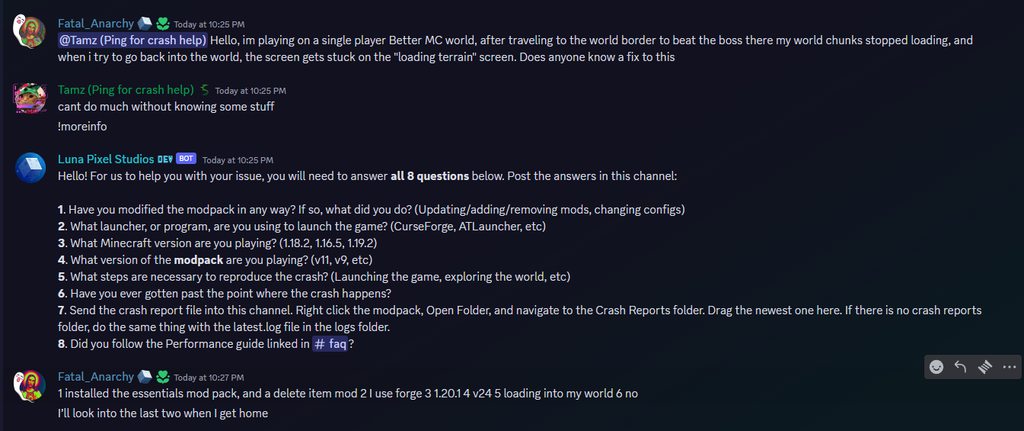
Hello! For us to help you with your issue, you will need to answer all 8 questions below. Post the answers in this channel:
1. Have you modified the modpack in any way? If so, what did you do? (Updating/adding/removing mods, changing configs)
2. What launcher, or program, are you using to launch the game? (CurseForge, ATLauncher, etc)
3. What Minecraft version are you playing? (1.18.2, 1.16.5, 1.19.2)
4. What version of the modpack are you playing? (v11, v9, etc)
5. What steps are necessary to reproduce the crash? (Launching the game, exploring the world, etc)
6. Have you ever gotten past the point where the crash happens?
7. Send the crash report file into this channel. Right click the modpack, Open Folder, and navigate to the Crash Reports folder. Drag the newest one here. If there is no crash reports folder, do the same thing with the latest.log file in the logs folder.
8. Did you follow the Performance guide linked in #faq?
 snow kraken
- Nah
- Curseforge
- 1.19.2
- v11.5
- once i press "play" it loads, but then it says it crashed
- Nah
snow kraken
 mighty gorge
i like ur pfps
mighty gorge
i like ur pfps
Based and catpilled forevahhh!
mighty gorge
snow kraken
1. Nah
2. Curseforge
3. 1.19.2
4. v11.5
5. once i press "play" it loads, but th...
!drivers
mossy cometBOT
You (likely) need to update your graphics drivers in order to resolve the crash. Here's how to go about doing that!
1. Identify your graphics card
if you already know skip to the next step
- Open task manager
- Navigate to the "Performance" tab (on Windows 11 this is the button that looks like a heart pulse)
- Press the GPU 0 graph and read your GPU from the top right
Note:
In some cases you may see a GPU 0 and GPU 1. This means your CPU has its own GPU, as well as an external one. You probably want GPU 1 (which is usually the external), but you can ask staff to clarify if necessary.
2. Download your drivers from the manufacturers site
Depending on what you read before, you likely need drivers from either AMD, Intel, or NVIDIA
AMD: https://www.amd.com/en/support
Intel: https://www.intel.com/content/www/us/en/download-center/home.html
NVIDIA: https://www.nvidia.com/Download/index.aspx?lang=en-us
Note:
- For NVIDIA you want to select "Game Ready Driver (GRD)" (this is the default option) for the best performance. Once installing you'd probably prefer downloading GeForce Experience, which will notify you when there's an available drivers update.
- For Intel, you probably want to press "Get Started" under the "Automatically update your drivers and software", which will simplify the process and update everything automatically
- For AMD you probably want to just press "Download Windows Drivers", which will download something called AMD Adrenaline, which will update your drivers automatically.
3. Run the installation, restart your computer, and try playing MC again
- At this point, hopefully your Minecraft is running. If it still does not work, please post any new logs and staff will help assist you with finding the right solution.
mighty gorge
real
 waxen gulch
is there any server to this modpack?
 cobalt birch
Not any main ones
waxen gulch
ok
 humble jay
Does anyone know of a fear nightfall smp?
snow kraken
nah sorry like Argo said, there arent any main ones
humble jay
snow kraken
nah sorry like Argo said, there arent any main ones
There Are None?!!?
 small hearth
Yo, does anyone know why I can't load the pack?
It keeps crashing with exit code 1, something about a memory access violation
People say it might be a problem with graphics card drivers, but my drivers are up to date
Any idea what else might be causing the crash?
!moreinfo
mossy cometBOT
Hello! For us to help you with your issue, you will need to answer all 8 questions below. Post the answers in this channel:
1. Have you modified the modpack in any way? If so, what did you do? (Updating/adding/removing mods, changing configs)
2. What launcher, or program, are you using to launch the game? (CurseForge, ATLauncher, etc)
3. What Minecraft version are you playing? (1.18.2, 1.16.5, 1.19.2)
4. What version of the modpack are you playing? (v11, v9, etc)
5. What steps are necessary to reproduce the crash? (Launching the game, exploring the world, etc)
6. Have you ever gotten past the point where the crash happens?
7. Send the crash report file into this channel. Right click the modpack, Open Folder, and navigate to the Crash Reports folder. Drag the newest one here. If there is no crash reports folder, do the same thing with the latest.log file in the logs folder.
8. Did you follow the Performance guide linked in #faq?
small hearth
- No
- CurseForge
- 1.19.2
- v11.5 HF
- I installed the pack and tried to launch it, that's it.
- Nope
- In a minute, reinstalling rn
- Apart from installing java 18, yes. I'll try that
 narrow shale
can someone help? We play coop and sometimes our server just crash

is this Enhanced AI or im stupid?
narrow shale
16GB
weak dirge
the server i ment
weak dirge
gpt is talking about the code itself
narrow shale
so? you have any idea :D?
snow kraken
mighty gorge
!drivers
ty ty ty this was the problem
 cloud ingot
Hello, i rented a server and i wanted to try the ingame voice and it is not working. Does anyone know a solution?
native grail
im being randomly pulled towards something it's making the game absolutely unplayable
does anybody know what mod that is? I can't play the game like this
 ruby anchor
can some please tell me how to get voice chat wor`king?
weak dirge
native grail
im being randomly pulled towards something it's making the game absolutely unpla...
small moon
aka lunar mod not luna mod
native grail
i dont have such a mod
nevermind
im sorry but the pulling doesnt even happen at night only
weak dirge
ah
native grail
there's no feature such as randomly pulling players in the mod description
weak dirge
ruby anchor
can some please tell me how to get voice chat wor`king?
pinned messages
weak dirge
cloud ingot
Hello, i rented a server and i wanted to try the ingame voice and it is not work...
you too pinned messages
native grail
it's absolutely unplayable like this
mossy cometBOT
Curseforge - Refers to both the Curseforge website and Curseforge Launcher. The Curseforge Launcher is a modded launcher used to play & install modpacks. ATLauncher is a better alternative. All modded launchers can be used to install & play both Fabric and Forge modpacks.
Modpack - A collection of mods. "Better MC 1.19.2 Forge", for example, is a modpack.
Modpack Version - The version of the modpack you are playing. v5, v6, v7, etc.
Minecraft Version - The version of Minecraft which the modpack you are playing runs on. 1.16.5, 1.18.2, 1.19.2, etc.
Mod - A .jar file which modifies the game in some way. "BetterEnd", for example, is a mod.
Forge - A mod loader which allows you to use Forge mods.
Fabric - A mod loader which allows you to use Fabric mods.
native grail
oh my bad
weak dirge
dw
native grail
v11.5
weak dirge
people get it mixed up a lot
weak dirge
native grail
v11.5
strange i was sure it was removed
what time is it and what type of pulling is it
weak dirge
all the time?
native grail
it violently pulls me towards a place in the ground
native grail
weak dirge
all the time?
yeah
weak dirge
that’s
native grail
only one can be targeted
weak dirge
def not supposed to happen
native grail
the moment i left my friend got targeted
weak dirge
there is a mob that’s doing that nearby
sadly i haven’t played nor know the name of this mob
but i’d say try to enable cheats go in spectator and find the mob
then kill it with creative
native grail
i know what it is
it was an infected pillager from a cave underneath my base
what mod adds like fungi infection
native grail
i managed to find it
it's from spore
i'll remove that right away dont give a fuck about the impact it has
native grail
well yeah but the game is unplayable like this
native grail
it doesnt matter what it adds if the player cannot perform any kind of task because he is constantly pulled it's not playable
it's extremely frustrating
native grail
weak dirge
or kill it
you have no idea how many mobs spawn at night
we just started, the moment we step outside we die
weak dirge
oh i know
i played during v1 to v4
that’s all
it was insane back then
300-400 mobs a night
native grail
it still is
 sleek briar
I sure hope they're not playing on my Server... I re-activated the Enderman Pull for the lulz..
native grail
it's a shame i have to remove a whole mod because of one single mob
sleek briar
From experience though, the Mobs that spawn when a Player is "insane" cause the most Lag.. it is acually not even funny..
weak dirge
native grail
it's a shame i have to remove a whole mod because of one single mob
you can use Incontrol to just remove the mob

native grail
weak dirge
you can use Incontrol to just remove the mob
how
weak dirge
or change a config somewhere
native grail
sleek briar
From experience though, the Mobs that spawn when a Player is "insane" cause the ...
you can prevent that tho
weak dirge
native grail
how
i control is a mod that allows you to just disable mobs from spawning or limit them
native grail
the mob spawning in a remove shithole that pulls you all the time until you find him is not
native grail
weak dirge
i control is a mod that allows you to just disable mobs from spawning or limit t...
does it work for mods too?
weak dirge
yep
native grail
also if i need to access the config files i have no idea how to
 weak dirge
nps
 brisk sky
Anyone know how to turn off that that sound where it sounds like zombies are spawning in every 5 seconds
like theyre making a throaty annoying sound every 10 seconds
rough loom
brisk sky
Anyone know how to turn off that that sound where it sounds like zombies are spa...
that noise happens whenever a mob spawns in, whether be a zombie, modded mob, or herobrine
idk the mob name tho
brisk sky
rough loom
that noise happens whenever a mob spawns in, whether be a zombie, modded mob, or...
i do not like it unfortunately so if anyone can please tell me what the mod name is, i’d really appreciate it
 scenic shore
hey guys
just wondering if someone know some mob trap to do in this mod
i tried the conventional one
but it doenst work well

that one i tried
and doenst work
weak dirge
no mobs spawn in day tbh,,, well not above ground i think?
 tall hawk
It should be based on lighting.
rough loom
scenic shore
i made a default version mob grinder and it works fine for me
i didnt build it like that though
spawner grinders will work better though, since creepers wont spawn and ruin it
 upper pewter
anyone know what creatures drop the spore mod stuff? or how to spawn them? i havent seen any armor or claw fragments my entire playthough so far.
rough loom
upper pewter
anyone know what creatures drop the spore mod stuff? or how to spawn them? i hav...
You have to find a mound/hivemind, they will spawn them / evolve them
i would also do this
upper pewter
oh okay, thank you very much!
 lethal moat
Anyone wana join our hamachi server?
lethal moat
Sorry
 celest tide
i was wondering if anyone can let me know how to get armor fragments?
or claw fragments
 nova vector
anyone else find it exceptionally hard to find endermen? how else can i get ender pearls
 wide meteor
keep getting the authentication / secure profile key problem, but I'm not hosting a server. a friend of mine is and it keeps happening when I try to join
left pond
nova vector
anyone else find it exceptionally hard to find endermen? how else can i get ende...
Their spawn rate sucks. Due to flooding from zombies and creeper hordes.
nova vector
any biome where they spawn better? ive been trying to craft the flesh plunderer for 3 days no
now*
rough loom
celest tide
i was wondering if anyone can let me know how to get armor fragments?
🙏 I answered that a few messages up
rough loom
rough loom
i would also do this
^^^^
 vague terrace
how do i spawn the sons of sins? (Greed, Wrath, Gluttony and Pride)
weak dirge
nether
humble jay
I was just playing and got ambushed by Sheep
 bleak wharf
nova vector
any biome where they spawn better? ive been trying to craft the flesh plunderer ...
bleak wharf
nova vector
any biome where they spawn better? ive been trying to craft the flesh plunderer ...
Dawg, setup a villager trader
Ez pearls
Cleric trader or monster hunter trader both sell pearls for 5 emeralds per
 torn nexus
when I try to host this modpack normally on the hosting, when I want to enter the server it shows that this version is incompatible and here and there I have downloaded the latest version
And on this hosting there is normally a redirection to the forga website
weak dirge
torn nexus
And on this hosting there is normally a redirection to the forga website
where are you hosting?
torn nexus
torn nexus
and there are usually modpacks with links to the forum
I just looked at the hosting and it shows me that I don't have these mods and I have them installed normally, even when I try to join a server from the luncher of this modpack, there is a server browser category, I also get this error only with other mods
 hybrid scarabBOT
torn nexus
I just looked at the hosting and it shows me that I don't have these mods and I ...
hybrid scarabBOT
torn nexus
I just looked at the hosting and it shows me that I don't have these mods and I ...
Please read #faq for modpack installation.
weak dirge
torn nexus
I just looked at the hosting and it shows me that I don't have these mods and I ...
ok that would mean that the server is installing it wrong / old
go ask ur hosting to update / fix it for ou
you
torn nexus
Okey thanks men
 candid agate
Does anyone know of a free server hosting to play Fear Nightfall with friends?
tall hawk
candid agate
Does anyone know of a free server hosting to play Fear Nightfall with friends?
!ws
mossy cometBOT
Luna Pixel's World Sharing
Our modpacks don't support any mods that add singleplayer hosting / world sharing because we already provide free world sharing. The "Essential" mod is therefore incompatible.
To share your world using our own world hosting, click the "Open to Lan" or "Share World" button in the game menu when in a singleplayer world, and share the world.
It will give you an address, like magma-cube.mc.lunapixel.gg, which your friends can use to connect directly to your world as if it were a server!
We still highly suggest not to play through LAN as LAN is untested and unreliable. Using it will cause longterm damage to your world.
There is no reason to use LAN, as we support both paid and free methods of hosting a server the normal way.
tall hawk
!server
mossy cometBOT
We suggest renting a server from Bisect Hosting:
Approx. $10 - $25 a month depending on what plan you choose. You can also get 25% off with Code LunaPixel.
Go to https://www.bisecthosting.com/LunaPixel and order a plan which fits you. We suggest 1GB per player but nothing lower than 4GB as the server needs at least 3GB to run.
Go to #server-hosting for more Info!
Free Method: (This is hosting on your own PC, which is harder to do so we suggest getting a server via Bisect Hosting)
- Download the serverpack from Curseforge's website
- Right click the start.ps1 file and click Run with Powershell
To join your own server, typelocalhostinto Direct Connect.
This video explains the process https://www.youtube.com/watch?v=wuGUbVbLsDc
The server IP address is your Public IP Address, which can be found by googling my ip address
If other players are unable to join, find a portforwarding guide online.
 nimble fulcrum
hey guys i got a question, i was exploring what the nightfall modpack had to offer as far as mobs go, but pretty much all of the spawn eggs don't work other than the aether mod and like 2 others, when i try to spawn the mobs it just makes a noise and that's it. is this a normal thing or did i do something wrong?
nimble fulcrum
ohhhh thanks!
 full ravine
how do you enable voice chat?
full ravine
private server.
weak dirge
pinned messages
full ravine
thank you
 lament lantern
were do i get lead
 lament lantern
ok
 merry sail
.
weak dirge
?
merry sail
Sorry dropped my keyboard while reading lol
weak dirge
lol
cobalt birch
GOD is there a way to make herobrine stop stalking you
It stopped being scary like the second time now its just so f*cking annoying
celest tide
I have a weird question what is the spread range of a hivemind or is there a way to stop the spread without killing it?
rough loom
cobalt birch
It stopped being scary like the second time now its just so f*cking annoying
very true 💀
 naive shoal
my game keeps crashing when i load this mod up, it doesnt even get to the title screen before it happens, can someone please help me?
weak dirge
naive shoal
my game keeps crashing when i load this mod up, it doesnt even get to the title ...
!moreinfo
mossy cometBOT
Hello! For us to help you with your issue, you will need to answer all 8 questions below. Post the answers in this channel:
1. Have you modified the modpack in any way? If so, what did you do? (Updating/adding/removing mods, changing configs)
2. What launcher, or program, are you using to launch the game? (CurseForge, ATLauncher, etc)
3. What Minecraft version are you playing? (1.18.2, 1.16.5, 1.19.2)
4. What version of the modpack are you playing? (v11, v9, etc)
5. What steps are necessary to reproduce the crash? (Launching the game, exploring the world, etc)
6. Have you ever gotten past the point where the crash happens?
7. Send the crash report file into this channel. Right click the modpack, Open Folder, and navigate to the Crash Reports folder. Drag the newest one here. If there is no crash reports folder, do the same thing with the latest.log file in the logs folder.
8. Did you follow the Performance guide linked in #faq?
weak dirge
modpack
naive shoal
- No, just freshly installed
- Curseforge
- 1.19.2
- v11.5
- launching the game
- no
- didnt know that was a thing lol
weak dirge
mind giving a latest.log?
naive shoal
bleak wharf
celest tide
I have a weird question what is the spread range of a hivemind or is there a way...
have to keal it
uhh tho i guess you could maybe get rid of it with creative? idk
weak dirge
naive shoal
laptop or anything?
naive shoal
weak dirge
laptop or anything?
i have a pc
 manic terrace
Not mac?
naive shoal
no
weak dirge
okay good
uh seems like cf fucked the install simply said
i’d like you to try this
!alternates
mossy cometBOT
If this command was run in response to your question/issue, it is likely because switching away from the launcher you are currently using would fix your problem.
From our experience, the most stable launcher by far is ATLauncher, also known as ATL.
To install ATLauncher, do the following:
1. Go to https://atlauncher.com/download
2. Install and run the setup, then open the program.
3. Login to your Microsoft account that owns the Java Edition of Minecraft from the Accounts tab on the right. This process is 100% safe, as it goes directly through Microsoft. ATLauncher does not see your account credentials.
4. Go to the Packs tab on the right, then click "Curseforge" on the left.
5. Search the modpack you wish to download.
6. Click "New Instance". Click "Ok" on the opted out mods warning, then click "Open All" on the manual download screen.
7. Let the mods download, ATLauncher will grab them from your Downloads folder and automatically add them to the modpack.
8. Go to the Instances tab, and click "Play" on the modpack you downloaded. If you ever see an "Update" button on the instance, click it.
To transfer your Curseforge world to ATLauncher, simply right click the modpack on Curseforge, or click the 3 dots, then click "Open Folder". Copy the Saves folder, then click "Open Folder" on ATLauncher and paste the Saves folder there.
Because ATLauncher downloads the exact same files as Curseforge does, your world will be the exact same and you will be able to join the same servers. ATLauncher also works without an internet connection (after you've installed the modpack, of course), and does not have any bloat from Overwolf. You are free to uninstall both Overwolf and Curseforge with ATLauncher installed.
 jagged viper
Hey is there any type of better light source i can use like a lantern by my side or anything that isint night vision

 flat flax
yes, read #6
 proud shadow
Does anyone know how to get ender pearls on the modpack I cant find any ender man
 atomic belfry
ok so i wanna play with one other friend of mine, so i wanted to use essentials to play with them, noticed it doesnt work then remembered luna is a multiplayer plugin, the same mods seem to be there that bcg plus has but i cant seem to work out how to enable the multiplayer aspect that isnt LAN
hybrid scarabBOT
atomic belfry
ok so i wanna play with one other friend of mine, so i wanted to use essentials ...
Our modpacks don't support essential, please use e4mc instead or host a local server using the serverpack.
weak dirge
atomic belfry
ok so i wanna play with one other friend of mine, so i wanted to use essentials ...
!ws
mossy cometBOT
Luna Pixel's World Sharing
Our modpacks don't support any mods that add singleplayer hosting / world sharing because we already provide free world sharing. The "Essential" mod is therefore incompatible.
To share your world using our own world hosting, click the "Open to Lan" or "Share World" button in the game menu when in a singleplayer world, and share the world.
It will give you an address, like magma-cube.mc.lunapixel.gg, which your friends can use to connect directly to your world as if it were a server!
We still highly suggest not to play through LAN as LAN is untested and unreliable. Using it will cause longterm damage to your world.
There is no reason to use LAN, as we support both paid and free methods of hosting a server the normal way.
bleak wharf
proud shadow
Does anyone know how to get ender pearls on the modpack I cant find any ender ma...
Villager trades.... Clerics or MOnster Hunter
atomic belfry
weak dirge
we don’t have essentials support as it causes world corruption <a:yes:8780281573...
is it ok if i ask how do i use the .gg thingy? i havent done it this way before lol, or is there a video somewhere?
manic terrace
It's instructions in that command
atomic belfry
manic terrace
It's instructions in that command
yes but i mean do i put the .gg thing into my browser or what? im having issues because its giving me an error when i put it into the ip address area thing
 manic terrace
In the server menu when you add new servers
Name
Ip
There can be full capacity which is one reason it won't work iirc
It's for other people to use
atomic belfry
ah ok, so just to confirm i put the .gg thing into both the name and ip?
manic terrace
You can just direct connect cause it's might make a new IP address each time
I think
atomic belfry
ah ok nice thank you
 flat flax
 vague ember
heya I wana know is the french server closed forever ?
vague ember
heya I wana know is the french server closed forever ?
We don't run any official servers
 empty basin
Hi, figured I'd drop in and ask.
My girlfriend and I started a fear nightfall server. And we're having a problem that even during daytime we're getting like 20-40 creepers and equal amount of zombies and other mobs spawning in absolute excess, and it gets worse at nighttime and it's causing a huge strain on the server. Is there a config somewhere where I can reduce this number a smidge so it's a bit more playable?
manic terrace
Latest version of the pack?
There should've been in control config for like 5 limit on normal mobs spawn like zombie skeleton etc
empty basin
We just setup the server today, so I imagine its' the latest version.
And I can confidently say there is not a limit xD
We logged off for the night, and there was like 20 creepers outside our walls, a witch and a bunch of zombies
It got so bad I had to restart the server cause they were causing so much delay on everything
manic terrace
Not sure then
empty basin
Is there a config file I can change to tweak it a little
manic terrace
Incontrol config you can look at the spawn file
empty basin
manic terrace
Incontrol config you can look at the spawn file
ill take a look at that then
 odd badger
!ws
mossy cometBOT
Luna Pixel's World Sharing
Our modpacks don't support any mods that add singleplayer hosting / world sharing because we already provide free world sharing. The "Essential" mod is therefore incompatible.
To share your world using our own world hosting, click the "Open to Lan" or "Share World" button in the game menu when in a singleplayer world, and share the world.
It will give you an address, like magma-cube.mc.lunapixel.gg, which your friends can use to connect directly to your world as if it were a server!
We still highly suggest not to play through LAN as LAN is untested and unreliable. Using it will cause longterm damage to your world.
There is no reason to use LAN, as we support both paid and free methods of hosting a server the normal way.
 vague ember
flat flax
We don't run any official servers
vague ember
flat flax
We don't run any official servers
oh I see now thanks
 bleak summit
Hey guys i just opened a server with Bisect and for soem reason the sanity bar doesnt move on the server
there is a symbol of a plug crossed out on the sanity bar
tall hawk
That’s VC
bleak summit
Oh ok thanks is there any reason that my sanity just isnt going down?
We have been on for about 15 minutes and our sanity isnt changing
manic terrace
There is an introduction quest about sanity
tall hawk
Check your quests yeah.
atomic belfry
help please i dont know what im doing wrong 😭 me and my friend have been trying to get this to work for a while now
 worldly halo
atomic belfry
help please i dont know what im doing wrong 😭 me and my friend have been trying...
worldly halo
atomic belfry
help please i dont know what im doing wrong 😭 me and my friend have been trying...
no Idea but I would also apprechiate some help with servers
atomic belfry
worldly halo
no Idea but I would also apprechiate some help with servers
lovely to know im not the only one lol
odd badger
Been playing for about 3 hours with my friends and wow. this modpack has got the best ambience i've ever seen come out of minecraft
worldly halo
gotta agree with this one, sadly the lan servers are full most of the time
odd badger
if you have issues like that recommend replacing luna with e4cm
worldly halo
whats e4cm
atomic belfry
apparently a dieting thing lmao
 atomic belfry
worldly halo
whats e4cm
atomic belfry
worldly halo
whats e4cm
idk imma try it now though with my friend

 olive birch
 atomic belfry
well thats lovely

 iron marten
use atl
atomic belfry
what does that mean?
 primal stirrup
atomic belfry
what does that mean?
primal stirrup
atomic belfry
what does that mean?
you need a modded launcher to play a modpack, use ATlauncher or curseforge :3
weak dirge
atomic belfry
well thats lovely
remove luna mod if you gonna use e4mc
 atomic belfry
primal stirrup
you need a modded launcher to play a modpack, use ATlauncher or curseforge :3
atomic belfry
primal stirrup
you need a modded launcher to play a modpack, use ATlauncher or curseforge :3
i do use curseforge lol, i got the app installed :)
its actually how i found fear nightfall
 cinder burrow
how do I play this with 2 friends?
mighty gorge
atomic belfry
just to confirm i remove all luna stuff?
just luna-forge
mighty gorge
cinder burrow
how do I play this with 2 friends?
!server
mossy cometBOT
We suggest renting a server from Bisect Hosting:
Approx. $10 - $25 a month depending on what plan you choose. You can also get 25% off with Code LunaPixel.
Go to https://www.bisecthosting.com/LunaPixel and order a plan which fits you. We suggest 1GB per player but nothing lower than 4GB as the server needs at least 3GB to run.
Go to #server-hosting for more Info!
Free Method: (This is hosting on your own PC, which is harder to do so we suggest getting a server via Bisect Hosting)
- Download the serverpack from Curseforge's website
- Right click the start.ps1 file and click Run with Powershell
To join your own server, typelocalhostinto Direct Connect.
This video explains the process https://www.youtube.com/watch?v=wuGUbVbLsDc
The server IP address is your Public IP Address, which can be found by googling my ip address
If other players are unable to join, find a portforwarding guide online.
atomic belfry
mighty gorge
just luna-forge
thank youuu ill give it a try now
atomic belfry
mighty gorge
just luna-forge
i deleted it and i got the same stuff :sob :

btw just to clarify this error comes up when launching a world
mighty gorge
atomic belfry
i deleted it and i got the same stuff :sob :
!moreinfo
mossy cometBOT
Hello! For us to help you with your issue, you will need to answer all 8 questions below. Post the answers in this channel:
1. Have you modified the modpack in any way? If so, what did you do? (Updating/adding/removing mods, changing configs)
2. What launcher, or program, are you using to launch the game? (CurseForge, ATLauncher, etc)
3. What Minecraft version are you playing? (1.18.2, 1.16.5, 1.19.2)
4. What version of the modpack are you playing? (v11, v9, etc)
5. What steps are necessary to reproduce the crash? (Launching the game, exploring the world, etc)
6. Have you ever gotten past the point where the crash happens?
7. Send the crash report file into this channel. Right click the modpack, Open Folder, and navigate to the Crash Reports folder. Drag the newest one here. If there is no crash reports folder, do the same thing with the latest.log file in the logs folder.
8. Did you follow the Performance guide linked in #faq?
atomic belfry
mossy comet
Hello! For us to help you with your issue, you will need to answer **all 8 quest...
- all i did was add a map mod but thats client side so it shouldnt do much, i think it was journey map
- curseforge
- 1.19.2 the only one fear nightfall comes with
- most recent, v11.5
- i open any world or create a new one and it crashes
- nope
- here we go :3
- si, ill try ATL later but i already got curseforge so i may not bother with it
 terse yarrow
Holy mother of god I swear this mod has to have some check when I get over lv 10 it will drop creeper on my head or spawn cave dweller in my back
high kayak
what's the issue with essential?
atomic belfry
high kayak
what's the issue with essential?
scroll up, they dont support it because it crashes stuff andf what not
atomic belfry
weak dirge
we don’t have essentials support as it causes world corruption <a:yes:8780281573...
here
 carmine hemlock
how do i eat animal carcases 
rough loom
carmine hemlock
how do i eat animal carcases <:sadge:768477960834383933>
cleaver + butcher hook thingy
or place it above a campfire with a roaster i tihnk
 mortal abyss
Hiii I'm trying to play this mod but I keep getting error code 6 when it crashes, how do i fix this?
 lilac cloak
Hey gamers, is it a part of the game that I can not sleep in the bed? I am like 90% sure it is night and it keeps saying I can only sleep at night and during thunderstorms
empty basin
lilac cloak
Hey gamers, is it a part of the game that I can not sleep in the bed? I am like ...
yeah
lilac cloak
Sweet
olive birch
@lilac cloak thats what the questbook is for 😂
lilac cloak
Questbook???
 limber ridge
guys how do i create a room with this modpack
lilac cloak
Very cool, I must have dropped it lmao
olive birch
you can also open it in the inventory on the left side @lilac cloak
!ws @limber ridge
mossy cometBOT
Luna Pixel's World Sharing
Our modpacks don't support any mods that add singleplayer hosting / world sharing because we already provide free world sharing. The "Essential" mod is therefore incompatible.
To share your world using our own world hosting, click the "Open to Lan" or "Share World" button in the game menu when in a singleplayer world, and share the world.
It will give you an address, like magma-cube.mc.lunapixel.gg, which your friends can use to connect directly to your world as if it were a server!
We still highly suggest not to play through LAN as LAN is untested and unreliable. Using it will cause longterm damage to your world.
There is no reason to use LAN, as we support both paid and free methods of hosting a server the normal way.
limber ridge
Thank you so muchhh
 ashen cape
has anyon elooked into why Ser/Lord Pumpkinhead aren't guranteed spawns from infernal evil pumpkins in FearNightfall?
Would like to actually fight the boss but either it doesn't spawn at all normally, and the one time i did get it to spawn it despawned halfway through the fight
 ivory brook
hi
Hey, I don’t know if anyone else is having this issue but I can’t run the insanity shader, I have to remove it from the shaders pack to then be able to run the Fear Nightfall I’m on Macos so it could possibly be a compatibility issue but I’m unsure, Does anyone know how to get insanity shader working?
If not, it’s not much of a big deal. It would just be cooler if I could run it like my friends
I’ll try figuring it out on my own in the mean time.
weak dirge
insanity isn’t comp with mac’s sadly
ivory brook
weak dirge
insanity isn’t comp with mac’s sadly
Ah, That’s unfortunate 
olive birch
you could try https://modrinth.com/shader/spooklementary
 weak dirge
ye
 devout nimbus
I have downloaded the modpack from Forge and klicked the HTML File. There are 222 mods that i have to Install. Is there any faster way?
 hoary brook
Can you not place signs on chests?
empty basin
Anyone familiar with how to adjust incontrol mod? I was suggested to do so last night, and I started this morning. And I currently count... 23 creepers sitting outside our walls during the day, and about 10ish more at the bottom of our hill. 🤔
weak dirge
devout nimbus
I have downloaded the modpack from Forge and klicked the HTML File. There are 22...
wym
hoary brook
Anyone know why shift right clicking with a sign doesn't allow it to be placed on a chest? It just opens the chest
Actually seems to be anything involving shift clicking
empty basin
hoary brook
Actually seems to be anything involving shift clicking
I don't know if this is the exact problem. But I know in other mods I've played, the shift button might have more than one function bound too it. So it might be conflicting, causing it to think you're doing something else instead of trying to place the object.
hoary brook
empty basin
I don't know if this is the exact problem. But I know in other mods I've played,...
I just unbound everything besides for sneak and still no luck, just opens the chest
mortal abyss
can someone pleaseee help im getting error 6 when it crashes and i cant play the modpack
empty basin
mortal abyss
can someone pleaseee help im getting error 6 when it crashes and i cant play the...
If I recall correctly. Error 6 is just a common runtime error, so it could be an issue with an outdated Java version; or corrupted files with your current minecraft installation. So update Java (if it needs it) and you can try to reinstall Minecraft
devout nimbus
@weak dirge Well i have downloaded the 222 mods. Put it in Forge v1.19.2 but it keeps crashing with Exit Code 1
weak dirge
devout nimbus
<@460610775887773737> Well i have downloaded the 222 mods. Put it in Forge v1.19...
did you manually download it?
weak dirge
empty basin
If I recall correctly. Error 6 is just a common runtime error, so it could be an...
error 6 is more then that sadly
weak dirge
mortal abyss
can someone pleaseee help im getting error 6 when it crashes and i cant play the...
!moreinfo
mossy cometBOT
Hello! For us to help you with your issue, you will need to answer all 8 questions below. Post the answers in this channel:
1. Have you modified the modpack in any way? If so, what did you do? (Updating/adding/removing mods, changing configs)
2. What launcher, or program, are you using to launch the game? (CurseForge, ATLauncher, etc)
3. What Minecraft version are you playing? (1.18.2, 1.16.5, 1.19.2)
4. What version of the modpack are you playing? (v11, v9, etc)
5. What steps are necessary to reproduce the crash? (Launching the game, exploring the world, etc)
6. Have you ever gotten past the point where the crash happens?
7. Send the crash report file into this channel. Right click the modpack, Open Folder, and navigate to the Crash Reports folder. Drag the newest one here. If there is no crash reports folder, do the same thing with the latest.log file in the logs folder.
8. Did you follow the Performance guide linked in #faq?
empty basin
hoary brook
I just unbound everything besides for sneak and still no luck, just opens the ch...
Hrm. That is a bit odd. Maybe it is something in the mod that prevents it
weak dirge
hoary brook
Actually seems to be anything involving shift clicking
immersive mc
mortal abyss
oh no
weak dirge
you’d need to remove the mod or change its configs
mortal abyss
yeah im a lost cause i'm stupid with technology so there is no hope for me
i need to reinstall minecraft?
but vanilla is having no issues
empty basin
Tamz is saying it might be more than that
mortal abyss
ooh
hoary brook
weak dirge
you’d need to remove the mod or change its configs
Thank you so much, got it working now
weak dirge
mortal abyss
ooh
answer the questions please
mortal abyss
- Have you modified the modpack in any way? so my mac has trouble running heavy modpacks so I used the slider in curse forge to give it more memory (i think thats what its called?)
- What launcher, or program, are you using to launch the game? Curseforge
- What Minecraft version are you playing? The Curseforge default version, 1.19.2 Fear Nightfall
- What version of the modpack are you playing? (v11, v9, etc) 1.19.2
- What steps are necessary to reproduce the crash? (Launching the game, exploring the world, etc) So it will get to the red and white screen with MOJANG and ALMOST get the bar to finish then it will crash
- Have you ever gotten past the point where the crash happens? No
- Send the crash report file into this channel. Right click the modpack, Open Folder, and navigate to the Crash Reports folder. Drag the newest one here. If there is no crash reports folder, do the same thing with the latest.log file in the logs folder.
- Did you follow the Performance guide linked in faq? No
 mortal abyss
weak dirge
answer the questions please
mortal abyss
weak dirge
answer the questions please
.
weak dirge
mortal abyss
1. Have you modified the modpack in any way? so my mac has trouble running heavy...
ah mac
open the modpack folder and remove the shader pack folder
and launch
mortal abyss
weak dirge
open the modpack folder and remove the shader pack folder
omg GENIUS thank you so much
weak dirge
nps
mortal abyss
weak dirge
nps
so i cant use shaders? :(
oh no- so I pressed create world and it crashed again, same error, error 6
Exit code 6
 formal elm
Is there anyway to put enchantments from armor onto a book or another armor piece?
 silver hill
devout nimbus
Took me hours
silver hill
devout nimbus
Took me hours
😭
my guy you don't download the mods manually
you install it with a launcher
#faq for modpack installation+
devout nimbus
silver hill
😭
Yeah i wanst Feeling right downloading Them. Thanks
Oh man.
Now i feel dump
I downloaded Them. Then i joined the discord.
Good to Know that ist 700mb
wide meteor
Having issues with joining a server, but the problem is that a friend is hosting it but it keeps giving me the same two messages. I was told by that same friedn that the server files were only a thing that the host had to worry about but idk

 high kayak
atomic belfry
scroll up, they dont support it because it crashes stuff andf what not
high kayak
atomic belfry
scroll up, they dont support it because it crashes stuff andf what not
it doesn't
it's just cuz they want u to have a bisecthosting server
I'm playing with my friend and it's completly fine
the only issue that I have is that error message wich isn't rly an error message
mighty gorge
high kayak
it's just cuz they want u to have a bisecthosting server
no?
and if we just want you to buy a server we would not provide our own world sharing mod and promote other ws mods like e4mc
high kayak
It doesn't always crash
mighty gorge
mighty gorge
https://imgur.com/a/thNXxBJ
u can check the screenshots of people having their world corrupted 
mighty gorge
lol
high kayak
most of the time I still get frustrated from this modpack and want to delete my world
Nah but I get the issues that it has
but how do i use the other mods?
high kayak
mighty gorge
you should use e4mc instead
what's that and how do I use it?
high kayak
but I just started the worl with essential?
mighty gorge
ok?
high kayak
mighty gorge
ok?
can i change it to host it with e4mc?
mighty gorge
yes
high kayak
it says make ur world public
weak dirge
high kayak
It doesn't always crash
uh it does after a while or shortly
weak dirge
high kayak
so the server quality should depend on ur own laptop?
depends on the specs
if it’s rlly old
it’ll be pretty bad
but mid range or new is workable and fine
doesn’t even need to have a gpu just cpu based performance
high kayak
weak dirge
if it’s rlly old
what's old?
 patent meteor
i keep getting an error occured during initilazation of boot layer when i run the server files, is there a fix for this?
weak dirge
high kayak
what's old?
like 8-10 years ago
weak dirge
patent meteor
i keep getting an error occured during initilazation of boot layer when i run th...
give logs
or show error
high kayak
weak dirge
like 8-10 years ago
I mean what thing
patent meteor
 weak dirge
high kayak
I mean what thing
weak dirge
high kayak
I mean what thing
laptop
high kayak
yh mine is pretty new like a year and half
mossy cometBOT
- Download an adoptium release for Java (recommended but not required):
- Java 11 (https://adoptium.net/temurin/releases/?version=11) for versions 1.16.5 and below (can also use 8 if its not working)
- Java 18 (https://adoptium.net/temurin/releases/?version=18) for any versions newer (or 17 if 18 doesn't work)
- Consider installing the JRE instead of the JDK for a smaller file size
-
When installing through adoptium, make sure that Add to PATH and Set JAVA_HOME variable are both set to be installed (please see https://imgur.com/a/jPu1h7h for how that would look)
-
Check if java has been correctly installed by running java --version (or java -version on older versions), and seeing if the output is correct (see https://imgur.com/a/OWcoq4p for an example of the output)
- NOTE: 64 bit versions of java ALWAYS have '64-bit Server VM' in the version output. If that is not there, you have installed a 32-BIT version!! If you're getting Out of Memory errors or any other errors, PLEASE install 64-bit
- If the output isn't as intended, you have 2 options.
i) Delete ALL other java versions from your PC (ONLY recommended if you don't need them)
ii) Redirect your launcher/server to use your new installation of Java
Method i
- Uninstall any other java program listed in your programs list (differs by OS, please find a guide for your own OS if you don't know)
- Attempt to re-use the command mentioned above (if the output is now correct, which it should be, you are ready to go)
Method ii
- For a server, please modify the $Java/JAVA variable (found in your startup script depending on ps1/sh) to the path of your java installation. For windows, this path is usually found in "Program Files/Eclipse Adoptium/version_of_java/bin"
- For a client, depending on whether you use CurseForge, GD, or AT, the process is slightly different. Please see a guide for each respective launcher on how to change the java version.
weak dirge
follow the install guide
patent meteor
now i have a different error
 formal elm
Is there anyway to put enchantments from armor onto a book or another armor piece?
mighty gorge
patent meteor
now i have a different error
send ur variables.txt here
patent meteor
mighty gorge
send ur variables.txt here
high kayak
weak dirge
uh it does after a while or shortly
is e4mc included?
mossy cometBOT
Luna Pixel's World Sharing
Our modpacks don't support any mods that add singleplayer hosting / world sharing because we already provide free world sharing. The "Essential" mod is therefore incompatible.
To share your world using our own world hosting, click the "Open to Lan" or "Share World" button in the game menu when in a singleplayer world, and share the world.
It will give you an address, like magma-cube.mc.lunapixel.gg, which your friends can use to connect directly to your world as if it were a server!
We still highly suggest not to play through LAN as LAN is untested and unreliable. Using it will cause longterm damage to your world.
There is no reason to use LAN, as we support both paid and free methods of hosting a server the normal way.
weak dirge
this is our e4mc
weak dirge
patent meteor
now i have a different error
did you do 64X
high kayak
okay
patent meteor
weak dirge
did you do 64X
yeah i did i made sure to follow the guide
weak dirge
C:\Program Files (x86)\Eclipse Adoptium\jdk-18.0.2.101-hotspot\bin\javaw.exe"?
it it’s just in x86
strange
patent meteor
weak dirge
C:\Program Files (x86)\Eclipse Adoptium\jdk-18.0.2.101-hotspot\bin\javaw.exe"?
so is this something i need to fix?
weak dirge
patent meteor
so is this something i need to fix?
just be sure you got the 64x msi downloaded
and not the 86x
that’s the best solution i got
patent meteor
trying that now
patent meteor
weak dirge
just be sure you got the 64x msi downloaded
I get the same boot error now
 mossy cometBOT
An update to windows introduced a new security feature that prevents powershell files from running on your PC. This is great for your security, but not so great for our server start scripts, which require powershell to run them. Fortunately there is a quick fix for this!
Run powershell as administrator, then run Set-ExecutionPolicy RemoteSigned. Read the prompt and press accept. This will allow us to run scripts.
Next, navigate to your server directory using cd path/to/directory (for example: cd C:\Users\Username\Documents\Minecraft\Server)
You can now run the server by double-clicking the start.ps1 file, or typing .\start.ps1 into the command line while in the directory.
IF THE ABOVE DOES NOT WORK, TRY THIS
Run the command Unblock-File -Path .\start.ps1 in the same powershell window. This will allow the start script to not be blocked by windows, and run freely.
If all else fails, a manual installation should work:
FORGE 1.16.5: https://www.youtube.com/watch?v=bIjisWyxU-8
FORGE 1.18.2: https://www.youtube.com/watch?v=R610M102X0U
FORGE 1.19.2: https://www.youtube.com/watch?v=3HD0ibIpO-A
FABRIC: https://www.youtube.com/watch?v=b2W1Xb7nLKo
Make sure to Install the Server in our ServerPacks so it can use the correct files.
patent meteor
i got it thanks
weak dirge
niceo
wide meteor
how do i fix the user profile if im not hosting a server, is it the same process?
weak dirge
wide meteor
how do i fix the user profile if im not hosting a server, is it the same process...
wym?
wide meteor
I try to join a server but it keeps telling me that either the authentication servers are down or that a pair key is missing
 haughty mist
why doesnt the mod 'essentails' work?
I want to create a server for me and my friend with essentials but it doesnt seem to work
weak dirge
haughty mist
I want to create a server for me and my friend with essentials but it doesnt see...
!ws
mossy cometBOT
Luna Pixel's World Sharing
Our modpacks don't support any mods that add singleplayer hosting / world sharing because we already provide free world sharing. The "Essential" mod is therefore incompatible.
To share your world using our own world hosting, click the "Open to Lan" or "Share World" button in the game menu when in a singleplayer world, and share the world.
It will give you an address, like magma-cube.mc.lunapixel.gg, which your friends can use to connect directly to your world as if it were a server!
We still highly suggest not to play through LAN as LAN is untested and unreliable. Using it will cause longterm damage to your world.
There is no reason to use LAN, as we support both paid and free methods of hosting a server the normal way.
weak dirge
wide meteor
I try to join a server but it keeps telling me that either the authentication se...
ah that, that’s something with their launcher/ area
i’d suggest them to restart their game, refresh the server list and join, restart pc need be
wide meteor
Sorry, was in a match, but thanks for thr info. They use curseforge so maybe that's why?
weak dirge
maybe maybe not
ivory brook
olive birch
you could try https://modrinth.com/shader/spooklementary
It worked, I haven’t gotten into a game but adding this shader allowed me to not immediately crash, Thank you.
 bitter socket
A bunch of the mods are saying incompatable made for a newer version of minecraft. someone told me that they will work anyway, but when I load a world those mods won't work. Is there anything I can do?
olive birch
@ivory brook wish you luck man
 cobalt root
people i have a question. when i host a server with de curseforge server pack
weak dirge
bitter socket
A bunch of the mods are saying incompatable made for a newer version of minecraf...
what mods?
!logs
mossy cometBOT
To better assist with fixing an issue, we will need some logs: Curseforge/GDLauncher-> Right click the modpack instance -> Open Folder. For MultiMC -> Click 'Instance Folder' on the right.
Find the file 'Latest' in the 'Logs' folder. If there is a folder called 'Crash Reports' then find the newest file from today. Upload these as requested.
cobalt root
y cant speak in the voice chat
weak dirge
pinned messages
cobalt root
how can i solved that
weak dirge
Pinned Messages
cobalt root
is the message from 丂廾闩尺长工㠪?
 bitter socket
weak dirge
what mods?
bitter socket
weak dirge
what mods?
The datapacks in red, when i hover over them it says that message
 mossy cometBOT
If this command was run in response to your question/issue, it is likely because switching away from the launcher you are currently using would fix your problem.
From our experience, the most stable launcher by far is ATLauncher, also known as ATL.
To install ATLauncher, do the following:
1. Go to https://atlauncher.com/download
2. Install and run the setup, then open the program.
3. Login to your Microsoft account that owns the Java Edition of Minecraft from the Accounts tab on the right. This process is 100% safe, as it goes directly through Microsoft. ATLauncher does not see your account credentials.
4. Go to the Packs tab on the right, then click "Curseforge" on the left.
5. Search the modpack you wish to download.
6. Click "New Instance". Click "Ok" on the opted out mods warning, then click "Open All" on the manual download screen.
7. Let the mods download, ATLauncher will grab them from your Downloads folder and automatically add them to the modpack.
8. Go to the Instances tab, and click "Play" on the modpack you downloaded. If you ever see an "Update" button on the instance, click it.
To transfer your Curseforge world to ATLauncher, simply right click the modpack on Curseforge, or click the 3 dots, then click "Open Folder". Copy the Saves folder, then click "Open Folder" on ATLauncher and paste the Saves folder there.
Because ATLauncher downloads the exact same files as Curseforge does, your world will be the exact same and you will be able to join the same servers. ATLauncher also works without an internet connection (after you've installed the modpack, of course), and does not have any bloat from Overwolf. You are free to uninstall both Overwolf and Curseforge with ATLauncher installed.
 loud sage
where can i find mahogany trees for hexerei?
bitter socket
weak dirge
oh that
I used atl and I have the same issue
loud sage
I got some saplings from a quest but bonemealing them doesnt work for some reason?
weak dirge
bitter socket
I used atl and I have the same issue
does it break anything?
bitter socket
weak dirge
does it break anything?
what do you mean? It lets me load a new world an play it just fine, its just that all of the incompatible data packs don't work
weak dirge
bitter socket
what do you mean? It lets me load a new world an play it just fine, its just tha...
oh
ah datapacks
those are ok
my bad
i thought it was resource packs lmao
bitter socket
weak dirge
oh
how do i get them to work?
weak dirge
no they are working
they just say incompatible because it was for a "older" version
they will still work fine
bitter socket
gotcha, thank you
vague terrace
I just killed Herobrine for the first time. I had to grind my way up to him. But after defeating him, i kinda felt like it was underwhelming. |||His fight was not much different from a Wither Boss and i didnt get anything from killing him. He even kept spawning in the overworld...||| so yeah.. I hope you keep working on the modpack, because it has A LOT of potential.
 hollow gulch
Yeah I did a survival mode with cheats run through before starting my series and the final fight is not too bad but not great either, stuff like ignius and the new ender dragon just have so much more detail and are super cinematic
carmine hemlock
bro herobrine just took all my armor.
ivory brook
carmine hemlock
bro herobrine just took all my armor.
it’s over for bro
 sand finch
hi im having trouble setting up a server on my PC, i get LoadingFailedException for a bunch of mods
i just copied and pasted all the mods into the server mods folder is that how u do it
rough loom
sand finch
hi im having trouble setting up a server on my PC, i get LoadingFailedException ...
downlaod the server pack man 💀
sand finch
where do i find that
weak dirge
on curseforge page
sand finch
i found it ty
atomic belfry
mighty gorge
you should use e4mc instead
Can you help me with e4mc?? It crashes and gives me errors when I try loading a world
atomic belfry
atomic belfry
1. all i did was add a map mod but thats client side so it shouldnt do much, i t...
I did answer the thingy, I don't know if I missed anything
 wary pagoda
yo when I download the pack and extract it and put it in my mod folder it isnt working does anyone have any tips on how to like, get the pack to work???
weak dirge
wary pagoda
yo when I download the pack and extract it and put it in my mod folder it isnt w...
not how you install a modpack friend
use a modded launcher
!alternates
mossy cometBOT
If this command was run in response to your question/issue, it is likely because switching away from the launcher you are currently using would fix your problem.
From our experience, the most stable launcher by far is ATLauncher, also known as ATL.
To install ATLauncher, do the following:
1. Go to https://atlauncher.com/download
2. Install and run the setup, then open the program.
3. Login to your Microsoft account that owns the Java Edition of Minecraft from the Accounts tab on the right. This process is 100% safe, as it goes directly through Microsoft. ATLauncher does not see your account credentials.
4. Go to the Packs tab on the right, then click "Curseforge" on the left.
5. Search the modpack you wish to download.
6. Click "New Instance". Click "Ok" on the opted out mods warning, then click "Open All" on the manual download screen.
7. Let the mods download, ATLauncher will grab them from your Downloads folder and automatically add them to the modpack.
8. Go to the Instances tab, and click "Play" on the modpack you downloaded. If you ever see an "Update" button on the instance, click it.
To transfer your Curseforge world to ATLauncher, simply right click the modpack on Curseforge, or click the 3 dots, then click "Open Folder". Copy the Saves folder, then click "Open Folder" on ATLauncher and paste the Saves folder there.
Because ATLauncher downloads the exact same files as Curseforge does, your world will be the exact same and you will be able to join the same servers. ATLauncher also works without an internet connection (after you've installed the modpack, of course), and does not have any bloat from Overwolf. You are free to uninstall both Overwolf and Curseforge with ATLauncher installed.
 bitter mortar
whats the best way to get iron early
 next elk
 dry tangle
Hey, not sure if this is the correct channel for support questions--if not, please redirect me and I will fix it--but I'm running into a problem trying to launch Fear Nightfall from curseforge/minecraft launcher. There is no error code, just a pop up that says;
"Internal error.
Name: REQUEST_FAILED
Error details: Unable to prepare assets for download"
It's for forge-43.3.5, I downloaded the pack straight from curseforge. The version is 1.19.2.
I'm just trying to figure out what might be causing the launch error and how I might be able to fix it.
weak dirge
dry tangle
Hey, not sure if this is the correct channel for support questions--if not, plea...

!logs
mossy cometBOT
To better assist with fixing an issue, we will need some logs: Curseforge/GDLauncher-> Right click the modpack instance -> Open Folder. For MultiMC -> Click 'Instance Folder' on the right.
Find the file 'Latest' in the 'Logs' folder. If there is a folder called 'Crash Reports' then find the newest file from today. Upload these as requested.
dry tangle
Strange, I open the instance folder and nothing under "logs" or "crash reports' comes up.
dry tangle
No, it's client
mossy cometBOT
If this command was run in response to your question/issue, it is likely because switching away from the launcher you are currently using would fix your problem.
From our experience, the most stable launcher by far is ATLauncher, also known as ATL.
To install ATLauncher, do the following:
1. Go to https://atlauncher.com/download
2. Install and run the setup, then open the program.
3. Login to your Microsoft account that owns the Java Edition of Minecraft from the Accounts tab on the right. This process is 100% safe, as it goes directly through Microsoft. ATLauncher does not see your account credentials.
4. Go to the Packs tab on the right, then click "Curseforge" on the left.
5. Search the modpack you wish to download.
6. Click "New Instance". Click "Ok" on the opted out mods warning, then click "Open All" on the manual download screen.
7. Let the mods download, ATLauncher will grab them from your Downloads folder and automatically add them to the modpack.
8. Go to the Instances tab, and click "Play" on the modpack you downloaded. If you ever see an "Update" button on the instance, click it.
To transfer your Curseforge world to ATLauncher, simply right click the modpack on Curseforge, or click the 3 dots, then click "Open Folder". Copy the Saves folder, then click "Open Folder" on ATLauncher and paste the Saves folder there.
Because ATLauncher downloads the exact same files as Curseforge does, your world will be the exact same and you will be able to join the same servers. ATLauncher also works without an internet connection (after you've installed the modpack, of course), and does not have any bloat from Overwolf. You are free to uninstall both Overwolf and Curseforge with ATLauncher installed.
dry tangle
Thanks, I'll see if that works out.
 calm swallow
@weak dirge so when i run the ps1 file with powershell it just instantly closes itself
mossy cometBOT
An update to windows introduced a new security feature that prevents powershell files from running on your PC. This is great for your security, but not so great for our server start scripts, which require powershell to run them. Fortunately there is a quick fix for this!
Run powershell as administrator, then run Set-ExecutionPolicy RemoteSigned. Read the prompt and press accept. This will allow us to run scripts.
Next, navigate to your server directory using cd path/to/directory (for example: cd C:\Users\Username\Documents\Minecraft\Server)
You can now run the server by double-clicking the start.ps1 file, or typing .\start.ps1 into the command line while in the directory.
IF THE ABOVE DOES NOT WORK, TRY THIS
Run the command Unblock-File -Path .\start.ps1 in the same powershell window. This will allow the start script to not be blocked by windows, and run freely.
If all else fails, a manual installation should work:
FORGE 1.16.5: https://www.youtube.com/watch?v=bIjisWyxU-8
FORGE 1.18.2: https://www.youtube.com/watch?v=R610M102X0U
FORGE 1.19.2: https://www.youtube.com/watch?v=3HD0ibIpO-A
FABRIC: https://www.youtube.com/watch?v=b2W1Xb7nLKo
Make sure to Install the Server in our ServerPacks so it can use the correct files.
 weak dirge
dry tangle
weak dirge
try this
weak dirge
dry tangle
weak dirge
try this
That worked, btw!
weak dirge
nps
calm swallow

its giving me
this
after i unblocked it
when i pressed A it didnt give me any text it just went to the next line
is that supposed to happen
calm swallow
it finally worked ty
weak dirge
np
 weak dirge
ggs


 weak dirge
oh
simple fix
just
manually download the right forge
the variables text file can help you find the right versions
weak dirge
yep
 grizzled lava
I was trying to add some mods to the Fear Nightfall modpack (there's a fair list, so I won't say them all unless prompted), and I've had trouble with the mod not working. More specifically, once I've added mods, Curseforge will open the minecraft launcher, I press play, the launcher finalizes, but then Minecraft will never open. It doesn't even crash or give an error, it just doesn't work. I had removed one mod ("There's something in the caves," i.e. the monster that instakills you). With all this information given, is there any way that I could fix this that anyone here know's of?
weak dirge
grizzled lava
I was trying to add some mods to the Fear Nightfall modpack (there's a fair list...
once I've added mods this is as far as ive read, i would like to know what mods you added. ill continue reading
ok rest doesnt make sense to me but i get it a bit
grizzled lava
I also replaced Cave Dweller evolved with Cave Dweller Reimagined (the only difference is that Reimagined added the sounds of another mod, while Evolved kept the original)
Compressium, Connected glass, Decorative blocks, double doors, explorers compass, forgiving world, fusion, hardcore rivival, improvable skills, jumbo furnace, magic origins, only looking, origins classes, origins forge, realistic bees, serene seasons, shields+, spelunkers charm, supermartijn642 corelib, tax free levels, tough as nails
(If any of these broke it, I'd expect it to be: Only Looking, Terralith/mycelium mire/spelunkers charm, or serene seasons. The first because it changes mob AI, the second group because they all affect worldgen, the third because it also affects worldgen but in a different way)
weak dirge
grizzled lava
Compressium, Connected glass, Decorative blocks, double doors, explorers compass...
thats a lot
but
not a lot to break it too weirdly
give logs
!logs
mossy cometBOT
To better assist with fixing an issue, we will need some logs: Curseforge/GDLauncher-> Right click the modpack instance -> Open Folder. For MultiMC -> Click 'Instance Folder' on the right.
Find the file 'Latest' in the 'Logs' folder. If there is a folder called 'Crash Reports' then find the newest file from today. Upload these as requested.
grizzled lava
weak dirge
thats a lot
I was gonna get rid of a lot of them once I realized the amount of lag 😅
mossy cometBOT
grizzled lava
I will return with all that stuff tomorrow, I’d continue now, but I’ve spent too much brain power on that today. Thanks for your help so far though 👍
weak dirge

grizzled lava
grizzled lava
Compressium, Connected glass, Decorative blocks, double doors, explorers compass...
I shortened it real quick to a small addition of 21 fairly small mods (I removed the hefty ones). I’ll test it again tomorrow to see if that fixes it. If not, I shall return.
I just wanted to do that before I forgot to :p
 narrow turret
how to get to deep dark in fear nightfall
narrow turret
put on the roaster above campfire
or use meat hooks and meat cleaver to get cuts of meat to cook in furnace
 honest flame
Fear Nightfall seems to be less optimized than other Luna Pixel modpack for some reasons
The mob's movement is jittery (especially at night)
carmine hemlock
mmmmm
honest flame
But 16 has the highest rate
carmine hemlock
😱 👍
tall hawk
You can find quite a bit of iron in the mountains in 1.18 and later
left pond
scenic shore
hey guyd
It's one of the "eyes"
Burning eye or something.
Just @ calamity and find the fire themed one.
scenic shore
thxx my god feller
 atomic gate
how do i play in virtual reality? is there a tutorial somewhere?
flat flax
atomic gate
how do i play in virtual reality? is there a tutorial somewhere?
read pins
atomic gate
thanks
empty basin
How on gods green earth can I disable creepers in this mod.
Dealing with 20-40 bloody creepers at ALL times. Is getting really old as a difficulty scaler.
patent meteor
Trying to run my server and it keeps giving me a connection refused error, I have tried everything I can think of. None of my friends can connect and I have port forwarded and did the firewall settings, ran all of commands in the cmd, nothing works.
left pond
scenic shore
thxx my god feller
Bet
left pond
empty basin
Dealing with 20-40 bloody creepers at ALL times. Is getting really old as a diff...
You can mess with the configs of whichever mod it is that controls the scaling.
I can't remember it off the top of my head.
I know having the outskirts of my base looking like normandy is getting old.
empty basin
I tried in-control cause it was suggested earlier. And I set it to creepers 0, and I can very confidently and sadly confirm. That it did not disable them
left pond
Ah.
I typically have a chemthrower in my offhand filled with creosote, so it's not normally a problem for me.
Minecraft moment.
empty basin
Everytime we managed to get a dirt wall up to just start to do something, we died and everything was destroyed. And when we established things, skeleton creepers and creepers would rocket towards us and destroy it anyways. It was getting more annoying than a difficulty scaler
left pond
Don't use dirt.
Plant a fence of bamboo
Mobs cannot path through it.
Enemies also cannot explode waterlogged blocks.
tall hawk
Sky base is what a lot of people have been doing
left pond
A wall of stone with an external layer of waterlogged stairs, then a layer of bamboo is basically unkillable.
Yeah, but sky bases are for sissies.
tall hawk
Can also do moats
tall hawk
left pond
Yeah, but sky bases are for sissies.
Whatever works for people  their game, their choice
left pond
Moats are useful, but rocket creepers are obnoxious.
But they do keep the damage down.
empty basin
The issue is we couldn't get bamboo placed fast enough to get them to avoid us. We literally had anywhere between 5-30 creepers on us. Without exaggeratin at all times.
left pond
Ah.
empty basin
Till I get a clear answer on how to disable them, we're just opting to play DarkRPG for a bit to settle the annoyance
tall hawk
It's better to build during the day when less stuff is spawned, after that get yourself a good place they can't touch you
empty basin
tall hawk
It's better to build during the day when less stuff is spawned, after that get y...
Itwasduringtheday
Night was worse
left pond
I tend towards villager bait boxes.
tall hawk
may need to get out of those chunks and unload them for a bit enough to get them to despawn
left pond
Villager hanging over a meat grinder, enemies all try to eat his face.
empty basin
We quite literally couldn't do anything aside from put some crappy shack together temporarily before we got blown up more. ANd trying to create the remotest faintest sense of defense. Creepers would blow it up and we'd have to start over
empty basin
tall hawk
may need to get out of those chunks and unload them for a bit enough to get them...
We actually tried that, but I think cause I have a hosted server. The chunks don't fully despawn or something, cause they were there no matter how long we waited. (Well, we waited 20 minutes. I think that's lots of time) XD
tall hawk
Were you near spawn?
empty basin
We were an entire ocean away xD
empty basin
I'm just gonna wait till I can disable creepers for a bit
left pond
deepling trident showcase.
empty basin
tall hawk
and nobody was in the area to keep it loaded? that's nuts
Just the two of us
 bitter fox
can i place signs on chests? tried shift right click but just opened it
 distant dirge
Does anybody know why its not changing to night timefor me i got essential?
 lilac monolith
will they add back the man from the fog anytime soon?
manic terrace
bitter fox
can i place signs on chests? tried shift right click but just opened it
Remove immersive mc
Mod
manic terrace
lilac monolith
will they add back the man from the fog anytime soon?
If the issues it had was fixed maybe
 clear heart
How come the IE crusher doesn't double ore? It only gives a tiny bit more than what I put in
I also don't see an option to change how much ore I get in the configs...
bitter fox
so as im playing I keep seeing ||herobrine more and sometimes it just vanishes or grabs me while im being attacked|| is that caused by something or normal?
flat flax
Herobrine just wants a hug
bitter fox
scared the hell out of me the first few times but its every 3 minutes now so its just like "Hello there"
 jaunty palm
Are there any plans to add more tech progression?
 zenith hemlock
hello can someone tell how to install the voice chat mod in fear nightfall mod in multiplayer
tall hawk
zenith hemlock
hello can someone tell how to install the voice chat mod in fear nightfall mod i...
You in a dedicated server or using Luna mod?
 sly vine
is there a way for me to get the music files in the modpack
olive birch
scary music pack + dependecies @sly vine
sly vine
Thx so much 🙏
 undone dawn
what am i doing wrong? this pops up when i try to add ram to my server
 tall hawk
Were you trying to add it while the server was up?
undone dawn
nope
thats full screen, i closed server changed from 4 to 8 and this is what happened

aight nvm got it
 swift mountain
Does anyone know how to remove these hints in the upper left corner? They really annoy me
 tall hawk
Jade. It’s not hints, just says what the object or entity is
swift mountain
tall hawk
Jade. It’s not hints, just says what the object or entity is
Is it possible to disable this somehow?
tall hawk
swift mountain
Is it possible to disable this somehow?
Could check for a keybind, or remove jade.
tall hawk
 flint goblet
how can i be whitelisted?
flint goblet
how can i be whitelisted?
#1109323795556216862 we don’t host the servers.
swift mountain
tall hawk
Could check for a keybind, or remove jade.
thank you very much, it helped
clear heart
is there any other way to double ores without immersive engineering? IE doesn't seem to double anything lol
 compact badge
How do i fix my voice chat in fear nightfall?
 undone spade
how to play in Fear Nightfall?
idk because i bad reading on english
olive birch
@clear heart fortune III? most technic mods that existed pre 1.17 double ore blocks but they just do not double raw iron again
@undone spade open questbook and try to translate? if you want to play modded minecraft you need basic game english anyway - there is no easier way
clear heart
man... really didn't want to have to set up an enchanting table and xp farm
undone spade
i have a basic english little
clear heart
i miss when the machines could just do it lol
olive birch
@clear heart maybe an iron farm?
@undone spade the questbook isnt that big... with basic english and item pictures it should already be pissible to work with - or just use any free internet translator
@clear heart nevermind lol
undone spade
okay thank u very much
clear heart
yeah was gonna say that only solves the iron issue, even though i've never had much luck making a decent iron farm without investing a lot into it
cinder burrow
Hi, is there a map ?
olive birch
@clear heart iron farm: dirg a 5x5 hole, put 3 villagers with beds in, catch a zombie, done - i just missunderstand i think about iron instead of ore
@cinder burrow minimap? yes there is an atlas
clear heart
a setup like that wouldn't make much iron per hour though would it?
cinder burrow
olive birch
<@335488654434893829> minimap? yes there is an atlas
yeah I crafted the atlas but I don't understand how its working
clear heart
think i'd rather just go mining lol
olive birch
@cinder burrow you just put empty vanilla maps inside
olive birch
@clear heart depends on how much you need i guess - but it is a decent and low effort 5 minutes iron farm with ok output
@cinder burrow there is a quest for the atlas and how to use it if i am not wrong
undone spade
olive birch
<@335488654434893829> there is a quest for the atlas and how to use it if i am n...
can you read my message please?
clear heart
olive birch
<@361719341596540928> depends on how much you need i guess - but it is a decent ...
do you know if there's a way to edit the configs or something to make the raw ores be doubled? or do you think that'd be more effort than it's worth
olive birch
@clear heart i ve no experience with IE directly
 wispy isle
how can i show up the quest window
without the book
i've lost it
when i kill myslef i dont respawn with it anymore
 ocean fossil
The questbook has a keybind that you can set, also in your inventory in the top right the questbook is usually bookmarked
 lime basalt
Quick Question
If I want to play the Fear Nightfall mod, do I just have to download the modpack and drag it into the mods folder or how does that work?
wispy isle
lime basalt
Quick Question
If I want to play the Fear Nightfall mod, do I just have to downl...
you drag the downloaded mods (not one mod) into the mod folder
although i recommened you using prism launcher
then you just search up fear nightfall and click download itll do the rest for you
lime basalt
Thank u
mighty gorge
wispy isle
how can i show up the quest window
go to ur inventory top left corner
mighty gorge
wispy isle
you drag the downloaded mods (not one mod) into the mod folder
never do that lol
mighty gorge
lime basalt
Quick Question
If I want to play the Fear Nightfall mod, do I just have to downl...
#faq for modpack installation
lime basalt
Thank u
Now it´s working
 open birch
would u guys recommend using the voice chat mod or talking via discord in this modpack?
open birch
alright
wispy isle
ocean fossil
The questbook has a keybind that you can set, also in your inventory in the top ...
oke thanks
wispy isle
mighty gorge
go to ur inventory top left corner
ye found it thanks
also which mod does the herobrine
does it remove or worsen the story if i remove the herobrine
cuz he kinda irratitating me coming so on and then dissappering again
high kayak
how do u stop the corruption!!!
 proven axle
We're can I download the mod? And is it free?
ocean fossil
What mod
high kayak
proven axle
We're can I download the mod? And is it free?
the modpack is certainly free
rough loom
cinder burrow
Hi, is there a way to have sanity back at high level ?
campfires
jukeboxes
running on carpet
eating high saturity / fbar foods
getting achievments
breeding animals i think?
I always keep a few campfires on me and nowadays a jukebox too
(the end and nether ruin my sanity instantly even though im borderline immortal with all my gear/tarot cards 💀 )
cinder burrow
Btw I accidently removed this thing, how do I bring it back please?

it's really annoying wihout having it
weak dirge
cinder burrow
Btw I accidently removed this thing, how do I bring it back please?
jade mod
cinder burrow
Thanks!!
high kayak
e4mc is so annoying for fuck's sake
why all that server lag?
the servers are so bad
bitter fox
Is there a way to turn off herobrine? Getting really annoying appearing around me every 30s
high kayak
ocean fossil
Essential is basically lan
e4mc is more like that but ok
weak dirge
high kayak
essential is way better
has world corruption
high kayak
idc
weak dirge
ok
high kayak
it has good performance and doesn't have so manny issues
high kayak
e4mc is just terrible for the guest
weak dirge
!server
mossy cometBOT
We suggest renting a server from Bisect Hosting:
Approx. $10 - $25 a month depending on what plan you choose. You can also get 25% off with Code LunaPixel.
Go to https://www.bisecthosting.com/LunaPixel and order a plan which fits you. We suggest 1GB per player but nothing lower than 4GB as the server needs at least 3GB to run.
Go to #server-hosting for more Info!
Free Method: (This is hosting on your own PC, which is harder to do so we suggest getting a server via Bisect Hosting)
- Download the serverpack from Curseforge's website
- Right click the start.ps1 file and click Run with Powershell
To join your own server, typelocalhostinto Direct Connect.
This video explains the process https://www.youtube.com/watch?v=wuGUbVbLsDc
The server IP address is your Public IP Address, which can be found by googling my ip address
If other players are unable to join, find a portforwarding guide online.
weak dirge
high kayak
e4mc is just terrible for the guest
the guest in ur house?
make a damn lan party then with a SERVER pack
ocean fossil
No good deed goes unpunished
weak dirge
as it can run both LOCAL and GLOBAL
weak dirge
ocean fossil
No good deed goes unpunished
ye
high kayak
ur saying like it's easy
weak dirge
ocean fossil
Essential is basically lan
uses the same lan as vanilla which ALSO causes world corruption
weak dirge
high kayak
ur saying like it's easy
download server pack, launch start.ps1 and that’s it
then just get ur ip and let ur friends join who’s connected to ur wifi on local
and open ports for global
there is Thousands of guides online
high kayak
how likely is it to let ur world corrupt
high kayak
essential
weak dirge
likely
high kayak
bruh
high kayak
cuz 1 person complained and u took a screenshot
weak dirge
nothing fixes it i tried
weak dirge
high kayak
cuz 1 person complained and u took a screenshot
wasn’t me
and i took their world
tried fixing
other users
and didn’t work
removing very specific region files worked and guess what it’s all the files with the bases and chests and etc
nothing worked.
not to my knowledge at least
high kayak
bruh
proven axle
We're can I download the pack
high kayak
so ur saying it's easy while giving me so much info on how to do it
weak dirge
proven axle
We're can I download the pack
weak dirge
high kayak
so ur saying it's easy while giving me so much info on how to do it
here
!server
mossy cometBOT
We suggest renting a server from Bisect Hosting:
Approx. $10 - $25 a month depending on what plan you choose. You can also get 25% off with Code LunaPixel.
Go to https://www.bisecthosting.com/LunaPixel and order a plan which fits you. We suggest 1GB per player but nothing lower than 4GB as the server needs at least 3GB to run.
Go to #server-hosting for more Info!
Free Method: (This is hosting on your own PC, which is harder to do so we suggest getting a server via Bisect Hosting)
- Download the serverpack from Curseforge's website
- Right click the start.ps1 file and click Run with Powershell
To join your own server, typelocalhostinto Direct Connect.
This video explains the process https://www.youtube.com/watch?v=wuGUbVbLsDc
The server IP address is your Public IP Address, which can be found by googling my ip address
If other players are unable to join, find a portforwarding guide online.
weak dirge
read this all
silver hill
high kayak
e4mc is just terrible for the guest
connecting with an ip is terrible?? lol
high kayak
silver hill
connecting with an ip is terrible?? lol
connecting ip doesn't change performance
silver hill
high kayak
connecting ip doesn't change performance
what are you talking about lol
high kayak
e4mc just has the worst performance for the guest from the hosting mods I'v ever seen
silver hill
high kayak
e4mc just has the worst performance for the guest from the hosting mods I'v ever...
not at all
high kayak
Just from experience
silver hill
high kayak
Just from experience
then get a better internet plan
high kayak
silver hill
not at all
well not for the hoster obviously
silver hill
never had issues with luna nor e4mc
weak dirge
not all the time but rarely it can
high kayak
I did it 3 times and it was terrible
weak dirge
our mod or e4
high kayak
is it because the server seems to be hosted in the United States
weak dirge
no
you try running a free world sharing mod globally

see how simple it gets
some countries will extort you to buy a server and host their
and will pummel you
usa is easier as they mainly don’t give a shit
silver hill
if you care about high ping due to how far away you are, my suggestion is to simply make a server using the serverpack, it's free
weak dirge
silver hill
if you care about high ping due to how far away you are, my suggestion is to sim...
i’ve been getting there with them
silver hill
and i'd also suggest going to sleep because you are playing since 8 hours and can barely formalize some words 
sleep is good
high kayak
how long do essential worlds usually last?
hybrid scarabBOT
high kayak
how long do essential worlds usually last?
Our modpacks don't support essential, please use e4mc instead or host a local server using the serverpack.
high kayak
silver hill
and i'd also suggest going to sleep because you are playing since 8 hours and ca...
I was afk the whole day
bitter fox
is there a way to turn that off? Also how do i decrease map size in corner?
 left pond
bitter fox
is there a way to turn that off? Also how do i decrease map size in corner?
left pond
bitter fox
is there a way to turn that off? Also how do i decrease map size in corner?
It's one of the numpad keys by default.
And it's one of the keys near
LMP to change the map settings.
Opens up a new menu
bitter fox
How do i put the traveler backpack on?
left pond
bitter fox
How do i put the traveler backpack on?
Open the UI
There's a little button with a dude on it
Hit that toggle
Then you press the comma key to access it by default.
There's a toggle when equipped to activate abilities
bitter fox
thx!