#fear-nightfall
1 messages · Page 9 of 1
 wheat iris
 fair sphinx
put the animal carcass on it and wait for it to change texture
 manic terrace
And wait for it to be red
And it'll explode into like lamb chops and a bone
Oh the other video I saw seemed to have both potions in the hot bar but he only said Regen 
 flint rose
is anyone else unable to open the modpack? when I try to open fear nightfall it just doesn't...
 amber frost
Me and my friend are trying to join each other in multiplayer but every time he tries to join my game it says he cant and when he hits to go back to server list his game crashes
 amber frost
 carmine hemlock
Enlightenment
amber frost
amber frost
Me and my friend are trying to join each other in multiplayer but every time he ...
This also happens to me as well
 nimble zodiac
Im keeping my leg spike 😈😈
carmine hemlock
yknow after seeing "the smell of blood has summoned something... RUN!!!" for the 10th time in a row without having anything happen it starts to become less meaningful
nimble zodiac
They seem to only spawn during the night
carmine hemlock
ah is that what it is
i know there are entities that just refuse to exist durring daylight hours
nimble zodiac
Considering that they show up only during the night id say yes
carmine hemlock
what is the creature i should be afraid of btw
for that particular message
youll find out
he is a silly guy
Ugh
i dont waaannaaa find out
is there an unspoken rule here of no spoilers
that would make sense
is it the guy with the spooky face that sorta reminds me of the warden just a bit
carmine hemlock
ui?
manic terrace
it says stone pick to mine
carmine hemlock
ah
manic terrace
but you need like netherite
manic terrace
yea its to like make keys for underground vaults
but you also need to kill the warden too
carmine hemlock
every step you take
every move you make
I'll be watching you

 sinful crown
any people know how to delete the better leaves?
carmine hemlock
what is this?
sinful crown
carmine hemlock
every step you take
every move you make
I'll be watching you
how to disable de cool leaves?
carmine hemlock
idk
sinful crown
but you disable
sinful crown
yea
sinful crown
ok but the leaves not see like vanilla
 weak dirge
sinful crown
ok but the leaves not see like vanilla
weak dirge
sinful crown
ok but the leaves not see like vanilla
screenshot plz
sinful crown
ok
flint rose
fear nightfall crashes before it even loads where I use curseforge or ATLauncher
sinful crown
weak dirge
screenshot plz
 weak dirge
sinful crown
weak dirge
sinful crown
check ur resource packs
weak dirge
flint rose
fear nightfall crashes before it even loads where I use curseforge or ATLauncher
!moreinfo
 mossy cometBOT
Hello! For us to help you with your issue, you will need to answer all 8 questions below. Post the answers in this channel:
1. Have you modified the modpack in any way? If so, what did you do? (Updating/adding/removing mods, changing configs)
2. What launcher, or program, are you using to launch the game? (CurseForge, ATLauncher, etc)
3. What Minecraft version are you playing? (1.18.2, 1.16.5, 1.19.2)
4. What version of the modpack are you playing? (v11, v9, etc)
5. What steps are necessary to reproduce the crash? (Launching the game, exploring the world, etc)
6. Have you ever gotten past the point where the crash happens?
7. Send the crash report file into this channel. Right click the modpack, Open Folder, and navigate to the Crash Reports folder. Drag the newest one here. If there is no crash reports folder, do the same thing with the latest.log file in the logs folder.
8. Did you follow the Performance guide linked in #faq?
sinful crown
weak dirge
check ur resource packs
i have the resourcepacks fear nightfall put in the folder
flint rose
weak dirge
!moreinfo
sorry?
weak dirge
flint rose
sorry?
answer the questions :3
weak dirge
sinful crown
i have the resourcepacks fear nightfall put in the folder
remove the resource pack that adds fancier leaves and such
sinful crown

 sinful crown
weak dirge
remove the resource pack that adds fancier leaves and such
sinful crown
weak dirge
remove the resource pack that adds fancier leaves and such
idk what resourcepack have fancy leaves
weak dirge
sinful crown
idk what resourcepack have fancy leaves
2nd image scroll down a bit more
it moved maybe 4 pixels :p
sinful crown
oh sorry
 tall hawk
are the settings set to fancy?
sinful crown
 sinful crown
tall hawk
are the settings set to fancy?
sinful crown
tall hawk
are the settings set to fancy?
no is set to fast
tall hawk
bingo
sinful crown
but i need the fast settings
weak dirge
they want these to be turned off
 tall hawk
Hm. any of them mention leaves?
sinful crown
the resourcepacks?
weak dirge
yeah
sinful crown
nop
flint rose
weak dirge
answer the questions :3
- No 2. Curseforge/ATLauncher 3. Whatever version the modpack uses 4. Current version 4.5 5. Upon Launching the game, the launcher closes and re opens instead of the mod packing launcher 6. No
Working on 7 rn
sinful crown
tall hawk
Hm. any of them mention leaves?
is from the ashen pack
tall hawk
oh you found it?
sinful crown
yea but idk how to remove the leaves from this pack
manic terrace
Fancy graphics
sinful crown
manic terrace
Fancy graphics
but i need the fast settings
fair sphinx
behold my base THE MOB FARM (based on the fact that it looks like a mob farm and the mobs farm me often)
 sinful crown
tall hawk
oh you found it?
sinful crown
tall hawk
oh you found it?
done
tall hawk
sinful crown
done
was that what it was from?
 silver hill
sinful crown
but i need the fast settings
silver hill
sinful crown
but i need the fast settings
why? you’re running shaders it won’t make a difference
sinful crown
yea its difference
sinful crown
It's going to an area that has a lot of those leaves and going from 60 to 20 and do you think it won't affect me?
fair sphinx
yea shaders are usually a pretty big punch to fps so if thats what ur struggling with get rid of the shaders
weak dirge
flint rose
hmmm, im not too sure but try reinstalling the pack first
flint rose
weak dirge
hmmm, im not too sure but try reinstalling the pack first
I've done it multiple times on each launcher
sad
lol
mossy cometBOT
You (likely) need to update your graphics drivers in order to resolve the crash. Here's how to go about doing that!
1. Identify your graphics card
if you already know skip to the next step
- Open task manager
- Navigate to the "Performance" tab (on Windows 11 this is the button that looks like a heart pulse)
- Press the GPU 0 graph and read your GPU from the top right
Note:
In some cases you may see a GPU 0 and GPU 1. This means your CPU has its own GPU, as well as an external one. You probably want GPU 1 (which is usually the external), but you can ask staff to clarify if necessary.
2. Download your drivers from the manufacturers site
Depending on what you read before, you likely need drivers from either AMD, Intel, or NVIDIA
AMD: https://www.amd.com/en/support
Intel: https://www.intel.com/content/www/us/en/download-center/home.html
NVIDIA: https://www.nvidia.com/Download/index.aspx?lang=en-us
Note:
- For NVIDIA you want to select "Game Ready Driver (GRD)" (this is the default option) for the best performance. Once installing you'd probably prefer downloading GeForce Experience, which will notify you when there's an available drivers update.
- For Intel, you probably want to press "Get Started" under the "Automatically update your drivers and software", which will simplify the process and update everything automatically
- For AMD you probably want to just press "Download Windows Drivers", which will download something called AMD Adrenaline, which will update your drivers automatically.
3. Run the installation, restart your computer, and try playing MC again
- At this point, hopefully your Minecraft is running. If it still does not work, please post any new logs and staff will help assist you with finding the right solution.
weak dirge
try this?
sinful crown
It's definitely better now than before.
fair sphinx
french?
sinful crown
weak dirge
ahora va mejor
spanish xd
sinful crown
 weak dirge
har har har har har har har
fair sphinx
now send one with fancy leaves on
weak dirge
sinful crown
press esc, video settings, top right shader packs, turn it off :3
fps = 2x
sinful crown
yea but the experience?
fair sphinx
i get 17 fps with shaders so i cant use them
sinful crown
the pack is for halloween It wouldn't make sense if it took away some of the creepiness.
sinful crown
weak dirge
press esc, video settings, top right shader packs, turn it off :3
you can press the keybind to disable the shaders ^^
weak dirge
that too
i prefer the manuall method
the keybind tends to Break the fps
for me
i press K and the fps never goes above 30 anymore
unless i restart entire mc
sinful crown
without xd

 sinful crown
weak dirge
i press K and the fps never goes above 30 anymore
sinful crown
weak dirge
i press K and the fps never goes above 30 anymore
use F3+A and solved
weak dirge
sinful crown
use F3+A and solved
mmm fair enough
weak dirge
sinful crown
ah the 6500xt
makes sense
have you done ur drivers updates recently?
😃

sinful crown
yea
 trail shale
anyone hosting a server to play on
flint rose
weak dirge
mmm fair enough
you're a genius! it worked, no clue why specifically since I updated my drivers within the last month but I'll take it
weak dirge
flint rose
you're a genius! it worked, no clue why specifically since I updated my drivers ...
sometimes its like that
minecraft if very very finicky
 humble girder
Is it possible to automate Butcher's Delight, or make some other use of carcasses? I have so many.
fair sphinx
humble girder
Is it possible to automate Butcher's Delight, or make some other use of carcasse...
ur butchering them already right?
humble girder
Ye.
fair sphinx
yea i have no idea its just when u said u had a lot i wasnt sure
uhhh
u could try seeing if hoppers put them on roasters
humble girder
Kill like four evil sheep and you get some 32.
 humble girder
Where can you report bugs again? I saw the link early, that was a bit ago now.
fair sphinx
humble girder
Where can you report bugs again? I saw the link early, that was a bit ago now.
in the pause menu when playing
weak dirge
humble girder
Where can you report bugs again? I saw the link early, that was a bit ago now.
you can say it here/ on the github
weak dirge
humble girder
Where can you report bugs again? I saw the link early, that was a bit ago now.

GitHub
Contribute to LunaPixelStudios/Fear-Nightfall development by creating an account on GitHub.
humble girder
Cool. Butcher's Delight, and whatever mod let's you pick up blocks via shift-right-click interacts funny when you have a carcass on a meat hook. I have a sheep and every time I pick the hook up while the sheep is hanging from it a raw mutton and bone gets dropped.
The tanner also allows you to duplicate whatever hide is stretched across it in the same manner,
manic terrace
was trying to type with one hand
 halcyon flicker
how do i play w friends?
weak dirge
halcyon flicker
how do i play w friends?
!ws
mossy cometBOT
Luna Pixel's World Sharing
Our modpacks don't support any mods that add singleplayer hosting / world sharing because we already provide free world sharing. The "Essential" mod causes world corruption and other issues, and is therefore incompatible.
To share your world using our own world hosting, click the "Open to Lan" or "Share World" button in the game menu when in a singleplayer world, and share the world.
It will give you an address, like magma-cube.mc.lunapixel.gg, which your friends can use to connect directly to your world as if it were a server!
 halcyon flicker
thanks
weak dirge
np
nimble zodiac
Can you disable fear the darkness monsters in the nether? Its already bad enough im dealing with my sanity
 whole crescent
maybe you can change that in the config
fair sphinx
is there a way to only get raw beef when butchering cows/animals in general
weak dirge
fair sphinx
is there a way to only get raw beef when butchering cows/animals in general
sadly only 1
tho the cooked parts of butchered animals is insane in food and saturation
fair sphinx
ye ik that its just i want more beef for biomancy
whole crescent
Does the clock even work
weak dirge
whole crescent
Does the clock even work
should wrok
manic terrace
i beelive butcher cuts work for biomancy
at least the crafting?
i think ive seen it cycle
fair sphinx
manic terrace
at least the crafting?
i think so to but i feel like if i just got beef i would get more beef
 hardy stump
is there any plans to put in like, storage, like simple storage or anything?
weak dirge
hardy stump
is there any plans to put in like, storage, like simple storage or anything?
pack hard, pack will try to stay hard
fair sphinx
hardy stump
is there any plans to put in like, storage, like simple storage or anything?
most likly not so if u want it add it urself
whole crescent
The music is way too intense during night time
Like i'm just sitting comfy next to my campfire
 hardy stump
istg you know who spawns creepers
humble girder
Ha! I just watched a skeleton get rocked by a bunch of horses.
 scenic leaf
This horror element mod is throwing thousands of errors in the console
[04:57:11] [Worker-Main-72/ERROR] [minecraft/Util]: Detected setBlock in a far chunk [-215, 65], pos: BlockPos{x=-3437, y=-60, z=1055}, status: minecraft:features, currently generating: ResourceKey[minecraft:worldgen/placed_feature / horror_elements_mod:horrificsewers]
tall hawk
scenic leaf
[04:57:11] [Worker-Main-72/ERROR] [minecraft/Util]: Detected setBlock in a far c...
!moreinfo
mossy cometBOT
Hello! For us to help you with your issue, you will need to answer all 8 questions below. Post the answers in this channel:
1. Have you modified the modpack in any way? If so, what did you do? (Updating/adding/removing mods, changing configs)
2. What launcher, or program, are you using to launch the game? (CurseForge, ATLauncher, etc)
3. What Minecraft version are you playing? (1.18.2, 1.16.5, 1.19.2)
4. What version of the modpack are you playing? (v11, v9, etc)
5. What steps are necessary to reproduce the crash? (Launching the game, exploring the world, etc)
6. Have you ever gotten past the point where the crash happens?
7. Send the crash report file into this channel. Right click the modpack, Open Folder, and navigate to the Crash Reports folder. Drag the newest one here. If there is no crash reports folder, do the same thing with the latest.log file in the logs folder.
8. Did you follow the Performance guide linked in #faq?
 past smelt
Im doing great rn honestly my base is protected and I got a safe house
btw does anyone know those skeletons with glowing eyes that doesn’t attack you?
They just follow me if I run too far away
idk what it is
 little basin
yeah idk either
if its either intended or a bug
if u atk they still wont retaliate
 raw crown
yea, any conditions we dont know about or is it broken again
 storm ginkgo
this is the totem is it not?

this is kinda a big deal imo since this is what the whole thing leads up to
just for it not to work
so i hope we are just dumb
'
manic terrace
storm ginkgo
this is the totem is it not?
It's known issue with the mod
raw crown
ngl more stuff broke than worked in this pack
tall hawk
raw crown
ngl more stuff broke than worked in this pack
could you share what's going on? We'd love to give some help and it would help the devs fix some potential problems with the pack as this will be updated just like other modpacks
raw crown
first of, biomancy's bio forge still doesnt work, second right clicking it does nothing, no message or anything
since we play on a server we cant access the log and log of my client displays nothing
manic terrace
#fear-nightfall message about how the spawn is broken
The forge runs on nutrients
When you have all the materials to craft click the item you wanted to craft
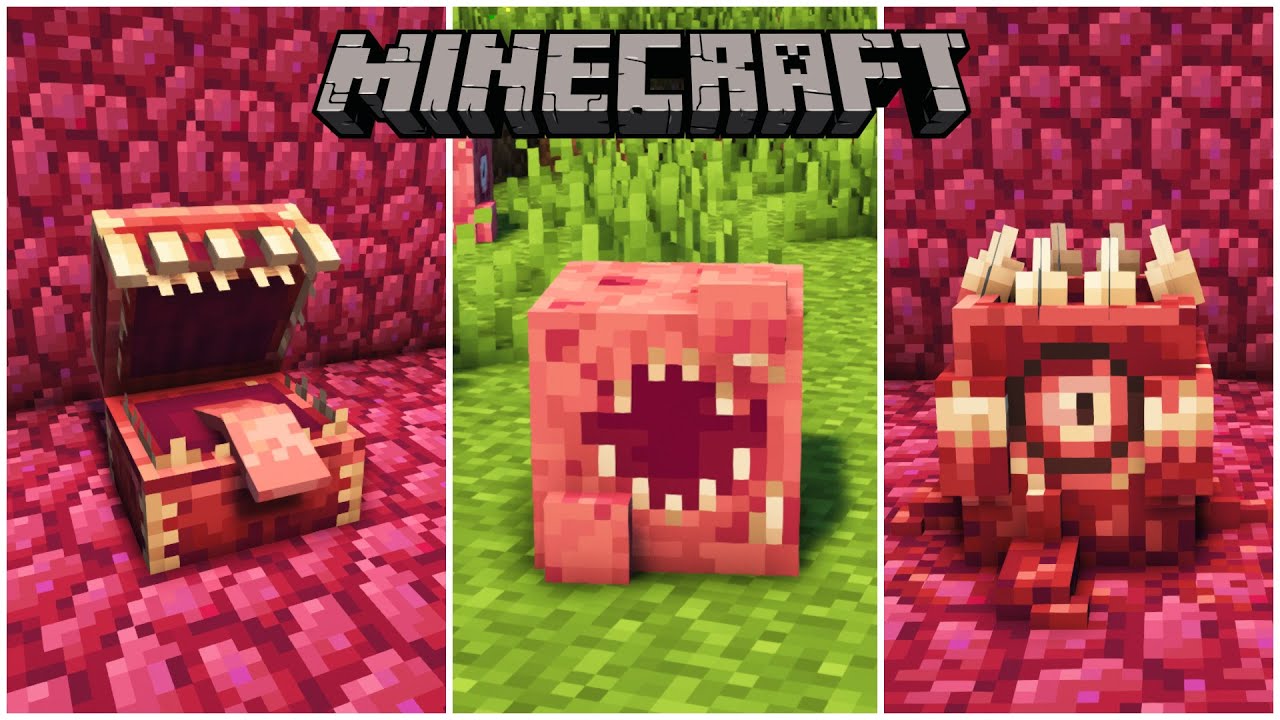
Like? 👆
🔎 Get your own Server.pro Server: https://server.pro/?ref=yorkmouse 🔍*
🥂 Gaming Channel:
https://www.youtube.com/c/yorkmouse
👾 Join my Discord: https://discord.gg/4frB48Y7Qf
🥽 Shader: https://www.curseforge.com/minecraft/customization/complementary-shaders
📄 Resourcepack: https://www.curseforge.com/minecraft/texture-packs/unity-dark-e...
raw crown
easier said than done
 manic terrace
It works in single player I could see stuff to craft like the totem block
tall hawk
did you check to make sure nothing in the questbook needs to be done to make it work?
raw crown
yes, everything is done that i could
silver hill
raw crown
easier said than done
what launcher are you using
you don't have the resources
i think you installed the modpack incorrectly
raw crown
im myself am using multimc but installed it over curseforge, everyone else on the server uses curseforge directly and it also doesnt work for them
weve already done and checked everything we could
mossy cometBOT
Luna Pixel's World Sharing
Our modpacks don't support any mods that add singleplayer hosting / world sharing because we already provide free world sharing. The "Essential" mod causes world corruption and other issues, and is therefore incompatible.
To share your world using our own world hosting, click the "Open to Lan" or "Share World" button in the game menu when in a singleplayer world, and share the world.
It will give you an address, like magma-cube.mc.lunapixel.gg, which your friends can use to connect directly to your world as if it were a server!
storm ginkgo
...
manic terrace
Weird someone posted this issue on V3 and then sharkie said fixed in V4
storm ginkgo
nope
past smelt
little basin
if u atk they still wont retaliate
yea maybe there's info on them on a wiki but idk what they are or what name they have.
past smelt
past smelt
btw does anyone know those skeletons with glowing eyes that doesn’t attack you?
anyone know what they are?
manic terrace
storm ginkgo
nope

GitHub
Describe the bug I think this is a bug but I'm not sure. I open the bioforge and it doesn't show the recipes on the side and won't let me put items in anything besides the space to feed...
 autumn mulch
past smelt
anyone know what they are?
autumn mulch
past smelt
anyone know what they are?
not sure but if you really want to know you could find one in a creative world and middle click for the egg 
manic terrace
For the time being you will want to disable/remove NERB & Recipe Essentials from the server & client side.
(I've known of the NERB incompatibility for a while and chose to ignore it until now because that performance mod breaks vanilla features and adding a correct workaround for this compatibility issue is non-trivial)
I will probably add a config option to force show all recipes on the bio-forge with the trade-off that there won't be no recipe unlocking/progression.``` hybrid scarabBOT
manic terrace
```A user on my discord Server made made me aware of this issue with the Fear Ni...
hybrid scarabBOT
manic terrace
```A user on my discord Server made made me aware of this issue with the Fear Ni...
Our modpacks don't support essential, please use e4mc instead or host a local server using the serverpack.
manic terrace
That was 4 days ago (from biomancy mod maker)
past smelt
autumn mulch
not sure but if you really want to know you could find one in a creative world a...
i dont know if im gonna see them again they appeared randomly right before nightfall and followed me home but just kept on watching me from a distance without attacking
also i managed to make peace with the cows
yipee
manic terrace
Basically biomancy uses the recipe book (the green one from vanilla) and that mod removes it so thus no recipes
little basin
raw crown
weve already done and checked everything we could
just to be sure have you used the decomposer?
little basin
manic terrace
```A user on my discord Server made made me aware of this issue with the Fear Ni...
this have been addressed and was fixed on v4 update
past smelt
btw i have been dealing with the cave dweller for too long now i shit myself everytime is there a way to counter that mf?
he can crawl through 1x1 and run faster than you there' no way to not die
raw crown
yes, i used it i also have all achievments and quests in order
autumn mulch
do these rainbow crystal caves not spawn mobs
past smelt
idk i think they do i got countered by 3 creepers but there was a normal cave close by so not sure if thats where they came from.
does fear nightfall have a wiki site?
past smelt
oh ok
 rigid quarry
is there any info on when the next major update (herobrine boss) will come out?
past smelt
..
autumn mulch
Then a cow fell from the sky
past smelt
on ur head or very close?
autumn mulch
Like next to me
autumn mulch
No
past smelt
the cow?
autumn mulch
It just fell and died
past smelt
is lava gonna keep bombing creepers away?
 lost bolt
Why sins's and other mod mob doesn't spawn in the overwold? 😱
 formal knot
why the hell do possessed cows place lava....
 ocean fossil
 steep iris
Is there a way to increase sanity?
I feel like I just progessively loose it and cannot figure out how to reverse the effect when it drops low enough
@iron fjord
 iron fjord
I would love to help you, but helpers are just players with more experience and i have never played this modpack
steep iris
can you ask around and see if any staffers have the answer?
I would really appreciate it
 floral scroll
From what I've seen floating around here, I believe standing on carpet and/or near a campfire slowly ups it
But I also have not played it
formal knot
steep iris
Thank you!
as i basically just found out eating bread/keeping hunger up is wisest for sanity,carrots and potatoes dont seem to do anything for sanity
steep iris
Ive been munchin on steak
Hunger helps but the carpet and campfire seem to be the first things I have found to actually make it rise
@iron fjord is there a suggestion place to give the devs feedback on the modpack?
formal knot
steep iris
Hunger helps but the carpet and campfire seem to be the first things I have foun...
great to know
how do you get rid of the pumpkin head man
iron fjord
steep iris
<@181660139340693505> is there a suggestion place to give the devs feedback on t...
probably just here, when devs are reading it
other than that theres ia #suggestions channel
steep iris
Is there a way in game to toggle the voice chat icon so that it isnt overlapping my sanity level?
 willow river
How does the sanity system work?
On v3..5 it feels incredibly weak
I thought it would drop down during the night
- Don’t Starve Together player
 tawdry chasm
how to setup voice chat
 vital nacelle
So i just figured out Atlases are kinda broken in shared single player worlds
For some reason my friends can't open them and whenever they try to open them it opens up my own
 half saffron
how do i mine cursed diamond?
 sand pine
When it is night i cant interact with any kind of block. That also includes breaking one or placing one. ¿Somone know what could be happening?
 idle fiber
No matter what I do
Creepers still manage to blow up a hole somewhere
It’s annoying
silver hill
or in a hole
 slender raptor
Wait what if just get enough obsidian to make a layer beneath my base
I’ll be safe from creepers
silver hill
yea that can work
 shut robin
Day 4
I have survived long
Still only one death
I scavenge during the day and hide during the night
humble girder
I've just got a moat of spikes covered in water. Trapdoors on the outer edge make mobs just walk into it and creepers that explode don't do any damage cause they are in water.
 potent flume
humble girder
I've just got a moat of spikes covered in water. Trapdoors on the outer edge mak...
potent flume
humble girder
I've just got a moat of spikes covered in water. Trapdoors on the outer edge mak...
I will be stealing this idea
humble girder
I'll be adding hoppers once I can find a few of those labs to steal them from.
shut robin
I walked out of my base one day and there was a sign with like a blood message
Spooky
humble girder
Anyone have any recommendations for getting Ender Pearls? Aside from getting lucky on a dungeon spawn they're remarkable difficult to find
steep iris
idle fiber
Creepers still manage to blow up a hole somewhere
Make a cobble wall in a wide perimiter around your base
And torch everything
steep iris
silver hill
or in a hole
Is there a way in game to toggle the voice chat icon so that it isnt overlapping my sanity level?
silver hill
steep iris
Is there a way in game to toggle the voice chat icon so that it isnt overlapping...
u should be able to in settings
or just remove the mod itself
 exotic niche
First load into the pack. i see it has the vr thing in it... so i decide to play it first try in VR, that...was not a good idea
humble girder
humble girder
Anyone have any recommendations for getting Ender Pearls? Aside from getting luc...
Like I don't think I've seen a single Enderman in the Overworld so far.
sand pine
sand pine
When it is night i cant interact with any kind of block. That also includes brea...
Someone?
 random bronze
🤣 🤣 🤣
 autumn mulch
humble girder
Anyone have any recommendations for getting Ender Pearls? Aside from getting luc...
autumn mulch
humble girder
Anyone have any recommendations for getting Ender Pearls? Aside from getting luc...
Piglin trade
 meager ice
Is there a way to disable PvP?
silver hill
meager ice
Is there a way to disable PvP?
in the server.properties
just like vanilla
meager ice
And how do i do that?
random bronze
meager ice
And how do i do that?
go to server.properties file scroll down till you see PVP and replace True with False and save file and restart program
shut robin
Who's down to play some Fear-Nightfall
Fresh world
I want the grand multiplayer experience
 stark meteor
Where to find slime balls?
silver hill
slimes
stark meteor
Fair enough, where to find them is my question..
Can't find them in swamps or the like.
 desert frigate
What is last boss in this map
silver hill
stark meteor
Fair enough, where to find them is my question..
slime chunks
stark meteor
Google isn't helpful regarding them... I simply have to check one by one which is extremely time consuming..
Do you have any better idea to find slimes or slime chunks?
silver hill
just exploring tbh
humble girder
stark meteor
Fair enough, where to find them is my question..
You can find slime chunks, go to Swamps during a full moon, and there's a few pre-gen caves with spawners in them.
half saffron
Does this modepack have malware Im reading a reddit post online and it says it does?
 mighty gorge
half saffron
Does this modepack have malware Im reading a reddit post online and it says it d...
mighty gorge
half saffron
Does this modepack have malware Im reading a reddit post online and it says it d...
it does not
why would it 😭
can you link the reddit post
half saffron
ya np
https://www.reddit.com/r/feedthebeast/comments/17fi76a/so_i_guess_the_modpacks_made_by_shxrkie_are_not/?share_id=UqDDGgitRY-PlftGv75Go&utm_content=2&utm_medium=ios_app&utm_name=ioscss&utm_source=share&utm_term=1 I think it should be this one

Reddit
Explore this post and more from the feedthebeast community
if Im wrong let me know thanks alot
!
silver hill
half saffron
if Im wrong let me know thanks alot
they're just spreading misinformation
it is safe yes
half saffron
Ok thanks alot for the info
nimble zodiac
he is so dramatic, im over it 🙄

also what da hell


and who is this supposed to be

and why is herobrine here so murky?
 half saffron
is anyone able to reroll enchantments
mighty gorge
nimble zodiac
and why is herobrine here so murky?
thats sharkie!!
 robust knoll
shut robin
Who's down to play some Fear-Nightfall
robust knoll
shut robin
Who's down to play some Fear-Nightfall
I am. Not right now but maybe later?
 dawn kernel
i am gona wait for v10
 cedar flower
the only reason is isnt in release state is because we need to remove the Leg Spike and waiting for more Atlas fixes.
silver hill
nimble zodiac
and who is this supposed to be
that's me!
go greet me
i won't do anything

silver hill
nimble zodiac
and why is herobrine here so murky?
that's sharkie!!
past smelt
COME ONN THEY UPDATED THE CAVE DWELLER TO BE BETTER
dawn kernel
cedar flower
the only reason is isnt in release state is because we need to remove the Leg Sp...
well i can agree that Leg Spike is overpowered becouse without enchantments its have 19 damage i think

 weak dirge
 silver vine
And why I can't pick it up
silver vine
And why I can't pick it up
too op
silver vine
ty
silver hill
obliterated soon™️
 dry wadi
so for dragon eggs, servers i feel need the ability to get multiple since the dragon egg backpack seems to be a very useful item to have when you fight herobrine, if its a quest reward for killing it instead of the diamond i think that could make it so you can get a max of 2 in survival and 1 on multiplayer
past smelt
@lethal jay is the blast furnace The one thats called crude?
 lethal jay
past smelt
<@544691977065594882> is the blast furnace The one thats called crude?
lethal jay
past smelt
<@544691977065594882> is the blast furnace The one thats called crude?
i believe so, just go for the one that has bricks of it!
similar to the coke oven
past smelt
dang.
lethal jay
make sure to get nether brick and magma blocks but you won't need to go too the nether for it
past smelt
NETHER time
lethal jay
nope~!
past smelt
what
lethal jay
just find a ruined nether protal everything you need is right there
past smelt
hmm..
lethal jay
you just need magma blocks
past smelt
Good idea.
lethal jay
which you can find in water ravines or just around ruined netherportals
past smelt
Yea.
lethal jay
you will find more than enough stuff to make the nether bricks, just make sure to get normal bricks too
 twilit dome
 idle fiber
Scury
nimble zodiac
Whats the benefit im messing with immersive engineering? Can I make an auto miner with it or something? Cause right now the only thing I need is material without strip mining
weak dirge
nimble zodiac
Whats the benefit im messing with immersive engineering? Can I make an auto mine...
invet in it
its pretty wroth
nimble zodiac
weak dirge
its pretty wroth
But what is there to gain from?
weak dirge
nimble zodiac
But what is there to gain from?
you can make steel, and uh some other stuff
idk what the amounts you can make is
BUT
there is a ton
 full kite
HOW DO STOP THEM FROM BREAKINF INTO MY BASE
weak dirge
full kite
HOW DO STOP THEM FROM BREAKINF INTO MY BASE
you dont :3
full kite
😔
I made my base and everything was fine I had spikes then they just MINE INTO MY BADE
BASE
nimble zodiac
What good is steel for?
full kite
weak dirge
mining zombies
Also I feel like the creepers just randomly blow up?
Im inside and they just blow up outside
weak dirge
full kite
Also I feel like the creepers just randomly blow up?
they do that
they are trying to get to you
nimble zodiac
So there is no purpose for tampering with immersive engineering 😔
full kite
weak dirge
they do that
THATS NOT FAIR
weak dirge
@lethal jay explain to Confessor what good immersive engineering is
weak dirge
full kite
THATS NOT FAIR
than either lower the chance in configs or disable it in configs
lethal jay
past smelt
Im making a new world i lost everything now
what happened?? xd
full kite
Just needs surround my base in water
lethal jay
nimble zodiac
So there is no purpose for tampering with immersive engineering 😔
just a few words
armor piercing rounds
flares
steel armor about as good as diamond
takes one coal coke per so it's pretty expendible and a easy direct upgrade to iron
nimble zodiac
Wait, immersive engineering adds guns?
lethal jay
as all gear is nearly directly comparable to diamond
lethal jay
nimble zodiac
Wait, immersive engineering adds guns?
it adds in one revolver, and one railgun
also also you are able to double your ores
idk if biomancy does the same but with this you most certainly can
nimble zodiac
Doesnt fortune already double ores?
weak dirge
nimble zodiac
Doesnt fortune already double ores?
double ores 100%
lethal jay
it does but it can take RAW iron ore and make it two iron dust and you can smelt it and get ingots
past smelt
lethal jay
what happened?? xd
uhm. so basicly suicide creeper 3x blew a TINY hole into my chest room very good and secured underground and i got swarmed by 7 creepers in my small hole.
weak dirge
fortune has chance to not double
lethal jay
past smelt
uhm. so basicly suicide creeper 3x blew a TINY hole into my chest room very good...
dear fuck
what the hell?? XD
lethal jay
past smelt
or undergrund?
sky base
lethal jay
nimble zodiac
So there is no purpose for tampering with immersive engineering 😔
OH ALSO- turrets
past smelt
76th is the charm ig..
lethal jay
past smelt
thats why im fucked
ok so get turrets from immersive engineering
that and get a whole like
group of people to survive with you XDD
past smelt
I CANT EVEN GET IRON WITHOUT GETTING BUTTFUCKED BY CAVE DWELLER.
lethal jay
past smelt
safe.
true
but like i said grab some friends i recommend at least 4 others
because imagine all four or five of you just going at it
getting wood all at once etc
stone and gathering food
and with the tree chopping mod one can get top one can get bottom and the tree will chop down much faster not to mention!!
if you get a gold pick it already comes with natural fortune 2!!
it only has like 32 durability bUT~!
you can use that and make some pretty cool stuff and get more resources too
past smelt
..
lethal jay
that is, if you wanna still play it more, if you don't obviously that's fine not many can take a defeat like that-
past smelt
U need one thing everybody has that i dont.
lethal jay
ay i don't ether so we in the same boat my guy XD
past smelt
nahh bro knew what i meant lmao
lethal jay
oh i know what you meant just saying i agree XDD
past smelt
I guess i could go Way more underground and Secure a base with lava trench and bamboo Walls.
past smelt
Oh fuck you
humble girder
lol
past smelt
What The fuck is that now.
humble girder
Some zombies spawn with pickaxes and can mine.
weak dirge
yerp
past smelt
.
full kite
I just got destroyed by them
humble girder
Best I've found so far is like 20 block tall walls with water running down them, and a water-logged spike moat.
lethal jay
honestly i still think the only way to really survive the modpack is if you get multiple people to work together XDD
there just doesn't feel like there's a way too survive or gather materials fast enough before shit fucks you over
humble girder
Creepers ignore walls when seeing if you're in range to damage, so if you make a six block gap between your work/living space and whatever defences you have it really cuts down on the explosions.
past smelt
lethal jay
there just doesn't feel like there's a way too survive or gather materials fast ...
And then u need it.
The thing we all dont have.
full kite
I haven’t even been able to get iron stuff
past smelt
full kite
I haven’t even been able to get iron stuff
Why
full kite
Because i build a base and then something happens which ruins everything and I never can
humble girder
You can get enough iron for a shield, bucket, and pick from the Butcher's Delight quests.
Caving is dangourous but with a shield, and a truely insane amount of torches is doable.
silver hill
humble girder
Caving is dangourous but with a shield, and a truely insane amount of torches is...
and guts, probably
full kite
Oh yes not to mention when I do go caving like a million things over run me
humble girder
The massive caves in the deepslate levels I'll admit to needing to cheat to get a foothold in.
'cause good gods its nuts.
lethal jay
this is just a real difficult balancing act between
nimble zodiac
lethal jay
OH ALSO- turrets
TUREETS?? SOLD
full kite
Maybe I should play in east and not hard mode 💀
lethal jay
nimble zodiac
TUREETS?? SOLD
the amount of iron you would need is freakin dumb though to get a proper set up going
keep in mind you need whole blocks of iron and steel just to get a proper set up
which is why crusher and proper power generation is a must
nimble zodiac
lethal jay
the amount of iron you would need is freakin dumb though to get a proper set up ...
Maaaaan I already struggle looking for iron
I want an auto miner machine
lethal jay
because again, you use fortune on iron, you get 6 raw iron, and then you put it through crusher, you get 12, and then you take that 12 and put it through some autocrafters/assimbly line to make armor piercing rounds
and then you just live on the surface completely unphased
lethal jay
nimble zodiac
I want an auto miner machine
there is XD
it takes a whole ass disael generator though
nimble zodiac
Whats it called?
lethal jay
it's a structure you build you can read up on it with the engineer's manual or watch video's about it
i think it's just called the excavator
also not to mention there's a hand held drill you can use too
Also hey wait isn't there already a way
To join others
 flat flax
!ws
mossy cometBOT
Luna Pixel's World Sharing
Our modpacks don't support any mods that add singleplayer hosting / world sharing because we already provide free world sharing. The "Essential" mod causes world corruption and other issues, and is therefore incompatible.
To share your world using our own world hosting, click the "Open to Lan" or "Share World" button in the game menu when in a singleplayer world, and share the world.
It will give you an address, like magma-cube.mc.lunapixel.gg, which your friends can use to connect directly to your world as if it were a server!
rigid quarry
hey is the newest version supposed to be functioning cus it keeps crashing while launching?

version 4 worked perfectly fine
weak dirge
rigid quarry
hey is the newest version supposed to be functioning cus it keeps crashing while...
!moreinfo
mossy cometBOT
Hello! For us to help you with your issue, you will need to answer all 8 questions below. Post the answers in this channel:
1. Have you modified the modpack in any way? If so, what did you do? (Updating/adding/removing mods, changing configs)
2. What launcher, or program, are you using to launch the game? (CurseForge, ATLauncher, etc)
3. What Minecraft version are you playing? (1.18.2, 1.16.5, 1.19.2)
4. What version of the modpack are you playing? (v11, v9, etc)
5. What steps are necessary to reproduce the crash? (Launching the game, exploring the world, etc)
6. Have you ever gotten past the point where the crash happens?
7. Send the crash report file into this channel. Right click the modpack, Open Folder, and navigate to the Crash Reports folder. Drag the newest one here. If there is no crash reports folder, do the same thing with the latest.log file in the logs folder.
8. Did you follow the Performance guide linked in #faq?
rigid quarry
- yes, added essentials
- curseforge
- 1.19.2
- V5
- launching the game
- no
- linked file
- not sure
weak dirge
rigid quarry
1. yes, added essentials
2. curseforge
3. 1.19.2
4. V5
5. launching the game
6. ...
remove essentials
and Latest.log please
not g
gz*
you dont need essentials
we already have a free alternative
!ws
mossy cometBOT
Luna Pixel's World Sharing
Our modpacks don't support any mods that add singleplayer hosting / world sharing because we already provide free world sharing. The "Essential" mod causes world corruption and other issues, and is therefore incompatible.
To share your world using our own world hosting, click the "Open to Lan" or "Share World" button in the game menu when in a singleplayer world, and share the world.
It will give you an address, like magma-cube.mc.lunapixel.gg, which your friends can use to connect directly to your world as if it were a server!
weak dirge
essentials causes world corruption
rigid quarry
okay
but if I've used it and I swap then will my friends still have their items and stuff?
weak dirge
rigid quarry
but if I've used it and I swap then will my friends still have their items and s...
its a world
rigid quarry
ok ok
rigid quarry
okay
weak dirge
eyah
 tidal cape
Is there an idea of how to get Server Files for v5? Curseforge isnt giving me the option at the moment
weak dirge
tidal cape
Is there an idea of how to get Server Files for v5? Curseforge isnt giving me th...
server files for fear nightfall havent been accepted yet by curseforge, they are exisitng just not approved for user download
tidal cape
Gotcha, any idea how long it can usually take?
weak dirge
tidal cape
Gotcha, any idea how long it can usually take?

maybe today in 2 mins
or tmmrw
 weak dirge

 gleaming wave
By any chance anyone know which is the backpack skill time configuration file?
rigid quarry
works now thank you Tamz ^^
weak dirge

silver hill
rigid quarry
hey is the newest version supposed to be functioning cus it keeps crashing while...
!ws
mossy cometBOT
Luna Pixel's World Sharing
Our modpacks don't support any mods that add singleplayer hosting / world sharing because we already provide free world sharing. The "Essential" mod causes world corruption and other issues, and is therefore incompatible.
To share your world using our own world hosting, click the "Open to Lan" or "Share World" button in the game menu when in a singleplayer world, and share the world.
It will give you an address, like magma-cube.mc.lunapixel.gg, which your friends can use to connect directly to your world as if it were a server!
weak dirge
silver hill
!ws
yeup gave em that already :3
silver hill
weak dirge
yeup gave em that already :3
oop
weak dirge
dw
 marsh path
hey, the page for the modpack said something about native vr support, was wondering how to get that working
silver hill
marsh path
hey, the page for the modpack said something about native vr support, was wonder...
check pins
 limber widget
a good way to defend my base from creepers?
weak dirge
obsidian
silver hill
limber widget
a good way to defend my base from creepers?
you don't
make it in the sky
sky or underground bases are the best for early game
limber widget
If I do it underground there are zombies with pickaxe that destroy everything
tidal cape
I did 2 block thick bases with a spike moat. then detached it from the ground to prevent miner zombies
limber widget
weak dirge
obsidian
Ye sure, early game
Do they break wood ?
Or other materials?
tidal cape
If i recall, i think they do
nimble zodiac
The nether is practically unplayable when my sanity drops by everything attacking me and if I fight back then those fear the dark monsters will spawn and wreck me
limber widget
tidal cape
If i recall, i think they do
I made 2 tests, they can't break anything if the block above is 4 blocks tall, so I can make an empty room under my base to prevent them from destroying my base
 kindred torrent
is anyone else having trouble joining servers or solo games and getting the error -1
limber widget
If I do a underground base
mighty gorge
kindred torrent
is anyone else having trouble joining servers or solo games and getting the erro...
!moreinfo
mossy cometBOT
Hello! For us to help you with your issue, you will need to answer all 8 questions below. Post the answers in this channel:
1. Have you modified the modpack in any way? If so, what did you do? (Updating/adding/removing mods, changing configs)
2. What launcher, or program, are you using to launch the game? (CurseForge, ATLauncher, etc)
3. What Minecraft version are you playing? (1.18.2, 1.16.5, 1.19.2)
4. What version of the modpack are you playing? (v11, v9, etc)
5. What steps are necessary to reproduce the crash? (Launching the game, exploring the world, etc)
6. Have you ever gotten past the point where the crash happens?
7. Send the crash report file into this channel. Right click the modpack, Open Folder, and navigate to the Crash Reports folder. Drag the newest one here. If there is no crash reports folder, do the same thing with the latest.log file in the logs folder.
8. Did you follow the Performance guide linked in #faq?
kindred torrent
mossy comet
Hello! For us to help you with your issue, you will need to answer **all 8 quest...
1:no
2: curseforge
3: forge 43.3
4: 4.5
5: joining any world
6: no
7:
8: no im new here
is this a common thing to happen
it wasnt happning lastnigt when iwas playing with friedns
weak dirge
kindred torrent
it wasnt happning lastnigt when iwas playing with friedns
what do you have
laptop or desktop?
kindred torrent
got it working my friend said it might be the audio libarry crashing
uninstaling and reinstaling the mod packen worked and i reverted version
weak dirge
kindred torrent
uninstaling and reinstaling the mod packen worked and i reverted version
voice chat tends you to throw you out of game for some reason
you can try disabling voice chat but you wont have voice chat

 mellow knoll
feor nightfull mod wack
kindred torrent
ill deal with it for the server
weak dirge
kindred torrent
ill deal with it for the server
weak dirge
kindred torrent
ill deal with it for the server
you didnt answer my question btw :3
 shy spear
does anyone have some good base style recommendations? rn im considering doing a hole in a cliffside but my partner is saying the enemies will mine into our base 😭
kindred torrent
oh desktop sorry
shy spear
we had a floating thing before but all the enemies huddled under the ladder in the shade
weak dirge
kindred torrent
oh desktop sorry
mind getting inside game and pressing f3 and taking a screenshot of all screen?

weak dirge
shy spear
does anyone have some good base style recommendations? rn im considering doing a...
check pins :3
shy spear
true :3 i just dont wanna do the glass house becuase its ugly :3333
 weak dirge
kindred torrent
weak dirge
kindred torrent
have you done ur driver updates? 
mighty gorge
same
 tame linden
hey i'm trying to play the modpack but i cant even launch the game, its instant crash i try curseforge, vanilla and ATLauncher and nothing work at all
mighty gorge
tame linden
hey i'm trying to play the modpack but i cant even launch the game, its instant ...
!moreinfo
mossy cometBOT
Hello! For us to help you with your issue, you will need to answer all 8 questions below. Post the answers in this channel:
1. Have you modified the modpack in any way? If so, what did you do? (Updating/adding/removing mods, changing configs)
2. What launcher, or program, are you using to launch the game? (CurseForge, ATLauncher, etc)
3. What Minecraft version are you playing? (1.18.2, 1.16.5, 1.19.2)
4. What version of the modpack are you playing? (v11, v9, etc)
5. What steps are necessary to reproduce the crash? (Launching the game, exploring the world, etc)
6. Have you ever gotten past the point where the crash happens?
7. Send the crash report file into this channel. Right click the modpack, Open Folder, and navigate to the Crash Reports folder. Drag the newest one here. If there is no crash reports folder, do the same thing with the latest.log file in the logs folder.
8. Did you follow the Performance guide linked in #faq?
tame linden
mighty gorge
!moreinfo
1 : no
2 : Curseforge
3 minecraft 1.19.2
4 : 5
5 launching the game
6 : no
7 :
8 :
weak dirge
tame linden
1 : no
2 : Curseforge
3 minecraft 1.19.2
4 : 5
5 launching the game
6 : no
7 :
...
!drivers
mossy cometBOT
You (likely) need to update your graphics drivers in order to resolve the crash. Here's how to go about doing that!
1. Identify your graphics card
if you already know skip to the next step
- Open task manager
- Navigate to the "Performance" tab (on Windows 11 this is the button that looks like a heart pulse)
- Press the GPU 0 graph and read your GPU from the top right
Note:
In some cases you may see a GPU 0 and GPU 1. This means your CPU has its own GPU, as well as an external one. You probably want GPU 1 (which is usually the external), but you can ask staff to clarify if necessary.
2. Download your drivers from the manufacturers site
Depending on what you read before, you likely need drivers from either AMD, Intel, or NVIDIA
AMD: https://www.amd.com/en/support
Intel: https://www.intel.com/content/www/us/en/download-center/home.html
NVIDIA: https://www.nvidia.com/Download/index.aspx?lang=en-us
Note:
- For NVIDIA you want to select "Game Ready Driver (GRD)" (this is the default option) for the best performance. Once installing you'd probably prefer downloading GeForce Experience, which will notify you when there's an available drivers update.
- For Intel, you probably want to press "Get Started" under the "Automatically update your drivers and software", which will simplify the process and update everything automatically
- For AMD you probably want to just press "Download Windows Drivers", which will download something called AMD Adrenaline, which will update your drivers automatically.
3. Run the installation, restart your computer, and try playing MC again
- At this point, hopefully your Minecraft is running. If it still does not work, please post any new logs and staff will help assist you with finding the right solution.
steep iris
Is there a reason that the fever dreams drop some claw item that you cant pick up?
Is that interaction locked behind some quest or is that just intended.
weak dirge
steep iris
Is there a reason that the fever dreams drop some claw item that you cant pick u...
its a sword thats insanely op
does 19 hearts of damage
and uh yeah
steep iris
Whats the sword called?
weak dirge
its supposed to be unable to be picked up
weak dirge
steep iris
Whats the sword called?
leg spike
weak dirge
steep iris
So why cant I pick it up?
cuz its op
flat flax
it's unbalanced, it's too strong, it's disabled
weak dirge
unless you go on an older version
steep iris
Well then why not remove the item from the modpack altogether
flat flax
you can't do that without removing the mod
steep iris
Its infuriating to have a leg spike that doesnt despawn floating on the ground
weak dirge
steep iris
Its infuriating to have a leg spike that doesnt despawn floating on the ground
fire/lava does the trick
flat flax
/kill @e[type=item]
steep iris
Still agrivating
weak dirge
steep iris
Still agrivating
i know
steep iris
Appreciate the quick response*
weak dirge
but you legally cannot change a mods insides without the dev/ mod creators response and distribute it
weak dirge
steep iris
Appreciate the quick response*
thats what we are good for :3
meager ice
Hey, any ideas why its not letting me change from v4.5 tov5?
meager ice
meager ice
Hey, any ideas why its not letting me change from v4.5 tov5?
Getting this error message
 weak dirge
meager ice
Getting this error message
weak dirge
meager ice
Getting this error message
!alternates
mossy cometBOT
If this command was run in response to your question/issue, it is likely because switching away from the launcher you are currently using would fix your problem.
From our experience, the most stable launcher by far is ATLauncher, also known as ATL.
To install ATLauncher, do the following:
1. Go to https://atlauncher.com/download
2. Install and run the setup, then open the program.
3. Login to your Microsoft account that owns the Java Edition of Minecraft from the Accounts tab on the right. This process is 100% safe, as it goes directly through Microsoft. ATLauncher does not see your account credentials.
4. Go to the Packs tab on the right, then click "Curseforge" on the left.
5. Search the modpack you wish to download.
6. Click "New Instance". Click "Ok" on the opted out mods warning, then click "Open All" on the manual download screen.
7. Let the mods download, ATLauncher will grab them from your Downloads folder and automatically add them to the modpack.
8. Go to the Instances tab, and click "Play" on the modpack you downloaded. If you ever see an "Update" button on the instance, click it.
To transfer your Curseforge world to ATLauncher, simply right click the modpack on Curseforge, or click the 3 dots, then click "Open Folder". Copy the Saves folder, then click "Open Folder" on ATLauncher and paste the Saves folder there.
Because ATLauncher downloads the exact same files as Curseforge does, your world will be the exact same and you will be able to join the same servers. ATLauncher also works without an internet connection (after you've installed the modpack, of course), and does not have any bloat from Overwolf. You are free to uninstall both Overwolf and Curseforge with ATLauncher installed.
cedar flower
steep iris
Its infuriating to have a leg spike that doesnt despawn floating on the ground
we are working on a mod to remove it, the proble is the way they made it, its made via MCreator
steep iris
Gotcha
steep iris
cedar flower
we are working on a mod to remove it, the proble is the way they made it, its ma...
Love the pack btw not sure who to give props to but its super challenging
tidal cape
Is anyone else not able to place a sign/Picture frame on chests?
kindred torrent
whats the best way to get qaurtz without going to the neather
tidal cape
Any good ways to increase sanity other than campfire?
tall hawk
 nova abyss
How do you craft book of shadows?
nova abyss
How do you craft book of shadows?
check REI.
tall hawk
tidal cape
Any good ways to increase sanity other than campfire?
few ways you can do so, don't get wet from the rain, campfires, torches, satisfying hunger, staying away from the mobs etc
tidal cape
tall hawk
few ways you can do so, don't get wet from the rain, campfires, torches, satisfy...
What do i do if im at 0 sanity and i lose more than i can gain with hunger/campfire
tall hawk
Are you high up in the air away from the mobs and sheltered?
nova abyss
What is rei
 polar coyote
Quick question, how do i keep the game from crashing when i open it?
weak dirge
polar coyote
Quick question, how do i keep the game from crashing when i open it?
you tell us why its crashing by doing this :p
polar coyote
nova abyss
What is rei
rei is basically the crafting book but better, it should be visible whenver you open a inventory
weak dirge
!moreinfo
mossy cometBOT
Hello! For us to help you with your issue, you will need to answer all 8 questions below. Post the answers in this channel:
1. Have you modified the modpack in any way? If so, what did you do? (Updating/adding/removing mods, changing configs)
2. What launcher, or program, are you using to launch the game? (CurseForge, ATLauncher, etc)
3. What Minecraft version are you playing? (1.18.2, 1.16.5, 1.19.2)
4. What version of the modpack are you playing? (v11, v9, etc)
5. What steps are necessary to reproduce the crash? (Launching the game, exploring the world, etc)
6. Have you ever gotten past the point where the crash happens?
7. Send the crash report file into this channel. Right click the modpack, Open Folder, and navigate to the Crash Reports folder. Drag the newest one here. If there is no crash reports folder, do the same thing with the latest.log file in the logs folder.
8. Did you follow the Performance guide linked in #faq?
polar coyote
- No 2. curse forge 3. 1.19.2 4. v5 5. launching the game 6. no 7. not sure how to find that 8. no
weak dirge
polar coyote
1. No 2. curse forge 3. 1.19.2 4. v5 5. launching the game 6. no 7. not sure how...
read 7 more closely
polar coyote
mossy cometBOT
You (likely) need to update your graphics drivers in order to resolve the crash. Here's how to go about doing that!
1. Identify your graphics card
if you already know skip to the next step
- Open task manager
- Navigate to the "Performance" tab (on Windows 11 this is the button that looks like a heart pulse)
- Press the GPU 0 graph and read your GPU from the top right
Note:
In some cases you may see a GPU 0 and GPU 1. This means your CPU has its own GPU, as well as an external one. You probably want GPU 1 (which is usually the external), but you can ask staff to clarify if necessary.
2. Download your drivers from the manufacturers site
Depending on what you read before, you likely need drivers from either AMD, Intel, or NVIDIA
AMD: https://www.amd.com/en/support
Intel: https://www.intel.com/content/www/us/en/download-center/home.html
NVIDIA: https://www.nvidia.com/Download/index.aspx?lang=en-us
Note:
- For NVIDIA you want to select "Game Ready Driver (GRD)" (this is the default option) for the best performance. Once installing you'd probably prefer downloading GeForce Experience, which will notify you when there's an available drivers update.
- For Intel, you probably want to press "Get Started" under the "Automatically update your drivers and software", which will simplify the process and update everything automatically
- For AMD you probably want to just press "Download Windows Drivers", which will download something called AMD Adrenaline, which will update your drivers automatically.
3. Run the installation, restart your computer, and try playing MC again
- At this point, hopefully your Minecraft is running. If it still does not work, please post any new logs and staff will help assist you with finding the right solution.
weak dirge
:3
 prime imp
got a problem with fear nightfall
i run it and the launcher closes then reopens like a second later with the message "Game Crashed Exit Code: 1"
i can not open it at all
and so far ive asked like 2 other people and they have no dang clue why it wont open cus every fix i try doesnt work
i get the exact same issue
 obtuse void
 silver hill
prime imp
i get the exact same issue
silver hill
prime imp
i get the exact same issue
!moreinfo
mossy cometBOT
Hello! For us to help you with your issue, you will need to answer all 8 questions below. Post the answers in this channel:
1. Have you modified the modpack in any way? If so, what did you do? (Updating/adding/removing mods, changing configs)
2. What launcher, or program, are you using to launch the game? (CurseForge, ATLauncher, etc)
3. What Minecraft version are you playing? (1.18.2, 1.16.5, 1.19.2)
4. What version of the modpack are you playing? (v11, v9, etc)
5. What steps are necessary to reproduce the crash? (Launching the game, exploring the world, etc)
6. Have you ever gotten past the point where the crash happens?
7. Send the crash report file into this channel. Right click the modpack, Open Folder, and navigate to the Crash Reports folder. Drag the newest one here. If there is no crash reports folder, do the same thing with the latest.log file in the logs folder.
8. Did you follow the Performance guide linked in #faq?
prime imp
I have not modified the modpack at all, i use CurseForge, im playing 1.19.2, V5/V4.5, Just launching my Game, and No i have not even BOOTED UP THE GAME cus it crashes INSTANTLY,
and these are the latest logs off Curse Forge
weak dirge
prime imp
and these are the latest logs off Curse Forge
!drivers
mossy cometBOT
You (likely) need to update your graphics drivers in order to resolve the crash. Here's how to go about doing that!
1. Identify your graphics card
if you already know skip to the next step
- Open task manager
- Navigate to the "Performance" tab (on Windows 11 this is the button that looks like a heart pulse)
- Press the GPU 0 graph and read your GPU from the top right
Note:
In some cases you may see a GPU 0 and GPU 1. This means your CPU has its own GPU, as well as an external one. You probably want GPU 1 (which is usually the external), but you can ask staff to clarify if necessary.
2. Download your drivers from the manufacturers site
Depending on what you read before, you likely need drivers from either AMD, Intel, or NVIDIA
AMD: https://www.amd.com/en/support
Intel: https://www.intel.com/content/www/us/en/download-center/home.html
NVIDIA: https://www.nvidia.com/Download/index.aspx?lang=en-us
Note:
- For NVIDIA you want to select "Game Ready Driver (GRD)" (this is the default option) for the best performance. Once installing you'd probably prefer downloading GeForce Experience, which will notify you when there's an available drivers update.
- For Intel, you probably want to press "Get Started" under the "Automatically update your drivers and software", which will simplify the process and update everything automatically
- For AMD you probably want to just press "Download Windows Drivers", which will download something called AMD Adrenaline, which will update your drivers automatically.
3. Run the installation, restart your computer, and try playing MC again
- At this point, hopefully your Minecraft is running. If it still does not work, please post any new logs and staff will help assist you with finding the right solution.
steep iris
Should add a mod for better storage
mossy cometBOT
 steep iris
no
 stray roost
is there a way to disable the 3d interactions with crafting table and furnaces?
its a bit annoying when trying to open the crafting table like as vanilla
silver hill
remove the immersive mc mod
stray roost
silver hill
remove the immersive mc mod
Thank You. God bless you.
prime imp
my GPU 0 Is a AMD Radeon
weak dirge
prime imp
my GPU 0 Is a AMD Radeon
follow the amd guide
prime imp
weak dirge
follow the amd guide
alright
weak dirge

weak dirge
prime imp
also just asking
are the shaders mandatory or can i just shut those off
cus shaders seem to absolutely tank my FPS
tall hawk
You can turn them off.
prime imp
weak dirge
<a:yes:878028157393969163>
okay trying to run it once again
weak dirge
prime imp
okay trying to run it once again
sure
prime imp
.....
weak dirge
what happened?
weak dirge
prime imp
i get an ERROR POP UP
send the log over
weak dirge
prime imp
I HAVE TO CLOSE in order to do anything
oh lord
prime imp
that says "This does Not Support OpenGL"
prime imp
weak dirge
laptop or desktop?
Laptop
an omen gaming laptop
and this is the ONLY modpack i have doing this
weak dirge
question than
prime imp
weak dirge
ah
not joking every other modpack ive used.... Prominence and stuff included work
weak dirge
does ur omen have a sticker somewhere on it with amd?
prime imp
No
oh wait
nvm it does
AMD "Ryzen 5000 Series"
also nvm
EVERY MODPACK I HAVE NOW GIVES THAT MESSAGE
weak dirge
prime imp
EVERY MODPACK I HAVE NOW GIVES THAT MESSAGE
wait wait we can fix on dwdw
weak dirge
prime imp
AMD "Ryzen 5000 Series"
just that or something else?
prime imp
weak dirge
does ur omen have a sticker somewhere on it with amd?
dude your stupid AMD update stuff just made that error pop up on EVERY MODPACK I HAVE NOW
and
AMD Radeon Graphics
thats it
weak dirge
prime imp
dude your stupid AMD update stuff just made that error pop up on EVERY MODPACK I...
amd is uh simply said weird with their drivers
did you make sure it’s 100% ur gpu that you got the drivers for?
notebook edition or anything like that
prime imp
weak dirge
did you make sure it’s 100% ur gpu that you got the drivers for?
Yes
those are my only stickers
and when i open task manager
it just says
"AMD Radeon"
nothing else
weak dirge
ye that’s the main gpu
weak dirge
hm?
prime imp
prime imp
AMD Ryzen 5 5600H with Radeon Graphics
now my GPU section on task manager says that
oh sorry
wrong section
that was CPU....GPU now reads
AMD Radeon RX 6600M
before it just read "AMD Radeon"
weak dirge
prime imp
AMD Radeon RX 6600M
ok that’s good cuz that’s ur gpu drivers working
it should have a name not just amd radeon
prime imp
also
weak dirge
prime imp
oh sorry
dw
prime imp
my GPU
weak dirge
mhm?
prime imp
is sitting at a perfect 0
and its colder now
my GPU was before sitting at 59 degrees
now its 46 Degrees
weak dirge
win..?
tall hawk
that's a good thing, not a bad thing 🙂
prime imp
but still
weak dirge
prime imp
and my GPU sat always at 13%
without drivers it chugs
prime imp
none of my minecraft mod packs work
weak dirge
uhhh i’m not too sure if amd has the same thing as nvidia
prime imp
all of them give me that error pop up that i have to close or i cant do anything saying
"Doesnt Support OpenGL"
weak dirge
prime imp
none of my minecraft mod packs work
i am pretty sure it’s due to minecraft using just ur CPU integrated graphics than ur gpu
prime imp
weak dirge
i am pretty sure it’s due to minecraft using just ur CPU integrated graphics tha...
how do i fix that?
weak dirge
prime imp
how do i fix that?
i’ll find a fix rn for that tbh
i usally deal with nvidia/ gtx rtx cards
prime imp
cus without a fix
i can not use any of my modpacks
any of them
idk if it affected modrinth
but all of my curse forge modpacks bring up that error
weak dirge
prime imp
but all of my curse forge modpacks bring up that error
yeah modrinth will do the same most likely
here try this
tall hawk
raedon is a brat from my experience
 tall hawk
googling thins uno momento, keeping an eye on the chat here as things change
weak dirge
i’m not on le pc so can’t work too goodie
weak dirge
tall hawk
googling thins uno momento, keeping an eye on the chat here as things change
sure
thanks
prime imp
weak dirge
https://www.amd.com/en/support/kb/faq/dh-024
uhm issue
when i right click i get no such
AMD radeon settings ANYWHERE
weak dirge
prime imp
when i right click i get no such
ok you will need to install that software than
weird that laptop wasn’t preinstalled with that
prime imp
only thing i have is
for Radeon is
AMD Software "Adrenalin Edition"
thats the only AMD thing i have on this rn
weak dirge
prime imp
thats the only AMD thing i have on this rn
that’s the one
if it’s that one and updated use this guide
whichever one seems to be the right one use
silver vine
Do tarot cards degrade?
full kite
will going insane do anything bad, like explosions or spawn something thatll kill me repeatedly if im insane in my base
cuz im curios but i dont wanna ruin my run
weak dirge
full kite
cuz im curios but i dont wanna ruin my run
they spawn shulkers and enemies
weak dirge

tall hawk
I wanna bite the idiots who put together your laptop
full kite
weak dirge
they spawn shulkers and enemies
do they go away when i get killed
weak dirge
tall hawk
I wanna bite the idiots who put together your laptop
agreed
prime imp
the sections i have on this are
weak dirge
prime imp
anywhere on this
could you screenshot the thing you see atm?
tall hawk
any mobs that hit you before death will despawn
weak dirge
window shift s
 weak dirge

prime imp
That is all I see
tall hawk
go to audio and video
prime imp
alright in that section
tall hawk
I will be honest, not touched amd's stuff, so screenies will be beneficial
 tall hawk
just following what looks right and hoping it works
weak dirge
no that’s not the place
prime imp
also tamz
weak dirge
god damn amd
tall hawk
maybe try updating the amd app?
weak dirge
prime imp
also tamz
ye
prime imp
just tested out modrinth to see what it would do
weak dirge
prime imp
just tested out modrinth to see what it would do
same thing?
weak dirge
tall hawk
askfjaljdfalsjdf -slaps amd to the hills-
weak dirge
well
prime imp
op
weak dirge
curseforge is a bitch
tall hawk
try atlauncher?
weak dirge
weak dirge
prime imp
IT WORKED FOR LIKE FIVE SECONDS
send uh
prime imp
and i got that openGL message again
tall hawk
is this occuring with vanilla mc too?
prime imp
no idea
ill try tho
however at this rate
i might just go to bed and try to resolve it in the morning
tall hawk
yeah, when you get the chance make sure to update that amd software of yours to see if maybe that fixes the lack of graphics tab
prime imp
tall hawk
yeah, when you get the chance make sure to update that amd software of yours to ...
and vanilla minecraft.....
SAME THING
minecraft entirely will not work
i just checked everything else
my steam games work fine,
tall hawk
 I swear amd, what is wrong with ya'll and opengl???
tall hawk
not everything runs on opengl, but ones like minecraft it's super important.
 patent crow
is it bad that i never had java installed and been playing mods for 2 months without realizing it
prime imp
tall hawk
<:nagiFeelers:1082437786461810808> I swear amd, what is wrong with ya'll and ope...
also
i just checked
this thing
the AMD software thing
IS UP TO DATE
that is its up to date bull
cus it says
on the little thing under the version
Update Released "8/24/2023"
weak dirge
prime imp
**IS UP TO DATE**
yeah it’s up to date but weird thing is i’ve never seen such an update version before
one second
23.q3.1
prime imp
my version is
weak dirge
prime imp
Update Released "8/24/2023"
how much time do you have on ur hands atm?
prime imp
weak dirge
23.q3.1
THE EXACT SAME
weak dirge
prime imp
THE EXACT SAME
yeah
prime imp
THAT IS THE SAME VERSION THIS IS
weak dirge
weak dirge
how much time do you have on ur hands atm?
^?
if not a lot we can try tmmrw
tall hawk
maybe the one in the screenshot is an older version of the software?
weak dirge
if you want we can try one more shot
prime imp
weak dirge
how much time do you have on ur hands atm?
also about 8 minutes before i decide to head butt a wall and then knock myself out
weak dirge
prime imp
also about 8 minutes before i decide to head butt a wall and then knock myself o...
ok last shot before we just decide sleeping time
prime imp
weak dirge
if you want we can try one more shot
and sure one more attempt before i try to eat my dry wall
weak dirge
me too
tmmrw i’ll figure a hell of a way out to see why it’s running ur igpu
and not gpu
since you don’t even have an igpu
if you have an igpu you would have 2 gpu
not 1
prime imp
so thats the problem
weak dirge
yeah
prime imp
minecraft is trying to run a GPU that DOESNT EXIST