
#Every single texture in stonezone/woodgood broke after the latest moonlight update
195 messages · Page 1 of 1 (latest)
 candid sinew
meant to use this image woops


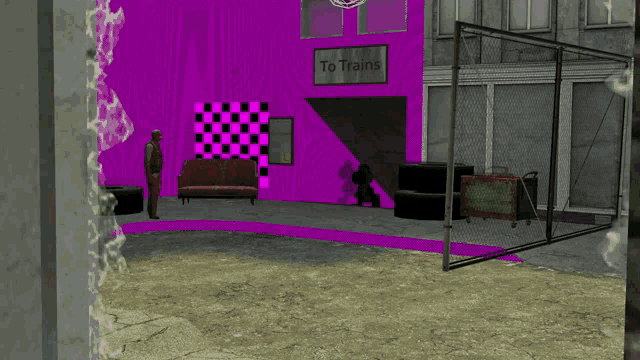
summoning @unkempt badge (sorry for the ping)
and @vapid acorn also sorry for the ping
 unkempt badge

 plush dagger
Same here, can't even get the modpack to boot past the red screen before it crashes out
unkempt badge
then its not the same
if you get a crash definitely a different issue than whatevr this is
plush dagger
Yeah I got a report back in my thread
unkempt badge
send log
 vapid acorn
@plush dagger are u using the latest version of StoneZone?
plush dagger
Yes
vapid acorn
randomly pick one and show me the ID of that block? that's a lot of blocks.
or you can tell me which Stone Mods
unkempt badge
@vapid acorn clearly something went wrong. Any idea where to start looking?
vapid acorn
i have a few guesses.
@plush dagger Just one last check, is EveryComp and Moonlight up to date, too?

 vapid acorn
Do u have other stone mods (Strata, Quark, any mod that add a new variant of stone)
@plush dagger
like MehVahdJukaar said "send log"
you can use https://mclo.gs/ to share the log so downloading it is not necessary.
unkempt badge
Trying to see if it happens on its own or if there's some mod whose module or something causes this
plush dagger
unkempt badge
Trying to see if it happens on its own or if there's some mod whose module or so...
Hang on I'm tryin' it
plush dagger
unkempt badge
Trying to see if it happens on its own or if there's some mod whose module or so...
vapid acorn
@plush dagger MehVahdJukaar is right. you gotta find out which one of supported Mods (StoneZone) is the culprit.
disable them and enable them one by one until you got the one causing the crash
plush dagger
What are you asking me? Find what stone mod is Stone Zone having trouble with?
vapid acorn
- I am asking you which stone mod, you can just hover over theese missing texture blocks to see "StoneType: ????"
- I neeed to know which supported mod that is causing the problem, so i can try reproduce with the stone mod on my side
- if 1) don't work, then you can just get me an ID of the block, so i can figure out which stone mod is it
plush dagger
I mean it just crashes my pack when I have Stone Zone in, I can't tell you what blocks are fucked bc my pack won't load with it included
vapid acorn
ok can you disable all of supported Mods:
- Twigs
- Create
- Stoneworks
- Quark
- Rechiseled
- Building But Better
just StoneZone and one of enabled mods above
if your minecraft launched fine. then enable another one, until you got the crash
 latent hornet
I have same issue with Every Compat
 vapid acorn
ok. i am trying to find out what's the cause
hmm let me check
oh crap!
guys, try downgrade your Moonlight Lib to v2.13.42
latent hornet
vapid acorn
guys, try downgrade your Moonlight Lib to **v2.13.42**
Done it, with amendments too. Fixed 👍
vapid acorn
I just remembered that MehVadJukaar said he haven't uploaded the newer version of Moonlight Lib, and clearly he did.
i told him that i am going to do some testing to make sure it's working properly.
@unkempt badge ☝️ 🤦♂️ found the cause
the problem is in moonlight lib. I told you i am going to run test on the Moonlight to ensure it's working properly. Otherwise we wouldn't have reports of issue like above. with missing textures.
@plush dagger forget what i said.. and downgrade Moonlight lib
let me know if your minecraft launched without any problem
plush dagger
Downgrade to what vers.?
vapid acorn
Downgrade to Moonlight v2.13.42, there are issues with 2.13.43
you could look at the changelog of v2.13.43, you can see why.
 vapid acorn
ok can you disable all of supported Mods:
- Twigs
- Create
- Stoneworks
- Quark...
vapid acorn
vapid acorn
ok can you disable all of supported Mods:
- Twigs
- Create
- Stoneworks
- Quark...
ok do this ☝️
if you have any of these supported mods, disable them. try launch. if you have no problem, then the problem is in StoneZone.
otherwise the problem is in EveryCompat. it's not easy to pinpoint the cause
hm after looking at the latest.log
@plush dagger try disable Tetra
plush dagger
vapid acorn
ok can you disable all of supported Mods:
- Twigs
- Create
- Stoneworks
- Quark...
https://mclo.gs/CDz970F With all these mods disabled but Tetra still online
https://mclo.gs/EI6mXKq With all these mods disabled but Tetra now offline
 vapid acorn
yea same error that point at Tetra, you need to disable it. that should be the culprit
plush dagger
Tetra is disabled
vapid acorn
oh i don't see that.
let me check the latest.log
ok enable Create
if you had it disabled, it's required
plush dagger
 plush dagger
 vapid acorn
did it launched?
plush dagger
Only to here
 vapid acorn
candid sinew
vapid acorn
candid sinew
hmm. is your moonlight Lib v2.13.42, if yes. then try use v2.13.43
keep in mind, the problem with that latest verison is the texture generation ☝️
oh sorry Looxond, don't meant to ping you. just need to use your image as a reference
plush dagger
Retrying...
vapid acorn
and the result is?


 vapid acorn
i see. if you can do more testing.
enable tetra.. and that should be the culprit that cause the crash.
once you got the crash. use Crash-report and latest.log to report the problem to Dev of tetra
if you got texture problem with EveryCompat and StoneZone, you will need to downgrade
- Moonlight Lib v2.13.42
If you got crash because of downgrading Moonlight Lib, then you'll need to downgrade Amendments to the previous version
plush dagger
Yeap

 vapid acorn
plush dagger
vapid acorn
plush dagger
ok did you downgrade Moonlight Lib?
plush dagger
yes
vapid acorn
alright.
plush dagger
unkempt badge
plush dagger
https://mclo.gs/cNWbTZ3
@vapid acorn related to this, issue is there is a block that is not usin copy property safe
the issue from the crash comes from AbyssalineBlock stone type, a block which naturally has a ligt level property and light level function. when all properties are copied this func is copied over thanks to mojang questionable code in properties and so the inheriding stone block gets that too and crashes as it doesn not have that blockstate property
this is why the copyPropertySafe should be used as it gets rid of that
as for the original issue from this thread, which aparently got hijacked i dont know yet
vapid acorn
so that's how it is.
unkempt badge
all the rechiseled blocks dont use that
 vapid acorn
yea i am going to fix it
🤦♂️
ok i remember now why
leave it to me, i need to create a new method for that
unkempt badge
i have already fixed that part
vapid acorn
no you haven't!
🤦♂️
FYI, it wasn't using Mincraft's properties copy.. RechiseledBlock have its own properties copy method.
 plush dagger
Abyssaline? Like that one block from Architects Palette?
vapid acorn
it's a StoneType sigh
i am starving and need to get my lunch. i'll be back to fix the bugs in StoneZone and EveryCompat.
unkempt badge
vapid acorn
no you haven't!
hmm
maybe i didnt push?
hm
yeah i did here

ah
should be ignored then
whatever that does the copy safe is aleady copying over all the safe ones that can be copued. my gues its just a less strict version of ours. basically added for same reason too
vapid acorn
unkempt badge
maybe i didnt push?
i pulled. and saw the changed code
I need to create a custom block class that use minceraft's properties. so we can use Utils.copySafe()
it's the best way to fix the problem
 unkempt badge
ah
vapid acorn
that's what i am trying to point out is that Rechiseled has it own properties, NOT minecraft's
 vapid acorn
unkempt badge
the issue from the crash comes from AbyssalineBlock stone type, a block which na...
vapid acorn
unkempt badge
the issue from the crash comes from AbyssalineBlock stone type, a block which na...
that's why i used that instead of Minecraft's
but i do not realize it has some problems until you pointed out ☝️
unkempt badge
well very weird. you got to nuke anything that touches BlockStates. all FUnctions and Suppliers that have BLockState
vapid acorn
unkempt badge
prob failed import
weird. why is your IDE behaving like that
unkempt badge
so just map color and light level from the looks
vapid acorn
alright. or i can create a custom BlockProperties method.
that will copy the properties from stone safely without crashing
just so you know:
I'm currently working on:
- hacky model files stuff
- EveryCompat's ANother Furniture & Regions Unexplored's Brimwood
- StoneType's Rechiseled (we currently discussed this ☝️ )
and after that, i'll run some test with the updated Moonlight lib regarding the mcmeta stuff
unkempt badge
any issue i shoud check out?
vapid acorn
latent hornet
I have same issue with Every Compat
if you could run test with Moonlight lib. one of the guy ☝️ has the problem with moonlight Lib, i told him to downgrade moonlight and he said it fixed the problem
we need to make sure Moonlight lib is not causing the problem with texture generation.
unkempt badge
hm what did i change recently
theres probably something thrown at somepoint and subsequent operations are never called
unkempt badge
candid sinew
meant to use this image woops
can you send log from that?
candid sinew
sure
unkempt badge
changing EC stuff is like performing a open heart operation
vapid acorn
unkempt badge
hm what did i change recently <:waah:1088569112436944986>
that's why i told you i will run test to make sure it's working properly. but you ended up uploading it to Curseforge 😭
and i fixed the rechiseled problem. done
unkempt badge
million od different delicate components
vapid acorn
and it has Utils.copySafe(),
unkempt badge
full of caveats
unkempt badge
vapid acorn
that's why i told you i will run test to make sure it's working properly. but yo...
i uploaded it for a diff reason
thats why, i forgot change was there
vapid acorn
 unkempt badge
vapid acorn
unkempt badge
vapid acorn
you could also keep same class and just make a new function that copies chilseled properties in a safe manner
vapid acorn
i've tried that. it's not that simple. the custom class block is much smaller and simpler.
just need to change this:
 unkempt badge
alright
vapid acorn
from BlockProperties to Properties (of Minecraft). the BaseBlock has another method that use Minecraft's properties
candid sinew
unkempt badge
can you send log from that?
here u go https://mclo.gs/o9pwpGS
also this seems to affect woodgood too


vapid acorn
yea i am surprised
lot of
[17:14:51] [Render thread/WARN] [Every Compat/]: Could not generate texture stonezone:block/c/quark/palettes/stone_types/cut/permafrost_cut
[17:14:51] [Render thread/ERROR] [Every Compat/]: Failed to generate texture stonezone:block/c/supplementaries/palettes/stone_types/cut/ash_cut: java.lang.NullPointerException: Cannot invoke
that's the problem. hmm. NullPointerException....
candid sinew
Every single texture in stonezone/woodgood broke after the latest moonlight update
vapid acorn
this is why
"net.minecraft.client.resources.metadata.animation.AnimationMetadataSection.m_174861_(net.minecraft.client.resources.metadata.animation.AnimationMetadataSection$FrameOutput)" because "this.animation" is null
@unkempt badge ☝️
@candid sinew if you want to play Minecraft. you can downgrade Moonlight Lib v2.13.42 for now.
vapid acorn
ok brb. i gotta walk my dogs
candid sinew
unkempt badge
@latent hornet@plush dagger@jaunty sable im kinda doing something rn, if you guys have some time to spare, give this one a shot
candid sinew
unkempt badge
@unkempt schooner you too
 unkempt schooner
yep.
plush dagger
Thanks Meh
 jaunty sable
I'll go give it a test, thank you!
is that a different version than the one that's currently available on curse forge (despite having the same filename)?
I downloaded the one you posted, as I assumed that they were different.
The textures were able to load using the file you provided
unkempt badge
nice
 stone wagon
unkempt badge
stone wagon
unkempt badge
legend tysm this works
unkempt badge
ty for testin
unkempt schooner
unkempt badge
ty for testin
your gonna upload that version?
unkempt badge
already on
jaunty sable
You're amazing! Thank you so much for this ❤️
ruh-roh, I removed the file that you provided and downloaded the newest file from Curseforge. (I run a server and we all use the curseforge client so having all the files from there has always been easier. I'm rather new to modding).
When I rebooted the game with the Moonlight Lib file from Curseforge, the textures stopped loading.
unkempt badge
uhmmm
jaunty sable
It appears I may have jumped the gun and still downloaded the old one. I swear I'm not impatient, lol, I was just trying to be on top of things. Sorry about that.
I just updated again and am testing it
unkempt badge
check its the new version name
jaunty sable
It was the old version name, the error was on my end. mb
vapid acorn
👍 alirght, i can focus on other bugs.
plush dagger
unkempt badge
the fix for that isnt live yet
plush dagger
Hell
candid sinew
yep this seems to be fixed in the latest version
layered stone types are still broken as well as myalite
blame create and quark
marking this as solved
plush dagger
vapid acorn
plush dagger
https://mclo.gs/aAM4Jlj
the cause is Rechiseled Module in StoneZone, it's already fixed.
i'm currently cleaning up the codes on the hacky codes
plush dagger
Yuo got this too?
 vapid acorn
can i get the ID of these blocks with the missing texture.


 vapid acorn
ok is the Moonlight Lib up to date?
plush dagger
Yes, freshly updated!