#fallout-4-mods
1 messages · Page 7 of 1
 hot berry
And clarifying - I’m using the Infinite Armory replacer mod, so his squad mates are the Halo gear, and Danse is still in his power armor with hands showing.
I can confirm, after heading to Atom Cat garage, and finding the Gunners, I found a gunner in Power armor, with the replacer activated, and he has his hands.
Thank you for you help. Very much appreciated.
 zinc hare
You're welcome.
Cheat Terminal is cool but it probably should just be used to evaluate if level lists have filled.
 severe vigil
Yeah that worked.
Thanks a ton my dude
hot berry
The Revamps for certain weapon mods, such as Service Rifle and Springfield M1A, even though they are revamps from the original mods, will the replacers still work for them?
 hot linden
I’m seeing on here that “clarity” conflicts with “PRP lite” in that case, would it also conflict with a mod like “GFXWL w/o color saturation” as well?
zinc hare
Can you provide a link? Clarity conflicts because it updates the cell headers and you can only touch a cell with rebuilt precombines/timestamps once per load order. If the other mod is only touching the imagespaces, it will conflict with weather/lighting mods and will need a patch or you can place it below the weather mod to override the imagespace if it doesn't contain weather records.
hot linden
zinc hare
Can you provide a link? Clarity conflicts because it updates the cell headers an...
Bethesda.net
The official site for Bethesda, publisher of Fallout, DOOM, Dishonored, Skyrim, Wolfenstein, The Elder Scrolls, more. Your source for news, features & community.
GFXWL is a list of ini tweaks, to help improve fps.
I’ve tested it out with my current LO and there’s still a few crashes in certain locations in downtown.
zinc hare
If you're using SKK's Fast Start New Game there might be a bit of an issue because it removes the tutorial messages. But other than that it's just a visual mod. The volumetric settings might be redundant for Xbox. They're already crap looking. Can't imagine them looking worse. >_>
hot berry
So I’m using the Third Person Camera Animation, to make your animations more tactical. Everytime I use it, the target reticle is slightly off. When I aim for their head, I completely miss. But if I aim slightly to the right, clearly not aiming at them, I shoot them. What’s the proper settings to get this to function properly. And yes, I’m using False, not True.
zinc hare
You set the settings with the holotape. You'll need to reset the settings each time you enter the save. SetINIBool, the papyrus function the mod uses, resets to 0 each session. The camera settings don't bake into the save.
Save the chem to favorites.
hot berry
I’m on Xbox though, not PC. I can still do this?
zinc hare
It's been a while since I used the mod, but you should be able to unless the last official update removed SetINIBool and turned it to a completely debug function.
Also if you're on Xbox, you can upload to onedrive and share the link that way instead of sharing your TV. 😉
hot berry
I’m in the settings, I don’t see anything that say Set|N|Bool. I reset everything that was available to default, and still can’t get the targeting right, I’m clearly doing something wrong - I’m not mod-savvy. And I’ve never used OneDrive before - don’t know what it is, I’ll stick to recording how I’m doing it until I research about OneDrive. Again - I apologize if this is information I should already know. 😔
zinc hare
OH. I'm so sorry. I was talking about the scripting with that. That isn't anything you'd be able to see in the settings. The setting you do see should start with the letter f.
With the settings, you've got to play with them until you get them to how you want them. All the chem is doing is turning off the default settings so you can create your own camera experience. Write down the values so you can reset them each session. A guy that used to post in the Bethesda forums had them lined up in the exact middle of the screen and I used the mod to create my own ini edits to do a Isometric POV third person mod for myself (because I got tired of having to reset the setting each time). If you turn off the crosshair, it makes thing easier to line up.
hot berry
Oh, that’s too a lot… 😔 I’m just gonna have to abandon this
It’s unfortunate- there’s so many mods for this camera, but if I can’t get the camera to work to hit my targets, it’s meaningless.
zinc hare
If the scripting saved those settings to the save file, it would make it much easier, but they don't.
hot berry
Thank you for the help nonetheless.
zinc hare
You're welcome. Also, that's a scripted mod, so make sure if you remove it to start a new character.
hot berry
😔 I don’t know what that means. Lemme know the bad news…
zinc hare
Mods cannot be removed mid-play without causing game bugs, strange behaviors, or breaking things under the hood you might not see until deep in the playthrough. Testing is fine, just test a throw away character, delete the saves and delete the mod. That one might damage the camera settings completely if you remove and return to the save.
hot berry
Even if I never saved my game with the mod downloaded?
zinc hare
If you haven't it should be fine but if you made an exit save or auto save, you'll need to remove those and remove the mod.
hot berry
Oh no, I didn’t. There’s a trick I do, where I bring up the pipboy, then exit game, and it won’t auto save.
I never saved at all during testing this
hot berry
Whew. Thx!
Oh offtopic…
Revamp mods for weapons, such as the Service Rifle, will replacers work for the revamped version of the mod?
zinc hare
I'm not sure why there are replacers if you're downloading a mod that's designed to look like a specific weapon anyway. That doesn't seem logical. What are they replacing and why?
Seems like a lot of space to waste if it's just changing the look. We've only got 2GB.
And if there's another weapon that looks like it, just use the other mod.
hot berry
Oh, it’s so NPCs can use the weapon as well.
Not all weapon mods are built into the leveled lists for other factions.
I use a mod for the Minutemen to use the Service Rifle instead of randomness they use.
zinc hare
Ah. I see. When I think 'replacer', I think the model is replaced.
hot berry
I don’t like the vanilla weapons in the game. So I download weapons I liked and use replacers to replace the vanilla weapons in the world.
zinc hare
Or someone was an idiot and uploaded an actual replacer patch, which will cause Operation Not Completed errors if you download it.
hot berry
Ouch
zinc hare
You'll need to ask whomever uploaded the revamped versions if they use the same FormIDs, file paths, and same name of the original, or if it was rebuilt from scratch and uses different paths, formIDs and a different name as the original. If they did not take into consideration older patches when they were revamping everything (and why should they have to if the patches aren't theirs?), then they might not work. But double check with whomever made them.
 lucid minnow
@dapper holly @errant cedar @hollow ice @steady badger @fast breach @cyan swallow
I've updated the Holotape of Quest-Fixing (XBox and PS4/PS5) to include potential fixes to the quests you reported you had issues with:
"Human Error", "The Lost Patrol", "Trade Craft", "Institutionalized", Misc quest objective "Talk to Jack Cabot about the Artifact", and "Greenskins".
Let me know if you're now able to progress your quests, and if so, enjoy!
For others who have requested fixes, those are still in the queue, so sit tight (adding these with PS4/PS5 compatibility is a time-consuming task, but I'm back to burning down the queue).
hot berry
Gotcha. Thx again.
hot berry
Having an issue since I uninstalled the Third Person Camera config. Even on a brand new save, a brand new character without the mod downloaded, I can’t hit my targets in the head in 3rd person. Only when I aim to the right, not looking at them. How do I fix this?! Please advise.
zinc hare
Even when aiming down sights?
hot berry
Yeah
I just hard reset my system to see if it works
Similar people I’ve researched have had this issue, but on PC, they can issue commands and fix it. Im on Xbox.
zinc hare
When you go to a barber is the camera working properly?
hot berry
Haven’t tried yet, I’m starting a new game at the moment
zinc hare
Did you turn the camera settings to false before uninstalling it or did you leave the game settings the way they were?
hot berry
I believe I set it to True, because True was the default settings it said. Then I uninstalled it from the game, then the mod selections
zinc hare
You've gotta turn timescale back to normal if you uninstall a mod that affects it too.
hot berry
I don’t know what that means 😔
zinc hare
If you derp around with timescale with a mod, the game setting stick. You have to force the timescale back to normal before uninstalling or you have reinstall the game to fix the game settings.
Looks like the same is true for camera but I don't remember having the issue when I used the mod last.
zinc hare
I have ADHD and had two thoughts at once. Wrote them both down.
Anyway, camera settings might stick. Try reinstalling and set the camera settings to false to attempt to turn it off. Then uninstall and start a new character. Delete any saves where the mod is installed.
If that doesn't work, look at your animation mods and make sure they haven't derped with the camera settings. The video you posted earlier was already pretty derp. that might have been an animation mod.
Without knowing what all you're using, all I can do is make guesses.
hot berry
Alright, I have no animation mods currently installed.
All saves involving mods have been deleted
My save WITHOUT mods, my main playthrough, was not affected
zinc hare
Did you clear your cache after uninstalling?
hot berry
Oh, one sec
zinc hare
Do a full power cycle and wait 20 minutes.
Then plug everything back in again.
Drain the motherboard battery.
hot berry
20 minutes?!
zinc hare
Which Xbox are you on?
hot berry
Series X
hot berry
All this… for one mod… breaking my aim in the game…
zinc hare
Nah. You've gotta refresh the cache for uninstalling anything.
zinc hare
What? Power Cycle is unplugging the Xbox from the wall for a couple minutes.
 shell gorge
hot berry
I don’t know what timescale is
shell gorge
hot berry
I don’t know what timescale is
Timescale is the rate at which game time passes. The default setting is 20, which means that each real life second is converted to 20 seconds in game time.
hot berry
I did that and cleared the cache
 hot berry
I mean, I don’t care at this point. I have no modded saves. My main save without mods hasn’t been affected. All I’ve lost today is time. So it is what it is.
No, I’m not on cloud
zinc hare
Ah ok.
hot berry
Im not mad at all. Im learning much from you guys, and most of this is trial and error for me anyway.
Im irritated I gotta reinstall everything but hopefully that animation mod is completely gone now.
That’s my main concern. Im never downloading that mod again.
zinc hare
lol Animations sometimes have that camera setting too so you've gotta be careful there too.
Or they bork the barber chair
hot berry
Yeah I know that now. No more animation mods for me.
hot berry
Well… 2 hours later… cleared my cache, power cycled my system…
My game is still bugged from that third person camera mod
So now I’m uninstalling and reinstalling. I don’t know what to do.
 humble yacht
I have a question. I am searching for a voice pack for automatron. Hoping for one that has a Mr. Gutsy voice too. Can anyone send me s nexus mods link to one?
One more question. Is M's Automatron mods compatible with other Automatron Mods? Example being M's Automatron Parts collection and HcGxGrill's Capital Wasteland Robot pack?
zinc hare
It should be, but doublecheck in xEdit that the level lists aren't overlapping. They should be injected though.
The only voice mod that I know of (unless one has been made since I looked last) is one that just adds the voices to the formlists so they're silent but they've got the subtitles for the voices.
humble yacht
Oof. Nah. I just wanna have good ol' gutsy as a Mr. Handy I can build ya know?
zinc hare
2500 lines per robot. That's a lot of splicing. Hopefully someone might make one eventually though.
hot berry
I’ve completed broken my game
Even with the mod Ingame Third Person Camera Config on, with an animation, my aim is still broken in third person.
Without or with it.
Only time the game is fine is when I don’t play with any mods now.
I only have 3 mods currently downloaded - the camera, an animation and the cheat room.
zinc hare
Fix the settings so that it isn’t, write down the values, and then add those values back each time you play with the mod. You’ll need to compensate for the animations.
 halcyon walrus
hot berry
I’ve completed broken my game
Even with the mod Ingame Third Person Camera Confi...
halcyon walrus
hot berry
I’ve completed broken my game
Even with the mod Ingame Third Person Camera Confi...
Bro you know what it means 😂
Activate every mod by one and start game to test.
(I would be that insane to do so. But it will work and you would see what causes the problem)
hot berry
I only have 3 mods downloaded trying to fix this. Cheat room, the camera and an animation
I’ve tried playing around with these values. All it does is alter the positioning of the camera. But my target reticle is still off. Like I showed in the video, I aim for the head… I completely miss. But I aim slightly to the right… meaning I’m not aiming at them at all… I shoot them.
 tranquil cargo
hey can someone help me i have quite a annoying glitch going my fallout 4 game, i restarted my fallout 4 playthrough when i got to the point where i went to help a settlement to claim it so i can build but when completed the quest to get the settlement to ally with me it says I'm no longer allied with that settlement and the quest quest tells me to talk to preston I did and it doesn't change. I've even tried to do those quests without even meeting preston in concord. I've tried every settlement that has this sort of quest and its the same issue. The only mods I've used were the cheat terminal mod and that's it I even did this with no mods what so ever. I don't want to kill the settlers that occupy that settlement so im stuck with no settlement to work with other than sanctuary. So please help it has been like this for 2 weeks now.
zinc hare
Have you removed any settlement mods in the middle of your game? Have you added any settlement mods in the middle of your game? Are you able to play with any of the new settlements added by Creation Club?
Have you removed any mods at all in your game?
When is the last time you did a database rebuild?
tranquil cargo
i did a complete vanilla game no mods what so ever no creation item either the data base rebuild thing do you mean verify file integrity or is that something different like i said this has beeen going on for 2 weeks now
zinc hare
I assumed you play on PlayStation. Your color is blue. Which platform are you playing on?
tranquil cargo
i only play on pc for fallout 4
 broken mural
Then maybe you should change your color on this server, the colors let people know what they play on.
Unless maybe you play Skyrim on PlayStation,? If not you should change your color.
broken mural
Then if that's your main go to.. I'd think about removing the PlayStation tag. But just know that if you need Skyrim help that you play on PlayStation
lucid minnow
@twilit nimbus @limpid egret (and a few others who appear to have disappeared or changed their names, possibly due to the Discord username system revamp)
I've updated the Holotape of Quest-Fixing (XBox and PS4/PS5) to include potential fixes to the quests you reported you had issues with:
"Outside the Wire", "Mass Fusion", "Out of the Fire", "The Nuclear Option" (Minutemen), and "Public Knowledge".
Let me know if you're now able to progress your quests, and if so, enjoy!
For others who have requested fixes, those are still in the queue, so sit tight.
zinc hare
tranquil cargo
i only play on pc for fallout 4
To confirm: only mod installed is Cheat Terminal. Your data folder has no scripts in it? You did not uninstall a mod that had any workshop mods loose in the folder?
If so, remove the archive invalidation from your ini settings and remove the loose .pex scripts from your data folder.
When downloading mods from sites other than Bethesda, go the extra step and pack the files into BA2 archives (or ask the mod author to finish their mod and pack the files for players to avoid load order problems).
tranquil cargo
if it helps i use vortex to install my mods i dont install manually
zinc hare
But does Vortex remove the loose files? Looke at your data folder and see what's there.
Something is obviously stuck. Let's find it and fix it. Make sure to turn off archive invalidation for this exercise. It will kill any loose files so make sure you're not using mods with them for now. Many people prefer MO2 but if you're not using a lot of mods, manual is fine and easier to keep up with since you know exactly what is going into your data folder.
Next back up your saves to a different folder and clean out your save folder.
Then play and see if that did anything.
tranquil cargo
but i dont have this archive invalidation thing i dont know what it is honestly in the first place. the only thing thats in the data folder are empty folders with text documents that say folder managed by vortex. do i really need to have this archive invalidation thing to use mods with vortex
also if it helps i did start the automatron dlc before starting to get any settlements for the minutemen. the first quest it seems where you listen to caravan distress signal and locate ada might possibly be the cause. but i don't know why that would happen.
tranquil cargo
zinc hare
But does Vortex remove the loose files? Looke at your data folder and see what's...
vortex does give a option to fix loose files when you manage a game after you install the said game. would reinstalling fallout 4 work?
zinc hare
I was not happy with how Vortex handled things when I tried it when it first came out and have not used it since. If it does not have archive invalidation and you did not enable it on your Fallout4Custom.ini then you probably do not have to worry about it. The only thing that I am worried about is that perhaps a mod was uninstalled and left things behind that the game is still calling on.
If you're willing to do a fresh install, then by all means. Do so.
You can play the full game without speaking to preston so I'm doubtful it is Automatron, btw.
Ada has a tendencity to disappear but shouldn't cause issues with the other settlements.
When/If you're reinstalling, you may want to include the UFO4P and forego using any cheat mods.
What you've described sounds like you added settlers via cheat terminal or console commands and then that borked the workshop BUT also could be other things going on.
hot berry
I’m going to give it one more chance.
I’ve reinstalled the game.
Reset the console.
Hard reset the console.
Cleared reserved space.
Redownloaded all my mods… except for 4 inparticular mods (Cheat Terminal, Third Person Camera Config, the Animation I was using & the reload animation I was using for a pistol)
If my aim in third person is still off… then I got nothing.
I’m fixing my load order right now
zinc hare
Why are you using Cheat Terminal, Wyndour?
zinc hare
Don't use all the cheats at once. It will literally kill the game.
Only use one cheat mod.
hot berry
Hmm… how so? Is that why my aim has been off in third person?
hot berry
All weapons while aiming in 3rd person are off.
I have to aim slightly to the right to shoot them in the head, like in the video I sent.
zinc hare
List the settings you've chosen for the camera config.
If you're just using the default, yeah. Gonna be off.
hot berry
I don’t have the camera downloaded, I’m scared to download again.
tranquil cargo
zinc hare
I was not happy with how Vortex handled things when I tried it when it first cam...
i did add settlers before on my previous save game maybe somehow it crossed over to my new save but also thanks for your input so fresh install by just going to steam and uninstall and then reinstall or do i need to delete all files in the fallout 4 folder after uninstalling and then reinstall also it isn't ada its the radio broadcast that you have to listen to start the dlc that seems to cause the issue and i've tried UFO4P before on xbox before i moved to PC and it made my game worse before this glitch everything seemed to be fine
zinc hare
OH I totally misread, Wyndour. Herp derp.
I thought you were using those four. I'm so sorry!
hot berry
Yes, the camera is one of the 5 mods I’m NOT using this attempt.
Only one cheat mod, Spawn One
I’ve read that apparently the Camera config can break Cheat Terminal as well, so I’m not using it.
zinc hare
tranquil cargo
i did add settlers before on my previous save game maybe somehow it crossed over...
UFO4P was Xbox-only issue that was resolved with last update. It is on the list of recommended bugfix mods to use for PC. And is required for Previsibines Repair Pack which has optimization bugfixes and updates the previsibines.
hot berry
Keep in mind, when I play the game with NO mods on… when I shoot an enemy in the head in third person, I hit them… everytime.
Spawn Items for XBOX ONE, is the cheat mod I’m using
This time
zinc hare
tranquil cargo
i did add settlers before on my previous save game maybe somehow it crossed over...
Delete any saves associated with any mods you've removed before uninstalling. Then you should just have to uninstall, restart Windows to completely remove things, and reinstall. Check your apps data to be sure that everything was removed and not grabbed by vortex.
I've never used Spawn Items. Does it have a camera mode?
hot berry
No, it’s an alternate from Cheat Terminal. Spawn Items has less features.
Curious, because I don’t know any better, why is it not advised to have numerous cheat mods downloaded?
tranquil cargo
zinc hare
Delete any saves associated with any mods you've removed before uninstalling. Th...
ok thanks for your insight onto this issue of mine im getting a new SSD and memory card later so i'll make sure to do that before those installed onto my computer, so for the time being i'll try to look for a way around this glitch
zinc hare
hot berry
Curious, because I don’t know any better, why is it not advised to have numerous...
Most of them do the same thing. Some have a few extra things but why have more than one to complicate things if things go south?
hot berry
But it won’t break the game having them, or will it? You’re absolutely right, I don’t need all of them. Like I said I’m not a modder. I’m learning what will & will not break the game using mods.
hot linden
Would a mod like vivid fallout conflict with previsibines repair pack lite?
zinc hare
Vivid fallout should only be textures. If you get flickering while using it, yes. If not, no. The only way to double check is look in game. It should be fine though. (Should...)
Make sure Vivid is above PRP
hot linden
Thanks odd!
zinc hare
No problem. Have fun!
tranquil cargo
zinc hare
No problem. Have fun!
thanks again for your help odd i found a temporary solution until i get my new SSD and memory card for my pc
zinc hare
Oh good. Do you mind sharing in the event someone else has a similar issue?
hot linden
zinc hare
No problem. Have fun!
Would Fallout 4 enhanced color correction (F4ECC ) interfere with PRP? I love this mod, however im still crashing in Boston in certain spots.
It COULD just be heavy additions to the level lists that’s doing it but im just trying to cover all bases
I apologize that I ask a lot of questions, oddlittleturtle you’ve been amazing and I appreciate all your input
https://mods.bethesda.net/en/fallout4/mod-detail/4186536 the clothing mod
Bethesda.net
The official site for Bethesda, publisher of Fallout, DOOM, Dishonored, Skyrim, Wolfenstein, The Elder Scrolls, more. Your source for news, features & community.
Bethesda.net
The official site for Bethesda, publisher of Fallout, DOOM, Dishonored, Skyrim, Wolfenstein, The Elder Scrolls, more. Your source for news, features & community.
zinc hare
Crash or freezing? Also if straight up crashing: are the crashes repeatable?
F4ECC conflicts with weather mods so make sure you only choose one LUT overlay
hot linden
Yeah, tho I’ve found exiting to the dashboard typically fixes it temporarily for that spot
Haymarket mall, fanueil hall, and the super mutant camp by swan’s pond.
I don’t use any weather mods
hot linden
Yeaaah I’m trying to cut back as much as possible. Original Xbox one.
I’ve had load orders last year where I could prevent crashes in certain areas and now I’m struggling to recreate that
zinc hare
OH. ouch. Hardware. PRP should alleviate some strain but it isn't going to do it all.
hot linden
Okay, so it’s just the Xbox then lol
Ideally, I wanted a load order with Forests, weather mods, all that biz but trying to do as vanilla as possible on an OG Xbox now haha
zinc hare
I wish my original Xbox had actually run boston. I built settlements for 1500 hours before going over to the Xbox One S.
My OG was borked AF though. It rattled.
hot linden
Omg lol
Yeah, I did have to hard reset my Xbox recently. Once it goes I’m upgrading but for the time being, I’m gonna play the part of a masochist and ram my head against Bethesda’s drug
zinc hare
I sent that damn thing in for repairs twice and they didn't find anything wrong. -.- I take everything apart and clean things myself now.
tranquil cargo
zinc hare
Oh good. Do you mind sharing in the event someone else has a similar issue?
ok got it if someone like me happens to have this issue all you have to do is when you get out of the vault try to claim the settlements that you, yourself want to keep. it seems if the settlement is doesn't have people in it or something like red rocket where you have to kill the enemies to claim it it works just fine, but if it it has a quest in order to claim it example the minutemen quests it will cause the glitch so to fix it i claimed all the settlement that i want and leave the rest to the minutemen or kill the settlers, that and don't meet preston in concord, and don't start automatron until you're done. I've found that this would work mainly if you don't try to start automatron and then go after the settlements i have no idea what happens if you try to go after settlements after finishing the dlc but just dont start the dlc and then immediately go after settlement during the dlc questline. thars the best workaround i've found to avoid this situation until it is fixed
 main mist
@lucid minnow I see you did another update to Holotape of Quest Fixing - what's in the update?
main mist
Anybody know of a PS4 mod with similar functionality to Salvage Beacons?
main mist
I'm going to try the combination of tim-timman's Build Anywhere and @lucid minnow Cloud Storage. That should solve the same problem.
lucid minnow
main mist
<@343927025947508746> I see you did another update to Holotape of Quest Fixing -...
See my two most recent comments in this channel. Also, I've added a "Fix List" item at the top of the Holotape's menu, so you can (somewhat tediously) read through all included quests and stages.
lucid minnow
main mist
I'm going to try the combination of tim-timman's Build Anywhere and <@3439270259...
You could also use my Portable Camping & Construction, since it includes the ability to create workshops 😁
 honest merlin
Anyone know of a script that will add a weapon from an aid item? I know the NukaColaBottleCapAdderSCRIPT will give a miscItem, I need that but for weapons.
zinc hare
honest merlin
Anyone know of a script that will add a weapon from an aid item? I know the Nuk...
DLC01:DLC01_AddFormsEffectScript
honest merlin
Ty Ty
zinc hare

honest merlin
That works perfectly to make 3 star loot boxes lol, Thanks again
honest merlin
@zinc hare Do I need to add DLC01 as a dependency? Is this script included it the base game? I works well for me but I got all DLC installed.
main mist
lucid minnow
You could also use my Portable Camping & Construction, since it includes the abi...
That sounds simpler yes. The combo of your Cloud Storage and Tim Timman's build anywhere worked fine. But it does end up leaving workshops everywhere.
By the way @lucid minnow thank you SO much for Cloud Storage. It is such a good quality of life mod for the PS4.
@honest merlin you have been SO busy lately with all the 3 Star mods.
zinc hare
honest merlin
<@319695005780541440> Do I need to add DLC01 as a dependency? Is this script inc...
It would be a good idea to. If someone doesn’t have the DLC it isn’t going to work for them. You don’t have to do a hard dependency on the mod itself. If they’ve got it installed, it’ll work without the actual dependency. You can just let them know in the description that it won’t work without Automatron.
main mist
lucid minnow
You could also use my Portable Camping & Construction, since it includes the abi...
I don't want to tempt myself to camp in Survival since that takes a lot of the challenge away. All I wanted was something to deal with the grind of "I've beaten the enemies in this location, now for X repetitive runs of lugging the loot back to base".
honest merlin
That was my understanding thank you for the clarification
broken mural
main mist
I don't want to tempt myself to camp in Survival since that takes a lot of the c...
With build anywhere you can store the workbench, and take it with you.
main mist
broken mural
With build anywhere you can store the workbench, and take it with you.
How do you do that? I expected to be able to Store it or Scrap it or destroy it. I can't do any of those things. So I am leaving copies of it everywhere.
broken mural
Actually I think it's just the same workbench so every time you call it it moves, I don't think you're leaving them all over.
I can't remember I've been playing on vanilla recently, but I would suggest throwing it down, walking 10 ft away and summoning again and see if the original one moved. Because I used to use that out in the field bring it back to a settlement, build it right next to a workbench take everything out of it and transfer.
honest merlin
@main mist I make NPC mods, they have a whistle to command them to pick up items.
Then at a workshop they can swap items
If your workshop anywhere makes the Zone a workshop the faction will trade then.
main mist
broken mural
Actually I think it's just the same workbench so every time you call it it moves...
If I re-place it in the same area it does jump. So maybe it is the same one. I will check that. Thanks.
broken mural
But I don't think you can store it I was wrong, I think it's always there you can just move it wherever you want.
main mist
Makes sense thanks
main mist
broken mural
But I don't think you can store it I was wrong, I think it's always there you ca...
You are right. The Buildable workshop just jumps to your current location, and always contains the same items. So in fact Cloud Storage is not strictly necessary (just nice) as the Buildable Workshop is itself a kind of cloud storage.
 misty charm
Long shot, but anyone know of a mod that makes the dome at Arcadia a buildable settlement object? I want to place one in the Commonwealth somewhere and recreate Fort Atlas. 🙂
main mist
honest merlin
If your workshop anywhere makes the Zone a workshop the faction will trade then.
I don't understand this part. Using your whistle mod, how do I get the collected items from the NPCs? Normal "Trade" menu?
honest merlin
Yes
 hot chasm
Is there a mod that gives Diamond City some background music? Sorta like the Strip in New Vegas?
 dapper holly
lucid minnow
<@259305598003183618> <@548510990375976971> <@1060165914789675048> <@63259862575...
dapper holly
lucid minnow
<@259305598003183618> <@548510990375976971> <@1060165914789675048> <@63259862575...
Thank you for the effort, but unfortunately none of the options you provided had any effect in my game. If I had to guess, the quest script is probably stuck or stopped, and not listening to any changes in the quest state.
I looked up the post I'd referred to earlier, and it does mention an additional console command, "resetquest MS17", which had to precede setting the quest stage. The full post is here: https://steamcommunity.com/app/377160/discussions/0/365172547946998956
Admittedly, this fix is not high priority, since there is always the option of killing the doctor in the Compound, which makes the guards and Covenant residents hostile, so you can still get the settlement, and this is my preferred option anyway. But Amelia will not move from her cell, and gaining the settlement without killing the residents is not possible.
The mod itself has been useful to me even without this. I also got stuck on the Randolph Safehouse quests, because the quest targets were already dead and would not respawn. That problem the mod cleared right up, so thank you for that.

Spoilerish Anyone else out there manage to screw up the Covenant questline by finding the sewer first, plugging Manny, or just outright taking Covenant? Have issues starting Human Error because Dan went missing when the Institute went kablooie? Well... poor Amelia, stuck in a cell, seemingly stuck there forever... until tonight. I dug through th...
 glass apex

Follow my social media's
Twitter: https://twitter.com/darianwinters
Twitch: http://www.twitch.tv/hajoi
Instagram: https://instagram.com/darianwinters
Discord - https://discord.gg/dJEGPqNu
Thank you for watching and please follow my social medias to stay connected. You are amazing :)
#music #rap #darianwinters
lucid minnow
dapper holly
Thank you for the effort, but unfortunately none of the options you provided had...
Ah, thanks for the follow up and information.
Unfortunately I haven't found a suitable way to reset quests (without modifiying the quest itself, which I'd like to avoid for compatibility reasons) that's compatible with PS4/PS5.
Since your original request indicates the quest won't even start, you don't have a stuck quest displayed, but are you having trouble getting Amelia out of the cage, or perhaps taking ownership of Covenant? I ask because there are ways of fixing those specific issues.
main mist
I have dug into Human Error a lot. Are you trying to gain the settlement by freeing Amelia and killing the residents (apart from the robot and cat)? Or are you OK with sacrificing Amelia to get the settlement intact with its trader and doctor and turrets?
It is possible to make it work either way without ever involving Dan, for example.
Another possible issue is - have you finished the main quest before completing Human Error? Human Error is not available after the main quest is finished. If you had already partly started Human Error then odd things may happen.
 heady kernel
Higher frames mod for Xbox One?
Maybe something that gets rid of grass. I think I had a mod like this a while back but cannot find it
lucid minnow
I use these, but it's possible some of the improvements are placebo 😁
Nytra's Performance Tweaks - Complete Pack [XB1]
[XB1] Insignificant Object Remover
60 FPS Series S|X Ultra Settings
Is anyone currently developing a radio mod? I've got a song they may like to ad. {And it's in public domain too}
It's a song by Irving Berlin.
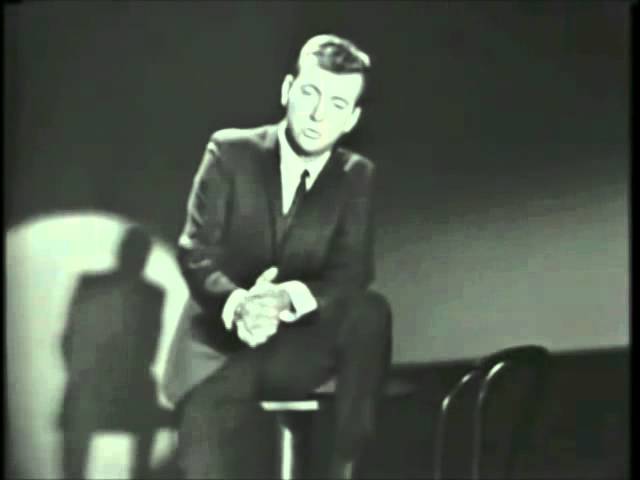
Bobby Darin performing Irving Berlin song.
lucid minnow
@summer relic (and a few others who appear to have disappeared or changed their names, possibly due to the Discord username system revamp)
I've updated the Holotape of Quest-Fixing (XBox and PS4/PS5) to include potential fixes to the quests you reported you had issues with:
"Underground Undercover", "Stop the Raiding", "Unlikely Valentine", "Boston After Dark", and "Emogene Takes a Lover".
Let me know if you're now able to progress your quests, and if so, enjoy!
For others who have requested fixes, those are still in the queue, so sit tight.
heady kernel
Why so much grass, why so bright, cannot think of what mod would do this
Can deleted mods do things even after deleted?
 brazen barn
Yes, deleted mods can leave things behind in your game save. Uninstalling mods is not supported. You must roll back to a game save from before installing a mod in order to uninstall it properly. If you dont roll back your save, you risk breaking your game save.
Looks like that is a new game though.
If your starting a new game, and whatever mod is uninstalled, then that mod should be gone. If thats the case and you still get this, then maybe its a weird xbox quirk I dont know about.
heady kernel
It could be xbox :/
brazen barn
Have you tried the ol turn it off and back on again trick?
heady kernel
Yes
I deleted any mods that could be responsible, restarted the game. Shut down my xbox and went to work for a few hours, came back, made new game save and still this
It's just the grass
brazen barn
Youve done everything a reasonable and sane person could do at this point. There is another thing to try as it might actually be a random thing added by a mod. I know it sucks to get home after work and not be able to play 😦 Try to disable (not uninstall) all your mods and then start a new game again to see if it still wrong with NO mods enabled. Then enable them one by one and repeat the in game testing each time until you discover the offending mod. Maybe not one-by-one, but like groups of 3-6 depending on your load order size. Then narrow it down to the offender. If you still get this with no mods enabled and a new game, then we got to call a priest or something because your xbox is clearly haunted.
heady kernel
Smart, I thought of this but I didn't want to do it as it would take forever but that seems like the only option haha



brazen barn
😱 😭 🐴
heady kernel
It's a mod, vanilla doesn't show this
Just need to find out which
And I have an idea
heady kernel
Whatever mod it was
It was messing with a downloaded one and the culprit was uninstalled a while ago
I will never find out what the problem truly was
brazen barn
Your using the past tense, so you fixed it going forward now?
heady kernel
Indeed
lucid minnow
@hybrid hound (and several others whose names have changed or are perhaps no longer here):
I've updated the Holotape of Quest-Fixing (XBox and PS4/PS5) to include potential fixes to the quests you reported you had issues with:
"With Our Powers Combined", "Show No Mercy", "Blind Betrayal", "When Freedom Calls", and "Diamond City's Most Wanted"
Let me know if you're now able to progress your quests, and if so, enjoy!
I've now added all requested fixes from the queue for this mod, and will be shifting over to the Nuka World holotape's queue, then Far Harbor's. Let me know if anyone has a bugged quest (main or DLC) that isn't already covered by the latest versions of these mods.
dapper holly
lucid minnow
Ah, thanks for the follow up and information.
Unfortunately I haven't found a su...
I am able to take ownership of Covenant, which is why this fix is not really high priority. If I kill the doctor in the Compound, it does not count as murder, and it makes the Compound guards and Covenant residents hostile. All I need to do then is go to Covenant, and kill the three surviving residents, those being Penny, Talia and Swanson. All the others were killed by the robot attack. After killing them, I can access the workbench.
I am not able to do anything about Amelia though, except kill her, which I have no interest in doing. No matter what I do, she stays in her cell, and only says she is not a synth and that she just wants this to end. Opening the door, by picking the lock or using the terminal, makes no difference.
dapper holly
main mist
I have dug into Human Error a lot. Are you trying to gain the settlement by free...
I have not finished the main quest, but Honest Dan has been killed. Some automatrons apparently spawned in the middle of Covenant and killed almost everyone. I was not even aware this had happened until much later when I arrived to Covenant and found the door wide open.
Obviously, keeping Covenant as is is not really an option at this point, and it was not what I wanted to do anyway. I think I could do that though by killing everyone and taking the settlement by force, then using a different mod to clear the hostility and resurrect everyone. Except the two unnamed settlers, since their bodies have disappeared.
I was trying to free Amelia, but with Honest Dan dead, she will not move from her cell.
main mist
Interesting. Dan is supposed to be Essential until the point in the mission where you decide whether to decide with Dr Evil or not.
main mist
lucid minnow
You could also use my Portable Camping & Construction, since it includes the abi...
I've switched to your Portable Camping and Construction, as Tim Timman's Buildable Workshop appears to be buggy (he says in the description it's beta).
lucid minnow
dapper holly
I am able to take ownership of Covenant, which is why this fix is not really hig...
Ah, I'm not sure if there's a way to make her leave at that point. I believe she normally runs away and then eventually just disappears from the game, so you could use my NPC Eraser mod and just RP that she ran away 😁
main mist
dapper holly
I have not finished the main quest, but Honest Dan has been killed. Some automat...
Can you not agree to let Dr Evil kill Amelia? Then you get the settlement intact and a corpse in the cell.
(Dr Chambers)
main mist
dapper holly
I have not finished the main quest, but Honest Dan has been killed. Some automat...
Where did you find Dan dead? He's not supposed to be killable until you get to the decision point with Dr Chambers. But it should be possible to take either option - release Amelia or let her be killed - even if Dan is not with you, even if you never talk to him. If you never even go to Covenant, Human Error will start when you enter the Compound and all options should be available regardless of whether you do or don't meet Dan or tell Dan about the Compound.
To be fair I never tested the quest with Dan dead because that's not normally possible, even if the player tries to kill him.
lucid minnow
@rancid cargo @clear hedge @waxen bluff (and several others whose names have changed or are perhaps no longer here):
I've updated the Holotape of Quest-Fixing: Nuka World (XBox and PS4/PS5) to include potential fixes to the quests you reported you had issues with:
"Cappy in a Haystack", "Trip to the Stars", "Taken for a Ride", "Star Control", "A Magical Kingdom", and "The Grand Tour"
Let me know if you're now able to progress your quests, and if so, enjoy!
I've now added all requested fixes from the queue for this mod, and will be shifting over to the Far Harbor holotape's queue. Let me know if anyone has a bugged quest (main or DLC) that isn't already covered by the latest versions of these mods.
 rancid cargo
@lucid minnow as soon as I am able to get on it and check it out, I’ll let you know. Thanks.
dapper holly
main mist
Where did you find Dan dead? He's not supposed to be killable until you get to t...
I found Honest Dan in Covenant, exactly where the player is supposed to meet him for the first time, arguing with an unnamed worker. His body is lying right there, though the worker is nowhere to be found.
I think that he is only essential during the Human Error quest, until the decision point, after which he can be killed. But apparently he can also die before the quest ever starts.
I think that Dan's death has had the same effect as completing the main story, making the quest unobtainable. It makes no sense of course, there is no logical reason why you could not get the quest by going to the Compound, but the script apparently requires him to exist and be alive.
I think I'm just going to have to accept that I can't complete this quest on this playthrough, and get Covenant by force. I can pretend to have freed Amelia even though she never leaves her cell, it is not like I have any reason to ever visit the Compound again.
dapper holly
I have turned my attention now to Trader Rylee and the Mystery Meat quest, and I may have figured out what the problem is that is making Rylee so hard to recruit. You can recruit her immediately outside Longneck Lukowski's Cannery, but if you do, she will disappear from your settlement after you complete the quest. If you do the quest first, and find her later in a random encounter, I've heard the recruit option is not there.
Trader Rylee also has a curious bug where the option to recruit her never disappears even after you recruit her. This gave me an idea - she actually only has one bug, where the recruit option appears when it should not, and does not appear when it should. You are not supposed to be able to recruit her yet when she is standing outside the cannery. She is supposed to disappear, not from your settlement but from outside the cannery, become a random encounter and become recruitable then.
I've made an experiment using a mod, and it was promising. What I did was enter the cannery, talk to Theodore Collins and start the Mystery Meat quest. Then I exited and talked to Trader Rylee until she offered the option to recruit her, but I did not try it. Instead I went back in and finished the quest. This caused Trader Rylee to disappear. I used a mod to summon her to my location and talked to her again, and this time she still offered the recruit option, which I had unlocked by talking to her before.
I'm going to try this again, this time without any mods. I just need to find her again in a random encounter, which may take a while. But if the recruit option remains unlocked when I do meet her, I will have figured out the correct sequence of actions to complete Mystery Meat, recruit her, and actually keep her.
 woeful charm
Important information for Fallout 4 mod authors: https://fallout.wiki/wiki/Interior_Cell_Navcut_Bug
zinc hare
Load orders: Until this is resolved, choose no more than one or two interior settlement mods so your settlements don’t break your basegame interior quests.
hot linden
I’m having some load screen issues. I’m 15 or so hours into my current game but all of a sudden, load screens take twice as long
I know it’s vague, but has anyone experienced this and what was your remedy?
zinc hare
Get up and move around while you wait.
That sounded sarcastic. It was not meant to be.
Load screens are load screens, man.
 vital rune
hot linden
I’m having some load screen issues. I’m 15 or so hours into my current game but ...
vital rune
hot linden
I’m having some load screen issues. I’m 15 or so hours into my current game but ...
I can't explain why your loading screens are taking longer than before. But fyi, High FPS Physics Fix has some configuration that speeds up time of loading screens without compromising game loading.
main mist
Loading and saving takes longer, the more of the world you have explored and changed. The game needs to merge all your actions and consequences with the starting position.
So I would not be totally surprised if the same thing affects load times.
honest merlin
Ya It's like the game thinks about everywhere the player has explored so far, ever loadscreen. You want short LS, explore less.
woeful charm
also build less. The more you quest and the more you settlement build the bigger your save game files get and the bigger the save game file the longer the wait to load it
main mist
OK little help here please. 😁
I think I have a fight going on between Story Manager and an item that sets stage on equip. The item is intended to bail out of the quest by skipping to (setting) the last stage. The problem is it only works in the early stages and then stops working in later stages. Does Story Manager 'win' if there's a conflict between it and setstage()? Or are the other constraints set elsewhere I could look for and turn off? (Maybe skippable vs non-skippable scenes / stages?)
Oh and - PS4 so I can only work with forms and "found" scripts.
hot linden
Thanks for the replies about long loads!
honest merlin
@main mist Instead of skipping to the end, trigger each stage until you get to to your stage. I think trigger boxes work too. So a hallway with all them trigger boxes to set stage up, would work on PS4.
 scenic prism
Released a fresh one onto the Nexus - Deus Ex Music Overhaul for Fallout 4 🙂

Nexus Mods :: Fallout 4
Turn the Commonwealth into a cyberpunk hellscape with the Deus Ex Music Overhaul. Adds over 12 hours of new music for exploration, combat, discovery & more. Stops combat music playing for low leve
main mist
honest merlin
<@349188361023389696> Instead of skipping to the end, trigger each stage until y...
Thanks I will try that!
 light gorge
is there a mod where settlers explore the entire settlement
zinc hare
Safe & Sane settlements and there’s a settlement marker mod that I currently cannot think of the name of…
But DAmanding might have it listed on his website.

Creative Family Mods
Guides to mods for settlement building. PC or console. Long list or favorites.
main mist
honest merlin
<@349188361023389696> Instead of skipping to the end, trigger each stage until y...
I gave that a try - triggering the stages one at a time in order. Alas didn't work.
The stages and phases had conditions on them, so I ORed those with a GetEquipped for my magic ring on Player. Again alas didn't work. Created some amusing situations but not the intended effect. I do think I'm going to have to dig in to the Story Manager.
lucid minnow
main mist
I gave that a try - triggering the stages one at a time in order. Alas didn't wo...
Check what actually happens in that stage of the quest - some stages that appear to be the "end" stage don't actually do anything, or do very little and don't close out objectives/the quest.
main mist
Thank you I will try that. Excellent tip.
light gorge
zinc hare
Safe & Sane settlements and there’s a settlement marker mod that I currently can...
I’ll see that
I worked really hard to create an entire market for my settlers, yet they’d rather stay inside the pre-built house 😔
 radiant herald
anyone know of some decent milspec outfits for PC
woeful charm
Updates on testing results, links to an F4SE fix, and other details https://fallout.wiki/wiki/Resource:Interior_Cell_Navcut_Bug
Hopefully Bethesda will incorporate the fix for console players
main mist
Let us hope.
 polar marsh
Link to Nexus release:
https://www.nexusmods.com/fallout4/mods/72904

Nexus Mods :: Fallout 4
Fixes the engine bug that causes workshop navmesh cuts to persist throughout all interior cells.
main mist
It's the script for the Buzzbites recipe (physical object) that sets a global. The Bobblehead script sets SPECIALs and perks.
But thank you very much - that got me on the right track and that's now working.
 craggy nest
Anyone know if UCO allows you to craft Maxson's Battlecoat or is Elianora's mod required to do that?
PS4
zinc hare
craggy nest
Anyone know if UCO allows you to craft Maxson's Battlecoat or is Elianora's mod ...
Tentative should. It’s been too long since I used it to remember everything.
 peak grove
About to start another Fallout 4 run, and I wanna mod the game. Outside the usual patches, and script extenders, are there any recommendations to rebalance the combat and make it more satisfying to survive a fight?
Health adjustments, perk replacers, new monster/enemy flavors and faction overhauls (Maybe even replacements for some of the vanilla weapons to boot?)
main mist
We would have to know your opinion on why you think the combat is unbalanced.
Whether you use Survival mode, whether you use VATS. Etc.
craggy nest
zinc hare
Tentative should. It’s been too long since I used it to remember everything.
Thanks, Turtle
 wheat lion
Hey anyone who's used deadpool's bozar mod, is it a rifle or a big gun perk wise
woeful charm
 **Looking for Xbox Testers! **
Poseidon Energy Turbine Settlement By Glitchfinder
Nexus: https://www.nexusmods.com/fallout4/mods/72847
Xbox: https://mods.bethesda.net/en/fallout4/mod-detail/4339105
PC: https://mods.bethesda.net/en/fallout4/mod-detail/4339106
FEATURES
-A fully functional settlement at Poseidon Energy Turbine #18-F.
-Repair the power plant and turn it back on. Video: https://youtu.be/MshJcMKruIU
-When the power plant is repaired, it makes a new power source available for use in other commonwealth settlements.
-This settlement is compatible with radiant quests, such as the minutemen quests.
-Precombines have been rebuilt to allow more scrapping (this is why the file size is bigger, trust me it's better-Crayonkit).
-Some objects have been grouped for sane scrapping. Nobody wants to build a scaffold just to scrap a dozen vine objects, do they?
IN WIP FOR QUESTIONS
-Are the precombines functional
-Does the scrapping work as desired (note: some things, like the vines, are very particular about where you look at them and from what angle you do so)
-Does pathfinding work okay (note: idle settlers like to be on the roof, presumably because it is the closest navmeshed surface to the logical center of the AI sandbox)
-Does the sound work okay?
-Does the repair mechanic work as desired?
-Does the power plant activation sequence work as desired?
Load Order: New Settlements, World Edits
Author: Glitchfinder
Porter: Crayonkit/Damanding
 limpid delta
apparently it knows martial arts for some reason? idk why, guess i gotta look into that.. https://youtu.be/UThD0tVqXrg
 peak grove
main mist
Whether you use Survival mode, whether you use VATS. Etc.
peak grove
main mist
Whether you use Survival mode, whether you use VATS. Etc.
I tend to not use survival mode, so we'll focus on Very Hard difficulty. I do like the current VATS system, but wouldn't mind seeing other versions of it.
My only trouble with enemy health values is when legendary enemies enter the fray. A legendary raider will have more HP than a standard deathclaw in practice, and it unintentionally feels like surviving Verdun when you're low level
main mist
woeful charm
<:Xbox:1125136409947275274> **Looking for Xbox Testers! **
**Poseidon Energy T...
And the PS4 player cries 😭😭😭😭
woeful charm
I know, I'm so sorry. It requires scripts, sounds, new meshes, and two texture files. 😦
main mist
peak grove
I tend to not use survival mode, so we'll focus on Very Hard difficulty. I do li...
OK so would a mod that counters bullet sponginess be your thing? Or something like Unlevelled Commonwealth where the only power curve is your gear? Or maybe Better Locational Damage which makes all humanoids much more killable (including the player)?
main mist
woeful charm
I know, I'm so sorry. It requires scripts, sounds, new meshes, and two texture f...
It sounds £&!@# awesome. 😁
woeful charm
it really is!
peak grove
main mist
OK so would a mod that counters bullet sponginess be your thing? Or something li...
We'll go with a counter to bullet sponginess, and from there I'll experiment with some newer location based damage
main mist
woeful charm
<:Xbox:1125136409947275274> **Looking for Xbox Testers! **
**Poseidon Energy T...
Question: why not just remove navmesh from roofs? To avoid the Brahmin on the roof, Piper on the roof memes. Surely only the PC has any business clambering on roofs?
woeful charm
main mist
Question: why not just remove navmesh from roofs? To avoid the Brahmin on the ro...
partly because people may want to build up there and partly because roofs are a popular place to put turrets. Turrets are technically NPC's and require navmesh.
woeful charm
yup
in fact they've been known to "jump" from un navmeshed spots to navmeshed spots
there's a place on some overpass where in vanilla there's no navmesh underneath a turret and it sometimes moves
main mist
How curious!
woeful charm
mannequins are also NPC's which is why they can move, especially in Skyrim
 split yarrow
Yep, almost all cases of when they jump positions is due to missing or incomplete navmesh.
broken mural
main mist
And the PS4 player cries 😭😭😭😭
Not really, most PS4 players can visit downtown Boston.
 marble hull
Does anybody know any mods that can just break the game with stupidness?
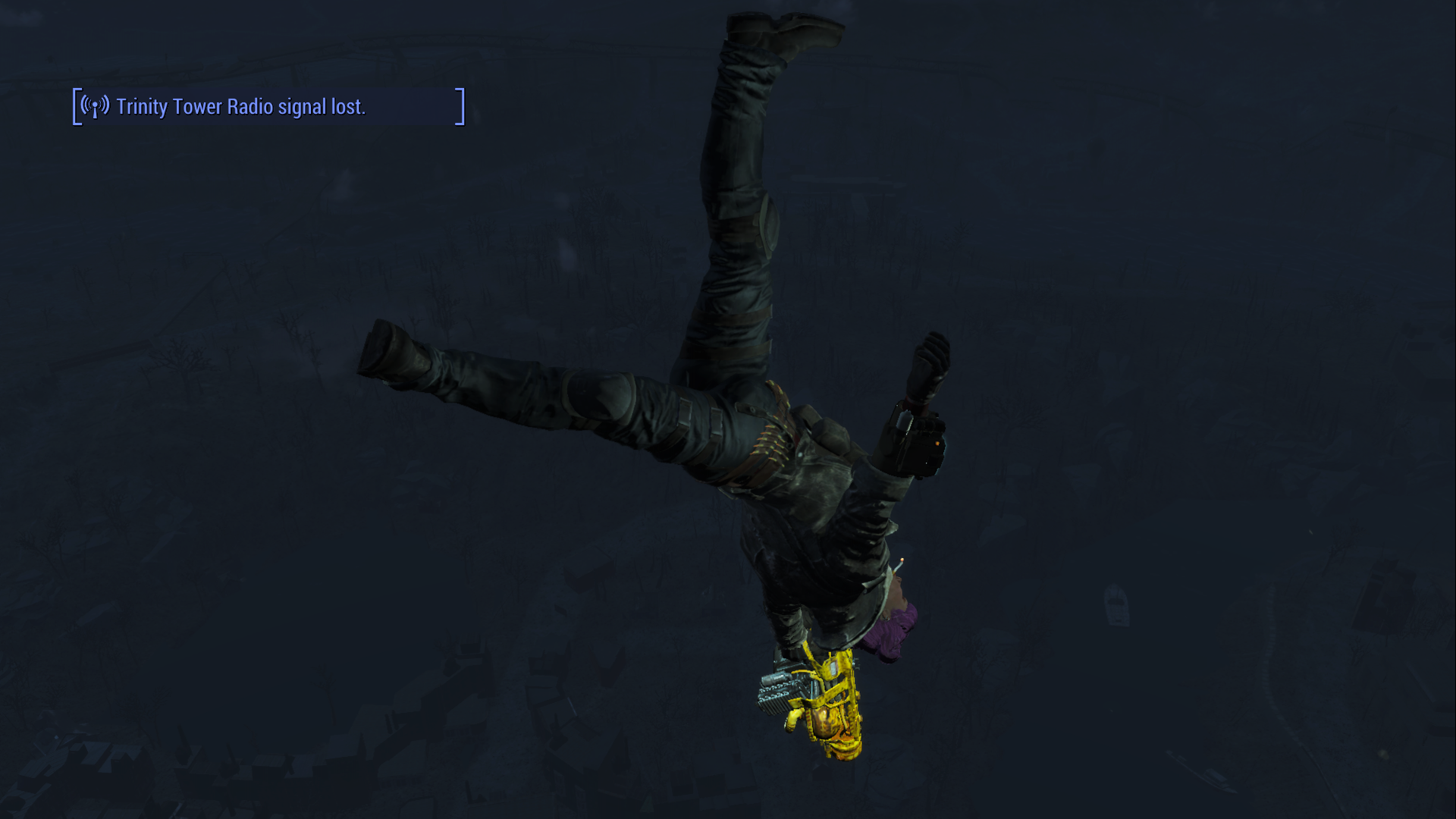
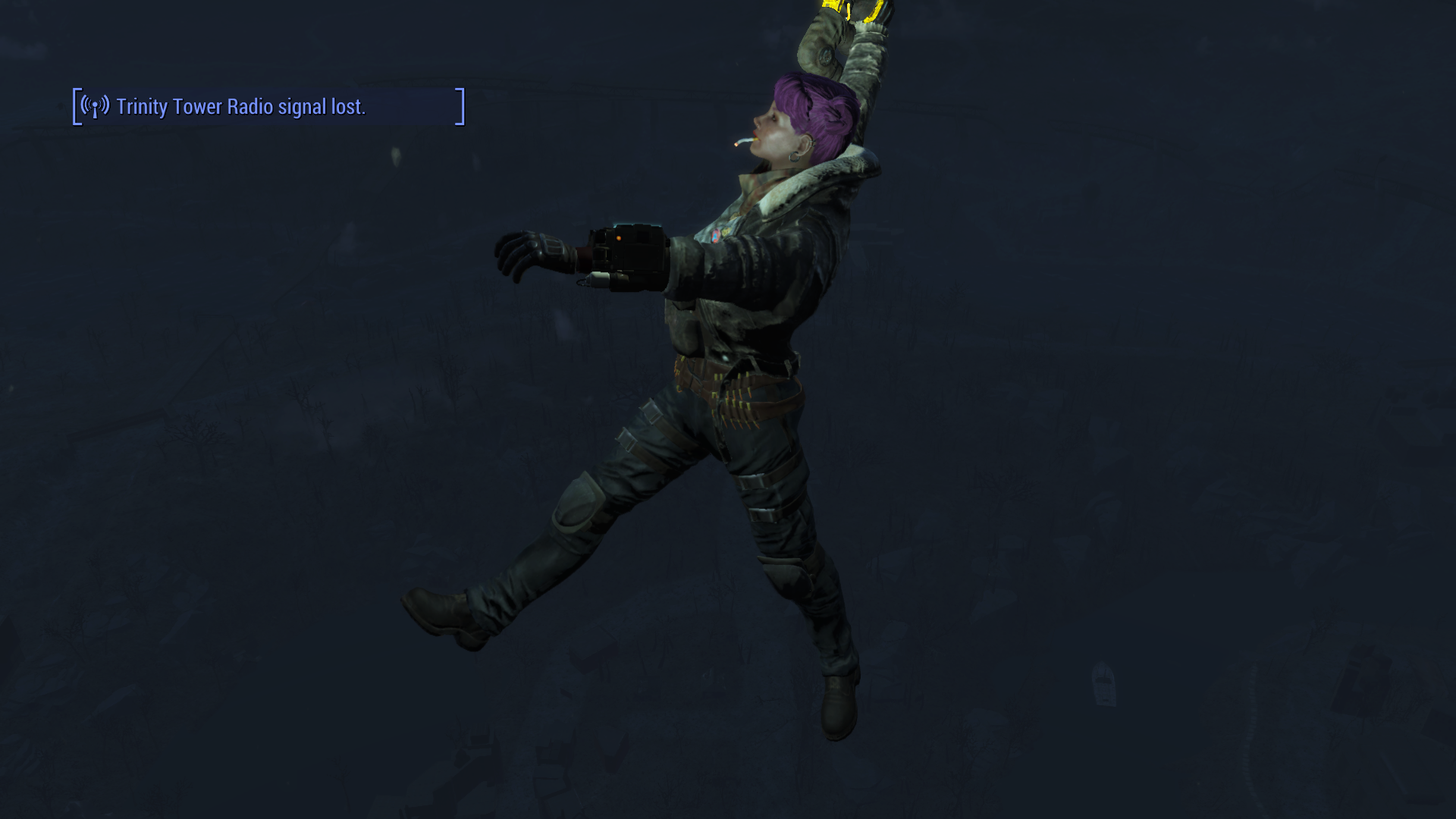
woeful charm
I've heard the Propulso gun is great fun
 hollow mist
Lolll
rancid cargo
@lucid minnow the update did fix the quest and allowed me to finish. Since I was at the end, I can’t tell you if the other steps for it all work or not, but I know for sure the last one did. Thank you very much.
lucid minnow
rancid cargo
<@343927025947508746> the update did fix the quest and allowed me to finish. Sin...
Nice, glad to hear it and thanks for confirming.
lucid minnow
main mist
Question: why not just remove navmesh from roofs? To avoid the Brahmin on the ro...
One reason for not wanting to remove any existing navmesh from roofs is that NPCs sometimes pop through the ceiling/roof after using furniture inside a house, and navmesh at least allows them to figure out how to walk to those stairs you built for this specific reason 😁
main mist
broken mural
Not really, most PS4 players can visit downtown Boston.
Well that's true. I only get crashes when flying over downtown when lots of fights are going on.
main mist
marble hull
Does anybody know any mods that can just break the game with stupidness?
Every Enemy Is Legendary, also something called Fallout 4 Randomiser.
Oh and Wacky Weapons Workbench.
marble hull
I’ll try that, I assume it’s on PC right?
 hallow slate
https://www.nexusmods.com/fallout4/mods/72957/
My first mod should now be available on Nexus and Bethdotnet for both PC and Xbox. It's a short little quest mod that adds in a new Power Armor paint

Nexus Mods :: Fallout 4
Hoistway Hideaway is a quest mod adding in a location, dungeon, epistolary story, legendary item rewards and a new Power armor paint for the T-51.
main mist
Well I am quite demoralised that after about 6-8 hours of work I have again failed to make a working PS4 variant of quest VFT (Vertibird Fast Travel). I put this attempt down for a year but came back at it with a lot more knowledge. Not enough it seems! 😁
The problem is VFT is a spaghetti monster of a quest that uses almost every possible technique at once: event nodes, scene logic, stage logic, multiple scripts (on objects, NPCs, PC), multiple fragments, multiple packages. All interdependent. It's also written badly and with some terribly misnamed objects.
I got further than before in that I can start alternative variants of the quest now, but they just die without explanation. I'm not sure how to proceed.
My first thought was to reverse engineer a design document for the quest that details how it works and all the interdependencies. I was on the verge of doing that when instead I had one last crack at it.
The other idea is to run the quest on my potato PC and try and get diagnostics from the log files or maybe Buffout. And though I'm loathe to do it (because PS4 is my target), maybe script some debug statements into the PC version so I can try to trace what is going on.
Any suggestions from the wise and experienced modders here ?
I also thought a useful learning exercise would be to clone VFT exactly as-is. I might try that, but because it depends on script fragments to work (as part of the 'glue') I don't think that will be possible. I was attempting to make a cut down version that didn't require any script fragments - I almost don't care what the resulting behaviour is. But so far that's defeating me (again).
I guess what I'm thinking is, I probably need to start again (again (again)) with a really simple quest. First just a grenade that triggers a "hello world" type of quest. Then one that just summons a Vertibird with its default package. And so on. Build up incrementally from simple steps. Which is probably what I should have done in the first place instead of gambling on writing a really complicated quest, with only "found" scripts, in one go.
 north cove
OK this will sound like a silly question, but I am new to playing Fallout 4 on PC (I've been on XBox One/Series S until now). I installed the Place Everywhere mod, along with the required F4SE, and after some research I got it to work properly by launching the game thru the F4SE loader rather than the regular game launcher that came with the base game with Steam. Does this mean I should always use the F4SE loader from now on, or was that a one-time thing?
brazen barn
Does this mean I should always use the F4SE loader from now on, or was that a one-time thing?
Always launch with F4SE from now on.
You can add the F4SE launcher to Steam, rename it something nice like "F4SE", and change the icon I believe.
north cove
Oh cool! I will do that. Thanks!
woeful charm
Welcome to PC gaming! It's quite the upgrade. 😄
north cove
The game isn't very stable on XB1, especially in & around Boston. Too many crashes. I haven't played it much yet on Series S. I hope the PC version does better.
brazen barn
better, yes
woeful charm
I recommend Previsibines Repair Pack (PRP) to help with that
north cove
Thanks! I am looking at that one now. My Internet isn't the greatest so that one will take a while to dl. I tried a mod called Boston - Less Enemies for console (for my XB1 obv, not PC), but I don't know if it really helped or not.
 dawn ravine
Believe me when I say that's the smallest I can get the mod size wise.
They only way it could be smaller is if BGS rebuilt them and issued them as a new patch.
peak grove
Alright, I've just finished installing 42 mods to help balance the combat to feel more intense and counters to lead sponges. Any monster mods that could make the world feel more alive, and deadly?
I want new enemy npcs, raider gang varieties, creatures and monsters alike (maybe some vanilla faction overhauls to beef it all up with the new health system I've got installed)
woeful charm
north cove
Thanks! I am looking at that one now. My Internet isn't the greatest so that one...
I've heard good things about the less enemies mod. I think pairing it with PRP will improve your downtown experience for sure
north cove
Oh cool! I didn't realize till now that there are also PRP Lite versions available for XBox. I'll definitely have to check those out if I decide to keep playing my save on my XB Series S. I didn't mean to sound like I was complaining about the file size for the PC version, I was just commenting on the slow internet speed for where I live. I have the PC version installed now. Thanks again, everyone.
woeful charm
Size on PC is not generally much of an issue for most folks. The PC version of PRP covers the whole map. The Xbox version just covers the worst performance areas to save on space
woeful charm
The Plexor By Glitchfinder
Nexus: https://www.nexusmods.com/fallout4/mods/72992
Xbox: https://mods.bethesda.net/en/fallout4/mod-detail/4339470
PC: https://mods.bethesda.net/en/fallout4/mod-detail/4339471
Non-hostile patch Xbox: https://mods.bethesda.net/en/fallout4/mod-detail/4339472
Non-hostile patch PC: https://mods.bethesda.net/en/fallout4/mod-detail/4339473
FEATURES
-Adds a unique joke weapon with a custom model.
-Deals no damage when used to attack.
-Will ragdoll most enemies and send them flying. (Some NPCs, mostly robots and large enemies, are immune to knockdown and thus immune to this hammer.)
-The hammer squeaks like a small toy when you hit something.
-Can be found at carhenge, south of Walden Pond.
-Marked as a light plugin (esl-flagged esp) for minimal impact on load orders.
Load Order: New Weapons, Armor, Clothing, Gear: NO leveled list edits
Author: Glitchfinder
Porter: Crayonkit/Damanding
 main mist
Anyone got any resources on creating MGEFs? I've checked various CK wikis but the articles on MGEFs are all bare-bones.
Or to put it another way - anyone know how to spawn creatures or start quests from a chem (ALCH) like a syringer round? I'm trying and failing. I put PROJ and EXPL on the MGEF that would normally spawn stuff in a weapon but it doesn't work in the MGEF
lucid minnow
main mist
I guess what I'm thinking is, I probably need to start again (again (again)) wit...
That's what I would recommend; and I've found that taking copious notes, even for things you take for granted, will often help you later when you step away and come back to it.
main mist
main mist
Or to put it another way - anyone know how to spawn creatures or start quests fr...
My suspicion is that in the MGEF form, explosions and projectiles are listed under "Visual Effects", so maybe they just don't work the same way they do on a weapon? Maybe they are special effects only with no actual actions and consequences? That's how it seems.
Because you would think if it was possible to spawn stuff with a syringer round instead of a grenade, somebody would have done it by now?
lucid minnow
main mist
My suspicion is that in the MGEF form, explosions and projectiles are listed und...
I'm pretty sure an explosion is an explosion in this context. Have you successfully made a grenade that uses an explosion to spawn a creature? If so, you should be able to use a new weapon that uses a new ammo type that uses a new projectile that uses the new explosion you made.
main mist
I guess I'm doing it back to front. I'll try what you suggest. Spawn first weaponise second.
lucid minnow
I recall seeing a mod that had a sniper rifle that spawned creatures, but I don't recall what platform it was on.
main mist
A rifle or any weapon would be easier I think. No MGEF required.
It's because I'm using syringer ammo which isn't real ammo (it has a fake ammo type that isn't used). It just loads and fires an ALCH. I'm guessing it works like a splash potion in Skyrim.
I was using the syringer because I wanted multiple ammo types on the same weapon.
I guess an alternative (multi ammo weapon) is the JunkJet.
And whatever script runs the syringer itself, I can't find it. I am wondering if it's hard coded.
My fallback plan is just to use little grenades that only weigh 0.1 instead of 1.0 😁
There is the existing Bloatfly larva ALCH + MGEF but that is OnDeath() which is not really what I need. I also looked at the MGEF for the Mirelurk Queen hatchling spawn spell. No luck so far but the lack of documentation on MGEFs means I'm basically just trying random combinations of flags and options. 😁
lucid minnow
main mist
It's because I'm using syringer ammo which isn't real ammo (it has a fake ammo t...
Ah, I hadn't looked into the Syringer and didn't realize it worked that way. I wonder if it can even interact with things other than Actors.
I'll DM you some notes of mine on spawning NPCs in case they're helpful.
main mist
Thank you that would be AWESOME
lucid minnow
@real urchin (and one other person whose username has changed or is no longer here)
I've updated the Holotape of Quest-Fixing - Far Harbor (XBox and PS4/PS5) to include potential fixes to the quests you reported you had issues with:
"Brain Dead" and "Blood Tide"
I've also added the Fix List to the main menu of this holotape as I've done for the others.
Let me know if you're now able to progress your quests, and if so, enjoy!
I've now added potential fixes for all requests in the queue for this mod; if anyone has requests for issues that are not covered, let me know.
main mist
lucid minnow
Ah, I hadn't looked into the Syringer and didn't realize it worked that way. I w...
Thanks again.
What's working and what's not:
- Pipe Gun of Synth Spawning. Uses the cool teleport effect. Gets OP real fast, even before I added the drum mag and rapid auto receiver. 😁
- Carbine-format flare projector (so you can add sights and such). Working fine once I realised it needs stupid long range on the weapon (like the vanilla Flare Gun) or it can't reach the minimum height to trigger the Minutemen patrol RE.
- Deathspawner Dart (Syringer). Currently also spawning synths with the teleport effect. Probably could spawn any NPC via a new EXPL. Sadly a victim must first be sacrificed (as I'm using the Bloatfly script).
All this without even fully following your excellent instructions! 😁
--
What's not working yet (all my fault for not fully following your advice yet) :
- Can't spawn a minuteman flare from a Syringer chem despite increasing the base weapon range and the MGEF duration. I wonder if there is a real Syringer projectile that morphs into the chem on impact with the target? If so I might need to alter the range of that PROJ.
- Spawner ammo for Syringer without using the Bloatfly script still not working.
I will continue to follow your suggestions in full and see if that fixes it.
At minimum there's already a lively set of mods that work here.
Thanks again for the help!
woeful charm
20 Performance Leagues Under the Sea Vault 120 by Minitel Rouge
Nexus: https://www.nexusmods.com/fallout4/mods/58514
Xbox: https://mods.bethesda.net/en/fallout4/mod-detail/4339587
PC: https://mods.bethesda.net/en/fallout4/mod-detail/4339588
FAQ
This mod is already on Xbox, why use this version?
Lots of alterations to improve performance, especially for Xbox
Xbox users: DO NOT build in Nordhagen Beach or the Airport
Why does it take up so much space?
Trust me you WANT that extra space lost in exchange for a huge boost in performance. If you simply can't afford the space you can use the other uploaded version which is missing fast travel, bug fixes, and a huge performance boost. But hey it's only 1.5 mib and who needs more than 15 fps? 
Description
Deep under the Atlantic ocean lays Vault 120, a sprawling complex built centuries ago to avoid the madness of men up on the surface. There apart from some irradiated inhabitants and creatures you will find many spaces to create a community protected from the dangers of the world.
The idea was mainly to bring to Fallout 4 an equivalent to the city of Rapture from the Bioshock universe, but with a distinct Fallout touch and style.
Load Order: New Settlements, World Edits (rebuilt precombines)
Author: Minitel Rouge
Additional Credits: Performance enhancements by Pra, DoubleYou, Starhammer/BenRierimanu. Testing: Glitchfinder
Porter: Crayonkit/Damanding

 dawn ravine
BenRierimanu
humble yacht
woeful charm
**20 Performance Leagues Under the Sea Vault 120 by Minitel Rouge**
Nexus: https...
Okay I've got one thing to say about this.
"♪Ohhhhhhhhhh!!!! Who lives in a Vault under the sea. Fer-al G-houls! skin as course as coral it be. Fer-al G-houls! If Nautical nonsense be something you wish. Fer-al G-houls! I better stop talking or I'll get a copyright strike!♪"
(c'mon bot, don't warn me twice. All I did was edit my message a little.)
Question. Is it easy to make a custom radio station mod {that don't replace any existing radio station} in fallout 4?
woeful charm
humble yacht
Question. Is it easy to make a custom radio station mod {that don't replace any ...
it's not that hard, just do your research regarding which tutorial you use. there's a popular radio making tutorial that doesn't have the correct quest settings and it leads to the radio stopping mid-game because the quest doesn't repeat. Unfortunately I've not bothered to hunt down which tutorial is good vs bad so I can't give you more detail than that.
humble yacht
So it's quest based to have a custom radio station? Oof.
main mist
I would say a radio station is medium-hard in the modding stakes. Like if you have never modded anything before, maybe do something easier first.
But if you really want to do it, find a good tutorial as suggested by @woeful charm
zinc hare
Simple quests aren’t that hard. You can cut your teeth with the simple fetch quest tutorial from Seddon4494.
They can be challenging if you don’t plan them out first though
 mortal escarp
Does anyone know if DeeZire’s FreeFall patch for Fallout 4 still works with the last update? And if Far Habor was patched?
hot linden
This is a weird question but is there a website or resource that I can plug my mods into than can scan where conflicts may be?
I realize this may be wishful/fairy tale thinking
This being on xbox^
main mist
FO4Edit maybe
But for Xbox mods, hmm.
north cove
I just came across the NPC merchant Dreth, and for some reason, she was not wearing any clothing. Every other NPC I've seen (including Dreth's bodyguards) has been dressed normally. I tried to research for a way to fix this (I am still very new at FO4 on PC), but I got sidetracked by instructions on how to change an NPCs appearance by using the showlooksmenu command. I was able to change Dreth's appearance, but this didn't help to fix her being undressed. I did a bit more research on console commands and I ended up doing this, where the targetID was Dreth's ID (0003d639) and the item was the ID for the green coveralls outfit (001C26B9):
TargetID.additem formID
TargetID.unequipAll
TargetID.equipitem formID
This fixed her outfit by equipping the green coveralls. Is changing the appearance and making changes to their inventory safe to do on a merchant NPC like Dreth? I exited the game without saving, just in case.
 keen vigil
hot linden
This is a weird question but is there a website or resource that I can plug my m...
keen vigil
hot linden
This is a weird question but is there a website or resource that I can plug my m...
No. There’s no way to pull the data off of Bethesda.net. Even if you successfully pulled the files, there’s no guarantee those files would load in xEdit or the CK. You could try PC equivalents but your mileage will vary as some mods were edited to work on console.
zinc hare
hot linden
This is a weird question but is there a website or resource that I can plug my m...
Not a scanner, but the Survival Guide has information on specific mods for conflicts. Ctrl + F (I've only done about 800 though with help from two other people in the past. The guide allowed submissions from the community up until someone deleted the document. Twice. But most of the community submissions were grammar edits. Because apparently, that was more important than the actual information that people needed.) https://oddsmods.xyz/FO4LOSurvivalGuide
The LOOT master list requires you to know the plugin name (not the mod name). It's searchable for all BGS games. They're a team so there's more on the list. https://loot.github.io/search/
Custom Xbox mods and ports of "Mod packs" will not be on these lists since the porters usually don't port to the PC side of Bethesda.net.

Google Docs
Designed to help Fallout 4 players survive Load Order Disorder by emphasizing planning, placement, and maintenance of game modifications.
 eternal vapor
Hey guys I'm looking for a good load order template for Fallout 4 mods. I know there's a survival guide, but that doesn't provide a template, simply instructions for modifying Fallout 4 properly.
zinc hare
What do you mean by template? Because there is a google sheet here: https://oddsmods.xyz/FO4LOFrameworkTemplate
How can I make it more useful?

Google Docs
Fallout 4 Load Order Framework Basic Template gives you more control over your planning before you ever download a single mod.
 tough bronze
So idk if anyone has heard of Mutant Menagerie by StamperDoesMods. I'm trying to remove certain creatures from the mod file but I'm having trouble with Creation Kit as its literally my first time. I would appreciate the help.
Guide being: Using the CK, activating the ESP or ESM, and doing it that way. From the CK, you can directly delete any creatures you want gone, and the mod will adjust itself and its files accordingly. You also have much more leeway in how you go about removing creatures. You can remove their spawns from the game world and/or and LChar lists, or just delete the actor files outright.
zinc hare
Can you provide a link to the mod you're modifying?
tough bronze

Nexus Mods :: Fallout 4
Mutant Menagerie fills the Commonwealth to the brim with all new creatures gathered from a wealth of public access sources. These new, lore-friendly creatures come with unique drops and hand-placed sp
zinc hare
ouch. 1.2 GB Which version did you download?
tough bronze
zinc hare
ouch. 1.2 GB Which version did you download?
the main file
tough bronze
wait you're doing it?
zinc hare
You said you needed help.
tough bronze
alr lemme just find that list
zinc hare
Just give me one. It should be the same for all (hopefully) and then you can do the rest yourself.
Ah. Master file. Ok. first thing's first: you'll need xEdit to remove the ESM flag.
You can't use the CK for ESMs. OR you can do Version control. I don't have that set up though.
tough bronze
it says using xEdit is a riskier choice of removing as it can cause issues
zinc hare
So version control it is. Problem is: Version control only allows Fallout4.esm to be the master.
eternal vapor
zinc hare
What do you mean by template? Because there is a google sheet here: https://odds...
Yeah I checked it out. I wasn't sure what I meant myself. I was looking for...I guess a visual aid. You know the kind of think the blank template provides. Categories I could use as guide posts, you know?
That's what I meant, I think.
tough bronze
zinc hare
Just give me one. It should be the same for all (hopefully) and then you can do ...
so wait how did you do this if your able to remove them
zinc hare
tough bronze
so wait how did you do this if your able to remove them
I'm sorry. I don't understand your question. I have it downloaded to look at.
tough bronze
zinc hare
I'm sorry. I don't understand your question. I have it downloaded to look at.
you asked Which Creatures are you wanting to remove? Am I to assume that you already found the way to do it?
zinc hare
tough bronze
you asked Which Creatures are you wanting to remove? Am I to assume that you alr...
No. I was asking while I was downloading it. I did not realize it was a master file until I said something.
tough bronze
zinc hare
No. I was asking while I was downloading it. I did not realize it was a master f...
oh ok
zinc hare
Also let's refrain from the replies now. My eyes are crossing...
tough bronze
sorry
zinc hare
No that's my bad. I was doing it too. lol
Dawnbreaker, let me know how I can make the template better. There are example mods on the Survival Guide so I'm not exactly sure what you're needing to help you in sorting your mods.
SkayaLight, MM has all kinds of precombine breakage. You're going to need to convert it to esp. If it's for personal use, then it shouldn't be an issue unless you've already got a game going. If you do, and youre removing things, that could do some damage to the save as well.
There isn't a way to do Version Control on it because it has too many masters.
tough bronze
zinc hare
SkayaLight, MM has all kinds of precombine breakage. You're going to need to con...
so I have to convert it to ESP?
tough bronze
So do I use xEdit to do that?
tough bronze
Is there an official link to xEdit?
zinc hare

Nexus Mods :: Fallout 4
FO4Edit is the Fallout 4 version of xEdit. xEdit is an advanced graphical module viewer/editor and conflict detector.
tough bronze
Ok, I've opened FO4Edit, how do I do it from here
zinc hare
You made a backup, yeah?
tough bronze
of the game save?
zinc hare
No. The mod. You should have backups of your game saves already.
tough bronze
zinc hare
No. The mod. You should have backups of your game saves already.
the original mod file, yes
oop sorry
zinc hare
I don't think the game save is going to be viable once you modify the mod. You cannot have deleted things. It breaks things. I'm still looking at the mod and don't know if there's any persistence. So for safety, let's assume there is. You need a new game.
tough bronze
I really didn't have a save, it was only a test run
zinc hare
No worries then.
zinc hare
Can't help you with Vortex. Just modding. 😉
File Header > Record Header > double click Record Flags > Yes I'm absolutely sure > Uncheck ESM
tough bronze
Where exactly is File Header located?
zinc hare
Under the MutantMenagerie.esm tree on the left side of the screen. Record header will be located at the top of the right hand panel once you click on File Header
tough bronze
ah i see
zinc hare
Once you get that changed, shut down xEdit and make sure both boxes are checked on the panel.
The MA uses Del20_ as their namespace so everything should be easy to locate in the CK
Once you save the file, look in your data folder and rename the mod from .esm to .esp and you're ready to go.
tough bronze
ok so it says 1 after clicking Yes, I'm absolutely sure. Do I just leave it or delete the 1
zinc hare
You aren't deleting anything in xEdit. You're unchecking the esm flag in the record header so you can safely turn it into a .esp to edit.
tough bronze
 zinc hare
line above where it says ESM > double click that and it will bring up a list of checkboxes
Record Flags | ESM <---- double click
tough bronze
like this?
 zinc hare
\0/
tough bronze
?
zinc hare
 == \0/
tough bronze
I'm sorry?
zinc hare
All set. Now close down the program.
tough bronze
alr
zinc hare
Rename the file with the .esp extension and open in the CK.
tough bronze
In the master file section?
zinc hare
When you open the CK, you'll get a warning you'll probably want to fix and also report to the author as a bug. The new race has the same movement type as another race. They need to be unique.
Wherever the mod is located, you have to rename it to an esp in order to edit it in the CK.
I don't have your set up so I have no idea where you have it stored if it isn't in your data folder.
Mine is located here: C:\Games\Steam\steamapps\common\Fallout 4\Data
tough bronze
ok so like where do I rename the file with the .esp extension
zinc hare
MutantMenagerie.esm will now be MutantMenagerie.esp for this.
Are you using the Steam or GOG?
tough bronze
Steam
zinc hare
ok. Look in your steam folder for FO4's data folder. Vortex should be depositing everything there.
tough bronze
ah i see it
zinc hare
If you cannot see the extension, check the box under View on the ribbon on File Explorer
 misty charm
Anyone know of a Fallout 4 mod that lets me loot all corpses in an area like you can in 76?
tough bronze
zinc hare
If you cannot see the extension, check the box under View on the ribbon on File ...
So I notice there's a leveled list NPCs category in the mod, does removing the creaturse from there can do the trick?
This is from the FO4Edit
zinc hare
Oh god I’m drinking. Hang on a minute.
zinc hare
I just need to load it. I’ve had half a bottle of wine tonight though. So not sure about helpfulness. I’m so sorry
 zinc hare
The LChar are going to be templated to the leveled actors. At the bottom on the right, you’ll see “Referenced By”.
Removing from LChar should do the trick. Should
tough bronze
Alr
zinc hare
Test, test, test. Pls
 wooden hemlock
hey there! I have a papyrus script meant to show a tutorial about something when the player tunes into a radio station. It looks something like this:
Scriptname CBR:CBRQuestScript extends Quest Conditional

Message Property PCBRTutorialRadio Auto Const Mandatory
GlobalVariable Property PCBRRadioFrequency Auto Const Mandatory

bool ShownTutorial = false

Function UpdateRadio()
    if(!ShownTutorial)
        if (Game.GetPlayerRadioFrequency() == PCBRRadioFrequency.GetValue())
            Debug.Trace("Help Message")
            PCBRTutorialRadio.ShowAsHelpMessage("", 5, 0, 1)
            ShownTutorial = true
        endIf
    endIf
EndFunction
UpdateRadio() is run by a quest fragment in one of the scene phases for the radio station. PCBRTutorialRadio and PCBRRadioFrequency are set properties. This quest (and it's subsequent radio scene) are set to run on startup.
Instead of getting expected output (when the player tunes into the radio and the scene has passed it shows a tutorial message.) The peice of code activates seemingly immediately, before the properties are able to be assigned.
In the logs this looks like:
[07/21/2023 - 06:34:23PM] error: Cannot call GetValue() on a None object, aborting function call
stack:
    [CBRQuest(12000F99)].CBR:CBRQuestScript.UpdateRadio() - "<unknown file>" Line ?
    [ (120026F1)].CBR:Fragments:Scenes:SF_CBRQuestRadioS_010026F1.Fragment_Phase_02_Begin() - "<unknown file>" Line ?
[07/21/2023 - 06:34:23PM] warning: Assigning None to a non-object variable named "::temp4"
stack:
    [CBRQuest(12000F99)].CBR:CBRQuestScript.UpdateRadio() - "<unknown file>" Line ?
    [ (120026F1)].CBR:Fragments:Scenes:SF_CBRQuestRadioS_010026F1.Fragment_Phase_02_Begin() - "<unknown file>" Line ?
[07/21/2023 - 06:34:23PM] Help Message
[07/21/2023 - 06:34:23PM] error: Cannot call ShowAsHelpMessage() on a None object, aborting function call
stack:
    [CBRQuest(12000F99)].CBR:CBRQuestScript.UpdateRadio() - "<unknown file>" Line ?
    [ (120026F1)].CBR:Fragments:Scenes:SF_CBRQuestRadioS_010026F1.Fragment_Phase_02_Begin() - "<unknown file>" Line ?
How can I fix my setup so it appropiately shows the tutorial message?
wooden hemlock
ah, despite being mandatory properties i added through the property window, they never actually populated. very nice
 brazen barn
Yea, filling properties has always required manually setting them in the CK. The most automation you can hope for is with AutoFill button. If a property name in your script matches the name of an editor ID, then each will automatically fill with that button.
I know your pain though
tough bronze
zinc hare
Test, test, test. Pls
Didn't work. Does removing them from the Race Category work instead?
The only thing changed with the first method was their name being removed when using VATs, not completely removing them physically
zinc hare
Are you wanting them all gone?
@tough bronze ^ apologies for the ping. I forgot to hit the reply button.
The way the mod is set up, it looks like if you want all gone, you'll need to walk it back to the world edits and delete from there.
LCharBug01, however holds 59 different bugs so it depends on which you want gone. I'm not sure which you're wanting to remove.
tough bronze
zinc hare
Are you wanting them all gone?
I'm trying to delete certain creatures that the mod has in store
zinc hare
Also, you have to start a new game with each test to see the changes. These are level lists.
tough bronze
ye I have done several to no avail
zinc hare
It takes 72 - 144 in-game days to reset a list otherwise
Like, if you want radcoon gone, load up the Creation Kit and hit the delete key on the actor. It should update all the forms it's in. Make a save and return to the plugin to be sure.
Create a new interior cell, toss down a floor or two, add a COC marker (don't worry about navmesh so the critters just stay put) and toss in a couple DEl20_LCharAmbientTemplate01 and see what appears when you COC to the cell.
tough bronze
zinc hare
Like, if you want radcoon gone, load up the Creation Kit and hit the delete key ...
I presume the mod won't open up in Creation Kit without having the file converted into ESP
 lapis otter
I think if modders make this type motorcycle helmet as a space helmet? Be AWSOME

I posted in correct area?
zinc hare
tough bronze
I presume the mod won't open up in Creation Kit without having the file converte...
I thought we already did the conversion. I don't think it's a good idea to edit a master file. They aren't created to be edited. They are the end product.
Make your edits to the esp and then reconvert to master.
lapis otter
lapis otter
I think if modders make this type motorcycle helmet as a space helmet? Be AWSOME
Darn typos
Ops wrong location
zinc hare
lapis otter
If you had this convo about those helmets? I wasn’t here
If that is in response to the above, you will see that I was responding to assisting with a Creation Kit issue. 🙂
tough bronze
zinc hare
I thought we already did the conversion. I don't think it's a good idea to edit ...
Yes, but it didn't convert to ESP when I closed out
zinc hare
You have to change the extension to esp to complete the conversion process.
The first step was to remove the flag so that you could.
tough bronze
zinc hare
The first step was to remove the flag so that you could.

Kinda confused on the ESP part
My apologies, if this is taking longer than it should
zinc hare
No I'm sorry for not explaining things as well as I should have.
That is correct above. That's the first step. What that does is tell things under the hood to stop behaving as a master file. Now for the CK to recognize it, the actual extension has to be changed.
Then you're set to edit.
tough bronze
So after the step above, what do I do from there
zinc hare
Once you've changed the extension, you're good to open in the CK to do your editing.
tough bronze
Where exactly do I change the extension
zinc hare
I'm sorry. I don't understand the question.
The extension is the .esm.
Change to .esp
tough bronze
Yea how do I change it to .esp
zinc hare
Right click > Rename > erase .esm > type .esp
If you cannot see the file name extensions: On the ribbon across the top of Windows Explorer, there is an option under View
Make sure this is ticked
 tough bronze
zinc hare
Right click > Rename > erase `.esm` > type `.esp`
tough bronze
zinc hare
Right click > Rename > erase `.esm` > type `.esp`
So I have to find the mod folder to do it
ah i see it
zinc hare
Anyone who mods the game should know where these things are. Automated tools are not helpful.
brazen barn
Thats not your fault, its Microsoft's. Its so dumb that they choose to hide file extensions by default.
zinc hare
Nah. It's a failsafe. To keep people who don't know what they're doing from changing the extensions and breaking the hell out of things. :p
But I could complain about other Microsoft things that bug me.... >_>
You got it. Now go forth and edit! (Make a backup before you do!!)
Have fun!
tough bronze
tysm
tough bronze
zinc hare
You got it. Now go forth and edit! (Make a backup before you do!!)
Alr so how do I edit the mod file in Creation Kit
forgot to ask that
sorry
zinc hare
How much do you know and how much are you willing to learn?
Because if you're willing to learn, there are several videos out there to teach you how to use the basics that can explain it better than I can in a chat room.
zinc hare
Don't be sorry. I just need to know how much you want to learn. There's several window popups that will need to be reorganized and there's some prep work. I thought you already had everything set up on your end.
Totally willing to help, just needed to know where you are in the modding process.
This is a bit long, but will give you everything you need to know about setting up the CK: https://youtu.be/2k9iRuLqwoY

In this first lesson, kinggath goes over the basics of using the Creation Kit, including creating your first mod file, editing records, and controlling the camera and objects in the level editor portion.
Join the cause on Patreon: https://www.patreon.com/kinggath
Follow on social media for more news and extras:
Twitter: https://twitter.com/Sim...
When you get things set up and know where the Actors are in the Object Window, I can walk you through it.
tough bronze
zinc hare
This is a bit long, but will give you everything you need to know about setting ...
Alr I found the Actor in the Object Window
zinc hare
Which actors don't you want?
If you look under View > Preview Window when you click on an actor it will come up in the Preview.
Right click on the actor you do not want > Use Info
It will tell you what uses that creature
Use Info on each of the screens that popup to find where they are placed in the world.
Then delete them from the cells where they appear
Save the mod. Open the mod in xEdit QAC mod and clean it. Exit xEdit. Reopen in CK and save it to make sure there's no weirdness going on with any cell information. Then re-convert to a master file. Should only take a few moments to find what you need to re-convert.
Dear devs, may we please have version control for multiple masters for Starfield? ❤️
tough bronze
zinc hare
Which actors don't you want?
I just want to remove the creatures of said mod
zinc hare
Right, but which ones?

Right clicking on the Beeswarm, for example, you'll see that it is in Del20_LCharBug01 and Del20_LCharBeeSwarm. So The BeeSwarm in the world would need to be deleted but not the LCharBug01. So you'd find the places where LCharBeeSwarm is:

Double-click down the list and remove them from the world but don't touch anything else in the cell

These are connected to a patrol marker on a new layer. So if you're going to remove them all, you'll need to also remove the patrol maker. Before doing that make sure that it is mod added by looking at the reference Editor ID by right clicking > Edit to bring up the Reference form

04 is the CK load order for this mod so it is part of this mod.
For reference for you for this mod the load order is:
DLCRobot.esm         01
DLCcoast.esm         02
DLCNukaWorld.esm     03
MutantMenagerie.esp 04```Strange, I don't see the sections right under Deathclaw Race
 zinc hare
Looks like you only have Fallout4.esm loaded
tough bronze
ohh
 tough bronze
zinc hare
Make sure it says Active File.
tough bronze
zinc hare
Make sure it says Active File.
Oh I can only do one at a time?
 zinc hare
Oh did the CK info video I linked not have the info to add to your CreationKitCustom.ini to allow multiple masters?
I did not realize that was left out.
OK. close down CK we'll need to set up your CreationKitCustom
tough bronze
alr
zinc hare
That was like one of the most important parts. I figured it would be covered.
In your Fallout 4 folder where you see the file CreationKit.exe: Create a new file in that folder and rename it CreationKitCustom.ini. Make sure it is not a text file. It must be an Initialization file.
Open the new file and add the following lines:
bAllowMultipleMasterLoads=1
bAllowMultipleEditors=1
bEditorHotLoading=1```Save the file. We're done with this step
Now you can load CK with multiple masters
tough bronze
zinc hare
In your Fallout 4 folder where you see the file CreationKit.exe: Create a new fi...
 zinc hare
Right click on the dark space to the right.
tough bronze
ok
zinc hare
New > Text File > rename the file to CreationKitCustom.ini
When it asks you if you want to change the extension, click ok. Yes. We're making a new ini file.
tough bronze
zinc hare
New > Text File > rename the file to CreationKitCustom.ini
By Text File you mean Text Document

 zinc hare
Add the General settings above and save it and you're set. 🙂
tough bronze
zinc hare
When it asks you if you want to change the extension, click ok. Yes. We're makin...
It didn't ask this after making it
zinc hare
Ok. Then you've got different Windows settings than I do. Mine asks. 🙂
You should be able to load multiple masters in the CK now.
tough bronze
Alr
tough bronze
zinc hare
Right, but which ones?
confused on this part, so do I just start deleting the stuff I don't want on the left?
tough bronze
zinc hare
Right, but which ones?
also the mod description says, "You also have much more leeway in how you go about removing creatures. You can remove their spawns from the game world and/or and LChar lists, or just delete the actor files outright. "
By "deleting actor files outright", does it mean like this?
 zinc hare
Yes. The MA set it up pretty well.
Apologies for late response. Tonight is game night for dif game.
tough bronze
zinc hare
Yes. The MA set it up pretty well.
Alr so Imma start deleting the stuff in blue

I presume this is what he meant by "deleting actors files"
Just wanna make sure, I'm not mistaking it
also MA means Mod Author right?
zinc hare
MA = mod author
main mist
zinc hare
Now you can load CK with multiple masters
That was something I've been missing and meant to ask - thanks @zinc hare. I did it once before but forgot how.
tough bronze
zinc hare
MA = mod author
Alr I've deleted said creatures and it worked
tough bronze
zinc hare
MA = mod author
But I also have Mutant Menegarie for Far Harbor and Nuka World. Which I have applied the same thing to them as well but result with an error saying its missing a master file this time
zinc hare
main mist
That was something I've been missing and meant to ask - thanks <@319695005780541...
I have an extra tut on my website but my website formatting is pretty crappy where the coding is concerned (all one line): https://oddlittleturtle.com/tutorial-ck-institute-efficient-workspace-workflow/

Odd Little Mod Lounge
Creation Kit Institute Tutorial: Common mistakes and pitfalls of first time set up and how to avoid and troubleshoot them.
hi discord, you make big pics on little chat room space O_o
main mist
lucid minnow
Ah, I hadn't looked into the Syringer and didn't realize it worked that way. I w...
So far it looks like you might be right that launched chems can only interact with Actors in the first instance. It doesn't seem possible to usefully attach a PROJ to a MGEF, so there is no way to access the impact trigger property of PROJ that I can find. Attaching an EXPL to the MGEF does work, although all effects of the EXPL are purely cosmetic apart from the "place at" attribute. In turn this can be chained to another EXPL and that one is real. It's not necessary to harm or aggro the target Actor. (You do need to actually hit them though). In this way arbitrary new actors can be spawned next to a target actor. This is an improvement on having to kill the target actor and spawn a new actor via the bloatfly larva script On Death event.
The problem I still have when not using the OnDeath approach is that the newly spawned actor spawns at the player's (firer's) location, not at the target actor's location. That's what I'm currently trying to get working properly.
It could be I'm getting confused between the properties of the first EXPL that's attached to the chem (MGEF on ALCH), vs the second EXPL that is placed by the first EXPL.
(Chaining two EXPLs is only necessary if I want an actual explosion. If I just want to spawn a creature, 1 EXPL is enough).
I probably should just focus on making the creature spawning work smoothly before I distract myself with also trying to spawn real explosions. 😁
main mist
Wow I just managed to corrupt my ESP in CK (with CK Fixes mod). It loads empty. I've never seen that happen before. Luckily I have version history on Github.
tough bronze
@zinc hare Do these mods require the same treatment as the first https://www.nexusmods.com/fallout4/mods/63110, https://www.nexusmods.com/fallout4/mods/55477.
I've tried to edit them in CK, but came up with an error saying that a master file is required
keen vigil
main mist
Wow I just managed to corrupt my ESP in CK (with CK Fixes mod). It loads empty. ...
Happened to me several times. Always use the auto-backup feature of the CK. It saves copies of your work every 10min or so.
 vague haven
Could someone help me find a decent Minutemen mod for Xbox?
split yarrow
main mist
Wow I just managed to corrupt my ESP in CK (with CK Fixes mod). It loads empty. ...
This doesn't surprise me since I had it corrupt 3 of my files. That's why I never use it.
zinc hare
main mist
Wow I just managed to corrupt my ESP in CK (with CK Fixes mod). It loads empty. ...
I don't use it for FO4 since I've had that happen with SSE version. Plus the issue with navmesh (which might have been resolved) but doesn't give me enough confidence in it to create things for public consumption with it.
zinc hare
tough bronze
<@319695005780541440> Do these mods require the same treatment as the first http...
You'll need to ensure that any monster you removed from the first isn't referenced in either of them or you will crash your game.
Looks like they are also ESM files
You'll probably need to patch them against Previsibines Repair Pack if you are using that one, btw
lucid minnow
main mist
So far it looks like you might be right that launched chems can only interact wi...
Yep, one thing at a time. I'm interested in seeing what you come up with once the dust settles.
main mist
@split yarrow @zinc hare are you saying you don't use the CK Fixes mod, or you don't use CK at all?
I am also finding that the CK Fixes mod uses way more memory and my potato puter is constantly swapping to disk.
split yarrow
I use the CK, jus without CK Fixes.
woeful charm
I've been working with so many ESM files and mods requiring mod masters lately that I've been using CK Fixes for a few months now. So far I've lucked out, no corrupted files. But even the official CK is known to corrupt a file every great great once in a while. Just have backups
In my personal experience the CK Fixes runs faster, I haven't noticed any memory issues with it.
zinc hare
I use CK. I don’t use the Fixes. I recently reinstalled Windows 10 and am still in the process of re-tweaking all the settings. If you run as few background processes as possible, CK is pretty quick to load. My computer is… 5? Years old. Ryzen 7. Probably a potato now but it’s not bad and works fine for my needs. Takes a long time to do precombine work but everything else isn’t that bad.
dawn ravine
I'm stuck using CK Fixes until the CK's patched to get around precombine generation flaws, and I use git to store my plugin so I have some insulation against corruption
I should actually write up some of the major precombine related bugs I've come across.
Like the Boston Airport Fence as an example
zinc hare
Hopefully we'll get an update to the CK (and especially the 32bit for dialogue generation!!) with the nexgen update. When/if you do a write up, send it to Bethesda so they can look into it. Maybe they can fix it on their end when they get time?
dawn ravine
Fixing any of the bugs I send off would require precombine rebuilds. At this point, I'm starting to wonder if I should start making replacements intended to be merged against the master files themselves proper.
The only thing I would be missing right now is time, and the right set of VC1 records (for BGS locals reading this, that's part of the plugin internals recorded when using Perforce like your userid and who touched the record last)
I would need a simple dummy plugin created as if the dev was merging to the master file to grab the records in question to update the script we use to get around xEdit's technical decisions for the older games so they can be merged with no trouble, in theory
A singular reference move or object move would suffice for that
zinc hare
What is a good workflow for using git?
keen vigil
Learning the command line commands and syntax. Not trying to be snarky.
zinc hare
So manual and not relying on automated tools?
keen vigil
You can use VS and the built-in command line. But I would do most things by hand.
Automated can bite you in the ass when you least expect it.
zinc hare
I learned the hard way with AutoVer. Had all my backups, textures, and meshes deleted because of a bug.
keen vigil
Or split it - learn the commands and def learn troubleshooting. If you can fix the errors by hand, you can use automation tools. Until you can troubleshoot issues, do not use abstraction tools.
Abstraction is only useful if you can troubleshoot. Learning only the automation tools means you’ve learned almost nothing.
zinc hare
Ok thank you. I tried the github app but kept forgetting to upload it so it made it mostly useless even having it.
main mist
lucid minnow
Yep, one thing at a time. I'm interested in seeing what you come up with once th...
For certain it's possible to make syringes that will
(1) spawn a new actor (any type) at the target's location, on death of that target actor.
(2) spawn a new actor (any type) at the firer's location, on any hit of any target Actor. (Not that useful though - may as well just use a spawn grenade).
My remaining objectives are:
(3) Spawn new actor at/near target actor location without killing target actor
(4) Spawn new actor at any arbitrary position of impact. (This can be done easily with a projectile, but I want to figure out how to do it with a chem/syringe/dart).
main mist
woeful charm
In my personal experience the CK Fixes runs faster, I haven't noticed any memory...
Probably my potato puter. I'm sure CK Fixes would run faster than CK if I had more RAM.
main mist
zinc hare
What is a good workflow for using git?
I use git command line at work but for home use I just use the GitHub web console.
All I do is, every time I upload a new version of a mod to Beth.net or Nexus, I commit and push the ESP and .modinfo to my GitHub repo. Initially I used feature branches but I hardly ever do that now. I just commit and push to my main branch.
Via the Add Files dialog. And I keep all my mods in one repo. That's simplistic but it's enough for my work which is 50 or so simple mods.
If you had complex projects you might want to use feature and release branches and different repos. Eg if you were developing SS2. But not for simple mods.
main mist
keen vigil
You can use VS and the built-in command line. But I would do most things by hand...
The Visual Studio integration is very good and very easy to use once you set it up. Sometimes, it fails to detect when you have made local updates that need to be committed or added. But that can always be fixed on the command line or in VS' own Git command window.
keen vigil
main mist
The Visual Studio integration is very good and very easy to use once you set it ...
So far, I’ve kept Papyrus in the CK. I have however been using VS for F4SE development. I like using it so far.
hot linden
Hey so I’ve got a question regarding The mod on Xbox called “scrap that settlement!”
It does not break precombines right? Is it actually safe to use? I ask because I noticed after the BoS arrive in the commonwealth, the lighting around their encampment in the Boston airport is inconsistent and doesn’t stay lit unless you get very close. The culprit I’ve found to be was STS! which has made me reconsider using that mod at all, but I wanted to ask here
I tested this issue with the AIO pack, and the base STS! Version too (without dlcs) and had the same results, lights not properly working as intended
zinc hare
It isn't supposed to. The version I have on PC doesn't. Lights were added to scrap lists by requests. Either use it or don't. It will not be updated.
3lric is no longer modding and any fixes that I would have to do would require re-upping the mod, which isn't going to happen. Those are 3lric's downloads. Plus I cannot fix the AIO without breaking Far Harbor.
I've been trying to fix the Automatron cell but have no idea what's going on with it. Something happened with it after an official update.
hot linden
That’s totally understandable, I was trying to narrow down what the issue was, and also the constant crashes I had in that area too, inside and out of the prydwen.
I think for now I’ll play without to see if that was what was causing the crashes too
zinc hare
So make sure to use the Base of STS
I doubt that's the issue but it was designed for PS4 and only ported to Xbox by request. Scrap mods in general shouldn't be used on Xbox anyway.
Most aren't compatible with mods that alter cells.
hot linden
I’ll avoid it then, play it safe
Though, as for scrapping skeletons/dead settlers, do you recommend anything like that?
zinc hare
Just use a mod that allows you to pick up skeletons like running with corpses or move that object and dump them out of the settlement. Dead settlers I use for decorations sometimes. You can have a plague going on. Settlers that already there and are already dead are on the engine level and shouldn't be scrapped at all. When the system hits the limit where it cleans up, then it does. Just move them.
hot linden
Got it!
zinc hare
You can dump the Sutton lady at Taffington in the river and she should float up stream.
hot linden
I like the idea of using dead settlers as decorations haha
zinc hare
(just don't do what I did and loot them, makes it weird) >_>
hot linden
Yeah it’s about those ghouls in sunshine tidings, you move em out and when the zone resets they come back from what I’ve experienced
Oh like they’re clothing lol?
zinc hare
The ghouls are unfortunate. They reset at the editor location. You can scrap them for ghoul meat with the autobutcher of Manufacturing Extended though. So have like a cool factory build there with replenishible ghouls.
Work around but still. Might be a fun build to do?
hot linden
Oh god, that’s foul haha
zinc hare
¯_(ツ)_/¯
broken mural
Or build you a junk mortar and launch their bodies out of the settlement
main mist
But they always come back no matter what, right?
broken mural
More ammo for the mortar
zinc hare
main mist
But they always come back no matter what, right?
The ghouls do. Yes. They're not unique and are flagged on the actor form as respawn. The devs didn't make loot bodies for them or the vicious dogs like they did for scavengers/settlers/etc. Which is why the dog reappears at Sanctuary as well.
hot linden
Yeah that’s one aspect I really wish I could get rid of- and skeletons, but I believe USO makes it so those are scrappable
lucid minnow
zinc hare
I doubt that's the issue but it was designed for PS4 and only ported to Xbox by ...
I've found that although STS caused serious performance issues and bugs for me in various places, STC doesn't affect my XBox playthroughs negatively (except for that Automatron cell, which is pretty rough but I usually just power through it).
I've found that although STC caused serious performance issues and bugs for me in various places, STS doesn't affect my XBox playthroughs negatively (except for that Automatron cell, which is pretty rough but I usually just power through it).
woeful charm
I'm pretty sure that STC definitely breaks precombines, are you sure you don't have the two confused?
Nahant Red Rocket Settlement By Glitchfinder
Nexus: https://www.nexusmods.com/fallout4/mods/69238
Xbox: https://mods.bethesda.net/en/fallout4/mod-detail/4340569
PC: https://mods.bethesda.net/en/fallout4/mod-detail/4340570
Xbox players: DO NOT build heavily in both the Red Rocket and Croup Manor. Build lightly at both or chose one to build heavily at.
FEATURES
-A fully functional settlement at an unmarked Red Rocket in Nahant.
-A new map marker for the new settlement.
-This settlement is compatible with radiant quests, such as the minutemen quests.
-Precombines have been rebuilt to allow more scrapping.
-Use the settlement interface to repair the building.
Load Order: New Settlements, World Edits
Author: Glitchfinder
Porter: Crayonkit/Damanding

 lucid minnow
woeful charm
I'm pretty sure that STC definitely breaks precombines, are you sure you don't h...
lucid minnow
woeful charm
I'm pretty sure that STC definitely breaks precombines, are you sure you don't h...
Hah, you are correct; I've fixed that now (and this sentence, where I'd originally said "You are corrected"; I'm tired today).
hot chasm
zinc hare
The ghouls do. Yes. They're not unique and are flagged on the actor form as resp...
If IRC Athelbras Tidy Bot will get rid of those as well as the dog and the human corpse on the other side of the bridge in Sanctuary when you have it set to max range as it runs the games corpse scrubber script on them which overrides the respawn setting. I set it's platform close to the house with the workshop and it'll get rid of any dead body and skeleton that isn't part of a precombine.
zinc hare
Oh interesting. I thought it requires F4SE for an actual speed up. I didn’t realize it was a game setting. Which setting is it?
hot chasm
zinc hare
Oh interesting. I thought it requires F4SE for an actual speed up. I didn’t real...
You mean Tidy Bot? It doesn't use F4SE and it does it automatically you just have to set it's range.

Nexus Mods :: Fallout 4
Mr. Tidy 'undertaker bot' that scurries around removing 'remains' from a Settlement
north cove
I'm on my first save with the PC version of FO4. It's been playing very well for about 60 hours in the northern part of the map, but now it's kind of crash-y in Diamond City, Fens, etc. Especially on loading screens. I haven't even tried Boston yet. I'm creating a new FO4 profile in Vortex with all mods disabled. I'll start a new save to see if a vanilla game is still crash-y in those places. This way I will at least know not to blame a mod if/when it starts happening. Unless there are certain mods I should still use, ie UFO4P, PRP? Or would plain vanilla be a better test?
zinc hare
Here, make it easier on yourself. 😄 https://themidnightride.moddinglinked.com/

ModdingLinked
A fully modular, comprehensive, and regularly updated Fallout 4 modding guide that allows for any personal preference to be satisfied.
^ full load order and what do and download in order.
If nothing else, use it for the fixes.
split yarrow
I personally don't agree with the assessment of LOOT or Wrye Bash on that avoid list. Neither tool has ever claimed to be fire and forget. You ALWAYS need to tune the results to fit. They're very good starting points though.
north cove
Thank you! I bookmarked it & I will start working on this asap. I do have a couple of mods (AWKCR and Armorsmith Extended) on that list of things to avoid 🙁 I won't be using those again.
zinc hare
I only linked the above for the Vortex, zEdit, performout 4, and merge plugins information, btw. There's contention and controversy between mod-manager-users. Some people favor one over the others. I personally don't like Vortex, for example. It's not a tool for large load orders or beginners. But, then, I don't really like any of them...  I do happen to use Wrye Bash and the in-game manager though, but I have multiple data folders for managing different 'profiles'. I manually download, especially if files are "loose", and when I do play, I archive the files myself or use the CK to do it. I have a strong dislike of automation. I think it impedes learning how to do something. Learn how it works first, then do the 'work smarter not harder' thing.
LOOT isn't necessary with the guide above (and therefore neither is Vortex). I don't really think it's for beginners though. You've gotta know what something's doing before going automated. Otherwise you'll end up more confused than when you started out. Once you play a bit with a small load order and then look at things with xEdit and begin learning how to create patches, then yeah. Starting point. Kind of a catch-22.
split yarrow
Yeah, all of the guides appear to be fairly specialized, but they all have a bad take on Bash and LOOT. Probably from copypasta'd information. Can't really comment on the mods listed to avoid on anything but SE and Oblivion though.
zinc hare
I'm not sure why the poo-pooh for Bash, tbh. There's nothing wrong with it that I've seen other than it doesn't allow for the multiple profiles. Bash patches don't work with FO4 though. I think the UFO4P is one of the only mod that use the tags.
But again if you're doing a bash patch, then you've pretty much gotta know what you're doing.
split yarrow
Yeah, FO4 tagging does still need work. Right now all it can do is leveled lists, the object bounds patcher, and some random one-off tweaks.
zinc hare
It does come down to loose files though. But then there's a file handle limit because everyone is downloading everything and the kitchen sink. So. Welp.
Load orders would be so much easier to do with archives.
split yarrow
Wasn't Buffout just updated to fix the crash when raising the handle limit?
zinc hare
It depends on the version, I think?
 fossil cairn
is there a mod to place a mortar for arching fire?
Like, a basic 60mm mortar deployment mod o.O
dawn ravine
I think the main problem with LOOT is just how old inaccurate the masterlist is, and that can be solved with user information for the most part.
tranquil cargo
@zinc hare hey im not sure if you remember me but i was that guy who had a issue with the settlements immediately no longer allied with you after doing thier quest
zinc hare
Were you able to fix the issue?
I don't see where you posted a load order so I'm not sure what the issue was beyond what you'd said in chat.
north cove
I'm not sure how important this part is, but I'm at the step in The Midnight Ride where I am installing the Console Commands Extender mod. When I click on the link for the readme file for more details, it sends me to a "page not found" at GitHub. The mod download itself works fine. Is there anywhere else I can find more details on the new commands and the overhauls to the existing commands within the console? I am still very new to all of this. Thanks! EDIT: Ok, is this the readme? I found this in the comments section on Nexus [https://web.archive.org/web/20220704131647/https://github.com/clayne/CCExtenderF4]
tranquil cargo
zinc hare
I don't see where you posted a load order so I'm not sure what the issue was bey...
I've done a fresh installment of fallout 4 and it still happened but it only started when i got the first mission from preston to help a settlement the only mods i have installed are cheat terminal, see through scopes, tactical reload and the see through scopes patch for it, and mobius classic combat armor, as well as two creation club items the army paint and the riley pipboy skin (edit) after some testing for some reason its the minutemen that's cause the issue as soon as i start helping the minutemen with the first settlement quest given by preston that is when the issue occurs
zinc hare
north cove
I'm not sure how important this part is, but I'm at the step in The Midnight Rid...
I don't look at that one as 'essential' unless there's another mod on that list that requires it. Unless you're going to be using console commands extensively, it and Better Console are generally only for mod authors.
Shadow Boost is also not necessary, especially if you're on a mid- to low- end.
zinc hare
tranquil cargo
I've done a fresh installment of fallout 4 and it still happened but it only sta...
Check in xEdit andlook at your full load order. See what's touching any quests.
tranquil cargo
zinc hare
Check in xEdit andlook at your full load order. See what's touching any quests.
ok i'll take a look but also i was playing earlier today and i accidently started preston first quest to get a settlement to join the minutemen and it gave me greentop nursery as the location when i finished the quest it gave the settlement like it should of but i don't know what i did, maybe because it was the last settlement on the map before taking the castle but when i get my new hard drive and memory for my PC I'll do another fresh install of the game and check with xedits.
 hollow sundial
Everyone I have great news the milkdrinker gave me permission to port a sfw version of atomic beauty to Xbox. I will upload later today with armor replacer and some armor and outfits.

 dim flame
hollow sundial
Everyone I have great news the milkdrinker gave me permission to port a sfw vers...
dim flame
hollow sundial
Everyone I have great news the milkdrinker gave me permission to port a sfw vers...
PM/DM and screenshots are no longer proof of permissions, just in case. sorry if you already knew
honest merlin
@cerulean depot Can post in a permission in a public Discord for you.SS of DM's are no longer proof, ya.
zinc hare
Or the conversation can be in the public comment section on their page with a link to the Bethesda page.
There’s a couple where the porter asked there and the MA said cool yeah.
Just make sure the link is on your description
hot chasm
honest merlin
<@357336928737034241> Can post in a permission in a public Discord for you.SS o...
It has to be public where the mod is hosted.
hollow sundial
Anyone know how to increase the creation kit fps I am stuck at 15 fps?
zinc hare
Is there a reason you need more?
It's just the render window.
It isn't a video game.
hollow sundial
Thought it was tied to the slow upload speed.
I am only able to upload mods under 60 megabytes for some reason.
zinc hare
Are you on wired or wifi connection? Try wired connection, if so. If that does not help, submit a ticket on the help site.
 merry fog

Trailer for the final Chapter of the Sim Settlements 2 story.
Nexus: https://www.nexusmods.com/fallout4/mods/73394
XB1: https://mods.bethesda.net/en/fallout4/mod-detail/4338647
Capture and Editing: Pontus Johansson
https://twitter.com/_pontusjoh
Sound Design: Jason Dotts
https://www.instagram.com/baddad.tv/
Creation Kit Staging: imperial sym...
 uncut plover
merry fog
https://www.youtube.com/watch?v=YNnDrb6KUmI
uncut plover
merry fog
https://www.youtube.com/watch?v=YNnDrb6KUmI
I wish they could update fo4 and Skyrim for next gen so we can have storage for these huge fantastic mods
Like 8 GB on each would be more than enough
Maybe even implement some script extensions
They’ll probably do all of that after starfield I home
Hope
uncut plover
hollow sundial
I am only able to upload mods under 60 megabytes for some reason.
I’ve been stuck at 45 mbps on a wired connection when I have 300 mbps
 loud pond
Oi ... I still stuck at chapter 2
merry fog
On Vortex when I deploy a mod, thats it? I can start the game and the mod is enabled?
Or do I need to go to ingame menu and enable it?
loud pond
Just in case, i would check at ingame Menu
loud pond
With vortex, i saddly cannot help. Did you do some ingame test?
 cerulean mountain
Is there a mod that links the junk in a workshop(or stash) to every workshop you claim(No mods)? I want it similar to how in Fallout 76 as long as you got junk in your camp or workshop in the stash or something i can go anywhere in the wasteland to modify my weapons and armor, and to use any junk in the stash in any workshop as long as i have enough.
and 1 more thing, i would love to know if there's a way to fix the animation when you use a ripper or Mr. Handy buzz blade. i'm using a mod called "Tactical Animations" and everything works fine until I use a ripper and you just have this T-Pose like animation. I don't really mind it if you' can actually hit enemies with it, thats the main problem about this mod.
keen vigil
cerulean mountain
Is there a mod that links the junk in a workshop(or stash) to every workshop you...
GlobalStash is the closest thing I can think of.
keen vigil
cerulean mountain
and 1 more thing, i would love to know if there's a way to fix the animation whe...
There probably is a way to fix it. If the OMA or porter don’t fix it, someone else may step up.
broken mural
cerulean mountain
Is there a mod that links the junk in a workshop(or stash) to every workshop you...
You want a mod but (No mods) but then you're saying you're using a mod later? Very confusing. However supply line should link any settlements but not every workbench.
cerulean mountain
broken mural
You want a mod but (No mods) but then you're saying you're using a mod later? Ve...
look it was hard for me to expain ok? but thanks tho
cerulean mountain
keen vigil
There probably is a way to fix it. If the OMA or porter don’t fix it, someone el...
ok thanks
merry fog
loud pond
With vortex, i saddly cannot help. Did you do some ingame test?
I don't know what that is
what mod manager should I use?
keen vigil
A lot of folks use Mod Organizer 2. It’s a little more advanced but comes w more options.
cerulean mountain
keen vigil
There probably is a way to fix it. If the OMA or porter don’t fix it, someone el...
whats the OMA?
keen vigil
cerulean mountain
whats the OMA?
Original Mod Author
cerulean mountain
ok
cerulean mountain
he hasn't even replied to anyone since 2016
any way for me to try and idk do it myself?
hollow sundial
Anyone know why my cbbe body textures are always messed up when uploading to bethesda.net. also file is only 57 megabytes kind of small.
hot chasm
Did sim settlements 2 get added to the PlayStation fallout 4 mod list ?
honest merlin
No
hot chasm
honest merlin
No
You sure it’s not on ps4 fallout 4
honest merlin
Sim settlements 2 chapter 3 just came out for Xbox and PC. Script heavy mod will not be available on PS4
hot chasm
honest merlin
Sim settlements 2 chapter 3 just came out for Xbox and PC. Script heavy mod wil...
Why am I getting news that it got an update on my ps4 version of fallout 4 ?
honest merlin
Are you talking about the banner at the top? That advertises for all platforms
hot chasm
honest merlin
Are you talking about the banner at the top? That advertises for all platforms
Oh
Damn it
That’s stupid cause their are people who play on PlayStation that can’t get those kind of mods so they should only get notifications about mods for the ps4 version of the game not all platforms
 sly cape
How do you get robux my robux is brokens everyhtim i go on it is says it is broken and i want robux pls fixe this bproblme👎
broken mural
Robux repair kit
main mist
hot chasm
Damn it
On PS4 you are stuck with SS1
hot chasm
main mist
On PS4 you are stuck with SS1
SS1 is not available for the PS.
main mist
Ah OK I thought it was or had been.
hot chasm
main mist
Ah OK I thought it was or had been.
Nope due to Sony's restrictions on scripts and custom assets it's not allowed.
main mist
I thought that for SS1 they had produced a script free version for PS4
halcyon walrus
Eyyo!
Hi guys need help.
I do a backpack like item.
Everything is set only problem: When ingame and Equiped it floats behind the Player and dont "Move" dynamicly like other armor parts or else, with the player actions. Its like a Static object following the player.
broken mural
Switch to 1st person view and you won't see it.
halcyon walrus
broken mural
Switch to 1st person view and you won't see it.
Yes but others may play in 3rd person. So that one is out
 midnight imp
Enough. Stay civil to each other folks.
 round glen
halcyon walrus
Eyyo!
Hi guys need help.
I do a backpack like item.
Everything is set only prob...
round glen
halcyon walrus
Eyyo!
Hi guys need help.
I do a backpack like item.
Everything is set only prob...
I'm not sure if you can but you can try to take the base backpack mesh and use the code for that instead I don't really know though I don't do outfit mods but it's an idea
 candid lynx
Hi folks, I am trying to use the romance knife mod by @lucid minnow . I am playing on PS5. Whenever I try to enable it says: "this mod cannot be installed since it depends on files that aren't present". What am I doing wrong?, thanks
lucid minnow
candid lynx
Hi folks, I am trying to use the romance knife mod by <@343927025947508746> . I...
Ah, looks like I forgot to flag it as requiring the Automatron DLC. I've corrected that now. Thanks for the heads up.
candid lynx
lucid minnow
Ah, looks like I forgot to flag it as requiring the Automatron DLC. I've correct...
What a pleasant surprise, thank you for the quick response!, wasn't expecting that. I am gonna try it with the DLC. And thank you for the mods for PS4/PS5!
 shut thicket
hey, does anyone know if this mod is reliable, or does it break precombines? https://mods.bethesda.net/en/fallout4/mod-detail/4012914
Bethesda.net
The official site for Bethesda, publisher of Fallout, DOOM, Dishonored, Skyrim, Wolfenstein, The Elder Scrolls, more. Your source for news, features & community.
sly cape
Hwo come i cant get mod on fallout 4 ps4 it wont let me log in, i been trying to fix this for 3 years
hot chasm
Wish I could get all of Sim Settlement 2's objects without having to use the whole mod
main mist
sly cape
Hwo come i cant get mod on fallout 4 ps4 it wont let me log in, i been trying to...
Are you using an Asia server? There is an issue apparently.
 idle wing
shut thicket
hey, does anyone know if this mod is reliable, or does it break precombines? htt...
idle wing
shut thicket
hey, does anyone know if this mod is reliable, or does it break precombines? htt...
Mod is safe to use. Never heard about any problems and i use it myself.
woeful charm
We've told you elsewhere that Xbox doesn't like mods that change the grass.
woeful charm
lucid minnow
Ah, looks like I forgot to flag it as requiring the Automatron DLC. I've correct...
You probably didn't forget, apparently the DLC files become unticked when you update a mod as I recently discovered. 
shut thicket
idle wing
Mod is safe to use. Never heard about any problems and i use it myself.
you know where to put it in an LO?
idle wing
shut thicket
you know where to put it in an LO?
Mod is rather independent so loadorder doesn't really matter. But if you want to be sure just put it after anything that maybe changes settlements or landscape.
shut thicket
idle wing
Mod is rather independent so loadorder doesn't really matter. But if you want to...
thx
shut thicket
idle wing
Mod is rather independent so loadorder doesn't really matter. But if you want to...
something like vanilla settlement changes and tweaks?
idle wing
shut thicket
something like vanilla settlement changes and tweaks?
Maybe. I don't use these mods. Does it change the landscape or the buildings? If not then i think it doesn't matter.
shut thicket
idle wing
Maybe. I don't use these mods. Does it change the landscape or the buildings? If...
gotcha
i put it under world edits
idle wing
@zinc hare Hi Turtle. I use your mod Ugh! Radiants and just noticed that it doesn't include the Railroad radiant quests. (reading descriptions more carefully might be helping 😅 ) They just send me after a Courser to Nuka World and i wasn't there yet and have no intention to go there soon. I just got back to an earlier save and avoid PAM for now. Is it possible to add these quests to the mod? And if, would you be so kind? Only if you have time and motivation for it of course. Otherwise i have to try some mod swapping. (which usually is a no-go in the middle of a game but i'm rather reckless with my savegames 😆 ) And thanks for all your other mods. 😀
zinc hare
I’ve been debating on adding such things, and also debating on making a modular series. If I do add it, it would not show up until your next game. The quests are already in your game save.
I do not believe mod-swapping would work for the same reason the new quest edits would not show up in your current save. I don’t think the game would behave as intended if you rip out the edits I’ve made. It is, of course, your game, but please do not get angry with me if your game save breaks.
idle wing
zinc hare
I’ve been debating on adding such things, and also debating on making a modular ...
Oh, don't worry. If my game breaks the only one to blame is me. 🙂
woeful charm
 to your savegame
keen vigil
LoL
zinc hare
idle wing
<@319695005780541440> Hi Turtle. I use your mod Ugh! Radiants and just noticed ...
Rotzi, do you remember the name of the quest that sent you to Nuka World? Or did it have a pop-up?
idle wing
zinc hare
Rotzi, do you remember the name of the quest that sent you to Nuka World? Or did...
It was from PAM: Variable Removal. You have to take down a Courser.
hot chasm
main mist
I thought that for SS1 they had produced a script free version for PS4
You're probably thinking of SS1 Lite but it was still scripted just not as heavily as the regular SS1.
main mist
That makes sense. Thanks.
sly cape
main mist
Are you using an Asia server? There is an issue apparently.
Yea i am in asia server i am in japan
main mist
sly cape
Yea i am in asia server i am in japan
OK that is a known issue
I tried to find the thread but could not find it. Raise a ticket with Bethesda. It is a known issue with the Asia servers.
OK here's the thread
#1134019017959542865 message
 fleet scroll
Anyone have any recommended mods
keen vigil
It really depends on the experience you’re looking for.
fleet scroll
keen vigil
It really depends on the experience you’re looking for.
Honestly no clue
loud pond
Is anybody currently playing fallout 4 sim settlements 2?
dawn ravine
I was, but I'm updating my sorter plugin
fleet scroll
loud pond
Is anybody currently playing fallout 4 sim settlements 2?
I about to start the whole thing
loud pond
Nice
marble hull
Fallout integrated mod system is kinda bad, any better places to get mods?
 dim condor
Nexusmods is a place I know of, there are other mod hosting sites out there as well as Nexus has done some funky stuff as of late
zinc hare
ModDB, AFKMods, Nexusmods are a few hosting sites for PC mods. If you want console mods though, you can only get them through the Bethesda hosting site. I wish more people would upload to the Bethesda site for Gamepass PC players.
 scenic summit
Seems like it's pretty finicky to edit face textures on XB1
Another port of base face has arrived, but unfortunately doesn't work :/
The older one gave the brown face bug, this latest port is straight up giving a black face bug
zinc hare
Totally missing the face is wrong compression. I’ve done that by accident creating freckles. Lol
The rusted look means it does not match the rest of the face textures
scenic summit
Shame. That could be the one to go regarding making characters look better :/
zinc hare
Yeah. My only issue with the characters is male “hero” texture. You can see his pores. Eww.
He must use the 85264 in one hair and body wash. Blech.
scenic summit
Lol yeahh. Since I play only with male characters, that tends to be quite visible
 deep oyster
i want to play FO4 again but i am uncertain how many mods i should install any ideas???
 fallow crystal
Quality over quantity.
 clear pulsar
Anyone know of any good settlement mods? I am using this Lore friendly settlements mod but nothing it scrapable or at least movable making customization very limited
For the record it is Settlments Reborn (Lore Version) by WMDBloodHunter
deep oyster
@fallow crystal quantity is my issue here
fallow crystal
Exactly. Does one really need that meany mods?
 potent grail
is there a mod that prevents followers from using stealthboys?
woeful charm
clear pulsar
Anyone know of any good settlement mods? I am using this Lore friendly settlemen...
This author has some great rebuild mods. https://www.nexusmods.com/fallout4/users/143884143?tab=user+files
 clear pulsar
woeful charm
This author has some great rebuild mods. https://www.nexusmods.com/fallout4/user...
clear pulsar
woeful charm
This author has some great rebuild mods. https://www.nexusmods.com/fallout4/user...
Are they available on Xbox?
If not…I am gonna have to wait
Wait*
woeful charm
oh sorry they might not be. For Xbox you're pretty much out of luck, very few of the good settlement authors publish for Xbox and 99% of the authors who do publish for Xbox just break precombines without regenerating them so you shouldn't use their stuff anyway
I'm working with a PC author to slowly port their work, so if you look for mods with "By Glitchfinder" in the name under my Bethesda name Crayonkit you'll find a couple of new settlement mods (and more coming this weekend) but none of the vanilla settlements are covered.
I need to talk with Aurelianis about doing their stuff
dawn ravine
Part of the problem I see with that, at least for now is our old friend, the pre combine issue, due to the file size requirement in the patch.
I really hope we get upload support for the 'clean' data files in the future.
For any BGS devs reading, I'm referring to .cdx and .csg.
woeful charm
If you check Collective Modding I just asked Aurelianis about porting their stuff. Yes the file size is larger but worth it in my opinion and if you're not using every single settlement mod for the game (which you shouldn't build up ALL of them on console anyway that'll kill your save game fast) then it's a pretty reasonable deal
dawn ravine
Valid, was just worried about the filtered size increase.
woeful charm
Yeah trying to run all settlements with rebuilt precombines would definitely take up way too much space, but if you're picking a couple only it's reasonable
I should see if Tenhat wants to port some of his stuff too
dawn ravine
At that point one would be basically reinventing the wheel.
And thus I'd have to somehow slap PRP full on there.
woeful charm
Generally for Xbox we recommend building fully at no more than one settlement per save game and lightly at a few more.
So if you're just picking say one Aurelianis mod, you can afford the space
woeful charm
clear pulsar
Are they available on Xbox?
Great news! I talked with Aurelianis and we're going to partner together on getting their work available for Xbox. I don't know exactly when they'll be available but probably sometime in the next few weeks I hope. 🙂
woeful charm
In the meantime....
Natick Substation Settlement by Glitchfinder
Nexus: https://www.nexusmods.com/fallout4/mods/64755
Xbox: https://mods.bethesda.net/en/fallout4/mod-detail/4342896
PC: https://mods.bethesda.net/en/fallout4/mod-detail/4342897
FEATURES
-A fully functional settlement at an unmarked power substation west of Natick.
-A new map marker for the new settlement.
-This settlement is compatible with radiant quests, such as the minutemen quests.
-Precombines have been rebuilt to allow more scrapping.
-Use the settlement interface to repair the buildings.
Load Order: New Settlements, World Edits
Author: Glitchfinder
Porter: Crayonkit/Damanding
 woeful charm
People Live in Dark Hollow Pond by Glitchfinder
Nexus: https://www.nexusmods.com/fallout4/mods/60329
Xbox: https://mods.bethesda.net/en/fallout4/mod-detail/4342900
PC: https://mods.bethesda.net/en/fallout4/mod-detail/4342901
FEATURES
-More stuff at Dark Hollow Pond.
-No, really. That's it. A fair chunk of the lake's western edge has been redecorated to feel lived in rather than abandoned.
-Precombines have been rebuilt to improve performance.
Load Order: New Settlements, World Edits
Author: Glitchfinder
Porter: Crayonkit/Damanding
 hot chasm
Hello, does anyone have any Samantha Maxis Dark Aether outfit mod from cold war?
Ping me please!
potent grail
how do i find out the item id of something?
clear pulsar
woeful charm
Great news! I talked with Aurelianis and we're going to partner together on gett...
Wow awesome! What made you ask?
woeful charm
Your comment helped motivate me to finally do what I'd been thinking of for some time
deep oyster
is there a mod manager that is better than vortex???? or a better method tan using vortex
 worthy fox
hello could anyone possibly tell me where the combat zone restored mod went? I'm on Xbox and I can't find it anywhere?
zinc hare
It was taken down by the OMA in like 2017. They don’t want it on the platform.
Plus, I think it has deleted navmesh which will cause CTD upon cell entry
potent grail
deep oyster
is there a mod manager that is better than vortex???? or a better method tan usi...
I've never used Vortex, I use mod organizer 2, idk if its better but its what i use
woeful charm
deep oyster
is there a mod manager that is better than vortex???? or a better method tan usi...
For 191 mods I definitely recommend Mod Organizer 2. It's easier to sort your mods and see archive/file level conflicts. But you still need to learn to sort your mods, preferably by learning to use FO4Edit and doing conflict resolution.
deep oyster
@woeful charm so can you please send me a link to a video that expailns how to use MO2
woeful charm
If you don't know how to use Google or other search engine of your choice then modding is probably not the right activity for you
woeful charm
Rock Island Settlement by Glitchfinder
Nexus: https://www.nexusmods.com/fallout4/mods/63892
Xbox: https://mods.bethesda.net/en/fallout4/mod-detail/4343195
PC: https://mods.bethesda.net/en/fallout4/mod-detail/4343196
FEATURES
-A fully functional settlement at an unmarked lighthouse located south of the FMS Northern Star.
-A new map marker for the new settlement.
-This settlement is compatible with radiant quests, such as the minutemen quests.
-Precombines have been rebuilt to allow more scrapping.
-Some objects have been grouped for sane scrapping. Nobody wants to build a scaffold just to scrap a dozen vine objects, do they?
Load Order: New Settlements, World Edits
Author: Glitchfinder
Porter: Crayonkit/Damanding

XBOX USERS: Do NOT build up heavily at both Warwick and Rock Island, pick one or the other to build at
hot chasm
When I’m walking around concord I get this super quick screen flash that looks a bit black with colored lines. Any ideas??
hot chasm
hot chasm
When I’m walking around concord I get this super quick screen flash that looks a...
Are your graphics card drivers fully updated as that sounds like an issue with your GPU.
I can try that
woeful charm
Fens Sheriffs Dept. Workshop Standalone
Nexus: Coming soon!
Xbox: https://mods.bethesda.net/en/fallout4/mod-detail/4343211
PC: https://mods.bethesda.net/en/fallout4/mod-detail/4343212
Build hundreds of unique items not found anywhere else. Scientific, tacticool, dining, bedroom, workshop, and office decor. Large fully animated cloth making machines, scientific lab machines, Slocum's Joe themed furniture and dishes, books, food, coffee, deodorant, magazines, playing cards, unique lighters, donut fryer, spinning wheel, repaired mirrors, new beds (both settler and player only), lights, unique power armor workstations, Persian rugs, posters, flags, and more.
The unique plants, beehives, stained glass decor, and furniture from the original Bleachers mod is NOT included. These are already available via the Bleachers mod on Xbox and Bethesda.net PC. Adding them into the standalone mod would easily double the mod size, if not more. Sorry folks there's a lot of content to cram in here. There are a few items that are in the Nexus FSD Workshop mod that didn't make it into the Standalone for various reasons. If you are a PC user with the space I recommend the main Nexus FSD workshop mod instead.
Load Order: Settlement and Workshop Menu Items (Scripted) - Requires Settlement Menu Manager
Author: MunkySpunk (quest mod), Damanding/Crayonkit (workshop mod)

 summer tundra
any texture pack mods or texture fixing mods for xbox one? that can fix pink border on certain items and crafted objects
woeful charm
summer tundra
any texture pack mods or texture fixing mods for xbox one? that can fix pink bo...
Fixes the Wasteland Workshop bugs until Bethesda fixes it
summer tundra
woeful charm
https://mods.bethesda.net/en/fallout4/mod-detail/4343234
thanks bro i appreciate it
woeful charm



 woeful charm
😁
hot chasm
woeful charm
Great news! I talked with Aurelianis and we're going to partner together on gett...
Whos aurelianis?
woeful charm
hot chasm
Whos aurelianis?
The author of some really great quality settlement fix up mods that have immersive repair to things like broken buildings, does things correctly from a technical perspective and just generally good stuff
hot chasm
K tnx
 past vapor
what did the Fallout 4 dlc update do?
woeful charm
past vapor
what did the Fallout 4 dlc update do?
Since it was Xbox only we can't be certain if they forgot files or overwrote files but the end result is a bunch of pink textures for Wasteland Workshop. There's a fix mod up until Bethesda can properly fix it. https://mods.bethesda.net/en/fallout4/mod-detail/4343234
past vapor
👀
woeful charm
Probably a case of someone pushed an update to production instead of test server
hot chasm
woeful charm
Probably a case of someone pushed an update to production instead of test server
Or maybe just maybe they got tired of people asking 30 times a day everyday for an update so they decided to give out an update. 😋
 solemn plover
It's not clear what broke Wasteland Workshop's textures. But, we re-uploaded the file to Xbox earlier today, which resolved the matter. Anyone who got the broken version just needs to open the game and load a save, and they should be prompted to download the fixed version.
 warped shell
Need help with load order. I am on Xbox here is my list #1067505929534320700 Unofficial Fallout 4 patch
Workshop Framework
HUD Framework
Settlement Electricity overhaul
CBBE Body Enhancer
Place Anywhere
Settlement menu manager
Longer power lines
Scrap everything
Clean Bathroom
Crash on the couch
Vault Tech anywhere
Modular Kitchens updated
Legendary modifications
Wild plants, drinks and chems for settlements
Push away companions
Do it yourself clutter
Boston less enemies
Improved maps with visible roads
Tales of the commonwealth DLC Patch
Tales of the commonwealth Xbox
Cheat terminal glowing witch eyes
The eyes of beauty fallout
NPCs are not cartoons AIO
Lots more hairstyles Xbox
Start me up patch farharbor
Start me up patch Nuka world
Start me up full dialogue
Xbox English full dialogue
TERAs punk CBBE
keen vigil
Patches go below the main mod they’re meant to patch.
woeful charm
warped shell
Need help with load order. I am on Xbox here is my list <#1067505929534320700> ...
Settlement Electricity Overhaul breaks the power grid and there's no way to fix it on console. It will perma brick your save game (it just isn't immediately obvious, it takes time)
Scrapping everything breaks precombines and isn't recommended. The only safe scrap mods are Scrap That Settlement and Raze My Settlement
Longer Power Lines can also break things depending on the length used, look at Safe, Sane Settlement Settings instead as an alternative
Tales of the Commonwealth breaks precombines in a number of spots, check to see if there's a rebuilt precombines option for it
warped shell
woeful charm
Longer Power Lines can also break things depending on the length used, look at S...
Thanks appreciated
woeful charm
I'm working with a great mod author to port cleaned up and rebuilt settlement mods that are done correctly and have rebuilt precombines for Xbox users so look for those soon
 half escarp
woeful charm
Tales of the Commonwealth breaks precombines in a number of spots, check to see ...
woeful charm
half escarp
woeful charm
Tales of the Commonwealth breaks precombines in a number of spots, check to see ...
woeful charm
You'd want to use both
broken mural
woeful charm
I'm working with a great mod author to port cleaned up and rebuilt settlement mo...
Does that include PS4?
woeful charm
No unfortunately. The precombines are external files, there's also scripted repair functionality that won't make it to PS4 as a result of external files required
There are already mods which repair settlements for PS4, they just all break precombines 😦
I recommend the Clean and Simple series by Jenn, I think its up on Bethnet
Her work is good, just hard on performance
potent grail
I've never ported stuff to PS4 but how do they check to see if something has external files?
It would seem easy to have some things slide if they're not front and center
But in any regard, PS4 really need to loosen their rules when it comes to this
keen vigil
That’s entirely up to Sony
The CK will not pack any archives if PS4 is chosen from the menu.
broken mural
woeful charm
No unfortunately. The precombines are external files, there's also scripted repa...
So maybe change that from console users to Xbox users
woeful charm
I frequently forget that PS4 is a thing since so few mods work for it, sorry
broken mural
Plenty of mods work for it, and plenty mod authors contribute to it
It's easy to add new things, but to work with what's given takes Real Genius.
zinc hare
warped shell
Need help with load order. I am on Xbox here is my list <#1067505929534320700> ...
Place Anywhere is a HUD modification. Place it low in the load order and while adventuring, toggle it off with the master control option in the place anywhere menu.
Improved visible roads works better when you disable the pipboy FX with an ini edit. There are a couple mods that do so.
zinc hare
potent grail
I've never ported stuff to PS4 but how do they check to see if something has ext...
If it has an archive or loose files. Anything external.
If you have F4SE enabled, the CK attempts to pack the files as well and so a completely clean data folder is required to upload
hot chasm
It's Claire Redfield 😭

 untold widget
Hey @here
anyone know how to fix my issue?
All my BoS soilders are wearing either BoS fatigues or Scribe armor and none of them are wearing Combat/under armour
because they should be if they have knight/paladin or higher ranks
 amber ridge
i have a problem with getting mods to work
i have 6 mods
3 from ingame mods
and 3 from nexus
those from nexus dont seem to work
they dont apear in plugins
even after i deploy
and dont apear as mods i have ingame
also fallout doesnt apear in dashboard
solemn plover
amber ridge
i have a problem with getting mods to work
i have 6 mods
3 from ingame mods
and ...
Are you installing the Nexus mods with Vortex or another mod manager, or are you manually installing them?
If you're using a mod manager, I'm guessing it wasn't setup completely.
If manual installation, I'd double check everything is in the correct folders.
Either should work fine - I routinely have both Bethesda.net and Nexus mods (via Vortex) enabled without issue. Occasionally I have manually installed mods as well.
amber ridge
solemn plover
Are you installing the Nexus mods with Vortex or another mod manager, or are you...
Vortex
Maybe
Vortex
potent grail
solemn plover
Are you installing the Nexus mods with Vortex or another mod manager, or are you...
Mod author? What mods have you produced? or worked on if you arent the main author of any
shell gorge
potent grail
Mod author? What mods have you produced? or worked on if you arent the main auth...
Cartogiffi has been around Bethesda modding longer than some people on this Discord have been alive.
potent grail
i still wanna know what mods Cartogiffi has authored or co-authored so i could check them out
broken mural
Carto does have have his own character in Cages Overhauled (console only), but that was because he is a big part of the modding scene, and it was because the MA asked to include him.
solemn plover
potent grail
i still wanna know what mods Cartogiffi has authored or co-authored so i could c...
I'm not a mod author, I help manage our modding initiatives at BGS. I do a combination of backend production, and frontend community management.
I have made mods, just not released any. Well, I contributed to the ZDoom mod Daedalus: Alien Defense, but my BGS mods have all been personal projects. Dungeons mainly. I did start a collection of Morrowind settlements, but they were never finished.
woeful charm
broken mural
It's easy to add new things, but to work with what's given takes Real Genius.
Ah yes, all artists and creators of new things like programmers are idiots...but people who are simply willing to be stubborn enough to work with an overly limited system are the true genius's. Guess it's a good thing I'm not an artist, I'd be offended. 😏
hot chasm
Got issues with SS2 its not showing up in the build menu
hot chasm
woeful charm
Ah yes, all artists and creators of new things like programmers are idiots...but...
U on?
hot chasm
Sim settlements 2 issue for some reasion the desk icon thats in build menu isnt there
woeful charm
Do you have all the requirements like Workshop Framework and did you do whatever quest stuff might be required? I haven't played SS2 chapter one since it first came out so I don't remember how it starts
hot chasm
I tried the recruitment dish hoping jake would show up but he didnt but whats odd is his broken assams are in his shop at the town
woeful charm
The Sim Settlements forums are a much better place to ask
hot chasm
Ik i even message king gath no reply yet what i got was a popup telling me that something was overiting workshop frameworks scripts but idk what it could be the only thing i got is a crafting overhaul mod
woeful charm
There's a separate file you can download to place low in your load order to override the mod breaking SS but it'll in turn break whichever mod is overriding it
Kinggath gets thousands of messages, he can't really reply to everyone. Your best bet is to post your load order on the SS forums and have the knowledgeable folks help you find the mod breaking SS
hot chasm
Ill try and what mod u talking about?
woeful charm
It's an optional file for Sim Settlements so on the SS Nexus page. If you play on console look up the file name on Nexus so you know what to search for on Bethnet
hot chasm
Oh that in one of kinggaths videos on ss2?
Also would mods that make sanctury hills clean conflict with ss2?
woeful charm
Mods that clean Sanctuary will only conflict if you want to use a city plan
hot chasm
Nvm got it working now got to figure out what the issue is
Could be move that workbench
Nope
Ok last one is no build limit
hot chasm
hot chasm
Nvm got it working now got to figure out what the issue is
SS2 just like SS1 is a total overhaul it touches almost every single area of the game. It's generally not a good idea to have a bunch of other mods with it unless they are recommended by the Sim Settlements Community.
Also removing mods mid game is not recommended either as that'll break your save if it isn't already broken from the conflicts.
hot chasm
hot chasm
SS2 just like SS1 is a total overhaul it touches almost every single area of the...
There a list of mods that conflict with ss2?
hot chasm
hot chasm
There a list of mods that conflict with ss2?
No one that I know of has bothered to make a list as it would most likely be a big one.