

79 messages · Page 1 of 1 (latest)
 solar spade
Help I just turned the pc on. It’s saying 105 C and the fans are spinning super fast but the radiator doesn’t feel hot
 high flower
Are the fans spinning into the radiator or away
solar spade
It’s outtake
The air is blowing out of the case
Could it be possible the sensor is not correct?
Or maybe the pump doesn’t work?
high flower
Make sure all headers are plugged in to the right spots as well
My guess is you didn’t do the pump header properly since all fans are spinning and you can feel through the radiator
solar spade
Wait I plugged in the 3 pin header into cpu fan tho
high flower
It’ll tell you on the headers where it should go
If it says aio or pump, plug it into the pump header
solar spade
So I should put the 3 pin from cpu fan to fan_pump right
high flower
On the pin thing it will tell you what it says
What does it say on it
Take pictures if you can
high flower
What does it say on the other side of it
solar spade
Ok thanks
high flower
Did it fix it
 alpine stag
that is nonsense
pump header is any cpu fan header since it will work as both a dc or pwm fan header or dc pump header
 vast stream
solar spade
They said the pump header is probably defective
vast stream
solar spade
They said the pump header is probably defective
plug the pump to a different header, try the cpu_fan
the issue is sometimes the aio/pump header on the motherboard is not configured properly so the pump doesn’t spin
alpine stag
and dont forget to turn off fan curve if the mtoherboard doesnt automatically do that for you if you can select the header as pump only
vast stream
noticed this issue lately, the aio/pump header for some reason is defaulted to “disabled” on certain bios versions
also.. double check that the protective film on the cold plate was removed
alpine stag
this is honestly an easy fix if you look at the motherboard manual
it tells you what headers are for fans or pumps and shows you
vast stream
100+ in bios is kinda sus tbh. even a faulty non working pump won’t reach that high if heat is still transferred to the cold plate and the liquid in the block can hold some heat as well
it’s likely there’s no contact between the IHS and the cold plate
solar spade

I got the pump fan to start running
But still extremely hot
I’m positive the plates are contacting and I took off the plastic film
It was preappled thermal paste
solar spade
vast stream
plug the pump to a different header, try the cpu_fan
the issue is sometimes the...
I tried all headers OPT, CPU fan, Pump, all didn’t work
alpine stag
did you check the rpm of that header in the fan setup?
solar spade
 solar spade
alpine stag
did you check the rpm of that header in the fan setup?
solar spade
alpine stag
did you check the rpm of that header in the fan setup?
Like 3000 rpm?
alpine stag
i se 3000 rpm on cpu_opt which could be the pump but some pumps are 3500rpm
solar spade
I think it was plugged into opt
solar spade
solar spade
This was the thing covering the metal plate
alpine stag
it can take a while for the temperature to normalize when it's high to start
let it run for a bit and check again
alpine stag
if it's still at 100c
shut it all down and check the pump is properly mounted
you will need to repaste after all your testing
it's possible you didnt mount the pump securely or installed the wrong posts for the mounts. i dont even know what model the aio is
solar spade
I tried mounting the aio as tight as possible
It’s the new 360D2X phanteks
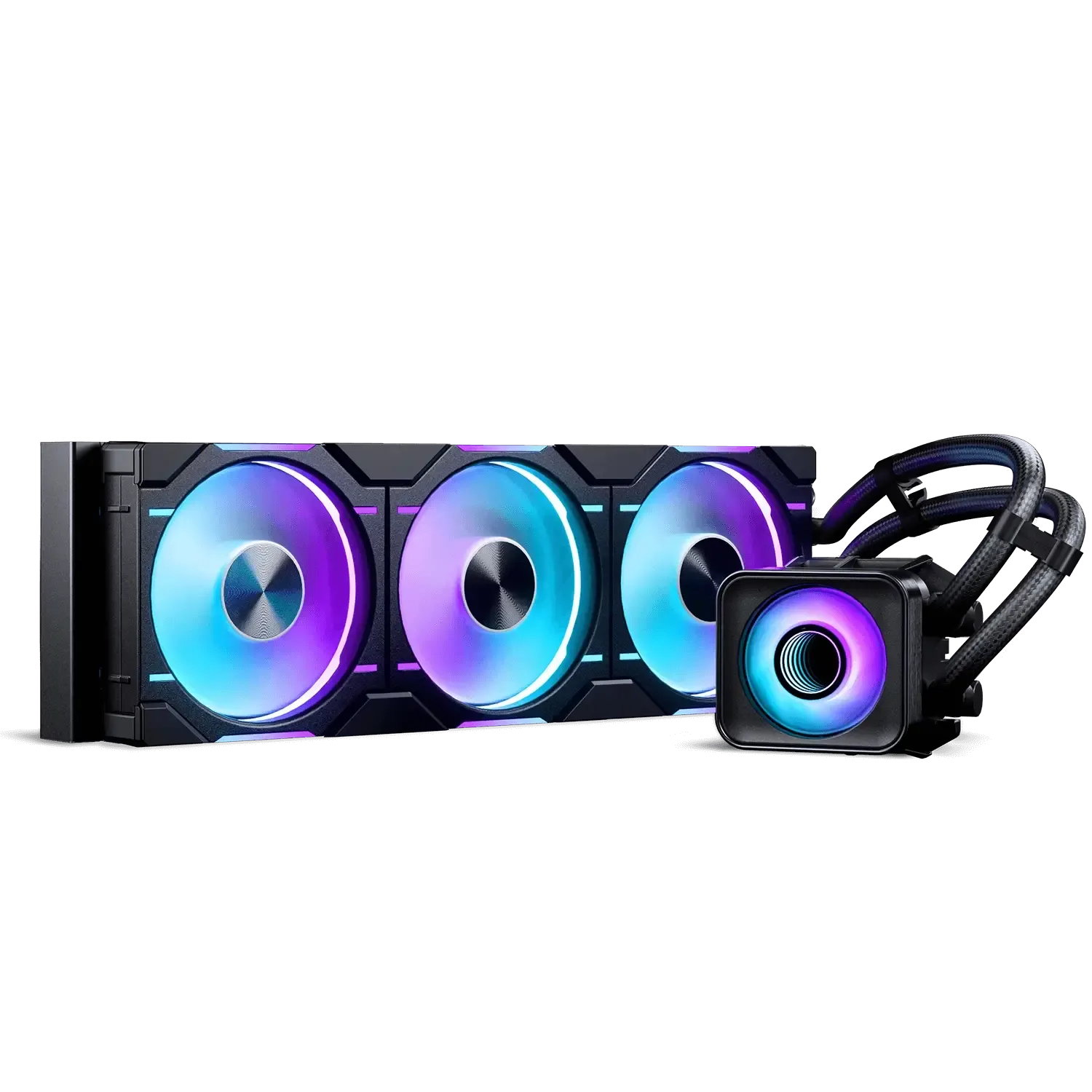
The Glacier One D30 X2 AIO Liquid CPU Cooler is a high-performance CPU cooling solution.
vast stream
solar spade
This was the thing covering the metal plate
remove the cpu block/pump from the cpu and take a pic of the thermal paste and post here
solar spade
Ok will do
vast stream
2 pics, the cpu and the cold plate. we’re just checking if there was proper contact and pressure
vast stream
solar spade
How is this
pressure looks fine so it’s likely there’s pump is faulty then
solar spade
Hmm
I test it again
Same issue going to 100C
But could it be a setting in bios
It keeps making this sound
Like the tapping
 grand scroll
i thought the rgb was a seperate cable


 granite arrow