#PC Crashes when running ram at 3600 mhz
43 messages · Page 1 of 1 (latest)
 turbid vigil
I recently upgraded to ddr4 64gb 3600 ram and had been running it at 2400 with zero issues, but when I select this built in profile to run it at full speed the computer boots fine and then crashes to blue screen after about 10 minutes of idle (no usage) with the error of “win32kfull.sys failed”. Is there any way I can fix that to run the ram at full speed or am I stuck at 2400? When I select “auto” the values are 2400 and 1.2V, and this built in profile which I assume is to run the ram at full speed is 3600 and 1.35V. My specs are:
Ryzen 7 5800x
Neo forza ddr4 64gb 3600
Zotac 3060ti
Asrock b450m pro4
Evga 650g+ supernova

Could I try not loading that XMP profile and just manually setting those values? I’m new to changing ram speeds
 copper crane
whats your bios version?
 worn breach
4x16GB is likely not going to run faster than 3200 cl16 on that mtoherboard
turbid vigil
B450M Pro4 P4.60
Yeah it’s unclear from Asrock websites whether it supports 3200 or 3600
worn breach
that board only officially supports 4x16GB at 2666MT/s
but you should be able to run it all at maximum 3200 cl16
if not 3200 you can try 2933 or 3000
worn breach
as a test, set your xmp then manually drop the speed to 3200
1.2 is default for 2133-2666, you need 1.35 for 3200 and 4 modules
turbid vigil
Alright I’ll test it, thx
worn breach
you might even need as much as 1.4v for 4x16GB at 3200 for stability
oh and dont worry too much about the sped drop, you wont notice the difference between 3600 cl18 and 3200 cl16
turbid vigil
So the XMP should be set to that profile rather than auto, and then manually lower the frequency?
worn breach
yeah just set xmp and then manually change the ram speed to 3200 so it uses the spec'ed timings. if it works you can try lowering the timings
you might be able to just set 3200 and have it automatically set cl16 timings with auto settings
turbid vigil
Alright thx, testing it now
Is it worth upgrading motherboards in the future to go from 3200 to 3600 or would that not be noticeable?
worn breach
not really
i'd onlu upgrade if it was cheap for a decent b550 and you want to run gen 4 nvme drives
turbid vigil
Booted successfully, gonna let it sit for a while and see
worn breach
i got my b550 tomawhawk for $150 back in 2021 black friday
worn breach
turbid vigil
Booted successfully, gonna let it sit for a while and see
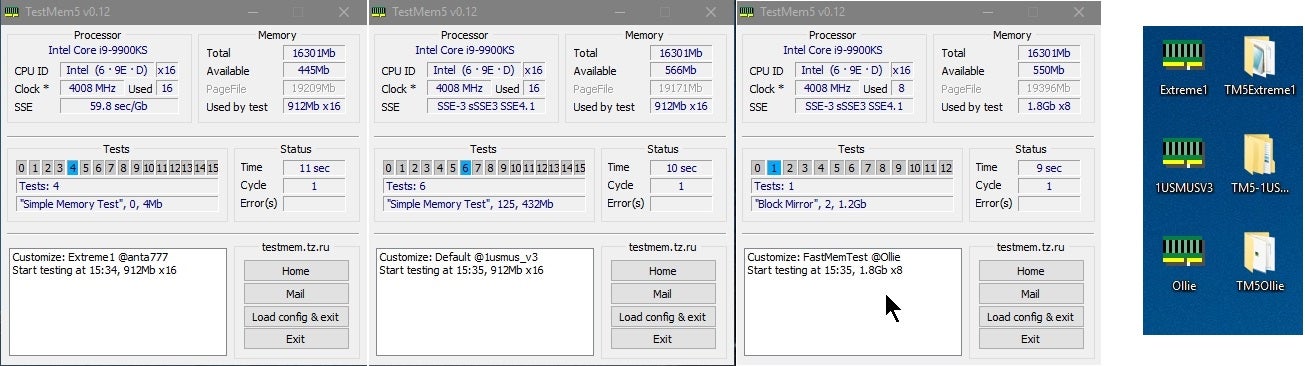
download TM5 and run it as an admin. make sure everything is closed that runs during start up other than microsoft stuff. things like steam, msi afterburner or discord need to be closed
ill get the link
Overclock.net
Hello everybody
I am just making a very light tutorial with a collection of custom config files and a DOWNLOAD LINK for TM5 v0.12
anta777 absolut config Official Intel DDR4 24/7 Memory Stability Thread
None of the work is mine but it seems like a pretty good and fast testing app
dont worry too much, it;s not difficult to run
it's a quick 6ish minute memory test to see if any errors pop up
turbid vigil
Hmm it won’t let me open the download link
worn breach
right click and open in new tab
turbid vigil
Tried that, keeps saying this
 turbid vigil
Yeah I don’t have a problem with it, tried two browsers and both are saying that
Computer hasn’t crashed yet though so it must be slightly better
worn breach
well i would still run a ram tester. you could throw memtest86 on a flash drive and run it over night
should only take 5 hours or less with 64GB of ram
turbid vigil
Ok I’ll try to find something, thx
worn breach

Download your free copy of MemTest86 here for USB.