#bri'ish quid
1 messages · Page 1 of 1 (latest)

 brisk tide
lol mood, dw about it
 south bronze
how do i make the thread bigger
oh there we go
so you see the shelf
at the back
brisk tide
yeah
 fallow aspen
so, a thread?
brisk tide
hmm
south bronze
hmm
brisk tide
so you plan to strap the cables on the top of the bunk bed desk thingy
brisk tide
nvm lol
south bronze
ill try draw it
this is my shelf

im going to remove it
and put a pc there. if i get it inverted, the window will be faced towards me right
brisk tide
south bronze
and put a pc there. if i get it inverted, the window will be faced towards me ri...
yeah
south bronze
and the cables will go out the right
brisk tide
i see now
south bronze
yes
brisk tide
that's a great idea
south bronze
oh thanks
fallow aspen
oh so inverted as in the window on the other side?
south bronze
hmm. no idea what that means
just the window facing me and the other window facing the left
fallow aspen
hm I thought you meant upside down
south bronze
and cables come out the right

 brisk tide
that too
fallow aspen
oh apparently it is upside down
 brisk tide
rip
fallow aspen
interesting, first time I’ve ever heard about inverted case
hm reactions still work lol
brisk tide
the evo has a lot more quality of life improvements, option to run it inverted, and has the option for a front mesh panel
south bronze
so ill get evo ig
brisk tide
you can check the gamers nexus review
south bronze
so. may i get help
south bronze
brisk tide
you can check the gamers nexus review
okie
south bronze
brisk tide
you can check the gamers nexus review
https://www.youtube.com/watch?v=o0wecnSTdy4
watched this one

Lian Li’s O11D Evo case is brand new and on our bench for review. This unique case has excellent mechanical design, decent thermals, and lots of build options.
Sponsor: EVGA Z590 Dark https://geni.us/C8Tq
MODMATS ARE BACK IN STOCK & SHIPPING NOW! Get one before they're gone over here: https://store.gamersnexus.net/products/modmat-volt-large
Th...
brisk tide
yup
brisk tide
that's easy
in fact, i could fit a PC + monitor + mic + headphones + headphones amp in 3K
let alone 3.5K
what headphones/mic do you have right now
south bronze
just normal gaming headphones
cheap
i have a custom keyboard which costs more than my laptop so i dont need a keyboard lol
brisk tide
south bronze
just normal gaming headphones
no-name chinesium headset?
south bronze
yessir
brisk tide
yeah those are getting upgraded 
brisk tide
south bronze
this is my shelf
what's the mouse in this pic? also generic no-name?
brisk tide
monkau
south bronze
brisk tide
monkau
?
 brisk tide
the emote i posted
south bronze
ah i see
brisk tide
looks like we also have the silent base 802 https://uk.pcpartpicker.com/products/compare/ZjtKHx,4cPQzy/
be quiet! Silent Base 802 ATX Mid Tower Case vs. Lian Li O11 Dynamic EVO ATX Mid Tower Case
brisk tide
costs the same as the o11 evo but the silent base comes with some fans unlike the o11

 brisk tide
ah that's what you mean
yeah afaik only the evo can do that
so i'll keep it in the list
south bronze
yup
south bronze
brisk tide
so i'll keep it in the list
tell me when your done ig
oh typing and gone lmao
brisk tide
south bronze
tell me when your done ig
this is what i was thinking for a PC + peripheral upgrades around your budget
https://uk.pcpartpicker.com/list/RvRFKp
mouse can also be bought on amazon https://www.amazon.co.uk/dp/B08P1PWN2Q
PC Builder - Intel Core i7-12700K, GeForce RTX 3080 12GB LHR, Lian Li O11 Dynamic EVO ATX Mid Tower

With a 99.6% resolution accuracy, the industry’s most precise sensor has an 8000Hz polling rate—equating to a 0.125 ms response time for near-zero input latency. It’s tracking, lift-off and landing distance can also be calibrated to your mouse surface, ensuring smooth aim when making fast, broad ...
south bronze
brisk tide
this is what i was thinking for a PC + peripheral upgrades around your budget
ht...
oh das a lot
das an expensive cpu ngl
south bronze
brisk tide
this is what i was thinking for a PC + peripheral upgrades around your budget
ht...
isnt the ram. hella expensive
and how bad is corsair vengeance
cuz i would prefer 32gb ram cuz 4 ram sticks look nicer lol
@brisk tide whats jds atom amp
brisk tide
south bronze
<@208294302961500161> whats jds atom amp
amplifier for the headphones so that they'll sound better
south bronze
brisk tide
amplifier for the headphones so that they'll sound better
oh god damn thats expensive
why dont i just get intel i5 12600k
brisk tide
because the budget was huge, so i put in the 12700K
south bronze
brisk tide
because the budget was huge, so i put in the 12700K
i thought not much of a difference between the 2
lel

3%
brisk tide
?userbenchmark
 sage widgetBOT
Do not use UserBenchMark!
Do not use UserBenchMark (UBM) for benchmarking or comparing hardware components. UBM provides biased results in their comparisons and uses old, false sayings as part of their scoring. The site also has a bias towards Intel and Nvidia components. Popular subreddits such as r/Intel, r/Hardware, and r/AMD have banned the site as a result of the mistrust and bias.
We prefer to use proper review sites and benchmarks such as Cinebench R20 for CPU performance and 3DMark's TimeSpy, a free demo is available on Steam ( or click here: steam://install/231350 ), for easy system performance comparison.
For more information regarding why not to use UBM, visit
https://ownsnap.com/userbenchmark-is-not-trusted-by-tech-enthusiasts-find-out-why-this-huge-website-has-a-zero-credibility-in-tech-community/
brisk tide
south bronze
big difference or no
in multi core performance, yes
it can also be OCed quite a bit more
south bronze
and whats this aio i really want it
 brisk tide
south bronze
and whats this aio i really want it
brisk tide
south bronze
and whats this aio i really want it
a white NZXT Z73, but it's trash for how much it costs
south bronze
brisk tide
a white NZXT Z73, but it's trash for how much it costs
those fans are lian li tho right
cuz i like those fans
brisk tide
south bronze
those fans are lian li tho right
they are lian li ones, yes
brisk tide
unifans also have trash performance and noise levels for how much they cost
it's highly advised to get the STs
brisk tide
yep
brisk tide
south bronze
is it possible to get like. a radiator. and get those lian li fans attached
also, you can actually https://uk.pcpartpicker.com/products/compare/Mdt9TW,wXddnQ,DN92FT,CVZ9TW/
Lian Li GALAHAD AIO 240 RGB UNI FAN SL120 EDITION 58.54 CFM Liquid CPU Cooler vs. Lian Li GALAHAD AIO 240 RGB UNI FAN SL120 EDITION 58.54 CFM Liquid CPU Cooler vs. Lian Li GALAHAD AIO 360 RGB UNI FAN SL120 EDITION 58.54 CFM Liquid CPU Cooler vs. Lian Li GALAHAD AIO 360 RGB UNI FAN SL120 EDITION 58.54 CFM Liquid CPU Cooler
south bronze
brisk tide
also, you can actually https://uk.pcpartpicker.com/products/compare/Mdt9TW,wXddn...
but not worth it

LG 27GN950-B 27.0" 3840x2160 144 Hz Monitor (27GN950-B)
is bad?
144 and 160 difference is big or no
brisk tide
south bronze
https://uk.pcpartpicker.com/product/DPrYcf/lg-27gn950-b-270-3840x2160-144-hz-mon...
this should be a good monitor, but i wasn't able to access the store link
south bronze
i thought after like 120 not too different
south bronze
brisk tide
this should be a good monitor, but i wasn't able to access the store link
oh i see
brisk tide
south bronze
144 and 160 difference is big or no
no, the tuning and response times of the 27GP950-B are a bit better anyway
south bronze
brisk tide
no, the tuning and response times of the 27G**P**950-B are a bit better anyway
ic
brisk tide
south bronze
https://www.laptopsdirect.co.uk/electriq-27-4k-uhd-144hz-usb-c-monitor-eiq-274k1...
i have no idea what the performance of this is, since there's no review
south bronze
Super-fast performanceGain the edge over your opponents with the Samsung Odyssey G7 LS28AG700NUXXU 4K Ultra HD 28" LED Gaming Monitor.Its 1 ms respons
samsung?
and also what does ssd do
brisk tide
south bronze
and also what does ssd do
you store windows, games, and other stuff on it
south bronze
brisk tide
you store windows, games, and other stuff on it
cant you use a hard drive
brisk tide
south bronze
cant you use a hard drive
hard drives are terrible for operating systems
south bronze
because?
brisk tide
slow
brisk tide
start up times, responsiveness, game frametimes
south bronze
so its very important and i cant downgrade it
brisk tide
i put in a 2TB SSD since it's the most convenient and quietest option compared to using an SSD + HDD and more of your games will load fast
but SSD + HDD is viable if you want a lot of storage
south bronze
brisk tide
i put in a 2TB SSD since it's the most convenient and quietest option compared t...
quietest?
brisk tide
south bronze
quietest?
HDDs make noise
brisk tide
actually i can put in 2x1 TB SSDs, it's cheaper
brisk tide
south bronze
but 2tb is a lot isnt it
honestly, for a lot of people, even 1TB is a lot
south bronze
if i download all my games on the ssd and like extra files and photos on hdd isnt that fine?
brisk tide
depends on your use case
south bronze
brisk tide
honestly, for a lot of people, even 1TB is a lot
yea i doubt ill use 500...
gb
lol
and is 2x16gb better than 4x8
brisk tide
south bronze
and is 2x16gb better than 4x8
yes
fallow aspen
usually, yes
brisk tide
2x16 is generally easier for the CPU's memory controller to run and has more overclocking potential
fallow aspen
4 sticks can place a higher strain on the IMC, especially DDR5 there can be a pretty significant loss in performance with 4 sticks
south bronze
should i overclock
south bronze
fallow aspen
4 sticks can place a higher strain on the IMC, especially DDR5 there can be a pr...
im using ddr4
fallow aspen
same principle, best to use 2 sticks
south bronze
ah
cuz im sort of an aesthetics guy, 4 looks nicer lol
thats my only motivation
pfft
to use 4 sticks
fallow aspen
there is RGB sticks in a DIMM form factor lol
south bronze
fallow aspen
there is RGB sticks in a DIMM form factor lol
?
no idea wat that means lol
fallow aspen
just RGB lights that look like a stick of RAM you put in the motherboard
south bronze
fallow aspen
just RGB lights that look like a stick of RAM you put in the motherboard
I CAN DO THAT?
can i have a link plz
and is 32gb neccesary or 16gb is enough
fallow aspen
sorry, don’t have a link, only know that they exist
south bronze
ok no problem
fallow aspen
also, go 16, unless you really need it doing rendering and other tasks
south bronze
fallow aspen
also, go 16, unless you really need it doing rendering and other tasks
whats that
 south bronze
fallow aspen
also, go 16, unless you really need it doing rendering and other tasks
south bronze
fallow aspen
also, go 16, unless you really need it doing rendering and other tasks
@brisk tide
south bronze
fallow aspen
also, go 16, unless you really need it doing rendering and other tasks
my requirements are at the top
fallow aspen
16 should be fine, regular video editing shouldn’t use too much RAM
brisk tide
eh, at 3.5K you may as well put in 32 GB
south bronze
not 3.5k
thats pushing it
mayb 3k
well i said 2-3.5k but 3.5k is pushing a bit lol
south bronze
fallow aspen
16 should be fine, regular video editing shouldn’t use too much RAM
ok
then wat ram to get
fallow aspen
crucial ballistix is usually the go-to RAM, but it might be hard to find in stock
south bronze
fallow aspen
crucial ballistix is usually the go-to RAM, but it might be hard to find in stoc...
the rgb ones 16gb used to be £60
3200mhz
brisk tide
https://uk.pcpartpicker.com/list/mGnGnt
this list has 4x8 RAM since you wanted the aesthetic
PC Builder - Intel Core i7-12700K, GeForce RTX 3080 12GB LHR, Lian Li O11 Dynamic EVO ATX Mid Tower
south bronze
ah its ok
oh wait
nvm

CORSAIR VENGEANCE RGB PRO Series DDR4 Light Enhancement Kit rounds out your custom PC’s looks. Fill your empty DDR4 slots with cosmetic modules that match your existing CORSAIR VENGEANCE RGB PRO memory modules, right down to the same aluminum heat spreader. Create a dazzling display with 10 ultra...
fallow aspen
also there’s some decent G Skill kits, but you have to be pretty careful with their RAM because some models are pretty bad while others excellent
south bronze
fallow aspen
also there’s some decent G Skill kits, but you have to be pretty careful with th...
wdym
brisk tide
south bronze
https://www.amazon.co.uk/Corsair-Vengeance-Enhancement-Enthusiast-Illuminated/dp...
these actually don't work very well, from what i've heard
south bronze
oh i see
brisk tide
plus, shitty corsair icue software
may as well get 32 gb tbh lol
if you do bigger projects in the future, 32 gb would help.
brisk tide
mobo is black anyway
so the RAM will match with it better
there aren't any motherboards with white dimm slots
south bronze
whats dimm
brisk tide
south bronze
whats dimm
the memory slot
brisk tide
brisk tide
if you do bigger projects in the future, 32 gb would help.
it can also be helpful if you like to mod games
south bronze
nope
@brisk tide question. this bad or no

Akasa Vegas RAM Mate Addressable RGB heatsink
brisk tide
south bronze
https://www.amazon.co.uk/Akasa-Aluminum-Memory-Heatsink-Addressable/dp/B07N8C8LK...
these probably will work but they require you to use RAM sticks without heatspreaders
south bronze
brisk tide
these probably will work but they require you to use RAM sticks without heatspre...
so what does that mean
brisk tide
or take off the heatspreaders from another kit of RAM
south bronze
thats hard?
brisk tide
south bronze
so what does that mean
you see how most RAM kits have heatsinks on them?
south bronze
yes
brisk tide
the thing you linked is one of those
south bronze
okay
brisk tide
just the heatsink
south bronze
is it hard to take them off
brisk tide
you need a hair dryer, sometimes the memory chips will stick to the glue and break off when removing
south bronze
cuz i just wanted white rgb sticks lol
brisk tide
the thing you linked isn't even white tho
south bronze
yea
sadly
i thought there was white variant
i looked back and i was like, ah oops
is there any other white ram stick alternative with rgb
or no
cuz corsair is shit
brisk tide
this is white with no RGB https://uk.pcpartpicker.com/product/zCCFf7/crucial-ballistix-16-gb-2-x-8-gb-ddr4-3000-memory-bl2k8g30c15u4w

Crucial Ballistix 16 GB (2 x 8 GB) DDR4-3000 CL15 Memory (BL2K8G30C15U4W)
brisk tide
south bronze
cuz corsair is shit
their RAM is just overpriced and can't use motherboard software for the lighting, but it's not inherently bad unlike their case fans
south bronze
brisk tide
this is white with no RGB https://uk.pcpartpicker.com/product/zCCFf7/crucial-bal...
yea sadly
south bronze
brisk tide
their RAM is just overpriced and can't use motherboard software for the lighting...
oh so its just expensive?
then its not a problem
brisk tide
you can get ballistix for cheaper, so it's hard to justify
south bronze
https://uk.pcpartpicker.com/product/XJVG3C/gskill-trident-z-neo-32-gb-4-x-8-gb-ddr4-3600-memory-f4-3600c16q-32gtznc
is this brand bad or no

G.Skill Trident Z Neo 32 GB (4 x 8 GB) DDR4-3600 CL16 Memory (F4-3600C16Q-32GTZNC)
south bronze
brisk tide
you can get ballistix for cheaper, so it's hard to justify
yea thats true. but not white
brisk tide
south bronze
https://uk.pcpartpicker.com/product/XJVG3C/gskill-trident-z-neo-32-gb-4-x-8-gb-d...
why does it cost as much as DDR5
south bronze
i thought its ddr4
brisk tide
i'm saying it costs as much as DDR5, not that it is ddr5
brisk tide
anyway, it's another RAM brand
they all rebrand memory chips from samsung/nanya/micron/sk hynix anyway
so don't pay attention to the brand
south bronze
brisk tide
so don't pay attention to the brand
oh
why does crucial not have the white rgb version of it tho
brisk tide
they do, it's just not in stock atm
south bronze
lower cl the better right
south bronze
brisk tide
they do, it's just not in stock atm
yea for a long time
brisk tide
south bronze
lower cl the better right
yeah
south bronze
brisk tide
yeah
crucial is cl 16?
brisk tide
south bronze
crucial is cl 16?
the black ones in my list are, yep
and they're very overclockable
south bronze
brisk tide
and they're very overclockable
should i overclock or no
like is it dangerous?
it increases the risk right
brisk tide
south bronze
like is it dangerous?
just don't shove a silly amount of voltage into the CPU or RAM, and you're perfectly safe. GPU's stock VBIOS will restrict how much voltage can be pushed into it
brisk tide
south bronze
should i overclock or no
depends, dialing in a good OC can take a while of stability testing but you can gain a lot of personal satisfaction from it
south bronze
brisk tide
just don't shove a silly amount of voltage into the CPU or RAM, and you're perfe...
ok ill just listen to your recommended overclocking
does it make a large difference or no
is corsair's maths okay?
 brisk tide
since you're playing at 4K, honestly not really. but CPU OC would get a decent boost in rendering performance
GPU OC would give a bit more gaming performance, just not by that much
since the GPU will generally be pushed close to the limit already
south bronze
but if i have a 160hz monitor
most games will be above 160 wont it
and if i put all my games on my ssd, lets say 1tb and i have a hdd for 1tb but put all photos in there, it wont affect performance will it?
brisk tide
south bronze
most games will be above 160 wont it
depends, playing demanding AAA games but with reasonable settings (4K high with RTX off) it would probably be closer to 120 to 140-ish
lightweight games such as counter strike or fortnite etc. will be above 160
brisk tide
south bronze
and if i put all my games on my ssd, lets say 1tb and i have a hdd for 1tb but p...
correct
south bronze
im sorry i changed a few things. i have no idea what im doing but i just chose whats aesthetically pleasing to me.
https://uk.pcpartpicker.com/list/wstWBj
PC Builder - Intel Core i5-12600K, Radeon RX 6900 XT, Lian Li O11 Dynamic EVO ATX Mid Tower
brisk tide
although 1TB HDDs cost about the same as 2TB HDDs
south bronze
brisk tide
although 1TB HDDs cost about the same as 2TB HDDs
hmm ok
brisk tide
south bronze
im sorry i changed a few things. i have no idea what im doing but i just chose w...
that mobo is pretty hard to justify for how much it costs, since you can get Z690 for about the same price
the 6900 XT is also slower than the 12GB 3080 in most games in 4K
depends on the game
south bronze
brisk tide
that mobo is pretty hard to justify for how much it costs, since you can get Z69...
slower by a lot or not really
because games ill play will be like
valorant
minecraft
csgo
brisk tide
funny thing is that the 6900 XT would be slower than a 3080 12GB in minecraft due to radeon openGL support
south bronze
brisk tide
funny thing is that the 6900 XT would be slower than a 3080 12GB in minecraft du...
lmao
brisk tide
especially with shaders on
south bronze
but would be above 144hz anyways right?
brisk tide
south bronze
but would be above 144hz anyways right?
yeah
brisk tide
high budget game made by a huge studio, an example being call of duty
or cyberpunk 2077
south bronze
ah
do u think i can search benchmarks on which games i would play and look for a video that compare the 2
or are those benchmarks wrong too
like on yt
brisk tide
you can check this: https://www.techpowerup.com/review/amd-radeon-rx-6950-xt-reference-design/
it's a review of the 6950 XT but it has data for the 6900 XT, 12 GB 3080, etc.

TechPowerUp
The AMD Radeon RX 6950 XT Reference Design card not only looks great, but also achieves excellent performance, matching the GeForce RTX 3090, but at much better pricing. Because of good optimization and surprisingly good energy efficiency, AMD's thermal solution works very well, too.
so it's newer
south bronze
brisk tide
although, it tends to cost too much compared to the 6900 XT to be worth it
yea
its £300 more

Games : @4K
Far Cry 6 0:01
Cyberpunk 2077 0:58
Hitman 3 1:58
Resident Evil Village 3:00
Shadow of the Tomb Raider 5:05
Watch Dogs Legion 4:03
Horizon Zero Dawn 6:07
Red Dead Redemption 2 7:10
PC Specs:
Gigabyte GeForce RTX 3080 Gaming 12GB
PowerColor Radeon RX 6900 XT 16GB
intel Core i7-12700K
Asus ROG Maximus Z690 Hero
RAM: 32GB (2x16GB) DDR5 5...
so this would be wrong
brisk tide
those rando benchmarks are usually not helpful when compared to ones by professional reviewers
e.g. hardware unboxed, techpowerup, guru3d, igorslab, gamers nexus, tom's hardware
south bronze

Support us on Patreon: https://www.patreon.com/hardwareunboxed
Join us on Floatplane: https://www.floatplane.com/channel/HardwareUnboxed
Buy relevant products from Amazon, Newegg and others below:
Radeon RX 6500 XT - https://geni.us/dym2r
Radeon RX 6600 - https://geni.us/cCrY
Radeon RX 6600 XT - https://geni.us/aPMwG
Radeon RX 6700 XT - https:/...
i was watching this one

but they are similar right
brisk tide
south bronze
but they are similar right
yeah
south bronze
brisk tide
yeah
okay
its just. er again. aesthetics lol
cuz imma mount it upright
south bronze
brisk tide
yeah

like dis
sadly these lian li fans are apparently bad
so
i thought its easy to wire them. daisy chain or something
brisk tide
the normal lian li fans that come on the galahad look fine too
 brisk tide
south bronze
i thought its easy to wire them. daisy chain or something
brisk tide
south bronze
i thought its easy to wire them. daisy chain or something
the lian li ST fans can daisy chain
south bronze
brisk tide
the lian li ST fans can daisy chain
ooo thats nice
no hassle
and question
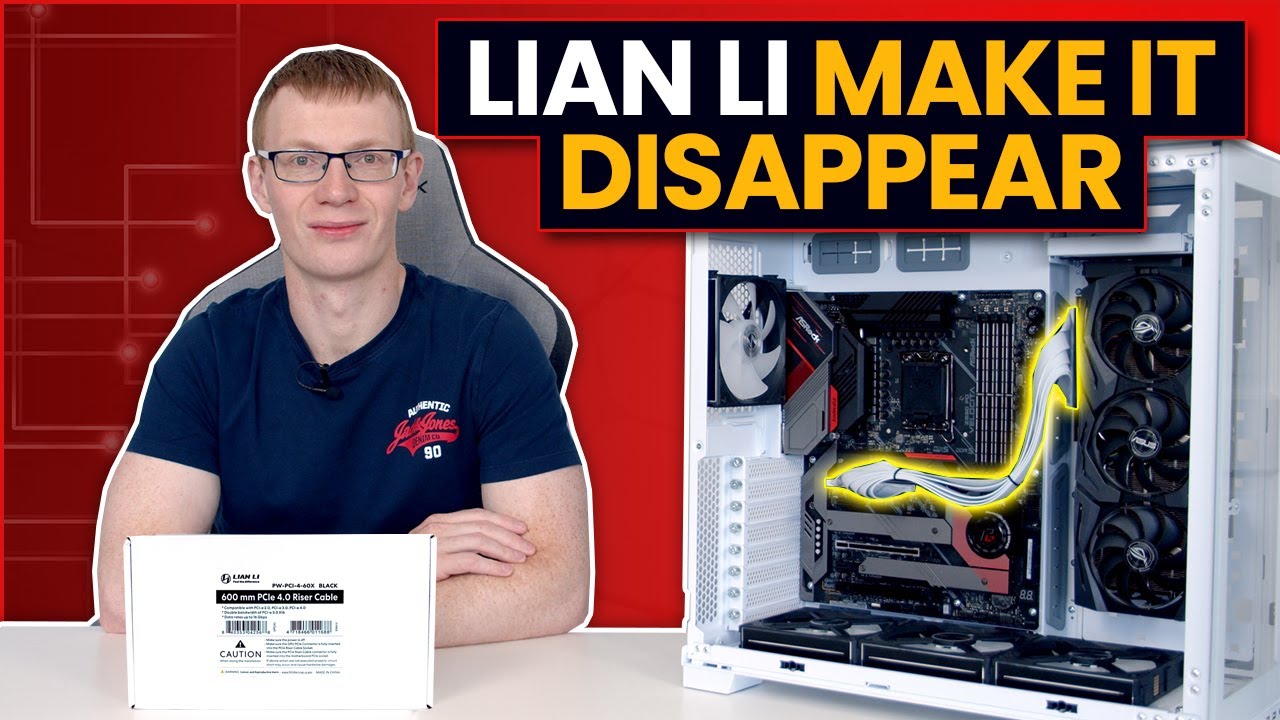
Lian Li have released a 600 mm PCIe 4.0 Riser Cable for the O11 Dynamic EVO which can be routed behind the motherboard to the upright GPU. In this video I demonstrate installation of the new cable and show it's aesthetic benefits over the original cable.
Links to riser cable
• LIAN LI Premium PCI-E 16X 4.0 Black Extender Riser Cable 600 mm , ...
is it possible to do this on inverted case
@brisk tide
 south bronze
ah
brisk tide
two 8 pin
south bronze
i need to buy that?
brisk tide
it comes on the PSU
south bronze
oh i see
and the 24pin atx
is it possible to get the lian li ones
like the nice rgb ones
brisk tide
yeah i guess
south bronze
brisk tide
yeah i guess
okie
south bronze
brisk tide
yeah i guess
are there color varients for those or is it 1 color
brisk tide
south bronze
are there color varients for those or is it 1 color
seems to just be one color
south bronze
brisk tide
seems to just be one color
okie
and this is all i need right
and i should probably change mobo right
well you told me its hard to justify it
PC Builder - Intel Core i5-12600K, Radeon RX 6900 XT, Lian Li O11 Dynamic EVO ATX Mid Tower
brisk tide
i would get the PRO Z690-A https://uk.pcpartpicker.com/list/xHnGnt
PC Builder - Intel Core i5-12600K, Radeon RX 6900 XT, Lian Li O11 Dynamic EVO ATX Mid Tower
you still have the option of OC with the Z690-A and more M.2 slots
brisk tide
south bronze
isnt there a white other mobo
the other ones were either micro ATX or much worse than the Z690-A
i like this one https://uk.pcpartpicker.com/product/pzstt6/msi-mag-b660m-mortar-wifi-ddr4-micro-atx-lga1700-motherboard-mag-b660m-mortar-wifi-ddr4

MSI MAG B660M MORTAR WIFI DDR4 Micro ATX LGA1700 Motherboard (MAG B660M MORTAR WIFI DDR4)
brisk tide
south bronze
ASRock Z690 Steel Legend?
doesn't have wifi (which you needed) and it's still way more expensive
south bronze
brisk tide
i like this one https://uk.pcpartpicker.com/product/pzstt6/msi-mag-b660m-mortar-...
yes this was the other one
any good?
brisk tide
south bronze
Asus PRIME Z690-P WIFI D4
or this?
it's okay, but this rear I/O is unacceptable for how much it costs and it costs more than the MSI board
 brisk tide
south bronze
any good?
brisk tide
south bronze
any good?
yeah it's good
south bronze
brisk tide
it's okay, but this rear I/O is unacceptable for how much it costs and it costs ...
why?
brisk tide
south bronze
why?
the rear i/o of the prime z690-p is what you'd expect from a $120 B660, not a $200 Z690
brisk tide
this is the pro z690-a, it has a bit more
 south bronze
i can change the color of the rgb on my gpu or no
brisk tide
south bronze
i can change the color of the rgb on my gpu or no
yup you can
south bronze
brisk tide
this is the pro z690-a, it has a bit more
whats the point in it tho
like what do i use these ports for
brisk tide
south bronze
like what do i use these ports for
devices
keyboard, mouse, controller, webcam, etc.
i'm using like 8 of them
south bronze
i need that many ports?
brisk tide
south bronze
i need that many ports?
depends, what are you gonna plug into the PC
south bronze
brisk tide
depends, what are you gonna plug into the PC
er
mouse and keyboard
headphone
monitor
brisk tide
put it in one message
south bronze
ok
and can you walk me through the microphone and amp things
me have no idea what they are lol
south bronze
brisk tide
depends, what are you gonna plug into the PC
wat do i need to plug
brisk tide
south bronze
wat do i need to plug
obviously you need a keyboard/mouse/monitor/headphones connected (mic for communication)
south bronze
brisk tide
obviously you need a keyboard/mouse/monitor/headphones connected (mic for commun...
ok. what else? is there anything else or not really
south bronze
oh monitor doesnt come with one does it
brisk tide
the monitor doesn't come with a webcam, no
south bronze
brisk tide
the monitor doesn't come with a webcam, no
ah i see. i can just use usb no? connect it to the monitor
brisk tide
south bronze
ah i see. i can just use usb no? connect it to the monitor
the monitor will use display port or HDMI
not USB for the video output
brisk tide
oh you're talking about a USB hub on the monitor
yeah you can
the odyssey G70A in your list has two USB ports
brisk tide
the G70A is a very good monitor
south bronze
its not g70a?
idk
Super-fast performanceGain the edge over your opponents with the Samsung Odyssey G7 LS28AG700NUXXU 4K Ultra HD 28" LED Gaming Monitor.Its 1 ms respons
just G7
OR IM DUM
caps lock
brisk tide
it's called the G70A in some other places
https://www.samsung.com/us/computing/monitors/gaming/28-odyssey-g7-qhd-led-gaming-monitor-ls28ag700nnxza/

Samsung Electronics America
Take the fight to any gaming challenge, with Samsung’s ultimate 28” gaming monitor, the G70A - equipped with a 1ms response time, UHD 4K resolution, 144hz refresh rate with G-Sync and FreeSync Premium support, HDMI 2.1, and fully customizable Odyssey Infinity Core lighting.
lol samsung themselves
brisk tide
yes
brisk tide
yep
south bronze
white?
brisk tide
probably, although would it really be seen that much
south bronze
nah
if i find a color variant ill get it anyways
does the arm matter much or
not rlly
any will do
brisk tide
monitor arms mounted to the desk give you more adjustability, it's nice to have
south bronze
ok
brisk tide
are you talking about something like this https://www.amazon.co.uk/Suptek-Single-Monitor-Adjustable-Spring/dp/B0833NQ8CR/

What Is a gas spring monitor arm? Whether you’re working from home, at the office, or spending a lot of time gaming with friends, you probably spend a lot of time at your desk in front of a monitor. Sitting for long periods of time at your desk can cause various aches and pains if your monitor is...
south bronze
yess
brisk tide
i wish i got one lol
south bronze
why dont you get one?
brisk tide
i got a basic monitor arm like this: https://www.amazon.com/WALI-Monitor-Adjustable-Capacity-M002/dp/B018MSDG84

WALI Dual LCD Monitor Fully Adjustable Desk Mount Stand Fits 2 Screens up to 27 inch, 22 lbs. Weight Capacity per Arm (M002), Black
and as to why, i got it for 20 bucks
it was real cheap
south bronze
wass the difference
brisk tide
my arm has very little adjustability
brisk tide
brisk tide
are you talking about something like this https://www.amazon.co.uk/Suptek-Single...
this is a lot more adjustable and easier to adjust
south bronze
doesnt need to be curved screen right
brisk tide
nope, it doesn't
south bronze
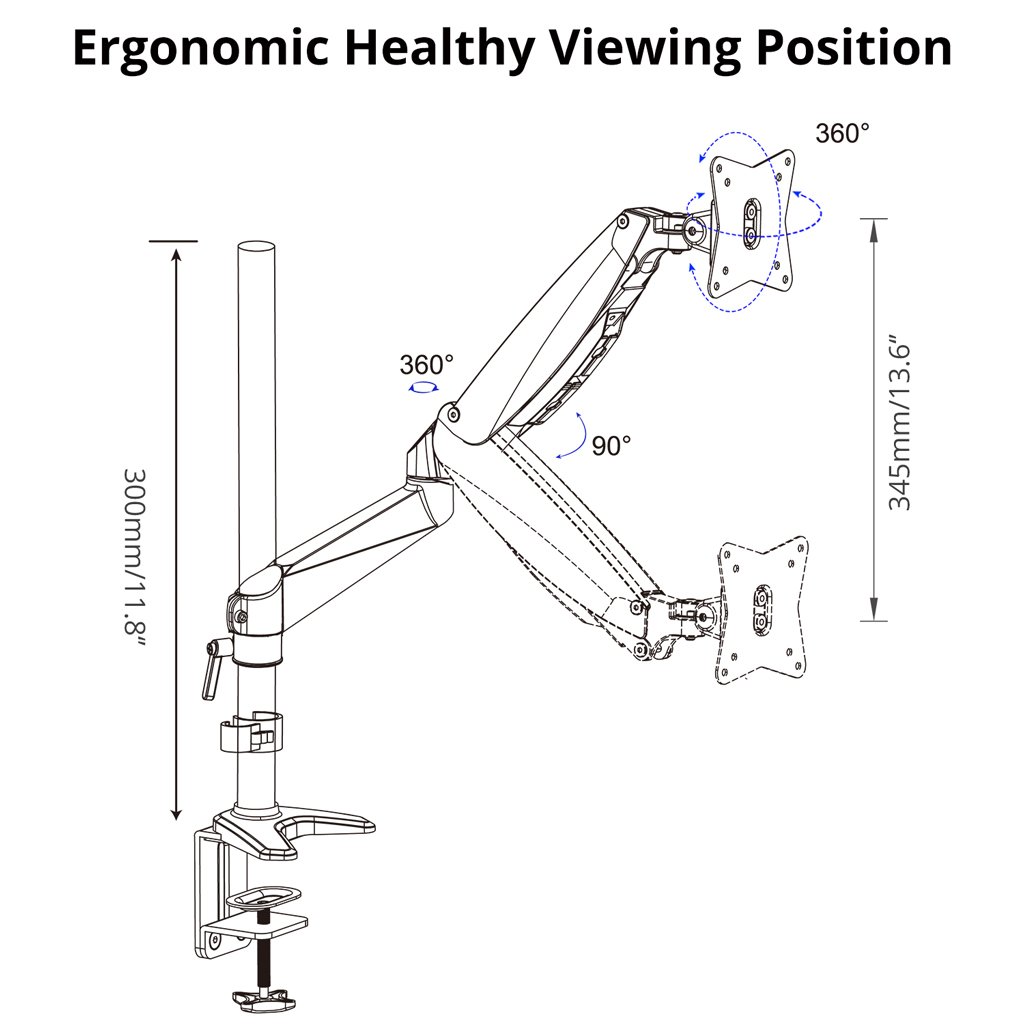
ATUMTEK
ATUMTEK Monitor Arm raises your screen to eye level and increases your comfort at work. Clamp and grommet mount, VESA compatible, easy adjustment.
cuz i liked this one lol
south bronze
brisk tide
nope, it doesn't
and how many sockets do i need to power all this
i dont have many lol
south bronze
brisk tide
so, two plugs
is that it? god damn
brisk tide
south bronze
do i need any speakers
the headphones will provide sound like speakers
so you don't need speakers
brisk tide
yeah
south bronze
i can just get some cheap ass ones tho right
brisk tide
cheap and good ones are creative pebbles
brisk tide
south bronze
?

Creative Pebble V3 Minimalistic 2.0 USB-C Desktop Speakers with USB Audio, Clear Dialog Enhancement, Bluetooth 5.0, 8W RMS with 16W Peak Power, USB-A Converter Included (Black)
south bronze
oh i see
fallow aspen
south bronze
is that it? god damn
you can get one of those boards that split plugs into several different sockets if you really need those
brisk tide
these are better actually (these use 3.5mm instead of usb) https://www.amazon.co.uk/Creative-Pebble-Desktop-Speakers-Black/dp/B0791H74NT

Inspired by the zen Japanese rock garden, the orb-shaped Creative Pebble is a sleek and elegant 2.0 speaker system that looks perfect in any home and office. It features a 45° elevated sound stage for enhanced audio projection and is powered by a single USB cable for hassle-free music enterta...
well, arguably
south bronze
fallow aspen
you can get one of those boards that split plugs into several different sockets ...
oh

Rich, Crystal Sound Full range 2.0 channel enhanced stereo core with 3 Watts power produces rich and crystal audio for gaming, music and movie. Easy Controls With a light touch, the backlit mode of the RGB lighting bar can be switched with 4 modes. The volume can be precisely adjusted via the cla...
any like this
like soundbar
cuz dat fits my table nice lol
@brisk tide
south bronze
fallow aspen
you can get one of those boards that split plugs into several different sockets ...
are they any good
brisk tide
i'm not aware of any sound bar that has good sound quality
i would just get the pebbles
there are in white too https://www.amazon.co.uk/Creative-Pebble-Desktop-Speakers-White/dp/B0791J2658/

Inspired by the zen Japanese rock garden, the orb-shaped Creative Pebble is a sleek and elegant 2.0 speaker system that looks perfect in any home and office. It features a 45° elevated sound stage for enhanced audio projection and is powered by a single USB cable for hassle-free music enterta...
south bronze
hmm i see
okie
is it possible to put led light strips in the pc? like on the rim
on the inside of the pc
south bronze
or do you think i have enough rgb
brisk tide
people do that all the time
brisk tide
south bronze
or do you think i have enough rgb
some would argue you can never have enough RGB
south bronze
lmao
brisk tide
i would say it's easy, it's just time consuming
south bronze
like. i see on yt ppl doing it. its like on the side next to the window
brisk tide
i'd probably get some cheap strips from ali express
south bronze
do you think it will make a difference
brisk tide
south bronze
do you think it will make a difference
aesthetically? yes
south bronze
brisk tide
aesthetically? yes
you know some cases like corsair have like. a space where you could put the rgb strips
brisk tide
south bronze
you know some cases like corsair have like. a space where you could put the rgb ...
the o11 evo should have spaces to do the same
south bronze

With CORSAIR iCUE version 3.34 comes official support for using our popular diffused RGB lighting strips from our LS100 Starter Kit and LS100 Expansion kits on internal controllers like our Lighting Node PRO and Commander PRO. In this video, we'll show you how to install your strips in your build and set them up in CORSAIR iCUE!
Check out the l...
like this one
like dedicated space for it
brisk tide
i think it's just there to make the case wider but i see what you mean
south bronze
brisk tide
i think it's just there to make the case wider but i see what you mean
yea
south bronze
brisk tide
i think it's just there to make the case wider but i see what you mean
and how big is the 011d
sage widgetBOT
Google result for o11d evo specs
south bronze
i cant find it on pc part picker lol
brisk tide
south bronze
i cant find it on pc part picker lol
it's in the pcpp list lol
https://uk.pcpartpicker.com/product/4cPQzy/lian-li-o11-dynamic-evo-atx-mid-tower-case-pc-o11dew

Lian Li O11 Dynamic EVO ATX Mid Tower Case (PC-O11DEW)
south bronze
brisk tide
it's in the pcpp list lol
https://uk.pcpartpicker.com/product/4cPQzy/lian-li-o11...
wait what
i still cant see it am i stupid?
brisk tide
akshdkashds WHAAA
south bronze
?
brisk tide
south bronze
i still cant see it am i stupid?
i...just linked it 
south bronze
i checked the link tho...
 brisk tide
oh
south bronze
oh
brisk tide
lian li's website
 brisk tide
i would've thought a case like it would be wider
south bronze
brisk tide
i would've thought a case like it would be *wider*
?
brisk tide
south bronze
?
the o11 has the PSU on the side, as you know
plus the cables and HDD slots
brisk tide
which makes it wider than the average case
brisk tide
yeah, my P400A is 21 cm wide
south bronze
brisk tide
yeah, my P400A is 21 cm wide
oh so its large compared to others
i just dont know whats normal
okay
brisk tide
south bronze
i just dont know whats normal
story of my life
brisk tide
lol
south bronze
thats bull shit
wait
no way
thats not correct
nitro
I THOUHGHT THE AIO IS 360MM
NO WAY THE WHOLE PC IS 285
wait im so confused
brisk tide
south bronze
I THOUHGHT THE AIO IS 360MM
it is, the case is 40+ cm long
south bronze
wait what
brisk tide
465mm to be exact
brisk tide
south bronze
yes
depth
 brisk tide

brisk tide
@fierce jetty @rich hollow help me out here
south bronze
am i just stupid?
 fierce jetty
Whatcha need?
south bronze
fierce jetty
Whatcha need?

which is depth and which is width
isnt width from left to right
fierce jetty
Depth = how deep something is, how far back it goes, how thick it is basically
south bronze
yea exactly
so the width is tiny no?
it can fit a 422mm gpu in it
??????????????????
 rich hollow
?
brisk tide
south bronze
it can fit a 422mm gpu in it
this is length/depth
fierce jetty
south bronze
it can fit a 422mm gpu in it
GPU length is a function of depth, not width
south bronze
oh
rich hollow
Why have I been summoned
south bronze
fierce jetty
GPU length is a function of depth, not width
oh ic
fierce jetty
rich hollow
Why have I been summoned
Nadaman needed a math major and a local currency expert
south bronze
and an english major
brisk tide
south bronze
and an english major
are you trying to roast me lol
south bronze
south bronze
so this diagram is correct right
south bronze
brisk tide
are you trying to roast me lol
no im roasting me
rich hollow
Oooh 011D Evo
south bronze
im not an english major
brisk tide
it's not
fierce jetty
south bronze
so this diagram is correct right
Yes
rich hollow
Stop messing around
south bronze
you saying its not tiny or its not 30cm
brisk tide
south bronze
you saying its not tiny or its not 30cm
it's not tiny, that's what i'm saying
fierce jetty
Let me give a more visual illustration
rich hollow
300mm long cases are tiny. 011D Evo is NOT tiny


 rich hollow
Are you trolling at this point
rich hollow
south bronze
Depth is where that W is
south bronze
...
OH YEA CUZ U GUYS DONT PUT YOUR PC LIKE THE WAY I WANT TO
OOOOOOOOOOOOHHHHHHHHHH
im so stupid...
south bronze
south bronze
OH YEA CUZ U GUYS DONT PUT YOUR PC LIKE THE WAY I WANT TO
right? @brisk tide
brisk tide
i guess?
fierce jetty
 south bronze
ah
rich hollow
This is a small case
 south bronze
thats tiny
brisk tide
that's a small image
south bronze
oh so depth is my width
brisk tide
south bronze
oh so depth is my width
yes
south bronze
and width is my depth
ahhhhhh
thats why
i was like, the window is smaller than my side panel
w h a t
brisk tide
let's go back to the PC build already, this discussion is silly
brisk tide
south bronze
and can you walk me through the microphone and amp things
the microphone is bundled with an interface, which has the volume controls and XLR connector to connect it to a computer
rich hollow
If you like the 011D but want something smaller. Look no further than 011D mini and 011 air mini
brisk tide
the jds atom is a dedicated audio amplifier, it will supply more power to your headphones making them sound much better and will have better audio quality than just the PC's audio
brisk tide
south bronze
headphones -> amp -> pc?
yep, that's how it goes
south bronze
rich hollow
If you like the 011D but want something smaller. Look no further than 011D mini ...
nah its okay. i need something to fill empty space
south bronze
brisk tide
the jds atom is a dedicated audio amplifier, it will supply more power to your h...
can i connect speakers to them or no
brisk tide
south bronze
can i connect speakers to them or no
you can connect speakers to them
south bronze
oh so i can connect these speakers to them and they will sound really good?
brisk tide
if you had really high end speakers, you would need to connect an amp anyway (cheap speakers such as creative pebbles don't need them)
south bronze
so i dont connect them
lol
and any rgb lights that you recommend for my table and the back of my monitor for lights
brisk tide
south bronze
so i dont connect them
what i would do is this
headphones > amp > usb-c audio dongle > PC (this is a good one: https://www.amazon.co.uk/Headphone-Amplifier-Interface-Decoding-Earphone/dp/B0B184869X/)
and then speakers > pc (or speakers > monitor > pc)

CX31993 USB Type C DAC Headphone Amplifier with 3.5mm Output Audio Interface DAC Audio Adapter Chip Decoding Earphone Cable - Interface: For TYPE C to 3.5.Support call and line control. - Total length: 13cm.Thrust: 65mW. - DAC sampling rate: 32bits/384KHz.Distortion/THD+N:95dbTHD+N:0.0003%DSD:64/...
south bronze
brisk tide
what i would do is this
headphones > amp > usb-c audio dongle > PC (this is a g...
oh
brisk tide
south bronze
and any rgb lights that you recommend for my table and the back of my monitor fo...
like rgb strips? these are fine: https://www.amazon.co.uk/WOANWAY-Backlights-Lighting-Dimmable-Dynamic/dp/B08P1HVJ1H
i just picked what was cheap lol

WOANWAY LED TV Backlights,2M USB Sync to Music Lighting RGB Dimmable LED Strip with 20 Colors and 8 Dynamic Mode for 40 to 60 Inch HDTV,PC Monitor,Table,Desk
south bronze
brisk tide
what i would do is this
headphones > amp > usb-c audio dongle > PC (this is a g...
er. so speakers > pc and not speakers > amp > pc
brisk tide
south bronze
er. so speakers > pc and not speakers > amp > pc
yeah the speakers don't need the amp's power really
south bronze
yea
south bronze
brisk tide
like rgb strips? these are fine: https://www.amazon.co.uk/WOANWAY-Backlights-Lig...
lmao
literraly any works lol
im sure
brisk tide
south bronze
literraly any works lol
yeah
brisk tide
brisk tide
what i would do is this
headphones > amp > usb-c audio dongle > PC (this is a g...
@south bronze monitor works for the speakers too btw
i just realized that
south bronze
brisk tide
<@819268415507660800> monitor works for the speakers too btw
oh are they any good tho
like. for general use
brisk tide
south bronze
oh are they any good tho
what i mean is that you can plug speakers into the monitor
south bronze
not games
south bronze
brisk tide
what i mean is that you can plug speakers *into* the monitor
oh so i need speakers if i wanna hear
brisk tide
yeah lol, the G70A doesn't come with speakers
south bronze
ah ok
brisk tide
but monitor speakers sound like shit anyway
they would not be good for watching youtube, much less an actual TV show/movie or playing a game
south bronze
brisk tide
they would not be good for watching youtube, much less an actual TV show/movie o...
ok
so connect em anyways
you know moniter arms
are they like. a place where cables go through them
cuz if not
isnt hard to make it look like there arent much cables if the monitor is levatating and i need to connect a hdmi cable
brisk tide
south bronze
are they like. a place where cables go through them
they usually do yes
but you will probably need a long cable
south bronze
brisk tide
but you will probably need a long cable
should i buy one?
brisk tide
i would use what comes with the monitor first, and then buy a longer cable if it can't be routed well
south bronze
ATUMTEK
ATUMTEK Monitor Arm raises your screen to eye level and increases your comfort at work. Clamp and grommet mount, VESA compatible, easy adjustment.
does this hav it
brisk tide
south bronze
https://www.atumtek.com/products/desk-monitor-mount-adjustable-gas-spring-comput...
yes
south bronze
oh it does
south bronze
brisk tide
yes
is it possible to connect kbm to monitor and will it work
south bronze
brisk tide
yes
oh i see
south bronze
brisk tide
yes
but headphones i must put through amp
CX31993 USB Type C DAC Headphone Amplifier with 3.5mm Output Audio Interface DAC Audio Adapter Chip Decoding Earphone Cable - Interface: For TYPE C to 3.5.Support call and line control. - Total length: 13cm.Thrust: 65mW. - DAC sampling rate: 32bits/384KHz.Distortion/THD+N:95dbTHD+N:0.0003%DSD:64/...
brisk tide
south bronze
but headphones i must put through amp
yep
south bronze
wat do this do tho
brisk tide
south bronze
wat do this do tho
plugs into PC, gives you a headphone jack. should have a bit better sound quality than what's on the PC
you can also use it on your phone for wired headphones
south bronze
brisk tide
plugs into PC, gives you a headphone jack. should have a bit better sound qualit...
wait so. my pc has no headphone jack
brisk tide
south bronze
wait so. my pc has no headphone jack
no, the motherboard has audio jacks
brisk tide
yeah, and the amp plugs into the computer
south bronze
brisk tide
i put in an RCA to 3.5mm cable in the list
ahhhhhhhhhh. so. headphones = 3.5mm -> amp which i use the adapter so 3.5mm -> Rca -> amp which comes out as?

AmazonBasics 3.5mm to 2-Male RCA Adapter Cable - 8 Feet (9f8290f11ee6f966e287c55f36cf5940)
this right
brisk tide
south bronze
ahhhhhhhhhh. so. headphones = 3.5mm -> amp which i use the adapter so 3.5mm -> R...
well it's
headphones -> amp -> RCA -> 3.5mm -> audio dongle -> PC
brisk tide
south bronze
https://uk.pcpartpicker.com/product/jbFXsY/amazonbasics-35mm-to-2-male-rca-adapt...
yup that's the one
it was cheap basically
south bronze
brisk tide
well it's
headphones -> amp -> RCA -> 3.5mm -> audio dongle -> PC
OH I SEE
SO MY HEAPHONES ARE 3.5MM. IT GOES into the amp as 3.5mm. then it comes out as Rca which i use an adapter to 3.5mm and i use audio dongle to usb c
into the pc
brisk tide
yep
south bronze
where usbc tho. the side where the hdmi comes out right
brisk tide
it's on the back of the motherboard
brisk tide
brisk tide
this is the pro z690-a, it has a bit more
this
brisk tide
the amp has volume controls
south bronze
ah
i cant just use normal volume on windows?
it has to be the amp volume controls
south bronze
unless i put it somewhere far away
okie
ill think about the mesh thing too
might stick to glass idk ill think abt it
wait that just means i need to buy more fans right
brisk tide
since the PC is being put in a place where the front isn't seen, front mesh makes the most sense imo
south bronze
okie
brisk tide
side intake won't be helpful since it's against the wall
south bronze
wait is it?
brisk tide
it seemed like it
south bronze
i meant the back panel faces the wall
if you know what i mean
the fans on the side will face the left
cuz inverted
brisk tide
yeah
south bronze
south bronze
this is my shelf
^
south bronze
brisk tide
yeah
ill stick to mesh anyways
south bronze
brisk tide
side intake won't be helpful since it's against the wall
wait mesh means that their wil be no fans there right
brisk tide
south bronze
wait mesh means that their wil be no fans there right
i put fans in the list
brisk tide
yep
brisk tide
3 on the front mesh panel, 3 on the bottom, and the AIO on the top
south bronze
i need 1 extra for one on the right
brisk tide
the one extra fan isn't really needed
south bronze
brisk tide
the one extra fan isn't really needed
idk. aesthetics moments lel
brisk tide
you can use this as the rear fan https://www.idealo.co.uk/compare/201884298/arctic-p12-pwm-pst-a-rgb-white.html
south bronze
any accesories that are useful for cable manage or no
south bronze
brisk tide
you can use this as the rear fan https://www.idealo.co.uk/compare/201884298/arct...
y dont i just get another lian li
brisk tide
south bronze
any accesories that are useful for cable manage or no
a lot of the useful thing will come with the case
brisk tide
south bronze
y dont i just get another lian li
the ST120 is annoyingly not sold as a singular fan
south bronze
brisk tide
the ST120 is annoyingly not sold as a singular fan
oh i see
brisk tide
so i picked out an arctic p12
south bronze
brisk tide
a lot of the useful thing will come with the case
oh i meant cable manage on the table
like kbm, headphones, the amp thing
brisk tide
something like this? https://www.amazon.com/EVEO-J-Channel-Cable-Raceway/dp/B08DG2LY5B

EVEO Cable Management 96'' J Channel-6 Pack Cord Cover- Cable Raceway - Cable Management Under Desk, Adhesive Stripe Built-in 6X16in- Easy to Install Desk Cord Organizer- Cable management tray, Black
south bronze
oh
i think thats fine
cuz i cant see the cables at the back
i have like a alex draw under my table and i cant see any cables
oh are there like screw driver things that i need
i hav non
pfft
brisk tide
you don't have a screw driver?
south bronze
NOPE
lmao
i do but its for keyboards
and its electric but its rlly weak
cant screw things tight
brisk tide
eh it's fine tbh
brisk tide
then use hands 
south bronze
...
brisk tide
oh wait it was a joke lol
brisk tide
is it just really small
brisk tide
it'd be good for the M.2 SSD but yeah go on amazon and buy a cheap & big one then
south bronze
brisk tide
it'd be good for the M.2 SSD but yeah go on amazon and buy a cheap & big one the...
just phillips head screw drivers
brisk tide
yep
brisk tide
south bronze
this mic is like rlly good right
yep
south bronze
brisk tide
yep
oh btw btw anyy good wireless mouse
low latency or is wired just better
and do i need a windows key
brisk tide
some wired mice like the v8k have better latency/response time technically
but you probably won't notice the difference
you can get the viper ultimate for 60 pounds on amazon if you want something wireless
south bronze
brisk tide
you can get the viper ultimate for 60 pounds on amazon if you want something wir...
is the logitech one good
cuz idk i dont like wires lmao
brisk tide
south bronze
is the logitech one good
g pro x superlight? it's fine
viper ultimate is wireless btw
south bronze
ok
brisk tide
it's the 8k that's wired only
south bronze
ok
will a rgb pin spliter help
seems more easy than connecting all the fans to a seperate rgb header where i could just put one in
brisk tide
south bronze
seems more easy than connecting all the fans to a seperate rgb header where i co...
the fans daisy chain
so connecting the fans to each other means they use one rgb header
south bronze
brisk tide
so connecting the fans to each other means they use one rgb header
OOOOOOOOH THATS GREAT
south bronze
do i need a windows key
rich hollow
Not required
south bronze
its not?
rich hollow
You don't need a windows key to use windows
south bronze
rich hollow
You don't need a windows key to use windows
wa does i tdo
rich hollow
It unlocks some customisation options and removes a watermark in the corner
south bronze
rich hollow
It unlocks some customisation options and removes a watermark in the corner
what customisation can i do
rich hollow
On pro and above it also unlocks all the features that the versions above home give
I cannot remember sorry
rich hollow
It is nice to get rid of the watermark that is constantly in the corner
rich hollow
£120
rich hollow
Not activating windows
south bronze
eh...
south bronze
whatts the name of the good fans with rgb on rim and blade
and do i need a fanhub or does lian li st 120 come wih one
and how hard is it to cable manage
i cant think of many cables i need to manage
hdmi to monitor. power for my monitor and pc. keyboard and the amp. mic. what else
 flat hawk
south bronze
here is my room its dirty
flat hawk
south bronze
here is my room its dirty
looks like a cozy place
south bronze
flat hawk
looks like a cozy place
hahaa thx
no idea how threads work so no idea how u got in but welcm
flat hawk
the one concern i would have tho is if its facing the door people can immedietly look at what your doing
flat hawk
south bronze
no idea how threads work so no idea how u got in but welcm
its public for anyone
south bronze
flat hawk
the one concern i would have tho is if its facing the door people can immedietly...
whats wrong with that?
and no its not facing the door. the door is to my left. so if you look at my room, its on the left
im getting isp panel so they can see anyways
flat hawk
south bronze
whats wrong with that?
I mean me personally I dont want my parents look at what i do 👀
anyways
south bronze
flat hawk
I mean me personally I dont want my parents look at what i do 👀
oh im fine lol
your good with pc's right
flat hawk
south bronze
your good with pc's right
Like with physical components not so much but I do no a little past the basic stuff, I could increase my knowledge tho, on stuff like software and network troubleshooting yes i do know a lot
south bronze
flat hawk
Like with physical components not so much but I do no a little past the basic st...
ok
brisk tide
@karmic ivy thread
 south bronze
o
 karmic ivy
That’s what the setup would be like
 south bronze
karmic ivy
Ignore the copious amounts of dust <@819268415507660800>
south bronze
karmic ivy
Ignore the copious amounts of dust <@819268415507660800>
so any way around it?
karmic ivy
around having front and back cables? That’s a pretty standard thing among audio interfaces
south bronze
and how will i route things if i use an amp. curious
south bronze
karmic ivy
around having front and back cables? That’s a pretty standard thing among audio ...
ah ic
karmic ivy
Whether you can justify spending ~$450 more just to not have that is up to you
Or whatever the huge price diff is in UK
south bronze
karmic ivy
Whether you can justify spending ~$450 more just to not have that is up to you
wait what
karmic ivy
That's the price diff between GoXLR and M-Track Solo
south bronze
karmic ivy
That's the price diff between GoXLR and M-Track Solo
its £120
like $170
not 450
karmic ivy
Meta
south bronze
goxlr mini is £150
karmic ivy
The mini, yes
karmic ivy
I thought you were getting the big one
south bronze
and full goxlr is 200-250
south bronze
karmic ivy
I thought you were getting the big one
no. is mini worth it or no
or m track solo and amp for same price is better
karmic ivy
You're getting an MPM1000 aren't you?
karmic ivy
I'd just get the M-Track Solo and an amp
brisk tide
south bronze
and do i need a fanhub or does lian li st 120 come wih one
it actually does come with a fan hub
south bronze
brisk tide
it actually does come with a fan hub
oooooooh sick
south bronze
karmic ivy
I'd just get the M-Track Solo and an amp
ok so thats superior
so. can you explain wha the m track solo is
is it a mixer or audio interface or
what is it
karmic ivy
an audio interface
south bronze
ok
if i get an amp
is tthere any features on he audio interface i dont need
and mixer and audio interface difference...?

 karmic ivy
An Audio Interface is what you use to get audio from your mic and instruments into a format your PC can understand
south bronze
ok
karmic ivy
a Mixer helps you take that audio and change it on the fly
south bronze
oooooh ok
amp is bettter sound on headphone
big difference if i get good headphones right
karmic ivy
Yes
south bronze
ok
karmic ivy
Getting a good pair of headphones without an amp can suck
karmic ivy
There probably are a few
south bronze
there are?
karmic ivy
But it's extremely common for it to be in one way and out the other
south bronze
can they be good or bad tho if i get an amp
south bronze
karmic ivy
But it's extremely common for it to be in one way and out the other
oh cuzz it looks kinda messy
karmic ivy
You're confusing your audio interface with your headphone amp
they're separate things
karmic ivy
Yes
south bronze
how
karmic ivy
Shit preamps, shit ADCs, shit parts
karmic ivy
Preamp for your mic
karmic ivy
Yeah, it's probably one of the biggest things that matter
south bronze
OK LOL
is it possible to
stick the audio interface
upside down on the bottom of my table
karmic ivy
Sure
south bronze
with double sided tape
karmic ivy
That's what I used to do
south bronze
y not anymore
karmic ivy
Not with double sided tape, but I don't see why not
south bronze
with wat did u use