#Pain struggling and torture
1 messages · Page 3 of 1
 crystal sleet
aigjt
ah found
I can fix boot order but there is no boot option for windows thing
besides old ones
could the fact that there are extremely outdated ones
be causing an issue
I shall try boot into both of them
 queen dawn
crystal sleet
I shall try boot into both of them
queen dawn
crystal sleet
I shall try boot into both of them
yes
crystal sleet
immaculate view
 crystal sleet
queen dawn
yes
crystal sleet
queen dawn
yes
I do not have a driver or ethernet unfortunately
queen dawn
i dont have internet
crystal sleet
isn't it important
queen dawn
no
crystal sleet
ok peak
has this been the stupid ass issue the entire time
I'm just a moron 😭
it's done now
tysm
this was such a pain to do
crystal sleet
I had literally tried booting into both of these things before
crystal sleet
queen dawn
it was just the drive not being gpt
yeah
was so dumb onfg
I still have an unknown hardware issue vut
I'll survive
queen dawn
jsut get your internet drivers and let windows update get the drivers for you
crystal sleet
queen dawn
jsut get your internet drivers and let windows update get the drivers for you
where can I get my internet drivers
I've never in my life had to do it before
crystal sleet
aight
queen dawn
 crystal sleet
I need to install on Linux then
crystal sleet
queen dawn
all or just intel?
queen dawn
all
queen dawn
crystal sleet
again
gpu drivers
crystal sleet
queen dawn
gpu drivers
I don't need the usb installation thing anymore right
queen dawn
you dont
crystal sleet
I can wipe it and put on drivers
queen dawn
yes
queen dawn
uncomment
#GRUB_DISABLE_OS_PROBER=false
ah ok
queen dawn
in /etc/default/grub
queen dawn
and run sudo update-grub
queen dawn
sudo xed /etc/default/grub
crystal sleet
alr
queen dawn
im pretty sure xed is included by default on linux mint
crystal sleet
alright done in pretty sure
crystal sleet
queen dawn
im pretty sure xed is included by default on linux mint
yup
time to driver
hoiw do you remembera ll this
queen dawn
i just looked up what the included text editor is on mint
crystal sleet
ah ok
queen dawn
i got the ai overview bs so i said "pretty sure"
crystal sleet
queen dawn
i got the ai overview bs so i said "pretty sure"
bro

Bluetooth drivers said none were found
crystal sleet
crystal sleet
bro
this is intel internet
realtek worked

Internet works tho so idk
queen dawn
use installer
 crystal sleet
queen dawn
use installer
crystal sleet
queen dawn
use installer
ah I didn't see that
I used device manager
how do I do rest if drivers now
crystal sleet
awesome
crystal sleet
queen dawn
do that for everything but gpu drivers
ddu or something else
queen dawn
nah just go to nvidia website and pick gpu
crystal sleet
oki cool
I'll do that in the morning it's 11.30
pm
ty a lot for all the help
rest of stuff shouldn't be too hard
is it still likely I have a GPU or cpu issue
crystal sleet
I no longer have internet on anything lmao
none of my os have internet
also is there any way for me to fix the when booting half the time it works
is this fine brw

I think k this is because I enabled VMD

yes it was
I reset my bios and still have no internet
I fixed it on mint by using nmcli to connect
 mortal coyote
title getting more accurate day by day
crystal sleet
mortal coyote
title getting more accurate day by day
yuup
crystal sleet
crystal sleet
I fixed it on mint by using nmcli to connect
I can DORT OF connect on windows but when I did connect it was insanely slow
like
when I eventually get it to connect after messing around with turning on and off internet and forgetting it
it's so bad speed test doesn't load
it's a driver issue I believe
had to change operating systems to install drivers it was so bad
ok update
I have bad internet on ALL my operating systems now
mortal coyote
 crystal sleet
this is horrible 😭
I want to start from scratch ong
the struggle never ends
I fold
for now
I'm bot gonna be home again for another like 5 hours
crystal sleet
I still don't have internet
I think it's a bios issue or something
but apparently the drivers I installed on win11 are known for being slow
like I can after some struggle connect to internet
it's a really weak signal ifk
and once it does connect it's so slow I can't even speed test
I'm going back to an old system restore point on windows
crystal sleet
I reset cmos thing
didn't have battery so I used mrtal
and the 2 pins
didn't work
crystal sleet
queen dawn
crystal sleet
wifi or ethernet?
crystal sleet
wifi
queen dawn
do you have the antenna connected
crystal sleet
could this be cpu related 😭
crystal sleet
queen dawn
do you have the antenna connected
yes
queen dawn
reconnect it real quick
crystal sleet
I'm not really able to use my pc
I'll try that in the morning
if that doesn't work do you have any other ideas
it's kinda hard to properly repair this with timezones and you being busy when I'm jot
queen dawn
the way i fixed my crazy ass wifi problems(500ms spikes to my router) with a massive ethernet cable
crystal sleet
am I just forced to ethernet
I don't have ethernet properly in my house but I'm on fiber
and my router is in the like room below me
I have had weird internet for a while where my phone gets much better signal but it's never been this bad
queen dawn
well i had this bs when my router is 10m away with no walls obstructing
crystal sleet
it's weird that it's gone this bad out of nowhere
and also my issues with connecting were super weird
 charred pulsar
well the stock w10 ethernet driver on my pc doesnt work for some ass reason
crystal sleet
it only stopped working when I installed windows
or like a bit after installing
I've reser bios
clears cmos
I'm trying hotspot now tho
ok not even my phone is connecting
I'll try usb
how is everyone single cable in my house usbc to usbc
bad to use my keyboard cable bro
my internet in windows is good now
ethernet yipee
it's installing now
23.140.0
drivers installed
can't connect to internet
like at all
my hotspot works tgo
charred pulsar
crystal sleet
bud you arent even within range of your wifi router
crystal sleet
I only stopped having internet yesterday
nothing has changed with my router since then
how am I not in range if the range hasn't changed???
do I need to readjust the antennas or something
this is where my router is relative to my room
ignore the mess 😭
charred pulsar
crystal sleet
this is where my router is relative to my room
thats pretty far away my friend
crystal sleet
ok but
the distance hasn't changed
I have no internet
all of sudden it changed
nothing has physically changed which should effect that
charred pulsar
crystal sleet
the distance hasn't changed
make sure you using your router's 2.4 ghz band
crystal sleet
why?
charred pulsar
even better get a mesh network
crystal sleet
I'm pretty sure I'm on auto
charred pulsar
crystal sleet
why?
has a better range
crystal sleet
charred pulsar
even better get a mesh network
what's that in layman's terms 😭
charred pulsar
compared to 5 ghz
charred pulsar
crystal sleet
what's that in layman's terms 😭
using an extender will fuck up speed
crystal sleet
I'm not using an extender
charred pulsar
crystal sleet
I'm not using an extender
not my concern
your pc is far away from your router end of story
crystal sleet
is this right
 charred pulsar
its like a floor down bud
crystal sleet
charred pulsar
its like a floor down bud
yeah but what's confusing me is why the issues only started now
charred pulsar
crystal sleet
is this right
isnt your router dual band?
crystal sleet
charred pulsar
isnt your router dual band?
yeah I think so
charred pulsar
crystal sleet
yeah but what's confusing me is why the issues only started now
i could ask the same for my ass extender
crystal sleet
- stuff right
charred pulsar
crystal sleet
yeah I think so
your router should list itself with the suffix of 2.4 and 5 ghz in its ssid
charred pulsar
crystal sleet
is this right
that should help
crystal sleet
don't I need to connect to check ssid
crystal sleet
charred pulsar
that should help
it didn't work
crystal sleet
charred pulsar
i could ask the same for my ass extender
my sister is even further from the router and she has internet on her mac
crystal sleet
charred pulsar
your router should list itself with the suffix of 2.4 and 5 ghz in its ssid
ohows ur role rgb and shi
charred pulsar
crystal sleet
ohows ur role rgb and shi
gradient
queen dawn
Powerline Ethernet
queen dawn
Powerline Ethernet is Ethernet through powerpoints

Officeworks won't be beaten on TP-Link AV600 Nano Powerline Adaptor Starter Kit TL-PA411KIT prices with our Price Beat Guarantee, 2-hour Click & Collect, and fast delivery options.
Something like thaf
queen dawn
massive Ethernet cable will still be cheaper, but this'll work if you don't want clutter
crystal sleet
can you explain to me so I can tell my parents why id need that because like, my phone's internet works fine in the same room, my sister's MacBook which is further away works fine and my internet suddenly got significantly worse overnight
it just doesn't make sense
crystal sleet
queen dawn
massive Ethernet cable will still be cheaper, but this'll work if you don't want...
probably would work better too wouldn't it
queen dawn
Yes
crystal sleet
dang
queen dawn
crystal sleet
it just doesn't make sense
My router is 10meters away, it was fine until 2months ago.
crystal sleet
why is it fine for other people tho
if it's a router issue why am I the only one effected
doesn't it make more sense for it to be a hardware issue on my end
queen dawn
Could be the WiFi card, but cable is cheaper than a WiFi card.
crystal sleet
I see
wait
WiFi cards are like 30 euro ish
that's pretty manageable
mobo is only like 4 months old 😭
queen dawn
30meter etherney cable is 25 aud
crystal sleet
how is WiFi card already cooked
crystal sleet
queen dawn
30meter etherney cable is 25 aud
much messier tho
queen dawn
14 euro
queen dawn
crystal sleet
much messier tho
True
crystal sleet
https://amzn.eu/d/gnz31DL this would work right

Size Name:N300 Mbps|Mini Product Description TP Link TL-WN823N 300Mbps Mini Wireless N USB Adapter High-Speed Performance Enjoy wireless online gaming, voice streaming and watching HD videos with TL-WN823N 300Mbps mini wireless N USB adapter. TL-WN823N is small and easy to transport, allowing you...
or no
charred pulsar
crystal sleet
https://amzn.eu/d/gnz31DL this would work right
why are you getting a new wifi adapter
your problem is your router being far away
crystal sleet
charred pulsar
why are you getting a new wifi adapter
I'm not I was just wondering if it's working
charred pulsar
crystal sleet
I'm not I was just wondering if it's working
wifi is just trash jk
you can use a mesh network (costly to setup)
an extender (at the cost of terrible stability but works & easy)
powerline ethernet (best option)
crystal sleet
if it's the WiFi card then wouldn't an extender do nothing
charred pulsar
crystal sleet
if it's the WiFi card then wouldn't an extender do nothing
use powerline ethernet bud

The TL-WPA7517 KIT AV1000 Powerline WiFi Kit extends both wired and WiFi network throughout your home via your home's existing electrical wiring, eliminating WiFi dead zones and buffering.
crystal sleet
charred pulsar
https://www.tp-link.com/in/home-networking/powerline/tl-wpa7517-kit/
how is this ethernet
this is still wireless no?
charred pulsar
crystal sleet
how is this ethernet
no
it uses your house's electricity to transmit data via voodoo magic
charred pulsar
crystal sleet
I'm not familiar with voodoo magic sorry
or just google it

oh lord
crystal sleet
charred pulsar
or just google it
good point
charred pulsar
just get powerline ethernet
crystal sleet
charred pulsar
oh lord
it's worth a shot man
charred pulsar
wait
charred pulsar
do you have a dedicated wifi card?
crystal sleet
charred pulsar
do you have a dedicated wifi card?
no but the ax211 in my b760m is removable
queen dawn
charred pulsar
how is stability?
ill have to do some research, i dont use powerline ethernet.
Tom's Hardware Forum
ill be very happy if someone could answer this question.
I am currently gaming on wifi, the connection is pretty fast for my standards(10mb but its bec my wifi goes thru USB(my router is capable to 40mb). The problem is that it isn't stable at all. When I'm playing games I need that every key I...
crystal sleet
queen dawn
ill have to do some research, i dont use powerline ethernet.
it runs based off existing wiring right?
queen dawn
yes
crystal sleet
so like, with plugs etc
from one plug to another
I can return my mobo maybe
that would fix?
get a refund or replacement
could the fact that not all my CPU things are connected be an issue
it's an 8 and 4 pin but I didn't have the extra 4 pin
is this the WiFi card

it doesn't look right but that's where I put the antennas
wait no it's sligjtly above ot
ugh
this this
 crystal sleet
i feel like this issue is windows installation related
crystal sleet
it began a few hours after I installed windows
 gray palm
damn
crystal sleet
could uninstalling windows fix this 😭
crystal sleet
powerline ethernet btw

usb tethering

ethernet has much better ping
but the thing im using is like 8 years old 🥀
crystal sleet
 crystal sleet
ok i got another one
it says it can do 300mpbs speeds
i feel like my ethernet cable might be the issue

its not outstanding by any means
its stabalised a lot more now i think

its not powerline its a wifi extender with a usb port
cable isn't the reason for slow speeds
it's the extenders ethernet capped out at 10/100
it's unfortunate but I can live with it
crystal sleet
this happens to my audio when I'm streaming in a discord vc and open a menu
same happens when I'm streaming and playing cs2
he Accel on
crystal sleet
@mortal coyote any idea please
mortal coyote
No idea man
gray palm
crystal sleet
<@704332402540937336> any idea please
What OS?
gray palm
crystal sleet
powerline ethernet btw
I live in a 3rd world country and I have faster WiFi rofl
crystal sleet
gray palm
What OS?
mint
crystal sleet
gray palm
I live in a 3rd world country and I have faster WiFi rofl
yeah...
crystal sleet
I'll try
gray palm
crystal sleet
I'll try
yeah I have no fucking clue what's the commands I use a shitty USB headphones so I don't have issues LOL
gray palm
crystal sleet
😭
Does it issue appear repetitively
crystal sleet
yeah
gray palm
Everyone saying Linux is the shit but it just shits itself
 gray palm
BTW hide yo IP
gray palm
crystal sleet
exploding head
WiFi or Ethernet
crystal sleet
WiFi
crystal sleet
gray palm
BTW hide yo IP
idrc tbh 😭
gray palm
crystal sleet
idrc tbh 😭
such a gurt moment
gray palm
crystal sleet
WiFi
Can't u use ethernet
gray palm
I somehow convinced my family member to drill a fucking hole for my Ethernet cable
gray palm
crystal sleet
WiFi extender
- 0.00 speed
crystal sleet
nah it's cuz I needed to use ethernet
and WiFi extender brought the ethernet port much closer
unfortunately ethernet port on it capped out at 100Mbps
I could live with that tho
issue 2
it messed up the signal for other nearby devices
gray palm
crystal sleet
unfortunately ethernet port on it capped out at 100Mbps
My 3rd world country has fiber optic and my building his fiber for some reason
crystal sleet
gray palm
My 3rd world country has fiber optic and my building his fiber for some reason
I have fiber too
500Mbps
gray palm
crystal sleet
I have fiber too
nice fiber speeds
crystal sleet
my entire system is just fucked
also I'm not close to my router at all
I was using poweline ethernet
for.likr a day
but the thing needed to be used elsewhere
for TV
 crystal sleet
gray palm
Your house big?
crystal sleet
gray palm
Your house big?
yeah
crystal sleet
crystal sleet
this is where my router is relative to my room
.
gray palm
crystal sleet
this is where my router is relative to my room
Bro just give up with Ethernet 😭 😭
My house isn't big its 3 rooms and my router in the middle room but yo living in a fucking mansion
crystal sleet
that's what I'm saying
gray palm
ATP use hotspot dude
crystal sleet
that's why I was gonna use power line ethernet
gray palm
crystal sleet
that's what I'm saying
Do they still sell a 1 km Ethernet port
crystal sleet
I want to buy a new gpu and cpu so idk if I can afford a power line ethernet setup
gray palm
crystal sleet
that's why I was gonna use power line ethernet
your making your router communist
everyone gets the same speeds
crystal sleet
idk what to do anymore
gray palm
crystal sleet
I want to buy a new gpu and cpu so idk if I can afford a power line ethernet set...
Shit looks to confusing to me
crystal sleet
I bought this today
 crystal sleet
gray palm
Shit looks to confusing to me
crystal sleet
gray palm
Shit looks to confusing to me
it's just plugging stuff in
gray palm
crystal sleet
idk what to do anymore
Costs of living in a mansion
crystal sleet
gray palm
Costs of living in a mansion
it's not that huge 😭
gray palm
crystal sleet
I bought this today
Plug it in to the blue port
 gray palm
Just become a shaolin monk
crystal sleet
like bruh why is it on 2.4ghZ
gray palm
Is it because you connected to the 2.4ghz option?

There are multiple options like dis
crystal sleet
I finally
got it to 5G

much better omg
THR UPLOAD SPEEDS ARE TERRIBLE
LMFAO
NOT RVEN 4MBPS
I'm gonna go on linux
and test my stuff there
and also uh
check audio stuff
gray palm
crystal sleet
The confidence of just showing yo ip
crystal sleet
gray palm
The confidence of just showing yo ip
what are you gonna do 😭
oh noo ur gonna make my internet worse again and lesnr what country I live in 🙏🙏🙏
gray palm
crystal sleet
oh noo ur gonna make my internet worse again and lesnr what country I live in 🙏...
im going to power my indian fent reactor
crystal sleet
gray palm
im going to power my indian fent reactor
true
gray palm
i have a horrible VGA Monitor
that i have to use a dvi adapter to plug it
and its really bad
unstable
but for some reason i plugged my vga port in my mobo
it works
and i get GPU performance
also for some reason it only works on linux
windows 10 doesnt work even with the drivers
crystal sleet
im so sorry 🥀
crystal sleet
crystal sleet
this happens to my audio when I'm streaming in a discord vc and open a menu
this happens too
it's specifically when I open windows
which is a GPU intensive task
gray palm
crystal sleet
can you please help me fix ts 🙏🙏😭
can i sponser linux
gray palm
gray palm
also for some reason it only works on linux
so this technoledgy is called render prime offloading
i think
yes i got it working

except firefox?
it tries to use the igpu i think
and it crashes
queen dawn
crystal sleet
which is a GPU intensive task
this is just linux Bluetooth audio being a bit fucky, this is from high cpu usage
crystal sleet
queen dawn
this is just linux Bluetooth audio being a bit fucky, this is from high cpu usag...
yea what about other stuff tho
it's not the same kinda issue and it happens no matter what I'm doing
crystal sleet
gray palm
can i sponser linux
real
crystal sleet
queen dawn
this is just linux Bluetooth audio being a bit fucky, this is from high cpu usag...
is it a coincidence that when i take my headphones off and increase the volume to try and record how badly it cuts out it just immediately gets better
could it be that my ax211 driver is cooked?
i bought a tp link archer t3u ac1300
idk if thats when my stuff with bluetooth bugging out began tho
its 100% bluetooth toh
because when i clip the recordings it sounds fine
queen dawn
crystal sleet
it'd on windows and linux
Windows and Linux?
crystal sleet
queen dawn
Windows and Linux?
yeah
could it be interference from my tp link WiFi usb adapter
queen dawn
crystal sleet
could it be interference from my tp link WiFi usb adapter
doesnt it also handle bluetooth?
it could if youre connected via 2.4ghz
crystal sleet
queen dawn
it could if youre connected via 2.4ghz
I'm on 5Ghz and I fully disabled the 2.4Ghz band
crystal sleet
im pretty sure the bluetooth signal is just insanely weak
because when i go to a room where i wouldnt usually lose signa, it drops so mucyh more
crystal sleet
its not the adapter interferring
tried unplugging it and it continued
OHHH I KNOW WHY ITS HAPPENING
I TOOK OUT THE ANTENNAS ON MY AX211
LETS GO I FIXED IT
YEAHHHHHHHHHHHH
crystal sleet
i feel liek this has been the most spoken in support thread lol
mortal coyote
nah i remember there being one with like 5k+ messages
mortal coyote
yep
crystal sleet
ongg
crystal sleet
I uh
accidentally deleted my boot thing for windows
because for some reason it was on my Linux ssd
even tho I made everything go on my windows ddd
ssd
whoopsie..
I thought it was my fedora install
gray palm
oopsy doopy
 tulip patrol
hehe ~~ 🐺
 calm laurel
Peak gc
crystal sleet
calm laurel
Peak gc
true
queen dawn
crystal sleet
even tho I made everything go on my windows ddd
your ESP (efi partition) is on your linux drive.
crystal sleet
queen dawn
your ESP (efi partition) is on your linux drive.
ughhhh
mortal coyote
 crystal sleet
???
im not schizophrenic btw i was talking to my friend in vc
i have like 2 taskbars
crystal sleet
mortal coyote
just buy a new pc and start over atp
LMAO
crystal sleet
mortal coyote
wtf are the problems youre facing
this is a weird visual thing
no idea why its happening
restarting might fix
but rn im helping my friend build a pc so ill do later
the old taskbar is from 5 days ago??!??
wtf
mortal coyote
;-;
crystal sleet
restarting did not infact fix
mortal coyote
buying a new pc will fix it
crystal sleet
i literally bought a mobo, ram, ssd, case, psu and more like 4-5 months ago
mortal coyote
nice
mortal coyote

crystal sleet
nvm
i tweaking
i cant even right click on it???
i restarted cinnamon
im just a moron and it was my bhackground
mortal coyote
lmaooo
charred pulsar
tbh what are you trying to do lmao
crystal sleet
charred pulsar
tbh what are you trying to do lmao
i took a screenshot of my display to send to my friend and then accidentally set that picutre as the background
because i hadnt seen the taskbar
but when i went into background settings on cinnamon it wasnt the taskbar version
crystal sleet
my vm keeps crashing
bro
im tryna repair my windows install
and use rufus to mount windows
but its crashing every time
i might try wiuthout rufus idk
crystal sleet
I used usb image writer
because my VM was cooked and I didn't wanna set up again
wtf
when I boot into my usb it starts in instKl driver to show hardware eindow
crystal sleet
charred pulsar
tbh wtf are you trying to do
exist without suffering
crystal sleet
calm laurel
And get a j*b
i have one twin
calm laurel
crystal sleet
i have one twin
💔
 crystal sleet
can someone please help my Linux just isn't booting normally
I need to add nomodeset to a boot option for it to work
it works on windows
like perfect;y
queen dawn
crystal sleet
the screw for mounting is just gone
you need the screw
please dont mount it without the screw
does mint even support the latest amd gpus, dont they use a old ass version of mesa
charred pulsar
crystal sleet
the screw for mounting is just gone
i subsituted mine with a compass nut and bolt
crystal sleet
queen dawn
please dont mount it without the screw
i didnt
i found screw
it was risky incase it was in case
and messed up mobo
crystal sleet
charred pulsar
i subsituted mine with a compass nut and bolt
😭
crystal sleet
queen dawn
does mint even support the latest amd gpus, dont they use a old ass version of m...
i updated my kernel to 6.15.2
but it didnt work
not sure what version of mesa its on tho
crystal sleet
any ideas on what to do in that casdre
crystal sleet
should i install popOS
or maybe something arch based
cachyos
or maybe manually installed a newer mersa
using oibaf or kisak
crystal sleet
updating mesa didnt work
queen dawn
crystal sleet
updating mesa didnt work
Have you removed Nvidia drivers?
crystal sleet
queen dawn
Have you removed Nvidia drivers?
im pretty sure i did
i uninstalled everything that began with nvidia
queen dawn
crystal sleet
should i install popOS
Packages older than mint
Mint is based on 2404, pop is based on 2204
queen dawn
Id suggest fedora, but you seemed to have had a pretty shit experience.
crystal sleet
yeah
also for my priorities
x11 just works better
mainly with minecraft
unless i can easily switch from fedora x11 to wayland quickly
queen dawn
crystal sleet
x11 just works better
Might be better with amd
crystal sleet
x11 or wayland?
crystal sleet
oh ok
i might reinstlal fedora in that case
im somewhat stuck on windows so should i just use rufus to install fedora
triple booting 🔥
unless mint decides to be updated
queen dawn
crystal sleet
im somewhat stuck on windows so should i just use rufus to install fedora
Yes
crystal sleet
aight
queen dawn
Rufus is miles better anyway
crystal sleet
true
im installing fedora workstation 42 now
gnome cuz kde mid
like its fine but the only small reason id use kde is for the usage of wallpaper engien
realistically not worth
honestly built in usb image mounter was fine
worked perfectly imo
since my system mainly uses uefi
should i format the partition scheme as mbr?
crystal sleet
crystal sleet
fedora is geeked bruh
maybe I should have used mbr not gpt
there is no reason gpt wouldn't work
crystal sleet
ill just try mbr ig
crystal sleet
mbr fixdd
installed fedkra
and somewhat detup
having the dual grub issue again
trying to get Ubuntu grub to recognize fedora
os prober didn't work
using UEFI chain loading
omnipathic@crystal sleet-skibidi:~$ sudo ls /mnt/fedora-efi/EFI/
BOOT Microsoft Recovery-88B4-E1C1
Linux Pop_OS-aeb5056e-9b6d-4a35-bca0-1ecb9c2855e9 systemd
omnipathic@crystal sleet-skibidi:~$ sudo ls /mnt/fedora-efi/EFI/fedora/
ls: cannot access '/mnt/fedora-efi/EFI/fedora/': No such file or directory
omnipathic@crystal sleet-skibidi:~$
WHY IS POPOS STILL HERE!??!??
I DELETED THIS
crystal sleet
WHAT???
LMAO

I CANT LOG IN TO MY FEDORA WITHOUT IT LIKE CRASHING AND EXPLODING LOOL
I WAS IN A VC WITH MY FRIEND WHEN IT CRASHED
I TURNED OFF AND ON MY PC
TWICE
AAND HE COULD STILL HEAR ME
HAHAHA
badlion client crashed every time i tried to paly
0/2 with a good fedora experience
crystal sleet
what other options do I have
queen dawn
Is XMP unstable or smth
queen dawn
crystal sleet
ill just try mbr ig
MBR is old, it's for BIOS systems, use GPT
crystal sleet
queen dawn
MBR is old, it's for BIOS systems, use GPT
I did and it didn't work LMAO
crystal sleet
queen dawn
Is XMP unstable or smth
it could be but I doubt it
crystal sleet
it started bugging
when I was going through just perfection settings in gnome extensions
I had dash to panel enabled
it started tweaking
deleted just perfection didn't fix
restarted and I got cooked
crystal sleet
crystal sleet
LMAO
it only does this when i actually log in
 oblique spruce
I think I might have the solution lol
didn't read all of the chat Idk if you already tried what am I about to say
does the MBR gets created when you install windows?
the MBR partition should be your first 100mb of your disk

if you're on an old system windows might not be able to create the MBR, on rufus there is an option that fixes that
oblique spruce
crystal sleet
disabled stuff in TTY
what is TTY
crystal sleet
oblique spruce
I think I might have the solution lol
been fixed but thanks
crystal sleet
oblique spruce
what is TTY
I'm talking about fedora now lol
crystal sleet
oblique spruce
what is TTY
text terminal thing in fedora
there were lots of things messed up but the main fix was formatting the drive as gpt and I had to use a VM on Linux mint to use Rufus with win 11 iso
crystal sleet
 calm laurel
crystal sleet
calm laurel
crystal sleet
Long fingers
crystal sleet
true
crystal sleet
badlion just sint working
my drivers are up to date
java version 21
idk what the problem is
lunar is crashing too
gonna test if its a 1.8.9i
crystal sleet
maybe i need to update my mesa drivers again
gray palm
crystal sleet
???
what OS is that i geniune cant fucking tell
gray palm
gray palm
what OS is that i geniune cant fucking tell
thats weird
i never experienced on cinnamon
queen dawn
crystal sleet
gonna test if its a 1.8.9i
Run inxi -b and send output real quick
queen dawn
gray palm
i never experienced on cinnamon
Scroll down a bit
They accidentally took an image of the desktop and set it as wallpaper
 crystal sleet
gray palm
what OS is that i geniune cant fucking tell
crystal sleet
gray palm
what OS is that i geniune cant fucking tell
cinnamon
crystal sleet
queen dawn
Run `inxi -b` and send output real quick
omnipathic@fedora:~/Downloads$ inxi -b
bash: inxi: command not found...
Failed to search for file: Failed to download gpg key for repo 'spotify': Status code: 404 for https://negativo17.org/repos/fedora-spotify/RPM-GPG-KEY-Negativo17 (IP: 2001:bc8:6010:204:ec4:7aff:fe86:7bf8)
omnipathic@fedora:~/Downloads$
eerm
charred pulsar
crystal sleet
omnipathic@fedora:~/Downloads$ inxi -b
bash: inxi: command not found...
Failed t...
check vanilla mc?
crystal sleet
should i use debian
or just
arch atp
i just want an os where i wont have 149 billion issues
steam os 🙏
crystal sleet
Look at these annoying aaa inconsistencies and instabilities in fps
https://www.youtube.com/watch?v=CgQ6BiLdxgw
All on windows btw
- 10:08 = 2-3k fps
- 9:30 = 300-400 fps
- 8:39 = 1-1.7k fps
- 3:35 = 600-700 fps

pluh, next video will be map release and shi some clips go back a while
it was so much less consistent in reality too
felt like every time i restart my pc it would vary
like significantlky
https://youtu.be/AhQRjrnoR5o 90% of these clips are linux so you can look at the fps

sometimes getting worse fps on linux then on windows
with better specs btw
https://youtu.be/qptdlzADLnA these are nearly entirely linux
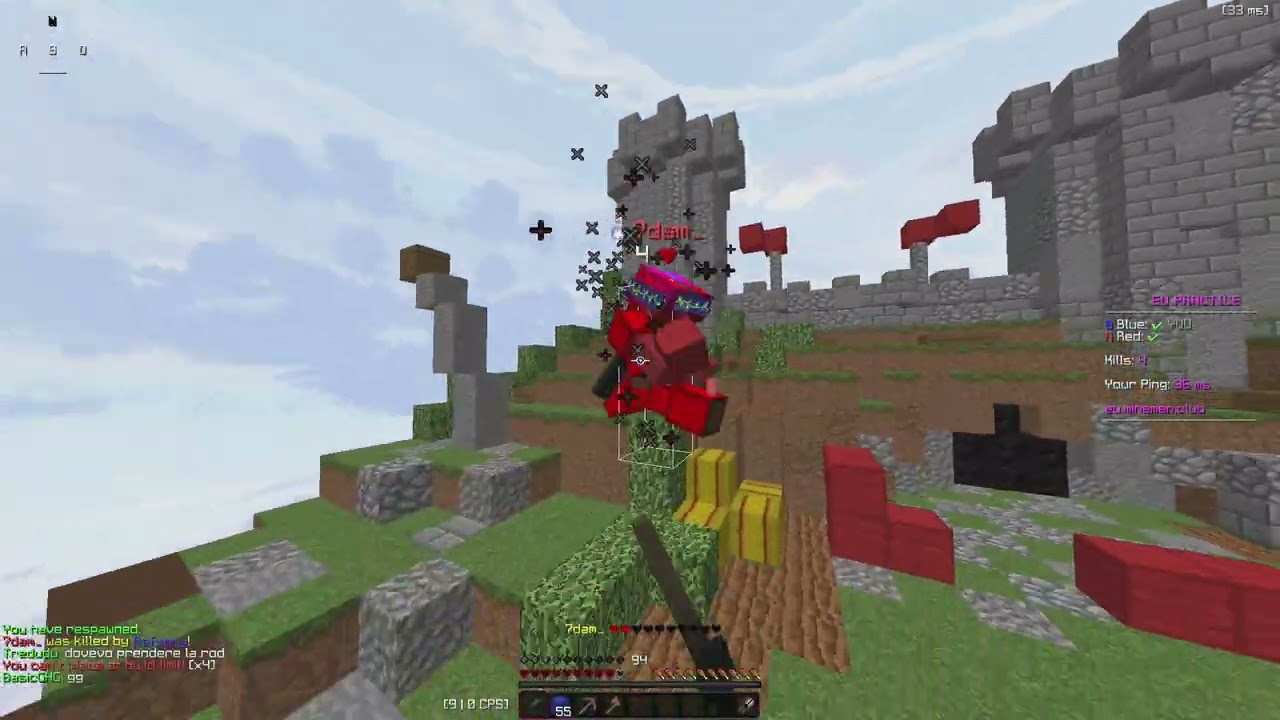
its much better on linux 100%
i dont get what this bs is tho
crystal sleet
i feel like my gpu was originally overperforming or something
alsowhat obs settings sohuld i use


 crystal sleet
Look at these annoying aaa inconsistencies and instabilities in fps
https://www....
crystal sleet
crystal sleet
Look at these annoying aaa inconsistencies and instabilities in fps
https://www....
stasrt from here
gray palm
idk alot bout mc
crystal sleet
is this normal
basically this is my history with pc heat
starts off with making rooms heat up because of gpu and cpu being hot
replace everything except gpu and cpu and still get problem
replace gpu from 4060 to 9060xt and problem goes away
replace cpu from i5 13400f to i5 14600kf and its back to heating up
could it just be a fan configuration in bios which i just need to properly modify or something else?
i know that new cpu has higher powerdraw
should i try undervolting it
i feel like i got kinda crappy thermal paste
i dwefo applied enough

do I undervolt?
queen dawn
crystal sleet
basically this is my history with pc heat
starts off with making rooms heat up b...
13400f's TDP is 65W
14600kf's TDP is 125W
You'll need a better cooler
crystal sleet
shit
yeah I figured
what does tdp stand for again
omg doesn't replacing the cooler entail essentially building the entire of again
or can I keep the same backplate if it's a similar brand
queen dawn
Thermal design power
crystal sleet
queen dawn
Thermal design power
ah ok
queen dawn
crystal sleet
or can I keep the same backplate if it's a similar brand
Did you have to change the backplate?
crystal sleet
idk if they all use the same design
not sure if backplate is the right term but basically the thingy on the back
queen dawn
No idea
crystal sleet
if I had to change it I would need to take my mobo out which means taking everything out
delightful
queen dawn
Id assume it's fine, either way, you should be able to access it on the back of the case.
crystal sleet
queen dawn
Id assume it's fine, either way, you should be able to access it on the back of ...
I'll open up the back tomorrow and assess the situation ig
would I not be able to buy a like
second fan
https://amzn.eu/d/gLY8fMM this is my current one


so if put a second fan on the other side of the ventilation thingymabob
would under clocking be a solution
I doubt it would come with a major performance drop since better temps generally mean better performance even despite less power usage
queen dawn
crystal sleet
https://amzn.eu/d/gLY8fMM this is my current one
That should be fine, not sure why temps are shit
Anyway, what are the temps
crystal sleet
queen dawn
That should be fine, not sure why temps are shit
thermal paste?
queen dawn
crystal sleet
thermal paste?
Possible
queen dawn
That's perfectly fine
crystal sleet
by load I mean Minecraft
queen dawn
That's running cool
crystal sleet
but my room was heating up a lot
like nothing compared to a day before the cpu
and it's also just way louder
I'll run a proper benchmark
maybe I just need to readjust fan curve
queen dawn
crystal sleet
like nothing compared to a day before the cpu
Yea you're moving more heat, so it makes sense.
crystal sleet
apparently the halnziye hy720 which is the thermal paste I bought isn't good
crystal sleet
queen dawn
Yea you're moving more heat, so it makes sense.
how did a gpu with more power consumption cause lower temps
more fans
id imagine
I'll properly benchmark tomorrow anyway
see what it's like then
crystal sleet
single core

idk if i should use another benchmark
will test multicore now
ok its defo already
more fans
and heating up
its in progress im just showing some things

idk where to find teps
for cpu

so temps and sound were fine during single core
when when i went to multicore it got more intense
ok finished score
 crystal sleet
I did this
 gray palm
i see
as of now i have a old sandy bridge computer with a 1050 ti
and nvidia is killing supporting
for the 1050 ti
ive been thinking of getting a new PC
with a battlemage card
calm laurel
Bro might be dragging the thread
gray palm
Is ts thread even needed anymore
crystal sleet
gray palm
Is ts thread even needed anymore
probably
Im just in vacation rn so I don't have any problems
crystal sleet
my
bluetooth is cutting out again
its not unbareable but
its just really annoying when it happens
its not geography based either
i also keep getting this

and uh
this wifi thing

which it starts and stops connecting to
and idk how to make it stop connecting
it could be cutting out from internet
but im doubtful
since all audio cuts out
and no internet issues
besides the fact its a tad slow
charred pulsar
why is your machine so broken wtf
crystal sleet
charred pulsar
why is your machine so broken wtf
I don't know 😭
my windows internet is just bugging
charred pulsar
wdym bugging
charred pulsar
what
crystal sleet
my tplinj driver says it's 2011
and I can't update it because website only have Mac drivers
I've also just
lost internet speed
by quite a lot
USB tethering refuses to work
charred pulsar
why are you using a nano adapter
crystal sleet
charred pulsar
why are you using a nano adapter
wdym
charred pulsar
crystal sleet
wdym
tplink nano usb adapter for wifi
explains a lot
why not use onboard wifi?
crystal sleet
charred pulsar
why not use onboard wifi?
my ax211 card is fucked
0.1 Mbps download 🔥
it's either that or it just doesn't connect
charred pulsar
crystal sleet
my ax211 card is fucked
get a wifi extender ✅
and use it over ethernet
crystal sleet
charred pulsar
get a wifi extender ✅
that's what the USB was supposed to be
tp link archer t3u or something
t3u ac1300
charred pulsar
crystal sleet
tp link archer t3u or something
that usb stick doesnt have a strong antenna
i had one
terrible choice
crystal sleet
it was like 200mpbs like 2 weeks ago 🙏
charred pulsar
my router is in the hallway and my room is separated by a thin wall
i was getting piss speeds
not to mention your pc case will interfere with the wifi signal
crystal sleet
Ive tried fpanel 3.0 and io 3.0 and 2.0 and the fpanel seems to work the best
also I think this might be happening because
I installed windows updates
but they never properly updated
even tho it SAID they did
charred pulsar
crystal sleet
Ive tried fpanel 3.0 and io 3.0 and 2.0 and the fpanel seems to work the best
bro
crystal sleet
and one of them is for realtek so I'm gonna make sure it's done now
charred pulsar
just get a dang wifi extender
crystal sleet
charred pulsar
bro
the other ones don't even give me signal 😭
crystal sleet
charred pulsar
just get a dang wifi extender
can you recommend a decently priced one :)
I don't wanna spend money on it for it to be garbage
charred pulsar
crystal sleet
can you recommend a decently priced one :)

 charred pulsar
crystal sleet
can you recommend a decently priced one :)
charred pulsar
crystal sleet
can you recommend a decently priced one :)
check on tplinks website
whats your internet speed
crystal sleet
charred pulsar
that kind of wifi extender?
crystal sleet
charred pulsar
whats your internet speed
my router does 500 Mbps
I get 300 on my phone in the room with my pc
I can't install this dang windows update
because I have no internet
charred pulsar
crystal sleet
my router does 500 Mbps
no your plan's speed
like for me its 100 mbps
crystal sleet
charred pulsar
no your plan's speed
also 500
charred pulsar
look on tplinks website
re505x if you want wifi6
i just ordered that
re200 is limited to 100 mbps on ethernet
but you should have much better range
do you have a long ethernet cable?
crystal sleet
charred pulsar
do you have a long ethernet cable?
not really
I have a 1m one
cat,6
or 6e
so it's fast enough
charred pulsar
get a 5m one
crystal sleet
where should I put it
charred pulsar
if you are going to place the extender at a height
crystal sleet
charred pulsar
if you are going to place the extender at a height
not a good idea probably
charred pulsar
crystal sleet
where should I put it
idealy at a height
crystal sleet
considering the router is a floor below me
charred pulsar
crystal sleet
not a good idea probably
why
crystal sleet
one sec
charred pulsar
you will need to make the antenna horizontal to the ground
my router is parallel to mine
crystal sleet
wait I don't think I can use a wifi extender
charred pulsar
re200/re2XX if you just need a dual band extender so run wifi through
crystal sleet
because when I do it interrupts signal for people not on Ethernet connected to it
I remember this being an issue before
charred pulsar
crystal sleet
because when I do it interrupts signal for people not on Ethernet connected to i...
baka
you are using the extender as a drop in replacement for your wifi adapter
crystal sleet
so I used power line Ethernet which was good but the Ethernet port on it was capped at 100
crystal sleet
charred pulsar
you are using the extender as a drop in replacement for your wifi adapter
drop in where 🙏
crystal sleet
charred pulsar
how stupid are you
very
charred pulsar
ngl and no offense
charred pulsar
crystal sleet
very
the extender connects to your wifi, and your pc connected to its ethernet port gets internet
crystal sleet
maybe I need to restart router
crystal sleet
charred pulsar
the extender connects to your wifi, and your pc connected to its ethernet port g...
I see
what I want to know is why this has dropped all of a sudden
so much
charred pulsar
crystal sleet
what I want to know is why this has dropped all of a sudden
whats the wifi strength
jumpinf between 3-4 bars?
crystal sleet
what the fuck
it's back to being good again

I didn't even do anything???
Terrible for over a day
magically goes back to good
I unplugged it and then
plugged it back in
which I have done a dozen times
charred pulsar
check your wifi signal strength
crystal sleet
C:\Users\David>netsh wlan show interfaces
There is 1 interface on the system:
Name                   : WiFi 2
Description            : TP-Link Wireless USB Adapter
GUID                   : 65c4ad57-f6e7-4c6c-8873-731f8af702f4
Physical address       : 98:ba:5f:fd:db:f1
Interface type         : Primary
State                  : connected
SSID                   : FRITZ!Box 7530 PU
AP BSSID               : b0:f2:08:55:b3:3f
Band                   : 5 GHz
Channel                : 36
Connected Akm-cipher   : [ akm = 00-0f-ac:02, cipher =  00-0f-ac:04 ]
Network type           : Infrastructure
Radio type             : 802.11ac
Authentication         : WPA2-Personal
Cipher                 : CCMP
Connection mode        : Auto Connect
Receive rate (Mbps)    : 585
Transmit rate (Mbps)   : 585
Signal                 : 80%
Profile                : FRITZ!Box 7530 PU
QoS MSCS Configured         : 0
QoS Map Configured          : 0
QoS Map Allowed by Policy   : 0
i swear i made it all the things
charred pulsar
crystal sleet
why is it ac
wifi standard
crystal sleet
oh my god I just lost internet again
charred pulsar
but much better than that dang wifi adapter
charred pulsar
crystal sleet
oh my god I just lost internet again
you are just complaining and not accepting any solutions
crystal sleet
because my sister doesnt get internet and the tv doesnt get internet when there is an extender
brp
?m
discord isn't sending my messages in pc
ok now they are
this is so dumb
charred pulsar
crystal sleet
because my sister doesnt get internet and the tv doesnt get internet when there ...
...
if your wifi adapter can get a signal surely an extender in your room can??
crystal sleet
tthats not
the point
the point is taht when there is an extender
im the only one who gets to make sure of the wifii
charred pulsar
you can disable the extended network
crystal sleet
because im on ethernet with the extender
charred pulsar
so you do this
 crystal sleet
hold on I'll talk to my dad
charred pulsar
dont tell me you are connected to the extender over wifi
crystal sleet
charred pulsar
dont tell me you are connected to the extender over wifi
Ethernet
crystal sleet
charred pulsar
can you access the web panel of the extender
tp link extender
the USB one
or something else
crystal sleet
the to link extender is wifi
charred pulsar
send me ss
crystal sleet
my archer tp link is on wifi but when I tried the wifi extender that was in wall plug that Interruoted other people k used Ethernet for it
charred pulsar
crystal sleet
my archer tp link is on wifi but when I tried the wifi extender that was in wall...
send me ss
crystal sleet
charred pulsar
send me ss
of what exactly
charred pulsar
crystal sleet
of what exactly
of you're so called extender
because i can't piece a think from your words
crystal sleet
charred pulsar
of you're so called extender
the wall one right
im just trying to clarify
charred pulsar
crystal sleet
tp link extender
whatever the fuck this is