#need help w this
176 messages · Page 1 of 1 (latest)
 shut valve
ye obs
i set it on srgb
oh color format
i see
do i have to use something else than NV12

what else should i use then
 median crater
nv12 709 limited
shut valve
i will
also
i got one more question
i just finished rendering with vokour or whatever its called
and the renders look really nice in my pc
but after i uploaded
it looks like shit
if you can help me w that
median crater
do you play it back in 4k on youtube

 light cape
send over testtttt
shut valve
in my pc it looks smooth
shut valve
shut valve
https://www.youtube.com/watch?v=xjiX-KKbm0k
look how bad it looks tho i dont understand
i setup everything
obs settings vokour n stuff
and in my pc after i rendered it it looks completly fine
but after i uploaded it looks like i shadow played it

MediaFire
here
lmk with anythin im doing wrong 🙏
light cape
shut valve
lmk with anythin im doing wrong 🙏
do you have a 4K monitor?
shut valve
thats how it was after i rendered it with vokrour
vokour
it was already in that resolution
light cape
if you want motion blur out of ur 360fps video you're gonna need to turn on smart resampling in ur project properties
and ideally you don't even want to do that
and just put it through blur FIRST, then vegas
light cape
obs -> blur -> vegas -> export voukoder upscale -> youtube
shut valve
dont think i can do that
for example
how would that work
if i have 10 different clips
i would have to blur all of them first?
median crater
👍
shut valve
thats pretty complicated since each clip will be like 10 minutes long
whjich means i just should't use blur
that is not the main problem tho we are getting out of context
i didnt egven use blur yet
i rendered the video with vokour
and uploaded it
and it looks like shit
i didnt even use the blur fcause im getting the error
what i did was i rendered the video with vokour, it looks completely fine in my pc
light cape
the error you're encountering is cuz your voukoder uses 10bit
go change that in the voukoder dialog and save it
shut valve
should i use 8bit then
shut valve
light cape
you should not upscale with voukoder, with blur instead
ohhhhhhh so i shouldnt use nvenc + upscaling
it all makes sense now
light cape
ye configure nvenc to use 8bit instead
shut valve
ye ill just use nvenc switch to 8bit render it use blur and see how it looks
ill lyk in a bit how it looks
shut valve
light cape
you should not upscale with voukoder, with blur instead
is blur gonna make the video 4k
after i render with vokouder
light cape
shut valve
is blur gonna make the video 4k
you must do scaling in the custom ffmpeg filter section of the blur config
light cape
this doesnt scale
but you can use it alongside a scaling filter
-vf scale=3840:2160:flags=neighbor
i think this?
shut valve
where do i put that tho
 light cape
at the end of custom ffmpeg filters
shut valve
so do command should be like this?
custom ffmpeg filters: -c:v hevc_nvenc -rc constqp -preset p7 -qp 18 -vf scale=3840:2160:flags=neighbor
light cape
Ye
shut valve
alr lemme try
if my video will be like 4mins is there a point of using blur
cause it would take like an hour or more right?
or am i wrong
clip looks worse after i used blur cause its only 60fps
if i change it to 240 will it make it worse
or 120 or smthing

it still looks ass for sdome reasdon
egven w blur
what am i doing wrong
unironically it looks good in my pc
after i upload it lpooks like shit
light cape
looks great idk what u on
shut valve
its
lagging
cant u see it
its not smooth
in my pc folder it looks 10x more smooth
its not smooth after i uploaded
look at this for exmaple
i have been trying to get my renders like all these people
shut valve
shut valve
like this sht is smooth as hel
light cape
youtube doesnt affect smoothness
it compresses
download and play that, is it smooth?
shut valve
nah
well it doesntm ake sense
when i sent u the first clip
i didnt even use blur or anything
and it was still laggy as hell
im trying to upload a vid on youtube which is in good fps and smooth
light cape
shut valve
in my pc folder it looks 10x more smooth
send it
shut valve
how does how does it make difference, if i cahnge it to 60fps it will still be laggy on ytb
compare to first clip i didnt do anything there
and it was laggy
light cape
bc yt caps it to 60fps
shut valve
ok lets see
look at this for example https://www.youtube.com/watch?v=CZXyPzliNfQ

look how smooth his shit is
light cape
shut valve
what should i set interpolated fps to
whatever u want
shut valve
kk
ill send how it looks after i upload
i fw 30fps can i change any setting to make it look like its in higher fps tho?
is that the interpolated fps setting
should i put that even higher
light cape
shut valve
i fw 30fps can i change any setting to make it look like its in higher fps tho?
???
choose, 30 or 60
shut valve
shut valve
look at this for example https://www.youtube.com/watch?v=CZXyPzliNfQ
he uses 30 or 60fps it doesnt matter what he uses
but look how much better his quality is
look at my shitty ass quality
look at his god fucking quality
his shit looks like he fucking rendered it in 240fps and not 30/60
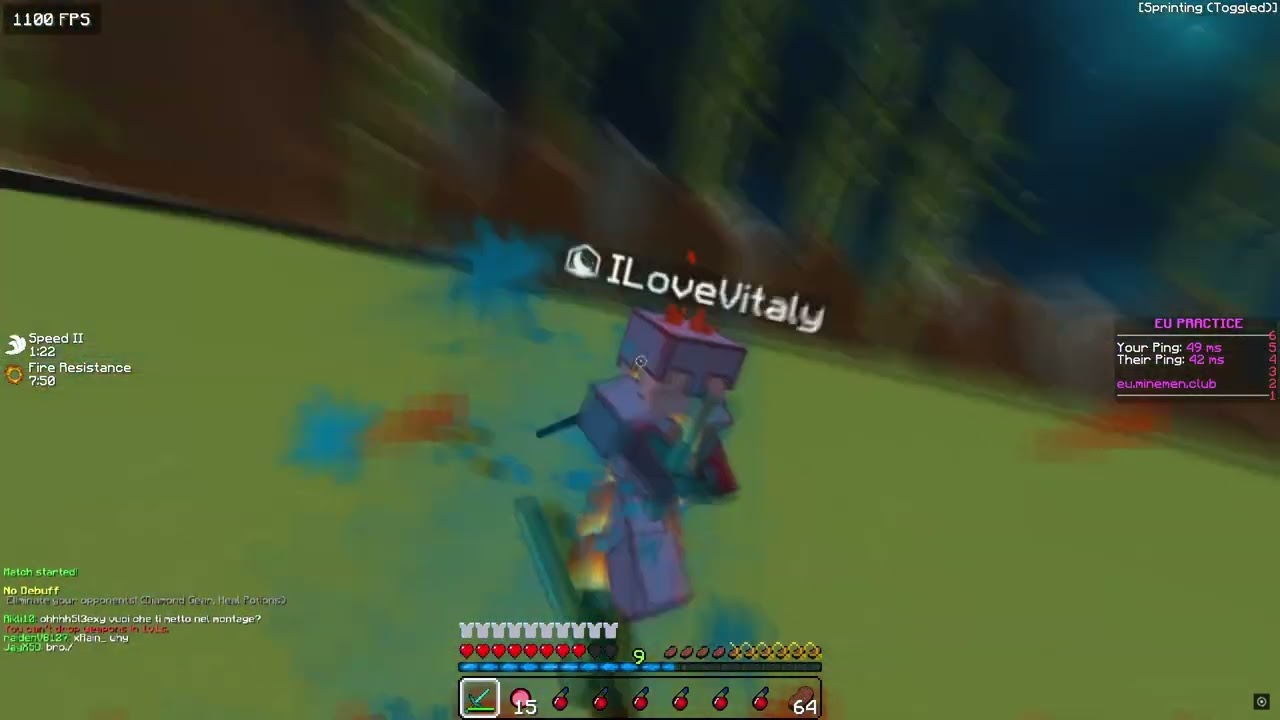
BRO THIS IS WHWAT IM TALKING ABOUT
it looks GOOD NOW WITH THE BLUR
BUT ITS FUCKING low ASS FPS
other shit looks good with the blur but WITH HIGH FPS
i recorded this in 360FPS
let me try rendering without vokour