#🔮⠂ctt.cx website
1 messages · Page 1 of 1 (latest)
 sinful estuary
sinful estuary
sinful estuary
2 new prs btw
 rugged scarab
OK
sinful estuary
ik this is correct but it hurts me.

 tawny crater
@rugged scarab we need to decide which standard of English to use
 tawny crater
any particular reason?
rugged scarab
cuz it's better
sinful estuary
tawny crater
<@701060813506478090> we need to decide which standard of English to use
use whatever the majority of the contributors use imo
tawny crater
we have more members from USA iirc
tawny crater
sinful estuary
use whatever the majority of the contributors use imo
Hmmm
@steep oyster thoughts?
I assume British English is what’s taught in Europe
sinful estuary
i think it makes more sense to have a minority of the users switch than majority
makes it easier
rugged scarab
make a poll for it
sinful estuary
links n news?
sinful estuary
also i was wondering should these be seperated

like the intro, installation, and initial config
tawny crater
Yes
sinful estuary
im trying to keep it consistent with the motion blur section im making but including an installation for blur, smoothie, & teres all in one page is kinda bad
rugged scarab
split them up
sinful estuary
also how up to date is the amf stuff here
i was gonna add it but idk if its still accurate


 steep oyster
sinful estuary
ik this is correct but it hurts me.
steep oyster
sinful estuary
ik this is correct but it hurts me.
I prefer american variant of this word
I dont speak english, i mostly just pretend to
 radiant rivet
Use American because we are better 🦅 🦅 ⛽️
sinful estuary
this better? the check is a placeholder idk what to put there rn

renamed to obs studio instead of open broadcaster software because its called obs studio everywhere, e.g. github, steam, wikipedia
steep oyster
steep oyster
I dont speak english, i mostly just pretend to
my language model was learned on more than 100 thousands youtube videos or 1.5 billion words
steep oyster
sinful estuary
renamed to obs studio instead of open broadcaster software because its called ob...
i think it was called obs at the start, some mf renamed it
sinful estuary
also is there a way to have these not dropped down by default

 dull sinew
is there already a site for the wiki
sinful estuary
no its okie
it depends honestly
they can be extremely expensive or very cheap
mine is like 15$ a year
 barren coral
british flag or else i will commit eat all america
 oak ledge
nice
dull sinew
toggle brit
rugged scarab
sinful estuary
this better? the check is a placeholder idk what to put there rn
i think it's best to have it in one page still
installation is too short
sinful estuary
okies
do u think the section should be called motion blur
idk what else to call it lol
 merry aspen
sinful estuary
do u think the section should be called motion blur
merry aspen
sinful estuary
do u think the section should be called motion blur
which section
sinful estuary
for blur / teres / smoothie
dull sinew
"rendermaxxing"
sinful estuary
dull sinew
"rendermaxxing"
if we add a switch for diff langauges
ill make an incel one
dull sinew
LMAO
merry aspen
🙏
dull sinew
🙏
sinful estuary
which is just all like obsmaxx and stuff
dull sinew
now THAT i would help document
sinful estuary
CTT Wiki - The Perfect Place to Become Renderpilled
 leaden sand
tawny crater
<@701060813506478090> we need to decide which standard of English to use
leaden sand
tawny crater
<@701060813506478090> we need to decide which standard of English to use
The normal one (British)
dull sinew
american english is what most people recognize and learn internationally isnt it
when i learned english thats how i approached it
leaden sand
dull sinew
american english is what most people recognize and learn internationally isnt it
I learnt the Brit one
barren coral
british english is more generalisable and we don't put the letter z in words that sound like it has an s in
leaden sand
I mean Australia was a British colony in the 1800s
barren coral
standardised ( example )
steep oyster
barren coral
british english is more generalisable and we don't put the letter z in words tha...
z1xus
sinful estuary
barren coral
british english is more generalisable and we don't put the letter z in words tha...
but optimize sounds like z
leaden sand
sinful estuary
but optimize sounds like z
Nope
sinful estuary
 barren coral
i say opti mice tbf
leaden sand
barren coral
i say opti mice tbf
Same
rugged scarab
sinful estuary
do u think the section should be called motion blur
yep
steep oyster
become freedom
 sinful estuary
tw for flashbang pls
leaden sand
MY EYES
steep oyster
had to turn my brightness down for this one
leaden sand
it's 2AM
barren coral
sinful estuary
tw for flashbang pls
my bad
barren coral
leaden sand
it's 2AM
 steep oyster
barren coral
steep oyster
barren coral
 barren coral
 leaden sand
barren coral
leaden sand
barren coral
 dull sinew
native kor and i moved to europe before i moved to america
and i still learned american english
barren coral
There's not actually much difference
steep oyster
i just watched lots of minecraft videos
barren coral
its just some words are funky
barren coral
its all spelling though
you cant technically speak "american" or "british" english
cuz thats just an accent
your generally speaking english but the way we spell it is different
afaik
steep oyster
in my brain optimise isnt even right
steep oyster
stgop british
rugged scarab
yea
steep oyster
it is
barren coral
optimizm
leaden sand
Optimize Is just wrong
barren coral
lol
dull sinew
optimizm is just bad spelling
steep oyster
 barren coral
yea ik its not
dull sinew
not american or british
 barren coral
its the same just added accent tho
sinful estuary
@rugged scarab can i change it from open broadcaster software to obs studio or just obs
 rugged scarab
OBS Studio
barren coral
obs studio
rugged scarab
is good
barren coral
yea
barren coral
have a key maybe
more effort but might uhh
clear up misunderstanding
like Open Broadcaster Software = "OBS" or "OBS Studio"
sinful estuary
rugged scarab
you should say Open Broadcaster Software in the intro tho
yeah but its called obs studio basically everywhere
leaden sand
For Linux the source you are getting it from should be the package manager of your distro
Not gitbub
 sinful estuary
 leaden sand
 sinful estuary
also open broadcaster software is the organization is it not
leaden sand
Insert "install"
sinful estuary
and studio is the app\
sinful estuary
rugged scarab
https://media.discordapp.net/attachments/369836244064272386/1108768132383920138/...
mmmshsh burger
barren coral
real tbf
rugged scarab
sinful estuary
mmmshsh burger
cta bureger
sinful estuary
cooler said he’ll check in detail when he has time
 ocean ledge
optimized > optimised
barren coral
... cooker...
rugged scarab
... cooker...
rugged scarab
oak ledge
pr review when
GitHub
This PR aims to add content to the QuickSync encoder page from the CTT Discord channel. This is mostly word for word, and if required, I'll get ahold of an Intel System and retest it myself (bu...

 merry aspen
😋
sinful estuary
merry aspen
https://embeds.video/https://cdn.discordapp.com/attachments/1075819396217450577/...
should i put like a comparison
what youll get with low fps input vs a good input
rugged scarab
sinful estuary
if you record in lower than 120FPS
probably best to say 'if you can't record in anything higher than 120 FPS'
sinful estuary
oh yea true
sinful estuary
merry aspen
https://embeds.video/https://cdn.discordapp.com/attachments/1075819396217450577/...
see the problem is
no offense col
BUT THE CLIP IS NOT GOOD AT ALL
i need a decent clip from someone
barren coral
ermmm
sinful estuary
and then ill re enc to 60
sinful estuary
need 1080p tho :c
merry aspen
does it matter if it's bedrock
merry aspen
what about if it has a gd mashup
sinful estuary
merry aspen
does it matter if it's bedrock
id prob want a java clip
bc it appeals to the majority of ppl who will be reading this id assume
merry aspen
good point
sinful estuary
i could include an fps game aswell
it wont be cluttered since ill make it a dropdown or somth
sinful estuary
ty
 sly ivy
360p1080fps
barren coral
LMFAO
steep oyster
sinful estuary
yeah i need the same clip for it tho
just cap the fps
sinful estuary
yes ofc
leaden sand
should get some csgo clips?
barren coral
I think she only needs one fps game and mc
Maybe a third person shooter
I’d be happy to do the clips in any game I own
@sinful estuary Do u have anything that needs done I’m free for an hour and all my friends have a lesson
On the ctt wiki are we going to cover how to optimise games (mc specifically and other games) or just obs
sinful estuary
yes we’re gonna transfer most stuffs from discord
barren coral
Uh oh there’s a typo

June I’m just gunna write some brief notes about optimising Minecraft for now and maybe I’ll complete when I’m home
Do you think I should reference Lunar or cheatbreaker, maybe both?
sinful estuary
barren coral
June I’m just gunna write some brief notes about optimising Minecraft for now an...
:D
sinful estuary
barren coral
Do you think I should reference Lunar or cheatbreaker, maybe both?
prob both
barren coral
Alr
sinful estuary
want me to pr this n then ppl can start wokring on the blur, teres, and smoothie pages

also @rugged scarab, if i add a comparisons page for like before and after blur wed have to use a file host right
idk if github fw over 100mb
rugged scarab
we can just use yt or something
use a video hosting service instead
might not be the best quality but it's also suitable for a wiki
sinful estuary
i was thinking it would be cool to have a video compare typa thing with the slider
but thats prob not possible
 dull sinew
idk if its impossible but i think it would be inconvenient to both implement and use
ocean ledge
sinful estuary
want me to pr this n then ppl can start wokring on the blur, teres, and smoothie...
- dont imply or assume people consider motiob blur to look "even better"
- 60fps can look good in certain scenarios with RIFE and masking, should be worded differently imo
dull sinew
ive never seen it look good per se but i have seen people make 60 look a tad bit better
though very slightly and i honestly would rather just use 60
i also agree with his first point
dull sinew
its definitely possible to do somethng with 60fps so i wouldnt discourage people from trying it in the first place
sinful estuary
its like an edge case
dull sinew
true but discouraging at least experimenting with 60fps is kinda eh
it would be better to just explain why sub 120fps results can be subpar and to recommend recording higher
theres also stuff like #⭐|render-hall-of-fame message
which show that there can be things done with 60fps
dull sinew
yeah i guess
would still refrain from putting people off entirely
in general you wouldnt wanna do that
sly ivy
sinful estuary
idk if github fw over 100mb
it does if you use git lfs
but only up to 2gb unless you have github pro
tawny crater
sinful estuary
but thats prob not possible
It 100% is for images, and I’m like 70% sure you can for videos with some pretty good js
tawny crater
sinful estuary
ive never seen 60 look good
Non-mc content 
sinful estuary
wait show
tawny crater
Source issue?
tawny crater
sinful estuary
wait show
#⭐|render-hall-of-fame and just stuff I’ve seen in #🔬⠂video-discussion
I don’t play either
sinful estuary
render hall of fame ow and apex is 60 input?
rugged scarab
sinful estuary
u can use custom js and stuff
so it'd be possible
just annoying to implement
sinful estuary
sinful estuary
render hall of fame ow and apex is 60 input?
just my experience but ow is way too fast paced for 60
this isn’t even very flicky and it’s still bad
sinful estuary
eh idk
tawny crater
Or any slower character
sinful estuary
i mean ig i’ll just reword it to something basically saying “try it out and see”
but still warn that low fps can lead to unsatisfactory results
sinful estuary
tawny crater
Would be a different experience with rhein
i feel like rein swinging his hammer would absolutely not look good but idk maybe i’ll try it out
tawny crater
Forcing you to play him just for a render
sinful estuary
oki hold on
gonna install ow rn bc i dont feel like rebooting back to linux
🧠
im gonna harrass blizzard to change my name for free
i dont want my deadname 
WAIT i have a free change holy heck
 radiant rivet
Fort looks like ass with 60 input
 radiant rivet
Isn’t that shit easy
sinful estuary
yea but clearly im the best
tawny crater
radiant rivet
Fort looks like ass with 60 input
Fortnite is 80% text and hud
And lines
Not good for interpolation
radiant rivet
Not me
 flat horizon
#1136759266288611419 message z1xus said he liked this but idk if it's good
sinful estuary
yeahg thats p good
radiant rivet
yeahg thats p good
sinful estuary
its meh
this is prac range tho i think in real game it would look even worse bc the tons of other stuff going on
barren coral
tawny crater
You’re also playing tracer
(Me)
Some notes that I plan to improve upon and form into real comprehensive sentences soon
Introduction
Minecraft
Optimising Minecraft is relatively simple; you should start by downloading a client.
A reputable and widely known client for Minecraft is Lunar Client (see https://www.lunarclient.com/download)
However if you aim only to PvP and play on the versions 1.8.9 and 1.7.10 then you could look into CheatBreaker a client owned and maintained by one of the ctt managers, Tellinq.
After you’ve downloaded one of these clients you should turn most if not all visual models off; you can keep the desirable ones like fps, togglesprint, saturation etc however visual clutter is bad.
You should then optimise your actual game settings, the most important settings are as followed:
-
fast render - this option should be enabled at all times as it gives a great increase to your fps and is the most performance impactful setting.
-
Custom Sky - this option disables the custom sky, depending on preference you should have this off or on, with it off you get a little fps boost.
-
Render Distance - for games like no debuff you want your render distance ideally on 4 however anything between 3-8 is usually alright.
-
Resolution - if you don’t have a good pc you can try the 1280x720 resolution instead of your native, however some people do prefer to play in 720p and it massively benefits your fps but makes your game look a bit worse.
-
Smooth FPS - You can enable this to lower Minecraft’s gpu usage to leave nvenc on obs to have more usage.
If something doesn’t make sense it’s likely because of my lack of sleep and I’ll fix it later
sinful estuary
i think aetopia is poprting some of the games stuff over
so if he prs that
then u can start workin on it
barren coral
Yea
leaden sand
Introduction
Minecraft
Clients - Optimising Minecraft is relatively simple; you should start by downloading a client. A reputable and widely known client for Minecraft is Lunar Client, However if you aim only to PVP and play on the versions 1.8.9 and 1.7.10 then you could look into CheatBreaker a client owned and maintained by one of the ctt managers, Tellinq.
After you’ve downloaded one of these clients you should turn most if not all visual models off; you can keep the desirable ones like FPS, Toggle-Sprint, Saturation etc, however visual clutter could be undesirable.
You should then optimise your game settings, the most important settings are as followed:
Fast Render - This option should be enabled at all times as it gives a great increase to your fps and is the most impactful setting when it comes to performance, but this setting makes Shaders, Motion Blur and Menu Blur unusable.
Custom Sky - This option disables the custom sky added by some Texture Packs, depending on preference you should have this off or on, with it off you get a little fps boost.
Render Distance - For mini-games like No-Debuff you want your render distance ideally on 4 however anything between 3-8 is usually alright.
Resolution - If you don’t have a good computer you can try a [resolution](https://link.to.resolution.in.ctt.wiki) lower than your display's Native Resolution, as this can provide a huge FPS Boost.
Smooth FPS - Enabling this setting will lower performance while lowering the GPU usage of Minecraft, this will lower [Encoding Lag](https://link.to.EncodingLag.in.ctt.wiki) allow OBS to use more resources.
leaden sand
Cleaned some things out
barren coral
cheers!
ily
i didnt know how to uh
hyperlink in obsidian
so
Introduction
Minecraft
Clients - Optimising Minecraft is relatively simple; you should start by downloading a client. A reputable and widely known client for Minecraft is Lunar Client. However, if you aim only to PVP and play on versions 1.8.9 and 1.7.10, then you could look into CheatBreaker, a client owned and maintained by one of the CTT managers, Tellinq.
After you’ve downloaded one of these clients, you should turn most, if not all, visual models off. You can keep the desirable ones like FPS, toggle-sprint, saturation, etc.; however, visual clutter could be undesirable.
You should then optimise your game settings; the most important settings are as follows:
Fast Render: This option should be enabled at all times as it gives a great increase to your fps and is the most impactful setting when it comes to performance, but this setting makes Shaders, Motion Blur, and Menu Blur unusable.
Custom Sky: This option disables the custom sky added by some texture packs; depending on preference, you should have this off or on. With it off, you get a little fps boost.
Render Distance: For mini-games like No-Debuff, you want your render distance ideally on 4, but anything between 3 and 8 is usually alright.
Resolution: If you don’t have a good computer, you can try a [resolution](https://link.to.resolution.in.ctt.wiki) lower than your display's native resolution, as this can provide a huge FPS boost.
Smooth FPS: Enabling this setting will lower performance while lowering the GPU usage of Minecraft; this will lower [Encoding Lag](https://link.to.EncodingLag.in.ctt.wiki) and allow OBS to use more resources.
--small grammar changes for better sentence structure n stuff
Summary
To optimize Minecraft, download a client like Lunar Client or CheatBreaker for PVP and use of versions 1.8.9 and 1.7.10. Turn off most visual models, but keep desirable ones like FPS, toggle-sprint, and saturation. Optimize game settings, including Fast Render, Custom Sky, Render Distance, Resolution, and Smooth FPS. Enable Fast Render for increased performance, disable Custom Sky for a slight fps boost, and try a lower resolution for better FPS. Enabling Smooth FPS lowers GPU usage and allows OBS to use more resources.
leaden sand
looks great
i thinks these settings need their own page each
except for render distance
barren coral
yea
 past dew
@echo off
title Locally Hosting CTT Documentation

where mkdocs > nul 2>&1 || (
    echo It doesn't seem like MkDocs Material is installed, as it wasn't found in PATH.
    echo]
    echo To install it: https://squidfunk.github.io/mkdocs-material/getting-started/#latest
    echo]
    echo Press any key to exit...
    pause > nul
    exit /b 1
)

echo If there's any errors, make sure MkDocs Material is installed correctly, see the MkDocs Material documentation.
echo To close the server, exit this window.

echo]
python -m mkdocs serve
echo]
pause
better to use python -m <module> <args>
instead of directly invoking mkdocs.
useful for scoop users.
barren coral
yea icl idk how to do any of that shi so
ill either learn or just keep writing and someone can do allat
im onyl good at writing 😭
past dew
barren coral
yea icl idk how to do any of that shi so
what you didn't understand, happy to explain
barren coral
i didn't actually read it but it looks complicated and I'm not that inclined with the github shit
never done anything like this
just renders
👍
maybe i'll learn if i have time but
past dew
https://github.com/Aetopia/CTT
I remove the scripts for locally hosting because you could literally just provide instructions on how to setup everything.
past dew
barren coral
## Introduction
### Minecraft
**Clients** - Optimising Minecraft is relatively ...
hello i am adding a games section
 barren coral
oki
past dew
ofc halo would be first :P
past dew
barren coral
yea i read it
what you don't understand?
barren coral
terminal as in like cmd?
 barren coral
aetopia im getting really annoyed
what do i do here

theres NO requirements
aiojduandnamk,
my folder is empty
even after installing
past dew
barren coral
terminal as in like cmd?
did you git clone the repo?
past dew
barren coral
how do i do that
dl zip file
 barren coral
oki
past dew
looks like you are using my fork but ok 👍
barren coral
ok
i did it
ty
ok i served
now what do i do
Wasted 28.24 KiB on this DOGSHIT file
This was uploaded on 22/09/2023
 past dew
barren coral
https://ilove.astolfo.host/ixtf/dtr7cqjz.png
past dew
barren coral
https://ilove.astolfo.host/ixtf/dtr7cqjz.png
go to http://127.0.0.1:8000 in a web browser
past dew
now read the mkdocs documentation
barren coral

ok
the Reference thing or both
i assume both
this is alot of text
i will take le break
leaden sand
barren coral
## Introduction
### Minecraft
**Clients** - Optimising Minecraft is relatively ...
lemme add the minecraft thing to the website (ill use aetopia's fork)
barren coral
ily
this shit is to hard for me
i think i will stick to uh
writing
i love writing
past dew
leaden sand
lemme add the minecraft thing to the website (ill use aetopia's fork)
should i merge your pr into my fork and then pr onto the main repo?
that way we can avoid conflicts
leaden sand
past dew
should i merge your pr into my fork and then pr onto the main repo?
sure
because the games section isnt on the main repo yet
leaden sand
aight
i dont have a image editing tool on the laptop im on rn, can someone make like a line split in the middle between lunar and cb?


preferably a line with this colour (124, 77, 255)rgb
ocean ledge
leaden sand
i dont have a image editing tool on the laptop im on rn, can someone make like a...
 past dew
ocean ledge
past dew
ocean ledge
man got me to it
 leaden sand
GitHub
Added a game: "Minecraft: Java Edition"
aight ima head to bed now
its almost 1 am
I'll add this tmr: https://discord.com/channels/774315187183288411/1037432674672967733
leaden sand
How should we go about bedrock?
#1 Make a "Minecraft" inside games and move java and bedrock to it
#2 Add "Minecraft: Bedrock Edition" to games
barren coral
Bedrock doesn’t exist lmao
Not included on wiki
Uhh you should make a Minecraft: be in games
sinful estuary
barren coral
Bedrock doesn’t exist lmao
there is bedrock thread here
sinful estuary
 leaden sand
does FastChat Improve performance?
leaden sand
 leaden sand
uhhh for 1.8, https://microcontrollersdev.github.io/Alternatives/1.8.9/lunar_client/ what are the most important mods here?
been a long time since i fucked around with forge
past dew
leaden sand
uhhh for 1.8, https://microcontrollersdev.github.io/Alternatives/1.8.9/lunar_cli...
yes
past dew
leaden sand
How should we go about bedrock?
#1 Make a "Minecraft" inside games and move java...
i think i will add that myself
 leaden sand
past dew
yes
leaden sand
past dew
yes
what are the most important ones in there?
past dew
leaden sand
what are the most important ones in there?
pretty much everything
the last one is dead important though
fixes a fuckin issue where uwp app suspension causes disconnects when connected to a multiplayer game
leaden sand
from the mods page for 1.8
past dew
leaden sand
from the mods page for 1.8
oh just link the entire page
leaden sand
past dew
oh just link the entire page
alright
 ruby horizon
barren coral
## Introduction
### Minecraft
**Clients** - Optimising Minecraft is relatively ...
ruby horizon
barren coral
## Introduction
### Minecraft
**Clients** - Optimising Minecraft is relatively ...
This is something specific to CB for the most part, but to reduce visual clutter while keeping the necessary mods, there are plenty of condition statements that CB offers (some exclusively to mod types or a mod entirely) that will only show the mod on your HUD when you need it
This seems to have been forgotten now since people are usually under the Lunar mentality where a mod is just a static on/off switch. That’s not true with CB
The only reason why these hiding conditions aren’t active automatically is because I try to avoid users suddenly getting worried that their HUD components are disappearing for unexplainable reasons
However, once configured, it’s definitely something to appreciate
It’ll be something I will emphasize in my CB specific performance and HUD optimization guide
Since this guide shouldn’t be dedicated towards mentioning CB features (I will do that personally on my own turf, CTT doesn’t (and shouldn’t) need to become some ad for CB), perhaps mentioning that if a modpack has the ability to have hiding/visibility conditions, use it whenever possible as long as the user understands what they are toggling
leaden sand
rounded corners look good?
 merry aspen
yes
leaden sand
aight
leaden sand
.rounded-image {
  border-radius: 15px;
}
<img src="https://i.imgur.com/xJIkujZ.png" alt="" class="rounded-image"/>
doesnt seem to be working with local images though
past dew
leaden sand
doesnt seem to be working with local images though
that explains a lot

keep going on path out until this error message goes away
leaden sand
it doesnt seem to be working
but i dont think hosting it on imgur or even the github repo would be an issue
<img src="https://raw.githubusercontent.com/Aetopia/CTT/main/docs/assets/images/games/minecraft-java/lunar-cb.png" alt="" class="rounded-image"/>
this works
past dew
leaden sand
```html
<img src="https://raw.githubusercontent.com/Aetopia/CTT/main/docs/assets...
its looking for images in the relative directory
<img style="border-radius: 15px" src="../../assets/images/games/halo-infinite/Image-Sharpening-Tweaks.PNG">
just go one directory up and it should be fixed
leaden sand
past dew
just go one directory up and it should be fixed
oh yea that fixed it
barren coral
ruby horizon
This is something specific to CB for the most part, but to reduce visual clutter...
ic, i didn't know about that ngl lol
leaden sand
how do i go about linking the dx11 dll in the wiki, i dont want to link a mediafire link
because ADS
could i just set it to this? https://raw.githubusercontent.com/couleur-tweak-tips/CTT/main/docs/resources/games/minecraft-bedrock/d3d12.dll as once it gets merged its likely where its gonna be stored
past dew
leaden sand
how do i go about linking the dx11 dll in the wiki, i dont want to link a mediaf...
what dx11.dll link?
merry aspen
past dew
what dx11.dll link?
for mcbe
it just makes mc use dx11
can give better performance
past dew
merry aspen
for mcbe
if you gonna get a hijacking dll, atleast tell me where furzide's guide mentions it
because using a hijacking dll is another can of worms
merry aspen
like 15 minutes in his ultimate performance guide
past dew
leaden sand
how do i go about linking the dx11 dll in the wiki, i dont want to link a mediaf...
um, i think we should ask him the dll's source
@pseudo maple https://www.youtube.com/watch?v=QDKgO7ipOUA&t=868s
what does the mediafire dl link download?
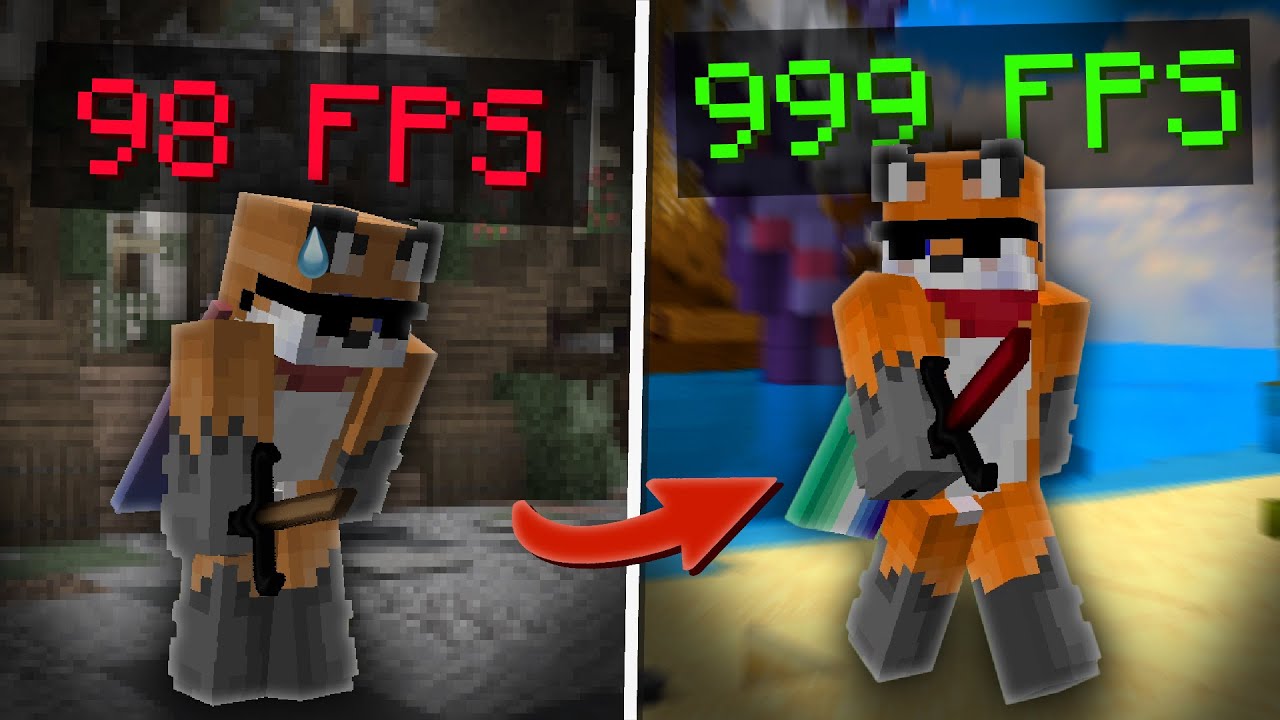
Are you tired of bad performance? Are you blaming RenderDragon for your parent's divorce? Well fear not! I have stepped in to produce the most detailed and concise guide to improve your performance and quality of life on Minecraft bedrock edition. Now you can no longer blame RenderDragon for any of your skill issues!
=====TIMESTAMPS=====
0:00 ...
exactly at 15:32
sinful estuary
past dew
<@837854088993570816> https://www.youtube.com/watch?v=QDKgO7ipOUA&t=868s
what do...
d3d12.dll
past dew
sinful estuary
d3d12.dll
past dew
sinful estuary
idk what that is tho
dynamic link library containing directx 12 functions, interfaces and structures.
sinful estuary
definitely forcing dx11
past dew
sinful estuary
definitely forcing dx11
wdym
leaden sand
sinful estuary
it still allow u to do that?
i tried it and it seems to be running on dx11
past dew
leaden sand
i tried it and it seems to be running on dx11
how did you install it
leaden sand
and got a nice +200 fps increase
past dew
mcbe launcher?
leaden sand
past dew
how did you install it
put it in the root dir of the game package
past dew
leaden sand
put it in the root dir of the game package
C:\Program Files\WindowsApps?
leaden sand
past dew
C:\Program Files\WindowsApps?
yea
 past dew
sinful estuary
why is it a “force dx11 dll” but it’s dx12
past dew
sinful estuary
why is it a “force dx11 dll” but it’s dx12
its likely hook/overriding certain dx12 functions, to force the game to fallback to dx11
i want to know the dll source
sinful estuary
ah okay
past dew
though
sinful estuary
yeah
past dew
feels sketchy to fetch random dll from mediafire especially 
sinful estuary
definitely should not be passing around a random dll on the wiki
leaden sand
sinful estuary
definitely should not be passing around a random dll on the wiki
alr
lemme rem it from the pr
done
the dll is gone
past dew
leaden sand
and got a nice +200 fps increase
what were you verifying with
leaden sand
riva
past dew
leaden sand
riva
send screenshots in that case
leaden sand
ill send tmr not on my pc, im on my laptop
past dew
https://www.unknowncheats.me/forum/general-programming-and-reversing/177183-basic-intermediate-techniques-uwp-app-modding.html
you need some perms to load a normal dll into an uwp app

UnKnoWnCheaTs - Multiplayer Game Hacking and Cheats
This tutorial is a comprehensive collection of techniques and methods of modding the new UWP apps introduced in Windows 10. I started this as my resea...
sinful estuary
unknown cheats 
past dew
sinful estuary
unknown cheats <:content:872181153510096936>
i have been reading their site for some weeks now
cool stuff though 👍
sinful estuary
very good resources right
past dew
sinful estuary
very good resources right
yeh
if you are interested with messing with games insides
leaden sand


well its working
@pseudo maple where did you get the DLL from?
is it something you made?
 pseudo maple
past dew
<@837854088993570816> https://www.youtube.com/watch?v=QDKgO7ipOUA&t=868s
what do...
pseudo maple
past dew
<@837854088993570816> https://www.youtube.com/watch?v=QDKgO7ipOUA&t=868s
what do...
It is literally vkd3d
 prime trellis
hi, i think its time for me to join the party.
pseudo maple
I discovered it by attempting to make bedrock edition use vulkan
But all it did was cause the game to fail creating a d3d12 device
So it falls back to dx11
prime trellis
btw flarial client now does that using cpp
leaden sand
prime trellis
btw flarial client now does that using cpp
but flarial shits on performance
pseudo maple
Flarial is shit
prime trellis
leaden sand
but flarial shits on performance
toggle translucency
at least for me that solved it 😂
i use only togglesprint, keystrokes, clock and zoom
leaden sand
the only thing i need is a fps counter that isnt as bad as frameview
pseudo maple
leaden sand
the only thing i need is a fps counter that isnt as bad as frameview
Use onix
prime trellis
leaden sand
the only thing i need is a fps counter that isnt as bad as frameview
it works for that too
leaden sand
pseudo maple
Use onix
i alr use it
pseudo maple
Flarial doesn't even support text shadow
prime trellis
just use onix
prime trellis
pseudo maple
Flarial doesn't even support text shadow
WAIT WHAT
wait wait holup
you're telling me
after shane's like 200 hours of redoing all the text
he didn't think to add text shadows.
pseudo maple
The motion blur on flarial is ass
It looks like a shadow that follows the game around, and turning up the strength increases the delay
I don't see any blur frames
prime trellis
hm 🤔
pseudo maple
Unless it's been updated recently
If I want motion blur I do it the good way by recording high fps and using smoothie
prime trellis
pseudo maple
If I want motion blur I do it the good way by recording high fps and using smoot...
hasnt been updated whatsoever
pseudo maple
Later I will show why its bad
prime trellis
gochu, send clip or smth
I'll make a suggestion
cuz im sure its fixable
wondering what the implementation should be tho
pseudo maple
Never trust a php dev to make a bedrock pvp client 🥶
prime trellis
pseudo maple
Never trust a php dev to make a bedrock pvp client 🥶
...
bari aint a php dev 😭
he was a php skid
🤓
prime trellis
time to steal assets and ideas and put em on my website part 5
pseudo maple
He skidded plasmic client leaked src
prime trellis
pseudo maple
He skidded plasmic client leaked src
no... he didnt
plasmic / kibou
put his own src
into the client
sinful estuary
very ctt wiki related discussion
sinful estuary
pseudo maple
It is literally vkd3d
in that case all good then
we just wanted to be careful
past dew
pseudo maple
It is literally vkd3d
why did you rehost on mediafire lmao
past dew
prime trellis
btw flarial client now does that using cpp

wow
DirectX is suppose to be coded in CPP.
prime trellis
past dew
DirectX is suppose to be coded in CPP.
Cap, I code Dx in scratch for chrome
leaden sand
past dew
why did you rehost on mediafire lmao
i hosted my first pack on github and people in my desc were like 'HOW DO I DOWNLOAD THIS" this is probably why.
pseudo maple
past dew
why did you rehost on mediafire lmao
because the github release for it is in a stupid obscure archive format which may require people to install extra software just to extract it.
im not making my viewers install peazip for fuck sake
sinful estuary
“stupid obscure archive format”
 sinful estuary
“stupid obscure archive format”
go to the github to check out this said “stupid obscure archive format”
it’s a tar file
 sinful estuary
it’s for linoox
sinful estuary
rugged scarab
.tar.zst
 grave crater
most used archive format
“stupid obscure archive format”
rugged scarab
if Windows can't read it by default
it's clearly the most stupid obscure archive format
23H2 probably will be able to though tbf
sinful estuary
rugged scarab
23H2 probably will be able to though tbf
very good on windows for this
past dew
rugged scarab
if Windows can't read it by default
windows ships with tar
so just need to decompress using zstd
so making a simple script will do the trick 
leaden sand
pseudo maple
because the github release for it is in a stupid obscure archive format which ma...
you mean tar?
pseudo maple
tar.zst
cringe as fuck
nobody wants to install bloatware just to extract something
it should just work in 7 zip
 leaden sand
pseudo maple
it should just work in 7 zip
leaden sand
pseudo maple
it should just work in 7 zip
7 zip issue not format issue
ocean ledge
sinful estuary
i habetn looked
me neiter =(
sinful estuary
ocean ledge
me neiter =(
seems amf and x264 are the only ones left to do
i was gonna do amf but idk how accurate any of that info is still
past dew
how is this?
 past dew
@leaden sand
https://github.com/Hzqkii/CTT/blob/main/docs/games/minecraft-java.md
make each version(s) their own section within the page

GitHub
Converts webhooks into .MD for synchronized documentation on CTT's Discord and GitHub pages - Hzqkii/CTT
leaden sand
Aight
past dew
leaden sand
Aight
so anything in the context of clients which be grouped under the version the client is focused on
instead of being its own thing
as well as optifine related shit
leaden sand
So like
Mc java 1.7 1.8 1.16+
?
past dew
leaden sand
So like
`Mc java
1.7
1.8
1.16+`
?
yes
leaden sand
Alright
past dew
@leaden sand
make a new folder called minecraft and put all of the md files related to mc in that folder

then we can have a sexy nav like this
 leaden sand
past dew
<@850406672449929276>
make a new folder called minecraft and put all of the md ...
leaden sand
past dew
<@850406672449929276>
make a new folder called minecraft and put all of the md ...
yea thats what i did

 leaden sand
send me those icons, they look so much better than what i had in there
past dew
leaden sand
send me those icons, they look so much better than what i had in there
its on my fork
leaden sand
alright
past dew
@rugged scarab
Contribution Guidelines
Thank you for considering contributing, because of the increased complexity, markdown featuren, some clear rules need to be established
- Have one specific goal per pull request: Having a single big one means discussing everything at a single place (messy) and refusing some of what was modified means having to ask and have you revert the specific lines.
Another thing to add to contribution guidelines.
If a user needs to download specific files for a specific article on the wiki, ensure you provide the either the official download link for the given file.
Rehosts on any file sharing website is not recommended. This is to ensure the user always get the given file from the official source.
past dew
leaden sand
alright
any content that can be added?
 leaden sand
maybe a summary, but i think having like this is fine
past dew
you can add that later
leaden sand
past dew
what is currently looks like
the graying out of the games doesnt work for me on brave or chome

alr lemme go uninstall chrome
past dew
leaden sand
the graying out of the games doesnt work for me on brave or chome
wdym graying out?
sexy
 leaden sand
past dew
wdym graying out?
leaden sand
past dew
wdym graying out?
 past dew
leaden sand
past dew
leaden sand
that's because its part of the category
halo infinite is also grayed out
i haven't added any icons for it yet
i just removed atm
leaden sand
forked your repo and it still doesnt lower the brightness.
 past dew
leaden sand
forked your repo and it still doesnt lower the brightness.
past dew
leaden sand
forked your repo and it still doesnt lower the brightness.
i think its a browser specific thing
i using firefox
 sinful estuary
what’s the issue
oak ledge
i don’t think i can do x264 on my old ahh laptop


 sinful estuary
i havent sleopt in a day forgive me
sinful estuary
rugged scarab
2 just means a 2nd version of the package afaik
i realized
i just am no sleep
sinful estuary
seems like after 27.1.3 it has trouble with libavcodec

though i do have that installed
sinful estuary
how do u install older vers
rugged scarab
idk
oak ledge
do we include both blur and smoothie on the wiki or just sm-rs?
tawny crater
Yeah you can mention them
But don’t mention smoothie python
It’s abandoned
sm-rs is smoothie
oak ledge
yeah
rugged scarab
blur, sm-rs and teres
sly ivy
sinful estuary
seems like after 27.1.3 it has trouble with libavcodec
i think u need an older ffmpeg too
idk for 100%
sinful estuary
sly ivy
i think u need an older ffmpeg too
thing is
i have the package that provides that
 sinful estuary
probably after we get it mostly finished
prime trellis
sinful estuary
probably after we get it mostly finished
👍
rugged scarab
that will take forever and be lots to maintain
ocean ledge
prime trellis
we should make language translations for this.
idk if mkdocs support it and it’d need active maintainers
prime trellis

Write your documentation in Markdown and create a professional static site in minutes – searchable, customizable, in 60+ languages, for all devices
past dew
Guys, do we have a unified roadmap for the CTT wiki by any chance?
Or is everyone going to just do a PR and contribute small random bits.
rugged scarab
we should have one
past dew
rugged scarab
we should have one
Some channels on this server could really use a dedicated CTT wiki page/article
especially the video category
oak ledge
please roadmap
leaden sand
just asking again do i leave the vkd3d dll in the repo or should i remove it and link to vkd3d

GitHub
Bundles vkd3d-proton (d3d12.dll). The source is modified. Made against these commits:
doitsujin@3e64e1b
VKD3D-Proton: lutris/vkd3d@a19619c
sinful estuary
leave the original source
leaden sand
ok
sinful estuary
some people still might be skeptical to download it from the wiki so linking the github is just a better idea
leaden sand
i will also mention 7-zip to unzip it
past dew
leaden sand
i will also mention 7-zip to unzip it
we could also make a simple script
none the less windows ships with tar, we just need to fetch a copy of zstd from gh and use it
leaden sand
past dew
none the less windows ships with tar, we just need to fetch a copy of zstd from ...
its being shipped as a gz
past dew
leaden sand
its being shipped as a gz
that for dxvk
the dll that furzide linked it vkd3d which is from this repo
https://github.com/HansKristian-Work/vkd3d-proton/releases
GitHub
Fork of VKD3D. Development branches for Proton's Direct3D 12 implementation. - HansKristian-Work/vkd3d-proton
also its uses zst compression for some fuckin reason 
leaden sand
past dew
the dll that furzide linked it vkd3d which is from this repo
https://github.com/...
ah
i will also try the dxvk one
if it works the same, it maybe worth it to just use that one
past dew
leaden sand
i will also try the dxvk one
it won't work
dxvk doesn't implement dx12
only dx11 and below
you will need to use dxvk + vkd3d
you should first download vkd3d and see if that enforces dx11 within MCBE
or else using dxvk is useless
leaden sand
it did work
but, using vkd3d and dxvk to try to get vulkan failed
the game is stuck on the red screen
i may launch
it may not

prolly wouldnt work but ill try the x86 version of 1.20
i would also like to see the diff between d3d12 and d3d12+
and d3d11
past dew
you just need to use vkd3d
leaden sand
yea
past dew
then what did you do to enforce dx11 then
pseudo maple
past dew
then what did you do to enforce dx11 then
just put the d3d12.dll next to the exe, game tries to run in dx12, attempts to use the dll, fails, falls back to dx11
past dew
thats what i just said just use vkd3d
leaden sand
im actually testing the performance of d3d12 (not d3d12+)
past dew
or thats dxvk
pseudo maple
leaden sand
im actually testing the performance of d3d12 (not d3d12+)
its a bit better
leaden sand
pseudo maple
its a bit better
from what i remember when dx12 first released we were seeing performance improvements
past dew
devs not implementing display mode support for dx12 even though its supported
leaden sand
the shitty dx12 was dx12 ultimate
past dew
leaden sand
the shitty dx12 was dx12 ultimate
how is it shitty
pseudo maple
past dew
devs not implementing display mode support for dx12 even though its supported
dude
leaden sand
past dew
how is it shitty
performance wise
pseudo maple
if you know how to make it work why dont you do it then?
because i know it doesnt work
past dew
pseudo maple
if you know how to make it work why dont you do it then?
devs choose not to implement it
pseudo maple
past dew
devs choose not to implement it
implement what
 leaden sand

DirectX 12 could be destroying our FPS. This is for many reasons, but top of which is the API's sheer amount of control that it grants to developers, while at the same time, introducing SO many NEW and graphically demanding features like raytracing. Devs are having to learn faster than ever to adapt and optimize properly. What you think?
==JOIN...
past dew
call both funcs and boom display mode support
past dew
pseudo maple
imagine forcing exclusive fullscreen on bedrock
dx12 doesnt have support it
only flip model
pseudo maple
o
past dew
well technically speaking
past dew
leaden sand
https://www.youtube.com/watch?v=mtsxlKPMthI
dx12 gives wayyy more granual control
pseudo maple
@past dew in the games category can you make a channel for fortnite
i want to contribute fortnite optimisations
past dew
pseudo maple
<@419449186531147790> in the games category can you make a channel for fortnite
contribute to my ctt fork instead
pseudo maple
as i see too many fn players falling for common myths
thinking that capped fps improves input lag when nvidia reflex solves that issue
so unlimited is actually better in fortnite
past dew
pseudo maple
thinking that capped fps improves input lag when nvidia reflex solves that issue
capped prevents your gpu from being saturated
pseudo maple
past dew
contribute to my ctt fork instead
i would rather do it here first
past dew
reflex does the same but without capping

GitHub
Converts webhooks into .MD for synchronized documentation on CTT's Discord and GitHub pages - GitHub - Aetopia/CTT: Converts webhooks into .MD for synchronized documentation on CTT'...
no do the wiki
couleur isnt going to create a new channel anytime soon
pseudo maple
bruh
past dew
my fork adds the game category so fork that
pseudo maple
well i need to update my bedrock guide because some shit is hella outdated and doesnt work
should i label it as outdated or just remove outdated stuff
past dew
pseudo maple
well i need to update my bedrock guide because some shit is hella outdated and d...
do with @leaden sand
i will be adding uwp res tool soon
- applifecycleoptout into the guide
leaden sand
past dew
you cant call it shitty just for a specific game
it was tested on mutiple games
pseudo maple
past dew
do with <@850406672449929276>
wdym
past dew
leaden sand
it was tested on mutiple games
which ones
past dew
pseudo maple
thinking that capped fps improves input lag when nvidia reflex solves that issue
we should add a gk section then
because that applies to any game
pseudo maple
so how do you want me to update my guide, do i just do a pull request to ur thingy with the changes
past dew
pseudo maple
so how do you want me to update my guide, do i just do a pull request to ur thin...
depends what you want to update
if you want to update mcbe and add other stuff, fork cd /home/pbt fork
pseudo maple
past dew
depends what you want to update
add the new stuff like ur AppLifeCycleOptOut and also removing outdated stuff
past dew
pseudo maple
add the new stuff like ur AppLifeCycleOptOut and also removing outdated stuff
i will add that part myself
especially any of my projects
pseudo maple
I'm gonna make a fortnite and a cyberpunk optimisation guide in the games section aswell
pseudo maple
looking forward to it
past dew
i ported some of ZetaLoader's display mode handling features and made it possible to use with uwp
past dew
pseudo maple
i would rather play native tbh
what about people who have a 4k screen and shitty intel igpu
i had a surface book 2, running at 1280x720 was a life saver
leaden sand
google is just filled with ad links after page 3
 past dew
leaden sand
google is just filled with ad links after page 3
past dew
leaden sand
google is just filled with ad links after page 3
wtf are you looking for
leaden sand
dxvk on uwp :/
past dew
leaden sand
dxvk on uwp :/
you need look for how to load dlls into uwp apps
because you cant load win32 dlls unless you got proper perms
leaden sand
past dew
you need look for how to load dlls into uwp apps
it needs the all program perms
or whatever it was called i forgot
past dew
leaden sand
it needs the all program perms
UnKnoWnCheaTs - Multiplayer Game Hacking and Cheats
This tutorial is a comprehensive collection of techniques and methods of modding the new UWP apps introduced in Windows 10. I started this as my resea...
read this instead
honestly just use fuckin iobit unlocker and call it a day
idk why you need dxvk
just renaming the vkd3d dll to d3d12.dll is what enforces dx11 in mcbe
past dew
i should maybe include in this in the guide.
 barren coral
framerates?
past dew
but reduce the actual window size or display resolution/mode results in less vram usage
barren coral
what application is that btw
past dew
nah vram usage
barren coral
oh
past dew
barren coral
what application is that btw
overlay is rtss, i am forcing the game to run at 1024x768 for better performance + lower vram usage
past dew
barren coral
it works for me but my games don't launch
which games
works fine with infinite
past dew
barren coral
rocket league instacrashes, roblox iirc and overwatch
have you tried enabling detours within rtss' settings
past dew
barren coral
ion see no detours
go into setup
barren coral
yea
past dew
added a new tools section and remove sk from halo infinite's article

i will do some work tmw
gn
past dew
rate
 tawny crater
Seems useless to the majority of people
past dew
tawny crater
Seems useless to the majority of people
how is it useless
tawny crater
How does knowing the presentation modes help
past dew
tawny crater
How does knowing the presentation modes help
Because presentation modes determine how an application will perform.
for example something like MC: JE runs better in fullscreen than windowed since:
Fullscreen in MC: JE is Hardware: Legacy Flip basically content is being directly pulled from a backbuffer to the client area of the game window.
Basically the game has ownership of the user's display bypassing DWM.
but in windowed mode, it uses composed flip here:
DWM takes priority by performing desktop composition and then allowing Minecraft to display or present a frame.
go more in depth in that post
just read the md file
rugged scarab
i think it's fair to have something on it but make it easy to understand
and relevant
past dew
rugged scarab
i think it's fair to have something on it but make it easy to understand
feel free to suggest improvements
i renamed it "gaming"
 ocean ledge
past dew
rate
ocean ledge
past dew
rate
sounds very microsoft docs
but that'd def be relevant if we stated documenting that specialk program
past dew
ocean ledge
sounds very microsoft docs
lmaoooo
sinful estuary
how this doin
 prime trellis
how does one generate a graph like the nvenc one vlad did a while bac
i wanna do one for qsv, but dont know how
pls spoonfeed ❤️ im dumb
sinful estuary
idk about the graph but
the info was with vmaf i think
but i think ssimulacra 2 is better ?
grave crater
oak ledge
x264 planned in the next few days
planned for what ?
grave crater
sinful estuary
but i think ssimulacra 2 is better ?
your eye is better than ssimulacra
rugged scarab
grave crater
planned for what ?
obs docs
past dew
rugged scarab
obs docs
would you mind providing suggestions for my ctt wiki fork
rugged scarab
make a pr
past dew
rugged scarab
make a pr
can't do atm since @leaden sand is also adding stuff to the section i am adding
radiant rivet
prime trellis
how does one generate a graph like the nvenc one vlad did a while bac
@crude elm
tawny crater
matplotlib and vmaf
 crude elm
prime trellis
i wanna do one for qsv, but dont know how
crude elm
prime trellis
i wanna do one for qsv, but dont know how
encode a lossless source with various values of whatever (like qp) and run a quality analysis tool on each output
and then just graph the outputs
and dont use vmaf as the quality analysis tool its not good
radiant rivet
I play Fortnite
crude elm
crude elm
encode a lossless source with various values of whatever (like qp) and run a qua...
@prime trellis here is a soon-to-be broken script that you can do this step on
(soon-to-be broken because discord updating cdn sometihng something)
sinful estuary
not very never nester of you buddy 
crude elm
u can adjust the commands and outputs to your needs
crude elm
sinful estuary
not very never nester of you buddy <:nerdycat:1105512715834904626>
theyre loops its fine
grave crater
tawny crater
> butteraugli or ssimulcra2
none
- luminance recommendation
grave crater
sinful estuary
not very never nester of you buddy <:nerdycat:1105512715834904626>
never nesters are liars
im a always nester and always inliner
crude elm
translation: boomer
grave crater
zoomers enjoy handwritten obfuscation

 rugged scarab
huh
past dew
rugged scarab
huh
technically that shouldn't have happened
i don't understand how shanki's pr could caused entire overhaul of the wiki
fuck it i am adding the content i want
and just submitting a pr
past dew
@leaden sand
my ctt wiki fork got nuked entired because of conflicts

so here the new plan:
once my pr gets merged onto the main repo, fork it and readd relevant content.
grave crater
sounds like a skill issue
barren coral
🤣
 prime trellis
past dew
i don't understand how shanki's pr could caused entire overhaul of the wiki
prime trellis
past dew
i don't understand how shanki's pr could caused entire overhaul of the wiki
thats a good question 😂
how tf did it nuke the entire wiki
i only touched 2 images and the 1 md file
steep oyster
me wen no resolve conflict
oak ledge
lol
past dew
@rugged scarab check my pr 🦆
past dew
rugged scarab
it's very big tho so
👍 totally fine
tawny crater
Is it possible to make these open by default?

Also how do we feel about adding an encoding lag troubleshooting guide
ocean ledge
!enc
 zinc mothBOT
You can find a list of all common encoding lag problems @ #898176183710130176
ocean ledge
absolutely, and this thread already has quite a lotta things you can use as a base
tawny crater
Basic encoding lag guide
- Triple-check EVERY setting in the video and output tabs
- Verify that the issue is with OBS and not your media player by checking the % of encoding or rendering lag in the stats dock
- Watch the video with mpv https://github.com/mpvnet-player/mpv.net
- Make sure you’re changing the recording settings, not streaming settings
- Don’t rescale your output resolution at all (in the output or video tabs)
- Record to an SSD or very fast HDD
- Run OBS as admin
- Use game capture
- Disable preview
- Enable smooth fps in Minecraft
- Lower the recording fps
- Have reasonable expectations:
- higher resolutions can’t record at as high of a framerate, so 1440p cannot record as high as 1080p can
- not all graphic cards are made the same, yours may not be powerful enough
- integrated GPUs (iGPUs) and x264 recording are slower and will likely not be able to record at a high fps
- AMD cards usually can’t go over 240 or 360 fps at 1080p
Last resort options
- Minimize all other windows
- Record and play on a lower resolution
Suggest changes please
steep oyster
tawny crater
Is it possible to make these open by default?
they were, until someone changed it
rugged scarab
tawny crater
Is it possible to make these open by default?
ye but that would make the page very long
like you'd have to scroll down to get to the actual settings in text
the text should be prioritised as it looks more consistent, is more accessible (e.g. screen readers), looks good on all resolutions & zoom levels, and can have tooltips
sinful estuary
who upvoted and gave bro gold 😭😭
rugged scarab
i'm better 📈
tawny crater
rugged scarab
the text should be prioritised as it looks more consistent, is more accessible (...
Consider the audience
People (especially those without experience) prefer simple images of what they need to do
rugged scarab
if they get confused on anything then they can look at the image
people aren't that stupid to the point where they don't know how to see the image
tawny crater
This is a bit embarrassing but it took me about a minute and a half to realize the image tabs expanded the first time I opened the site
Maybe I’m just an edge case
rugged scarab
tawny crater
Basic encoding lag guide
1. Triple-check EVERY setting in the video and output t...
maybe something like this can be put into a troubleshooting section. i think it'd be better though if it's shorter and instead points people to pages
tawny crater
Yeah ofc link pages but a comprehensive guide would be useful


 steep oyster
sinful estuary
who upvoted and gave bro gold 😭😭
steep oyster
sinful estuary
who upvoted and gave bro gold 😭😭
LMAO disocrd turned into reddit
tawny crater
There’s stuff missing in most guides for encoding lag here (and probably from the guide I just made that I forgot)