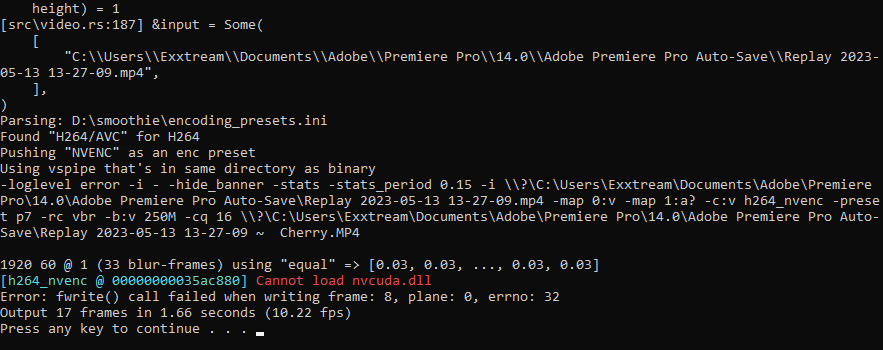
stray portal
my config: [interpolation]
enabled: yes
masking: no
fps: 1920
speed: medium
tuning: weak
algorithm: 13
use gpu: yes
[frame blending]
enabled: yes
fps: 60
intensity: 1
weighting: equal
bright blend: no
[flowblur]
enabled: no
masking: no
intensity: 125
do blending: after
[output]
process: ffmpeg
enc args: H264 NVENC
file format: %FILENAME% ~ %FRUIT%
container: .MP4
[preview window]
enabled: no
process: ffplay
output args: -f yuv4mpegpipe -
[artifact masking]
enabled: no
feathering: no
folder path:
file name:
[miscellaneous]
play ding: yes
always verbose: no
dedup threshold: 0.0
global output folder:
source indexing: no
ffmpeg options: -loglevel error -i - -hide_banner -stats -stats_period 0.15
ffplay options: -loglevel quiet -i - -autoexit -window_title smoothie.preview
[console]
stay on top: no
borderless: yes
position: top left
width: 900
height: 350
[timescale]
in: 1.0
out: 1.0
[color grading]
enabled: no
brightness: 0.8
saturation: 1.1
contrast: 0.9
[lut]
enabled: no
path:
opacity: 0.2
[pre-interp]
enabled: yes
masking: no
factor: 6x
model: "C:\Users\Exxtream\rife-v4.6"

 grand vector