#🥤⠂Smoothie
1 messages · Page 1 of 1 (latest)
 mint goblet
 wild brook
idkwhat
 tulip crypt
configure your mother
wild brook
ong good shit
 pulsar hawk
 tulip crypt
raw in your mother 60mph
tulip crypt
🤤
mint goblet
@tulip crypt @pulsar hawk 
 mint escarp
blur: true
blur amount: 1
blur output fps: 60
blur weighting: gaussian_sym

- interpolation
interpolate: true
interpolated fps: 3000

- rendering
quality: 18
preview: false
detailed filenames: false

- timescale
input timescale: 1
output timescale: 1
adjust timescaled audio pitch: false

- filters
brightness: 1
saturation: 1.2
contrast: 1

- advanced rendering
gpu: true
gpu type (nvidia/amd/intel): intel
deduplicate: true
custom ffmpeg filters:

- advanced blur
blur weighting gaussian std dev: 3
blur weighting triangle reverse: false
blur weighting bound: [0,1,2]

- advanced interpolation
interpolation program (svp/rife/rife-ncnn): svp
interpolation speed: medium
interpolation tuning: weak
interpolation algorithm: 13```Best renders fr fr
(for blur)
(ozzio renders btw
mint escarp
It's not mine it's ozzio's
 lunar osprey
i think you should send a config with an example clip and then people can react  or
or  if its good or bad
mint escarp
lunar osprey
i think you should send a config with an example clip and then people can react ...
Good idea
mint goblet
mint escarp
Best renders fr fr
attach a render test of it, like using cian.mp4
mint escarp
mint goblet
attach a render test of it, like using cian.mp4
Mhm
Ahem
I record in 60 xd

⭐ ABOUT THIS VIDEO:
So I found a cool Minecraft server that can beat Minemen Club. This server has smooth KB like Minemen as well ass most of the Minemen gamemodes. Don't forget to like, comment, and subscribe for more videos like this one.
🌐 CONNECT WITH ME:
Discord: https://dsc.gg/metaverseofwand
Twitter: https://twitter.com/oWqndo
Spotify: h...
mint escarp
mint escarp
https://youtu.be/83a0Vvy8SrI
60 > 240FPS not much artifacts and imo that's what you need if you record in 60
 full pendant
use raw 60
mint goblet
(he’s telling you you’re better off not using blur at all)
full pendant
use rife if recording in 60
 mint escarp
```- blur
blur: true
blur amount: 1
blur output fps: 60
blur weighting: gaussian...
mint escarp
mint escarp
```- blur
blur: true
blur amount: 1
blur output fps: 60
blur weighting: gaussian...
Isaw one of his vid in comments he told someone he recorded in 480 and rendered in 240 with Vegas and using this config he blurred it in 60fps
They have good motion blur and looks clean
wild brook
They’re ok definitely not the best though
 quick burrow
mint escarp
PPL says this guy has the best rendera
quick burrow
mint escarp
PPL says this guy has the best rendera
nope
mint escarp
Oh
 frigid loom
why does my smrs looks so bad
quick burrow
frigid loom
why does my smrs looks so bad
 frigid loom
quick burrow
https://tenor.com/view/config-issue-gif-23050772
frigid loom
quick burrow
https://tenor.com/view/config-issue-gif-23050772
not helping
i already tried 5 configs\
nothign works
all the same shit
quick burrow
what else do you want me to do? go to your pc and fixes it?
frigid loom
no
quick burrow
frigid loom
i already tried 5 configs\
5 bad configs
frigid loom
quick burrow
5 bad configs
enabled: yes
masking: no
fps: 1920
speed: medium
tuning: weak
algorithm: 23
use gpu: yes

[frame blending]
enabled: yes
fps: 30
intensity: 1
weighting: equal
bright blend: no

[flowblur]
enabled: yes
masking: no
intensity: 135
do blending: after


[output]
process: ffmpeg
enc args: -c:v utvideo -pix_fmt yuv444p
file format: %FILENAME% ~ %FRUIT%
container: .MP4

[preview window]
enabled: yes
process: ffplay
output args: -f yuv4mpegpipe -

[artifact masking]
enabled: no
feathering: yes
folder path:
file name:

[miscellaneous]
play ding: no
always verbose: no
dedup threshold: 0.0
global output folder:
source indexing: no
ffmpeg options: -loglevel error -i - -hide_banner -stats -stats_period 0.15
ffplay options: -loglevel quiet -i - -autoexit -window_title smoothie.preview

[console]
stay on top: no
borderless: yes
position: top left
width: 900
height: 350

[timescale]
in: 1.0
out: 1.0

[color grading]
enabled: no
brightness: 1.0
saturation: 1.0
contrast: 1.0

[lut]
enabled: no
path:
opacity: 0.2

[pre-interp]
enabled: yes
masking: no
factor: 2x
model: rife-v4.6```is this bad?
quick burrow
yes
frigid loom
how to fix
quick burrow
if you dont know how to use smrs then dont use it
frigid loom
how do i fix
quick burrow
quick burrow
if you dont know how to use smrs then dont use it
^
quick burrow
frigid loom
how am i going to learn how to use it right away?
it’ll make sense one day
quick burrow
frigid loom
makes no sense but ok
it’ll make sense one day
frigid loom
quick burrow
it’ll make sense one day
found the issue thanks
 north crown
[interpolation]
enabled: yes
masking: no
fps: 960
speed: fast
tuning: film
algorithm: 13
use gpu: yes

[frame blending]
enabled: yes
fps: 60
intensity: 1.4
weighting: equal
bright blend: no

[flowblur]
enabled: no
masking: no
intensity: 125
do blending: after


[output]
process: ffmpeg
enc args: -vf scale=1920:1080:flags=neighbor -c:v libx264 -preset medium -crf 8 -aq-mode 3 -c:a copy
file format: %FILENAME% ~ %FRUIT%
container: .MP4

[preview window]
enabled: yes
process: ffplay
output args: -f yuv4mpegpipe -

[artifact masking]
enabled: yes
feathering: yes
folder path: C:\Users\Lunarate\Desktop\smoothie-rs-nightly\smoothie-rs
file name: C:\Users\Lunarate\Desktop\smoothie-rs-nightly\smoothie-rs\mask.png

[miscellaneous]
play ding: y
always verbose: no
dedup threshold: 0.0
global output folder:
source indexing: no
ffmpeg options: -loglevel error -i - -hide_banner -stats -stats_period 0.15
ffplay options: -loglevel quiet -i - -autoexit -window_title smoothie.preview

[console]
stay on top: no
borderless: yes
position: top left
width: 900
height: 350

[timescale]
in: 1.0
out: 1.0

[color grading]
enabled: no
brightness: 1.0
saturation: 1.0
contrast: 1.0

[lut]
enabled: no
path:
opacity: 0.2

[pre-interp]
enabled: no
masking: no
factor: 2x
model:
``` input fps 120 https://youtu.be/SoQEA2S4wp4 quick burrow
north crown
```
[interpolation]
enabled: yes
masking: no
fps: 960
speed: fast
tuning: film
a...
quick burrow
north crown
```
[interpolation]
enabled: yes
masking: no
fps: 960
speed: fast
tuning: film
a...
use weak tuning
north crown
quick burrow
use weak tuning
whats so good abt it
quick burrow
north crown
whats so good abt it
it’ll be better
north crown
quick burrow
it’ll be better
ok ill try
 swift dirge
mint escarp
PPL says this guy has the best rendera
swift dirge
mint escarp
PPL says this guy has the best rendera
uhh why am I here
mint escarp
swift dirge
uhh why am I here
MEOW MEOW HIPNOTIFY
swift dirge
meow
 spark mulch
meow
swift dirge
meeow
spark mulch
bals
mint goblet
@spark mulch @swift dirge use #🥱⠂off-topic for out of context
Smoothie
Smoothie discussion
mint goblet
🥤⠂Smoothie discussion
@old summit @mint escarp @faint path@tardy ferry @jolly musk @velvet tapir @opaque gate
adding yall here
 faint path
helo
 tardy ferry
what's good
mint goblet
🥤⠂Smoothie
hi guys
little tip
did u know u dont need to have all of the values of the recipe
tardy ferry
i did
mint goblet
let's say you only touch the following values when using smoothie there's nothing preventing u from recipe.ini being literally just this
[frame blending]
enabled: yes
fps: 60
intensity: 1.0
weighting: vegas
bright blend: no

[output]
enc args: H264.CPU
but i still like having them even if you have multiple configs, purely for ease of sharing
mint goblet
mint goblet
<@502523930553221121> <@456226577798135808> <@377450600797044746><@107281853098...
check ur mentions  👍
👍
 opaque gate
mint goblet
let's say you only touch the following values when using smoothie there's nothin...
opaque gate
mint goblet
let's say you only touch the following values when using smoothie there's nothin...
this didnt work last time i tried
i just couldnt remove certain options
mint goblet
ye this is because some stuff is missing from defaults.ini
like artifact masking
let me fix this right now
opaque gate
alr 👍
mint goblet
also gonna remove bright blend from being the default
and putting 1.0 equal for frame blending
faint path
YES
opaque gate
to this day ive never seen a good bright blend render 🔥 💯
mint goblet
 mint goblet
opaque gate
THANK YOU
mint goblet
opaque gate
THANK YOU
(i changed 5 lines of code 💯)
opaque gate
ty
 velvet tapir
gg
mint goblet
@proper flume @heady wigeon 👁️👁️
 proper flume
quoicouleur
mint goblet
if you have any feedback feel free to write about it here
proper flume
👍
mint escarp
id rather die before i come in last 💯
 mint goblet
opaque gate
its bigger than the others
mint goblet
opaque gate
its bigger than the others
staged this ty
faint path
four farming cubbies
mint goblet
idea: noob recipe
interpolate fps to: none
# optional: increase fps before blending
# it can smear on static parts, e.g HUD

fps blend to: 60
# what fps you want to blend it to
# (e.g 30, 60, 120)

encoder preset: nvidia
# what is used to render
# (cpu/intel/amd/nvidia ffmpeg presets)

preview window: off
# optional: shows/hide preview window
idea: egui with simple and advanced toggle
mint goblet
:) good idea
mint escarp
only issue with that is i think it would take a bit to develop a good gui
if i knew rust id help fs
faint path
yeah
opaque gate
is there a reason for area not having a value in defaults.ini

this is latest release
opaque gate
opaque gate
(important suggestion)
make this gap consistent
also this gap still exists in defaults
faint path
LMAO
mint escarp
opaque gate
is there a reason for area not having a value in defaults.ini
if theres no value itll svp will use its default value im assuming
opaque gate
still should be changed cause ppl will have no idea what type of value ur supposed to enter
faint path
69
mint escarp
opaque gate
still should be changed cause ppl will have no idea what type of value ur suppos...
cooler is probably gonna add that thing which specifies what types are passed
but for now yeah something should be added
@mint goblet
 mint goblet
mint escarp
<@352830597778898944>
mint goblet
mint escarp
<@352830597778898944>
this is whats possible with interframe2 https://www.spirton.com/uploads/InterFrame/InterFrame2.html
 unique lion
proper flume
quoicouleur
unique lion
proper flume
quoicouleur
quelour
mint goblet

GitHub
Contribute to auraside/hone-game-configs development by creating an account on GitHub.
@mint escarp json that integrates in gui example
scroll down in raedme
mint goblet
@crystal orbit made a very interesting suggestion
I think it would be nice to have a script that deletes the raw unblured clip
sends the input to recycle bin on windows and trash-cli on linux
opaque gate
good suggestion, i personally dont see many people using it
mint escarp
u could add that as an option in the smoothie config but maybe add like a warning before it or something
even with a warning ppl arent gonna look huh
smh
mint goblet
[miscellaneous]
delete input clips: no
And only activates if it says exactly yes PLEASE delete my input clips, so it stands out when sharing recipes
mint escarp
ik dam well ppl just gonna paste in others config and not change it even if there's a big ass warning
opaque gate
normalize only sharing important parts of config (e.g. interp and blending)
mint goblet
anyways
logging "input files will be deleted" + long recipe message to activate it at this point it's natural selection if people mess up
and anyways it's to the recycle bin, not a permanent deletion
mint goblet
mint goblet
```ini
[miscellaneous]
delete input clips: no
```
also
[miscellaneous]
delete input clips: no
  replace original clip: no
for doing proxies effortlessly
opaque gate
you just know people would make support posts like
mY cLips goNE afTEr reNDUer!!!11!
mint escarp
smoothiew malware sends my renders to ctt discord webhook so he can steal my renders!!!
opaque gate
mint goblet
also
```ini
[miscellaneous]
delete input clips: no
replace original clip: no
`...
what would be different if you set replace original clip to no
mint goblet
opaque gate
you just know people would make support posts like
mY cLips goNE afTEr reNDUer!...
their very concerning skill issue idc
mint goblet
mint escarp
smoothiew malware sends my renders to ctt discord webhook so he can steal my ren...
good idea (:<
mint goblet
mint escarp
indentation..
my parser .trim() so do whatever
mint escarp
okay good its not strict like yaml
opaque gate
wait does this mean we can indent recipe !?
mint goblet
yes !
optional values
u can sort it however u want as long as keys stay in the right categories
opaque gate
my recipe already looks like this so i probably dont need to lol
[interpolation]
fps: 1440
speed: medium
tuning: weak
algorithm: 23

[frame blending]
fps: 60
intensity: 1.0
weighting: equal

[pre-interp]
enabled: no
factor: 2x

[output]
enc args: -c:v h264_nvenc -preset p7 -qp 18
container: .MP4```or do caps (try this im not sure)
mint escarp
opaque gate
what would be different if you set `replace original clip` to `no`
imagine this but for smoothie
 mint goblet
mint escarp
imagine this but for smoothie
mint goblet
mint escarp
imagine this but for smoothie
wdym
mint escarp
isnt that what replace original would do
mint goblet
it would
opaque gate
mint goblet
or do caps (try this im not sure)
trying this rn
 mint goblet
opaque gate
trying this rn
mint goblet
opaque gate
trying this rn
passive agressive motion blurring
mint escarp
opaque gate
trying this rn
cooler would be a bad dev if that broke smoothie...
opaque gate
opaque gate
trying this rn
works
mint goblet
mint escarp
imagine this but for smoothie
yeah so:
if you activate delete input clip
input.mp4 clip would give -> output.mp4, input.mp4 would be sent to recycle bin
and if you enable replace input clip
output.mp4 renamed to input.mp4
so if you have input.mp4 in your video editor's project it would be replaced automatically
mint escarp
also couleur ive always wondered about
[output]
process: ffmpeg
why would you need to ever change the process? is it for if ppl have different aliases or whatever
mint goblet
if you wanna have a different path for a nightly build
opaque gate
mint goblet
yeah so:
if you activate delete input clip
> input.mp4 clip would give -> outp...
cant you just change file format to not add a suffix
 mint escarp
atzur told me abt an ffmpeg with a progress bar
mint goblet
x264 comes as a standalone binary that accepts from stdin
mint escarp
lemme see if i can find it
mint goblet
mint escarp
atzur told me abt an ffmpeg with a progress bar

GitHub
A progress bar for ffmpeg. Yay ! Contribute to althonos/ffpb development by creating an account on GitHub.
opaque gate
mint escarp
atzur told me abt an ffmpeg with a progress bar
yeah i would love smoothie progress bar if possible
mint escarp
yea that
mint goblet
feel free to mess around with it, see if it works
mint escarp
try it gem i dont have any clips
opaque gate
nuh uh i have to go gamble
(no money is involved it is completely legal)
just download a clip from #1146118363756634352
mint goblet
mint goblet
https://github.com/althonos/ffpb
 mint escarp
revolutionary
 old summit
opaque gate
yeah i would love smoothie progress bar if possible
old summit
opaque gate
yeah i would love smoothie progress bar if possible

GitHub
colorama on steroids. Contribute to atzuur/colors development by creating an account on GitHub.
shameless plug
 jolly musk
opaque gate
yeah i would love smoothie progress bar if possible
jolly musk
opaque gate
yeah i would love smoothie progress bar if possible
I LOVE PROGRESS BARS
I love super adaptable and customizable and pretty ones
faint path
im still wondering how qm progress bar was made (im Not looking at the sources)
old summit
def create_bar(length: int, *,
               progress: int = 1,
               start_color: RGB = (255, 150, 0),
               mid_color: RGB = (255, 228, 0),
               end_color: RGB = (25, 211, 0),
               arrow: tuple[str, str] = ('=', '>'),
               sides: tuple[str, str] = ('[', ']')) -> str:

    """
    generate a progress bar string with 3 blended colors

    args:
        length: int - total length of the bar
        progress: int - current progress

        start, mid, end color: RGB - rgb tuples for start, mid, end colors
            defaults: orange, yellow, green

        arrow: tuple[str, str] - characters to use for the arrow
            `arrow[0]` will be used for the body and `arrow[1]` for the arrowhead

        sides: tuple[str, str] - characters to use for the sides
            `sides[0]` will be used for the left side and `sides[1]` for the right side
    """
can u get more customizable than this
maybe if i made it support more than 3 colors within the bar hmmm
mint goblet
jolly musk
I LOVE PROGRESS BARS
@opaque gate @hexed vortex
what do you think
we make a standalone program that acts as a progress bar for ffmpeg
ffprogress
opaque gate
yes
 hexed vortex
yes
mint goblet
one of things i need it to do for smoothie
is be able to take y4m input from stdin, and output y4m to stdout
actually this solves very little of the problems i encounter with console streams in smoothie-rs
old summit
mint goblet
we make a standalone program that acts as a progress bar for ffmpeg
why another one
mint goblet
because ffpb barely works and is in python
old summit
we need python anyway whats the harm
old summit
mint goblet
is be able to take y4m input from stdin, and output y4m to stdout
ffmpeg does not put logs in stdout
likely for this reason
u should be able to extract either one pretty easily
mint goblet
iirc
i need to do when preview is enabled:
vspipe script.vpy -c y4m - | ffmpeg -i - output1.mp4 - | ffplay -i -
and do that WHILE capturing ffmpeg's progress
i failed to so last time i tried
old summit
just read the stderr
hexed vortex
pipe stdout to ffplay, pipe stderr to user
or ffplay+vs
in discordcompressor i do a similar thing, ffmpeg decodes all audio and pipes it to the decoder while showing stderr
mint goblet
shield thingues?
faint path
but me dont like white themed disocrd

 mint goblet
oh yea le Butonaa
faint path
hpld on is this a real french world
why new line small character. you silly? 🪿

why ro you yalk sciense there
Magnitudes faster rendering than VEGAS Pro's smart resample
replace with synonym or brazil don't under
mint goblet
bc It is just incomparably ZOOMMY
mint goblet
faint path
replace with synonym or brazil don't under
every time i see this word i just read it as BRAWWWWWWZILLL ⚽ theyve screamed it too much in VC
mint goblet
thats like the opposite of cultural appropriation
faint path
to make page loading even faster
mint goblet
li'erally!! https://www.thesaurus.com/browse/appropriation
faint path
theres such stuff for js
mint goblet
faint path
i wonder if there's a okugin to automatically concert png to webp on build
nothing a little PowerShell and ffmpeg cannot do 😏
i could also just do it all at once and for all
faint path
mint goblet
nothing a little PowerShell and ffmpeg cannot do 😏
no no bad dont bdcome topito
im sure someone had already dine tgis
faint path
mint goblet
i could also just do it all at once and for all
thats ehat ive done
cba to setup stuff
theres also some app
uhh i forgot the name of it
you can compress png losslessly
by trimming unused stuff like alpha channel
mint goblet
im not gonna waste action time doing it EVERY SINGLE TIME i push something?
if i cant just do it once and for all
faint path
once again small text looks weird to me

we need someone obsessed with grammar
better call tellinq
mint goblet
faint path
once again small text looks weird to me
i literally stole blur's bio on this LOL
faint path
mint goblet
im not gonna waste action time doing it EVERY SINGLE TIME i push something?
free GitHub ahd limited action time /month?
think you can add more cons
mention render times and potential issues like artifacts
mint goblet
faint path
mention render times and potential issues like artifacts
i love how i can just type out the url from memory
 faint path
mint goblet
see https://ctt.cx/recipe#artifact-masking
faint path
mint goblet
see https://ctt.cx/recipe#artifact-masking
thats so cool
mint goblet
@coral apex did that ping you
 coral apex
mint goblet
<@707448563982139523> did that ping you
coral apex
mint goblet
<@707448563982139523> did that ping you
Pong no sound or noti, I just see thingy
mint goblet
 opaque gate
holy shit new smoothie logo
unique lion
mint goblet
smoothie.ico
mint goblet
@drifting rune
if you dont wanna use preview window and press space to pause smrs rendering
GitHub
The quickest way to low background CPU usage | Temporarily Pause Non-Required Processes and Services before Gaming | Download under Releases - GitHub - rcmaehl/FreezeToStock: The quickest way to lo...
you can bear with this program which makes use of win32 functions to pause programs
include smoothie-rs, vspipe and ffmpeg in it and you should be a okay
faint path
FREEZE SYSTEM
mint goblet
MAKE THA WINDOW DRIPPYY 🥶
north crown
🥶🥶🥶
opaque gate
are there any plans to put smrs in utils bucket?
mint goblet
opaque gate
are there any plans to put smrs in utils bucket?
yes there is and it'll replace utils/smoothie
i'm working on a recipe update/patcher that'll move all of your rife models and custom recipes and keep them up to date
now that i understand how github actions works it seems much more feasible to set up scoop auto update which will make it so much easier to do package management
- Get all user files from previous install (aka custom recipe, rife models, masks..)
- Move them to new version folder and patch recipes with new layout
- Add
smoothie-rs.exeto PATH - Add
rc.lnk(shortcut to open recipe.ini) in PATH, yes that's meant to be opened via Windows+R (run dialog)

manifest
opaque gate
epic
coral apex
mint goblet
What the fuck
mint escarp
@mint goblet if u delete a section from the recipe does it use default settings or is it disabled
velvet tapir
mint escarp
<@352830597778898944> if u delete a section from the recipe does it use default ...
that's what's defaults.ini are for
it fallbacks back to that ^
mint goblet
smoothie will soon support cli-based cutting
would you guys see yourselves typing all this manually?
it also converts 02:25:01.314 timecodes to seconds if you're messing with long videos
0 works as the first frame
EOF is special, it'll directly convert to the video's last frame

end result (audio is obviously desynced since i gotta also make that work on ffmpeg's end)
twist: only render specific parts of a video and discard the rest, this could be used for programmatically creating proxies of already-cut videos in NLE timelines :)
file size of the two are pretty damn close
 mint escarp
i dont personally see myself using it but it looks nice
mint goblet
mint escarp
i dont personally see myself using it but it looks nice
this is what i'm exposing from the cli to suckless-cut
mint escarp
mint goblet
this is what i'm exposing from the cli to suckless-cut
is it lossless cutting or no
velvet tapir
mint goblet
## smoothie will soon support cli-based cutting
would you guys see yourselves t...
so it would be possible to use mpv to cut the specified clip and auto send to sm?
mint goblet
mint escarp
is it lossless cutting or no
it can if you use a lossless encoding configuration, but it must always reencode unlike LLC, that also gives us the luxury of having frame accurate cutting points
mint goblet
velvet tapir
so it would be possible to use mpv to cut the specified clip and auto send to sm...
suckless-cut will literally run smoothie like this, there's no intermediary file created
mpv playlists & scripts make this process super scalable and automatable
i open playlist of clips i recorded for the day
i cut parts i want out and specify filename
i cut them losslessly with no encoding with ffmpeg
i feed these cut to smoothie
i put the original clips in the recycle bin
move my blurred clips to my project folder
and archive my lossless cutted clips to another disk
all of these things won't come your way and you'll only be prompted if you press the keybind to set such value
and you can also set these as default values in the lua file which also acts as a mini config
mint goblet
mint goblet
i open playlist of clips i recorded for the day
i cut parts i want out and spec...
@hexed vortex @quasi ingot more mpv suckless-cut shizodeas
mint goblet
Get-ChildItem -Filter *.ini -Exclude 'defaults.ini', 'recipe.ini', 'encoding_presets.ini' -Recurse -File | ForEach-Object {

    $LnkPath = Join-Path ([Environment]::GetFolderPath('SendTo')) "Smoothie - $($PSItem.BaseName).lnk"

    if (Test-Path $LnkPath -PathType Leaf){
        Remove-Item $LnkPath
    }

    $WScriptShell = New-Object -ComObject WScript.Shell
    $Shortcut = $WScriptShell.CreateShortcut($LnkPath)
    $Shortcut.TargetPath = (Resolve-Path ".\bin\smoothie-rs.exe")
    $Shortcut.Arguments = "--tui --recipe `"$($PSItem.FullName)`" -i"
    $Shortcut.Save()
}
little smoothie snippet to automatically generate send to shortcuts for each of your custom recipes
you're suppose to cd in the smoothie directory (where bin and launch.bat are at) and paste this in PowerShell
mint escarp
awesome
i think the cuts are a little confusing to me, if theres a way to gray out the parts on the progress bar that arent included that would be cool
mint goblet
mint escarp
i think the cuts are a little confusing to me, if theres a way to gray out the p...
when ure making the cuts u clearly remember where uve put em
 mint goblet
how it looks with uosc

i could ask the guy to make random color chapters like you have
mint escarp
also do u think u could add merge flag 🙏
mint goblet
ofc
im planning on having options for cutting:
• cut smoothie (frame accurate), it needs to re-encode obv
• cutting ffmpeg -s (cuts at nearest key frame, not accurate)
• export as a .llc project file, then opens LosslessCut and all you gotta do is click Export and use all of it's bells and whisltes for fancy cutting settings.
There are three cutting modes:
• Trim: all cuts will be joined together as a same file
• Split: all cuts will be separated by file
• Padding: (smoothie output only) replaces trimmed segments with empty frames to have the same length but at a reduced size / less non-empty frames to render, this is used to keep frames in sync when replacing files from the timeline in video editors
 quasi ingot
reminder uosc has a chapter range highlighting feature
mint goblet
 faint path
smoothie.
 mint escarp
now rewrite all the software you just mentioned in python
mint goblet
mint escarp
now rewrite all the software you just mentioned in python
and interpret it with chatgpt
faint path
make smoothie decide for me what ll be the best
mint goblet
GitHub
🧋 add motion blur to videos, with granular configuration - couleur-tweak-tips/smoothie-rs
@velvet tapir
velvet tapir
mint goblet
https://github.com/couleur-tweak-tips/smoothie-rs/blob/main/src%2Fparse.rs#L104
does spamming the github api do anything bad
mint goblet
velvet tapir
does spamming the github api do anything bad
rate limit
and delays startup time
velvet tapir
mint goblet
rate limit
then do it on another thread silently
mint goblet
velvet tapir
then do it on another thread silently
ehh imma write unix timestamp in txt
and do a time comparison
so its every 30 mins / can be forced with --check-update
mint goblet
quasi ingot
>gave you push access to my branch
so he can adjust anything he wants before accepting?
how else would you do it
 mint goblet
quasi ingot
because this is ticked by default when you make a PR
mint goblet
quasi ingot
because this is ticked by default when you make a PR
still a nice reminder
mint goblet

all args you ever send to smoothie are always dumped to last_args.txt
so let's say i was not content of my config but i already started rendering, i can just do smoothie-rs !! and it'll get arguments back from that file
faint path
why do we get to know about this only now
by the way couelr about your concern of smoothie-blender being vulnerable due to unsensitized json being fed into smoothie
i actually did not know or forgot that it was a thing, so it writes changes to the recipe first, and then starts the render 🙂
filenames being sanitized
and everything that is being written to the recipe is being validated on both client and server
would be nice to add request signing as well, but i cba
faint path
faint path
i actually did not know or forgot that it was a thing, so it writes changes to t...
although this may not be the best decision due to the lack of multiprocessing
but yk this wasnt in mind when the only hardware i have is an intel uhd graphics laptop
mint goblet
faint path
and everything that is being written to the recipe is being validated on both cl...
signing?
honestly your best bet is to verify the data server-side, limit it to alphanumerical characters and string length to something reasonable
velvet tapir
faint path
by the way couelr about your concern of smoothie-blender being vulnerable due to...
i dont see how it would be vulerable
well on the json passing atleast
faint path
mint goblet
honestly your best bet is to verify the data server-side, limit it to alphanumer...
it does more, it actually checks if the value is a valid smoothie-rs recipe config value, like speed can be either medium, fast, faster and nothing else
faint path
mint goblet
signing?
when we generate a signature on each request on both frontend and backend and pass it in the header of the request. invalid signature - ** get striked**
we dot hat for vtrl
mint goblet
 faint path
@silwnt very nice cusyal representation
 mint goblet
mint escarp
i only just somehow realized last night u can do this
mint goblet
mint escarp
i only just somehow realized last night u can do this
woa
mint escarp
relative paths 🙏
 mint goblet
GitHub
Wrap a standalone FFmpeg binary in an intuitive Iterator interface. 🏍 - nathanbabcock/ffmpeg-sidecar

GitHub
A coloured progress bar for ffmpeg. Contribute to clitic/ffpb-rs development by creating an account on GitHub.
@hexed vortex
opaque gate
🙏 smoothie progress bar 🙏
mint goblet
opaque gate
🙏 smoothie progress bar 🙏
mint goblet
 velvet tapir
mint goblet
velvet tapir
mint goblet
anime
mint goblet
Aetopia you do réalisé people live there right
velvet tapir
mint goblet
Aetopia you do réalisé people live there right
what
mint goblet

 mint goblet
i just has an idea on how to ERRADICATE the index does not match source file problem:
make the infex file contain a sha1 checksum of the file
so if the user renders a video with the exact same filename it'll end up using another index

mint goblet
faint path
thats fixing my smoothie-blender as well
you must pay .039¹⁴ pesos in order to use upstream
mint escarp
mint goblet
so if the user renders a video with the exact same filename it'll end up using a...
can you jus delete the index from temp after the render
or am i dumb
mint goblet
mint escarp
can you jus delete the index from temp after the render
its useful to keep it
if the file is ever rendered with again
mint escarp
oh i see
old summit
deleting the cache defeats the point of caching
mint goblet
but source indexing is only useful if ure rendering the same large vid over and over again
so it should be disabled by default
old summit
mint goblet
i just has an idea on how to ERRADICATE the index does not match source file pro...
if u implement this then theres no harm in keeping it cached
mint goblet
Ye
old summit
but i guess u could just disable cache by default
fixing the bug ❌
making the bug less likely to occur ✅
faint path
making the bug a feature
mint goblet
old summit
fixing the bug ❌
making the bug less likely to occur ✅
how is it any likely at all to occur
ever with this
faint path
"duplicate render protection"
old summit
mint goblet
ever with this
this?
mint goblet
sha1 in cache filename
old summit
it wont occur with that
but if you just disable cache by default then the bug will still be there when you enable cache
mint escarp
it is disabled by default but it still happens
unless the config value has no function yet
mint goblet
oh yea true wtf
mint escarp
oh
mint goblet
oh yea wtf i have not reimplemented it
hexed vortex
the real bug was the friends we made along the way
mint escarp
no op config values 🙏🏻🙏🏻📈📈
mint escarp
smoothie custom weighting functions are in fact not secure and can still be exploited
mint goblet
mint escarp
smoothie custom weighting functions are in fact not secure and can still be expl...
@old summit do you still use them
mint escarp
 old summit
mint goblet
<@502523930553221121> do you still use them
old summit
mint goblet
<@502523930553221121> do you still use them
ya
dont wory i will fix soon tm
mint goblet
old summit
[#44](<https://github.com/couleur-tweak-tips/smoothie-rs/pull/44>)
closed
@faint path do you know anything else that needs fixing in smoothie
mint escarp
the perf "issue"
faint path
make it BLAZINGLY FAST
mint goblet
mint escarp
the perf "issue"
lmk if you manage to compile blur
mint escarp
i think it has something to do with the svp script
mint goblet
mint escarp
i think it has something to do with the svp script
o f0e uses some diff interp stuff
i have yet 2 look into it
shouldn't be anything complex to steal >:)
mint escarp
same clip and as identical config as i could do
smoothie took 5.447 mins
blur took 2.810 mins
mint goblet
i swear it used to work
mint goblet
mint escarp
smoothie uses 16 block size right?
whatever svpflow considers default

@mint escarp
[interpolation]
enabled: y
masking: y
fps: 960
speed: medium
tuning: weak
algorithm: 23
use gpu: yes
gives:
superString: {gpu: 1}
vectorString: {
    block: {w: 8, overlap: 2},
    main: {search: {distance: 0, coarse: {distance: -1, trymany: true, bad: {sad: 2000}}}},
    refine: [{thsad: 250, search: {distance: -1, satd: true}}]
}
smoothString: {
    rate: {num: 960.0, den: 1, abs: true},
    gpuid: 0,
    algo: 23,
    mask: {cover: 80, area: 0, area_sharp: 1.2},
    scene: {blend: true, mode: 0, limits: {blocks: 50}}
}
how blur differs:
superString: {pel: 1, gpu: true}
vectorString: {
    block: {w: 16, overlap: 0},
    main: {search: {distance: 0, coarse: {distance: -1, trymany: true, bad: {sad: 2000}}}}
}
smoothString: {
    rate: {num: 960, abs: true},
    algo: 23,
    mask: {area: 0, area_sharp: 1.2},
    scene: {blend: false, mode: 0, limits: {blocks: 9999999}}
}
they look basically the exact same
blur took 2m23s, smoothie took 4m27s
mint goblet
smoothie has this extra value
vecotrString.refine: [{thsad: 250, search: {distance: -1, satd: true}}]
it also has vectorString.w set to 8, blur has it set to 16 (i suppose blocksize)
it also had .overlap to 2, while blur has it to 0
faint path
no blocks limit
mint goblet
smoothie has smoothString.mask.cover to 80, blur doesnt have that
and smoothString.scene is a completely different thing
mint escarp
heres the 2, u can video compare them to see yourself if you want to
smoothie looks ever so slightly better but its like rly barely noticable
mint goblet
video-compare "https://cdn.discordapp.com/attachments/1103437801099378770/1221515091623546973/test__Lemon.mp4?ex=6612db94&is=66006694&hm=d6484f1e920fde6b7b909d3f81b68c461a99d8a9ce9650e4db9bd436064063c5&" "https://cdn.discordapp.com/attachments/1103437801099378770/1221515094500839474/test_-_blur__60fps_5x_1.mp4?ex=6612db95&is=66006695&hm=4e1fc5796107f940396a5b38e893b69e24168ccab615886798faacf2564dd281&"
do you want a way to easily make comparisons? i made a rough implementation of these settings in smoothie
mint escarp
yes thatd be awesome
mint goblet
replace jamba.vpy
and add the second to /scripts/
these are some misc fixes i gotta add, dont mind them

(open in original and zoom in the browser)
@tardy ferry if u feel like testing :3 ^
 mint escarp
yes now its on par with blur
tardy ferry
mint goblet
👀
faint path
commit it NOW!!!
mint goblet
thats a scuffed af way to release, but its neat to test
mint goblet
mint goblet
you can also add these values in your recipe value and name them ip[value name blabla]
mint goblet
disabling smoothString.scene.blend and raising block limit actually made it render from: 113.50 seconds (96.03 fps)
smoothie defaults: 112.98 seconds (96.47 fps)
_ _
- super.pel:1:
112.00 seconds (97.31 fps)
w32:45.08 seconds (241.76 fps)
w16:52.07 seconds (209.30 fps)
w16 h8:69.97 seconds (155.76 fps)
_ _
vector.block.w seems to HIGHLY affect speed
Block's size must be 8x8, 16x8, 16x16, 32x16, 32x32
mint goblet
 merry lintel
8 vs 32 is the block size?
merry lintel
So higher block size = faster render?
When will all of this be finalized in a release
jolly musk
Yes and less accurate
merry lintel
Cause that’s been my solo complaint about smoothie for months now the render speeds compared to blur
jolly musk
merry lintel
When will all of this be finalized in a release
Who knows
merry lintel
If anything I think I was the one who originally got atzur and June testing the speed differences with me cause I always said one was faster then the other and it drove me insane cause smoothie has the features I need 😭 but was slower then blur
All the testing was done with the features off though cause I know they do slow down the render but base render speeds having a big difference hurt the soul
merry lintel
Hold up let me boot my pc
My first issue with blur and smoothie was the weights or deviation was different between the two,
Then was matching both configs to be identical,
Ya was also the ones that showed me that smoothie had dedup, but needed a value can’t just be toggled on like in blur,
Then just at the end of last month was me ranting about the render difference between the two speed wise 😭
If the speeds match I reduce my work time by hours
Wait is there a way to fix the changes and instead of releasing it give us a test copy of smoothie with the changes done? Like a portable install?
mint goblet
merry lintel
When will all of this be finalized in a release
get the latest version and add "block size: 32" to your interpolation category
jolly musk
Does the recipe support comments?
merry lintel
download the latest from github or the ctt site? cause i just downloaded the one from the ctt site and I dont see a block size option 🥺
jolly musk
merry lintel
download the latest from github or the ctt site? cause i just downloaded the one...
Probably from GitHub
But…
get the latest version and add "block size: 32" to your interpolation category
Keyword add
merry lintel
i wouldnt know how to add it 😭
merry lintel
mint escarp
block size: 32
 mint goblet
jolly musk
Probably from GitHub
mint goblet
jolly musk
Probably from GitHub
they're both the exact same
mint goblet
merry lintel
yes
mint goblet
y'all get all hyped up about this new setting that makes interp faster
you realize this is just an equivalent of setting the speed to fast/faster
and the resulting interpolated frames will look like shit
mint goblet
if you're gonna abuse this setting add a notice you're doing it on cheap mode
mint goblet
yeah 16's a good middleground
mint goblet
faint path
i had dedup threshold enabled
you should share the default recipe you're using for smblender
mint escarp
@mint goblet can you add rife cuda support 🥺
i want to try https://github.com/hzwer/Practical-RIFE
merry lintel
mint escarp
<@352830597778898944> can you add rife cuda support 🥺
Yay, finally someone other then me wants it
😭 if cuda rife really is a speed improvement it’ll work wonders then my super long 120 fps input
mint escarp
GitHub
RIFE function for VapourSynth. Contribute to HolyWu/vs-rife development by creating an account on GitHub.
mint goblet
mint escarp
<@352830597778898944> can you add rife cuda support 🥺
if you can figure out how to get dependencies working sure
mint escarp
ill try
mint goblet
pip 
mint escarp
smoothies mixed usage of .to_owned() and .to_string() hurts my soul deeply.... 
mint escarp
mint goblet
pip <:mkc:859775118707261440>
for contributing to the python scripts, do you use a formatter or anything like that or can i jus do wtv
mint goblet
mint escarp
smoothies mixed usage of .to_owned() and .to_string() hurts my soul deeply.... <...
what's the difference?
mint escarp
nothing it does the same thing 😭
mint goblet
oh ok its just ocd
mint escarp
mypy is very upset
 mint goblet
mint escarp
mypy is very upset
mint goblet
mint escarp
mypy is very upset
is this an extension?
mint escarp

GitHub
Optional static typing for Python. Contribute to python/mypy development by creating an account on GitHub.
yes
wait
why are you checking if its in yes or no

if its a float
wouldnt this just never be executed
wait no ic what ur doing
😭
cooler srsly why do you not just try and convert it to float 😭
mint goblet
mint escarp
why are you checking if its in yes or no
not in no is a check to see that the value is not empty / a false / a zero
if the value is a yes or any truthful value then it sets a default value
mint escarp
that is such a silly goober wau of doing it
mint goblet
0 / no: disabled
yes: recommened value
anything else: use whatever you want
mint escarp
i get that, but dedup threshold: yes is kinda weird yk
i dont think anyone would expect being able to put a boolean there unless it was by accident
mint goblet
whatever
its a single value function
i did not want to make a
[dedup threshold]
enabled: yes
threshold: 0.001
i think this script could use quite the cleanup
mint goblet
mint escarp
i think this script could use quite the cleanup
what do you see there to cleanup
pls dont do a huge pr with mixed opinionated and non opinionated tings pls
mint escarp
i wouldn’t
mint escarp
mint goblet
what do you see there to cleanup
mainly just pep8 consistency
mint escarp
the code itself is fine as far as i see
also have you updated the vapoursynth stuff yet
its on r66 now, last time i checked smoothie was on like r57
mint goblet

GitHub
PowerShell Script (made to run in CI) to generate a portable Python runtime w/ VapourSynth and dependencies includded, all that zipped and released automatically - couleurm/VSBundler
see there
mint escarp
i see...
mint goblet

no i have not
you may run git clone this repo, replace the repo url with vapoursynth/vapoursynth and the pattern glob
and have your very own R66-accelerated smoothie dependencies
mint escarp
r66 only works with python 3.12 or 3.8 so that would need to be changed too
mint goblet
well
um
same deal for py then :3

also watch out for this auto installation if you mind scoop
mint escarp
this is gonna take atleast another hour then ill get silly with smoothie
 mint goblet
mint escarp
this is gonna take atleast another hour then ill get silly with smoothie
mint goblet
mint escarp
this is gonna take atleast another hour then ill get silly with smoothie
vc?
mint goblet
📱
merry lintel
Wait smoothie is being updated to use the newest vs?
Or is it just being tuned to accept rife cuda?
Sorry I’m extremely curios but lack the knowledge in coding
mint escarp
merry lintel
Wait smoothie is being updated to use the newest vs?
you can update yours with what couleur sent above
you just have to change some of the links
merry lintel
😭 nvm I’ll just use latest, I ain’t about to finish a 10 hr shift just for more technical labor
mint escarp
merry lintel
😭 nvm I’ll just use latest, I ain’t about to finish a 10 hr shift just for more...
i’ll update it for u and send the zip in a lil bit
mint goblet
mint escarp
i’ll update it for u and send the zip in a lil bit
they changed how they bundle python in the msi
velvet tapir
mint escarp
smoothies mixed usage of .to_owned() and .to_string() hurts my soul deeply.... <...
honestly doesn't matter
merry lintel

mint goblet
mint goblet
<https://github.com/vapoursynth/vapoursynth/blob/master/installer/install-portab...
ok this is op
mint goblet

i feel better when pavlov tells me verything is ok :3
made a branch
iex(irm that, you need 7z in path
mint goblet
https://github.com/HolyWu/vs-rife
here is ddl to trt so you don't need to register an account to nvidia and do all their jazz to fucking just get this

theres a buncha useless shit in the cuda installer watch out
oop installed le extra bloat accidentally
 mint goblet
they dont got tensorrt for python 3.12
well, OOPS! looks like someone did NOT do their install script properly!!

ite lets try all ova again with pythona 3.8!
OK GUYS THIS COULD BE BIG!!!!

oh yeah.. python doesnt have switches in 3.8.....


oh damn idk about this 1 @old summit
okie its cool atzur i just needed to from typing import List, Dict
and replace each and every one of them

 mint goblet
vs-mlr going cRAZYYYY FASTTTT 🔥🚀 TO THE MOON 🪙

holy shit its using scientific notation lMFOAO

oh my dumbass defaulted it to CPU
60->240 with rife tensorrt
if pi['edition'] == "cuda":
    clip = vsmlrt.RIFE(
        clip=clip,
        multi=int((pi['factor']).strip('x')),
        scale=4
    )
else:
    # * Plugin from https://github.com/styler00dollar/VapourSynth-RIFE-ncnn-Vulkan#usage
    clip = core.rife.RIFE(
        clip=clip,
        factor_num=(pi['factor']).strip('x'),
        # multiplier=str(pi['factor']).strip('x'),
        model_path=model_path,
        gpu_id=0,
        gpu_thread=1,
        tta=False,
        uhd=False,  # tune for 1440p+ content
        sc=False  # scene change
    )
if pi['masking'] in YES:
    verb('Masking pre-interp')
    clip = Masking(
        to_mask=clip,
        original_clip=og_clip
    )

you get DLLs and plugins from ^
and onnx models
which need to be placed in \vapoursynth64\plugins\models\rife
and \vapoursynth64\plugins\vsmlrt-cuda should contain all tha DLLs
oh yeah and download vsmlrt to smoothie's vs scripts folders
and from scripts import vsmlrt that goes without saying


i just change it inline of vsmlrt.py
havent bothered trytnna import the thingie
faint path
couleur you are insaen
mint goblet
left is whats currently in smoothien, rife ncnn vulkan
oh their implementation of vulkan goes fast i forgot to set it back to vs mlrt
mint goblet
mint goblet
~~oh their implementation of vulkan goes fast~~ i forgot to set it back to vs ml...
OMFG ITS .03FPS FASTER!!!

yeah.. its produced the exact same damn video lmao, using v4.4
trying rife v4.15 👁️👁️
faint path
mint goblet
OMFG ITS .03FPS FASTER!!!
renders will be changed forever.
mint goblet
technology breakthrough
im curious about them lite models tho i gotta try
not supported 😃👍

 velvet tapir
mint goblet
velvet tapir
mint goblet
are you determining that based on the file name?
faint path
mint goblet
trying rife v4.15 👁️👁️
finally you got your hands on one of these
mint goblet
😃
 mint goblet
faint path
finally you got your hands on one of these
mint goblet
faint path
finally you got your hands on one of these
it doesnt seem to support 1080p
mint escarp
 smoothy rife cuda!?
mint goblet
mint escarp
<a:catshake:1092489453483851806> smoothy rife cuda!?
slower than rife ncnn vulkan
lmk if it does run faster on ur machine
mint escarp
GitHub
Vapoursynth plugin: libass-based subtitle renderer - AmusementClub/assrender
ass render
mint goblet
thats to make fancy ass subtitles (pun intended and not intended)
mint escarp
mint goblet
slower than rife ncnn vulkan
hmmm
 mint escarp
idm if it’s slower if i can test newer models
mint goblet
mint goblet
from what ive seen its really disappointing
mint escarp

GitHub
Hi, Thank you for creating this port, It is very helpful I see the information on how to compile the repo from source. But assuming that the information isn't classified, do you have instructio...
mint escarp
i’m interested in this safa thing too

GitHub
WACV2024 - Scale-Adaptive Feature Aggregation for Efficient Space-Time Video Super-Resolution - megvii-research/WACV2024-SAFA
 mint goblet
mint escarp
i’m interested in this safa thing too
mint escarp
mint goblet
mint escarp
i’m interested in this safa thing too
mint escarp
naur way
mint goblet
also does using topaz upscaling in smoothie sound cool
merry lintel
Like having it export from smoothie into topaz?
mint escarp
mint goblet
also does using topaz upscaling in smoothie sound cool
yes
topaz always interested me i haven’t tried it yet
merry lintel
I’m down either way, topaz is by far my favorite enhancer for image quality over all our alternatives
merry lintel
mint escarp
topaz always interested me i haven’t tried it yet
Worth a try, I’ve down over 100hrs worth of footage and gameplay thrown into topaz just fucking around not even for actual purposeful use
merry lintel
I’ll load up my pc right now, fk sleep
merry lintel
Let me grab a drink while I render some previews, topaz let’s you pre render 2 seconds of footage so you don’t have to re render a lot while messing around to find settings you like
faint path
mint escarp
<https://slow.pics/comparison>
This website was made in Kharkiv, Ukraine. It still is maintained from Ukraine. As it is hosted in a safer country, it will keep working as long as I can support it.
Due to russian aggression, I had to leave my home and look for a safer place to stay. My neighbourhood was shelled with rockets and artillery every day.
bro can not spell neihbour hood
laught at this user
mint goblet
GG
faint path
wp
 mint escarp
 faint path
was hungry
mint goblet
ye i prefert it than nn
faint path
show comparison!
mint goblet
ite
 mint goblet
 mint escarp
merry lintel
just hit submit?
mint escarp
merry lintel
just hit submit?
yes
faint path
merry lintel
how to use this
you need to have an engineering degree
mint escarp
but probably rename the files
faint path
mint goblet
this ones more sharp
mint escarp
so it’s obvious which is which
faint path
but odnt like shjarp
merry lintel
Slowpoke Pics image comparison service
faint path
very nice!
mint goblet
mint escarp
2.8mb one is topaz i’m guessing?
faint path
why it go 1px lower
merry lintel
ughhh the one with white on the right
is topaz
left*
no upscale just enhance tab
 mint goblet
mint goblet
mint goblet
@clever lance
merry lintel
enhancing without upscailing gives you the effect of upsailing without having to actually change resolution
now if you add enhance + upscailing you get an even higher crisp added to the image
merry lintel
every single tweak u do to settings you can hit preview and it'll render 2-5 seconds without having to render the full video to see all the effects you changed
 clever lance
randoms only just finding out about topaz
who was the guy who tried to copy my renders
mint goblet
TOPAZ_PROB4: -filter_complex tvai_up=model=ahq-12:scale=0:w=3840:h=2160:blend=0.2:device=0:vram=1:instances=1,scale=w=3840:h=2160:flags=lanczos:threads=0
clever lance
and used "viet upscaler" which was just lanzcos LOOOL
mint goblet
nah this 1 gas
also i love how topaz handled downloading the model for me automagically
merry lintel
topaz forces the enhance tab onto any upscailing done, is there a way to make it set a specific preset when upscailing? through the filter arguments
mint goblet
merry lintel
topaz forces the enhance tab onto any upscailing done, is there a way to make it...
enhance tab? whats that
merry lintel

see how there's a lock symbol on the enhance tab, it's forced on when you upscaile through topaz
clever lance
actually suprised the ffmpeg nerds like topaz cuz it distorts the text a ton
mint goblet
which ffmpeg nerd are you referring to
clever lance
@old summit @the cb guy
mint escarp
merry lintel
what models are there
mint goblet
 clever lance
mint goblet
enhance tab? whats that
clever lance
mint goblet
enhance tab? whats that
enhance is what model it uses when upscaling
merry lintel
beat me to it
mint goblet
ye i thought he was talking abt this
 clever lance
artemis high qual is the best ( i only tested when the choice was theia proteus and gaia tho havent tested iris or nyx but cant imagien they are good)
merry lintel
setting everything to zero just upscales the same way closest neighbor would no? it doesn't give as detailed of an image without my preset
mint goblet
merry lintel
setting everything to zero just upscales the same way closest neighbor would no?...
try it and see
clever lance
ituses lanczos to actually put it to 4k so no
if u have enchance ticked it should use the model idk how the new version works
mint goblet
clever lance
ituses lanczos to actually put it to 4k so no
thats prob just an excuse to scale it before actually doing the upscaling work
ion think it uses lanczos to upsclae :-))
merry lintel
left if just upscailing to 4k with no preset and everything at zero, right side is upscailing to 4k with custom proteus settings(my preset)
 mint goblet
was that the infamous viet upscaler
mint goblet
!
mint goblet
clever lance
but theres another group of people who had it
who
ratchet n clank?
😱
am i in danger
dam u seem informed
how do they avoid adobe's awful motion blur
render in vegas first or do they use blur/smoothie
merry lintel
11mb is original, 10mb is upscailed to 4k with everything set to zero and the 16mb one is the 4k upscaile with custom enhance tab
clever lance
theres an artifact in the 3rd one
merry lintel
might have to throw it into video-compare to actually see a proper difference
the one with artifacting should be the 16mb one, i had the anti-asilasing remover shoved to the left oops
i was rendering apex clips earlier and you cant really customize antialiasing properly in that game
either have too much or too little
mint escarp
there’s artifacts in all of them but it’s barely noticeable so it doesn’t matter
merry lintel
wait no the third one is the 10mb one that's the 4k upscaile with default proteus
😭
i just redonwloaded it to double check
so the one with artifacting is neither the original or the one with my custom preset
atleast with the most noticeable artifacting
my input fps is only 120 fps, 2x rife 2x svp 1.0->60
differentiating them by size is easier then by name for me cause for some reason none of my programs ever spit out the same size twice
 ancient pawn
clever lance
actually suprised the ffmpeg nerds like topaz cuz it distorts the text a ton
ancient pawn
clever lance
actually suprised the ffmpeg nerds like topaz cuz it distorts the text a ton
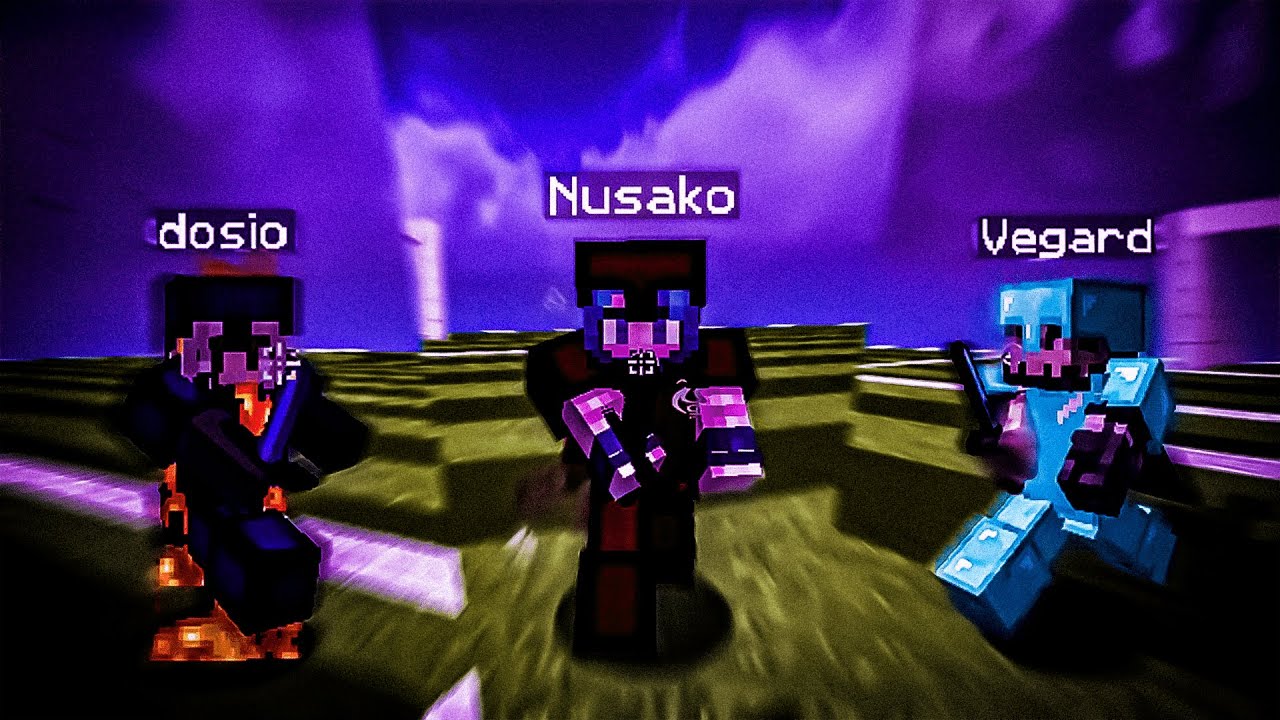
Someone else showed me a Topaz upscaled video a few weeks ago
I absolutely hated it
For the main reason you just mentioned
 clever lance
ancient pawn
Someone else showed me a Topaz upscaled video a few weeks ago
I absolutely hate...
clever lance
ancient pawn
Someone else showed me a Topaz upscaled video a few weeks ago
I absolutely hate...
few weeks ago is crazy unc
video looks good lol who tf is staring at the text
faint path
me
merry lintel
there's 2 settings that stop that from happening revert compression, and recover detail overlap the video to fix artifacting that causes text to distort like crazy and also smooths out details of your video making it look like playdough
faint path
i thought its smoothie discussion
merry lintel
usually those settings your set to 0 on topaz so u dont fuck text
ancient pawn
clever lance
video looks good lol who tf is staring at the text
Me
It triggers my OCD
merry lintel
wait was that realy run through topaz it really does look good
ignoring the text being overly smooth
ancient pawn
merry lintel
wait was that realy run through topaz it really does look good
At least that’s what I was told
clever lance
ancient pawn
https://youtu.be/zH49sspZo4Q
bro is recording in 120fps tho
ancient pawn
A shame
merry lintel
whats wrong with 120
clever lance
loioks really choppy idk what hes doing but topaz aint doing that
ancient pawn
Ye that’s some weird editing crap
People can do whatever the hell they want with fps crap to each their own
old summit
clever lance
<@502523930553221121> @the cb guy
viet!!
velvet tapir
ancient pawn
I’ll never agree with any approach but whatever
0 fps best
ancient pawn
You’re right because I’d never see you
old summit
fuck the system ❌
rainworld money system 💵
10 years of solitude made me independent 🧍
old summit
barbwired house i got 60 locks 🔒
clever lance
atzurfwfemboys whens the new tiktok gang i been waiting 2 years
velvet tapir
old summit
fuck the system ❌
rainworld money system 💵
10 years of solitude made me indepen...
wha
mint goblet
faint path
i thought its smoothie discussion
topaz integrates into smoothie
thus smoothie disc

do NOT filter your search engine's results by russian tracker organization sites as you might risk getting exposed to PIRACY!
mint escarp
is this a funny search term that may or may not lead you to a parrot
mint goblet
yes be very careful when attempting to reach the license purchasing page as you may encounter links of PIRATED copies on your way
ancient pawn
And as you know, the ARR ARR versions contain dated stuff, you will have a worse experience.
So please, give us your fucking money so we can be the richest company in the world
mint escarp
i would never pirate anything.. its morally wrong
 mint goblet
mint escarp
i would never pirate anything.. its morally wrong
mint goblet
mint escarp
i would never pirate anything.. its morally wrong
hey! thats an original way to name your ethically ripped dvds!
oh and folder name...
wait a minute
ancient pawn
You see, if you bought it, you own it forever, which means you can do whatever you want!
mint goblet
ancient pawn
You see, if you bought it, you own it forever, which means you can do whatever y...
OWNING is PIRACY!! all your belongings must have DRMs for YOUR safety!
ancient pawn
Nowadays: Pay us, but we control your products
mint goblet
mint escarp
i would never pirate anything.. its morally wrong
your D:\ partition really said
ancient pawn
Owning is bad. You should never own anything because you cannot safely maintain your products
mint goblet
the stars aligned for this meme to be posted damn
faint path
mint goblet
your `D:\` partition really said
so we all got shi on our d:\ partition 😭
 mint goblet
bro thats a few pixels too low we can read it and be sure what it is
if you're gonna do the fancy half height text atleast make it a little bit harder to read
faint path
oi
yeah my bad original gangster
will this suffice

no thats too high
i also got a whole goretrance album
with flacs
ancient pawn
The D:\ partition on my system contains a full list of people who pirated CheatBreaker. Soon, the list will be activated so all pirates will be Punished for their Hideous Crimes.
 mint goblet
Attempted to inject in CheatBreaker? Well Done, You're In The TellinqDataBase
ancient pawn
It includes all decompile attempts
Unauthorized launchers
Lunar Client supporters
Solar Tweaks haters
CTT haters
The Cheaters
mint escarp
faint path
with flacs
are you also a soulseek soldier
ancient pawn
faint path
say its a joke
say its a joke
faint path
and seeding there is bananble by government
mint goblet
ancient pawn
It includes all decompile attempts
Unauthorized launchers
Lunar Client suppor...
oh you scared me i thought you were gonna mention that category
faint path
 faint path
I analyzed the malware known as "CheatBreaker".
ancient pawn
Shit.
mint escarp
i type netstat into cmd and theres a "tellinq" port open... what this mean???
faint path
mint escarp
i type netstat into cmd and theres a "tellinq" port open... what this mean???
oh no...
its too late
ancient pawn
Port 6942021
faint path
i suggest you get rid of every machine in your putator
throw it away and move 224mi away
its a safe distance
ancient pawn
The grand plan will initiate in exactly 224 days
Soon all pirates will turn into potatoes


 ancient pawn
https://cheatbreaker.net/download <—— SafeMaker
https://cheatbreaker.bet/download <—— incorrect link
Download CheatBreaker
mint escarp
@mint goblet
GitHub
Extremely fast non-cryptographic hash algorithm. Contribute to Cyan4973/xxHash development by creating an account on GitHub.
maybe this for the ffms2 indexing?
mint goblet
mint escarp
maybe this for the ffms2 indexing?
bro i just gotta get a sha1 hash of the file
no need for a whole ass algo lmao
mint goblet
 mint goblet
mint escarp
eh the drive is probably the bottleneck either way
mint goblet
mint escarp
eh the drive is probably the bottleneck either way
yeah i should get the last or first few bytes instead of the WHOLE file
oh wait i'll just get the filesize in bytes
good enough
mint escarp
faint path
why no rust used
there is rust impls 🔥 🦀
mint escarp
can u do another silly fix for svp to work with i444 or no
velvet tapir
either will require conversion in vs itself
or patch the svpflow dll 
mint escarp
😔
clever lance
ancient pawn
Port 6942021
after running cb my port 5000 is now open and my cpu fan is spinning really heavy
mint goblet
mint escarp
can u do another silly fix for svp to work with i444 or no
i dont think thats possible

even in the update examples they do yuv420p8
ancient pawn
clever lance
after running cb my port 5000 is now open and my cpu fan is spinning really heav...
Secret Prime95 injection™️
mint goblet
w/ --ultra-brute
        File size         Ratio      Format      Name
   --------------------   ------   -----------   -----------
   3441504 ->   1189728   34.57%    win64/pe     libcrypto-1_1.dll
   1473912 ->    619384   42.02%    win64/pe     sqlite3.dll
  21766144 ->   6147584   28.24%    win64/pe     akarin.dll
   7310336 ->   1635328   22.37%    win64/pe     libmvtools.dll
  18297344 ->   6487040   35.45%    win64/pe     libvslsmashsource.dll
   5990400 ->   1094656   18.27%    win64/pe     RIFE.dll
   4492664 ->   1513336   33.68%    win64/pe     python310.dll
   2038784 ->    556544   27.30%    win64/pe     VapourSynth.dll
       File size         Ratio      Format      Name
   --------------------   ------   -----------   -----------
   3441504 ->   1323872   38.47%    win64/pe     libcrypto-1_1.dll
   1473912 ->    685944   46.54%    win64/pe     sqlite3.dll
  21766144 ->   7401472   34.00%    win64/pe     akarin.dll
   7310336 ->   1913856   26.18%    win64/pe     libmvtools.dll
  18297344 ->   7546368   41.24%    win64/pe     libvslsmashsource.dll
   5990400 ->   1283584   21.43%    win64/pe     RIFE.dll
   4492664 ->   1741688   38.77%    win64/pe     python310.dll
   2038784 ->    627712   30.79%    win64/pe     VapourSynth.dll
i remember spending a while using the slowest possible setting UPX
and it did make the smoothie bundling smaller (only when unzipped)
velvet tapir
mint goblet
w/ --ultra-brute
```
File size Ratio Format Name
--...
use upx --best --ultra-brute <file>
velvet tapir
mint goblet
i remember atzur telling me it hurted startup delay by a whil
by how much
mint goblet
@old summit ?^
do you remembmer
anyways code for it is done, shall it ever be reimplemented
velvet tapir
@mint goblet maybe see how it affects for everyone
mint goblet
you see for yourself
old summit
definitely heavily outweighs the benefit u get from smaller binaries tho
velvet tapir
old summit
definitely heavily outweighs the benefit u get from smaller binaries tho
what
old summit
if your pc is good enough to make running smoothie viable then id expect your internet speed and drive space are decent as well