#⌨ Programming
1 messages · Page 3 of 1
 vernal path
 dusty plover
@graceful viper I got a coding challenge for you (if you are still asking for coding challenge or problem or whatever thingy)
 graceful viper
dusty plover
<@1022160261320286323> I got a coding challenge for you (if you are still asking...
graceful viper
dusty plover
<@1022160261320286323> I got a coding challenge for you (if you are still asking...
Sure
dusty plover
how about the kangaroo challenge or at least that is what my school's material called it
the kangaroo can long jump over a distance x or short (?) jump over a distance y. What is the least number of jumps that is required for the kangaroo to cover exactly z distance
Input format
x y z
Example
Input
349 153 2706
Output
10
graceful viper
dusty plover
how about the kangaroo challenge or at least that is what my school's material c...
I have done this before
Ez
dusty plover
yeah
graceful viper
I found the code
dusty plover
that is in the training material for this year competition
graceful viper
In my
Documents
x, y, z = map(int, input().split())
Determine the number of long jumps and short jumps required to cover the distance z
long_jumps = z // x
remaining_distance = z - long_jumps * x
short_jumps = remaining_distance // y
Adjust the number of long jumps and short jumps if necessary to cover the distance exactly
if remaining_distance % y != 0:
short_jumps += 1
remaining_distance -= y
if remaining_distance > 0:
long_jumps += 1
Output the total number of jumps required
total_jumps = long_jumps + short_jumps
print(total_jumps)
dusty plover
because I abused the python function thingy
graceful viper
;-;
dusty plover
you keep your code?
graceful viper
dusty plover
you keep your code?
What?
dusty plover
I write code in a test.c in /tmp and delete it after submitting
dusty plover
huh interesting
graceful viper
dusty plover
huh interesting
Whats the uptime of ur pc
More than 24 hours?
I bet
dusty plover
most of the time
graceful viper
Show rn
dusty plover
 dusty plover
lol
dusty plover
I like contributing computing power to something useful
like stockfish testing because I like stockfish
 raw hawk
i think my record is around a month
i just switched distros so i need to restart a bit to get everything set up
 sterile notch
@molten barn is this a bad way to do what i want?
var hitcircle: Image
var hitcircle_HD: bool

if fileExists(folder_path & "/[email protected]"):
    hitcircle = readImage(folder_path & "/[email protected]")
    hitcircle_HD = true
elif fileExists(folder_path & "/hitcircle.png"):
    hitcircle = readImage(folder_path & "/hitcircle.png")
    hitcircle_HD = false
else:
    echo "No 'hitcircle(@2x).png' found!\nPress any key to exit..."
    let ch = readChar(stdin)
    quit(0)
i just want to assign a variable if the file exists, if not try the lower res, if not, tell them and prompt the user to close the program
 molten barn
sterile notch
<@419449186531147790> is this a bad way to do what i want?
```nim
var hitcircle:...
molten barn
sterile notch
<@419449186531147790> is this a bad way to do what i want?
```nim
var hitcircle:...
you could maybe use a loop
not sure how that will benefit for performance though
since its not really "compute"
sterile notch
so this is fine?
molten barn
yeh
sterile notch
i thought i might have overcomplicated it
molten barn
its just a if elif else ladder
sterile notch
what i have so far:
import os_files/dialog
import os
import pixie
import system
import std/parsecfg

var folder_dialog: DialogInfo
folder_dialog.kind = dkSelectFolder
folder_dialog.title = "Select Skin Folder"
folder_dialog.folder = getHomeDir()

let folder_path = folder_dialog.show()

var skin_ini: Config

if fileExists(folder_path & "/skin.ini"):
    skin_ini = loadConfig("skin.ini")
else:
    echo "No 'skin.ini' found!\nPress any key to exit..."
    let ch = readChar(stdin)
    quit(0)

var hitcircle: Image
var hitcircle_HD: bool

if fileExists(folder_path & "/[email protected]"):
    hitcircle = readImage(folder_path & "/[email protected]")
    hitcircle_HD = true
elif fileExists(folder_path & "/hitcircle.png"):
    hitcircle = readImage(folder_path & "/hitcircle.png")
    hitcircle_HD = false
else:
    echo "No 'hitcircle(@2x).png' found!\nPress any key to exit..."
    let ch = readChar(stdin)
    quit(0)

var hitcircle_overlay: Image
var hitcircle_overlay_HD: bool

if fileExists(folder_path & "/[email protected]"):
    hitcircle_overlay = readImage(folder_path & "/[email protected]")
    hitcircle_overlay_HD = true
elif fileExists(folder_path & "/hitcircleoverlay.png"):
    hitcircle_overlay = readImage(folder_path & "/hitcircleoverlay.png")
    hitcircle_overlay_HD = false
else:
    echo "No 'hitcircleoverlay(@2x).png' found!\nPress any key to exit..."
    let ch = readChar(stdin)
    quit(0)
pixie is a yummy image package
 untold narwhal
stole my name wtf
sterile notch
"2D graphics library"
sterile notch
molten barn
```nim
if not fileExists(folder_path & "/skin.ini"): quit(0)
```
i want to have this functionality though
    echo "No 'hitcircleoverlay(@2x).png' found!\nPress any key to exit..."
    let ch = readChar(stdin)
    quit(0)
and this makes it easier to read
any easier way to do let ch = readChar(stdin)?
molten barn
sterile notch
i want to have this functionality though
```nim
echo "No 'hitcircleoverlay(@...
set initial values for variables
sterile notch
so
var hitcircle = folder_path & "/[email protected]"
and then if not just exit?
that seems a better
molten barn
sterile notch
so
```nim
var hitcircle = folder_path & "/[email protected]"
```
you atleast expect the end user to have a non hd image right?
molten barn
sterile notch
if its HD though you would defenitly want to use that instead
DON'T USE PARSECFG for the love of god
sterile notch
what should i use 
molten barn
GitHub
An alternative parsecfg configuration parser for Nim. - GitHub - Aetopia/CfgParser: An alternative parsecfg configuration parser for Nim.
i made an alternative
and i also explain the reasons why i made it an alternative
tldr is fucks up with the key value pair itself
molten barn
sterile notch
is it on nimble?
nope
just copy the file contents from src and paste them into a new file
sterile notch
👍
molten barn
parsecfg does this
NamedCounts=(("DiscoveryLobbyMatchmakingPlay", 23),("DiscoveryLobbyMatchmakingPlay_HotfixVer", 0),("lastfrontendflow_Fortnite", 23),("lastfrontendflow_Fortnite_HotfixVer", 0),("UEnableMultiFactorModal::ShouldShowMFASplashScreen", 23),("UEnableMultiFactorModal::ShouldShowMFASplashScreen_HotfixVer", 0),("FrontendContext:ShouldShowSocialImport", 23),("FrontendContext:ShouldShowSocialImport_HotfixVer", 0)) <- what is passed
output -> namedcounts="""(("DiscoveryLobbyMatchmakingPlay", 23),("DiscoveryLobbyMatchmakingPlay_HotfixVer", 0),("lastfrontendflow_Fortnite", 23),("lastfrontendflow_Fortnite_HotfixVer", 0),("UEnableMultiFactorModal::ShouldShowMFASplashScreen", 23),("UEnableMultiFactorModal::ShouldShowMFASplashScreen_HotfixVer", 0),("FrontendContext:ShouldShowSocialImport", 23),("FrontendContext:ShouldShowSocialImport_HotfixVer", 0))"""
sterile notch
weird
fatal.nim(54)            sysFatal
Error: unhandled exception: index 1 not in 0 .. 0 [IndexDefect]
?????????????
import os_files/dialog
import os
import pixie
import system
import cfgparser

var folder_dialog: DialogInfo
folder_dialog.kind = dkSelectFolder
folder_dialog.title = "Select Skin Folder"
folder_dialog.folder = getHomeDir()

let folder_path = folder_dialog.show()

var skin_ini: Cfg

if fileExists(folder_path & "/skin.ini"):
    skin_ini = loadCfg("skin.ini")
else:
    echo "No 'skin.ini' found!\nPress any key to exit..."
    let ch = readChar(stdin)
    quit(0)

var hitcircle: Image
var hitcircle_HD: bool

if fileExists(folder_path & "/[email protected]"):
    hitcircle = readImage(folder_path & "/[email protected]")
    hitcircle_HD = true
elif fileExists(folder_path & "/hitcircle.png"):
    hitcircle = readImage(folder_path & "/hitcircle.png")
    hitcircle_HD = false
else:
    echo "No 'hitcircle(@2x).png' found!\nPress any key to exit..."
    let ch = readChar(stdin)
    quit(0)

var hitcircle_overlay: Image
var hitcircle_overlay_HD: bool

if fileExists(folder_path & "/[email protected]"):
    hitcircle_overlay = readImage(folder_path & "/[email protected]")
    hitcircle_overlay_HD = true
elif fileExists(folder_path & "/hitcircleoverlay.png"):
    hitcircle_overlay = readImage(folder_path & "/hitcircleoverlay.png")
    hitcircle_overlay_HD = false
else:
    echo "No 'hitcircleoverlay(@2x).png' found!\nPress any key to exit..."
    let ch = readChar(stdin)
    quit(0)
should hitcircle type even be Image?
molten barn
sterile notch
```cmd
fatal.nim(54) sysFatal
Error: unhandled exception: index 1 not...
why tf did you import system
what is the pixie module
sterile notch
i forgot
molten barn
sterile notch
like pillow
send or show interop code
sterile notch
sterile notch
```cmd
fatal.nim(54) sysFatal
Error: unhandled exception: index 1 not...
i think its cfgparser.nim
cause i only have 50 lines
sterile notch
molten barn
send or show interop code
?
molten barn
sterile notch
```cmd
fatal.nim(54) sysFatal
Error: unhandled exception: index 1 not...
show entire error message
sterile notch
molten barn
don't import system
fatal.nim(54)            sysFatal
Error: unhandled exception: index 1 not in 0 .. 0 [IndexDefect]
import os_files/dialog
import os
import pixie
import cfgparser

var folder_dialog: DialogInfo
folder_dialog.kind = dkSelectFolder
folder_dialog.title = "Select Skin Folder"
folder_dialog.folder = getHomeDir()

let folder_path = folder_dialog.show()

var skin_ini: Cfg

if fileExists(folder_path & "/skin.ini"):
    skin_ini = loadCfg("skin.ini", case_sensitive = true, delimiter = ':', comments = [';'])
else:
    echo "No 'skin.ini' found!\nPress any key to exit..."
    let ch = readChar(stdin)
    quit(0)

var hitcircle: Image
var hitcircle_HD: bool

if fileExists(folder_path & "/[email protected]"):
    hitcircle = readImage(folder_path & "/[email protected]")
    hitcircle_HD = true
elif fileExists(folder_path & "/hitcircle.png"):
    hitcircle = readImage(folder_path & "/hitcircle.png")
    hitcircle_HD = false
else:
    echo "No 'hitcircle(@2x).png' found!\nPress any key to exit..."
    let ch = readChar(stdin)
    quit(0)

var hitcircle_overlay: Image
var hitcircle_overlay_HD: bool

if fileExists(folder_path & "/[email protected]"):
    hitcircle_overlay = readImage(folder_path & "/[email protected]")
    hitcircle_overlay_HD = true
elif fileExists(folder_path & "/hitcircleoverlay.png"):
    hitcircle_overlay = readImage(folder_path & "/hitcircleoverlay.png")
    hitcircle_overlay_HD = false
else:
    echo "No 'hitcircleoverlay(@2x).png' found!\nPress any key to exit..."
    let ch = readChar(stdin)
    quit(0)
this line of cfgparser is fucking it up
keyvalue = line.split(delimiter, 1)
proc loadCfg*(str: string, caseSensitive: bool = true,
        delimiter: char = '=', comments: openArray[char] = [';']): Cfg =

    var
        cfg = newCfg()
        section: string

    # Create a reserved section.
    cfg[""] = newOrderedTable[string, string]()

    for i in str.splitLines():
        let line = i.strip()

        if line.len == 0 or comments.contains(line[0]): continue

        # Parse the section.
        elif [line[0], line[^1]] == ['[', ']']:
            section = line.strip(chars = {'[', ']', ' '})
            if not case_sensitive: section = section.toLower()
            cfg[section] = newOrderedTable[string, string]()

        else:
            let
                keyvalue = line.split(delimiter, 1)
                key = keyvalue[0].strip()
                value = keyvalue[1].strip()
            if key != "" or value != "":
                if not case_sensitive: cfg[section][key.toLower()] = value
                else: cfg[section][key] = value

    return cfg
show me what are you trying to parse
oh wow
sterile notch
something like this
//Formatted by ck // pepega tools // cyperdark#6890
[General]
    Name: -         《CK》 Bacon boi 1.0 『clrs』 - lite
    Author: cyperdark
    Profile: https://osu.ppy.sh/users/9893708
    ╔=====================================╗
    ║ Downloaded from https://ck1t.ru/ss  ╚===============╗
    ║ Skin https://ck1t.ru/s--         《CK》 Bacon boi 1.0 ║
    ╚=====================================================╝
    Version: 2.5
    AnimationFramerate: 60

// ╔════ Cursor ════╗ \\
    CursorCentre: 1
    CursorExpand: 0
    CursorRotate: 0
    CursorTrailRotate: 0

// ╔════ Combo bursts ════╗ \\
    ComboBurstRandom: 0
    HitCircleOverlayAboveNumber: 0

// ╔════ Slider ════╗ \\
    AllowSliderBallTint: 1
    SliderBallFlip: 1
    SliderStyle: 2

[Colours]
// ╔════ Combo Colors ════╗ \\
    Combo1: 255, 255, 255 // #ffffff
    Combo2: 255, 114, 111 // #FF726F
    MenuGlow: 82, 74, 71 // #524a47
    InputOverlayText: 255, 255, 255 // #ffffff
    SliderBorder: 200,200,200
    SliderTrackOverride: 20, 18, 17 // #141211

// ╔════ Song Select ════╗ \\
    SongSelectActiveText: 255, 255, 255 // #ffffff
    SongSelectInactiveText: 255, 255, 255 // #ffffff
    SpinnerBackground: 255, 255, 255 // #ffffff

[Fonts]
// ╔════ HitCircle ════╗ \\
    HitCirclePrefix: default
    HitCircleOverlap: 25

// ╔════ Score ════╗ \\
    ScorePrefix: numbers
    ScoreOverlap: 10

// ╔════ Combo ════╗ \\
    ComboPrefix: numbers
    ComboOverlap: 10
wats wrong
molten barn
sterile notch
wats wrong
you need to customize the parser
change the delimiter and comments array
sterile notch
did i not?
molten barn
also the parser doesn't support on line comments
sterile notch
skin_ini = loadCfg("skin.ini", case_sensitive = true, delimiter = ':', comments = [';'])
comments = [';']
sterile notch
🤦♂️
molten barn
where is //
sterile notch
yeah ik
 char, comments: array[0..0, string]>
but expected one of:
proc loadCfg(str: string; caseSensitive: bool = true; delimiter: char = '=';
             comments: openArray[char] = [';']): Cfg
  first type mismatch at position: 4
  required type for comments: openArray[char]
  but expression 'comments = ["//"]' is of type: array[0..0, string]

expression: loadCfg("skin.ini", case_sensitive = true, delimiter = ':', comments = ["//"])
specify '/`
since it needs a char


 soft pulsar
when you need gigs of ram to edit text
 molten barn
sterile notch
oh singular
molten barn
sterile notch
oh singular
nvm my parser is fucking up
sterile notch
molten barn
nvm my parser is fucking up
just gonna use parsecfg
GitHub
configparser for ini files written in Nim. Contribute to xmonader/nim-configparser development by creating an account on GitHub.
molten barn
sterile notch
just gonna use parsecfg
or you can implement your own to reduce bloat
vernal path
@graceful viper linux can stay on for months lol
Look at servers for example
Windows server couldn't do that
It comes with a desktop
Lmao
And uwp apps
molten barn
vernal path
<@1022160261320286323> linux can stay on for months lol
consumer linux desktops suck
vernal path
Yeah
i agree
But it can still be somewhat stable for longer
I can't keep my pc on for more than 20 hours
molten barn
vernal path
Windows server couldn't do that
windows server is the windows desktop is should have been
graceful viper
vernal path
I can't keep my pc on for more than 20 hours
i can keep for than 2 days
without any lag or shit
ik linux is just way better than windows
molten barn
graceful viper
i can keep for than 2 days
try windows server 2022
graceful viper
im good
vernal path
Lol
 vernal path
You could use gtk or pyqt to make it even more feature filled, with a menu bar and search bar, but thats not fun tbh. There are so many tutorials on that anyways and they all copy and paste stuff
Try adding a way to add website manager that adds and removes websites
That would be easy enough to do but would make the program so much more customizable and usable
 untold narwhal
why am i getting bullied
vernal path
because you are gay
😂 🫵
Jk
this server
supports all people from all walks of life
except for uziel
molten barn
bloat
vernal path
?
 vernal path
 tawdry swift
Forgot to censor smth
tawdry swift
Forgot to censor smth
?
What
LOL
What meeded censored
Are you censoring ME?
NO
I FEEL
OPPRESSED
tawdry swift
vernal path
What meeded censored
PPI
vernal path
ELE APOIA A OPRESSÃO DAS MINORIAS
vernal path
Yeah
I will add google analytics too it
So i can stalk you
And everyone who uses it
Ty
And it will he base64 encoded in ransomware python Encryption for super securityy1!1!1!
graceful viper
Lmao
tawdry swift
Be more descriptive
 topaz blaze
can someone program me a program
soft pulsar
no
untold narwhal
can someone program me
graceful viper
untold narwhal
can someone program me
Yes
topaz blaze
can program someone for me
untold narwhal
can someone program someone for me :(
 hazy needle
no
topaz blaze
untold narwhal
can someone program someone for me :(
Izzy is into you-
dusty plover
My attempt at writing heapsort
#include <stdio.h>
#include <stdlib.h>
#include <string.h>
int compare (const void *a, const void *b) {
    if (*(unsigned int*)a == *(unsigned int*)b) return 0;
    return (*(unsigned int*)a < *(unsigned int *)b) ? -1 : 1;
}
void siftDown (void *arr, const size_t start, const size_t end, const size_t size, int (*compar)(const void*, const void*), void *buffer) {
    size_t root = start, child, swap;
    while ((root << 1)+1 <= end) {
        child = (root << 1)+1;
        swap = root;
        if (compar((char *)arr + size*swap, (char *)arr + size*child) < 0) {
            swap = child;
        }
        if ((child+1 <= end) && (compar((char *)arr + size*swap, (char *)arr + size*(child + 1)) < 0)) {
            swap = child + 1;
        }
        if (swap == root) {
            return;
        }
        // root does not hold the largest element so swap root with swap
        memcpy(buffer, (char *)arr + size*root, size);
        memcpy((char *)arr + size*root,(char *)arr + size*swap, size);
        memcpy((char *)arr + size*swap, buffer, size);
        root = swap;
    }
}
void heapsort (void *arr, const size_t nmemb, const size_t size, int (*compar)(const void*, const void*)) {
    size_t end;
    void *buffer = malloc(size);
    for (size_t start = nmemb >> 1; start != 0; --start) siftDown(arr, start-1,nmemb-1,size, compar, buffer);
    end = nmemb-1;
    while (end != 0) {
        // 0 now store the largest element
        // swap 0 with end
        memcpy(buffer, arr, size);
        memcpy(arr,(char *)arr + size*end, size);
        memcpy((char *)arr + size*end, buffer, size);
        siftDown(arr, 0, --end, size, compar, buffer);
    }
    free(buffer);
}

int main () {
    unsigned int arr[] = {10, 69, 78, 65, 25, 10, 4, 34, 56, 49};
    heapsort(arr, 10, sizeof(unsigned int), compare);
    for (unsigned int i = 0; i < 10; ++i) printf("%u ", arr[i]);
    printf("\n");
    return 0;
}
;compile
 regal doveBOT
Program Output
4 10 10 25 34 49 56 65 69 78
r_li_S#4137 | 52ms | c | x86-64 gcc 12.2 | godbolt.org
graceful viper
;compile
regal doveBOT

Critical error:
You must attach a code-block containing code to your message or reply to a message that has one.
Requested by: Ketsutek#0001
graceful viper
;compile
regal doveBOT
Critical error:
You must attach a code-block containing code to your message or reply to a message that has one.
Requested by: Ketsutek#0001
graceful viper
;compile
regal doveBOT
Critical error:
You must provide a valid language or compiler!
;compile c++
```
int main() {}
```
Requested by: Ketsutek#0001
dusty plover
use ```c
sterile notch
for i in range(10000):
  print(i)
;compile
regal doveBOT
Program Output
a
a
a
a
a
a
a
a
a
a
a
a
a
a
a
a
a
a
a
a
a
a
a
a
a
a
a
a
a
a
a
a
a
a
a
a
a
a
a
a
a
a
a
a
a
a
a
a
a
a
a
a
a
a
a
a
a
a
a
a
a
a
a
a
a
a
a
a
a
a
a
a
a
a
a
a
a
a
a
a
a
a
a
a
a
a
a
a
a
a
a
a
a
a
a
a
a
a
a
a
a
a
a
a
a
a
a
a
a
a
a
a
a
a
a
a
a
a
a
a
a
a
a
a
a
Snowz#1801 | 143ms | python | Python 3.11 | godbolt.org
sterile notch
sterile notch
```py
for i in range(10000):
print(i)
```
;compile
regal doveBOT
Program Output
0
1
2
3
4
5
6
7
8
9
10
11
12
13
14
15
16
17
18
19
20
21
22
23
24
25
26
27
28
29
30
31
32
33
34
35
36
37
38
39
40
41
42
43
44
45
46
47
48
49
50
51
52
53
54
55
56
57
58
59
60
61
62
63
64
65
66
67
68
69
70
71
72
73
74
75
76
77
78
79
80
81
82
83
84
85
86
Snowz#1801 | 101ms | python | Python 3.11 | godbolt.org
molten barn
;compile
while True: print("LLLL")
Program Output
LLLL
LLLL
LLLL
LLLL
LLLL
LLLL
LLLL
LLLL
LLLL
LLLL
LLLL
LLLL
LLLL
LLLL
LLLL
LLLL
LLLL
LLLL
LLLL
LLLL
LLLL
LLLL
LLLL
LLLL
LLLL
LLLL
LLLL
LLLL
LLLL
LLLL
LLLL
LLLL
LLLL
LLLL
LLLL
LLLL
LLLL
LLLL
LLLL
LLLL
LLLL
LLLL
LLLL
LLLL
LLLL
LLLL
LLLL
LLLL
LLLL
LLLL
Aetopia#1180 | 346ms | python | Python 3.11 | godbolt.org
regal doveBOT
Critical error:
You must attach a code-block containing code to your message or quote a message that has one.
Requested by: tievex#9367
Critical error:
You must attach a code-block containing code to your message or quote a message that has one.
Requested by: tievex#9367
Critical error:
You must attach a code-block containing code to your message or quote a message that has one.
Requested by: tievex#9367
Critical error:
You must attach a code-block containing code to your message or quote a message that has one.
Requested by: tievex#9367
regal doveBOT
Critical error:
You must attach a code-block containing code to your message or quote a message that has one.
Requested by: tievex#9367
sterile notch
sterile notch
```py
while True: print("shut the fuck up snowz")
```
;compile
regal doveBOT
Program Output
shut the fuck up snowz
shut the fuck up snowz
shut the fuck up snowz
shut the fuck up snowz
shut the fuck up snowz
shut the fuck up snowz
shut the fuck up snowz
shut the fuck up snowz
shut the fuck up snowz
shut the fuck up snowz
shut the fuck up sno
Snowz#1801 | 170ms | python | Python 3.11 | godbolt.org
dusty plover
I was trying to see how fast the algorithm is and it ran faster than the python script I use to print out random numbers
graceful viper
Hello
#include <stdlib.h>
#include <string.h>

int compare(const void *a, const void *b) {
    return (*(const unsigned int*)a < *(const unsigned int*)b) ? -1 : 1;
}

void siftDown(void *arr, const size_t start, const size_t end, const size_t size, int (*compar)(const void*, const void*), void *buffer) {
    size_t root = start, child, swap;
    while ((root << 1) + 1 <= end) {
        child = (root << 1) + 1;
        swap = root;
        if (compar(arr + size * swap, arr + size * child) < 0) {
            swap = child;
        }
        if ((child + 1 <= end) && (compar(arr + size * swap, arr + size * (child + 1)) < 0)) {
            swap = child + 1;
        }
        if (swap == root) {
            return;
        }
        // root does not hold the largest element so swap root with swap
        memcpy(buffer, arr + size * root, size);
        memcpy(arr + size * root, arr + size * swap, size);
        memcpy(arr + size * swap, buffer, size);
        root = swap;
    }
}

void heapsort(void *arr, const size_t nmemb, const size_t size, int (*compar)(const void*, const void*)) {
    size_t end;
    void *buffer = malloc(size);
    if (!buffer) {
        // handle allocation failure
    }
    for (size_t start = nmemb >> 1; start != 0; --start) {
        siftDown(arr, start - 1, nmemb - 1, size, compar, buffer);
    }
    end = nmemb - 1;
    while (end != 0) {
        // 0 now store the largest element
        // swap 0 with end
        memcpy(buffer, arr, size);
        memcpy(arr, arr + size * end, size);
        memcpy(arr + size * end, buffer, size);
        siftDown(arr, 0, --end, size, compar, buffer);
    }
    free(buffer);
}

int main() {
    unsigned int arr[] = {10, 69, 78, 65, 25, 10, 4, 34, 56, 49};
    heapsort(arr, 10, sizeof(unsigned int), compare);
    for (size_t i = 0; i < 10; ++i) {
        printf("%u ", arr[i]);
    }
    printf("\n");
    return 0;
}```;compile
regal doveBOT
Critical error:
You must provide a valid language or compiler!
;compile c++
```
int main() {}
```
Requested by: Ketsutek#0001
dusty plover
Welp. python froze the computer when I try to generate 2**32 -1 numbers and got killed
graceful viper
graceful viper
```#include <stdio.h>
#include <stdlib.h>
#include <string.h>
int compare(const...
;compile python
regal doveBOT
Compiler Output
File "/app/output.s", line 5
    int compare(const void *a, const void *b) {
        ^^^^^^^
SyntaxError: invalid syntax
Ketsutek#0001 | 41ms | python | Python 3.11 | godbolt.org
graceful viper
fuck you
dusty plover
no that C
graceful viper
graceful viper
```#include <stdio.h>
#include <stdlib.h>
#include <string.h>
int compare(const...
;compile c
regal doveBOT
Program Output
4 10 10 25 34 49 56 65 69 78
Ketsutek#0001 | 72ms | c | x86-64 gcc 12.2 | godbolt.org
dusty plover
don't you mean my code
graceful viper
dusty plover
don't you mean my code
wanna see i made something cool?
dusty plover
where is the edit?
dusty plover
dusty plover
My attempt at writing heapsort
```c
#include <stdio.h>
#include <stdlib.h>
#incl...
;compile c
regal doveBOT
Program Output
4 10 10 25 34 49 56 65 69 78
r_li_S#4137 | 33ms | c | x86-64 gcc 12.2 | godbolt.org
graceful viper
dusty plover
;compile c
nvm
this is the same as u
i added error handeling
#include <stdlib.h>
#include <string.h>

int compare(const void *a, const void *b) {
    if (*(const unsigned int*)a == *(const unsigned int*)b) {
        return 0;
    } else {
        return (*(const unsigned int*)a < *(const unsigned int*)b) ? -1 : 1;
    }
}

void siftDown(void *arr, const size_t start, const size_t end, const size_t size, int (*compar)(const void*, const void*), void *buffer) {
    size_t root = start, child, swap;
    while ((root << 1) + 1 <= end) {
        child = (root << 1) + 1;
        swap = root;
        if (compar(arr + size * swap, arr + size * child) < 0) {
            swap = child;
        }
        if ((child + 1 <= end) && (compar(arr + size * swap, arr + size * (child + 1)) < 0)) {
            swap = child + 1;
        }
        if (swap == root) {
            return;
        }
        // root does not hold the largest element so swap root with swap
        memcpy(buffer, arr + size * root, size);
        memcpy(arr + size * root, arr + size * swap, size);
        memcpy(arr + size * swap, buffer, size);
        root = swap;
    }
}

void heapsort(void *arr, const size_t nmemb, const size_t size, int (*compar)(const void*, const void*)) {
    size_t end;
    void *buffer = NULL;  // Declare buffer and initialize to NULL
    buffer = malloc(size);
    if (!buffer) {
        fprintf(stderr, "Error: Memory allocation failed\n");  // Print error message
        exit(EXIT_FAILURE);  // Exit program with failure code
    }
    for (size_t start = nmemb >> 1; start != 0; --start) {
        siftDown(arr, start - 1, nmemb - 1, size, compar, buffer);
    }
    end = nmemb - 1;
    while (end != 0) {
        // 0 now store the largest element
        // swap 0 with end
        memcpy(buffer, arr, size);
        memcpy(arr, arr + size * end, size);
        memcpy(arr + size * end, buffer, size);
        siftDown(arr, 0, --end, size, compar, buffer);
    }
    free(buffer);  // Free memory once sorting is done
}

int main() {
    unsigned int arr[] = {10, 69, 78, 65, 25, 10, 4, 34, 56, 49};
    heapsort(arr, 10, sizeof(unsigned int), compare);
    for (size_t i = 0; i < 10; ++i) {
        printf("%u ", arr[i]);
    }
    printf("\n");
    return 0;
}```where is 0?
when both are equal
you are gonna waste a swap like that?
graceful viper
dusty plover
you are gonna waste a swap like that?
it will always return either -1 or 1, but never 0, even if a and b are equal.
dusty plover
#include <stddef.h>
#include <stdio.h>
#include <stdlib.h>
#include <string.h>
int compare (const void *a, const void *b) {
    if (*(size_t*)a == *(size_t*)b) return 0;
    return (*(size_t*)a < *(size_t*)b) ? -1 : 1;
}
void siftDown (void *arr, const size_t start, const size_t end, const size_t size, int (*compar)(const void*, const void*), void *buffer) {
    size_t root = start, child, swap;
    while ((root << 1)+1 <= end) {
        child = (root << 1)+1;
        swap = root;
        if (compar((char *)arr + size*swap, (char *)arr + size*child) < 0) {
            swap = child;
        }
        if ((child+1 <= end) && (compar((char *)arr + size*swap, (char *)arr + size*(child + 1)) < 0)) {
            swap = child + 1;
        }
        if (swap == root) {
            return;
        }
        // root does not hold the largest element so swap root with swap
        memcpy(buffer, (char *)arr + size*root, size);
        memcpy((char *)arr + size*root,(char *)arr + size*swap, size);
        memcpy((char *)arr + size*swap, buffer, size);
        root = swap;
    }
}
void heapsort (void *arr, const size_t nmemb, const size_t size, int (*compar)(const void*, const void*)) {
    size_t end;
    void *buffer = malloc(size);
    for (size_t start = nmemb >> 1; start != 0; --start) siftDown(arr, start-1,nmemb-1,size, compar, buffer);
    end = nmemb-1;
    while (end != 0) {
        // 0 now store the largest element
        // swap 0 with end
        memcpy(buffer, arr, size);
        memcpy(arr,(char *)arr + size*end, size);
        memcpy((char *)arr + size*end, buffer, size);
        siftDown(arr, 0, --end, size, compar, buffer);
    }
    free(buffer);
}
int main () {
    size_t len, i;
    size_t *arr;
    scanf("%zu", &len);
    arr = malloc(len*sizeof(size_t));
    for (i = 0; i < len; ++i) scanf("%zu", arr + i);
    heapsort(arr, len, sizeof(size_t), compare);
    for (i = 0; i < len; ++i) printf("%zu ", arr[i]);
    printf("\n");
    return 0;
}```take array from input
and exactly the Discord character limit
graceful viper
dusty plover
and exactly the Discord character limit
lol
i made something cool
i gtg rn
i will show u when im back
dusty plover
?
dusty plover
graceful viper
i will show u when im back

but slightly formatting someone else's code does not really means that you made it
In the compare function, it might be possible to remove the equal check
Because my code only check if it is less than 0
But you would need to change the condition
Or not
a == b so a < b will fail and the output is 1
I wonder how does quicksort use the compar function
 graceful viper
@dusty plover
graceful viper
dusty plover
but slightly formatting someone else's code does not really means that you made ...
yea sorry
my bad
My new creation
from scipy.integrate import solve_ivp
import plotly.graph_objects as go

def drag_force(vx, vy, vz, drag_coefficient, air_density, frontal_area):
    v = np.sqrt(vx**2 + vy**2 + vz**2)
    return -drag_coefficient * air_density * frontal_area * v / 2

def trajectory_with_air_resistance(t, y, drag_coefficient, air_density, frontal_area, g):
    x, y, z, vx, vy, vz = y
    dvx_dt = drag_force(vx, vy, vz, drag_coefficient, air_density, frontal_area) * vx
    dvy_dt = drag_force(vx, vy, vz, drag_coefficient, air_density, frontal_area) * vy - g
    dvz_dt = drag_force(vx, vy, vz, drag_coefficient, air_density, frontal_area) * vz
    return [vx, vy, vz, dvx_dt, dvy_dt, dvz_dt]

def find_landing_point(result):
    x_positions = result[0, :]
    z_positions = result[2, :]
    y_positions = result[1, :]
    landing_index = np.argmax(y_positions <= 0)
    return x_positions[landing_index], y_positions[landing_index], z_positions[landing_index]

def find_range(result):
    x_positions = result[0, :]
    y_positions = result[1, :]
    landing_index = np.argmax(y_positions <= 0)
    return x_positions[landing_index]

def plot_trajectory(angle, angle_z, time_of_flight, initial_speed, acceleration_due_to_gravity, drag_coefficient, air_density, frontal_area):
    angle_rad = np.deg2rad(angle)
    angle_z_rad = np.deg2rad(angle_z)
    initial_speed_x = initial_speed * np.cos(angle_rad) * np.cos(angle_z_rad)
    initial_speed_y = initial_speed * np.sin(angle_rad)
    initial_speed_z = initial_speed * np.cos(angle_rad) * np.sin(angle_z_rad)

    initial_conditions = [0, 0, 0, initial_speed_x, initial_speed_y, initial_speed_z]
    sol = solve_ivp(trajectory_with_air_resistance, (0, time_of_flight), initial_conditions, args=(drag_coefficient, air_density, frontal_area, acceleration_due_to_gravity), dense_output=True)

    time_array = np.linspace(0, time_of_flight, num=1000)
    result = sol.sol(time_array)

    return result

def update_figure(fig, result, name):
    x_positions = result[0, :]
    y_positions = result[1, :]
    z_positions = result[2, :]

    fig.add_trace(go.Scatter3d(x=x_positions, y=y_positions, z=z_positions, mode="lines", name=name))

    return fig

def main():
    num_trajectories = int(input("Enter the number of trajectories to compare: "))

    trajectories = []
    for i in range(num_trajectories):
        angle = float(input(f"Enter the angle from the x-axis in degrees for trajectory {i + 1}: "))
        angle_z = float(input(f"Enter the angle from the x-y plane in degrees for trajectory {i + 1}: "))
        time_of_flight = float(input(f"Enter the time of flight in seconds for trajectory {i + 1}: "))
        initial_speed = float(input(f"Enter the speed at which the projectile is being thrown in m/s for trajectory {i + 1}: "))

        trajectories.append((angle, angle_z, time_of_flight, initial_speed))

    acceleration_due_to_gravity = float(input("Enter the acceleration due to gravity in m/s^2: "))
    drag_coefficient = float(input("Enter the drag coefficient: "))
    air_density = float(input("Enter the air density in kg/m^3: "))
    frontal_area = float(input("Enter the object's frontal area in m^2: "))

    fig = go.Figure()

    for i, (angle, angle_z, time_of_flight, initial_speed) in enumerate(trajectories):
        result = plot_trajectory(angle, angle_z, time_of_flight, initial_speed, acceleration_due_to_gravity, drag_coefficient, air_density, frontal_area)
        fig = update_figure(fig, result, f"Trajectory {i + 1}")
        range_of_projectile = find_range(result)
        print(f"Range of the Projectile for Trajectory {i + 1}: {range_of_projectile} m")

    fig.update_layout(scene=dict(xaxis_title='X (m)', yaxis_title='Y (m)', zaxis_title='Z (m)'), title="Projectile Trajectories in 3D with Air Resistance")
    fig.show()

if __name__ == "__main__":
main()```Projectile Motion Visualizer
untold narwhal
unnamed tuple abuse 
dusty plover
How to understand physics?
when I try to compute that is physics related like the transfer of momentum of a collision, my brain hurts
tawdry swift
dusty plover
How to understand physics?
Understanding complicated concepts is not easy
The best way I’ve found for physics is seeing how real-world examples can relate to and prove parts of their equations
Simulations are useful for this
dusty plover
ok
graceful viper
untold narwhal
unnamed tuple abuse <:monkastop:889916606317232238>
;-;
graceful viper
untold narwhal
unnamed tuple abuse <:monkastop:889916606317232238>
How's the project
untold narwhal
graceful viper
How's the project
im gonna be honest ive never seen anything like this before
untold narwhal
untold narwhal
unnamed tuple abuse <:monkastop:889916606317232238>
this is the biggest issue
other than that it's fine

 molten barn
topaz blaze
molten barn
topaz blaze
its just a glorified text editor
graceful viper
topaz blaze
im not adding all the options into checkboxes and stuff thats hella annoying 😭
I can do that
May I?
molten barn
topaz blaze
im not adding all the options into checkboxes and stuff thats hella annoying 😭
what gui lib did you use?
topaz blaze
tkinter
graceful viper
molten barn
what gui lib did you use?
May I do smoothie gui?
graceful viper
Oki
sterile notch
molten barn
its just a glorified text editor
lmao i said the same thing before reading this
sterile notch
topaz blaze
im not adding all the options into checkboxes and stuff thats hella annoying 😭
easy though, for option in section, make a check box thing
molten barn
sterile notch
easy though, for option in section, make a check box thing
i would prefer to go rust
we want function not fanciness
graceful viper
molten barn
we want function not fanciness
We want
Aetopia
Not Spartan
Next Project: Smoothie GUI
Time to work
#🥤|smoothie
molten barn
does raw.githubusercontent.com work for you
graceful viper
Ayo
topaz blaze
graceful viper
Give me the code
its messy af im not exprienced in coding at all so this is just like a practice thing for me but u can make one too the library is p easy to use
molten barn
topaz blaze
its messy af im not exprienced in coding at all so this is just like a practice ...
bloat though
unless sm-rs does need python
graceful viper
topaz blaze
its messy af im not exprienced in coding at all so this is just like a practice ...
Aight I will do myself np
graceful viper
molten barn
does raw.githubusercontent.com work for you
Yea?
topaz blaze
molten barn
bloat though
i didnt make it to be official or anything just soemthing for myself
graceful viper
It's working fine
graceful viper
topaz blaze
i didnt make it to be official or anything just soemthing for myself
Imma make official
topaz blaze
gl
graceful viper
To get vip tag
topaz blaze
smoothie is not very fun to make a gui with
graceful viper
I like to make stupid stuff
graceful viper
graceful viper
```import numpy as np
from scipy.integrate import solve_ivp
import plotly.graph_...
Did you see this?
graceful viper
topaz blaze
smoothie is not very fun to make a gui with
U know about projectile motion
topaz blaze
no
graceful viper
molten barn
bloat though
Yk about projectile motion?
topaz blaze
ive nevr taken physics
graceful viper
It's not an option here
Lmao
U have to take it
With bio also and with maths also
If you take commerce then only you are free
topaz blaze
i think i have to aswell but not yet
molten barn
graceful viper
Yk about projectile motion?
idc about that crap
graceful viper
;((
graceful viper
molten barn
fuck halo infinite, game's perf is all over the place
Check my project
 topaz blaze
graceful viper
topaz blaze
graceful viper
yeah lol i dont think i could fit all of that nicely in mine so i just have it like notepad
graceful viper
topaz blaze
yeah lol i dont think i could fit all of that nicely in mine so i just have it l...
lol
i know its bad
but i will make it better
topaz blaze
graceful viper
but i will make it better
minen has this too kinda cool ig
 graceful viper
topaz blaze
minen has this too kinda cool ig
graceful viper
topaz blaze
minen has this too kinda cool ig
how much time u took this to make?
graceful viper
graceful viper
it took me less than 1 hour to make this
topaz blaze
like a few hours
 tawdry swift
graceful viper
this better or previous one?
tawdry swift
graceful viper
this better or previous one?
What on earth
Don’t highlight the options like that
graceful viper
tawdry swift
Don’t highlight the options like that
im not highlighting
just made light and dark mode
i will fix that shit
graceful viper
tawdry swift
What on earth
tell me this is better or
graceful viper
graceful viper
this
tawdry swift
It’s smaller and easier to navigate
graceful viper
tawdry swift
It’s smaller and easier to navigate
all useful stuff is there right?
graceful viper
what things i can add?
tawdry swift
Include all of the options but make the categories collapsable
graceful viper
tawdry swift
Include all of the options but make the categories collapsable
then 1st one is better imo
tawdry swift
First one is uglier
graceful viper
tawdry swift
First one is uglier
dont worry
it was raw
i will make it good
functinality wise
which one is good?
topaz blaze
use customtkinter the deafult one is ugly 😭
molten barn
using python is more uglier
molten barn
graceful viper
what should i use?
eh python is decent for prototyping the smoothie gui
topaz blaze
let ppl use what they like :)
molten barn
rust is preferable
graceful viper
molten barn
eh python is decent for prototyping the smoothie gui
what should i use?
best option?
graceful viper
molten barn
also nice that you are programming <:content:872181153510096936>
;)
learning shit
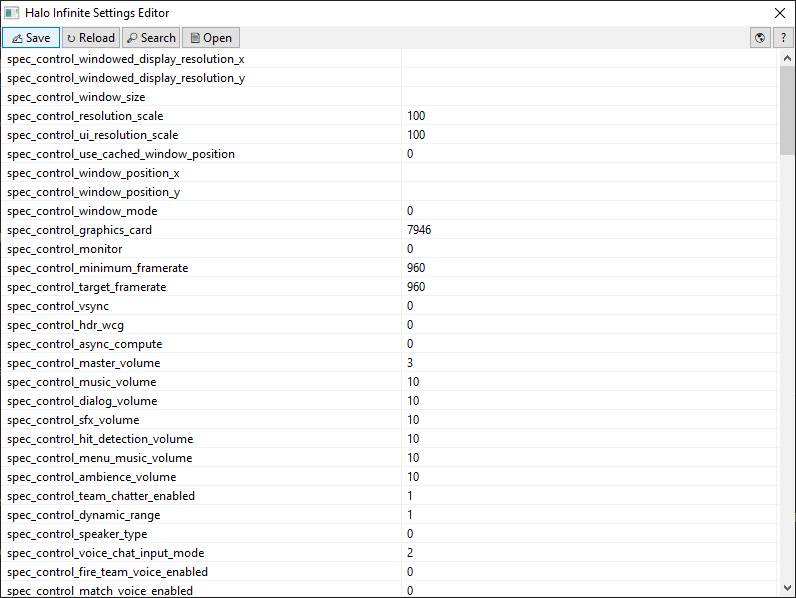 graceful viper
lol help me wait i made one more 2 mins finishing and sending u third prototype then i will try egui if i can use it lol why send here
i was spamming
graceful viper
molten barn
https://raw.githubusercontent.com/Aetopia/Halo-Infinite-Settings-Editor/main/ima...
looks good
graceful viper
molten barn
no dark mode hurts my eyes though
i can add
if u say so
thats why i added dark mode in my gui
i never used smoothie in my life fr
molten barn
graceful viper
thats why i added dark mode in my gui
eh would nice if you could do in any rust gui lib
molten barn
graceful viper
i never used smoothie in my life fr
couleur wants a cfg editor
graceful viper
hm
molten barn
so key -> value pairs and such
graceful viper
uh
will take some times
but i will try my best
im trying to make a good gui first
then i will make it functinal with all buttons working
 graceful viper
see this
 molten barn
graceful viper
molten barn
graceful viper
eh could you statically size the window i.e remove the maximize button
clearly you are not resizing the ui elements according to the window size
graceful viper
molten barn
eh could you statically size the window i.e remove the maximize button
bro
im asking about options
molten barn
graceful viper
bro
for any enable toggle make a checkbox
for any option that has multiple options a dropdown
for any option that has a range use a slider
graceful viper
bruh
tell me
all the options available there are ok
or i need to add any other?
 graceful viper
like all the important ones
molten barn
use whatever ui element that is relevant to a given option
the ui design looks clean and not crowded to me
but if you could club some settings together 🤔
graceful viper
molten barn
but if you could club some settings together 🤔
like?
molten barn
this in one section

pre interp also
encoding + timescale could its own section
everything else in misc
untold narwhal
no point in doing this if its all just textboxes
it's still a glorified text editor just more separated and harder to use
molten barn
untold narwhal
no point in doing this if its all just textboxes
me making trying to make sm-ui 🗑️
untold narwhal
most of the sm settings aren't just arbitrary text
molten barn
untold narwhal
most of the sm settings aren't just arbitrary text
ik
i remember making a fully functional ui
untold narwhal
they have specific options and all of those should be listed out
molten barn
whose source is now lost to multiple windows reinstalls
untold narwhal
only things like ffmpeg args should be textboxes really
graceful viper
 untold narwhal
only things like ffmpeg args should be textboxes really
untold narwhal
untold narwhal
only things like ffmpeg args should be textboxes really
oh and the mask paths too
graceful viper
ok tell me what things i should keep as text boxes
graceful viper
molten barn
whose source is now lost to multiple windows reinstalls
spartan
molten barn
graceful viper
eh looks decent
graceful viper
molten barn
eh looks decent
now tell what to do
molten barn
molten barn
use whatever ui element that is relevant to a given option
this is the tip
untold narwhal
graceful viper
ok tell me what things i should keep as text boxes
ffmpeg/ffprobe args and filepaths
untold narwhal
graceful viper
only those?
actually everything under [output] and all filepaths
untold narwhal
and the ff options in [miscellaneous]
graceful viper
oki
untold narwhal
arbitrary textboxes are unintuitive because they're not explicit about what kind of input they want
untold narwhal
but it's necessary for ffmpeg options and filepaths and stuff like that
molten barn
wtf photo viewer can also uses colors WTF
 graceful viper
atleast i have dark mode 🧌
molten barn
graceful viper
u dont know that?
see the bottom of the window
thats usually transparent or white
molten barn
as far as i remember
molten barn
graceful viper
what did u do?
dark titlebar tweak
shitass reg file if you are lazy to view #🍣|the-tweak-tips
#🍣|the-tweak-tips message
tweak tip link
graceful viper
i thought u did something else
molten barn
nope
 untold narwhal
[flowblur]
mask: ...

[output]
process: ffmpeg
enc args: H264 CPU
file format: %FILENAME% ~ %FRUIT%
container: .MP4

[preview window]
process: ffplay
output args: -s 1280x720 -f yuv4mpegpipe -

[miscellaneous]
global output folder:
ffmpeg options: -loglevel error -i - -hide_banner -stats -stats_period 0.15
ffplay options: -loglevel quiet -i - -autoexit -window_title smoothie.preview
i meant
untold narwhal
these are the only settings that require textboxes as far as i can see
graceful viper
oki
molten barn
untold narwhal
```ini
[flowblur]
mask: ...
[output]
process: ffmpeg
enc args: H264 CPU
file fo...
preview could be clubbed under misc btw
untold narwhal
everything else can be a boolean checkbox or dropdown
you can use snapping sliders for numbers
molten barn
this role LMFAO
 molten barn
or spinctrl
untold narwhal
stop interrupting with random stuff
molten barn
untold narwhal
im trying to explain something
 graceful viper
molten barn
or spinctrl
graceful viper
molten barn
or spinctrl
doing spinctrl
graceful viper
untold narwhal
you can use snapping sliders for numbers
snapping sliders
hm
wait
oh yes'
thanks
untold narwhal
yeah like sliders that snap to every 10/100 or smth
molten barn
problem with spinctrl, the user can put any arbitrary value
untold narwhal
depending on the value
graceful viper
molten barn
problem with spinctrl, the user can put any arbitrary value
ways to fix it?
molten barn
graceful viper
ways to fix it?
adding checks for the value when its being entered
graceful viper
can u guys come
molten barn
i.e is it a number
molten barn
graceful viper
did u see?
you closed the stream lmao
untold narwhal
untold narwhal
```ini
[flowblur]
mask: ...
[output]
process: ffmpeg
enc args: H264 CPU
file fo...
actually you need the rife model path too
under [pre interp]
graceful viper
untold narwhal
actually you need the rife model path too
can u join #916825646251012106
untold narwhal
you could just have a dropdown that lists every folder under /models (the default directory) but it supports absolute paths too so
untold narwhal
graceful viper
can u join <#916825646251012106>
no
molten barn
untold narwhal
actually you need the rife model path too
cutie come into vc
untold narwhal
im at school + stop calling me a cutie wtf
graceful viper
lmao
molten barn

untold narwhal
not funny
 untold narwhal
graceful viper
untold narwhal
graceful viper
yeah looks fine
graceful viper
untold narwhal
yeah looks fine
may i show u all the tabs
molten barn
untold narwhal
yeah looks fine
what about combing a few tabs into one
untold narwhal
the box with arrows or whatever is probably better than sliders for numbers tbh
molten barn
like interp + frameblend + flowblur
untold narwhal
molten barn
what about combing a few tabs into one
i don't mind having them separate
would get cluttered quickly
molten barn
untold narwhal
would get cluttered quickly
yeh there is enough space though
untold narwhal
interp + frameblend + flowblur in 1 tab would be too much probably
it's very hard to separate them cleanly
tawdry swift
graceful viper
Looks good but don’t forget to include all the options
tawdry swift
untold narwhal
the box with arrows or whatever is probably better than sliders for numbers tbh
Agreed for options like algorithm, dropdowns are better
But not for numbers with ranges
Like blur amount
graceful viper
tawdry swift
Looks good but don’t forget to include all the options
can u join #916825646251012106
molten barn
tawdry swift
But not for numbers with ranges
would be good for fps and dedup
tawdry swift
Nah
graceful viper
is this good?
 tawdry swift
Fps should be a slider with a text box, maybe with snapping to multiples of common fps but idk
untold narwhal
tawdry swift
Agreed for options like algorithm, dropdowns are better
yes algo should def be a dropdown
tawdry swift
Don’t forget to include all 6 interpolation algorithms (1, 2, 11, 13, 21, 23)
And add some of those ❔ icons next to options that can explain to you what they do
Not needed but it’s nice to have
 flint scarab
topaz blaze
flint scarab
topaz blaze
how many unfinished smoothie guis are there 😂
untold narwhal
how are we gonna do weighting
i don't think anyone knows how they actually work atm
molten barn
untold narwhal
how are we gonna do weighting
maybe there could be a custom toggle in the gui editor
flint scarab
untold narwhal
how are we gonna do weighting
a drop down of all options
flint scarab
tawdry swift
And add some of those ❔ icons next to options that can explain to you what they ...
ye documentation
untold narwhal
flint scarab
a drop down of all options
oh god
i mean for the functions themselves yeah
but what about params
 untold narwhal
i guess u could just have an arbitrary number of key + value fields
like
if selected function can take extra params
add key and value text boxes and a + button next to them to create another key/value box pair
untold narwhal
untold narwhal
i don't think anyone knows how they actually work atm
nvm i think i get it
molten barn
flint scarab
<:MkC:859775118707261440>
isn't sm's config modular
flint scarab
Dw
untold narwhal
untold narwhal
nvm i think i get it
it just calls parse_weights2() with the raw config setting
which returns the weight array
slightly scuffed but its not much to fix
@flint scarab can i make weighting.py a submodule or something
flint scarab
untold narwhal
<@352830597778898944> can i make weighting.py a submodule or something
if u bother maintaining it in smoothie-rs sure
untold narwhal
it's not much to maintain u just have to sync it every once in a while
or i can whenever i commit
easier to sync than copying the whole file over from my repo
especially if i decide to make weighting split into multiple files
flint scarab

internal windows 
can be collapsed

though this is kind of a scuffed way to do it 
im sure theres better ways to collapse stuff
tawdry swift
flint scarab
Mf got the Minecraft client GUI
flint scarab

some minecraft hacks prob make use of egui lol
there’s def been csgo (and even mc)!hacks using imgui
untold narwhal
tawdry swift
Mf got the Minecraft client GUI
nah thats the qm website ui
spot the difference!

 flint scarab
LOL
untold narwhal
@flint scarab 🆕 SMOOTHIE WEBSITE 💯
 tawdry swift
untold narwhal
nah thats the qm website ui
tawdry swift
untold narwhal
nah thats the qm website ui
nah I got the arrow key gui on the site
Couleur has the actual gui
The qm docs are so out of date smh
And I need go docs and a scoop version
But the go version is kinda done
Nothing else to really add or change
flint scarab
untold narwhal
<@352830597778898944> 🆕 SMOOTHIE WEBSITE 💯
check the docusaurus folder in ctt/smoothie
u can do a cool front page if u want
untold narwhal
no i hate frontend
sterile notch
untold narwhal
<@352830597778898944> 🆕 SMOOTHIE WEBSITE 💯
Ass 🔥
tawdry swift
sterile notch
Ass 🔥
bri
sterile notch
Bad website 🔥
graceful viper
who asked
untold narwhal
@topaz blaze ```py
def write_csv(filename: str, sections: list[str], data: list[list[float]]) -> None:
with open(filename, "w") as f:
f.write(",".join(sections) + "\n")
for line in data:
assert len(line) == len(sections)
f.write(",".join(map(str, line)) + "\n")
 untold narwhal
wdym by excel layout?
untold narwhal
untold narwhal
this is how csv files look
thats the standard
it wont be csv if you change it
untold narwhal
untold narwhal
<@456226577798135808> ```py
def write_csv(filename: str, sections: list[str], da...
u could make this a lot faster pretty easily by making it write in chunks
if thats a concern
a graph?
excel has an option for saving the spreadsheet as csv
if thats what youre looking for
interesting
gl
prolly not im busy
i have that in like
a month
molten barn
untold narwhal
<@456226577798135808> ```py
def write_csv(filename: str, sections: list[str], da...
why not use the csv module
untold narwhal
thats a thing?
molten barn
yes

Python documentation
Source code: Lib/csv.py The so-called CSV (Comma Separated Values) format is the most common import and export format for spreadsheets and databases. CSV format was used for many years prior to att...
untold narwhal
;compile ```py
print(help(import("csv")))
Program Output
Help on module csv:

NAME
    csv - CSV parsing and writing.

MODULE REFERENCE
    https://docs.python.org/3.11/library/csv.html

    The following documentation is automatically generated from the Python
    source files.  It may be incomplete,
atzur#3938 | 352ms | python | Python 3.11 | godbolt.org
molten barn
what are you trying to do?
untold narwhal
regal dove
frick you compiler
molten barn
efps 
untold narwhal
why do u need ai for estimating performance
molten barn
untold narwhal
why do u need ai for estimating performance
efps is bullshit
tawdry swift
Just run some quick test
molten barn

Web application that charts and compares multiple frame time logs at the same time. Compatible with FPS benchmarking programs such as PresentMon, OCAT, FrameView, CapFrameX, GeForce Experience or MangoHud
untold narwhal
literally just benchmark it
molten barn
things like this exist
untold narwhal
yeah
molten barn
untold narwhal
literally just benchmark it
presentmon
tawdry swift
^ like atzur said
untold narwhal
open game
measure fps/frametimes/whatever
use results for tuning config
molten barn
untold narwhal
open game
measure fps/frametimes/whatever
use results for tuning config
i have done it multiple times
dead easy with presetmon
i feel that's practically impossible lmao
i mean we got people here that have underperforming systems
i have seen plenty of people here having high end pcs but perform badly
i am just baffled
untold narwhal
data of what
molten barn
untold narwhal
data of what
benchmarks and stuff
untold narwhal
molten barn
i have seen plenty of people here having high end pcs but perform badly
^
same hw != same perf
molten barn
untold narwhal
other ppls performance?
he wants to make this https://www.userbenchmark.com/Faq/What-are-effective-frames-per-second-EFps/112
 molten barn
untold narwhal
same hw != same perf
molten barn
untold narwhal
same hw != same perf
i mean my mom's laptop actually runs mc better than a shitass gaming laptop if the temp limit is removed
tawdry swift
Using ai seems like a poor way to do this
You could find the correlations pretty easily
molten barn
tawdry swift
Using ai seems like a poor way to do this
honestly the idea is kind of pointless
e-fps doesn't showcase what actual performance, you will get for your hardware
so many other factors involved
tawdry swift
Send me all the data
 graceful viper
molten barn
e-fps doesn't showcase what actual performance, you will get for your hardware
graceful viper
molten barn
e-fps doesn't showcase what actual performance, you will get for your hardware
..

new gui
made today
tell me things to improve
this is like how couleur told me to do it
soft pulsar
gui for non graphic stuff is terrible
molten barn
graceful viper
ok this is ugly layout wise
sterile notch
graceful viper
ew
 graceful viper
 cunning drum
wtf is this 💀
cunning drum
wtf is this 💀
Something u can never make
I know it's not good
I was trying something out
cunning drum
graceful viper
Something u can never make
i would never make that fucking shit
graceful viper
graceful viper
is this good?
Ahm Ahm
graceful viper
cunning drum
i would never make that fucking shit
Ahn
flint scarab
graceful viper
this is like how couleur told me to do it
howd u do it
tawdry swift
graceful viper
Don’t make it so wide
topaz blaze
graceful viper
ima be honest i’d rather use the yaml file than that it’s too messy
soft pulsar
ima be honest i’d rather use the cli than the yaml file
the best configs files are scripts you write with the cli command
hazy needle
luminance pov
 untold narwhal
sm -i video --interp speed=medium:fps=960 --blend fps=60:intensity=1.5 -o out
topaz blaze
untold narwhal
`sm -i video --interp speed=medium:fps=960 --blend fps=60:intensity=1.5 -o out`
no one’s typing allat
graceful viper
topaz blaze
ima be honest i’d rather use the yaml file than that it’s too messy
True
graceful viper
flint scarab
howd u do it
PyQt5 Library but it's bad gotta make it look better'
sterile notch
Honestly just use a for loop with a list of options for things like algorithm and speed and just make a box for each
molten barn
untold narwhal
`sm -i video --interp speed=medium:fps=960 --blend fps=60:intensity=1.5 -o out`
oh finally my eyes
thank you lord atzur

graceful viper
lol


 graceful viper
sterile notch
ew
graceful viper
sterile notch
ew
what?
graceful viper
stupi
its maximized

and thats why i sent it here for the reviews
tell me what to add what to remove and stuff
@untold narwhal
graceful viper
what
sterile notch
and for each section add keys
so if a new section gets added it also gets added to the gui?
sterile notch
what
sterile notch
make it look nicer
untold narwhal
graceful viper
can u click on weighting
graceful viper
untold narwhal
can u click on weighting
 untold narwhal
where's the other options
untold narwhal
💀
sterile notch
custom weighting as well
untold narwhal
equal gaussian gaussian_sym pyramid ascending vegas custom
graceful viper
i have never used this
untold narwhal
i think that's all?
graceful viper
untold narwhal
equal gaussian gaussian_sym pyramid ascending vegas custom
thats all?
untold narwhal
lemme check
untold narwhal
untold narwhal
equal gaussian gaussian_sym pyramid ascending vegas custom
these and descending
that's all
graceful viper
untold narwhal
that's all
 sterile notch
really doing it all manually
graceful viper
sterile notch
really doing it all manually
wot
sterile notch
read yaml > get all sections > make a group and layout for the section > add every value in the section as a button under the group made > make lists for things like weighting and algorithms and only be able to choose from those
untold narwhal
graceful viper
custom gaussian and gaussian_sym have extra settings btw
sterile notch
is this for py or rs?
graceful viper
when hes free
untold narwhal
sterile notch
is this for py or rs?
no point in making one for py
graceful viper
yea
untold narwhal
graceful viper
oh you're missing bright blend btw
sterile notch
and that
untold narwhal
sterile notch
just wondering since i dont see area option
area doesn't exist in smrs anymore though right
sterile notch
it does
untold narwhal
coler said it was useless
graceful viper
oki
untold narwhal
nvm it does exist it's just hidden
flint scarab
can u make this not big widie
graceful viper
flint scarab
can u make this not big widie
Oki
Tell me all the changes I should make
soft pulsar



 untold narwhal
somewhat
graceful viper
untold narwhal
somewhat
added bright blend
 graceful viper
untold narwhal
make interpolation algo a dropdown btw
graceful viper
untold narwhal
make interpolation algo a dropdown btw
oki doing
flint scarab
graceful viper
added bright blend
what is blend ratio, intensity?
this would be cool
 flint scarab
instead of hardcoding the gui and manually adding options, have some metadata (in defaults.ini only) that programmatically loads options
flint scarab
graceful viper
Oki
what option does that correspond do
graceful viper
flint scarab
instead of hardcoding the gui and manually adding options, have some metadata (i...
Am noob
graceful viper
flint scarab
what is blend ratio, intensity?
Intensity
untold narwhal
flint scarab
this would be cool
missing a lot but ya
graceful viper
flint scarab
this would be cool
May I do it like this?
graceful viper
molten barn
holy shit i want tabs
When I made tabs u guys said u don't want tabs
;_;
molten barn
graceful viper
When I made tabs u guys said u don't want tabs
i want tabs
doesn't this just look cleaner and usable?
 tawdry swift
molten barn
doesn't this just look cleaner and usable?
tawdry swift
molten barn
doesn't this just look cleaner and usable?
obs is a whole ass application, this is a glorified text editor
big difference
graceful viper
molten barn
doesn't this just look cleaner and usable?
Hm
So I make the tab alignment like last time or like obs
sterile notch
GUI for this is pretty useless
tawdry swift
^
A GUI just to edit the config isn’t needed, that’s what notepad is for
If you added rendering, multiqueue, file selection, etc, it’d be different
untold narwhal
tawdry swift
A GUI just to edit the config isn’t needed, that’s what notepad is for
not needed but it would be pretty nice
you can make it self documenting
smoothie configs are complex enough that even if proper docs for it existed, they'd probably be less intuitive than a good ui
graceful viper
tawdry swift
If you added rendering, multiqueue, file selection, etc, it’d be different
Fucking give the idea then I will add
flint scarab
# literally brain-fucking semi-boilerplate, it's the exact same problem but with little variations
a comment couleur wrote, somewhere
untold narwhal
semi-boilerplate ??
flint scarab
untold narwhal
semi-boilerplate ??
i'm porting something, and it has multiple ways to do the same thing, and since i gotta support them all i need to write the same code multiple times but with different variables
untold narwhal
flint scarab
skill issue from who i'm porting from*
untold narwhal
just refactor it
flint scarab
it's 6000 lines 
untold narwhal
untold narwhal
^
graceful viper
topaz blaze
TIPS/TRICKS TO BE WEBDEV
Master html and css
Javascript
I know I'm pro
Student in IT development
topaz blaze
graceful viper
https://visheshdd.com
your website and this guy looks similar https://ahmosys.is-a.dev/

Student in IT development
💀

 graceful viper
topaz blaze
your website and this guy looks similar https://ahmosys.is-a.dev/
graceful viper
topaz blaze
your website and this guy looks similar https://ahmosys.is-a.dev/
He's my friend
yes
It's his portfolio
topaz blaze
but why copy a lot of it
tawdry swift
That’s not just a lot, that’s practically a whole copy paste
cunning drum
when the project is open source:
graceful viper
topaz blaze
but why copy a lot of it
Copy a lot?
It's same as him
I also did some part of it though
70% work was done by him though
graceful viper
graceful viper
https://btwvishesh.github.io
This was made by me
topaz blaze
tawdry swift
That’s not just a lot, that’s practically a whole copy paste
On god
untold narwhal
graceful viper
https://btwvishesh.github.io
could u educate me on what it means to be a "frontend game developer"
topaz blaze
untold narwhal
could u educate me on what it means to be a "frontend game developer"
LMFAOO
nah bruh bro manages the website for the games 💀
graceful viper
untold narwhal
could u educate me on what it means to be a "frontend game developer"
I made like 10-20 games using javascript 2d
soft pulsar
Javascript.
untold narwhal
graceful viper
I made like 10-20 games using javascript 2d
what does that have to do with frontend
tawdry swift
graceful viper
I made like 10-20 games using javascript 2d
That’d be “backend” in this odd and unusual context
tawdry swift
untold narwhal
could u educate me on what it means to be a "frontend game developer"
I doubt it’s an actual term but I’d assume it’d be developing the interfaces and textures (like opening a chest in mc) but none of the deeper mechanics (like entity collisions)
tawdry swift
Yeah fs
graceful viper
untold narwhal
still a dumb term to use though
no u
soft pulsar
I'm a front-end sql dev
graceful viper
soft pulsar
I'm a front-end sql dev
im a back end tomato dev
sterile notch
GUI so useless
graceful viper
sterile notch
GUI so useless
You are more useless
topaz blaze
^^^ ||(jk)||
graceful viper
its bad ig
 graceful viper
sterile notch
no such thing as slow speed
graceful viper
sterile notch
no such thing as slow speed
wot
untold narwhal
it's medium fast faster fastest
molten barn
honestly i would rather have a comment in the config file that gives a description of what the setting does
molten barn
function Get-NvidiaGpuProperties {
    $NvidiaGpuProperties = Get-ItemProperty "HKLM:\SYSTEM\CurrentControlSet\Control\Class\{4d36e968-e325-11ce-bfc1-08002be10318}\????" -ErrorAction SilentlyContinue |
    Where-Object { $_.MatchingDeviceId.StartsWith("pci\ven_10de") }

    return [ordered]@{
        "Key"                                   = $NvidiaGpuProperties.PSPath.TrimStart("Microsoft.PowerShell.Core\Registry::")
        "Dynamic P-State"                       = !$NvidiaGpuProperties.DisableDynamicPstate
        "HDCP"                                  = !$NvidiaGpuProperties.RMHdcpKeyglobZero
        "NVIDIA Control Panel Telemetry"        = [bool](Get-ItemProperty "HKLM:\SOFTWARE\NVIDIA Corporation\NvControlPanel2\Client" -ErrorAction SilentlyContinue).OptInOrOutPreference
        "NVIDIA Service Telemetry" = [bool](Get-ItemProperty "HKLM:\SYSTEM\CurrentControlSet\Services\nvlddmkm\Global\Startup" -ErrorAction SilentlyContinue).SendTelemetryData
    };
}

function Set-NvidiaGpuProperty (
    [Parameter(Mandatory = $True)][string]$Property,
    [Parameter(Mandatory = $True)][bool]$State) {
    $Key = (Get-NvidiaGpuProperties).Key
    $Value =  (![int]$State)

    switch ($Property.Trim()) {
        "DynamicPState" {New-ItemProperty "Registry::$Key" "DisableDynamicPstate" -Value $Value -PropertyType DWORD -Force}
        "HDCP" {New-ItemProperty "Registry::$Key" "RMHdcpKeyglobZero" -Value $Value -PropertyType DWORD -Force}
        "NVCPLTelemetry" {New-ItemProperty "HKLM:\SOFTWARE\NVIDIA Corporation\NvControlPanel2\Client" "OptInOrOutPreference" -Value (!$Value) -PropertyType DWORD -Force}
        "NVSTelemetry" {New-ItemProperty "HKLM:\SYSTEM\CurrentControlSet\Services\nvlddmkm\Global\Startup" "SendTelemetryData" -Value (!$Value) -PropertyType DWORD -Force}
        default {Write-Error "Invalid Property."}
    }
}
You can apply some NVIDIA GPU specific tweaks using these commands.

I am gonna MSI Mode at some point in the future.
 gray laurel
import requests
from bs4 import BeautifulSoup
import argparse
import webbrowser
import os
import random

# Use the argparse library to parse command line arguments.
parser = argparse.ArgumentParser(description='Generate links for random maths past papers from the BestExamHelp website.')
parser.add_argument('-d', '--download', action='store_true', help='Download a random past paper.')
parser.add_argument('-b', '--browser', action='store_true', help='Open a random past paper in the browser.')
args = parser.parse_args()

# Scrape all the past paper links from the BestExamHelp website.
def scrape_links():
    url = 'https://bestexamhelp.com/cie-cambridge-international-education/igcse/mathematics-0580'
    data = requests.get(url)
    links = parse_data(data.text)
    return [link.get('href') for link in links]

# Download a random past paper from the BestExamHelp website.
def download_random_paper():
    links = scrape_links()
    random_link = random.choice(links)
    file_name = random_link.split('/')[-1]
    response = requests.get(random_link)
    with open(file_name, 'wb') as f:
        f.write(response.content)
    print(f'Downloaded {file_name} from {random_link}')

# Open a random past paper in the browser.
def open_random_paper():
    links = scrape_links()
    if not links:
        print("No links found for mathematics past papers on BestExamHelp website.")
        return
    random_link = random.choice(links)
    if download_paper:
        download_paper_from_link(random_link)
    else:
        open_link_in_browser(random_link)


# Parse the command line arguments and execute the appropriate action.
if args.download:
    download_random_paper()
elif args.browser:
    open_random_paper()
else:
    print('No action specified. Use -d/--download to download a random past paper, or -b/--browser to open a random past paper in the browser.')
i have 0 idea what im doing
im fucking lost please help
gray laurel
gray laurel
```py
import requests
from bs4 import BeautifulSoup
import argparse
import webbr...
;compile
regal doveBOT
Compiler Output
Traceback (most recent call last):
  File "/app/output.s", line 1, in <module>
    import requests
ModuleNotFoundError: No module named 'requests'
Ashank#3424 | 75ms | python | Python 3.11 | godbolt.org
gray laurel
@molten barn 🥺 fix my shit ass code 😭 😂
i put comments so people could see the intention
sterile notch
cause the bot doesnt have requests
graceful viper
from bs4 import BeautifulSoup
import argparse
import webbrowser
import os
import random

# Use the argparse library to parse command line arguments.
parser = argparse.ArgumentParser(description='Generate links for random maths past papers from the BestExamHelp website.')
parser.add_argument('-d', '--download', action='store_true', help='Download a random past paper.')
parser.add_argument('-b', '--browser', action='store_true', help='Open a random past paper in the browser.')
args = parser.parse_args()

# Scrape all the past paper links from the BestExamHelp website.
def scrape_links():
    url = 'https://bestexamhelp.com/cie-cambridge-international-education/igcse/mathematics-0580'
    data = requests.get(url)
    links = parse_data(data.text)
    return [link.get('href') for link in links]

def parse_data(data):
    soup = BeautifulSoup(data, 'html.parser')
    return soup.find_all('a', {'class': 'mathematics-0580'})

# Download a random past paper from the BestExamHelp website.
def download_random_paper():
    links = scrape_links()
    random_link = random.choice(links)
    file_name = random_link.split('/')[-1]
    response = requests.get(random_link)
    with open(file_name, 'wb') as f:
        f.write(response.content)
    print(f'Downloaded {file_name} from {random_link}')

# Open a random past paper in the browser.
def open_random_paper():
    links = scrape_links()
    if not links:
        print("No links found for mathematics past papers on BestExamHelp website.")
        return
    random_link = random.choice(links)
    open_link_in_browser(random_link)

def open_link_in_browser(link):
    webbrowser.open(link)

# Parse the command line arguments and execute the appropriate action.
if args.download:
    download_random_paper()
elif args.browser:
    open_random_paper()
else:
print('No action specified. Use -d/--download to download a random past paper, or -b/--browser to open a random past paper in the browser.')```;compile
regal doveBOT
Critical error:
You must provide a valid language or compiler!
;compile c++
```
int main() {}
```
Requested by: AceByVDD#0001
graceful viper
graceful viper
```import requests
from bs4 import BeautifulSoup
import argparse
import webbrows...
;compile py
regal doveBOT
Compiler Output
Traceback (most recent call last):
  File "/app/output.s", line 1, in <module>
    import requests
ModuleNotFoundError: No module named 'requests'
AceByVDD#0001 | 91ms | python | Python 3.11 | godbolt.org
topaz blaze
[DllImport("Gdi32.dll", EntryPoint = "CreateRoundRectRgn")]
private static extern IntPtr CreateRoundRectRgn
(
int nLeftRect, // x-coordinate of upper-left corner
int nTopRect, // y-coordinate of upper-left corner
int nRightRect, // x-coordinate of lower-right corner
int nBottomRect, // y-coordinate of lower-right corner
int nWidthEllipse, // width of ellipse
int nHeightEllipse // height of ellipse
);
in form1_load:
Region = System.Drawing.Region.FromHrgn(CreateRoundRectRgn(0, 0, Width, Height, 20, 20));
graceful viper
Lol
using System.Drawing;
using System.Runtime.InteropServices;
using System.Windows.Forms;

public class CustomForm : Form
{
    // Declare the external function from Gdi32.dll
    [DllImport("Gdi32.dll", EntryPoint = "CreateRoundRectRgn")]
    private static extern IntPtr CreateRoundRectRgn
    (
        int nLeftRect,     // x-coordinate of upper-left corner
        int nTopRect,      // y-coordinate of upper-left corner
        int nRightRect,    // x-coordinate of lower-right corner
        int nBottomRect,   // y-coordinate of lower-right corner
        int nWidthEllipse, // width of ellipse
        int nHeightEllipse // height of ellipse
    );

    // Public properties for customizable rounding parameters
    public int RoundingWidth { get; set; } = 20;
    public int RoundingHeight { get; set; } = 20;

    // Constructor
    public CustomForm()
    {
        // Set the form's background color and border style
        BackColor = Color.White;
        FormBorderStyle = FormBorderStyle.None;
    }

    // Override the OnPaint method to add anti-aliasing
    protected override void OnPaint(PaintEventArgs e)
    {
        e.Graphics.SmoothingMode = System.Drawing.Drawing2D.SmoothingMode.AntiAlias;
        base.OnPaint(e);
    }

    // Override the OnResize method to update the region when the form is resized
    protected override void OnResize(EventArgs e)
    {
        Region = System.Drawing.Region.FromHrgn(CreateRoundRectRgn(0, 0, Width, Height, RoundingWidth, RoundingHeight));
        base.OnResize(e);
    }

    // Override the WndProc method to allow dragging the form from anywhere inside it
    protected override void WndProc(ref Message m)
    {
        const int WM_NCHITTEST = 0x0084;
        const int HTCLIENT = 0x01;
        const int HTCAPTION = 0x02;

        if (m.Msg == WM_NCHITTEST && (int)m.Result == HTCLIENT)
        {
            m.Result = (IntPtr)HTCAPTION;
            return;
        }

        base.WndProc(ref m);
    }

    // Override the OnMouseDown method to allow dragging the form from anywhere inside it
    protected override void OnMouseDown(MouseEventArgs e)
    {
        if (e.Button == MouseButtons.Left)
        {
            ReleaseCapture();
            SendMessage(Handle, WM_NCLBUTTONDOWN, HT_CAPTION, 0);
        }

        base.OnMouseDown(e);
    }

    // Declare the ReleaseCapture and SendMessage functions from user32.dll
    [DllImport("user32.dll")]
    private static extern bool ReleaseCapture();

    [DllImport("user32.dll")]
    private static extern int SendMessage(IntPtr hWnd, int Msg, int wParam, int lParam);

    // Entry point
    [STAThread]
    static void Main()
    {
        Application.EnableVisualStyles();
        Application.SetCompatibleTextRenderingDefault(false);

        CustomForm form = new CustomForm();

        // Set the form's size and position
        form.Size = new Size(600, 400);
        form.StartPosition = FormStartPosition.CenterScreen;

        // Set the form's background color and border style
        form.BackColor = Color.White;
        form.FormBorderStyle = FormBorderStyle.None;

        // Set the form's rounding parameters
        form.RoundingWidth = 50;
        form.RoundingHeight = 50;

        // Show the form
        Application.Run(form);
    }
}```I have customized your code as how you wanted
graceful viper
graceful viper
```using System;
using System.Drawing;
using System.Runtime.InteropServices;
usi...
;compile
regal doveBOT
Critical error:
You must provide a valid language or compiler!
;compile c++
```
int main() {}
```
Requested by: AceByVDD#0001
graceful viper
graceful viper
```using System;
using System.Drawing;
using System.Runtime.InteropServices;
usi...
;compile c#
topaz blaze
graceful viper
;compile
ok
regal doveBOT
Compiler Output
```prog.cs(2,14): error CS0234: The type or namespace name Drawing' does not exist in the namespace System'. Are you missing System.Drawing' assembly reference? prog.cs(4,22): error CS0234: The type or namespace name Forms' does not exist in the namespace System.Windows'. Are you missing System.Windows.Forms' assembly reference?
prog.cs(6,27): error CS0246: The type or namespace name Form' could not be found. Are you missing an assembly reference? prog.cs(33,37): error CS0246: The type or namespace name PaintEventArgs' could not be found. Are you missing an assembly reference?
prog.cs(40,29): error CS0115: CustomForm.OnResize(System.EventArgs)' is marked as an override but no suitable method found to override prog.cs(47,41): error CS0246: The type or namespace name Message' could not be found. Are you missing an assembly reference?
prog.cs(63,41): error CS0246: The type or namespace name `MouseEventArgs' could not be found. Are you missing an assembly reference?
Co
AceByVDD#0001 | c# | mono-6.12.0.122 | wandbox.org
graceful viper
topaz blaze
ok
Try running now
topaz blaze
graceful viper
Try running now
 graceful viper
?
topaz blaze
both error cs0103
graceful viper
Send me the full error here
topaz blaze
 graceful viper
An dumb
WM_NCLBUTTONDOWN
Rename it with this
protected override void OnMouseDown(MouseEventArgs e)
{
    if (e.Button == MouseButtons.Left)
    {
        ReleaseCapture();
        SendMessage(Handle, WM_NCLBUTTONDOWN, HT_CAPTION, 0);
    }

    base.OnMouseDown(e);
}

// Declare the ReleaseCapture and SendMessage functions from user32.dll
[DllImport("user32.dll")]
private static extern bool ReleaseCapture();

[DllImport("user32.dll")]
private static extern int SendMessage(IntPtr hWnd, int Msg, int wParam, int lParam);```thats the exact same code
topaz blaze
doesnt do anything