 proper badger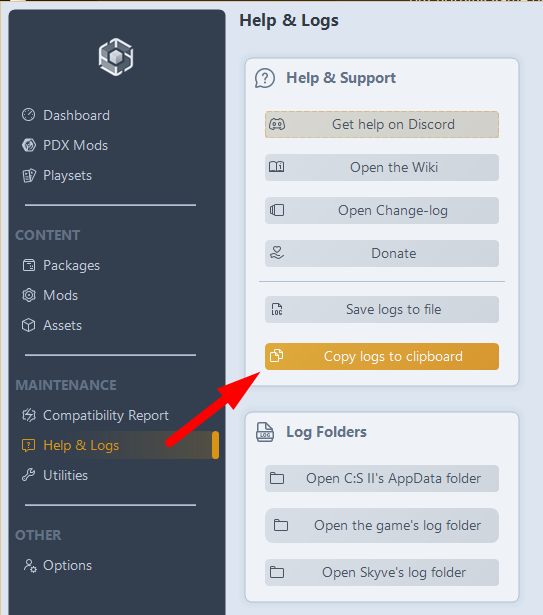
Mastering Log Sharing
Modded (Requires  Skyve installed):
- Launch your game and let the crash/issue happen.
- Use this link, this link will open Skyve on your device and directly save your latest Skyve log in your clipboard.
-# * Alternatively, manually open Skyve, go to Help & Logs page and select Copy logs to clipboard. - Paste the logs from your clipboard into the relevant channel.
-# * If you have Disable logs cleanup when launching the game enabled, make sure to disable it before the crash so only currently relevant files are sent through the log report.
Vanilla:
- Launch your game and let the crash/issue happen.
- Go to
%LocalAppData%Low\Colossal Order\Cities Skylines II\via File Explorer or Run. - Locate and copy the
Player.log. - Paste the log into the appropriate channel.
-# * You might also need to zip up theLogsfolder and send it as well ifPlayer.logis not enough. It is recommended to delete the existingLogsfolder, launch the game to repeat the issue, then zip the log folder, so only currently relevant files are sent.
 StarQ's Cities: Skylines II Modding Bot
 rustic halo
 north crane