

169 messages · Page 1 of 1 (latest)
 lethal pumice
So, with the release of CP's latest Magnolia YT (https://www.youtube.com/watch?v=NV-wh7oEtPY) there's a few assets that folks have been asking for that got used in that vod, any used very well I might add!
To that end here is a zipped pack of the Medium Train Yards which includes the four smaller freight stations and the smaller train depot. I'm using the term Medium for them all because I do have smaller ones I'm working on, and Quoshy has produced what I referred to as the "Micro" stations (available on Paradox Mods and using the Asset Pack Manager mod to deploy).
I have looked at making the pack available via the same route, and that's what CP was referring to in the vod as the "update" to the pack, but I then had issues with the game refusing to load on my PC after making changes to that pack so I'm holding off for now, especially with a *possible *release of the Editor and asset pipeline coming in the next couple of months...
TL;DR?
see next post...
Try Rocket Money for free: https://RocketMoney.com/CityPlanner #rocketmoney #personalfinance
Cities Skylines 2 has been out for nearly a year and a lot has changed since release: performance has improved, many bugs have been fixed, we've got official mod support, and some ingenious...
To use these, simply unzip the package into your StreamingData~ folder found in your player profile folder. If you don't have that folder present then simply make that first. Note: do not keep the zip files in the StreamingData~ folder as the game doesn't like zip files being there! Enjoy!
 supple laurel
lethal pumice
To use these, simply unzip the package into your *StreamingData~* folder found i...
supple laurel
lethal pumice
To use these, simply unzip the package into your *StreamingData~* folder found i...
how? i cant find any of the folders to do this? also the longer cargo trains exite me
lethal pumice
OK, so the basics of local assets are:
Go to your player profile folder, which will be something like...
"C:\Users\«your-username»\AppData\LocalLow\Colossal Order\Cities Skylines II"
You might need to toggle on "Show hidden files and folders" if you can't see the AppData folder...
supple laurel
sorry for being a hassle, ive never done this before, i can access my appdata folder, however nothing is under it, should i create a streamign data folder?
lethal pumice
You should have three folders under AppData...

and then something like this...

and then this:

and then finally this:

That's where all your lovely CS2 stuff lives... apart from the actual game files.
If the StreamingData~ folder isn't in the Cities Skylines II folder then no worries, it just means you haven't made any custom stuff (yet). Just create a new folder with that name and you'll be good to go.
supple laurel
Ok thanks I was able to get them in the folder. How do I access them in the game now?
 cobalt tinsel
supple laurel
Ok thanks I was able to get them in the folder. How do I access them in the game...
cobalt tinsel
supple laurel
Ok thanks I was able to get them in the folder. How do I access them in the game...
they should show up in your trains tab in the Public Transport UI, just like the vanilla train buildings
vehicles are usually chosen in the train line overview, just like you would select electric buses for bus lines
supple laurel
For some reason it isn’t showing up in the trains tab, here is proof they are in the right folder

 cobalt tinsel
supple laurel
For some reason it isn’t showing up in the trains tab, here is proof they are in...
cobalt tinsel
supple laurel
For some reason it isn’t showing up in the trains tab, here is proof they are in...
you gut them in the game installation folder, not the local data folder path
C:\Program Files (x86)\Steam\steamapps\common\Cities Skylines II\Cities2_Data\StreamingAssets\StreamingData~
this is where you put them
supple laurel
I have it downloaded through Xbox, that must be why I can’t access them
cobalt tinsel
it doesnt matter you play on gamepass
supple laurel
i have it: C:\XboxGames\Cities- Skylines II - PC Edition\Content\Cities2_Data\StreamingAssets\StreamingData~ , whats missing here?
cobalt tinsel
this is the game installation path and not the local data folder
cobalt tinsel

Want to access your saves of Cities Skylines 2? This post guides you on how to find Cities Skylines 2 save file location for backup.
supple laurel
thanks
supple laurel
My AppData folder seems to be empty, ill have to look into that in the morning.
cobalt tinsel
its explained in the link i gave you
The AppData folder is hidden by default and you can unhide it by clicking View or View > Show in File Explorer and checking Hidden items. Besides, you can right-click on this folder to choose Properties and uncheck Hidden.
 pliant mural
Alternatively you can type the whole address directly in the address bar
supple laurel
Got it to work thanks guys👍
 grave basin
Took me a while to find where to put them, but now I have a question:
They have roughly 25% the storage, yet have the same build cost and double the maintenance cost. Is that intentional?
 lusty arrow
grave basin
Took me a while to find where to put them, but now I have a question:
They have...
lusty arrow
grave basin
Took me a while to find where to put them, but now I have a question:
They have...
how did you get it to show up in game?
could i get a screenshot of what your folder looks like
grave basin
You have to be sure it's in your PC user profile, rather than the main game folder.

You'll see this notification during the loading screen telling you that the game found them.
 lusty arrow
grave basin
You have to be sure it's in your PC user profile, rather than the main game fold...
lusty arrow
grave basin
You have to be sure it's in your PC user profile, rather than the main game fold...
thanks
 final wharf
When will these be added to paradox?
It is MUCH easier to download it from paradox, no need to faff arround with appdata
 muted urchin
Hey y'all - is everyone else's assets looking like this in the train menu? No names or anything?

Wanna make sure I didn't bugger it in the files.
grave basin
muted urchin
Hey y'all - is everyone else's assets looking like this in the train menu? No na...
Mine's doing that as well, but it's kinda intuitive: Oil icon for the oil station, Wood icon for the Lumber Yard, etc
muted urchin
grave basin
Mine's doing that as well, but it's kinda intuitive: Oil icon for the oil stati...
Yeah for sure - just wanted to make sure I didn’t screw anything up.
cobalt tinsel
final wharf
It is MUCH easier to download it from paradox, no need to faff arround with appd...
its literally unzipping a folder into another folder and youre done. it doesnt getm uch easier than that
no need for mods either
lethal pumice
grave basin
Took me a while to find where to put them, but now I have a question:
They have...
Simple answer: no. I thought I'd reduced the build and maintenance costs in the same ratio, but I made the general one first and so it was the more experimental one. I'll take a look tonight to see what needs correcting and post the "fixed" versions when I get the chance.
lethal pumice
final wharf
When will these be added to paradox?
When the asset pipeline hits the Editor (unless that gets put off for more months, in which case I may dance with the dragons and use APM)
lethal pumice
muted urchin
Hey y'all - is everyone else's assets looking like this in the train menu? No na...
Yup, for some reason CO decided to not have the user made assets' names and descriptions show in that section of game UI. They are there in the Add Object menu (aka DevUI "Home" button menu) and in FindIt. It's also why I used the in-game icons, since those are guaranteed to be present. Custom thumbnails will no doubt come with the proper asset pipeline editing tool.
pliant mural
lethal pumice
Yup, for some reason CO decided to not have the user made assets' names and desc...
Both Custom Thumbnails and Localization is possible, just need a code mod with it though
lethal pumice
Well, now if you can let folks know just which lang folder to use to enable that it'd be great, because for now none of the folks I know have been able to shoehorn i18n to get it to show in the UI. Only APM seems to do that , and with APM published assets only.
pliant mural
I understand why CO had to remove the missing localization text but having that was necessary to notice that there's a missing localization
lethal pumice
Or is there some component within a prefab that carries that localisation info?
pliant mural
lethal pumice
Well, now if you can let folks know just which lang folder to use to enable that...
Most of my asset packs don't require APM tbh (for most people). I use my own thumb or from Asset Icon Library; and a lang folder, but yes it will require a code mod dll
pliant mural
lethal pumice
Or is there some component *within* a prefab that carries that localisation info...
There is a Localization ID component which I used to use before I18N
You might try that temporarily
lethal pumice
Cool, what's that then?
pliant mural
lethal pumice
Cool, what's that then?
It's a component, in the Add Component section of Edit Prefab
muted urchin
lethal pumice
Yup, for some reason CO decided to not have the user made assets' names and desc...
Cool - thanks for the response sir!
May I also ask what the "money" train yard is? Is that just a general-use yard and not specific to an industry?
lethal pumice
I've not seen it in the component list... wonder if it's a conditionally addable one... some are: depending upon what you're editing some things are not options
lethal pumice
muted urchin
Cool - thanks for the response sir!
May I also ask what the "money" train yard ...
Yes, that's actually the Trade icon from in-game... in this case "General Trade"
lethal pumice
pliant mural
It's a component, in the Add Component section of Edit Prefab
Anyways, I'll be faffing in the Editor tonight hopefully so I'll see what I can find. I know I've added that component to something in the past but not what... a network maybe? If I find it and it works then cool, all my assets will be getting the treatment! (Apart from the umpteen Lewis Lumber Company ones possibly... too many of those for a casual update)
lethal pumice
UPDATE this is the set with upkeeps now more sensible, as well as employee counts, vehicle counts and initial placement cost/reward. I've also added in a localisation component (thanks @pliant mural for the pointer) that at least make the asset show its name when placed, if still not yet in the main UI.
@grave basin thanks for the heads-up! See previous post...
 weak portal
lethal pumice
**UPDATE** this is the set with upkeeps now more sensible, as well as employee c...
weak portal
lethal pumice
**UPDATE** this is the set with upkeeps now more sensible, as well as employee c...
When I load the magnolia county save the custom assets that he placed are broken
did he place some unreleased one?, I didn't pay attention
and when i try to bulldoze some my game crashes
lethal pumice
Yes, CPP was using a slightly different set... I'll dig those out so you can load the game without white boxes. That said. the game should load with those assets simply being white boxes, which you can replace with the new ones on a 1-for-1 basis.
This is the actual file I sent to CPP a week or so ago containing the experimental versions, with dodgy running costs and the like. You should be able to load them side-by-side but these do not go in the StreamingData~ folder the Medium_Train_YardsAssetPack folder goes into your Mods folder instead, since it's effectively a "local" build of an APM package. It means you should get in-game descriptions for the assets in the UI too.
lethal pumice
Phil & I have realised we think we might know why... Lewis Lumber! To that end... here is the zip of Lewis Lumber that Phil has been using for MC.
pliant mural
lethal pumice
Phil & I have realised we think we *might* know why... Lewis Lumber! To that end...
I'm here to help if needed
lethal pumice
This version has... all previous "medium" assets with Obsolete Identifier components that hopefully map successfully to the ones CPP used in the MC build. Also included are a pair of new medium train depots for those of you who would like 5x straight out connections from the original medium train depot, and a smaller, squarer, 6-lane through depot (with train wash). Have fun! Report back if there are any issues of course.
 lament lion
Thank you for this @lethal pumice ! If I notice any issues, I'll post them here, or do you have a discord of your own?
lethal pumice
Here is fine!
lament lion
@lethal pumice the assets loaded up fine, but if it would be really useful, if it is possible at this stage, to name them. Or is there something that I'm missing?
In the train menu I can choose them all, but I don't always know which one to choose.
lament lion
When plopping the medium train yard, my medium station is telling me that no vehicles are available even though trains seem to continue to run and are circulating.
The train depot works fine though.
 rigid pike
Hi - I was trying top wait for these to come into PM, but could not wait. They all work beautifully, love them. I cant have completely got it wrong, but some are blank. (I used the link from yesterday) Any clue as to what I did wrong? Oh wait - should I have used the from from the 23rd August?
 lethal pumice
No, the most recent ones I added should have icons (but names and descriptions are still awaiting CO to address why they are missing from the UI). If there is further delay to asset publishing to PdxMods then I will have to resort to using APM, at which point they will then get their names and descriptions appearing in the UI. Note: if you use FindIt (or AddObject) then the names will appear as expected.
rigid pike
Thank you for the quick reply....I will use the find it option! 🙂
lethal pumice
lament lion
In the train menu I can choose them all, but I don't always know which one to ch...
Yes, not sure why this is the case but I'm looking at a component that may help. If it does then I'll bundle up a reworked set...
lethal pumice
rigid pike
Thank you for the quick reply....I will use the find it option! 🙂
The speed of reply is pure serendipity! (First thread that opened on my browser after 36hrs away from screens...)
 warm heart
Hi. I just put in my first new Cargo Terminal, Oil. I have a train running from my central Cargo yard to the Oil terminal. When it reaches the oil terminal it disappears and a new train is dispatched from the Railyard. What am I doing wrong?
Additionally, the longer trains were way to long so I deleted them from StreamingData~ but they are still in-game. Are they also included in one of the other files?
Seems like it takes a few trips to start working properly.
warm heart
So I have been using the Oil and Lumber terminals. While the are storing lumber and oil, they are not transporting them. They are instead shipping and exporting other goods.
I suppose that they need to connect to the same type of terminal on the other end? Not just a regular cargo terminal?
 cinder elbow
Just to make sure, is that latest package supposed to install on streaming data or on mods folder 🤔
pliant mural
cinder elbow
Just to make sure, is that latest package supposed to install on streaming data ...
No difference
cinder elbow
Ok, thank you!
lethal pumice
cinder elbow
Just to make sure, is that latest package supposed to install on streaming data ...
StreamingData~ folder is where I have these.
lethal pumice
warm heart
So I have been using the Oil and Lumber terminals. While the are storing lumber...
Quite why other goods come and go remains a mystery and is probably baked into the game code somewhere. They will ship the designated products according to demand, just like the general freight terminal does. There is an in-built tendency to hoard though from what I've seen... I'm working on a mini set too, which are a short stretch of rail, a cargo point, and a 5x5 storage mesh. Got the oil one done and testing it only oil/petrochemicals seem to be shipped through it so maybe it's a size thing or just a coincidence. Once I've got the lumber one done and tested we'll know for sure.
 ivory ginkgo
lethal pumice
Quite *why* other goods come and go remains a mystery and is probably baked into...
ivory ginkgo
lethal pumice
Quite *why* other goods come and go remains a mystery and is probably baked into...
good to know not just me... was wondering why the lumber freight yard was getting filled with all other goods
lethal pumice
Yup... I had convenience food and some other random commodity arriving at my oil terminal which is what alerted me to it, since there were containers and not exclusively tankers arriving. Which is why I've been looking at making freight trains with restricted consists, like only tanker-borne goods.
warm heart
lethal pumice
Quite *why* other goods come and go remains a mystery and is probably baked into...
My lumber terminal that is next to one of my forestry sites is very active. There are constantly trucks leaving from the terminal and exporting Goods to the nearby connections. ( it's actually in the corner of the map)
As far as the lumber terminal that it connects to which is by the paper mill, no vehicles ever operate from that terminal. Likewise, neither of the oil terminals that are connected do much of anything. None of their vehicles transport oil. Maybe occasionally the one by the oil well does, but the oil terminal next to the fuel plant never has any of its vehicles delivering anything.
muted urchin
So for some reason, the medium rail yard is only spitting out the 10,000t trains - they're giga long and just despawn
And I can't change what train type comes out - which is weird. Idk if it got borked by the patch, but it was working fine yesterday
lethal pumice
No, not borked by the patch, although that may have had some odd effect as to what it deems as the "default" train type... there's obviously some component of the UI that lets you pick which train type you want for any given line that looks specifically for the actual main rail yard before it will show. Place a vanilla rail yard down and you can choose which train type you want. The yard doesn't have to be connected to anything and you can delete it again afterwards and your line train type will remain selected. Not sure what it is (been looking at it for the last hour actually) but I might have to ask CO what the issue is.
 lavish spire
lethal pumice
This version has... all previous "medium" assets with *Obsolete Identifier* comp...
lavish spire
lethal pumice
This version has... all previous "medium" assets with *Obsolete Identifier* comp...
Hi, sorry if this is something so obvious, but I'm new to importing assets in CSII. I have Assets pack manager and Extra Asset importer, and I still didn't find ANYEHERE in their pages an explanation on how to add assets.. .which folder should I copy the asset to....
Any help? Thanks in advance.
cobalt tinsel
lavish spire
Hi, sorry if this is something so obvious, but I'm new to importing assets in CS...
if you dl custom prefab assets locally, you dont need either of those mods and put them directly into this folder: C:\Users\%username%\AppData\LocalLow\Colossal Order\Cities Skylines II\StreamingData~
if you dont have that folder yet, you need to create it manually in file explorer
APM is just required to turn these kind of prefabs into a mod, so we can share them on PDX mods because pdxm doesnt have a category for custom assets yet
lethal pumice
Thanks Jay! 🫡
lethal pumice
Ok folks, it’s on Paradox Mods and has a number of other assets included… https://mods.paradoxplaza.com/mods/90794/Windows

A set of new rail infrastrucure assets including new freight stations, rail depots, tracks and trains.
 pallid oak
At this point I'm begging yall to stop using ai art for your mod thumbnails
lethal pumice
Not mine of the making… Sunny Scunny gave me it. I could make something horrible looking of course…
muted urchin
pallid oak
At this point I'm begging yall to stop using ai art for your mod thumbnails
do you whinge about everything?
its free assets. take it and be grateful.
pallid oak
"This person created unpaid creative works for you, so don't question their usage of art created by stealing from thousands of creatives" sound logic. I have provided my completely justified and apt criticism that AI art is an indefensible theft of the efforts of artists, and do not need feedback on it, thank you.
muted urchin
Then don't use the assets.
pallid oak
I think you may not be understanding the criticism here..."it's free" and "just don't use it" are completely irrelevant comments on the nature of "AI art is reprehensible and we should discourage using it"
lethal pumice
Damn these newfangled card looms!
cobalt tinsel
pallid oak
I think you may not be understanding the criticism here..."it's free" and "just ...
just dont use the thumbnail then
and stop telling what everybody else should do
grave basin
IKR? Reminds me of those girls who get a brand new $50,000 car for their sweet-sixteen and all they can do is whinge about the color.
rigid pike
Hi Question - I have this now from the official PDXmods and i deleted the old one and in fact i completely unistalled CS2. So now when i start CS - it shows double of all the assets and I cannto find a folder anywhere that references the old pack. And to be clear - i know their is electrified and unelectrified of all the yards etc etc. But any clue as to where i should look? A complete unistall did not work. No Streaming data folder. Any suggesitons appreciated
 cobalt tinsel
rigid pike
Hi Question - I have this now from the official PDXmods and i deleted the old on...
cobalt tinsel
rigid pike
Hi Question - I have this now from the official PDXmods and i deleted the old on...
try enabling adaptcive asset loading in the APM settings
lethal pumice
@dense wolf Wrong thread to ask in but this seems a sensible place to answer your question: go into your CS2 profile folder and into the .cache folder, which is where the mods downloaded from Pdx are stored... then into the Mods folder and see which two folders to delete by following the picture here:
 muted urchin
@lethal pumice Hello sir! I wanted to flag down a potential issue for you. None of my medium train freight yards are registering as stops on my cargo lines. It was working until recently, so I assume it was the new bugfix patch that might've broken them.

I've re-drawn the lines and replace the cargo yards twice now, to no avail. Trucks still register them as somewhere to drop resources, but it doesn't appear that the trains are actually doing anything. Just stopping on the waypoint and turning around.
cobalt tinsel
muted urchin
I've re-drawn the lines and replace the cargo yards twice now, to no avail. Truc...
actually, the issue might be that none of the mats inside are over the export threshold yet
muted urchin
cobalt tinsel
actually, the issue might be that none of the mats inside are over the export th...
They were, before I re-plopped the yard.
It's also just not registering on the routes.
this route should have 3 stops - the current yard, the cargo harbor and the freight yard in the previous pic

Only shows the cargo harbor
cobalt tinsel
Cargo Stations like harbors, and train terminals will have a low stock amount at 100t, the terminal will import around 30t each time the current amount is below 100t.
Cargo Stations like harbors, and train terminals will have an export threshold of 200t, the terminal will export around 30t each time the current amount is above 200t.
and both yards are tigons?
muted urchin
cobalt tinsel
and both yards are tigons?
they are, yup. which is part of the reason I'm confused.
oh you know what - one is Medium Freight Yard and the other is Medium Freight Yard Diesel
cobalt tinsel
choo choo is hard
muted urchin
it sure is
OK - I just deleted all the freight yards, deleted all the lines and plopped them all again but in reversed positions so the tracks connect to the opposite side of the yard - they seem to be registering again with newly drawn freight lines.
I have no explanation as to why that worked lmao.
I don't know why they broke in the first place either though. I haven't touched this end of town in forever, and did nothing with my rail infrastructure.
lethal pumice
Sounds like something I had in my test save... until I deleted one specific stretch of line, which I'm fairly sure had been put in using DevUI+Bypass Validation (Pre-Anarchy) none of my routes would go through my vanilla train depot. Glad it seems to be resolved but certainly worth reporting since others may see and get some insight into what might be happening.
In your case @muted urchin was there some piece of track that connected to the station that was "missing" that had been Anarachied in?
muted urchin
lethal pumice
In your case <@151859186609684480> was there some piece of track that connected...
I don’t believe so, but I suppose it’s possible!
I try not to draw rail lines with Anarchy because it causes so many problems
lethal pumice
That bit about having diesel and electric on the same line shouldn't be an issue though because freight trains (at the moment) are all diesel and can use both electrified and non-electrified lines.
lethal pumice
Update published. Version 1.2.2 should now be live...
Changes made:
I've redesigned the various smaller freight station logos to be more in keeping with the initial versions (easier to see at a glance which station is which).
Added train versions of the above ground subway stations (four stations in total)
Added garbage handling facility component to the Medium Trash Yards so they now function as small recycling centres (or short-term landfills depending on how you view them).


A set of new rail infrastructure assets including new freight stations, rail depots, tracks and trains.
lethal pumice
OK, so not a rail asset buuttt... WIP, small airfield with single stand and twoway runway, and a much smaller footprint.

 cobalt tinsel
nearly all buildings need electricity
make sure you produce enough so all your buildings have enough available
cobalt tinsel
so whats your issue getting enough to that depot?
 modern wasp
not sure, I have power lines
cobalt tinsel
a picture of your issue might help
lethal pumice
New rail-related asset pack release... this time the light rail version of things. Small pack to start with but some low-level stuff that might be usable in Road Builder too...
https://mods.paradoxplaza.com/mods/120050/Windows
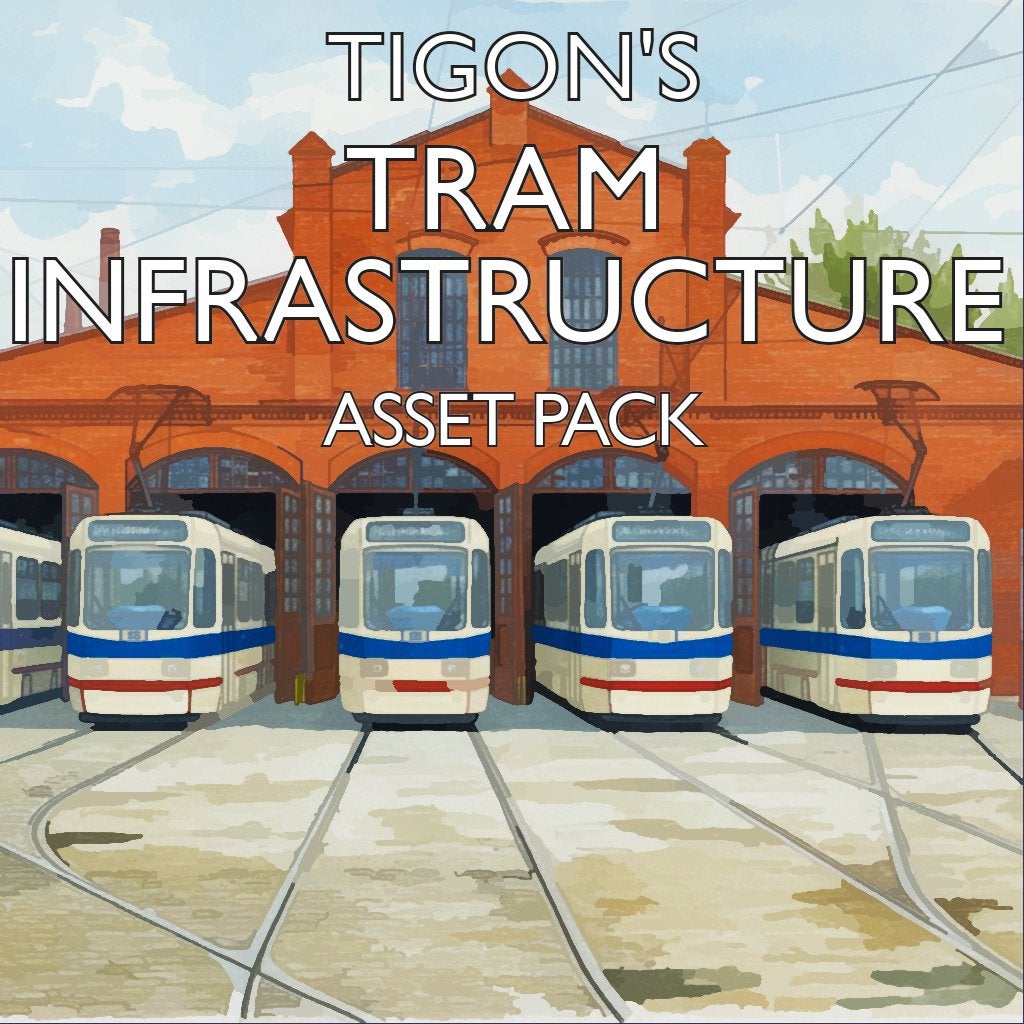
A set of new tram infrastructure assets including new non-road-based track, smaller tram depots, two-way single track and a new small streetcar.
lethal pumice
And also... an update for:
https://mods.paradoxplaza.com/mods/90794/Windows/

A set of new rail infrastructure assets including new freight stations, rail depots, tracks and trains.
Tigon's Rail Assets
lethal pumice
@nimble ether That's the old 100-car NA freight train... can't guarantee it'll still work without the odd whinge but if you load into the Editor, add a space or something to the description and then save it then it should resolve any legacy issues. Unzip it into your StreamingData~ folder as per usual with local assets.
 nimble ether
lethal pumice
<@377897202762252298> That's the *old* 100-car NA freight train... can't guarant...
nimble ether
lethal pumice
<@377897202762252298> That's the *old* 100-car NA freight train... can't guarant...
Much appreciated!
 elder ginkgo
Is anyone else having issues with this mod since the last release? It's the only one causing problems for me
lethal pumice
elder ginkgo
Is anyone else having issues with this mod since the last release? It's the only...
Did you subscribe to the new packs? Subway and Rail both in separate packs now (as shown by the "dependencies" in case you're not sure which packs they are)
elder ginkgo
lethal pumice
Did you subscribe to the new packs? Subway and Rail both in separate packs now (...
Hiya, thanks for responding. This is an issue with the assets not loading on an existing save. It’s the only mod out of 500 or so in my list. Stations are grey checkered, aswell as the trains. Removing and re-adding the mod doesn’t solve it,

Maybe a cache issue?
 gleaming hearth
elder ginkgo
Maybe a cache issue?
gleaming hearth
elder ginkgo
Maybe a cache issue?
i believe its due to the train assets still being in the save so you have to get rid of all your lines that use the assets and then it will be gone (you cant just deselect them because theyre no longer selectable :/)
gleaming hearth
(personally idrc bc i think its funny but also i dont want to remake all my train lines)
 lethal pumice
elder ginkgo
Hiya, thanks for responding. This is an issue with the assets not loading on an ...
lethal pumice
elder ginkgo
Hiya, thanks for responding. This is an issue with the assets not loading on an ...
There are ZERO assets in the old mod so adding it will only resolve the warning message about it not being present, although I'd recommend doing so just to get rid of that message (for now at least)... you either need to add the replacement packages or use Skyve to run off an older version, which will contain the assets that are now in the new packages. I am aware that there could be a mod (or more than one, or possibly even a new vanilla thing) that affects the way information in the saves is stored, tying in not only the unique ID for an asset but also the mod number it came from. About that I'm afraid I can do nothing.
elder ginkgo
Are these the same mod? Neither one of them are marked as old or deprecated. I think I must be using the old one (1.2.13) instead of the new one (2.0.3)
