#Newbie Converting mods to work with new Plaza's and Promenades
10 messages · Page 1 of 1 (latest)
 raw tangle
 velvet night
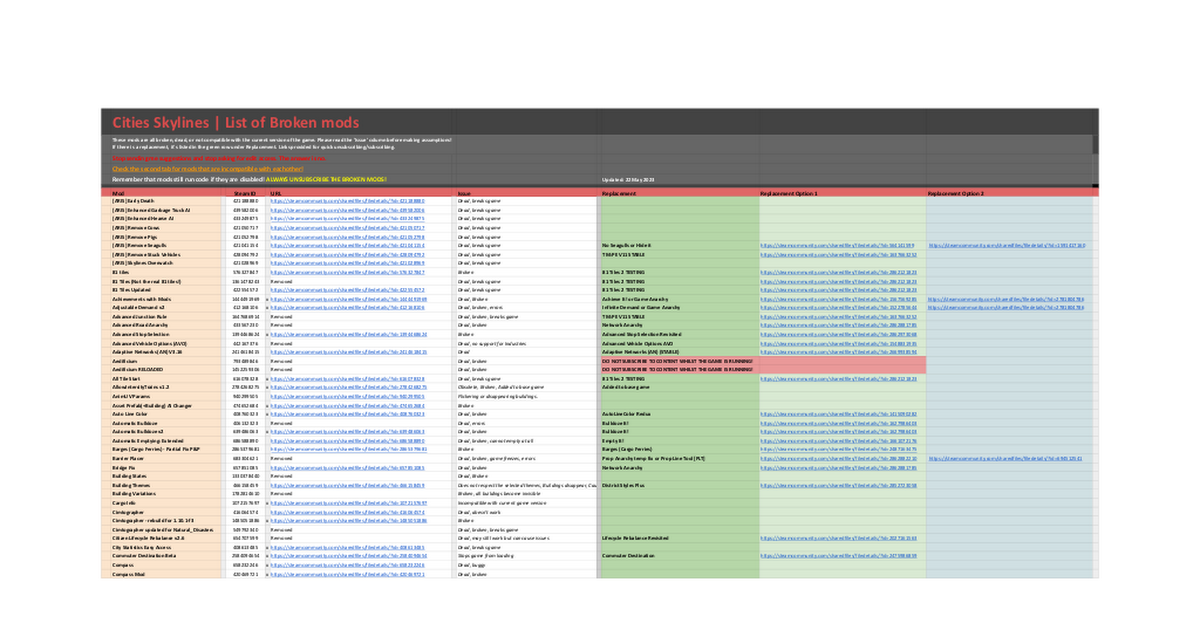
Google Docs
Broken
Cities Skylines | List of Broken mods
These mods are all broken, dead, or not compatible with the current version of the game. Please read the 'Issue' column before making assumptions!
If there is a replacement, it's listed in the green row under Replacement. Links provided for quick uns...
raw tangle
Loading screen mod shown on there is outdated
raw tangle
The Mod C:\Program Files (x86)\Steam\steamapps\workshop\content\255710\502750307 [NaturalResourcesBrush.dll] has caused an error [ModException]
Details:
System.MissingMethodException: Method not found: 'GeneratedScrollPanel.SpawnEntry'.
at (wrapper managed-to-native) System.RuntimeMethodHandle:GetFunctionPointer (intptr)
at System.RuntimeMethodHandle.GetFunctionPointer () [0x00000] in <filename unknown>:0
at NaturalResourcesBrush.RedirectionFramework.RedirectionHelper.RedirectCalls (System.Reflection.MethodInfo from, System.Reflection.MethodInfo to) [0x00000] in <filename unknown>:0
at NaturalResourcesBrush.RedirectionFramework.RedirectionUtil.RedirectMethod (System.Type targetType, System.Reflection.MethodInfo detour, Boolean reverse) [0x00000] in <filename unknown>:0
at NaturalResourcesBrush.RedirectionFramework.RedirectionUtil.RedirectMethod (System.Type targetType, System.Reflection.MethodInfo method, System.Collections.Generic.Dictionary2 redirects, Boolean reverse) [0x00000] in <filename unknown>:0 at NaturalResourcesBrush.RedirectionFramework.RedirectionUtil.RedirectMethods (System.Type type, System.Type targetType, System.Collections.Generic.Dictionary2 redirects, Boolean onCreated) [0x00000] in <filename unknown>:0
at NaturalResourcesBrush.RedirectionFramework.RedirectionUtil.RedirectType (System.Type type, Boolean onCreated) [0x00000] in <filename unknown>:0
at NaturalResourcesBrush.RedirectionFramework.Extensions.TypeExtension.Redirect (System.Type type) [0x00000] in <filename unknown>:0
at NaturalResourcesBrush.RedirectionFramework.Redirector`1[NaturalResourcesBrush.Detours.LandscapingPanelDetour].Deploy () [0x00000] in <filename unknown>:0
at NaturalResourcesBrush.LoadingExtension.OnCreated (ILoading loading) [0x00000] in <filename unknown>:0
at LoadingWrapper.OnLoadingExtensionsCreated () [0x00000] in <filename unknown>:0
Can you help me with this?
 limber turret
!Modissues
 cyan hemlockBOT
__Errors... errors everywhere__
Step 1: Subscribe to the Compatibility Report mod and look at the report it generates when launching the game, found at C:\Program Files (x86)\Steam\steamapps\common\Cities_Skylines\Cities_Data by default.
Step 2: Unsubscribe from anything with "major issues" and check for up-to-date replacements of "mods you should or could unsubscribe."
Step 3: If you don't have Loading Screen Mod, close the game and sub to it.
Step 4: Enable "save reports in this directory" and "check assets for error" in the Loading Screen Mod settings under "reporting".
Step 5: Copy the path to the directory being displayed in the previous step and open it in file explorer.
Step 6: Launch the save that you have been having issues with.
This may fix your issues, but if not...
Step 7: Refresh the reports directory and open the newest asset report file.
Step 8: Open the links to the steam page of any failed assets.
Step 9: Subscribe to any dependencies of the assets (on the right sidebar) that you aren't subscribed to and haven't previously unsubscribed from in Step 2. If there are any dependencies you have previously unsubbed from, unsub from the asset.
Step 10: If you are still having issues, create a thread in #968273009339170836 and post your log files (see the !logs command) and someone will try to help you!
Help! I'm getting simulation errors.
Go back through Steps 1 and 2 and close the game.
If the errors persist, try the "recover from simulation errors" option in the Loading Screen Mod settings (Step 3 above). Otherwise, try Step 10.
limber turret
start with the compatibility Report. In most cases it says which mod to get rid of and what to use instead
Just subscribe to it and start the game, do not start a city, instead go to the report and look through it carefully
raw tangle
limber turret
start with the compatibility Report. In most cases it says which mod to get rid ...
I just do as it says?