#Easy way to get audio for Anki?
44 messages · Page 1 of 1 (latest)
 kindred pendant
 raven ocean
How are you creating your cards? Manually? Yomitan? Kimchi Reader? If you're creating them manually, my suggestion is for you to change to one of the other two options I've mentioned if you can and makes sense for the way you study. If you're using Yomitan (free), there's a way to get audios from forvo if you're reading content without audio, or you can extract the audio and image from a video using asbplayer (this should also work for your manual cards as long as you have a video to extract the audio from). Kimchi Reader (paid) has the option to extract audio from videos automatically, I don't know about content without audio though. Alternatively there should be add-ons that can help with this, a quick google search got me this result, but I don't know how well it works https://github.com/selmetwa/AnkiTTS
GitHub
Add audio to your Anki deck by leveraging eleven labs text-to-speech API - selmetwa/AnkiTTS
kindred pendant
raven ocean
How are you creating your cards? Manually? Yomitan? Kimchi Reader? If you're cre...
I was just creating them manually but if I should start making them another way then ill check it out
Thx
raven ocean
kindred pendant
I was just creating them manually but if I should start making them another way ...
Since you mentioned videos, I only want to add that this whole process only works if the video you're watching has soft subtitles that you can load with asbplayer. Even auto generated subtitles work. I personally use Yomitan and I love it, it's a really convenient tool. To set it up you can go over their getting started section https://yomitan.wiki/getting-started/. Regarding the dictionaries to install, I recommend you to take a look at marv's collection https://github.com/MarvNC/yomitan-dictionaries?tab=readme-ov-file#korean. To learn how to use asbplayer, I'm going to link ten's guide, which is a Japanese immersion learning community https://www.ten.guide/anime. This part of the guide says that it's for anime, but you can use it for any video as long as asbplayer can be used, the important part is the intructions of the page. If you prefer video format, this video linked in ten's guide shows you the workflow of mining with yomitan + extracting audio and image from a video to add to your anki cards https://www.youtube.com/watch?v=XMzcSPzguKo. I hope this helps, if you have any question about the setup, just let me know 👍

Powerful and versatile pop-up dictionary for language learning
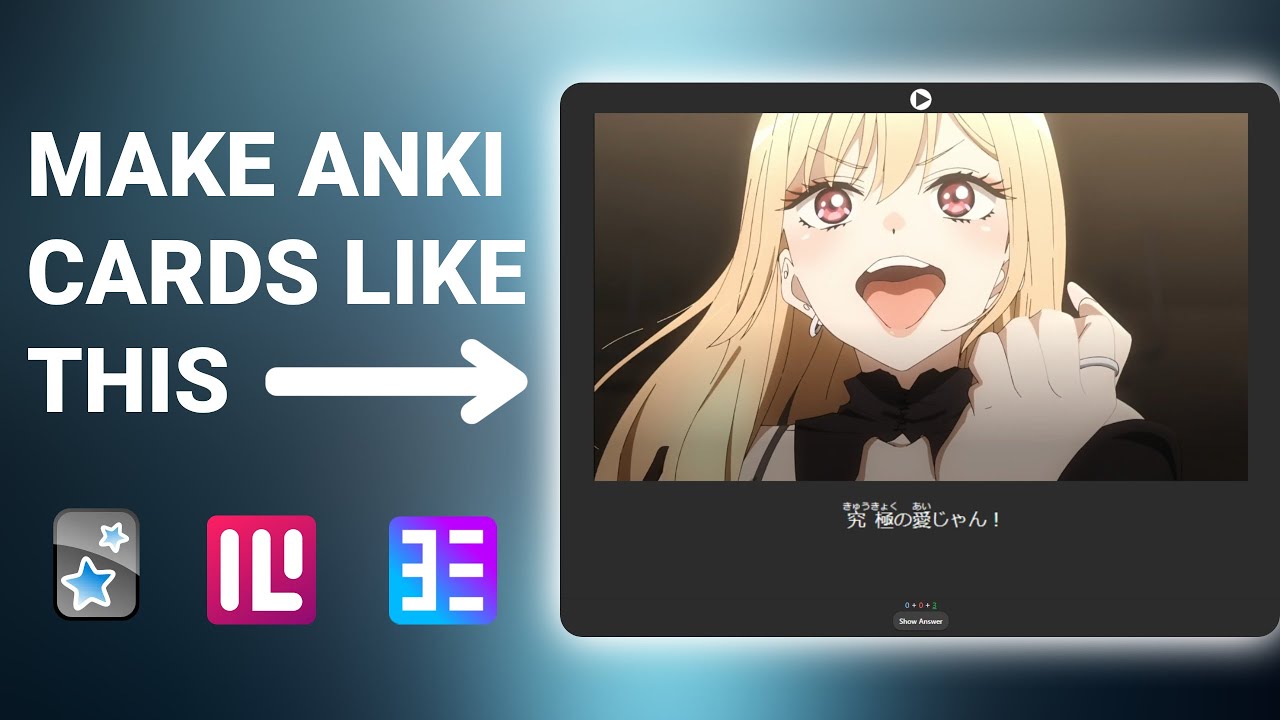
Texts for Anki are in the pinned comment!
Websites:
● Why you can't create japanese flashcards only using ASB player - https://github.com/killergerbah/asbplayer/issues/220#issuecomment-1501124166
● Anki - https://apps.ankiweb.net/
● Anki Connect - https://ankiweb.net/shared/info/2055492159
● Yomitan (If you use firefox this link prob...

GitHub
📚 Japanese and Chinese dictionaries for Yomitan. Contribute to MarvNC/yomitan-dictionaries development by creating an account on GitHub.
kindred pendant
raven ocean
Since you mentioned videos, I only want to add that this whole process only work...
Ok thanks I'll figure this out
kindred pendant
raven ocean
Since you mentioned videos, I only want to add that this whole process only work...
youtube subs would work?
kindred pendant
raven ocean
Since you mentioned videos, I only want to add that this whole process only work...
my absplayer really isnt wanting to connect to my anki
im using opera gx if that matters
but i feel like ive tried everything
kindred pendant
nvm i got it
 sonic tendonBOT
GG @kindred pendant, you just reached level 1! Congrats!
raven ocean
kindred pendant
youtube subs would work?
also, to answer this question, asbplayer should work with almost every online video player, that means youtube, netflix, viki, and many other websites. You can use the subtitles that the video player has loaded, or you can load your own external subtitles to the video if you have them locally
sonic tendonBOT
GG @raven ocean, you just reached level 2! Congrats!
kindred pendant
raven ocean
also, to answer this question, asbplayer should work with almost every online vi...
For grabbing audio abs player works but for grabbing the word I havent gotten it to work. With yomitan or abs player. Yomitan just doesn't grab the full word
raven ocean
kindred pendant
For grabbing audio abs player works but for grabbing the word I havent gotten it...
asbplayer only grabs the audio and image I think. The process is you first create the card with yomitan and then use absplayer to fill the last created card with the image and audio. When you search a word with yomitan, do you see the definition? If so, do you see the green button to create the card? If this is working, then the problem might be with the configuration of the how cards should be created. Have you check the anki part of yomitan settings? Check if the anki connection is turned and if it says connected or no. You need the anki connect add-on for this to work. If it's connected, you need to configure how the cards are created, telling yomitan which note type to use and which fields to fill with each piece of information. You do this with the "configure anki flashcards option" in the anki part of the settings, where you choose the deck, model and then the values for each field. The word value is called "expression"
I'm not home, but in a few hours I can send you some screenshots of how mine is set up. You can also send screenshots of this part of the anki configuration of your yomitan settings 👍
also, are you doing this on pc or mobile?
kindred pendant
raven ocean
asbplayer only grabs the audio and image I think. The process is you first creat...
I see the definition but not the green button. It did say I was connected
kindred pendant
raven ocean
also, are you doing this on pc or mobile?
Pc mostly
raven ocean
kindred pendant
I see the definition but not the green button. It did say I was connected
mmmmm I don't see how it is possible for it to connect and not show the green plus symbol. Did you do the configuration of the anki cards I wrote about in my message? The thing about selecting a deck, model and the values for each field?
kindred pendant
No
raven ocean
I can later send you a json file with my configuration that you can import, the only thing you would need to chage is this configuration of the deck since I custom made mine
raven ocean
kindred pendant
No
Try to do that configuration using your already existing deck and see if it changes. It's probably that then. Yomitan doesn't automatically know how to create anki cards, you have to tell it which deck to put the cards in, where to put the word, the definition, the sentence if you want it, etc
kindred pendant
Right okay I'll do that
raven ocean
kindred pendant
Right okay I'll do that
https://yomitan.wiki/anki/ Here is the official yomitan guide about anki configuration, follow these steps

Powerful and versatile pop-up dictionary for language learning
kindred pendant
Ok I'll do this later
kindred pendant
raven ocean
https://yomitan.wiki/anki/ Here is the official yomitan guide about anki configu...
how do i make it select more than 1 word? with youtube subs when you cant just highlight the words?
like how could I do a statement
raven ocean
kindred pendant
how do i make it select more than 1 word? with youtube subs when you cant just h...
I'm not sure I understand the question, so tell if my answer is not what you were looking for. Yomitan is effectively a dictionary (or a bundle of dictionaries at that). It will only show expressions if they are in one of the dictionaries, and if there's no expression, it will just show the word you're hovering, if there's no word, it will try to read just the first few syllables if there's a word with those, if there isn't, it won't show you anything. So you can't really search an entire statement at once unless it's in one of the dictionaries.
Now, if you were talking specifically about the anki configuration, yomitan has 2 options: you add the word/expression you're hovering that appears in the dictionary or the full sentence. If you want to make a smaller part of the sentence show up in the card, you will have to first create the card and then edit it manually. For this, you could predefine the field to copy the entire sentence, after you create the card you click the book button that appears instead of/next to the green button, and it opens the anki card for that word/expression and you can cut down the sentence to the expression you wanted. As far as I know, there's no way to select a random passage and make that selection appear in an anki card automatically
(this is a side note, the only time you can select text and make it appear in an anki card, is for the dictionary definition. You can definine a field so that when there are several different definitions for one word and you only want one of them, there's the option "pop-up selection text" that instead of copying the entire dictionary definition, will only copy the highlighted part inside the yomitan box. There's no feature like this for something outside the yomitan definition box as far as I know)
For reference, this is how I have my configuration set up. I use a version of lapis note cards that I modified myself to add an hanja field and some other custom options. You can see that expression is the word/expression, and then sentence is the full sentence of the hovered word/expression


And this is the final result. Since it's a click card, if you click on the sole word of the front, the sentence shows up as a hint


I don't usually add audio and image to my cards, many come from books
But lapis cards are made to accept audio and image if you want, they have the option, I just have it empty
kindred pendant
raven ocean
I'm not sure I understand the question, so tell if my answer is not what you wer...
its the first part. ill get an image. the rest was tldr
like say I want this whole 2 words (bottom left). but when I select it, it has a word with the first syllable. and not the whole statement presented there
 sonic tendonBOT
GG @kindred pendant, you just reached level 2! Congrats!
kindred pendant
i did only download the first dictionary on that github link you linked
im thinking now i should just add them all
raven ocean
kindred pendant
like say I want this whole 2 words (bottom left). but when I select it, it has a...
The two words together as an expression like that would never appear in the dictionary. If you wanted 저 instead of 저는 which gets deconjugated to 절다, you just have to scroll down until you find 저. The green button should appear for every single entry. The image shows how much I have to scroll down to get to 저 by scanning 저는
 sonic tendonBOT
GG @raven ocean, you just reached level 3! Congrats!
raven ocean
kindred pendant
im thinking now i should just add them all
you should get them all, there are dictionaries that serve different purposes (like frequency, hanja) and even if they are for definitions, more dictionaries means more coverage. There are some words that are only in monolingual dictionaries. I have both ST Dict and Open Dict because of that
kindred pendant
raven ocean
The two words together as an expression like that would never appear in the dict...
Ok then I dont really need this. I feel like there is very little use cases for me with this right now