
#Digimon Pico Terminal
1 messages · Page 2 of 1

 regal lintel
regal lintel
regal lintel
This NFC modification disables Swanlink.
To restore Swanlink functionality, connect a 1 kΩ resistor between RX and GND.
 proven axle
Will those information be compiled into the instructions documents?
regal lintel
proven axle
Will those information be compiled into the instructions documents?
There are links in the 'Manual' and 'Needed Parts' that lead to each message.
proven axle
Alright. Didn't actually check the files. I just wondered since you have been sharing details here if the manual will include those details or not.
 karmic tundra
How to unlock the whole picture book directly? I just read the picture book information.
 olive timber
One day I will have one of these. wether it's buying it pre made or making it myself. which to be honest, making it doesn't seem that hard. just the parts that require 3d printing (using a site to do it)
 last dune
so how do i fix this? i cant get the device into boot mode either so im at a loss

nvm got it
i is dum
 viscid heath
That looks good to me. A digi egg should be popping out of the device shortly
last dune
✨ this thing is awesome!!
 regal lintel
@last dune Here or reach out to the seller for after-sales service.
last dune
Ive got everything working now so all i gotta do is raise some digimon
last dune
Any way to edit the colors of the menu backgrounds..? Like what script has that in there. I kinda wanna make it ||green||
 trim zephyr
I just saw this on tiktok. Very very cool. I probably won't be able to build it though 😔
 worldly quiver
I resigned myself to pay someone more competent to build me one when the project is complete
trim zephyr
Yeah I'll do the same
 raven fable
Pls find Mr. Anderson for your after-sales support
as he should be edited the source code himself
regal lintel
last dune
Any way to edit the colors of the menu backgrounds..? Like what script has that ...
In version 20251016:
The color changes to 0x444444 after you leave the album.```- Search for 0x666666 in \lib\pico_terminal\ui.py and replace it.
- Search for 0x444444 in \lib\pico_terminal\terminal.py and replace it.
I’ll make it easier to edit in the next version.
last dune
Amazing! Thank you. I'll give it a try.
 visual sable
Can someone please send me the link to buy one since I don’t have any skill with soldering at all and I desperately want one of these
last dune
Aw yiss its green now! Thanks!!
 viscid heath
Nice
 shrewd hatch
Looks so damn good
 sour arrow
visual sable
Can someone please send me the link to buy one since I don’t have any skill with...
sour arrow
visual sable
Can someone please send me the link to buy one since I don’t have any skill with...
I’m searching too
 warm gulch
Same here, need one so bad but I lack the skills bad 😭
trim zephyr
Judging by what the creator said, they're not available to buy anywhere, but hopefully there's somebody in Australia I can throw money at until they make one for me lol
warm gulch
Its at this point asking for other makers to be willing to build one for like a c0mm
 lapis lily
visual sable
Can someone please send me the link to buy one since I don’t have any skill with...
lapis lily
visual sable
Can someone please send me the link to buy one since I don’t have any skill with...
Same here 😞
trim zephyr
Pspspspsp Pico terminal makers pspspsp
 graceful dust
Will there be a way to store Digimon from a DiM or BEM onto the Pico Terminal, as well as being able to transfer back to the VB?
If this is about where to put the NFC port, maybe put it on the lid portion that flips upward?
Late to the convo Im sorry
regal lintel
- It's possible, but I'm not able to do that.
- I don't think so, it's not easy.
graceful dust
How thick is the NFC tag?
regal lintel
graceful dust
If this is about where to put the NFC port, maybe put it on the lid portion that...
That needs a custom PCB for the antenna.
I prefer easy things.
graceful dust
Gotcha. Thank you!!
 serene remnant
Hi, sorry to bother. Could anyone help me with this issue? I keep getting this error whenever I try to access the album.
 regal lintel
Try reformatting the microSD card (to FAT32) and copying the files again, or use a different microSD card.
graceful dust
Someone ping me cause I'd love to buy a pre-made pico terminal from someone
serene remnant
regal lintel
Try reformatting the microSD card (to FAT32) and copying the files again, or use...
Okay. I'll give it a try. Thanks
 errant jayBOT
Gave +1 Digi-rep to @regal lintel (current: #37 - 55)
regal lintel


Because the old EN profile didn't support non-ANSI characters, I converted the profile to BMP, just like the other languages.
It's possible to analyze DM20 and PEN20 by sending the Copymon.
The analyzer feature has not been released yet, but the albums have been released.
The sprites and datas are still being collected, I'm not sure I can finish it or not.
Therefore, the monochrome vpet Album will be unlocked by default.
Currently, demo animations are not supported.
regal lintel
regal lintel
Update: 2025-11-17
- DM20, PEN20, DMX, and PENZ albums (without demo animations).
- Support PENOG and PENPROG on Vpet battle.
- Display cut-in in parts (Analyzer mode).
- New gfx and profile formats to avoid memory allocation failures.
regal lintel
last dune
Any way to edit the colors of the menu backgrounds..? Like what script has that ...
In version 20251117:
Search for "# Colors" in "\lib\pico_terminal\ui.py".
There are some constants for background colors and label colors that can be edited.
BG_COLOR_STATUS_BAR    = 0x000000
BG_COLOR_HEADER        = 0x111111
BG_COLOR_Content_MENU  = 0X444444
BG_COLOR_Content_ALBUM = 0xAAAAAA
LABEL_COLOR_TIME       = 0xFFFFFF
LABEL_COLOR_TITLE_L    = 0xFFFFFF
LABEL_COLOR_TITLE_R    = 0x666666
LABEL_COLOR_SUBTITLE = 0xFFFFFF```Omg!!!! This is an amazing update!!!
I can help with collecting sprites if you need that, just give me a list and ill get on it.
regal lintel
@last dune Some PENZ sprites are missing.
I’m not sure who made this sheet, maybe they have a newer version now.
last dune
Ill check the rosters and see what ones are missing tomorrow
 silent citrus
last dune
Ive got everything working now so all i gotta do is raise some digimon
silent citrus
last dune
Ive got everything working now so all i gotta do is raise some digimon
How much did it cost you

 analog echo
To use the NFC function to battle VB and DMC,
is a card extender required? Does the NFC module alone not work?
regal lintel
analog echo
To use the NFC function to battle VB and DMC,
is a card extender required? Does...
Yes, it reads the data from the Dim/BE card, and it requires a card extender.
 remote hamlet

 old torrent
regal lintel
old torrent
regal lintel
I would like to do a translation into Spanish. Is that possible, and could you tell me which file I should translate?
analog echo
regal lintel
Yes, it reads the data from the Dim/BE card, and it requires a card extender.
oh ok thx!
errant jayBOT
Gave +1 Digi-rep to @regal lintel (current: #37 - 56)
 shell sleet
regal lintel
shell sleet
regal lintel
Hello. My device's pico2 version is 10.0.1. I updated to the recently released circuitpy_20251117 and sd_20251117. The album was updated successfully. However, the problem is that DM20th and PEN20th are missing from the analyzer. Can you tell me what the problem is? Please help me resolve this.


 regal lintel
old torrent
I would like to do a translation into Spanish. Is that possible, and could you t...
regal lintel
old torrent
I would like to do a translation into Spanish. Is that possible, and could you t...
The profiles are from "https://digimon.net", I just used what they provided.
regal lintel
shell sleet
Hello. My device's pico2 version is 10.0.1. I updated to the recently released c...
Just read the message below the photo.
sour arrow
@regal lintel if i want to print pcba whic file i need to use?
Gerber file:
Pico-Terminal_PCBA_20250630_Gerber.zip
BOM file:
Pico-Terminal_PCBA_20250618_BOM.csv
CPL file:
Pico-Terminal_PCBA_20250618_CPL.csv
Caution:
I haven’t used these files for PCBA yet.
So I can’t guarantee that the files and settings are completely correct.
Test by tamer21
New version: (UNTEST!)
Pico-Terminal_PCBA_20250831 (Add DS3231 module support.)
Add DS3231 module support what feature add?
regal lintel
DS3231 module keeping track of the current time, even when the device is powered off.
regal lintel
sour arrow
<@730320318144446495> if i want to print pcba whic file i need to use?
Gerber fi...
About the PCB, I'm still working on a new version this month, which doesn't require extra wires on the external pins.
If you want to use the current design, I think Pico-Terminal_PCBA_20250831 is better, but I can't guarantee that the files are correct.
shell sleet
regal lintel
Just read the message below the photo.
Is it correct that the analyzer feature hasn't been released yet, so I didn't see it even when I updated it?
sour arrow
regal lintel
About the PCB, I'm still working on a new version this month, which doesn't requ...
Ok I’ll wait for the new version to assemble 😍
silent citrus
last dune
https://tenor.com/view/thanos-infinity-war-everything-avengers-gif-14066494
Shipping included?
last dune
Yeah
silent citrus
@last dune Who did you buy it from
last dune
Last time i posted a link people got upset lol but it was on a site called goofish, if you search for pico dt youll probably find some
silent citrus
Thanks
graceful dust
last dune
Last time i posted a link people got upset lol but it was on a site called goofi...
Wait why would people be upset on where to get premade units..?
 errant leaf
last dune
Last time i posted a link people got upset lol but it was on a site called goofi...
errant leaf
last dune
Last time i posted a link people got upset lol but it was on a site called goofi...
Isnt goofish an CN marketplace?
last dune
Yessir
regal lintel
graceful dust
Wait why would people be upset on where to get premade units..?
- The maker sold the product using my photos without providing any source or credit at first.
- Using CircuitPython in Chinese (Pinyin) makes debugging difficult.
- Some buyers received transparent shells with defects.
- There is little instruction or after-sales service, you have to learn everything on your own.
I think the problems above may have improved.
There are people in Hong Kong who sell great products, but unfortunately they don’t ship overseas.
 shut galeBOT
@regal lintel has leveled up! (9 ➜ 10)
 regal lintel


The new PCB and PCBA are almost done.
I'll upload them after I assemble and test the PCB.
sour arrow
I LOVE YOU!!
 keen seal
May i know how NFC MOD look like?
regal lintel
keen seal
May i know how NFC MOD look like?
External PN532 NFC module:
#1382033368337612920 message
Integrated PN532 NFC module:
#1382033368337612920 message
regal lintel
old torrent
I would like to do a translation into Spanish. Is that possible, and could you t...
Here are the English profile text files and the Python script to convert them into BMP profiles.
You can try translating them into Spanish.
keen seal
@regal lintel Thank you so much.
errant jayBOT
Gave +1 Digi-rep to @regal lintel (current: #37 - 57)
 cobalt saddle
Hi, I finally finished soldering my D-terminal, but the instructions for installing the software don’t seem very clear to me. I formatted a 128 GB microSD in FAT32 and copied the contents of SD_YYYYMMDD.zip onto it. At first, I didn’t put it into the D-terminal because the instructions didn’t say I should, or I misunderstood what I was supposed to do.
Then I copied the Adafruit file I downloaded from the build guide. When it rebooted, I copied the contents of the latest CIRCUITPY_YYYYMMDD.zip version. Since I had ordered the PCB before the latest version was released, I assumed I had done something wrong when I saw the screen wouldn’t turn on. I started over following the update guide, and even when selecting the previous version of both files, the screen stayed black.
I assumed the Raspberry might be making a bad connection, so I reinforced the solder joints, but now when I plug it into the computer, Windows doesn’t even seem to try to detect it. Is it possible I caused a short circuit? I tested the same cable with another Raspberry Pi I have at home and Windows recognizes that one. Does anyone have any ideas?


By the way, I also noticed in the Mu Editor (which I installed thinking I would need i) that it was showing the Cancel button as if it were being pressed. I assumed it was caused by a short or bridge under the button, so I desoldered it and soldered it again. When I was about to test whether that fixed it, I realized there was a problem with the Raspberry
regal lintel

 regal lintel
The new PCB and PCBA are almost done.
I'll upload them after I assemble and test...
regal lintel
regal lintel
The new PCB and PCBA are almost done.
I'll upload them after I assemble and test...
The new PCB works fine, I've uploaded it. But the PCBA is still TBC.
P.S. This PCB uses different pinout on the external pins. Please check its silkscreen.
regal lintel
cobalt saddle
Check the orientation on your Pico2W.
cobalt saddle
regal lintel
Check the orientation on your Pico2W.
I couldn’t desolder it. I’ll try another day with a heat gun. Thanks 😅
shut galeBOT
SHINKA!
@cobalt saddle has evolved into Baby I!
 errant jayBOT
Gave +1 Digi-rep to @regal lintel (current: #35 - 58)
 faint anchor
Can you send me a link on how to build the dim card read for pico terminal please
last dune
It already reads them through the microsd slot doesnt it
faint anchor
Okay thanks
I plan to create my own dim cards for it when I build it or my father builds it For christmas I can't wait til Christmas.
regal lintel
cobalt saddle
I couldn’t desolder it. I’ll try another day with a heat gun. Thanks 😅
D1, U4, U5, and U6 also need to be soldered in the correct orientation.
The photo isn’t clear enough, but I think D1 may be incorrect.
There is a small circular mark on those chips, that mark should align with the rectangle mark on the PCB.
 compact tendon

Thanks to you, PENC is so much fun.
Right now I'm only playing PENC, but thanks to pico terminal, I can unlock DMC albums, which is awesome.
The only slight disappointment is that DigiDevice and D3 albums aren't unlockable through the Colosseum, and can't battle with older devices.
Will it be possible to unlock albums by DigiDevice through Colosseum in the future?
regal lintel
compact tendon
Will it be possible to unlock albums by DigiDevice through Colosseum in the futu...
- A lot of Digimon in the Digivice and D-3 Color are missing some sprites (happy & sad).
This makes the animations imperfect. - They use different sizes for Digimon and attack sprites.
This would take up some RAM sapce, which I want to save. - I just don't want people to unlock them all through battles, just like dmcmh & dmcgz.
I'll consider adding it when there are more color anime Digivices.
compact tendon
So can we expect more detailed expansions to the Colosseum and Album features?
The Colosseum is absolutely fantastic. I've wanted this feature since 20TH DM, but all Bandai gave me was more poops.
As for expanded Album features, could we get a 16x16 sprite digimon ENCYCLOPEDIA?
I understand that it will be a lot of work.
If there's anything I can help with (organizing the encyclopedia text, sorting sprites, etc.), I'd be happy to assist.
regal lintel
It's just a wificom and a color vpet analyzer/album.
The other features are only experimental.
compact tendon
I'm sorry if I made an unreasonable request. I always support your work and can't wait to see what you do next. Thank you
trim zephyr
last dune
Last time i posted a link people got upset lol but it was on a site called goofi...
Oooh thank you. I'll check later. Hopefully they ship to Australia. Thank you
🫡
errant jayBOT
Gave +1 Digi-rep to @last dune (current: #33 - 63)
 rapid nest
this probably going to sound like the typical new question, some know where can i buy the terminal ? :c
trim zephyr
If you scroll up somebody mentioned it, it's the one I replied to a few posts above
 jovial token
regal lintel
1. The maker sold the product using my photos without providing any source or cr...
jovial token
regal lintel
1. The maker sold the product using my photos without providing any source or cr...
do you have any recommended people who make prebuilt pico DT?
trim zephyr
last dune
Last time i posted a link people got upset lol but it was on a site called goofi...
^ @rapid nest @jovial token
trim zephyr
Yeah you have to create a tabao account or something. Idk I gave up and I'm tempted to risk using super buy
I saw old listings on AliExpress but none selling them currently so I'll just hope they pop up on AliExpress again
jovial token
i was just on superbuy but i tried searching pico dt and it did not come up
i did find a cool metal etemon statue for like $3
jovial token
what link did you use?
 vagrant cradle
I keep seeing people wanting the finished product lately, but since the circuit board has been updated, I can't help but think that if you try to buy it now, you'll end up with one with the old board.
jovial token
vagrant cradle
I keep seeing people wanting the finished product lately, but since the circuit ...
Tru. I'll just wait lmfao
trim zephyr
jovial token
what link did you use?
I just copied the product link from goofish and pasted it into superbuy
But I didn't buy, just wanted to see if I could but I've only ever used superbuy once and a few people in the server have had issues with superbuy before
silent citrus
How much would it be to have one built by one of you
keen seal
@regal lintel Hi, may i know this Pico terminal can use Acom transfer digimon to Xros Loader Digivice thru infrared?
jovial token
silent citrus
How much would it be to have one built by one of you
this tbh
i do not have the ability to craft this on my own and im ready to buy
regal lintel
keen seal
<@730320318144446495> Hi, may i know this Pico terminal can use Acom transfer d...
There are no infrared functions in A-Com.
If you’re talking about WiFi-Com with infrared:
Fusion Loader is supported, and Xros Loader is not supported.
https://dmcomm.github.io/guide/pi-pico
keen seal
regal lintel
There are no infrared functions in A-Com.
If you’re talking about WiFi-Com with ...
Ok noted. Thank you so much.
errant jayBOT
Gave +1 Digi-rep to @regal lintel (current: #35 - 59)
 weary reef
can anybody tell me the speaker model of this?I didn't see the model in the bom
shut galeBOT
SHINKA!
@weary reef has evolved into Baby I!
regal lintel
weary reef
can anybody tell me the speaker model of this?I didn't see the model in the bom
Check the「Needed Parts」
weary reef
ok ,thx
 fickle geode
Hi excuse my ignorance but I haven't ordered from a parts manufacturer before. I'm trying to get a quote from DigiKey and LCSC for the parts but the BOM doesn't have quantities on it that I can see, does anybody know what I should put down for quantities?
I'm assuming that the designator column represents the quantities needed, though
regal lintel
fickle geode
Hi excuse my ignorance but I haven't ordered from a parts manufacturer before. I...
The quantities of the parts are listed in the non-PCBA BOM file, you can move them on your own.
fickle geode
regal lintel
The quantities of the parts are listed in the non-PCBA BOM file, you can move th...
Sounds good thank you!
errant jayBOT
Gave +1 Digi-rep to @regal lintel (current: #35 - 60)
fickle geode
If anybody here has a resin printer and can ship within USA pls hit me up so I can put in an order for shells lol
cobalt saddle
hi so I manage to build the D-terminal and is turning on just I dont understand how to upgrade it and how can I add the nfc reader Internally
also It is planned to add an dim card album through nfc?
regal lintel
cobalt saddle
also It is planned to add an dim card album through nfc?
Integrated PN532 NFC module:
#1382033368337612920 message
Upgrade:
Google Drive → Build Instructions → Update
The DiM Card (for NFC) and the microSD card (for the album) use the same TF card slot, so NFC and the album feature are not compatible.
cobalt saddle
regal lintel
Integrated PN532 NFC module:
https://discord.com/channels/761581682686951455/138...
Hi, I had already read the update section but I'm missing something, when I connect the D terminal to the PC it only charges it doesn’t show up as storage. like it did when connecting the Pi directly. Do I really need to desolder the Pi every time I want to update it?
Regarding the NFC: my PCB is version 1.5 with the DS3231 RTC module already on the board. I wanted to know if in this case I still need to have the external module made and resolder everything onto that one? if not where you I solder everything
Lastly, I turned it on again this morning and it has a bug is moving up as if the ‘up’ button were being pressed constantly, and when I press another button to stop it, the audio stops as well. Do you know what could be causing this and how to fix it?
Thanks for your help.
errant jayBOT
Gave +1 Digi-rep to @regal lintel (current: #35 - 61)
regal lintel
cobalt saddle
Hi, I had already read the update section but I'm missing something, when I conn...
- Use a data cable, not a charge-only cable.
If none of your USB-C cables work, there must be a defect on the PCB or in the components. - No matter which PCB version it is, NFC always uses the same GPIO pins.
- I think it's a 3D-printing error, or something is stuck in it.
cobalt saddle
regal lintel
1. Use a data cable, not a charge-only cable.
If none of your USB-C cables work,...
- I just checked is it indead a data cable I tried with my phone, what should component should I check on the pcb?
- I see that the pcb has a SCL SDA and 3v3 circles I guess I should solder the corresponding ones of my nfc? and ground any ground will be ok?
- is just the bare pcb for now 😅
- it stoped going up but there is no audio
cobalt saddle
Maybe I solder one of them on the wrong oreintation?


 cobalt saddle
regal lintel
1. Use a data cable, not a charge-only cable.
If none of your USB-C cables work,...
cobalt saddle
regal lintel
1. Use a data cable, not a charge-only cable.
If none of your USB-C cables work,...
mmm I just looked at this one... the dot should be on the arrow? so I need to put the lable looking at the pcb??
 regal lintel
I think those pictures are fine.
regal lintel
cobalt saddle
1. I just checked is it indead a data cable I tried with my phone, what should ...
- Have you soldered D+ and D− securely enough?
- No, they’re for the RTC.
#1382033368337612920 message
Do you have a clear picture of the whole PCB?
cobalt saddle

 cobalt saddle
regal lintel
1. Have you soldered D+ and D− securely enough?
2. No, they’re for the RTC.
http...
cobalt saddle
regal lintel
1. Have you soldered D+ and D− securely enough?
2. No, they’re for the RTC.
http...
no I didnt know for what they are for
regal lintel
cobalt saddle
Maybe I solder one of them on the wrong oreintation?
There is a solder bubble next to T4. It’s better to clean the PCB after using a hot-air gun.
cobalt saddle
regal lintel
There is a solder bubble next to T4. It’s better to clean the PCB after using a ...
do you mean D4?
I dont see any T4😅
regal lintel
cobalt saddle
no I didnt know for what they are for
They connect the USB-C port to the Pico, so make sure you fill them through with solder.
regal lintel
cobalt saddle
I dont see any T4😅
D1
cobalt saddle
regal lintel
They connect the USB-C port to the Pico, so make sure you fill them through with...
just solder? and between each other? or to another component
regal lintel
regal lintel
@cobalt saddle here.
cobalt saddle
cobalt saddle
just solder? and between each other? or to another component
A ok I see the pads below
cobalt saddle
regal lintel
<@334364535232397313> here.
and now it shows on my pc thaaanks
now I just need to see why the audio isn't playing
and undetstand how to solder the nfc...
regal lintel
cobalt saddle
and now it shows on my pc thaaanks
DS3231 RTC Module's Pinout:
SCL → GP26
SDA → GP10
To enable the DS3231, set "TRY_DS3231" to True in the following file:
\lib\pico_terminal\terminal.py
PN532 NFC Module Pinout:
GND → GND
3V3 → VCC
GP13 → SDA
GP18 → SCL
cobalt saddle
so I need to connect from the back of the pc to the front?
cobalt saddle
regal lintel
DS3231 RTC Module's Pinout:
SCL → GP26
SDA → GP10
To enable the DS3231, set "TRY...
wait I'm going to draw on the pictures so you can tell me If I'm just being stupid and dont understand
regal lintel
 cobalt saddle
I was thinking something like this...
 shut galeBOT
@cobalt saddle has leveled up! (1 ➜ 2)
 cobalt saddle
regal lintel
cobalt saddle
regal lintel
Ok... I think I understand, I'm going to look for some wires to try
cobalt saddle
regal lintel
I'm here do I also need to solder the ones for the swanlink?
 shut galeBOT
SHINKA!
@cobalt saddle has evolved into Baby II!
cobalt saddle
cobalt saddle
I'm here do I also need to solder the ones for the swanlink?
@regal lintel Or do I solder the sda of the nfc to the sda 13 and the scl to the scl 18?
The audio problem was the cable of the speaker that broke off I re solder a new one and is working fine
regal lintel
cobalt saddle
<@730320318144446495> Or do I solder the sda of the nfc to the sda 13 and the s...
GP13 and GP18 are for SwanLink and NFC. If you’re not using SwanLink, just wire them to your NFC module.
cobalt saddle
regal lintel
GP13 and GP18 are for SwanLink and NFC. If you’re not using SwanLink, just wire ...
ok and the GND to any GND? and the VCC where should I get the it?
cobalt saddle
Probably I'm going to need to make them shorter but something like this should be fine?
 regal lintel
About the wiring:
I recommend using 30 AWG wires and not leaving them too long.
weary reef
hello,What's the difference between the new PCBA_20251201 and the PCBA_20251125? Do I still need to do a jumper wire for the PN532?I just built a pcb for PCBA_20251125.the new pcb can use the swanlink?can u give me the gerber files for the swanlink ?
Do I need to update the PCBA_20251125 to the PCBA_20251201 version?
thx
regal lintel
weary reef
hello,What's the difference between the new PCBA_20251201 and the PCBA_20251125?...
Just a small layout change, their functions are the same.
Check the Google Drive folder “Manual” → “SwanLink” for the SwanLink Gerber files.
or #1382033368337612920 message
About PCBA_20251125 and PCBA_20251201:
External PN532 NFC module → No wiring needed.
Integrated PN532 NFC module → Every PCB requires wiring.
Swanlink → Yes
regal lintel
regal lintel
The new PCB works fine, I've uploaded it. But the PCBA is still TBC.
P.S. This P...
The new PCB has a different pinout on the external pins.
More intuitive than the previous version.
 weary reef
ok,thx
 strange plover
last dune
Last time i posted a link people got upset lol but it was on a site called goofi...
strange plover
last dune
Last time i posted a link people got upset lol but it was on a site called goofi...
Maybe what you're talking about is my link. https://m.tb.cn/h.7aIgjaB?tk=eEA0fqFXDPo
keen seal
@regal lintel Hi Genius, just asking these two component correct? I first time play with this thing.

 shut galeBOT
SHINKA!
@keen seal has evolved into Baby I!
regal lintel
keen seal
<@730320318144446495> Hi Genius, just asking these two component correct? I fir...
Yes
keen seal
regal lintel
Yes
Thank you so much
errant jayBOT
Gave +1 Digi-rep to @regal lintel (current: #35 - 62)
shut galeBOT
@keen seal has leveled up! (0 ➜ 1)
 keen seal
@regal lintel Hi Genius, may i know how to keep the clock running when i switch off the pico terminal? Because right now when i off it and turn it ON clock will become 0.00
regal lintel
keen seal
<@730320318144446495> Hi Genius, may i know how to keep the clock running when ...
Please don't refer to me that way.
You have to enable the DS3231 by modifying the file.
#1382033368337612920 message
keen seal
regal lintel
Please don't refer to me that way.
You have to enable the DS3231 by modifying th...
I just modify the files, but how i can move the file to Pico? I use Type C cable connect to my laptop, its didn't show the drive for me to upload the files. I try open the casing, the type c port block the Pico micro usb port, what should i do?
keen seal
regal lintel
Please don't refer to me that way.
You have to enable the DS3231 by modifying th...
When i choose Drive Mode and comnect to my laptop its show this error in device manager.
 regal lintel
keen seal
When i choose Drive Mode and comnect to my laptop its show this error in device ...
regal lintel
keen seal
When i choose Drive Mode and comnect to my laptop its show this error in device ...
How did you install it before?
Do you have any pictures of your board?
keen seal
regal lintel
How did you install it before?
Do you have any pictures of your board?
I install it before i solder it to PCB. Let me take picture.

 regal lintel
keen seal
regal lintel
keen seal
Try to clean the residue near D+ and D–, and make sure you fill them through with solder.
keen seal
regal lintel
Try to clean the residue near D+ and D–, and make sure you fill them through wit...
Ok sure i will try. May i ask this device can connect to WiFi? How to setup it?
Thank you so much.
errant jayBOT
Gave +1 Digi-rep to @regal lintel (current: #35 - 63)
regal lintel
keen seal
Ok sure i will try. May i ask this device can connect to WiFi? How to setup it?
...
You have to create your own secrets.json and put it to the device.
Visit https://wificom.dev/ to set up your wificom.
Wireless access to Digimon/Legendz electronic toy interfacing. Build your own WiFiCom with our docs and get online from any operating system, device or web browser.
keen seal
regal lintel
Try to clean the residue near D+ and D–, and make sure you fill them through wit...
After i clean the PCB its working, Thank you so much. No need to select Drive just plug in will auto show the drive at PC right? How to add more MP3 songs inside the devices? Which file i need to edit?
errant jayBOT
Gave +1 Digi-rep to @regal lintel (current: #31 - 64)
keen seal
regal lintel
You have to create your own secrets.json and put it to the device.
Visit https:/...
Ok i will try to set it. Thanks for the info.
serene remnant
Hi Mr. Joushiikuta. Sorry to bother you, but I have a question. Why does the Pico Terminal detect the power value of 270 for Burning Godzilla with max and Traited egg only shows 14 power value? It should also be 270. I’ve tested it without a Traited egg and with lower strength, and the Pico Terminal reads the correct value. However, once the power value reaches around 270, it doesn’t seem to detect it accurately.
 regal lintel
keen seal
After i clean the PCB its working, Thank you so much. No need to select Drive ju...
regal lintel
keen seal
After i clean the PCB its working, Thank you so much. No need to select Drive ju...
- To edit the file, you have to enter Drive Mode.
- About MP3: #1382033368337612920 message
regal lintel
serene remnant
Hi Mr. Joushiikuta. Sorry to bother you, but I have a question. Why does the Pic...
270 % 256 = 14
That was my mistake, I think the cap is 255.
Edit
digimon_power = int(packet_list[5], 16) % 0x100
to
digimon_power = int(packet_list[5], 16)```Then you'll get 270.
I'll fix this in the next update.ok thanks. I tried with many different mp3 with the spec above. But after show the picture the device will hang and black screen. Need off and on to resume normal.
errant jayBOT
Gave +1 Digi-rep to @regal lintel (current: #31 - 65)
serene remnant
regal lintel
270 % 256 = 14
That was my mistake, I think the cap is 255.
```In "lib\pico_term...
Okay. Thank you so much! 😁
errant jayBOT
Gave +1 Digi-rep to @regal lintel (current: #31 - 66)
 wanton glen
maybe a weird question can I use the terminal to somehow make battle digis from a non color device with a color device?
weary reef
thx,it work fine
 keen seal
@regal lintel Dear Genius, i am facing some NFC issue. May i know what should i do?
 wanton glen
I have a question. If I use an Acom to get the battle code of my Digimon. Can I use the same Acom to send the code of my Digimon to the Terminal to register it? Is to see if I can “backup” the digimons I’m getting to register them in the terminal once I manage to get one
errant jayBOT
Actually, the plural of Digimon is Digimigimon.
regal lintel
keen seal
<@730320318144446495> Dear Genius, i am facing some NFC issue. May i know what s...
Which card and Digimon are you using?
I have to recreate the situation to test it.
regal lintel
wanton glen
I have a question. If I use an Acom to get the battle code of my Digimon. Can I ...
https://docs.google.com/document/d/11CuxpKQFaHexAbi8jHX4UnfhZVfovwDAXo5xYZCEDpM/edit?tab=t.0#heading=h.3f7tmnaej41r
It only reads the slot (index) and version to open the album.
There is no backup function in the signals.

Google Docs
Understanding Digimon Connection Signals Compiled by humulos First and foremost, this guide would not be possible without the amazing work of Bladesabre, from WithTheWill. Her work in being able to receive signals directly from Digimon devices and interpreting those signals has been instrumental...
keen seal
regal lintel
Which card and Digimon are you using?
I have to recreate the situation to test i...
Rampage of the Beast, Lunamon
shut galeBOT
SHINKA!
@keen seal has evolved into Baby II!
wanton glen
regal lintel
https://docs.google.com/document/d/11CuxpKQFaHexAbi8jHX4UnfhZVfovwDAXo5xYZCEDpM/...
Yes I do understand that it doesn't make truly a backup but what I mean is if I can use the Acom to save the codes of my digimons. Then use the same Acom to send the code to the terminal to unlock them on the album in the terminal
errant jayBOT
Actually, the plural of Digimon is Digimigimon.
wanton glen
Like that I will not have to raise them again once I manage to get one terminal
It is possible?
regal lintel
wanton glen
It is possible?
Yes, I think it is possible by using the V1/C1 Digiroms.
regal lintel
keen seal
Rampage of the Beast, Lunamon
It works for me.
After your Digimon evolves, try opening the app log link once.
This will update the NFC data.
keen seal
regal lintel
It works for me.
After your Digimon evolves, try opening the app log link once.
...
Ok, let me try again. Thank you so much.
errant jayBOT
Gave +1 Digi-rep to @regal lintel (current: #31 - 67)
silent citrus
so when ordering the board is there anything i need to change on the order screen? or just stock
also is there a way too just order 1 board
regal lintel
silent citrus
so when ordering the board is there anything i need to change on the order scree...
The PCB thickness needs to be changed to 1.0mm manually.
silent citrus
Got it thanks
wanton glen
regal lintel
Yes, I think it is possible by using the V1/C1 Digiroms.
Good! Thanks
errant jayBOT
Gave +1 Digi-rep to @regal lintel (current: #31 - 68)
weary reef
Now I've run into a problem. When I followed the update instructions to restore the device to factory settings using the flash_nuke.uf2 file in UF2 mode, the process froze. After restarting the device, the screen remains black. When I enter normal mode, the files on the PICO 2W are shown as write-protected, so I can't perform any updates and the device stays in a black-screen state. What should I do?
The CIRCUITPY drive is write-protected, the device screen stays black, and I have no way to remove the write protection.
What should I do?
regal lintel
weary reef
Now I've run into a problem. When I followed the update instructions to restore ...
#1382033368337612920 message
Do it again.
 empty tusk
Is anyone selling these?
errant leaf
https://pt.aliexpress.com/item/1005009466180213.html?gatewayAdapt=glo2bra
is the creator aware of this?
silent citrus
They probably are now because it's not there anymore it's unavailable
weary reef
Hi, guys. Don’t waste your money on this motherboard! My attempts to restore it to factory settings kept failing, and I later realized the board was the culprit. As soon as I switched to an official version, everything worked like a charm with zero issues.
 silent citrus
Thanks for the heads up.... Wait are you talking about the Arduino?
Which raspberry pi should I buy
Hey that rhymed
 keen seal
@regal lintel Hi Genius good evening to you. May i know is that possible to add Xros Loader function inside this Pico Terminal?
Recently i got two sets Black and white and color Xros loader. Quite boring if cannot battle or swap digimon with others. If possible add this function in Pico Terminal that will be perfect.
If cannot never mind. Thanks for the project i like it very much.
errant jayBOT
Gave +1 Digi-rep to @regal lintel (current: #31 - 70)
viscid heath
Throwing this out here. But my friend got a prebuilt one. When he hooks up his to the PC it says “device not recognized”. Drivers are up to date and his PC recognizes other ones and his WiFi com. So what could it be? Same build afaik too
weary reef
Check if the D+ and D- pins on the board are properly soldered to the Pico 2 W
silent citrus
weary reef
Buy the official version of the Raspberry Pi pico 2w
Thanks will do
errant jayBOT
Gave +1 Digi-rep to @weary reef (current: #724 - 1)
regal lintel
keen seal
<@730320318144446495> Hi Genius good evening to you. May i know is that possibl...
The IR functions are based on BladeSabre's project, which I'm not familiar with.
So for now, we still need to wait for WiFiCom support Xros Loader.
About penc6 and penc7, some Digimon profiles have not been released yet.
I will update them after they are released on digimon.net.
keen seal
regal lintel
The IR functions are based on BladeSabre's project, which I'm not familiar with....
Ok, thank you Mr. Genius. Good night.
visual sable
Can somebody send me a link to buy a pico terminal please I suck at coding and soldering
 indigo parcel
visual sable
Can somebody send me a link to buy a pico terminal please I suck at coding and s...
indigo parcel
visual sable
Can somebody send me a link to buy a pico terminal please I suck at coding and s...
see the original post for that detail about authorized and vetted sellers
visual sable
indigo parcel
see the original post for that detail about authorized and vetted sellers
Can you send that link to the msg please
sour arrow
indigo parcel
see the original post for that detail about authorized and vetted sellers
I can’t find the post 🙁
visual sable
Neither can I m8
indigo parcel
sorry. see the SECOND post.
sour arrow
indigo parcel
sorry. see the SECOND post.
I find only drive folder. So you mean we need to build it? 😂
indigo parcel
i had assumed by now that jyoshi would have had some people come forward to him about sales.
i don't mean that. but i suppose that's your best option currently. as i can't recall anyone discussing recently any good sellers.
indigo parcel
errant leaf
https://pt.aliexpress.com/item/1005009466180213.html?gatewayAdapt=glo2bra
is the...
here is a link for an unsupported seller, otherwise. nvm lol on open it's unavailable.
 inland sky
Do note, this IS a work in progress so consider the pros and cons of ordering one now.
If any more updates or features are added later on, it'll be on the user to figure out how to upgrade the device, be it firmware or hardware.
last dune
Its pretty user friendly imo
As long as you make a back up of your save you can restore it no trouble
inland sky
last dune
As long as you make a back up of your save you can restore it no trouble
Oho!
If i may ask, seeing as you currently have a physical model, what cables would you need? Is there anything else you might need outside of backups? (Ie. Data transfer cables, mini USB or USB C, any specific readers.)
I'll personally wait until later to try and order one. Figure i ask while we have ya here 
last dune
micro sd card (small capacity, like 8gb) and a usb c data cable
Thats all ya really need to get it going
inland sky
Much appreciated!
last dune
No prob!
 warped cobalt
Hey guys, im trying to buy a pre-made Pico Terminal, is this being sold anywhere?
indigo parcel
this is the discussion of the previous day. spoiler warning: no
 soft kiln
Hi! I am new here and have no experience with all of this.. To obtain this i have found the 3D files but i don’t know what else i need. Can i Order a Complete PCB somewhere?
proven axle
soft kiln
Hi! I am new here and have no experience with all of this.. To obtain this i hav...
Check the GoogleDrive link in the pinned message. In there, check the readme, needed parts, and build instructions for details.
 glad flower
soft kiln
Hi! I am new here and have no experience with all of this.. To obtain this i hav...
glad flower
soft kiln
Hi! I am new here and have no experience with all of this.. To obtain this i hav...
PCBWay is a great place to order the PCB from but from the instructions on the GDrive you'll still need to soldier some bits yourself
@regal lintel I have to ask, the video and thingiverse pics have your DTerminal look so shiney and smoothe, did you do sanding or is your 3d printer that fine?
regal lintel
glad flower
<@730320318144446495> I have to ask, the video and thingiverse pics have your DT...
I ordered them from JLCPCB, JLC Black Resin with their sanding.
weary reef
Could anyone kindly explain how to configure the WiFicom config file step by step? Thanks in advance!
OK ,I KNOW IT ,THX
shut galeBOT
@weary reef has leveled up! (1 ➜ 2)
 wanton glen
I'm very bad with electronics and so my brother is assembling me one of these. Does someone would be willing to see if with a code from naca slow battle does the terminal register my radhan from the DMCxGodzilla? I want to see if I can raise my digis while waiting and not have to raise them twice
Not sure how to extract the digirom from the DMCxGodzilla. Does anyone know?
last dune
So can dim card mode only be done with an sd card extension?
regal lintel
last dune
So can dim card mode only be done with an sd card extension?
Yes.
last dune
Word, any kind will do?
keen seal
Happy new year 2026 everyone
regal lintel
last dune
Word, any kind will do?
Any extender that fits the DIM/BEM will work.
last dune
Sweet! Thank you
weary reef
shut galeBOT
SHINKA!
@weary reef has evolved into Baby II!
weary reef
happy new year,everyone
silent citrus
oh by the way, when ordering from J@Lpcb. it only allows me to buy 5, i just need the one...
silent citrus
how does this look

 regal lintel
silent citrus
how does this look
regal lintel
silent citrus
how does this look
It looks fine.
About penc6 & penc7's update:
So far, there are still 9 Digimon that have not been released on digimon.net yet.
It looks like they release 2–3 Digimon per week.
silent citrus
what do you use for button membranes
regal lintel
silent citrus
what do you use for button membranes

TS5215A 100gf 025 from SHOU HAN - Tactile Switches is available for JLCPCB assembly, check the stock, pricing and datasheet, and let JLCPCB helps you assemble the part TS5215A 100gf 025 for free.
silent citrus
7 buttons?
regal lintel
silent citrus
7 buttons?
Yes
silent citrus
Got it
 timid roost
Can I copy ur jlcpcb work? So I will order in site
timid roost
silent citrus
how does this look
Can I copy this sir?
regal lintel
Here.
silent citrus
timid roost
Where did you get sir?
Sir was my grandfather call me Goggle
 woven zodiac
Hey guy,s i dont have a Printer and my hands shaking like hell when I’m trying to solder. What are my options now to get also this amazing device? 😵💫
indigo parcel
have someone/something without shaky hands make it.
woven zodiac
And where I find this someone/something?😅
indigo parcel
scrolling up/term searching on google
woven zodiac
Ok so you will tell me I don’t find help here? Right?
indigo parcel
unfortunately ||the help here i saw was to an aliexpress link to a vendor, who no longer selling the product, probably due to some private conversations about the product listing||
woven zodiac
Oh okay. So i have currently no chance to get it ? 🫤 that’s sad. Thank you for your support 🫶🏻.
 gleaming acorn
takes a look
silent citrus
woven zodiac
Oh okay. So i have currently no chance to get it ? 🫤 that’s sad. Thank you for ...
it would be cheaper for you to make it yourself, i suggest getting a soldering practice kit
im in the process of gathering the pieces now. just need more silver filament to print the shell
woven zodiac
silent citrus
it would be cheaper for you to make it yourself, i suggest getting a soldering p...
I will try it. Can you tell me where did I find the white pcb board?
shut galeBOT
@woven zodiac has leveled up! (1 ➜ 2)
 woven zodiac
Ah I see it was in the list.
silent citrus
woven zodiac
I will try it. Can you tell me where did I find the white pcb board?
Wait for the main unit?
woven zodiac
silent citrus
Wait for the main unit?
Yes I must configurate and order it on the pcb page. Right?
silent citrus
Yes
Use pcbway, it's cheaper
It's not My creation, ask @regal lintel he's the creator
I think
old torrent
Hi, I left my phone unused for a while and forgot the order of the cables. Can someone please remind me?
 gleaming acorn
old torrent
Hi, I left my phone unused for a while and forgot the order of the cables. Can s...
gleaming acorn
old torrent
Hi, I left my phone unused for a while and forgot the order of the cables. Can s...
order your cables
regal lintel
old torrent
Hi, I left my phone unused for a while and forgot the order of the cables. Can s...
 gleaming acorn
.wait thats what they meant
My bad-
wanton glen
old torrent
Hi, I left my phone unused for a while and forgot the order of the cables. Can s...
Sorry for the ignorance why do you connect the DMC over there? And not with side pins?
timid roost
I don't know what correct look like of the components..

TSOl4838
Mss2D18G2
And so on
regal lintel
timid roost
I don't know what correct look like of the components..
Try to find them on aliexpress, lcsc, mouser or digikey.
timid roost
Sir @regal lintel were is the stl file of whole digivice
shut galeBOT
SHINKA!
@timid roost has evolved into Baby I!
 regal lintel
timid roost
Sir <@730320318144446495> were is the stl file of whole digivice
regal lintel
timid roost
Sir <@730320318144446495> were is the stl file of whole digivice
README → Build Instructions → Needed Parts → 3D printed parts
timid roost
Got it sir!!
shut galeBOT
@timid roost has leveled up! (0 ➜ 1)
 regal lintel
timid roost
What's the difference between v2 and v1 sir?
regal lintel
timid roost
What's the difference between v2 and v1 sir?
Read the summary on that page.
regal lintel
timid roost
What's the difference between v2 and v1 sir?
About the screen cover:
03_Cover.stl → without space for the sticker
03_Cover_V2.stl → with space for the sticker
timid roost
 strange plover
Dear friends, I have helped many people build their own Terminals and have plenty of experience. If you need one, feel free to contact me. Also, thank you again to joushiikuta for allowing this.
timid roost
Is their any alternatives for the screen? I don't find any in my country
@strange plover thank you sir!
errant jayBOT
Gave +1 Digi-rep to @strange plover (current: #439 - 3)
strange plover
Alternative? I've always used the model recommended by the author.
@timid roost
timid roost
Hmm. I can't find anything in our online shop..
timid roost
Stock on screen 🙁 I can't find any in our country
regal lintel
timid roost
Stock on screen 🙁 I can't find any in our country
Try ordering it through a proxy.
weary reef
Hey everyone,
I’m having an issue with my Vital Bracelet / DimCard setup that I can’t figure out, and I was hoping someone here could help.
When I try to use my DimCard in NFC mode, the device immediately throws the error message:
"DIMCARD NOT MATCH"

Has anyone else encountered this error? I’d really appreciate any advice on how to fix it, or what might be causing the mismatch.
Thanks in advance for your help!
Why does the same DimCard keep giving me a “DIMCARD NOT MATCH” error on my pico in the dimcard nfc battle mod
regal lintel
weary reef
Do you have any video, or which card are you using?
I can't answer the question without more information.
Try opening the app log link once to update the NFC status on your VB.
Before using NFC battle.
weary reef
Okay, I've located the problem. After opening it up, I found that one of the pins on the 8-pin flash memory chip of the Dimcard is broken.

 hot wren
Can we use pico terminal to check digimon stat?
regal lintel
hot wren
Can we use pico terminal to check digimon stat?
The Digimon's current power is already displayed when the same Digimon is reanalyzed.
I'll update attribute in the next version.
hot wren
regal lintel
The Digimon's current power is already displayed when the same Digimon is reanal...
Ahh thank you for the update happy to hear that
errant jayBOT
Gave +1 Digi-rep to @regal lintel (current: #26 - 76)
graceful dust
Did you use resin for this or a different filament?
last dune
Says resin
graceful dust
OH I didnt scroll down my bad
last dune
Its ok lol! It do be a smooth looking print i wish plastic could look like that😔
 glass ledge
Just wanted to say this project looks incredible!
 sullen depot
Hello fellow tamers
i am getting this error when i try too initiate a battle via wificom
once i either choose to be the host/guest my pico terminal wificom will crash
before posting here, i've tried to re-flash my pico terminal and formatted the sd card
any help/suggestion is much appreciated
thanks in advance
This is crash log btw
Crash ID 672:
Traceback (most recent call last):
File "/lib/wificom/main.py", line 750, in main
File "/lib/wificom/main.py", line 239, in main_menu
File "/lib/wificom/main.py", line 349, in run_wifi
File "/lib/wificom/realtime.py", line 125, in loop
File "/lib/wificom/realtime.py", line 40, in execute
File "/lib/wificom/main.py", line 86, in execute_digirom
File "./lib/dmcomm/hardware/control.py", line 51, in execute
File "./lib/dmcomm/hardware/control.py", line 128, in _received
File "./lib/dmcomm/hardware/comms/talis.py", line 61, in receive
TypeError: pin must be of type Pin, not NoneType

 regal lintel
sullen depot
Hello fellow tamers
i am getting this error when i try too initiate a battle via...
regal lintel
sullen depot
Hello fellow tamers
i am getting this error when i try too initiate a battle via...
Which digiroms are you using?
If it's Talispod/Dam's digiroms (LT1-XXXX…), they won't work.
They need extra components and wiring, and I don't have the hardware to test them.
old torrent
Hi, has anyone used the infrared modules of the D-Terminal or how to use them?
sullen depot
regal lintel
Which digiroms are you using?
If it's Talispod/Dam's digiroms (LT1-XXXX…), they ...
Hey thanks for replying
Appreciate it
I am trying to use the wificom real time battle
I can successfully send digiroms to my wificom without any issues.
It's just that now the live battle giving me the error
errant jayBOT
Gave +1 Digi-rep to @regal lintel (current: #25 - 77)
shut galeBOT
@sullen depot has leveled up! (0 ➜ 1)
 regal lintel
sullen depot
Hey thanks for replying
Appreciate it
I am trying to use the wificom real time ...
regal lintel
sullen depot
Hey thanks for replying
Appreciate it
I am trying to use the wificom real time ...
I tested it on my Accel in Practice Bot mode and it works.
It should work in Realtime Battles too.
What device are you using?
sullen depot
regal lintel
I tested it on my Accel in Practice Bot mode and it works.
It should work in Rea...
I am using the pico terminal
Got someone to build it for me
 shut galeBOT
SHINKA!
@sullen depot has evolved into Baby I!
regal lintel
old torrent
Hi, has anyone used the infrared modules of the D-Terminal or how to use them?
Try checking the infrared signal with your cellphone's camera.
regal lintel
sullen depot
I am using the pico terminal
Got someone to build it for me
I know, I'm talking about your toy's name.
sullen depot
regal lintel
I know, I'm talking about your toy's name.
Oh my bad.
I choose the legendz mode, which I believe is for 2 prongs and my wificom crashes right away even before I connect my device.
regal lintel
Yes, it only supports 3-prongs Digimon toys.
sullen depot
Oh okay. So to make the 2 prongs mode work, we'll need additional components?
regal lintel
sullen depot
Oh okay. So to make the 2 prongs mode work, we'll need additional components?
That depends on wificom.dev's web features, you'll need to ask them.
Or using NacaBattle's Live battles.
https://battle.nacatech.es/
Website that allows users to battle online with their Digimon V-Pets. Supporting A-Coms and WiFiComs!
 agile bone
Is anyone selling?
strange plover
agile bone
Is anyone selling?
I'm selling it 。
agile bone
@strange plover dm
 sturdy pebble
sry
 winged beacon
Hi, is it possible to transfer as copymon from pico terminal to dm20th?
shut galeBOT
SHINKA!
@winged beacon has evolved into Baby I!
regal lintel
winged beacon
Hi, is it possible to transfer as copymon from pico terminal to dm20th?
Yes, using Copymon's DigiROM in WiFiCom mode.
winged beacon
Alright, thank you so much!
old torrent
Hello, I would like your help. I can't connect my D-Ark when determining

I already connected as shown here


I have these cables connected like this, even 3V with EX5


 old torrent
I already changed the cables and nothing changed
regal lintel
old torrent
I already changed the cables and nothing changed
Clean the connector on the D-Ark, and try moving the HDMI connector slightly to the left or right.
old torrent
regal lintel
Clean the connector on the D-Ark, and try moving the HDMI connector slightly to ...
It doesn't work 😞
old torrent
In my case, it was that the cable was too long and possibly wasn't getting a good power supply. I replaced it with a shorter one and now it works perfectly.
timid roost
Nice work
faint anchor
You know I loved to the d pico terminal emulate the wonder wave from the wonder swan so that I can connect it to the ps1 like the wonderswan both are my favorite consoles
 chilly bramble
do I need to build a RTC board with 20251201 version?
chilly bramble
old torrent
where do I order or make this cable for the D-ark and the adapter for the vital dims please and thank you
errant jayBOT
Gave +1 Digi-rep to @old torrent (current: #570 - 2)
shut galeBOT
@chilly bramble has leveled up! (0 ➜ 1)
 regal lintel
chilly bramble
do I need to build a RTC board with 20251201 version?
regal lintel
chilly bramble
do I need to build a RTC board with 20251201 version?
The RTC footprint is already on the main PCB, you just need to solder it.
chilly bramble
regal lintel
The RTC footprint is already on the main PCB, you just need to solder it.
Ok thanks
errant jayBOT
Gave +1 Digi-rep to @regal lintel (current: #25 - 78)
sturdy pebble
I'd like to ask how this Pico Terminal can be used as a punching bag for PENC in jorgess.
regal lintel
sturdy pebble
I'd like to ask how this Pico Terminal can be used as a punching bag for PENC in...
Terminal mode: Not supported.
WiFicom mode: Supports punching bag and jorgess.
sturdy pebble
regal lintel
Terminal mode: Not supported.
WiFicom mode: Supports punching bag and jorgess.
I only found the jogress function (v1-v5) and the background unlock feature on PenC in WiFicom.


 sly palm
sturdy pebble
I only found the jogress function (v1-v5) and the background unlock feature on P...
sly palm
sturdy pebble
I only found the jogress function (v1-v5) and the background unlock feature on P...
What you are seeing is part of the Digirom and you have to add the rest yourself.
sturdy pebble
sly palm
What you are seeing is part of the Digirom and you have to add the rest yourself...
However, I don't have any programming knowledge. Could you teach me how to add it?
shut galeBOT
@sturdy pebble has leveled up! (0 ➜ 1)

SHINKA!
@sturdy pebble has evolved into Baby I!
sly palm
sturdy pebble
However, I don't have any programming knowledge. Could you teach me how to add i...
If you connect it to your computer via USB, you can find digirom.txt and edit it.
weary reef
nice
 strange arch
Want to ask, what i need to do if this message appears? Do i need to format the sd card 1st?


Do i need to change any setting here?
 strange arch
wanna ask if we put new sd card file do i need to update the firmware at the pico itself? I see the latest version is CIRCUITPY_2025117. Do i need to format pico to put the new file?
regal lintel
strange arch
wanna ask if we put new sd card file do i need to update the firmware at the pic...
You can check the version date in WiFi COM mode.
 fallen panther
Hello everyone, my motherboard is v1.2, I have connected ex5 to 3v3, pn532 is also connected, but when selecting NFC, it shows "not found", what is the reason?


 regal lintel
fallen panther
Hello everyone, my motherboard is v1.2, I have connected ex5 to 3v3, pn532 is al...
regal lintel
fallen panther
Hello everyone, my motherboard is v1.2, I have connected ex5 to 3v3, pn532 is al...
If possible, please use a multimeter to check the wiring of the external pins and the DIP switch, as the connection may not be stable.
fallen panther
regal lintel
If possible, please use a multimeter to check the wiring of the external pins an...
Okay, thank you.
errant jayBOT
Gave +1 Digi-rep to @regal lintel (current: #24 - 82)
wanton glen
Hi is there a way to add also the albums of non color vpets? An there is a way to manually add digimons in the album? ( not connnecting the vpet I mean)
errant jayBOT
Actually, the plural of Digimon is Digimen.
last dune
Its possible, it was an issue of getting all the sprites. Which i have for the pendulum z now so if you ever wanna add that joushii we got it covered!
Wink wonk
inland sky
That would be pretty siiiiiic
wanton glen
Yes that would be so nice I want to register my DMX in the terminal also
And you know if we can register manually without passing through the vpet? only with the digirom of the digimon?
regal lintel
regal lintel
@wanton glen DMX is already included and unlocked by default, but I haven’t added the demo animations yet.
regal lintel
last dune
Its possible, it was an issue of getting all the sprites. Which i have for the p...
Actually, their attack sprites are also needed.
But I think I can refer to them from nhoko.xxxxxxxx.jp.
regal lintel
last dune
If theres anything in specfific thats not there let me know
Thank you for your work. All providers will be credited in the SD file.
errant jayBOT
Gave +1 Digi-rep to @last dune (current: #28 - 78)
last dune
No problem! Thank you for all you do too 
sour arrow
How can i exit from wifi-com mode?
viscid heath
Should be a button on the main menu saying “terminal”
sour arrow
Thanks
chilly bramble
I have the board ver 2.1 pcba, and I want to install a nfc mod, do I need to connect it to the pico directly or I can connect it to the pin out near the external pins?
shut galeBOT
SHINKA!
@chilly bramble has evolved into Baby I!
chilly bramble
It's an internal mod version
regal lintel
chilly bramble
I have the board ver 2.1 pcba, and I want to install a nfc mod, do I need to con...
They are the same. You can choose either one.
 next hollow
Just wondering, what's the minimum required components to get this firmware booting?
- ST7789
- SD Reader
- Pico 2 W
regal lintel
next hollow
Just wondering, what's the minimum required components to get this firmware boot...
And the resistors (R1–R3) for the buttons to avoid floating inputs.
next hollow
The ST7789 I have on hand has a touch screen, so I was tempted to setup virtual input.
chilly bramble

Specification:
HDMI A: The HDMI A Type interface is the most common HDMI connector specification and is the most widely used one. Adopting a 19pin design, the width and thickness at the interface are 13.9mm and 4.45mm respectively
Name:HDMI Male to Female Test Board
Size: 27.97*29.58mm
Hole p...
I can I use something like this for jorgress?
regal lintel
chilly bramble
I can I use something like this for jorgress?
Yes
sour arrow
Hi i've put the content of folder cyrcuitpy inside pico but the size was too much and i don't put gfx folder, now start but crash and i can't add the folder. how can i fix?
EDIT: Fix using nuke and restore everything.
But gfx folder is oversize the available memory, how can i fix this? i need to select what info i want to show in album?
regal lintel
sour arrow
Hi i've put the content of folder cyrcuitpy inside pico but the size was too muc...
Some non-Windows users have reported this issue before. The best solution is to use a Windows PC. Which platform are you using?
sour arrow
regal lintel
Some non-Windows users have reported this issue before. The best solution is to ...
Mac OS
EDIT: on windows works correctly. Maybe is the mac os transfer mode through File that create hidden file that reduce space
I need to try if do in terminal maybe i can avoid this
sour arrow
Why I got this when I click o Partner on D-3 Color section?
 regal lintel
sour arrow
Why I got this when I click o Partner on D-3 Color section?
regal lintel
sour arrow
Why I got this when I click o Partner on D-3 Color section?
Please check the files on your microSD card again to make sure they are correct.
sour arrow
regal lintel
Please check the files on your microSD card again to make sure they are correct.
Format SD Card and now works
regal lintel
sour arrow
Format SD Card and now works
Try formatting the card as FAT32 on Windows.
chilly bramble
I got extra 2.1 pcba boards where do I go to sale them? Any recommendations, I don't know where to ask, sorry if this is the wrong area to ask
silent citrus
I can take one off you want
karmic tundra
I haven't been here for a long time. Are there any update plans now?
regal lintel
karmic tundra
I haven't been here for a long time. Are there any update plans now?
#1382033368337612920 message
Check the "Project State" section.
Actually, they just finished releasing all DMCXW Digimon today.
But three PENC7 Digimon and a Boss Digimon are still missing their profiles.
If they don't release those profiles before next Friday , I'll update the current version without them for now.
weary reef
regal lintel
https://discord.com/channels/761581682686951455/1382033368337612920/138203347040...
thx a lot
errant jayBOT
Gave +1 Digi-rep to @regal lintel (current: #24 - 86)
 half skiff
This is too amazing and cool. I have 0 knowledge on doing this but hoping someone would sell them omg
 regal lintel
https://drive.google.com/drive/folders/1FD5o4e9Y74TVCyMO9IjobJJWU1pFE4mp
regal lintel
regal lintel
https://drive.google.com/drive/folders/1FD5o4e9Y74TVCyMO9IjobJJWU1pFE4mp
CIRCUITPY_20260325_Beta.zip
Added
Show current and maximum power when analyzing an obtained Digimon.
Support for PENC6, PENC7, and DMCXW.
Changed
A new profile format on the microSD card to reduce copy time.
Baby I and Baby II are now hidden by default.
Fixed
Sprite issues in NFC Battle and Card Battle.
Fixed missing settings issue.
This is a beta version because four Digimon profiles have not yet been released on Digimon.net.
weary reef
shut galeBOT
@weary reef has leveled up! (2 ➜ 3)

 hidden harbor
I hope someone can make a video tutorial on how to make one of these someday cause my brain is still getting fried after looking at all the instructions n stuff

I've already got the parts printed and enough budget for the other stuff, I just gotta be sure on how to put it together lol
 rocky bluff
regal lintel
CIRCUITPY_20260325_Beta.zip
Added
Show current and maximum power when anal...
rocky bluff
regal lintel
CIRCUITPY_20260325_Beta.zip
Added
Show current and maximum power when anal...
I updated it this time, but the Wi-Fi connection is not working... Did I miss anything? Secret.json I put it in properly, but it's strange.
The SD card works normally, and the pico terminal entered UF2 mode, made it clean using the flash tool, and installed it well by inserting adafruit-circuitpython-rasberry_pi_pico2_w-en-gb-10.0.1.uf2, but the Wi-Fi is not working...
shut galeBOT
SHINKA!
@rocky bluff has evolved into Baby II!
regal lintel
rocky bluff
The SD card works normally, and the pico terminal entered UF2 mode, made it clea...
The Wi-Fi works for me. Please make sure you're using a 2.4 GHz network.
I'm using CircuitPython 10.0.3 with CIRCUITPY_20260325_Beta.zip.
There was an issue with missing settings, so I've reuploaded a newer version.
rocky bluff
regal lintel
The Wi-Fi works for me. Please make sure you're using a 2.4 GHz network.
I'm usi...
Thank you for your reply. I will update it again.
errant jayBOT
Gave +1 Digi-rep to @regal lintel (current: #25 - 87)
 onyx oak
Hello, I’ve been following this project for a while now and the device looks fantastic! I’m just wondering if the motherboard and components etc are finalised now? I want to build one and join the fun but thought I best wait until the physical device itself is done
inland sky
All the info and documentation is here
onyx oak
inland sky
All the info and documentation is here
That doesn’t tell me if the PCBA is going to change in the future…?
inland sky
It's still a WIP 
onyx oak
Ok, thanks
regal lintel
onyx oak
That doesn’t tell me if the PCBA is going to change in the future…?
So far, no hardware updates are planned.
onyx oak
regal lintel
So far, no hardware updates are planned.
Thank you for the reply. It’s amazing to see how far the project has come. Thank you for creating an awesome device 
errant jayBOT
Gave +1 Digi-rep to @regal lintel (current: #23 - 88)
hidden harbor
Instructions unclear, mine starts running Super Mario Bros on the NES when connecting to a digimon pendulum color

 winged dagger
Now try Wonderswan's Digimon xd
weary reef
Wow
 craggy zenith
Hi, sorry if is a silly question, but is it posible to run the Pico terminal program on an Android or PC? 🤔
regal lintel
craggy zenith
Hi, sorry if is a silly question, but is it posible to run the Pico terminal pro...
It's designed for an MCU, so it won't run on other platforms.
craggy zenith
Is there like an app version or something similar? 🥺
I don have the means build a pico terminal. 🥺
last dune
Naca has something similar on his site, youd just need a com unit
vagrant cradle
@regal lintel
Hi.
Has the hardware upgrade settled down for now?
I consulted with you earlier about the production, but since sourcing parts from Japan seemed likely to be quite expensive, I decided to wait until the hardware upgrade was complete or things had settled down before proceeding.
So, if there are no further plans for hardware upgrades, I’m thinking of moving forward with this.
regal lintel
vagrant cradle
<@730320318144446495>
Hi.
Has the hardware upgrade settled down for now?
I cons...
Yes, you may move forward.
 tough maple
Hi, I am thinking to buy a Pico terminal. I am having devices like IC, burst, mini, accel, pendulum x, dpower 031, D3 022, dtector 043, xros loader, twin, pendulum colour 07, may I know if the Pico terminal can support all the devices? Especially pendulum X.
regal lintel
tough maple
Hi, I am thinking to buy a Pico terminal. I am having devices like IC, burst, mi...
I don't have any HK/US version Digivices, so I'm not sure.
But I think all your devices work in WiFiCom mode (except Xros Loader), and only the two prongs ones work in terminal mode.
tough maple
regal lintel
I don't have any HK/US version Digivices, so I'm not sure.
But I think all your ...
Thank you!
errant jayBOT
Gave +1 Digi-rep to @regal lintel (current: #23 - 89)
 quasi gull
Hi everyone. I'm new here. Please expect noob question, sorry for that . I'm really interested to buy Pico Terminal. I already watch some video. But I really appreciate it if someone could explain:
- What is this actually? What it does?
- Can I raise digimon using this?
- Is there any way I can download data for digimon without link with digivice/pendulum/etc?
- What are the good and best stuff?
- Will there any update for the future D-Ark 25th or any future digivice/vpet?
Thank you really appreciate it. 🙏🏼
indigo parcel
- it's kinda like a wifi-com (a digimon communicator that has wireless transmission between other computers and it, not to be confused with wireless play between it and the toy) with features based on the d-terminal toy. from what i directly recall, simulate opponents for a toy, register digimon, and a bit more.
- it is likely to receive support for future toys yes.
glass ledge
Well... I appear to have borked my poor Pico Terminal on the first day of owning it. I was following these instructions to update the WifiCom function when I got to the final step (Hold C). I held the button closest to the screen, I'm guessing that's not the C button.
Now my device has a blank screen when I turn it on

Any advice on how to get it back to the normal boot screen instead of a blank screen would be very much appreciated
regal lintel
glass ledge
Any advice on how to get it back to the normal boot screen instead of a blank sc...
Pico-Terminal's WiFiCom has its own settings, so it cannot be updated using the WiFiCom update tool.
How to update Pico-Terminal:
#1382033368337612920 message
Google Drive → Build Instructions
Enter bootloader mode:
#1382033368337612920 message
glass ledge
regal lintel
Pico-Terminal's WiFiCom has its own settings, so it cannot be updated using the ...
Thank-you for your reply. I may have to find someone who's good with Raspberry Pi's to help me fix it
errant jayBOT
Gave +1 Digi-rep to @regal lintel (current: #23 - 90)
vagrant cradle
regal lintel
Yes, you may move forward.
Thank you for your reply!
I plan to take my time and work on it from here on out.
errant jayBOT
Gave +1 Digi-rep to @regal lintel (current: #23 - 91)
 worldly hill
regal lintel
Update: 2025-11-17
* DM20, PEN20, DMX, and PENZ albums (without demo animations)...
worldly hill
regal lintel
Update: 2025-11-17
* DM20, PEN20, DMX, and PENZ albums (without demo animations)...
I'm so glad to see this great update! I've always wanted to keep track of my DM20's album unlock status.
Currently, the album is fully unlocked by default. Is there any way to lock it back?
regal lintel
worldly hill
I'm so glad to see this great update! I've always wanted to keep track of my DM2...
No way🙂
worldly hill
regal lintel
No way🙂
Sad news ; _ ;
Anyway, thank you again for your excellent work.
errant jayBOT
Gave +1 Digi-rep to @regal lintel (current: #23 - 92)
regal lintel
worldly hill
Sad news ; _ ;
Anyway, thank you again for your excellent work.
I don’t own some of those monochrome vpets, so I’m unable to check the version and index. DM20 and PEN20 are fine, but I want to release all monochrome vpets at once.
worldly hill
regal lintel
I don’t own some of those monochrome vpets, so I’m unable to check the version a...
I think including all album content is a great idea.
However, as a player who wants to complete their own albums, I also hope there's an option to unlock them gradually. For example, the savedata could be set to show all DM20 album content as locked, and then unlocked one by one through transfers.
I've previously recorded this information myself, but using an Excel spreadsheet, it's rather rough.
The albums on this machine are beautifully designed, with accompanying text descriptions, like machines from an anime; I really like them. It would be even better if I could record my album unlocking progress on it.
 shut galeBOT
@worldly hill has leveled up! (0 ➜ 1)

SHINKA!
@worldly hill has evolved into Baby I!
 merry rose
Ask a question. What causes this condition?
Pressing into the Album or Colosseum always causes an error.
wanton glen
Do we know where the digis are stored? And if yes can we just add the digirom there? I have some digiroms of old mons I raised before but I don’t want to reraise them, And I don’t manage to register them using and Acom as intermediate I suppose is because is waiting the B button press
winged dagger
you could try battling to your old rom from naca?
(also if its waiting from a B button press... why dont you press yours? XD)
regal lintel
merry rose
Pressing into the Album or Colosseum always causes an error.
CircuitPython is picky about microSD cards. If formatting doesn’t work, you may need to try another card.
 regal lintel
merry rose
Can you give me a rough idea of the SD card spec? I'm currently using 8 GB.
regal lintel
merry rose
Can you give me a rough idea of the SD card spec? I'm currently using 8 GB.
Both the Kingston 32GB and the SanDisk 32GB work for me.
Or maybe the card you have is counterfeit.

 regal lintel
The only way is to keep trying different microSD cards.
 jade condor
My BWG


 wicked yew
@regal lintel do you think we can commission you for one of these if we dont have the iq and resources for it
 ripe coral
wicked yew
<@730320318144446495> do you think we can commission you for one of these if we ...
ripe coral
wicked yew
<@730320318144446495> do you think we can commission you for one of these if we ...
answer is no
 unreal carbon
There is an AliExpress listing but it doesn’t include any of the connectors I read in the reviews. I don’t think it’s joushiikuta making them tho.
unreal carbon
wicked yew
<@730320318144446495> do you think we can commission you for one of these if we ...
So you could maybe check that out
I was considering making one of these for myself. I already have a PCBWay quote open I could probably add more onto it.
They raised the price on them actually
It’s now between $120 to $160 depending on the shell color
regal lintel
I have not sold any assembled devices since the beginning.
hot wren
Sorry guys may i know
shut galeBOT
SHINKA!
@hot wren has evolved into Baby I!
hot wren
If the pico terminal can use for jogress D32K imperialdramon dragon mode like wonderswan?
If we has connector
regal lintel
hot wren
If the pico terminal can use for jogress D32K imperialdramon dragon mode like wo...
I think they all shared the same signal.
hot wren
Okay thank you
hidden harbor
Oh.
 faint anchor
One question about the pico d terminal and that is what is card battle mode anyway
regal lintel
Google drive → Manual → DiMCard → Card Battle
 stray dawn
Hi @regal lintel, please consider adding BLE support to the project to support the upcoming Bluetooth Com feature in the w0rld app
Not sure if it works on your side of the software, it won't on circuitpython
karmic tundra
Now this device, when plugged into the charger, will light up its own screen, hoping to optimize the software in terms of startup and shutdown and charging performance.
regal lintel
karmic tundra
Now this device, when plugged into the charger, will light up its own screen, ho...
There are some limitations on both the hardware and software sides.
Hardware:
Although there is a 3V3_EN pin on the Pico 2W, which can be used as a power switch to turn the device on and off, it still consumes about 40 µA when the device is off. I want to avoid any unnecessary battery drain, so the battery is directly connected to the main power switch instead.
Software:
CircuitPython does not support true deep sleep, so the device cannot significantly save power by entering a deep sleep mode.
Regarding your request:
The best way to prevent the device from turning on while charging would be to use the 3V3_EN pin, but this goes against my design goal of minimizing battery consumption. In practice, the device is powered by USB-C rather than the battery during charging, so this does not affect charging performance. The charging current is set to 100 mA by a 10 kΩ resistor (R20). You may increase the current by changing this resistor, but I do not recommend doing so.
 sleek vapor
hidden harbor
Oh.
sleek vapor
hidden harbor
Oh.
Yeah, I have the ability to make one myself but decided to order one of these with built-in NFC on AliExpress because it was less expensive than trying to order just the the PCBA, or PCB plus parts to solder on, by itself as the JLPCB site requires a minimum of 5 PCBs and minimum of 2 PCBAs for an order. It doesn't come with the SD card extender for VBBE dims or the Swanlink adapter, but I messaged the seller and they said they offer them through additional purchase. They said the cost for both adapters together was an additional $16 USD. I'm not a fan of the case options they have, but I have access to a 3D printer so I'm going to print my own and take this one apart and put it back together so I have the experience of assembling it myself
hidden harbor
Honestly yeah ive been considering the same thing too
lapis lily
regal lintel
There are some limitations on both the hardware and software sides.
Hardware:
Al...
But are they already selling the adapters, or will that be in the future?
sleek vapor
lapis lily
But are they already selling the adapters, or will that be in the future?
If you mean the adapters for the one on AliExpress, they aren't selling them right now, but they are going to be listing them soon for sell. You just need to message them about it to ask
lapis lily
sleek vapor
If you mean the adapters for the one on AliExpress, they aren't selling them rig...
Nice, thanks.
errant jayBOT
Gave +1 Digi-rep to @sleek vapor (current: #791 - 1)
 outer seal
Hello everyone, I'm very interested in creating my own Pico Terminal. I currently have a question about PCBA 20251201. There's a part that's unavailable in the BOM.csv file and isn't mentioned in the "About PCBA" file either. It's U6: DS3231MZ+TRL SOIC-8. Is it no longer required for this version?
regal lintel
outer seal
Hello everyone, I'm very interested in creating my own Pico Terminal. I currentl...
Oh, I forgot to mention, U6 also needs to be soldered by you.
quasi gull
Hi. Want to know what is the latest version for circuitpython. Mine is 10.0.3. But at the wificom website mention upgrade available. Should I upgrade from wificom website or use the joushiikuta version only. Thanks 🙏🏼
shut galeBOT
@quasi gull has leveled up! (0 ➜ 1)
 regal lintel
CIRCUITPY_20260325_Beta.zip
Added
Show current and maximum power when anal...
regal lintel
regal lintel
CIRCUITPY_20260325_Beta.zip
Added
Show current and maximum power when anal...
@quasi gull You need to update it from here because Pico Terminal uses its own UI settings for WiFiCom.
quasi gull
regal lintel
<@435458397794467851> You need to update it from here because Pico Terminal uses...
Can I just drag and drop this file? Or there is some method to put this new file. Thanks. 🙏🏼
errant jayBOT
Gave +1 Digi-rep to @regal lintel (current: #25 - 93)
regal lintel
quasi gull
Can I just drag and drop this file? Or there is some method to put this new file...

Google Docs
Build Instructions YYYYMMDD → The newest date in that folder. First Build: 1. Prepare the required parts. Please refer to the document (Needed Parts). 2. Solder the circuit board and assemble the components. 3. Unzip SD_YYYYMMDD.zip and copy the files to a clean microSD card (FAT32 format). 4....
quasi gull
Manage to work it. Not sure if it is the correct way since I face a few problem and just try n error.
 subtle atlas
Hi everyone, I just got my pico terminal delivered from Aliexpress, but it came with the old version of the firmware and doesn't have options like Analyzer, DigiMelody, etc. Does anyone have a video tutorial showing how to perform these Update steps?

 quasi gull
Hi. Got error issue to view album for Penc v6&7. Other album works fine. Any solution?
regal lintel
quasi gull
Hi. Got error issue to view album for Penc v6&7. Other album works fine. Any sol...
It looks like "sd\savedata\penc\penc7.sav" is corrupted. Try replacing it with a new one, or format the card again.
regal lintel
subtle atlas
Hi everyone, I just got my pico terminal delivered from Aliexpress, but it came ...
- Ask the seller? Because I don't know which version they're using.
- Make sure you're using a proper microSD card. The device will enter dimcard mode if the microSD card is unmounted.
subtle atlas
regal lintel
1. Ask the seller? Because I don't know which version they're using.
2. Make sur...
- The version info is in the below image
- I haven't inserted an SD card yet because I am still confused about the flash_nuke.uf2 and circuitpy steps.
 regal lintel
CIRCUITPY_20260325_Beta.zip
Added
Show current and maximum power when anal...
regal lintel
regal lintel
CIRCUITPY_20260325_Beta.zip
Added
Show current and maximum power when anal...
@subtle atlas
You’re using version 2026.03.21-beta. The latest version is 2026.03.25-beta.
The SD card files are available at the link, and they also work with your version.
You can test them before updating.
subtle atlas
regal lintel
<@1428529789555183698>
You’re using version 2026.03.21-beta. The latest version...
Thanks a lot! I was able to update it to latest version and use my sd card. Is there a way to battle the monsters we unlock in Album? Also, is it possible to select which monsters appear for Colleseum battles ?
errant jayBOT
Gave +1 Digi-rep to @regal lintel (current: #25 - 94)
last dune
Yeah id like to only battle monsters ive unlocked so i dont fill up my album with guys i dont actually have
 worn storm
 regal lintel
It's similar to D-Terminal JP, where you battle random Digimon in the Colosseum. Although D-Terminal JP allows players to build a party for battles, the main goal of Pico-Terminal is to serve as a color album, not a battle-focused system.
I'm currently not planning to include those features, as I need to save RAM space for future devices.
subtle atlas
@last dune @worn storm
Actually, I was able to change the code and so that all digimon unlocked in Album for DVC, D3C, PenC, DMC, VB DiM and VB BE can be battled. The code is not perfect, but still works fine and doesn't break anything. I wanted to do it for Digimon X too, but couldn't figure out how to get the monochrome sprites for DMX. @regal lintel see if you want to include these changes in the next release and if you can add Colosseum support for DMX and other monochrome devices.
If anyone here wants to do it, just follow the same steps as Updating the firmware which are mentioned in the Build Instructions, except in Step 2, after you unzip the zip file, replace the terminal.py and ui.py files in your <CIRCUITPY_FOLDER>/lib/pico_terminal folder with the ones below:

Digimon Pico Terminal (D-Terminal Color) Mod - battling any digimon unlocked in Album. I tweaked the code of jyoshikuta's Pico Terminal such that it's possible to battle any digimon unlocked in Album in Colosseum.

I feel this just adds so much to the value of Pico Terminal because now it's possible to battle almost every digimon in existence and one can never get too bored with it.
 timid plaza
hi im trying to build this but i dont have the x and y dimmensions for the pcba. where can i find it?
strange plover
quasi gull
Hi. Got error issue to view album for Penc v6&7. Other album works fine. Any sol...
This machine looks like I made it.😁
quasi gull
strange plover
This machine looks like I made it.😁
You ship to Malaysia?
 quasi gull
subtle atlas
https://youtu.be/EiUBZELhiH8
<@764565094927302676> <@890401591981658184>
Actu...
quasi gull
subtle atlas
https://youtu.be/EiUBZELhiH8
<@764565094927302676> <@890401591981658184>
Actu...
Question. So if use this file, the colosseum isn't random anymore and you can just pick any digimon you want to battle?
subtle atlas
quasi gull
Question. So if use this file, the colosseum isn't random anymore and you can ju...
Yes, you can pick from any digimon that's unlocked in the album of D3C, DVC, DMC, PenC, VB DiM and VBBE and battle against it. There's also an option in settings that unlocks all digimon in the album at once.
subtle atlas
quasi gull
Question. So if use this file, the colosseum isn't random anymore and you can ju...
Just note that there are two files, terminal.py and ui.py and you need to replace both of them
quasi gull
subtle atlas
Yes, you can pick from any digimon that's unlocked in the album of D3C, DVC, DMC...
Battling the VB really tempting. Gonna give this a try for sure. And thank you for your hard work. 💪🏼💪🏼👍🏼👍🏼
errant jayBOT
Gave +1 Digi-rep to @subtle atlas (current: #322 - 6)
subtle atlas
quasi gull
Battling the VB really tempting. Gonna give this a try for sure. And thank you f...
My pleasure, enjoy!
regal lintel
subtle atlas
https://youtu.be/EiUBZELhiH8
<@764565094927302676> <@890401591981658184>
Actu...
Finally, someone found a way to unlock the entire album, it's an Easter egg that I hid.
As for the monochrome device, I'm still collecting its sprites and attack index.
https://docs.google.com/spreadsheets/d/1NopNwMI8stlPGU0CfIh4bC5-cFimKfk8JkpPAflLrjQ
It won't be included until I finish my other monochrome V-Pet project.

Google Docs
regal lintel
timid plaza
hi im trying to build this but i dont have the x and y dimmensions for the pcba....
That will be shown on the website automatically. Have you logged in?
strange plover
subtle atlas
https://youtu.be/EiUBZELhiH8
<@764565094927302676> <@890401591981658184>
Actu...
Haha, by observing the details, this machine should also be made by me.😁
subtle atlas
regal lintel
Finally, someone found a way to unlock the entire album, it's an Easter egg that...
I see, understood. But can you include the changes in the terminal.py and ui.py I provided above in your code in the next update? That way, I don't have to keep modifying my files every time you add a new device or feature to your files.
regal lintel
subtle atlas
I see, understood. But can you include the changes in the terminal.py and ui.py ...
I'll try to include them in the D-Ark Color update and fix some sprite issues as well.
subtle atlas
regal lintel
I'll try to include them in the D-Ark Color update and fix some sprite issues as...
Amazing, thanks a lot Sir!
errant jayBOT
Gave +1 Digi-rep to @regal lintel (current: #25 - 95)
timid plaza
regal lintel
That will be shown on the website automatically. Have you logged in?
no i hadn't my bad. i missed the link in the readme. do you recommend anywhere to order the components from? pcba was more than i was expecting
regal lintel
timid plaza
no i hadn't my bad. i missed the link in the readme. do you recommend anywhere t...
I ordered them from China via a proxy.
sleek vapor
Hi, so I'm having an issue with my pico terminal where it keeps crashing and saying press a to reboot. I kinda messed up and updated the WiFicom using the WiFicom update tool. Anyone know how to fix it? I can't get it into drive mode to copy the correct files
sleek vapor
Edit: Nevermind, I did some looking and found out to to fix the issue with Thonny 😊
sleek vapor
Hi everyone, I just have a tip/recommendation if you get/build one of these devices in case someone else hasn't posted it here (I'm not conceited enough to think I'm the first to think of this):
I bought one of the pre-built devices from AliExpress and decided to remove anything that didn't come with the basic PCBA and put it back together because it was cheaper than getting the parts on my own while still having the experience of building it.
Well, when I was reconnecting the male MX connector on the battery to the female part, I accidentally pressed too hard and the pins on the connector snapped off. I ended up destroying the connector while trying to fix it and had to buy a 10 pack of connectors off Amazon for around $6. I was also constantly having issues with the thin wires on the NFC module and Digimon Link connector breaking when building. I decided to use the higher gauge wires from the extra female mx connectors and noticed when taking off the Digimon Link connector wires that those terminals had pin holes in them which I hadn't noticed before. I also saw that the speaker, while soldered to terminals on the board, also had a place for an mx connector. So, I had the bright idea to try to use mx connectors for all the wired connections that had the potential for breakage when opening the device and removing the PCB. They worked. The only negative I've found is that it requires a bit more cable management to make things fit and the terminal labels on the board for the NFC module are covered (seen in the picture), but I color coded the wires and female connectors with a paint pen to know which is which (not shown as I took the picture before color coding the female connectors.
As far as I can tell everything is working, the sound and Digimon Link connector at least, but I can't seem to find the option to use the NFC to test it (couldn't find it when I first got the device and tested it). Can someone point me in the right direction for the NFC options?


I, at least, know that the NFC is getting power as the LED for it comes on when I turn on the device
I've already looked up videos showing others using the NFC but still can't find the option when I follow the steps to get there in the videos I've seen
regal lintel
sleek vapor
I, at least, know that the NFC is getting power as the LED for it comes on when ...
#1382033368337612920 message
#1382033368337612920 message
NFC only works on DimCard mode.
sleek vapor
Awesome, thanks for the info 😊
sleek vapor
regal lintel
https://discord.com/channels/761581682686951455/1382033368337612920/140103827237...
Hey, also a question before I make the same mistake I did with updating the WiFicom. I noticed there's no Bluetooth options on the device or in the files from what I can see. Would you know if doing the config changes to use the Bluetooth to connect to Bluetooth devices is compatible and won't break anything?
I know that the Pico itself can also use a USB Bluetooth dongle for this. Is that connection made on the PCB to the USBC port?
regal lintel
sleek vapor
Hey, also a question before I make the same mistake I did with updating the WiFi...
Although the Pico 2W supports Bluetooth, CircuitPython does not currently support it on this board.
sleek vapor
Ah, ok. Thanks for the info. I'll just make sure to listen to the Digimelodies when I won't disturb others until there's eventually an update that allows for Bluetooth 🙂
strange plover
quasi gull
You ship to Malaysia?
yes
sleek vapor
Oh, I also thought I'd mention this for anyone 3D printing their own case in PLA. I don't know if it's the printer or filament I'm using as the resin case mine originally came with didn't have this issue, but I thought I'd share in case anyone else had the same thing happen:
When I printed out the power switch at 100%, it was too small and I had to use my soldering iron to widen the hole for it to fit on the circuit board switch. It was also so low and recessed that I had to use a paper clip to be able to switch it on and off when the terminal was fully assembled. I tried a few scaling options for it and found that scaling to 110% was perfect for it to fit on the circuit board switch without adjustment. It's also high enough that I can use the pad of my finger to switch it on and off with it still being recessed enough that it doesn't stick out and have the risk of getting caught on something and accidentally getting switched on or damaged 🙂
sleek vapor
regal lintel
Although the Pico 2W supports Bluetooth, CircuitPython does not currently suppor...
Would it be ok for me to dm you with some other questions I have about the project so I don't clog up the thread with messages that may not be important to others in the thread?
worn storm
What paint would be best to coat one of these? Thinking about getting one, but kinda have an idea for a custom color scheme.
quasi gull
regal lintel
I'll try to include them in the D-Ark Color update and fix some sprite issues as...
So does this means upcoming update there is option to unlock all album and battle any choose digimon?
regal lintel
sleek vapor
Would it be ok for me to dm you with some other questions I have about the proje...
Ok.
regal lintel
quasi gull
So does this means upcoming update there is option to unlock all album and battl...
I'm not sure, but I think battling with unlocked Digimon is fine.
sleek vapor
worn storm
What paint would be best to coat one of these? Thinking about getting one, but k...
I'm not sure. I tried using acrylic paint pens, as they were all I had on hand ATM, for the white resin case that came with the one I ordered. The acrylic didn't take well. It made the case feel sticky, even after being left to dry for two days, and the paint wore off. I was already planning on making a 3D printed case for mine anyway do I wasn't too concerned, but it still wanted one in an anime accurate color scheme. My issue was most likely needing to prime the case first before painting which I didn't do. If you can get it, and have the space to use them, maybe Rust-Oleum plastic spray primer and paint would work best.
shut galeBOT
@sleek vapor has leveled up! (1 ➜ 2)

SHINKA!
@sleek vapor has evolved into Baby II!
worn storm
sleek vapor
I'm not sure. I tried using acrylic paint pens, as they were all I had on hand A...
Yeah. That's been my issue on a couple past products. I'm not really sure how to properly paint. 😅
empty tusk
I just got mine and plan to prime and paint it will post updates on how this goes for anyone interested
quasi gull
Hi. Want to know if adding others non digimon from VB dim card into album possible? Can teach me how. Can I just use .bin file from the dim? Right now I'm using @subtle atlas coliseum add on, would be nice to fight Gojo 😂. Thanks in advance!
errant jayBOT
Gave +1 Digi-rep to @subtle atlas (current: #289 - 7)
subtle atlas
quasi gull
Hi. Want to know if adding others non digimon from VB dim card into album possib...
That's interesting. I can create a PicoTerminalModifier tool later when I find time which, similar to my DigiviceColorModifier, would allow you to change the sprites, names, power, etc of digimon that appear in album and in colosseum. However, I am super busy at the moment and this could take time, anywhere between 1-2 months.
ripe coral
subtle atlas
That's interesting. I can create a PicoTerminalModifier tool later when I find t...
I'd be pretty interested in a modifier tool that would add albums for more devices, especially for stuff like IR devices that I don't expect will ever be added otherwise
It's a little bit unfortunate that black and white screen devices aren't so high priority compared to the color devices
subtle atlas
ripe coral
I'd be pretty interested in a modifier tool that would add albums for more devic...
That would be difficult because I don't have the sprites required for IR devices, etc. But what you can do is, if you have the sprites, data, etc, then you can use the PicoTerminalModifier tool which I mentioned to replace any existing albums data and images and customize it as per your device.
ripe coral
subtle atlas
That would be difficult because I don't have the sprites required for IR devices...
That's exactly what I mean, but is it possible to add an album instead of modify an existing one with your tool
subtle atlas
ripe coral
That's exactly what I mean, but is it possible to *add* an album instead of modi...
Given how the code is structured, even adding another one could be tricky and could introduce errors. The only thing that would be near perfect is replacement, not addition.
ripe coral
@regal lintel any chance you would be willing to add support for us to add our own albums?
Or guide us on how it can be done ourselves
quasi gull
ripe coral
<@730320318144446495> any chance you would be willing to add support for us to a...
Yeah this. Please teach how to add album and teach how you add sprite from dim card. I got few .bin files from non digimon dim card/bememory. Any guide on how to convert so it can works with pico. 🙏🏼🙏🏼
regal lintel
Adding custom vpet/card albums is not going to happen at the moment.
Just like Altcho1w said, it’s not just about swapping sprites and data.
Another reason is that collecting those profiles and data isn’t easy.
As for other monochrome vpet or Digivice albums, I’ll try to finish them as the project goes on.
ripe coral
That's tough, appreciate the effort anyway!
Is there any way we could help with collecting these profiles and data?
Are there any standards you'd like followed, and do you need digirom codes?
regal lintel
It’s fine, I’m talking about non-Digimon content.
There are no official profiles or data for those.
For example, Demon Slayer: Kimetsu no Yaiba.
timid plaza
Probably a dumb question, whats the differences between the wificom software and the picoterminal?
regal lintel
timid plaza
Probably a dumb question, whats the differences between the wificom software and...
WiFicom:
https://www.youtube.com/watch?v=bYTJmMn1aTE
Pico Terminal:
https://www.youtube.com/watch?v=Cmh8ZU9ijY8
timid plaza
is anyone looking for a pcba? im thinking about putting in a larger order to lower the cost per board. would yall be interested in chipping in or buying one after the fact?
ripe coral
timid plaza
is anyone looking for a pcba? im thinking about putting in a larger order to low...
min order is probably 5 qty anyway
timid plaza
Exactly its like 140 for 5 but the more boards you order the less it is per board
ripe coral
timid plaza
Exactly its like 140 for 5 but the more boards you order the less it is per boar...
What currency is that in
All the PCBs I've printed were like 30 cents for 5
After coupons, anyway
Undiscounted I think would be $4
 vernal tangle
@regal lintel Does the coliseum mode compatible with the D-Cyber digivice and other SEA digivices? Or do we need to add it ourselves? Edit: Also the D Ark Ultimate
timid plaza
ripe coral
Undiscounted I think would be $4
its pcba so it has a few parts presoldered on
timid plaza
ripe coral
What currency is that in
usd
ripe coral
That's quite a jump in price
Is it possible for you to do the soldering yourself for this build?
timid plaza
your telling me 🙁 i can but then its like 60 dollars with boards and parts costs and i would still need to do the soldering.
ripe coral
Well you still have to solder other stuff
I'd say 140 down to 60 is worth
And if you mess up, you have 5 tries eh
timid plaza
true but its less annoying. thing is if i get multiple people on for an order it can go down to 10 bucks
ripe coral
It'll be difficult to find that many people but I wish you the best
timid plaza
im just wighing my options cuz i have ali express coupons and stuff that make a pre built 100 bucks so which ever way, if im doin it solo its like a difference of 40 bucks.
i might just cut my losses and build a wificom at this stage since i have the parts for that and ill come back to this when i save up for it
 mild fox
I just got mine from AliExpress and don’t have the digimon analyzer feature. How do I get it?


 regal lintel
1. Ask the seller? Because I don't know which version they're using.
2. Make sur...
regal lintel
regal lintel
1. Ask the seller? Because I don't know which version they're using.
2. Make sur...
@mild fox
mild fox
regal lintel
<@1137858060606521566>
Where can I download the latest OS? Do I just put it on a microSD card and boot it once it’s in the pico terminal? I’m not very tech savvy at all
regal lintel
@mild fox
regal lintel
vernal tangle
<@730320318144446495> Does the coliseum mode compatible with the D-Cyber digivic...
I don’t own those SEA Digivices, but you can try "1997 Digital Monster" or "1998 Pendulum" battle for D-Cyber or SEA Digivices.
As for the "2001 D-Ark", it doesn’t support OG battle and can’t initiate PENOG battle, so it’s currently not supported on the P-Terminal.
vernal tangle
Ok thank you
shut galeBOT
@vernal tangle has leveled up! (0 ➜ 1)
 mild fox
I downloaded the latest onto my MicroSD card, loaded it, but I still get the same. I can’t get the analyzer and album menus still
last dune
How many gb is the sd card? If its too many it wont work
mild fox
Is 32 Gb too much?
last dune
Yeah
8gb is what id recommend
8-16
Oh and before you switch sd cards,is it formatted to fat32?
mild fox
Not sure but if not should I?
last dune
Yes
mild fox
Thanks I’ll have to find a smaller card and try it out
last dune
32 can work apparently, but if its not like a brand name card it might be funky- but id try formatting before giving up on it
mild fox
Once I put the card in do I just hit drive and how long should it take to complete the update? It says “eject when done” then “hold c to exit” but I’m not sure how long it’s supposed to take?
shut galeBOT
@mild fox has leveled up! (2 ➜ 3)
 regal lintel

Google Docs
Build Instructions YYYYMMDD → The newest date in that folder. First Build: 1. Prepare the required parts. Please refer to the document (Needed Parts). 2. Solder the circuit board and assemble the components. 3. Unzip SD_YYYYMMDD.zip and copy the files to a clean microSD card (FAT32 format). 4....
regal lintel
subtle atlas
https://youtu.be/EiUBZELhiH8
<@764565094927302676> <@890401591981658184>
Actu...
I’m free this weekend, so I merged our code and credited your name in the terminal.py file.
Actually, memory allocation issues occur when displaying large graphics like the MP3 background with your code.
Since terminal.py and ui.py are getting larger, we’ll need to use .mpy files for now to avoid memory errors.
New Features in Colosseum Mode:
2. Selecting devices in Random Battle.
3. Support for battles with Baby I and Baby II Digimon.
4. Added an HP bar for battle.```To use this beta version.
- You have to remove the terminal.py and ui.py files from "CIRCUITPY_20260325_Beta/lib/pico_terminal/".
- Replace them with terminal.mpy and ui.mpy.
If you want to convert your edited .py files to .mpy, just drag the .py file onto mpy-cross.exe.
subtle atlas
regal lintel
I’m free this weekend, so I merged our code and credited your name in the termin...
Great, thanks a lot Sir! ❤️
errant jayBOT
Gave +1 Digi-rep to @regal lintel (current: #25 - 96)
quasi gull
Woah. Amazing combination feature. Both of you are great. Really appreciate it. Thanks @regal lintel @subtle atlas
errant jayBOT
Gave +1 Digi-rep to @subtle atlas (current: #253 - 8)
Gave +1 Digi-rep to @regal lintel (current: #25 - 97)
subtle atlas
quasi gull
Woah. Amazing combination feature. Both of you are great. Really appreciate it. ...
My pleasure!
wanton glen
Great! That is awesome
half skiff
Hi guys i just received this pre-made pico terminal but there is no coliseum to fight with other digimon or anything. Very confuse how this thing work.
Is something missing? There is no sd card included from the seller.
What do i need to do
 indigo parcel
mild fox
I just got mine from AliExpress and don’t have the digimon analyzer feature. How...
indigo parcel
mild fox
I just got mine from AliExpress and don’t have the digimon analyzer feature. How...
@half skiff read from this conversation
subtle atlas
mild fox
I just got mine from AliExpress and don’t have the digimon analyzer feature. How...
You need to insert SD card with the folder from SD_YYYYMMDD.zip to get Analyzer, Colosseum, etc. Follow:
Links to Download the zip files, flash_nuke.uf2, circuitpython nf2 in the below steps are here: https://docs.google.com/document/d/1ksz0fcYfG3eGJ4GYKApFcEh3Zkjs9eHfGyc53fPLRvg/edit?tab=t.0
- If this is your first install, skip this step. If you are updating and this is not your first install, then Backup the savedata folder from the microSD card and the Config Files from the CIRCUITPY drive. The Config Files include secrets.json (wifi passwords), config.json, and digiroms.txt (for manual digirom punchbag battles), but exclude board_config.py.
- Download and Unzip SD_YYYYMMDD.zip and copy the files to a clean microSD card (FAT32 format).
- Go to wificomm website and download the secrets.json file, this will have wifi passwords. Copy secrets.json to your SD card.
- Skip this step if first install. Else, If updating, then Copy the savedata folder (from step 1) to your microSD card.
- For Flash Resetting your board, connect pico terminal to computer using USB type-C cable. Then in pico terminal, Go to WifiComm, then go to Settings -> UF2 bootloader. Download flash_nuke.uf2 and copy paste it in the RF folder drive and wait for the folder to automatically close.
- Install CircuitPython 10.0.1 CircuitPython Download and Installing CircuitPython. Basically, download the adafruit-circuitpython-raspberry_pi_pico2_w-en_GB-10.0.1.uf2 file and copy paste it in the RF folder drive on the computer and wait for the folder to automatically close.
- Unzip CIRCUITPY_YYYYMMDD.zip and copy the files to your CIRCUITPY drive.
- Eject CIRCUITPY drive from computer and hold button C to exit (reboot).
- Wait for the device to reboot. (press reset if waiting more than 5 mins)

Google Docs
Build Instructions YYYYMMDD → The newest date in that folder. First Build: 1. Prepare the required parts. Please refer to the document (Needed Parts). 2. Solder the circuit board and assemble the components. 3. Unzip SD_YYYYMMDD.zip and copy the files to a clean microSD card (FAT32 format). 4....
mild fox
Thanks everyone for the tips! I'll be busy this week but I'll try to work it out this weekend hopefully and let you know how it went!
half skiff
Oh i thought its ready to play when its arrived. Didnt know still had to do the microsd
 half skiff
I'll just order 1 new microsd first then
 rancid flume
Going thru same issue @half skiff
I turned mine on and selected wifi, and it crashed, now I cant turn it back on (said unable to find wifi secrets I think)
I have a 4gb sd card though, so if I flash the files on it will I be good?
rancid flume
Dang this is so overwhelming I thought it would be ready to play. I bought anew SD card to set this up, but not sure which instructions to follow. If anyone can point me in the right direction i'd appreciate it. Sorry if this is constantly being asked in here
ripe coral
rancid flume
Dang this is so overwhelming I thought it would be ready to play. I bought anew ...
At the top of the build instructions document
If you're missing wifi secrets then follow the instructions to add it
half skiff
rancid flume
Dang this is so overwhelming I thought it would be ready to play. I bought anew ...
Same lol. Was told ready to play end up theres so much more to do
ripe coral
Tbh there's only so much sellers can do for you
Your WiFicom needs to be set up manually so that it connects to your own home WiFi for example
And SD card is needed for the analyser function to work
rancid flume
got mine back from the boot loop, and made it to step 7. my device doesn't seem to be reading the SD card for some reason. using a 16gb that has been formatted to FAT32. open to any tips. other wise i guess ill go buy another SD card and try again.
ripe coral
Did you update circuitpython to the latest version
rancid flume
whatever version was on the build doc.
shut galeBOT
@rancid flume has leveled up! (2 ➜ 3)
 rancid flume
good news
i did some research and found out the sd card wasnt being read because i didnt have the main.py on it. i copied over code.py from the sd download folder, changed the name to main.py, put it on the SD card, along with the lib folder, it it is now reading the sd card. i have the options for analyzer and colosseum
i am beyond excited. thanks to everyone who pointed me in the right direction!
still getting a "secrets missing" for wifi, ill have to keep looking into that later. i have the secrets.json on the sd, so not sure whats up yet
ripe coral
rancid flume
still getting a "secrets missing" for wifi, ill have to keep looking into that l...
You need to fill it with your own WiFi info
rancid flume
i did
ripe coral
Did you fill in the mqtt info too
rancid flume
no i dont think so
ripe coral
To make it easy on yourself just export a secrets file directly from the WiFicom website
I'm assuming you've made an account already?
rancid flume
yes
ripe coral
Make one there
rancid flume
oh okay thats where i made it originally actually. after i make it i just put it on the SD card correct? or is there another step between or after
 ripe coral
Isn't the secrets file supposed to go on the drive mode?
rancid flume
i think ur right
just read that
thank you!
Yay!

so the Analyser and Album unlocks are only for the Color devices, huh? all characters are automatically unlocked in your album for the DM20, etc
ripe coral
rancid flume
so the Analyser and Album unlocks are only for the Color devices, huh? all chara...
Unfortunately
Monochrome devices are planned but seemingly not highest priority
rancid flume
hmm bummer. oh well i guess i gotta buy a color device
ripe coral
Bummer, an excuse to buy more toys 
rancid flume
"oh nooo im forced to buy that godzilla color device ive been wanting"
ripe coral
Might as well buy it together with the Godzilla pendulum
rancid flume
ah yes let me convert a few of my gold bars into cash first xD
after getting my device fixed and running, i realize i no longer see the DiM options in my terminal. is there a certain version or add on file i need? i bought the one with NFC.
regal lintel
@rancid flume

Google Docs
Manual Buttons and Switch Up Press once to move the selection up. Down *Button A Press once to move the selection down. Left Press once to move to the first selection in this page. Press once to move the selection left. (In the Album) Right Press once to move to the last selection...
rancid flume
regal lintel
https://docs.google.com/document/d/11aVUUU9MTHTytdpr3LK2AK6EnzLEjuvU8c-J3C9fZGI/...
Appreciate you!
rancid flume
What's the difference between the different Colosseums? Are the monsters themed for certain devices? Also do they get stronger as you go, and does it have an end or Boss like other Colosseums? No rush, just curious if anyone knows.
regal lintel
rancid flume
What's the difference between the different Colosseums? Are the monsters themed ...
Colosseums in the 20260512_beta:
Digimon from different devices.
Random mode is about 125% stronger than Album mode.
No bosses, only random or selectable Digimon.
rancid flume
regal lintel
Colosseums in the 20260512_beta:
Digimon from different devices.
Random mode is ...
Thanks for the info!
errant jayBOT
Gave +1 Digi-rep to @regal lintel (current: #25 - 98)
lapis lily
regal lintel
<@1428529789555183698>
You’re using version 2026.03.21-beta. The latest version...
I just received mine from AliExpress too, but I copied the files to the SD card and nothing works. Only Dimcard mode works. What do I need to do to get album mode and the other options working? Do I need to flash it? I don't want to break anything.
 steel latch
lapis lily
I just received mine from AliExpress too, but I copied the files to the SD card ...
steel latch
lapis lily
I just received mine from AliExpress too, but I copied the files to the SD card ...
I think you should try another sd card. because if it can't read sd card then it will be show dim card mod.
lapis lily
steel latch
I think you should try another sd card. because if it can't read sd card then it...
Edit: Okay, the SD card is damaged XD
What type of SD card do you recommend? Mine was 8GB.
regal lintel
SanDisk and Kingston 32GB cards both work fine for me.
lapis lily
regal lintel
SanDisk and Kingston 32GB cards both work fine for me.
Thanks I'll order one of these 😄
errant jayBOT
Gave +1 Digi-rep to @regal lintel (current: #25 - 99)
rancid flume
@regal lintel Just curious, is their future plans to add the DM20, and other black & white devices to the Analyze feature? (Also making it so they are unlocked in your album by analyzing)
regal lintel
rancid flume
<@730320318144446495> Just curious, is their future plans to add the DM20, and o...
They'll be released after I finish the sprite work, but I'm not that free this season.
rancid flume
regal lintel
They'll be released after I finish the sprite work, but I'm not that free this s...
This is the best news I've heard in a while! Thank you so much for all your hard work!
errant jayBOT
Gave +1 Digi-rep to @regal lintel (current: #25 - 100)
ripe coral
regal lintel
They'll be released after I finish the sprite work, but I'm not that free this s...
This is the best news I've heard in a while! Thank you so much for all your hard work!
errant jayBOT
Gave +1 Digi-rep to @regal lintel (current: #24 - 101)
mild fox
subtle atlas
You need to insert SD card with the folder from SD_YYYYMMDD.zip to get Analyzer,...
Oh no- I hope I didn’t brick it. I don’t know what happened and where I messed up, but my screen is blank and I can’t get the original menus. How can I fix this??
 subtle atlas
mild fox
Oh no- I hope I didn’t brick it. I don’t know what happened and where I messed u...
subtle atlas
mild fox
Oh no- I hope I didn’t brick it. I don’t know what happened and where I messed u...
Does pressing the reset button or turning it on and off help? If not, then do this to manually enter Bootloader mode and install the firmware again:
- Unplug the USB-C cable from the computer and power off the device.
- Place the pico terminal face down on a flat surface. Unscrew the backside of the pico terminal. After unscrewing, **very gently **move the backside as it will still have wires connected to the battery and the front side.
- Hold down the BOOTSEL button on the Pico2W.
- While holding the button, plug in the USB-C cable to your computer. Release the button after 2–3 seconds.
- The RP2350 drive should appear on your PC. Then do the install steps, flash_nuke, install circuitpython and copy files.
mild fox
when i download flash_nuke.uf2 do i install it on rp2350?
rancid flume
mild fox
when i download flash_nuke.uf2 do i install it on rp2350?
Yes
It will dissappear then reappear with a name like "CIRCUITPY.."
half skiff
i dont get it
the circuitpython download
it brings me to a bunch of boards
there is nothing for me to download and install
it eithers bring me to a pdf or the bunch of board in the website
there is no installer
Is the microsd supposed to be jutting out like this?

Its so weird it cant fit inside
ripe coral
flip it around dawg
half skiff
ripe coral
flip it around dawg
When i flip it around the card doesnt have the injected feel
Its quite loosely fit
half skiff
mild fox
Oh no- I hope I didn’t brick it. I don’t know what happened and where I messed u...
Happened to me now hahaha. I suck at this
rancid flume
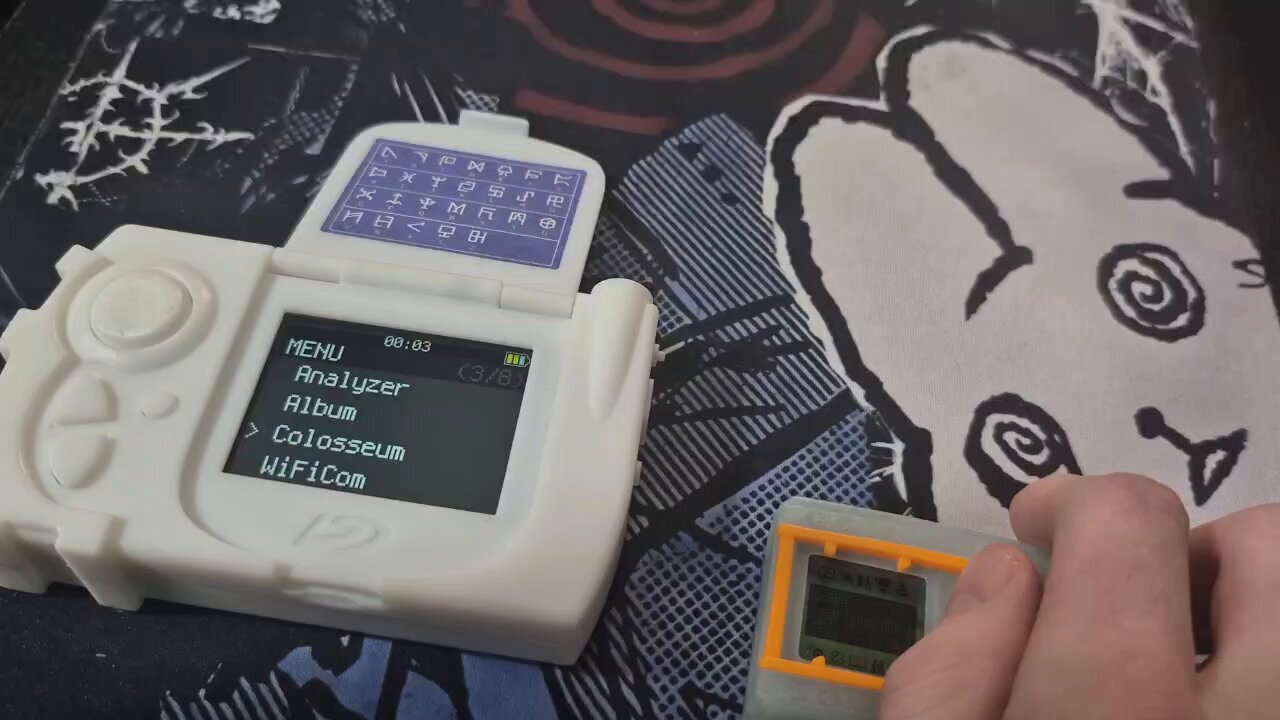
 rancid flume
half skiff
Happened to me now hahaha. I suck at this
rancid flume
half skiff
Happened to me now hahaha. I suck at this
If you bricked it. You can remove the back, hold the boot cell button and plug it into ur computer (then let go of the boot cell button) and it will pop up on your PCs as a drive. If it shows up a RP2350, you're device is fine.
half skiff
Yeah i just reflash
But i might be missing something

Why do this keep appearing
I already done the sd copying
rancid flume
From there you can start by flashing the drive with the nuke file, then drop in the "CIRCUITPY.." file on the CIRCUITPY
half skiff
And when i reboot, my sd card is missing
I had to turn off and on for it to appear again
rancid flume
rancid flume
From there you can start by flashing the drive with the nuke file, then drop in ...
I skipped at step also here one sec
Ok dont worry bout the card. Start from The top, you plug the device in after holding the boot cell and after u refresh it did u drop in the adafruit... file?
half skiff
rancid flume
Ok dont worry bout the card. Start from The top, you plug the device in after ho...
Done all bro
Unbricked it already
Now i'm trying to test colosseum but it isn't working
rancid flume
Ok so u can access the terminal at least? But u dont see Colosseum as an option?
Or when u click it it doesnt work
half skiff
rancid flume
Ok so u can access the terminal at least? But u dont see Colosseum as an option?
Can. The colosseum will appear. But it will have error. Once it reboots, the sd card goes missing. Seems like unable to read.
Have to off and on again
rancid flume
Oh man im really wanting to help cause I also had a rough time getting mine started at first..
half skiff
half skiff
rancid flume
Oh man im really wanting to help cause I also had a rough time getting mine star...
Ya this is a very painful thing to do
I was told ready out of the box. But the amount of thing to do to get this fix is insane
half skiff
half skiff
So after the reboot the sd went missing
But anyway that aside. I cant do colosseum at all
That error keep appearing
 rancid flume
Well the video does help, I'll do a little digging to see if I can figure it out, but im sure someone in here knows exactly how to help if I can't (just give them time to see ur msgs)
Ok one sec
half skiff
 shut galeBOT
SHINKA!
@half skiff has evolved into Baby II!
regal lintel
Try other card?
rancid flume
half skiff
End up as an error
Okay probably stupid question but your card is formatted to FAT32 . And what is the size of it?
half skiff
rancid flume
Okay probably stupid question but your card is formatted to FAT32 . And what is ...
Fat32 and 16gb
Specially hunted 1 just for this
Its a brand new microsd
half skiff
half skiff
But this shows lib pico terminal
shut galeBOT
@half skiff has leveled up! (1 ➜ 2)
 half skiff
Isnt this the circuitpy
This is not the microsd right?
This is the .py file problem?
rancid flume
I am no professional (I just set mine up this week) but it looks like the code is saying it cant find the "Lib" files on ur SD card.
Feel free to correct me if im wrong guys
half skiff
Man i would sit for 10 exam papers all over again than to do this HAHAHA
Ok let me try to reformat again
rancid flume
Wait. I mean have you checked hr SD card to see if the lib
file are in there?
rancid flume
I mean.. im not expert by any means, but i will say i had a similar issue, and I ended up taking the lib folder and putting in on my SD card as well. That fixed one of my issues
half skiff
rancid flume
I mean.. im not expert by any means, but i will say i had a similar issue, and I...
Oh from the circuitpython folder?
rancid flume
Yes
rancid flume
Well. That's why im hesitant to recommend it
Yes copy it. I have a copy on both my SD and the drive
Now I have one more thing to try if that doesnt fix it..
Just lmk 🤞
half skiff
rancid flume
Now I have one more thing to try if that doesnt fix it..
Give me the magic
rancid flume
Ok lemme double check how mine is set up
rancid flume
half skiff
Give me the magic
Ok, is it too much to ask for a picture of the files on ur sd card
half skiff
rancid flume
Yes copy it. I have a copy on both my SD and the drive
I tried. It doesnt work
 rancid flume
Aha
half skiff
Whats missing
half skiff
Lol weird. The instruction didnt even state this
rancid flume
Ik ik
half skiff
Where can i get it
half skiff
Hmm ok lemme see
half skiff
half skiff
Uh windoes unable to recognise device
This thing keep coming up in drive mode also
Oh wait. Do i copy from the circuitpy folder instead
rancid flume
From the folder yes
half skiff
Silly me
rancid flume
Not the devic
half skiff
Ok i thought to grab from the device
 rancid flume
rancid flume
rancid flume
I hope someone with much more knowledge can step in and help..
last dune
If youre using the new beta version dont forget to get the .mpy
#1382033368337612920 message
half skiff
last dune
If youre using the new beta version dont forget to get the .mpy
Im not using it
Should i be using it?
rancid flume
Im not
last dune
Alright, just was sayin that in case it was the problem
rancid flume
half skiff
Should i be using it?
Ill plug mine in and check the files on the CIRCUITPY to compare w your to see if anything is off

 shut galeBOT
@rancid flume has leveled up! (3 ➜ 4)
 rancid flume
If u want to look and compare, lmk if u notice anything @half skiff
half skiff
rancid flume
Exactly the same files bro
half skiff
Do microsd card format size allocation matters?
I use auto allocation
Nothing seems to work on this device
rancid flume
half skiff
Do microsd card format size allocation matters?
I use auto allocation
Yea, auto allocation should be fine.. for some reason it seems like its not reading ur SD card? Im not entirely sure tho, since u are able to see the Colosseum menu.
rancid flume
half skiff
Exactly the same files bro
If you try removing the code.py from the CIRCUITPY drive, so that is only on the SD card. I'm just trouble shooting here..
regal lintel
Try using other cards , some cards just don't work.
half skiff
regal lintel
Try using other cards , some cards just don't work.
Thats very interesting
Let me try other cards. 32gb 64gb is fine?
last dune
Youll want smaller ones than that
half skiff
I only have 1 more 16gb
Might go shopping for more 16gb card tomorrow
Its very difficult to find 16gb here
half skiff
Lol it is the sd card.
I tried sandisk 16gb transcend 16gb, samsung 16gb
All 3 UHS-1 didnt work.
Last microsd card kioxia 16gb works
sleek vapor
timid plaza
im just wighing my options cuz i have ali express coupons and stuff that make a ...
If we could get enough people to make it cost effective, I'd be willing to chip in. I already have a Pico Terminal, but I would like to get another PCBA to experiment with using other microcontrollers for the Pico Terminal with the same pin outs but more RAM in order to be able to add other features to the terminal such as games similar to the ones on the everywhere else but Japan version of the og D-terminal. However, I don't know what will fit in the shell as some will need foam between them and the PCB because some have hardware on both sides. I also don't want to use my main driver pico terminal to do the experimenting with 😅
 fallow kestrel
Just found out about this and really wanna make one! One question, where do I buy the sticker? 😅
Also, how do you attach the top and bottom? Metal rod?
rancid flume
fallow kestrel
Also, how do you attach the top and bottom? Metal rod?

Google Docs
Build Instructions YYYYMMDD → The newest date in that folder. First Build: 1. Prepare the required parts. Please refer to the document (Needed Parts). 2. Solder the circuit board and assemble the components. 3. Unzip SD_YYYYMMDD.zip and copy the files to a clean microSD card (FAT32 format). 4....
It explains a lot in here (:
rancid flume
I used my Pico terminal to simulate another DMX device to unlock the special area. I also was able to do the same for a DM20 for Jogress Evolution! Everyday I am learning more of what this Digimon Pico Terminal can really do!
fallow kestrel
I’m psyched for it. I’m starting the research now.
I’ve not done something like it before outside of simple repairs for game systems and computers so I’m hoping I can do it and not mess it up?
rancid flume
fallow kestrel
I’ve not done something like it before outside of simple repairs for game system...
I ordered a prebuilt, so I only had to flash the files on the board, and get a SD card for the games files.
It costs around $110-140 USD depending on the model, so if you think you can pull it off by making your own, thats a big saver.
fallow kestrel
I’m wondering how much, given you need a rechargeable battery, and lcd screen. I’mma try to find a tally. See if it’s worth lol.
rancid flume
does this "Upgrade Available" text referring to the new Beta update for the Digimon Analyzer? (health bars, and ability to battle Digimon from your Album) or is it something else entirely
 last dune
Wificoms site is unrelated to the analyzer portion
Theyre basically two seperate entities
rancid flume
ok i thought so
sleek vapor
Don't do the upgrade though. Basically, the Pico Terminal WiFicom is using its own version that's different from the "official" firmware. If you flash the updated version from the GitHub, it will crash your Pico Terminal and you'll have to transfer everything back over using Thonny to fix it. I already made that mistake once 😅
sleek vapor
rancid flume
I used my Pico terminal to simulate another DMX device to unlock the special are...
Yeah, it's great! I have a dcomm but having the ability to do it on a modern style D-terminal is awesome! The analyzer has also come in handy when raising some of the Digimon color crossover devices for me because some of them look very similar or I can't remember which is which because I don't follow all the media and used the analyzer to find out which one I currently had so I knew what raising requirements to look up on the Digitama Hatchery. I mean, I could do that on the Digitama Hatchery site, but it's not only easier but cooler to look it up using the analyzer function 🙂
rancid flume
sleek vapor
Don't do the upgrade though. Basically, the Pico Terminal WiFicom is using its o...
Good to know :0
lapis lily
@regal lintel This device is amazing, but I have a problem. I don't know what's wrong. Maybe I need extra image files on the SD card?
lapis lily
I also don't know how to enter my Wi-Fi password; it seems that's why it won't connect. And I'm trying to set up the watch, but I can't.
regal lintel
regal lintel
To use this beta version.
1. You have to remove the terminal.py and ui.py files ...
If you're using beta 20260512, please follow the steps here.
This usually happens when there isn't enough RAM available.
About Wi-Fi, you can download the secrets.json file from the Wificom website.
Also, it doesn't support 5 GHz Wi-Fi networks.
sleek vapor
subtle atlas
https://youtu.be/EiUBZELhiH8
<@764565094927302676> <@890401591981658184>
Actu...
Hey, sorry but I did find something that broke using this. I'm getting a "value error: need more than 5 values to unpack" error when trying to use the analyzer for any of the Digimon color and digivice color devices I've tried to use. I end up having to restart the Pico Terminal with the power slider button to fix it because hitting the reset button doesn't always let it boot after
 last dune
Ayo did you print the grip amd screen a second color
And are you gonna share the model
👁️ 👁️
sleek vapor
last dune
Ayo did you print the grip amd screen a second color
I 3D printed my own shell in PLA on a 3D printer I have at work. I'm allowed to use it for personal stuff so long as I supply the filament and don't interfere with regular business use of the printer. I actually printed it in 3 colors because the Digimon Link System Logo is in blue just like in the anime. The logo on the screen cover is also in blue. I also printed the buttons in red, so you could say four colors, but those are separate pieces. I wanted to be as anime accurate as possible while adding my own late 1990's/early 2000's flare with the translucent case. You can find the file on thingiverse. Just look up Digimon Pico Terminal. An AMS 3D printer can print in multiple colors if you can get access to one. My work has a Bambu Lab P1S that I printed this on 🙂

 sleek vapor
Yeah, thanks! It took EIGHT tries for the front shell to come out correctly without having a bad print or the screw holes being so brittle they broke the first time I put it together 😅
last dune
The joys of printing
sleek vapor
Right?! 😭
lapis lily
regal lintel
If you're using beta 20260512, please follow the steps here.
This usually happen...
But other Digimon from other V-Pets appear without a problem; I only have problems with Saiyu Warriors and Toho Braves. I've also tried Xros Wars 15th Edition, and it fails there too.
Perhaps files are missing?
 sleek vapor
 old spear
I have a question regarding the PTD
old spear
I have a question regarding the PTD
It does have the ability to use NFC. You can either get one with the NFC soldered to the board or with a cable and GPIO pins. To plug in the top of the device. I have one with NFC built in so I have fewer peripherals to carry around since I also have the Swanlink cable and the SD card extender for DIM cards
regal lintel
regal lintel
@lapis lily sd 20260321
lapis lily
regal lintel
<@363005114585186308> sd 20260321
Okay, that was it. I downloaded the latest version from the link here on discord. Do you have the link to that latest version?
regal lintel
lapis lily
But other Digimon from other V-Pets appear without a problem; I only have proble...
You have to update 20260325 beta for those features.
lapis lily
regal lintel
You have to update 20260325 beta for those features.
Is there a guide for updating from Windows? Where can I see which version I have? Maybe I already have that one. And where is it sd 20260321?
regal lintel
Version info is in wificom’s setting.


 regal lintel
<@363005114585186308> sd 20260321
regal lintel
regal lintel
<@363005114585186308> sd 20260321
You need to use the sd 20260321 beta.
lapis lily
The last version in the stable folder is
