#GeForce Game Ready Driver 595.71

1 messages · Page 1 of 1 (latest)

wary iron
#

Game Ready for Resident Evil Requiem

This new Game Ready Driver provides the best gaming experience for the latest new games supporting DLSS 4 technology including Resident Evil Requiem. In addition, there is Game Ready support for Marathon which features DLSS Super Resolution and NVIDIA Reflex.

Driver download
Laptop / Desktop

For both discussion and issue reporting purposes, include your model, CPU, and GPU in your post. Include overclocking/undervolting parameters if you do so. Example format:

**Model:** Legion Pro 5i 16IRX8
**CPU:** i9-13900HX
**GPU:** RTX 4070 (+210 core/+1000 mem)

Fixed Gaming Bugs

  • The Ascent: Intermittent black bar on top of screen on GeForce RTX 50 Series GPUs [5859818]
  • Total War: THREE KINGDOMS: Green artifacts appear on GeForce RTX 50 series [5745647]
  • FINAL FANTASY XII The Zodiac Age crashes with fatal error after driver update [5741199]
  • Call of Duty Modern Warfare (2019) displays image corruption after driver update [5733427]
  • Quantum Break: Performance drops significantly on Act 4 Part 1 [5607678]

Fixed General Bugs

  • 595.59: HW monitoring utilities not detecting all fans on the GPU [5934264]
  • 595.59: One or more fans not spinning on GPUs after driver update [5934333]
  • Blackmagic Design: AV1 decode crash with multiple obu in one packet [5671098]

Open Issues

  • No open issues to highlight in this release.

Confirmed Additional Issues
-# This section covers issues officially acknowledged by Nvidia that are not in the original driver release notes OR in the Reddit moderator's r/Nvidia driver post
TBD

Unconfirmed Additional Issues
-# This section contains issues not officially acknowledged by Nvidia but are reported across multiple forums
TBD

Please keep the discussion in the post only about this version or issues introduced in this version.

If you found an issue, please include detailed description of what is broken or doesn't work.

#

Do you need to DDU and update?
No.
However, if you you do DDU, you need to first install Lenovo drivers and then Nvidia driver of your choice.
Every subsequent update after doing this, you don't need to DDU.

Avoid installing GeForce Experience or Nvidia App and avoid clean installing to new driver. Nvidia App, just as GeForce Experience, is an app that can cause a whole range of issues such as stuttering, whisper mode being enabled on it's own, app being broken, options not being available,... You can swap it for **DLSS Swapper **, Nvidia Profile Inspector (global and per game profile tuning), OBS (recording/streaming/replay) and Reshade/Special K (filters, colors)

DDU guide - ⁠#1020437208806727732 message
Nvidia subreddit thread for the update: https://www.reddit.com/r/nvidia/comments/1ritsbd/game_ready_driver_59571_faqdiscussion/
Nvidia forums thread for the update: https://www.nvidia.com/en-us/geforce/forums/game-ready-drivers/13/583095/geforce-grd-59571-feedback-thread-released-3226/

In case of any bugs and issues related to Nvidia drivers, use
https://docs.google.com/forms/d/e/1FAIpQLSewHJk1xP-C5elLBRCDLTLpNQZ9eiefrdZmUGP9hMCN6gKssA/viewform?usp=send_form
https://www.nvidia.com/en-us/geforce/forums/support/

cobalt jewel
#

This time im gonna monitor the forums for a couple days before biting the bullet lol - so far the most reported issue seems to be some sort of enforced power limit but haven't been able to see any rhyme or reason on who'd be more affected (so far seems to be mostly for people with applied OCs, but even that doesn't seem to be consistent)

#

One post caught my eye about someone with a "lenovo legion ultra 9" (dunno why he specified cpu and not gpu) complaining about a "dark screen"

tough roost
#

Model: Legion Pro 7i 16IAX10H
CPU: u9-275HX
GPU: RTX 5090
After update drivers = Uncertified G-Sync Display Detected" "G-Sync Test Mode 🤣 risitascry KEKW

broken thorn
wary iron
tired scarab
mellow eagle
#

Tested for desktop 5090 and 5080: Driver locks voltage to under 1V beyond ~+190MHz core offset such that it locks clock speeds to under 3000 MHz no matter the load. Seems like Nvidia's attempt to fix the 12V2x6 connector issue (fyi it doesnt work since it is cable dependent)
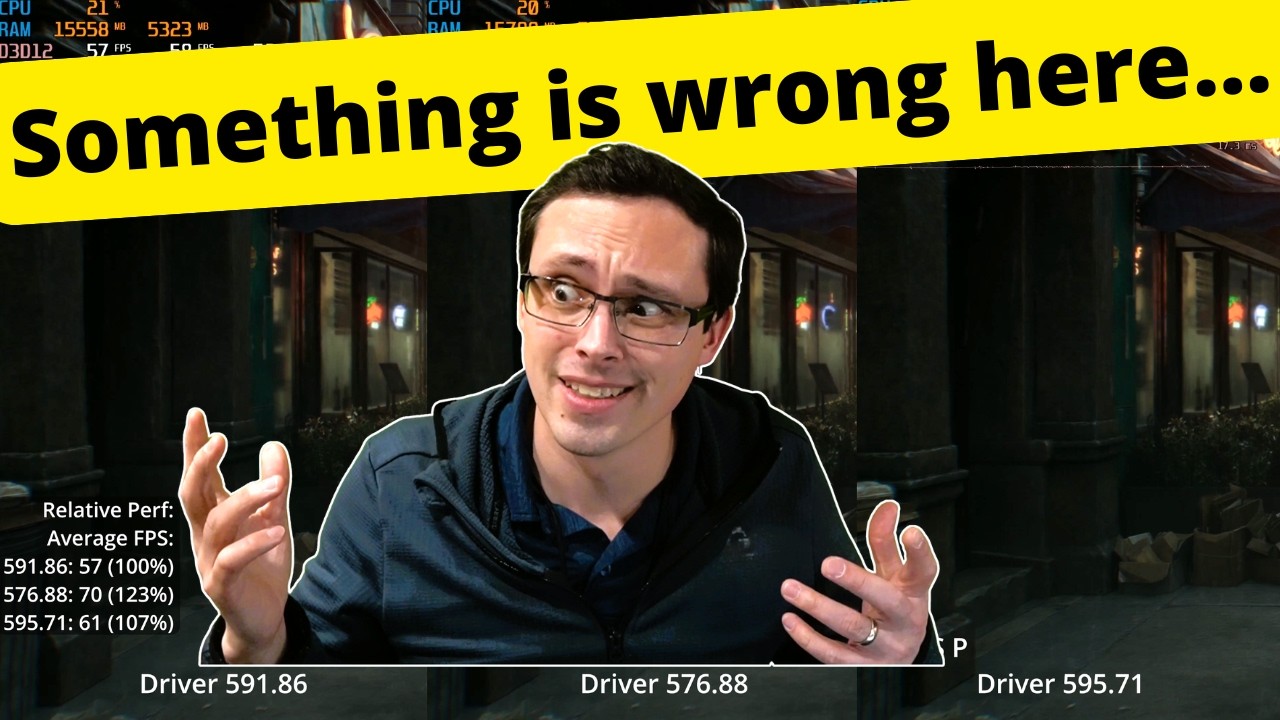
Reduced voltage results in dramatically reduced power draw. Not all aspects of games notice a recession in performance as shown in Daniel Owen's video tested on RE Requiem.
This may also be nvidia's attempt to gimp performance of the 50 series to perhaps launch a ti flagship.

Tldr: With the new driver increasing OC results in decrease of voltage draw. This is in line with my scar 18 Asus laptop so no doubt this may also affect laptop 50 series.
Stay away from 595.71 and 595.59. Use 591.86/581.80/576.88

long hazel
long hazel
#

Ohh Thank You

long hazel
#

Just get on the site for it than

wary iron
long hazel
#

Like skips

#

After 581.8

wary iron
#

because its a hotfix

#

not a regular driver

long hazel
#

I found it Thank You

south steppe
mellow eagle
south steppe
south steppe
#

Was getting less power and fps with older driver at the same spot

#

But it came out today that nvidia fixed the fps issues with an updated profile atleast for 50 series

south steppe
#

New hotfix driver out @wary iron

wary iron
#

GeForce Hotfix Display Driver version 595.76 is based on our latest Game Ready Driver 595.71.

This hotfix addresses the following:

  • When the graphics card is overclocked, GPU voltage may become capped, preventing it from boosting to expected levels [5934973]
  • [Resident Evil Requiem] White glowing light/dots may appear in game when Subsurface Scattering is enabled [5915673]
  • Improved path tracing performance in Resident Evil Requiem [5938207]
  • [Star Citizen] Game client crashes when launched [5935027]
  • Intermittent application crash or driver timeout may be observed when playing multi-key DRM content in a browser on HDCP 1.x monitors [5934450]

https://international.download.nvidia.com/Windows/595.76hf/595.76-desktop-notebook-win10-win11-64bit-international-dch.hf.exe

#
mellow eagle
# south steppe

your clocks are nowhere close to 3000MHz thats why they are the same as 581 drivers

mellow eagle
south steppe
upper anvil
south steppe
cobalt jewel
cobalt jewel
#

Ah well, installed and will report back any weirdness. So far Im not getting the gsync issue, and I can also confirm the Advanced Optimus (that was broken from version 591.xx until 595.xx) is working as intended

#

Oh, also I'm getting ~97 avg fps on the cyberpunk benchmark thing on balanced mode (full pathtracing, x2 framegen) while on previous drivers I was consistently on the lower 90-higher 80 range

#

Ah great, Im getting the black flashes on the external monitor. amazing lol

#

rebooted and so far hasn't happened again, but will keep an eye on it. Also tested if it was triggered by unplugging/replugging the hdmi cable and so far so good

south steppe
cobalt jewel
#

Tested it twice to make sure (after rebooting too, cause last time it did a little fakeout to me when I downgraded lol) and so far it seemed to work, that said you should try it to confirm it

#

I'm trying to see what is what caused my external monitor black screen disconnections; it felt like the typical issue when refresh rates mismatch but now I'm thinking it actually happened when I unplugged the hdmi cable to test the advanced optimus lag issue (because advanced optimus can not be enabled with an external monitor) and then plugged it again after going back to normal optimus

south steppe
south steppe
#

Optimus works but when it enters dgpu mode while gaming you get the red text saying g sync test mode

cobalt jewel
#

lol there you go, seeing people reporting that all over the place, I guess because advanced optimus kind of "simulates" having an extra screen it gets flagged as some weird non compliant g sync thing? Also read someone say something about it being related to some game bar setting but haven't looked much into it

fading trail
#

so is the new hotfix good?

#

i would be upgranding from 591.86

south steppe
fading trail
#

Thank you

haughty merlin
#

new hotfix good now?

south steppe
cobalt jewel
#

I always use either normal optimus or dgpu only mode so I don't really care but yeah, advanced optimus users have been getting the shaft for the last months

#

btw when you say you were not getting the g-sync text in dgpu, you mean on the "full" dgpu mode (the one you enable from LLT/Space, that requires a restart), or the nvidia control panel one (that is kind of like the advanced optimus dgpu mode)?

#

istg it gets so confusing that there's 2 different optimus modes and 2 different dgpu only modes lol

south steppe
undone berry
# south steppe If you use Advanced Optimus, then no, but if you are in dGPU-only mode, then yea...

Anyone experiencing degrades performance here?
Got a legion 5 with amd 350 and nvidia 5060 gpu. Read benchmarks for the same laptop gen 10 but with amd 260 and 5060 gpu. Benchmarks consistently show cyberpunk at an average fps of around 90 for these reviews, but mine only scores around 80 fps running the benchmark multiple times. Profile is in balanced mode. Newest nvidia driver, everything up to date, other apps closed.

Checking hwmonitor I can see that the max tdp the gpu draws is 104w. It's listed under Powers->GPU->104w while running the benchmark in cyberpunk. What's wrong here? Seems like it's not drawing the maximum tdp. It's rated at 115w 20w boost as far as I know

cobalt jewel
#

"Profile is in balanced mode"

#

Put it to performance mode

#

(or custom extreme mode if you're into that sort of thing)

#

Also, make sure you're on driver 595.76 (the hotfix one) and not 595.71

#

Or tbh just go to whatever the OEM Lenovo driver is for your model and stay there until stuff settles down cause these latest releases have been a disaster lol

undone berry
cobalt jewel
#

go to whatever driver Lenovo has for your model on the official page and use that as a baseline

#

and btw those cyberpunk benchmarks, you happen to know at what resolution/graphics settings are?

undone berry
#

It's at full hd

cobalt jewel
#

raytracing/pathtracing?

undone berry
#

No raytracing on. Just ultra preset

#

Like reading through reviews my laptop is basically underperforming by 10-20%. Considering it's drawing 104w and not the full 115w +20w boost theb that 10-20% gap makes sense I guess

cobalt jewel
#

makes sense, was gonna tell you I didn't even get those numbers on the 5090 legion 9 but I run on full path tracing and 1440p lol

#

all the drivers you're mentioning are 595.xx tho, who are notoriously shit

#

as I said, DDU and get the lenovo VGA driver and test with that

#

and use custom extreme mode for the benchmark if you wanna see if the laptop gets to the actual max perf possible I guess

undone berry
#

Has there been any confirmed reports here though of legion 5s having degraded fps performance with these newest drivers? I thought the newest drivers with performance degradation only effected desktop GPUs or GPUs that have OC's. Mine isn't overclocked in any way

cobalt jewel
#

I actually dropped like 5-6% on the cyberpunk benchmark itself with the 595.xx shit ones, but got that performance back with the hotfix one

undone berry
#

Yeah, but 10-20% gap can't be only the driver I guess then

cobalt jewel
#

that said I think you're stressing out by some nebulous numbers from reviews and a not very scientific benchmark

#

if you wanna check if something's really wrong with your laptop check the more "serious" benchmarks I guess

undone berry
#

Perhaps I should yeah. But the fact that my GPU is max drawing 104w when it's supposed to draw 115 +20w is kinda weird though

cobalt jewel
#

shot in the dark, but did you check on your nvidia control panel

undone berry
#

That extra w would make up for the fps difference basically

cobalt jewel
#

that one part about "prefer maximum performance" somewhere?

#

forgot the exact name of it

#

iirc "Power Management Mode" was the name of it. Defaults to "normal" or something like that, and you can switch it to "prefer maximum performance"

#

and of course im assuming youre in dGPU mode

undone berry
#

That made it a little better. Went from 86 to 88fps in the benchmark now. Although don't know if the reviews run in performance mode or balanced mode. Or its balanced then it's still weird

#

I see that the tdp went from 104 to 106w max drawn

cobalt jewel
#

have you tried the custom extreme mode at any point?

edgy pumice
#

do we discuss hotfixes here? NVIDIA released a hotfix 595.76

edgy pumice
#

oops, missed it sorry

nimble blade
#

.76 might be breaking dgpu disconnection

sullen prism
#

Do I need to install Lenovo gpu driver after doing DDU and then install the latest one?

haughty merlin
sullen prism
haughty merlin
#

has different tweaks and stuff for your laptop

#

and when u install the new latest nvidia driver on top of the lenovo's provided driver

#

it retains the tweaks

sullen prism
haughty merlin
sullen prism
#

And the link for hotfix same for laptop and desktop?

haughty merlin
#

but if you want it for nvidia game ready drivers download the hotfix

haughty merlin
sullen prism
#

Ahh okay thank you

haughty merlin
#

no problemo

tranquil marlin
#

Legion 5 17ACH6H
Ryzen 7 5800H
RTX 3070 (1845Mhz @850mV / +500 mem)

Vulkan games are unplayable with the hotfix driver and 595.71. Severe stutters, never seen anything this bad. Tested Rdr2 and Arknights Endfield.

tulip hatch
#

Legion Pro 5 16IRX8
13700HX
RTX4070

595.76
dgpu is not shutting down, it does say its powered down, but it isnt. The temp sensor on it is constantly reporting, power draw and temps are noticably higher when idling, restarting gpu / killing apps does not help

tulip hatch
haughty merlin
#

thanks

tulip hatch
#

shit no

#

i copied wrong

#

braindead after work one sec ill fix it

#

okay now its good

cobalt jewel
#

New driver out, 595.79... dare we enter its magical realm

haughty merlin
cobalt jewel
#

I love nvidia Charlie! I LOVE NVIDIAAAAA

#

Gonna be checking the nvidia forums for a while see if there's some new and exciting features for that one

haughty merlin
#

download day 1 trust

cobalt jewel
#

tbh for that gif to be accurate to the nvidia driver experience there should be 5 bullets in the chamber

haughty merlin
#

if u love nvidia that is

wary iron
#

gimme a moment, new thread will be up