Model: Lenovo legion 5 pro gen 7 2022 16ARH7H
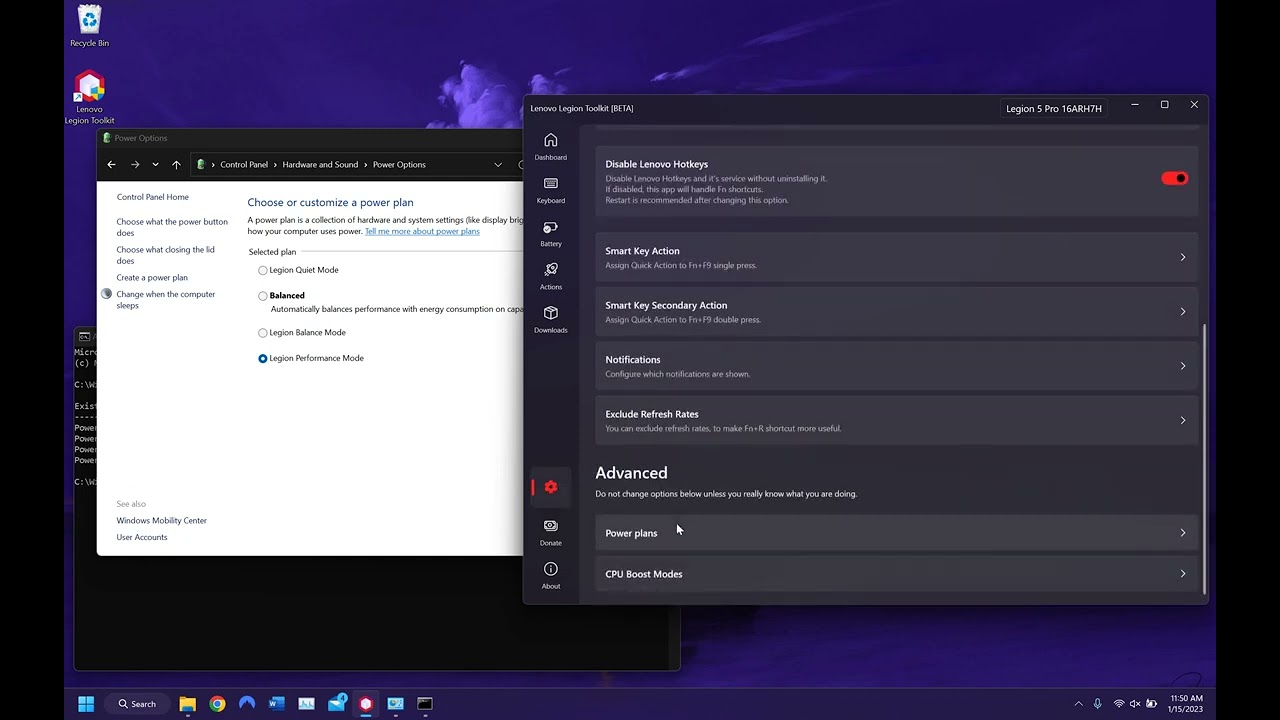
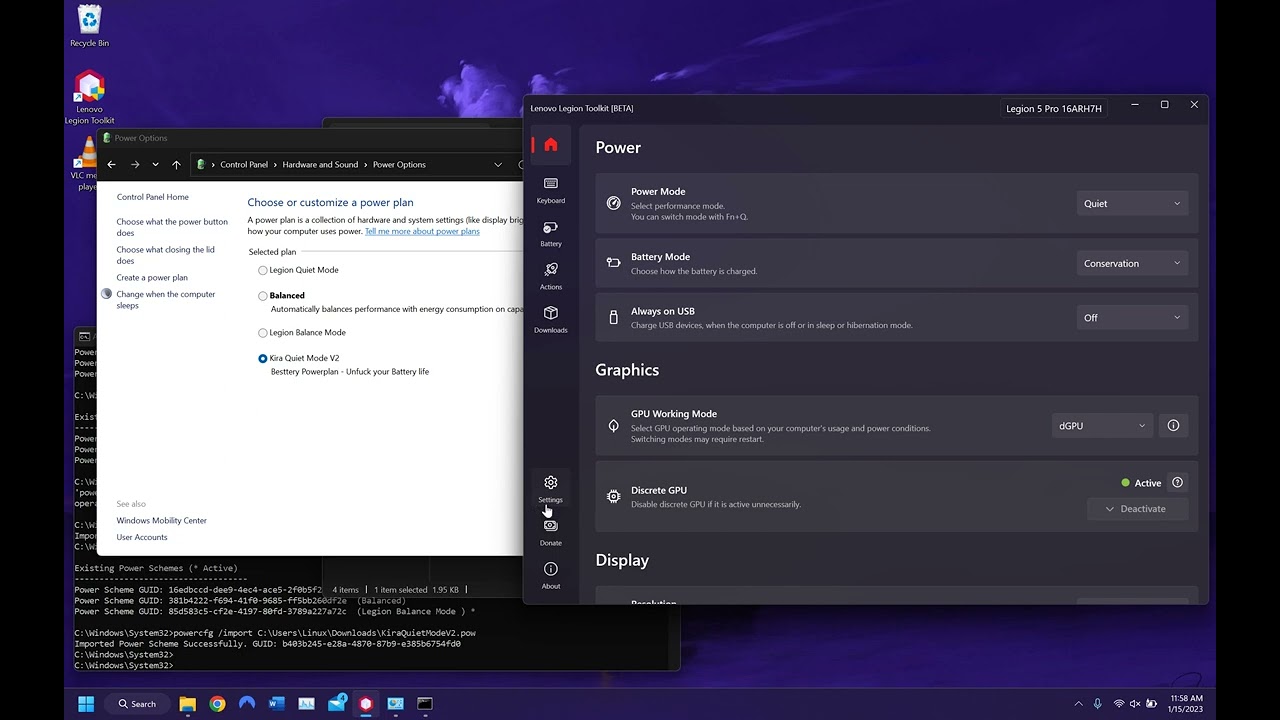
Describe the issue: After installing the legion 2022 power plans from #1020285176531669012 the performance power plan does not show up within the power plan options within control center, however with vantage installed and vantage service enabled when switching to performance mode the performance mode plan shows up however disappears again which is the expected behavior and everything works fine with vantage however the issue arises when vantage is either disabled or completely uninstalled even after a restart where if ltt is used instead the plan will stop appearing entirely and cannot be seen or switched to within ltt even manually installing it using powercfg /import doesnt get it to show up and when using fn + q it simply just stays on the power plan it was on previously but never switches to the performance mode plan, all of this is done plugged in and ive tried on a completely clean windows 11 and the lenovo provided windows 11 and got the same results, the led turns red and the fans get louder but im mainly concerned about why the perofrmance mode power plan simply stops exiting once the vantage service is no longer in use but works perfectly fine with it, the only solution ive found is to simply use vantage and not ltt for the time being, ive also installed another power plan to show that other power plans can be installed, show up and be set for use by ltt its just that the performance mode specifiaclly doesnt the others do
What have you tried already?: shown in recorded videos
When did it start producing the issue: Whenever vantage is installed or whenever the vantage service is disabled
Did you install new drivers or software?no
Can you provide images/videos to show us the issue: As requested ive divided the issue and what ive tried to fix it inot two seperate parts as unlisted youtube videos
https://www.youtube.com/watch?v=54HVxgFkSX8 (Issue)
https://www.youtube.com/watch?v=fMBM_s47-XY (What has been done)
#Performance Mode Issues on gen 7 l5p
66 messages · Page 1 of 1 (latest)
 desert hound
As said before, power plan does not relate to power mode. They can work independently.
For LLT if you still cannot get it to switch automatically, go to settings, scroll to the bottom and manually pair power modes with power plans
 nova perch
already tried it same effect, also happens on clean install of win 10 and using the beta or stable version of ltt also leads to same thing, same behavior is shown if the 2021 performance mode plan is manually installed using powercfg /import
 stone path
This is a non-issue, I've compared the balanced and performance modes using a program and they were literally identical except 1 setting which doesn't make any difference whatsoever.
Just use balanced it's fine all the important stuff is done regardless of what power plan you're using
desert hound
stone path
This is a non-issue, I've compared the balanced and performance modes using a pr...
Agree
stone path
You can try this if you still want separate plans (to disabling cpu boost in balanced maybe), still need to set the performance mode to performance plan manually in LTT though.
nova perch
 odd pumice
<@1002819593137565776> try deleting the power plans
odd pumice
<@1002819593137565776> try deleting the power plans
im assuming you mean something like powercfg –restoredefaultschemes, which ive already tried and its not like I can delete the high performance mode plan as it simply does not show up so there nothing to delete but I have tried the powercfg –restoredefaultschemes and bith used the setup.cmd and manual installation with powercfg /import, same result
odd pumice
you should be able to delete it
open two power plan options windows
select the Performance plan
switch to another plan from the 2nd window
nova perch
stone path
This is a non-issue, I've compared the balanced and performance modes using a pr...
yes im aware, it just bothers me not knowing why something is not functioning correctly without a reason but ultimately it is a non issue and I do use the balanced mode primarily but it would be nice to have the option to disable switching to performance so I can just directly switch between quiet and balanced like when unplugged but im certain that cannot be done
odd pumice
then refresh the Performance options page
nova perch
odd pumice
then refresh the Performance options page
I aplogize if im misunderstanding you however the issue is that I know its installed as ive installed it multiple times it just that the power plan stops existing once vantage is disabled and only the other two power plans appear no matter how much deletion or reinstallation is done as shown.
 odd pumice
nova perch
I aplogize if im misunderstanding you however the issue is that I know its insta...
odd pumice
nova perch
I aplogize if im misunderstanding you however the issue is that I know its insta...
i've had this happen before
try deleting the performance plan when it shows up
nova perch
Should I do so with or without ltt installed? As it only appears with vanatge and its service running
odd pumice
doesn't matter
as long as the plan appears
but i'd suggest disabling vantage if you use LLT
to avoid other weird behavior like this
after you've fixed the issue
nova perch
I usually do have it uninstalled in the videos and images provided it’s uninstalled, Should I also have the disable vantage service and disable fn key options disabled for the time being so I can properly uninstall it but turn it back on afterwards and just for the clarification the steps I should take are
- Install vanatge + service with ltt installed
- Switch to performance mode and and open two windows of power plan options where performance mode should show up in one select the change power plan options for performance mode and in the other manually select another plan
- Then refresh the performance mode window and the option to delete the plan should appear and then delete the plan
- After the plan is deleted im assuming I would either run the setup.cmd again or manually install just the performance mode plan using powercfg
- Then I would uninstall vantage and its service within add or remove programs without messing with anything within ltt and then restart
- and then I would assume the issue would be solved and the plan should appear again
stone path
nova perch
I usually do have it uninstalled in the videos and images provided it’s uninstal...
Just delete all the plans and try the zip ive sent
nova perch
odd pumice
after you've fixed the issue
alright ive succesfully tried the solution you suggested and ive now got everything working as intended and no longer experience the issue, tysm although I did use the power plan from #1020285176531669012
nova perch
stone path
Just delete all the plans and try the zip ive sent
Everything is working now, but is there a difference between the plans you sent in a zip vs the ones in #1020285176531669012 or are they practically the same?
 thick elk
You probably have modern standby enabled which means that performance plan is not going to work correctly.
Unless you import them properly
nova perch
thick elk
You probably have modern standby enabled which means that performance plan is no...
I followed the "disable connectivity in modernstandby" guide in #1020285176531669012 but im not sure if that is related or if there anything I can do about it
nova perch
thick elk
Unless you import them properly
Do you mean through cmd or something similar to that?
stone path
nova perch
Everything is working now, but is there a difference between the plans you sent ...
the performance plan is fixed
but you have to use LTT so that it applies in performance mode
 winged bison
stone path
Just use balanced it's fine all the important stuff is done regardless of what p...
winged bison
stone path
Just use balanced it's fine all the important stuff is done regardless of what p...
Dissagree. Performance mode unlocks TGP
odd pumice
winged bison
Dissagree. Performance mode unlocks TGP
unlocks? wdym
i have max tgp on balanced
winged bison
Standard behavior is that GPU power is higher on Performance mode
I think for 3060 its around 120watt on balanced and 120-140 on performance
You must have changed something then
winged bison
Ah alright
winged bison
odd pumice
i have max tgp on balanced
Still this doesnt make sense to me
winged bison
No i mean the balance mode
odd pumice
yes, balanced mode (white power led) has limited power
winged bison
Why would you have Performance mode on and have balance power plan selected lol
odd pumice
because that comes with windows
and all the other plans are installed additionally by the user
or they probably come with the lenovo image