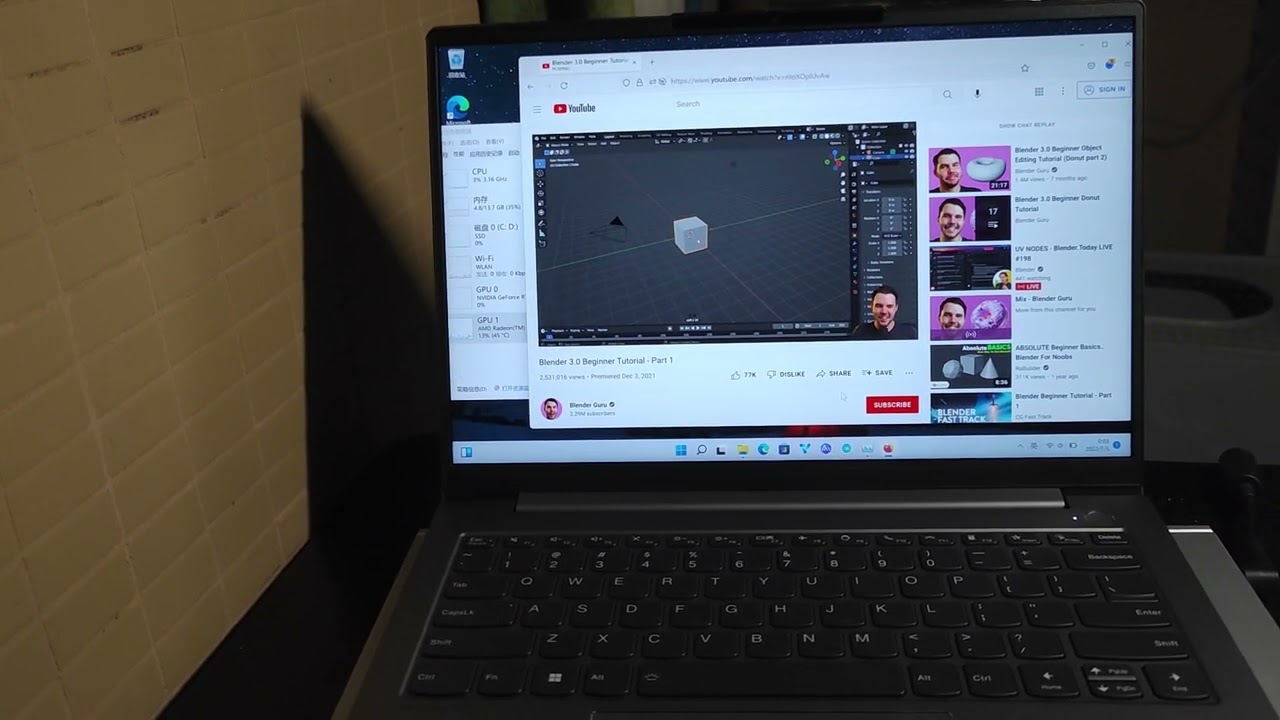
#6800H Crashing on Videos
191 messages · Page 1 of 1 (latest)
 hazy otter
 wooden pilot
Looks like you need to turn off hardware acceleration for the browser.
 marsh galleon
DDU and install the latest AMD driver, the optional one
hazy otter
wooden pilot
Looks like you need to turn off hardware acceleration for the browser.
I don't think that's considered a solution.
hazy otter
marsh galleon
DDU and install the latest AMD driver, the optional one
The optional? Okay gonna try it
wooden pilot
It’s a busted amd driver. So it’s a work around. I can’t fix your amd driver. Only amd can do that.
marsh galleon
I believe the whatever.10.1 did fix this issue for RDNA 2 gpu
Though also this seems to only happens with firefox and vlc so you can change to a chromiun based browser as another option
hazy otter
marsh galleon
Though also this seems to only happens with firefox and vlc so you can change to...
I'm already using chrome and having the same issue
hazy otter
marsh galleon
I believe the whatever.10.1 did fix this issue for RDNA 2 gpu
DDUed and installed this but no use
marsh galleon
No idea…
wooden pilot
wooden pilot
Looks like you need to turn off hardware acceleration for the browser.
So try this. See if it works.
marsh galleon
wooden pilot
So try this. See if it works.
The point is hardware acceleration should work…
Try enhance-h264ify and block av1 and vp9
wooden pilot
Ya I know. It’s a work around until amd fixes their driver.
marsh galleon
The odd thing is this is the first case for the 680M hmm
hazy otter
wooden pilot
So try this. See if it works.
Yeah disabling acceleration and also using dGPU only works
So It's clear that there's an issue with the iGPU I guess
But I don't want to keep HW acceleration off since consumes much higher battery
marsh galleon
hazy otter
But I don't want to keep HW acceleration off since consumes much higher battery
Try enhance-h264ify and disable vp9 and av1?
hazy otter
Also @indigo mica has the same exact laptop as mine and doesn't have the issue
hazy otter
marsh galleon
Try enhance-h264ify and disable vp9 and av1?
Aight
marsh galleon
If you still have problem, contact lenovo
hazy otter

reddit
12 votes and 54 comments so far on Reddit
Check this thread, he's having the same issue
hazy otter
marsh galleon
Try enhance-h264ify and disable vp9 and av1?
Should I block vp8?
marsh galleon
yeah
marsh galleon
hazy otter
Should I block vp8?
youtube don't really use VP8 no more
hazy otter
ah aight
hazy otter
marsh galleon
youtube don't really use VP8 no more
I'm also having another issue with the touchpad
Are there any drivers to update for that?
I can't seem to find it on lenovo's website
marsh galleon
hazy otter
I can't seem to find it on lenovo's website
It use windows precision driver
so no driver to download
hmm
what problem then?
 indigo mica
Does your laptop crash when playing any video whatsoever
hazy otter
marsh galleon
what problem then?
It just randomly becomes very inaccurate for like 5 seconds every once in a while
hazy otter
indigo mica
Does your laptop crash when playing any video whatsoever
Yeah, any video on youtube
Or VLC
That's what I have tested
marsh galleon
hazy otter
It just randomly becomes very inaccurate for like 5 seconds every once in a whil...
I suggest at this point call lenovo and ask for another machine?
hazy otter
marsh galleon
Try enhance-h264ify and disable vp9 and av1?
Happened with those disabled
hazy otter
marsh galleon
I suggest at this point call lenovo and ask for another machine?
Wish I could, I'm in an unsupported country for warranty claims
Should I try a fresh windows install?
marsh galleon
hazy otter
Should I try a fresh windows install?
Yes
indigo mica
hazy otter
Yeah, any video on youtube
Yeah that sounds very strange
Would have noticed right away if I had this issue
I hope you can get your's resolved 👍
indigo mica
oem from lenovo website
hazy otter
You haven't updated it?
 indigo mica
Nah I meant like you mean AMD's own drivers
since you have the update button you're using adrenalin
idk in my experience amd adrenalin breaks dolby vision and stuff so I use oem
hazy otter
indigo mica
since you have the update button you're using adrenalin
Yeah thats what the other guy recommended for me to install
But yeah lenovo's oem does the same thing to me
indigo mica
how old is your laptop?
hazy otter
literally a week old
indigo mica
return period?
hazy otter
none
indigo mica
oof
I would try a clean install of windows and if that doesn't fix it back to warranty it goes
hazy otter
in an unsupported country for warranty claims so im fucked
hazy otter
indigo mica
I would try a clean install of windows and if that doesn't fix it back to warran...
gonna try a clean install yeah but cant rn since i have exams
hazy otter
indigo mica
but to be clear we are talking about any video whatsoever
yeah
any on yt
but no crashes with acceleration off
indigo mica
which bios are you on?
hazy otter
indigo mica
which bios are you on?
I tried your bios version but no difference
indigo mica
I didn't buy mine with an os
hazy otter
oh
indigo mica
I'm using win 11 education 💀
hazy otter
lol what
indigo mica
it's free
hazy otter
man i wish i had an intel
hazy otter
but im not gonna pay $500 more just for intel lmao
plus battery life on the 6800h is magical tbh
indigo mica
maybe a strange question but does your igpu also not hide in dgpu mode
hazy otter
the 12700h is getting like 4 hrs max lmao
indigo mica
yeh
hazy otter
indigo mica
maybe a strange question but does your igpu also not hide in dgpu mode
yep, same thing
saw your thread
indigo mica
ah ok
hazy otter
same exact thing
indigo mica
but I hope you get your issue fixed my man
hazy otter
the igpu was idling on like 30W
indigo mica
I'm also having a strange issue rn guess it's just gen 7 bs
hazy otter
that was like too much for idling like wtf
hazy otter
so i figured that disabling the igpu though device manager would force it to draw no power
indigo mica
If the screen is connected to the gpu you're good
indigo mica
hazy otter
so i figured that disabling the igpu though device manager would force it to dra...
unfortunately it doesn't work that way lol
indigo mica
how is your screen bleed btw
hazy otter
which is just stupid
hazy otter
indigo mica
how is your screen bleed btw
a little bit on the bottom right
indigo mica
dam mine is kinda bad
hazy otter
indigo mica
we also don't get AO
yeah i kinda bought it just for AO
hazy otter
huh
indigo mica
windows downgraded my gpu or something 🗿
hazy otter
what benchmark are you using
indigo mica
time spy
hazy otter
@indigo mica What's your amd driver version

Could you check from device manager
also your nvidia's?
indigo mica
hazy otter
also your nvidia's?
522.25
indigo mica
 hazy otter
indigo mica
hazy otter
indigo mica
could you please check in device manager
indigo mica
I installed the newest adrenalin drivers
hazy otter
marsh galleon
Try enhance-h264ify and disable vp9 and av1?
It doesn't crash with VP9, so I guess the issue is with AV1/h264

Are there any log files I can view for those crashes to know the exact issue
marsh galleon
hazy otter
Are there any log files I can view for those crashes to know the exact issue
I’m not so sure
hazy otter
Nevermind it still crashes with vp9
I've made a fresh install
And literally tried all possible drivers from AMD and BIOS versions from Lenovo#
And still have this issue
marsh galleon

 dawn ridge
Brand new 2022 Legion 5 Pro (AMD 6800H/Nvidia 3060) and i have the same problem. Tried everything (driver related) and the issue remains. The only fix for me is to use dGPU only :/. I get some more noise from the fans and overall more energy consumption...any idea? Return the Notebook, wait for a more stable AMD driver for the iGPU on this hardware accelerated software issues?
dawn ridge
PS: I've just found this solution, tomorow will test this : https://www.reddit.com/r/Amd/comments/yvyqc7/disabling_multiplane_overlay_mpo_fixed_all/
reddit
512 votes and 177 comments so far on Reddit
dawn ridge
Well...the issue remains :/ does other people with this CPU/Notebook have the same problem? or is it a faulty unit? (Legion 5 Pro AD 6800H with Nvidia 3060)
dawn ridge
Right now i forced openGL in Chrome and have not faced a crash. Will try also openGL in VLC.Fingers crossed!!
 high peak
having the exact same problem on legion 5 gen 7 ryzen 6800h 3060 helpp.. I need to use this laptop on battery to show off.
dawn ridge
I changed in chrome://flags in the ANGLE option: openGL it works without crashes.
high peak
Still having the same issue after turning on openGL in edge in the choose ANGLE graphics backend. But atleast this time it doesn't turn the screen completely off forever, now it comes back to life again after the black screen bug. Let me know if you have another way to fix this.
dawn ridge
In Chrome with openGL i dont have the error, at least so far. I want to test also in VLC ASAP.
dawn ridge
In VLC it only works ok with the option: openGL for windows, but i'm still testing if it's crash free...
dawn ridge
Right now i'm testing this Fix, Chrome and VLC with standart options (no ANGLE changes) and i'm having no crashes/black screen's so far! Hope that it stays like this
 dawn ridge
Update: It still happens :/ Less, but still not gone. hope AMD fixes this...
 dawn wraith
any updates guys??
I really need my laptop to work on battery
i tired rolling back amd's driver version through device manager and uninstalled adrenalin
only worked for the first 24 hours and then it happens again
dawn ridge
For now i'm using dGPU for a crash free experience. You can try to use in OpenGL in CHROME and OpenGL for Windows in VLC player if you want to use the iGPU 😉
dawn wraith
but you get far less battery life using the dGPU are you really comfortable with that😃 ?? Also i already tired literally everything that i can, none worked even the using OpenGL.
the only thing that's close to be working is turning off hardware acceleration off but my battery discharge rate would pull 20,00w everytime i watch a video which is insane!!! even worse than using an intel
wait nvm actually using hardware acceleration also crashes the graphics i just remembered
dawn ridge
So far using the Nvidia GPU with crashfree experience is more important than battery life for my usage. Hoping that a Bios or Driver Update fixes the issue.
hazy otter
Sorry guys, I got no notifications for this issue
My fix was disabling acceleration for videos in chrome://flags
 hazy otter
dawn ridge
For now i'm using dGPU for a crash free experience. You can try to use in OpenGL...
hazy otter
dawn ridge
For now i'm using dGPU for a crash free experience. You can try to use in OpenGL...
I'm going to test the OpenGL fix you're recommending and report back
Also, it's working for VLC when I completely disable hw acceleration so there's that
I kinda hate using VLC so it works the same way in using MPC-HC and disabling the acceleration also