
#my repo dosnt show up when i connect to GitHub
1 messages · Page 1 of 1 (latest)
 dense shell
 tranquil cave
It’s giving me this error
/Desktop/Vitereactsupabase/apps/vite-admin/server/package.json
npm ERR! errno -2
npm ERR! enoent ENOENT: no such file or directory, open '/Users/MYCOMPUTER/Desktop/Vitereactsupabase/apps/vite-admin/server/package.json'
There is no “postinstall”, it dosnt show up as a command….. there’s no server file
I might not use this service at all
dense shell
It doesn't look like you're using amplication. It looks like you're using vite.
Also I need a screenshot to see your configuration
And supabase?
Am I missing something here?
tranquil cave
I created my project, and it pulled the project that was made, “added” it to my project. I added my project from GitHub, it synced it, then I updated (pulled) it. I created the service “Vite” and “Vite-Admin”… that’s what was pulled.


This is where I added the run scripts, I added it to both the new projects it made


 wide acornBOT
GG @tranquil cave, you just advanced to level 2!
tranquil cave
Those are in the “apps” folder
dense shell
Ok, so you got the GitHub sync to work?
If so that's good.
Ok, I see a few things that confuse me. 1) why are your dependencies npm scripts, 2) where is this package.json located in relation to the repo? What directory?
tranquil cave
So, I added the project on the site, then when I went through the steps to creating the device, it added it not in my main project, but outside it. Is that right? Or should it be inside the main project file?
As in…. Should “apps” folder, be within my actual project?
There is no “services” folder
dense shell
This package.json looks really wonky.
tranquil cave
I added the scripts it says to add
dense shell
Let me think for a wec
tranquil cave
I added that to my dependency, BUT, “postinstall” dosnt show up as a command… because the file “services”, isn’t there

 dense shell
I don't think so. The scripts you add are supposed to be added to the package.json you create in the top level directory
tranquil cave
dense shell
I don't think so. The scripts you add are supposed to be added to the package.js...
Ok, so I add those to my main project package.json???
dense shell
I'm not sure what you mean by main project but, at the top level directory create a package.json with the following
{
  "scripts": {
    "start": "npm-run-all -p start:frontend start:backend",
    "start:frontend": "cross-env PORT=5000 npm --prefix my-react-app start",
    "start:admin": "npm --prefix apps/vite-admin start",
    "start:backend": "npm --prefix apps/vite start",
    "postinstall": "npm i --prefix web && npm i --prefix apps/vite-admin && npm i --prefix apps/vite"
  },
  "devDependencies": {
    "cross-env": "^7.0.3",
    "npm-run-all": "^4.1.5"
  }
}
GG @dense shell, you just advanced to level 14!
dense shell
Your naming is a bit off from the tutorial (app structure has changed so the tutorial will have to be updated, I'll do that this week)
Just review that package.json and make sure the directory names make sense
tranquil cave
The apps/my-react-app… picture is first, then the Vite/Vite-admin is second.


The apps is outside of my main project folder
dense shell
Put the package.json in the same folder as the license
And undo the changes you made to the package.json you sent me a screenshot of
tranquil cave
So move the apps folder into the actual project folder?
I’m following the tutorial to add to an existing project:
https://docs.amplication.com/tutorials/react-todos/step-002/#step-2---create-an-entity
Table of Contents
tranquil cave
dense shell
And undo the changes you made to the package.json you sent me a screenshot of
What do I change tho?
dense shell
It looks like the apps folder is already inside of the project folder
tranquil cave
dense shell
It looks like the apps folder is already inside of the project folder
Actually, the real project is “my-react-app”
dense shell
What's inside of my-react-app, is it just your front end?
tranquil cave
dense shell
What's inside of my-react-app, is it just your front end?
Yes
dense shell
Then create the package.json, with the content I shared with you, inside of the folder with the myreactapp and apps
Then, undo any changes you made to the package.jsom you showed me in the screenshot
tranquil cave
It says “missing script start”
dense shell
Screenshots please
tranquil cave

Thank you for your help
So the “MAIN FOLDER” is Vitereactsupabase, then the true project is “my-react-app”, then the new folders were created outise if the main folder
dense shell
Rename web in the post install script to my-react-app
Since your folder names are different your --prefix values need to be updated to accommodate that
As a TIL moment, the prefix arg let's you target npm commands in different folders. Figured you might want to know how it works the way it does
So that post install script attempts to run a npm install for the front end app, the backend app, and the admin UI
The idea is when you npm install in the top level itll apply everywhere
Also more, your backend is in apps/vite, not server
So when going through the tutorial make sure you're making the changes to apps/vite instead
tranquil cave
Ok, thank you. So how do I start it now?
dense shell
Also on Mac you can command + shift + 3 to screenshot
Where did you leave off on the docs?
tranquil cave
When it said to start it, but it errored
wide acornBOT
GG @tranquil cave, you just advanced to level 3!
tranquil cave
Im running “npm my-react-app run start”
dense shell
Kill that command and run npm start
Also, does that mean you completed this step
 tranquil cave
dense shell
Kill that command and run `npm start`
Also, does that mean you completed this s...
tranquil cave
dense shell
Kill that command and run `npm start`
Also, does that mean you completed this s...
Isn’t that already created??? My computer dosnt handle Docker well
Also…. There is no “server” folder
dense shell
Remember, your folder structure is different. Whenever you see server replace that with apps/vite
Also you'll need docker or to run a database natively otherwise Amplication won't have a db to connect to
tranquil cave
Hold on… yes, I have a Supabase DB running
tranquil cave
dense shell
We don't work with supabase...
Supabase is postgres
Do I change the apps folder to server?
dense shell
Don't rename it
tranquil cave
What’s causeing the error?
dense shell
I mean, I don't know which error you're referring to
It looks like you're about to be able to run it but we now need to configure your database
tranquil cave
I’ll run “npm run start” and post it
dense shell
Kk
tranquil cave
npm ERR! Missing script: "start"
npm ERR!
npm ERR! Did you mean one of these?
npm ERR!     npm star # Mark your favorite packages
npm ERR!     npm stars # View packages marked as favorites
npm ERR!
npm ERR! To see a list of scripts, run:
npm ERR!   npm run

npm ERR! A complete log of this run can be found in:
npm ERR!     /Users/mymac /.npm/_logs/2023-05-12T17_20_30_548Z-debug-0.log
ERROR: "start:frontend" exited with 1.
My Mac@myMac16Vitereactsupabase %
Show me the content of my-react-app and it's package.json
tranquil cave
{
  "name": "my-react-app",
  "private": true,
  "version": "0.0.0",
  "type": "module",
  "scripts": {
    "dev": "vite",
    "build": "tsc && vite build",
    "preview": "vite preview"
  },
  "dependencies": {
    "@prisma/client": "^4.12.0",
    "@stitches/react": "^1.2.8",
    "@supabase/supabase-js": "^2.13.0",
    "dotenv": "^16.0.3",
    "react": "^18.2.0",
    "react-dom": "^18.2.0"
  },
  "devDependencies": {
    "@types/react": "^18.0.28",
    "@types/react-dom": "^18.0.11",
    "@vitejs/plugin-react": "^3.1.0",
    "typescript": "^4.9.3",
    "vite": "^4.2.0"
  }
}
You're not using myreactapp you used vite, so the start:frontend command from start to dev at the end
tranquil cave
How do I do that?
dense shell
You should be able to update a npm script in a package.json
tranquil cave
In the my-react-app
dense shell
No, in the top level
Also you're not using myreactapp app you're using vite, this tutorial isn't made for vite and you're likely to deal with other issues
I can't help every step when you're not using the tools of the tutorial
tranquil cave
Can I use it with Nextjs???
dense shell
Finally, for connecting to your supabase/postgres, in the file apps/vite/.env update the fields DB_USERNAME DB_PASSWORD DB_PORT and DB_URL to the values of your supabase provided database
Then in that same folder be sure to run npm run prisma:generate and npm run db:init before running init
You can do whatever you want, but the tutorial is made for create-react-app
I don't have the expertise or bandwidth to walk you through another tool/framework on the fly
tranquil cave
I have react installed
dense shell
React isn't create-react-app
tranquil cave
Ok, thank you. Can this work with Nextjs?
dense shell
Amplication is just a backend. It's an API server. You can connect whatever front end you want to it. But the tutorials we have will not guide you on how to do that with nextjs
tranquil cave
Ok, thank you. It definitely dosnt work with Vite?
dense shell
It can work with any library
Amplication is a tool to generate Backends. We generate standard API and GraphQL APIs that anyone can use.
It's up to developers to connect to them with whatever front end tool they choose to use.
We created our website with next and connect to a backend generated with Amplication
See (nextjs)
https://github.com/amplication/blog
And (Amplication)

GitHub
Contribute to amplication/blog development by creating an account on GitHub.
GitHub
Contribute to amplication/blog-server development by creating an account on GitHub.
tranquil cave
thank you. So should the folders that Amplication makes, is that inside of my main project folder?
tranquil cave
dense shell
It can work with any library
Amplication is a tool to generate Backends. We gen...
Neither of those has the “server” folder, where is it?
tranquil cave
Can i use Amplication with Refine? https://refine.dev/docs/tutorial/getting-started/mui/create-project/
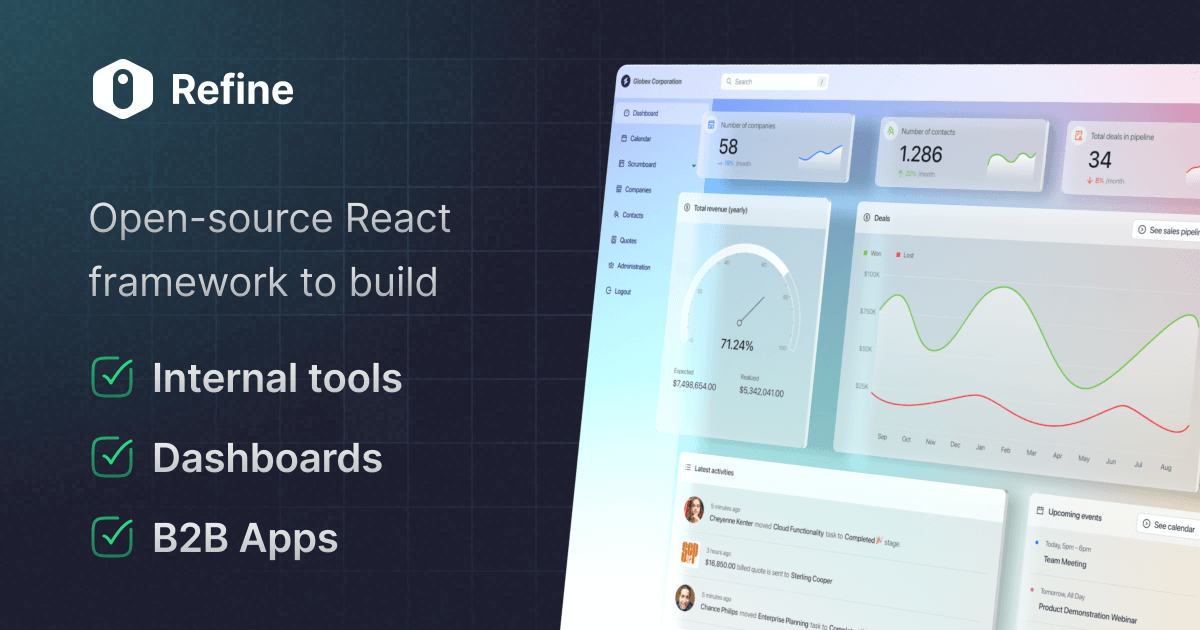
Launch the refine CLI setup
tranquil cave
So, i went to React, and IoT says to use Nextjs, they don’t have a vanilla React command anymore.
Right way of saying it….. I don’t want a TO-DO app, i want a normal project that will add the functionality of Amplication, THEN use it as a CMS with my data i already have. Why make people create a completely diffrent project?
wide acornBOT
GG @tranquil cave, you just advanced to level 4!
