I was trying to contribute to Piyush Garg’s open-source repo after watching his open source tutorial lecture. It’s his portfolio website, and I followed the steps — forked the repo, cloned it, switched the branch, and ran npm run dev. But for some reason, I’m not seeing the latest version of the website (the one linked in the GitHub repo and for which issues are raised). Any idea why?
I checked whether the website linked in the github repository is different from the one hosted in the GitHub repository. Initially, I thought they might be separate websites. However, after reviewing the issues section in the repository, I noticed that users have reported issues related to the same website that’s in the repository.
One more question:
Every time I run npm install on a project, I get a long error with the code ERESOLVE. I asked ChatGPT, and it said it's due to a hard dependency conflict that even the latest npm can't resolve automatically. The suggested fix was to use:
npm install --legacy-peer-deps
Why does this keep happening, even though I'm already using the latest version of npm?
#Open source related doubt, and npm install error problem
40 messages · Page 1 of 1 (latest)
 celest mesa
 marsh rockBOT
🔎 This post has been indexed in our web forum and will be seen by search engines so other users can find it outside Discord
🕵️ Your user profile is private by default and won't be visible to users outside Discord, if you want to be visible in the web forum you can add the "Public Profile" role in id:customize
✅ You can mark a message as the answer for your post with Right click -> Apps -> Mark Solution
(if you don't see the option, try refreshing Discord with Ctrl + R)

 novel panther
send the repo link
 fathom mason
celest mesa
I was trying to contribute to Piyush Garg’s open-source repo after watching his ...
fathom mason
celest mesa
I was trying to contribute to Piyush Garg’s open-source repo after watching his ...
you're probably on the wrong branch
fathom mason
celest mesa
I was trying to contribute to Piyush Garg’s open-source repo after watching his ...
when there is a newer dependency like react 19, older libraries may have not updated their peer deps yet, that's why you get that error. but usually it's nothing serious.
fathom mason
celest mesa
I was trying to contribute to Piyush Garg’s open-source repo after watching his ...
as yi said prob send the repo link
celest mesa
novel panther
send the repo link
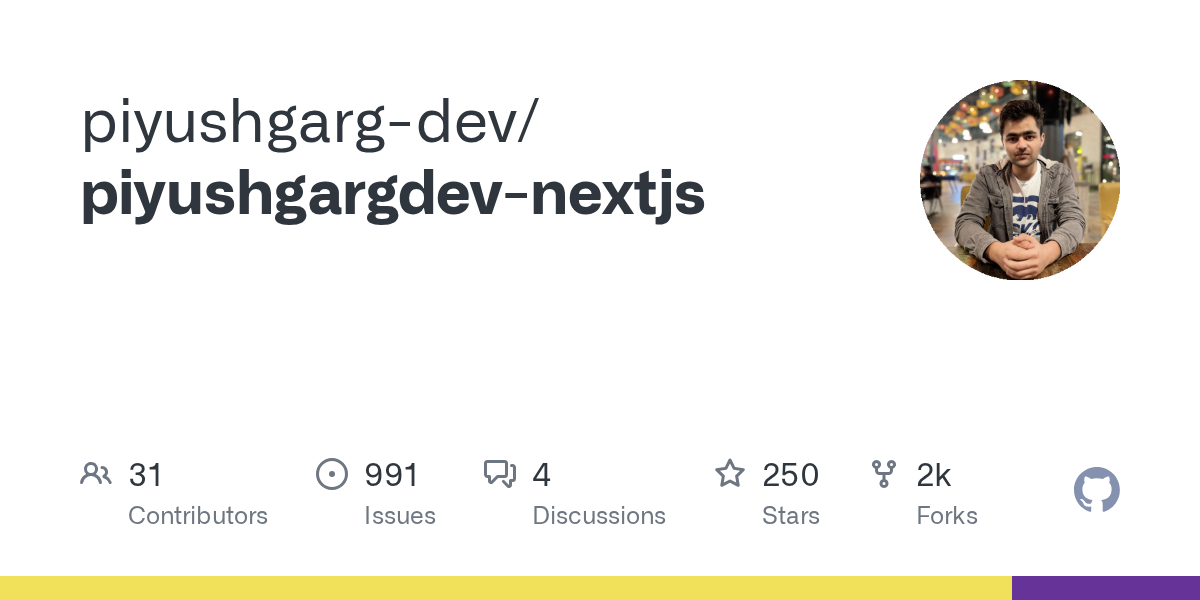
Contribute to piyushgarg-dev/piyushgargdev-nextjs development by creating an account on GitHub.
celest mesa
fathom mason
you're probably on the wrong branch
First of all, thank you for considering helping me out—this is actually my very first time trying to contribute to an open source project, so I asked ChatGPT for some guidance on how to get started. It walked me through the initial steps: I forked the repository, created a local folder for the project, and added the remote origin pointing to my forked version. After that, I created a new branch specifically for the fix, naming it something relevant to the bug I’m planning to work on, as suggested. I'm still learning the process, so I really appreciate your patience and support
celest mesa
fathom mason
when there is a newer dependency like react 19, older libraries may have not upd...
is this for the npm install error bug ? if yes then is it okay to everytime get that error and then run npm install --legacy-peer-deps
fathom mason
celest mesa
is this for the npm install error bug ? if yes then is it okay to everytime get ...
yes, it's fine
fathom mason
celest mesa
I was trying to contribute to Piyush Garg’s open-source repo after watching his ...
i don't think you're getting the wrong repo
what do you mean it's different
or the author has created a new version, and has not published it to github
that might be the case
fathom mason
celest mesa
First of all, thank you for considering helping me out—this is actually my very ...
yea, the author has not updated
celest mesa
fathom mason
yea, the author has not updated
so that means I cant contribute to the link (web app) in the github repository
celest mesa
celest mesa
https://github.com/piyushgarg-dev/piyushgargdev-nextjs/issues
this one
celest mesa
fathom mason
what do you mean it's different
let me show you the screenshot of what I am running in my local host
fathom mason
celest mesa
so that means I cant contribute to the link (web app) in the github repository
yes
 fathom mason
celest mesa
fathom mason
celest mesa
yeah, he has has not updated the website
 fathom mason
celest mesa
and this is the one for which the link has been present in the github repo
fathom mason
celest mesa
and this is the one for which the link has been present in the github repo
yeah, he's not pushing updates to that repo, he made a remake, and he's pushing to a private repo ig
celest mesa
fathom mason
yeah, he has has not updated the website
Thankyou very much, I spent so many hours
thinking I did something wrong while forking or commanding
half of my day went solving this only
just one more thing - for later, how can I get to know that "yea this github repository is not updated"
just like how you got it
celest mesa
fathom mason
yeah, he's not pushing updates to that repo, he made a remake, and he's pushing ...
but how are people able to raise issues for this one ?
are they all maintainers & moderators of this github repository ?
fathom mason
celest mesa
but how are people able to raise issues for this one ?
are they all maintainers ...
anyone can raise issues to the repo, it's not restricted to anyone
it's just that the codebase does not resemble, or is the latest website
they just raise issues not looking at the codebase, just raising thinking it is a report to the latest website edition ig
celest mesa
fathom mason
it's just that the codebase does not resemble, or is the latest website
the very latest issue posted in it has a screen recording of the latest version only
I am sorry if its sounding cross questioning - I am really not used to open source
fathom mason
yeah, but they're recording from the website not the local version
celest mesa
and I am very confused
celest mesa
fathom mason
yeah, but they're recording from the website not the local version
okay got it, thanks a lot for your time and efforts
really helped a lot
fathom mason
np