#Loader screen showing up multiple times.

15 messages · Page 1 of 1 (latest)

queen mesa
#

I am trying to build a portfolio with multiple pages. The very first page is a loader screen with some text. Right after the loader screen finishes, the landing page shows up.

The issue is, every time the user visits a page within the portfolio and comes back to the / landing page, the loader screen reappears. I only want it to appear when the user visits the portfolio for the very first time.

Here is the code -

"use client";

import { useState, useRef } from "react";
import Hero from "./Hero";
import Loader from "./Loader";
import Writer from "./Writer";
import Years from "./Years";
import HorizontalBooks from "./HorizontalBooks";
import LawText from "./LawText";
import Gallery from "./Gallery";
import Footer from "./Footer";

export default function Page() {
  const loaderComplete = useRef(false);

  const handleComplete = () => {
    loaderComplete.current = true;
  };

  return (
    <main>
      {!loaderComplete.current && <Loader onComplete={handleComplete} />}

      <Hero />
      <Writer />
      <div className="hidden md:block">
        <HorizontalBooks />
      </div>
      <Years />
      <LawText />
      <Gallery />
      <Footer />
    </main>
  );
}

Here is a screen record of the issue - https://streamable.com/fcyzg9
Stackbltiz - https://stackblitz.com/edit/github-sq9mef9f?file=app%2Fpage.tsx
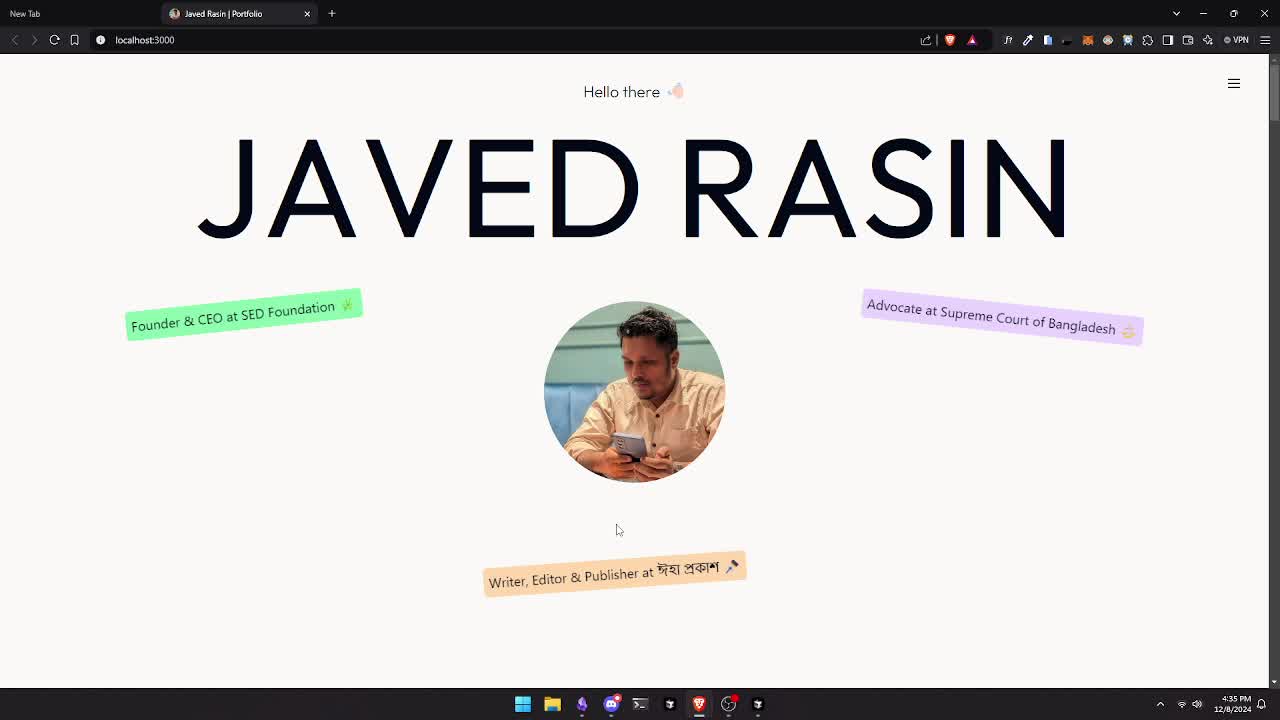

Watch "2024-12-08 16-35-02" on Streamable.

▶ Play video

A modern, animated portfolio for Javed Rasin, the CEO of SED Foundation. 👨‍💻🌿

abstract arrowBOT
#

🔎 This post has been indexed in our web forum and will be seen by search engines so other users can find it outside Discord

🕵️ Your user profile is private by default and won't be visible to users outside Discord, if you want to be visible in the web forum you can add the "Public Profile" role in id:customize

✅ You can mark a message as the answer for your post with Right click -> Apps -> Mark Solution
(if you don't see the option, try refreshing Discord with Ctrl + R)

restive sleet
#

useRef is not persistent on site refresh, you should save loaderComplete value on local storage or cookie

daring panther
#

but i don't think that's the optimal approach

tired canopy
#

layout state doesn't get refreshed if its a softnavigation

queen mesa
#

I will try it out and update the results here.

queen mesa
# tired canopy

I actually tried using the useState in a older implementation

#

It sort of worked but the entire layout shift right after loader is finished made the landing page a little janky on mobile devices (sometimes on pc too)

#

Here is the working older implementation

#

page.tsx

"use client";

import { useState } from "react";
import Hero from "./Hero";
import Loader from "./Loader";
import Writer from "./Writer";
import Years from "./Years";
import HorizontalBooks from "./HorizontalBooks";
import LawText from "./LawText";
import Gallery from "./Gallery";
import Footer from "./Footer";

export default function Page() {
  const [loaderComplete, setLoaderComplete] = useState(false);

  const handleComplete = () => {
    setLoaderComplete(true);
  };

  return (
    <main>
      <Loader onComplete={handleComplete} />
      {loaderComplete && (
        <>
          <Hero />
          <Writer />
          <div className="hidden md:block">
            <HorizontalBooks />
          </div>
          <Years />
          <LawText />
          {/* <Gallery /> */}
          <Footer />
        </>
      )}
    </main>
  );
}
#

loader.tsx

"use client";

import gsap from "gsap";
import { useGSAP } from "@gsap/react";
import { useRef } from "react";

gsap.registerPlugin(useGSAP);

export default function Loader({ onComplete }: { onComplete: () => void }) {
  const sentences = [
    "Who am I?",
    "An agent of justice.",
    "An artist of words.",
    "A voice for the nation.",
  ];

  const loaderRef = useRef<HTMLDivElement>(null);

  useGSAP(() => {
    const timeline = gsap.timeline({
      onComplete: onComplete,
    });

    sentences.forEach((_, index) => {
      timeline
        .to(`#text-${index}`, { opacity: 1, display: "block", duration: 1 })
        .to(`#text-${index}`, {
          opacity: 0,
          display: "none",

          duration: 1,
          delay: 1.2,
        });
    });

    timeline.to("#loader", { opacity: 0 }).to("#loader", { display: "none" });
  }, []);

  return (
    <div
      className="flex justify-center items-center h-full w-full fixed top-0 z-30 bg-black text-white"
      id="loader"
      ref={loaderRef}
    >
      {sentences.map((sentence, index) => (
        <h1
          key={index}
          id={`text-${index}`}
          className="text-xl md:text-2xl lg:text-3xl font-nb opacity-0 hidden"
        >
          {sentence}
        </h1>
      ))}
    </div>
  );
}