#How can i override the root layout?
15 messages · Page 1 of 1 (latest)
 pearl fjord
 bright tulipBOT
🔎 This post has been indexed in our web forum and will be seen by search engines so other users can find it outside Discord
🕵️ Your user profile is private by default and won't be visible to users outside Discord, if you want to be visible in the web forum you can add the "Public Profile" role in id:customize
✅ You can mark a message as the answer for your post with Right click -> Apps -> Mark Solution
(if you don't see the option, try refreshing Discord with Ctrl + R)

 scenic ridge
pearl fjord
So i have a navbar in my root layout, I want to remove it from all pages in my d...
scenic ridge
pearl fjord
So i have a navbar in my root layout, I want to remove it from all pages in my d...
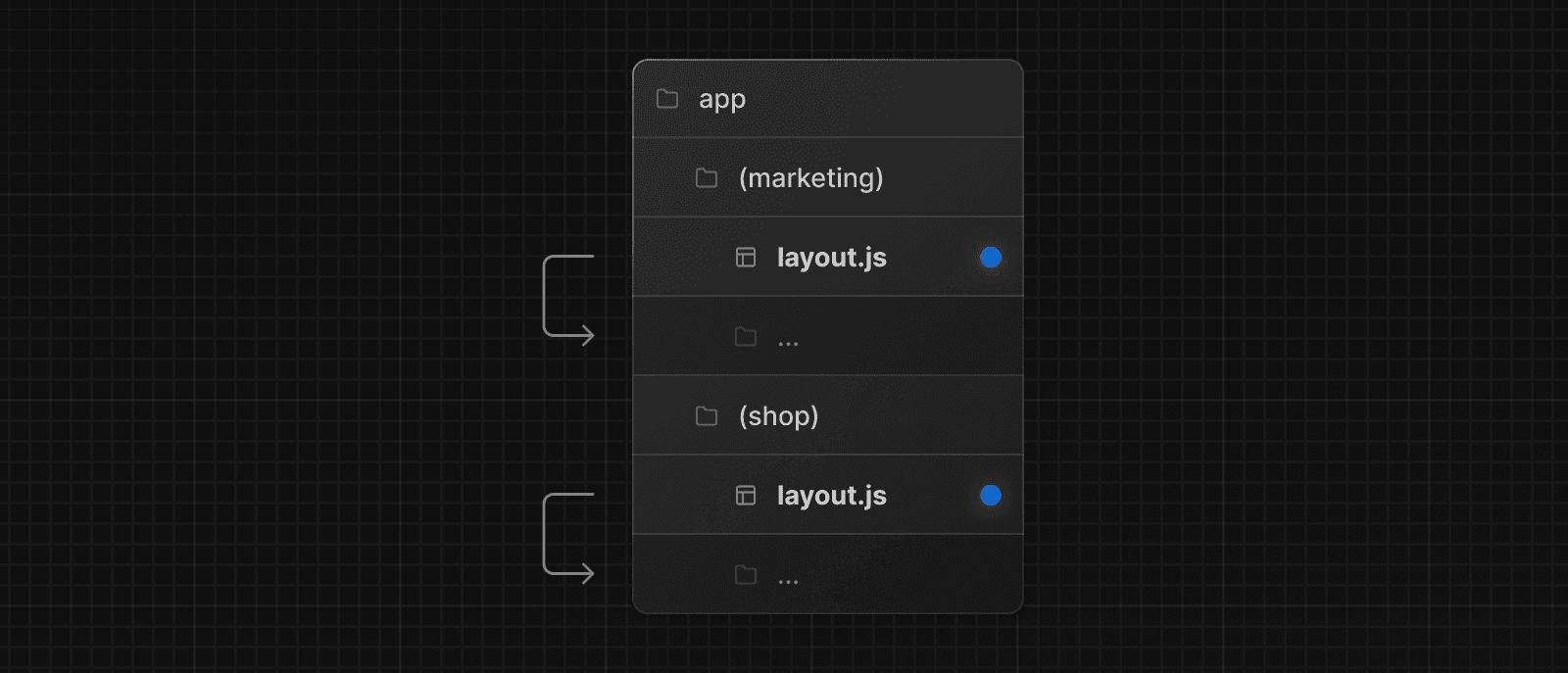
you can create multiple root layouts like this:
https://nextjs.org/docs/app/building-your-application/routing/route-groups#creating-multiple-root-layouts
 pearl fjord
scenic ridge
you can create multiple root layouts like this:
https://nextjs.org/docs/app/buil...
pearl fjord
scenic ridge
you can create multiple root layouts like this:
https://nextjs.org/docs/app/buil...
will i have to add a root layout for every group?
scenic ridge
in each layout.js need to be html and body, yes
pearl fjord
so there is no way to override just in that folder? like i just wana have the root layout everywhere exept in the dashboard
scenic ridge
pearl fjord
so there is no way to override just in that folder? like i just wana have the ro...
you can either create multiple root layouts (multiple layouts, that contains html and body) or you have one layout with one html and body and build then route groups to seperate the nested content
pearl fjord
scenic ridge
you can either create multiple root layouts (multiple layouts, that contains htm...
so for the 2nd option can i remove the navbar?
scenic ridge
If you don’t provide it inside the root layout, yes
You could have a this:
root layout (html, body)
(group1)
layout: with no nav bar
(group2)
layout: with nav bar
Or you can do it like this:
(group1): as root with html,body
layout: with no nav bar
(group2): as root with html,body
layout: with nav bar
 brave tree
pearl fjord
so there is no way to override just in that folder? like i just wana have the ro...
brave tree
pearl fjord
so there is no way to override just in that folder? like i just wana have the ro...
Yes, you can't override just in that folder. You can follow @scenic ridge's mentions.
You need to create the groups to manage the multi layouts
pearl fjord
scenic ridge
Or you can do it like this:
(group1): as root with html,body
layout: ...
Yeah i did it like that and it worked, thanks!
bright tulipBOT
✅ Success!
This question has been marked as answered! If you have any other questions, feel free to create another post
Jump to answer
[Click here](#1244740092850077777 message)