
#Tailwind
709 messages · Page 1 of 1 (latest)
 obsidian siren
 marble fable
I'll start this one 
After reading a bit about Stitches I started wandering why you would use that over Tailwind and vice versa.
Tailwind is amazing for building things fast and making them look good right out of the box, but then once you start doing more complex UI work it gets tricky to maintain.
Let me explain. At some point you might need a Button component that may be used in a lot of different places with a number of different colours, sizes and whatnot. With Tailwind you would need to do some weird class name composition using objects or integrate a third-party tool in your code base, an example of this would be the class-variance-authority NPM package which is great but doesn't integrate well with custom configurations.
Stitches on the other hand has a clear edge in this case since it natively supports variant definitions and compound variant shenanigans. Plus you can also define custom breakpoints, utilities and more in a Tailwind kind of way and use them like this:
() => (
  <Button
    color={{
      '@initial': 'gray',
      '@md': 'violet'
    }}
  >
    Button
  </Button>
);
So far I haven't found any detailed articles or videos comparing the two libraries and outlining the different use cases for each one and why you might choose one instead of the other. I understand that they're different in nature (one is just a kind of CSS superclass while the other is a CSS-in-TS library), but at the end what matters is how and how quickly they help you reach your end goal: building a great UI.
What are your thoughts on this? 
Note: In the same weight class as Stitches there are also vanilla-extract and, the new kid on the block, Stylex.
 exotic mango
It's telling that Stitches is no longer maintained 
marble fable
WHAT?! 👀
 torn pelican
you only know just now?
marble fable
Oh boi, I completely missed that notice
 plain sail
i just heard about it... and now i see not worth looking into 😭
torn pelican
css-in-js has suffered great loss following the launch of server components
marble fable
ah, shit... I was starting to get really interested I it 
plain sail
and tailwind survived because its just className?
torn pelican
tailwind is just a better way to write plain css
marble fable
yup, plain old static css files
torn pelican
it survives because it sticks to the basic
exotic mango
torn pelican
css-in-js has suffered great loss following the launch of server components
CSS-in-JS has always been a mistake, even before RSC
plain sail
but what about js in css?
exotic mango
This isn't #off-topic
torn pelican
exotic mango
CSS-in-JS has always been a mistake, even before RSC
it never interested me enough to try it out, so i'll have no comments
1 week after i started learning react
i learned of tailwind
exotic mango
Styled Components was absolutely terrible just due to the insanely complex TS types
torn pelican
have been a die hard tailwind fan since then
exotic mango
And Tailwind is 🐐 for the foreseeable future
plain sail
my main thing that i like about tailwind is easyness of breakpoints (before i didn't bother) and the less fragmentation of my styles
torn pelican
since it sticks to the basic, it'll always work unless somehow you have a better way to style websites that is not css
plain sail
then just use raw css 🙂
marble fable
torn pelican
have been a die hard tailwind fan since then
me too, the only thing is that implementing variants make me want to puke
exotic mango
marble fable
me too, the only thing is that implementing variants make me want to puke
class-variance-authority
marble fable
for theming it's great even tho you lose the nice color indicators in your files
plain sail
what exactly does postcss do compared to tailwind?
torn pelican
exotic mango
class-variance-authority
now called cva
cva@beta is already released
no longer that crazily long package name
torn pelican
plain sail
what exactly does postcss do compared to tailwind?
tailwind uses postcss as far as nextjs is concerned
marble fable
exotic mango
class-variance-authority
I know, but it doesn't go well with custom Tailwind configurations... You have to redeclare everything for cva or use tailwind-merge
torn pelican
marble fable
I know, but it doesn't go well with custom Tailwind configurations... You have t...
really? im using it with a lot of custom tailwind config and it works just fine
marble fable
torn pelican
no longer that crazily long package name
uuh, they finally grabbed the name I see
torn pelican
marble fable
for theming it's great even tho you lose the nice color indicators in your files

well
plain sail
uhhh nice name
also i like this discussion and not code help, hopefully we get more topics/tools to talk about 🙂
torn pelican
torn pelican
to enable this: https://beta.cva.style/getting-started/installation
 plain sail
wait so shadcn uses this in the button component?
torn pelican
yes
marble fable
torn pelican
really? im using it with a lot of custom tailwind config and it works just fine
eh, they also say explicitly to use tailwind-merge if you want to be sure there are no style conflicts
torn pelican
managing variants in buttons is impossible without this
plain sail
nice, i was always thinking about how cool that was
torn pelican
marble fable
eh, they also [say explicitly](<https://cva.style/docs/getting-started/installat...
ah yes about the conflict then yes you need that one
but it's just a simple wrapper, simple to use
marble fable
torn pelican
not that, I'm talking about having css variables and using those in your config file. same thing shadcn/ui does...
torn pelican
marble fable
not that, I'm talking about having css variables and using those in your config ...
ah well, indeed then im suffering from the same problem
but it's not fixable so what to do
marble fable
nothing, it's a side effect you have to get used to
torn pelican
i just trust that i name my css variables correctly so i don't need the colour preview
marble fable
Tailwind's auto completion is amazing for this
torn pelican
indeed
plain sail
but if you really cared enough, you could contribute and fix the extension
torn pelican
i think the best feature of the vscode tailwind plugin is the css on hover though
marble fable
just do ctrl + space and enter
plain sail
torn pelican
i think the best feature of the vscode tailwind plugin is the css on hover thoug...
the only way i use to know if i did validness or check if it is what i whated
marble fable
torn pelican
i think the best feature of the vscode tailwind plugin is the css on hover thoug...
that too is chef's kiss
torn pelican
torn pelican
i think the best feature of the vscode tailwind plugin is the css on hover thoug...
as someone who is working with [&_[data-li]:hover_+_[data-li]]:border-transparent, that is a crucial feature
marble fable
plain sail
but if you really cared enough, you could contribute and fix the extension
it's not a bug or a mistake. you just can't have color previews for values that depend on color variables cause they are indeed variable
torn pelican
you could very well override those variables in an upper div
and there is no way any tools can know
that's a fundamental problem that cannot be fixed
plain sail
torn pelican
as someone who is working with `[&_[data-li]:hover_+_[data-li]]:border-transpare...
o.O what is this madness
but it is still better than raw css
torn pelican
plain sail
o.O what is this madness
.that-class [data-li]:hover + [data-li] {
  border-color: transparent;
}
oh that does look normal
marble fable
marble fable
it's not a bug or a mistake. you just can't have color previews for values that ...
you can read this issue on the extension's repo where we discussed about it: https://github.com/tailwindlabs/tailwindcss-intellisense/issues/809
exotic mango
torn pelican
as someone who is working with `[&_[data-li]:hover_+_[data-li]]:border-transpare...
Honestly for crazy expressions like this I'd write normal CSS
I dislike encoding so much in arbitrary classes
And use inline styles or raw CSS instead
torn pelican
that's true
marble fable
those underscores are killing me
torn pelican
but i started from a simple tailwind class
and then it got more complicated bit by bit
each addition was simple
but several additions ended up with that monstrosity

 burnt marsh
I want to say one thing, tailwind is the GOAT 🐐
plain sail
so sm:dark: vs dark:sm: (which makes the most sense/ neither?)
exotic mango
I'd pick the latter because it's a binary prefix.
The other way it's hard to discern dark with dozens of options before it
 ocean jay
tailwind is great, but it gets annoying once your styling starts to go 6 lines deep or more. This is where styleX comes in for really big project. (such as the one I'm working on)
unocss is very interesting, allows for more complex situations than tailwind. Unfortunately, it doesn't work with nextjs appdir. Nor is there lightningcss support with webpack. 😩
my only other gripe with tailwind is where the heck is v4 with lightningcss support. postcss is too slow. 🤔
 sick ridge
does button ease-in-out not work on larger sizes
been using this combination and it doesnt work on button with embeded list: transition duration-300 ease-in-out
nvm i think its working it just has such small values you cant tell
 jagged thunder
ocean jay
tailwind is great, but it gets annoying once your styling starts to go 6 lines d...
jagged thunder
ocean jay
tailwind is great, but it gets annoying once your styling starts to go 6 lines d...
I haven't noticed postcss being slow tbh? Also i dont know what you are making for your styling to go 6 lines deep.
Also you need to be using functions and directives and extending the theme yourself if your styling is getting that long, combined with being more conscious of achieving the same results with lesser styling(?). Fragmenting your components as well.
You can see how something like Shadcn handles their components and styling.
ocean jay
jagged thunder
I haven't noticed postcss being slow tbh? Also i dont know what you are making f...
You probably haven't noticed because your apps aren't big enough. Take a look at the first image. I forked one of the popular UI libraries to not only support server components (render nothing on the client) and tailwind first principles. It has way more components than shadcn lol.
So every time I save, it has to go through the result of the build files and then all the app files that I have. Hence why I'm waiting on lightningcss.
Moreover pointing to the 2nd image. Here's why I have multiple lines of tailwind styling. The UI lib comes with it's own styles as a base. So there are times when I just want to override certain parts rather than telling the whole component to come in unstyled.
Finally, ShadCn is not a component lib, therefore it's useless for me. It only has what 40 components? My library has well over 100 components.
I know there are a lot of newbies over in #discussions and #off-topic but there are a few here that are building huge complex multi-geo apps with nextjs. So when something is described as slow or something is annoying, it's because it's become an issue.
Hopefully that gives you a better perspective. 😄


 halcyon sparrow
btw whats the diff between line-clamp-1 and truncate
cause wont clamp 1 make it not exceed 1 line which is what truncate also does
Ping me if someone replies :D
torn pelican
halcyon sparrow
btw whats the diff between line-clamp-1 and truncate
cause wont clamp 1 make it ...
On phone, I can’t tell, but you can simply hover over the class to see its css representation, then you compare the two css
Maybe the two are the same, maybe not, idk I’m on phone
jagged thunder
halcyon sparrow
btw whats the diff between line-clamp-1 and truncate
cause wont clamp 1 make it ...
Clamp can clamp to a specific number of lines
Truncate will "truncate" and add .... at the end if it overflows
Also i think clamp-1 works similar to text-clip. Clamp-1 is a utility class so its more so that it combines several properties to give the specific effect
halcyon sparrow
oh
halcyon sparrow
jagged thunder
Clamp can clamp to a specific number of lines
so what if it overflows?
jagged thunder
Uses overflow hidden so i think it would just hide the overflowing part
Without adding ... at the end
 wraith imp
data-[] + transition in radix dialog component is goat
torn pelican

Stack Overflow
Try pasting this HTML into a file and opening it in Chrome:
<!DOCTYPE html>
<html>
<head></head>
<body>
<div>
<textarea></textarea>
...

why
just why
it's literally 2023
plain sail
is this why preflight exists? to force you to make the styling sensible and not rely on browsers?
torn pelican
after preflight this still happens
plain sail
ahhhhh
 raw dawn
Are there any tutorials available for Tailwind css DRY in use with ReactJs to create reusable components?
wraith imp
you can define custom classes using @apply and @layer to not repeat writing the same tailwind classes
exotic mango
But you shouldn't in most cases.
Just extract often reused classes as a component instead.
ocean jay
wraith imp
you can define custom classes using @apply and @layer to not repeat writing the ...
@apply is going to be marked as a no-no in the next update and I wouldn't discount it being deprecated in future.
wraith imp
really?
didnt know that
its usually already DRY when you declare a react component
but you can always up your dry-game using cva
ocean jay
wraith imp
really?
But it's been mentioned lately in the discord. But cba to look it up.
wraith imp
whats cba
ocean jay
can't be arsed 😄
wraith imp
ocean jay
https://twitter.com/adamwathan/status/1559250403547652097?lang=en
I already know this, this tweet is 1 year old and i dont see any saying that itd be removed in the next update from that tweet alone
ocean jay
I didn't say next update. I said that in the discord they have said it's now frowned upon. And I, as in me. Said that don't discount it being deprecated in future.
wraith imp
ah gotcha
ocean jay
When several members of the team are saying, no don't use apply and the next update is a rust rewrite using lightningCSS. That should tell you something.
ocean jay
They did a keynote back in July? It's on YT. They showcased the work they've done so far. Frankly, it should have been released by now. Whenever it's brought up in the discord, it's been ignored. 😄. So perhaps there's issues with it? 🤷♂️
I'm waiting on the update as for my use case postcss is too slow and when trying to build extensions breaks the whole process. I'm hoping that the port to lightningCss fixes this.
 strange raft
ocean jay
You probably haven't noticed because your apps aren't big enough. Take a look a...
strange raft
ocean jay
You probably haven't noticed because your apps aren't big enough. Take a look a...
part of your 6 line situation is your choice of line break. are you breaking at 80 chars? We are not on CRT monitors in 2005 anymore! 😅
ocean jay
strange raft
part of your 6 line situation is your choice of line break. are you breaking at ...
lol just happens to be coincidence. I'm actually breaking on the different types of responsibility.
wraith imp
does twMerge already did their own clsx?
jagged thunder
wraith imp
does twMerge already did their own clsx?
twMerge and Clsx is kinda two different things
If you combine them both you get the infamous cn() function from shadcn
 jagged thunder
Clsx is conditional styling
plain sail
doesn't clsx remove undefined and such vars?
jagged thunder
Thats not conditonal styling. What you showed me is literally what the main purpose of twMerge is
plain sail
as... merge with priority to right most side
wraith imp
im not asking about conditional styling nor merging styles
jagged thunder
Merge styles while making it so they are ordered correctlu
jagged thunder
wraith imp
im not asking about conditional styling nor merging styles
Ik, youre talking about the overrides right?
wraith imp
no
jagged thunder
Ok... monkee brain then
wraith imp
im talking whether twMerge already does this or do i need to clsx first before twMerge
 jagged thunder
Ok... monkee brain then
jagged thunder
jagged thunder
Ok... monkee brain then
(it works everytime)
jagged thunder
wraith imp
im talking whether twMerge already does this or do i need to clsx first before t...
Iirc it doesn't
jagged thunder
twMerge(clsx(styles...))
Basically ^
I dont think twMerge handles the stuff that clsx does
jagged thunder
wth is that 🗿
plain sail
well im guessing twmerge just deals wit overriding (and knows which one to do)
jagged thunder
Can these guys stop doing twShit
plain sail
twTw 🙂
plain sail
wraith imp
twJoin does though
this? https://www.npmjs.com/package/tailwind-join (a little deprecated)
jagged thunder
wraith imp
im talking whether twMerge already does this or do i need to clsx first before t...
Overriding and putting them in the correct order. Clsx is conditional rendering of styles. Like this
jagged thunder
plain sail
twTw 🙂
I wonder what that will do(if it were to exist)
plain sail
ohhh not new package, got it
torn pelican
Just use tailwind-merge with cva and use the cx() function that cva exports
wraith imp
icic
 amber heath
I've implemented dark mode using
module.exports = {
  darkMode: ['class'],
Through a provider I toggle DM on and off.
 useEffect(() => {
    const expiry = new Date();
    expiry.setDate(expiry.getDate() + 365);
    document.cookie = `darkMode=${darkMode.toString()}; expires=${expiry.toUTCString()}; path=/`;

    if (darkMode) {
      window.document.body.classList.add("dark");
    } else {
      window.document.body.classList.remove("dark");
    }
  }, [darkMode]);
This works well on desktop. But doesn't work on mobile.
If I inspect the CSS on my phone, toggling my LM/DM button does succesfully set/remove "dark" on the body class. But Tailwind doesn't seem to respond.. Any ideas?
strange raft
amber heath
I've implemented dark mode using
```javascript
module.exports = {
darkMode: [...
why not just use next-themes
amber heath
strange raft
why not just use next-themes
doesn't it work the same way?
Toggling darkMode class on and off?
strange raft
amber heath
doesn't it work the same way?
Toggling darkMode class on and off?
the above code just gave me the “ick” because its javascript of an age we no longer have to deal with haha
amber heath
strange raft
the above code just gave me the “ick” because its javascript of an age we no lon...
i'll try it out, would be kinda nice to abstract away
strange raft
amber heath
i'll try it out, would be kinda nice to abstract away
tiny library that does that without reinventing the wheel so i dont see the benefit of remaking it
plain sail
i just use media option (with tailwind) and let user choose based on browser config 🙂
amber heath
strange raft
tiny library that does that without reinventing the wheel so i dont see the bene...
How are we supposed to use next-themes with the app router?
If I put the provider inside layout - I get an error telling me to make my layout client render, which I cannot do.
If I put the provider in pages - I get an error
Warning: Extra attributes from the server: data-theme,style
    at html
follow the documentation https://github.com/pacocoursey/next-themes#with-app
amber heath
torn pelican
follow the documentation https://github.com/pacocoursey/next-themes#with-app
Neat, didn't see, thanks
amber heath
torn pelican
follow the documentation https://github.com/pacocoursey/next-themes#with-app
uuuh... Is suppressing warnings really the best way to handle a warning?
torn pelican
amber heath
uuuh... Is suppressing warnings really the best way to handle a warning?
that is an expected warning, so it's fine to suppress it
otherwise you get FOUC
amber heath
Can't we implement that logically instead of just surpressing warnings?
strange raft
amber heath
Can't we implement that logically instead of just surpressing warnings?
i personally do
i save as a cookie and get that cookie in root layout and set data-theme
just for the main initial load. fixes those issues
torn pelican
strange raft
i save as a cookie and get that cookie in root layout and set data-theme
i would just plug an industry-proven method whose only problem is the harmless suppressHydrationWarning, than inventing my own method from scratch that forces dynamic rendering like this
strange raft
torn pelican
i would just plug an industry-proven method whose only problem is the harmless `...
if you are in root layout with 5 other dynamic things, this isnt the make or break. If its the only dynamic thing i guess yeah.
torn pelican
amber heath
Can't we implement that logically instead of just surpressing warnings?
the warning is due to attributes being changed before hydration causing mismatches. but this "before hydration" behaviour is required to avoid FOUC. so you either
suppressHydrationWarninglike everyone else, or- get FOUC, or
- use a cookie and server-side rendering which forces all of your page out of static site generation
you make the decision
torn pelican
exotic mango
Honestly for crazy expressions like this I'd write normal CSS

The way we're handling child element layout in Catalyst is pretty cool — we rely on a slot attribute on each relevant child and style those slots from the parent, often taking into account position in the tree.
This way child components never have any baked in margins.

Thanks for validating me Adam
amber heath
torn pelican
the warning is due to attributes being changed before hydration causing mismatch...
I've changed over to use next-themes, with suppressHydrationWarning
But I'm still running into the same issue.
darkmode is set as a class on html on both desktop and mobile.
But tailwind styles only utilize /work on desktop. (dark: )
https://d94lvpzrnmywa.cloudfront.net/
Here's an example, is it the same for you?
jagged thunder
amber heath
I've changed over to use next-themes, with suppressHydrationWarning
But I'm sti...
On mobile, changing my mobile's theme changes the background color. White for light mode and blackish for dark mode
amber heath
So pressing "change theme" on the link succesfully changes the theme on your phone?
 ocean iris
Hey is there any reason for style not loading at all sometimes? im using "max-w-xyz" at a component, i have tried many combinations like: max-w-md max-w-[500] w-md wtc, and for some reason they are not being applied, its NOT that they are being overwriten by other styles, they are not applied at all, while the same style works perfectly on other components
some random times when refreshing the site or saving the file it works, but in the next refrsh its gone again, even in the deployed version of the site its not working
marble fable
Is your component in a location where Tailwind can see it? Check the content entry in your tailwind.config.ts file.
wraith imp
https://hihayk.github.io/ for generating colors not just for darker and lighter colors bbut you can also adjust the hue shift
Its like https://smart-swatch.netlify.app/ but with adjustable hue shift
marble fable
There's also https://noeldelgado.github.io/shadowlord for generating tints and shades of any given color in configurable steps
ocean iris
marble fable
Is your component in a location where Tailwind can see it? Check the `content` e...
yes it is, the element has multiple tailwind styles, most of them are working, but i dont know why padding and width are not.
While the same padding and width styles work on other elements.
Also i realized "max-w-md" works but "max-w-4xl" or any other, doesnt. And those do work on other locations.
wraith imp
GitHub
This PR adds a size-* utility that sets both width and height.
The supported values are the same as the w-* and h-* utilities with the exception of screen units (screen, svh, lvh, dvh, svw, lvw, an...
ocean iris
marble fable
Is your component in a location where Tailwind can see it? Check the `content` e...
Actually, you were right ! thankss!! 🫂 i didnt realized i moved my components to another folder, idk why some styles worked tho, but still , now all of them wokr again 🙌
marble fable
Glad to hear that 
 tawny pewter
How can I break my classNames into multiple lines, I got like a meter of classes
torn pelican
cn(
"line 1",
"line 2",
"line 3",
)
cn can be clsx, twMerge, or both (shadcn way), or the cx from class-variant-authority (my preferred way)
tawny pewter
cant prettier fix it on save in some way?
like its organizing the order of the tailwind classes
torn pelican
tawny pewter
cant prettier fix it on save in some way?
No
Because they are different strings, prettier can’t fix
But it’s simple to separate the strings, for example colour utilities go to one string, or file: utilities go to one string, or hover/active/etc states go to one string
Then in each string, prettier does sort it correctly
 ionic wing
Hello, how do you do this in TailwindCSS without getting errors?
<Image src={`${configApp.http}${configApp.url}${stepData && stepData.logo}`} alt="Site Logo Picture" fill className="w-full h-full" />}
The dev I worked with changed that to this, and feels wrong...
<Image src={`${configApp.http}${configApp.url}${stepData && stepData.logo}`}
                    width={0} height={0} style={{ width: '100%', height: 'auto' }}
                    alt="Site Logo Picture" />}
the two are not the same. w-full h-auto is the tailwind equivalent of the latter way
but what error do you get from the tailwind way here? i don't see anything that can trigger errors
ionic wing
torn pelican
the two are not the same. `w-full h-auto` is the tailwind equivalent of the latt...
Right, I'm also confused why the dev made the change... I think though, some things have this warning:
warn-once.js:16 Image with src "https://domain.com/media/l_sdv.png?w=30&q=75" has "fill" but is missing "sizes" prop. Please add it to improve page performance. Read more: https://nextjs.org/docs/api-reference/next/image#sizes
ah it is just a warning, not an error. you can keep it as it is and it will work, though not optimally. read the link provided on how to improve it
ionic wing
torn pelican
ah it is just a warning, not an error. you can keep it as it is and it will work...
Yeah, but I don't want to give static withs of with and height but be it flexible xd
But also, since this is optimized by the url anyway, why do I need to re-delcate that with with? When its optimised by the browser `w=30&q=75
torn pelican
ionic wing
Right, I'm also confused why the dev made the change... I think though, some thi...
btw can you give me a reproduction page with a placeholder image url though, i can't reproduce this error or warning

it works completely fine for me
ionic wing
torn pelican
btw can you give me a reproduction page with a placeholder image url though, i c...
I got that in the console and its coming from the table code
 <Link href={`/dashboard/sites/${item.id}`} className="h-12 w-12 relative">
                {item.symbol && <Image src={`${configApp.http}${configApp.url}${item.symbol}`} fill className="h-12 w-12 border border-gray-200 p-1 object-cover rounded-lg" alt="Brand" />}
              </Link>

And putting 'size' seems really unecessary here
Does that help btw?
torn pelican
oh so it's in browser console
ionic wing
Yeah
torn pelican
honestly, i forgot how to deal with sizes in plain html already so can't help  my skill issues
hope someone can help you on this
ionic wing
👀 interesting
Some things have the size set already by the CDN directly into the imagae, so that's why I feel thats pointless to re-do this. But in other cases, i suppose that's good practice I guess.
but fair enough, thanks for trying to help
ionic wing
torn pelican
honestly, i forgot how to deal with `sizes` in plain html already so can't help ...
I must ask though, so I think its okay to tell the dev off why he made the change right xd
coz the commits I'm seeing are just...
can't work like this xd
either do things properly and commit without bugs or don't touch stuff xd
torn pelican
ionic wing
I must ask though, so I think its okay to tell the dev off why he made the chang...
what dev?
ionic wing
torn pelican
what dev?
I'm working on a site with a back-end dev mainly, though he also hired me, and hes making a lot of changes to my front-end and I want to rip my hair appart
its counter productive
And it just demotivates me... I want to do things properly
he changes my code here and there like above that like you said, doing h-full or in styles :height: 100% is the same thing so why even do that...
torn pelican
ionic wing
I'm working on a site with a back-end dev mainly, though he also hired me, and h...
well maybe you should tell him when he makes a change you are unhappy with
torn pelican
ionic wing
I got that in the console and its coming from the table code
```js
<Link href={...
from this screenshot for example, images have a small size that can totally be inlined
why would you even need h-full w-full
<Image src={src} alt={alt} width={48} height={48} />, done
using Image's fill is like using relative positioning
can become a mess especially in terms of z-index
ionic wing
torn pelican
why would you even need `h-full w-full`
Used it from the React days 😄 But I see, I think nextjs makes fill absolute, so then you need to put a wrapper around right
But you are right, I think I've learned soemthing myself about images here 😄
the only think in my mind is...
if wee use 48-48
hmm
one sec
torn pelican
all logos there share the same size right? then just use the width and height from that size
48px is just a guess, could be 60px could be 32px, i'm not good at guessing sizes, check your design system for more information
ionic wing
torn pelican
48px is just a guess, could be 60px could be 32px, i'm not good at guessing size...
Yeah, you are definitelly right, I think I'm too fixated on using claasses for I think images can have an expecptoin
Deffo learned a thing 😄
I suppose the dev doing such mistakes is a good thing
because then I need to double check to make sure I'm correct
and the images was something to do in future for me..
but at least learend about it now, just need to also learn hwo to set static size in html just in case 😄
torn pelican
width= and height= are next/image features though
you do that to tell the image optimiser that "i don't need bigger images, just send the logos in this size"
ionic wing
Yeah I know, I'm new to nextjs and I would do the images with classes h-12 and that's t
torn pelican
which optimises the file size => loads faster
ionic wing
Yeah, I like that about nextjs, I think I need to adehere to the conventions and undersatnd why they are there as well
coz even the folder structure, I used to do exact same thing in my react app
and I'm like... nextjs autoamtes that for me, why not just use nextjs, plus you can do front-back so that's even better
starting to liek nextjs
just need to learn a bit more about it
torn pelican
ionic wing
coz even the folder structure, I used to do exact same thing in my react app
well, no matter what dramas it have, file-based routing is still maybe the most intuitive way to handle routing
ionic wing
torn pelican
well, no matter what dramas it have, file-based routing is still maybe the most ...
Yeah, so the way I used to do my files is like Laravel but..
Car
/ CarIndex
/ CarView
-- /_sections
----- /parts
----- / tires
-- index.tsx
And Id have the same for layout... and I'm like, that's exactly what nextjs does it but better and cleaner 😄
So makes sense to use nextjs
nextjs isn't really that opinionated is it, if we think abbout it xD
IMO at least, the more I use it
still new though
torn pelican
good luck, there will be tons of (good and bad) things about nextjs for you to explore

ionic wing
torn pelican
good luck, there will be tons of (good and bad) things about nextjs for you to e...
can you name a few bad things please? 😄 I feel like overall though, the pros prob outweight the cons, especailly if working in a team 😄 coz at least no one can mess things up, since people don't even care about basic stuff like naming conventions... 😄
ionic wing
torn pelican
ah it is just a warning, not an error. you can keep it as it is and it will work...
btw last question
this
<Image src={`${configApp.http}${configApp.url}${stepData && stepData.logo}`}
                    width={0} height={0} style={{ width: '100%', height: 'auto' }}
                    alt="Site Logo Picture" />}
Tehcnically, while th ewarning did disappear... the actuall "optimisation" thingy wasn't fixed, was it, because this is pretty much full weidth, the code I hadebfore anyway, so he jsut removed the error by doig what nextjs wanted you to do to make ti disappear, but he didn't actually improve it, just made it harder to look for when optimizing stuff...
but also, the above code didn't even throw a warning in my browser... perhaps it did when trying to build it not sure, since build errors are disabled and warnings too...
 fair granite
anyone know a way to run postcss through the browser on clientside? im trying to make a playground like https://play.tailwindcss.com/
jagged thunder
fair granite
anyone know a way to run postcss through the browser on clientside? im trying to...
Postcss has an api:
https://postcss.org/api/
Transform CSS with the power of JavaScript. Auto-prefixing, future CSS syntaxes, modules, linting and more are possible with hundreds of PostCSS plugins.
 small skiff
I would like to achieve a "distribution" like the ig navbar's one, where the second div takes most of the space, how would you achieve that?


 frail spade
small skiff
I would like to achieve a "distribution" like the ig navbar's one, where the sec...
frail spade
small skiff
I would like to achieve a "distribution" like the ig navbar's one, where the sec...
<div class="min-h-screen flex flex-col">
<header class="p-4 bg-teal-500 text-center text-white font-bold">Header</header>
<main class="h-64 bg-teal-600 flex items-center flex-grow justify-center text-white">Main</main>
<footer class="p-4 bg-teal-500 text-center text-white font-bold">Footer</footer>
</div>
Try this
Can change main height to flex-grow Or flex-auto to make it full height
small skiff
frail spade
<div class="min-h-screen flex flex-col">
<header class="p-4 bg-teal-500 text-c...
your is correct the thing it doesn't apply to my component, i guess there is a problem with Shadcn component
i have to manyally put the flex-grow for the devtools and it works
 arctic patio
Any help would be greatly appreciated 🙂
I'm trying to make it so that the map section auto-adjusts its size depending on how many propartie-cards are able to be shown in the same row.
<section className="my-12 lg:mt-[100px] lg:mb-[150px]">
      <div className="__container max-w-[1380px]">
        <div className="grid grid-cols-1 xl:grid-cols-[400px,auto] gap-4">
          <div className="rounded-2xl overflow-hidden bg-soft-gray">
            <MyMap />
          </div>
          <div className="grid grid-cols-1 md:grid-cols-2 xl:grid-cols-3 gap-x-4 gap-y-6">
            {propertiesList.map((property, i) => (
              <PropertyCard property={property} key={property.sys.id} />
            ))}
          </div>
        </div>
      </div>
    </section>

I can remove the cols-3 so the 2 properties fill that space, but I'd rather just have the map expand if that makes sense?
torn pelican
TIL css containers make position: fixed inside them follow them instead of the viewport

well it does make sense but the hours i spent debugging css won't come back
plain sail
torn pelican
<:SheaKMS:1145701026951856128>
uhhh intresting emoji
wraith imp
TailwindCSS works well with Next.js14
 pale karma
ok thanks
arctic patio
I'm new to tailwind. What is the accepted way to setup a new palette?
This is what I'm doing now:
theme: {
    color: {
      "accent-light": "#aebccc",
      "primary":"#16417b",
      "dark":"#16191c",
      "accent":"#628aba",
      "light":"#e5edf2"
    },
    extend: {
      backgroundImage: {
        'gradient-radial': 'radial-gradient(var(--tw-gradient-stops))',
        'gradient-conic':
          'conic-gradient(from 180deg at 50% 50%, var(--tw-gradient-stops))',
      }
    },
  },
  plugins: [],
This is the generated palette from coolors.co

Am I missing something?
wraith imp
arctic patio
This is the generated palette from coolors.co
Ure missing an example/preview of what the site will look like
arctic patio
wraith imp
Ure missing an example/preview of what the site will look like
Sorry, I'm not sure what you mean 😦
arctic patio
I think I managed to figure something out for that, thank you! Trying to figure out how I can make something like this work now:
h-screen -h-[100px]
I want the hero section to take the entire screen, minus the navbar which is 100px
strange raft
arctic patio
I want the hero section to take the entire screen, minus the navbar which is `10...
h-[calc(100%-100px)]
arctic patio
I see! Okay, now I know how this works, thanks!
Where in the docs do they talk about this so I can learn more?
arctic patio
strange raft
h-[calc(100%-100px)]
I'm new to Tailwind if that wasn't painfully obvious lol
arctic patio
Apologies for continuing to ask question. Let me know if I'm over doing it...
I'm trying to adjust the scroll functionality so it leaves a little margin at the top for the navbar. any ideas?
scroll-margin-top doesn't seem to be a think in tailwind 😦
jagged thunder
arctic patio
`scroll-margin-top` doesn't seem to be a think in tailwind 😦
Utilities for controlling the scroll offset around items in a snap container.
arctic patio
jagged thunder
Uh: https://tailwindcss.com/docs/scroll-margin
That didn't seem to work for me... I thought it was something else. Let me set up a little test environment and see if I can get it working. Otherwise I can just share that
jagged thunder
arctic patio
That didn't seem to work for me... I thought it was something else. Let me set u...
Scroll margin works if you have scroll snap. Make sure to use that.
Can you confirm the scroll snap is even working or not?
arctic patio
jagged thunder
Scroll margin works if you have scroll snap. Make sure to use that.
Can you con...
Yeah, I tried setting up scroll snap and scroll margin, but couldn't get it working
 analog bridge
I love Tailwind css
jagged thunder
Ok
 minor hazel
Anyone having problems using the new TS tailwind.config.ts file? Like not being able to use require as recommended here: https://tailwindcss.com/docs/customizing-colors#aliasing-color-names
Customizing the default color palette for your project.
 spare solstice
<div class="group is-published">
<div class="hidden group-[.is-published]:block">
Published
</div>
</div>
can someone help me out understanding how arbitary class groups in tailwind works. I am very new to tailwind and got no idea what this means.
jagged thunder
spare solstice
<div class="group is-published">
<div class="hidden group-[.is-published]:bloc...
Arbitrary just means those are created while processing.
That second group will create some css like this:
.group.is-published .group-\[\.is-published\]\:block {
  display: block;
}
Tailwind allows flexibility in many things using these arbitrary classes. Its basically creating your own css class kind of.
This will explain it better: https://tailwindcss.com/docs/adding-custom-styles#using-arbitrary-values
Best practices for adding your own custom styles to Tailwind.
arctic patio
I tried installing DaisyUI in my existing project. I added all the requirements, but I'm getting this error for one of my custom component classes (not sure that's the right terminology sorry). It worked before I installed DaisyUI and works if I uninstall it, so I'm not sure why it broke my custom color palette
 jagged thunder
arctic patio
I tried installing DaisyUI in my existing project. I added all the requirements,...
jagged thunder
arctic patio
I tried installing DaisyUI in my existing project. I added all the requirements,...
Both should work together but i guess you're doing some setup wrong i think
arctic patio
jagged thunder
Both should work together but i guess you're doing some setup wrong i think
Ugh... Any idea what I did wrong?
 silver goblet
Not sure if you’ve figured out the problem yet. I’m guessing that daisyUI is overwriting the semantic color setup, since out of the box daisyUI uses primary-darken etc instead of a numbered scale eg 100-900. So primary-500 won’t be available.
 sullen thicket
Do you have any recommendations what datatable to use that is free?
 proud burrow
Hi all, I have quite wierd problem with Tailwind, not sure why its happening. I dont see utilities classes like mx-auto (and they doesnt work). But, it does work when I'll use it in bracket mode like mx-[auto] . Does anyone know what could be a problem?
proud burrow
sullen thicket
Do you have any recommendations what datatable to use that is free?
sec
proud burrow
sullen thicket
Do you have any recommendations what datatable to use that is free?
ag-grid plugin https://www.ag-grid.com/
AG Grid is a feature rich datagrid designed for the major JavaScript Frameworks. Version 31. 0. Download v31 of the best Data Grid in the world now.
It supports React Vue.js and Angular
It does have paid features but free version also is fine
sullen thicket
Hello, can someone help with the tailwind styling, I posted a question here: https://stackoverflow.com/questions/77630511/how-can-i-make-the-dropdownlist-in-the-same-starting-point-of-the-rest-of-the-fi
Stack Overflow
I have this dropdownlist that I import in a form. However, it does not become inline with the rest of the input fields:
function classNames(...classes: string[]) {
return classes.filter(Boolean)...
I had problems with the input fieds and drop down arragement on its left side

 slender bloom
does shadcn had a discord?
slender bloom
sullen thicket
Do you have any recommendations what datatable to use that is free?
Hiya, I saw people said ag-grid, I highly suggest you don't use it
One of the worse data-tables you can use.
go with https://tanstack.com/table/v8
Headless UI for building powerful tables & datagrids with TS/JS, React, Solid, Svelte and Vue
arctic patio
I just installed DaisyUI in my NextJS project, but I'm suddenly getting this error:
he `text-primary-500` class does not exist.
It was working fine before adding DaisyUI as a plugin as I have it set in the tailwind config file:
const config: Config = {
  content: [
    './src/pages/**/*.{js,ts,jsx,tsx,mdx}',
    './src/components/**/*.{js,ts,jsx,tsx,mdx}',
    './src/app/**/*.{js,ts,jsx,tsx,mdx}',
    './src/Views/**/*.{js,ts,jsx,tsx,mdx}',
  ],
  theme: {
    colors: {
      'primary': {
        DEFAULT: '#16417B',
        TEXT: '#4D4D4D',
        50: '#AAC8F0',
        100: '#99BDED',
        200: '#76A6E7',
        ...
      },
      'accent': {
        DEFAULT: '#364557',
        50: '#BFCAD7',
        100: '#B2C0CF',
        ...
      },
      'white': {
        DEFAULT: '#FFFFFF',
        50: '#FFFFFF',
        100: '#ECF2F6',
        ...
      },
      'off-white': {
        DEFAULT: "#e5edf2"
      },
      fontFamily: {
        "open-sans": "var(--font-open-sans)",
      },
    },
  },
  plugins: [require("daisyui")],
}
export default config
Any suggestions would be greatly appreciated!
Should I do something different to add custom colors so daisyui inherits them?
 wooden snow
Hello!
I tried to create a theme by using the "extend => colors" properties on the tailwind config, but it looks as if when your using a colors config property, it deletes all default tailwind colors! like now there is no bg-blue-500, etc. Is this true?
Do I have to reconfig EVERYTHING I want to use from tailwind?
wraith imp
wooden snow
Hello!
I tried to create a theme by using the "extend => colors" properties on t...
no, i think you messed up something
send tailwind.config.js
wooden snow
wraith imp
send tailwind.config.js
you gave me hope.
const { fontFamily } = require('tailwindcss/defaultTheme');

/** @type {import('tailwindcss').Config} */
module.exports = {
  important: true,

  darkMode: ['class'],
  content: [
    './pages/**/*.{js,ts,jsx,tsx}',
    './components/**/*.{js,ts,jsx,tsx}',
    './node_modules/preline/preline.js',
  ],
  prefix: '',
  theme: {
    // colors: {
    //   background: '#ededf3',
    //   content: '#f5f7fb',
    //   buttonSecondary: '#d6e0f7',
    // },
    container: {
      center: true,
      padding: '2rem',
      screens: {
        '2xl': '1400px',
      },
    },
    extend: {
      fontFamily: {
        sans: ['var(--font-sans)', ...fontFamily.sans],
      },
      animation: {
        'bounce-slow': 'bounce 8s linear infinite',
      },
    },
  },
  plugins: [
    require('tailwindcss-animate'),
    require('@tailwindcss/forms'),
    require('@tailwindcss/line-clamp'),
    require('preline/plugin'),
  ],
};
(btw if we're talking, i have another tailwind issue for months, where some classes do not actually apply css properties on the browser. But if I take the component's jsx outside of the file, and put it inside the paren'ts file, it works. But I lost hope with that)

 wooden snow
My bad, i said extend but even in my code its inside 'theme', i just rememberd its in extend haha.
sadly doesn't work. its weird cause i do it just like in the docs.
maybe preline screw it up, idk... how would you write a new color in your config?
 wraith imp
wooden snow
My bad, i said extend but even in my code its inside 'theme', i just rememberd i...
wraith imp
wooden snow
My bad, i said extend but even in my code its inside 'theme', i just rememberd i...
whats ur latest code

i dont see anything that suggests that you have tried these
wooden snow
wraith imp
whats ur latest code
the code I gave initially. not the picture i gave in my last comment, that was taken from tailwind docs. i will try your method
wraith imp
wooden snow
the code I gave initially. not the picture i gave in my last comment, that was t...
like i said, theres no colors in extend.

put the colors inside extend
wooden snow
wow I think it works! thanks!!!!!!!!!
wraith imp
no problem
wooden snow
Have you ever encoutered an issue where you put a tailwind class on an element, you see that the class is written on the element even in the browser, but there is no css property applied?
 gray plank
How can I make a custom variant which activates when blue class is in the same classList?
e.g. I have blue:bg-gray-950 dark:bg-slate-950 light:bg-neutral-200, and I want to activate the blue: one when I add blue to the class list
 placid osprey
Is it possible to make the tailwind-prettier plugin only sort the classes and not hijack my complete code?
People have been talking about the best way to sort your utility classes in Tailwind projects for at least four years. Today we’re excited to announce that you can finally stop worrying about it with the release of our official Prettier plugin for Tailwind CSS.
strange raft
placid osprey
Is it possible to make the [tailwind-prettier plugin](https://tailwindcss.com/bl...
probably something for their discord
 worldly canopy
gray plank
How can I make a custom variant which activates when blue class is in the same c...
worldly canopy
gray plank
How can I make a custom variant which activates when blue class is in the same c...
Define the blue class in your tailwind.config.js, then use it anywhere in your classes
gray plank
worldly canopy
Define the blue class in your tailwind.config.js, then use it anywhere in your c...
Wdym
worldly canopy
Like this
Then in your classes, you use bg-blue or bg-dark, etc

 glacial raptor
is there any resource how to apply which spacing on which element so the website looks well spaced at the end?
Like when I apply p-6 on the parent I shouldn't use p-8 in my child. I should rather use p-4 or p-3. Same with margin...
wraith imp
there probably is but it all comes down to intuition
glacial raptor
hm ok 👍
 hazy magnet
How can I have this tooltip (shadcn/ui) show up above the cards? I tried using z-[999] but to no avail.
 gray plank
hazy magnet
How can I have this tooltip (shadcn/ui) show up above the cards? I tried using `...
gray plank
hazy magnet
How can I have this tooltip (shadcn/ui) show up above the cards? I tried using `...
also remember to set the card's z-index to lower than that
hazy magnet
yeah I tried
 daring slate
hazy magnet
How can I have this tooltip (shadcn/ui) show up above the cards? I tried using `...
daring slate
hazy magnet
How can I have this tooltip (shadcn/ui) show up above the cards? I tried using `...
If you have absolute positioning for either one of the sidebar or the wrapper of the card section, z index would not be related to the tooltip or card. You may need to review z index setting of the navbar or similar which is related to absolute positioning.
 torn lintel
<p className="text-indigo-400">
<Link href="https://support.mozilla.org/de/kb/cookies-und-website-daten-in-firefox-loschen?redirectslug=Cookies+l%C3%B6schen&redirectlocale=de">
Mozilla Firefox: https://support.mozilla.org/de/kb/cookies-und-website-daten-in-firefox-loschen?redirectslug=Cookies+l%C3%B6schen&redirectlocale=de
</Link>
</p>```
Does anyone know, why it isnt going in a new line? Because on mobile it isnt breaking it into a new lineAre you using safari
torn lintel
No
burnt marsh
how do I import tw-config from my lib to consumer app ?
//globals.css


@import "ui-foundation-lib/dist/index.css";
@config "ui-foundation-lib/dist/tailwind.config.js";

@tailwind base;
@tailwind components;
@tailwind utilities;
I tried this but this doesn't work?
Syntax error: D:\myApp\test-next-app\src\app\globals.css The config file at "ui-foundation-lib/dist/tailwind.config.js" does not exist. Make sure the path is correct and the file exists.

  2 |
  3 | @import "ui-foundation-lib/dist/index.css";
> 4 | @config "ui-foundation-lib/dist/tailwind.config.js";
    | ^
  5 |
6 | @tailwind base;```//tailwind.config.ts
import type { Config } from "tailwindcss";
const config: Config = {
content: [
"./src/pages/**/*.{js,ts,jsx,tsx,mdx}",
"./src/components/**/*.{js,ts,jsx,tsx,mdx}",
"./src/app/**/*.{js,ts,jsx,tsx,mdx}",
],
theme: {
extend: {
backgroundImage: {
"gradient-radial": "radial-gradient(var(--tw-gradient-stops))",
"gradient-conic":
"conic-gradient(from 180deg at 50% 50%, var(--tw-gradient-stops))",
},
},
},
plugins: [require("tailwindcss-animate")],
} satisfies Config
export default config
This is my default config, but I wanna extend it to my lib config
 mint tinsel
Anyone here who's worked on mui with nextjs ssr and tailwind with nextjs ssr and what pros and cons were observed?
torn pelican
burnt marsh
how do I import tw-config from my lib to consumer app ?
```css
//globals.css
...
burnt marsh
torn pelican
highly recommended to export a [preset](<https://tailwindcss.com/docs/presets>) ...
Yep, Thanks! Preset is my solution!!
 fresh imp
I am banging my head on the wall over this.... if anyone has any ideas I'd love you.
./node_modules/tailwindcss/tailwind.css.webpack[javascript/auto]!=!./node_modules/next/dist/build/webpack/loaders/css-loader/src/index.js??ruleSet[1].rules[11].oneOf[12].use[2]!./node_modules/next/dist/build/webpack/loaders/postcss-loader/src/index.js??ruleSet[1].rules[11].oneOf[12].use[3]!./node_modules/tailwindcss/tailwind.css
ReferenceError: extui is not defined
hahahaha.... the last line.
extui.
should be nextui
 still hinge
I'm using NextJS + SanityIO + tailwind. I want to be able to change heading colors via the CMS, problem is dynamic variables aren't working for tailwind. Anyone know the best way to structure this?
const headingColor = heading?.headingColor || "gray-900";

return (
 <Typography
          className={cn(`text-${headingColor}`)}
          type={heading.type || "heading3"}
        >
          {heading.content || ""}
        </Typography>
)```Any ideas why a refresh causes the shadow to disappear and an error to show up?
This is the code:
const { y } = useWindowScroll();

<header
      className={clsx(
        "py-5 bg-accent h-[100px] sticky top-0 left-0 w-full z-50 duration-200 min-w-[290px]",
        y > 50 && "shadow-primary-900 shadow-md"
      )}
    >
because you are doing client only logic. if you want to retain it on refresh you need to do it in a useEffect
arctic patio
strange raft
because you are doing client only logic. if you want to retain it on refresh you...
Isn't that taken care of by the useWindowScroll()?

GitHub
React Hooks — 👍. Contribute to streamich/react-use development by creating an account on GitHub.
strange raft
arctic patio
Isn't that taken care of by the `useWindowScroll()`?
no. Because the page is prerendered on the server without access to the client, so the client has a different value than the server
you need to not render that shadow at all till client mount
arctic patio
I see, so what part of this needs to go in a useEffect()? I'm assuming the dependancy will be y?
strange raft
using that package you can do
const isMounted = useMountedState();
and then add mounted && to your css
arctic patio
so
  const { y } = useWindowScroll();
  const isMounted = useMountedState();
  return (
    <header
      className={clsx(
        "py-5 bg-accent h-[100px] sticky top-0 left-0 w-full z-50 duration-200 min-w-[290px]",
        isMounted() && y > 50 && "shadow-primary-900 shadow-md"
      )}
    >
useMountedState returns a () => {} so I think I need to call it to get the bool
The code above still results in the same error though 😦
strange raft
arctic patio
useMountedState returns a `() => {}` so I think I need to call it to get the boo...
yeah looks like theirs is jank
make your own
strange raft
arctic patio
so
```tsx
const { y } = useWindowScroll();
const isMounted = useMountedState...
hooks/useMounted.ts
export const useMounted = () => {
  const [mounted, setMounted] = useState<boolean>(false);
  useEffect(() => {
    setMounted(true);
    return () => {
      setMounted(false);
    }
  }, [])
  return mounted;
}
Apologies for all the question but would you mind helping me understand the root cause here? What did you mean when you said the server and the client weren't synced?
arctic patio
strange raft
hooks/useMounted.ts
```ts
export const useMounted = () => {
const [mounted, se...
I'll try that, thanks!
strange raft
arctic patio
Apologies for all the question but would you mind helping me understand the root...
arctic patio
Thanks, reading through that now and your custom hook did it!
Really appreciate the help ❤️
 round tree
This is my tailwind plugin for animationDelay:
  plugins: [
    plugin(function ({ matchUtilities, theme }) {
      matchUtilities(
        {
          'animate-delay': (value) => ({
            animationDelay: value ,
          }),
        },
        { values: theme('transitionDelay') }
      )
    }),  ]
};
it works fine for upto animate-delay-300, but when I use animate-delay-400, it doesn't work
jagged thunder
round tree
This is my tailwind plugin for animationDelay:
```js
plugins: [
plugin(fun...
Does "animate-delay-[400]"
Work?
** Note** the arbitrary value bracket.
I think you need to either provide a default list otherwise you'll need to use arbitrary brackets like that one.
wraith imp
round tree
This is my tailwind plugin for animationDelay:
```js
plugins: [
plugin(fun...
https://tailwindcss.com/docs/transition-delay theres no such thing as aniamte-delay-400
Utilities for controlling the delay of CSS transitions.
jagged thunder
wraith imp
https://tailwindcss.com/docs/transition-delay theres no such thing as aniamte-de...
He is creating a plugin
So he's adding that style utility class
wraith imp
oh my bad
round tree
jagged thunder
He is creating a plugin
not creating. I just pressed 2 magical keys
jagged thunder
round tree
not creating. I just pressed 2 magical keys
Same thing tbh, whether you press 2 or 10
round tree
jagged thunder
Same thing tbh, whether you press 2 or 10
CTRL+C
CTRL+V
wraith imp
thats 3, Ctrl, C, and V
round tree
wraith imp
thats 3, Ctrl, C, and V
Ya whatever
 hasty matrix
some tailwind styles in my code are getting applied while others are not. dont really see a reason why. i see the classes in the html inspector in the browser but the styles dont get listed. gonna lose my mind.😭
jagged thunder
hasty matrix
some tailwind styles in my code are getting applied while others are not. dont r...
it may have to do with their order. If you are passing classNames to a custom component make sure you are merging them correctly.
You can try the cn() implementation for the best way
hasty matrix
jagged thunder
it may have to do with their order. If you are passing classNames to a custom co...
u mean passing the entire class names as props so that it can parse and apply? yeah ive had that problem before but this time im not passing any class names. im hardcoding them in the html
hasty matrix
jagged thunder
You can try the cn() implementation for the best way
i haven't worked with this before. Can you elaborate what it is?
wraith imp
hasty matrix
i haven't worked with this before. Can you elaborate what it is?
its a self-made utility function that people usually create
it includes clsx() and twMerge() combined into one funciton
 summer crag
guys, anyone knows any good tutorial of how to make responsive gallery in tailwind and next. or some cool feature where i can explore those stuff.
hasty matrix
wraith imp
its a self-made utility function that people usually create
nvm i solved the problem
tailwind wasnt properly configured to find source files
i tried a different project structure this time so it didnt occur to me i might have to reconfigure
anyways thanks a lot @jagged thunder @wraith imp
wraith imp
Your welcome
 oblique flame
Having trouble finding out how to customise the default scrollbar styling, if anyone has done this before, please reference, thanks!
oblique flame
Huh, seems like Firefox just isn't rendering any custom scrollbar style
torn pelican
full page scrollbar shouldn't be customised
scrollbars inside elements: use radix scroll-area
oblique flame
Yeah, I wasn't aiming for the full page one. I have a aside-ish component with scroll
oblique flame
torn pelican
full page scrollbar shouldn't be customised
scrollbars inside elements: use rad...
Will look into it, thanks!
strange raft
radix scroll area via shadcn 
oblique flame
strange raft
radix scroll area via shadcn <:chefkiss:1012041660475121725>
Tried this but it doesn't show up. I get the default scroll bar :(
Filed it in #1210661455200919573 since it isn't relevant here, I suppose
 frail walrus
any way to minify css in prod?
wraith imp
GitHub
A Tailwind CSS plugin for creating beautiful animations - jamiebuilds/tailwindcss-animate
this is a neat library
 zenith whale
Does the latest version of tailwind purge unused classes or something? My dark mode keeps getting purged 
Ah just when I post that https://tailwindcss.com/docs/content-configuration#safelisting-classes
 plucky yoke
Anyone here is using panda.css?
tawny pewter
How do I change all h-tags to use a local font?
dont want to specify each font class on the h-tag since there will only be 1 custom font for them
wraith imp
tawny pewter
dont want to specify each font class on the h-tag since there will only be 1 cus...
you can use global.css for that
tawny pewter
I defined the css variable --font-heading when adding the localFont
h1,
h2,
h3,
h4,
h5,
h6 {
font-family: var(--font-heading);
}
but it dont get the font-weight correctly
it says bold
should be 400
added this: font-weight: var(--font-heading);
Now it works
marble fable
https://tailwindcss.com/blog/tailwindcss-v4-alpha
Who's excited for this one?
burnt marsh
me me me
torn pelican
lol group-not-has-peer-not-data-active:underline
zenith whale
Named groups have already been a bit annoying, this isnt anything new 😩
oblique flame
Ah, so no more postcss as a peer dep?
burnt marsh
oblique flame
Ah, so no more postcss as a peer dep?
Seems so lol
hazy magnet
Using shadcn ui's sheet component, and I'm experiencing some weird issues.
I have a navbar set to fixed in my layout.ts file which the sheet is inside of, with the SheetTrigger as the menu icon you see on the left.
I have padding within layout.ts of 16 (the height of the navbar), however, when I activate the sheet, it seems to be removing that padding which I would hopefully like to correct. Any ideas?

 wraith imp
hazy magnet
Using shadcn ui's sheet component, and I'm experiencing some weird issues.
I ha...
wraith imp
hazy magnet
Using shadcn ui's sheet component, and I'm experiencing some weird issues.
I ha...
did you put padding in the <body>?
hazy magnet
wraith imp
did you put padding in the <body>?
yes
wraith imp
hazy magnet
yes
dont put it there
i had the same issue
put the padding one level deep
hazy magnet
thank you
 shy geode
Hello everyone! I'm facing an issues associated with Tailwind CSS mostly, I wanna create an Infinite Horizontal Scroll Animation with Tailwind CSS, but there's some issues in my code, almost everything is work okay, but then when I added duplicated ul tag in order to make this illusion of infinite scrolling, so then I'd like to separate these two ul tags without getting lost this effect, I've tried navigate by this article:
https://dev.to/cruip_com/create-an-infinite-horizontal-scroll-animation-with-tailwind-css-2ck
But it doesn't help me resolve my problem
Here's my component:
https://paste.aiogram.dev/ayuyitobav.js
And btw how can I accomplish the same affect only on other side in order my logos are scrolling from right to left instead?

DEV Community
Live Demo / Download In this tutorial, we will show you how to create a cool infinite...
 tame moat
hi, I have this code:
 <div className='relative'>
      <div className='absolute inline-flex flex-col gap-2'>
but for some reason position: absolute and position: relative are not being applied to the elements
 strange raft
grow up.
strange raft
tame moat
hi, I have this code:
```
<div className='relative'>
<div className='abso...
is your component in the folder tailwind looks for?
it looks like you are getting those classes because they exist on a file that tailwind looks for, but that file isnt being checked
this not the place for your subjective and unrequested opinion. This is a tailwind help forum. responding to a month old message solely for the purpose of being ignorant is not only childish but also disruptive. Please refrain or i will involve the mods.
tame moat
strange raft
is your component in the folder tailwind looks for?
ngl I don't remember how I got there, I just remember I rewrote the entire project in sveltekit and it worked
strange raft
tame moat
ngl I don't remember how I got there, I just remember I rewrote the entire proje...
i have no words.
 violet summit
Hi. Has anyone worked with preline ui? I can't use onChange event listener for select tag. If someone has experience in that. Please help me out. Thanks
 bronze ivy
I'm encountering the following error on my vercel deployed [email protected] app:
An error occurred in `next/font`.
Error: Cannot find module '@tailwindcss/oxide-linux-x64-gnu'
This is my package.json:
{
  "private": true,
  "scripts": {
    "dev": "next",
    "build": "next build",
    "start": "next start",
    "lint": "next lint",
    "storybook": "storybook dev -p 6006",
    "build-storybook": "storybook build"
  },
  "main": "index.js",
  "dependencies": {
    "@headlessui/react": "^2.0.3",
    "@sanity/assist": "^2.0.4",
    "@sanity/cli": "^3.36.4",
    "@sanity/google-maps-input": "^4.0.1",
    "@sanity/icons": "^2.11.2",
    "@sanity/image-url": "^1.0.2",
    "@sanity/preview-url-secret": "^1.6.5",
    "@sanity/ui": "^2.1.4",
    "@sanity/vision": "^3.35.0",
    "@tailwindcss/postcss": "0.0.0-development.1",
    "@tailwindcss/typography": "^0.5.10",
    "@types/node": "^20.11.30",
    "@types/react": "^18.2.67",
    "@types/react-dom": "^18.2.22",
    "@vercel/speed-insights": "^1.0.10",
    "class-variance-authority": "^0.7.0",
    "clsx": "^2.1.1",
    "date-fns": "^3.6.0",
    "next": "14.2.1",
    "next-sanity": "^8.5.5",
    "react": "18.3.1",
    "react-dom": "18.3.1",
    "rxjs": "^7.8.1",
    "sanity": "^3.41.1",
    "sanity-plugin-asset-source-unsplash": "^2.0.1",
    "sanity-plugin-media": "^2.2.5",
    "sanity-plugin-mux-input": "^2.3.4",
    "sanity-plugin-simpler-color-input": "^2.2.1",
    "sanity-plugin-singleton-tools": "^1.0.1",
    "sanity-plugin-utils": "^1.6.4",
    "server-only": "^0.0.1",
    "storybook": "^8.0.9",
    "styled-components": "^6.1.8",
    "typescript": "5.4.2"
  },
  "devDependencies": {
    "@chromatic-com/storybook": "^1.3.3",
    "@next/env": "^14.1.4",
    "@storybook/addon-essentials": "^8.0.9",
    "@storybook/addon-interactions": "^8.0.9",
    "@storybook/addon-links": "^8.0.9",
    "@storybook/addon-onboarding": "^8.0.9",
    "@storybook/blocks": "^8.0.9",
    "@storybook/nextjs": "^8.0.9",
    "@storybook/react": "^8.0.9",
    "@storybook/test": "^8.0.9",
    "autoprefixer": "^10.4.19",
    "eslint": "^8.57.0",
    "eslint-config-next": "latest",
    "eslint-plugin-storybook": "^0.8.0",
    "postcss": "^8.4.38",
    "tailwindcss": "3.4.3"
  },
  "eslintConfig": {
    "extends": [
      "plugin:storybook/recommended"
    ]
  },
  "engines": {
    "node": "18.19.0"
  }
}
Has anyone encountered this? I installed tailwind oxide earlier to test the beta but now it seems like it's stuck in my repo 😆
round tree
Why isn't tailwind creating class for bg-primary/90? I'm using shadcn

the Button file is generated by shadcn, nothing modified
wraith imp
round tree
Why isn't tailwind creating class for bg-primary/90? I'm using shadcn
you dont get /90 when using custom theme
only the default colors
plain sail
i dont believe so... exabit a... shadcn ui

oh i didnt even realise op's message was about that lol...
plain sail
round tree
the Button file is generated by shadcn, nothing modified
go to :hov and enable hover... sometimes it only shows that style when in use
round tree
wraith imp
you dont get `/90` when using custom theme
umm
round tree
wraith imp
you dont get `/90` when using custom theme
So in the default theme, why is shadcn using it?
round tree
🤦
wait the style is being generated when I click :hover

but there is no transparency
plain sail
round tree
wait the style is being generated when I click :hover
yeah that is what i said :))
 plain sail
and what is --primary normally
 plain sail
oh your not talking about the cancel button
plain sail
this button?


 plain sail
yeah idk, but it doesnt look like tailwind issue, and more css being fun
plain sail
it works well for me with same drawer and default styles 👀
plain sail
like i even made it basiclyy the same values as you sent, and it works in the drawer


also maybe consider opening a #1007476603422527558 as sounds like something with your setup (/can you provide link so i can try it too)
zenith whale
You could just drop the commas from the hsl i think
Personally, I prefer doing this:
function hsla(variable) {
  return `hsla(var(--${variable}), <alpha-value>)`
}

// in theme:
    colors: {
      background: hsla("background"),
      foreground: hsla("foreground"),
      content: {
        DEFAULT: hsla("content"),
        foreground: hsla("content-foreground"),
      },
    },
(hopefully i understood it properly  )
)
round tree
zenith whale
You could just drop the commas from the hsl i think
tailwind css + shadcn is doing that
oh wait
I removed the comma and it got fixed. Thanks @zenith whale !!!!!!!!!!!!!!!!!!!!!!!!!!!!!!!!!!!!!!!!!!!!!!!
zenith whale
Sweet. Yea comma and / syntax for colors are incompatible
I'm guessing shadcn colors are likely without commas if they handle the alpha channel for you like that 
Yep yep, it checks out
CSS variables must be defined without color space function. See the Tailwind CSS documentation for more information.
--foreground: 222.2 47.4% 11.2%;
``` <https://ui.shadcn.com/docs/theming>

Interesting they just throw colors in like that instead of maintaining a palette of scales that they then choose the variables from.alright
strange raft
zenith whale
Yep yep, it checks out
> CSS variables must be defined without color space funct...
it makes webstorm incapable of showing the color preview in css which makes me sad
zenith whale
Same in my editor 😩
I could potentially define a custom mode but meh it could slow things down
I think i might make a silly page like https://vercel.com/geist/colors
strange raft
zenith whale
I think i might make a silly page like <https://vercel.com/geist/colors> <:shrug...
well there are great shadcn css generators already
just not anything that does the red-100 to red-900 etc
zenith whale
I'm not using shadcn directly 😩
strange raft
zenith whale
I'm not using shadcn directly 😩
oh just the same style of variable. got it. can still use those pages for the variables tho!
if you need the full palette though you would need to do what you said above
zenith whale
I will circle back to this later, i do have some thoughts
strange raft
zenith whale
I will circle back to this later, i do have some thoughts
it doesnt copy on tap on mobile. but has active highlight. sadness. pr time?
zenith whale
Geist is closed source 
zenith whale
strange raft
it doesnt copy on tap on mobile. but has active highlight. sadness. pr time?
But also, tap and hold
strange raft
zenith whale
But also, tap and hold
on iphone that does weird highlighting first
zenith whale
Who knows, again closed source -> likely devs use it on desktop
Seems there are attempts at a community version though
zenith whale
strange raft
just not anything that does the red-100 to red-900 etc
Just got off work and 👀 https://github.com/shadcn-ui/ui/blob/main/apps/www/registry/colors.ts
Seems shadcn takes tailwind colors, converts them, uses the template at the bottom
plain sail
strange raft
it makes webstorm incapable of showing the color preview in css which makes me s...
It's the reason I made a sketch hex to raw code postcss thing lol
strange raft
zenith whale
Just got off work and 👀 <https://github.com/shadcn-ui/ui/blob/main/apps/www/reg...
well the hard work is done for you then. just gotta copypasta that json blob
zenith whale
only if you use tailwind colors
round tree
Should I use gap-2 or space-y-2 to add gap between 2 items?
plain sail
if flex or grid, i find gap way better
but space-y can be better if you only want the y gap edit: seems like there is gap-x and y (i just never considered using)
and also space between is more of a "hack" and gap is an actual css thing (while recent like not 10 years ago, still good)
and as a redditor puts it, they are not the same thing

(if you put margin on a child, it will use that instead of your space)
 obtuse crest
does anyone know how to make this component look better? https://pastes.dev/dEKzKOyr6E (fix the "browse" looking weird ig)


A paste containing 77 lines of plaintext.
jagged thunder
Instead of having a browse button, you are better off having a small area you can click on.

If you dont know how to style the file type input here's how:
<label for="image-upload" className="(do styling here)">
        (Add whatever elements or style here)
    </label>
<input id="image-upload" type="file" className="hidden"  />
@obtuse crest
round tree
For some reason, my tailwind css intellisense has stopped working.
I researched about it a lot, but didn't find any solution
I don't think this bug is related to extension config errors, because I get this in intellisense output:
[Global] Initializing projects...
[Global] Initialized 0 projects
Upon checking, its a tailwindcss bug. issue for it has already been opened
torn lintel
Hey Guys, anyone here good with tailwind?
round tree
Yes
torn lintel
I dont know how to get my tailwind ready. I wanna have a global layout design with tailwind and the webpage be adjusted to be over the full screen if the component is small. If all components are longer than the page i want to adjust the page if you know what i mean?
I dont wanna have the standard design in every component and instead just special stuff. Or isnt that recommended?
import type { Metadata } from "next";
import "@/styles/globals.css";
import { NextUIProvider } from "@nextui-org/react";
import Footer from "@/components/Footer";
import Navbar from "@/components/Navbar";

export const metadata: Metadata = {
  title: "Create Next App",
  description: "Generated by create next app",
};

export default function RootLayout({
  children,
}: Readonly<{
  children: React.ReactNode;
}>) {
  return (
    <html>
      <body>
        <NextUIProvider>
{/*           <Navbar/>*/}
            {children}
            <Footer/>
          <script
            defer={true}
            data-domain="xxxxxx"
            src="https://stats.xxxxx.xxxx/js/script.js"
          ></script>
        </NextUIProvider>
      </body>
    </html>
  );
}
And now i dont know what to do
round tree
I don't think I'll be able to help witht his issue, however, I've some suggetions
round tree
torn lintel
```js
import type { Metadata } from "next";
import "@/styles/globals.css";
impor...
use next/script
torn lintel
Yeah but that isnt the issue i wanna solve and last time trying that just had issues
 summer atlas
I want to safelist whole gap property in tailwind anybody knows how to do. Make sure i m able to use gap[*] syntax too (generate classes for that too)
jagged thunder
summer atlas
I want to safelist whole gap property in tailwind anybody knows how to do. Make ...
Are you sure you need safelisting?
Can you not make do with just content
I dont think you can do safelisting with dynamic classes
summer atlas
jagged thunder
I dont think you can do safelisting with dynamic classes
I do want it for dynamic classes on gap proeprty

Or else I have to make whole project in styled-component/mui
 naive wyvern
tailwind is good
wraith imp
summer atlas
cant do that with tailwind
 cosmic berry
ocean jay
@apply is going to be marked as a no-no in the next update and I wouldn't discou...
cosmic berry
ocean jay
@apply is going to be marked as a no-no in the next update and I wouldn't discou...
Nawww is that for real?
I use it for default styles.
For example, the body will have same bg color throughout my entire app, so I apply the color in global.css. Or my headings will always be bold and have a default font size, so I add that to the CSS.
I thought this was the way to go.
Note: I probably wouldn’t take this approach for small apps, but I do for large-scale web apps. Is there a better approach you know of?
jagged thunder
cosmic berry
Nawww is that for real?
I use it for default styles.
For example, the body wil...
I have yet to read anything like this happening in v4. Heck i even saw some stuff leveraging the use of @apply
Also @apply is for cases where you want to use tailwind's classes without having to repeat yourself too much.
However you should always try and make a reusable component instead, because otherwise you are just writing plain old css with a twist. Its going to take away the advantages of tailwind.
For small stuff like background color you shouldn't even be using @apply. You can simply use your global css or better yet apply the style to your <html /> element
ocean jay
cosmic berry
Nawww is that for real?
I use it for default styles.
For example, the body wil...
I'm not in their discord any more, but if you are. Ask the question there. You'll get the same answer. It's probably going sometime in 4.x. The author of tailwind has said repeatedly, he wished he never implemented the feature.
cosmic berry
jagged thunder
Also @apply is for cases where you want to use tailwind's classes without having...
For small stuff like background color you shouldn’t even be using @apply. You can simply use your global css or better yet apply the style to your <html /> element
That’s understandable. What about, say headings? Should you then maybe make a custom class named for example "heading" or "subheading" to avoid repeating the styles every time you want a heading.
What’s your thoughts on this?
jagged thunder
cosmic berry
> For small stuff like background color you shouldn’t even be using @apply. You ...
Its understandable to use @apply for those cases if you dont want to repeat yourself.
You can technically still create a component tho if you really wanted to move away but imo using @apply for this particular case is a cleaner solution
But dont just spam it everywhere is the main point
cosmic berry
jagged thunder
But dont just spam it everywhere is the main point
Gotcha, thanks for the insights mate! Much appreciated 👍
 burnt marsh
Wow i didnt know we had this Channel
halcyon sparrow
Lmao
jagged thunder
 <div className="fixed w-full z-50 flex items-center justify-between p-3">
  <Link className="flex items-center gap-x-2 text-2xl select-none" href="/">
    <FaTools className="..." />
    <span className="...">DevTools</span>
  </Link>

  <div className="flex items-center">
    <Link target="_blank" className="p-1 rounded" href="...">
      <PiGithubLogoDuotone className="w-6 h-5" />
    </Link>
    <ThemeModeToggle />
  </div>
  <div className="">{children}</div>
</div>
I should reduce some of the code here
jagged thunder
there we go, thats like all the needed code
halcyon sparrow
jagged thunder
there we go, thats like all the needed code
Show dev tools for immediate parent
Also the parent code
jagged thunder
ThemeProvider for NextThemes
jagged thunder
halcyon sparrow
flex-row smh
thats the default
 halcyon sparrow
jagged thunder
col makes it go in a column direction (vertical)
halcyon sparrow
jagged thunder
col makes it go in a column direction (vertical)
Ik 
halcyon sparrow
jagged thunder
row is the default (horizontal)
Hmm and you see is applied in dev tools right?
Give width a fixed width pls, in px values. I wanna see if it's an issue with flex or width
jagged thunder
Its applied, im just not sure why it isnt adding the gap between devtools and the icons correctly
jagged thunder
halcyon sparrow
Give width a fixed width pls, in px values. I wanna see if it's an issue with fl...
Dev tools shows that its taking full width
 halcyon sparrow
Hmmmmmm
halcyon sparrow
jagged thunder
Do you see the justify-beteeenn property in dev tools?
Or do you see it grayed out/strikethrough
jagged thunder
'
 plain sail
im confused what is the issue?
halcyon sparrow
plain sail
im confused what is the issue?
Justify between not working
halcyon sparrow
jagged thunder
'
Idk man
halcyon sparrow
jagged thunder
same, even tried removing tailwind preflight
The children are different right?
Select them one at a time and check
jagged thunder
I tried disabling and enabling every single property in the devtools
nothing works
plain sail
halcyon sparrow
Justify between not working
but it is justifying between the 3 elements?
jagged thunder
plain sail
but it is justifying between the 3 elements?
its technically 2
there are 2 divs, the one which has the icon + devtools text and the second has the github + theme icons
plain sail
there are 3 children
 plain sail
link, div, and another div
jagged thunder
bro
im dumb

i ported this code over (vue to react)
why TF was devtools not showing this
fixed
halcyon sparrow
jagged thunder
im dumb
We blind my boy
jagged thunder
I wasted so much time on my this fml
burnt marsh
no way lmao
torn lintel
"use client"
import React from 'react';

const CounterWidget = ({ settings }) => {
  if (!settings.visible) return null;

  return (
    <div className={`${settings.classes.toString()} flex items-center`}>
      {settings.imageUrl && <img src={settings.imageUrl} width={`${settings.imageWidth.toString()}px`} height={`${settings.imageHeight.toString()}px`} className={`${settings.imageClasses.toString()} pointer-events-none`} alt="Widget Image" />}
      <p className={settings.textStyle.toString()}>{settings.text} {settings.count}</p>
    </div>
  );
};

export default CounterWidget;
That is so stupid! If i add classes directly in there, it does work! And if i load some of them from the settings, it doesnt apply / classes dont work by tailwind
oblique flame
Yeah, that isn't supported by Tailwind
placid osprey
What's the easiest, least annoying way to style a website with 0 design-affinity?
I really hate the time-sucking design part of building something.
I have this website and I want to improve its look and feel:
https://www.heilpraktiker-gemeinschaft.de/
But I don't want to spend much time designing nor implementing the design.
What are my options?
 cobalt wadi
placid osprey
What's the easiest, least annoying way to style a website with 0 design-affinity...
cobalt wadi
placid osprey
What's the easiest, least annoying way to style a website with 0 design-affinity...
I am working on this problem with langcss.com but I don't recommend that yet as it needs some more features to be ready for someone who doesn't want to design at all.
Instead for now I recommend paying for or use free tailwind templates and components and combining them. Unlike regular CSS using tailwind is more Lego like and different things can fit and play well with each other.
cobalt wadi
torn lintel
```jsx
"use client"
import React from 'react';
const CounterWidget = ({ setting...
That should work as long as you set the props as plain strings where this component is used (and not fancy concatenations like 'm-' + size) and the files using this component are included in content.
cobalt wadi
cobalt wadi
That should work as long as you set the props as plain strings where this compon...
All Tailwind build does is parse files included by the content config looking for tailwind classes. Well a little bit more but that is most of it 😉
torn lintel
cobalt wadi
That should work as long as you set the props as plain strings where this compon...
Okay then I have to Look why it isnt working after vacation
jagged thunder
torn lintel
Okay then I have to Look why it isnt working after vacation
Tailwind is basically doing a simple search through the file looking for tailwind classes being used on the page. Anything else will not be shipped to the user.
naive wyvern
Plz use cn() from twmerge() function, it 's so useful
burnt marsh
yes it is
 twin palm
Guy i need a help , my tailwind is not loading in nextjs build while works fine in my dev environment
https://stackoverflow.com/questions/78837296/next-js-custom-font-working-fine-in-dev-environment-but-when-i-build-it-locally
Stack Overflow
I am using amazon font Ember as custom font in my app , i have setup a font,ts file in lib folder and export the font properly as instructed in different blog post and make it working in my dev ser...
round tree
twin palm
Guy i need a help , my tailwind is not loading in nextjs build while works fine...
Can you send your code

Configuring the content sources for your project.
twin palm
@round tree i have added the relevant code actually in the stack overflow
round tree
twin palm
Guy i need a help , my tailwind is not loading in nextjs build while works fine...
Can you try setting display to swap?
twin palm
round tree
Can you try setting display to swap?
yes i did , i have inspected it in different ways , and now my font are working fine with all folder but main page css issue . i see the network tab when i load the main page the tailwind css file didn't load or fetched , when i got to auth/login it fetched properly and then if i use next js link button to navigate my whole application start workiing normally
 wintry pagoda

Tailwind Play
An advanced online playground for Tailwind CSS that lets you use all of Tailwind's build-time features directly in the browser.
Anyone know a workaruond for what I'm trying to achieve here?
 sly widget
What are your thoughts on shadcn css variables option? In my first project I moved to no css variables later but I am not sure if it did not fit my use case or if I was holding the tool wrong.
 maiden heart
sly widget
What are your thoughts on shadcn css variables option? In my first project I mov...
maiden heart
sly widget
What are your thoughts on shadcn css variables option? In my first project I mov...
Worth it. Totally worth it.
oblique flame
How? I find CSS variables kinda ugly
sly widget
@maiden heart @oblique flame For me the downside seems to be that one has to fit the design into the css variables. That might work easily if one starts from the shadcn and adds some themeing. But when trying to implement a UI design it's hard to figure out the values for the css variables so it works with the custom design..
Designs are often not as consistent as the css variable setup expects them to be.
oblique flame
Yeah
 vital gyro
Can we break tailwind css file and get critical css for first fold?
 smoky basalt
When will nextjs support the default configuration of tailwindcss v4 in the create-next-app@latest command?
wraith imp
smoky basalt
When will nextjs support the default configuration of tailwindcss v4 in the `cre...
they already did
 limber kite
I'm basically just getting started with tailwind, namely on color scheme. The default nextjs setup has
@tailwind base;
@tailwind components;
@tailwind utilities;

:root {
    --background: #ffffff;
    --foreground: #171717;
}

@media (prefers-color-scheme: dark) {
    :root {
        --background: #0a0a0a;
        --foreground: #ededed;
    }
}

body {
    color: var(--foreground);
    background: var(--background);
    font-family: Arial, Helvetica, sans-serif;
}
Keeping it real simple, for something like a border that should be black on a light color scheme and white on dark, should I be putting that into the component? Or into the global css? I'm not quite sure when to use tailwind vs just writing css.
jagged thunder
limber kite
I'm basically just getting started with tailwind, namely on color scheme. The de...
You should be looking into implementing light and dark mode using classes.
Then you can define all the different colors you want for light and dark mode in your global css.
Then you can just simply use them as you like
In your components
wraith imp
limber kite
I'm basically just getting started with tailwind, namely on color scheme. The de...
you can put it on CSS
just like how they put that with color and background
then you can override it later in your component
if needed
 supple vault
Where do i make a databse for this: Combobox
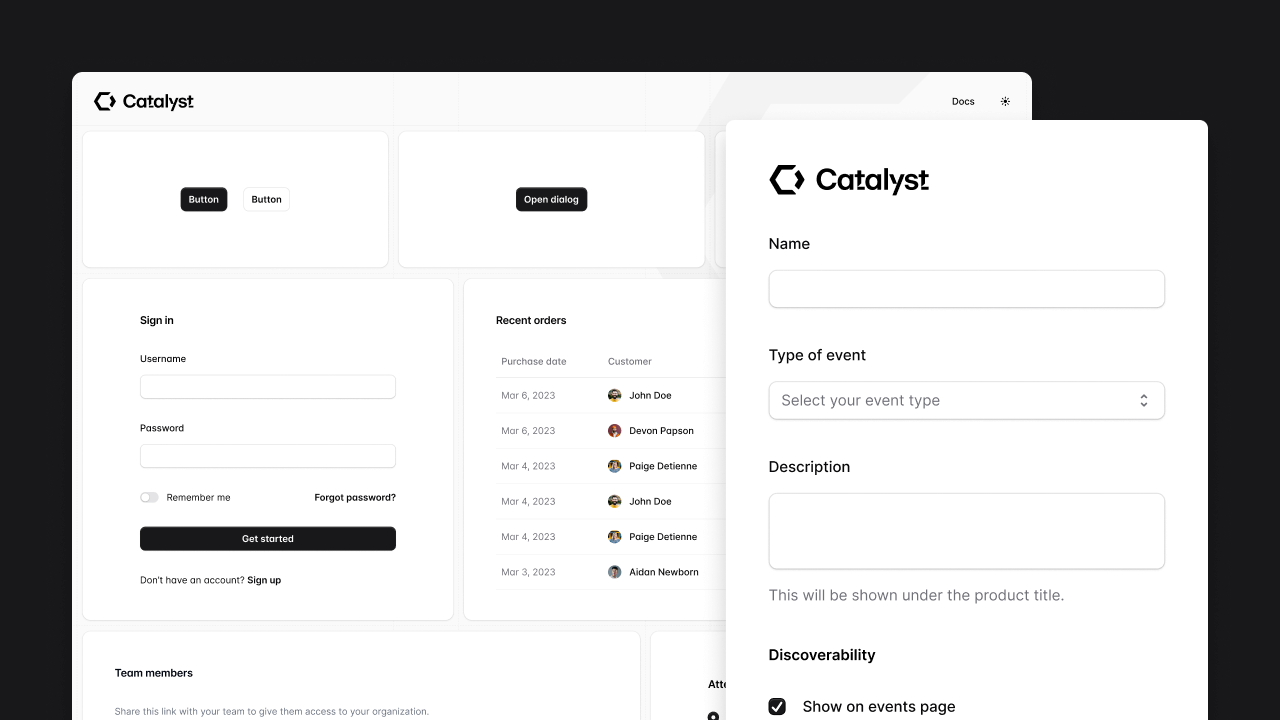
Modern application UI components to kickstart your design system.
 woeful warren
hey im having issues with tailwindcss? or perhaps websites in general in linux for example some sites are truncated on desktop view

this also happens on my mac 13 inch
and the issue with tailwindcss perse is that md:flex hidden does not work as it should
bcs of the screen breackpoint issue
 tardy bison
Hi,
I'm sorry to bother you about the new version of Tailwind. It's been a while since I've been here, and I'm completely lost. Before, there was a nice configuration folder for adding custom styles, whether gradients, images, or colors. Now I see @theme @layer, but I don't understand it at all. How do I go about creating a custom style to add gradients and colors?
wraith imp
tardy bison
Hi,
I'm sorry to bother you about the new version of Tailwind. It's been a whil...
everything inside global.css now, no more tailwind.config.js
this way you have better intellisense and autocompletion
adding tokens is as simple as this, just declare a variable which u can then use later like bg-avocado-100 or text-avocado-100
