#Quest Machine
1 messages · Page 2 of 1
 gloomy crypt
 dusky pulsar
gloomy crypt
This bug also confirmed
dusky pulsar
gloomy crypt
This bug also confirmed
Would you please send me detailed reproduction steps? I can send you a working project to look at as a model if that will help.
dusky pulsar
Latest Quest Machine - RPGB integration package. This package will be in QM 1.2.48.
 pallid kite
dusky pulsar
Latest Quest Machine - RPGB integration package. This package will be in QM 1.2....
pallid kite
dusky pulsar
Latest Quest Machine - RPGB integration package. This package will be in QM 1.2....
Hi! I see there have been a lot of patches with indicators (which i also have) and repeatable quests (i also have the issue)
I wonder if i have to download all the patches here from the history of this chat one by one, or i can just download the latest one and i will fix both issues?
Also are those patches being uploaded somewhere? Updating maybe on store or your website with addons? - just so i can check it time to time and see if i need to patch?
Thank you very much bro for all your work i see you work very hard to support all issues
dusky pulsar
pallid kite
Hi! I see there have been a lot of patches with indicators (which i also have) a...
Hi! Between official releases, you can download the latest patches and updates from: https://www.pixelcrushers.com/quest-machine/quest-machine-extra-downloads/
 storm heartBOT
@dusky pulsar just reached level 9!
 random rivet
!rank
storm heartBOT
 gloomy crypt
@dusky pulsar hi, a few month ago you fixed the problem that if you throw away a quest item the counter does not change. Now it works fine, but until the required amount is collected. If you collect everything and throw it away, the quest will still count. Do you know how to fix it ?
dusky pulsar
Hi! You'll want to add a node for that. Please see: How To: Revert Quest Node States If Conditions Are No Longer True
gloomy crypt
dusky pulsar
Hi! You'll want to add a node for that. Please see: [How To: Revert Quest Node S...
We already disscussed it with you and you sent me an example and it's your node....I even didn't change the name


You sent me a project about furs with a fix, do you still have it?
Can you sent me again please (bc your link is not active any more) I 'll check or maybe you can check your self
dusky pulsar
If it was a fix, can you back up your project, update to the current Quest Machine version, and import the RPG Builder Support packages from the Common/Third Party Support and Quest Machine/Third Party Support folders?
Also, when you revert your quest node states, you can also use the Set Counter quest action to reset the quest counter if that's relevant.
gloomy crypt
Hi, I noticed that if I add a new quests players which already exists can't see them. And save file with json also not updating.
If I add smth new to rpg builder all is ok bc each time then player run game CharacterUpdater update json save

Can you look please ? Thanks a lot
dusky pulsar
gloomy crypt
Hi, I noticed that if I add a new quests players which already exists can't see ...
Tick the Quest Journal & Quest Giver components' "Add New Quests Since Saved Game" checkboxes.
gloomy crypt
Sorry, I found Quest Journal, but not quest giver. Where is I can find it ?


Here I also didn't find
 dusky pulsar
gloomy crypt
Sorry, I found Quest Journal, but not quest giver. Where is I can find it ?
dusky pulsar
gloomy crypt
Sorry, I found Quest Journal, but not quest giver. Where is I can find it ?
Try this patch. Let me know if it sets it automatically for you at runtime and adds the new quests.
gloomy crypt
dusky pulsar
Try this patch. Let me know if it sets it automatically for you at runtime and a...
no 😥
dusky pulsar
I'll look into this and get back to you.
gloomy crypt
checked here for sure
 dusky pulsar
gloomy crypt
checked here for sure
dusky pulsar
gloomy crypt
checked here for sure
Is the problem on the player's Quest Journal or in an NPC's Quest Giver component? In other words, after you saved the game, where did you add the new quest?
gloomy crypt
I create a quest add it to a DB and then add it to the NPC in rpg builder in AI -> Quest Machine
 dusky pulsar
gloomy crypt
I create a quest add it to a DB and then add it to the NPC in rpg builder in AI ...
dusky pulsar
gloomy crypt
I create a quest add it to a DB and then add it to the NPC in rpg builder in AI ...
Thanks. This should fix it.
gloomy crypt
dusky pulsar
Thanks. This should fix it.
Unfortunately no new quests added, but an errors appears 🥺

 dusky pulsar
gloomy crypt
Unfortunately no new quests added, but an errors appears 🥺
dusky pulsar
gloomy crypt
Unfortunately no new quests added, but an errors appears 🥺
I'm not seeing that in my test setup, but maybe your setup is different. If you use this patch, it should prevent that error message. Let me know if it also adds the new quests. You've added the new quests to the NPC in RPG Builder, correct?
gloomy crypt
dusky pulsar
I'm not seeing that in my test setup, but maybe your setup is different. If you ...
yes correct
dusky pulsar
Thanks. Then please let me know if this patch works the way you expect.
gloomy crypt
dusky pulsar
Thanks. Then please let me know if this patch works the way you expect.
The same error. 😥
I checked that latest patch is applied in the code just to be sure

 dusky pulsar
I also needed to send you this file. I forgot to attach it.
gloomy crypt
dusky pulsar
I also needed to send you this file. I forgot to attach it.
Now an error here (

 dusky pulsar
I think you're using an old version of that script. Please use the one named QM_RPGB_Patch_2024-09-19.unitypackage
gloomy crypt
Can you clarify please which script do you mean ?
Bc I use this 2 ones.

First is: QuestMachineRPGBuilderBridge
Changes was here
 dusky pulsar
No, that code should be:
// Add new quests that weren't in saved game:
foreach (var quest in entry.QuestList)
{
    if (giver.FindQuest(quest.id)) continue;
    var questInstance = giver.AddQuest(quest);
    if (questInstance == null) continue;
    questInstance.questGiverID = giver.id;
}```Here's another copy:
gloomy crypt
Sorry, please, I reverted it i think accidentally before last Patch 19, now it looks like ok.
No errors, I see a quest, and it also added here, but into static quests but separatly, not to the old ones, it's ok as I understood ?

Old quests were here
 dusky pulsar
Yes, should be fine.
gloomy crypt
If you don't mind, I have one more question,
it's not very critical, but players pay attention.
Sometimes it happens that there are no quests, but the exclamation mark is shown. If you run up to the NPC a couple of times, the sign will disappear. I noticed this too, if I'm not mistaken, only for those NPCs who have repeatable quests on a timer. Any idea why or how to fix it ?
dusky pulsar
I think that's the RPGB indicator, not QM.
gloomy crypt
Looks like it indicator which I added as you said before to the AllLogicTemplate.


Rpg indicator is different and has wrong place
dusky pulsar
Understood. I'll look into this. It's probably what you said -- NPC has quests on a timer.
gloomy crypt
dusky pulsar
Understood. I'll look into this. It's probably what you said -- NPC has quests o...
I will be grateful, thank you
gloomy crypt
hi, the player sent another bug, but apparently it is related to the same thing. 2 NPCs, both have quests available, both have exclamation marks, but as soon as you take 1 quest (regular) one NPC, both exclamation marks gone, although the quest is available (and it is on a timer)
dusky pulsar
I'll try to get this resolved early next week.
dusky pulsar
gloomy crypt
hi, the player sent another bug, but apparently it is related to the same thing....
Hi! I'm been trying to reproduce this, but I can't figure out how to reproduce it. On your NPC, what are the values of Has Quest To Offer State and Has Quest But Cannot Offer State? It's usually configured like this:

The Has Quest But Cannot Offer state is used if the quest's offer conditions aren't true yet, or if it's still counting down the repeat cooldown timer, like:
 gloomy crypt
 gloomy crypt
dusky pulsar
Hi! I'm been trying to reproduce this, but I can't figure out how to reproduce i...
gloomy crypt
dusky pulsar
Hi! I'm been trying to reproduce this, but I can't figure out how to reproduce i...
Hi, like this
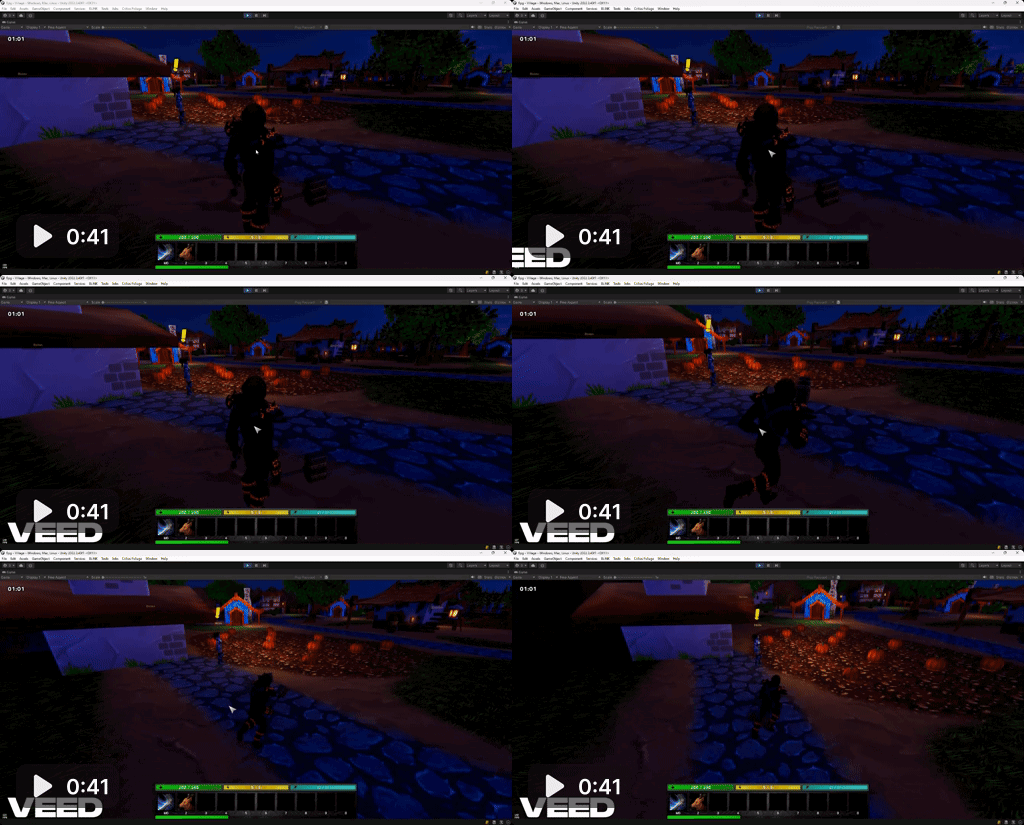
reproduces each time
randomly
if you accept a quest from another npc the exclamation mark disappears
so looks like it checks not only own quests
maybe problem is not in repeatable quests
dusky pulsar
Is it possible in your scene that both NPCs' Quest Giver components have the same IDs?
gloomy crypt
dusky pulsar
Is it possible in your scene that both NPCs' Quest Giver components have the sam...
all npcs ? no. also I don’t add any components bc I add npc through rpgbuilder
I can send a screenshots just say which exactly
dusky pulsar
gloomy crypt
all npcs ? no. also I don’t add any components bc I add npc through rpgbuilder
Thanks. I’ll look into it further.
gloomy crypt
Hi, how to make quest like "Kill 10 mobs"
I don't see here anything
I create a quests in rpgbuilder so I can't send a messages as in youtube tutorials
Thanks
 dusky pulsar
gloomy crypt
Hi, how to make quest like "Kill 10 mobs"
I don't see here anything
I create a q...
dusky pulsar
gloomy crypt
Hi, how to make quest like "Kill 10 mobs"
I don't see here anything
I create a q...
Hi! Quest Machine's integration with RPG Builder is for Quest Machine quests, not RPG Builder quests. See the KillBoarsQuest asset for an example of a kill quest.
Note: If you are using the Dialogue System integration, you can control RPG Builder quests (or Dialogue System quests or Quest Machine quests) from the Dialogue System.
gloomy crypt
Hi, I am not talking about rpg builder quests. It's a screenshot from quest machine

I'm looking at this quest now "KillBoarsQuest " and I don't see where it specifies who and how many to kill. If this counter just listens to messages, then how to send them? I don't see anything like that in the rpg builder AI settings. Can you please explain?
dusky pulsar
gloomy crypt
I'm looking at this quest now "KillBoarsQuest " and I don't see where it specif...
Hi! Use a CombatEntityEvent component on your mob. In the folder Assets > Pixel Crushers > Quest Machine > Third Party Support > RPG Builder Support > Demo > Prefabs, you can find an example mob prefab:

The Quest Machine - RPG Builder integration tutorial video also shows how to set this up using a script instead of adding the component yourself: https://www.youtube.com/watch?v=NQcyoXYXc_0

Quest Machine is a Unity plugin for procedurally-generated & hand-written quests. This tutorial shows how to integrate with Blink's RPG Builder. It will be helpful to watch some of the basic Quest Machine tutorials, too, since this video doesn't cover the basics of writing quests.
Buy Quest Machine here: https://www.assetstore.unity3d.com/#!/co...
The KillBoars quest has a counter that listens for the message "Killed" + "Boar" and increments the quest counter.
gloomy crypt
dusky pulsar
The KillBoars quest has a counter that listens for the message "Killed" + "Boar"...
Thanks will try
gloomy crypt
dusky pulsar
Hi! Use a CombatEntityEvent component on your mob. In the folder Assets > Pixel ...
When I add this component I get an error 😥

 dusky pulsar
That's an error in RPG Builder's CombatEntity, not in the Quest Machine integration's CombatEntityEvent. Did you add the CombatEntity to an AI Template GameObject? You may find it easiest to duplicate RPGB's AILogicTemplate GameObject and use that. In the RPG Builder window's AI > NPCs > (npc) > AI Settings, assign your duplicate to the AI Template. Then add the CombatEntityEvent and QuestControl components to your duplicate, and configure them to send the message to the message system.
gloomy crypt
dusky pulsar
That's an error in RPG Builder's CombatEntity, not in the Quest Machine integrat...
Thanks, looks like it works
gloomy crypt
I'm not rushing you in any way, but is there any news on the indicator?
dusky pulsar
gloomy crypt
I'm not rushing you in any way, but is there any news on the indicator?
Working on it today. I had to set it aside for a couple of days to address some urgent deadlines, but I'm back on it now.
gloomy crypt
dusky pulsar
Working on it today. I had to set it aside for a couple of days to address some ...
Hi, any news ?
dusky pulsar
Juggling tasks. Should be ready soon.
gloomy crypt
One more questions. If I took many quests the list goes beyond the screen. Is there any way to scroll or get around this ?
 dusky pulsar
gloomy crypt
One more questions. If I took many quests the list goes beyond the screen. Is th...
dusky pulsar
gloomy crypt
One more questions. If I took many quests the list goes beyond the screen. Is th...
Yes, you can:
- Add a scroll view to your quest HUD
- Or tick the Quest Journal component's Only Track One Quest At A Time
- Or make a subclass of UnityUIQuestJournalUI that only lets the player track a specified maximum number of quests
gloomy crypt
Thanks
dusky pulsar
gloomy crypt
I'm not rushing you in any way, but is there any news on the indicator?
I have been trying to reproduce the indicator issue, but I haven't found a way to do so. Here's a video demonstrating two quest givers. When I accept quests from one quest giver, it does not affect the indicators on the other quest giver: https://youtu.be/2yJzvNZYANs

Can you provide reproduction steps or a reproduction project?
gloomy crypt
no, it's not a permanent bug, but very common for timed quests, so I only can screenshots as I did
dusky pulsar
Got it. I'll investigate further.
dusky pulsar
Sorry, I have not been able to reproduce this issue. No matter what test I try, accepting a quest from one NPC will not affect the indicators on other NPCs. If you can provide a reproduction project and steps that most often lead to the issue, I can investigate further. Otherwise, please make sure all of your IDs are unique -- quest IDs, quest giver IDs, etc.
You could also tick the Quest Machine GameObject's Debug Settings > Debug and Debug Message System checkboxes. This will log a lot of info to the Console window. You may be able to trace through the logs to identify when it tells the indicator to disappear.
gloomy crypt
dusky pulsar
Sorry, I have not been able to reproduce this issue. No matter what test I try, ...
it was just my guess that one affects the other. The main problem is that the indicator appears, but there are no quests.
dusky pulsar
Oh, I can look into that. Does it appear when the quest giver has a quest that the player has previously accepted and completed/abandoned but the quest cooldown hasn't finished counting down yet?
gloomy crypt
dusky pulsar
Oh, I can look into that. Does it appear when the quest giver has a quest that t...
yes, this only happens to those who have quests with a timer. This does not happen for usual NPCs
dusky pulsar
I haven't been able to reproduce the problem. Everything works correctly in all of the test cases I've set up. I'm afraid you'll need to tick Debug Message System and trace through the logs, or send me a reproduction project with reproduction steps.
gloomy crypt
dusky pulsar
I haven't been able to reproduce the problem. Everything works correctly in all ...
Hi, can you check a bug please ?
I have a quest to collect pumpkins. If I start collecting pumpkins, then put some in the chest, then the counter breaks, if I continue collecting it will count incorrectly

Another case. If I collect all the pumpkins and put them in the chest, the quest is accepted, but the pumpkins remain in the chest.
Something is wrong with the chests
dusky pulsar
Hi! What do you want to happen? The RPGB Has Items quest condition hooks into two RPGB events: GeneralEvents.PlayerGainedItem and GeneralEvents.PlayerLostItem. When these occur, it updates the quest counter with the value of RPGB's EconomyUtilities.GetTotalItemCount() method. This only tracks the player. It doesn't track chests.
gloomy crypt
dusky pulsar
Hi! What do you want to happen? The RPGB Has Items quest condition hooks into tw...
It's ok. I don't want to track the chests. As I said if I continue collecting it will count incorrectly.
Look please a screen above from the previous my message. You can see an inventory with 2 pumpkings. But counter is 1
If it tracks player it should be 1, no ?
Can't send a video bc of more then 10MB

that is another case. Also. I have 7 but counter is 1.
I just put them into the chest and return back again
So it just doesn't track the moment then you move it into the chest and vice versa
So I can also just gather all pumpkins needed for quest put them into the chest and pass a quest.
At this time player has 0 pumpkins
Then return back and again pass the quest.
dusky pulsar
How did you set up the chest? Interactable Object?
gloomy crypt
dusky pulsar
How did you set up the chest? Interactable Object?
No. As container.
According to Blink documentation and video instruction
 dusky pulsar
gloomy crypt
No. As container.
According to Blink documentation and video instruction
dusky pulsar
gloomy crypt
No. As container.
According to Blink documentation and video instruction
Sorry for the delay. This patch should fix the issue.
gloomy crypt
dusky pulsar
Sorry for the delay. This patch should fix the issue.
Thanks. Looks like it works. Will ask testers to test it. 🥰
gloomy crypt
@dusky pulsar Hi, maybe you have an idea. I have a quest for NPC. All quests for this npc are similar. Gather 10 items and it's all. all quests worked a thousand times without problems, but suddenly the last quest started giving an error. What could it be?

 dusky pulsar
gloomy crypt
<@226434818869559296> Hi, maybe you have an idea. I have a quest for NPC. All qu...
dusky pulsar
gloomy crypt
<@226434818869559296> Hi, maybe you have an idea. I have a quest for NPC. All qu...
From the gear menu in the upper right of the Quest Editor window, select Debug > Delete Unused Subassets to make sure nothing's corrupt. Other than that, I don't know. Can you delete and recreate the quest? If you give it the same ID as the original version, saved game data should be fine.
gloomy crypt
Ok will try thanks
gloomy crypt
dusky pulsar
From the gear menu in the upper right of the Quest Editor window, select Debug >...
rechecked all options and created new one. Still this error occurs. At the same time the reward is given, everything is fine... it's just that the quest does not disappear, but writes each time that the quest is completed 😥 Even checked last patch to be sure, reverted this patch and didn't help(
All other quests are ok. Any idea maybe ?
But If I reenter game it doesn't appear....hm
gloomy crypt
Ohhhhh! It was so easy)))
It was a Null reference from another script))))
But you added try catch, so it shows your script + partial error without real script path)))
It's so confused)) Try catch not always good during debugging))
So I just commented temporary try catch and now it shows real file with error. So it fixed now.
Thanks for helping
dusky pulsar
Quest Machine includes a try..catch there (and reports the error) to allow it to continue even if a bad message is sent. Glad you found the issue!
If this happens again, then the next time instead of commenting out the try..catch you can tick the Quest Machine GameObject's Debug Settings > Allow Exceptions and Allow Message System Exceptions.
gloomy crypt
@dusky pulsar Hi, I need your help. I have a problem.
Each new episode in my game I add a new quest. All was ok.
But last time I added 2 quests and testers doesn't see them.
They send me a character file and see quests here.
Why It can be ?
Thanks a lot

It requires only KillQueen = Successfull
And KillQueen is completed by tester previous update

this is character file if it can help
I understand rpg builder structure)
But not your )
dusky pulsar
gloomy crypt
It requires only KillQueen = Successfull
And KillQueen is completed by tester ...
Is the player’s Quest Journal > Save Settings > Remember Completed Quests checkbox ticked?
gloomy crypt
Is it here somewhere ? Can't find.
But I think yes, bc previous 15 quests worked okey
 gloomy crypt
dusky pulsar
Is the player’s Quest Journal > Save Settings > Remember Completed Quests checkb...
gloomy crypt
dusky pulsar
Is the player’s Quest Journal > Save Settings > Remember Completed Quests checkb...
hi. any idea ?
dusky pulsar
It's here:

In the save system, hand-written quests are saved in a binary format to save space. Here is the first part of the player quest journal's save data:
{"key":"QuestMachine_RPGBuilder","sceneIndex":-1,"data":"{"staticQuestIds":["AmaliaCastle","AmaliaVillage","AmaliaLifeCenter","AmaliaGreenMushrooms","AmaliaRedMushrooms","AmaliaBlueMushrooms","AmaliaFlowers","Find12RatTails","Find12BatWings","Wood","Iron","Stone","Platform","Find3Deers","Find3Stag","Find3Moose","Find3Boar","Find3Wolf","Find3Bear","Pumpkins","KillQueen"]
You can see that "KillQueen" is the last quest in the list. After this section is the binary data for each quest. Here is the binary data for the KillQueen quest:
{"bytes":[0,5,0,0,0,14,123,81,85,69,...
The first byte is the quest state:
0 = WaitingToStart
1 = Active
2 = Successful
So this means the player's copy of the KillQueen quest is in the WaitingToStart state.
gloomy crypt
Yes it's ticked

"So this means the player's copy of the KillQueen quest is in the WaitingToStart state."
Hm.....interesting. But how can it be ?
Bc after queen kill he sent a screenshots with loot.
And also he says that he completed it.
The another question, if it's in WaitingToStart state why he doesn't see it ?
You know better maybe can understand this
I tries his character on my pc the same. I don't see any quests from this NPC after queen kill
"You can see that "KillQueen" is the last quest in the list"
And what does it mean ? Is it all completed quests ? or all quests in this section ?
Thanks for helping
dusky pulsar
This first part is the list of hand-written quests (not proc gen) in the quest journal, in order. Since "KillQueen" is at the end of the list:
{"key":"QuestMachine_RPGBuilder","sceneIndex":-1,"data":"{"staticQuestIds":["AmaliaCastle","AmaliaVillage","AmaliaLifeCenter","AmaliaGreenMushrooms","AmaliaRedMushrooms","AmaliaBlueMushrooms","AmaliaFlowers","Find12RatTails","Find12BatWings","Wood","Iron","Stone","Platform","Find3Deers","Find3Stag","Find3Moose","Find3Boar","Find3Wolf","Find3Bear","Pumpkins","KillQueen"]
we know we can look at the last the last "bytes" array of the "staticQuestData" section:
{"bytes":[0,5,0,0,0,14,123,81,85,69,83,84,71,73,86,69,82,73,68,125,6,72,101,114,97,108,100,12,123,81,85,69,83,84,71,73,86,69,82,125,14,208,147,208,181,209,128,208,176,208,187,209,140,208,180,6,83,101,114,86,101,114,1,51,11,123,71,82,69,69,84,69,82,73,68,125,0,9,123,71,82,69,69,84,69,82,125,0,6,72,101,114,97,108,100,1,0,0,0,0,0,0,0,0,0,0,0,0,0,0,1,1,1]}
Translating this, we have:
0= WaitingToStart state5,0,0,0= # entries in quest's tag dictionary (5)- First tag:
14= first tag name length123,81,85,69,83,84,71,73,86,69,82,73,68,125= "{QUESTGIVER}"6= first tag value length72,101,114,97,108,100= "Herald"
etc.
Let's make sure that's correct. Does the Herald give the KillQueen quest?
Is it possible that something set the player's instance of the KillQuest quest to WaitingToStart after the player completed it? If the quest is already in the player's journal, then the NPC won't try to give it again.
gloomy crypt
hi, no Herald hasn’t any quests at all now. Nothing can change again this quest after completing. And it’s not in quest journal
gloomy crypt
dusky pulsar
This first part is the list of hand-written quests (not proc gen) in the quest j...
if it’s a list of written quests then why where are no my two last quests ?
gloomy crypt
Hm. Don't understand. I replace this section by section from another player, where everything is good, but result the same - No Herald quests

I thought all information about quests is here
and here also but it's empty

So if all info is here replaced from another player should work, no ?
dusky pulsar
gloomy crypt
hi, no Herald hasn’t any quests at all now. Nothing can change again this quest ...
Sorry, I wasn't clear. Is Herald the NPC that originally offers this quest?
Play the character in Unity's play mode and inspect the "QuestMachine_RPGBuilder Variant" GameObject's Quest Journal. Does the KillQueen quest appear in the Quests list? If so, open the Quest Editor window and click on the quest in the Quest Journal component's Quests list. Here's an example where I completed a quest and then inspected it:

If I look in the save data, it's:
{"staticQuestIds":["KillBoarsQuest"],"staticQuestData":[{"bytes":[2,5,0,0,0,14,...
Notice this part:
"bytes":[2
The 2 indicates that the quest is in the Successful state.
So we need to find out why, on your player, the KillQueen quest is in the WaitingToStart state.
gloomy crypt
dusky pulsar
Sorry, I wasn't clear. Is Herald the NPC that originally offers this quest?
yes he is offers it originally, I meant that for this player no quests at this moment from Npc Harold and no queen quest completed in the journal
gloomy crypt
No quest "Kill Queen"(
Also I added a screen shot where we can see that queen was really killed.


 dusky pulsar
gloomy crypt
yes he is offers it originally, I meant that for this player no quests at this m...
dusky pulsar
gloomy crypt
yes he is offers it originally, I meant that for this player no quests at this m...
Can you reproduce the issue consistently? I'm trying to figure out why the copy of the quest that is in the player's Quest Journal is in the Waiting To Start state. It should be in the Successful state.
gloomy crypt
dusky pulsar
Can you reproduce the issue consistently? I'm trying to figure out why the copy ...
Sorry, what does it mean consistently ? I should do smth or I did smth wrong ? Just say what to do 😲
gloomy crypt
dusky pulsar
Play the character in Unity's play mode and inspect the "QuestMachine_RPGBuilder...
I did what you say last time.
"Does the KillQueen quest appear in the Quests list?" - No. (I wrote above)
"If so, open the Quest Editor window and click on the quest in the Quest Journal component's Quests list" - it's not actual without point 1 correct ?
There were no more instructions. I didn't seem to miss anything. 😲
dusky pulsar
Not here:

Here:

^ Does the quest appear in the Quest Journal component's Quests list?
dusky pulsar
gloomy crypt
Sorry, what does it mean consistently ? I should do smth or I did smth wrong ? J...
With a new player character, can you follow a set of steps that causes the same problem?
gloomy crypt
Yes it's in the list.

 gloomy crypt
dusky pulsar
With a new player character, can you follow a set of steps that causes the same ...
gloomy crypt
dusky pulsar
With a new player character, can you follow a set of steps that causes the same ...
Unfortunately no, bc new players need to play for a long time before this quest
dusky pulsar
Unfortunately I can't provide an answer. I can only tell you what's wrong -- which is that the quest is in the Waiting To Start state. Is it possible that some quest has a Set Quest State action that has set the quest's state to Waiting To Start?
gloomy crypt
No. All quests are very simple. Start Complete it's all.
Each quest is waiting for completing of previous quest.
Ok, how to fix it for this player ?
I copied this part from my player file to broken. Now it should be the same as for me. Now we can see first byte is 2 so completed.


But nothing. I still don't see quest and it waiting status
 dusky pulsar
gloomy crypt
No. All quests are very simple. Start Complete it's all.
Each quest is waiting f...
dusky pulsar
gloomy crypt
No. All quests are very simple. Start Complete it's all.
Each quest is waiting f...
Since "KillQueen" is the element in staticQuestIds, you must edit the last "bytes" array in staticQuestData:

 gloomy crypt
dusky pulsar
Since "KillQueen" is the element in staticQuestIds, you must edit the last "byte...
gloomy crypt
dusky pulsar
Since "KillQueen" is the element in staticQuestIds, you must edit the last "byte...
sorry but why ? I copied it from my player where all is ok, so it should be the same as for me now, but in the result I don’t see a new quest, Kill queen I completed, so new quest should be here. And kill queen is waiting status. On my player it’s success..
If all data is in this sections and it’s not linked to any player id or data, it should be the same anywhere if i copied it, no ?
dusky pulsar
gloomy crypt
sorry but why ? I copied it from my player where all is ok, so it should be the ...
Sorry, I don't understand.
- When you play the character (character #1) where all is ok, does the KillQueen quest appear completed in the Quest Journal component's Quests list and in the quest journal UI? If so, does the NPC offer the new quest?
- When you play the other character (character #2), did you copy the quest data from character #1? If so, does the KillQueen quest appear completed in the Quest Journal component's Quests list and in the quest journal UI?
gloomy crypt
"When you play the character (character #1) where all is ok, does the KillQueen quest appear completed in the Quest Journal component's Quests list and in the quest journal UI? If so, does the NPC offer the new quest?"
Yes
"When you play the other character (character #2), did you copy the quest data from character #1? If so, does the KillQueen quest appear completed in the Quest Journal component's Quests list and in the quest journal UI?"
No and No
This is a broken player, I copied the data from the working one here.
Kill Queen is in Waiting status.
So that what I don't understand. Bc I copied.
I copied accurately, i tried 3 times. I know what json is.

This is a working player. I copied the data from it.

This is where I copied from (working)
This is where I copied (not working)
Is it clear now or still no ?
dusky pulsar
Sorry, no, it's not clear. This is the relevant data from Episod_5_Master_RPGBCharacter.txt: (removed \\\ for readability)
First, you can see that KillQueen is the last in the list:
"staticQuestIds":["AmaliaCastle","AmaliaVillage","AmaliaLifeCenter","AmaliaGreenMushrooms","AmaliaRedMushrooms","AmaliaBlueMushrooms","AmaliaFlowers","Find12RatTails","Find12BatWings","WaterMelons","Wood","Stone","Eggplants","Quinces","Iron","Platform","Find3Deers","Find3Stag","Find3Moose","Find3Boar","Find3Wolf","Find3Bear","KillQueen"]
So the corresponding last entry in "staticQuestData" is:
{"bytes":[2,5,0,0,0,...
The first byte is 2, which indicates the Successful state. The 5,0,0,0 is an int stating that there are 5 entries in the quest's tag dictionary ({QUESTER}, {QUESTGIVER}, etc.).
In comparison, this is the relevant data from ячыва_RPGBCharacter.txt:
First, you can see that KillQueen is the last in the list here, too:
"staticQuestIds":["AmaliaCastle","AmaliaVillage","AmaliaLifeCenter","AmaliaGreenMushrooms","AmaliaRedMushrooms","AmaliaBlueMushrooms","AmaliaFlowers","Find12RatTails","Find12BatWings","Wood","Iron","Stone","Platform","Find3Deers","Find3Stag","Find3Moose","Find3Boar","Find3Wolf","Find3Bear","Pumpkins","KillQueen"]
So the corresponding last entry in "staticQuestData" is:
{"bytes":[0,5,0,0,0,...
The first byte is 0, which indicates the WaitingToStart state.
You said you copied the data from Episod_5_Master_RPGBCharacter.txt to ячыва_RPGBCharacter.txt, so I don't know why the data is different.
gloomy crypt
That is I am asking. I copied full section. I started game and it's changed this section.
So the question why...
Don't think RPG builder do this. QM doing this.
dusky pulsar
gloomy crypt
That is I am asking. I copied full section. I started game and it's changed this...
Is this correct? (below)
- In the saved game file, you changed the last "bytes" is it's
{"bytes":[2,5,0,0,0,...(starts with2[Successful]). - You started the game with that player.
- The quest does not appear in the player's quest journal UI. In the Quest Journal component's Quests list, the quest is WaitingToStart.
- When you examine the saved game file now, the last "bytes" has changed to
{"bytes":[0,5,0,0,0,...(starts with0).
Is that correct?
@gloomy crypt Does the KillQueen quest have a cooldown? Is Max Times > 1 or Infinitely Repeatable ticked?
gloomy crypt
dusky pulsar
<@896761929631137852> Does the KillQueen quest have a cooldown? Is Max Times > 1...
Could you check a video, please ? I recorded all info.
And can send result files if you need
 dusky pulsar
gloomy crypt
https://youtu.be/4dJFh4zwIQQ
Could you check a video, please ? I recorded all i...
dusky pulsar
gloomy crypt
https://youtu.be/4dJFh4zwIQQ
Could you check a video, please ? I recorded all i...
I think maybe the copy - paste is not working. This is the working character:

^ You can see that the first byte is 2.
But this is the other character after you said that you copy - pasted:

^ Here, you can see that the first byte is still 0
gloomy crypt
dusky pulsar
I think maybe the copy - paste is not working. This is the working character:
Sorry, аre you sure you're looking in the right place?
Bc from your screenshot it's 2 for working player
2 - you said it's Completed
and for Episod_5_Master it's 1 - Not copmpleted, but Active
You maybe missed it on video bc I completed it on video after copying data
But anyway you suggestion make sense I will check it. Thanks
Damn, I copied it through another editor and it seems everything is fine. Apparently this is a bug on their service, it is not designed to store binary data inside JSON, I have been using this service for many years, this is the first time I see this
It's a pity that it's unclear why it happened that this quest changed its status for all testers, I hope it's a coincidence, but if it happens again I'll write. Thank you very much for your help. In any case, I understood the structure of your plugin a little more. Without explanations, I think it's impossible to guess which byte is responsible for what.
Thanks a lot for helping, I appreciate it 🥰
dusky pulsar
Glad to help! I’m happy that you were able to identify the issue and get it working.
gloomy crypt
@dusky pulsar
Hi I have a problem
NPC has 2 quests
1 - is usual
2 - repeatable and requires: 1 quest is completed and rpg requirement (mate is Alive)
- If I completed 1-st quest second is appeared (incorrect)
- Leave - Enter game - all is ok, I don't see quest. (correct)
- After point 2 if mate is killed quest is appears (correct)
 dusky pulsar
Is the requirement that the mate is alive or dead? The quest will check the requirement every 1 second. If it's true, the quest will mark the condition true. Then when the other quest becomes successful, it will mark that condition true. At that point, since the Condition Count Mode is All and all of the conditions are true, the quest will appear. If the quest appears in (1) above, then both conditions are probably true. You can turn on Quest Machine's debugging (Quest Machine GameObject > Debug Settings > Debug, Debug Message System) to get more info.
gloomy crypt
This is another question by the way. Why is it checked every second, and not when the popup is opened? Why the extra perfomance?
I want to create NPC which give you a mate (1-st quest)
And each time then mate is dead give another quest which revives mate
So, NPC took mate once, then every time he is killed you need to return to the NPC and revive mate
Reuqirement check is mate alive. If no then npc should have a quest Revive
this is requirement

So quest 2 shows only then:
1-st is successfull
2-nd if Mate is not alive
and it works good, excepts first time then you completed 1-st quest and npc give you a mate
Quest Machine GameObject > Debug Settings > Debug, Debug Message System
Not sure that I know where is it
Debug Settings is it a component, script ?
don't see Debug Settings
 dusky pulsar
Expand the Quest Machine Configuration component. Then you’ll see Debug Settings.
The requirement condition must check continuously because it can be added to other sections such as autostart
gloomy crypt
thanks will try tomorrow, already night)
gloomy crypt
Oh, smth wrong with repeatable quests. they never work as expected.
I enabled debug it still not clear.
Quest has only 2 requirements.
Previous quest is success
Mate is not alive
It's super simple quest with super easy requirements.
Why it doesn't work ? Why it should be so hard to make it (repeatable quest) work((((
I checked separately requirement on rpg interactable, just to be sure that it works.
And it works as expected.


How to make at least this super simple quest work?
😥

this is requirement
Now, I complete 1-st quest. And see second quest (but mate is alive) so it shouldn't be here

Also I dont's see that it checks every 1 sec requirement here (I added a debug log)
But, If I reenter game it works and it checks every second requirement

 gloomy crypt
 dusky pulsar
gloomy crypt
Also I dont's see that it checks every 1 sec requirement here (I added a debug l...
dusky pulsar
gloomy crypt
Also I dont's see that it checks every 1 sec requirement here (I added a debug l...
Good thinking to add the debug log. If it's not checking every 1 second, then the condition has probably already marked itself as true.
As a test, please remove that condition (temporarily). Does the quest then behave as you would expect without that requirement? If so, we can isolate the issue to that condition. If that's the case, maybe I can add an option that checks it only when opening the offer window and not before.
gloomy crypt
dusky pulsar
Good thinking to add the debug log. If it's not checking every 1 second, then th...
Sorry, but without this condition "isMateNotAlive" it will check only that 1-st quest is successful.
And will show it constantly after 1-st quest is completed. What the reason of this ?
dusky pulsar
gloomy crypt
Sorry, but without this condition "isMateNotAlive" it will check only that 1-st...
Does that mean it's working as you would expect it to work with this configuration? I don't mean that it's working the way you want it to work. But it's working correctly for the conditions as they exist. If we can confirm that, we can look at the requirement condition.
gloomy crypt
dusky pulsar
Does that mean it's working as you would expect it to work with this configurati...
Yeap, it works as expected, it just appears right after 1-st quest is completed
Also I checked requirement separately on rpg builder interactable object. It works as expected.
So separately it works as expected, but together nope

 dusky pulsar
gloomy crypt
Yeap, it works as expected, it just appears right after 1-st quest is completed
...
dusky pulsar
gloomy crypt
Yeap, it works as expected, it just appears right after 1-st quest is completed
...
Great! Thank you for confirming. I'll see if I can add an option to the RPGB Requirement quest condition that specifies to only check it when opening the offer dialogue (or something like that).
dusky pulsar
gloomy crypt
Yeap, it works as expected, it just appears right after 1-st quest is completed
...
Please use this patch. It adds a "Check Only On Greet" checkbox to the RPGB Requirements quest condition. Tick the checkbox whenever you use Requirements in Offer Conditions.
gloomy crypt
dusky pulsar
Please use this patch. It adds a "Check Only On Greet" checkbox to the RPGB Requ...
Hi, unfortunately no changes.
Mate is alive and I see next quest
I didn't understand, now it checks requirement on open.
So it means that I open 1-st quest, and requirements from second quest already checked and true.
So how should it help ?
As you can see your log "Greet" appears on 1-st quest. So I didn't even complete first quest the second quest already checked requirement as I understand

 dusky pulsar
Sorry, that was an oversight. I'll provide an updated patch.
dusky pulsar
gloomy crypt
Hi, unfortunately no changes.
Mate is alive and I see next quest
I didn't under...
Please let me know if this works in your setup. It rechecks Requirement conditions before showing the offer.
gloomy crypt
dusky pulsar
Please let me know if this works in your setup. It rechecks Requirement conditio...
Hi, looks like now it works as expected.
Thanks
gloomy crypt
gloomy crypt
Hi, looks like now it works as expected.
Thanks
decided to buy a dialog system. I don't know why yet, but I hope to find a use for it.
I bought it for the good support. Just to say thanks.
But there is another side, are you ready to fix bugs if there are any ? 😃
dusky pulsar
Yes. Many more people use the Dialogue System with RPG Builder, so you probably won't find as many edge cases. It's already been fairly well battle-tested.
Thank you for buying a Dialogue System license, btw!
gloomy crypt
Hi, I have this 2 quests. First is Kell Golems


Second to Has 5 Gems in inventory. (Loot from orcs)


But I notied if I kill golem from 1-st quest in increase counter from 2-nd quest

Any idea how it can be ? When I kill golem it sends "Killed:Golems" message.
But 2-nd quest is not about listening message, it's about 5 gems in inventory(
 dusky pulsar
Hi @gloomy crypt The "revert" nodes should link from here:

In other words, if the player no longer meets the requirements to return to Amalia, it should set the Return To Amalia node back to Inactive. It has to do this before Return To Amalia has changed to the Success state.
During play, if you inspect the player's instance of the second quest, what is the current value of numGems?
gloomy crypt
dusky pulsar
During play, if you inspect the player's instance of the second quest, what is t...
you mean this ? Or where ?
 gloomy crypt
dusky pulsar
In other words, if the player no longer meets the requirements to return to Amal...
gloomy crypt
dusky pulsar
In other words, if the player no longer meets the requirements to return to Amal...
hm...are you sure ?
Bc I have already have about 40 quests, and most of them uses this scheme and it works. didn't see any problems.
But if you are sure that this is a problem, it means that I should change many quests and retest all of this.
It much time. So, I have to be 100 percent sure. Thanks
dusky pulsar
gloomy crypt
hm...are you sure ?
Bc I have already have about 40 quests, and most of them use...
Yes, if your intent is like this: How To: Revert Quest Node States If Conditions Are No Longer True
dusky pulsar
gloomy crypt
you mean this ? Or where ?
Inspect the QuestMachine_RPGBuilder prefab. It has the player's Quest Journal. Then inspect the active quest. Here's an example that shows that the Hunt Boars quest counter has increased to 1:
 gloomy crypt
dusky pulsar
Yes, if your intent is like this: [How To: Revert Quest Node States If Condition...
gloomy crypt
dusky pulsar
Yes, if your intent is like this: [How To: Revert Quest Node States If Condition...
Well, got it. But any idea why it works for other quests ? ))) Just interesting
gloomy crypt
dusky pulsar
Inspect the QuestMachine_RPGBuilder prefab. It has the player's Quest Journal. T...
 gloomy crypt
Hm I changed relation, killed Orc, looted 5 Gems, and now it through an error.
Also no message like "Return to Amalia to complete a quest"

 dusky pulsar
gloomy crypt
Well, got it. But any idea why it works for other quests ? ))) Just interesting
dusky pulsar
gloomy crypt
Well, got it. But any idea why it works for other quests ? ))) Just interesting
No idea. The way it's currently set up, the Not Enough Furs node would not become active until after the Return to Amalia node is complete. I don't know how that would work. The Not Enough Furs node should become active when the KillOrcs node is complete.
dusky pulsar
gloomy crypt
Hm I changed relation, killed Orc, looted 5 Gems, and now it through an error.
A...
Please click on that red error message, press Ctrl+C to copy it to the clipboard, then paste the clipboard here.
Can you also send me a copy of the quest?
gloomy crypt
Just to be sure.
Each new quest I copy from previous and change string ID all text sprites and requirements.
So my all my 40 quests have these 2 the same IDs
Could it affect for some how ? Bc as I said it works ok)

 dusky pulsar
gloomy crypt
Just to be sure.
Each new quest I copy from previous and change string ID all te...
dusky pulsar
gloomy crypt
Just to be sure.
Each new quest I copy from previous and change string ID all te...
It's fine for the different quests to have the same Start node IDs. The node IDs are only used within each individual quest, so it's okay for them to be the same in different quests.
The StackOverflowException error occurs because when the "KillOrcs" node becomes true, it activates the "Return to Amalia" and "Not Enough Furs" nodes. However, the "Not Enough Furs" node's conditions (item <= 4) immediately registers as true for some reason. This causes it to reset the "KillOrcs" node, which immediately becomes true and activates the "Not Enough Furs" node again, in an infinite loop. You may need to turn on debugging to trace through why it thinks the condition is true. Is the same item assigned to both nodes' Conditions?
gloomy crypt
Not sure that I understood your question, so here are a screenshots


"You may need to turn on debugging to trace through why it thinks the condition is true."
How to do that ?
dusky pulsar
gloomy crypt
Not sure that I understood your question, so here are a screenshots
It looks like "KillOrcs" node checks the amount of Source_Gem_ITEM, but the "Not Enough Furs" node checks the amount of SET_Gems_Regular_ITEM. Can you set them both to the same item type? That may fix it. Otherwise I can provide screenshots of how to tick the QuestMachine_RPGBuilder GameObject's Debug Settings > Debug checkbox and check the Console logs.
gloomy crypt
dusky pulsar
It looks like "KillOrcs" node checks the amount of **Source_Gem_ITEM**, but the ...
well, it's really stupid mistake, but unfortunately it didn't help(
Let's debug it. I think I should learn how to debug it, to not ask you every time then a bug


 dusky pulsar
Did the StackOverflowException error go away when you selected the same item for both nodes?
gloomy crypt
Yeap, it was my fault, sorry please.
gloomy crypt
so how to debug the main bug ?
dusky pulsar
gloomy crypt
so how to debug the main bug ?
First make sure the quest IDs are unique in both quests:

If they're unique, then tick this checkbox:

This will log a lot of activity to the Console window:

In the screenshot above:
- This appears when you talk to a Quest Giver NPC.
- This appears when you accept a quest. It sets the player's instance of the quest to Active.
- This appears when the quest counter is initialized to zero.
You can follow along like that to see which quest conditions and counters are being changed.
If your quests use the Message System, you can get even more detailed messages by ticking Debug Message System. However, this adds many extra messages, so I recommend keeping it UNticked unless you absolutely need it.
gloomy crypt
dusky pulsar
In the screenshot above:
1. This appears when you talk to a Quest Giver NPC.
2. ...
Hi, priorities have temporarily changed, so I'll come back to this later, but now there is another question. I need to make a greeting sound for each NPC. As far as I understand, this can only be done by adding a sound to each of the many quests, and to each phase separately. Therefore, I am trying to do this in the code, so that each NPC prefab has an audio source and there is its greeting. But I have not yet found how to access the NPC prefab?
dusky pulsar
gloomy crypt
Hi, priorities have temporarily changed, so I'll come back to this later, but no...
Hi! Quest Machine uses its Message System to send a "Greet" message whenever the player greets a Quest Giver. You could use a Quest Machine Message Events component to handle this event, but it's probably simpler to just add this script to the Quest Giver and assign an audio clip:
QuestGiverGreetingSound.cs
using UnityEngine;
using PixelCrushers;
using PixelCrushers.QuestMachine;

public class QuestGiverGreetingSound : MonoBehaviour, IMessageHandler
{
    public AudioClip greetingAudioClip;

    private void OnEnable()
    {
        var questGiver = GetComponent<QuestGiver>();
        MessageSystem.AddListener(this, QuestMachineMessages.GreetMessage, questGiver.id);
    }

    private void OnDisable()
    {
        MessageSystem.RemoveListener(this);
    }

    public void OnMessage(MessageArgs messageArgs)
    {
        AudioSource.PlayClipAtPoint(greetingAudioClip, transform.position);
    }
}```Hi, I need to add sounds to quest actions like Accept quest, decline, or complete, but I don't understand how ?
I tried to listen QuestStateChangedMessage or DiscussQuestMessage but it doesn't reacts on that
Also in plugin folder I can't access blink script
Should I use message system or how to do tit ?
Thanks
Hm, I changed param to Empty
MessageSystem.AddListener(this, QuestMachineMessages.QuestStateChangedMessage, string.Empty);
And looks like works

Will try then like this
But I don't really understand.
- I found all needed items - it says quest state is successfull - OK
- I interact with NPC it opens rewards - it says 3 times quest state is successfull - why ? (see 1 screenshot)
- I accept another quest - it says quest state is successfull - why ? (see 2 screenshot)

 dusky pulsar
Two of those messages may be for quest nodes, and one for the main quest state. Please see: https://pixelcrushers.com/phpbb/viewtopic.php?t=4743
The script in this link shows how to log which quest or quest node changed its state.
dusky pulsar
gloomy crypt
Hi, I need to add sounds to quest actions like Accept quest, decline, or complet...
BTW, if you want to add a sound when the player clicks a UI button, such as the quest dialogue UI's Decline button, use these steps:
- Add an Audio Source component to the dialogue UI.
- Configure the button's OnClick() event to play the dialogue UI's AudioSource.PlayOneShot, and assign an audio clip.
gloomy crypt
Well, do you remember you added a checkbox "Check only on greet" ? Smth wrong with it
A wanted to add just a little check "players should have 1000 gold"
in the end i spent half a day i added nodes, conditions tried a bunch of options it just didn't work. Since i could have done something wrong, i went a completely different way, i created 2 identical quests, but with different requirements. Is there 1000 gold or not. And only one of them works.
Please see video also


 gloomy crypt
dusky pulsar
Hi! Quest Machine uses its Message System to send a "Greet" message whenever the...
gloomy crypt
dusky pulsar
Hi! Quest Machine uses its Message System to send a "Greet" message whenever the...
this one works. Thanks
gloomy crypt
dusky pulsar
Two of those messages may be for quest nodes, and one for the main quest state. ...
this one also works. Thanks
dusky pulsar
gloomy crypt
Well, do you remember you added a checkbox "Check only on greet" ? Smth wrong wi...
When you greet the NPC, do you see "Greet" in the Console window?
gloomy crypt
I removed this debug. But sure bc I here sound on every greet
dusky pulsar
Please add the debug back, at least temporarily. The sound happens because it's listening for the "Greet" message. But we want to make sure the greet event also reaches the quest condition before the quest giver determines which quests it can offer.
gloomy crypt
yes I see it

But I see it twice only on first open
https://www.veed.io/view/1ff1903a-e4e3-4387-8e84-b225ffbc7c35?panel=share
 gloomy crypt
hi, any news ?
dusky pulsar
gloomy crypt
hi, any news ?
Yes, just double checking the patch. Here it is. (2 files)
gloomy crypt
dusky pulsar
Yes, just double checking the patch. Here it is. (2 files)
Hm, now usual quest is not working, without any requirements it doesn't show but I see an indicator


I have usual quest. Which give a mate.
It just a simple quest.
And after that 2 other which we discussed above (revive mate)
So result should be for me like
1 quest gives mate
2 quest revive mate if he is not alive (if player has 1000 gold)
dusky pulsar
gloomy crypt
Hm, now usual quest is not working, without any requirements it doesn't show but...
Please use this version.
gloomy crypt
dusky pulsar
Please use this version.
Mm, looks good, nice. I hope it didn't affect other quests 😃
I will test it with testers more deeper, thanks a lot 👍
gloomy crypt
dusky pulsar
First make sure the quest IDs are unique in both quests:
Well, finally I returned back to this problem, thanks for advice, bc thanks for debug I found a problem in 2 minutes.
So, that problem was that I copied quest golems to quest orcs, and change Message to Data Sync, but it didn't clean what was under Message (Killed:Golems), so in the result was working both systems sync + message
Sorry, but i think for ui it's a bug and not very obvious that when you choose Sync, Message also works, bc according to UI it's a select, not multiple select)
So it's should or ignore it or clean after changing)
Thanks for helping now it works correctly 👍


heh also I checked all my 40 quests and most of them under message tab listening green mushrooms message)))))
So I should remove all them)
dusky pulsar
Sorry, but i think for ui it's a bug and not very obvious that when you choose Sync, Message also works, bc according to UI it's a select, not multiple select)
I agree. Sorry about that. Thanks for letting me know. I'll clean that up in the UI. And, also, if it's set to Data Sync, it won't also quietly listen for messages.
gloomy crypt
np thanks for helping
gloomy crypt
@dusky pulsar hi, I have a listeners to play sound when quest status is changed.
But if I have 5 npc, they all listen it, and sound plays 5 times
How to check that quest status was changed only for current npc and play one time on him ?
I have current quest giver
var questGiver = gameObject.transform.parent.gameObject.GetComponent<QuestGiver>();
But I didn't find in messageArguments from who this message.
Is it sender ?
should I get it like
sender.gameObject.transform.parent.gameObject.GetComponent<QuestGiver>()
and compare this current npc object ?

 gloomy crypt
think no bc
sender: LifePlatform(Clone)(Clone) (PixelCrushers.QuestMachine.Wrappers.Quest)
sender it's not an npc, it's a node or smth like that
dusky pulsar
gloomy crypt
<@226434818869559296> hi, I have a listeners to play sound when quest status is ...
Hi! Try this, or adapt the ideas to your script:
using UnityEngine;
using PixelCrushers;
using PixelCrushers.QuestMachine;

public class QuestGiverGreetingSound : MonoBehaviour, IMessageHandler
{
    public AudioClip greetingAudioClip;

    private QuestGiver questGiver;

    private void Awake()
    {
        questGiver = GetComponent<QuestGiver>();
    }

    private void OnEnable()
    {
        MessageSystem.AddListener(this, QuestMachineMessages.GreetMessage, questGiver.id);
        MessageSystem.AddListener(this, QuestMachineMessages.QuestStateChangedMessage, string.Empty);
    }

    private void OnDisable()
    {
        MessageSystem.RemoveListener(this);
}``` public void OnMessage(MessageArgs messageArgs)
{
switch (messageArgs.message)
{
case QuestMachineMessages.GreetMessage:
AudioSource.PlayClipAtPoint(greetingAudioClip, transform.position);
break;
case QuestMachineMessages.QuestStateChangedMessage:
var quest = QuestMachine.GetQuestInstance(messageArgs.parameter);
bool isMyQuest = quest != null && StringField.Equals(quest.questGiverID, questGiver.id);
bool didMainQuestStateChange = messageArgs.values[0] == null;
if (isMyQuest && didMainQuestStateChange)
{
var newState = (QuestState)messageArgs.values[1];
switch (newState)
{
case QuestState.Active:
// Play active state change here
break;
case QuestState.Successful:
// Play successful state change here
break;
}
}
break;
}
}
}```isMyQuest is always False (
quest.questGiverID: Amalia != quest.id: AmaliaLifeCenter
AmaliaLifeCenter - is quest ID
Amalia - is an npc id
how they can be equal ?
 dusky pulsar
Typo. I fixed it.
StringField.Equals(quest.questGiverID, questGiver.id)```Yeap I also thought that, but they are different for me)
Bc it's just free input fields.
Or should be they are the same ? And should I change all my quests Quest Giver ID field equal to ID in RPG builder ?

 dusky pulsar
It's easier if you make them the same. If you can't do that because players already have quests with the different names, you can:
- Try adding "ID" to the end and check if they match, or
- Find the NPC whose ID matches, something like:
foreach (var npc in GameObjectUtility.FindObjectsByType<RPGNpc>())
{
    if (StringField.Equals(npc.entryName, quest.questGiverID))
    {
        // play audio
    }
}```got it, will try.
But if they are different for me, can it be a root cause for old bug when it shows Indicator for npc without active quests ?
dusky pulsar
Yes, that could be. You could modify the code to handle either case (e.g., "Amalia" or "AmaliaID").
gloomy crypt
Yeap, it works now very well.
Thanks 👍
gloomy crypt
Indicator wasn't fix, but my issue for today fixed)
gloomy crypt
@dusky pulsar
Hi did new npc as usual.
Collider is ok.
Why indicator has strange position ?
Thanks
 dusky pulsar
gloomy crypt
<@226434818869559296>
Hi did new npc as usual.
Collider is ok.
Why indicator ha...
dusky pulsar
gloomy crypt
<@226434818869559296>
Hi did new npc as usual.
Collider is ok.
Why indicator ha...
Hi! Check the Transforms of the GameObjects Adelin and QuestIndicatorManager. One or the other may have unwanted rotations.
gloomy crypt
dusky pulsar
Hi! Check the Transforms of the GameObjects `Adelin` and `QuestIndicatorManager`...
but it's not only rotation it's y position, should be above had)
dusky pulsar
Maybe check Adelin's scale as well. And/or just move QuestIndicatorManager higher.
gloomy crypt
dusky pulsar
Maybe check `Adelin`'s scale as well. And/or just move QuestIndicatorManager hig...
sorry, move ? indicator added by rpg builder
dusky pulsar
gloomy crypt
sorry, move ? indicator added by rpg builder
In the example included with the Quest Machine integration, the AI template has a QuestIndicatorManager component on the main GameObject, and a child Quest Indicator UI GameObject as a child that you can position anywhere:

Maybe yours is set up a little differently?
gloomy crypt
dusky pulsar
In the example included with the Quest Machine integration, the AI template has ...
got it, thanks.
dusky pulsar
Quest Machine is 50% off in Unity's Spring Sale! If you want infinite procedurally-generated quests, or if you want to write quests in a nice node-based editor, it'll get the job done with RPG Builder integration included.
https://assetstore.unity.com/packages/tools/game-toolkits/quest-machine-39834

Get the Quest Machine package from Pixel Crushers and speed up your game development process. Find this & other Game Toolkits options on the Unity Asset Store.
dusky pulsar
Pixel Crushers: Publisher of the Week (May 29 - June 5)
Pixel Crushers is Publisher of the Week on the Unity Asset Store through June 5! All assets are 50% off, and Love/Hate is free. Quest Machine and the Dialogue System and Quest Machine have integration with RPG Builder. They work great individually with RPG Builder or together.

Discover the best assets for game making. Choose from our massive catalog of 2D, 3D models, SDKs, templates, and tools to speed up your game development.