#Dialogue System for Unity
1 messages · Page 3 of 1
 fast jackal
- Make sure the player is the bark conversation's Conversant and the speaker of the bark lines:

- Add a Dialogue Actor component to your player prefab, and set the Actor dropdown to the Player actor.
 west lantern
fast jackal
What do you mean by tasks status? Dialogue System quests or RPG Builder quests, ...
west lantern
fast jackal
What do you mean by tasks status? Dialogue System quests or RPG Builder quests, ...
I'm referring to RPG Builder tasks, specifically checking the status of tasks. I would like to use a Dialogue Trigger to check if all tasks of a RPG Builder quest have been completed, and if so, close the quest in RPG Builder.
Could you please provide guidance on how to achieve this?
fast jackal
west lantern
I'm referring to RPG Builder tasks, specifically checking the status of tasks. I...
Hi! The integration doesn't have any Lua functions for tasks themselves, just for quests. You could make a subclass of the bridge component and add your own Lua functions for tasks if you like.
west lantern
fast jackal
Hi! The integration doesn't have any Lua functions for tasks themselves, just fo...
Thank you, I managed to figure out what wasn't working thanks to your guidance.
fast jackal
Glad to help!
 limpid sluice
Hi Bullardo, I wanted to look at your code because being able to show Tooltips within dialogue system and also quest machine dialogue / journal would be something I am looking to implement.
Unfortunately, there is no code/text visible in your link anymore. Is there any chance you could share your approach again? Thanks a lot!
 soft canyonBOT
@limpid sluice just reached level 5!
 sick needle
limpid sluice
Hi Bullardo, I wanted to look at your code because being able to show Tooltips w...
sick needle
limpid sluice
Hi Bullardo, I wanted to look at your code because being able to show Tooltips w...
I used the keyword I think let me look at that again and get back to you
ok yea so I had to duplicate the tool-tips prefab under the dialogue system canvas and then I have some code on the dialogue system panel
then in dialogue tree something like so <link="Keyword"><color=#2BA0FA>Blacksmithing</color>
it still needs work to support stuff other than items like abilities and what not
like right now I have a bug on hover abilities both tooltips pop up I need to fix but that should be a good start for you
limpid sluice
Hey, thanks for the quick answer and for sharing your code, greatly appreciated as I am still quite new to coding.
So, I need to copy the Itemtooltip Prefab from RPG Essentials to the Dialogue System Canvas.
Make a new script with your code and attach it to the DS Panel.
Then drag references (canvasToCheck is the DS Canvas?, Transform DialogueToolTips is the previously copied Itemtooltip Prefab, which is now under the DS canvas, correct? But I see you search for it by using the FindGameObjectWithTag("dialogue-tooltips", so I take it I need to assign that Tag to that Prefab)
And then, the link Keyword part I will just need to write in my text, seems okay.
How does the link work on the item in the quest log? Because there it is an Icon/Image and not just a written word. Is there a link behind the Icon or something?
No worries about the bug(s), this is indeed a very good starting point. If you do get around to fix them that would be even nicer, of course!
Thanks a lot for the help
fast jackal
Current video tutorials:
https://www.youtube.com/watch?v=-1m4omg0DnI

ADDITIONAL STEP: In RPG Builder 2.1 or older, edit the RPGBuilderEssentials script. Add this line to the end of the ResetCharacterData() method:
PixelCrushers.SaveSystem.ResetGameState();
See also - DS Quests in RPG Builder: https://youtu.be/y9-H77e4t_A
The Dialogue System for Unity is a complete solution for adding interactive dialogue an...

Prerequisite - RPG Builder Integration Setup: https://youtu.be/-1m4omg0DnI
The Dialogue System for Unity is a complete solution for adding interactive dialogue and quests to your Unity projects. This video will show you how to create quests using the Dialogue System's integration in Blink's RPG Builder. For support, visit http://pixelcrushers.c...
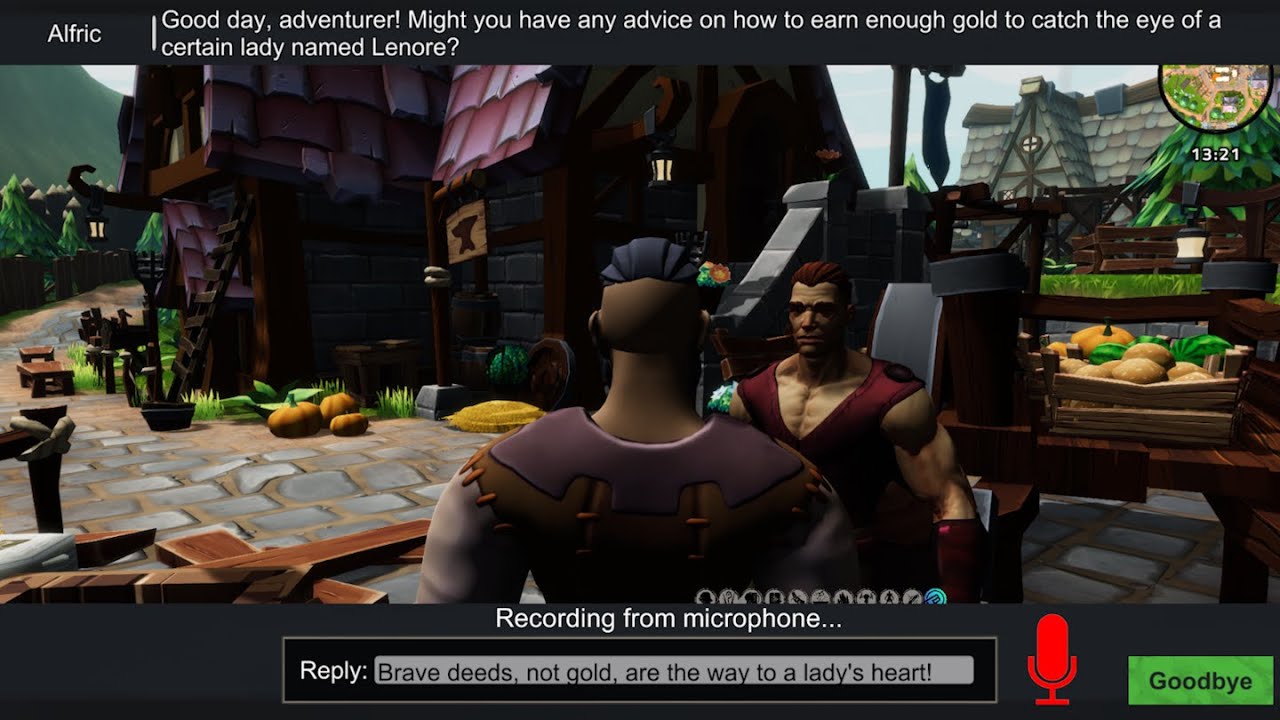
This video demonstrates setting up the Dialogue System for Unity, the Dialogue System Addon for OpenAI, RPG Builder, and SALSA LipSync Suite to create NPCs that you can converse with using generative AI like ChatGPT.
Get the Dialogue System Addon for OpenAI on the Unity Asset Store: https://assetstore.unity.com/packages/slug/249287
Requires the...
west lantern
@fast jackal Is there a video that shows how to add dubbing to dialogues?
fast jackal
What do you mean by dubbing? Voice acting? If so, please see the Cutscene Sequence Tutorials or the Chat AI NPCs video directly above your message if you want to set up automatic lip sync. You can skip the OpenAI part and just follow the SALSA part if you want to use SALSA for lip sync.
west lantern
fast jackal
What do you mean by dubbing? Voice acting? If so, please see the [Cutscene Seque...
I just need NPCs to read their lines during dialogues. They can optionally play animations while doing so, but I don't need any fancy features like lip-syncing, as the camera is positioned far away
fast jackal
Then the Cutscene Sequence Tutorials should be fine. Briefly:
- Put your audio clips in a folder named
Resources - Drag each audio clip into the corresponding dialogue entry's Sequence field
Then test that in a small conversation. This method is quick but hard to scale. Once you see it working, I recommend watching the Cutscene Sequence Tutorials so you can get to part 4, which covers entrytags. Entrytags are a way to automate the process so you don't have to drag and drop each line. You can also use Addressables instead of a Resources folder.
west lantern
fast jackal
Then the Cutscene Sequence Tutorials should be fine. Briefly:
1. Put your audio ...
ok thx
west lantern
@fast jackal Hi, I have an issue with the Scene Event GUID. Specifically, the ID visible in the screenshot gets deleted after exiting to the menu. This means everything works correctly only until I exit to the menu and reload the game – this happens both in the editor and in the build.
A separate question: Does the journal save automatically? Or do I need to attach it to the character or implement some file? The issue is that after exiting from the game, the journal state, it looks as if the player is starting the game from scratch.
 fast jackal
west lantern
<@226434818869559296> Hi, I have an issue with the Scene Event GUID. Specificall...
fast jackal
west lantern
<@226434818869559296> Hi, I have an issue with the Scene Event GUID. Specificall...
Hi! In the dialogue database, the Scene Event GUID is a string. When the Dialogue System plays this dialogue entry, it checks the current scene for a DialogueSystemSceneEvents GameObject with an event that matches that GUID string. For example, I added this scene event to the Demo scene:

When the dialogue entry plays, it deactivates a test Cube I added to the scene. When I exit to the main menu, the dialogue entry inspector shows:

This is because the DialogueSystemSceneEvents component is in the Demo scene, and we're now in the MainMenu scene.
If that's not what you're seeing, please let me know if there are any errors or warnings in the Console window.
west lantern
fast jackal
If that's not what you're seeing, please let me know if there are any errors or ...
I understand that the GUID is assigned to a specific scene, and that when I exit to the menu, it won’t be there. However, the issue is that when I return from the menu to the scene where the GUID is assigned in the dialogue, it’s no longer there. Doesn’t it load with the scene or something?
fast jackal
The "Dialogue System Scene Events" GameObject is just a regular GameObject in your gameplay scene with a DialogueSystemSceneEvents component. When you return to the scene, is the GameObject present?
west lantern
It looks like it is but it doesn't work, there are no warnings🤔
 fast jackal
west lantern
It looks like it is but it doesn't work, there are no warnings🤔
fast jackal
west lantern
It looks like it is but it doesn't work, there are no warnings🤔
Which event isn't playing? The one starting with 0ca2318e like in your previous screenshot? Or e973305a shown in the screenshot directly above?
You may have an easier time using the SetActive() and LookAt() sequencer commands, which don't rely on direct inspector assignments.
west lantern
fast jackal
Which event isn't playing? The one starting with 0ca2318e like in your previous ...
none
fast jackal
Are the GUIDs still correct? Make sure the Dialogue Manager's Debug Level is set to Warnings or Info, and that the Console isn't filtering out warnings. Then look for a warning like:
Scene OnExecute() event failed on dialogue entry #:#: <message>
If the Dialogue Manager's Debug Level is set to None or Errors, then you won't get warnings.
west lantern
fast jackal
If the Dialogue Manager's Debug Level is set to None or Errors, then you won't g...
I stopped using the event system and moved everything to sequences. Now it works, thanks.
 river field
Hi there,
I would like to import the dialogue directly in unity via text file bypassing the node creation. Is there any smart way to do it? thank you in advance
fast jackal
river field
Hi there,
I would like to import the dialogue directly in unity via text file by...
Hi! The Dialogue System provides several ways to import dialogue from other sources, including text.
Please see: Import & Export
There are many plain text formats, including JLC, Yarn, CSV (Excel), and others. The simplest to get started is probably JLC.
river field
fast jackal
Hi! The Dialogue System provides several ways to import dialogue from other sour...
I am not familiar with JLC, is Google sheet supported?
fast jackal
JLC is a custom format devised by the studio that made Jenny LeClue. It uses Google Docs.
You can use CSV import with Google Sheets, but spreadsheets are a poor format for dialogue unless they’re completely linear.
river field
could you point me to JLC`?
I have both Dialogue System and Quest machine. How difficult is the integration with RPG Builder?
for both
fast jackal
There are step by step video tutorials for both on pixelcrushers.com. A link to JLC is in that Import and Export link above. If you can’t find anything, @ me, and I’ll reply as soon as I get back to the office.
 clever leaf
Hi, when i use QuestStateListener and QuestStateIndicator components. I am not able to interact with the Actor, it shows a ? but i cant interact
Do i have to set it up inside of the dialogue for the quest or what am i missing
fast jackal
clever leaf
Hi, when i use QuestStateListener and QuestStateIndicator components. I am not a...
Hi! The QuestStateListener and QuestStateIndicator components only control the visibility of quest indicators. They don't do anything with interaction. To set up interaction, please see 05:20 of the tutorial: https://youtu.be/-1m4omg0DnI?t=319 or the instructions in the manual.
clever leaf
fast jackal
Hi! The QuestStateListener and QuestStateIndicator components only control the v...
Thanks for the respond
"The QuestStateListener and QuestStateIndicator components only control the visibility of quest indicators. "
Any vids on how to set this up? Do I put the components on the aitemplate(own copy of it)
I'm currently looking in the docs (https://www.pixelcrushers.com/dialogue_system/manual2x/html/class_pixel_crushers_1_1_dialogue_system_1_1_quest_state_indicator.html)
fast jackal
clever leaf
Thanks for the respond
"The QuestStateListener and QuestStateIndicator componen...
Make a copy of your AI Logic Template prefab to assign specifically to this NPC. Then add the components to it. See Sergeant Graves in DemoScene2 for an example.
clever leaf
fast jackal
Make a copy of your AI Logic Template prefab to assign specifically to this NPC....
Thank you so much for your guidance, it is now working very well! Happy new year ⭐
fast jackal
Glad to help! Happy New Year! 🎉
 supple garden
@fast jackal just wanted to say you are a true person i see you every day in here helping people if they have a problem RESPECT, just wanted to let you know you are truly a great person never have i seen in this last 2 / 3 years you being rude to anybody asking for help truly a great person RESPECT ✨ just wanted to let you know this is what real tool developer looks like who cares truly about his people and respect his costumers 💖 sorry i hope i am not to forward just wanted to show you Respect on what you are doing for the community ✨ and i wish you Happy New Year 🎉
fast jackal
Thank you for the kind words! Happy New Year!
 chrome copper
I second that! Tony the best! ❤️🙏
west lantern
@fast jackal How to add and subtract character statistics such as strength or health using dialogues? My on-screen improvisation isn't working.
 fast jackal
west lantern
<@226434818869559296> How to add and subtract character statistics such as stren...
fast jackal
west lantern
<@226434818869559296> How to add and subtract character statistics such as stren...
There isn't currently an RPGB Lua function to add or subtract stats. You can add experience using rpgAddCharacterExperience(amount) or add skill experience using rpgAddSkillExperience(skillName, amount) or add talent tree points using rpgAddTreePoints(talentTree, amount).
I'd need to check, but I'm assuming that when I wrote the integration RPG Builder didn't expose a way to add or subtract stat values.
west lantern
Ok thx
fast jackal
I'll check this week if there's an ability to add or subtract stats.
fast jackal
west lantern
Ok thx
@west lantern @chrome copper This patch adds a new Lua function rpgModifyStat("statName", amount)
rpgModifyStat("statName", amount): Modifies a stat by the specified amount.
Example:
rpgModifyStat("Thorn", 50)```
Increases the Thorn % stat by 50.Awesome, thanks a lot!
west lantern
@fast jackal Is there a solution to disable saving when exiting the game in what I assume is "DialogueSystemRPGBuilderBridge.cs"? (The idea is that in my game, saving is only supposed to happen when starting a new game or during sleeping. When exiting the game, it should not save at all, as pressing the exit button currently breaks the journal save, resetting it to zero.)
 fast jackal
west lantern
<@226434818869559296> Is there a solution to disable saving when exiting the gam...
fast jackal
west lantern
<@226434818869559296> Is there a solution to disable saving when exiting the gam...
The Dialogue System integration hooks into RPG Builder's GameEvents.SaveCharacterData event. This means it only saves when RPG Builder tells it to save. You'll need to modify RPG Builder to tell it not to save when exiting or returning to the main menu. To do this, edit RPG Builder's OptionsPanel.cs script. Comment out this line in BackToMainMenu() and QuitGame(): (2 places)
RPGBuilderJsonSaver.SaveCharacterData();```And does the journal save work and synchronize with RPGBuilder right out of the box? I’m asking because I’m honestly not sure anymore. It’s possible that the journal simply doesn’t save, and quitting the game in the editor behaves a bit differently than in the build, so it might sometimes give the illusion that everything is fine. Could it be some kind of bug, and the journal save itself isn’t actually working?
fast jackal
west lantern
And does the journal save work and synchronize with RPGBuilder right out of the ...
Are you using Dialogue System quests or Quest Machine for quests?
west lantern
fast jackal
Are you using Dialogue System quests or Quest Machine for quests?
Dialogue System quests
fast jackal
west lantern
Dialogue System quests
Quitting the game in the editor doesn't save automatically at the time that you exit play mode. But if you've configured RPG Builder to auto-save on a frequency, it will include Dialogue System save data, including quests. Make sure your Dialogue Manager GameObject has all of the save system-related components, including Dialogue System Saver. (Using the DialogueManager_RPGBuilder prefab included in the integration is best.)
west lantern
fast jackal
Quitting the game in the editor doesn't save automatically at the time that you ...
Is everything okay here?
 fast jackal
That looks fine. If you tick the Dialogue System RPG Builder Bridge component's Log Saves checkbox and play in the editor, the Console will log whenever the component receives instruction from RPG Builder to save the player's data.
west lantern
fast jackal
That looks fine. If you tick the Dialogue System RPG Builder Bridge component's ...
I enabled Log saves, but unfortunately, the journal still doesn’t save.🤔 🙃
fast jackal
west lantern
I enabled Log saves, but unfortunately, the journal still doesn’t save.🤔 🙃
Do you see Dialogue System save data: ... in the Console?
Are there any errors or warnings in the Console?
Are Dialogue System quests definitely being set to active or success states? They'll appear in the HUD, and you can also check quest states in the Dialogue Editor window's Watches tab.
clever leaf
fast jackal
That looks fine. If you tick the Dialogue System RPG Builder Bridge component's ...
This works for me only if i click main menu and go back in. but when i click exit game. Then there is no quest in the journal anymore when i start up the game and i have enable Log Saves
Do i need a "save game" and "load game" to be possible?
fast jackal
clever leaf
This works for me only if i click main menu and go back in. but when i click exi...
With Log Saves ticked, you should see Dialogue System save data: ... in the Console when you click Exit Game. When you click Exit Game, RPG Builder runs its OptionsPanel.QuitGame() method, which triggers a save.
west lantern
fast jackal
Do you see `Dialogue System save data: ...` in the Console?
Are there any errors...
after save in bed i have this log:
west lantern
fast jackal
Are Dialogue System quests definitely being set to active or success states? The...
fast jackal
west lantern
The data itself looks good. For example, I see the "Patrimony" quest is active: Item["Patrimony"].State="active"
Is your custom GameplayManager script calling SaveCharacterData() when you exit the game? I see the GameplayManager is doing something at the end of a DOTween tween.
clever leaf
now its working!
sick needle
I could of swore there was an open merchant funtion in dialogue system
I cannot find it for the life of me
maybe it was never made I can add it to my custom LUA but if not might be good to add in @fast jackal
fast jackal
sick needle
I could of swore there was an open merchant funtion in dialogue system
rpgMerchant() sequencer command
There's also a similar rpgCraft() for opening a crafting station.
sick needle
fast jackal
[`rpgMerchant()` sequencer command](https://pixelcrushers.com/dialogue_system/ma...
ahh ok sorry must of missed it
west lantern
fast jackal
The data itself looks good. For example, I see the "Patrimony" quest is active: ...
The main issue is that the game is saved exclusively in bed. The game should not save automatically when exiting it.
fast jackal
west lantern
The main issue is that the game is saved exclusively in bed. The game should not...
I think you'll need to modify RPG Builder to prevent it from saving at other times. The Dialogue System integration only response to RPG Builder save events. When RPG Builder requests save info from the Dialogue System, the Dialogue System saves its data and passes it to RPG Builder.
chrome copper
@fast jackal Brilliant! DiceRoll as a sequencer command works like a charm, thanks for your help!
chrome copper
(oh, probably I asked for help in a different server tho)
fast jackal
All good -- I'm here, too! 🙂
west lantern
@fast jackal Sorry for not responding about the previous issue, but I’ve simply put that work on hold for now and honestly didn’t know what to write about it. At the moment, I’m focusing on a different problem that has been troubling me for a while. As you can see in the video, when triggering dialogues from a trigger, the camera almost always behaves erratically.
This only happens when I use the lookAt() command in the sequence, regardless of whether I pass a reference or object names. I even experimented with actor and speaker settings, but it didn't help.
I have no idea what's going on. I know that the speaker and actor are not defined in the trigger settings, but that's because they only appear on the map after RPG Builder is activated.
Has anyone encountered this kind of bug? All other dialogues work fine. The problem seems to only affect triggers. What's strange is that sometimes the error doesn’t occur, and characters correctly face each other. Interestingly, in the scene view, everything seems to work properly, but the camera positions itself at a weird, messy angle.
 fast jackal
In your screenshot of that dialogue entry, Oswin is the actor (speaker) and conversant (listener). So the LookAt() commands are trying to make Oswin face himself. Try settig the Player to be the entry's conversant.
west lantern
fast jackal
In your screenshot of that dialogue entry, Oswin is the actor (speaker) and conv...
That's only because I'm just trying anything at this point. Even when everything was set correctly, it still broke. The second file is the video.😮💨
fast jackal
Two things to check in that case:
- Set it so that the speaker and listener are different, and that the LookAt() command doesn't try to make the subject look at itself.
- Check if the RPGB camera controller is getting deactivated during conversations. This will allow the Camera() command to control it. Or assign a dedicated camera to the Dialogue Manager's Sequencer Camera field.
west lantern
fast jackal
Two things to check in that case:
- Set it so that the speaker and listener are ...
I just sat down at my computer intending to record a video to show that even after fixing it, the problem would still persist... but it stopped breaking. So I thought back to something that had crossed my mind earlier — maybe it has something to do with the game’s performance, and since the computer was cold... then it hit me: I made a stupid mistake.
I added the condition to block the trigger from being called again not directly in the trigger script but in the first dialogue bubble. As a result, when the FPS dropped, it didn’t manage to set the blocking condition in time, and the dialogue tried to trigger again — hence the broken camera.
Thanks a lot for your help, you really inspired me! ^^
fast jackal
You can probably use a Dialogue System Events component to set up the block in OnConversationStart so you don’t have to depend on FPS.
west lantern
@fast jackal 1. Is there a way to make NPC characters talk to each other using dialogue trees rather than just randomly throwing out lines and hoping they somewhat align with the narrative? I mean the barks dialogue.
- What does Quest Machine add if I already have Dialogue System for Unity? Does it, for example, offer improvements like highlighting quests with new entries or organizing entries in the order they were accepted?
 fast jackal
west lantern
<@226434818869559296> 1. Is there a way to make NPC characters talk to each othe...
fast jackal
west lantern
<@226434818869559296> 1. Is there a way to make NPC characters talk to each othe...
- Is there a way to make NPC characters talk to each other using dialogue trees rather than just randomly throwing out lines and hoping they somewhat align with the narrative? I mean the barks dialogue.
You can have them play conversations without involving the player, and use overhead bubble subtitle panels: https://pixelcrushers.com/phpbb/viewtopic.php?t=2284
If you do this, then you'll want to:
- Assign the Basic Standard Dialogue UI prefab to the Dialogue Manager GameObject's Display Settings > Dialogue UI field.
- Add a screen space canvas to the player prefab(s). Add your regular dialogue UI to it. On your dialogue UI, UNtick Conversation UI Elements > Allow Dialogue Actor Custom Panels.
- Add an Override Dialogue UI component to your player prefab(s), and assign the regular dialogue UI to it.
What does Quest Machine add if I already have Dialogue System for Unity? Does it, for example, offer improvements like highlighting quests with new entries or organizing entries in the order they were accepted?
Comparison chart: https://www.pixelcrushers.com/dialogue-system/dialogue-system-quest-machine-comparison/
It's another thing to set up, though.
The Dialogue System's quest log window can already highlight new quests, although not existing quests with newly-activated entries. I think there's a post on the forum with an example script to organize entries in the order they were accepted.
chrome copper
fast jackal
> 1. Is there a way to make NPC characters talk to each other using dialogue tre...
Oh, I'm trying to do something similar but even more controversial! 🤣 I want to distinguish between two types of conversations with the player:
- regular one, when all controls are disabled and dialog flows with a common UI with choices and stuff
- dialogue that flows on a separate UI while all the game controls are working. For example, you slay the monsters or solving puzzles and NPC nearby talking to you while you progressing with the task:
-- be aware, more skeletons are coming
-- didn't you see, i'm trying
What would be the logic to this approach?
chrome copper
fast jackal
> 1. Is there a way to make NPC characters talk to each other using dialogue tre...
My first guess is to make “virtual” player. I.e. NPC named like the player so in fact that second dialogue will be not npc/player but npc/npc so it can be executed without interference with controls and ui. Does it make sense?
fast jackal
chrome copper
My first guess is to make “virtual” player. I.e. NPC named like the player so in...
Yes, that's the way to do it. That's commonly done for voiceover narrators, too. This way it won't technically involve the player GameObject, so it won't freeze the player.
sick needle
so not sure if this is a but but I can reproduce if I say have an npc with dialogue and it works fine but change the name and make sure to change the dialgue system name also it never triggers the conversation again
hope that makes sense the only way I can fix is create a new npc but rename seems to break the dialogue link for some reason
actually maybe something is not right I dont see it being added to RPGBuilderEditorDialogueSystemModule
yea something is not right even new entries dont get added to the database let me upgrade maybe something is off I checked everything and nothing changed from https://www.pixelcrushers.com/dialogue_system/manual2x/html/rpg_builder.html
fast jackal
sick needle
actually maybe something is not right I dont see it being added to RPGBuilderEdi...
If upgrading doesn't fix it, make sure you have changed the AI > NPCs > NPC name and also AI > Dialogue System > NPC name to the same name.
sick needle
yea I did that
it seems its not saving to the database but creates the npctemplate
ill need to backup first will see what happens
fast jackal
That might be an RPG Builder window bug. Another thing to try: Inspect the NPC's file in Assets > Blink > Tools > RPGBuilder > Resources > Database > DialogueSystemNpcTemplates. Make sure the Entry Name and Entry File Name both reflect the new name, as well as the filename of the file.
sick needle
yea that seems good
sick needle
still same issue it never seems to trigger OnShowInteractionsPanel for some reason now all my old convos work fine anything new I make and renames get busted
Im at a loss
the entry does show up in the db
rpg interact is firing though
sick needle
I might of figured it out I am doing some stuff with factions
so I think it was not firing because of netral
basically some dynamic faction changing
sick needle
I will have to figure out how I can make dialogue trigger on neutral faction so sorry for the trouble everything works fine it seems
west lantern
@fast jackal Hey! Does anyone here have a solution for the bug that often happens after exiting the UI (e.g. a dialog), where the character starts moving as if it has a stick up its butt? I’m sure you’ve seen it before. I’m using the TPWASD controller from RPG Builder.
 fast jackal
west lantern
<@226434818869559296> Hey! Does anyone here have a solution for the bug that oft...
fast jackal
west lantern
<@226434818869559296> Hey! Does anyone here have a solution for the bug that oft...
I’m not aware of a bug like this. Does it happen only with the dialogue UI or other UIs, too?
Does it happen when you do a specific thing such as start dialogue while running?
fast jackal
The Dialogue System for Unity is 50% off in Unity's Spring Sale: https://assetstore.unity.com/packages/tools/behavior-ai/dialogue-system-for-unity-11672
RPG Builder integration is included!

Get the Dialogue System for Unity package from Pixel Crushers and speed up your game development process. Find this & other Behavior AI options on the Unity Asset Store.
The DS Addon for OpenAI, ElevenLabsm and Other Generative AI is also on sale:
https://assetstore.unity.com/packages/tools/ai-ml-integration/dialogue-system-for-unity-addon-for-openai-elevenlabs-other-gene-249287

Get the Dialogue System for Unity Addon for OpenAI, ElevenLabs & Other Generative AI package from Pixel Crushers and speed up your game development process. Find this & other AI-ML Integration options on the Unity Asset Store.
Here's a walkthrough video tutorial of setting up the Dialogue System and the Addon in RPG Builder to get NPCs that chat dynamically with the player: https://www.youtube.com/watch?v=M_5JN5TmFkQ
This video demonstrates setting up the Dialogue System for Unity, the Dialogue System Addon for OpenAI, RPG Builder, and SALSA LipSync Suite to create NPCs that you can converse with using generative AI like ChatGPT.
Get the Dialogue System Addon for OpenAI on the Unity Asset Store: https://assetstore.unity.com/packages/slug/249287
Requires the...
sick needle
I do hate when you show this stuff and it makes me go down a rabbit hole to get it working in my game. It's fine it will only take me a decade to finish it haha
fast jackal
I think that video goes through it step by step from an empty project to a working scene, but of course it uses specific assets (N-Hance, etc.), so your mileage may vary. If you have any questions about any Pixel Crushers assets, though, don't hesitate to ask! (Please @ me so I get a notification quicker. No need to @ me on the Pixel Crushers discord since I get immediate notifications there, but here on the RPGB server I don't get notifications except direct @'s)
fast jackal
Tutorial videos for getting start with the Dialogue System's RPG Builder integration:
- Quick Start: https://youtu.be/W8NmFF1H0wU
- RPG Builder Setup: https://youtu.be/-1m4omg0DnI
- Quests: https://youtu.be/y9-H77e4t_A
- OpenAI Addon: (also includes full RPG Builder setup steps from empty project): https://youtu.be/M_5JN5TmFkQ
- Online Manual
fast jackal
Pixel Crushers: Publisher of the Week (May 29 - June 5)
Pixel Crushers is Publisher of the Week on the Unity Asset Store through June 5! All assets are 50% off, and Love/Hate is free. The Dialogue System and Quest Machine have integration with RPG Builder, and there's also a video tutorial to integrate the Dialogue System Addon for OpenAI if you want to add dynamic, LLM-based runtime conversations to your RPG Builder NPCs.

Discover the best assets for game making. Choose from our massive catalog of 2D, 3D models, SDKs, templates, and tools to speed up your game development.
 vale temple
fast jackal
**Pixel Crushers: Publisher of the Week (May 29 - June 5)**
Pixel Crushers is [P...
vale temple
fast jackal
**Pixel Crushers: Publisher of the Week (May 29 - June 5)**
Pixel Crushers is [P...
Hello Tony! Please would it be possible to add a rpgRankUpBonus to the Lua functions please?
i tried but its not working :/ And i need it for my NPC trainers
here in progression are bonuses - which are basically passives
 fast jackal
Sure! I'll try to get a new update out this weekend.
vale temple
fast jackal
Sure! I'll try to get a new update out this weekend.
i love you man! thank you so much
supple garden
vale temple
i love you man! thank you so much
yup he is great like that 😀
vale temple
If i may be so "bold" i wouldnt mind another Lua function either please "triggerGameAction" which could open a lot of possibilities. But that one may be tricky.
The first one is okey! but if you feel adventurous and have time, i dont mind 😄
fast jackal
vale temple
Hello Tony! Please would it be possible to add a rpgRankUpBonus to the Lua funct...
This patch has a new rpgRankUpBonus("bonus", "talent_tree") Lua function.
Game actions are a bit more complex since they can happen on entities, regions, inventory, and other objects. It might be better to use an OnExecute() scene event for them.
vale temple
fast jackal
This patch has a new `rpgRankUpBonus("bonus", "talent_tree")` Lua function.
Game...
thank you Tony ❤️ / Gonna test this out
Btw if i download the latest store Dialogue system/quest machine/love and hate the already include the fixes/patches for the RPGBuilder (that people are discussing here and you are sending patches for) besides this one latest Lua Function?
vale temple
The patch is working!! 🙂 Thank you!
fast jackal
vale temple
Btw if i download the latest store Dialogue system/quest machine/love and hate t...
Yes, if you also import the RPG Builder Support packages from those updates.
vale temple
There might be a bug
Well probably not on your side. But the rank up bonuses from the trees dont assign the bonuses to the character stats, even when upgraded
- you have to have a separete point system for each passive tree to make it work - which is not a bug, but something to point out
 timber atlas
@fast jackal Hi, how can I open merchant table via Dialog system ? I found command: rpgMerchant() in documentation but I don´t know how it works.
fast jackal
timber atlas
<@226434818869559296> Hi, how can I open merchant table via Dialog system ? I fo...
Hi! Use rpgMerchant() in the Sequence field of the dialogue entry in which you want to open the current NPC's Merchant window. This assumes the NPC is set up as a merchant. More info about the Sequence field: Sequences.
timber atlas
fast jackal
Hi! Use [`rpgMerchant()`](https://pixelcrushers.com/dialogue_system/manual2x/htm...
Thank you very much. I used Script field instead of Sequence.
 reef ridge
hi which dialogue system is good and easy to intigrade
timber atlas
reef ridge
hi which dialogue system is good and easy to intigrade
Dialog system by PixelCrushers
reef ridge
is it easy to integrate ?
timber atlas
reef ridge
is it easy to integrate ?
https://youtu.be/-1m4omg0DnI?si=WzMiWRLz5OpgvI9U tutorial
Integration is quite easy
ADDITIONAL STEP: In RPG Builder 2.1 or older, edit the RPGBuilderEssentials script. Add this line to the end of the ResetCharacterData() method:
PixelCrushers.SaveSystem.ResetGameState();
See also - DS Quests in RPG Builder: https://youtu.be/y9-H77e4t_A
The Dialogue System for Unity is a complete solution for adding interactive dialogue an...
reef ridge
thanks ❤️
timber atlas
reef ridge
thanks ❤️
You are welcome.
timber atlas
reef ridge
thanks ❤️
The system is complex, but it is a great solution, integration with RPGBuilder is flawless. He have great documentation and if you need text him, him will help you (as you can see up here)
reef ridge
yeah actuly i was previously working the default system it was ok and get used to it but now i need multi optional dialouges Idk how can i do in the default one , i am using only dialogues with my custom tasks , was changing the dialogue id in the npc asset ,
fast jackal
If any questions come up, feel free to @ me here or post a message in the Pixel Crushers Discord server. The link for the Pixel Crushers Discord server is in the Dialogue System's _README.txt.
timber atlas
@fast jackal Hi. I have question about 'conditions'. If you have more then one 'condition', there must be all met or just one ? Is there a char that can be used to work with more than one condition (like &&)?
fast jackal
timber atlas
<@226434818869559296> Hi. I have question about 'conditions'. If you have more t...
Hi! Use and between the conditions. Or use the “…” dropdown menu to form the Conditions string for you.
 ornate forge
Hi @fast jackal, after a while I came back with some questions. Some time ago you helped me use teleportation using dialogue.
I'm currently creating a cart system (teleport) and I'm having trouble moving the player to different points in the same scene. When I try to do this, the scene reloads, but the player stays at the same starting point. I have several villages in the same scene, and when I use the commands:
rpgTeleport(teleport_amber1,King2,,300)
rpgTeleport(teleport_amber2,King2,,300)
rpgTeleport(teleport_amber3,King2,,300)
rpgTeleport(teleport_amber4,King2,,300)
rpgTeleport(teleport_amber5,King2,,300)
The NPC isn't teleporting during the game; these commands only work once when the game starts.
I noticed that if I turn off the game and start it, the NPC teleports the player to any point perfectly.
Could you help me solve this? 🥹
I have a video attached that demonstrates my issue.
 ornate forge
The video below shows how teleportation only works once when starting the game and then it fails to send the player to another position.
https://youtu.be/7lKWvk_Uzdo
 fast jackal
Try this patch.
If that doesn't help, I see that there are 865 warnings. Are any of them related to the teleport?
ornate forge
fast jackal
Try this patch.
If that doesn't help, I see that there are 865 warnings. Are any...
Thanks, I'll try it.
Just install it, do I need to change any commands?
fast jackal
Just import. No other steps necessary.
ornate forge
fast jackal
Try this patch.
If that doesn't help, I see that there are 865 warnings. Are any...
it worked, thank you
fast jackal
Glad to help!
 solar burrow
Maybe I'm looking for the wrong thing in the documentation, but, is there a way to trigger an effect or ability from an NPC's dialog option? For example, an optional response for the player is HEAL ME which would result in triggering the heal me effect
fast jackal
solar burrow
Maybe I'm looking for the wrong thing in the documentation, but, is there a way ...
Hi! Use the integration's Lua functions. For example, you can use rpgModifyStat() to modify the player's stats, rpgAddCurrency() to give money, or rpgUseInteractableObject() to use an interactable object which could be on the NPC or other GameObject that's configured to do some effect that isn't already covered by a Lua function.
ornate forge
Hi @fast jackal, I noticed that the asset has integration support with the "Compass Navigator Pro Support" asset. Is there a tutorial that explains this integration?
I couldn't find anything on your YouTube channel!
fast jackal
ornate forge
Hi <@226434818869559296>, I noticed that the asset has integration support with ...
Hi! Instructions are here: https://www.pixelcrushers.com/dialogue_system/manual2x/html/compass_pro.html
The table at the bottom is rendering funny right now, but it's:
Lua Function | Description ---------------------------------—|------------ poiSetVisible("name", true|false) | Sets a POI's visibility true or false. poiSetVisited("name", true|false) | Sets a POI's visited status true or false. poiIsVisited("name") | Returns true if the POI has been visited.
ornate forge
fast jackal
The table at the bottom is rendering funny right now, but it's:
```
Lua Functio...
Thank you!
 ruby quest
@fast jackal hi Tony. i am back after a long break. i'm getting a memory leak issue with the dialogue system in the editor with the latest Unity 6.3 LTS (6000.3.6f1). has anyone mentioned this to you before? as i click on more nodes and open more conversations in the editor, none of this memory gets cleared. so eventually my system caps out and Unity starts running extremeeeely slow. i updated Dialogue System to the latest version. any idea what might be going on?
fwiw I tested this with a fresh project, too. absolutely nothing except a fresh copy of dialogue system and it happens there too
it is easier to reproduce with a big database because it uses more memory than the demo database
it also happens in the empty project in 6000.3.5f2 (slightly older)
ruby quest
it does not seem to occur in 6000.0.66f2 (the older LTS). interesting
fast jackal
ruby quest
it does not seem to occur in 6000.0.66f2 (the older LTS). interesting
Hi! I’m not aware of any memory leaks. Are you using the current version of the Dialogue System? I’ll check Unity 6.3.5f2. What about 6.3.6? If it’s specific to a Unity version, it’s probably a Unity bug.
ruby quest
yes i am using the current version of dialogue system + Unity 6.3.6 and 6.3.5. on the older 6.0 lts it doesnt happen
fast jackal
ruby quest
yes i am using the current version of dialogue system + Unity 6.3.6 and 6.3.5. o...
I'll check today and get back to you.
fast jackal
ruby quest
yes i am using the current version of dialogue system + Unity 6.3.6 and 6.3.5. o...
It's looking like a UIElements (UI Toolkit) bug in Unity 6.3. The Dialogue System's Dialogue Editor does a lot, so it makes a lot of calls to Unity's editor UI methods, which is why it exhibits the issue more pronouncedly than simpler UIs. I'll update you when I have more information.
ruby quest
sure, thanks for the update. i figured it was a result of a change Unity made but wasnt sure which. in a big database (like mine) you can just click nodes over and over again and it stacks the memory usage up
fast jackal
I suspect the issue will boil down to a bug in how Unity 6.3 handles the older EditorGUI-style methods that the Dialogue Editor currently needs to use in order to maintain compatibility with older Unity versions such as Unity 2020-2022 that many devs are still using. On the backend, Unity 6.3 uses a translation layer to translate those into the native UI Toolkit methods that it uses to render everything now. I'll let you know what Unity comes back with. In the meantime, if you can use an external editor such as articy:draft or Arcweave, it won't have this issue since it's not in Unity 6.3 at all. I'm also working on version 3 of the Dialogue System which, when released, will require Unity 6+ and will use UI Toolkit natively. I don't know for sure that it will avoid the Unity 6.3 issue, but it's more likely.
ruby quest
ok thank you. i might try to revert project back to 6.0 LTS until they fix this bug. very annoying but not your fault
fast jackal
Unity confirmed the bug and opened an issue tracker: https://issuetracker.unity3d.com/issues/uielements-memory-allocations-grow-when-interacting-with-imgui-custom-editor-window. I'll work on a workaround in the meantime.
west lantern
Hey, I’ve run into a pretty weird issue with animators and Dialogue System and I’m not sure if I’m setting something up wrong or if this is just how the system works.
I’m creating NPCs using the runtime builder and my final hierarchy looks like this:
NPC_Root
└── NPC_Model(Clone)
The clone is spawned from a prefab.
How it’s currently set up
Clone:
Has DialogueActor
Dialogue System sequences work here
Has an animator for dialogue / expression animations
Root:
Has an animator used for combat and gameplay
AI and combat systems rely on this animator
The problem:
If I keep only the animator on the root:
✔ combat works
✖ dialogue sequences don’t trigger animations
If I keep only the animator on the clone:
✔ dialogue sequences work
✖ combat breaks
If I keep both:
✔ combat works
✖ dialogue animations completely stop working
It looks like Dialogue System only controls the animator on the object that has DialogueActor (the clone), but gameplay requires the animator on the root.
My current workaround idea:
I was thinking about:
Disabling the root animator during dialogue
or
Somehow redirecting dialogue animations to the root animator
I’m just not sure what the correct architecture should be here.
A few questions:
Is Dialogue System designed to support characters that have more than one animator in their hierarchy?
Is there a way to tell Dialogue System which animator it should control?
Would custom sequencer commands or overriding animation targets be the proper solution?
Could enabling/disabling the gameplay animator during conversations cause issues with the dialogue system?
west lantern
west lantern
Hey, I’ve run into a pretty weird issue with animators and Dialogue System and I...
What was happening
Dialogue animations only worked when the animator was on the clone (the object with DialogueActor).
Combat and gameplay animations only worked when the animator was on the root.
If both animators existed → dialogue animations stopped triggering completely.
Why this happens
Dialogue System sends animation calls to the object that matches the actor name.
Since RPG Builder dynamically creates NPCs, the actual runtime actor was the root object, not the clone.
But DialogueActor existed only on the clone, so Dialogue System was targeting the wrong object for animation playback.
The Fix ✅
The solution was surprisingly simple:
👉 Add an empty DialogueActor component to the AI Template in RPG Builder (the root NPC object).
After doing this:
Dialogue System can properly recognize the root NPC as the actor
Animations can be triggered on the root animator
Dialogue sequences work correctly
Combat animations remain functional
No need for animator enable/disable hacks
Important detail
When calling animations or sequences, reference the root NPC name (without (Clone)).
Result
✔ Dialogue animations work
✔ Combat animations work
✔ No duplicate animator conflicts
✔ Clean setup without runtime workarounds
Hope this saves someone a few hours of confusion 😄
fast jackal
Thanks for the detailed writeup!
ruby quest
fast jackal
Unity confirmed the bug and opened an issue tracker: <https://issuetracker.unity...
thanks for the update!
west lantern
@fast jackal Is there any way to stop the sequencer command LookAt()? I'm asking because when a character starts a dialogue sequence using LookAt, and later I use NavMesh to make them run somewhere during the dialogue, they still keep looking at the player for a while.
fast jackal
west lantern
<@226434818869559296> Is there any way to stop the sequencer command LookAt()? I...
You can just not use LookAt(). Or, if you want to use LookAt(), you could record the character's rotation in OnConversationStart() and return to that rotation in OnConversationEnd().
Or even write a simple sequencer command to do that within the conversation.
west lantern
@fast jackal Hi, I’m trying to use:
rpgChangeFaction(entityName, factionName)
But I’m confused about what exactly entityName refers to.
In my scene:
The NPC is called Oswin in the Hierarchy.
In RPG Builder Database → NPCs, the Entry Name is also Oswin.
The GameObject has AIEntity, RPGNpc, and Dialogue Actor components.
The Dialogue Actor component is added automatically via the AI Template integration, so the actor data fields are empty and not manually assigned.
However, when I call:
rpgChangeFaction("Oswin", "Mercenaries")
I get:
Can't find RPG Builder entity named 'Oswin'
So my question is:
👉 What exactly does entityName refer to in this function?
RPG Builder Database Entry Name?
GameObject name in scene?
Runtime registered entity name?
Internal ID?
Something else?
And how can I reliably determine the correct value to pass into rpgChangeFaction() when the Dialogue Actor is created automatically through the AI template and doesn’t expose explicit entity naming?
 fast jackal
west lantern
<@226434818869559296> Hi, I’m trying to use:
rpgChangeFaction(entityName, facti...
fast jackal
west lantern
<@226434818869559296> Hi, I’m trying to use:
rpgChangeFaction(entityName, facti...
Hi! If the entity name is blank (""), it will use the player. Otherwise it will match the AI's entryName, which is shown in the RPG Builder window's Name field:

It checks all CombatEntities in RPG Bulder's GameState.combatEntities list.
west lantern
@fast jackal Hi, after the current patch, after dialogue with the NPC at his stopping point, does he no longer start walking in place?
Where is GameState.combatEntities?^^
fast jackal
west lantern
<@226434818869559296> Hi, after the current patch, after dialogue with the NPC a...
Hi! I'm at GDC right now, and I'll be able to check this as soon as I get back at the end of the week. However, nothing changed with the RPGB integration in the current patch. It should all work like before.
Make sure the correct GameObject is being used as the actor and conversant.
sick needle
I have this issue with a character not triggering the dialogue action after upgrading to unity 6.3 it’s only one character which is strange I removed the ai character Andrew added and debugging actions I never see the dialogue action get triggered. Is there something else I can look at debugging. So strange and annoying. Even if you what code to look on that triggers the action would helpful.
fast jackal
sick needle
I have this issue with a character not triggering the dialogue action after upgr...
Are there any errors or warnings in the Console window?
Reminder - I’m at GDC this week so responses may be somewhat delayed until I return.
sick needle
Yea take your time no hurry
Nothing in debug also
Debug for dialogue system
So maybe it’s upstream
Just answer when your back I’ll do some more digging
fast jackal
How are you triggering dialogue? RPGB’s interaction panel, InteractableObject, or something else?
fast jackal
It’s probably upstream in RPGB then, as you suspected.
Does the Interaction panel appear?
fast jackal
Then it’s got to be RPGB. (Heading into a meeting. Will check back later today)
sick needle
Yea let me do a bit more
sick needle
I found it freaking factions
west lantern
fast jackal
Hi! I'm at GDC right now, and I'll be able to check this as soon as I get back a...
You've been looking there since 2023 ^^
 orchid wasp
It's awesome that Tony still responds here, I'm actually hoping you can help me with an issue I've been having with (possibly) the input device manager. When opening dialogue, I see the mouse appear for about a frame and then get hidden. I can still click on options, but the mouse is invisible so I have to sort of click a lot until I get lucky and hit something. I can only make the mouse visible by hitting escape. The cursor appears to be active, but hidden. I also have the same issue when sending rpgMerchant().
I'm sure it's probably something wrong with the setup on my end since no one else seems to be having this issue, I'm hoping you can point me in the right direction. Thanks!
 fast jackal
orchid wasp
It's awesome that Tony still responds here, I'm actually hoping you can help me ...
fast jackal
orchid wasp
It's awesome that Tony still responds here, I'm actually hoping you can help me ...
Hi! Since Control Cursor State is unticked, the Dialogue System won't automatically control the cursor state (e.g., visibility) with one exception: If you tick a Dialogue System Trigger's Show Cursor During Conversation checkbox. However, my guess is that it has to do with RPGB's display panel system. Make sure your dialogue UI has a Standard Dialogue UI Display Panel component (in addition to Standard Dialogue UI), and that you've assigned the dialogue UI's Dialogue Panel to its This CG field.
orchid wasp
fast jackal
Hi! Since Control Cursor State is unticked, the Dialogue System won't automatica...
Thanks for your response! You are correct, it appears to be with RPGB's display panel system. The issue came from RPGBThirdPersonCharacterControllerEssentials.cs on SetCameraMouseLook(). It would appear that you have to set the lock state first and then set the visibility. Swapping the lines fixed the issue. It actually took me hours to fix this dumb bug with a ton of debugging. 😅

 fast jackal
Glad you got it working!
sick needle
is there some vids on working with spark and dialogue system and quest system?
limpid sluice
sick needle
is there some vids on working with spark and dialogue system and quest system?
Yes, look at the corresponding Spark Plugin channel
https://discord.com/channels/747392854896279576/1456115075441098832
It was originally made for Survival Template though, so there might be some adjustments, updates needed by Tony for RPG Template
The videos are on his YouTube Channel