#P5X Model Exporting
1 messages · Page 2 of 1
 spiral pendant
 random hornet
i dont know if thats an actual entity model
at least, its not listed in ConfCharacterModel

 restive basalt
so i obviously copy the contents of script into script and the p5xfashion into the asset folder. i start up unity and add to scene. i go to build settings and do LZ4 and press build. I save the build in an external folder call build (out is the folder with the assetripper assets), i open AssetStudio and drag data.unity3d into it and get this


 random hornet
whats the build settings like
 random hornet
oh wait are you deleting the camera and light from the scene?
restive basalt
no
random hornet
oh oke
restive basalt
Main Camera and Directional Light are there
random hornet
thats fine then
restive basalt

so i literally just have no clue why this is happening
PT Katayama exported first time
Katayama and Akashi took multiple times tho (which, ultimately, sent me to bed earlier from the mental fatigue lol)
i'd re-rip and re-copy/paste scripts
or i'd just re-copy/paste scripts to the existing rip
Unity does not like me™
https://www.mediafire.com/file/1oqaiaar644j9nn/out+(sd_mingshi).zip/file
if anybody wants to try
it's the assets with the scripts already copy/pasted into there

MediaFire
random hornet
is there anything else in ur build directory with the data.unity3d file
like any other assets or bundles
random hornet
have you tried running it
restive basalt
i checked that data.unity3d as well, but still nothing
this is what the whole window looks like

(hiding for character spoilers)
random hornet
wait where did you save your scene
it doesnt look like its in the project
i think you saved it somewhere outside your project
restive basalt
i built the game and set the output of the game to a folder named 'build' which resides in the folder with the bundles and another folder called 'out' (which holds the assetripper dump)
random hornet
also given its named "SampleScene"
restive basalt
 random hornet
i think you saved in the plugins dir or something
create a new scene in your assets, double click it to open
and add the mesh there
then save and build

 random hornet
open it
and then put the model there and save it
you saved to a scene thats outside the project so unity doesnt build it or its dependencies (the model)
idk how you did it but
restive basalt
should I save the build to the default output
restive basalt
because I was putting the build into that folder called build
i set that as the folder for unity to export the build
spiral pendant
I'd just move that folder that you're pointing towards in the actual project directory
that's what I did
restive basalt
i made the build folder because i find it a pain trying to locate the actual project folder tbh
random hornet
well you can save the build wherever
the main problem is that the scene that has the model isnt in the assets directory at all
restive basalt
😭
 random hornet
did you open the new scene you made
restive basalt
yes
random hornet
and put the model there
restive basalt
i added the asset and double clicked the new scene + added the model to said scene
restive basalt
i didn't save the project
i just built
restive basalt
😔
 random hornet
yeah i just downloaded ur project, opened in unity, made the scene, ran p5x char importer, and built

and its all there
restive basalt

I fucking hate unity
i'll start a new project from scratch and try again with what you did
i knew this was a skill issue
there was just something i was missing
okay, assets added in unity. so don't add the model yet. first right click in the asset area and make a new scene. double click on scene to enter the scene
random hornet
yeah but unity normally makes a new scene on its own
and then when you save it it prompts you where you want to save it
thats why i didnt mention it
restive basalt


deep breaths, neo
i don't even know how i can possibly be fucking up something so simple
maybe take screenshots of every step (in unity) so I can follow without error?
spiral pendant
is Mitsuru in the files yet?
spiral pendant
I just did it last night but didn't see any of her stuff when I was finding the other Riko outfits
weird
random hornet
spiral pendant
I just did it last night but didn't see any of her stuff when I was finding the ...
the update didnt come out until like, 10 pm est yesterday
 spiral pendant
they should be there then because I just let it run overnight since it was downloading at like 8mb/s
oh well
spiral pendant
oh right they do the in-game download thing too
the _thief outfits are such a pain btw
they can never just put the masks in one place
xd
restive basalt
😔
No screenshots then?
spiral pendant
I'd say just import the project that assetripper spits out, that way everything is already there
only thing you have to do is drop in scripts
random hornet
well also the fashion part is named very unlike the rest
i.e winds mask is bs_wind_mianju.prefab while body is wind_thief_body_wholeexport_rig.prefab
also it might not use a skinned mesh renderer and instead directly attaches to a bone (i.e root_megane)
restive basalt
P sure that like Akashi's glasses that it's probably just weighted to the head in game
spiral pendant
even so, it's not like the mask has to move with anything other than the head or something like that
restive basalt
random hornet
also it might not use a skinned mesh renderer and instead directly attaches to a...
That too
 restive basalt
😔
No screenshots then?
restive basalt
restive basalt
😔
No screenshots then?
What's the oddest part is that I got Blitz to export, but ||shadow akashi|| is being fussy, along with other models
I just did the same as before with her and she exported first attempt
spiral pendant
restive basalt
😔
No screenshots then?
this is what I'm doing;
Add the ExportedProject that AssetRipper gives to the Unity Hub then open it
Copy the scripts into the Assets folder, replacing whatever it tells me to
Run the Character Importer, saving the scene somewhere in the Assets folder
Then making an Out folder in ExportedProject and that's where I build it
restive basalt
so you p much keep it in the default save area
spiral pendant
yeah
restive basalt
 spiral pendant
yeah I create my Out folder there
restive basalt
....annndddd i still get this
 restive basalt
no it's cool
spiral pendant
yeah I'm not really sure what you could be messing up here or if Unity is just being moody lol
restive basalt
personally i think unity hates me, but that's just me
shit the stupid channel name doxxed my name
there, changed the name
random hornet
im confusd why it didnt prompt you to save the scene
like when you add anything to a scene usually it changes the name with an asterisk
spiral pendant
yeah it definitely is supposed to be
it straight up won't let me build if I don't save beforehand
restive basalt
are you using the same unity version as P5X or a different one?
random hornet
im using the same version as p5x
spiral pendant
same
restive basalt
same here
random hornet
although i dont have the account controls or unity version control at the top like yours does
restive basalt
 restive basalt
random hornet
although i dont have the account controls or unity version control at the top l...
restive basalt
random hornet
although i dont have the account controls or unity version control at the top l...
i have unity hub installed
random hornet
i do too
random hornet
unity hub requires an account to use
restive basalt

 random hornet
restive basalt
i have unity hub installed
random hornet
restive basalt
i have unity hub installed
also nvm i do have it

i just never noticd
spiral pendant
I wonder, is it possible to get these to export with intact materials even if they don't have anything in them? Riko has 2 different hair models that end up with jacked UVs because they keep the front part of her hair UV'd to her default hair texture even if the rest is different. and I've had to manually separate it to fix it
restive basalt
perhaps delete the materials when you import her into blender?
'Just weight transfer from the Aigis robot suit for his armor, it'll work'
no it won't and this model fucking proves it
HE HAS BONES FOR THE ARM AREA OF THE SUIT + BONES FOR HIS ACTUAL ARMS
i know it wasn't so simple
that shit doesn't bend like rubber
spiral pendant
I mean that wouldn't be too helpful. It'd just be nice if they could keep the separation on import so I can easily just select the part of her hair that has that other material assigned to it and change it. I was able to do that when I tried exporting her with that one Wonder animator method Mortyy did
restive basalt
time to update the guide
restive basalt
spiral pendant
I mean that wouldn't be too helpful. It'd just be nice if they could keep the se...
||Ceaseless|| Wind is a pain
random hornet
manually assign materials to the skinned mesh before building?
it tries to find the materials in the project but if not it ends up with the default unity material
spiral pendant
restive basalt
||Ceaseless|| Wind is a pain
that's not the one this is happening with. it's her swimsuit outfit and whatever tf dagongfu is used for, those are the two she has a different hair model for
random hornet
spiral pendant
that's not the one this is happening with. it's her swimsuit outfit and whatever...
"work clothes" ?
spiral pendant
random hornet
manually assign materials to the skinned mesh before building?
could try that I guess, not sure how to do that though
random hornet
thats what dagong fu translates to
spiral pendant
ah
random hornet
the pinyin is ambiguous tho so google translate gets confused
restive basalt
spiral pendant
that's not the one this is happening with. it's her swimsuit outfit and whatever...
no no i'm just letting you know that that model is a huge pain in the butt as well
spiral pendant
oh I don't doubt it
random hornet
but yeah each fashion part has a name in the table

if you wanna look at these tbls get DBBrowser, open DBBrowser for SQLCipher, open ConfDataDevelop.bytes, and use the password
spiral pendant
what is this for exactly?
random hornet
idk if it might be helpful but these dbs have lists of every model and its prefab name
spiral pendant
ah
restive basalt
Okay, I updated the guide
restive basalt
turns out all those huge bones at ||shadow akashi's|| feet are for ||his jetpack. They're for the cables connected to the jetpack||
spiral pendant
were you able to figure out the shapekey thing?
random hornet
not all chars even have shape keys
im p sure
OH
the face models without _bs_ dont have blend shapes
thats what bs means
random hornet
not sure why this is the case
so yeah basically import the bs ones everytime if you want blendshapes
spiral pendant
usually I see faces in game use either bones or shape keys
dunno that I've ever seen one use both before
random hornet
apparently the face and mask can both have "blend shape" variants
altho idk any p5x chars where their mask would need to animate with the face
restive basalt
random hornet
thats what **bs** means

Guess i'm gonna be going back to see if I can find the bs meshes instead....
But that's for another day
Now that i've finally figured things out, I'm spending tomorrow working on my Katayama Dancing meshmod
restive basalt
random hornet
altho idk any p5x chars where their mask would need to animate with the face
Maybe to match hair movement to avoid weird clipping?
random hornet
that actually reminds me of something kinda silly, before 2.0 riko's face model was in the game but pretty much nothing else
and her persona was a dummy model
restive basalt
Did you also know that they changed her hair model?
It used to be completely straight, but now her hair is fanned out at the bottom
random hornet
also mont figure skater variant has been in the files of global since 1.0
restive basalt
Well, yeah
Global is a modified build of 3.0
Cherish is actually supposed to be in the files, as he dropped before 3.0
Yet in the files, there's only a few models relating to him and they're all for a skill
spiral pendant
random hornet
nah you have to open the game itself
okay I opened the game and let it do it's thing, did the vfile dump thing again, and still cannot find what I'm missing. so idk xd
restive basalt
Type 'frost' and filter by mesh?
restive basalt
I doubt you're looking in global, but if you are, i heavily reccomend datamining CN instead. sd_mingshi and sd_wutian's animators were monobehaviors in global for some reason while in the CN files they had both animators of the same name, but as animators.
Btw does anybody plan to test out exporting the 'bs' meshes to confirm the current theory?
Today i'm getting back to my katayama meshmod, as i'd put it on hold when aaron posted the script and shifted my attention to learning how to use it
And i don't feel like testing it myself 🗿
spiral pendant
I mean I'm looking in CN because the things I'm still trying to find are only in CN as far as I know
restive basalt
@random hornet @torn kindle your guy's suspicions (spl?) were correct
bs face has shapekeys


i wanted to comfirm myself because I was curious
i deleted the face assets that didn't have bs in the name
random hornet
yeah the game also calls them "morph" faces
i didnt check, do these blend shape faces still have rigging to the face bones or just shape keys?
 random hornet
thats interesting
restive basalt
akashi has them too
random hornet
im not sure what context the game uses one or the other
for thiefs i assume that they use the bones in the menu, and blend shapes in battle
restive basalt
Morty said once that the shapekeys are used for expressions the model makes a lot
random hornet
random hornet
for thiefs i assume that they use the bones in the menu, and blend shapes in bat...
ig i could test this
later
restive basalt
he's made this face multiple times. he's rather socially awkward and doesn't always pick up on social cues, so wonder has to let him know he's being weird lmao

i remember an instance where he made this face. A customer at the flower shop was trying to pick a fight with Wonder and he stepped in to take care of the angry customer. He has his small ways of showing he cherishes his friends greatly

 zinc dirge
I've ran into a issue in unity after importing the P5X character importer won't appear in the window settings
random hornet
if theres any errors in your project it wont show
restive basalt
pretty much they put in all the assets but isn't seeing the p5x importer options from the window tab. they followed the steps in the guide I updated last night
i asked them the questions if they put the scripts in and they have
and added the assets to the asset area
 restive basalt
I should add that to the guide under an FAQ or something lmao
i'm updating it everytime something comes up so the process and troubleshooting is as easy as pie
and believe me, i'm making it very, very easy to follow
zinc dirge
Oh I should ask in the guide it says to save a specific way do I have to do it like that or can I save with control S
random hornet
you should be able to save with ctrl s
zinc dirge
Okay just checking
 restive basalt
really? i figured they were also expressions they made in game often enough to warrant it (to save time)
random hornet
it might be used in cutscenes, im not sure yet
restive basalt
i've seen instances where I recognized these shape keys
there's a cutscene in Akashi's intro where he uses the same smiling expression
and I believe the sad/pained looking one
i know for sure the smiling one
restive basalt
zinc dirge
Okay just checking
make sure what you're saving is the scene and not just the project
random hornet
restive basalt
i've seen instances where I recognized these shape keys
there's a cutscene in Ak...
ok yeah the game also uses them in cutscenes

btw the emotion on the face is directly tied to the dialog sprite being used
which is interesting
zinc dirge
restive basalt
make sure what you're saving is the scene and not just the project
Does that not save both
zinc dirge
random hornet
delete those asmdef files
Which one should I delete? the one in unity or the one the that was inported?
random hornet
the one that was imported
zinc dirge
Okay it's there now
restive basalt
random hornet
btw the emotion on the face is directly tied to the dialog sprite being used
yup! I noticed that pretty quickly
it's very obvious with Akashi's happy face
and, also, if you compare the shape key expressions to his sprite, they line up
zinc dirge
Man I love learning about game development lol
restive basalt
so remember! if you want a face with shape keys, use the face models (face, eyes, eyelid) with 'bs' in the name
before dragging and dropping the assets into unity, delete the assets for the face that don't have 'bs' in the name
restive basalt
hey aaron, how does it feel knowing you created something for unity (despite being a newbie in c#) 3 days ago that everyone is losing their minds over
random hornet
restive basalt
before dragging and dropping the assets into unity, delete the assets for the fa...
you shouldnt need to delete them
at least i didnt
just make sure to use the bs prefab in the importer only
or import them both, it doesnt mattr u can always delete the models from the scene later
restive basalt
when I imported them, they deleted copies of the face, eyes, eyelids, hair, and body
they only kept one copy of each
so it was either delete the non-bs assets or, as you said, only import those assets for the face (as in face, eyes, and eyelids)
spiral pendant
spiral pendant
I mean I'm looking in CN because the things I'm still trying to find are only in...
okay I've gone through the entire file dump twice after letting the in-game download do it's thing and still nothing 💀
I'm either ultra omega blind, or these just don't exist
random hornet
theyre in outerpackage
not in the extractor filecontentout
and outerpackage bundles need to be fixed to be openable in assetstudio or assetripper
im not sure who made this script but its been shared around a lot, it can do the "fixing" automatically
you place it in P5X/client/OuterPackage/Bundles (contrary to the comment) and run
random hornet
restive basalt
when I imported them, they deleted copies of the face, eyes, eyelids, hair, and ...
im not sure wym
i can put both face prefabs in the character importer
nothing gets deleted
restive basalt
Not when i imported
random hornet
importer shouldnt delete anything
random hornet
every char ive seen have 2 face meshes
4 actually
face, face lod, face blend shape, face blend shape lod
restive basalt
Yeah
But when i imported the assets into the asset area, only one was there
random hornet
what char
restive basalt
All the ones i've done (akashi, katayama, blitz)
random hornet
well i know for a fact normal akashi has both meshes
restive basalt
Well, yeah
But when i imported the assets, only the face was there, not the other 3 face types
random hornet
what do you mean by imported the assets
restive basalt
The drag and drop into tje asset area in unity
random hornet
and you're saying the meshes just, disappear?
oh in my akashi files i only have his blendshape face
restive basalt
random hornet
and you're saying the meshes just, disappear?
Yes
Unless I somehow missed some bundle
random hornet
that doesnt make sense
but yeah for akashi his blend shape face and non blend shape face are in different bundles
restive basalt
That's probably why
I typically search for the regular resolution face
I figured that the other face models were lumped together
random hornet
oh its for a seperate model on the same skeleton, n_Mingshi_jq
random hornet
random hornet
oh its for a seperate model on the same skeleton, `n_Mingshi_jq`
it looks like this in game
 restive basalt
OH THAT ONE
it's from ||flashbacks in Akashi's part of the palace revealing how he became the way he is. Everything is dark in every scene and you can't see the characters clearly due to the lighting. But you can still easily tell who is who||
Although unlike Kiuchi's, his are actually written 100 times better
it actually looks like this in game

 lofty wolf
I'm gonna say, thank you Aaron for writing the exportation script!
random hornet
i think the toughest in p5x reversing is yet to come
i still wanna figure out how it knows where to find assets
lofty wolf
You did God's work here, and opened a whole new wormhole of P5X stuff
You're aiming higher? Damn, much respect!
But once again, thank you so much! I was waiting for this moment for so long, as did others
 hasty talon

spiral pendant
random hornet
theyre in outerpackage
it's just 2 textures I'm trying to find, are they really there 💀
random hornet
whatr you looking for
 fringe kite
ooh
i've opened unity like twice (failed both times) and haven't touched assetripper, so this'll be fun xD
spiral pendant
random hornet
whatr you looking for
okay nvm, it's just 1. Riko's summer outfit seems to be missing a shadow map for her hair
restive basalt
glad that my guide will be of some use lol
fringe kite
restive basalt
glad that my guide will be of some use lol
is this alright? im trying to rip one of wonders outfits so i think thats why its not identical


like this
 restive basalt
Did you copy/paste the contents of the script folder (that's in the export script zip) into the assetripper script folder?
fringe kite
this is before i did
restive basalt
You gotta copy/paste the contents into script
It will add 1 file and replace 2
 fringe kite
i dont seem to have this one, maybe i got the wrong bundle yanfeithink

 restive basalt
The blue cubes are what you drag and drop on that window
fringe kite
these are all i have
 fringe kite
they're _rig ones though, your thing has just n_WuTian03
restive basalt
Because that's the name of the character's animator
The rest have n_WuTian03 in the name as well, but belong to her head and body
fringe kite
i found the issue, when i was searching for his bundles there was no animator
 restive basalt
I'm not 100% sure what to do with Wonder tbh
I don't bother with him
Look up just wonder_normal
fringe kite
time to go on a hunt to see what these are named
restive basalt
See if there's an animator simply called wonder_normal
random hornet
its wonder_uniform.prefab
fringe kite
does that cover all of them?
random hornet
thats his overworld skeleton
fringe kite
i see
random hornet
and then the _rig prefabs are fashion elements that are put on that skeleton
fringe kite
its a shame that the models seem to largely rely on normalmaps for normals
well atleast marking things as sharp is relaxing
is there a reason that textures dont export or is that just a limitation
i can just add it manually so it's not a big deal, just wondering
random hornet
textures are usually in a different bundle
im p sure
materials should link if they can be found though
 random hornet
wonder does have a few diff skeletons but most outfits use wonder_uniform
wonder_uniform.prefab
wonder_thief.prefab
wonder_bianlidian.prefab (convenience store)
wonder_weiqun.prefab (apron)
wonder_niudongdian.prefab (beef bowl)
wonder_uniform_paozao.prefab (bath towel)
wonder_gamer.prefab
wonder_yingyuan.prefab ("cheer suit"?)
wonder_uniform_swimsuit.prefab
wonder_thief_swimsuit.prefab
wonder_ergate.prefab (full model, no fashion system)
wonder_dinergate.prefab (full model, no fashion system)
wonder_dollant.prefab (full model, no fashion system)```lolll this big one is for his butt
 fringe kite
random hornet
```
wonder_uniform.prefab
wonder_thief.prefab
wonder_bianlidian.prefab (convenie...
fringe kite
random hornet
```
wonder_uniform.prefab
wonder_thief.prefab
wonder_bianlidian.prefab (convenie...
i found a wonder_autumn one while searching also
this is why i love normal editing, i think it looks so much better for the work required

you can really see it with the shoes
 restive basalt
What're you gonna do with the model?
 fringe kite
i already put it on tartaglia in genshin, it was just the first model that came to mind

i was also thinking of doing this but i'm currently waiting to release a mod for him
 random hornet
each fashion part has a chinese description associated with it,so for fun heres them translated with DeepL. hope theres not anything abhorrently wrong in it
fringe kite
fringe kite
i already put it on tartaglia in genshin, it was just the first model that came ...
for the weights i just used datatransfer from a base body that i posed to the proportions
random hornet
is it imported with 3dmigoto?
fringe kite
in genshin modding you cant add bones for animations so i wasn't too bothered about losing the jacket physics
fringe kite
random hornet
is it imported with 3dmigoto?
yes
fringe kite
fringe kite
in genshin modding you cant add bones for animations so i wasn't too bothered ab...
because tartaglia has none*
random hornet
just write a custom vertex shader to simulate the physics smh
joke ofc
idk how one would even begin to do that
fringe kite
 random hornet
too bad 3dmigoto doesnt work with p5x
well, it does but you cant replace character models because skinning is not GPU based
also the blender script doesnt like p5x for some reason
fringe kite
random hornet
idk how one would even begin to do that
i dont think it'd be impossible, but i have no idea where i'd even start, this madman somehow figured out how to add custom bones https://gamebanana.com/mods/487812
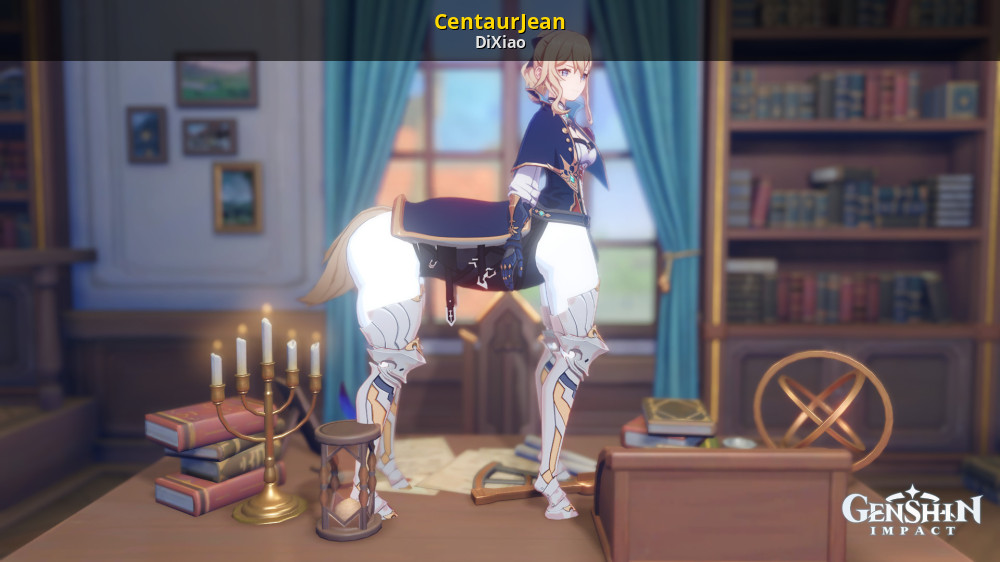
GameBanana
Mod making Jean Centaur... A Genshin Impact (GI) Mod in the Jean category, submitted by DiXiao
same person also figured out how to mod faces, which was impossible before because they were CPU posed
 random hornet
oh yeah custom shader i see
fringe kite
fringe kite
same person also figured out how to mod faces, which was impossible before becau...
its limited to just moving existing verticies around but it's still further than anything we've gotten
can't change UVs, weights, shapekeys or anything
random hornet
thats interesting
i guess it offsets it in the vertex shader
you should be able to change position and uvs, but not weights or shapekeys then
altho uv changes would be awkward to do
fringe kite
on genshin the eyes are apart of the hair mesh so they can be modded normally, but in other hoyo games they're apart of the face so it'd be good for doing heterochromic eyes
well, hsr can be modded normally, nobody touches hi3, and zzz is a wip for face modding
restive basalt
With this exporter we have opened the door for P5X model meshmodding
Although tbh I'm probably the only one crazy enough to want to do it
I did it before with an auto-rigged swimsuit motoha I edited into a base


 fringe kite
restive basalt
With this exporter we have opened the door for P5X model meshmodding
Although tb...
fringe kite
restive basalt
With this exporter we have opened the door for P5X model meshmodding
Although tb...
do you mean kitbashing parts of models to make a new one?
restive basalt
Yes
Meshmodding
fringe kite
im sure that p5x hair models will get used a bunch by hoyo modders
spiral pendant
spiral pendant
okay nvm, it's just 1. Riko's summer outfit seems to be missing a shadow map for...
I've literally combed through every single bundle 3 times now and cannot find this one damn texture xd. like does it just not exist or something 💀
fringe kite
i'll see if i can get it with migoto
fringe kite
it'll dump everything onscreen so if there isnt one then it probably just doesnt exist
fringe kite
restive basalt
https://www.deviantart.com/necroneos/art/Riko-Tanemura-Wind-FBX-XPS-1227919976
UVmap is different
competely different hairstyle
fringe kite
oh wait that includes it
restive basalt
Actually, you know what you could do
fringe kite
oh theres no button to see her outfit since i dont have her
 restive basalt
Copy the UVs of the hair model from this (the linked model) and paste it onto the one you have
spiral pendant
fringe kite
oh wait that includes it
I only see the diffuse and specular/highlights
fringe kite
fringe kite
oh theres no button to see her outfit since i dont have her
does anyone know if theres anywhere else i can see it
restive basalt
The link i sent has all the maps
spiral pendant
yes, that's what I'm looking at
restive basalt
Hair usually only has shadows, specular, and diffuse
spiral pendant
and like I've said, there doesn't seem to be a shadow map for this one
restive basalt
Interesting
Might have missed it
It's midnight over here tho, so I am not getting up and spending a half hour of loading bundles + looking
fringe kite
fringe kite
does anyone know if theres anywhere else i can see it
im going through here trying to find someone with her + outfit LOL

is it this

nvm doesnt match the uv of this
 random hornet
(unity textures are upside down in directx for Reasons)
spiral pendant
that's just her normal hair shadow map but upside down
fringe kite
im thinking she just doesnt use one, it would show up if it was being used on the model
 restive basalt
Which model specifically
fringe kite
fringe kite
im thinking she just doesnt use one, it would show up if it was being used on th...
it looks a bit flat too, so i do think thats it
 spiral pendant
weird
restive basalt
If you want flat, look at katayama's hair without her shadow map applied lmao
 restive basalt
Whoa that's cool
What's that from?
restive basalt
The gradient mapping thing
restive basalt
Ahhhh paint.net my friend
In an image editor you can make a new multiply layer, paste the shadow into that layer, and adjust opacity
It's how i got the shadows for Katayama's old hair texture
fringe kite
basically set up like this, make sure the bake texture is selected (make a new texture at the size you want), switch to cycles, change your bake settings to this and then press bake


this also works for recolors
@spiral pendant you should be able to use this

i think it looks nicer
 restive basalt
Looks a little too dark (the shadows)
fringe kite
i didnt use a darkcol texture
restive basalt
I know
Remember how I said you could do that image overlay thing with multiply? You can change opacity of the layer to determine how strong the shadow is
fringe kite
my node setup just multiplies the texture with itself, it's more versatile that way and better for my needs
 restive basalt
I'm just remarking it looks too dark (to me)
 restive basalt
As the game continues updating and more characters are introduced, it feels like they're starting to rely on shaders and shadow maps more over actual shadows already on the diffuse
I think the biggest drastic i've seen is with musubi
They updated most of her model for her confidant


Katayama was kinda drastic for her dress. Instead of being one solid color, it's now two separate ones
The game updates textures for characters on a need-to basis
Musubi only showed up at the end of Yui's confidant
And ||katayama|| got a new face model for chapter 3 because ||her shadow|| had a different face model. Idk when, but they ended replacing her old one with the one ||her shadow uses||. Which makes sense for consistency.
But since Musubi got a confidant, they gave her the glow-up treatment. They did the same to Katayama's hair and clothes textures
It also appears that with musubi's confidant they updated the mmo yui model

 spiral pendant
fringe kite
<@141132319556763649> you should be able to use this
spiral pendant
fringe kite
<@141132319556763649> you should be able to use this
I just ended up doing the node stuff, but ty anyway
restive basalt
I only know about these model changes since I unintentionally have ended up becoming the helper of p5x-theories on tumblr haha. They datamime assets and if I find something missing model wise, I let them know. Sometimes i'll find the assets myself and pass them on. They have me make model comparisons to see if there were any model changes so the models are up to date
I actually found a very silly one today
Cherish's model used to be T-posed. Now he's A-posed. Nothing changed mesh wise other than he is A-posed. Textures are exactly the same
random hornet
i saw p5x theories a few times when i was looking into p5x dumping originally
i saw them mention izanagi having an icon but idk if they know izanagi's model is in the game too, same for asterius
restive basalt
They do
They've been datamining since the first closed beta
Fun fact: Masaki (Cherish) actually used to be Take-kun, the kid being bullied in Kiyoshi's confidant
random hornet
did they know abt blitz being mentioned in the files before announcement
restive basalt
But i guess BWS decided to repurpose him and the model and made Masaki
And Take-kun's model was replaced with a generic npc
restive basalt
random hornet
did they know abt blitz being mentioned in the files before announcement
I'm not sure
They knew about Turbo tho
random hornet
they said they didnt know the password to the ConfData files iirc
restive basalt
They datamine the game on updates
And they only touch bundles, so that makes sense
random hornet
yeah the password is in one of the lua scripts
restive basalt
restive basalt
But i guess BWS decided to repurpose him and the model and made Masaki
And Take-...
Which is why Masaki is called wuhexi in the files, which is probably take-kun's chinese name. Idk about his metaverse model tho, as I never dug that up myself (but p5x-theories gave it to me)
random hornet
restive basalt
Which is why Masaki is called wuhexi in the files, which is probably take-kun's ...
yeah the metaverse model is wuhexi_thief.prefab
 restive basalt
Makes sense
I wasn't 100% certain mainly because there's those models in the game's bundles for a skill that uses his codename
random hornet
yeah it seems like they mostly use his codename in the files besides his model
restive basalt
I have a lot of the phantom idol IDs memorized for searching by now
My favs are Fleuret and Cherish, so i know them by heart
I'm a sucker for pretty boys....
Akashi is an odd outlier tho
random hornet
restive basalt
My favs are Fleuret and Cherish, so i know them by heart
I'm a sucker for pretty...
yeah fleuret is also one with a weird name right
comte
restive basalt
I love Katayama well, as you can tell
I'm also a sucker for characters who are kind and compassionate like her and Maruki (excluding his actions, more so his personality)
fringe kite
restive basalt
My favs are Fleuret and Cherish, so i know them by heart
I'm a sucker for pretty...
enco and fengbandadi are the only ones i remember
daichi playable when </3
restive basalt
Real tho
Daichi is super hot
I like enco (aka Shoki, Luce) hair, but he lost me with the eyebrows
He also has the haru forehead
When i saw Daichi, it had me going
 fringe kite
and for my next trick i'll spend an hour doing custom normals on daichi just to never use the model
restive basalt
Lmao
What use do the custom normals have, anyway?
fringe kite
looks pretty LOL
restive basalt
Do you mean normal maps or the actual normals of the model (how it reacts to light)
fringe kite
a lot of genshin characters dont support normalmaps so it looks ugly without it
fringe kite
restive basalt
Do you mean normal maps or the actual normals of the model (how it reacts to lig...
actual normals
restive basalt
Inchresting
I wonder if I could make Akashi, Katayama, Seiji, and Masaki look prettier....
Although i have no clue how the hell you make custom normals
fringe kite
its basically just selecting edgesand marking them as sharp


p5x topology really confuses me also
 spiral pendant
restive basalt
I did it before with an auto-rigged swimsuit motoha I edited into a base
spiral pendant
restive basalt
I did it before with an auto-rigged swimsuit motoha I edited into a base
my only experience with this kinda stuff was a Strikers face edit I made for Hifumi
was kinda proud of it, but at the same time I just kinda cringe when looking at it now lol
fringe kite
most of my stuff is just putting A's outfit on B, this is probably the closest i've gotten

i replaced all the small details with ones from lynette, like this
 restive basalt
fringe kite
its basically just selecting edgesand marking them as sharp
restive basalt
fringe kite
its basically just selecting edgesand marking them as sharp
"Making them sharp"?
fringe kite

then when you shade auto smooth it'll show

you may have to do this first

im still working on it but you can see a huge difference already
 restive basalt
Oh, that is very nice
fringe kite
it's time consuming but for me it's worth it
restive basalt
Did you de-triangulate it first?
fringe kite
yes, you can do alt + left click to select multiple things that way
it dies when you reach a tri, i haven't found a way around that yet
 restive basalt
My friend told me to just select it all and do alt + j to detriangulate them
fringe kite
thats what i did
restive basalt
Ahh
fringe kite
make sure to select these (specifically uvs) so it doesnt break the model
 random hornet
fringe kite
a lot of genshin characters dont support normalmaps so it looks ugly without it
random hornet
fringe kite
a lot of genshin characters dont support normalmaps so it looks ugly without it
theres probably a way to get normalmaps to work anyway (it may or may not be custom shaders)
restive basalt
And you mark every edge as sharp, or just parts that'd give it some finer detail
fringe kite
random hornet
theres probably a way to get normalmaps to work anyway (it may or may not be cus...
probably, but it'd have to be updated every patch since shaders change all the time
random hornet
i think 3dmigoto has like, shader regex but the docs on it are so poor
restive basalt
random hornet
theres probably a way to get normalmaps to work anyway (it may or may not be cus...
I know that p5x normal maps unfortunately export improperly
They have to be fixed rip
fringe kite
restive basalt
And you mark every edge as sharp, or just parts that'd give it some finer detail
just the ones that make sense like here, if it was all then it'd look like this

 random hornet
you could also autosmooth as a baseline maybe
restive basalt
I'm still curious about p5x's shaders
Dwine already knows how they work, but hasn't really elaborated
fringe kite
i think i have a tiny bit of documentation somewhere
random hornet
i couldnt get them to work in the unity editor at least
restive basalt
One day....
fringe kite
fringe kite
i think i have a tiny bit of documentation somewhere
this is my very old attempt at creating a shader
 restive basalt
His hair and skin look like they're glowing
fringe kite
thats because i didnt configure bloom at all lol
PK
R = metal
G = idk, some shading thing
B = shadows


 spiral pendant
restive basalt
I know that p5x normal maps unfortunately export improperly
They have to be fixe...
spiral pendant
restive basalt
I know that p5x normal maps unfortunately export improperly
They have to be fixe...
I think I exported some through the Unity editor
restive basalt
The models look nice with dwine's p5 shader, but in the end, it isn't accurate to p5x's shader and shading style
spiral pendant
Dniwe also has a .bat in his batch collection that fixes them
I think Green is roughness?
fringe kite
shadow
red = painted shadows (i think these get excluded for rimlight?)
green = some painted shadow thing
blue = unused

 spiral pendant
I've not messed with it too much, my shader is more P5S-adjacent than P5X lol
restive basalt
fringe kite
PK
R = metal
G = idk, some shading thing
B = shadows
Yeah, i believe dwine broke down what each was
Morty has a Chainner project file I use to apply the pk map
fringe kite
fringe kite
thats because i didnt configure bloom at all lol
like i literally just stole this

this version i did a bit more recently looks nicer
 restive basalt
spiral pendant
I've not messed with it too much, my shader is more P5S-adjacent than P5X lol
restive basalt
spiral pendant
I've not messed with it too much, my shader is more P5S-adjacent than P5X lol
Old p5x textures are similar to strikers, shading style wise
The newer models not so much
fringe kite
it's still a mess and so incomplete i wouldn't share it though
restive basalt
fringe kite
this version i did a bit more recently looks nicer
DAMN
random hornet
also unity shaders are hard to decompile because you have like a billion variants of the same shader based on the settings of a given material
restive basalt
Such crisp edges...
fringe kite
do you mean the outlines?
spiral pendant
restive basalt
Old p5x textures are similar to strikers, shading style wise
The newer models no...
I've edited it a little bit to fit them better, but I'm not a 9000 iq galaxy brain with shaders lol
fringe kite
i couldnt figure out how they handle material IDs so i just split the mesh manually and made outline colors out of that lol
random hornet
funi
 restive basalt
spiral pendant
I've edited it a little bit to fit them better, but I'm not a 9000 iq galaxy bra...
restive basalt
spiral pendant
I've edited it a little bit to fit them better, but I'm not a 9000 iq galaxy bra...
Yeah i wouldn't know how to make a shader myself lmao
Rip joker
fringe kite
this video told me like 99% of what i know https://www.youtube.com/watch?v=ySeUbOEnZhE

the other 1% is from looking at this, but it's so complex that i cant undersand most of it https://github.com/festivities/Blender-miHoYo-Shaders
GitHub
Shader for Blender attempting to replicate the shading of Genshin Impact. These are for datamined assets, not custom-made ones nor the MMD variants. - festivities/Blender-miHoYo-Shaders
fringe kite
fringe kite
the other 1% is from looking at this, but it's so complex that i cant undersand ...
scary...
 restive basalt
fringe kite
i couldnt figure out how they handle material IDs so i just split the mesh manua...
restive basalt
fringe kite
i couldnt figure out how they handle material IDs so i just split the mesh manua...
Well, outlines in this game appear to be from one of the duplicate meshes
And you use the dotstroke texture on it
 fringe kite
 fringe kite
restive basalt
Well, outlines in this game appear to be from one of the duplicate meshes
And yo...
fringe kite
restive basalt
Well, outlines in this game appear to be from one of the duplicate meshes
And yo...
oh right i forgot about those
i remember some characters usedthem
and others didnt
restive basalt
I can see his chin! He had one all along....
restive basalt
fringe kite
this video told me like 99% of what i know https://www.youtube.com/watch?v=ySeUb...
My brain exploded the first time I watched this
fringe kite
i think im happy with this, there's no glaring issues (that i know how to fix atleast)


i immediately noticed like 5 things to fix
wait daichi just straight up has a hole in his model


thats better

wtf is this uv1

some kind of shading thing?
 spiral pendant
fringe kite
wait daichi just straight up has a hole in his model
spiral pendant
fringe kite
wait daichi just straight up has a hole in his model
Koei Tecmo strikes again
fringe kite
ah they also use color R for metal
 restive basalt
spiral pendant
restive basalt
spiral pendant
I still wanna know what the _stroke textures are about
fringe kite
thats outline color
i found my most recent attempt at the shader

its basically just dniwes p3re shader but with some stuff changed
restive basalt
spiral pendant
I still wanna know what the `_stroke` textures are about

It's so guys like him have a chin...
spiral pendant

restive basalt
I still wanna know what the darkcolor textures are for
 restive basalt
Huh??? How is the dark color shadow when the body already has a shadow map?
fringe kite
what do you mean
by shadow i mean the actual color used for dark parts
like white is the normal color and black is the darkcol
 spiral pendant
is that just done through curves or something
fringe kite
fringe kite
this video told me like 99% of what i know https://www.youtube.com/watch?v=ySeUb...
i just stole how shadows are calculated fromhere
restive basalt
I know the actual shadow map is within one of the color channels of the shadow texture

 restive basalt
But in some cases you can just make the shadow texture black and white and it'll work well
restive basalt
fringe kite
this is what i do to convert the p5x normalmaps into usual ones
For dwine's shader?
 fringe kite
yes
restive basalt
I see...i thought that shader didn't have nodes for pk
fringe kite
i had to make some edits to it
actually the one i did doesnt even use the pk except for the shadows
zinc dirge
Ooo are we learning on how to recreate the materials the best we can?
restive basalt
I think more so dabbling
We've known for a bit what textures go to what
restive basalt
restive basalt
I only learned not too long ago what another does
Specular, shadow, and pk can all be combined into one texture with an image editor but yeah
fringe kite
zinc dirge
Ooo are we learning on how to recreate the materials the best we can?
im not smart enough to get it game accurate
fringe kite
this was my attempt at recreating hi3's p2 shader, as you can see ingame is very different

 zinc dirge
Lmao fair enough I don't really make them game accurate just the best I can seeing as I'm putting them into vrchat
zinc dirge
Did anyone get Yui yet?
random hornet
i tried looking at decompiled shader code but its hard to understand
i see what part does rim light but rim light is relatively simple
its just 2 dot products, one between the normal and the camera, and one between the normal and the light direction (i thinks)
spiral pendant
zinc dirge
Did anyone get Yui yet?
I ripped her uniform outfit I think
 torn kindle
zinc dirge
Did anyone get Yui yet?
torn kindle
zinc dirge
Did anyone get Yui yet?
should be in the dump i posted here
zinc dirge
torn kindle
should be in the dump i posted here
Where is it?
torn kindle
.
zinc dirge
torn kindle
.
Are they edited or straight rips?
zinc dirge
torn kindle
exported from this 70gb unity project i made
So I'm not able to Import them into blender
torn kindle
they're exported as ascii fbx's
zinc dirge
How do I open them?
spiral pendant
you can import fbx's into blender
zinc dirge
ascii isn't supported
zinc dirge
torn kindle
straight rips
Also I don't know if I'm blind but I don't see Yui in the list
torn kindle
oh wait yeah mb
zinc dirge
lol all good do you have her and not added her to the list? or you just don't have her at all?
zinc dirge
Okay if you get around to it could you do her thief
torn kindle
yeah sure
zinc dirge
Aswome thank you I would do it myself but my pc is so old looking through the files takes ages if my Pc doesn't freeze
zinc dirge
Idk if this is a mess up on my end but frost is all kinds of messed up
zinc dirge
Sorry that was meant for mortyyyy in the pack they gave me
random hornet
ohh
zinc dirge
Sorry about that
random hornet
its fine
zinc dirge
torn kindle
yeah sure
Would you be able to share the unity project?
restive basalt
70gbs is a pretty big project, y'know
random hornet
it seems like p5x uses 2 albedo textures and mixes them, one for light and one for dark
random hornet
an attempt at shader-ing
 zinc dirge
restive basalt
70gbs is a pretty big project, y'know
zinc dirge
restive basalt
70gbs is a pretty big project, y'know
Forgot they said it was that big
restive basalt
The game itself is 70gb or so
 random hornet
the hair rim lighting didnt work but i think the hair uses very diff parameters
if not an entirely different shader
zinc dirge
What's the node set up for it?
restive basalt
Yeah, hook us us! (Please) 
Motivating me to get off my ass to re-rip katayama and some new characters for a meshmod tomorrow
restive basalt
random hornet
it seems like p5x uses 2 albedo textures and mixes them, one for light and one f...
Wouldn't that be bc and darkcolor?
Still need to ask Morty how to bake that sdf into the normals also
random hornet
yeah, bc and darkcolor
restive basalt
I thought you were talking about some mystery maps hidden somewhere lol
That reminds me that i need to do my dailies rip
zinc dirge
random hornet
yeah, bc and darkcolor
How did you do it
random hornet
random hornet
an attempt at shader-ing
heres the blend file should have the node setup inside, uses nodes that wont work in Cycles
and textures are packd inside
some shaders are a bit of a mess of experimenting, mainly the eyes
zinc dirge
Man I have no idea how you figured this all out
restive basalt
@random hornet i have assetstudio up and just wondering of you know what the name if queen's animator for her swimsuit outfit is
i see queen_thief, queen_uniform, and model-fashion-queen-swimsuit (exactly like that)
 zinc dirge
@random hornet did you do the color attributes or did it come with the model?
random hornet
the model had the color attribute
zinc dirge
Hm interesting the tomoko I have didn't
restive basalt
color attribute?
random hornet
restive basalt
color attribute?
the models have vertex colors , the red channel determines the thickness of outlines
i.e the eyesockets of chars have it at 0 so they dont get an outline
random hornet
oh yeah and mouth
yeah this is my outline nodes without and with using vertex colors on the face

the mouth is also an area that has outlines pretty much disabled
because it already has modeled on and textured outlines
restive basalt
Do the models come with all this info in them because we aren't just directly porting the mesh files from assetstudio?
random hornet
its because assetstudio exports models that arent skinned as obj and puts like 0 information
restive basalt
So then yes
zinc dirge
Also I noticed that the eyes have a normal map is there a normal map from them I've been missing?
zinc dirge
I think og P5 might have used them but it's been awhile since I've looked at them
restive basalt
I don't think they did
 zinc dirge
Is it one shared normal?
random hornet
i think so
zinc dirge
Interesting
random hornet
and then theres this gradient map, i assumed its for rimlight but im not sure
 restive basalt
Who knows right now
Atm you're the only one dissecting this game actively
random hornet
theres a few other eye textures i noticed when i was using 3dmigoto

 random hornet
theres the white circle thats a part of the face mesh, but yeah at some angles another white circle can appear
i tried to make a shader to mimick it but it didnt come out well
 zinc dirge
Oh have you found the cheek texture?
random hornet
huh
random hornet
i didnt see anything like that on wonder
zinc dirge
This is kotomo's cheekred texture idk if you found them for anyone else

He has the mesh for it
random hornet
oh i see it
restive basalt
The cheekred is, i'm sure, for blushing
zinc dirge
and the more silly eye stuff
 zinc dirge
same idea for what they did in og p5 for mona and everyone in pq
restive basalt
Yeah
It's a silly little mesh called cheekred
P5D and P3D have a little mesh they use for blushing as well
random hornet
the models weird though, it doesnt really line up with wonders face
restive basalt

I don't think we ever see Wonder blush, tbh
I could be wrong
Wonder doesn't have a lot of facial variety....
spiral pendant
P5S blush my goat
restive basalt
That's P5D bro
spiral pendant
thank you, I can tell
restive basalt
You said P5S 
spiral pendant
just saying I like the P5S blush
zinc dirge
How do you do cutout in blender?
 random hornet
 restive basalt
Ohhh
random hornet
put a material like this
and change Render Method in the material tab on the right to "Blended"

otherwise it might loook odd
spiral pendant
eevee next 😰
restive basalt
You can also imput the texture into principled bsdf and plug the alpha from the texture into the alpha of the shader and change the blend mode to alpha blend
random hornet
oh yeah principled has it builtin
also in object settings you should disable Shadow in Ray Visibility
 random hornet
and change Render Method in the material tab on the right to "Blended"
random hornet
random hornet
and change Render Method in the material tab on the right to "Blended"
(these settings may look different in blender 3.x)
zinc dirge
I'm in 4.5
random hornet
ok then it should look the same
restive basalt
I am perpetually using 3.6 unless i'm forced to otherwise
random hornet
a lot of addons are broken because blender loves adding breaking changes to their apis
spiral pendant
eevee next is the prime reason I'm still on 4.1
random hornet
oh i should probably disable shadow casting on the eyeballs too
minor spelling mistake
 zinc dirge
 random hornet
also its interesting p3r models use an entirely different eye style because they're basically straight ports from p3r
zinc dirge
I don't think it's used like this but its funny
 zinc dirge
I've come to the realization that I have not found Tomokos mask BC I only have the Dark color
random hornet
for a lot of models i have darkcolor but only lodlow_bc
restive basalt
Sad...
If you check out my DA (NecroNeos) for the unrigged models I posted, you may be able to supplement the textures you can't find
So the og PT only uses one irl (uniform) outfit, right?
I'm trying to create a button up but it's been looking impossible with the closest being Musubi. But she doesn't have a very clean (aka messy and unbuttoned) collar
spiral pendant
yeah pretty sure it's just their Shujin outfits
restive basalt
Shoot
I can nab sleeves off of Ritsuka, but the problem is the main body part (the chest)
MASAKI
Duh
His work uniform
Thank you, aaron, for making something i've been wanting to do a reality
restive basalt
random hornet
It's weird that the blush isn't even red or pink
It looks more skin tone
random hornet
yeah, when i put it over wonders face i could barely see it
restive basalt
There's so many interesting things this game does
Or at least I think so
And your findings satisfy my near inquenchable curiosity
Since getting into 3d and grasping some modding stuff (but being uninvolved), its opened up a pandora box. Whenever I play a game, I start to ask what they did to achieve a look and all sorts of other stuff
random hornet
oh ic,
for the shadow map, red channel is a mask for light, green channel is a mask for rimlight
the other 2 channels seem to do nothing
also outlines can use their own stroke texture but most materials seem to opt to just use a solid color
restive basalt
Yeah
I've played with the shadow map
For a more simplistic shadow, it's an option to just make the texture provided black and white
I used the dotstroke for Akashi when I was learning how to make outlines
I made a custom one for his hair, too (which isn't shown here)

The grid obscures the outline on his jacket tho
(The custom hair dotstroke)
 random hornet
messed with eye shader more
 spiral pendant
I'm curious as to what they've got going on with the face
 random hornet
face_f seems to be like a normal map but only one component of it
restive basalt
it's a texture you bake into the normals of the model's face
It gives you that face shadow that changes in appearance according to things like camera angles, movement, light
torn kindle
i hate unity sm
 zinc dirge
restive basalt
it's a texture you bake into the normals of the model's face
zinc dirge
restive basalt
it's a texture you bake into the normals of the model's face
How do you do that?
restive basalt
No clue!
I just know because Morty told me
restive basalt
torn kindle
i hate unity sm
You're porting her animations as well?
torn kindle
yeah although it's not exactly going so well
 restive basalt
torn kindle
yeah although it's not exactly going so well
restive basalt
torn kindle
yeah although it's not exactly going so well
Probably more for your mod thread
But yikes
restive basalt
True
But that's if you didn't build it and straight up exported it
And ercar used this when he exported the build holding the model

Become one of us morty
Don't fight it
torn kindle
oh my god
i didn't have all nodes cast to bone bc i had to reinstall asset studio mod bc i accidentally deleted it yesterday
restive basalt
Btw @random hornet
To save me some time, are Haru's assets in global?
For some reason Cherish's aren't, and he dropped before 3.0, same with Haru
random hornet
restive basalt
Btw <@185200691533447168>
To save me some time, are Haru's assets in global?
Fo...
noir_uniform is in global but not noir_thief
restive basalt
over to CN i go 😔 ....
well, i have to get mayumi and masaki from CN anyway
so i guess i'll get noir from there
zinc dirge
There we go
Wish I could make her look better but I'm still trying to figure out how to plug these textures in unity with the VRvhat shaders
restive basalt
yeah, i was gonna say
the pink looked awfully bright
i wonder how some people will react to seeing a p5x model, knowing how unpopular the game is
zinc dirge
restive basalt
yeah, i was gonna say
the pink looked awfully bright
That might be the world lighting
So what exactly are the mask textures for?
restive basalt
idk
probably some kind of look or effect like a mask on a regular piece of art
zinc dirge
I'm working on Berry what's the key for?
restive basalt
Her outfit
zinc dirge
Did it go somewhere specific or is it just an item she uses sometimes in her animations
restive basalt
no clue, tbh
i don't like Berry at all
the only thing i use related to her is this sticker

(tbh i love to use this in response to Akashi because the reactions are hilarious)
zinc dirge
I don't know to much as I stopped playing on TW around when she dropped/not on global yet
restive basalt
Jirai Kei girl
@random hornet does Haru use her thief animator for her normal outfit too? I don't see an animator for her normal outfit
zinc dirge
restive basalt
Jirai Kei girl
What does that mean?
restive basalt
restive basalt
Jirai Kei girl
it's sort of because she's jirai kei but not because i dislike jirai kei in particular
i just have bad memories of it due to negative association with somebody i really dislike
restive basalt
zinc dirge
What does that mean?


Aesthetics Wiki
Jirai Kei (地雷系), which translates to "landmine type," is a subculture from Japan. It is primarily associated with young people frequenting the nightlife of Kabukichō. Initially, the style closely...

Japanese Fashion Wikia
WARNING: This page discusses suicide, violence, and other negative/illegal behaviors. Although not graphic, this may be triggering for some readers. Please read and participate with caution. Jirai...
better to read for yourself than describe it here and get in trouble
zinc dirge
restive basalt
https://aesthetics.fandom.com/wiki/Jirai_Kei
https://j-fashion.fandom.com/wiki/J...
Was just reading that lol
random hornet
restive basalt
<@185200691533447168> does Haru use her thief animator for her normal outfit too...
no there should be a noir_uniform.prefab
restive basalt
that's so weird
i guess i'll have to open the first 100 bundles again 💀
i saw noir_thief in the 100-199
her uniform mesh was all in 101-199 tho

i wish my comp could handle loading all the bundles instead of half
restive basalt
i'd rip my hair out if it was a monobehavior
random hornet
well the asset list will list it as both an animator and a monobehavior
because entities have both
restive basalt
with ||shadow akashi|| (in global at least) he only had the monobehavior and not the animator
I had to jump into CN for that
restive basalt
i didn't
trust me, I didn't
if i missed it though, then that's literally insane
random hornet
idk why you guys look for the animator anyway
restive basalt
because it's separate from the mesh?
random hornet
as long as it has the main model prefab (i.e joker_thief.prefab) file its in that bundle
it doesnt matter if it has an animator or a monobehavior
spiral pendant
I just use the search bar and sort by type, so Animator is usually one of the first things I see
plus I don't trust it with how separated some of the parts seem to be sometimes
restive basalt
it is indeed a monobehavior
restive basalt
oh well, i have everything gathered, and that's what matters atm
 torn kindle
i got it fine
restive basalt
i shall take that because I only need her for her shoes anyway
restive basalt
@random hornet this is weird
for some reason I can't get the bs to import
like i can add the assets
but when I add the prefab rig stuff, it doesn't grab the face
i intentionally didn't import the face with no blendshapes
i only need her face with blendshapes
maybe I missed a face rig prefab...?
spiral pendant
how up to date is this?
restive basalt
up to date
whenever I discover something or learn something, i update it
so it's always the same link, just updated every so often
spiral pendant
was just wondering because I don't see Ichigo on there
zinc dirge
Do we know what rainbow textures are for
restive basalt
spiral pendant
was just wondering because I don't see Ichigo on there
oh! I thought this was the guide, my bad
yeah I need to add a few
Ichigo isn't hard to find, she just goes by 'berry' in the files
spiral pendant
yeah I just noticed when I saw her in Mortyy's fbx dump and was like "berry? who tf"
and didn't see it on there lol
restive basalt
sorry, just a little distracted since i'm datamining violet
I didn't get the pieces I wanted when I did it the first time
I missed something with her face
spiral pendant
all g, just wasn't sure if you were aware
restive basalt
beautiful.....
(i exported her so she had her shapekeys this time)

she doesn't have a lot of facial variety, unfortunately
zinc dirge
spiral pendant
yeah I just noticed when I saw her in Mortyy's fbx dump and was like "berry? who...
Lemme know if you find her weapon and gun and or persona lol
spiral pendant
the weapon and gun should still have her code name on it
it'll just be like berry_gun/weaponxx or something like that
restive basalt
her persona should just be the name of the persona, unless there's a little mispell
berry's persona is Thelxiepeia
restive basalt
spiral pendant
it'll just be like `berry_gun/weaponxx` or something like that
usually the game tells you what star weapon it is (ex 02, 03, 04, 05)
zinc dirge
it's a pain to go through cuz my pc is so old loading more than 5 some times can freezers my computer
I'll do it myself but if you happen to come across any of them lemme know what folder they are in if not no problem
spiral pendant
I wasn't actually looking for her
just noticed she was missing from Neo's list thing
zinc dirge
oop lmao alright lol
restive basalt
i still need to add ||Shimotsuna's parents||, Ichigo, and the new Yui alt
restive basalt
cheekred asset is ass

it...doesn't blend quite smoothly with the skin?
regardless of color
spiral pendant
is that supposed to be Sumi?
restive basalt
Yes
I was looking at the shape keys
The original model of my self-insert used Sumi's face as a face claim
I'm not allowed to use the Dancing style Sumi head (from the creator themselves), so the face I made is just an attempt to look like a sumi face
Although I think I may change the face claim for my OC since now it looks....too cutesy? She's supposee to be cutesy, but this face now feels like overkill almost
spiral pendant
did they change her eye color or did you do that?
restive basalt
I did that
I changed it blue because my self-insert has them, so i wanted a look visually to better get an idea of the face and if i want to use it still
zinc dirge
restive basalt
cheekred asset is ass
I think it has a somewhat of a glow in the game but I don't remember
fringe kite
random hornet
an attempt at shader-ing
begging on my hands and knees please set it to standard
 restive basalt
Lmao
restive basalt
(Ignore the weird color on the screenshots, it's a blue light filter app)
Lmao guys look 😭


It low key reads like a google ai overview
Wasn't Tactica ripped pretty quickly?
random hornet
oops sorry for ping astute
restive basalt
Morty teach us your ways
How do we bake that dumb sdf texture to the normals
random hornet
wdym by that
restive basalt
The black and white texture for the face that looks like a gradient
An sdf texture
You bake it into the normals of the face and it gives you that shadow on the face you see in game that changes depending on the angle
fringe kite
restive basalt
It low key reads like a google ai overview
Wasn't Tactica ripped pretty quickly?
yes it's not encrypted
 keen grotto
hi - is there anything you guys need pinned in this thread since it's looking pretty long at this point?
random hornet
this msg would be a good pin
keen grotto
spiral pendant
probably the scripts and maybe Mortyy's fbx dump too
spiral pendant
what is this outfit?
 random hornet
the game calls it "Cheer Uniform"
spiral pendant
good lord, Merope's bundles are a mess lol
restive basalt
😔 RIP makoto

meanwhile, Phoebe's arm with all the arm bones

i might have to default back to swimsuit motoha, if she ports with her arm twist bones
restive basalt
keen grotto
hi - is there anything you guys need pinned in this thread since it's looking pr...
#1384172755804487811 message
#1384172755804487811 message
#1384172755804487811 message
keen grotto
keen grotto
random hornet
each fashion part has a chinese description associated with it,so for fun heres ...
keen grotto
random hornet
heres the blend file should have the node setup inside, uses nodes that wont wor...
fyi any verified modder should be able to pin messages 
restive basalt
i didn't know that lol
i was just responding to what you said much earlier on haha
i didn't see it until literally now
@random hornet does swimsuit motoha use her thief prefab
keen grotto
yeah, I did offer to pin though so I did. just for future reference
random hornet
restive basalt
<@185200691533447168> does swimsuit motoha use her thief prefab
no its a seperate prefab
she uses a different animator
 random hornet
it should be closer_thief_swimsuit.prefab


 restive basalt
hmmm i think at one point they introduced this mode where you could fight against phantom idols?
random hornet
that would explain the wind_enemy i saw
restive basalt
because there is a boss fight where you go against Yusuke
i can't remember if this happens for other phantom idols or if it was just some event
looks like there's also a summer tomoko and motoha fight
restive basalt
awwwww, I found ||ant|| motoha

 restive basalt
annnddd motoha is worse
i'm gonna have to get very creative
EDIT: swimsuit Marian my savior
random hornet
the self shadowing on the eyes is annoying but im not sure what can be done
 spiral pendant
fyi, the AssetStudioMod link here is kinda old and doesn't have an actual release built
torn kindle
ooo this is gonna be useful
 zinc dirge
torn kindle
ooo this is gonna be useful
zinc dirge
torn kindle
ooo this is gonna be useful
What is it?
restive basalt
I believe that is the room in the museum crossfate where there's that golden statue of people piled atop one another
restive basalt
spiral pendant
fyi, the AssetStudioMod link here is kinda old and doesn't have an actual releas...
Should be fixed now
torn kindle
restive basalt
I believe that is the room in the museum crossfate where there's that golden sta...
yusuke’s highlight
restive basalt
Oooo
Kinda close
Seeing how it's the same room
torn kindle

restive basalt
How do you even track down rooms? Do they have something in theie name specifically, like numbers?
I know ID wise it's useless since they don't follow the same logic as characters
Btw guys
Since we're bringing up other things aside from just exporting, do you think I should change the name of the thread again? Make it more like 'P5X exporting and game research'? Since aaron likes to post some of his findings in here. It might be better to make this a catchall thread for P5X in general
torn kindle
nah p5x model exportings fine
random hornet
i dont see the highlight_fox arena in confscene at least
i do see other highlights
restive basalt
maybe it's a shared model?
for all we know, it's used at another point
my only guess is that the collab and yusuke's highlight share this model
which does and doesn't make sense
it does because it's the same room, but doesn't because the statue in the museum chapter is different from the one in og p5
maybe they're banking on players not paying attention
random hornet
nah the scene in the collab is seperate
restive basalt
also, Morty, does separating the role and part files speed up the loading process?
only being able to load half of CN at a time is a pain 🗿
torn kindle
random hornet
i dont see the highlight_fox arena in confscene at least
i found them in here
 random hornet
the numbers what could they mean

just trying to write a parser for the zeusBundleManifest.txt as that seems like the biggest lead for how the game finds assets
spiral pendant
not me losing my mind wondering why I could not find Sumire's mask mesh anywhere
only to find out they still used her old uzuki name for a lot of her stuff xd
torn kindle
oh fun
 random hornet
spiral pendant
only to find out they still used her old `uzuki` name for a lot of her stuff xd
random hornet
spiral pendant
only to find out they still used her old `uzuki` name for a lot of her stuff xd
?
 restive basalt
torn kindle
i was able to load them all at the same time
restive basalt
torn kindle
i was able to load them all at the same time
that should save me a lot of time
i shall now go invest in separating them
restive basalt
random hornet
?
that's what i saw too
spiral pendant
random hornet
?

 restive basalt
@torn kindle part_ only being 10gb?  this game truly is bloated
torn kindle
if it makes you feel any better it is they're compression is p good


but yeah i don't think im gonna be uploading the project i have anytime soon lmao
 restive basalt
lol
i'm not complaining, just kinda going 'oh wow that's a fraction of 70gb, cool'
restive basalt
nengliang...

this has to be the sattelite (spl?) from the dam, right?
IT IS

this was completely on accident lmao
i clicked a name that looked like it may be notable and then searched that word and bam

 torn kindle
if you could lob me every single one of kuichi's textures i will grately appreciate it
bc i have them from cbt1
and they changed the rug texture
restive basalt
tbh...i don't think they change or change much at all
his face texture looks very old
like katayama's before her texture upgrade
restive basalt
oh?
torn kindle
they changed a lot since then and i wonder if they removed some stuff or if there's other stuff that's further along in dev that didn't get seen in cbt 1
restive basalt


