#P4 Fog Restoration (fm. Foggy Inaba, Restored PS2 Fog)
1 messages · Page 10 of 1
 burnt valve
max never looked into it iirc
I did all the school fields tonight
for this weather
it's very orange
it's also not my best work so maybe someone will point it out and be like hey you should do a second pass on it
but I'll worry about that later
(also, no skyboxes - I really don't enjoy doing skyboxes so I'm putting that off for as long as I can, even if it will probably be easier now)
true...
honestly the fact that I'm still working solo on this is a little surprising
I can do all the fields on my own but it'll just take time
not shaming people for not wanting to help to be clear, it's just that it definitely would be appreciated haha
burnt valve
made the heaven showcase public! https://youtu.be/dtOROUCp8Iw
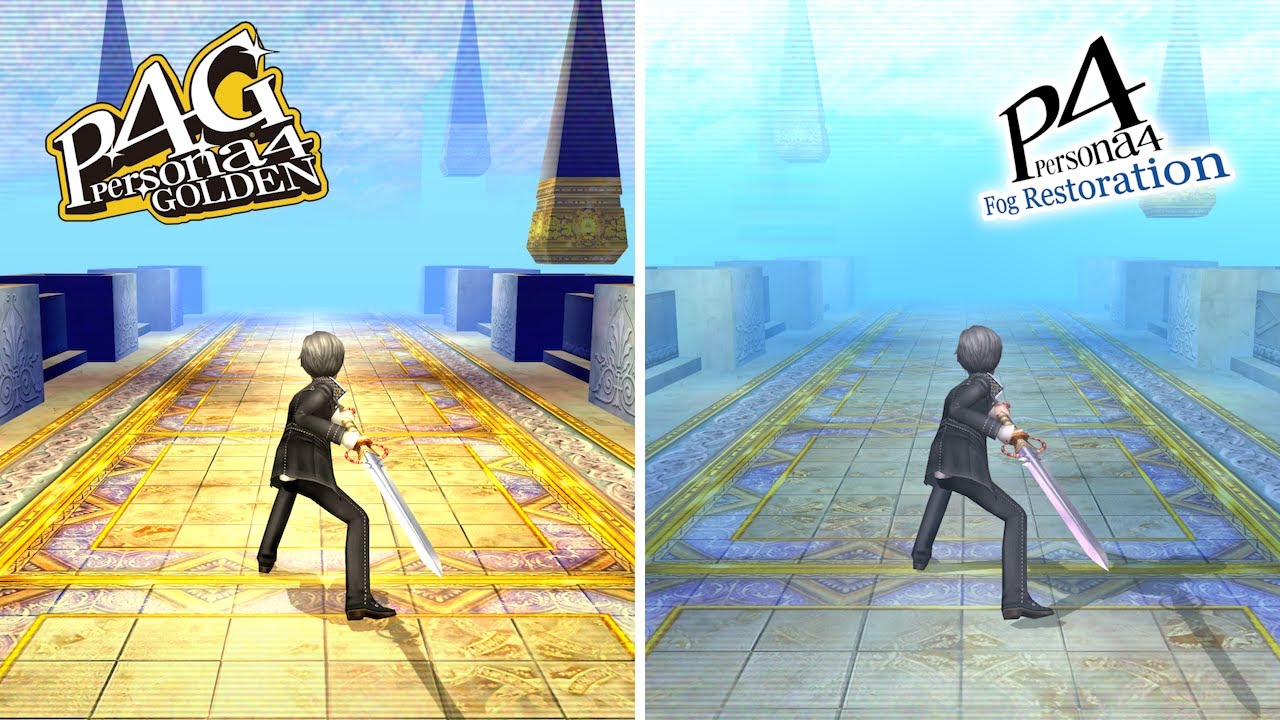
This is a showcase of Heaven (November dungeon) with the P4 Fog Restoration mod. Major spoilers ahead!
P4 Fog Restoration is a visual overhaul mod for Persona 4 Golden that aims to restore the visuals of Persona 4, bringing the fog of P4 to modern platforms at last.
Download: https://gamebanana.com/wips/86080
More information: https://github.c...
someone went and left two comments about how they didn't like the way the mod looked with the heaven video and I just don't really understand the need to (1. say it twice and (2. be so rude and condescending about it. like if you don't like it that's fine, but don't do that
it's a little bit annoying like I worked hard on heaven in particular and I worked hard on this mod in general so it gets to me a little to hear stuff like that
 finite spire
Double down by asking why they're playing P4
 silver citrus
what a freak, i wouldn't worry about it too much
 desert meteor
Don't listen to the opinions of these random joe schmoes, the only opinion that matters is mine, and I will tell you that Heaven looks great
finite spire
It's p4 ergo it's mid
 low meadow
desert meteor
Don't listen to the opinions of these random joe schmoes, the only opinion that ...
low meadow
desert meteor
Don't listen to the opinions of these random joe schmoes, the only opinion that ...
actually i think loaf's opinion might be strongest as p4g's strongest warrior 

 cerulean ember
low meadow
actually i think loaf's opinion might be strongest as p4g's strongest warrior <:...
cerulean ember
low meadow
actually i think loaf's opinion might be strongest as p4g's strongest warrior <:...
I just like the game. Everyone has their own tastes. I think its natural.
 low spoke
burnt valve
made the heaven showcase public! https://youtu.be/dtOROUCp8Iw
low spoke
burnt valve
made the heaven showcase public! https://youtu.be/dtOROUCp8Iw
Nice timing. I’m replaying P4G and just finished the dungeon before that one.
burnt valve
this has just gone around to being funny because what is bro even waffling on about 😭

 floral rover
Can you block people on yt? Guy clearly has issues
finite spire
You can remove comments as the poster, yes
Also lmao they removed that comment that I replied on
floral rover
I'd just reply "i hope you feel better soon"
Only people who leave hateful unconstructive comments like that are people who are unhappy in their own lives for whatever reason
burnt valve
I can block them but it involves removing all their comments
which I probably will do but this has just gone around to being funny so I'll preserve that at least
low spoke
burnt valve
which I probably will do but this has just gone around to being funny so I'll pr...
You sure boss? Not even have any comment moderators?
low spoke
finite spire
That shit does not exist
You sure? I’m pretty sure it does somewhere in creator studio
Anyways, just imagine a Reddit moderator but for YT comments
low meadow
you can set it so you have to manually approve all comments lmao
 glossy torrent
burnt valve
someone went and left two comments about how they didn't like the way the mod lo...
glossy torrent
burnt valve
someone went and left two comments about how they didn't like the way the mod lo...
where are the comments at so I could cook his ass🗣️🗣️🙏🙏🔥🔥
burnt valve
already gone, sorry you didn't get to cook them 😔
YouTube isn't exactly a good platform to clown on people, at least not without effort lol
 modest lynx
You’d be surprised Brawler
low spoke
burnt valve
YouTube isn't exactly a good platform to clown on people, at least not without e...
 burnt valve
let's say i dont feel like making a call out video or whatever lol
 silver citrus
rando hater isnt even worth the effort or thought tbh
nor are they worth fighting with
burnt valve
yea
although ngl it went to being funny real quick...
😭
sometimes I'm curious what people like that are like in reality
desert meteor
Extremely introverted
 frail radish
burnt valve
sometimes I'm curious what people like that are like in reality
frail radish
burnt valve
sometimes I'm curious what people like that are like in reality
id bet its either they're somehow just as insufferable and strange or seemingly nothing like that at all just a completely different person entirely
finite spire
Hey fuck you I'm introverted as
 slim cradle
burnt valve
this has just gone around to being funny because what is bro even waffling on ab...
slim cradle
burnt valve
this has just gone around to being funny because what is bro even waffling on ab...
well I was gonna say sometimes they literally do not know they are sounding condescending or rude, so replying with like a calm reply in some cases is a way of getting them to relax if they didn't mean it. That's clear now that's not the case here. Though I've had people take my attitude of being calm as an invitation to be ruder, like they getting a fucking superiority complex over how you respond to their comment. These people really think you owe them something you aren't trying to do. Shit they wouldn't even think of saying to someone in person
I think its best to ignore, if they got nothing better to do they'll take and provocation to continue that behavior. If you as the uploader downvote their comment it'll hide it
burnt valve
really? I didn't know that
slim cradle
There's something else that hides them easily too but comments good or bad can sometimes hide themselves, I forget what triggers it tho
silver citrus
iirc it was certain words but i dont remember what they were
you can setup a word blacklist tho but i doubt that'd help
but yeah for the most part youtube comments just arent worth engaging with if theyre rude
although honestly i dont think theyre really worth engaging in to begin with unless you're a smaller content creator
slim cradle
Honestly (most) everyone can kind of read and gather they're rude. You can ignore cause they're making themselves look like an ass at that point, their comments more embarassing for themselves. Unless you're BIG big, not many people will wanna rally with that kind of person
silver citrus
yeah pretty much
although its honestly probably better to hide those comments so people dont argue in the replies
although i guess that would probably count as video interaction so... maybe not?
i just think youtube comments are a pretty poor method of communication honestly
yeah pretty much
slim cradle
If there's legit criticism I do make a calm reply & thank them. At least if I see it at the relevant time. If they reply rudely it just reflects on them at that point, prime example is that screenshot. But I have seen people more or less diffuse when calmly replied to
Oh being on a VPN makes your comment vanish lol
burnt valve
yeah there's several comments on other videos where people are like oh I don't like the way this looks and it's like ok
this guy went from being kinda rude to just... wow lol
low spoke
Can’t wait for P4 Frog Restoration mod tomorrow
burnt valve
oh god I completely forgot about April fools lol
I won't lie I do not have the motivation to make something right now 💀
 severe reef
make the Silent Hill mod NOW
 true barn
Do I prefer some of Golden's aesthetic changes? Yeah I do. Do I also go around commenting on a mod that it sucks, why are they trying to change it back? No, beause I was raised to have standards with my trolling.
low spoke
No Frog Restoration Mod news? Sadge
 digital palm
we need more frogs
 fierce wyvern
PS2 Fog Removal mod for April Fools 2026
 tacit valley
there's rude and there's comically rude, and usually when it's comically rude it's someone trying to farm
meaning engaging is their victory even if everyone else sides with you
burnt valve
fierce wyvern
PS2 Fog Removal mod for April Fools 2026
that's a good one, maybe I'll do it. we can call it, Persona 4 Goldener: Fog Removal + share screenshots of everyone complaining about the thick fog when there is literally none to be seen
 quasi igloo
fierce wyvern
PS2 Fog Removal mod for April Fools 2026
quasi igloo
fierce wyvern
PS2 Fog Removal mod for April Fools 2026
You hit new game and it just boots you into a save file on the true last boss
low spoke
burnt valve
that's a good one, maybe I'll do it. we can call it, Persona 4 Goldener: Fog Rem...
+1
low spoke
burnt valve
made the heaven showcase public! https://youtu.be/dtOROUCp8Iw
I initially thought a new update for Fog Restoration came out when this video was published. However, it was only a showcase of an update coming soon. I still like what the showcase video shown tho
 burnt valve
low spoke
I initially thought a new update for Fog Restoration came out when this video wa...
burnt valve
low spoke
I initially thought a new update for Fog Restoration came out when this video wa...
the showcase videos have been slow, sorry about that. technically the more accurate way to put it is that this stuff is what's in the mod right now
it hasn't been a super high priority for me but I figured having showcases would be good
low spoke
Ohh
burnt valve
no major update really, just a preview of the school since that was what i was previously working on. ignore anything related to the sky it's not done


figure i should at least show this off
I am thinking about whether I should say I am definitely taking a hiatus on this mod until like May or June bc I've been a bit disinterested in modding lately and want to do other things, but I think that much was kinda apparent already.
obviously I'm still active around here and it's possible I might get back to this sooner, but life has been busy lately :') need what free time I can get for a break yk
low meadow
i'm paying attention to the sky :3
 scenic dust
You don't necessarily need to say that the mod is on hiatus, you could just not work on it for a while (until you feel like it again). If setting a more concrete date to start again helps you though then do that.
Whatever you do it's fair to take a break. This stuff is meant to be for fun, it's not your job
quasi igloo
The only real benefit to saying publicly you’re taking a break is someone else may want to contribute in your off time, other than that there’s no real reason to announce a break
burnt valve
I'll probably keep it to this server then. I know this isn't a job for me but I know people like following along and so communicating that I'm not really working on it rn doesn't seem like a bad thing
hasn't been abandoned ofc!
finite spire
Pace yourself
burnt valve
quasi igloo
The only real benefit to saying publicly you’re taking a break is someone else m...
well hey if anyone would like to contribute :p
quasi igloo
It’d be cool if you could write up the process of the work you’ve done so far and what needs doing so if anyone wanted to they’d have a clear idea of the needed spec
floral rover
Pretty certain it's all on github
burnt valve
it is
everything has been on GitHub for months
the todo has also been on GB for a bit now
burnt valve
oops </3 that was this mod causing it apparently
I think I'm going to release a small patch to fix this and include some of the other changes from before. nothing for sunny inaba, just want this out of the way bc it's clearly not intended
oh wait no this is unreleased. no patch needed then
whew
severe reef
did you change the floor texture or something?
burnt valve
yeah, it was one of gabi's source textures
i was just going to fix the resolution issues but then i realized that there was some odd clipping so I just removed it
severe reef
sometimes converting textures breaks it for me
could be that too
can you send the original DDS?
@burnt valve
burnt valve
no, it was a resolution issue for sure. the texture I received was already a dds and there were no issues with it there, it was just the resolution. again, I cut it for other reasons
 halcyon ledge
grass and trees are soooo ass in golden it's unbelievable
halcyon ledge
burnt valve
no major update really, just a preview of the school since that was what i was p...
is it possible to make shades under the class desks more noticable?
severe reef
I mean you could edit the shadow texture lol
severe reef
Edit the texture for the desk’s shadow
The shadows are textures
Wait
see

here's a test of it in game

here it is with a little more shade

and by that I just copied the image 4 times and combined them all
burnt valve
fair, I stand corrected then
it was moreso that it seemed there were no shadows present at all, so there would be no texture to edit.
severe reef
I got news for you lol
like every shadow in the game is a texture lol
unless they're Character Models
burnt valve
I'm aware of that
(although that isn't strictly true actually)
again, it was moreso that it seemed there were no shadows present at all, so there would be no texture to edit in that case. but as stated, I stand corrected.
halcyon ledge
damn daniel
silver citrus
christ that was a lot of snark just to end up saying like 1 thing 😭
burnt valve
confirmed it works on my end too. yay!

this is nice to know. i didn't think there was a texture for it bc it was basically impossible to see the shadows so I assumed there was nothing. but there we go.
I wonder if P4 PS2 has a similar texture that can be used? it would be easier than editing this one
the answer is yes

i think i kinda want to go through and see what other instances of this are true. again, thanks for pointing this out greg
severe reef
thumbs up

 severe reef
maybe you can look at the Love hotel lights again
burnt valve
p4g modded vs p4
burnt valve
severe reef
maybe you can look at the Love hotel lights again
I will but I have doubts on that one bc this is just a shadow map
low meadow
man what did they do to the poor p4g one
burnt valve
the actual p4g stock one is this
 low meadow
looks like they erased half the texture then tried scribbling it back in 😭
severe reef
less shadows
burnt valve
I'm confused what the top half is too
severe reef
windows and chalkboard maybe
low meadow
top is window streaming in sunlight and chalkboard methinks

 burnt valve
well I'm keeping that one the same as P4G
...I see what that line is

I also see why it was removed. this doesn't look right
I also think these shadows are a little too strong overall....
 severe reef
damn these fuckers are dark lol
 burnt valve
mhm. another difference
has this gone around to being too subtle again?

...i think it has
how are we feeling about this?
 low meadow
looks like a perfect middle ground
 red root
very good
burnt valve

 low meadow
chee
burnt valve
let me get stock for a comparison here
rudiger will be happy to see this channel has activity due to mod updates :p
lol. lmao


 red root
fullbright p4g
low meadow
p3re dorm
burnt valve
TRUE


this does a good job of showing the differences i think
also rise it's your favorite - p4 kiwami :p (imo the p4 styled one looks far better though...)
low meadow
why is there a p4kiwami filter
red root
accurate to the original
that was adachis plan remember
the fog will turn everyone into kiwami
burnt valve
low meadow
p3re dorm
also fuck this would've been a good April fools joke
Dojima residence in the style of persona 3 reload 🔥🔥
would be funny to make the school look gorgeous (imo the school looks good in P3R) and then make the dorm look like utter dogshit
burnt valve
yeah sorry... I was out of motivation tbh to work on mods
even now I have a convention I'd like to prep for soon so that will take priority over this
finite spire
Convention?
low meadow
the kiwami convention
burnt valve
yeah it's an irl thing lol
finite spire
Yeah but what kind of con
burnt valve
anime lol
I have some prep I wanna do for that and that's coming up so I rly need to start prioritizing it more
burnt valve
someone on Twitter told me that the lack of shadows was a new bug introduced with P4G64, so I looked back at some vita footage and they were right
they mentioned 4 instances, one of which was patched by ATLUS. this might end up being a side project but maybe I can just pull the P4G32 textures and make it a mod
Initially I was just going to keep my shadow work exclusive to this mod bc it deviates from the original look, but now it sounds more like a bug to fix than anything else
the other area I can think of looking at is the train station
floral rover
burnt valve
someone on Twitter told me that the lack of shadows was a new bug introduced wit...
Wtf. Wow.
burnt valve
I forgot that mod was a thing ngl 😭 that sounds good though
I'm curious if this shadow issue was present on P4G32 but I'm guessing it isn't
I only looked up vita footage
maybe I should go install P4G32 to compare the two. can you run both 32 and 64 side by side or only one at a time?
don't know if any of you guys have ever done that before
frail radish
i mean the guide for it does say that you dont need to uninstall p4g64 so id assume yes

GameBanana
Install the old 32-bit version of P4G without modifying or uninstalling the 64-bit version.... A Persona 4 Golden PC (32 Bit) (P4G PC 32) Tutorial in the Other/Misc category, submitted by Pixelguin
 burnt valve
can I run them both at the same time though 🤔
frail radish
I tried just now and it didn't seem like it unfortunately
Trying to open 32bit just made 64 bit run instead
burnt valve
wait, so you can't even boot 32?
while having 64 installed?
I can think of two ways to get around this lol
frail radish
I got it to open 32 bit once I think but then it closed itself before actually opening the window and since then it just opens 64 bit lol
burnt valve
😭
yeah that sucks though. normally with this mod I would just have both P4G and P4 open on the same monitor
burnt valve
ah, so portable install of R2 for P4G32...
still doesn't really solve the issue of having both games open at once
LMAO I was thinking about it but I didn't want to say it
there's probably a jank way to do it legitimately too haha
I think I'd also want to figure out how to install CSM with mod menu on P4G32 so that's another challenge there if going that route
or I could just take the slow and tedious route too
I'll look into it at some point but for now I think having a 32bit install will suffice
scenic dust
It's really weird. There's a check for there being multiple instances of the game and it seems to actually be necessary. I removed it but when you open the second instance of the game they both open but then become unresponsive. It even happens if one instance is 32 bit and one is 64 bit which is extra interesting
Same thing happens with p3p, p5r works just fine though (there is no check to remove)
burnt valve
weird. I wonder why
scenic dust
I'd guess it's because it's hardcoded to create and look for a window with the name DX11_P4G__app in a few places. Maybe if I make that unique it'll be happy. I may as well give it a try


 white ruin
burnt valve
someone on Twitter told me that the lack of shadows was a new bug introduced wit...
white ruin
burnt valve
someone on Twitter told me that the lack of shadows was a new bug introduced wit...
Speaking of Vita, now that mynnew phone has amoled screen, I want to check how the game looks the way the devs intended
burnt valve
scenic dust
I'd guess it's because it's hardcoded to create and look for a window with the n...
yeah I know you're busy so don't worry about putting a ton of time into it but if you do figure out something, lmk
white ruin
white ruin
Speaking of Vita, now that mynnew phone has amoled screen, I want to check how t...
It's not that different at all.
Sacrificed fog for something that you don't even notice, thanks atlus
burnt valve
😭
cerulean ember
I feel like I noticed it but I thought this was normal.
The lack fo shadows that is.
I do have a copy of the 32 bit version.
Because I apparently am insane,
burnt valve
here we go

yeah now i get to figure out how to mod p4g32 again because it's been years
lol
scenic dust
scenic dust
I'd guess it's because it's hardcoded to create and look for a window with the n...
This didn't seem to work, same thing happens even with different window ids. There must be other stuff going wrong...
burnt valve
i can just ignore this yea?

since, like... yeah, of course it's different
this game runs like ass compared to 64 😭
but yeah oh wow
 cerulean ember
Ah, good times.
cerulean ember
Btw, lmk the locations, I uh - totally have too much footage of p4g from 32-bit era.


 burnt valve
burnt valve
burnt valve
although i do think mine still look better (but it's a bit hard to tell bc of texture changes too)
 tacit viper
i cant decide if its actually darker in 64 or just looks darker because darker floor
burnt valve
32 vs 64

 tacit viper
ok nvm
burnt valve
seems like a lot of shadows just straight up got removed in 64
this might be a new project on its own lol
man I had just deleted my P4G32 dump too 😔
desert meteor
burnt valve
32 vs 64
Why is the poster on the back board different between the two
fierce wyvern
I'm assuming that whatever they used to upscale the textures completely messed with how the shadows work lol
low meadow
burnt valve
seems like a lot of shadows just straight up got removed in 64
i TOLD you atlus hates shadows in p4g
:3c
low meadow
low meadow
we know how much p4g loves its (missing) shadows
:333


 severe reef
How did they fuck it up lol
burnt valve
there's a lot of different textures here actually
severe reef
Were the shadows not upscaled before the update?
burnt valve
I'm making this a standalone mod rather than edit TFP+ for simplicity but I'll just send over the files afterwards and they can be integrated into TFP+


another example (these are wall shadows)
I think I'll definitely want to revisit P4FR after these textures are applied bc maybe it will make things look better
severe reef
Using discord on the new dark mode is a pain for looking at these textures lol
 burnt valve
is this more helpful

 severe reef
It’s just bad for looking at Persona 4’s shadow textures
severe reef
Could you try doubling the 64 bit texture?
burnt valve
i think i have to go through this manually is the problem
severe reef
Like doubling it and seeing how it looks compared to 32 bit
burnt valve
double 64 vs 32

 severe reef
Can you make the alpha grey lol
burnt valve
 severe reef
Do another double of 64


 severe reef
Would it be better if you just cloned the texture 3 times and merged them all together or just ported the 32 bit textures
Because I think the 64 one looks a lot better
But the ground is a bit darker
That’s what did in one of my screenshots
burnt valve
i mean with shadows can you really tell the difference tho?
idk, feel free to try
only has textures for the classroom
i worry about the ground being darker mainly
severe reef
Just to see to do the 64 texture 3 times
burnt valve
here, i'll try it out actually
severe reef
I would try it but I’m in bed rn lol
burnt valve
p4g32 vs 64x3


just for fun, p4g64

so idk i dont think you can rly tell the difference in terms of quality
just that the shadows are different
desert meteor
burnt valve
just for fun, p4g64
Persona 4 Reload
red root
the shadows are existent
burnt valve
desert meteor
Why is the poster on the back board different between the two
sorry, forgot to reply to this, but i believe it was down to the fact that p4g64 is based off the japanese version while p4g32 is not
desert meteor
Naruhodo....
severe reef
What weather is this
burnt valve
desert meteor
Persona 4 Reload
 burnt valve
severe reef
What weather is this
burnt valve
severe reef
What weather is this
sunny, late
burnt valve
burnt valve
forgot to change the npcs oops :D
desert meteor
burnt valve
AAAAAAAA-
severe reef
burnt valve
True Shadow Removal
burnt valve

too many shadows sorry :(
ok im gonna get back to this lol
speaking of the living room, I have no idea what's going on there bc i know it looks different in 64 than 32 but the textures look about the same
severe reef
I’m pretty sure that all the shadow textures have shadow in the name
burnt valve
yea hang on
also let me just say again
p4g32 runs like ass
do you know if this is an issue btw

it is not in the same spot as my p4g64 install
fair haha
i swear this game wasn't so stuttery when i played it originally (p4g32)
severe reef
Swear I saw a comparison video somewhere
burnt valve
32 vs 64


i swear some of those 32 textures just look better too
yeahhhhh
maybe i should just be selective with what i notice
 flat dagger
arent the filenames the same
and paths
one could just, move them to 64 bit location
burnt valve
it is like 1.2GB but that is true
some of the p4g64 textures are better too imo haha
severe reef
You can see a deference on the plank of wood on the ground
burnt valve
would it generate a cache?
it's a direct file replacement
basically this is my process rn

you can see those transparent shadow textures look different across p4g32 vs 64
move those over
ez
burnt valve
hey pixel do you have the town map fix?
f001_001v_01 looks oddly different which fucks up the look ingame

i think this is all you need but actually here's the rest to be sure
burnt valve
severe reef
Damn your windows lets you preview the DDS for shadows
it still is rather tedious
but yea
severe reef
Would be much better lol
burnt valve
i think it's because i have a program set to open dds files by default
my program of choice rly is paint.net bc that's my editor lol
idk what irfanview64 is but im sure its useful
severe reef
I have my DDS files set to open with Gimp, but textures like those don’t open with gimp lol
burnt valve
does it load them quickly too because windows takes fucking forever lol
pdn does something like this where it slowly loads the previews
 severe reef
If i wanna open the broken files I gotta put it in Persona Editor, extract as a PNG, and edit it in gimp
I save the DDS in gimp because sometimes they don’t wanna save though the editor lol
The only downside with that is that the previews are broken, and I can’t open it in the Editor anymore
burnt valve
i wonder if you could improve your process by doing it the way i'm doing it bc I have no need to do all that
i have a dump, and i just open directly with pdn and save with pdn
no need for persona editor, extracting as png, etc
severe reef
Gimp handles DDS files weirdly
I can’t have a render preset for it
And it’ll either render a single layer of the image with its dimensions
I gotta manually crop shit lol
burnt valve
this is super useful for dds actually, it is way faster than pdn lol
ty for the rec
well, it does occasionally fail...
its only with p4g64 where it fails...
low meadow
of course :3
burnt valve
there's also this odd pattern i'm noticing where a lot of the 64 shadows are translated over one pixel
definitely a little odd
slim cradle
I was gonna say pretty sure I showed the shadow difference off in my video
Don't think I vocally pointed it out
burnt valve
i think you did yea but it's far more extensive than i realized
slim cradle
Yeah it was like it was more accurate to the vita version than it is now cause of it
burnt valve
this one pixel offset is incredibly confusing
wait maybe it's not a thing, maybe i'm gaslighting myself
no, irfanview is gaslighting me
ok lol
slim cradle
Kek
burnt valve
the p4g64 textures are generally smoother looking which is good for shadows
burnt valve
which one looks better (naoto dungeon)

 red root
hmmmmmmmm
red root
the right looks horribly pixelated tho
frail radish
It does but that could end up not really mattering in-game
red root
quick mockup here

just used the alpha of the first
to make it look a little less rough


 silver citrus
the glorp
burnt valve
this is with rise's texture. i think it definitely looks a bit better
 red root

burnt valve
no problem with me using it right?
red root
nope!
burnt valve
yay ty 
silver citrus
burnt valve
no problem with me using it right?
pay $8927378 in licensing fees
red root

burnt valve
 red root
randomly fix things
refuse to elaborate
disappear from the community entirely
 low meadow
the thumbnail for shadow restoration should be the shadow settings toggle in the game settings
burnt valve
it was going to be a part of TFP, I only made it a standalone mod to make initial testing easier for myself
burnt valve
nah I'd just say make it part of TFP
I didn't rly test this much at all soooo yeah someone will probably need to go thru it and verify everything looks ok
 twilit harbor
This feels a bit closer to a restoration project in general, not just limited to the fog 
Don't tell me even golden exclusive areas have this exact same issue?
burnt valve
I would assume so given this is an issue that was introduced with the 2023 update
twilit harbor
oof
quasi igloo
insane that no one noticed this until now
burnt valve
updated
 severe reef

I also got those broken DDS files working with Gimp now
only issue is that there's still no preview image
hope they can fix that
low meadow
burnt valve
updated
looks like how it should lol
burnt valve
they're already done
just needs verification
any work I'm doing from here is for P4 Fog Restoration. the shadows are stronger in P4 PS2
...in multiple regards but I mean the textures here to be clear lol
severe reef
forgot to ask this
@burnt valve do you plan on releasing the Environment Shadow Fixes as a separate mod?
because the Texture Fix Mod wont be compatible with my MS Paint mod
burnt valve
it's a part of TFP right now. why would it not be compatible?
are you also editing shadows?
severe reef
nvm I'm just an idiot lol
the Paint mod is gonna have to be below every other mod for compatibility shit lol
it'll make the changes obsolete lol
 burnt valve
yeah pretty much
severe reef
I was just updating the mod page for compatibility stuff and thought if it lol
severe reef
now I need to know how I can get the files to load in it lol
burnt valve
I'm getting a bit more nitpicky here which I think might make things take longer but after I worked on some of the shadow restoration stuff, I'm also going through and adjusting some of the fields
current vs dev vs p4


 burnt valve
cloudy day Inaba is mostly done, I just skipped some fields but honestly I don't want to get too bogged down with what is really touchup work
I'll look thru rainy Inaba and then get back to sunny Inaba afterwards
this is super tedious though lol
 round rockBOT
i feel like that's a trend with your projects 
burnt valve
at least I'm not suffering with BGM modding :D
...speaking of BGM modding, I need to add tactica music to RBT...
 stone star
The second screenshot is better
 midnight vine
I also think the second screenshot is better.
burnt valve
yeah, I didn't touch shadows at all though actually
I think the missing shadows are just textures similar to the stuff previously posted here if I had to guess
frail radish
If you zoom in really close you can still see the AO its just that by making the fog/lighting? brighter it makes those AO shadows brighter and thus less visible i suspect
burnt valve
but I'm not sure, P4G certainly has different worse lighting compared to P4
burnt valve
frail radish
If you zoom in really close you can still see the AO its just that by making the...
probably
tacit valley
Been meaning to ask for a really long time, but I think there should be a little more individual control for P4G exclusive fields, because out of every ENV the mod has added or restored, Croco Fur in Okina is the only one that just feels wrong, almost like it's bugged
it feels like it's meant to be brightly lit, but the p4-style ENV just feels like all the lights were turned off even though they're still visible on the objects themselves


really sticks out every time I visit as the only ENV that I actively want to disable
burnt valve
tacit valley
Been meaning to ask for a really long time, but I think there should be a little...
how would you suggest it be done? genuine question because whatever I do here I would probably want to apply to other fields
Individual field toggles might become a little much when it comes to areas like the shopping district or the stuff in the misc category, which was why I didn't initially do it
in the short term, go to the Okina city folder and delete _002 I think, that's croco fur
tacit valley
even in that example, the store is relatively lit rather than looking dark with extremely isolated spotlights if it makes sense
tacit valley
burnt valve
how would you suggest it be done? genuine question because whatever I do here I ...
does p4 really have that many shops, i can only think of daidara, shiroku, croco fur and chagall as actual enterable shops with envs
and aiya ofc
so i imagine deleting the pack _002 and the iwanttocri folders will revert croco fur
is chagall not affected by this mod yet
it looks perfect to me regardless, i dont think there's much fog to restore in an interior 
||december moment||
it's peam
 desert meteor
mat_fullbright
tacit valley
i do find Okina to be generally free of fog to make sense but I keep it enabled for consistency
tacit valley
desert meteor
mat_fullbright
genuinely better than everything being turned off sorry
i get the idea it just looks bugged
white ruin
tacit valley
it feels like it's meant to be brightly lit, but the p4-style ENV just feels lik...
While I like both looks, I can totally see why OG looks like this.
First of all let's look at the source of light in this scene
-
Lamps on left wall can only light up a small part of the wall (probably made to highlight the products on the shelves)
-
Bugs on middle wall clearly don't emit enough light to cover the entire room
-
Lamps on ceiling is where you could say are the ones responsible for lighting up the room, and in OG I can see why they don't work on 100% to highlight the lamps on walls
But in the end it's all up for personal preference
tacit valley
it genuinely struck me as a bugged field when i saw it lmfao
og p4 looks slightly different to me though
frail radish
It does look like OGP4 has a slightly more red filter on it plus the slightly different textures on some of the shelves does fit with the intended mood lighting vibe better I think
As well as some of the shadows seeming more intense (not sure if this is down to the same P4G64 shadow lightening issue or if they'd need to be made even darker for this field specifically even with the normal fix for that)
silver citrus
personally i think the atmosphere of the original is much, much better
p4g just looks fullbright
silver citrus
burnt valve
Individual field toggles might become a little much when it comes to areas like ...
honestly i think they'd be more tolerable if reloaded's config menu was more flexible
like even just being able to put a side by side preview or something to show the difference between on and off would be nice
 silver citrus

red root

burnt valve
lmao I mean... I don't really think I'm a big fan of having a separate configuration app on top of R2. maybe it would be useful in this case but...
I think it would be really helpful if you could have options in R2 to change all in a category
that way you could have the individual toggles but then you could have an overarching, yes/no
flat dagger
technically you can make r2 open up a program to change configs when you press configure
low meadow
if the debate here is "i like it more unchanged" then just... turn off the p4 fog restoration version of the field?
unless i'm misunderstanding, it seems like that issue has already been solved with adding toggles to everything in p4fr
tacit valley
low meadow
if the debate here is "i like it more unchanged" then just... turn off the p4 fo...
there's literally no debate here it started and ended with "this field does not have a toggle"

 astral fiber
flat dagger
technically you can make r2 open up a program to change configs when you *press*...
astral fiber
flat dagger
technically you can make r2 open up a program to change configs when you *press*...
don't spoil my stuff
scenic dust
What if you didn't have to deal with r2 configs at all. The debug menu has a thing for loading a different env and I think it works fine (correct me if it doesn't). In theory, you could do the same thing that does to let you switch between the two options on the fly then just save whatever the last selected option was to a config file. That config probably wouldn't be directly viewable in reloaded but I feel like that doesn't really matter if it's a single button press to switch between the two for each env.
(I'm thinking this would be kinda like Halo CE and 2 in MCC where there's a button that switches between og and updated graphics, if anyone remembers that)
If that does sound interesting to others (it does to me) I might try this out later today. I think the main thing is whether that load env thing actually works properly. Even if it doesn't though you could always reload the field (wouldn't be as cool though)
burnt valve
scenic dust
What if you didn't have to deal with r2 configs at all. The debug menu has a thi...
I think this had been brought up previously. I swear I brought up Halo myself, like the whole press button to toggle ENVs lol
that would be pretty sick if it was possible to let people save their config
and no correction needed - the load feature does work but I think it might ignore things like contrast setting in the ENV
(have not tested extensively)
the one thing is that I was planning to have slightly modified versions of the P4G ENVs as the "stock" option - basically the same ENV but reduce contrast from 1.05 to 1.00
burnt valve
frail radish
It does look like OGP4 has a slightly more red filter on it plus the slightly di...
yeah I think this one might actually be down to engine differences in lighting. I could make it more red to try to match the vibes of P4 PS2 but that would come at the cost of some accuracy due to lighting shenanigans (afaik this one is not a P4G64 issue)
I meant to talk about this earlier but I forgor...\
scenic dust
burnt valve
I think this had been brought up previously. I swear I brought up Halo myself, l...
Definitely possible, ik I have at least thought about this a few times before
scenic dust
burnt valve
the one thing is that I was planning to have slightly modified versions of the P...
That should be fine. Assuming it works, I imagine I'd do it by having the P4FR versions have different env ids (probably just append something to the env name like f007_002_P4FR.env) . Then you could replace the original P4G envs if you want slightly different versions just by changing them normally.
burnt valve
smart
round rockBOT

twilit harbor
How's progress been goin'?
burnt valve
it's not 😔 at least I have nothing new to share since the last time I shared info
I've been having to work overtime the last 3 weeks + I just had a con so no time :p
twilit harbor
I hope the con was fun at laest
burnt valve
oopsie

💀
only took like 2.5 months for me to notice this one LMAO
I'm wrapping up work on P4A animated cut-ins then I will return to this. it's just that animated cut-ins was higher priority bc it was a CEP mod
well, I've also been so busy because of work 😭 I am so excited for that to finally be back to normal again
 cursive cosmos

burnt valve
to be clear: don't expect anything new for probably another week or so. work should lighten up by then (I wanted to start a bit today but animated cut-ins took longer than expected)
also posted this on social media but I should also say that in the event that a P4 remake is announced tomorrow (which I really hope it isn't lol), I don't plan to stop development of this mod prematurely so dw about that
I'd like to see it through, personally
astral fiber
im seeing a distinct lack of fog  p4 fog restoration revival lets gooooo
 finite spire
It's a summer scene though
astral fiber
there can be fog in the summer
burnt valve
its so fucking blue omfg
i did this as a shitpost but it doesnt even look half as blue
finite spire
noot
severe reef
burnt valve
i did this as a shitpost but it doesnt even look half as blue
put an AI piss filter over it for shits and giggles
true barn
astral fiber
im seeing a distinct lack of fog <:naostare:746394994171969627> p4 fog restorati...
You know, if someone told me, without any context, that this was a still shot from a new anime, I'd totally believe it, but that's probably just because it's just low resolution enough that my brain can see it
burnt valve
it does kinda look like an anime background lol
quasi igloo
yeah i think it’s meant to evoke anime backgrounds
like it looks like makoto shinkai type beat
silver citrus
narukami we must defeat the evil blue god
 lean vigil
maybe it's their way to make the color grading look more "vibrant" and "youthful"?
quasi igloo
it also probably helps to make the sunny days look like this so that cloudy and rainy days have way more contrast. P5’s summer was similarly overblown
i think it looks pretty good. To talk about the mod- glad to hear you’re continuing to work on it, @burnt valve
 lime abyss
that character model in revival better be changed because wtf lmao
Also im so against the 3D camera lol
burnt valve
seems like it will be a while until p4r comes out anyways given how rough the footage looked so I still have time to finish this lmao
maybe I can finish this up with a decent amount of time before the game releases... frankly I think with what they showed us, if it released any sooner than like 2027 it would be rushed 💀
 astral fiber
low meadow
p4 has always been a rushed p3 romhack
astral fiber
low meadow
p4 has always been a rushed p3 romhack
crazy how good it came out considering how mid the foundation was
 cursive cosmos
burnt valve
seems like it will be a while until p4r comes out anyways given how rough the fo...
cursive cosmos
burnt valve
seems like it will be a while until p4r comes out anyways given how rough the fo...
Besides, considering how ATLUS is pulling a Halo CE Anniversary with P4RE
I'd say it's honestly better for the longevity of your mod lol
It means its still gonna be the best way to experience the original atmosphere of P4 PS2 as close as possible
lime abyss
burnt valve
seems like it will be a while until p4r comes out anyways given how rough the fo...
Ohh please do not cancel it, it was too much for my heart to see P3HD get canceled 😭
this one of the mods i'm wishing and hoping to see completed 😭
also
on your site
the page 2 with comparison shots is broken
oop nvm
just took like a minute to load it seems
like literally a minute lol
burnt valve
@cyan crown
 cyan crown
lime abyss
https://p4fogmod.maxineis.gay/index.html
cyan crown
lime abyss
https://p4fogmod.maxineis.gay/index.html
yeah the raspberry pi its hosted on is not being amazing
The second problem is that if you're on the other side of the world (E.G EU) then it's gonna take forever the first try (it is cached behind Bunny CDN) as it will pull it from NZ
It's on my board to deal with.
burnt valve
we also haven't touched that site in a bit oops lol
cyan crown
burnt valve
we also haven't touched that site in a bit oops lol
I still haven't fixed mobile
It's a tragic fucking mess
That I beautifully slapped together some how
burnt valve
it's just low priority haha, the only reason there are showcase videos is because loaf took ownership for all of those
i only provide feedback for those at most
and we're all busy soooo
cyan crown
Yeah everything project wise was put on hold back in October for me. I am still really in survival mode but I really should fix this. I'm not proud of it and I don't want anyone to think that I shouldn't be harsh on myself because I really have left that site in such a shit state.
cerulean ember
I'll work on the vids when I'm done my current vid project.
astral fiber
any particular reason it cant be hosted on github pages 
burnt valve
you want to remove "gay" from the URL? during pride month?
😭
tbh we kinda threw this together and then forgor about it 😭
i still like it overall though, having a page like this. Maxine you're being too harsh on yourself
cyan crown
astral fiber
any particular reason it cant be hosted on github pages <:hmm:749777187888169050...
Never looked into it. I'm not the repo owner, just a contributor.
No reason why we can't as long as we can do side by side comparisons with a slider.
cyan crown
burnt valve
you want to remove "gay" from the URL? during pride month?
It's going to get removed anyway because Maxineis.gay is too costly to renew
astral fiber
can't afford to be gay, what has the world come to 
cyan crown
burnt valve
~~i still like it overall though, having a page like this. Maxine you're being t...
I can do much better and I know it. The community also deserves better so I'll bump this up the priority list and do some looking while I'm at work
cyan crown
astral fiber
can't afford to be gay, what has the world come to <:pensivekechi:76678571420103...
$35 usd to renew... And yukaritakeba.com is only $13...
Go figure!
astral fiber
just bought it, i'll sell it to you for 200
 cyan crown
I can do much better and I know it. The community also deserves better so I'll b...
cyan crown
cyan crown
I can do much better and I know it. The community also deserves better so I'll b...
Just thought I'd share I've already start looking at better image comparison sliders and have already found one that's way more mobile friendly, gonna tear down the site and rebuild from the ground up but progress has been made already (this isn't live and wont be live until I'm fully satisfied with it and its had some testers)
burnt valve
wanted to post something more substantial but I don't really have anything to say besides that I'm once again working on the mod actively. my progress may be slowed down again this week but I've been getting back into the swing of things and I got more done than I realized back in March/April. honestly, I probably was close to the release of a new update given what was there, but it is what it is.
sorry for not doing much with this mod, i'm sure it's been a bit disappointing not seeing too much going on with it.
here's something I can say: I fucking hate the full bright grass in P4G


at this point I am actively considering trying to put in the PS2 grass textures because this looks so goofy
and something similar with trees too
something else I was considering: I have been going thru several fields and the god rays are something I am looking into trying to remove
it could just be a toggle but i am unsure if it fits well with many of the fields they're present in
also, feel free to make your kiwami jokes rn
 frail radish
burnt valve
here's something I can say: I fucking hate the full bright grass in P4G
frail radish
burnt valve
here's something I can say: I fucking hate the full bright grass in P4G
fullbright grass and bright as fuck omega contrasty trees 💀 truly p4g has the graphics of all time
burnt valve
yeah, this one is particularly atrocious
some of the lighting in p4g doesn't hold up too well either in the school, but that's a given. p4 has better lighting than p4g overall
burnt valve
is it a texture?
i mean maybe it is, but i'm not sure it would be relevant bc it might be a model or something
severe reef
It is a texture
burnt valve
where is it located at?
I guess you would know if almost anything is a texture at this pt
severe reef
I would need to crack the game again
one sec
all I know is that this is the texture
 burnt valve
...are you sure?
severe reef
yeah
burnt valve
to me that seems like a different texture for cloudy days tbh
severe reef
maybe
burnt valve
let me try to get a picture but it looks similar to like, the sun poking thru the clouds
severe reef
the folder it's in is called "cloud_light"
burnt valve
yea i found it there that's why i was questioning it (that and the texture itself)
severe reef
I know there's more places that use the same texture, and all of them aren't for the beams I'm talking about
burnt valve
darkened the sky so it would be easier to see. I think it is specifically just these though

or maybe the sunray uses the same texture but idk
for me I'm not convinced the sunray necessarily uses the same texture
severe reef
if they did I would be able to see the changes
burnt valve
there's an easy way to test though
severe reef
if I don't know where a texture would be used I would make it solid red
never changed
right file paths and all
burnt valve
development of this mod lately has also been significantly harder bc my game crashes like 5 times before it boots properly
debug menu is absolutely causing issues here and it would be great to see a proper fix for it. but I've been getting a lot of generic CLR errors and such that seem connected to dotnet in some way. idk
severe reef
It might be with the .NET stuff
it was fuckin with me on P4 somehow
this is the model BTW
 burnt valve
yep that's the texture for that

that is helpful at least
might add a toggle to get rid of those
I was going to expand the config menu significantly at some point. unsure if that will be next update or not
I think I'm also getting to the point where I can no longer ignore the tree and grass textures in this area. so, todo for next update (I'm stopping for now):
- add proper skyboxes as needed for all late sunny fields
- do the shrine and other misc fields bc I haven't done those
- fix the tree and grass textures
the current patch notes are as such
- Added late day sunny Inaba fields
- Improved visuals of several existing Inaba fields
- Added a few December fog Inaba fields
- Added new shadow textures
- Added several source versions of P4 PS2 field textures (thanks to GabiShy for compiling these textures!)
- Improved R-II configuration with proper ordering, new enums, and more options
 burnt valve
do you know which EPL it is?
burnt valve
they can
severe reef
the P4 EPL extractor nearly deleted my whole desktop
finite spire
Awesome
severe reef
thankfully the most I lost were some Audio files for the P3 Redub mod that I sorted out lol
nevermind
it removed a whole bunch of files from my other folders
my meme folder I had for 3 years is empty now lol
 finite spire
Bruh moment
severe reef
I was just trynna find the smoke used in the Izanami opening scene lol
day is ruined
also lost progress on a P3P mod F
finite spire
F
severe reef
thankfully it was only in the logo phase lol
tacit viper
severe reef
the P4 EPL extractor nearly deleted my whole desktop
how does this happen
burnt valve
I think this is about as close as I'll get just messing with the tree texture itself
(for myself: brightness -80, contrast -30, hue -30, saturation 115, lightness -20)
 frail radish
Looks a hell of a lot nicer than stock (in this lighting at least) that's for sure haha
burnt valve
this is a little less perfect...


the grass textures are tough too, they don't work the way I thought they would
but I stopped real quick with those to look at trees
frail radish
burnt valve
the grass textures are tough too, they don't work the way I thought they would
Is a simple swap with the equivalent p4ps2 textures not enough? I remember when I tried it looked pretty darn close
frail radish
Yeah no obviously that won't work for the trees lol
burnt valve
uh i havent done enough messing around but I think the way lighting is handled for the grass might be different
also I was struggling to find which grass textures I should replace
frail radish
Fair enough
The only real way for direct swaps anyways I find is just the texture name since a good amount have the same ones between p4 and p4g
burnt valve
yeah its just that p4g has two locations for field textures
is annoying
field/model and field/rmd
frail radish
True...
burnt valve
and every so often (aka right now) my game goes through this pattern where it crashes 5-10 times on/near boot
the dotnet crashes have been really fucking with my workflow here
frail radish
😭
burnt valve
its made debug menu's crash tendencies worse lol
frail radish
Hopefully that patch they did for it gets pushed to a new release sooner than later,,,
burnt valve
yeah...
this tree texture looks a little closer and frankly I don't want to spend more time on it rn
(if anyone wants to mess with it, go ahead)
brightness -95, hue -30, saturation 140, lightness -20

now to move onto grass...
actually that's a lie i have a few more tree textures to do
bc for some reason these trees are just greener

p4g boot up normally challenge (impossible)
i think this is acceptable texture wise but also what is going on with the tree models
brightness -73, contrast -60, hue -20, saturation 130, lightness -15

is it perfect? no but it's good enough for now i think
frail radish
without being able to just transplant the original tree models/textures good enough really is the target to aim for haha 😅
if only it was as simple as a texture swap but alas atlus had to change just enough so that wouldn't work :'3
quasi igloo
burnt valve
i think this is acceptable texture wise but also what is going on with the tree ...
this looks good!
burnt valve
I also need to adjust these ENVs more again I think they're slightly too bright
brightness -70, contrast -25, hue 5, saturation 130, lightness -15
brightness -50, contrast -50, hue -10, saturation 100

 red root
what image editor you using btw
burnt valve
pdn
burnt valve
anyone know where this texture is? im struggling so hard to find it

yeah there is but it loads all textures for all fields regardless of weather
there's so much to search through 💀
other than that hey look the grass looks slightly less weird here
 tacit viper
not related to the grass but was the darker part of the trees always that dark or does the env change just make it stand out more
burnt valve
burnt valve
here's something I can say: I fucking hate the full bright grass in P4G
this is the original texture
burnt valve
burnt valve
other than that hey look the grass looks slightly less weird here
ok this fucks with other fields unfortunately so i have to revert this change lol
burnt valve
i think the only way to deal with the grass will take too much effort to be worth it for this patch
I'd have to change all the ENVs for this field and then change the textures i think
pain
i think im done with this for today lmao
low meadow
we should ask wxnder if they can test out p4 ps2 grass in p4g
i know we had them test the trees and saw it was not gonna work
but i don't think grass was attempted
the lower contrast on the trees already looks leagues better
burnt valve
I tested it myself. the lighting is the problem, it's handled differently in p4g
low meadow

 proud cave
Does this mod cause the blurry texture in one of the fields?
talking about this specifically


ig thats sidewalk or something
looks like this in vanilla

time to fast forward to this part
with mod on

with it off

also seen here

 desert meteor
This has been known iirc
burnt valve
yeah that's known, something went wrong during the power line import unfortunately
max did that so that's something he should probably look into instead but I think he's busy rn
burnt valve
I've finally done a change I've been meaning to make for a while: skybox textures are named appropriately according to the primary field they're used in. no more guessing (on my end) what "rain3" corresponds to, now it's rain_008_001
unfortunately it doesn't rly do anything useful with the mod rn but it should make future skybox work a little easier
burnt valve
i hate skyboxes
 low meadow
fullbright mountains
burnt valve
it's supposed to do this, not be dark lol

 low meadow
the one you posted above seems more accurate 
clouds do get darker when the sun is setting
burnt valve
yeah, the goal is to be closer to p4 though
plus i think rn this looks like a little too much lol

it just looks worse with increased fog tbh
low meadow
i think it looks quite beautiful tbh.........
burnt valve
well, I do have another option for a skybox that might work better
there's some funky stuff going on with the cloud texture bc rn it's all white too and the bg is all white yet this is how it appears ingame
 low meadow
does the game think it's an alpha layer or something
try to hue shift the clouds to be slightly grayer than just white
burnt valve
i do have another option i will try if my testing here is inconclusive
doesnt look any better with gray clouds though
so i think it's time to try that option
shame i was hoping to do copy paste
up to this point, I have been using P4G's cloudy skybox
I will now pull out the sunny day skybox
low meadow

low meadow
burnt valve
plus i think rn this looks like a little too much lol
if all else fails your attempt here is the best one i've seen and i think people would understand :3
burnt valve
I would rather just cut the clouds entirely if I have no other choice to be honest
but I think this will be ok
low meadow
p4fr subtitle:
-# now with accurate sunset cloud colors!

 low meadow
burnt valve
ok maybe we are not cooking
low meadow
burnt valve
ok maybe we are not cooking
me when i wake up
burnt valve
i did an all white background and yeah.... 😔 this is indeed a problem
 burnt valve
thank you for your astute observation
low meadow
does it keep trying to do the auto darken no matter the color? like what if you tried an all orange skybox

 low meadow
what did you change? 
burnt valve
it seems the transparency might be handled in the GMS?
or... something?
maybe not the transparency, but...
burnt valve
burnt valve
i hate skyboxes
@flat dagger I'm trying to mess with skyboxes here. if I use sky_sphere_B, it gets me this result (2nd pic; 1st pic is before applying cloud texture) even though my skybox cloud texture is all white (3rd pic). it seems like it auto darkens or something.
this darkening effect is not as pronounced with sky_sphere_A (two above images with the green and "white" backgrounds), even though it's still somewhat there. does the GMS control the lighting of the texture in any way?


 burnt valve
ok maybe we are not cooking
burnt valve
burnt valve
ok maybe we are not cooking
(alternatively if you know how to open sky_sphere_A and compile it without it breaking itself like this, I would take that too...)
flat dagger
can you send screenshot of the material

 flat dagger
hmm those are pretty gray
the diffuse and ambient values
fuck with diffuse and ambient
maybe set it all to 1 lmao
burnt valve
sure lol why not
hmm that didnt do it...

looks no different ngl...
what happens if i go to 0
nope... no difference
i dont understand this... 😭
going back to sky sphere A causes its own problems (and it's still darker lol)

((but not as dark!))
flat dagger
does mesh move, or material anim
flat dagger
send gms
burnt valve
have your pick but A is kinda weird so maybe look at B
burnt valve
burnt valve
ok maybe we are not cooking
A looks like this if you take the AMD directly from P4G files and put into GMOView. after decompiling and recompiling it looks more like the pic above that, and it reflects that appearance ingame too, so im guessing there's some weirdness there
burnt valve
no I ate it sorry 😔
your fork gave me a few issues when it came to decompiling when I tried it for animated cut-ins so I switched back. maybe it'll work better here though?
(issues = it threw errors and in fact did not decompile)
flat dagger
well that might be a skill issue
i dont see any vertex colors on this
it might not be keeping your materials when compiling maybe....
burnt valve
this is so sad....
I wonder why things are different with sky sphere A then
I would think if it's not keeping my materials then using A/B would not matter
actually I am editing a different texture with A.
so A has cloud textures but the problem is, using my methods of decompiling and recompiling, they don't show at all in-game, despite showing in GMOView
with that one, I'm technically editing the sky color texture
burnt valve
flat dagger
well that might be a skill issue
you tell me what this means 😭
 burnt valve
IT WAS FAR MORE SIMPLE THAN THAT

this was what i was missing

we are so back
i should have seen that earlier i'm upset with myself lol
I was worried I'd have to do some bullshit with GMOConv or something instead of being able to use Sadoaiya but whew
it is supposed to look roughly like this for context. so I have work to do but this is just the normal skybox work, not the "wtf is going on why is everything dark" problem

anyways: I'm going to bed... no more suffering for today
the grind will probably resume tomorrow
low meadow
it's always the simple things that elude us
burnt valve
something I wanted to do for this update was add more config menu options too. it's just slightly tedious but it shouldn't take me more than a day or so.
meovv already requested I add more specific locations to the config. some other ones I could potentially add are weather/time of day toggles but I worry that getting too in the weeds with those will make the config really annoying to browse through. any thoughts?
(there's also areas that are only seen a couple of times, skyboxes, etc, so there's a lot of room for potential customization but I don't think all of it is necessary)
the different ideas I had so far:
- detailed location and maybe a universal December fog toggle
- detailed location, universal weather toggles
- detailed location, per location weather toggles
(weather in this case includes time of day)
burnt valve
maybe but it requires coding experience i probably do not have 
I also personally don't see the point in locking some stuff out of the R2 config - the R2 config is already stored in a file so you can already look through, and I would rather just have everything in the R2 config than only some stuff
really I wish there was like more customization with R2's configs but
astral fiber
if only there was an easy to use ini config system 👀 cough https://github.com/RyoTune/RyoTune.Reloaded/ cough
burnt valve
that's crazy, you should fix Ryo framework btw
round rockBOT

i'll only fix it if you agree p3r is the best p3 
Jump
[Go to message!](#1389419730745430046 message)
#music & voices silent; tested disabling mods, issue seems to come from ryo or bgme framework
burnt valve
I'll consider this though. some of this does seem useful
burnt valve
round rock
mod developer holding mod hostage and blackmailing users in order to get it fixed? 🤔
hey, that sounds familiar-
 astral fiber
admit p3r is the best p3 
burnt valve
if I did I would be lying
astral fiber
you'd just be finally taking off your nostalgia goggles 
burnt valve
I played all these games only a few years ago fym nostalgia goggles 😭😭
trust me I wish I could say that and believe it lmao but here we are
astral fiber
burnt valve
I played all these games only a few years ago fym nostalgia goggles 😭😭
you can still be nostalgic 
burnt valve
yeah but in this case I'm not gonna gas up mid sooooo
burnt valve
finite spire
I played fes in 2010
I'm sorry
astral fiber
burnt valve
yeah but in this case I'm not gonna gas up mid sooooo
it's p3p ryover 
burnt valve
sorry for being a persona fan for so long :p
burnt valve
astral fiber
it's p3p ryover <:naotocry:772930889403334676>
i actually prefer P3P over reload but perhaps the world isn't ready for that conversation yet lol
with that said, P4G clears everything else so it doesn't really matter anyways
😎
I'll probably move to p3r after finishing up my P4G mods; it'll be decent practice for P4R I think...
cursive cosmos
P4RE Fog Restoration boutta be wild
Funnily enough, since it's more than likely running on Unreal Engine, it'll probably be easier to do too
burnt valve
have to learn UE, that's the big barrier lol
one of the big reasons I might've modded P3R is to fix some of the awful writing in that game, but through helping the FEMC reloaded team I've come to learn that writing is CBT
that's why none of my mods have substantial writing changes you need like a whole team for that stuff
astral fiber
what mods of yours would warrant writing changes 🤔
actually what writing changes has femc done, event stuff is still wip iirc
burnt valve
astral fiber
what mods of yours would warrant writing changes 🤔
none bc I avoid mods with writing changes for the most part haha
burnt valve
astral fiber
actually what writing changes has femc done, event stuff is still wip iirc
it's exactly that. there's progress being made on the event stuff itself but the writing is one of those things that needed to be figured out beforehand to have an outline for the events
(obviously)
idk how vocal I've been about this but I really do not like a lot of the writing changes in P3R. it was actually a discussion that had come up with the FEMC events bc several people there feel the same way but ultimately it's a lot of work to change everything
also there's the issue of, hey it's kinda going beyond the scope of FEMC mod at a certain point. like at first it was like, hey, we want to preserve a lot of the character dynamics present in P3P, but that's just fundamentally incompatible with a lot of the stuff in P3R
also also, it is far easier to simply criticize something that already exists than it is to also rewrite it lol
flat dagger
Well if you do want to get into writing for p3r and use a more traditional script (like stageplay script) format, I made a program the text team has been using to easily generate msgs from that
Which cuts alot of time off the workload
burnt valve
I'll probably ask about it if I help the text team more actively
I was mainly talking about it from a purely writing perspective
tacit viper
i mean its like you kinda said in the femc server
some of the new events are cool stuff in theory but then in practice makes the story fall flatter
trying to maintain the new stuff without having it affect the story feels very difficult at least to me
 hearty fossil
burnt valve
~~i actually prefer P3P over reload but perhaps the world isn't ready for that c...
hearty fossil
burnt valve
~~i actually prefer P3P over reload but perhaps the world isn't ready for that c...
oh my god
most based brawler take to date
the tool mudkip is talking about is somewhere in the server pinned i think
tacit viper
in one of the peak secret channels
burnt valve
wowwww

there are more clouds here but that's bc the mountains are shorter so. whatever
low meadow
are you snatching any skyboxes from p4
burnt valve
i am yea
frail radish
burnt valve
there are more clouds here but that's bc the mountains are shorter so. whatever
P4 mountain restoration wen /j
low meadow
we have power line restoration that’s all we need :3
low meadow
that is max mudkip’s fault :3
burnt valve
i should tag him to fix it
but rn im trying to figure out what cloud texture this is
 low meadow
cotton candy
burnt valve
it does NOT look like this so ???
 burnt valve
is that so
low meadow
maybe it’s slightly different but it’s close
low meadow
that large cloud is almost 1:1
burnt valve
can you like point it out to me 😭
low meadow
i’m out rn and on my phone
but if you mirror that cloud tex you sent and overlay it a bit you’ll see it
burnt valve
looks like it's only using the bottom half of the tex anyways
 low meadow
how odd
burnt valve
i still do not see the texture ngl </3
ok wait i lied
i think ive got it lol

should i remove the sunrays...
 tacit viper
no......
red root
intensify them ofc
quasi igloo
the sunrays are good
low meadow
ok i'm finally home
do you wanna know how i knew those cloud textures were similar right off the bat? lol
low meadow
(i added a black layer to the cloud texture one so people on light mode can see it)


the cloud i circled in both is identical
and if you shape the clouds off to the left at an angle it matches the p4 skybox
i assume the skyboxes in p4/g are made of flat planes shaped like a sphere so some distortion happens to the texture
burnt valve
low meadow
i assume the skyboxes in p4/g are made of flat planes shaped like a sphere so so...
correct
yeah i just didnt spot that cloud rly
low meadow
my eyes spot everything
except main details
lol
friends will send me pics of stuff either as a selfie or just of something they want to show me (like a pc) and i will ask about things in the background before actually looking at the subject of the picture
burnt valve
i have finished the skyboxes for all school fields
yayyyyy
(this means the school late day sunny fields are done to my understanding)
desert meteor
noice
burnt valve
sorry i'll actually send pics this time lol


hoping the other ones will go a bit faster but skybox stuff is just always slow in general
one more
 desert meteor
Oh yeah those looks really nice
burnt valve
stock p4g for comparison


i thought the rooftop in p4g was just more yellow but upon looking at it it seems like there's a bit of kiwami there...
in any case i prefer the p4 ones but the p4g ones aren't so bad here
just the interior lighting is fucked
it's probably also noticeable that I use lower res cloud textures
this is a field where using the stock P4G one wouldn't be so bad tbh
low meadow
wow the p4 ver has a piss filter over the sky
burnt valve
that's not my plan to be clear lol
low meadow
that's incredible
burnt valve
huh
low meadow
the p4 sky is piss yellow lmao

that cloud tex is also HUGE compared to the one used in p4
oh wait
am i stoopid
i looked at the wrong one
no i was right
that's stock p4g not p4
i just typed wrong and threw myself off 😭
the orange you changed it to looks far better
looks like actual evening time now :3
cerulean ember
I feel like the orange sky is pretty in P4G.
burnt valve
my goal before release (I'm aiming for July 10th)
- shopping district North, South, shrine
- floodplain 1, 3, 4
- Dojima residence outside, Yu's room
- updated config
anything else skybox wise is a bonus