#Lenovo ThinkSmart View
1 messages · Page 7 of 1
 slate anvil
Like I can get Drastic to work no issues, played a little Metroid Prime Pinball in portrait, but Retroarch is crying in the corner.
 sweet wren
Yea, Drastic works great
I can share the Retrorch APK I used here

See if that performs better for you
slate anvil
sweet wren
I can share the Retrorch APK I used here
Thanks man, I'll give it a whirl

 atomic ether
new build is working great so far, a few oddities with the keyboard covering the whole screen, but performance seems good, and the extra storage is a nice touch
with gapps by default, I don't even really need to do anything, just install my necessary apps and start using
running 3dmark sling shot extreme on a 200628 build vs the new 313 gapps build with the 850MHz overclock
 fathom patrol
if you haven't already, use the play store to update the built-in apps. see if the one for the keyboard helps any. I also had to search for webview to update that one
atomic ether
I updated gboard, but it's still weird
might just go ahead and bulk update everything
fathom patrol
yeah it seems better in landscape sometimes
 long reef
Is is a dpi thing?
fathom patrol
I've also been changing my display size to small
long reef
In dev options can you change the number… forget what the option is called
atomic ether
I'll look at that, I do change the icon size to get more screen real estate on my homeassistant dashboards
ended up just running the sling shot benchmark. factory got 794, new image got 883. not quite the nearly 50% increase, but a pretty healthy jump.
 dim stirrup
slate anvil
Man I can't even get Genesis or Gameboy to go beyond the title splash. Feels lik...
dim stirrup
slate anvil
Man I can't even get Genesis or Gameboy to go beyond the title splash. Feels lik...
RetroArch works great for me for NES/GB/GBA/MS/MD/32X/TG16...Just once I get to N64 (Didn't even try PS1) it's not good...And I mostly just like playing those games anyways and enjoy the simple/universal hotkeys and save states/rewind/fast forware/etc that RetroArch brings...All the bigger stuff I'll just use my Steam Deck 😉 And I used the latest nightly 32 bit version from them: https://buildbot.libretro.com/nightly/android/RetroArch_ra32.apk
 viscid ether
long reef
viscid ether
long reef
I can make a stick with an ESP32 and a couple components? 👀
Oh wait. I have a wired stick I could probably convert!
long reef
viscid ether
I can make a stick with an ESP32 and a couple components? 👀
GitHub
Bluetooth LE Gamepad library for the ESP32. Contribute to lemmingDev/ESP32-BLE-Gamepad development by creating an account on GitHub.
viscid ether
long reef
https://github.com/lemmingDev/ESP32-BLE-Gamepad
Well I know what I’m doing tonight.
Literally have all the stuff already.
long reef
viscid ether
Well I know what I’m doing tonight.
It last project I used https://github.com/dmadison/ArduinoXInput with a pro micro but that was for a wired connection and the esp32 offers BT
GitHub
XInput library for USB capable Arduino boards. Contribute to dmadison/ArduinoXInput development by creating an account on GitHub.
Since we don’t have OTG
viscid ether
long reef
It last project I used https://github.com/dmadison/ArduinoXInput with a pro micr...
Still good to bookmark. Have a pro micro in stock as well.
Most recent board acquisition actually. lol. Started out in ESP8266 and moved over to arduino for some projects.
viscid ether
Neeeaaat
I love the era of microcontrollers we’re currently in.
It’s kinda wild what’s possible in your own home in 2024.
 lilac flint
atomic ether
ended up just running the sling shot benchmark. factory got 794, new image got 8...
lilac flint
atomic ether
ended up just running the sling shot benchmark. factory got 794, new image got 8...
Yeah part of it is because we are getting CPU bound
 full grove
long reef
full grove
long reef
really cool stuff but from the untrained eye it looks like there's quite a bit of latency. can something be done about that or is that a downside of going the breadboard route?
long reef
full grove
really cool stuff but from the untrained eye it looks like there's quite a bit o...
Don’t think the breadboard has an impact. Probably down to how quickly the microcontroller processes.
 stark prairie
@long reef bonus points if you can finagle a tiny little plunger for pinball ...
long reef
stark prairie
<@137753613194887169> bonus points if you can finagle a tiny little plunger for ...
Maybe. Figuring a layout that works for pinball as well as arcade is best so I don’t have to do two designs
 potent crypt
Is there a write up to make this or 3d printing files?
stark prairie
long reef
Maybe. Figuring a layout that works for pinball as well as arcade is best so I d...
i was working on a small (27" playfield) vpinball cab ... plan was to use a setup like this: https://www.thingiverse.com/thing:4396382

This is a highly simplified, laser cut version of my PinSim interface for VR/virtual pinball games. It's designed for 1/4" plywood, and is sized for Glowforge bed dimensions. It is designed to pair with an inexpensive arcade control kit, like this one on Amazon from SJJX. It places the flippers in the right spot, as measured from a real pinball ...
side buttons plus joystick and buttons on top.
long reef
stark prairie
side buttons plus joystick and buttons on top.
My idea is similar

just r2 on side instead of top, since it needs to be narrow
 hoary current
potent crypt
Is there a write up to make this or 3d printing files?
hoary current
potent crypt
Is there a write up to make this or 3d printing files?
Unfortunately no, see this message, if you're interested in one I can try to find a listing, used a forwarder to get it from XianYu (chinese secondhand site with social media components) #1199440904566620260 message
More pics & stuff here https://discord.com/channels/741895796315914271/1192173978530361365
potent crypt
Oh I thought it was something you were working on building, my bad
hoary current
All g
potent crypt
Think smart would look neat in that form factor for nds stuff. I wanna make a handheld
hoary current
That'd be pretty wild yah, nds is great on the hotdog, probably even better on the ThinkSmart, shmups too
long reef
Flashed with no prep, just flash, reboot recovery and wipe, reboot - first boot right up no issue. Do have the problem with the keyboard covering the screen as mentioned.
lilac flint
long reef
Flashed with no prep, just flash, reboot recovery and wipe, reboot - first boot ...
It covers but still works. It's going Fullscreen mode for some reason
long reef
This is great. Usability increased 100%
 past flame
I saw that the recent button doesn't seem to work (and was mentioned in deadman's bug list), I think they were working in the non gogapps A11 rom, is there a reason that the behavior changed?
slate anvil
dim stirrup
RetroArch works great for me for NES/GB/GBA/MS/MD/32X/TG16...Just once I get to ...
I dunno, might be the firmware I flashed on there. Still not working.
Gonna have to try the one that just dropped with the OC.
past flame
Also I seem to get some flickering when scrolling, does anyone else have the same
fathom patrol
past flame
I saw that the recent button doesn't seem to work (and was mentioned in deadman'...
took a swing at that after a tip from deadman, not quite there yet https://github.com/phhusson/vendor_hardware_overlay/compare/pie...genehand:vendor_hardware_overlay:thinksmort
past flame
fathom patrol
took a swing at that after a tip from deadman, not quite there yet https://githu...
Ahh thank you for sharing, looks pretty cool!
past flame
past flame
Also I seem to get some flickering when scrolling, does anyone else have the sam...
im able to reproduce this when scrolling in the youtube app, as well as the settings app, the finish setting up your device tool tip flickers
long reef
stark prairie
brilliant.
ok maybe i do need one for my office then.
@lilac flint fyi, tried flashing a couple other system builds and get stuck in fastboot. easy way to debug what might be throwing me there?
also, thanks for the build, slick package works great.
lilac flint
stark prairie
<@211944268527304705> fyi, tried flashing a couple other system builds and get s...
What gsi's are you flashing?
stark prairie
lilac flint
What gsi's are you flashing?
you know what, i was in the wrong folder on my pc ... they were all android 9 images.
fyi, if anyone doesn't want to deal with teh screen turning off, you can go under settings -> display -> advanced -> screen saver and enable the clock "while charging or docked". touch wakes it up.
stark prairie
lilac flint
What gsi's are you flashing?
just tried gapps build from here, drops to fastboot: https://github.com/phhusson/treble_experimentations/releases/tag/v222
i'm just gonna hang with the current build, though. works well enough for me here. might order a couple more since it's working so well!
another small fix -- with gboard open, press and hold the magnifying class, select the "one handed" blue icon that appears (or whatever it's supposed to be). it'll shrink the kb size a little bit but allow you to see the rest of the screen.
hm. in gboard settings, had it add icon to app drawer. opened the gboard app, it completed some setup ... now it opens just fine and not in right handed mode.
dim stirrup
hopefully doesn't get me banned for being off topic...but who wants to bet Paramount+ crashes and burns tonight? I'll be gaming on my ThinkRetro through the game (So hey, still on topic!)
stark prairie
stark prairie
fyi, if anyone doesn't want to deal with teh screen turning off, you can go unde...
actually, i take this back. only seems to work when usb is plugged in. hm.
dim stirrup
yeah I just tried that after making the changes and didn't work
no usb plugged in, so that tracks
stark prairie
power adapter doesn't trigger it as "charging" ... ah well.
lilac flint
stark prairie
power adapter doesn't trigger it as "charging" ... ah well.
Yeah they keep it at a static 50% charged. I was thinking about turning on the always on display feature.
stark prairie
lilac flint
Yeah they keep it at a static 50% charged. I was thinking about turning on the a...
I'd love a way for screensaver to trigger, so it can stay on but avoid burn in. Seems.screensaver options are only docked/charging. Looks like you can fool it with adb shell dumpsys battery set ac 1
But I doubt that persists with a reboot
Unless it's possible to add that to boot up somehow.
 next mural
stark prairie
another small fix -- with gboard open, press and hold the magnifying class, sele...
stark prairie
next mural
stark prairie
another small fix -- with gboard open, press and hold the magnifying class, sele...
stark prairie
i don't understand all the init / .rc files, but maybe that can be snuck in there somehow? hm.
atomic ether
developer options->smallest width-> set to like 600dp to make the keyboard not suck and make the UI elements smaller
lilac flint
yeah, I will add the prop line that does that I forgot to add it back when I remade the vendor for this release
by default it does a 480 density, whereas stock uses like a 230 or something like that
atomic ether
only bugs I've seen so far is some strange issues with homeassistant crashing, but after a wipe it's been stable
and youtube in portrait mode is unhappy
lilac flint
ro.sf.lcd_density=260
atomic ether
logcat is also full of complaints about radio1
lilac flint
lilac flint
ro.sf.lcd_density=260
Add that to vendor/build.prop and it will set the density like stock
lilac flint
atomic ether
logcat is also full of complaints about radio1
Yeah more telephony stuff needs removing
Android defaults to everything being a phone
atomic ether
I tried disabling that on the previous build through phh settings, but it caused it to bootloop
so I figured I'd just wait until you provided guidance or got around to an image with unnecessary stuff trimmed out
lilac flint
atomic ether
I tried disabling that on the previous build through phh settings, but it caused...
Yeah don't use it, plus it doesn't remove enough
atomic ether
but I totally get where your priorities are. overall usability is way better already
my buddy just installed it and is impressed with the performance improvements
4k60 youtube even kinda works, though the irony of displaying that on a 1280x800 display is not lost on me
something also seems to prevent the plex app from starting
it's launched but just stack at the splash screen
lilac flint
atomic ether
it's launched but just stack at the splash screen
Reboot, and then right away go to Plex and then grab a logcat
 abstract cloak
Plex on Chrome appears to do something similar, even after signing in, endlessly loads when proceeding to app.plex.tv/desktop/#!/ then Chrome proceeds to crash lol
 real trout
long reef
Flashed with no prep, just flash, reboot recovery and wipe, reboot - first boot ...
real trout
long reef
Flashed with no prep, just flash, reboot recovery and wipe, reboot - first boot ...
Same experience, flashed right over top of my previous rom, rebooted to recovery and wiped data, then rebooted and it came right up. Got "failed to connect" errors when trying to connect to my main wifi network, not sure why, but it connected to my alternate guest and IoT SSID's fine.
play store works without issues, I did change the DPI settings in developer options to make it more usable, didn't try touching the build.prop as this is good enough for me
Massive QOL improvement versus the previous version, I've already ordered 2 more for $27 each. Even if they end up as simple digital photo albums it's a win.
Huge thank you @lilac flint, you are single handedly giving hundreds of these a second life
past flame
past flame
im able to reproduce this when scrolling in the youtube app, as well as the sett...
@lilac flint I am somehow not able to reproduce this anymore :D, thank you for your amazing work
slate anvil
Oh definitely not. I had a very concise list.
I used to be ambivalent towards Retroarch until I got an R3+ a year back with Daijisho as a front-end.
Really helps streamline the experience when I just want to use it as a coffee table emubox and use nothing but a controller for navigation.
lilac flint
abstract cloak
Will take a look later today
next mural
slate anvil
Oh definitely not. I had a very concise list.
I used to be ambivalent towards Re...
 awesome coffee table furniture tech ✅
 humble karma
Well, I'm nervous about manually translating the QFIL steps to edl but... let's goooo
stark prairie
humble karma
Well, I'm nervous about manually translating the QFIL steps to edl but... let's ...
you can do it!
humble karma
Well, it's not making it past a Lenovo logo so I don't think I suceeded
stark prairie
humble karma
Well, it's not making it past a Lenovo logo so I don't think I suceeded
you go into recovery and format the data/cache partitions (factory reset) after flashing?
humble karma
All I've done so far is a edl qfil ~/Downloads/CD-18781Y.201006.099\@Teams\&Others/image/rawprogram_unsparse.xml ~/Downloads/CD-18781Y.201006.099\@Teams\&Others/image/patch0.xml ~/Downloads/CD-18781Y.201006.099\@Teams\&Others/image to try and flash the right lenovo firmware
lilac flint
humble karma
All I've done so far is a `edl qfil ~/Downloads/CD-18781Y.201006.099\@Teams\&Oth...
Don't flash the 201006.099
Use the debug firmware
humble karma
lilac flint
Use the debug firmware
Oh, I didin't realize I was using the wrong one. 😅 I'll go look for a debug one. Thanks!
lilac flint
humble karma
Oh, I didin't realize I was using the wrong one. 😅 I'll go look for a debug one...
Userdebug, it's the firmware at the bottom of the xda thread
humble karma
'191011.0035 Kingston Userdebug (Qcom Diag Mode active)"?
humble karma
Cool. Sorry to drag all the smart people into my stupid mistakes 🙂
viscid ether
humble karma
Cool. Sorry to drag all the smart people into my stupid mistakes 🙂
I know that feel all too well
humble karma
Alright. Flashed the debug FW. Rebooted. Lenovo screen only. I can't see it with adb devices yet
Maybe I am not doing my edl command correctly.
edl qfil rawprogram_unsparse.xml patch0.xml ./Lenovo_Kingston_OS_PV_191011_V0.0.35-userdebug-PIN-TEST/image/
humble karma
I guess something could be not working as a result of my USB hub. Maybe I'll try later from my desktop so I don't need a hub
dim stirrup
slate anvil
Oh definitely not. I had a very concise list.
I used to be ambivalent towards Re...
That's what I'm rocking and LOVE it...Don't have to have mouse/keyboard to interact with things, but as I've found (At least on ThinkSmart) I can't get anything more than SNES/MD working but that's perfectly fine for me (I have a Steam Deck for later generations)
 rare wren
Hey all! I'm having some trouble getting Magisk on my ThinkSmart View. I did everything listed here: https://xdaforums.com/t/guide-root-unlocking-and-improving-your-lenovo-thinksmart-view-cd-18781y.4584033/#post-88512031 specifically in the "You can also technically install Magisk without reflashing your device." step, but once I complete everything it just hangs on the lenovo logo when booting.

XDA Forums
Improving Your Lenovo ThinkSmart View (Custom Recovery, Root, Play Store, Custom Webview)
Huge credit to @deadman96385 on how to flash your Lenovo Thinksmart View device and providing access to the firmware files! Credit to @WhyPartyPizza on...
I've already done the basic stuff here: https://xdaforums.com/t/cd-18781y-lenovo-thinksmart-view-bootloader-firmware-zoom-teams-conversion-normal-android.4426029/ where you add a home/launcher and navigation bar, did all that - but the Magisk step just isn't working for some reason for me.
XDA Forums
Unlock Semi-Normal Android Usage
On the 201006.099 Teams & Others build you can turn on adb which lets you remove the teams/kiosk launcher and have a normal Android 8.1 interface.
On the 200628.084 Teams & Others build it already has adb on by...
dim stirrup
Ordered a second one to hack on, once that comes in I'm happy to be of service testing building/scenarios...wanna keep current one as is for now so I can game
Also if anyone is looking seems like Amazon has the cheapest one now ($36 after taxes with Prime)...The ones on eBay (Where I originally got mine) are up at $40 now

Designed to sit on your desk at home, at the office, in a huddle room, or in a hotel room, the stylish Lenovo ThinkSmart View is a personal video-conferencing device dedicated to conducting productive distance meetings and business collaboration using Microsoft Teams. It operates as a wireless st...
 rough eagle
Only 8 left!
 lilac flint
humble karma
Maybe I am not doing my edl command correctly.
`edl qfil rawprogram_unsparse.xml...
lilac flint
humble karma
Maybe I am not doing my edl command correctly.
`edl qfil rawprogram_unsparse.xml...
Can you provide the full output of the command?
lilac flint
rare wren
Hey all! I'm having some trouble getting Magisk on my ThinkSmart View. I did eve...
What exactly isn't working?
humble karma
It's real dang long. I'll caputure it in a file if I can
lilac flint
humble karma
It's real dang long. I'll caputure it in a file if I can
Yeah that works thanks
Hmm doesn't load
humble karma
Of course it doesn't. Can I DM you some fragments?
rare wren
Dang I'm sorry I mixed up where I was! So what was happening was I was following the directions in the links I provided and used the boot.img that was linked to those threads, as specified. And every time I did that the device would just softlock at boot
I've also tried installing Magisk on the device, and building a magisk-patched .img over the working stock boot.img (that I know works) and that seemed to generate a new magisk patched boot.img, but I can't see the files Magisk generated when looking at the device through USB. I can see them on the device through a file manager though, which is odd. Just not through Windows.
lilac flint
rare wren
I've also tried installing Magisk on the device, and building a magisk-patched ....
Ah yeah I've seen that before on other devices. Either pull it with adb or reboot the device after making the magisk img
For some reason mtp on windows doesn't always update
I would recommend making a magisk from whatever your flashing. Mainy because atleast for custom stuff it needs a fix for wifi.
rare wren
Thanks!
 twilit walrus

 royal mural
Hi all. Sorry if this has been asked before, I've searched and can't find anything...
Is it possible to play Minecraft bedrock on this device? Any info appreciated, Thank you
twilit walrus
Bedrock is windows only I thought.
royal mural
twilit walrus
Bedrock is windows only I thought.
Thanks for the reply. I believe Bedrock is the cross platform edition (including android). The windows only is Java edition

An article covering the major differences between Minecraft: Bedrock Edition and Minecraft: Java Edition
atomic ether
I wonder if the plex app issue has to do with widevine. I see nothing but complaints about that in logcat
02-12 20:02:56.341 3999 20956 W HidlServiceManagement: Waited one second for [email protected]::IDrmFactory/widevine
02-12 20:02:56.343 461 461 I hwservicemanager: Since [email protected]::IDrmFactory/widevine is not registered, trying to start it as a lazy HAL.
02-12 20:02:56.344 3999 20956 I HidlServiceManagement: getService: Trying again for [email protected]::IDrmFactory/widevine...
01-01 21:20:58.828 0 0 E init : no such service '[email protected]::IDrmFactory/widevine'
02-12 20:02:56.791 3999 21553 W HidlServiceManagement: Waited one second for [email protected]::IDrmFactory/widevine
02-12 20:02:56.792 461 461 I hwservicemanager: Since [email protected]::IDrmFactory/widevine is not registered, trying to start it as a lazy HAL.
02-12 20:02:56.792 3999 21553 I HidlServiceManagement: getService: Trying again for [email protected]::IDrmFactory/widevine...
02-12 20:02:56.801 3999 21554 W HidlServiceManagement: Waited one second for [email protected]::IDrmFactory/widevine
02-12 20:02:56.801 461 461 I hwservicemanager: Since [email protected]::IDrmFactory/widevine is not registered, trying to start it as a lazy HAL.
humble karma
Alright. Time to see how things go on my main PC. edl ran fine. Gonna unplug and see what adb sees
Well, I plugged back in with the debug fw. I still get a lenovo logo and nothing in adb devices -l
So it seems like I've got the same issues.
 ebon locust
is there a list of media apk (netflix etc)
that will run on this?
I follow RTD guide and got it to have the launcher etc but using aurora cant get any apps to work... youtube doesnt worke tc... using firefox
long reef
I don’t think too much effort would be put into that as we’re largely working on getting a custom Android 11 image with google apps. Which will have much better compatibility
The scene has already moved fast since that video haha
stark prairie
atomic ether
02-12 20:02:56.341 3999 20956 W HidlServiceManagement: Waited one second for an...
same errors i think i saw trying to get netflix up; kept shutting down after showing the Netflix logo
ebon locust
I will wait for the next video @sweet wren lol
fathom patrol
good news/bad news - got plex working but no easy answer for netflix. the vendor partition doesn't contain support for widevine DRM
real trout
ebon locust
I will wait for the next video <@349040433869094914> lol
It's super easy now, just follow this: #1199440904566620260 message
next mural
fathom patrol
to get plex working:
- adb root
- adb remount
- adb push manifest.xml /vendor
- reboot
next mural
fathom patrol
to get plex working:
- adb root
- adb remount
- adb push manifest.xml /vendor
- ...
fathom patrol
the existing manifest references widevine but doesn't have the service running, that's why plex was hanging
only getting audio for h265 videos but others are working
atomic ether
fathom patrol
the existing manifest references widevine but doesn't have the service running, ...
Glad it only requires enabling the feature and not a more fundamental issue with the base image. And it will be a simple fix for deadman to put in the next image.
slate anvil
Seeing the Android 11 notification when I logged into my Google account after flashing

Aww hell yes 4.5 GB free
abstract cloak
fathom patrol
to get plex working:
- adb root
- adb remount
- adb push manifest.xml /vendor
- ...
Absolute legend
next mural
slate anvil
Aww hell yes 4.5 GB free
Amazing amt of space 🚀
atomic ether
can confirm plex is working now. 4k and HEVC content doesn't show video, but I always keep a 1080p copy of everything, preferrably x264
slate anvil
next mural
Amazing amt of space 🚀
YOOGE
@lilac flint Great job, man. This new firmware kicks ass.
humble karma
real trout
It's super easy now, just follow this: https://discord.com/channels/741895796315...
For this new fancy set of instructions, which download contains rawprogram0.xml. I don't see it in my local files so far and I'm rooting around on the xda forums at the moment
long reef
humble karma
For this new fancy set of instructions, which download contains rawprogram0.xml....
Just one download: combined_kingston_a11_gogapps.7z - extract that to a folder and everything is in there.
rare wren
Does anyone know how can I could enable WebGL in the system webview portion of Bromite on the ThinkSmart? Just got done installing it and everything but an app I'm trying to use won't boot because WebGL is blocked.
long reef
rare wren
Does anyone know how can I could enable WebGL in the system webview portion of B...
Are you on the stock android 8 image?
rare wren
Yes
long reef
Oh. webview is pretty outdated there. This would all be easier if you just install the new A11 image...
humble karma
long reef
Just one download: combined_kingston_a11_gogapps.7z - extract that to a folder a...
Gotcha! I was looking on the forums. Silly me! 🤦🏻
long reef
Yeah it's in the second pinned post
rare wren
long reef
Oh. webview is pretty outdated there. This would all be easier if you just insta...
Oh I mean, I did the steps to install Bromite as my new system webview, which I believe brings it to a much more updated/flexible version but Bromite by default seems to blobk WebGL
I can toggle that in Bromite's settings in it's app but that doesn't seem to fix it in the system webview portion
long reef
Oh, I don't know anything about bromite, sorry
 median yarrow
How did the Lenovo Thinksmart View end up in this server lol
long reef
median yarrow
How did the Lenovo Thinksmart View end up in this server lol
@next mural found the XDA threads and tried to figure out what games he could emulate on it... then he started a hype train...
median yarrow
long reef
<@743310228816134145> found the XDA threads and tried to figure out what games h...
Ah... that's kinda funny lol
There's not much storage on the device though
long reef
True, but as long as you aren't emulating large disk based games it's ok
median yarrow
Well, I'm glad more development has started on it
long reef
Yeah, @lilac flint is still leading the show, but with lots of us testing stuff.
If you wanna flash the new build it's here: #1199440904566620260 message
median yarrow
Yeah, all I know how to do is slightly root the device
I'll let him take it from here
long reef
With this build you don't have to deal with all the magisk modules anymore, really
Just out of the box A11 with play services working and a power switch.
median yarrow
Oh, that saves a lot of space then
Do people still want the teams apk on it though?
The special one from the factory build
long reef
I don't think anyone here wants that particularly strongly.
I mean, I guess you could just install regular teams if you wanna conference on it.
And the other firmwares still exist
 pliant pawn
I wouldn't say no to it. I think it has some special functionality over regular teams?
I was actually going to reset mine to try it out
median yarrow
Yeah, I believe it has some special functions
I might extract it later before I flash
See if it still works
pliant pawn
Working from home makes you do weird things. Like actually kind of want a teams screen on your desk
long reef
I don't think my IT would approve of me signing into an unknown device with my Azure account
Work laptop uses a vpn
humble karma
Factory reset, etc. worked. I think I'm set. Doing the reset/waiting on the lenovo logo now. I might have made it to the other side here
next mural
long reef
I don't think anyone here wants that particularly strongly.
 at all
humble karma
I have to use Teams at work. I wouldn't inflict it on any innocent piece of tech
pliant pawn
long reef
Work laptop uses a vpn
I avoid VPN like the plague because then they push updates and my laptop reboots without my permission
next mural
No you need to use a corpo acc for that teams app
So it facks you
Unless you're going to be actually using it with corpo log in
And in that
Case probably shouldn't be using rooted device
pliant pawn
I just had to VPN to login to a new system and I can hear the fan on my laptop going nuts with updates 😞
 long reef
pliant pawn
I avoid VPN like the plague because then they push updates and my laptop reboots...
long reef
pliant pawn
I avoid VPN like the plague because then they push updates and my laptop reboots...
Can't even access most things without being on VPN. Government so it's pretty locked down. And for a good reason.
pliant pawn
I could do 90% of my work on an iPad thankfully. Thank you o365 SSO
pliant pawn
long reef
Can't even access most things without being on VPN. Government so it's pretty lo...
I have a friend who works in insurance and he can't even plug anything into a USB port. It's nuts
long reef
pliant pawn
I have a friend who works in insurance and he can't even plug anything into a US...
It's not quite that bad.
No admin rights though so have to contact IT to install anything. And go through silly protracted approval processes.
humble karma
I can't work at all without a VPN. Everything is on lockdown
OK. It's been more than 5 minutes post-reset and still just sitting on the Lenovo logo? How long did the first boot take for people after the facctory reset?
next mural
pliant pawn
I have a friend who works in insurance and he can't even plug anything into a US...
Yeh we have it setup like this at the hospital
Naturally have loads of sensitive info  that exists in hospital systems
Can never have enough security
Firewall mus b impenetrable 
 long reef
I have been trying for 4 months now to get some screen recording software approved. Speed of government is no joke...
pliant pawn
I work for a hospital but not with any clinical info so no one pays attention to me
humble karma
Reattempted the pinned process with combined_kingston_a11_gogapps.7z and still no luck booting after the factory reset. Getting no error output from edl qfil rawprogram0.xml patch0.xml .. Does anyone have suggestions for debugging?
slate anvil
So next crazy-ass idea: Is there enough room (in the stand fin) and enough power draw to hack a small CPU fan into this for actual ventilation? 
long reef
humble karma
Reattempted the pinned process with combined_kingston_a11_gogapps.7z and still n...
Not sure if related... someone on xda had issues with other flashes when on linux but worked on windows... based on your comments I am assuming you are on linux?
humble karma
I am. I could dredge up a windows machine if I must. I think I have a bootable portable drive somewhere
long reef
I have no idea if that's the problem but throwing darts in the dark here
humble karma
I just want this to work! 😆 I want to see android and pat myself on the back
stark prairie
@lilac flint do you know if there is a way to run something like adb shell dumpsys battery set ac 1 at boot to spoof charging without a usb-c plugged in? or to just always keep it that setting on?
that'll allow for screensavers to work. i'm assuming it can get added somewhere in init.rc but i'm a bit wary of editing those .rc files.
viscid ether
lol. The non-IT people complaining about things that makes IT’s lives 10000000 times better is hilarious.
USB access should be blocked on all work assets unless you have a use case for it. It’s a work computer. Don’t plug your shit in.
Nobody should have admin access to once again, not your technology. It’s there for you to use.
Automatic reboots are because YOU MOTHER FUCKERS WONT REBOOT OTHERWISE.
If you want full control of your device, own it.
But this ain’t your shit. It’s your employers to do what they want with it. lol.
Oh and unless you work for Evil Corp ™️ , we don’t give a fuck what you’re looking at on your computer as long as you’re not cruising porn at work.
humble karma
Yeah, my work laptop is basically just powered trash I use to get a paycheck. VPN is necessary. That's fine
viscid ether
humble karma
Yeah, my work laptop is basically just powered trash I use to get a paycheck. VP...
This. I’m IT’s IT and I don’t even have admin privileges on my main account.
I also don’t have USB access and I have to have my coworker unlock if I need it for some godforsaken reason in 2024.
stark prairie
I used to insist on admin priviledges on my devices but it's not worth the trouble. Just use my own shit when I need to do my own shit.
 sick snow
people do the craziest stuff to tech
pliant pawn
viscid ether
USB access should be blocked on all work assets unless you have a use case for i...
I'm in IT. Fuck rebooting
viscid ether
sick snow
people do the craziest stuff to tech
This. And it’s why everything is locked down to shit.
viscid ether
pliant pawn
I'm in IT. Fuck rebooting <:kek:993736782845845504>
We are the worst users.
But also, I’ve seen with my own eyes a reboot not fix the issue and a second one did. 
stark prairie
You don't need to be good users. You just need to make sure everyone else is. 😄
sick snow
once saw a guy that complained of constant problems with his work laptop, turns out he had it so the exhaust vent was pressed up against the side of his cubicle wall
pliant pawn
Stop buying garbage hardware that has a bunch of crap software on it and I'll stop trying to circumvent it lol
viscid ether
sick snow
once saw a guy that complained of constant problems with his work laptop, turns ...
The best ones are people that have a pile of shit on top and complain that the fan is loud.
 sick snow
it's hilarious sometimes
twilit walrus
royal mural
Thanks for the reply. I believe Bedrock is the cross platform edition (includin...
Java is a cross platform language. It looks like the mobile versions are based on the bedrock version. I don't think it's super cross platform yet in terms of save and everything. So depends on what you are trying to do. Basically yes it will probably load Minecraft on android if it doesn't require a version of Android this isn't going to run or can't run. You'd have to look up it's requirements.
viscid ether
pliant pawn
Stop buying garbage hardware that has a bunch of crap software on it and I'll st...
Oh you need to find a better org, then.
Finance bruh. Fuck the clients, but they got the money to spend.
long reef
pliant pawn
I'm in IT. Fuck rebooting <:kek:993736782845845504>
So you don't want security patches to fix vulnerabilities?
stark prairie
royal mural
Hi all. Sorry if this has been asked before, I've searched and can't find anyth...
I'm installing Minecraft on it right now.
sick snow
viscid ether
The best ones are people that have a pile of shit on top and complain that the f...
or when someone complains about a computer being slow and it's an absolute zoo of stuff running on it
stark prairie
Will report back on how it runs.
viscid ether
sick snow
or when someone complains about a computer being slow and it's an absolute zoo o...
Uptime: 85 days
stark prairie
viscid ether
Uptime: 85 days
badge of honor right there.
viscid ether
 sick snow
i've left IT a long time ago, so i just shrug and go "i don't know why it's slow"
long reef
One of my bossess... entire desktop covered in files, hitting her outlook mailbox limit at 50GB of emails.. entire literal desktop covered in physical files... 40 tabs... always complaining that technology hates her.
viscid ether
sick snow
i've left IT a long time ago, so i just shrug and go "i don't know why it's slow...
Yep. I’m heading in Devops away from support. Fuck support.
sick snow
long reef
One of my bossess... entire desktop covered in files, hitting her outlook mailbo...
"it hates you too"
long reef
Complains if I change a single link on the website, "but it was where I liked it"
pliant pawn
viscid ether
Oh you need to find a better org, then.
I have like a $1500 laptop they gave me. Doesn't mean it's good. I've been in IT long enough to know they buy what the can get at a discount and there's at least a half dozen clients running in the background that make 32gb or more of RAM a necessity. It's so bloated and horrible
sick snow
with all that said, my personal machine is old as dirt, I run it lean and I NEVER REBOOT 🤣 (unless for updates)
long reef
Eh can't complain about my laptop too much hp probook with an i7 and 16gb RAM, it gets what it needs to do done.
viscid ether
pliant pawn
I have like a $1500 laptop they gave me. Doesn't mean it's good. I've been in IT...
Homie 1500 ain’t shit in biz laptop terms. I don’t deploy a laptop wroth less than $2500 anymore.
And yes. They’re all shit.
pliant pawn
long reef
So you don't want security patches to fix vulnerabilities?
I don't want my PC randomly rebooting in the middle of the day because I happened to need to login to VPN to grab a secure password
viscid ether
They’re stupid expensive now. Shits wild.
viscid ether
pliant pawn
I don't want my PC randomly rebooting in the middle of the day because I happene...
So leave it on for the scheduled maintenance windows they’re supposed to be on for bruh.
They’re not just tryna fuck up your vibe. lol.
pliant pawn
companies with over 100k end user devices don't publish patching times. none of the half dozen that ive worked for at least
slate anvil
viscid ether
USB access should be blocked on all work assets unless you have a use case for i...
Dude, the amount of times an old boss would complain about their laptop performance and their response to "when's the last time you shut it down or rebooted," was "...it's been a long time," numbered in the hundreds.
viscid ether
pliant pawn
companies with over 100k end user devices don't publish patching times. none of ...
You said you were in IT. Just ask your cohorts.
stark prairie
Minecraft works. Rotation on it is upside down.
long reef
slate anvil
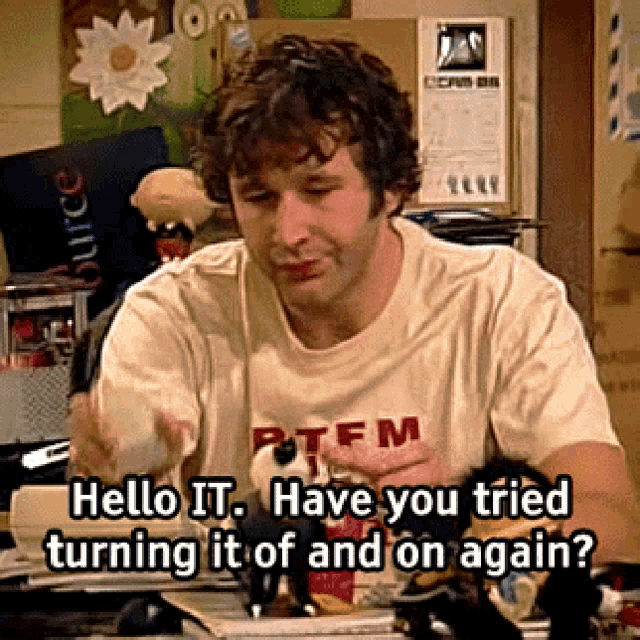
Dude, the amount of times an old boss would complain about their laptop performa...
 slate anvil
Works so often it cemented the stereotype.
stark prairie

Not super, but a little. 😄
Upside down isn't that bad. Slants the screen back a little more.
stark prairie
"Remove telephony" in phh settings does not seem to make the device happy 😄 Ducks appear, but then it drops to fastboot.
abstract cloak
stark prairie
Upside down isn't that bad. Slants the screen back a little more.
if you disable auto rotation can't you rotate manually?
stark prairie
abstract cloak
if you disable auto rotation can't you rotate manually?
didn't seem to work but will try again if i can get back in.
abstract cloak
adb shell settings put system accelerometer_rotation 0
adb shell settings put system user_rotation 3
royal mural
stark prairie
Thank you SO much for testing that. Is it smooth enough to be playable?
Any chance of a quick video please? (I know, pushing my luck, but REALLY appreciate you testing this for me) 🙏
stark prairie
royal mural
Thank you SO much for testing that. Is it smooth enough to be playable?
Any ch...
Currently unable to boot but it's a little meh. 15 fps? Maybe if you're OK with dialing down some settings and reducing the render distance.
royal mural
stark prairie
Currently unable to boot but it's a little meh. 15 fps? Maybe if you're OK with...
Ah ok. I'd really like to start a little club for my kids friends, but they don't all have devices they could bring and can't afford/justify putting much into the idea. When I saw @sweet wren's video showing emulation etc I thought it could be so cool if I could get a few of these to use, and really grateful for you testing it
stark prairie
royal mural
Ah ok. I'd really like to start a little club for my kids friends, but they don...
If I can get back in I'll give it a go again with some tweaks.
royal mural
stark prairie
If I can get back in I'll give it a go again with some tweaks.
Thanks so much
fathom patrol
stark prairie
"Remove telephony" in phh settings does not seem to make the device happy 😄 Duc...
I was able to get that working. I seem to have better luck.. well.. turning it off and back on again 😆 vs an adb reboot etc
long reef
Oof, I got some of my pinball/arcade parts for this and the arcade stick is WAY bigger than anticipated. would look comical next to the think smart... oops
next mural
pliant pawn
I'm in IT. Fuck rebooting <:kek:993736782845845504>
I leave 17 tabs open and walk away at end of day
next mural
royal mural
Ah ok. I'd really like to start a little club for my kids friends, but they don...
this is what it's all abt
lilac flint
@median yarrow This contains all the Microsoft preload stuff
lilac flint
stark prairie
<@211944268527304705> do you know if there is a way to run something like `adb s...
I think so
lilac flint
fathom patrol
to get plex working:
- adb root
- adb remount
- adb push manifest.xml /vendor
- ...
Interesting, is the widevine binary there? If not we can add it to get L3 DRM we can't get L1
stark prairie
fathom patrol
I was able to get that working. I seem to have better luck.. well.. turning it o...
took a few reboots for it to "stick" lol
fathom patrol
it isn't, guess they didn't bother for a vid conf device 😄
 opaque girder
next mural
I leave 17 tabs open and walk away at end of day <:kek:993736782845845504> <:kek...
opaque girder
next mural
I leave 17 tabs open and walk away at end of day <:kek:993736782845845504> <:kek...
 stark prairie
can't seem to get google meet to add a "calling account".
opaque girder
I think I have 17 tabs open JUST for the ThinkSmart View...
next mural
opaque girder
I think I have 17 tabs open JUST for the ThinkSmart View...
Every help msg ever on every forum at once
next mural
lilac flint
Interesting, is the widevine binary there? If not we can add it to get L3 DRM we...
gimme tv
lilac flint
fathom patrol
it isn't, guess they didn't bother for a vid conf device 😄
liboemcrypto.so from another msm8953 may work, but we may need to find a 32bit version not sure how limited newer ones are.
It will fail to do L1 and then fallback to L3
L3 widevine drm is 720p which is fine for this device
fathom patrol
looks like we're missing [email protected]
lilac flint
fathom patrol
looks like we're missing `[email protected]`
Yeah will need that too
The service call down to the other binaries
Hopefully I didn't miss a message, was busy yesterday and part of today
fathom patrol
there is a liboemcrypto.so but don't know the status of it
fathom patrol
lilac flint
Hopefully I didn't miss a message, was busy yesterday and part of today
he lives! 😜
lilac flint
fathom patrol
there is a liboemcrypto.so but don't know the status of it
Ah sweet
Shouldn't need anything else other then the service then
fathom patrol
nice, wasn't sure where to find that
lilac flint
Another devices dump
stark prairie
tried phh gsi of Android 10 with regular google apps, still can't get meet to set up a calling account. did narrow it down to some sort of google rpc errors that seem to center around permissions and "device compliance".
"hey google" does work with full google apps, though. for what that's worth.
flashed deadman's 11 package, then used partition manager to replace the system with the arm-aonly-gapps build from here: https://github.com/phhusson/treble_experimentations/releases/tag/v222
long reef
Alright taking preorders for thinkview Bluetooth arcade controllers 🤣 @viscid ether
humble karma
$3, right?
long reef
well the esp32 boards do get cheaper the more i order...
long reef
Ok, I need a vote on what style cabinet to design for the ThinkView. Style A - Sharpin/Desktop Pinball, Style B - Bartop Arcade.


Vote with Emojis here!
next mural
long reef
Ok, I need a vote on what style cabinet to design for the ThinkView. Style A - S...
The one laying down
long reef
As I design this I'm thinking a hybrid of sorts. You'll see in a moment.
next mural
long reef
As I design this I'm thinking a hybrid of sorts. You'll see in a moment.
Just add a lever to back
So it can stand or lay down
long reef
Early concept

 modest ledge
Hey all! Glad to see this device getting new life. Just received mine in the mail - gonna install the A11 image in the next few days. A few questions after briefly scanning the chat:
- Root/Magisk access: Do I have to do anything special with the new A11 image? I recall reading the process on the XDA forum, but wanted to double check.
- USB C storage: Earlier discussions seem to point in the direction that it'll need a hardware mod. Guessing that's still a TBD for now?
stark prairie
long reef
Early concept
Dude, that's amazing.
long reef
modest ledge
Hey all! Glad to see this device getting new life. Just received mine in the mai...
- Haven't tried as the new image gives most of what's needed and already includes root. Most of the magisk stuff was because stock image was so old. You may be able to install magisk and patch the boot.img on device but I haven't tested.
- USB-C Storage still a no unless someone figures out a hardware mod to connect a possible point on the board to the jack.
modest ledge
Cool cool, thanks for the answers. I'll experiment with magisk at some point and hopefully some more hardware tinkering will reveal a way to get it working!
Luckily they're still cheap - I might pick another up just to tear apart physically lol
long reef
I think you will need to heat the screen to get it apart without breakage
long reef
modest ledge
Luckily they're still cheap - I might pick another up just to tear apart physica...
#1199440904566620260 message
fathom patrol
yeah I got magisk working but you'll need to remove the included Superuser app. unSU from https://xdaforums.com/t/beta-2017-10-01-supersu-v2-82-sr5.2868133/page-122#post-63615067 can take care of that through TWRP
XDA Forums
This thread is for SuperSU releases that are still in testing, and are not yet available through the Play store. The main thread for stable SuperSU releases is located here...
modest ledge
long reef
https://discord.com/channels/741895796315914271/1199440904566620260/120212690871...
Ahh, as is tradition with most tablets. Good to have Deadman's teardown pics as reference
next mural
long reef
Early concept
Ship me that one
next mural
modest ledge
Cool cool, thanks for the answers. I'll experiment with magisk at some point and...
Welcome to the cült

 lilac flint
modest ledge
Ahh, as is tradition with most tablets. Good to have Deadman's teardown pics as ...
lilac flint
modest ledge
Ahh, as is tradition with most tablets. Good to have Deadman's teardown pics as ...
Heat to 80c, then use a suction cup on the bottom right corner of the screen near the thinksmart logo. Pull it up and insert a pick/card and work your way around the display. The adhesive is sticky for about 3 minutes after removing heat.
sick snow
if anyone is taking it apart, you’re prying up just the glass, what looks like a plastic bezel is the midframe and will not come out without removing 100 screws later in the process
humble karma
uuuugh, Went to go try this on a windows machine and the secure boot settings wont let me do the suggested regedit to get past the sahara error
next mural
humble karma
uuuugh, Went to go try this on a windows machine and the secure boot settings wo...
Can turn off secure boot in bios
humble karma
It's not my computer so that feels like a bit much 😅
next mural
humble karma
It's not my computer so that feels like a bit much 😅
I don't make the rules I just enforce them"
But I mean after you're done just turn it back on 😂
atomic ether
anyone else notice that two thinksmart views with the latest deadman GSI go gapps image will have the same MAC address? I just flashed another tablet with that image and it mysteriously grabbed the same IP as the previous one which is currently off, I use DHCP reservations which is outside of the automatic DHCP pool range, so I checked the MAC address and sure enough it's the same.
atomic ether
looks like it's controlled by "Intf0MacAddress" in /vendor/firmware/wlan/qca_cld/WCNSS_qcom_cfg.ini
that did it, it pulled a different IP address. If anyone knows how to make it instead grab a hardware MAC, that would be nice, that way I can flash identical images to different devices and each device will have the same MAC every time.
stark prairie
Would it be hard to switch to a non-debug vendor.img?
I mean, I know how, just not sure what problems we would face. Wifi I guess would need some fixing?
fathom patrol
atomic ether
that did it, it pulled a different IP address. If anyone knows how to make it in...
yeah seems in our reflashings we hit the nvram which I'm guessing is stored somewhere in the unused space. at one point I ended up using their rescue tool and now i have a "real" mac again https://support.lenovo.com/us/en/downloads/ds101291-rescue-and-smart-assistant-lmsa
new devices should be ok since we're leaving the first part of the storage as is now
I also managed to lose my serial # and it would boot w/ wifi but the google setup wouldn't complete. fastboot oem set-serial-num to fix that if needed
lilac flint
stark prairie
Would it be hard to switch to a non-debug vendor.img?
What do you mean? The vendor that's shipped is from the 2021 firmware
I didn't use the debug one
lilac flint
atomic ether
anyone else notice that two thinksmart views with the latest deadman GSI go gapp...
I think I need to remove the static binary I added for wlan_mac, the symlink points at a persist file which doesn't exist. It's the normal way Lenovo does it but on this device they do it differently.
slate anvil
humble karma
It's not my computer so that feels like a bit much 😅
Lol it's nothing huge. It only persists for that power cycle. Just reboot it or shut it down and that mode goes away.
humble karma
I'm gonna use another machine today instead. I think I have a bootable windows thing for it in a bag
next mural
humble karma
I'm gonna use another machine today instead. I think I have a bootable windows t...
@hoary current have Linux CD if is more easy for u to use Lin it have proper driver n stuff install already
humble karma
I'm only messing with windows because Linux isn't working for me and I can't explain why
slate anvil
Anyone else have some minor light bleed on theirs? Not something I normally notice until I have bars on the side or a dark game.
long reef
Yes
The display was meant for teams calls not gaming so I don’t think bleed was a concern haha
next mural
long reef
The display was meant for teams calls not gaming so I don’t think bleed was a co...
Yeh uninterrupted teams sesh I setup for uninterrupted gaming 
lilac flint
A dev working on pmOS got mainline Linux kernel 6.7.2 booting on the thinksmart some. Currently emmc, display, and USB work so far. So the basics to get everything else working.
PmOS = https://postmarketos.org/
postmarketOS
Aiming for a 10 year life-cycle for smartphones
stark prairie
lilac flint
A dev working on pmOS got mainline Linux kernel 6.7.2 booting on the thinksmart ...
Nice!
lilac flint
stark prairie
Nice!
Yeah I'm excited, the biggest struggle will sadly probably be audio. Because the ti amp used isn't supported on mainline yet
stark prairie
lilac flint
What do you mean? The vendor that's shipped is from the 2021 firmware
Totally my mistake. I thought I saw something in logs when trying to get Netflix up that said something about debug keys. Entirely possible I was wrong. Been fighting a sinus infection and kinda out of it. Lol.
lilac flint
stark prairie
Totally my mistake. I thought I saw something in logs when trying to get Netflix...
The GSI is userdebug so signed with debug keys, but that shouldn't limit Netflix.
next mural
lilac flint
A dev working on pmOS got mainline Linux kernel 6.7.2 booting on the thinksmart ...
Box64 pls
 I need to add to list of arm device I'm running PC game on
lilac flint
next mural
Box64 pls <:kek:993736782845845504>
GPU doesn't work yet, it's using the bootloader splash framebuffer.
Arm64 kernel compiles and flashes now, but still dropping to 900e so more to do
It's a zero day at work on Friday, so I'll have a long weekend to work on the thinksmart and one of my other projects
next mural
lilac flint
Arm64 kernel compiles and flashes now, but still dropping to 900e so more to do
👀
fathom patrol
stark prairie
Totally my mistake. I thought I saw something in logs when trying to get Netflix...
pretty sure we'd need play integrity for netflix and that seems like a whole thing 
atomic ether
fathom patrol
pretty sure we'd need play integrity for netflix and that seems like a whole thi...
at least the bootloader is still "locked" so who knows what is possible
it's good for us, but lenovo really dropped the ball on the whole "chain of trust" concept
fathom patrol
I went down a rabbit hole with the various magisk based fixes. couldn't get zygisk running so no dice there yet 
XDA Forums
This is for any/all utterly complete NOOBS to all of this! This exists as a resource that is a good, solid place to start; to understand all the foundational info on the subject and/or to follow step-by-step that would get you to successfully...
slate anvil
long reef
The display was meant for teams calls not gaming so I don’t think bleed was a co...
Bruh I'd be steaming mad if I paid MSRP on the thing and noticed light bleed during a call. 
sick snow
"do you have a trouble ticket?"
humble karma
Trying again tonight from my desktop on a Windows install on a USB portable harddrive.
Gonna...
- Boot with + and -
- Run QPST with the firehose program and the pinned combined_kingston... files
- Hopefully not get errors
The ducks! The ducks! I see the ducks!
So something just doesn't work on Linux for me. No harsh feelings, but I blame edl

 humble karma
The way the keyboard obstructs the whole screen when it's up is not great
stark prairie
humble karma
The way the keyboard obstructs the whole screen when it's up is not great
Hold the little magnifying glass, select one handed mode.
humble karma
Nice! Thanks
Hm. Some apps don't load but I guess that's not a surprise. Tidal music is not loading
Also seems like the app-switching button doesn't work 🤔
humble karma
stark prairie
Hold the little magnifying glass, select one handed mode.
It still seems to pop back up when start typing
next mural
humble karma
Hm. Some apps don't load but I guess that's not a surprise. Tidal music is not l...
Wym don't load
humble karma
next mural
Wym don't load
Tidal opens to a black screen and nothing else happens
fathom patrol
humble karma
Tidal opens to a black screen and nothing else happens
if it's a drm thing, try the "fix" for removing widevine: #1199440904566620260 message
we can include that in the next build but other apps need play integrity and that's a little tougher
 arctic swan
in case anybody else runs across this, figured i'd share my personal experience.
my thinksmart came with a busted volume down button (has clicky tactile feel but doesn't register), making it nearly impossible to get into EDL. was in the process of heating the display to disassemble and look for a cold solder joint or similar, but couldn't get the adhesive to release after 5-10 mins at 80c.
strangely enough, that heating process was enough to get the vol down button to register though and i could boot to EDL and flash, but after cooling it stops working again. not a big deal as i plan on using it as a home assistant dashboard
not really worth returning, i have a second one that will be here tomorrow. wish i could figure out how to get the adhesive to release though
as an aside, auto rotation seems to be broken on deadman's A11 build. thanks for everything you've done here and i can't wait to see what's next
fathom patrol
hey checkout EDL cables, you can DIY by shorting some of the wires
arctic swan
hey nice thanks for the tip!
fathom patrol
and auto rotation works just disabled by default in the GSI. have to turn it on for both the display settings, plus the home screen if u want that too
np! had to get one after I almost bricked mine early on
arctic swan
fathom patrol
hey checkout EDL cables, you can DIY by shorting some of the wires
so it's just a momentary short between d+ and gnd?
arctic swan
fathom patrol
and auto rotation works just disabled by default in the GSI. have to turn it on ...
after a reboot auto rotation works fine, not sure what was going on before. thanks for the advice 👍
fathom patrol
arctic swan
so it's just a momentary short between d+ and gnd?
yeah, hold it for about ~3s as you turn it on then let go. should drop it into edl mode
arctic swan
easier than firing up the 3d printer heated bed and waiting 15 mins that's for sure
fathom patrol
lol
arctic swan
beautiful
 humble karma
Has anyone managed to get the "recents" button working? Back and home work but not the third one
next mural
humble karma
Has anyone managed to get the "recents" button working? Back and home work but n...
Pretty sure this is in bug list already
Ty for recalling it 🫡
humble karma
Is there a bug list I can peruse somewhere? 🤔
humble karma
fathom patrol
if it's a drm thing, try the "fix" for removing widevine: https://discord.com/ch...
I did get Tidal working with tip. Thanks! Now my issue with it is that no audio playes 😅
next mural
humble karma
Is there a bug list I can peruse somewhere? 🤔
@lilac flint I think is jotting stuff down as it comes in 🤔
humble karma
Well, with my lack of success playing music on this so far, my family won't be very impressed 😅 Gonna have to keep poking
humble karma
I'm currently suspecting that if I want this as a general family media player I'll need a higher android version
Gonna do some retroarch fiddling next and see how I feel
long reef
Hm Spotify works for me. Wonder what Tidal is needing
Can you use a browser interface instead as a quick fix
humble karma
i had no luck pre-wildvine with that. I'll try again now
It's so hard to type when what I'm typing is constantly hidden 😅
humble karma
Tidal is trying so hard to make me use the app that the web player isn't working for me
lilac flint
next mural
<@211944268527304705> I think is jotting stuff down as it comes in 🤔
Correct
Planning tonight to work on vendor with the following changes:
- Overlay fixes mainly auto brightness/auto rotation and maybe recents button
- AC power being detected on boot
- Screen density being set correctly
- Widevine drm fix
- Maybe if I have time look into why zygisk doesn't work
stark prairie
lilac flint
Planning tonight to work on vendor with the following changes:
1. Overlay fixes ...
Thanks for all your work on this!
humble karma
Yes, thank you! I don't want to project entitlement and ask for specific things but I look forward to see what's coming down the pipe
next mural
lilac flint
Planning tonight to work on vendor with the following changes:
1. Overlay fixes ...
How's oc coming along
next mural
humble karma
Tidal is trying so hard to make me use the app that the web player isn't working...
This is bc likely tidal uses flaac
Where as pretty much every other streaming service doesn't really use lossless audio
That's actually the perk"
Of tidal as a service
So maybe some codec is missing
Might be a magisk module that exists
humble karma
Yeah! They let me do high quality audo from my web browser on my PC. I wouldn't be surprised if that was what's missing on this one.
I keep seeing Magisk being brought up. I guess I need to figuret out what it is
next mural
Simply it's kinda like a root control panel
Can use to install root plugins
For different stuff
Some additional audio boosting
Or gapps have a magisk module
Basically anything useful typically exists as one
at least that's the best I can explain it
fathom patrol
ok looks like tidal does use widevine now, so in the meantime here's a real fix to get that running:
- adb root
- adb remount
- adb push vendor-widevine/* /vendor
- reboot and 🤞
humble karma
fathom patrol
ok looks like tidal does use widevine now, so in the meantime here's a real fix ...
This seems sliiightly different from your wildvine steps above. Is this just the same with compressed files?
fathom patrol
the first one removed the reference to widevine so things like plex wouldn't hang. this actually copies in the widevine binaries and gets it running
humble karma
I did your previous wildvine suggestion and tidal went from no-loading-pas-black-screen. But the music is silent now. I'll try this version and see what happens
fathom patrol
lol yeah that fixed the similar hang but seems like they do use it. no promises for a full fix tho
humble karma
Very cool. I'll give it a whirl
lilac flint
fathom patrol
ok looks like tidal does use widevine now, so in the meantime here's a real fix ...
Nice work!
lilac flint
humble karma
Yes, thank you! I don't want to project entitlement and ask for specific things ...
Reporting bugs is always ok
humble karma
lilac flint
Reporting bugs is always ok
Is it enough to just ramble on about what doesn't work here? Or would it be helpful to @-mention you?
lilac flint
humble karma
Is it enough to just ramble on about what doesn't work here? Or would it be help...
You can @me if in the same message you describe the issue. I try and read the chat, but can only guarantee I see mentions
humble karma
fathom patrol
ok looks like tidal does use widevine now, so in the meantime here's a real fix ...
Did this. Tidal still moves the tracking bar but no audio.
Newpipe works. System sounds work. Amazon Music crashes before I can get something to play
fathom patrol
dang, possible they're doing some play integrity checks like netflix as well
to make sure widevine is up, you can adb shell then ps -ef | grep widevine
humble karma
Hm. Must not have worked then. Nothing
fathom patrol
rebooted right?
humble karma
Wait, there is is. I can't spell
fathom patrol
lol
humble karma
android:/ # ps -ef | grep widevine
media           902      1 0 11:12:50 ?     00:00:00 [email protected]
Looks like it's not working perfectly 😆
fathom patrol
well tidal probly has multiple dependencies 😄
humble karma
I just got like 2 seconds of audio from Amazon Music before it crashed. So I guess that's something else now.
I guess if I have shell access I might be able to see what's wrong with Tidal. New to this Android thing. Is there a known common place for app logs?
fathom patrol
ok nice that's helpful, I think the AUDIO_FORMAT_FLAC profile isn't fully configured in /vendor/etc
shot in the dark but try pushing this to /vendor/etc
btw I was curious how much power these use as an always on HA dashboard. about 3w with the screen on and 1w with if off 
humble karma
fathom patrol
shot in the dark but try pushing this to /vendor/etc
Getting a read-only filesystem error here. Could it be another location?
fathom patrol
oh same initial steps as before, adb root & adb remount
fathom patrol
boom, got it. signed up for a trial - go into the tidal audio settings and set quality to max
humble karma
Hm. I wonder if that costs exta. My choices are "high" and "16-bit 44.1 Khz FLAC"
I don't pay enough for max 😆
Oh, if I set it to 320 KBPS AAC, it works
fathom patrol
ah yeah went for the full thing since it's free for now 
humble karma
Thanks for fiddling around with me on this 🙂
fathom patrol
np! better than all those other things I should be doing 😆
humble karma
Right?
fathom patrol
amazon music seems to need too much ram & crashes PID USER PR NI VIRT RES SHR S[%CPU] %MEM TIME+ ARGS 14613 u0_a183 10 -10 2.8G 473M 156M R 126 25.3 1:04.62 com.amazon.mp3
lilac flint
We could maybe enable the low ram feature, but that will affect performance
lilac flint
fathom patrol
shot in the dark but try pushing this to /vendor/etc
What all did you change?
fathom patrol
added this under the compressed_offload section although tidal is working without it after changing the quality settings <profile name="" format="AUDIO_FORMAT_FLAC" samplingRates="8000,11025,12000,16000,22050,24000,32000,44100,48000,64000,88200,96000,128000,176400,192000" channelMasks="AUDIO_CHANNEL_OUT_STEREO,AUDIO_CHANNEL_OUT_MONO"/>
also hadn't tried tidal in a while.. not bad 
lilac flint
fathom patrol
added this under the compressed_offload section although tidal is working withou...
Kk will add to the list to look at, flac normally needs an additional set-up if the OEM doesn't add it. But I should be able to enable it.
Wifi and touchscreen now work on mainline Linux kernel
 humble karma
So I showed the setup to my wife, playing kids music. Got instructed to buy more. 😆
Amazon is the place right now, right?
dim stirrup
Last I checked was cheapest ($36 with prime) but shipping is a little delayed (Like a week)
humble karma
I see 39 now on eBay and Amazon
fathom patrol
the ebay listing has a 20% coupon now bringing it back down to $32, and less if you buy more than 1
dim stirrup
Looks like it's gone up a few bucks now...eBay is about the same cost now
Also that ^^^
atomic ether
humble karma
So I showed the setup to my wife, playing kids music. Got instructed to buy more...
my wife has all but told me to buy more. She has multiple times asked if we needed more but hasn't told me how many to buy. we already have 4
humble karma
what the heck can you even do with 4, much less more than 4?
atomic ether
they're smart control panels for me, I run homeassistant and all the lights are connected to it. I have one on each of our desks, another in the shop as a control panel for my 3d printer, and a fourth for testing deadman's latest work.
I could see adding one for the bedroom and another for the kitchen
but she says what if we buy a house and want them in more rooms
humble karma
If you buy a larger house, saving $40 on a control panel will be the least of your money problems
atomic ether
yeah but they may not be available. the form factor is just about perfect for a tabletop control panel. no battery to swell up like if you used commodity grade tablets
humble karma
Yeah. Makes sense. I"m a bit nervous that these wont age well if they're trapped in an old version of android
rough eagle
Rams kind of tight for Android 13+ so maybe the Linux build will be the more future proof way to go
humble karma
Get your heat guns, everyone. It's time for a RAM upgrade
rough eagle
My ram and eMMC arrived now I just need to work up the courage to do it
@sick snow have you had a successful attempt yet with eMMC?
humble karma
I'm too scarted to do stuff like that. I need something to practice on before I'm up for the RGB30 USB-C mod but I don't have anything
rough eagle
I used practice kits before I started modding GameCubes
humble karma
soldering practice kits, huh? Sounds interesting
rough eagle
https://a.co/d/0oMLGkM
I did this clock
humble karma
I'm very comfortable with non-micro soldering. I've done a lot of very basic keyboard stuff. Done many PCB keyboards with SMDs, handwired a keyboard, etc.
But nothing so tiny as SM chips
rough eagle
Oh is the USBC one micro soldering?
humble karma
Yeah. You basically have to solder something onto a USB plug without causing trouble https://www.reddit.com/r/SBCGaming/comments/17po7ie/i_modded_the_rgb30_to_support_usbc_ctoc_charging/
I guess I would call that micro
Reddit
Explore this post and more from the SBCGaming community
rough eagle
If it's not really microsoldering it's close enough
humble karma
I want USB-C charging but not badly enough to lose the divice.
rough eagle
I'd be tempted to do that mod with just hot air but flex ribbons like to melt 🫠
humble karma
Not to mention I have pretty shaky hands. It's a scary mod
sick snow
rough eagle
<@791833220005625906> have you had a successful attempt yet with eMMC?
no, I think it's going to take more work than I had originally hoped. Need to hardware dump the original flash and copy it over to the new one I suspect
long reef
Smallest I’ve bothered soldering is pin headers to an arduino board. Lots of guitar wiring though!
 fluid sinewBOT
 fathom patrol
Oops 🙈
next mural
humble karma
So I showed the setup to my wife, playing kids music. Got instructed to buy more...
That's awesome turtle
rough eagle
sick snow
no, I think it's going to take more work than I had originally hoped. Need to ha...
Good thing I did order those bga153 USB adapters
real trout
humble karma
It's so hard to type when what I'm typing is constantly hidden 😅
You can fix the full screen keyboard bug by upping the screen density value in the android developer settings
unlock developer options → find “smallest width” → set to 600dp
If that's too much you can dial it back from 600
humble karma
Oooh. Good to know!
arctic swan
No wonder they wouldn't stay connected 🤣

@fathom patrol i'm not sure this is accurate #1199440904566620260 message
(left device was flashed directly to A11 from stock and got the same MAC as the other, which was A8 -> A11)
fathom patrol
hmm as I've been messing with partitions, I've tried to reflash as few as possible of the small initial ones. for example devinfo contains the serial but I'm not sure yet where the mac address ends up. seems we should pin that down
for now you could change that default #1199440904566620260 message
arctic swan
appreciate the stopgap solution, thank you
fathom patrol
mine ended up with 94:08:53: & 80:30:49: macs, both registered to liteon
lilac flint
fathom patrol
hmm as I've been messing with partitions, I've tried to reflash as few as possib...
May be of use in the short term

GitHub
-
Yes, this is indeed uncool. But it is exactly what stock does, and
neither IdeaLTE nor FxTec have an OUI assigned. -
Note stock does not set a BT MAC at all.
Change-Id: I853d395820550e22cb92...
There also a shell script version https://github.com/LineageOS/android_device_xiaomi_msm8998-common/commit/1e103580d0471e449797ca9b60576336edb6071c
GitHub
The default qcacld-3.0 implementation looks for the MAC
in a firmware with the name wlan/qca_cld/wlan_mac.bin.
That firmware is, by default, symlinked to
/mnt/vendor/persist/wlan_mac.bin.
Xiaom...
It's qcacld-3.0 but I think it works with 2.0
fathom patrol
"Yes, this is indeed uncool" lol. probably need to fix the wlan_mac.bin to be a symlink for those as well
lilac flint
fathom patrol
"Yes, this is indeed uncool" lol. probably need to fix the wlan_mac.bin to be a ...
You should be able to just do it in the wlan_mac directly
 lilac flint
Yeah Linux kernel 6.7.2 and postmarketOS Linux
humble karma
In my imagination, Linux will be harder to use without a keyboard and mouse.
lilac flint
humble karma
In my imagination, Linux will be harder to use without a keyboard and mouse.
Yes it's buggy atm but shows it
Mobile Linux has gotten better
long reef
Will this free up a lot of space
lilac flint
But yes a keyboard or ssh helps
humble karma
My android build is flickering and shifting anyway
long reef
pmOS is small right
lilac flint
Not in it's current form, but yes we can repartition more with Linux for maybe another 1-2gb™️
long reef
cool, I have no idea what the level of sofware availability for ARM linux is.
lilac flint
Getting better thanks to apple and Microsoft
humble karma
You guys are gonna make me buy/build a Bluetooth keyboard 😩
long reef
you don't have a bt keyboard? with so many handhelds and tablets it's an essential for me
humble karma
Consider that arm Linux is what's on most anbernic and powkiddy handhelds
More than enough for emulation
lilac flint
As well amlogic arm tv boxes powered by Linux
humble karma
long reef
you don't have a bt keyboard? with so many handhelds and tablets it's an essenti...
Wired is simple and low bs especially when DIYing. I've never had a tablet! I guess I'm just messing around with odd tech
long reef
Yeah I mean I use wired, too, but for portable devices I just find it easier. I have a logitech k380 so it can save up to 3 different bt connections
humble karma
Maybe it's time to build a Corne
I have very eccentric tastes in keyboards at this point. 😅
long reef
I've thought about doing a self build of a split/ergo board
that's a hobby with some obsessed people for sure
I got lost trying to look into it lol
humble karma
I love split ergo boards. I recommend unless you want a cheap board
long reef
I just use a cheap microsoft wired ergo kb rn. I used to have a mech but carpal tunnel happened.
I have a 3d printer and laser cutter and enough know how that I'm sure I could do it, just haven't gone down that road yet
humble karma
I have a 3d printed dactyl-variant. That's probably the direction you'd want to go if you went with a mech
humble karma
New fun problem for the day. Jellyfin seems to be in forced landscape mode... upside-down. Gotta figure out how to flip it
rough eagle
Switch g to -g
arctic swan
@lilac flint what suction cup did you use to disassemble your smartview screen? the ones i have aren't cutting it and i'm seeing mixed reviews for the ifixit heavy duty ones on amazon
humble karma
humble karma
New fun problem for the day. Jellyfin seems to be in forced landscape mode... up...
There are two Jellyfin apps. One is for TVs and it doesn't auto-rotate. I had the wrong one
dim stirrup
Got my second unit in...MFG Date: 2021-11-19...will try some of the cutting edge roms on this one...is there a site/landing page for things like the latest Deadman's builds?
long reef
Just the pins in this channel at the moment
dim stirrup
10-4
next mural
dim stirrup
Got my second unit in...MFG Date: 2021-11-19...will try some of the cutting edge...
Welcome
 dim stirrup
I'm this close to buying like 5 more lol

 dim stirrup
the physical layout is great too, did anyone find a good barrel to usb-c adapter for it yet? I try and keep up but miss some days
arctic swan
shouldn't be too difficult to make your own with a usb-c trigger board at 20v and the right diameter barrel jack
appears to be a 4.0x1.7mm barrel jack, positive on the inner connector
 arctic swan
dim stirrup
the physical layout is great too, did anyone find a good barrel to usb-c adapter...
arctic swan
dim stirrup
the physical layout is great too, did anyone find a good barrel to usb-c adapter...
something like this might work. haven't tested it https://www.aliexpress.us/item/3256806056777959.html
voltage, current, and barrel jack size seem to be in spec
dim stirrup
and it's got a switch! noice...I'll grab one and update with results
arctic swan
i think the switch is to adjust the usb-c PD trigger voltage, which you'll want to select 20v
not to turn it on and off
dim stirrup
ahhhh
arctic swan
but theoretically if you drop the voltage below what it expects it'll probably turn off right? 😅
dim stirrup
True true...I'll update with results in...a month lol still 50% cheaper than amazon
not going to mess with it tonight, but is there any useful situations to test of starting a factory default unit in regards to flashing process? as in it's never been powered on at all,...
arctic swan
silly question, is there a way to wake the screen on the A11 build after it's gone to sleep (without restarting or plugging usb-c in for ADB)?
rough eagle
Doesn't the camera switch or mute switch function as a power button in Deadmans A11 image?
arctic swan
no luck with either of the camera/mic switches or volume buttons
that's what i thought i read too though
dim stirrup
i think that's a custom feature of deadman's build
arctic swan
yeah that's the build i'm using, from the pins
humble karma
I'm really excited to try the Linux build 🙂
next mural
rough eagle
Doesn't the camera switch or mute switch function as a power button in Deadmans ...
Yes
It does in mine
arctic swan
this is from the (default) lockscreen, no pin/password/pattern/etc right after boot
if i don't unlock it fast enough it goes to sleep and i can't turn the screen back on
not a big deal, just figured i'd mention it
dim stirrup
so how does one go about changing the wifi's mac address? I've found the /vendor/firmware/wlan/qca_cld/WCNSS_qcom_cfg.ini but can't save any changes (even when running as root/su)....do I need to modify something prior to flashing? i've tried using busybox + ip/ifconfig as well and never works
next mural
dim stirrup
so how does one go about changing the wifi's mac address? I've found the `/vend...
Mac is issue @lilac flint is aware of will be corrected sooner or later
dim stirrup
Ahh gotcha, thought there was a temporary work around, I'll wait and test it out once it's released 😉
arctic swan
i did an adb root, adb pull, modified the file, then adb push back to that path (after install and boot) and then reboot
dim stirrup
ahhh nice...the /vendor/firmware/wlan/qca_cld/WCNSS_qcom_cfg.ini file right?
arctic swan
yup
dim stirrup
that worked! had to mess with remounting /vendor as rw...and for some reason when it was in rw mode I didn't see the file but just pushed new one anyways and rebooted and got new mac
arctic swan
ah yeah i forgot adb remount in my steps
dim stirrup
oh is it just that? I couldn't tell if it was that or adb shell "su 0 mount -o rw,remount /vendor" (I did both)...probably gonna format/reload and retry and confirm exact steps...but thanks for pointing me in the right direction!!!
dim stirrup
confirmed the following steps work with a fresh install of the latest Deadman's build:
adb root
adb pull /vendor/firmware/wlan/qca_cld/WCNSS_qcom_cfg.ini
edit the file (change the value for
Intf0MacAddress) and save
adb remount
adb push WCNSS_qcom_cfg.ini /vendor/firmware/wlan/qca_cld/
adb reboot
slate anvil
Kind of a reach, both storage and capability-wise, but has anyone tried Citra on it yet?
viscid ether
dim stirrup
True true...I'll update with results in...a month lol still 50% cheaper than ama...
You’d be surprised how fast shit gets here from Ali now.
I get stuff in a week or less. Had a coffee roaster get here in 2 business days.
rough eagle
Ali has still been 7-14 days for me. Most stuff around 10 days
dim stirrup
oh nice! I was just going off the order estimate, but hopefully I'm happily surprised
next mural
viscid ether
You’d be surprised how fast shit gets here from Ali now.
Agree there's constantly some tech otw
next mural
LoL used the simple eink that I recommend for the ThinkSmart on a hamheld for the first time today guess we can add controller support to the benefits of the launcher now ✔️

Join us on discord for more adventures like these as we convert more machines that were never meant for GAMING TO DO JUST THAT!! IT'S EGGPLANT TIME 🍆
https://discord.com/invite/nUFMZbn7tM
In the next episode we will see if Mortal Kombat 1 is too big" of a game for the Aya Neo Next Lite 🤠
System Specs:
Steam Deck Clone
E6 Handheld Emulator
R...
atomic ether
chucking a few offers now while the 20% coupon is still active. if he accepts 4@30, then I use the 20% off that's like $24 each
I don't need 8 of them yet, but I have authorization for it, some day I'll find a place for them all
next mural
atomic ether
I don't need 8 of them yet, but I have authorization for it, some day I'll find ...
One per room
arctic swan
look at this guy bragging about having 8 rooms
next mural
arctic swan
look at this guy bragging about having 8 rooms
Or having 8 think smarts
Which is arguably the bigger achievement
arctic swan
look at this guy bragging about having a kitchen
arctic swan
😅
past flame
atomic ether
chucking a few offers now while the 20% coupon is still active. if he accepts 4@...
Were you able to apply the coupon on a best offer, I didn't have any luck
 limber ice
Trying to work through nearly a month's worth of posts here.
Is the @sweet wren video still relevant?
Have things progressed much since then?
Is there a good place to find the latest and greatest info as this thing gets figured out?
Is RetroArch with an 8bitdo Zero 2 bluetooth controller a good use case for this thing?
next mural
limber ice
Trying to work through nearly a month's worth of posts here.
Is the <@34904043...
Bluetooth works fine with my Xbox controller so I don't see why
next mural
limber ice
Trying to work through nearly a month's worth of posts here.
Is the <@34904043...
If you want more of a stock plus experience just follow RTD vid
As Internet and some other stuff is abit wonky atm naturally the new build is work in progress
sweet wren
limber ice
Trying to work through nearly a month's worth of posts here.
Is the <@34904043...
8bitdo stuff has been solid for me with it 🙏
I use the stick all the time with it!
dim stirrup
I still get weird situations where my 8bitdo sn30 pro and pr02 will not reconnect...usually seems to be after they auto-poweroff after inactivity, but it's happened some other times after manually powering it off...just have to forget/repair but it's annoying (I'm using the HA rom on one and Deadman's on another, same issues)...But when they work they're great!
pliant pawn
Got Android 11 running. Thanks everyone for all the hard work!
 potent crypt
rough eagle
My ram and eMMC arrived now I just need to work up the courage to do it
potent crypt
rough eagle
My ram and eMMC arrived now I just need to work up the courage to do it
Which chips did you order? I wanna try too. I have a hot air station that's itching to use lol, not much practice with it tho 😅
rough eagle
potent crypt
Which chips did you order? I wanna try too. I have a hot air station that's itch...
RAM 4GB D9SSK
https://a.aliexpress.com/_mOfcODY
eMMC 128GB
https://a.aliexpress.com/_mrBQ7ly
They've arrived but I haven't tried them yet.
potent crypt
Thank you 🙂
sick snow
fair warning, the eMMC is not a simple swap and flash
rough eagle
Which is why I'm still dragging my feet 
potent crypt
This screen is a mother to get off

Do I have the pry bar under the right part? Or should it be between the glass and plastic?
rough eagle
The other reason I'm dragging my feet
You should be between the plastic and the glass
The screen itself comes off
potent crypt
Alright 👍
rough eagle
You mightve seen it but here's deadmans pin on the subject
#1199440904566620260 message
potent crypt
I've been studying that for an hour 🙃
But it just seemed like the suction cup wouldn't give me anything to pull the glass up
Tho I'm using a hot air station to heat it up so maybe I'll try a mat to heat it up evenly
Only place I could pry was the in-between plastic so I'll try again between the glass and plastic with a heat mat. I atleast didn't crack it
potent crypt
sick snow
fair warning, the eMMC is not a simple swap and flash
What's the issue? dumping the old chip?
I figured I could just use my emmc socket dumper and dump and write the new chip
 sick snow
potent crypt
What's the issue? dumping the old chip?
sick snow
potent crypt
What's the issue? dumping the old chip?
if you dump and restore you should be fine, but I suspect you'll need something that can read boot0/boot1 not just userdata
I think
potent crypt
If I remember correctly this should read all partitions of the chip
sick snow
well, you might be the first to pull it off then!
potent crypt
Will see 👀
I'm mostly used to chip off data recovery so I'll need to get the chips back on it, so I'll probably practice on some junk phones
rough eagle
potent crypt
Only place I could pry was the in-between plastic so I'll try again between the ...
Yeah Deadman said 5 minutes at 80C on a heating pad
Is how they did it. Gives you 3 minutes before the adhesive cools
He can't be the first til he gets that screen off
stark prairie
In awe of you folks working directly with the chips. Really cool stuff.
potent crypt
😭 I got it off but I think I burned the lcd cause it don't work anymore
I should of waited for the mat, soldering heat gun is way too much heat 😫 I don't see any cracks so idk
I got one unit left
I wonder if I can source a smaller lcd 🤔 I do wanna make a smaller vertical handheld
 raven pagoda
potent crypt
I figured I could just use my emmc socket dumper and dump and write the new chip
raven pagoda
potent crypt
I figured I could just use my emmc socket dumper and dump and write the new chip
Just out of curiosity, how much does something like this cost? Looking to dump and write to the UFS/eMMC on the RG556.
Micron MT128GBCAV2U31
pliant pawn
Any tips on how to consistently wake it from sleep on Android 11? The camera shutter has only worked for me occasionally
next mural
pliant pawn
Any tips on how to consistently wake it from sleep on Android 11? The camera shu...
Plugging in a USB almost always works
pliant pawn
next mural
Plugging in a USB almost always works
No luck using USB for me. I've just been power cycling it but that also seems to hang up occasionally on the Lenovo boot screen
next mural
pliant pawn
No luck using USB for me. I've just been power cycling it but that also seems to...
honestly haven't used 11 enough to say atm
But I always just physically unplug the machine
Thinking abt buying a smart plug for it
As the cable I'm sure will get cooked soon
pliant pawn
That's not a bad idea
next mural
pliant pawn
That's not a bad idea
And I just turn screen off to never while I'm using it
Then na have to worry abt that
On off stuff
Then unplug when done so no burn in ❤️🔥
opaque girder
if all I want is a desk/nightstand device for calendars, music, video call (if possible), etc, should I go with RTD's video? or A11? Or other? I don't need it for emulation, but rather a "home console"
sick snow
raven pagoda
Just out of curiosity, how much does something like this cost? Looking to dump a...
doesn't the 556 have a linux cfw? you may be able to dump and write using dd
raven pagoda
sick snow
doesn't the 556 have a linux cfw? you may be able to dump and write using dd
it's the newest android handheld, maybe you're thinking of the 552
humble karma
I keep being amazed at the audio quality on this thing
slate anvil
dim stirrup
I still get weird situations where my 8bitdo sn30 pro and pr02 will not reconnec...
Same thing is happening to me now. Didn't happen to me on stock or Teams 084 firmware funnily enough.
next mural
humble karma
I keep being amazed at the audio quality on this thing
Yeh I'm using booster running it at 160%
Or 140%
Depending
is awesome
But it is 10w speaker so naturally
Has the beef to get things going
humble karma
It's kicking some butt on some Children's Audiobooks right now
next mural
humble karma
It's kicking some butt on some Children's Audiobooks right now
I really love watching movies on it n shows
Shows particularly I typically don't have attention span to sit through
But I watched whole Gen V season when it came out in like a day
Actually a joy in combo with the awesome colors on the screen
humble karma
I get some very noticable lightbleed so I'm not sure how it'll be for shows
But my two extra devices show up today
next mural
humble karma
I get some very noticable lightbleed so I'm not sure how it'll be for shows
I mean most of the time the screen isn't dark
So unlikely to notice just depends on environment
humble karma
Yeah. Probably!
humble karma
Well, it's just in an awkward place in my house to try movies but I'll find time now that I've got some streaming stuff set up
next mural
humble karma
Well, it's just in an awkward place in my house to try movies but I'll find time...
Can just try on the new ones coming in
humble karma
That's the plan
potent crypt
MT128GBCAV2U31, looks like a pure nand? I'm pretty sure mine only supports emmc. What package is the chip?
sick snow
potent crypt
MT128GBCAV2U31, looks like a pure nand? I'm pretty sure mine only supports emmc...
this was for the RG556
potent crypt
raven pagoda
Just out of curiosity, how much does something like this cost? Looking to dump a...
I'll find what I have and link it, there might be newer options
stark prairie
slate anvil
Same thing is happening to me now. Didn't happen to me on stock or Teams 084 fir...
Isn't there a Bluetooth fix of some kind in the phh settings under Qualcomm features?
Could that help here?
potent crypt
This should be it, I think the chip you want is bga 153? It should support it.
Just found this amazing item on AliExpress. Check it out!
$119.00 | MOORC icfriend / emate x E MATE PRO BOX EMMC BGA 13 IN 1 SUPPORT 100/221/254/529/136/186/168/169/
https://a.aliexpress.com/_mKSUYdg
Then you need a ufs box, I have a riffbox 2. But this socket set supports a few; ufi, Medusa easyjtag. Which are on ali
lilac flint
Sorry for the delay guys on the new vendor, works been a killer.
potent crypt
Might be cheaper if ypu bundle the box and the emmc sockets
https://a.aliexpress.com/_mMO8g6w
But do shop around and check out them separately
Also if you guys wanna pull the chips yourselves, clean em up. And send them I'll dump them and write to a new chip if you pay postage. Only US tho.
humble karma
My two new thinksmarts just showed up
 sick snow
"I know what I'd do with a million bucks, two ThinkSmart's at the same time"
dim stirrup
stark prairie
Could that help here?
Oh snap, you're right...I never messed with any of those but worth a shot! I'll check that out and reply back with results
stark prairie
pliant pawn
Any tips on how to consistently wake it from sleep on Android 11? The camera shu...
you can trick it into thinking its charging with adb shell dumpsys battery set ac 1 (could do that dumpsys command from termux i suppose, too) and then using a screensaver set to come up on when docked/charging so that the display never actually turns off, but it doesn't stick around after a reboot.
limber ice
Is there a benefit to A11 right now, other than being on the cutting edge and helping advance the development on this thing?
A8.1 can do Retroarch and video/audio streaming fine, with minimal fuss, yeah?
humble karma
What kinda arcade stick would you all get for one of these? 🤔
potent crypt
Got my microscope hooked up and adjusted waiting on chips now
 long reef
humble karma
What kinda arcade stick would you all get for one of these? 🤔
long reef
humble karma
What kinda arcade stick would you all get for one of these? 🤔
Still working on making one from scratch. Have all the parts but not the time...
humble karma
long reef
Still working on making one from scratch. Have all the parts but not the time...
It's a lot of fun that you're doing this! I think if I was... less of a busy one I'd take that on too. It's on my bucket list
sick snow
potent crypt
Got my microscope hooked up and adjusted <:linkyay:917524292428763137> waiting o...
nice!
next mural
humble karma
What kinda arcade stick would you all get for one of these? 🤔
I have one
It's the mini one
Just check ali
They have lot different size ones
Under 50 buck
Bluetooth
humble karma
... Which mini one? No specific brand?
next mural
humble karma
... Which mini one? No specific brand?
Just found this amazing item on AliExpress. Check it out!
$16.55 | 6In1 Retro Arcade Console Game Joystick Rocker Wireless Bluetooth Wired 2.4G Fighting Controller for Nintendo Switch PS4 PS3 PC
https://a.aliexpress.com/_mLffxC2
I have 6 key one its abt the sz of the next lite screen
For this the 8 key more appropriate
Have more button and bigger
Just fyi the 6 fits in backpack though
Can take anywhere on the go
Issa fun size for me just to use with side scrollers the 8 button have the more serious 🕹️
For fighting game n stuff
dim stirrup
So the phh Bluetooth Workarounds doesn't seem to do much...Which makes sense cause it looks like it only applies to Mediatek and Huawei devices/chipsets...But I did get some good results when enabling the Gabeldorschestack using developer tools...Only problem is it doesn't survive a reboot. Gabeldorsche is the latest bluetooth stack that was introduced in Android 11 and default as of Android 13. It's not perfect (I'll have to confirm but I think you have to boot up, change into that mode, pair the device then it's fine until reboot...You have to repeat the process again after forgetting the device)
(This is for 8bitdo controllers not reconnecting BTW)
Also not sure if this means anything but checking logcat it seems every reconnect the Bluetood ID increases by one...I think this is expected, but I could see it leading to some weird edge case (That is probably nothing we can address)
humble karma
Thanks, ghosty
next mural
humble karma
Thanks, ghosty
No problem
dim stirrup
Gabeldorsche definitely makes a difference...Any thoughts on how to make it default/survive reboot? I'll google around some more tomorrow, done for the night...
humble karma
Alright. I need to figure out this mac address thing now that I have multiple ones of these... Let's see here
lilac flint
dim stirrup
`Gabeldorsche` definitely makes a difference...Any thoughts on how to make it de...
bluetooth.gd.enabled=true in build.prop should do it I think based on the settings code
GitHub
Contribute to LineageOS/android_packages_apps_Settings development by creating an account on GitHub.
lilac flint
humble karma
Alright. I need to figure out this mac address thing now that I have multiple on...
Try just removing the wlan_mac firmware file and see if that works
humble karma
lilac flint
Try just removing the wlan_mac firmware file and see if that works
I ended up doing the in-the-scrollback edit to the WCNS_qcom_cfg.ini file and it worked out alright. Was that ill-advised of me? 😅
lilac flint
humble karma
I ended up doing the in-the-scrollback edit to the WCNS_qcom_cfg.ini file and it...
No, it's useless as far as I'm aware because Lenovo didn't utilize it on stock like they normally do
humble karma
Huh. It seemed to work for me
lilac flint
humble karma
Huh. It seemed to work for me
It's a symlink to a persist file that doesn't exist
humble karma
Huh!
 dim stirrup
That worked...But then bluetooth wouldn't work after saving and rebooting...undid the change, then retried manually and realized that just enabling it in developer settings doesn't do anything until you stop/start the bluetooth stack...once I stopped it I can't start it again, so my results are probably unrelated to Gabeldorsche then 😦 unless enabling it and not restarting the stack still brings some benefits? (doubt it)
so guess it's back to square one...might be that on a fresh boot with a newly paired controller it works fine until some event (screen turns off, inactivity/power saving, etc) mucks it up...too late/early to mess with that for now though, back to sleep for me!
humble karma
I've got issues with booting some of my new ones. Hmm
humble karma
Looks like a boot loop. Makes it to Android and it starts again
dim stirrup
I get some odd times where it'll do something like that (Lenovo > Ducks > Home and then reboots and stays at Lenovo screen) and sometimes it takes to cold boots to get it back up and running...Haven't inspected logs yet to see what's happening
slate anvil
dim stirrup
That worked...But then bluetooth wouldn't work after saving and rebooting...undi...

Me checking back in to see if you've figured this out
dim stirrup
Not yet, just the circumstances...seems like a cold boot with a pairing works fine (either auto-poweroff or manual poweroff of the controller), even if screen turns off. but if you reboot it's fubar, need to forget/re-pair...tried rebooting after controller auto-powered off and another test run with manual powering off...both result in same issue (can't reconnect). so I'm not sure what the fix is yet...I'm wondering if the rebooting by just killing power is causing some corruption or something, I'll try adb reboot next but are there any other methods to cleanly reboot at the moment?
just tried rebooting (pulled power cable) with the controller paired and connected/active and same result
i did some research and this issue isn't unique to just this scenario...seems like there are some BT chips/stacks that have this issue for the last few years. I emailed 8bitdo support about it and they said they can't replicate it with their devices but obviously they aren't trying the same chipset/stack and also not a hacked/modded environment
humble karma
So when I had a retropie set up about 1000 years ago, I had it mount a network drive to get my ROMS off a NAS to save space. Is there any way to do that with Android to not use up my 8GB of space on the ThinkSmart?
dim stirrup
no go on adb reboot either, same result
dim stirrup
humble karma
So when I had a retropie set up about 1000 years ago, I had it mount a network d...
I'm not sure of the process off the top of my head but I would be shocked if you can't...What protocol is your NAS using? SMB, NFS, etc
humble karma
dim stirrup
I'm not sure of the process off the top of my head but I would be shocked if you...
It does both of those. And FTP if I'm feeling rowdy
dim stirrup
I would think SMB would be your best bet...Although not sure how to permanently mount it (There has to be an app for that)
fathom patrol
dim stirrup
I get some odd times where it'll do something like that (Lenovo > Ducks > Home a...
yeah I still have this issue sometimes too. when it hits the homescreen, swipe down and disable wifi before it connects and that usually takes care of it for me. give it a sec and you can re-enable wifi again
dim stirrup
interesting...will try that out...maybe set the wifi profile to NOT auto-connect?
fathom patrol
lilac flint
No, it's useless as far as I'm aware because Lenovo didn't utilize it on stock l...
I think these are still active. seems that it first tries to get the mac from a location we haven't discovered yet like nvram (stored in those early partitions?) if that fails, not sure the order here but looks to try the wlan_mac.bin you're referring to, otherwise it pulls from WCNSS_qcom_cfg.ini that they edited. that's the file that contains the default of 000AF58989FF that people are seeing duplicates of
fathom patrol
dim stirrup
interesting...will try that out...maybe set the wifi profile to NOT auto-connect...
lol somehow didn't realize that's an option. going to set that too
dim stirrup
unless it's just wifi being active, could be a good temp solution
lilac flint
fathom patrol
I think these are still active. seems that it first tries to get the mac from a...
Just a random thought off the top of my head, you could fully dump the device and then grep the imgs for the Mac address, but it may not work depending what format it's stored in
fathom patrol
yeah I haven't found the string yet so probably in binary
lilac flint
fathom patrol
yeah I haven't found the string yet so probably in binary
Does the Mac address show up in diagnostic mode? I can't remember and not near one atm
Press and hold vol+ then plug power for 10-20 seconds. It should boot to the Lenovo factory reset/diagnostic screen
 fathom patrol
I'll flash a regular recovery img and check 😄
lilac flint
fathom patrol
I'll flash a regular recovery img and check 😄
Shouldn't need a normal recovery
I believe it's separate
fathom patrol
oh hmm
lilac flint
But could be wrong
fathom patrol
what's the "unlocked account status" 🤔 seems they're saying to do that after it's booted into the stock rom
reflashing the debug img to see what happens
nothing so far starting with it off, or from the debug teams setup screen
lilac flint
fathom patrol
what's the "unlocked account status" 🤔 seems they're saying to do that after i...
Yeah ignore that, these are support instructions they require it not be enrolled in a mdm
Interesting, I'll have to see how that menu woeks
 open summit
does anyone has a list of supported controllers? bluetooth and wired? and has anyone had luck with 2 or more controllers? would love to play 4 player goldeneye or mariokart
lilac flint
No wired ones are supported
If the Xbox and playstation wireless ones aren't turned on/working I can do that easily
open summit
so far have had no luck with any xbox 360,one or X or ps3,4 or 5 controllers connecting to bluetooth as well as a few off brand cheap controllers but bluetooth speakers connect
dim stirrup
Been using 8bitdo controller (SN30 and Pro2) and they connect/work via bluetooth but there seems to be a bug that we're working through...Looks like it's fine when you pair it, but after rebooting the ThinkSmart you need to remove/re-pair...Haven't tried multiple controllers on one yet but I don't see why it wouldn't work
open summit
dim stirrup
Been using 8bitdo controller (SN30 and Pro2) and they connect/work via bluetooth...
ok thank you just trying to try and use spare ones i have or find the cheapest alternatives, and anyone know if we can pair more then one controller for multiplayer?
lilac flint
open summit
so far have had no luck with any xbox 360,one or X or ps3,4 or 5 controllers con...
Ok good to know, I'll turn them on in the Kernel
fathom patrol
open summit
so far have had no luck with any xbox 360,one or X or ps3,4 or 5 controllers con...
which rom is that with? xbox one worked for me on the GSI 11 image
open summit
im also just using retroarch have not tried any other emulators yet
fathom patrol
sorry I meant the android os
open summit
fathom patrol
sorry I meant the android os
whichever one that came in the @sweet wren video i believe its 8.1
fathom patrol
ah ok so we probably have better support in 11 already
fathom patrol
lilac flint
Interesting, I'll have to see how that menu woeks
ah ha, I used the rescue tool to get the latest 210228.109 firmware and can get that diag menu from the teams setup screen now
next mural
open summit
im also just using retroarch have not tried any other emulators yet
Retro arch ? Nightly or something else
Better off with individual emulator apps
With the 099 firmware recommended in robs vid
Xbox series x controller works just fine
Along with random arcade controllers from Ali express
on both emulator apps and game streaming
sweet wren
I'd only recommend Retroarch for the older/lighter stuff
everything else should use the standalone emulators
much better performance
lilac flint
fathom patrol
ah ha, I used the rescue tool to get the latest 210228.109 firmware and can get ...
Ah ok they must have added it later
fathom patrol
yeah I'm not seeing the mac shown anywhere in there, just the mac of my AP
but going back to the standard Device Settings -> WLAN, I have the real mac in there
I'll dump this one and have another look
dim stirrup
Yeah nightly 32bit (ra32) RetroArch is great up until SNES/Genesis/TG16, anything further falls on it's face (So use standalone emulators)
humble karma
I found an on-FDroid CIFS mounter but I am not sure how to browse to it in retroid. I can see it in Files though. Hmm
next mural
Tendo 64 upscaled n64 v high
I'm sure is better ones but lol 🤣 I think 3/4k on N64 Mario and smash Bros is good enough
For a 800p screen
LOL
dim stirrup
next mural
Tendo 64 upscaled n64 v high
Wonder if Android is hiding it from the app? Not sure how you would go about allowing it file system access though
next mural
dim stirrup
Wonder if Android is hiding it from the app? Not sure how you would go about all...
Hiding the controller?
Or
dim stirrup
Should have replied directly...Meant hiding the CIFS mount from retroid
humble karma
So maybe this is a stupid question, but do you have suggestions on how to reboot or shutdown the ThinkSmart without just pulling the plug? Or do I just pull the plug? On the Android 11 build
dim stirrup
I've wondered the same thing lol I think an adb reboot is a little cleaner...I tried using an app called Simple Reboot that did the job but I was experiencing (Probably unrelated) issues so haven't used it recently
open summit
next mural
With the 099 firmware recommended in robs vid
Ok I will try some other emulators as all N64 roms have great sound and control on touch screen but all black screens no matter which ROM or cores or plugins
open summit
sweet wren
everything else should use the standalone emulators
Ah thank you
dim stirrup
So just got on Amazon Vine (Reviewer) and one of my first products is this silly thing:
https://www.amazon.com/dp/B0CT8VTSXZ
It's kinda stupid but has some somewhat useful features...Like it can lock the device, and if the screen is off you can turn it on! So that kinda solves our power-button issue in a way...Otherwise it just does basic swipes (Sadly the swipe isn't long enough to unlock the device if you don't have a PIN/Pattern) , volume control, and in music mode next/play|pause/previous (And volume control again). I don't think I would spend $20 on it, but just thought I would pass it along!
(Hoping there is a third-party app that would let me customize it a little more)
Also to be clear, I don't get anything if anyone gets one, I just get a free review unit so not trying to profit off ya'll

TikTok Remote Control
dim stirrup
Also somewhat related...Rebooted ThinkSmart and device would not reconnect (Like the 8bitdo controllers)...So seems like something with rebooting for sure (Not complaining, just adding evidence/results)
lilac flint
dim stirrup
So just got on Amazon Vine (Reviewer) and one of my first products is this silly...
It probably sends keycodes via ble so you could remap it probably
dim stirrup
That's what I was thinking, messing with Key Mapper app and getting some results...Not perfect, but think I can make it useful
 lilac apex
Anybody try Emulation Station for Android out on the Thinksmart yet? Apparently it's available for Android 11.
dim stirrup
I saw the video from Russ earlier...Gonna wait a bit but looks slick AF, would prefer that over daijishou
opaque girder
Nothing like spending a few hours debugging why the A11 wifi isn't working, only to find out your wifi access point's cable was bad 😦
in other news, we're live. Yay!
next mural
opaque girder
in other news, we're live. Yay!
next mural
opaque girder
Nothing like spending a few hours debugging why the A11 wifi isn't working, only...
Your cable dead?
opaque girder
next mural
Your cable dead?
the rj45 ethernet cable was bad to my access point (computer was wired, so never noticed)
next mural
opaque girder
the rj45 ethernet cable was bad to my access point (computer was wired, so never...
That's rough
open summit
anyone tried 2 of them using retroarchs netplay? or wireless harddrives to access roms?
next mural
open summit
anyone tried 2 of them using retroarchs netplay? or wireless harddrives to acces...
Nope
open summit
As if there's a way to do multiplayer especially on the same device and somehow increase the storage is a near perfect device for the price, I even made it somewhat mobile with a Ravpower bank that has a regular 🔌
humble karma
If you're real good with a heat gun/soldering iron, you can possibly incraese the storage, but it's soldered onto tho board
open summit
humble karma
If you're real good with a heat gun/soldering iron, you can possibly incraese th...
defiantly not able to do that lol hope just unlocking the USB for controllers and storage somehow as i cant find any bluetooth controllers that will pair with it on android 8 as all the 8bitdo i have tried require 9+
humble karma
I'm on A11 but I haven't tried Bluetooth yet. I also haven't been able to get retroarch to see my samba shares I'm mounting
next mural
@humble karma @carmine apex just realized this is the #1 other device by a landslide

Made it happen
the hype train never ends
 humble karma
I have too many of them so it's gotta be true. I'm excited about that coming Linux build

 next mural
 carmine apex
i got pretty busy w other stuff D:
carmine apex
i got pretty busy w other stuff D:
Pain 😭
U been mia
while the ThinkSmart made it to the top of the leaderboard
best value in the gameeee
next mural
humble karma
I have too many of them so it's gotta be true. I'm excited about that coming Lin...
yeah imagine everything works
Would become cheapest sbc and tab to run Lin in history
open summit
id just be happy how it is with android 8 but with usb support for controllers and storage
 heavy hull
Another option for a Linux tablet could be a used OG Surface Go. It even supports stylus and USB-C video out
next mural
heavy hull
Another option for a Linux tablet could be a used OG Surface Go. It even support...
Intel Pentium Gold 4415Y
1.6GHz, 2 MB cache utterly bad soc
You can run Linux doesn't mean you should lol
2c4t versus octa core in the think smart at least they're both around 14nm node ig
Cool idea though
humble karma
I am very eager for the linux build. Happy to help test it if needed
fathom patrol
main linux action is over at https://community.home-assistant.io/t/lenovo-thinksmart-view-rom-os-development/676324 w/ postmarketos. I tried it and it works but super laggy ui. he's made some progress using lk2nd to speed that up so I'm lookin forward to trying that out again

Home Assistant Community
Continuing the discussion from Is this the perfect standalone tablet for HA?: It should be possible to port a newer OS onto these devices. I currently see two options: AOSP (or something like LineageOS). I am personally not super familiar with the Android ecosystem on the OS layer. From my quick looking at it today it seems that we would ne...
 jolly pivot
fathom patrol
main linux action is over at https://community.home-assistant.io/t/lenovo-thinks...
jolly pivot
fathom patrol
main linux action is over at https://community.home-assistant.io/t/lenovo-thinks...
Did you try ssh over it?
fathom patrol
yeah 👍
opaque girder
I'm set on using mine as a dashboard on my desk, with grafana stats from plex, pi-hole, proxmox, etc, but that's just a browser window.
but my kids will totally run music, alerts, calls (do those work with A11? I haven't tried yet) and such.
fathom patrol
haven't tried calls but fully kiosk is great on A11 as an HA dashboard with camera motion detection to turn the screen back on
opaque girder
I'd love to figure out some sort of "alexa/heygoogle/siri" intercom for the house instead of doing facetime calls downstairs. I'm sure there's an android app for something similar. Just need to dig into it.
opaque girder
Looks promising, iOS integration too:
https://play.google.com/store/apps/details?id=com.androidintercom&hl=en_US&gl=US

A simple app for real time group calls over WiFi and Bluetooth
stark prairie
Until something more permanent can be done, figured out a way to mock charging on bootup. Set the screensaver under Settings->Display to come on when docked or charging, and this will keep the screen from totally powering off and let you use photos or clock for a screensaver.
Create two files:
set_battery.rc
    start set_battery_ac
service set_battery_ac /system/bin/sh /system/etc/init.d/set_battery_ac.sh
    seclabel u:r:init:s0
    class main
    user root
    group root system
    disabled
    oneshot```
set_battery_ac.sh
```#!/system/bin/sh
/system/bin/dumpsys battery set ac 1```
run the following commands to push the files, set permissions, then reboot.
```adb root
adb remount
adb push set_battery.rc /system/etc/init/
adb shell chmod 0644 /system/etc/init/set_battery.rc
adb shell mkdir /system/etc/init.d/
adb push set_battery_ac.sh /system/etc/init.d/
adb shell chmod 0755 /system/etc/init.d/set_battery_ac.sh```
(doesn't have to be in a new init.d directory, but i figured that was an expected place to find scripts)agreed if we can just unlock the USB for controller and external storage then its the perfect device no need to put linux on it as Android 8 works fine
humble karma
Has anyone tried both Android 11 and 8? I'm curious which one people are finding to be better
dim stirrup
Deadman's Android 11 is great, but has a few quirks to it but it's actively being developed...The Android 8 rom's like RTD and HA are using are probably a little more stable, but you're missing a lot of QoL things and it's also pretty old (I've ran into a few apps that require Android 9+)
humble karma
I've been happy with A11 so far but it would be great to see the quirks removed.
I'm about to start messing with emulators now that I've done a lot of home music player stuff for the family so I'm a bit worried that the Bluetooth controller connection troubles will make it a bad time
dim stirrup
Well, got my USB>Barrel Adapter in today:
https://www.aliexpress.us/item/3256806056777959.html?
And it's got the right tip/adapter...But the plastic around it waaaay too large to insert into ThinkSmart. So one option is to shave down the plastic around the tip/adapter...The other is to do something like remove the rubber gasket around the receptor on the ThinkSmart...Thoughts? I feel like I could just pull the rubber gasket out but not sure the implications related to that...


(BTW the one on the left is the official ThinkSmart plug)
 cinder thunder
Funny timing, I was just typing up my testing of similar. The rubber gasket has a surprising amount of give to it, but without a plug to pull on it might be tough to get out

The one on the left took a lot of wiggling to get in, the middle one fit well, and the right one is the OG


The long extension worked well. The elbow booted to the Home Screen but wouldn’t launch apps. Now it just boot loops once and gets stuck on the Lenovo logo
Booting into recovery mode to perform a factory reset and reboot fixed it. Just have to go through the setup again which isn’t a big deal
A11 btw
dim stirrup
Interesting...I don't understand power/electricity that well, so would assume if it can boot up to home screen would be getting enough power...But maybe not enough (Or not consistent enough) to actually function? I know booting a regular desktop and then maxing it out are two different loads on a PSU...Now I'm extra cautious on trying mine lol
cinder thunder
That was also my assumption. User error is always an option. I’ll have to try that adaptor again to be sure…
Same issue. Power on > Lenovo logo > ducks > Lock Screen > black > Lenovo logo and stays there
lilac flint
stark prairie
Until something more permanent can be done, figured out a way to mock charging o...
Tbh I'd probably have just stuck it in a existing init with "on boot"
stark prairie
lilac flint
Tbh I'd probably have just stuck it in a existing init with "on boot"
I had chatgpt help since I have no clue what I'm doing. Lol.
I'm sure there's a better way.
It worked so I thought I'd share. With that I moved it into the kitchen today. It did a fine job showing me the meatloaf recipe while I cooked. Haha.
stark prairie
lilac flint
Tbh I'd probably have just stuck it in a existing init with "on boot"
I'm fairly sure there's no need for the script, either. I just couldn't find much on what property or other setting does the same thing.
cinder thunder
cinder thunder
Same issue. Power on > Lenovo logo > ducks > Lock Screen > black > Lenovo logo a...
I wasn’t satisfied so I tried it again. If you swipe up and unlock the screen before it goes black then everything works fine and seems to stay working

USB 3.1 Type C USB-C to DC 20V 4.0 1.7mm Power Plug PD Emulator Trigger Charge Cable for Laptop Build-in the PD Emulator Trigger at Type-C female end. input: Type-C Female, 65W or 87W Type-C Charger output:DC 4.0mm & 1.7mm male, DC 18v-20v(not support 5v) Use it with the 65W or 87W Type-C Charger...

Stop lugging your AC adapter back and forth between home and office. Get a Bacron USB C adapter DC connector for your notebook and keep one in the office and one for home or travel. The 65W 87W 96W 100W USB C Adapter DC connector from Bacron is specially designed to meet the power needs made for ...
dim stirrup
cinder thunder
I wasn’t satisfied so I tried it again. If you swipe up and unlock the screen be...
There are some theories that might be wifi-related as well...I've tried making my profile not autoconnect and seems like might have helped a little but it's been a few days...plan on mucking with it later today
humble karma
So I'm getting disconnects from my wifi after like 30 minutes of music. Hmm
dim stirrup
Does it just disconnect and you can't see any wifi aps? Even if you turn the wifi off and on again? I've run into that a few times, not very often though
humble karma
It comes back on by the time I get to it. Just a flicker
But the app has some no connection stuff
dim stirrup
Interesting...Not what I've seen then. When it happens to me, the wifi signal shows but it's empty and I can't scan for networks until I reboot