#R36S
1 messages · Page 4 of 1
 worthy copper
 grave heart
imaging now
worthy copper
If it does and goes though the expansion process without issue, you have a process ready to go now
grave heart
its taking its time, but i think thats my reader more than anything
worthy copper
Yea I use a usb 3.0 reader/writer
grave heart
indeed, then I shall do the same protocol for your next big release
worthy copper
release came out an hour ago
grave heart
oh damn , so this IS the update?
worthy copper
The script should have pulled it already
worthy copper
if it has today's date after you restore it, then you're good
grave heart
will usb it make it a 32gb image or just the partitions bud?
if it makes it a 32gb image, then amazon is the only thing holding us back haha
worthy copper
it makes an image
grave heart
aight, guess its sunday for everyone then
thank you again for all the help, I hope i didnt stress you out too much but i do apreciate it and getting to be a part of it
worthy copper
no worries 👍🏿 😆 👍🏿

 sour knot
@grave heart i can throw the img on one of my vps if you want a primary or mirror host
Whenever you’re ready
It’s physically in Las Vegas on the west coast us
worthy copper
grave heart
will you kill me if i asked how to add wifi linux driver support
if there's a linux driver that can be compiled for it, it'll just be a matter of adding the module to the kernel modules location
 regal nova
worthy copper
release came out an hour ago
regal nova
worthy copper
release came out an hour ago
Remind me how do I update arkos without wifi? It’s been a minute since I used a linux handheld 😅
worthy copper
you need an internet connection
you can tether to your phone if your phone allows that
sour knot
I just updated my r35s from early October to latest. Smooth as butter
regal nova
worthy copper
you can tether to your phone if your phone allows that
It supports that. Do I need a wifi dongle for the R36S then?
worthy copper
If you can update by tethering to your phone, then you won't for OTA updates
 cold siren
If only I could pass you my sd card lol. I've been cleaning my drawer and found 2 old 8gb sd cards haha
Class 4 lol that's how old it is
 celest stone
i grabbed some 64GB Samsungs for $7 AUD (around $4.60 USD) on BF
should have got more actually
also got some 128GBs for $13 AUD
cold siren
Samsung Evos?
I've found a deal for 256 back in nov I wonder if they're still available
Nah they're gone lol. Better look for deals on officeworks on Boxing Day.
grave heart
regal nova
Remind me how do I update arkos without wifi? It’s been a minute since I used a ...
Im legit building jt mate please hold on to sunday and ill have it up on here for you to flash
worthy copper
grave heart
Im legit building jt mate please hold on to sunday and ill have it up on here fo...
how'd the restore go?
 worn dock
For all those who might be interested:
I bought this no-name USB Wifi adapter from Aliexpress in the Choice section for very little money (about $1.50). It works with the R36S without any problems and I was able to pull updates immediately.

Sorry for the "advertising", but some of you might be interested in the tips for accessories, so here's another one:
I found (unfortunately only at the second attempt) a really nice fitting carrying bag for the R36S. It was also extremely cheap (about $2.50) at the big Chinese mail order company. It is important to note the dimensions, it must be the case with the dimensions 17cm10cm4cm, at the first attempt I ordered too small.

... and finally, of course, I recommend the matching USB C (male) to USB A (female) adapter.
Again, I got it for a bargain price of $1.20.

 arctic oxide
In case anyone wants to use TEMU (first order is 50% off unless something changed) there's also this case:
https://share.temu.com/rV5cgnMglDA

temu
eva hard case portable game console storage bag for anbernic rg35xx rg353v rg353vs handheld game console black case for miyoo mini plus at the lowest price at Temu. Free shipping and returns on Toys & Games on sale at Temu.
R36S fits just fine.
Also gotta love Engrish, "care game machine". Sounds like an obscure band name.
regal nova
grave heart
Im legit building jt mate please hold on to sunday and ill have it up on here fo...
Appreciate it, but I’m running a single card setup, so reflashing gets tedious. Maybe in the future I’ll switch to dual card. I’m hoping this USB tethering thing works. Will check it out after work today.
grave heart
worthy copper
how'd the restore go?
Woke up to 96% imaging , finish work at 6pm so hopwfully flash it then , it did infact make a 32gb image so will be sunday when 8gb comes but i have the process down thanks to you
grave heart
Nah what happened was , the wiring was slack on the card reader so i was like okay its usb i can just attach is as an actual usv instead of the mobo pin connection as its 5v G D- D+ and for what ever reason the chipset got really hot and since then it ran really slow , maybe burnt a resistor or cap on the reader but it does at least still work
Before that it was running fast but would disconnect under load due to the cables being slack , again atleast it runs we will get there in the end

 torn creek
what firmware should i be using now?
grave heart
If you wait till tomorrow if everything goes smoothly , ill be posting yesterdays brand new release of ArkOS as a direct flash to SD to the R36S and R35S or you can use the 351mp version on arkos wiki page and copy your stock files over , the version ill post will be a direct flash with no need to copy stock files ect so feel free to pick which ever youre comfortable with using
 carmine fiber
quick questions.
which sd card do i swap and what do they do. Im use to single sd consoles
thank you in advance
grave heart
Left sd card is roms right sd card is OS
carmine fiber
thank you
grave heart
carmine fiber
thank you
No problem dude you change in setup menu near the bottom " switch roms to sd2"
carmine fiber
thanks you, will do, just downloaded rufus
grave heart
I recommend etcher personally
 hearty shoal
grave heart
If you wait till tomorrow if everything goes smoothly , ill be posting yesterday...
hearty shoal
grave heart
If you wait till tomorrow if everything goes smoothly , ill be posting yesterday...
Absolute legend 💪
 wispy blade
grave heart
If you wait till tomorrow if everything goes smoothly , ill be posting yesterday...
wispy blade
grave heart
If you wait till tomorrow if everything goes smoothly , ill be posting yesterday...
is this on yet?
worn dock
grave heart
If you wait till tomorrow if everything goes smoothly , ill be posting yesterday...
Which stock files are required?
I had flashed an SD card with the version for the 351mp and then copied over the boot file "rk3326-rg351mp-linux.dtb". This is how I saw it in the Youtube video from Retro Game Corps. Is that enough, or should more files have been replaced?
At first glance, everything works fine, even the later update via wifi worked without any problems.
So should I just keep updating via wifi in the future, or should I start everything from scratch because more stock files are missing?
sour knot
You’re good to go
 small fern
celest stone
ah didn't realise there was a new ArkOS. Updating OTA now
small fern
celest stone
ah didn't realise there was a new ArkOS. Updating OTA now
same, here... you're right update was quick. i'm in retro play mode now so i'll be taking it for a test drive shortly.
celest stone
MT32 seems to work nicely in ScummVM. I seem to recall it struggling on my RG35XX
small fern
does anyone here use standalone-rice for N64 and have resolution challenges with some games, like the screen is off center?
 polar tundra
which games
small fern
well i tried super mario 64 and found it to be only a portion of the screen showing
small fern
i know super mario 64 DS is better option for our devices but i just randomly chose that one to test
polar tundra
small fern
well i tried super mario 64 and found it to be only a portion of the screen show...
i’m not seeing that on my end?
small fern
that's with standalone-rice
it's perfectly centered with retroarch, but i know rice is gonna play nicer
 wanton escarp
It works normal for me
small fern
balls
wanton escarp
 grave heart
worn dock
Which stock files are required?
I had flashed an SD card with the version for t...
grave heart
worn dock
Which stock files are required?
I had flashed an SD card with the version for t...
Yeah if you have a dongle youre good
grave heart
small fern
well i tried super mario 64 and found it to be only a portion of the screen show...
Do you mean the left side is slightly off , i think j seen that on mine also
worthy copper
hmm, it's not getting the correct resolution on your unit
I wonder if something is wrong with the config file
celest stone
anyone know why the threaded video setting never persists when you save overrides? It seems to happen in other RAs as well
I like to only enable it for games that need it, but the only way I can do it is to change the cfg file manually
small fern
worthy copper
I wonder if something is wrong with the config file
where is that config file, i can check it
celest stone
which is a pita
polar tundra
i think it’s somewhere in
home/ark/.config/mupen64plus
small fern
polar tundra
i think it’s somewhere in
home/ark/.config/mupen64plus
oddly it's saying 853 width for full screen and 640 height. i tried changing it to 640x480 and it just reverts back.
worthy copper
yea I see the issue
hodl for a fix
hold
@small fern are you remoted into your unit via a ssh terminal?
small fern
Sorry, I was away from my desk I can be
worthy copper
ok when you do, please run the following command and let me know what it outputs for you.
cat /sys/class/graphics/fb0/modes | grep -o -P '(?<=:).*(?=p-)' | cut -dx -f1
grave heart
Yo christian , for the memes , i started flashing the 29gb image when i got home 'i have usb3.0 reader tomorrow' it has 250 minutes remaining 😂😂 just wana see of it boots it before i male the 8gb image tomorrow for final release
worthy copper
 small fern
worthy copper
ok when you do, please run the following command and let me know what it outputs...
small fern
worthy copper
ok when you do, please run the following command and let me know what it outputs...
640
worthy copper
small fern
640
Now try this one cat /sys/class/graphics/fb0/modes | grep -o -P '(?<=:).*(?=p-)' | cut -dx -f2
small fern
480
worthy copper
@small fern Restore this backup and see if that fixes the issue for standalone-rice for you. It's an update of the n64.sh launch script.
-
Take the attached compressed file (arkosbackup.tar.gz) and put it in your roms/backup folder. Do not uncompress the contents! Just place the file as is in your roms/backup folder. If you don't have a backup folder in the roms folder, just create it.
-
Then go into the Emulationstation Menu, scroll to Options, hit A, then go to Advanced, hit A, then scroll all the way down to Restore Settings, hit A.
-
Once completed, launch your n64 game using standalone-rice and see if the aspect ratio is correct.
grave heart
 small fern
worthy copper
<@286207380956643328> Restore this backup and see if that fixes the issue for st...
small fern
worthy copper
<@286207380956643328> Restore this backup and see if that fixes the issue for st...
okay, unless i did it wrong no change. i'll try again
worthy copper
hmmm...That should have worked. It did on my end on the r35s
small fern
wait the prompts said to restart, i didn't restarting
worthy copper
it shouldn't be needed but why not
small fern
still the same
i noticed something new after the update... let me video clip it
like a slight glimpse of a bad resolution/overscan at boot
small fern
Ok cool, I didn’t see that previously and since I was chasing this rice-standalone thingy I drew correlation
 shut pumice
That “glimpse” happens on mine too since the last update
worthy copper
check your /home/ark/.config/mupen64plus/mupen64plus.cfg file and verify ResolutionWidth = 480 exists in the [Video-Rice] section
small fern
in the video-rice section i have no resolution width or height entries
small fern
black screen no display, just audio
worthy copper
small fern
black screen no display, just audio
What is the core set at for the emulator in ES? Make sure it's set to auto
small fern
emulatior = standalone-rice
core = auto
auto is only option
should i add a resolution height entry?
worthy copper
do the following via ssh
grep "r35s" /usr/local/bin/n64.sh
Let me know if you get the following that returns
if [ -f "/boot/rk3326-rg351v-linux.dtb" ] || [ -f "/boot/rk3326-rg351mp-linux.dtb" ] || [ -f "/boot/rk3326-r35s-linux.dtb" ] || [ -f "/boot/rk3326-gameforce-linux.dtb" ] || [ -f "/boot/rk3566.dtb" ] || [ -f "/boot/rk3566-OC.dtb" ]; then
no return result
worthy copper
that means the backup did NOT restore
did you put the file on your tf1 (OS) roms/backup folder?
small fern
you're right, it didn't restore... it restored my own backup.... my mac autoextracted the .gz, ugh
worthy copper
lol
sour knot
I hate when my mac does that too
small fern
stupid os just trying to be helpful
so that backup ran but now i still have that black screen, going to delete the entry we added in config
worthy copper
that entry is needed though
small fern
do you want my mupen.cfg
worthy copper
Run the grep command from here again and verify it returns the result
#1168384239767670825 message
small fern
that pasted wrong
worthy copper
as long as it came back with that result, that means the script updated fine
small fern
if [ -f "/boot/rk3326-rg351v-linux.dtb" ] || [ -f "/boot/rk3326-rg351mp-linux.dtb" ] || [ -f "/boot/rk3326-r35s-linux.dtb" ] || [ -f "/boot/rk3326-gameforce-linux.dtb" ] || [ -f "/boot/rk3566.dtb" ] || [ -f "/boot/rk3566-OC.dtb" ]; then
worthy copper
post your mupen64plus.cfg file
 dim ermine
I had the same problem, I had to replace some files in the boot partition with the original ones from factory, I think
worthy copper
small fern
i have nothing personalized so i'm more than willing to just replace it
Try this one.
small fern
black screen with audio, ever since adding that entry and/or using this one
worthy copper
I think the graphic plugin is the issue
@small fern Try copying this mupen64plus rice plugin to /opt/mupen64plus overwriting the one there
worthy copper
multiple things happened
mupen64plus.cfg file wasn't updated with that setting
n64.sh file needed to be updated to account for the different dtb
and the compiled plugin for the rk3566 was on this device and not rk3326
small fern
thank you for spending some of your valuable weekend with me
worthy copper
👌🏿
grave heart
@worthy copper 100% success we have an OFFICAL/BACKED ArkOS for R36S/R35S , will upload the smaller size tomorrow

@small fern
worthy copper
grave heart
<@507565891228139526> 100% success we have an OFFICAL/BACKED ArkOS for R36S/R35S...
Nice. Make sure to include that standalone-Rice fix for N64
grave heart
I'll read into that tomorrow and do that before imaging then
thank you again for all your help
worn dock
worthy copper
Nice. Make sure to include that standalone-Rice fix for N64
Where are the updated files (version 2.0) available for download? Are links posted here?
Or will there be a complete download link for an official version at the arkos wiki?
grave heart
worn dock
Where are the updated files (version 2.0) available for download? Are links post...
For this device? It will be posted here first, then IF Christian decides it right, he will add to his wiki , if i can speak out of turn for him
grave heart
worn dock
Where are the updated files (version 2.0) available for download? Are links post...
you can download yourself, directly from the device via wifi adapter also
worn dock
grave heart
you can download yourself, directly from the device via wifi adapter also
I know with the wifi update, but now i am confused, because Christian mentioned something avout an n64 fix, which is necessary to do.
polar tundra
worn dock
I know with the wifi update, but now i am confused, because Christian mentioned ...
is it? my rice n64 is working fine
oh but you aren’t updated
nvm
grave heart
worn dock
I know with the wifi update, but now i am confused, because Christian mentioned ...
It will be included in my release of christians arkos which is fully updated, and will not need any stock files carried over after flashing, its a direct flash to SD card, it will be released tomorrow inc n64 patch
its backed by christian himself , just incase you question it
worn dock
grave heart
It will be included in my release of christians arkos which is fully updated, an...
Thank you very much! Will this then be posted by Christian at the Arkos wiki, so it gets official?
grave heart
worn dock
Thank you very much! Will this then be posted by Christian at the Arkos wiki, so...
christian stated, he doesnt want to work on more devices, so any further releases will come from myself, but they will be direct 1-1 of his arkos , with maybe the logo.bmp changed, which you can change yourself with no issues , so wether or not it goes on the website is down to him , I may have to record the full flash and initial booting on the device, as proof to him that it is solid enough to go on the page regardless , it will be available here for the community
worn dock
grave heart
christian stated, he doesnt want to work on more devices, so any further release...
Thank you! So i will find it directly here in this thread.
grave heart
correct bud
just waiting on sd card of correct size and new card reader to come so it can be done fast and with no errors or issues at all
it was initially created so people dont have to go away and buy usb C and wifi dongles at their expense, and now everyone can have directly flashable OS for this device and the R35S
sour knot
Awesome work
 polar tundra


 upbeat lagoon
grave heart
<@507565891228139526> 100% success we have an OFFICAL/BACKED ArkOS for R36S/R35S...
upbeat lagoon
grave heart
<@507565891228139526> 100% success we have an OFFICAL/BACKED ArkOS for R36S/R35S...
Sorry, I just noticed that R36S got own ArkOS image. Is there a "bigger size" which is already uploaded somewhere?
grave heart
upbeat lagoon
Sorry, I just noticed that R36S got own ArkOS image. Is there a "bigger size" wh...
I have the 32gb version which is testing purposes only , once Amazon package has arrived ill be creating the correct size which will be available here before anywhere else
grave heart
FYI its just not practical to upload a 32gb image of something that will be a quarter of the size if that on release, soon as amazon arrives, i'll be working on the image and @sour knot i think said he can host it on a server and send me the link to drop it here offically
cold siren
So one of my dongles arrived. It worked. I guess I have shit luck with all my dongles before huh.
cold siren
ooooh so there was a 12082023 update
upbeat lagoon
grave heart
FYI its just not practical to upload a 32gb image of something that will be a qu...
Please, mate, say, what are the difference between the new version and the version on ArkOS github for rg351mp? Except that we needed to copy one file to make it work on the latter
cold siren
The difference is it's updated
If you have a wifi dongle then it's the same when you update via wifi
worthy copper
Nice logo. I’m watching some old episodes of Naruto shippuden right now. I’m towards the end during the last great ninja war and the Hokages 1-4 have joined the battle. Love this anime.
cold siren
I thought clicking update extends the partition even if firstboot.sh is disabled but mine didn't did I miss something?
worthy copper
Extending of the partition hapoens only once when you first load the image. If firstboot.sh was never allowed to run, rename it back so it can.
cold siren
I did and I updated the system and patched the n64 rice
I have image for updated arkos now 😮
cold siren
ArkOS V2 12082023 for R35S/R36S.
https://drive.google.com/file/d/10z7j7IZ7WX3y10ZJBW_a2-agcIe1Dx9m/view?usp=drive_link
Google Docs
Convenient file sharing. Think of it as Pastebin for files. Registration is not required. Large files are supported.
wispy blade
guys, how do you install/download new themes on R36S
specifically I would like EpicCody theme
cold siren
If downloading from PC you just put the folder in your easyroms partition /themes folder
wispy blade
GitHub
emulation station theme specific for RG351V . Contribute to CodyV59/es-theme-epic-cody-RG351V development by creating an account on GitHub.
this isthe theme i don't even know how to download it on PC
it says to close emulation station and use console to pull it on device but when i close station i just get blinking line
there is a thememaster tool also, but i don't know how to use it to download this theme
cold siren
@worthy copper So I just installed my other wifi dongle which has an rtl8188fu chipset by using @grave heart instructions. It worked so that means I can use whichever dongle I want. How do I remove the header files? Is there no need to? The script also deleted all my themes but one, is that okay? Do I just install other themes and this would work seamlessly?
I don't know how to use thememaster because I just had my wifi activated so I couldn't help you with that one. But you just download the file in git and paste in easyroms partition and it should work.
cold siren
wispy blade
this isthe theme i don't even know how to download it on PC
Click Code > Download Zip
worthy copper
cold siren
<@507565891228139526> So I just installed my other wifi dongle which has an rtl8...
Yes to all
cold siren
It did change how I connect to connections when I click wifi though
worthy copper
And no don’t delete the header files. No need to. No harm of them staying there for future compilation
cold siren
Would it be also possible for me to create an image with these drivers on? It might not be only me that have a problem with wrong chipset dongles in the future and maybe I can help them with that.
worthy copper
Yea, just grab the module from the kernel module directory, and add it to a clean image and do sudo depmod
cold siren
Thank you very much. You the champ. 👌🏻
polar tundra
cold siren
ArkOS V2 12082023 for R35S/R36S.
https://drive.google.com/file/d/10z7j7IZ7WX3y10...
did you just drop it, the fabled update for people without a wifi dongle 
cold siren
Yea I flashed this with my two sd cards they worked
grave heart
cold siren
ArkOS V2 12082023 for R35S/R36S.
https://drive.google.com/file/d/10z7j7IZ7WX3y10...
Not to be a dick or anything but was there any need in creating and posting the image the day i stated i was going to do so ?
cold siren
Hey, my bad. It was because my wifi dongle started working unexpectedly, and I got carried away. Tried doing what I did before, and bam! It worked.. Sorry if I got a bit carried away there!
grave heart
cold siren
Hey, my bad. It was because my wifi dongle started working unexpectedly, and I ...
I mean , i specifically dedicated time to the community for this image , i undertook the work of learning the process , i went and asked christian specifically for permission to do this release , others helped back it and where excited, inc myself , and you've just swept that from under my feet , I'm not interested in drama , the end goal was accomplished none the less, but for sure a dick move especially when you personally hadnt asked christians permission , anyway GG
small fern
i'll just say great work everyone. extreme partnering and excitement to get the best stuff out for everyone.
timing/delivery could have been better but that said you can never have too many active members of the community trying to contribute.
 frail mica
grave heart
I mean , i specifically dedicated time to the community for this image , i under...
frail mica
grave heart
I mean , i specifically dedicated time to the community for this image , i under...
Release your version, the community will decide which is the best.
grave heart
frail mica
Release your version, the community will decide which is the best.
its not how it works, It is posted now, the version they released will be the same
small fern
how do we pin it to the room? @grave heart seems you've been able to pin here.
or did someone else pin your posts
grave heart
I asked the server mods explained specifically which post i was reffering to ect and they came in here and pinned it
@sour knot as stated , I will issue your refund for the contribution as I failed in releasing the OS for the group
small fern
grave heart
I asked the server mods explained specifically which post i was reffering to ect...
@cold siren you should do that for the link you posted too. so people can find it easier.
polar tundra
and maybe the link could go in the https://discord.com/channels/741895796315914271/1124410160073420881 too
 vivid bolt
Is there a way to set the date/time on the R36S? I have a feeling that the date/time on my R36S is off.
sour knot
grave heart
<@1155012449272082473> as stated , I will issue your refund for the contribution...
Don’t sweat it boss. Keep it. You put in the time and effort, and that’s what counts in my book.
 sonic lodge
Thank you
grave heart
sour knot
Don’t sweat it boss. Keep it. You put in the time and effort, and that’s what co...
I appreciate that sir
worn dock
Does this new Version have the n64 fix?
 tawny heron
cold siren
ArkOS V2 12082023 for R35S/R36S.
https://drive.google.com/file/d/10z7j7IZ7WX3y10...
small fern
worn dock
Does this new Version have the n64 fix?
tawny heron
cold siren
ArkOS V2 12082023 for R35S/R36S.
https://drive.google.com/file/d/10z7j7IZ7WX3y10...
small fern
worn dock
Does this new Version have the n64 fix?
yes
wispy blade
one question about the updated system though, how come original is 32 GB; and updated around 8 GB. I am still considering flashing original stock ARC OS than updating that via wifi dongle.
How is this updated flash different? and which system was used to update it? is it this one?
RG351MP
cold siren
Original is not actually 32GB. When you download it's a little more than 2GB. I'm not sure why it was labeled like that in the wiki.
Updated flash is modified RG351MP. You can still do RG351MP change dtb file and update via wifi. That doesn't include the n64 rice patch though.
wispy blade
it is when you extract it it's 32 gib
also when I try to flash it on 16 GB card, it says it's too little
it needs larger card - so...
modified is smaller in size, i don't know what was modded...and what was kicked out. i mean it works, but it needs that file replaced
cold siren
Ah might be because stock os files are from 32gb cards
When I got mine I have a 32gb sd card as os so maybe that's why
wispy blade
me too...
but non the less, i can't flash that image on lesser card
i've tried
anyway i can't seem to make SanDisk Extreme 128gb card to work as a 2nd slot card
i've exhausted all combination
device always say can't find a exfat, fat, nfts partition to mount as a card
the only way I can make that card work is if i flash stock image on to it and use it as a single card
small fern
wispy blade
device always say can't find a exfat, fat, nfts partition to mount as a card
is that from device trying to add a TF2 card?
cold siren
I believe extreme doesn't work only ultra cards
small fern
cause that has nothing to do with the image, but like what Aeolus just said about the card you're using
cold siren
Yea I use my lexar as os/rom file card in tf1 too
small fern
you mean like a load screen at boot and when you load a game? Cause i have my own custom boot and loading images.
wispy blade
no, when you fist power on the console, first screen you see
small fern
you can edit boot.bmp on main
wispy blade
yeah i'm using epic cody
small fern
to make it my own
wispy blade
but i want to make my own theme from scratch
wispy blade
could you please hook me up with the link
wispy blade
i appreciate this very much..tnx
small fern
here is one that is more batocera specific but still could be helpful too:
https://wiki.batocera.org/write_themes_for_emulationstation
Write Themes For EmulationStation Batocera offers many options for EmulationStation theming. A lot of features have been added to Batocera 5.24, and a lot new more are added in Batocera 29th release (BATOCERA 29 below). A quick link to the technical documentation:
yeah, it's all based on EmulationStation
 dire orchid
any ideas anyone?
 cold siren
no srm files on your psx folder?
vivid bolt
Does the R36S have an RTC? Is there a way to update the date/time without a wifi dongle?
grave heart
had one person already had issues with @cold siren build needing to be extracted from the zip to flash anyone else tested it yet, ive not yet
grave heart
just failed for me too
grave heart
extracted and failed also
grave heart
etcher as always never fails on etcher if image is good
grave heart
i get failed on etcher for verifying, it may be sd card
wispy blade
yeah that happens sometimes
grave heart
once as compressed , twice as extracted , doign compressed again just now
grave heart
its packaged as so , when i built the build for r36s it worked perfectly fine
this is aeos build im talking about
wispy blade
that i wouldn't know
i only have r36s
i've tried to flash original stock and it failed...don't know why
grave heart
if it fails again , ill probably build it again myself
wispy blade
try another card
if you have
unfortunately i only have one 128 gb card
hey guys what is the best format to store psx images ?
i am having problems with one particular game tbh, rayman 1
there is bunch of soundtracks on audio
i don't know how to store them so they work
is this freakin console remembering anything anywhere else?
i just don't get it.. i flesh on a single 128gb card - doesn't work
i pop in sd cards with roms on 2nd slot it boots in second
worthy copper
That means the image is expecting to boot with 2 sd cards by default
You can change that in the Options>Advanced section
worthy copper
the stock 32 gb image is expecting 2 sd cards as well
wispy blade
i need it to expand the partitions for roms
initial config
when you flash, roms paritition is only small one
worthy copper
yea however they made that stock image, it's what it is
wispy blade
so solution is to boot with 2nd card
worthy copper
with the stock image, yep
wispy blade
(also,,,empty card won't work either) it will only work if the 2nd card is populated with roms
worthy copper
just needs to be formatted to probably exfat
I don't know tbh
Upstream ArkOS doesn't have these restrictions and is an 8gb image
wispy blade
where can i get it?
worthy copper
The ones generated here may be better
wispy blade
who made this system anyway?
polar tundra
one of the greatest unsolved mysteries
worthy copper
https://github.com/christianhaitian/arkos/wiki#download-links
You can use the RG351MP image
then you have to copy some dtb files and boot.ini from the stock OS card to the new flash
then do OTA updates.
or just use one of the images here. I believe they're listed in the chat in here
grave heart
thats another fail, just back from the store
will try another sd card, then im going to make it myself
card issue was the case for me
grave heart
@worthy copper was adhoc implimented in yoru latest update ?
anyone installing the OS for the system released today, they skipped updating the cores
polar tundra
 grave heart
polar tundra
grave heart
polar tundra
i went to the wiki and ctrl+F'd it and adhoc wasnt in there hence asking here
polar tundra
oh i thought he just hadn’t updated the wiki, idk
grave heart
cheers for the notes 😄
its amazing, we can legit have a third person spectate, do streetdfighter, pokemon trades and battles , no wifi , thats madness
worthy copper
grave heart
<@507565891228139526> was adhoc implimented in yoru latest update ?
Just verifying yes it was.
Wife and I had a blast with it on our way to New York on the plane as she was helping me test it
grave heart
thats too good we can legally (no cheating) collected all pokemon oveer two devices for anyone doing legit retroarech achivements , so thank you for that
grave heart
Single wire hardware mod uses R3 key
small fern
nice, single wire too that's even better than what we talked about
did you go where the ribbon cable connected or a point on the board?
grave heart
small fern
did you go where the ribbon cable connected or a point on the board?
If you want easy, id tin the ribbon cable and run wire to there, I just used the tiny traces with copper enamel wire, Ill mark the pinouts for people with clear images
cold siren
grave heart
had one person already had issues with <@702054519671881728> build needing to be...
That’s weird I flashed from the img itself let me try again with the .xz
Also sometimes I get a fail when verifying in balena (even with other images) but still works when I use it on my R36s
grave heart
cold siren
That’s weird I flashed from the img itself let me try again with the .xz
Also s...
the sd card swap made it work , i put it down to sd card
cold siren
Quick google search gave me this.

I’ll try if they found a fix
Or maybe that’s what they warned us about in ArkOS Wiki to not use Balena 🤣
grave heart
my 32gb image before getting the 8gb card for making the proper image flashed perfectly aha
grave heart
One wire, R3 to FN key MOD
Change hotkey to R3 in retroarch and save config.
Idea credited to @small fern


 dim falcon
grave heart
One wire, R3 to FN key MOD
Change hotkey to R3 in retroarch and save config.
...
vivid bolt
dim falcon
grave heart
One wire, R3 to FN key MOD
Change hotkey to R3 in retroarch and save config.
...
vivid bolt
I'm backing up my stock OS card now and I noticed that it's a 32GB card. Does that mean I have to get a 32GB card to replace it? Swapping it to a branded card as recommended. Looking at disk management, it doesn't use up the entire 32GB space right now.
grave heart
vivid bolt
I'm backing up my stock OS card now and I noticed that it's a 32GB card. Does th...
16gb is enough
vivid bolt
grave heart
16gb is enough
I'm using USB Image Tool to backup my stock card now. So I'll be able to restore it to a 16GB card and it will fit? USB IT is seeing it as 32GB too
grave heart
you'd have to use a 32 gb card then as it will create a 32gb sized image
the price difference between the two is very small unless of course you dont have alot of cash then its understandable
@worthy copper EDIT: TL-WN725N WAS ON 65% SALE FOR £5.50 HAD £4 AMAZON CREDIT SO BOUGHT ANOTHER FOR EASE,
when you're awake bud, im tryna install the rtl8188ftv driver, but I keep getting an error of : Unable to locate package linux-headers-4.4.189
E: Couldn't find any package by glob 'linux-headers-4.4.189'
E: Couldn't find any package by regex 'linux-headers-4.4.189'
, Im following the rtl8188fu install as it covers the chipset
sudo apt-get install build-essential git dkms linux-headers-$(uname -r)
git clone https://github.com/kelebek333/rtl8188fu
sudo dkms install ./rtl8188fu
sudo cp ./rtl8188fu/firmware/rtl8188fufw.bin /lib/firmware/rtlwifi/
GitHub
RTL8188FU driver for Linux 4.15.x ~ 6.4.x. Contribute to kelebek333/rtl8188fu development by creating an account on GitHub.
any help would be apreciated, i bought the dongle thinking it was the same chipset and it wasnt before buying the eu model , though id like to have this one work so me and the missus can play on the two r36s if possible
vivid bolt
grave heart
you'd have to use a 32 gb card then as it will create a 32gb sized image
ah ok. that's the thing i wanted to confirm. i have an existing 16gb card that i didn't mind using. but if i need to get a 32GB card then just needed confirm that. Was going to order a 16GB thinking that was it.
so I'll get a 32GB for the OS as a replacement.
Is there a limit to the card size for the ROMs? is 128GB the max or can i go larger?
grave heart
vivid bolt
Is there a limit to the card size for the ROMs? is 128GB the max or can i go lar...
I cant confirm the max size ArkOS supports, or these devices in general , how ever, go ahead and grab a 32gb if you want to clone your sd card to a better quality one, and amazon always accepts returns if you wanted to splash out on a high capacity sd card for roms
vivid bolt
grave heart
I cant confirm the max size ArkOS supports, or these devices in general , how ev...
I'm not in the US so returns aren't as easy or common. I'll definitely get a 32GB for the OS. Not a problem. Just thinking about what size to get to replace my stock ROM card. It's current a 64GB one. Was thinking either a 128GB or a 256GB if the price isn't a big difference
I'm going to run a 2 SD system
vivid bolt
I'm in Asia so return policies aren't a thing here at all. Unless it's defective.
grave heart

find it in your amazon
vivid bolt
even the Amazon return policy isn't the same here. There's little to no "change of mind" return system. And if i do manage to get a return, it's a very very long trip to the return station
vivid bolt
grave heart
ah okay , well i suggest https://www.amazon.co.uk/Samsung-microSDXC-SD-Adapter-M...
so 256GB for ROMs should work on the R36S?
I saw the convo that Sandisk extreme doesn't work?
grave heart
i've read that people are currently using 256gb sd cards, and its likely something to do with the architecture of the 'extremes;

 thin oasis
That's what i have been using all the time
Although i use 32 and 64gb ones for these handhelds
vivid bolt
thin oasis
That's what i have been using all the time
thanks! it's comforting to know someone else is using the same too
I think I might get a 128GB for ROMs first. It would be double in capacity from what i already have. Then I'll go from there.
thin oasis
Ah you using a 64gb card already?
vivid bolt
thin oasis
Ah you using a 64gb card already?
yea. my stock device came with a 32GB OS and 64GB ROM card
thin oasis
Ah those stock cards
vivid bolt
The general advice was to replace them with branded cards as the stock cards will fail
thin oasis
I personally have experience with broken no brand cards so yea i would agree on changing them for a sandisk or other big brand ones
grave heart
vivid bolt
nope i also have a sandisk ultra 😄
thin oasis
I once used an unbranded spare sd i got from one of these handhelds for a psp sd card adapter and it suddenly died within a day haha
vivid bolt
found this series for even cheaper. this is the one i used for my raspberry pi. I guess they should be good too?
 vivid bolt
thin oasis
I once used an unbranded spare sd i got from one of these handhelds for a psp sd...
vivid bolt
thin oasis
I once used an unbranded spare sd i got from one of these handhelds for a psp sd...
i know that feeling. It's just so unpredictable. just push them a little harder with copying files and they die

 vivid bolt
What?!?! That wasn’t an option when I ordered mine.
I was hoping for a gray one though.
vivid bolt
But I went with black. The white would get destroyed very quick. But pretty.
grave heart
I have the black one also
grave heart
if people are comfortable enough, they could strip it down to get to the inside of the front of the shell and give a light coat of black and make it non see through, I know that solid black can be far cleaner looking , but dont do this unless you actually feel like you are 100% comfortable in doing so
does anyone have a 3D printer @here , who is able to design an extended back battery panel , I have a 2x battery in parallel ready to go but I have no idea how to design for 3d printers
thin oasis
Funny you should said that, I just reassembled my R35S hahah
I snipped off the plastic tabs connecting the buttons and they felt much better but Y button was stuck for some reason, took it apart again and found out I happen to have positioned the speaker cable above it, now I got that out of the way it's great
vivid bolt
thin oasis
I snipped off the plastic tabs connecting the buttons and they felt much better ...
How big of a difference does it make? I thought of doing it initially but after using the buttons for a few days? It seems to have loosen up to a nice feel.
thin oasis
vivid bolt
How big of a difference does it make? I thought of doing it initially but after ...
Oh it made the buttons click normally
I would say huge improvement, before i actually get finger cramps from how stiff that are and went back to use other handhelds
But now i feel like i can daily carry the 35
cold siren
grave heart
you'd have to use a 32 gb card then as it will create a 32gb sized image
you need to install headers
GitHub
Another rockchip Operating System. Contribute to christianhaitian/arkos development by creating an account on GitHub.
or just copy this to modules folder and then sudo depmod
carmine fiber
grave heart
just waiting on sd card of correct size and new card reader to come so it can be...
Just not my sd cards can’t wait
polar tundra
the LED was bugging me too much, i just reassembled my r36s. i decided to try the snipping the by xa buttons, it definitely helps. did the d-pad adjustment too. unfortunately i’ve no silent switches nor soldering ability to silence the back buttons
thin oasis
Ok i really need to get a R36 lol, the 35 is making my hand cramp
cold siren
Will release a new theme based on Epic Noir and Epic Cody with fixed layout in a few.
 green summit
The one I ordered for my wife is coming within the week. If she's going to be just a basic user, does it work well enough out of the box? Or should I spend some time with upgrades before I give it to her?
regal nova
Works well enough. I’d replace the sd card with a reliable one and maybe clean up the rom library.
There’s sometimes duplicates in multiple languages, hacks or just corrupted roms.
green summit
regal nova
There’s sometimes duplicates in multiple languages, hacks or just corrupted roms...
Awesome. She mentioned before she just wants to play "Zelda stuff" so I'm going to comb through and test those. I've got a bunch on my PC that I can swap out if anything is bad.
Thanks!
regal nova
Zelda for up to GBA will be fine. N64 might need tweaking of settings or possibly cfw like ArkOS to get optimal performance. I personally don’t play N64 on mine so I can’t really say with certainty.
grave heart
cold siren
Am i missing something these themes have been out for years ?
cold siren
Check your epic noir theme some items are cut and some are bigger than they have to be. It's not properly converted for R36s screen.
grave heart
cold siren
Check your epic noir theme some items are cut and some are bigger than they have...
i see i see
grave heart
cold siren
or just copy this to modules folder and then sudo depmod
I dont happen to see a modules folder , where should I be looking plz
cold siren
./usr/lib/modules/4.4.189/kernel/drivers/net/wireless you need to sudo chmod 777 first then paste the .ko file then sudo chmod 755 after that do sudo depmod


 sinful inlet
oh thats very nice
cold siren
Will upload with the other one once I finish with the systems I only have 3 systems for now 😁
worthy copper
grave heart
<@507565891228139526> EDIT: TL-WN725N WAS ON 65% SALE FOR £5.50 HAD £4 AMAZON CR...
best solution is to build that on a separated ArkOS sd card with developer mode enabled https://github.com/christianhaitian/arkos/blob/main/Headers/README.md
Then copy the generated modules and needed firmware to the main image and do a sudo depmod
oh Aeolus already answered
dire orchid
@worthy copper any ideas my man? Using a branded SD card, and following all the steps, but I’m close to pinning it on the SDs. I’ve tried with a couple of the same type.
 grave heart
worthy copper
best solution is to build that on a separated ArkOS sd card with developer mode ...
grave heart
worthy copper
best solution is to build that on a separated ArkOS sd card with developer mode ...
yeah he has, cheers for getting back to me anyway , I did edit the message to state the tp link nano was on a massive sale, so grabbed another one as i had 80% of the cost covered with amazon credit anyways 😛
worthy copper
dire orchid
<@507565891228139526> any ideas my man? Using a branded SD card, and following a...
What's wrong? I don't see an error
dire orchid
Sorry I’ll explain a bit more. I’ve imaged the SD with the R351MP image I got the white screen, so I swapped the dtb file. When I boot the device I get the ArkOS loading screen with dots, then it just hangs on this screen eternally
polar tundra
have you tried flashing arkos again, and replacing the dtb file before booting
worthy copper
dire orchid
Sorry I’ll explain a bit more. I’ve imaged the SD with the R351MP image I got t...
ahh ok, that is most likely a sd card issue. Try another and see what happens
dire orchid
polar tundra
have you tried flashing arkos again, and replacing the dtb file before booting
Yea so many times I’m going insane lol.
dire orchid
worthy copper
ahh ok, that is most likely a sd card issue. Try another and see what happens
Roger that. Will do. Funny thing is, I reflashed with the stock unbranded SD prior and it worked fine lol
wanton escarp
I finally received one of my black units. It came in a purple box, its label says R36S. No vibration motor and the battery is grey with a black label. It comes with more themes than my previous one
The battery has the rated capacity printed on the back


No free screen protector in the box 😦 and Arkos build is 0423022
grave heart
wanton escarp
thats the first one ive seen with that battery being marked with the correct mAh ect, least its likely confirmed that they are indeed 3200 and not 3500
grave heart
okay , for those who know the dreaded noise from the wifi adapter through out devices speaker, you can buy EMI sheilding heat shrink tubing, all you need is a screw driver, scissors for cutting tubing to length, a lighter or hair dryer if you so wish for shrinking tubing with heat, and a screw driver to open the back of the device, its as simple as taking the back off, disconnect battery , disconnect speaker wire, and meassure, cut and put the tubing around the wiring of the speaker, and then apply heat to shrink it
arctic oxide
Just experienced a save state getting corrupted on flycast after playing for like four hours yesterday and not saving in-game using a VMU, all progress lost. Feels bad man.
Also, flycast core works every time, but the flycast32 one sometimes works and other times it boots to a black screen and refuses to budge - you can still go to retroarch menu and try loading a CD image, loading a save etc., but it simply won't do anything at this point.
Then it starts working as if by magic. Very random.
Anyone knows what's causing this? I'm on the September ArkOS build btw., beyond that haven't updated any retroarch cores manually and I have the bios file present.
grave heart
you can also use this tape https://www.amazon.co.uk/s?k=Adhesive+Copper+Foil+Tape+EMI+Shielding&crid=296JMXTRL00K6&sprefix=adhesive+copper+foil+tape+emi+shielding%2Caps%2C65&ref=nb_sb_noss
Amazon.co.uk: Adhesive Copper Foil Tape EMI Shielding
worthy copper
arctic oxide
Just experienced a save state getting corrupted on flycast after playing for lik...
Lesson 1, never depend on save states only. It's best to do both save states and in game saves. Also, make sure to update the cores. That's not done during the general system updates.
grave heart
worthy copper
Lesson 1, never depend on save states only. It's best to do both save states an...
agreed to both , @arctic oxide you get base systems on initial flash , then you have to update the cores yourself in setup menu
arctic oxide
Will do guys, thanks. And yeah lesson learned the hard way, but it's ok, I'll survive. 😂 Just took me by surprise, never ever encountered a save state getting corrupted while emulating any system on PC. Will make sure to save properly now.
sour knot
worthy copper
Lesson 1, never depend on save states only. It's best to do both save states an...
Interesting. I didn’t realize cores weren’t upgraded with the system update. Good tip. Thank you sir.
dim ermine
arctic oxide
Just experienced a save state getting corrupted on flycast after playing for lik...
60% of the time it works every time
arctic oxide
dim ermine
60% of the time it works every time
Yeah I mean the regular flycast core always boots, flycast32 depends on the tidal waves and current position of the Moon.
Imma update the Hell out of them cores anyway, been running stock ones without even realizing before Christian explained it. 😂
 dark kindle
wanton escarp
I finally received one of my black units. It came in a purple box, its label say...
dark kindle
wanton escarp
I finally received one of my black units. It came in a purple box, its label say...
Where did you buy this unit? Data Frog FCS Store or somewhere else? Thx for info.
wanton escarp
dark kindle
Where did you buy this unit? Data Frog FCS Store or somewhere else? Thx for info...
Datafrog FCS Store, just before they removed the R35S+ from the title
dark kindle
wanton escarp
Datafrog FCS Store, just before they removed the R35S+ from the title
Thx, I've found that they started to use 2 types of battery, this 3200mAh and even smaller 3000mAh, which doesn't fill the slot and rattles in it. I hope that same 3200mAh arrives in my unit.
 wanton escarp
dark kindle
Thx, I've found that they started to use 2 types of battery, this 3200mAh and ev...
wanton escarp
dark kindle
Thx, I've found that they started to use 2 types of battery, this 3200mAh and ev...
This one rattled but I just put the cable below the battery instead of leaving it in one side and that did the trick
My battery is the one on the right
arctic oxide
Don't know if anyone will find it useful, but I've tried connecting to wi-fi using an ASUS USB-N10 wireless dongle.
When I go into the wi-fi settings it detects my wi-fi network, I can put in the credentials and it appears to connect, but the moment I go back to the main menu connection is lost even though the dongle stays warm, flashes a blue light and makes a noise every now and then.
Internet update does not work, neither does clicking on "network info".
Bit disappointed, got excited there for a second. 😁
worn dock
sorry to bother everybody, but i have a newbie question. While playing dreamcast startet in arkos, how do i adjust frame skipping. I dont get it how to go in a menu, where i can adjust the emulatorsettings...
vivid bolt
sour knot
Interesting. I didn’t realize cores weren’t upgraded with the system update. Goo...
Oh? The cores need to be manually updated too? I’m just about to update my stockOS for the first time.
ES > Options > Update. That’s for the system right? How do we update the cores after that?
sour knot
vivid bolt
Oh? The cores need to be manually updated too? I’m just about to update my stock...
Don’t know yet, but my first guess is this https://www.retroarch.com/?page=cores
RetroArch is a frontend for emulators, game engines and media players. It enables you to run classic games on a wide range of computers and consoles through its slick graphical interface. Settings are also unified so configuration is done once and for all.
vivid bolt
sour knot
Don’t know yet, but my first guess is this https://www.retroarch.com/?page=cores
ah! i was hunting on the ArkOS wiki can't couldn't find any mention
now to figure out how to go into the retroarch menu. i only know how to go into it while a game is running. but i don't think that should be the way to update cores with a game running?
I'm in the midst of updating ArkOS right now. fingers crossed
vivid bolt
I found the option to update cores. If you open the arkos menu while in a game. there's an open to update install cores
polar tundra
there’s a “retroarch” option on my home menu
small fern
yeah you can turn it off/on with available systems
arctic oxide
vivid bolt
Oh? The cores need to be manually updated too? I’m just about to update my stock...
Go to systems shown in options, tick the Retroarch box. This will add a menu item called Retroarch right next to all of your systems. Go to both Retroarch and Retroarch32, update them from within.
Almost done with it myself, my old ASUS wi-fi dongle didn't work, but tethering from my phone did. Happy days!
wispy blade
hey guys, have you experienced slow game start on R36s on some psx games
like when I start game, it takes more than 4-5 minutes for initial screen to show
and after that it will work fine, just the launch is tediously long
games affected, Fighting Force, Rayman 1, Tekken 2, PacMan World (so far this one doesn't even load after 5 minutes)
i might wonder did I store my image files in wrong format, should i re-grab them...
vivid bolt
arctic oxide
Go to systems shown in options, tick the Retroarch box. This will add a menu ite...
thanks!! i'll do the update again
I'm not sure if i did the update right. it seems like some of my neo geo games are glitching a bit more than before but running slightly smoother too. still new to this
arctic oxide
Dreamcast save states appear to only work for me as long as I don't shut down the emulator (playing Phantasy Star Online V.2 in offline mode currently and that's what I've noticed), but VMU works perfectly. And after updating the cores flycast32 works perfectly fine, even noticed a slight performance boost.
vivid bolt
what are the primary benefits/things to look out for when updating? Is it performance improvements?
arctic oxide

Thanks guys, and with that have a good night, I'm off to play for a bit before I have to wake up in the morning.
grave heart
Just scored a legit 512gb for £10
celest stone
any overlays that work will with this?
polar tundra
i used some of the drkhorse overlays, the ones that need the video filter dont work for me though
polar tundra
they’re github, if u look up drkhorse overlays
polar tundra
yes
celest stone
thanks
 polar tundra
poggers, good themes
celest stone
hmm, just want an integer scale DMG overlay, none of the ones in that pack work properly
also tried some RG351V overlays and had the same issues

that is a 640x480 png, so not sure why it looks like that
something is squishing it
polar tundra
idk but you can mess with the scaling
polar tundra
most of the integer ones don’t work, i think that one does tho
celest stone
 cold siren
Is there a screenshot functionality in ArkOS?
polar tundra
celest stone
don’t forget to save that setting to the folder, core, or game
i kept forgetting lol
celest stone
yeah I know, the different settings and saving them can get confusing. I think I finally get it 😄
core settings, overrides, shader settings. Not always obvious what is saving where
grave heart
celest stone
yeah I know, the different settings and saving them can get confusing. I think I...
if you change your retroarch to ozone and save the config, you get a far better menu whilst in retroarch menu for games , editing settings overlays so on so forth, far better than the green pixely crap
celest stone
yeah I already figured that one out earlier 🙂
grave heart
 cold siren
has anyone actually tried to solder the vibration motors for this? for those who have the version without? do you guys know what is the exact spec of the motor I want to buy one xD
celest stone
cold siren
has anyone actually tried to solder the vibration motors for this? for those who...
I'd be interested in this as well. Which cores would support it? I think the only thing I noticed it in on my RG35XX was Cannonball 😄
speaking of cannonball, how do I get it going on here?
upbeat lagoon
grave heart
Just scored a legit 512gb for £10
Can you share where?
 nimble garden
i wonder how cursed the analogs are
celest stone
tried installing the core in RA, but the ports menu didn't show up. Then I installed it via portmaster and the ports menu shows up with cannonball in it, but it won't boot
I put the game roms in bios/cannonball
hmm looks like the portmaster version wants them in the ports/cannonball folder maybe
yep, that did it
grave heart
upbeat lagoon
Can you share where?
Was a private seller on facebook market place sorry bud was just sharing my find
thin oasis
Lmao a local seller listed a R36S for $90
hearty shoal
thin oasis
Lmao a local seller listed a R36S for $90
That's a bargain compared to my local area

 autumn plaza
hearty shoal
That's a bargain compared to my local area
autumn plaza
hearty shoal
That's a bargain compared to my local area
wtf are these prices
r36s is literally 4x the ali price
thin oasis
Preying on clueless ppl
celest stone
USD??
celest stone
my dpad and analog sticks seem great on my R36S
no false diagonals on the dpad and the analog stick is easy to hit diagonals. Unlike my RGB30 that is so easy to do false diagonals with the dpad and almost impossible to hit diagonals with the analog stick 😄
 potent perch
I need to flash for mine. Do you still have the tutorial/video link?
arctic oxide
arctic oxide
Dreamcast save states appear to only work for me as long as I don't shut down th...
To add to this, it might have been an issue with save states generated by the stock version of the flycast (not flycast32) core. After updating everything in Retroarch through wi-fi and running the game through the updated flycast32 core, it seems to be working fine. Key word being "seems", I'm still going to make sure to make VMU saves constantly just in case, but yeah, stock cores deffo need updating in case anyone hasn't done it yet.
In other news, I haven't seen it mentioned in any compatibility lists, but Phantasy Star Online runs great without any major slowdowns. Very, very playable.
At least offline that is, still haven't tried it with any online private servers. But if it'll work without dropping connection, online multiplayer RPG straight from R36S, what a time to be alive. 🤌🏼
PS. A few days ago I mentioned not being able to run Stardew Valley through PortMaster. The issue was on my end though, I had to update the game files through the Steam "compatibility mode" beta channel. It works now. This is also mentioned on PortMaster's website, so an oversight on my part. Also managed to get Sonic Mania running, nice! OpenTyrian still crashes though. Curious if anyone managed to get that to work? Or the Super Mario 64 port/recompilation.
celest stone
I haven't played with many ports yet, just Cannonball so far 🙂
 wicked igloo
potent perch
I need to flash for mine. Do you still have the tutorial/video link?
wicked igloo
potent perch
I need to flash for mine. Do you still have the tutorial/video link?
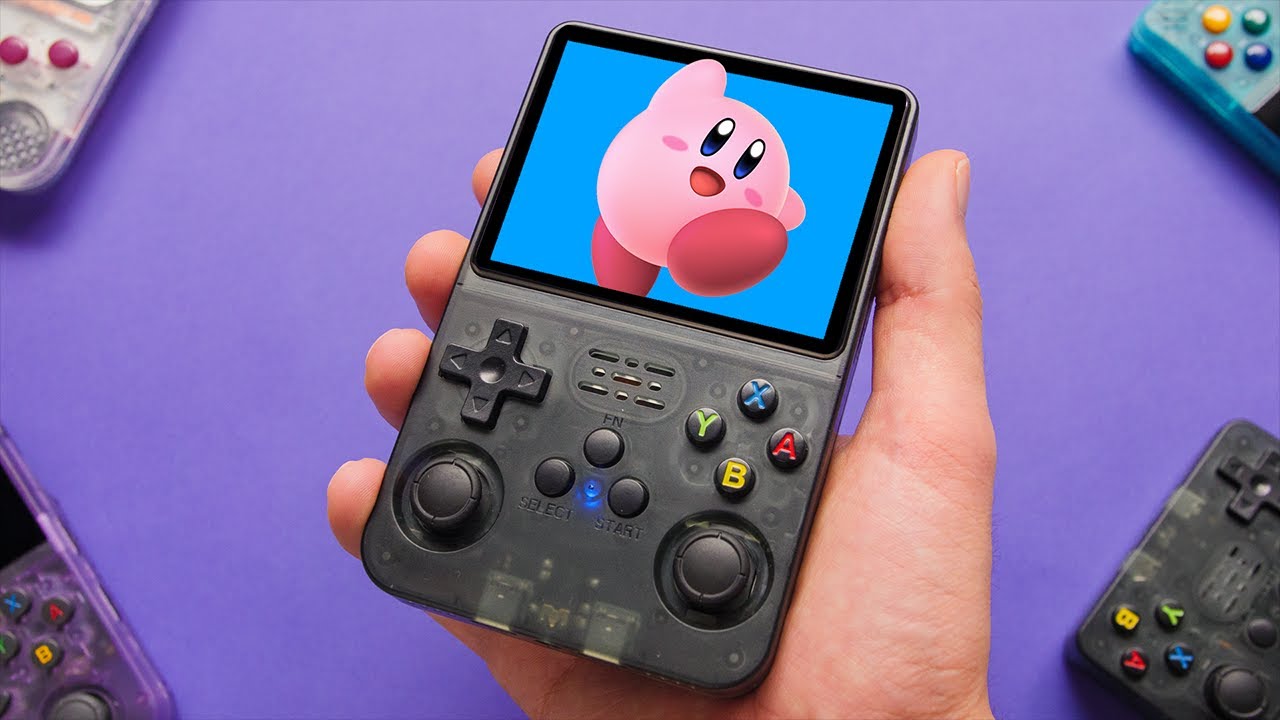
The budget handheld segment is heating up. In this video, we review the new R36S gaming handheld.
Available Here: https://s.click.aliexpress.com/e/_DeARecn
R35S Review: https://youtu.be/sM7tBkRTWUY
Camera: https://amzn.to/3REWpcj
Join Discord: https://discord.com/invite/AX2XdFk
Follow me: https://www.instagram.com/takiudon/
Disclaimer: This r...
celest stone
anyone use pico-8?
I want to use splore all the time and have a clean Retroarch pico-8 menu
but it gets all messy with evert cart I've downloaded
and also I have to scroll down to the bottom of the list to load zzzsplore.p8
I guess I could hide .PNG files
celest stone
also the A and B buttons are swapped around. I change them in the sdl_controllers.txt file and it works for a while, but then something is changing it back
potent perch
celest stone
also the A and B buttons are swapped around. I change them in the sdl_controller...
Is it possible to make the file read only?
celest stone
possibly 🙂
small fern
it's being upsold on Amazon too:
 cold siren
potent perch
I need to flash for mine. Do you still have the tutorial/video link?
cold siren
potent perch
I need to flash for mine. Do you still have the tutorial/video link?
we already have latest why get old xD
small fern
it's pinned in the channel
potent perch
small fern
it's being upsold on Amazon too:
Jesus! Paid like 35USD on my R36S on AliExpress, got some cupons, but just one SD card with the OS, that is trash and I'm not going to use.
potent perch
cold siren
we already have latest why get old xD
We who? Mine is from april 2022.
cold siren
arctic oxide
PS. A few days ago I mentioned not being able to run Stardew Valley through Port...
yeah I've literally seen stores advertise Stardew valley running on r36s
potent perch
2.0 04232022
cold siren
potent perch
We who? Mine is from april 2022.
#1168384239767670825 message
potent perch
cold siren
https://discord.com/channels/741895796315914271/1168384239767670825/118339465198...
Latest is 09/29/2023
small fern
i just downloaded the themes you rebuilt/modified Aeolus. i'm hoping i love them so i can stop making mine... it's a labor of love but it's a time suck
no mizifih, the latest ArkOS is released this month
potent perch
But mine is from last year, so... I need an update anyways.
small fern
and it's pinned in this channel for our device
potent perch
And i need to replace the card, the one that came is garbage and wont boot.
small fern
with the unique files we need for our system, no extra steps, just flash it
potent perch
small fern
and it's pinned in this channel for our device
So I should go with that version, even if it's not the latest?
potent perch
small fern
no mizifih, the latest ArkOS is released this month
Oh, ok. I got confused. TY
small fern
if your devices is an r35s, r35s+, or r36s yes. it's the most up to date ArkOS version available with fixes specific to our device. It has our dtb files, extra wifi drivers, and a n64 fix.
no reason to go to stock, the video instructions, or any of that any more (unless for some reason you wanted to.)
potent perch
small fern
no reason to go to stock, the video instructions, or any of that any more (unles...
I just wante to see if it's like flashing batocera and whatnot for the Pi, looks like it is, it separate partitions and than expand after first boot
cold siren
New update this month ad hoc mode and other stuff I think
potent perch
cold siren
New update this month ad hoc mode and other stuff I think
I don't see one for december, just september.
I'm looking for it on the Wiki page.
small fern
pinned to this channel, pin at the top
push pin
it's not an official release on the wiki/page but it's a build from it
cold siren
 potent perch
cold siren
potent perch
cold siren
Is there an image? I can only see the source code.
small fern
fuck me running
potent perch
Oh, crap
cold siren
Not there but here
#1168384239767670825 message
potent perch
small fern
fuck me running
Yeah, sorry. I fuck'n saw the date and assumed it was dd/mm/yyy
small fern
cheers buddy
potent perch
hey, thank yuu.
small fern
i haven't finished my morning coffee yet
the wife says i'm less than charming without my coffee
potent perch
small fern
the wife says i'm less than charming without my coffee
who isn't?
small fern
cold siren
As promised I just pushed my themes to git
coming up with a lot of black backgrounds on your cyber2077 theme, just the logo/controller
cold siren
Ahh I don't have those on my game list. do you know which ones? I'll make backgrounds for next update
small fern
good news the other one has all the backgrounds
cold siren
Yea that one is just epic cody with code fixes and recolored for my boot screen xD
small fern
you should be able to compare if you're looking to cover all supported systems or i can share with you the blanks i encountered, your call
cold siren
I could do those other ones if you can list which ones are missing. I think original theme was for Emulation Station Desktop so I removed all other systems on the Cyber2077 to just support what the R35s/R36s supports.
small fern
sent you a video clip
arctic oxide
small fern
it's being upsold on Amazon too:
Just noticed someone selling them for £65 on fb marketplace in my area. I usually think no one's going to buy overpriced stuff like this from some random hustler, but for all I know maybe I'm the dumb one and they're laughing all the way to the bank. 🤷🏻
potent perch
small fern
if your devices is an r35s, r35s+, or r36s yes. it's the most up to date ArkOS ...
Jesus crist, it's copying a bilion files on first boot.
Expansion complete! It rebooted.
Holly crap! I can connect it to the PC to access the OS SD card?
Also, pico8 are not showing the game name, it's listing GameName.p8
Oh, no... I can connect USB devices to the R36S
 dim echo
@true estuary
 past crown
If I don't get mine soon I'll find myself a hustler
grave heart
@worthy copper psx not supported for adhoc and net play ? 😦
worthy copper
grave heart
<@507565891228139526> psx not supported for adhoc and net play ? 😦
nope. psx and higher do not support net play at all with retroarch
grave heart
there was psp netplay right ? in the ppsspp emulator , could prob make eboots
worthy copper
worthy copper
grave heart
there was psp netplay right ? in the ppsspp emulator , could prob make eboots
for psx, I was hoping the documentation was outdated so I attempted a netplay session using pcsx-rearmed and while it tried, the system just locked up. Had to do a forced reboot.
This was on a rg353m and rg353v with rk3566 chipsets
grave heart
ah well , still plenty games worth playing that youve made viable now
worthy copper
yea, neogeo and fbneo, nestopia, and tgbdual work for sure along with some others.
it was fun testing it
grave heart
worthy copper
yea, neogeo and fbneo, nestopia, and tgbdual work for sure along with some other...
netplay connects both sides say player 2 connected then netplay disconnects for no reason so idk whats going on with that
worthy copper
grave heart
netplay connects both sides say player 2 connected then netplay disconnects for ...
did you update the cores on both host and client?
must be on the same version of Retroarch and core versions must be the same
grave heart
actually , good shout, i did do so on one not the other
yeah i did read that, i had assumed i had done so
worthy copper
yea I've had that happen when a core wasn't the same on both sides
potent perch
@cold siren, is there any specification to create the bmp image to use as logo.bmp?
small fern
when i did mine i just took the original opened it gimp, put what i wanted instead and overwrote the logo.bmp file
 midnight plank
small fern
it's being upsold on Amazon too:
midnight plank
small fern
it's being upsold on Amazon too:
yeah, $22,999.99 is pretty steep for one of those consoles
potent perch
small fern
when i did mine i just took the original opened it gimp, put what i wanted inste...
Interesting. TY.
worthy copper
potent perch
worthy copper
<https://github.com/christianhaitian/arkos/wiki/Frequently-Asked-Questions---RG3...
Strange, in my 1st attempt I did exectaly that and it didn't show, when I did what @small fern suggested, it worked.
worthy copper
odd. Did you make sure to set the depth to 24bit?
potent perch
worthy copper
odd. Did you make sure to set the depth to 24bit?
Yes. Maybe it was something else, like color palletes and whatnot. I exported from Corel, but then, when I opened the lobo.bmp with paint and pasted the image I edited in corel and saved, it worked. Go figure. Maybe paint has some generic options and thats better.
worthy copper
Corel. Wow. I haven't heard that name in a very long time
For what little i do with graphics, I use ms paint or gimp
potent perch
worthy copper
For what little i do with graphics, I use ms paint or gimp
Yeah, gimp and inkscape are awesome and free, but I have only Corel Suite and Paint Brush on this PC.
 jaunty sage
I was asking did anyone tried JELOS on r36s
 rapid epoch
no
polar tundra
no
 scarlet bobcat
autumn plaza
huh there is
scarlet bobcat
autumn plaza
huh there is
Yes, there was jelos/unofficial os , but support stopped and no updates for a long time
autumn plaza
umm i see some very recent activity on jelos repo https://github.com/JustEnoughLinuxOS/distribution/commit/d5b60295524112ada5cb4fde0441cebd802b6e16
 celest stone
autumn plaza
is there even jelos for rk3326 devices?
celest stone
autumn plaza
is there even jelos for rk3326 devices?
yeah, using it on my RGB30
 true estuary
dim echo
<@221232006913064961>
true estuary
dim echo
<@221232006913064961>
Thanks!
small fern
i know that batocera works on the RG351P/RG351M too
dim echo
true estuary
Thanks!
No problem!
small fern
not that i have any interest in anything but ArkOS seems to be highly tuned and updated for these devices
 vivid bolt
I'm formatting a new card for SD2 to test and it's having trouble recognising the card. it says no ExFAT, FAT32... card found in SD2 slot
What's the recommended tool for formatting a blank SD2 card?
small fern
is it a lexar card by chance?
vivid bolt
small fern
is it a lexar card by chance?
it's a sandisk 16GB
I've tried using regular windows reformat, mac, rufus
I'm not sure if I'm doing something wrong
I've tried formatting it as FAT32 and ExFAT. No luck
 brittle iris
to use OTG do you need to enable usb or some thing , dont know if my usb port is broken or not , no sound or any notice when i plug it in
small fern
not heard it with sandisk though
vivid bolt
small fern
it's probably not compatible
what program/settings do you use for reformatting a SD2 card? are there any folders that need to be in there for the card to be recognised? I'm trying with blank cards now
brittle iris
small fern
i know that batocera works on the RG351P/RG351M too
does batocera work on the r36s?
small fern
vivid bolt
what program/settings do you use for reformatting a SD2 card? are there any fold...
try to format it to EXTFAT
wanton escarp
Mine is formated as exFAT
small fern
brittle iris
does batocera work on the r36s?
no one has built it to the best of my knowlege
vivid bolt
Based on this thread it suggests that sandisk cards don't work with the R36S second slot? https://www.reddit.com/r/SBCGaming/comments/17vmmr3/2nd_card_slot_not_detecting_new_memory_card_r36s/
Reddit
Explore this post and more from the SBCGaming community
vivid bolt
wanton escarp
If you had a 64GB included, does it work?
the included 64GB card works. but i was going to order a branded one as recommended. I found a 16GB Sandisk lying around and wanted to test some games on it and ran into this problem. Now I'm not sure about ordering a 128GB card just for this
wanton escarp
Then it may be a compatibility issue...
small fern
i'm using a sandisk pro 512 and before that i had a 256 same version in there
vivid bolt
small fern
i'm using a sandisk pro 512 and before that i had a 256 same version in there
this? In a R36S second slot?
 brittle iris
does every one OTG port work ? was there a sound when pluging in ?
small fern
sound with network connectivity from otg wifi
vivid bolt
small fern
no not extreme, the blue one
I can't find a blue sandisk microsd. Do you mean samsung?
brittle iris
small fern
sound with network connectivity from otg wifi
oh i am guessing it broke , what should i use to test it , keyboard work with it ?
small fern

Your new go-to card + adapter combo, the Micro SD PRO Plus + Adapter makes capturing seamless 4K video¹ on compatible phones or drones a breeze. Plus, the expanded storage provides you the freedom to play more high-performance and intensive games on your tablet or gaming device. It’s all the extr...
vivid bolt
small fern
https://www.amazon.com/dp/B0C1PRYPYX?ref=ppx_yo2ov_dt_b_product_details&th=1
thanks! yea. it seems from that thread that Samsung cards are the ones that work better in the SD2 slot.
brittle iris
 brittle iris
small fern
willstar you need to connect to wifi, not just plug an adapater in
brittle iris
small fern
willstar you need to connect to wifi, not just plug an adapater in
or scroll to option then wifi > only get this
wanton escarp
Press R to move to the plus sign
brittle iris
oh that show it
crazy question but can you install pi os or ubuntu on these device
or is there a guid to install andoid
small fern
ArkOS is recommended. I'm aware of one other working one but you have to run a script to fix sound. It's 351Elec i think.
there is an old android lineage build that works on this chipset as well as batocera but i'm not aware of anyone that has built an image for the R35S or R36S for either yet. ArkOS is solid.
wanton escarp
Why do you want a desktop OS on this device?
ArkOS is based on Ubuntu 19.10
true estuary
Hey all, just got an R36s and have flashed to latest Arkos
was trying to hook up internet for scraping game data and updating firmware
but for some reason can't using the usb tethering method from a phone. Any idea why?
option is always greyed out when plugged in to the R26s

Otherwise I'll have to order an adapter
small fern
are you sure the cable you are using is Data too and not just Power
that is the most common issue crap cable
brittle iris
wanton escarp
Why do you want a desktop OS on this device?
ArkOS is based on Ubuntu 19.10
oh was just thinking if i dont want to play with it , give it to the kids to watch movies
brittle iris
true estuary
option is always greyed out when plugged in to the R26s
same thing happen to me , i am using pixel , got it working with USB wifi + OTG plug
guys with arkos how do you great save state with rom , ( save the game so i dont need to restart)
arctic oxide
true estuary
option is always greyed out when plugged in to the R26s
I'm on a Pixel 6A, had the same issue. Turned on dev mode, manually switched USB connection type to automatic tethering, turned on hardware accelerated tethering - rebooted the phone. Worked then.
Also ideally use the cable that came with it, needs to be able to transfer data, not all of them are made equal. I have two cables around the house that work and probably like five that don't. 😂
wanton escarp
brittle iris
oh was just thinking if i dont want to play with it , give it to the kids to wat...
Check this:
GitHub
Another rockchip Operating System. Contribute to christianhaitian/arkos development by creating an account on GitHub.
wanton escarp
brittle iris
guys with arkos how do you great save state with rom , ( save the game so i dont...
For the emulators from retroarch:
Select + R to save
Select + L to load
true estuary
Thanks guys. I only have the 1 usbc to usbc cable which is the genuine pixel 8 cable, guessing it might be charging only.
true estuary
arctic oxide
I'm on a Pixel 6A, had the same issue. Turned on dev mode, manually switched USB...
I'll try this
and failing that grab a wifi/ethernet adapter. Thanks!
brittle iris
wanton escarp
Check this:
https://github.com/christianhaitian/arkos/wiki/ArkOS-Emulators-and-...
oh thanks , yea was also thinking if it had the cpu power if it would be great for Pi-hole
brittle iris
wanton escarp
For the emulators from retroarch:
Select + R to save
Select + L to load
thanks
i was trying to search youtube of a guide of all the feature but could find any thing , most are only how to update them
arctic oxide
This is legit such a killer device for the price, imagine having something like this twenty years ago. 🙌🏼 Been playing PSO in bed the last few days, love it!
 arctic oxide
brittle iris
thanks
i was trying to search youtube of a guide of all the feature but could ...
arctic oxide
brittle iris
thanks
i was trying to search youtube of a guide of all the feature but could ...
GitHub
Another rockchip Operating System. Contribute to christianhaitian/arkos development by creating an account on GitHub.
brittle iris
arctic oxide
This is legit such a killer device for the price, imagine having something like ...
that what ive been saying , having too many game suck tho , spend more time scrolling and serching
arctic oxide
Christian made a pretty nice FAQ listing all the features. Found myself scratching my head a few times already on how to do something, went back to the FAQ - sure enough it was all in there and I just missed it.
sour knot
arctic oxide
This is legit such a killer device for the price, imagine having something like ...
Pso?
arctic oxide
And that's always been a problem with emulation for me, too many choices and you're stuck not knowing what to play - just gotta force yourself to choose I'm afraid. 😂 "Ok, if I'm playing anything today, it'll be XYZ". Have a bunch of stuff on my backlog though, list has been growing over the years, some games I just can't be arsed with nowadays. Loved jRPGs as a kid, nowadays I feel like they're usually way too long. Adulting yo.
arctic oxide
sour knot
Pso?
Yup, works great on the flycast32 core within Retroarch.
cold siren
arctic oxide
And that's always been a problem with emulation for me, too many choices and you...
I have a blank 32gb for times like these. I just transfer what roms I wanna play there so it's my only option haha
polar tundra
sour knot
Pso?
phantasy star online
brittle iris
wanton escarp
For the emulators from retroarch:
Select + R to save
Select + L to load
so if i use the rice emulator for n64 i cant use these keys ?
torn creek
arctic oxide
This is legit such a killer device for the price, imagine having something like ...
I had never even considered this
Now I need to do it
wanton escarp
It doesn't work for standalone emulators
brittle iris
oh do i need to set them it setting ?
wanton escarp
I don't know for the n64 specifically, but the PSP one uses a right joystick click to open its own menu and save state options
 round hamlet
Am I late or is this new color?

 polar tundra
round hamlet
Am I late or is this new color?
polar tundra
round hamlet
Am I late or is this new color?
can u actually order that color?
round hamlet
Yes, shows available

Just found this amazing item on AliExpress. Check it out! $50.96 66%OFF | R36S Retro Handheld Video Game Console Linux System 3.5 Inch IPS Screen Portable Pocket Video Player 64GB 128G RG35S Plus
https://www.aliexpress.com/item/3256806135078958.html?srcSns=sns_Copy&businessType=ProductDetail&spreadType=socialShare
round hamlet
I might actually give in on this model bc of this color
wanton escarp
I remember @grave heart mentioning a yellow color option on a R36S box and wanting it
polar tundra
 wanton escarp
Yes it was that pic.
I think he would like this orange even more being a Naruto fan. R36S Kurama edition lol
grave heart
round hamlet
Am I late or is this new color?
theres a yellow aswell now
grave heart
wanton escarp
I remember <@313372819582877708> mentioning a yellow color option on a R36S box ...
sorry didnt see the tag yeah hahah
grave heart
polar tundra
the dragon ball z naruto R36S
 celest stone
pretty cheap
but no, I don't need another one 😄
such a good device though, probably my favourite retro handheld so far

 polar tundra
wtf no way
cold siren
I want the orange one but unfortunately not yet available here
celest stone
cold siren
I want the orange one but unfortunately not yet available here
the link I posted?
cold siren
not shipping in my country
celest stone
hmm ok
polar tundra
i’m gonna try the link on my pc, i set up my only unit as a gift
celest stone
dunno why they're shipping here. I'm in Australia
polar tundra
not working 
celest stone
 polar tundra
i won’t stand for this anti americanism from ali express 😤
/jk
 polar tundra
that was me, my bad
celest stone
so tempted to grab another at that price, just because
but I should use the money on a handheld that I don't already have
polar tundra
but will you find another handheld that’s that good for that price-
jk wait for the r33s or whatever it’s called
celest stone
polar tundra
but will you find another handheld that’s that good for that price-
probably not, but why do I need 2? 😄
i need to buy a new RGB30
the one I bought is faulty, got a full refund. So need to get another
but will wait for deals. I only paid $55 USD during BF, now they're $15 - $20 more than that
thin oasis
celest stone
probably not, but why do I need 2? 😄
Everyone here have more handhelds than they need, its an unwritten rule 
celest stone
yeah but I should at least have multiples of different ones 😄
and I'm no stranger to hoarding
celest stone
don't ask me how many multiples of many other consoles and handhelds 😄
polar tundra
celest stone
i need to buy a new RGB30
that’s the one i wanted for myself. that square screen is great. powkiddy though..
celest stone
the screen is really nice, but mine fried the first time I tried to charge it and I could smell burning lol
I can use it, but had to disconnect the battery inside because it was burning up the device, even when off the charger
it was over 100C inside
so I can only use it with the battery disconnected, while connected to a charger
got all my money back anyway and got to keep it, plus my house didn't burn down, so it could have been worse
polar tundra
celest stone
I can use it, but had to disconnect the battery inside because it was burning up...
jesus what
did you use a fast charger?
celest stone
yeah I think the initial one was a QC 3.0. I was using it fine on my R36S. A to C cable. So I must have fried it, but if that's the case there should be a big warning on the box!
 sick geode
That sounds more like a charger fault and not the device
celest stone
never fried anything else with this charger before
anyway, it will never be used on retro handhelds again, possibly anything else either
polar tundra
i use dumb chargers, the old iphone wall wort that’s 5v 😔 i don’t trust these budget handhelds
sick geode
celest stone
never fried anything else with this charger before
I'm not sure exactly what voltage quick charge can deliver but I know sometimes it's higher than standard usb 5 volts
This shouldn't happen cause there should be voltage negotiation phase
But that's possibly what happened
celest stone
yeah I dunno, maybe this thing confused the hell out of the charger and it started pumping out a higher voltage
been using this charger for many things over the years, never seen anything like this
polar tundra
 celest stone
polar tundra
i use dumb chargers, the old iphone wall wort that’s 5v 😔 i don’t trust these b...
celest stone
polar tundra
i use dumb chargers, the old iphone wall wort that’s 5v 😔 i don’t trust these b...
yeah well lesson learned. I've only been in this game for a few weeks. Dumb 5v 2A chargers all the way now
celest stone
polar tundra
https://tenor.com/view/minayoecn-battery-battery-exploding-yass-grenade-battery-...
luckily it didn't come to that
sick geode
I'm waiting for r36s but when I get it, out of curiosity I will check it's power draw
autumn plaza
celest stone
yeah, using it on my RGB30
rgb30 is rk3566
and i was asking about rk3326
celest stone
autumn plaza
rgb30 is rk3566
ooooh, damn I'm new to this caper. I thought the R36S and RGB30 had the same SOC!
thin oasis
That would be the rgb10 and 10max
celest stone
so the RGB30 is actually a bit more powerful than the R36S then?
thin oasis
Technically yes
autumn plaza
celest stone
so the RGB30 is actually a bit more powerful than the R36S then?
lol yes
fully playable DS, playable N64, DC, most of PSP, some Saturn
celest stone
that would explain why I was seeing better performance in some arcade cores 😄
on my RGB30 compared to my R36S
funny that Dr Mario is on the theme for GBC, but Dr Mario isn't even on GBC, at least not officially. I just installed https://www.romhacking.net/hacks/5281/

ROMhacking.net
This hack transforms Dr. Mario Game Boy game into a Game Boy Color game.
Enjoy the Game Boy class
scarlet bobcat
small fern
i know that batocera works on the RG351P/RG351M too
And it's not working on rgb20s, r35s or r36s
scarlet bobcat
wanton escarp
I saw this pic of a R36S running UnofficialOS on a review from AliExpress
And this fw version is from April
wanton escarp
sick geode
I'm waiting for r36s but when I get it, out of curiosity I will check it's power...
According to my USB C cable with a built in power meter it draws 7W maximum
That is connected to a Xiaomi 33W fast charger
wanton escarp
The label on the back of the new units says 5V ≥ 1.5A
sick geode
yeah close enough
celest stone
wanton escarp
That is connected to a Xiaomi 33W fast charger
Trying to fry it? 😂
wanton escarp
Lol it's the charger I use for everything. It has Qualcomm QC.
Even when I connect my phone I can see how it starts slow and then the Quick charge kicks in after they recognize each other
small fern
my soldering station with hot air rework shows up today. i'm excited. this means that this evening i might be able to do some of the mods that our out there for our R36S....
cold siren
vibration motor?
small fern
- Quiet press (no click) L1, R1, L2 & R2 (#1168384239767670825 message) - @grave heart
https://thepihut.com/products/soft-tactile-button-8mm-x-10 - Addition of Vibration motor (#1168384239767670825 message) - @dim ermine and myself
https://www.amazon.com/vibration-electronic-equipment-12000RPM-adhesive/dp/B08B34W24X - FN key enable (#1168384239767670825 message) - @grave heartand myself
https://www.amazon.com/dp/B01M70EDCW
Thanks @grave heart for blazing the trail on mods, i'm right behind you
 past crown
Where is my god damn R36S
grave heart
small fern
B.S. Amazon just updated my arriving by 10pm today to arriving Friday, WTF
Amazon trolled you , tell them you want that good good discount , be patient young warrior , your completed R36S will come in due time , much love , pleasure working with you on mods as scatter brained as we can be
grave heart
past crown
Where is my god damn R36S
didnt you have the ali express 5 day or 7 day guarentee purchase , i only buy if they state that in sale
past crown
I don't think Finland ever gets that. I'm just lucky they circumvent the taxes by reshipping from Europe.
polar tundra
grave heart
didnt you have the ali express 5 day or 7 day guarentee purchase , i only buy if...
i forgot i’m in the usa, the fastest i see is 13-15 day guarantee
wanton escarp
I had one with a 7 day delivery guarantee that it seems it may be lost 😔
arctic oxide
wanton escarp
I had one with a 7 day delivery guarantee that it seems it may be lost 😔
Best case scenario you get in touch with them, they send you a new one that arrives ok and you randomly get a parcel with your original order weeks later. Happened to me once.
wanton escarp
arctic oxide
Best case scenario you get in touch with them, they send you a new one that arri...
I had the opposite situation before. The shipping company don't mark it as lost or returned, the protection time runs out and AliExpress doesn't care because the tracking number says it is still in transit
It's weird because it passed customs and then it stopped updating. The shipping company doesn't reply to emails, and the phone number is a robot that asks for your tracking number, reads the status and hangs up. In this case it says "the parcel has not been handed to us yet" and hangs up.
celest stone
Gotta love these faceless companies that give you no way of contacting them
arctic oxide
wanton escarp
It's weird because it passed customs and then it stopped updating. The shipping ...
Damn that's rough, sorry to hear that. I'd be livid, but guess at the end of the day I wouldn't be able to do much about it. That's a proper horror story though, really hope you get the current order eventually.
wanton escarp
arctic oxide
Damn that's rough, sorry to hear that. I'd be livid, but guess at the end of the...
Thank you 😅
grave heart
@cold siren any chance you can fix your theme fix , the background images are very pixely
 gentle fractal
wanton escarp
I had the opposite situation before. The shipping company don't mark it as lost ...
gentle fractal
wanton escarp
I had the opposite situation before. The shipping company don't mark it as lost ...
Was this shipping company speedx by any chance?
 exotic sinew
Is anybody aware of a way to set up ds emulation screens as pictured here?

The version of Drastic DS emulator that is available on the most recent update only seems to support either single full screens at a time or two screens of equal size
 wary root
exotic sinew
The version of Drastic DS emulator that is available on the most recent update o...
wary root
exotic sinew
The version of Drastic DS emulator that is available on the most recent update o...
Should be l2 or r2 to swap screen formats, yeah?
exotic sinew
Correct but it only allows two screens of equal size in either horizonal or vertical orientation
I was hoping there was a setting I missed which allows both screens displayed, one large and one smaller
exotic sinew
exotic sinew
Just to avoid confusion I am asking for the R36s, this is just a random image I found online which shows a setup similar to what I'd like
small fern
FYI for anyone considering an XXL roms2/tf2 this card just worked for me:
https://www.amazon.com/dp/B0B1DVMCQY
That said it was like 3 to 5$ cheaper a few days ago...

The Superior Pro Series memory cards feature the UHS-1 specifications that enable fast transfer speeds to save you more time when moving data from your card to other devices. Also, it supports Full-HD/ 4K video recording so that you can capture HD videos without annoying lags and dropouts. *To re...
wary root
exotic sinew
Correct but it only allows two screens of equal size in either horizonal or vert...
I'm using the ark OS image for the 351mp.
I don't believe that the stock R36 image is supported by the official ark devs.
small fern
i'm not familiar with how to get both screens on device at the same time other than top to bottom.
both teeny
wary root
Should also note, I ran the update software within the system after installing the 351mp ark os software.
small fern
an ArkOS dev frequents here often and helped members here with creating our own image pinned.
the dev doesn't have an r36s for testing and certifying the image so it's not posted on the arkos wiki.
exotic sinew
wary root
I'm using the ark OS image for the 351mp.
I'm using that also
exotic sinew
wary root
Should also note, I ran the update software within the system after installing t...
Though I didn't do that... Can you really get two screens of different sizes after update?
wary root
Sec
I might have been confusing this with the RG35xx version.
Gomen.
That's pretty weird, though. Surprised ark doesn't have the other aspect ratios built in.
small fern
You can pick a screen to show full and flip between them. You can pull up both at same time when needed. That's what I remember. I'm coping files now so i can't test/confirm anything more.
exotic sinew
wary root
That's pretty weird, though. Surprised ark doesn't have the other aspect ratios ...
Unfortunate, hopefully s future update will bring this feature
wanton escarp
gentle fractal
Was this shipping company speedx by any chance?
No, it's called CTT Express. +4500 reviews, 1 star on Google
BTW I found a way to reduce the back buttons sound without having to solder.: put some cotton on top of the switches, just enough so the button doesn't get stuck
vivid bolt
exotic sinew
Though I didn't do that... Can you really get two screens of different sizes aft...
I did some research and I think those devices might be using the Android version of drastic which has more features. The one in ArkOS is the standalone version. I don’t think the standalone version has custom screen layouts.
wanton escarp
Now they feel spongy like there is rubber underneath
 urban steeple
Did anyone also have a problem with a lexar microsd not being recognized in the tf2?
wary root
So in the system settings, you have bat, snd, and brt. Obviously bat is battery.
But what are snd and brt?
arctic oxide
exotic sinew
Last I checked it was either one screen only or two small screens of equal size right next to each other. But that's with the default core used by ArkOS, haven't tried the other ones.
arctic oxide
wanton escarp
Now they feel spongy like there is rubber underneath
Sadly still loud AF. I feel guilty playing anything heavily using the triggers next to a sleeping wife. Heck I live in an apartment building and I wouldn't be surprised if downstairs neighbours could hear the clicking. 😭
wanton escarp
I'm going to do a comparison
First one is my purple stock
Second one my black with the cotton at the same distance
small fern
that sounds promising, the video didn't do it justice
wanton escarp
It was recorded too close, sorry
cold siren
grave heart
<@702054519671881728> any chance you can fix your theme fix , the background ima...
I could rework those that I have made but most of the backgrounds came from the original which are 480x320. Our device is 640x480.
small fern
so there are versions for desktop and retropie that have larger images
pretty sure he has a 640x480 source of all those images
cold siren
The original epic noir just use 580x540
The one I use in cyber is 640x480
I found the one for desktop it has a large background hang on I'll try to use them for my device
polar tundra
wanton escarp
It was recorded too close, sorry
nah i thought it was a nice dampening in your first video
small fern
GitHub
A theme for Emulation Station and RetroPie based on a collaboration between Chicuelo and c64-dev - c64-dev/es-theme-epicnoir
cold siren
yea that's the one
grave heart
If its any consolation there are free upscalers on the interwebs dont want to manually do it myself the. Repack it and call it my own 😅
cold siren
Alright it's done I collected all the images from the original and compressed them so they would be half the size
vivid bolt
wary root
So in the system settings, you have bat, snd, and brt. Obviously bat is battery....
Sound (volume) and screen brightness.
vivid bolt
urban steeple
Did anyone also have a problem with a lexar microsd not being recognized in the ...
So far Lexar and SanDisk are both not working for TF2.
TF2 is very particular
 surreal rivet
how big are the pads for the shoulders/triggers
vivid bolt
I’ve success with an old Samsung card that’s 16GB in TF2.
But the only place to buy that same card seems like it’s a counterfeit.
surreal rivet
wonder if you could squeeze silent kailh or huano switches in
vivid bolt
It’s a 2020 version of a Samsung Evo.
sour knot
I’ve got a 128GB Silicon Power in tf2 in my r35s. Likely would work here too
cold siren
surreal rivet
wonder if you could squeeze silent kailh or huano switches in
silent kailh yes
 modern sundial
Anything similar horizontal device???
exotic sinew
vivid bolt
I did some research and I think those devices might be using the Android version...
That's what I found in my own research also. Unfortunate. Thanks for looking into it as well
Think there is any chance of a future update?
worn dock
As a lover of very old consoles and a retro gamer driven by curiosity, I wanted to use the full potential of ArkOS. I have managed to get a few odd consoles running (emulated), but have had no luck with the Astrocade from Bally. ArkOS has a directory for it and the corresponding wiki also describes how to set up the emulator (MESS), but I still can't get the roms to start. Of course I have followed the "instructions" in the Wiki. In the console menu I select the corresponding game, then ArkOS wants to start the rom, the screen goes black, a screen with the ArkOS logo appears, then the screen goes black again and switches back to the console menu.
Has anyone had more success or can help?
worthy copper
worn dock
As a lover of very old consoles and a retro gamer driven by curiosity, I wanted ...
Yes
Do you have the bios in the roms2/astrocde folder? Did you make sure the game name matches as expected in the xml file?
cold siren
@small fern I've updated all posters for Cyber2077
small fern
that's great, thanks Aeolus. I'll go get the updated themes
small fern
cold siren
<@286207380956643328> I've updated all posters for Cyber2077
got them, i'll test drive them later...
so TF2, i've tried 3 different Samsung cards and 2 different Silicon Power cards and all 5 are working. I would personally recommend sticking to those brands and away from Lexar and SanDisk since people have been sharing challenges they've had with those two.
 harsh valve
Does the sandisk 128gb sd card work for roms?
autumn plaza
Of course
arctic oxide
My SanDisk card did not work on slot 2, even though slot 1 had no problems whatsoever reading it. But full disclosure: I got it from eBay a few years ago and it could be a fake, not sure. Dunno if it would even be possible to check whether a card is legit, maybe with a speed test or something? 🤷🏻 I've had no issues with Toshiba though and that's 100% legit.
worn dock
worthy copper
Do you have the bios in the roms2/astrocde folder? Did you make sure the game n...
I just checked the wiki and now i am totally confused. So please help. I do have a sd-card with the arkos-generated folders. There is a folder named
worthy copper
what are you confused about?
worn dock
There is a folder called "astrocde". Do i have to open this folder and need to generate a folder inside with the name "bios2"?
worthy copper
make sure you have astrocde.zip bios in the astrocde folder
no need to create a subfolder
make sure the games are named as expected in the astrocde.xml file linked.
worn dock
okay, i do have this file, but as a bin
worthy copper
it needs to be in a zip
space fortress game file should be named spacefrt.bin or spacefrt.zip containing spacefrt.bin
as an example
worn dock
actually i do have the astrocde.zip inside the folder. I just looked this zip contains a bin file withthe name astro.bin
and i do have some roms with the specified name like 280zzap.bin
o the game roms need to be zipped?
polar tundra
did you check the astrocde.xml file
worn dock
polar tundra
did you check the astrocde.xml file
the one which is mentioned in the wiki? i renamed a rom according to the xml file.
after i made a zip file for on rom it started to work. But i cant select numbers with the L1/R1 Buttons. Its to fast to select.
worthy copper
worn dock
after i made a zip file for on rom it started to work. But i cant select numbers...
You have to use the left analog to select the numbers
move slowly as it does move quickly
grave heart
wanton escarp
not sure if fully silent or you didnt press the other buttons on other device haha, couldnt hear anything for the second half of recording
hearty shoal
Yeah huge difference in volume, well done
wanton escarp
grave heart
not sure if fully silent or you didnt press the other buttons on other device ha...
It's not fully silent, I'd say it is comparable to my switch lite L/R buttons
L2 and R2 required a bit more
It was a bit tricky to get all four buttons having the same travel and noise level though
urban steeple
How do i make easyrpg games work?
grave heart
Build looking to be released tonight id appreciate if noone jumped on my back this time and let me drop it 😘
 grave heart
Image completed , just going to compress now
 idle spruce
@cold siren where the hell did you hide Update Gamelist??!?
grave heart
Uploading, This system uses a ONE CARD system, thus those who want to run on one large card, this OS is a viable option for you
idle spruce
wary root
So in the system settings, you have bat, snd, and brt. Obviously bat is battery....
Volume and Brightness.
grave heart
1.5ghz
 idle spruce
grave heart
1.5ghz
idle spruce
grave heart
1.5ghz
Do you have the f***ing UPDATE GAMELIST option?!? I'm champing at the bit for it lol
grave heart
Firstly , dont speak to me like that , secondly your man dropped it before I did , he can handle your attitude
idle spruce
I realize how that can come across as aggressive on text, but it wasn't meant that way 😂
grave heart
no worries, what are you trying to achieve ? you have roms on sd2 and want them to show up ?
idle spruce
Yeah. I tried forever to try to get WiFi to work - but gave up on that. Then added the image files downloaded from another ArkOS device I have, and just want the OS to match those files to the roms
grave heart
go to setup
idle spruce
But there is no Update Gamelist option that I can find - worried I might just be stupid.
grave heart
advanced
then at the bottom switch to sd2
let it do its thing , then they will all show up
idle spruce
Yeah I did that, and the games show up, but none of the preview media will
Is it automatically doing an update gamelist during that?
grave heart
use dongle and rescrape everything, unless in the main settings option its set to not show , but im sure it is set to show
the scrapes must not be in the correct folders if they arent going to show up
should be automaticly picked up and presented if they where
idle spruce
From what I remember, it should be in the "Game Settings" option in the Start menu, which doesn't appear. But I read that a big chunk of this 12/08/23 update was the Update Gamelist option being added
Okay, I'll recheck my folder structure/naming.
 sterile zodiac
hey guys where can i find the latest version of arkos? i have a new r36s trying to set up for my dad
sterile zodiac
grave heart
its pinned
ty
grave heart
there are a shit ton of themes for unofficalOS , just downloaded about 20 lol
sterile zodiac
where do u find unofficalos
grave heart
im about to drop it in here in about 10 minutes its a one card system , so you'd be better to back up your roms sd card, and then install unoffical os , then copy your roms over to the large sd card otherwise id advise staying on arkos if you cant be bothered doing so
sterile zodiac
what size card is recommended
grave heart
64 upwards, depends which systems you are going to put on it tbh
unofficalOS comes with moonlight for pc gaming on the device, loading roms onto the sd card via the system wifi and many other features , im still looking through it atm
UnofficalOS for R35S/R36S Latest build https://drive.google.com/file/d/1Ys2JHi9JeSTVqll-a9KSSSjTJELd3jpK/view?usp=drive_link