#ROCKNIX
1256 messages · Page 2 of 2 (latest)
 loud spruce
 silk harbor
hello guys, can anyone help me here, just installed powkiddy x55 rocknix firmware on my qrd vortex f5, and screen is upside down =(, anyone know how to fix this issue?)))

 lime pollen
get the image for qrd not x55
 serene kayak
lime pollen
get the image for qrd not x55
serene kayak
lime pollen
get the image for qrd not x55
i would LOVE to, but i cant find it anywhere, one image that i found was for a powkiddy x55 because of same screen parameters, but this is what i got at the end... 😦 sorry 4 my english btw)
lime pollen
Well that's the thing.. It doesn't exist 😆
serene kayak
lime pollen
Well that's the thing.. It doesn't exist 😆
my problem is that i cant find how to install portmaster on stock firm. so i try this trick... i found some video on youtube by a guy who was able to do this my same method if i understand correctly...
 steel ibex
serene kayak
my problem is that i cant find how to install portmaster on stock firm. so i try...
steel ibex
serene kayak
my problem is that i cant find how to install portmaster on stock firm. so i try...
if Rocknix isn't supporting the device you should be asking the YouTube guy who's teaching this instead 👀
 analog mirage
So, the fast forward on my V10 does not work.
The binding is fine, and I can see the fast forward symbol on the corner, but the speed is the same
I've changed the pace from 2.0-10.0, but no visible improvement whatsoever
Anyone knows how to fix this bug?
where can I tweak this?
this happened after I am switching between cores to test performance
yes, I know that
I usually use gpsp, but testing other gba cores to check
the thing is, it happened all across systems now
even GBC, SNES, NES
and it used to work
now it caps at 1.0x even when I changed it to 5.0x
 rapid sinew
I can’t find a a section for the Powkiddy v10 on the Rocknix site. Looking to find what the hotkey controls are for the brightness and volume. Anybody know?
Or really all of the hotkeys would be ideal since this device has a confusing set of buttons. Haha.
analog mirage
rapid sinew
I can’t find a a section for the Powkiddy v10 on the Rocknix site. Looking to fi...
press Select + d-pad
Adjusting volume: SELECT + D-PAD UP/DOWN.
Adjusting brightness: SELECT + D-PAD LEFT/RIGHT.
rapid sinew
analog mirage
press Select + d-pad
Thank you. I swear I tried doing that before with no luck, but I digress.
 latent magnet
hey guys, i have a problem with switching languages, today i had a hangout with some friends and we played eachother handhelds, one of them is korean and changed the system language to help him out, but when he changed it back to english, some elements stayed in korean, like tool apps and theme options like aspect ratio and whatnot, how can i fix it? is there a way to forcefully apply english again on every single element of the os?
 dreamy orchid
latent magnet
hey guys, i have a problem with switching languages, today i had a hangout with ...
dreamy orchid
latent magnet
hey guys, i have a problem with switching languages, today i had a hangout with ...
Sounds like an upstream EmulationStation bug
loud spruce
can we please have the option to configure each and every hotkey on rocknix? it is annoying that some buttons are pre-Set
dreamy orchid
loud spruce
can we please have the option to configure each and every hotkey on rocknix? it ...
They are pre-set on purpose. What device / hotkey do you have an issue with?
 frosty plank
Hey guys, i bought a r36s recently and turns out its a clone running modified arkos. i switched to rocknix due to aeolus version for clones doesnt seem to save any button konfiguration. Now im having problems with outputting sound on the rocknix OS. Does someone know if any files of the backup i made could be used or trasnlated to get audio running?
 gentle crystal
loud spruce
can we please have the option to configure each and every hotkey on rocknix? it ...
gentle crystal
loud spruce
can we please have the option to configure each and every hotkey on rocknix? it ...
I had the same question and I commented in the Rocknix discord the solution. Sharing also here:
The RetroArch configuration resets with each new game launch, as noted in the wiki. While the wiki explains how to disable this, it's an all-or-nothing option.
However, if you need to customize the default RetroArch configuration but still want the ability to reset it after exiting a game (the best of both worlds), you can achieve this. Go to Tools -> Start RetroArch (64 bits), make your desired customizations, and then navigate to Main Menu -> Configuration File -> Save Current Configuration.
Important: Be mindful and careful about your changes. If you're unsure, back up your current configuration, located at /.config/retroarch/retroarch.cfg. Avoid resetting to defaults, as this might disrupt the Rocknix customizations for your device.
loud spruce
gentle crystal
I had the same question and I commented in the Rocknix discord the solution. Sha...
Thank you ill try this
frosty plank
Does someone know what i can do to change the button configuration iin rocknix for drastic, cause it is kinda messed up on my config and i cant seem to properly config all button
or how to add another emulator or update the current one, something like that
 atomic coral
do they use trngaje's version of drastic?
loud spruce
gentle crystal
I had the same question and I commented in the Rocknix discord the solution. Sha...
If I remove certain hot keys it just reverts back to the original assigned buttons.
gentle crystal
loud spruce
If I remove certain hot keys it just reverts back to the original assigned butto...
Did you save the configuration before exiting retroarch?
loud spruce
gentle crystal
Did you save the configuration before exiting retroarch?
for example if i try to delete or remove buttons for Hotkey or FPS toggle then it reverts to its original button (in this case button 2) they dont get completely removed
gentle crystal
loud spruce
for example if i try to delete or remove buttons for Hotkey or FPS toggle then i...
Maybe that core is configured to run the 32 bits retroarch. Maybe you can try with the other. In my case I added the shortcut keys to increase or decrease the selected state slot (to match the stock OS). I even customized the UI interface (increase the zoom to read the options better and changed the color of the retroarch theme). I know that SNES uses the 64 bits one.
frosty plank
Hello fellow emulation enthusiasts,
The last few days have been pretty rough for me. I’ve been trying to figure out how to install any operating system on my R36S clone that I bought from China. Sadly, none of the common OS seem to work reliably enough to be acceptable. Im pretty much working day and night with chat bots like ChatGPT or Perplexity to figure this out.
ArkOS for K36/Clone
USB data transfer (e.g., SSH/tethering) works reliably.,
EmulationStation controller recognition does not work until I import the “Image” file from a backup. However, if I do so, EmulationStation is unable to save any changes made in settings or elsewhere.,
Standalone emulators correctly recognize the controller.,
Rocknix
USB data transfer and SSH do not work at all. This wouldn’t be such a big deal if there weren’t other problems.,
EmulationStation reliably recognizes the controller.,
Standalone emulators mostly fail to recognize the controller correctly. Some buttons are missing, or when trying to map them, they either do nothing or delete the current value.,
So if there is some out there who has linux, arkOS or any sorta knowledge that could help me and could spare some of his or her precios time to figure this out with me please add me on discord and tell me if your free to hop on a call with me so that i can explain my current situation or better said my current progress with you. Thanks in advance for every person that is considering to reach out. Hope to hear from you soon. DISCORD NAME: Jelloc19

 spice latch
frosty plank
Hello fellow emulation enthusiasts,
The last few days have been pretty rough for...
spice latch
frosty plank
Hello fellow emulation enthusiasts,
The last few days have been pretty rough for...
I'm ssh'd into rocknix now on a S600 "batclone" device (RK3326, K36 clone)
atomic coral
I was having problems with the file server, but it was a configuration issue on my desktop (RK3326, G350, rocknix-fork)
latent magnet
@queen apex thanks for the ban I guess? Support as useless as usual, you guys really like to assume shit because you hate forks
dreamy orchid
@latent magnet do you have the same issue with Batocera? I suspect your translation issues are an upstream ES thing.
latent magnet
dreamy orchid
<@328597606483755009> do you have the same issue with Batocera? I suspect your t...
None of you guys business, fix the attitude then maintain an os, you don't just "punch first and ask later"
And this isn't the first instance either, the built-in updater doesn't work, period, and you literally gaslight people saying it's their problem
latent magnet
That's been going since March? Sure, because neither manually dropping the update tar file works
I don't have time for an os that doesn't care, there are other options
Good day
 craggy stone
Can anyone help me figure out how to connect real wii remotes to dolphin in rocknix?
i can connect them to bluetooth no problem, im just not sure how to have dolphin register them… do i have to edit one of the user .ini files or something?
 sour elk
craggy stone
Can anyone help me figure out how to connect real wii remotes to dolphin in rock...
sour elk
craggy stone
Can anyone help me figure out how to connect real wii remotes to dolphin in rock...
I can't remember well, but I believe it was possible via wi-fi file transfer interface, because I remember tinkering with some config files of dolphin sometime in the past.
When I get back home imma try to find them again
Connecting the wii remotes would be awesome 🔥
craggy stone
sour elk
Connecting the wii remotes would be awesome 🔥
ah, got it
craggy stone
What I did:
- disabled write protection via the wii emulation station setting and set controller to custom
- under
.configs/dolphin-emui replacedWiimoteNew.inicontent with the wiimote bluetooth .ini file under.configs/dolphin-emu/Profiles(copy/paste and renamed). maybe theres a simpler way to just link to it? idk - opened dolphin UI under tools to enable continuous scanning and set all remotes to real wiimotes (this appends info to
WiimoteNew.ini) - replaced the content of
.configs/dolphin-emu/WiiControllerProfiles/custom.iniwith the content ofWiimoteNew.ini
now, every time you start a game, WiimoteNew.ini content gets replaced with custom.ini (as directed by the dolphin-sa start_dolphin_wii.sh script) which now has controller mappings and settings.
you can cut out many steps just by replacing custom.ini with the provided file if you know how.
idk if these changes will be wiped by rocknix updates.
idk if every change i made was necessary or not… this is just the state of things at the point i got it working.
under Dolphin.ini i also confirmed that continuous scanning was set true and set SIDevice# = 2 (idk if that’s necessary)
perhaps someone more knowledgeable with dolphin or rocknix can tell me wuts superfluous or how to ensure the changes remain persistent between updates
i know theres similar .ini files under games-internal/roms/wii/User. idk what those do
Would be cool to try bluetooth pass through, but i gotta build that how i want it. so its gonna be a while…
hybrid controller may make more sense for player one but im already way out of my depth. I’m just happy to have it working
sour elk
craggy stone
What I did:
1. disabled write protection via the wii emulation station setting a...
Glad it works, have fun man!
Maybe some startup scripts would make it fully permanent.
 fleet basin
Does anyone know if there is a guide or wiki on what the system settings all do? Like the different power saving modes, for instance
 agile path
fleet basin
Does anyone know if there is a guide or wiki on what the system settings all do?...
agile path
fleet basin
Does anyone know if there is a guide or wiki on what the system settings all do?...
That's the wiki
fleet basin
agile path
That's the wiki
Thanks, yeah, I reviewed that before asking, it doesn't detail most of the individual settings
 left viper
One question: How does the ROCKNIX recovery menu look like? I've been trying to boot into recovery on my clone R36S
 mellow totem
Do the ps2 emulators in ROCKNIX support RetroAchievements?
mellow totem
mellow totem
Do the ps2 emulators in ROCKNIX support RetroAchievements?
Answer: Yes, but it's an outdated version of AetherSX2 so it will not support Hardcore retroachievements. As a follow-up question: Is there any way to add or replace the available PS2 emulators manually in ROCKNIX?
agile path
mellow totem
Answer: Yes, but it's an outdated version of AetherSX2 so it will _not_ support ...
no
unless u want to build it from source
mellow totem
Got it - thanks!
dreamy orchid
There is no newer version of aethersx2 available
mellow totem
I was hoping to access nethersx2 as it support hardcore RetroAchievements
dreamy orchid
You're limited to Android in that case
 eternal haven
Do I need to use the Patch Stock DTB File generator for Rocknix
I'm going to install it on an R36S clone
Ty
I installed it now
eternal haven
@lament bay The default theme is too large and I can't see anything when accessing options
Should I patch it?
Pretty sure I have a Panel 4
 bleak rapids
officially installed rocknix gang 😈 🙏 💯
 granite linden
I’d like to use my Pixel 2 RogueOS card as the SD2 on my RGB20SX. But when I do, ROCKNIX picks up RogueOS’ Emulation Station settings. Is there a something I can change to keep ROCKNIX from picking up the config on SD2?
 lyric dawn
Just wondering if any data (game save files, screenshots, collections, etc) get wiped if I updated Rocknix? I use a Powkiddy RGB20SX
dreamy orchid
lyric dawn
Just wondering if any data (game save files, screenshots, collections, etc) get ...
They will not be wiped in the update. It is still always a good idea to back up anything important before doing a system update on any device though.
I often update my Odroid multiple times a day with dev builds, don't lose saves etc.
If it does go pear-shaped and you need to reflash, you will be glad of the backup though.
lyric dawn
dreamy orchid
They will not be wiped in the update. It is still always a good idea to back up ...
How would I back anything up? I assume I would need another SD card...
dreamy orchid
lyric dawn
How would I back anything up? I assume I would need another SD card...
I just back up to my PC with a card reader typically
lyric dawn
dreamy orchid
I just back up to my PC with a card reader typically
Alright, thanks 👍
 bright patrol
Hi everyone, I installed Rocknix on my R36S clone but I can't get the LED to work. Any solutions?
 bright patrol
Hi everyone, I installed Rocknix on my R36S clone but I can't get the LED to wor...
bright patrol
bright patrol
Hi everyone, I installed Rocknix on my R36S clone but I can't get the LED to wor...
Fixed after the 20251110 nightly update
 distant zealot
Hello, can anyone explain the difference between rocknix and knulli? Thank you
dreamy orchid
distant zealot
Hello, can anyone explain the difference between rocknix and knulli? Thank you
Both Linux and EmulationStation based, but very different under the covers. ROCKNIX is more focused on up to date mainline Linux kernels.
 errant mantle
hey so i managed to install rocknix with an old dtb i found on my pc,
currently sitting in emmc, with a 128GB SD2 for games
nothing in slot 1
i'm having issues with audio, tried the reverse audio thing already and somewhat helped, but speaker sound won't come out until i plug on my headphones (get sound out of headphones) and disconnect them, now there's audio
any fix to that?
errant mantle
apparently it fixed itself by instaling 11162025 nightly
 teal acorn
Any plans for Rocknix on devices running the SD G1 Gen 2, for example, the RP Classic?
dreamy orchid
teal acorn
Any plans for Rocknix on devices running the SD G1 Gen 2, for example, the RP Cl...
No.
 unique fog
Has anyone tried rocknix on a rp5/mini with the dual screen attachment?
loud spruce
has anyone managed to run openjkdf2 on their ayn thor? if so then how did you manage to make it work
 wheat vortex
loud spruce
has anyone managed to run openjkdf2 on their ayn thor? if so then how did you ma...
wheat vortex
loud spruce
has anyone managed to run openjkdf2 on their ayn thor? if so then how did you ma...
Not sure but they did just release an android port. This actually made me look and now I'm trying it on my handheld.
loud spruce
wheat vortex
Not sure but they did just release an android port. This actually made me look a...
do the control settings detect on its own or do you have to manually configure them?
wheat vortex
loud spruce
do the control settings detect on its own or do you have to manually configure t...
You do have to go through the in-game settings and painstakingly play with which gamepad button is which. But the analogue controls work nice.
But unlike my previous, desperate attempt with Winlator, the game actually runs nice with the bloom and SSAO disabled in the display settings.
wheat vortex
loud spruce
wheat vortex
You do have to go through the in-game settings and painstakingly play with which...
i managed to run the game on the 505 too. It works smoother there too
 graceful snow
As it turned out, many guides lack details and info on ROCKNIX installation. Anbernic RK3566 [353P/M/V/Arc-D and others] Android Debug Bridge (ADB) connection guide for ROCKNIX OS installation procedure

Google Docs
Anbernic RK3566 [353P/M/V/Arc-D and others] Android Debug Bridge (ADB) connection guide for ROCKNIX OS installation procedure NEVER USE CHEAP CHINESE CARD READERS! Preparation step: Go to https://en.t-firefly.com/doc/download/93.html and download Tools - Driver Assistant Unpack the archive a...
Posted as a doc online, hopefully will help some people.
 tidal nacelle
hello, im using an rg40xxv and i just tried to flash rocknix but i have been getting a black screen when i boot. i copied the dtb file to root and changed the name to dtb.img. am i doing anything wrong?
tidal nacelle
i tried the latest stable, the one before it and the nightly... and no luck
tidal nacelle
ow... unlucky
graceful snow
tidal nacelle
hello, im using an rg40xxv and i just tried to flash rocknix but i have been get...
What software did you use to burn the image? Win32Disk Imager is recommended. Did you remove Android beforehand (in case your device came with internal memory an Android as base OS)?
tidal nacelle
graceful snow
What software did you use to burn the image? Win32Disk Imager is recommended. Di...
i tried rocknix, rufus, and balena etcher
tidal nacelle
graceful snow
What software did you use to burn the image? Win32Disk Imager is recommended. Di...
and no the rg40xxv doesn't use Android its an h700 handheld
graceful snow
tidal nacelle
and no the rg40xxv doesn't use Android its an h700 handheld
I'd try completely formatting your SD card and re-burning Rocknix with Win32Disk Imager.
tidal nacelle
i will give it a try when i can, thank you
tidal nacelle
ok i installed Win32Disk Imager. do i change the hash or anything? or just click write?
do i change anything?
 graceful snow
tidal nacelle
do i change anything?
graceful snow
tidal nacelle
do i change anything?
ahhh
I already see your problem. Extract .img file from your .gz archive.
.gz is an archive - you can't burn it onto flash drives, extract it first and then burn that file directly. No need to do any Hash options.
tidal nacelle
how can i extract it? i've been using .gz for muos fine i thought this would work too here. sorry
winrar work i think
ah unfortunately black screen again
dreamy orchid
tidal nacelle
ah unfortunately black screen again
Last thing to try if you have any Windows machines ... ROCKNIX image burner: https://github.com/ROCKNIX/ImageBurner/releases
tidal nacelle
that's the first thing i tried unfortunately it did not work
graceful snow
tidal nacelle
how can i extract it? i've been using .gz for muos fine i thought this would wor...
Are you on windows? Show me how your card looks like in Disk Manager


For H700 handhelds you also need to replace that file https://youtu.be/PVddW9tjSg4?si=SL4B74whiwO8IB1T&t=363

Some of the finest custom firmware I've used on a retro handheld is RockNix, and it's available on SO MANY DEVICES! Check out my install guide for how to set up your retro gaming handhelds and enjoy a solid retro gaming experience.
Grab the latest RockNix release here: https://github.com/ROCKNIX/distribution/releases
Here are some affiliate l...
tidal nacelle
ill show you the partitions now and i did copy the RG 40xxv dtb and renamed it
tidal nacelle
graceful snow
Are you on windows? Show me how your card looks like in Disk Manager

i copied this

pasted at root and renamed it to this

 graceful snow
Launch cmd as Admin, then do this

Never select disk 0 as you will wipe your own PC
most likely your card will be disk 1 or more. After you've done it, go back to Disk Manager, right click on your SD, assign Drive letter on to it.
After that Unpack your .gz file with Rocknix image, use the .img file with Wine32Disk Imager to burn it onto your SD. If you can't do all of that - i can't help you anyhow else.
 uncut drift
https://www.youtube.com/live/r0iDP81K_ec?si=mIezas-ZPr6VhFBt showcase of nightly build on RG DS, impressive improvement over Android
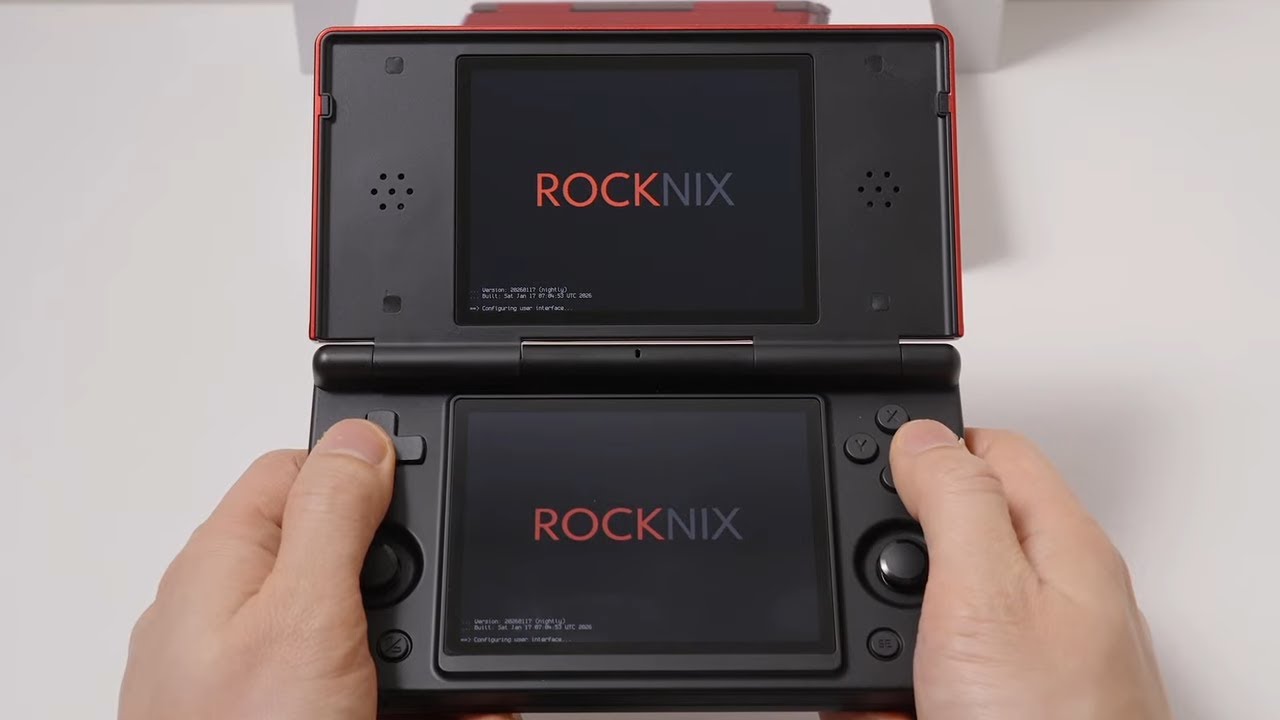
Live gameplay, reviews and advice. Feel free to ask questions in the chat or request games for the system that is being shown. Timestamps, setup and links be...
agile path
tidal nacelle
ill show you the partitions now and i did copy the RG 40xxv dtb and renamed it
There's a version 3 hardware revision, it's not only the screen but other changes as well.. the rocknix guys know about it but aren't sure if they can get it working since uboot doesn't initialize the hardware.. muos and knulli both work on the new revision tho afaik
So those are your 2 options
tidal nacelle
yeah i burned knulli and muos on different SDs for now, will stick with whichever im more comfortable with. because no matter what we tried all we could get is just a backlit screen on boot.
thanks man hopefully they are able to get it to work in the future
 muted bison
[COMMUNITY Build - SM8250 (RP5/FLIP2/MINI) https://github.com/aenertia/distribution/blob/sm8250-optimised/SM8250.md 🚀 SM8250 Supertweak: Adds Power Classifier with "Smart VPU" logic and UClamp integration to stabilize performance and prevent crashes.
🌐 Connectivity & Containers: Waydroid, Distrobox, & Podman are built-in! Includes systemd-resolved, Cgroup v2, and RFC-compliant USB Gadget IPs.
⚡ Kernel Overhaul: Linux 6.19-rc5 (with strace patch) base with Full Preemption, Interconnect Boosting, and optimized sleep scripts for zero-latency audio.
⚠️ Note: First boot will be longer than usual due to swap/hibernate provisioning.
📥 Download: https://filebin.net/m0asjowsj6qriku2
Regessions? - none that I can find. You tell me!
I'll work on submitting patches over comming week once i've proven them out for other targets: first up rk3566
GitHub
Contribute to aenertia/distribution development by creating an account on GitHub.
Convenient file sharing. Registration is not required. Large files are supported.
loud spruce
graceful snow
https://docs.google.com/document/d/1LV0gYcAxXekQmbKBW_t82yLmAPIbvrCs/edit?usp=sh...
thank you very much. this is going to be very helpful
 delicate chasm
my xu10 is stuck on copyright or game logo screens when i start up a game. If anyone has suggestions id rlly appericate it!
delicate chasm
Sorry again, my xu10 is stuck on copyright or game logo screens when i start up a game. If anyone has suggestions id rlly appericate it!
 celest oyster
muted bison
[COMMUNITY Build - SM8250 (RP5/FLIP2/MINI) https://github.com/aenertia/distribut...
celest oyster
muted bison
[COMMUNITY Build - SM8250 (RP5/FLIP2/MINI) https://github.com/aenertia/distribut...
It says "filebin empty"
muted bison
filebin has a week timeout - i've started mainlining most of what is in that build
memory stuff is in nightly, some of the network bits - which is still my focus. whilst i've sorted out having completely non-functional resolvers. The network is still a hodge podge due to connman
celest oyster
muted bison
memory stuff is in nightly, some of the network bits - which is still my focus. ...
The waydroid part sounds very cool, I'd be interested ok trying if you reupload the build in the future
 rotund sedge
i installed the nightly version of rocknix on my RG DS, and I've gotten everything that isnt retroarch to work out the gate without having to do anything, but I dont know why i cant launch retroarch from the menu and it cant launch any games that default to a retroarch core
 misty marlin
Hello im using rocknix on an rg arc d. Im trying to configure the buttons through retroarch. I cant configure all 6 buttons only a b x y. Any thoughts.
agile path
misty marlin
Hello im using rocknix on an rg arc d. Im trying to configure the buttons throug...
the core needs to support 6 button pads, so systems like genesis, saturn, neogeo etc, have a setting in the core options usually iirc..
misty marlin
agile path
the core needs to support 6 button pads, so systems like genesis, saturn, neogeo...
I did what u suggested and now everything works fine now with controls. Thanks
misty marlin
Is there a universal control configuration for rocknix on the rg arc d. Its a real pain to remap every core
 ocean needle
rotund sedge
i installed the nightly version of rocknix on my RG DS, and I've gotten everythi...
ocean needle
rotund sedge
i installed the nightly version of rocknix on my RG DS, and I've gotten everythi...
im having the same problem, i have the newest nightly build for the RGDS and I can run DS games fine with Drastic but anything related to retroarch, just won't launch. I can see my games just fine, they just won't play.
rotund sedge
ocean needle
im having the same problem, i have the newest nightly build for the RGDS and I c...
I got it figured out! Updated to the newer nightly build and it reinstalled whatever was missing for retroarch
ocean needle
rotund sedge
I got it figured out! Updated to the newer nightly build and it reinstalled what...
you think i should just re flash my sd card?
rotund sedge
Didn't need to! Just turned on WiFi and let it download it directly
ocean needle
i did update to todays build through the updater but its still the same.
rotund sedge
Ah dang that fixed it for me, maybe re flashing would be worth it at that point.
ocean needle
I was afraid of that lol,
ocean needle
Well reflashed , loaded roms, still having problems with retroarch not launching games. DS games launch fine since its using drastic. So weird.
rotund sedge
ocean needle
Well reflashed , loaded roms, still having problems with retroarch not launching...
Did you try leaving it connected to WiFi while you launched retroarch? Maybe it's downloading the cores as you launch the systems
ocean needle
I'll try that ,
ocean needle
rotund sedge
Did you try leaving it connected to WiFi while you launched retroarch? Maybe it'...
sorry to bug you, just following the retro game corp video, was this the image you used to flash the rgds? ROCKNIX-RK3566.aarch64-20260331-Specific.img.gz?
rotund sedge
ocean needle
sorry to bug you, just following the retro game corp video, was this the image y...
I originally used the one in his video, whatever date that was and then when I updated it was not to that date, I updated to the 20260321 version
rotund sedge
so i downloaded rocknix nightly for the SD845 to put it on my odin pro, and Im following Russ's guide but I dont see the rocknix_abl folder to copy into the internal storage so I can set it to run the installer.
ocean needle
rotund sedge
I originally used the one in his video, whatever date that was and then when I u...
just wanted to make sure it was the same image. The only thing i found under system settings is to reset retroarch, not entirely sure that will fix things.
rotund sedge
worth a shot
ocean needle
at this point , yeah lol
celest oyster
You guys will get better support on the rocknix server
celest oyster
rotund sedge
so i downloaded rocknix nightly for the SD845 to put it on my odin pro, and Im f...
845 follows a different procedure iirc and not all panels work, be aware (I think there are 3 different pro panels/models)
rotund sedge
celest oyster
845 follows a different procedure iirc and not all panels work, be aware (I thin...
I wasn't able to find a way to boot so I decided to leave it stock for now
celest oyster
rotund sedge
I wasn't able to find a way to boot so I decided to leave it stock for now
There are very specific instructions
You have to use the old bootloader method
celest oyster
rotund sedge
I wasn't able to find a way to boot so I decided to leave it stock for now
#1387464858643202179 message
rotund sedge
celest oyster
https://discord.com/channels/948029830325235753/1387464858643202179/145708658284...
Say it's a link to a server I don't have access in
ocean needle
found a work around, since anything retroarch isn't working for some reason, i changed to the medafen cores, those actually play.
celest oyster
rotund sedge
Say it's a link to a server I don't have access in
For some reason linking to the rocknix discord is blocked here
celest oyster
rotund sedge
Say it's a link to a server I don't have access in
GitHub
Contribute to ROCKNIX/distribution development by creating an account on GitHub.
Scroll to "community" and click on the discord link
Then go to sm845
One of the last posts has the instructions
celest oyster
ocean needle
found a work around, since anything retroarch isn't working for some reason, i c...
Delete the retroarch config file and try again
rotund sedge
celest oyster
One of the last posts has the instructions
Much appreciated! I'll check it out and see if I still want to try it
celest oyster
rotund sedge
Much appreciated! I'll check it out and see if I still want to try it
Afaik, it doesn't get updates but the last version that worked can run way more stuff than android
ocean needle
celest oyster
Delete the retroarch config file and try again
this config file , is where exactly, i take it on the SD card?
celest oyster
ocean needle
this config file , is where exactly, i take it on the SD card?
There's an option on the menu to reset retroarch as well
Press start on ES, and one of the last options is settings or something like that
ocean needle
ok, i saw that in system settings
celest oyster
There's an option to fully reset ra to factory default
ocean needle
thanks
celest oyster
ocean needle
thanks
Did that sort it out?
ocean needle
celest oyster
Did that sort it out?
nope, when i press lets say a gameboy game, it goes black and takes me back to the list of games screen.
going to try to updatet assets and databases in retroarch
celest oyster
ocean needle
nope, when i press lets say a gameboy game, it goes black and takes me back to t...
Does it happen with every retroarch core?
Even for those systems that don't use a bios?
ocean needle
celest oyster
Does it happen with every retroarch core?
yeah , basically any system that runs off retroarch just won't run. The only one thats been working is Medafen core.
celest oyster
Go to tools and open the file explorer
You should be on /storage/.config
Enter the retroarch folder
And delete the retroarch.cfg file
ocean needle
ok, will do
celest oyster
rotund sedge
I wasn't able to find a way to boot so I decided to leave it stock for now
https://mirrors.o2switch.fr/batocera/odin/boot/ this is the only bootloader that works for odin 1 pro
celest oyster
rotund sedge
Say it's a link to a server I don't have access in
https://drive.google.com/file/d/1G6oDJdQCYq-Bnz7ofhCH-g2SpIlGV34d/view?usp=sharing and this is a good working image
ocean needle
celest oyster
Go to tools and open the file explorer
ok deleted retroarch.cfg file, restart?
celest oyster
ocean needle
ok deleted retroarch.cfg file, restart?
Try again with any game
ocean needle
celest oyster
Try again with any game
thats a nope, this a first for me, usually retroarch just does its thing on other handhelds.
celest oyster
ocean needle
thats a nope, this a first for me, usually retroarch just does its thing on othe...
Last thing I can recommend before flashing again
Would be system settings, system management, factory reset
ocean needle
gotcha.
celest oyster
ocean needle
gotcha.
Did that work for you?
ocean needle
unfortunately, thats a negative. Guess ill wait for another nightly build. For now im using the medafen and standalone cores.
agile path
ocean needle
unfortunately, thats a negative. Guess ill wait for another nightly build. For n...
Do you have all the required bios files for the systems you sure trying to play? It's possible the default core requires a bios file.. if it's not they're it will crash
ocean needle
agile path
Do you have all the required bios files for the systems you sure trying to play?...
the systems im trying to play are gameboy, GBA , GBC and some NES games and the bios files are there. I mean I can try to reflash for th e 3rd time lol
agile path
ocean needle
the systems im trying to play are gameboy, GBA , GBC and some NES games and the ...
What device is it..I would check their discord server to see if your device is having any issues.. nightly is every 3 days so things change and get fixed fast
ocean needle
agile path
What device is it..I would check their discord server to see if your device is h...
im on the RGDS, yeah i may just wait for the next nightly and hope it fixes things.
agile path
Yea it's probably a sway issue.. join there server that's where u wanna be if you're using a newly supported device
I think i remember seeing something about sway having issues the other day
ocean needle
yeah i joined the rocknix discord, but yeah i think ill wait. For now DS, PS1 and N64 games are running with the provided standalone emulators. And using the medafen cores which are working .
 tardy hound
Any support or upcoming for the Miniloong Pocket 1 ?, it's another rk3566 handheld, pretty please 🥺
 quaint prism
Has anyone here installed Rocknix on the internal storage of the RG DS rather than the SD card?
rotund sedge
Too risky for no benefits. At least if the SD card gets bricked somehow you can swap it out
quaint prism
Hmm I don't mind if I have to reflash android on to it but was trying to avoid having to partition my SD card as I've already got it all set up
rotund sedge
You have an SD card set up for rocknix?
Are all your folders named the same as rocknix? Otherwise you have to rename/move them once you do put rocknix on there
quaint prism
I flashed it on one smaller SD card to give it a test run and have successfully got it running dual boot but now seeing about which option to go with using my main SD card for my device that's already all set up
celest oyster
quaint prism
Has anyone here installed Rocknix on the internal storage of the RG DS rather th...
Try and see if "installtointernal" is available on this platform (I don't think it is). You can run that from an ssh session
quaint prism
Anyone have any problems with getting the keyboard to show up in games where you need to write/type something (such as your name)? This is on the RG DS Nightly Version 0408
celest oyster
quaint prism
Anyone have any problems with getting the keyboard to show up in games where you...
#1075906301705601044 message
quaint prism
quaint prism
Anyone have any problems with getting the keyboard to show up in games where you...
in case anyone needs a temporary/partial fix to this problem, you can hold down SELECT + either X, Y, or R and L. For some reason, doing that combination will allow you to input the letters A, C, L, or S (but no others, unfortunately). You won't get to write what you want, obviously, but it will allow you to get past the text input pop-ups.
rotund sedge
quaint prism
in case anyone needs a temporary/partial fix to this problem, you can hold down ...
what kind of games were you playing that had an ingame keyboard like that?
quaint prism
rotund sedge
what kind of games were you playing that had an ingame keyboard like that?
Pretty much any game that prompts you to write a name for your character. usually the keyboard would automatically pop up, but for some reason it's not and I've seen others have the same problem
rotund sedge
oh I mean like what consoles? like DS games all have ingame keyboards they use so i havent run into that on the RG DS
quaint prism
ah no i've been testing out azahar on the newest nightly
celest oyster

Rocknix's nightly builds now support signing into Steam and downloading games directly on Snapdragon handhelds including Retroid, AYN Odin 2, and AYANEO devices, offering better PS3 and Xbox emulation than Android.
bleak rapids
does Kodi work on ROCKNIX nightly (R36s)
celest oyster
bleak rapids
does Kodi work on ROCKNIX nightly (R36s)
It's not included, if that's what you're asking. I think batocera does include it
 fathom wren
Is it possible to add a vpn connection on ROCKNIX? I have setup Wireguard at my home network and can connect to Moonlight through that when I’m not home.
Also if anyone is using Moonlight, how does it compare to the Android version decoding/latency wise? My host machine is linux so can’t use artemis/apollo but can use sunshine/moonlight instead.
celest oyster
fathom wren
Is it possible to add a vpn connection on ROCKNIX? I have setup Wireguard at my ...
I think there's a wireguard settings on network settings
fathom wren
celest oyster
I think there's a wireguard settings on network settings
Oh thats awesome. Found the docks and seems to be what I’m looking for, thanks!
quaint prism
How's the newest nightly working on RG DS? I've heard there were some problems with the RG DS with the last couple, but that lid sleep fix has me wanting to update...
celest oyster
quaint prism
How's the newest nightly working on RG DS? I've heard there were some problems w...
A sleep fix has been implemented but it will be available on the next (not current) nightly
quaint prism
celest oyster
A sleep fix has been implemented but it will be available on the next (not curre...
Gotcha, thanks!