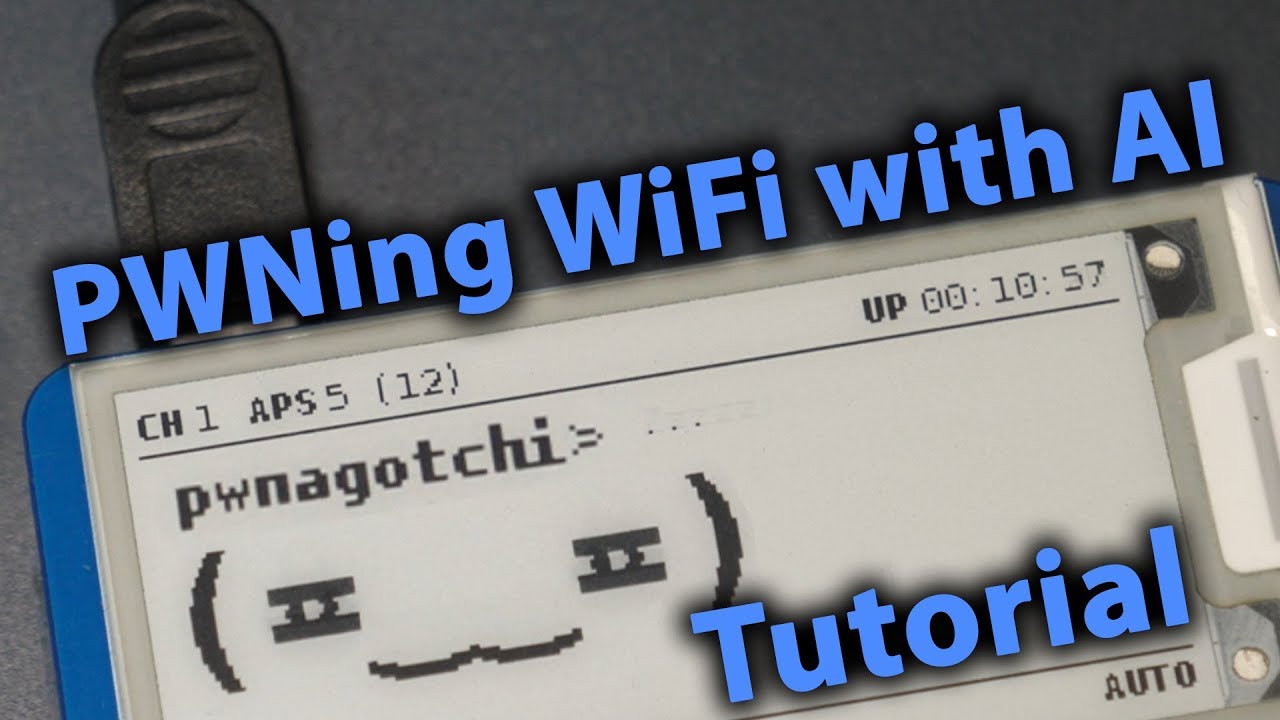
#PwnaGotchi that you could connect to the flipper zero!
126 messages · Page 1 of 1 (latest)
 maiden sapphire
👉👉Check Out The Deauthers! https://maltronics.com/collections/deauthers?utm_source=yt&utm_medium=vid&utm_campaign=pwnagotchi2
(eBay affiliate) E-INK DISPLAY (cheapest): http://rover.ebay.com/rover/1/711-53200-19255-0/1?ff3=4&pub=5575249489&toolid=10001&campid=5337998720&customid=pwnagotchi&mpre=https%3A%2F%2Fwww.ebay.com%2Fitm%2FWaveshare-V2-...
the rest is all from there  . I just need help with the gpio pins

PiSugar is a portable power platform designed for Raspberry Pi zero. PiSugar 2 will have UPS feature, RTC and a customizable tap button. Same size to Pisugar 1.
Follow us on Hackaday.io:
https://hackaday.io/project/164733-pisugar-battery-for-raspberry-pi-zero
Music:
Anthem of a Quirky Hipster by RexBanner (Licensed through https://artlist.io/J...
maiden sapphire
maiden sapphire
https://www.youtube.com/watch?v=o5JnjXL2KQI
My last resourt is if i cant get the gpio pins working. This could help alot with battery, im thinking of just gluing the gpio pins on the side so it doesnt draw power but it does the the battery on the back. This video might help with this if not i will post another one

This 2x20 male header has the same number and spacing of pins as a Raspberry Pi but is best served when used in conjunction with the Pi Zero since they come with a space of unpopulated headers. This through-hole header has 40 0.1"-spaced pins and can just be snapped into place with minimal soldering
Tindie
Power supply module for Pi-Zero.Up to 2.4A output current.On board RTC.
1st one is for pins
2nd one is the raspberry
3rd one is the battery

212x104, 2.13inch E-Ink display HAT for Raspberry Pi, three-color, SPI interface Overview This is an E-Ink display HAT for Raspberry Pi, 2.13inch, 212x104 resolution, with embedded controller, communicating via SPI interface, supports red, black, and white three-color display. Due to the advantag...
This should be the right display

@evilsocket's pwnagotchi project is amazing!
https://github.com/evilsocket/pwnagotchi
The tolerances are tight to keep your pwnagotchi snug. I have made several of these now and I can tell you that there will always be differences in how well they fit into the case. If you don't want to adjust the drawing and reprint for a perfect then fit I r...
this would be great for the final plan if we cant get the gpio pins working.. We can hotglue it on the bottom to take it anywhere a with us with the flipper zero!

 stark swan
You’ll want the 2 color screen it is easier to get working
2.13inch E-Ink Display HAT V3 Version, Black,White Two-Color 250x122 Pixel E-Paper Screen LCD for Raspberry Pi 4B/3B+/3B/2B/Zero/Zero W/Zero WH and Jetson Nano SPI Interface Support Partial Refresh https://a.co/d/ioTHxTQ

Overview This is an E-Ink display HAT for Raspberry Pi, 2.13inch, 250x122 resolution, with embedded controller, communicating via SPI interface, supports partial refresh. Due to the advantages like ultra low power consumption, wide viewing angle, clear display without electricity, it is an ideal ...
I pair a rPi with my flipper for kinda the same purpose
 maiden sapphire
That is so cool, what is the to the right

 noble lodge
If any of you figure this out @ me 😀
 hollow zenith
There is already a plug-in for the pwnagotchi and flipper zero that allows you to have the pwnagothchi ui on the flipper
stark swan
hollow zenith
There is already a plug-in for the pwnagotchi and flipper zero that allows you t...
this sounds awesome have you tried it
 stiff cosmos
hollow zenith
There is already a plug-in for the pwnagotchi and flipper zero that allows you t...
stiff cosmos
hollow zenith
There is already a plug-in for the pwnagotchi and flipper zero that allows you t...
Really? My AluPWNda could need new friends. Until now, i just was able to find him via Sniffing with my Mayhem-Hat.
maiden sapphire
? That was the thing I was trying to make with it when I get it ready
maiden sapphire
hollow zenith
There is already a plug-in for the pwnagotchi and flipper zero that allows you t...
Where is that because I have never heard of that. The only one I heard was the one that doesn't even work currently
maiden sapphire
this connects to the gpio pins so it can stay ontop of your flipper while you take it every and pwn wifis and use flipper at the same time! but i dont know if it will be controled by the flipper my goal is doing this
hollow zenith
stark swan
this sounds awesome have you tried it
havent gotten around to getting it to work
its called PwnZero
noble lodge
hollow zenith
havent gotten around to getting it to work
Update me!
Would you need to use a GPIO?
If it was possible without that would be amazing
hollow zenith
yea

GitHub
Integrate the Flipper Zero with the Pwnagotchi. Contribute to Matt-London/pwnagotchi-flipper development by creating an account on GitHub.
maiden sapphire
hollow zenith
https://github.com/Matt-London/pwnagotchi-flipper
This isn't currently working
He is fixing it
hollow zenith
hollow zenith
https://github.com/Matt-London/pwnagotchi-flipper
i dont think there is any mention of it anywhere of it not working on the github, give it a try
 maiden sapphire
The flipper will need a wifi board for the app too
hollow zenith
maiden sapphire
The flipper will need a wifi board for the app too
no
it doesntr
its just uart
look at the pwnagotchi plugin code
all it does it send status' to the flipper via uart
and the flipper just changes the faces on the app
maiden sapphire
But again it doesn't work look at the photo
hollow zenith
?
@maiden sapphire it does lmfao, you cant plug a wifi board in to the flipper and the pi zero, you can only plug in one thing at a time 😂 also wifi is done on the actual pi zero its self, all this program does is essentially grab the screen and display and put it onto the flipper via UART.
aps are not displayed, deauths are not displayed and app crashes
plus those crashes are rare anyway
other than those issues i dont see a reason for it to not work entirely
 solar lantern
@round parcel I mean it's "working" depending on your definition lol. It has the bugs I listed which I probably won't have time to fix until the summer but the demo gif in the readme is accurate. Also it does not require a wifi board but it does require a pwnagotchi to be connected through uart with the pwnzero plugin running on the pwnagotchi
Everything should be a relatively easy fix when I actually have free time. Crashing issue is a stack overflow and is probably the ring buffer I wrote not functioning properly when it collects messages. Just need to sit down with it for a few hours
maiden sapphire
hollow zenith
<@495626664471035904> it does lmfao, you cant plug a wifi board in to the flippe...
U dont need a wifi board for the pi sero😂 thats why the fucking w is in raspberyy pi zero w it means fucking wifi
maiden sapphire
solar lantern
<@118530923741315073> I mean it's "working" depending on your definition lol. It...
thats not my idea of this topic anyways
maiden sapphire
solar lantern
Everything should be a relatively easy fix when I actually have free time. Crash...
i would love to try that app but my idea of the topic is relativitly not the same to that when u get that to work i would love to acess it 100% of the time but im making a project not too similar to urs
maiden sapphire
solar lantern
<@118530923741315073> I mean it's "working" depending on your definition lol. It...
so you do need a pwnagotchi to work> my idea is just bringing it with you on gpio pins, i was thinking it needs a wifi board because flipper doesnt have a way to use wifi because there is no implemented
but if thats the case doesnt that mean its basically required to get a pwnagotchi?
hollow zenith
maiden sapphire
U dont need a wifi board for the pi sero😂 thats why the fucking w is in raspbe...
you just said it did hahahhaha

ok "genius" so does it require a wifi board or not?
maiden sapphire
does the flipper have wifi?
does the flipper come with wifi
does pwnagotchi need wifi?
I get use use uart for the app when u have a pwnagotchi but does pwnagotchi need wifi and does flipper come with wifi
solar lantern
@maiden sapphire well it'll all be functional eventually and it will be on my GitHub. Hopefully down the road I'll get Bluetooth working but who knows. Is your plan to rewrite the pwnagotchi program to run on the flipper using a wifi dev board? I'm confused on what your goal here is
maiden sapphire
for people who have pwnagotchis are wanna i just want to put gpio pins on it so you can take it with you but im also just thinking of projaming and app you can do stuff with but have no plan just want to put gpiopins on it if i cant get it to work
maiden sapphire
hollow zenith
you just said it did hahahhaha
I was talking about the app
hollow zenith
the raspberry pi does everything
and the flipper just acts as a screen
you are making such a huge deal out of this too
maiden sapphire
What are you talking about
hollow zenith
????????
maiden sapphire
This is a whole another project I'm talking abiut
maiden sapphire
It's not an app that can be ported like matts so what is rhe problem
hollow zenith
okay im confused
maiden sapphire
hollow zenith
you were correcting me on the github project i sent earlier
I was saying how flipper doesn't have wifi and I thought that app needs wifi to work correctly but it's using uart. And the pwnagotchi I'm creating has wifi so there's no need
What's your problem then?
maiden sapphire
What you kept sending how it works fine and you couldn't kget it to work
hollow zenith
there is already a GPIO board you can get for the rpi that connects to the flipper btw
maiden sapphire
Which one if I may ask
 maiden sapphire
I know the gpio pins but never seen a board
maiden sapphire
Oh sick u can access the pwnagotchi in the flipper too?
hollow zenith
yea
maiden sapphire
Alr what's the server btw?
Wait did he put a raspberry pi on the board and is getting the screen on the app?
 maiden sapphire
Ohhhh sick
hollow zenith
all the flipper pins are connected to the pis uart pins
maiden sapphire
Yeah I was just thinking for my project just to connect gpio pins to it so you can bring it with u and draw power and use and app
Stupid idea anyways
hollow zenith
👍
anyways
you could think of ways of improving it
now that you have this thread
maiden sapphire
Yeah I will think about what thing I could do
solar lantern
maiden sapphire
Yeah I was just thinking for my project just to connect gpio pins to it so you c...
You can connect the 5volt on the flipper's gpio to the 5volt on rpi and if you enable 5volt on the flipper it can power the pi
If you look at my readme I originally planned to eventually add functionality to control the pwnagotchi from the flipper, like going into manual mode and such. But that probably won't end up happening, just going to fix everything in the initial release
From the sounds of it I don't see the difference between your plan and mine? But by all means make your own version, I learned a lot doing this project and would recommend it
maiden sapphire
Thanks bro
maiden sapphire
solar lantern
From the sounds of it I don't see the difference between your plan and mine? But...
didnt know when i started someone told me right after but said keep it