#Pc performing Low
1 messages · Page 1 of 1 (latest)
 coarse cave
 rigid prairie
whats the combo?
coarse cave
Ryzen 5 5600X
Graphics Card NVIDIA GeForce GTX 1650 (4 GB)
coarse cave
rigid prairie
whats the combo?
nothing crazy but it did the job for what i would be playing
rigid prairie
did you drop the gpu or how did you break the fan?
and which gpu model specifically?
coarse cave
i was using a air blower and then accidently smacked it with that
coarse cave
rigid prairie
and which gpu model specifically?
wym? well its a 6 core
rigid prairie
which gpu do you have the specific brand and model?
coarse cave
ohh myfault
rigid prairie
the gpu is the Graphics card, the cpu I have fingered out
rigid prairie
duun dun dun dun
coarse cave
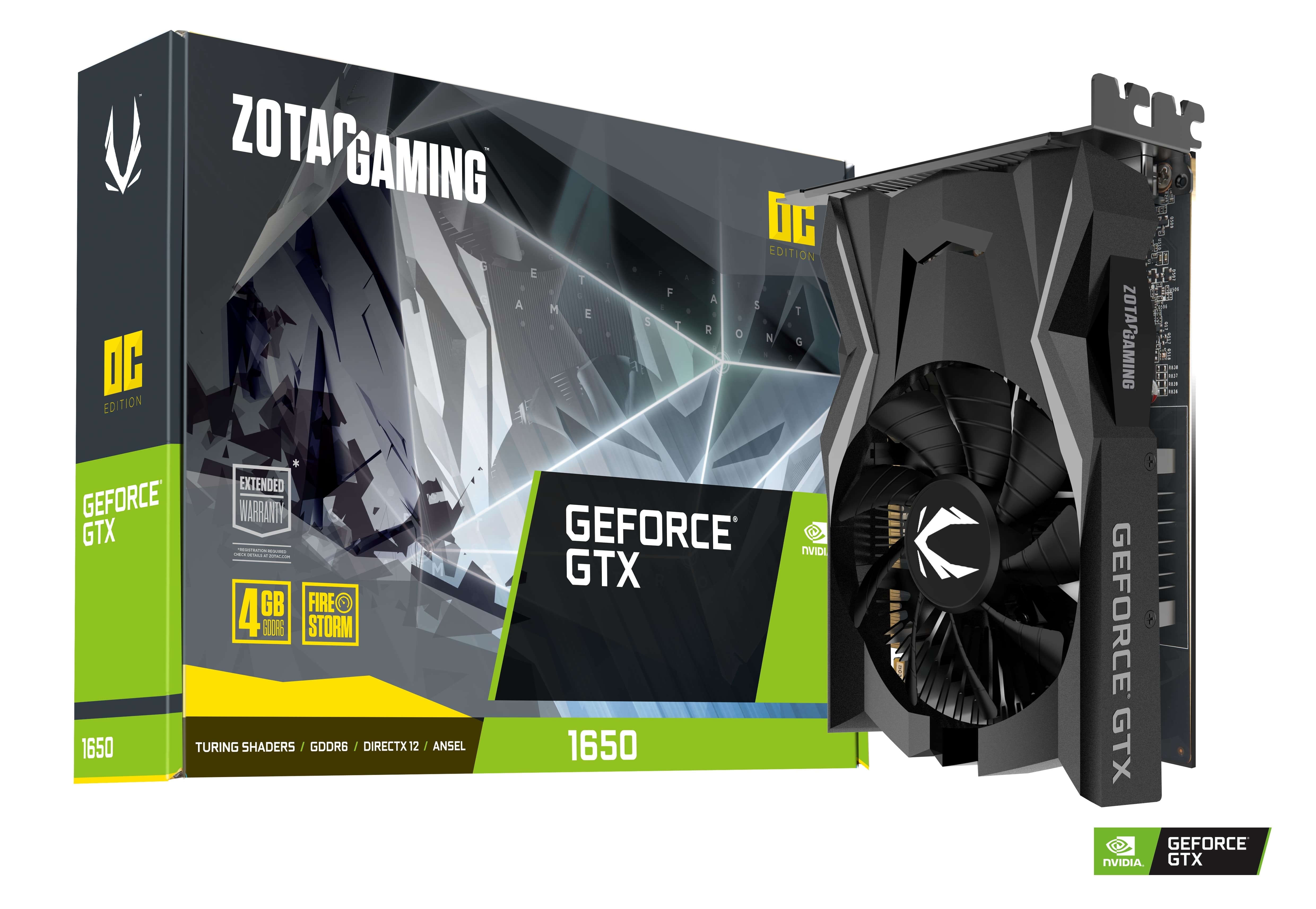
ZOTAC
<p>The all-new generation of ZOTAC GAMING GeForce GTX graphics cards are here. Based on the new NVIDIA Turing architecture, it’s packed with GDDR6 ultra-fast memory. Get ready to get fast and game strong.</p>
<p>- Super Compact<br />
- 4K ready<br />
- 90mm Single Fan<br />
- Sunflower Heatsink<br />
- PCIe Bus Powered<br />
- FireStorm ...
this one basically
rigid prairie
single fan card?
coarse cave
yep
rigid prairie
I wonder if you did some damage to the card
have you tried any benchmarks to see how the temps and performance is holding out?
rigid prairie
you can use several for the 1650 the heaven benchmark would be good then we can compare it to similar pc's unless you have 3dmark or soemthing
coarse cave
okay imma do that rn then
rigid prairie
I mean if you have afterburner installed we can set this up so you can see your temps

that or when you break windows and fall through the floor with way to many fps
 rigid prairie
either when you do take a screenshot or post the results and I'll see what I can find for a similar pc
coarse cave
okay doing it rn
how do i make it pop up on my screen like that?

i can only get this
rigid prairie
well you need msi afterburner and rtss or riva tuner stats server to display them
coarse cave
I have those tho

 coarse cave
okay lemme play another match and try that

this is from the other one tho
my cpu was average 86 c
 heady cliff
you said my cpu is 86
coarse cave
ive read online that it was kind of normal for that model to be high
heady cliff
have you ever dabbled with pbo
coarse cave
heady cliff
you said my cpu is 86
thought u was talkking bout the picture
ngl what is that
heady cliff
in bios > advanced > find amd overclocking then pbo or precision boost overdrive
coarse cave
oh so its js a setting?
heady cliff
in their youll see a setting pbo auto change to advanced
then youll see curve optimizer
set it to negative 15
all core
if it works find without issue you can go more aggressive to a max of 30
- 15 should work for that cpu
- 15 should work
coarse cave
okay doing it now then
heady cliff
should lower your temps maybe 10c
heady cliff
ya x3ds tend to take the 30 better cause they're not boosting as high
rigid prairie
yeah the 4450 limiter kinda makes this feel like my 3700x at times, not gaming.. ohh no but you know splitting isos and doing day to day stuff, I think my 3700x was just as fast
heady cliff
when you exited bios you saved right
rigid prairie
you might have to open your start menu and go down to the r's and open rtss that way
88c yikes
coarse cave
because i open rtss but then nothing pops up
heady cliff
you have to click show on screen display
rigid prairie
you need to set it up in afterburner
heady cliff
on the top left of it
coarse cave
and the fan i put on the zip tie is at 100% speed
yeah cpu still at 86-90 on rtss too
heady cliff
ya you need to repaste
your thermal throtting bad
anyhting above 82-85 starts to drop frequency
90 i drops alot
how big is your case
and
do you have 35 bucks lol
coarse cave
its a micro atx
heady cliff
is it a standard width micro atx
coarse cave
yeah i got 35 js dont wanna buy a whole new gpu because i dont even be playing but i dont wanna have it messed up
coarse cave
heady cliff
is it a standard width micro atx
yeah it is
heady cliff
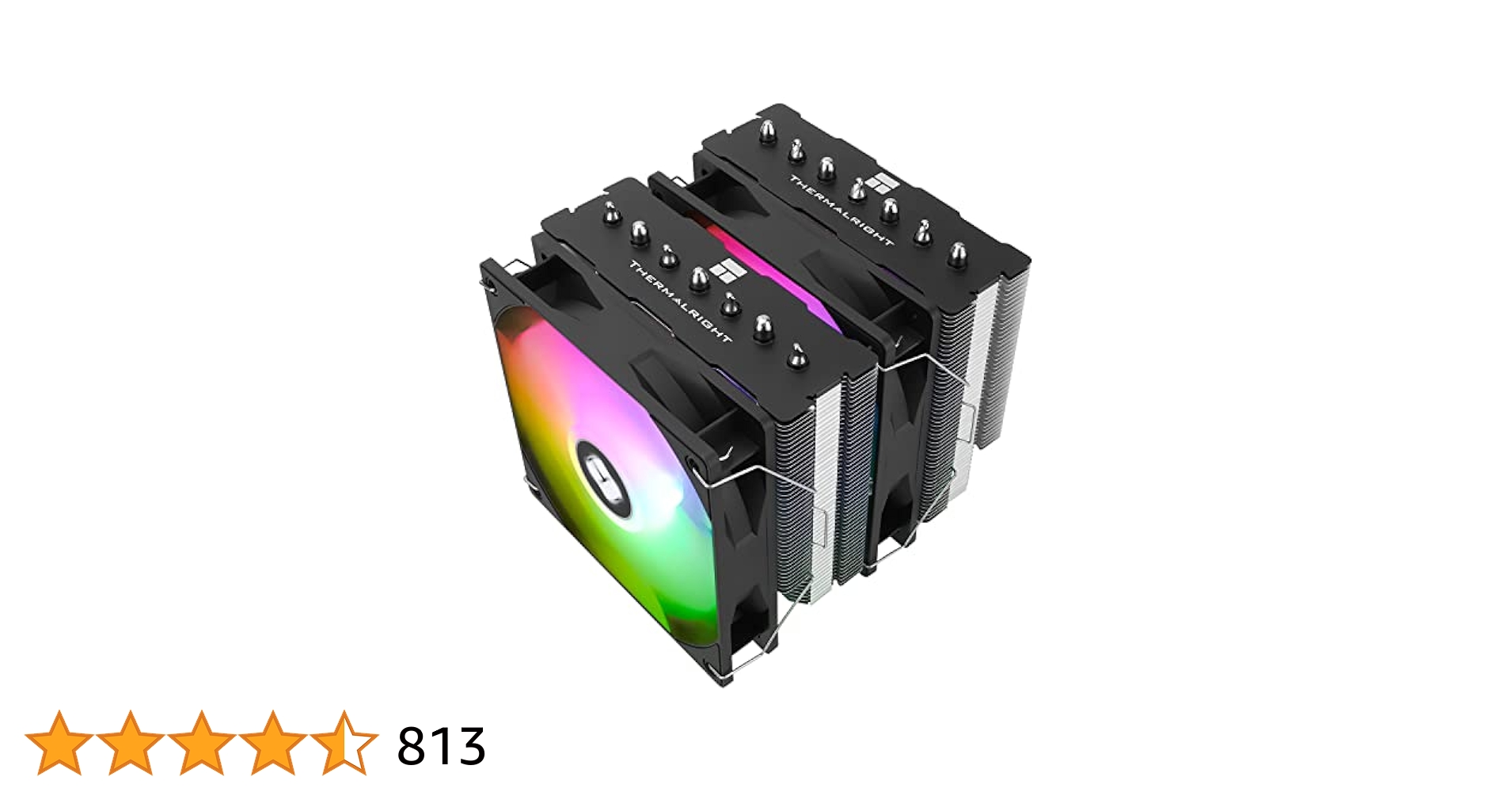
this is a cpu cooler
it can go to any pc you build in the future lol
and comes with paste
coarse cave
what about the gpu tho
rigid prairie
I had suspected from the start it was overheating...
heady cliff
because you can buy replacement fans just for the gpu shroud
rigid prairie
might need a new cooler or just a fan replacement
rigid prairie
that is your first mistake
rigid prairie
take the cooler apart, and look on the fan itself for a part number then opoen ebay and plug it in and see if you get any matches
coarse cave
i saw that one but the fans dont look the same
heady cliff
gimme sec to do some looking
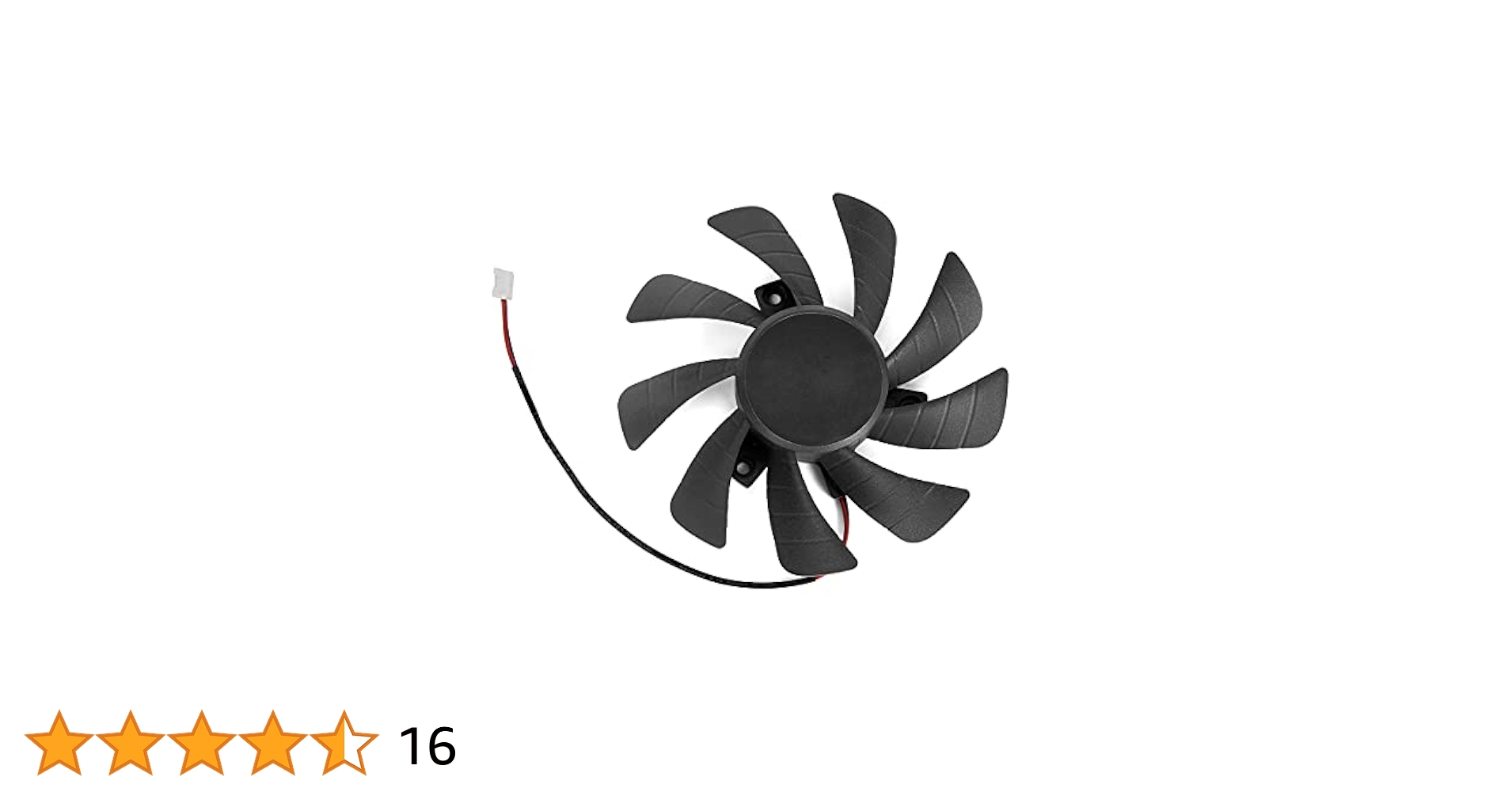
Specification:
Model: T129215SH
Voltage: DC 12V
Fan Dimension (L x W x H): approx. 85mm x 85mm x 15mm
Mounting holes distance: approx.40mm (Center to Center)
Power Connector: 2 Pin
Application:
Compatible for Zotac Gaming GTX 1650
Compatible for Zotac GTX 1050 Ti
boom
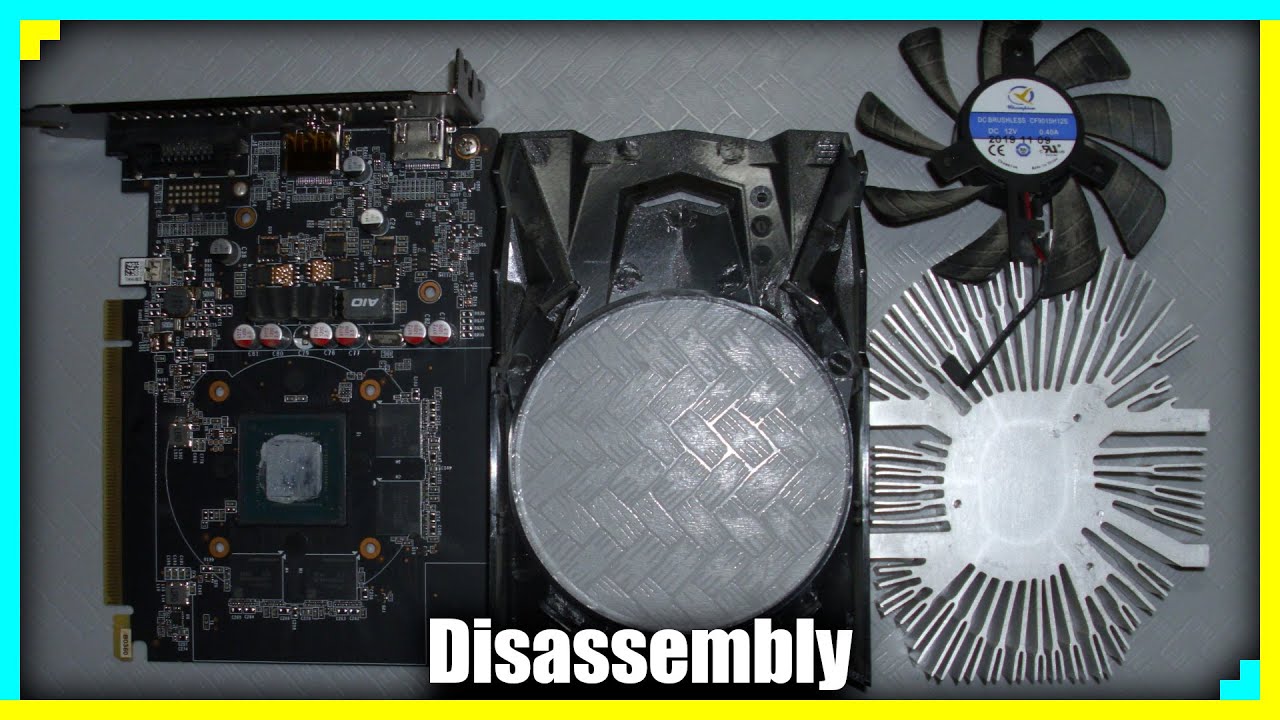
youll end up repasting both the gpu
 heady cliff
when you remove the sink ya
heady cliff
put new cpu cooler with the past that comes you wont end up using all of it
so you can use the extra to the gpu
coarse cave
oh alr
coarse cave
yeah pea size right
or bean size
some like that
i used to watch videos but i forgot what they would say
 heady cliff
cause theirs chiplits here
coarse cave
and same for the gpu right

 coarse cave
ohh
heady cliff
ya your sposed to repaste every like yr or 2 on high heat things
coarse cave
the cpu is like 1 1/2 years old tho
heady cliff
stockc ooler isnt able to get rid of heat effectively enough
so it cooks the paste f aster
 rigid prairie
I took 5 on my 1070, I saw the temps rise into the 70's so I knew the paste was dead, so i repasted and all was good
heady cliff
ya anytime with a 5000 cpu if you notice your game temps are in the 80s
its time to repaste
it should be around 75 ish +/- 2-3 degrees
just depends on the game
warzone for instance
coarse cave
yeah no wonder i remember it being lower
rigid prairie
I kept my 1070 in the 65-68 range it wasn't till it creeped up did I repaste it
heady cliff
is very cpu heavy because your computing everyone running around the map
heady cliff
check the clearance of your case specs
to make sure that cooler will fit tho
sys its 154mm
but ya i think everythings just overheating
coarse cave
where i check that
rigid prairie
better then my d15's LOLOL
coarse cave
heady cliff
what case do you have
thermal take versa h18
heady cliff
ya i refuse to buy a d15
heady cliff
its close enoughhh
😈
worst case you just send it back
but regardless you need to repaste haha
coarse cave
oh barnacles
heady cliff
thats about the avg for a cpu cooler anyways
coarse cave
but doesnt the mother board and cpu add more height tho
heady cliff
nah
its accounted into the measurements
you leave the case on its side
set the cooler on the cpu without paste etc
then set your side panel on
if it goes rock on
if not then you know lol
cause when you mount it it will suck it down a little
 ebon hazel
i have a i9 13900k and my cpu temp is like 60-70 just watching stuff on youtube is it suppose to be that high or what?
heady cliff
and make sure to remove the sticker on the ocoler if it does
coarse cave
heady cliff
and make sure to remove the sticker on the ocoler if it does
ph yeah
i remember that
joey delgado video
heady cliff
ebon hazel
i have a i9 13900k and my cpu temp is like 60-70 just watching stuff on youtube ...
erm depends on the cooler but thats high
have you done the bios update to limit thecpus power down
and are you running the cpu on balanced
instead of high perf
ebon hazel
i did bios update like 6 months ago or 7 and cpu is on balanced i didnt up it
rigid prairie
ebon hazel
i have a i9 13900k and my cpu temp is like 60-70 just watching stuff on youtube ...
seems a tad high at idle speeds I would think 30-50 would be normal
ebon hazel
i have the nzxt aio cooler
coarse cave
me or hush
heady cliff
hush
ebon hazel
heady cliff
hush
i built it about year and a half ago
heady cliff
assuming pump is on pump header and cpu fans to the fan header
that or this is the one that all things go into the stupid nzxt hub
if thats the case then your mount is cockeyed
ebon hazel
 heady cliff
and nzxt aios are a pos imo, a 7800x3d build i did runs hot on it aswell
ebon hazel
i just have discord and spotify up and its at 72
heady cliff
ya you either didnt remove the sticker from the aio
or you didnt use enough paste if not prepasted
or you mounted it cockeyed
need to go in a hex pattern across the screws a 1/2 turn at a time with finger tip strength

thats how id paste it
you should be around 35-45 around idle doing nothing
ebon hazel
heady cliff
need to go in a hex pattern across the screws a 1/2 turn at a time with finger t...
gotcha im about to repaste and see whats up
heady cliff
ya when you go to push it down on the new paste push as level and center as possible
otherwise itll make it all go 1 way or the other

how it looks delidded
ebon hazel
just repasted, updated bios its 45-65 now so huge difference.
heady cliff
make sure chipset update aswell
 heady cliff

Intel
Primarily for Intel® Chipset Products, this utility version 10.1.20020.8623 installs the Windows* INF files. See detailed description to find out if you need this file.
that
rabbit hole just to find that link
.>
ebon hazel
alright thanks bout to download
heady cliff
yup
after that check taskamanger and memory tab to see if your rams running on xmp
otherwise bio > turn on xmp lol
if you didnt do it after the update
ebon hazel
bet
 heady cliff
Should br fine
heady cliff
just means you dont have enough cores for w/e game your plainy
playing
your most likely see this if your doing battleroyales etc
open world maps that are cpu dependent
heady cliff
yasounds better than it was if i recall