I have been trying to log in to Modrinth for 3 months with no success i keep getting the same error so i went to support asked my friends and everything i could do the debug info id :Minecraft authentication error: Failed to deserialize response to JSON during step SisuAuthenticate: EOF while parsing a value at line 1 column 0. Status Code: 403 Forbidden Body: accept im not banned form Modrinth i tried everything i could do but nothing is working so i came here.
#Log in error
1 messages · Page 1 of 1 (latest)
 dusty hatch
 strange wigeonBOT
 Modrinth
👋 Hello! Thank you for creating a new thread on Modrinth server
📃 Something went wrong with the game? Make sure to provide logs using mclo.gs
❔ If you're having an issue with Modrinth product, use our dedicated support portal instead
🔔 Don't forget to mark your thread as solved if issue has been resolved by using </solved:1460815060854243411>
Modrinth
❔ Are you having an issue with a Modrinth product?
Community members are not allowed to provide support to our products.
Use our dedicated support portal instead for help with our products.
Mark this thread as </solved:1460815060854243411> if that's correct.
 hidden field
!!purge-cache
 unreal beaconBOT
hidden field
!!purge-cache
unreal beaconBOT
hidden field
!!purge-cache
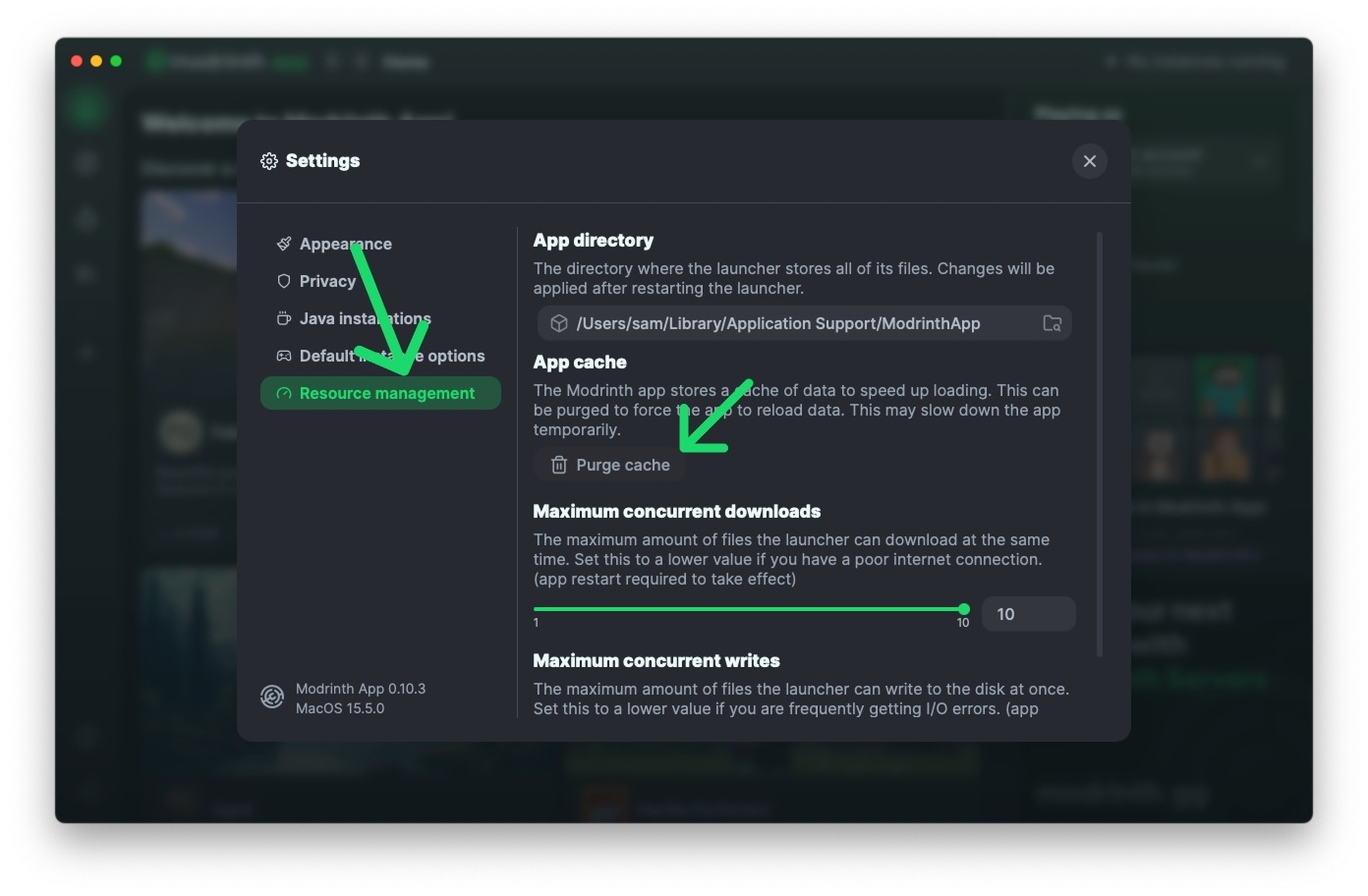
✨ Purge Your Cache ✨
Having issues with new versions are not showing up in the Modrinth App?
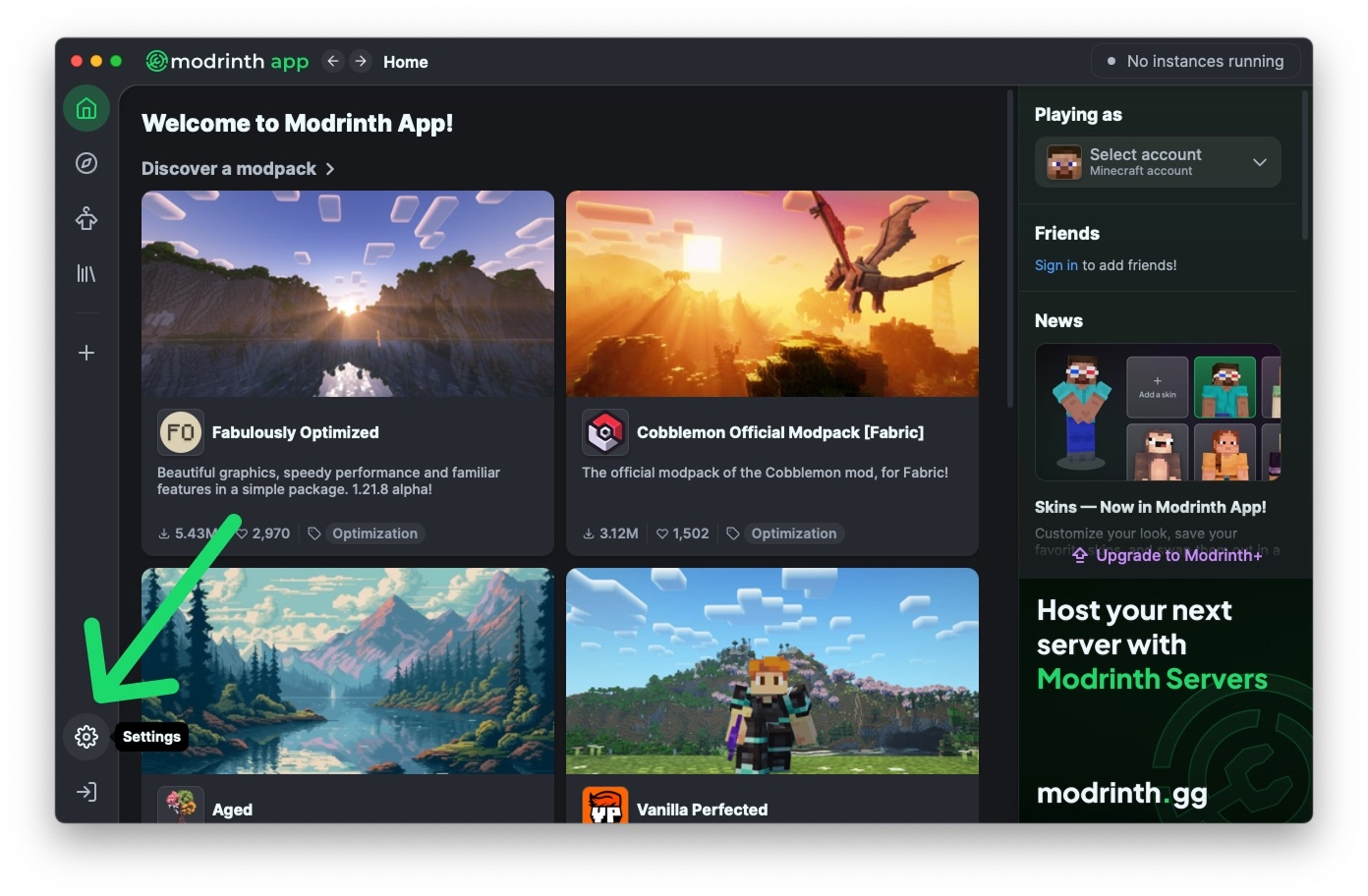
Then purge your cache! − by going to Settings → Resource management → Purge cache.
 hidden field
!!cantsignin
unreal beaconBOT
hidden field
!!cantsignin
🔑 Minecraft sign in issues
If you are having trouble signing in to your Minecraft account through Modrinth App, check out our support article, which covers many common issues and how to resolve them:
dusty hatch
did not work
hidden field
unreal beacon
are you sure you tried everything in here?
dusty hatch
i uninstalled looked at the support provided trying again clicked the Minecraft log in nothing worked
hidden field
unreal beacon
so you havent tried anything from there at all
hidden field
try to log in through official launcher than try to log in through modrinth
Why can't I sign in to my Minecraft account?
are you 10000% sure you tried everything from there?
dusty hatch
yes
here is the error message: We couldn't sign you into your Microsoft account. This may be due to account restrictions or regional limitations.
i have not activated widows if that helps
hidden field
If you are in the UK, you need to verify your age to log in to Xbox / Microsoft. If you don't verify your age, you cannot play untill you do (At least on Modrinth or the official launcher). All you need to do is visit the official Xbox website or log into the official launcher, and go through the verification process. Luckily you can skip the verification by just clicking skip, however you at least need to skip to play. You cannot play untill you do this.
tldr: verify your age by logging into xbox or minecraft launcher
If you aren’t in the uk it might be a different issue
dusty hatch
im not in the UK
hidden field
well does logging in through the official launcher work?
hidden field
Why can't I sign in to my Minecraft account?
dusty hatch
the link to the offical modrinth launcher
strange wigeonBOT
-# ⚠️ Last message in this thread was sent <t:1772482580:R>. It will be automatically archived soon.