#strange error causing crash
1 messages · Page 1 of 1 (latest)
 ancient lily
try updating your drivers
 green zealot
interesting, thanks for the quick response. will report back when updated
ancient lily
that my solve the crashes but probably will not solve the error on world startup
green zealot
update, it seemed to open easier on modrinth, and it gave me an actual crash report from the crash after opening the world
ancient lily
can you please give the log (just click the share button and past the link (it is the easiest way for you to give a mods list because the crash report didn't have that sadly)
green zealot
sure thing! give me one sec. sorry didnt know it doesnt come w a modlist
(this is a newer one btw)
ancient lily
that is the crash report still (but thank you for sending it anyways it makes it easier to read) can you please send the log (the video is how to send it on the modrinth app if you are using a different app please tell me)
green zealot
https://mclo.gs/PBLu3LO is this right? this is what it gave me but it looks like the same kind of link
and yeah i am using modrinth
ancient lily
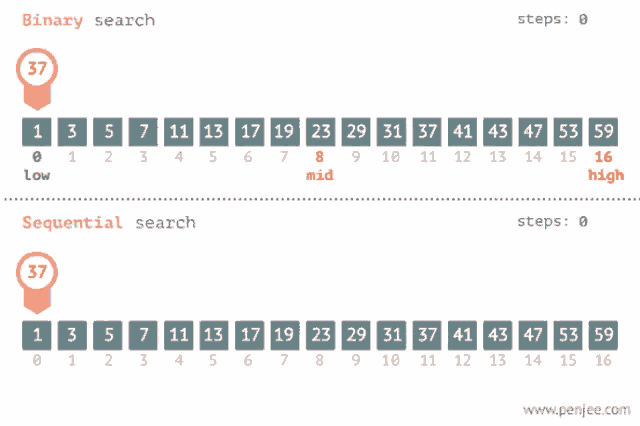
I am really sorry but I have no idea why your game is crashing you should try a binary search (disable half the mods and see if it fixes it (also do this in a new world so you do not brake your old one) if it does not fix it then you know it is in the Group of mods, you did not disable and if it does fix it, you know it's in the group of mods you did disable and keep repeating this process until you find the mod you disabled with each group being half the size of the previous)
green zealot
alr no problem, thanks for giving it a look!

 green zealot
yeah it looks like it just unloads all of the stuff and then ends
 viral heron
nevermind, it's a bit up
something with opengl
try repairing your profile?
you can also try binary searching
 green zealot
viral heron
try repairing your profile?
green zealot
viral heron
try repairing your profile?
giving that a shot now
its weird because it shouldnt be mod-related, since GT:NH is a curated pack
the few mods ive added I've tried without and it still crashes just with the base install
viral heron
did you add anything?
green zealot
it crashes even without any of those
tried removing all at once and even without any extra stuff still crashes
ancient lily
click options then repair instance and if that does not fix it try the Version of Gtech new horizons for newer versions of Minecraft

 green zealot
GT:NH doesnt have any newer versions I dont believe
Gregtech does but not the New Horizons pack itself
repaired and still same thing:(
ancient lily
then I would say older versions of Minecraft just don't wanna launch so try making your own modpack using Gregtech and a newer version