#Design Dojo
1 messages · Page 4 of 1
 undone hornet
what text
 chrome socket
Exactly
undone hornet
it needs to be a bit bigger u have a point
i’m prob gonna do player of the week or smth
chrome socket
Yee, just manage your readable space down there a bit better and it’s solid
Another thing I would recommend is don’t use borders
Unless they are deep in the artwork
undone hornet
why not
chrome socket
I come from print
undone hornet
stranger things does it all the time bro
chrome socket
So in a print point of view, the closer it is to the edge, the harder it is to get a perfect cut
undone hornet
i see what ur saying
chrome socket
You can bring it in further
Like having a larger margin
Might also bring out the design more into focus
undone hornet
good to know thx for the advice
 chrome socket
undone hornet
how would i recreate this effect
chrome socket
undone hornet
how would i recreate this effect
What software are you using
undone hornet
chrome socket
What software are you using
photoshop
chrome socket
undone hornet
photoshop
Best way is to do it in Illustrator.
make a gradient box with a Black channel only going to a white, go Filter > Pixelate > Color Halftone and make the first setting 30, or however big, then you can use that.
or go the extra mile and then image trace and use vectors (as you should do either way)
in photoshop its the same method, but you have to make your channels have the same angle
undone hornet
chrome socket
Best way is to do it in Illustrator.
make a gradient box with a Black channel o...
i got u. i’ll take a screenshot of this and then try it later
oh my god. you are the best ty so much
@chrome socket wait
this is not what i want bro

and i tried to switch it but it still aint doing it
why isn't red cirlces being created
chrome socket
you're gonna have to use it as a mask over a red background
realistically you shouldn't be doing those kinda graphics in photoshop, you put yourself in a performance bottleneck, aswell as you loose the ability to better adjust that specific kind of effect.
as well as loosing scalability.
you should do your image maskings and all that in Photoshop, and then making a composite setup in indesign and have elements either as .ai files or in the document as vectors
undone hornet
i just want red circles thats all i want bro
chrome socket
yeah, use the halftone gradient as a mask over a red background
 chrome socket
Mask...
make it a mask
see this is why photoshop is not the tool for this kinda stuff
too much of a fuckery, and you loose scalability
undone hornet
i did bro
 chrome socket
group it and mask it, its a smart layer, that or rasterise the halftone, then use that as a mask
undone hornet
dude
chrome socket
you're also not using the halftone as a mask either
undone hornet
this is my second time doing this type of stuff
i need proper english
ayyy

i got it

 undone hornet
thx so much
chrome socket
I would recommend working on a hybrid workflow. both Vectors and Rasters (Mathematical Lines that can scale infinately and Images that cannot) have their benifits and weaknesses
doing this kinda stuff in photoshop alone can be limiting, especially if you are designing for print
Look into learning Photoshop more, but also look into learning Illustrator, it really helps in making those elements
and then look into InDesign, which allows you to completely tie all the elements together
 pastel rain

if you want his leg going into the box
do a clean cut
not a halfway fade into the black
looks odd
undone hornet
chrome socket
I would recommend working on a hybrid workflow. both Vectors and Rasters (Mathem...
good to know
thoughts?
 chrome socket
I dont know why he has to be stepping.. ou... in?!
side ways out of a... uhh.. is he stepping in the rectangle? or out? or...
either way, I dont think the stepping in or out or to the side inside or outside of the window lookin thing helps the flow of the design
Im unsure what the background of the buildings have to do with the design either, he's clearly playing in a sport, not going to his 2nd math class of the day
and there just isn't alot of space being used, its alot of empty space for no apparent reason, like I said earlier, is he playing a sport or going to his 2nd math class of the day

 foggy jetty
...
 silver steeple
ok cool
 manic dragon
My first time using Photoshop don’t judge me

Bruh no way my message didn’t send this whole fucking time
pastel rain

chrome socket
manic dragon
My first time using Photoshop don’t judge me
this is actually pretty cool
 steel acorn
Hi, could i get some feedback on this school project im working on? Its a moodboard/brandboard for a brand based on me.

Project is called personal brand. Its for a portfolio class.
chrome socket
steel acorn
Hi, could i get some feedback on this school project im working on? Its a moodbo...
I love the style. however something I recommend to everyone is to design something, and sit back in your chair, give yourself some distance between the screen and yourself. and if you can't read or get a general idea of whats on the page in specific areas, then you still have work to do. alot of your text is super thin, and when printed or displayed, it may cause issues.
Something to note is that "PCS" means nothing to a person who doesn't actually know what Pantone is.
infact as a person who uses Pantone colors every day, I see "2203 PCS" and go "ok? am I using coated or uncoated? are we using extended gamut? whats going on here?"
I have incomplete information. the best way to denote pantones is by going "PMS: 2203 C" or "PANTONE 2203 C" or "2203 C"
something else to note is "Process Black" means CMYK Black, K black, which means Pantone CP/UP (Coated Process/Uncoated Process). aswell as a Hex #000000 is not a Process Black, it is actually a rich black. the correct hex for process black would be #231f20
apart from my nitpicking. I love the style
I enjoy the flow. and as a reference page, it is very nicely laid out, just the text could use a little more weight, and Color specifications could use more specificity
steel acorn
Thanks i appreciate
chrome socket
oh extra brownie points if you have Uncoated and Coated Pantones, some companies out there go the extra mile to match their coated's and uncoated's
as there can be a significant Delta E difference between the two.
for example you might have someone denote: "Pantone 124 C" and then maybe "Pantone 122 U"
You dont have to do this, I am nerding out atm, but something to think about, Color Accuracy is important for a Brand, and thinking about this sorta stuff is just an extra level of care 🥰
-# "Delta E" being the difference in appearance of a color compared to another
 lost summit
chrome socket
oh extra brownie points if you have Uncoated and Coated Pantones, some companies...
lost summit
chrome socket
oh extra brownie points if you have Uncoated and Coated Pantones, some companies...
We've recently had a client come to us with a NCS colour 😭
 static gorge
steel acorn
Hi, could i get some feedback on this school project im working on? Its a moodbo...
static gorge
steel acorn
Hi, could i get some feedback on this school project im working on? Its a moodbo...
the only thing i am going to say is that the green line across the images gotta go.
anyways so i am a beginner gfx designer started a few days ago.


 pastel rain
classic
lost summit
Maximalism hurts my brain
static gorge
lost summit
Maximalism hurts my brain
the last one is supposed to be minimalist
the grey one
pastel rain
too much going on for minimal
static gorge
software used: alight motion
static gorge
is it good for a beginner
 static gorge
pastel rain
socials banners?
static gorge
pastel rain
socials banners?
banners, pfps, thumbnails, ui elements, assets, and all that.
pastel rain
where are you in the wrold?
 static gorge
what country?
pastel rain
georgia
pastel rain
nice
i'd say you can charge anywhere 20$ - 100$ for this sort of stuff, depending on client / how big their following is. if they are trully big 100 - 500$ +
static gorge
pastel rain
https://tenor.com/view/turkey-guy-turk-chad-fast-buff-gif-17075645
how was this video even filmed in public.
static gorge
pastel rain
i'd say you can charge anywhere 20$ - 100$ for this sort of stuff, depending on ...
wow niceee
that is was more than what i would make with normal employment in turkey.
if i get consistent with it.
and serve many clients every week.
where do i get hired?
pastel rain
thats the hard part
graphic design is very competetive
you can check out platforms like fiver
upwork
freelancer
alternativly
go on youtube and google and look up "how to grow as a freelance graphic designer in 2026" - you will have to learn business, how to market yoruself, netwok
so it certainly takes work and you will build people skills
i assume you are young?
static gorge
pastel rain
i assume you are young?
i am 15
pastel rain
yah you got a lot of time
pastel rain
static gorge
i am 15
have fun, if you enjoy the business aspect of it, that will come in handy for life in general
static gorge
i release 2 versions of every design i do, where i fix some things up and do final touch ups to the previous version, this is the second version of the minimalist design.
 pastel rain
static gorge
i release 2 versions of every design i do, where i fix some things up and do fin...
pastel rain
static gorge
i release 2 versions of every design i do, where i fix some things up and do fin...
for the words
to give you a bit of a direction
think about why you make a particular design
like why include roman columns here
why is it dark
is there a story
answering stuff like this should give you an idea of what kind of piece this is
and a title, - words to actually put back there to fit the design
static gorge
pastel rain
and a title, - words to actually put back there to fit the design
well, that will depend on what the client will request.
when i start taking comms
until then
pastel rain
talk me through your idea
static gorge
pastel rain
like why include roman columns here
it adds to the dark atmosphere.
pastel rain
what makes roman colums dark?
(i'm doing this as a design excersize, nothing against you in any way)
static gorge
pastel rain
(i'm doing this as a design excersize, nothing against you in any way)
well the overall vibe was inspired by backrooms poolrooms, but i tried to make it dark, and gloomy, the roman collums instead of the poolrooms tile patterns, as well as the texture i used for the background and the base where the pillars are, which is literally just an edited texture of asphalt, adds to the grittiness, which helps the atmosphere, as for the glass orbs adding warping and distortion to the image, they helped to make the the entire thing look more surreal.
static gorge
pastel rain
you could derive a few words from your explonation
what do you mean by that?
well i am only just starting graphics design, BUT, i am definitely not good enough with any business skills yet to be able to operate in any kind of professional environment such as behance.
pastel rain
-you just started so thats ok
so instead of lorem ipsum you could write "liminal space" "dark atrium"
you can write things like "where light forgets its srouce"
idk
just gotta come up with interesting things to say
words are part of it
static gorge
i can change the text on the grey one but for the other one, it is too late, as i custom made the text.
static gorge
 chrome socket
static gorge
https://cdn.discordapp.com/attachments/1443985986605420685/1472580096022937732/1...
chrome socket
static gorge
https://cdn.discordapp.com/attachments/1443985986605420685/1472580096022937732/1...
any context behind the style?
ages ago I made this for a project which later got called a different name, either way, the text follows the context of the planet specifically

I make the moon feel dusty, because it is.
you made venus seem like a cowboy town
venus is hot, do something with heat effects on the text
static gorge
chrome socket
I make the moon feel dusty, because it is.
you made venus seem like a cowboy tow...
wdym
cowbot,town?
chrome socket
If you are going with a theme, keep to that theme, keep it consistent, keep your pallet consistent. keep the 'vibe' consistent
this one here is a meh example, but the text keeps consistency with the theme
 chrome socket
static gorge
cowbot,town?
chrome socket
static gorge
cowbot,town?
you're taking me too literally.
Im saying the style of text doesn't match everything else
static gorge
chrome socket
you're taking me too literally.
Im saying the style of text doesn't match everyt...
i tried to make it look like the surface of molten lava or the sun
chrome socket
looks like rusty metal, but feels too saturated aswell
(for rusty metal)
if anything I would make the text more gas like, but then again, not everyone can render text as a volume of gas
pretty hard to do that aswell and make it work
static gorge
for that i should have used an entirely different font
warp blur effect in alight motion should handle it
or idk
that's how i made the gas effect around the border
of the entire image
chrome socket
I would've made a smoke sim in the text
static gorge
does the frame effect look like smoke?
i am a beginner designer i started a few days ago
chrome socket
umm, no. flame is flame, smoke is smoke
chrome socket
oh lol
no clue how a frame effect would look like smoke
I thought that was a typo
static gorge
oh ok
its like venusian atmosphere around the subject
is the only problem the text texture?
static gorge
did /s mean sarcasm or serious
but if it means serious, then no, i use alight motion
(this is pre color correction)

yeah i am using a video editor as a photo editor
sooooooooooooooooo 9999999999999999999999999999999999999999999999999iq moment
static gorge
wdym
chrome socket
hmmm
static gorge
i am a beginner of course i am limited
chrome socket
well I would've thought you were using photoshop or affinity
that way I could even walk though methods
but I can't
static gorge
i can make the text look like it is turning into gas or add a gas halo around the text or stuff like that with warp blur and bump map but i can see how alight motion is limited
but i am used to it
chrome socket
give it a try, I am genuinely curious on how it will look
static gorge
chrome socket
give it a try, I am genuinely curious on how it will look
it's a very rough sketch
the image did not send

rough sketch it can be refined
@chrome socket and this is melting

and with a distortion effect

i think it can still be refined
chrome socket
😮
static gorge
chrome socket
😮
good?
last one?
create text effect
copy paste it many times
stack warp blur effects to add distortion and drip
add another rectangle
make it black and give it a bump map
then blend it in with the text
then you have to save it
then you can use it by adding a chroma key effect with black color excluded
''black color excluded'' that sounded racist
it can be made transparent

but there is a downside to this
you have to create everything in a seperate element then save it and copy it over to the main project
becuase of how the distortion effect i added works
pastel rain
ouu nice
youre not using photoshop right?
and could you change the words here if you wanted - as in, did you work in a distructive or non destructive way?
non destructive means that effects are applied, but you can change the base layer
static gorge
pastel rain
youre not using photoshop right?
alight motion
i am using alight motion...
and here is the original venus text melting
 static gorge
pastel rain
non destructive means that effects are applied, but you can change the base laye...
static gorge
pastel rain
non destructive means that effects are applied, but you can change the base laye...
destructuive
how i made the venus text was
i went into geometry dash and someone had a level with many free to use fonts, i grabbed one, and wrote venus with it and moved the letters around, then i screenshotted it againts a black background, then i moved it to alight motion and chroma keyed it to cut the black part out and put it over a big black square, then i applied exlcude blending option to have a black background with a cutout of the text, then i saved it and copied it over (sounds weird but was necessary), now i could add color to the text, gradients, and effects, after i added the textures and everything to it, i made the background green so i could chroma key it again, i saved the entire thing and chroma keyed it, so i had the text ready.
it sounds like a lot but it is not


this is how i make text effects in alight motion
i know this is extremely unorthodox, i dont know the right method, but i just know this is very unorthodox.
and btw, i dont mean the stock fonts, it was a ton of custom made free to use fonts.
BUT I AM ABLE TO HANDLE IT
static gorge
does anyone know where i can get clients
static gorge
@chrome socket does it look better now

 chrome socket
manic dragon
chrome socket
manic dragon
metallic inc evidently
manic dragon
chrome socket
metallic inc evidently
That’s the band name 🥲
chrome socket
lol
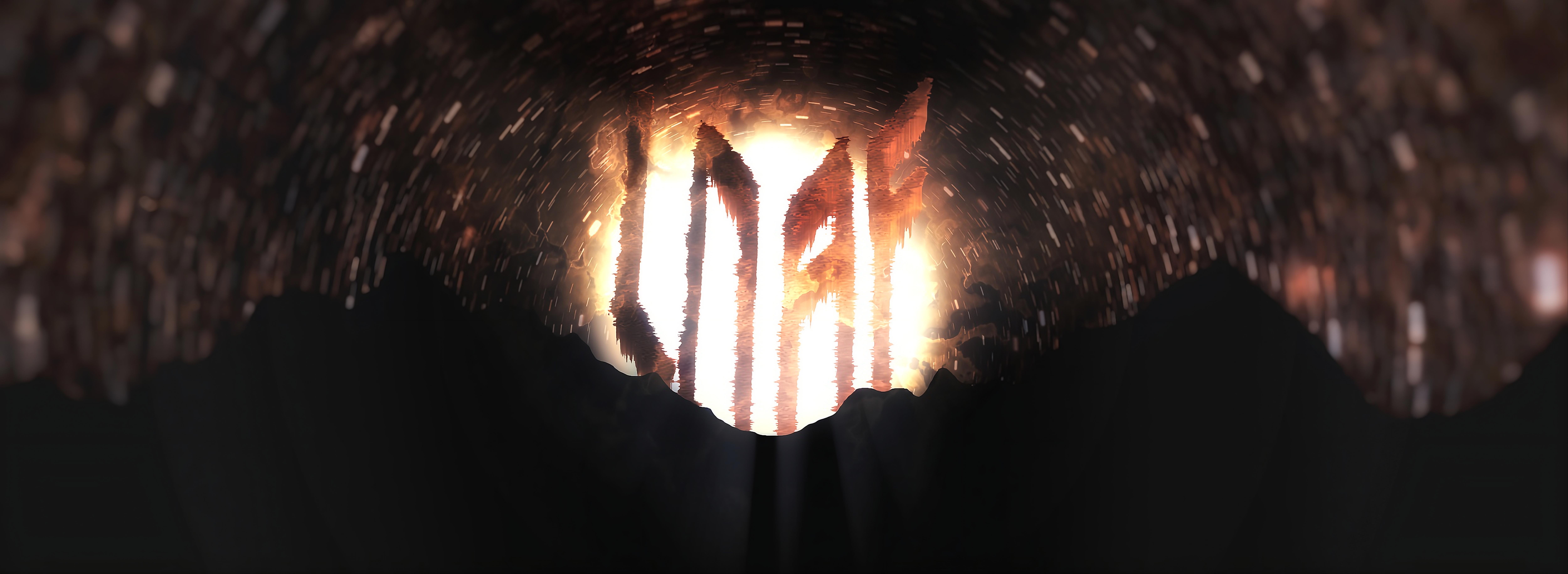 static gorge
the client is named loaf
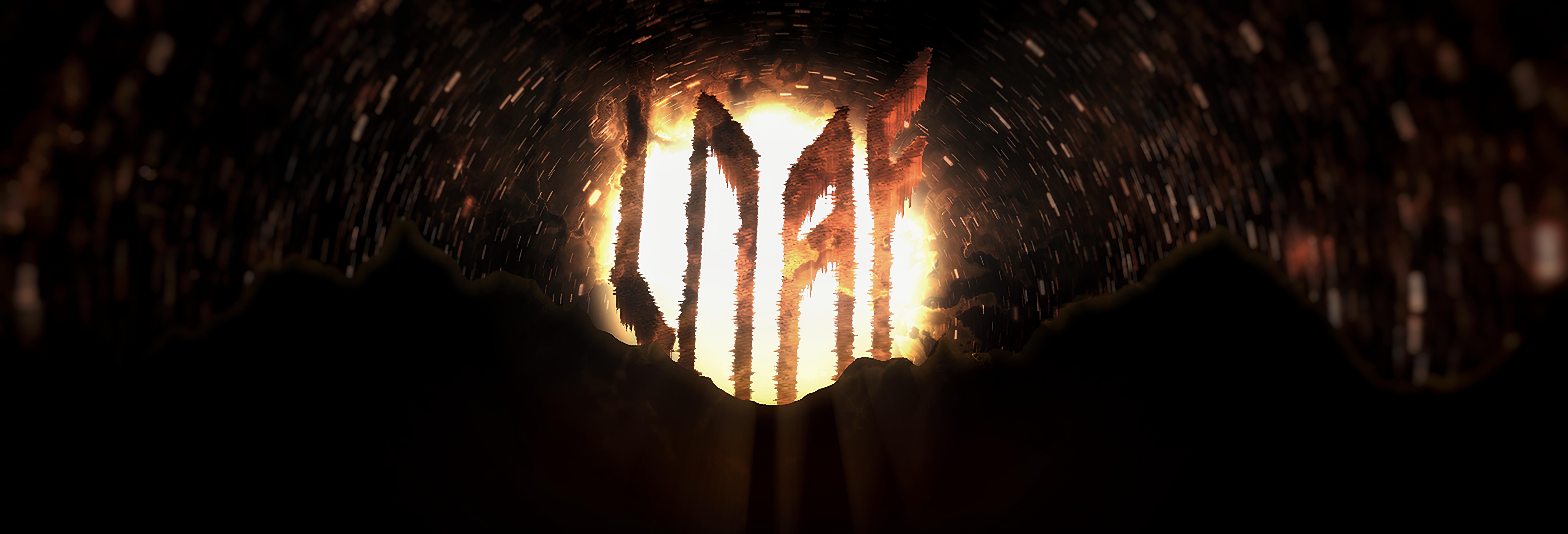 static gorge
the client really liked the final product
pastel rain
hell yah


 pastel rain
Nah keep going
static gorge
pastel rain
Nah keep going
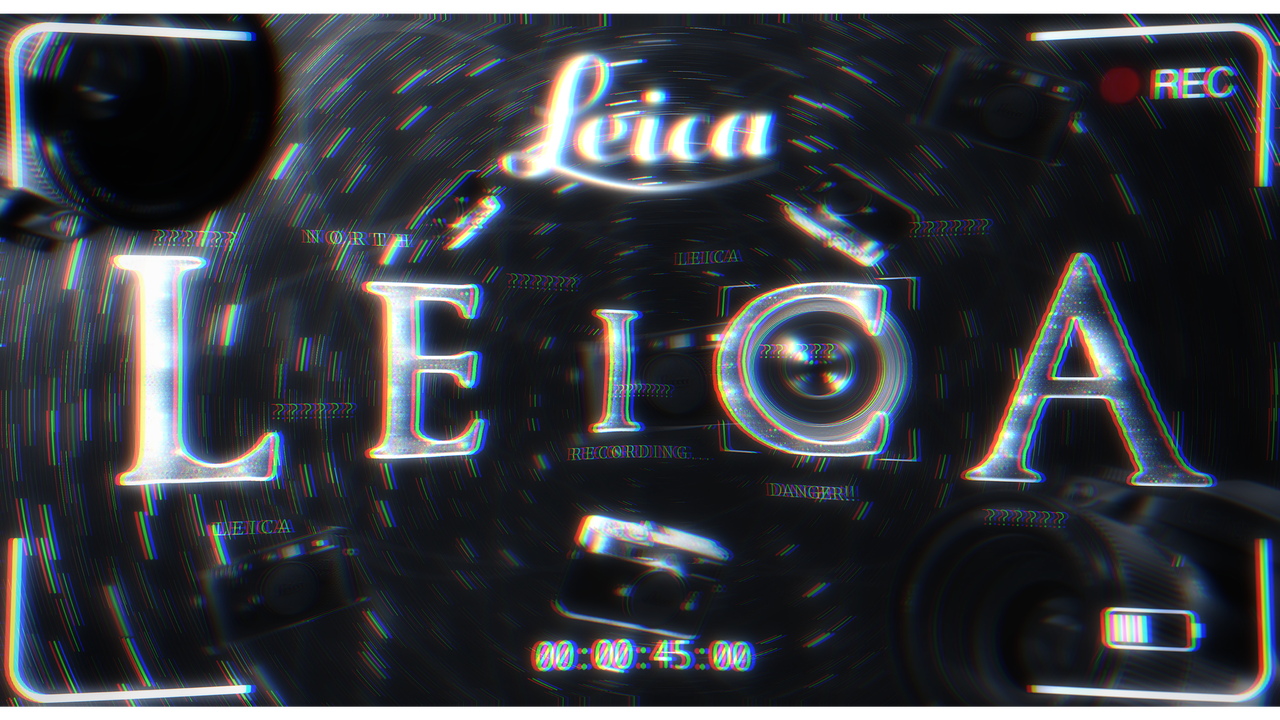
is my leica edit good?
i may reiterate it later as i do most of the time
improving stuff
pastel rain
Background is a bit busy
But yah
Try designing another format
That’s not a social media banner
Try a movie poster
Or concert flyer
static gorge
we will see as i just got a commission for some logo design.
static gorge
pastel rain
Background is a bit busy
also wdym background is busy? how can i fix that?
i am not very good with backgrounds
chrome socket
static gorge
oh no
Leica framelines don’t look like that,
Also I wouldn’t have 2 of the same text there, pick a Leica and go with one
static gorge
chrome socket
Leica framelines don’t look like that,
Also I wouldn’t have 2 of the same text t...
it's just leica text
static gorge
chrome socket
Leica framelines don’t look like that,
Also I wouldn’t have 2 of the same text t...
yeah these are the ones i wanted to fix actually
adding an actual leica frameline instead of a stock one
and removing the lecia at the top
but i think the current framelines look better for this specific application
https://i.postimg.cc/xdqq446s/1000040115.png also i added a glitch effect
 chrome socket
the thing is, leicas dont record like a video camera. people who know what a leica is will look at this and go "those arent leica framelines"
the style is cool as fuck, but theres no genuine connection to what a Leica is
static gorge
chrome socket
the thing is, leicas dont record like a video camera. people who know what a lei...
well, it's not even supposed to look like leica a frame.
that big white block in the middle, i am not sure if it would fit the style of this.
and for this application specifically, the stock image i found off a google search just looks better.
and the only reason i chose leica was, well, it sounded cool, lol.
chrome socket
excuses excuses 😂
fair.
I just dont feel like it follows what a leica actually is, but thats just me.
but on that point, you will get clients that will say the same thing, and clients that have a brand guideline, or even guideline. do well to expect that later on
static gorge
chrome socket
excuses excuses 😂
fair.
I just dont feel like it follows what a leica actually ...
leica's branding is supposed to be minimalistic.
also, this was mostly to just see if i could replicate that one random idea that came to my head.
and i chose leica as the text, well, BETTER THAN LOREM IPSUM.
anyways, also.
the original image is 590mp for some reason
mp being megapixels...
discord compressed it
so did the image hosting site i used.
but i have a version on my phone that is 590mp.
idk why...
WHY????
chrome socket
static gorge
leica's branding is supposed to be minimalistic.
also, this was mostly to just s...
Oh I am aware. but their frame lines in general should be used in reference to their product. having rec time codes and non matching frame lines goes against their brand identity specifically for that product range, as their framelines are used as an element in their extended design language, especially in reference to the M line
Brand conformity is also important.
and my god you dont need a 590mp file 😂
static gorge
chrome socket
Oh I am aware. but their frame lines in general should be used in reference to t...
well, if this was a serious commission, i would follow the requests of the client, but this was production for the sake of it, and to see what i can make, build a portfolio, and get better.
this wasn't even a commission.
static gorge
chrome socket
¯\_(ツ)_/¯
also, too late, i upscaled it to 1327mp
chrome socket
how is your computer not dead?!?!
you must have the only PC setup that rivals mine here
static gorge
 static gorge
chrome socket
you must have the only PC setup that rivals mine here
static gorge
chrome socket
you must have the only PC setup that rivals mine here
i am on a mobile tablet
chrome socket
static gorge
i am on a mobile tablet
oh
static gorge
i know high mp doesn't mean good photo but come on, just zooming into a photo and keep seeing detail is so cool.
chrome socket
well it means you can print it on the side of a building
so in graphics design/print, can be handy, but right now? super overkill
static gorge
chrome socket
so in graphics design/print, can be handy, but right now? super overkill
i know i know i am just doing it because it looks cool
so i will be trialhopping upscale.media like... I don't have any metaphors for this one...
 lusty geode
static gorge
https://i.postimg.cc/xdqq446s/1000040115.png also i added a glitch effect
lusty geode
static gorge
https://i.postimg.cc/xdqq446s/1000040115.png also i added a glitch effect
yooo visually this is trippy as hell in a good way
recent concept yall might like

wow this is 4 months ago yet it feels very recent to me
static gorge
lusty geode
wow this is 4 months ago yet it feels very recent to me
time is too fast...
even for me
and i am 15.
static gorge
i have it in 999terapixels now AND I AM NOW JOKING
-# its a vector file so it's infinite mps
 frozen dew
So taking an image of something and exporting it as an SVG from a raw/png/tiff file, how detrimental would the quality be from expanding/shrinking the image after exporting it to SVG?
chrome socket
frozen dew
So taking an image of something and exporting it as an SVG from a raw/png/tiff f...
two different types of files
you can export an image as a SVG
however the svg will have the image in a container
if you size it up or down, it will be exactly as it is if it was any other image format
frozen dew
Ok, that's what I wasn't sure about
I know native built SVG's can expand and shring infinitely
But wasn't sure on the Image>SVG
frozen dew
Danke Tom 🙏
chrome socket
SVG = Paths that can scale infinitely
Image = an array of data that can only be scaled so far till it looses quality due to the lack of data in that array
Image saved as a SVG = the application creates a frame of 4 points, and then places the image inside of that frame, meaning its still an image
 static gorge
changed after some revisions


 chrome socket
Making handy UI for people who dont know what they are doing
Design is not just making things look cool, making things understandable is a different story
 drifting ember
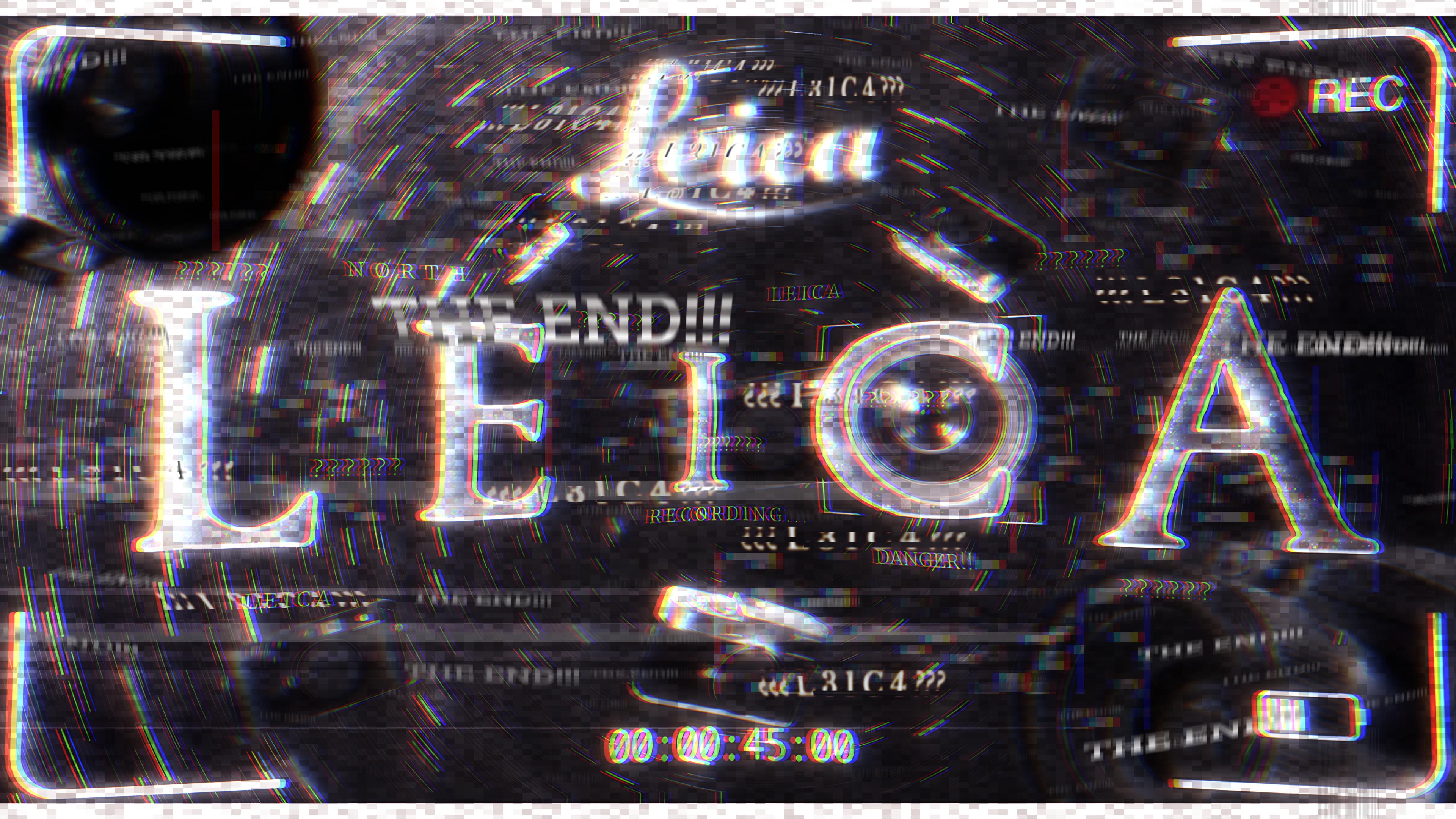
 drifting ember
undone hornet
drifting ember
undone hornet
would look better if you copy pasted the horse icon, put it below the main horse icon, and used it as a mask in the background, then add inner blur so the entire background area behind the horse icon, but not the horse icon itself, would be blurred.
undone hornet
i could do that
chrome socket
undone hornet
Please use safety margins, move the text further away from the edge.
I know you may not print this or something, but having a safety margin of 5-10mm from the edge is a god send for print
also brings elements into view more, I barely saw the edge detail
also the name is in a silly place. are you trying to show the name or not? commit to it, throw the name in the middle. there is no hierarchy in the middle at all exept for the nicely placed background element that is the university sign
lusty geode
@undone hornet i think your elements are a bit all over the place, check this video out

You can finally totally master visual hierarchy as a graphic designer, by watching this full course, and then implementing the content from the course right into your graphic design workflow.
Visual hierarchy is one of the most important graphic design principles, and so every single graphic designer should not only be aware of how to use hiera...
lusty geode
@chrome socket you got any resources about after effects, been messing around recently w vfx
mostly turning graphic art into motion
best ive come up with 30 minutes fucking around in AE
chrome socket
lusty geode
<@305591719095828491> you got any resources about after effects, been messing ar...
Plenty of YouTube videos out there.
What specifically are you wanting to do in AE
lusty geode
chrome socket
Plenty of YouTube videos out there.
What specifically are you wanting to do in A...
im not sure, what can ae do?
chrome socket
lusty geode
im not sure, what can ae do?
many things, it has keyframe editing, so you can tell objects to move in or out, move masks, theres alot one can do in after effects
lusty geode
chrome socket
many things, it has keyframe editing, so you can tell objects to move in or out,...
so far feels like its photoshop but moving so im thinking maybe if i could add motion to my graphics
chrome socket
it pretty much can be
drifting ember
lusty geode
best ive come up with 30 minutes fucking around in AE
little do we know you kidnapped a real person, cut their body up to reveal their heart, filmed this video with one of those 2mp "macro" phone cameras, cut the background out, and added music.
lusty geode
drifting ember
little do we know you kidnapped a real person, cut their body up to reveal their...
who knows

drifting ember
oh who know? well i know.
lusty geode
bee
 drifting ember
lusty geode
bee
drifting ember
lusty geode
bee
it looks like a print
especially with those, black balls, also, if anyone makes an explicit joke to this, i am going to assume you are below the age of 13.
 lusty geode
pastel rain
thought it was a real piece of grafiti
lusty geode
pastel rain
thought it was a real piece of grafiti
i should probably try that
issue is i suck at penmanship
pastel rain
same
projector>>>>
if you do it at this kind of scale
projector and just trace your digital work
a lot of ppl do it that way
lusty geode
these are very recent


 lusty geode
pastel rain
projector and just trace your digital work
lusty geode
pastel rain
projector and just trace your digital work
dont you need like high power projectors for those
pastel rain
lusty geode
these are very recent
love it
i wish more ppl here would embrace going a lil wild with their edits like this
love the second to last the most
the swirl shot
chrome socket
lusty geode
bee
halftoning is great
chrome socket
I've been UI desigining for the past like 3 weeks

 chrome socket
well a user interfaces with something..
 chrome socket
not entirely, UI and UX are different things
well, one only exists with the other
fuck
you know what.. fuck you
(╯°□°)╯︵ ┻━┻
lusty geode
pastel rain
i wish more ppl here would embrace going a lil wild with their edits like this
im happy the band loved it aswell they told me to do more of it next event which is in like a week
people liked it aswell
lusty geode
pastel rain
nice colors
pastel rain
yes
lusty geode
and im sum graffiti artist

i do wanna get into graffiiti though, got a friend who tags
chrome socket
one day I will get back into making art for myself
lusty geode
graffiti looks fun getting arrested not so much
chrome socket
and everyone will bow to me and my skills!!!!
and thou shall know, who is the true, master!!
lusty geode
he speaks as he codes the next line of functional ui element
pastel rain
he makes some dope shit too
lusty geode

 steel acorn
My new personal logos
 chrome socket
steel acorn
My new personal logos
chrome socket
steel acorn
My new personal logos
😮
I like, though the Tertiary logo doesn't really share any queues with your main logo, makes me think its a different company/person
steel acorn
Yeah, i liked it too much though lol
chrome socket
I would also invest on getting pantone colors aswell sorted out
chrome socket
steel acorn
Yeah, i liked it too much though lol
fair, just be careful with using it though, you may want to accompany it with your primary or secondary.. but thats the issue though, you generally shouldn't have to do that.
I do like it aswell! just wont be wise to use it, thats all
pastel rain
agree
secondary is wayyyyyyyyy to different
pick one and stick to it
second one is better imo
or the third one i suppose
lower case
go with that
chrome socket
thats not the issue, both primary and secondary can easily be used together to represent the same person/company
however the tertiary has no design queues shared with the others. this is an issue with branding.
Tertiary logos are actually used when both your primary and secondary logos are too large for a small use.
it looks cool, however it has no usecase in this scenareo. Not only does it cause brand conflict, it is also too small for when you would actually use it
My suggestion is to actually use the 'sail' like design only with the the colors alternating between one or the other/changing tint as it goes down per section of the sail icon, this acts as a dual colour safe icon that can be used as a tertiary brand mark
pastel rain
i was reffering to this as the secondary

the first two are def the same visual language
& ya i'm saying the same thing as you
i just misspoke
i would not call this a tertiery logo
its just compleatly different

this is also very northface
also the different spacing bothers me a lot
but personal nitpick
only time a company uses a different logo
is when they have a different enough thing to advertise
like how coca cola owns a bunch of other drinks
/pepsi
one of them own desani, and bunch of other juice/beverage brands
if you read the back you'll see its owned by one of them
but they dont advertise themselves
giving the thing its own branding
or when a corporation is big enough they have enough subsidieries
good example is google

multiple logos
but all similar visual language

all of these are coke owned
all with their own personality and product
no similar visual language, but all are typography based. minus that one lemonade one on the right
drifting ember
this was for a client
 lusty geode


 chrome socket
lusty geode
chrome socket
lusty geode
Not using the darker Photoshop UI, using windows. and no Banana tool. cmon man
lusty geode
type shit lesgo i fw this heavy i think its is enough


oh wait fuck i forgot something

there we go
might add more elements to the guitar page idk
chrome socket
You should use Jpeg. mainly because its lighter, and supports both CMYK and RGB
lusty geode
chrome socket
You should use Jpeg. mainly because its lighter, and supports both CMYK and RGB
oh yeah i havent changed that on my photoshop export settings yet
good call thanks
did that with lightroom recently
drifting ember
 lusty geode
 lusty geode
drifting ember
lusty geode
drifting ember
is there a specific style you were going for on this one this is kinda intriguing
lusty geode
 drifting ember
lusty geode
is there a specific style you were going for on this one this is kinda intriguin...
drifting ember
lusty geode
is there a specific style you were going for on this one this is kinda intriguin...
it's a commission
the client once asked me to make the logo bigger


 pulsar wasp
lusty geode
<@793461620675969034> <@797056150251634718>
pulsar wasp
lusty geode
<@793461620675969034> <@797056150251634718>
Itchy bitchy
Not worms
 half lichen
lusty geode
<@793461620675969034> <@797056150251634718>
half lichen
lusty geode
<@793461620675969034> <@797056150251634718>
i hath been summoned
holy shit no wonder people prefer circular fisheyes over diagonals
lusty geode
half lichen
holy shit no wonder people prefer circular fisheyes over diagonals
i mean both have their use
 pastel rain
Love that
silver steeple
thoughts? feel like it looks dumb

i want it simple cuz its about the photo obv but would like to incorporate the logo someway
pulsar wasp
silver steeple
thoughts? feel like it looks dumb
Does looks dumb
chrome socket
It’s not dumb, just unnecessarily present.
You’re already incorporating the logo already in the image itself.
I think it’s more the image itself that’s letting down the design, so much needless empty space that you feel like you need to fill it, and in efforts to make it simple, you end up moving the attention away from the bike anyways,
The bike has the logo on it, use that as inspiration
More so, when I think of red bull energy I think of action, and things happening, energy.
Not only you’re averting the eyes of the viewer away from the subject, you’re also giving them nothing to feel or relate with, a bike is supposed to be ridden, show it being ridden
lusty geode
silver steeple
thoughts? feel like it looks dumb
did you try to make it look like wings? i see the vision here
steel acorn
What if the bull was lower opacity or something like that
So it doesnt fight with the bike
Or maybe clipping mask of the bike and do a different background
And like tom was saying, give it some more action/excitement
Like these with how people are celebrating

 lusty geode
steel acorn
Like these with how people are celebrating
lusty geode
steel acorn
Like these with how people are celebrating
damn bro that 2nd poster straight outta 2012
steel acorn
I didnt make those two Redbull posters btw. Found them with a quick google search
lusty geode
@chrome socket yo i need some help tryna do a logo
this is what i came up with so far

the little draft they sent me

for context what they do is provide companies with videography services but cinematic style idk something like that
this is my first logo in a while i dont remember much
chrome socket
lusty geode
this is what i came up with so far
too obscure.
follow the draft they sent you. don't try to make a weird set of shapes that are hard to read
frozen dew
lusty geode
this is what i came up with so far
As someone with fresh eyes and not knowing what this was supposed to be about, if I hadn't read the image underneath I wouldn't have guessed it said Cine
lusty geode


alright thanks guys
i really kind of wanna make the C and E at the end look like spools of film
chrome socket
thats a question you should ask them
lusty geode
they did tell me im free to conceptualize my own shit but they're gonna send a tiny little draft aswell
guess ill try and make one for each

🥀

like dude i get this but holy shit that N looks like microsoft visual studio

but
i think i can make something out of it
chrome socket
lusty geode
Keep in mind of the printability
Thin lines turn into nothing when printed small
lusty geode
chrome socket
Keep in mind of the printability
Oh shit right good call
Actually they liked the first one
💀
Ill try to fix the proportions with the lines and the spaces hopefully itll work out
half lichen
mhello @chrome socket! i call onto thee
chrome socket

 chrome socket
yes. you need to set it up tho. go to:
Type > Text Variables > Define
then press New
give the variable a name
change the type to "Metadata Caption"
and change "Metadata:" to "Shutter"

should look like this
once you have added it, right click whilst editing a text box and go here

 chrome socket
a tip after that, I would do CTRL + B whilst clicked on the text box and set the vertical justification to bottom instead of top

so when you have an image you can extend the top of the text box over the image so the text variable will work
chrome socket
half lichen
oh Lord
thats normal, that happens when there is no data being read
half lichen
how do i set the variable to look for data in a layer though?
chrome socket
you place the text box over the image
half lichen
over the image in the same layer, the two?
chrome socket
over the image
half lichen
what
chrome socket
and I believe it can be in a different layer
the text box goes over the image. the text box frame specifically
chrome socket
you have text in a text box right, you can extend that text box but the text itself is constrained to that text box
the box itself is looking for the data to read, you need to extend the text box over the image
 half lichen
how the fu-
chrome socket
there is no shutter speed data in it
 chrome socket
should be in there
half lichen
that does bring me to a question i've had though
chrome socket
is there a shutter value in there
half lichen
despite the fact that the image's dimensions is the same exact size as the file when i import it, it's smaller and upscaling it makes it low-res
the project's dimensions are 6000x4000 and so are the image that i imported
half lichen
ahm


 half lichen
yikes, would kill all the edits i made though, no?
-# for context if it wasn't already made clear this JPEG passed through Lightroom
chrome socket
but yeah with the display performance you can set the default in the settings
 chrome socket
half lichen
-# for context if it wasn't already made clear this JPEG passed through Lightroo...
chrome socket
half lichen
-# for context if it wasn't already made clear this JPEG passed through Lightroo...
you could just add the metadata back into the jpeg via lightroom but that doesnt solve your problem in the long run
half lichen
the metadata on the file itself is intact, but when in InDesign it just disappears
wher i go
chrome socket
what you can do in the future is save your document as a TIFF or a DNG
that way you always have metadata preserved
or you can just manually type the speeds and so on, this text variable thing is just for automation. but is handy when it works
half lichen
sigh
i'm hoping at least then TIFFs are supported just about everywhere like JPEGs are?
chrome socket
I mean at the end of the day you can export the indesign file as a jpeg
lusty geode
@chrome socket this is cool, figured id share it with you
readability be damned i guess but still
chrome socket
lusty geode
https://www.instagram.com/i._.dsgn/
😮
Readabillity is not the point here
lusty geode
yeah tbh i love the expressionism
lusty geode
@chrome socket yo is there some sort of math i could do to make the red rectangle as wide as the blue rectangle and green circle
 chrome socket
lusty geode
<@305591719095828491> yo is there some sort of math i could do to make the red r...
chrome socket
lusty geode
<@305591719095828491> yo is there some sort of math i could do to make the red r...
- Find the furthest-left point
- Find the furthest-right point
- Get the difference between them
- Set the red rectangle’s width to that difference
- Move the red rectangle so its left edge starts at the furthest-left point
the issue is you might have colliding geometry...
I would just redesign and average the distances with your circumference in mind
drifting ember
lusty geode
<@305591719095828491> yo is there some sort of math i could do to make the red r...
i thought these were geometry dash hitboxes
the level "unknown" has a part with blue hitbox on top of spikes like this one.
drifting ember
i tried to do something FAST and SIMPLE

also you have to click to see it in full detail
discord hides it from preview
chrome socket
marble north-east
or south-west
looks cool tho
but like I always say to people: MARGIN
 drifting ember
chrome socket
but like I always say to people: MARGIN
drifting ember
chrome socket
but like I always say to people: MARGIN
yeah i know it's uneven
i fucked up
drifting ember
chrome socket
marble north-east
north is my name
here it is with slightly better margins

does it look like marble
chrome socket
yay some margin 😄
chrome socket
drifting ember
does it look like marble
with you telling me that the texture is, I would say sure
but in a vacuum, it doesn't entirely give me the feeling of marble
drifting ember
chrome socket
but in a vacuum, it doesn't entirely give me the feeling of marble
white features are too big?
that sounded racist
drifting ember
chrome socket
yay some margin 😄
i couldn't see that there was no margin in the editor app only after posting it on discord and viewing it there i could see that mistake but i didn't bother fixing it until someone pointed it out.
chrome socket
drifting ember
white features are too big?
I dont really see the general connection. the black and white is too much of a contrast difference fro me to note if it is marble or not, just looks like turbulent flow to me.
it also doesn't help that your text is hard to read in general
chrome socket
drifting ember
i couldn't see that there was no margin in the editor app only after posting it ...
margin is a fundamental in design, not being able to control that or be informed by a margin is a disadvantage
chrome socket
focus on your idea more physically. people relate to stuff like marble with physicality, something they can touch. when its too abstract you often remove that tactility or feel you get with the idea you're trying to convey.
heres something I just quickly made in illustrator. nothing crazy as I could definately do a better job, but I would go this route, something physical rather than abstract. the idea right there for the user to understand rather than have to figure out themselves
 drifting ember
chrome socket
focus on your idea more physically. people relate to stuff like marble with phys...
drifting ember
chrome socket
focus on your idea more physically. people relate to stuff like marble with phys...
bro i just want to make money from gfx design
my 16th birthday is super close and i am still broke
drifting ember
i am not doing gfx design for fun i barely even enjoy it
chrome socket
thats a shame, I got the impression from your other stuff that you enjoy doing it.
if thats the case, if you want to make money from gfx design, the bigger contracts you could get out there require dedication to the craft, understanding, the ability to design a brand or to conform to a brand standard.
if thats what you want to earn money from, you need to be into it.
drifting ember
nanosecond
chrome socket
?
drifting ember
chrome socket
thats a shame, I got the impression from your other stuff that you enjoy doing i...
if the final product looks like something that could push me towards earning more money (getting better at it in a way i can actually build a portfolio to land paying contracts) then there is a little bit of enjoyment in that, but i am nowhere near the level of making money yet.
even if i could there is no way for me to recivie payments
chrome socket
grow your portfolio, and applicable skills. Industry standard skills
I assume you're unable to recieve payment due to not being able to open a bank account.
which is fine, just build skills and a portfolio/CV
I say build industry standard skills because you may not be able to sustain freelance income with graphic design, so its always best to appeal to the people who would employ you into their own company.
not gonna lie, doing graphic design on your own can be pretty shallow in return sometimes
drifting ember
chrome socket
grow your portfolio, and applicable skills. Industry standard skills
I assume yo...
i will try to get a job in the engineering field via university before, but that will take 2 more years of highschool, 4 years of university, a year or two of summer between high school and university and maybe taking time to find a job, so i will be like 22-23 by then, way too long for me, and i have heard of and seen people make decent money from graphic design.
drifting ember
brooo if you live in turkey for 1 week if you were turkish citizen you see why money is important to me. it's because i am from a third world country and like.
lusty geode
@chrome socket

after some back and forth with the client (which thankfully enough was a pretty close friend of mine)
we landed on this
kind of freeballing my shit here but im not too deep into logo design, but im happy to learn more into it if you've got anything to throw at me
we still have room for revisions anyway
chrome socket
lusty geode
<@305591719095828491>
Get yourself some pantones
chrome socket
Give them the closest match
Hex values don’t transfer between different mediums correctly
Every design brief I do, I include Pantone colors as a suggested closest match, or straight up just using them
(Also super important for those weirdos who want Fluro colors in their branding)
Anyways these are awesome!
I would have a tertiary logo tho, for small, square based designs
Would also include do’s and dont’s of using the logo
Biggest advice I can give when doing rebrands or brand design is always design in a vacuum, always assume someone else will be guided from your design
but to travel back to Pantone. I know its an expensive system, but it works in practice very well.
if anything get yourself a Pantone Coated Color Bridge Booklet, it is your color reference best friend as it gives you hex codes/rgb and CMYK values for your match.
countless of times I have had a meeting with clients and they are unsure what color they want to use, or they already have a color, but want to ensure their colors are generally uniform across their entire brand, and having that book handy has saved hours of explanation and fine tuning.
lusty geode
chrome socket
Anyways these are awesome!
I would have a tertiary logo tho, for small, square b...
what should a tertiary logo look like
lusty geode
chrome socket
but to travel back to Pantone. I know its an expensive system, but it works in p...
also thanks for the heads up regarding pantone, will look into it and definitely let them know because even i is kinda sketched out with these colors lol
chrome socket
lusty geode
what should a tertiary logo look like
a super simple 1:1 aspect ratio logo
lusty geode
does it have to be strictly 1:1 ratio
chrome socket
preferably yes. the idea is that it gets used in a situation where you cannot have a wide logo, or if the logo is way to small
think favicon for a website
lusty geode
aight i got it
i have a very
cool idea
slight issue tho
i need to redo the entire logo rotated by 45 degrees because the way i made it i kinda lost the accurate measurements halfway through

so like its a little wonky right now
there is definitely some sort of design principle shit im missing because i just couldnt get the measurements right
ah fuck it whatever
@chrome socket how does this pantone coding system work 😭
 pastel rain
what you trying to do?
lusty geode


 lusty geode
thats the color im tryna find a pantone match for
pastel rain
ahh ok
661c would seem to be closer
286c is a bit brighter
this will be printed?
lusty geode
its for a logo so im assuming yeah it eventually would end up on prints on different materials maybe even textile for uniforms etc
lucent white looks so much better than the weird cyan-ish white they chose
goddamn
chrome socket
lusty geode
when filling an object with a pantone, ensure that it is a spot color with the pantone color. otherwise all you're doing is making a reference to what the color should be, not actually making it that color
pantones should be their own seperation, that way when a user copies the logo and pastes it elsewhere it carries that data.
Dont use Pantone CMYK Coated. use Solid Coated
if you're using CMYK coated, you're just wasting everyones time
lusty geode
so does the hex work or
chrome socket
using Solid Coated should tag the color as a spot color
chrome socket
lusty geode
so does the hex work or
no, just write the hex code down for refernce, and set the color as the pantone solid coated color
 chrome socket
when it comes to the object itself it should be the pantone color directly
never make the object have a Hex code
lusty geode
the white i chose is a TPG is that okay or does that conflict with anything
lusty geode
ohhhh okay okay
chrome socket
Solid Coated/Uncoated can be referenced by the production worker working on a print/embryoid later on and matched accordingly
 chrome socket
actually you're not
You can use Tint
though it can cause problems if its not print, like paper print
signage can also use tint
but embroidery might have some challanges
let me explain tint...
so because pantone colors are their own color, they are their own seperation. seperate to every other channel. they can also have their own level of intensity
that intensity is tint, and is basically how much that color is mixed with white/how much that color is actually there
so you can take your primary color, which is blue, and make it like 7% tint
(this also saves money for the client believe it or not)
lusty geode
oh mah gah bro
what is this
they turned my 64 set crayolas into fucking zodiac signs
chrome socket
huh?
lusty geode

the names right next to the coding system is just so fucking funny to me
its like they're constellations or some shit
like kepler 419b as a planet something something
chrome socket
yeah thats a different system
lusty geode
chrome socket
(this also saves money for the client believe it or not)
why is this
chrome socket
lusty geode
why is this
because printing like offset printing, is pay per channel aswell
1 pantone color, but at a specific % for other colors in their design, means one less channel they have to pay for
lusty geode
ooooooooo
this is great news
i could just find a cool hue and reduce the tint then
like this does the trick
 chrome socket
so as an example, you have a black background with your logo
without pantone that is CMYK regardless. you're paying for all those channels regardless if you're using it or not. so lets say 10 bucks per channel (unrealistic)
but with a pantone. you seperate out the colors you dont need because they are their own color.
so in that image there, instead of 4 channels. its just 2. thats 20 dollars
2 channels being Black (Pantone Black). Blue (Pantone 661 C or whatever)
and the white is just that Blue at 5% or something like that
lusty geode
this feels weird that all this sounds new to me considering ive somewhat worked graphics in the sports apparel industry for like 4 years now and ive never heard of them use pantone for jackshit
i thought pantone was just what moms look at when buying paint or something (which im not really wrong tbf)
lusty geode
lusty geode
this feels weird that all this sounds new to me considering ive somewhat worked ...
they want my shit in rgb too
chrome socket
not only is it a meme for a company naming colors, but the system actually has a reason why it exists
chrome socket
lusty geode
they want my shit in rgb too
Pantone Covers both CMYK and RGB
thats the beauty of the system
it is its own isolated color. using LAB as a base
there for it converts to both subtractive and additive spaces smoothly and accurately
and its something a person can reference
chrome socket
theres no "how should this color actually look like?!?!" when you can say "this is what it should look like"
lusty geode
literal designer heaven right here
chrome socket
you've probably noticed their swatch booklets
lusty geode
i have yeah
chrome socket
those are the most handy things ever
because you give that to your client and get them to choose
lusty geode
how do i indicate the tint on these do i just like type out "50% tint"
 chrome socket
yup
Oh... umm
ok so the idea with the whole single color thing I pointed out earlier, both colors should be the same color
drifting ember
reshade off vs on

 chrome socket
just at a low tint, and then have that other one as a fallback just incase
lusty geode
chrome socket
ok so the idea with the whole single color thing I pointed out earlier, both col...
this is about using tint to cut costs right
lusty geode
 chrome socket
gg
lusty geode
286 at 5% tint
chrome socket
Fuck yeah
chrome socket
You see why I get paid for this shit!?!?
chrome socket
but yeah keep that fallback for situations where tint is generally neglectable. but the idea is that on print media, you save on channel space
lusty geode
i wonder how close i can close this gap
chrome socket
it also means the printer operator only needs to match/reference to one color
makes their life easier
 chrome socket
Keep it above 5%
lusty geode
chrome socket
Keep it above 5%
oh my god 😭
guess what
its fucking perfect at 6%

dude
the normal person would have to look HARD with gigasquinted eyes
chrome socket
something I should also tell you. generally speaking your screen is fine to reference this stuff, however always treat Spot colors as a "this will be that color" not a "this is what the color will be"
lusty geode
so i guess those paper swatches they sell can really be handy huh
lusty geode
lusty geode
i dont think you can tell this apart on print too actually
like practically speaking
i should probably try
chrome socket
yeah I am just saying for future, for pantones, dont use your screen as a reference point, the idea is that the spot color just says to the printer/operator "hey, this is what that color should be, check the book for the reference"
also helps that most printers have the pantone lookup table installed in them, so its usually a automatic process if you ignore the fine tuning.
but this is just getting into the nitty gritty about print
ALSO I have been throwing both "Spot" and "Pantone" around
to clarify.
Pantone is a Spot Library
lusty geode
whats the issue with tint though, like why would it ever be unavailable if the whole system is basically universal
chrome socket
dependant on how its being used. embroidary for example. you can have pantone matched string, but you cant just perfectly bleach out a certian amount of that color that makes that string that pantone color
lusty geode
ahhhhhhh i see
chrome socket
for most scenarios, its perfectly fine
and its proof proof.. proof proof?!?!?! its reference proof to an extent.
generally speaking tint is just saying "use this amount of that color"
you're applying a linear modifier to say how much of that color should be there.
I can go into the nitty gritty of it, but that then becomes printer/operator specific nonsense you dont need to know
lusty geode

big brain moment
i took inspiration from the british

just turn it sideways bro

not perfect but it fits nice and snug
@chrome socket 🗣️ 🔥

should probably fix the formatting on the document side but this shit will look good printed 🔥
this is so out there for me icl but it was fun

500 drafts
chrome socket
Umm so the the tertiary should be a very simplistic version of the logo, like a circle with half each color with a film strip in the middle
It’s like a logo that they could use, not a logo they will use
lusty geode
oh yikes what
chrome socket
Like a logo they can use for a 1:1 pattern, like imagine like checker plate sorta patterns, or like if they need to put their logo on the tip of a pen cap
Those sorts of odd situations
 chrome socket
Sure
drifting ember
chrome socket
Sure
 lusty geode
mmmmmm marbl
lusty geode
@chrome socket what are your thoughts on this

Naga province of the country updated their tourism logo
people say the G looks a little too forced but i think its genius
its a chili on a red background
chili is one of their uhhh largest exported products i think
chrome socket
i like!
chrome socket
Love building prepress tools. cut marks measurements are so handy
 lusty geode
chrome socket
Love building prepress tools. cut marks measurements are so handy
lusty geode
chrome socket
Love building prepress tools. cut marks measurements are so handy
perfect timing, was just gonna ask what a company email signature should have and look like
although thats for a card isnt it
chrome socket
lusty geode
although thats for a card isnt it
Huh? No this is just for a folder
It’s the spine for a folder
There is no company signature here
lusty geode
oh
steel acorn
Finished my design classes. Heres my current portfolio that we made.


Each page is 11 by 17
pastel rain
love the colors
drifting ember
steel acorn
Finished my design classes. Heres my current portfolio that we made.
do i need to go to a design school to get a job in a design agency
or is just trying to get good by yourself enough
bro i don't even have skill in anything
steel acorn
drifting ember
do i need to go to a design school to get a job in a design agency
Dont think so
chrome socket
Generally no.
most places look at your portfolio and experence
 pastel rain
make a magazene cover for your favorite music artist
drifting ember
pastel rain
make a magazene cover for your favorite music artist
like a cover for an album or a single?
like
yeah i understand
i will try when i have time to plan everything
pastel rain
 drifting ember
pastel rain
drifting ember
pastel rain
what aspect ratio is that
 chrome socket
Don’t start with aspect ratio, that informs you of nothing when it comes to design.
Get your dimensions and then use a 10mm margin
drifting ember
pastel rain
make a magazene cover for your favorite music artist
broooo i finished it but it's not very good
chrome socket
Let’s see
drifting ember
it's so bad i might have to blur it
 drifting ember
chrome socket
A very square magazine
drifting ember
chrome socket
A very square magazine
more of a cover...
chrome socket
Magazine cover was the assignment
drifting ember
my discord is breaking down
chrome socket
But I like the look of it, would be cool for an album cover
drifting ember
chrome socket
But I like the look of it, would be cool for an album cover
when lasha said "part of the job, figure it out" i kind of interpreted it as i could use a different aspect ratio
is this actually worth putting on a portfolio
chrome socket
A square book would look cool I guess
I’ve made them before
Just often aren’t referred to a magazine
 pastel rain
hi hi
if this was an assignment about designing a magazene cover
you would have just failed
chrome socket
I was gonna say that exactly, but I’m tired and sneepy


 drifting ember
pastel rain
to make a magazene cover
drifting ember
pastel rain
to make a magazene cover
i think it can be edited to be expanded to a different aspect ratio so i don't have to remake the whole thing
not stretching
but
manually editing
from what there is
pastel rain
drifting ember
it's so bad i might have to blur it
ok
bit of direction


time magazine is prob one of the famous ones
either way when you look at a magazene there are a few elements
its usually featuring one key person
the title of the magazene
maybe who the person is
and a bit of text
about some articles that you may expect to see in a magazene
pastel rain
drifting ember
in my defense, square magazines are a thing.
even in your referances, no magazene is square
maybe 4:5 ar
but even those look more like books
pay attention to composition
and hirarchy
include a person
lmk if you have questions
drifting ember
pastel rain
lmk if you have questions
so if what i did wasn't a magazine cover, then what is it?
pastel rain
drifting ember
so if what i did wasn't a magazine cover, then what is it?
looks more like a instagram post

side by side
i'm not seeing any elements of a magazene
would deliverance be the title of your magazene?
drifting ember
pastel rain
looks more like a instagram post
is it good for what it is
drifting ember
pastel rain
would deliverance be the title of your magazene?
"and in that light i find deliverance" is like a nickname for one of the songs made by the music artists shown below.
pastel rain
whos the music artist?
drifting ember
silentroom and frums
pastel rain
drifting ember
is it good for what it is
walk me through your process of making it, what was your goal?
drifting ember
2 people
drifting ember
pastel rain
walk me through your process of making it, what was your goal?
well my main goal was to make a cover image for this specific piece.
which i interpreted as a magazine
pastel rain
drifting ember
well my main goal was to make a cover image for this specific piece.
like a song?
or whats the pice
pastel rain
drifting ember
silentroom and frums
i'm not familiar with them
drifting ember
pastel rain
or whats the pice
music, yeah.
pastel rain
would the community that listens to this music recognize it?
drifting ember
pastel rain
i'm not familiar with them
the 2 symbols shown on the lower half are their logos.
drifting ember
pastel rain
would the community that listens to this music recognize it?
for sure.
pastel rain
ok thats good
drifting ember
and in that light i find deliverance
pastel rain
and thats the name of the song?
drifting ember
"aegleseeker"
pastel rain
drifting ember
and in that light i find deliverance
and what does this mean
drifting ember
pastel rain
and what does this mean
if you listen to the music, these are the words spoken right before the main drop.
pastel rain
ok thats cool
so
what you have successfully done here, is make a cool cover for a single
drifting ember
which are the only words in the entire song if you don't count mashups
most of which aren't official
so yeah these are technically the entire lyrics for it.
pastel rain
ok
lets focus back on the design

do you see what i mean by this beang a cover for an album? or would you argue its still for a magazene?
drifting ember
when i said this was a magazine i also said that i misinterpreted it as one.
so yeah i made this mistake before i started the job.
by misinterpreting the entire thing.
drifting ember
which includes the elements of a related individual and titles of the related articles along with the title of the magazine itself.
pastel rain
technically yes
drifting ember
pastel rain
about some articles that you may expect to see in a magazene
like you said here
pastel rain
pastel rain
https://magazineshop.us/cdn/shop/files/TIM241014_Cover-Jaylen_01_15d72983-6237-4...

very minimal
this just lists names
and who wrote them
so in your case for example
drifting ember
pastel rain
very minimal
that's my weak point
pastel rain
you can do it
i believe in you
lets say you pick Mesi to make a football magazene about, you can just put in that little side thing "also read about Ronaldo"
drifting ember
but this kind of design is what brings in the most money anyway
drifting ember
pastel rain
well, magazenes are dead now <:PepeLaugh:866870173506732082>
i mean, minimalist designs.
drifting ember
i heard UI UX at some agencies pay 6 figures.
drifting ember
i will try to do a magazine cover but idk who to make it about.
pastel rain
hmmm
is there an actor that you like a lot? or a sports player? an olympian maybe? or someone famous from your country?
could also be your family or friends, someone you can easly get a photo of
drifting ember
i will try when i get the chance but school is starting tomorrow
drifting ember
pastel rain
is there an actor that you like a lot? or a sports player? an olympian maybe? or...
i will try
drifting ember
pastel rain
would you like a UI challange instead?
maybe later
it's 04:45am right here
pastel rain
ok. just keep in mind, this is a magazene cover you need to design. i'll give you one more way to look at it
think about your schools year book
maybe you could do a mockup cover design for the 2026 yearbook
drifting ember
pastel rain
think about your schools year book
well we don't have that